Our Top Picks
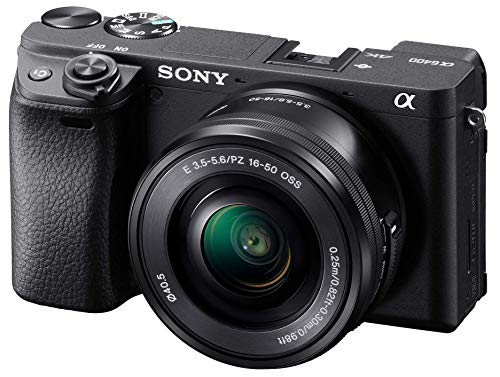 Sony Alpha a6400 Mirrorless Camera: Compact APS-C Interchangeable6.2 x 9.2 x 4.55 inches6.2 x 9.2 x 4.55 inches1.14 poundsCheck on Amazon
 Sony Alpha a7 IV Mirrorless Camera with 28-70mmCompact6.4 x 9.1 x 9.1 inches3.3 poundsCheck on Amazon
 Sony Alpha a7 III Full-Frame Mirrorless Camera KitFull-Size2.9 x 9.1 x 9.1 inches2.07 poundsCheck on Amazon


What's inside
- What tethering changes in a studio or event workflow
- How wireless controller boxes actually work
- The three Sony routes, compared honestly
- 2.4GHz versus 5GHz: range, congestion, and RAW transfer time
- File-size arithmetic: what a frame really costs to move
- Live view: latency, resolution, and what to expect
- Compatibility by Sony generation: ports, modes, and exposed functions
- Battery life, pass-through power, and the long day
- App and desktop software: the features that earn their place
- Security: the open access point on set
- When a plain cable still wins
- Multi-camera and event workflows
- Check prices on Amazon
- Choosing your route
As an Amazon Associate I earn from qualifying purchases. This post may contain affiliate links at no extra cost to you.
Tethering a Sony mirrorless camera sounds like a small technical choice, yet it reshapes almost everything about a shoot. Instead of working from the rear screen, squinting at a three-inch preview and hoping the focus landed where the model thought it landed, the image appears seconds later on a laptop, a tablet, or a monitor large enough for a client, a stylist, and a photographer to judge together. Instead of discovering a soft eye, a creased collar, or a stray cable only after the subject has left, the team sees the problem while there is still time to fix it. A wireless controller in the CamFi class promises that same large-screen workflow without a cable trailing across the floor, and for many Sony shooters that promise is the real product being bought. The hardware itself is modest: a small box, a short USB lead, a battery, and a Wi-Fi radio. The value lies in what the box removes from the room and what it adds to the review process.
This guide is supported by readers. When you shop through links on this page, the site may receive a commission from the retailer, and that support helps keep detailed guides like this one available. The commission comes from the retailer and adds no extra cost to what you pay. No product link changes the technical limits described here, and every speed, band, port, and compatibility point in this article comes from published specifications and manufacturer documentation rather than from invented bench stories.
Three broad routes compete for the same job on Sony bodies. The first is a plain USB cable into a computer running desktop tethering software. The second is the Wi-Fi and Bluetooth hardware already built into the camera, paired with Sony software on a phone, tablet, or computer. The third is an external wireless controller, typified by CamFi and by the CamRanger class of devices, which plugs into the camera USB port, creates its own wireless network, and serves the session to an app. Each route moves the same shutter, focus, and file data, but they differ sharply in transfer speed, live-view quality, range, reliability under pressure, and how much attention they demand during the shoot itself. Choosing well means matching the route to the room, the file size, and the people who need to see the pictures.
What tethering changes in a studio or event workflow
The most immediate change is shared sight. On an untethered shoot, the photographer is the only person who truly sees the frame, and everyone else works from description. A client nods along, an art director trusts, a subject guesses. Once the session is tethered, the frame becomes a shared object. A portrait subject can see that a chin has drifted too low. A food stylist can see that steam has stopped rising. A product manager can confirm that a label faces the lens squarely and that the colour in the preview matches the approved sample closely enough to proceed. That shared sight shortens shoots in a way that raw transfer speed never captures, because whole sequences that would have been reshot later simply never happen.
Client review on a large screen also changes the politics of approval. Instead of a final reveal at the end of the day, approval becomes incremental. The client marks favourites during the session, flags concerns early, and leaves with a shortlist that already reflects their judgement. For commercial work, that incremental approval protects the photographer as much as it helps the client: a concern raised at frame forty can be corrected at frame forty-one, while a concern raised a week later becomes a reshoot, a discount, or a dispute. A tablet handed to a client, driven by a wireless controller, makes that review loop portable. The client can sit away from the camera position, out of the lighting, and still follow every frame.
Instant backup is the quieter benefit, and for event work it may be the most important one. A tethered session writes to the camera card and to the receiving device, or in some configurations sends a copy onward to a watched folder that desktop software then backs up to a second drive or a network volume. Cards fail, get misplaced, and get formatted by tired hands at midnight. A second copy that exists from the moment of capture changes the risk profile of the whole job. Wireless routes need care here, because a dropped connection can leave gaps that nobody notices until the card is compared with the folder. A disciplined tethered workflow therefore treats the receiving folder as a live checklist, not a passive bucket, and confirms counts at natural breaks.
Remote control is the third change. Tethering is not only about receiving files; it is about driving the camera from the screen. Aperture, shutter speed, ISO, white balance, focus point, and shutter release can all be adjusted without touching the body. That matters when the camera sits on a tall stand over a product table, inside a rig, at the edge of a stage, or in any position where reaching the dials would move the frame. It also matters for consistency: settings changed from software are visible, logged in the interface, and less prone to the accidental dial nudge that ruins a matched set of packshots.
There are costs, and honest planning names them. Tethering adds a computer or tablet to the set, a power question, a connection to babysit, and a new failure mode in the middle of a shoot that previously had none. It slows the first frame of the day while everything pairs and settles. It can tempt a room full of people to art-direct every exposure. The photographers who benefit most are the ones who decide in advance who may speak about the preview, where the screen lives, and what happens if the link drops. The technology is the easy part. The workflow around it decides whether the shoot feels calmer or merely more crowded.
How wireless controller boxes actually work
A CamFi-class controller is best understood as a translator with a radio. On one side it speaks USB to the camera, presenting itself much like a computer would, issuing the standard picture-transfer and remote-control commands that the camera firmware understands. On the other side it runs its own Wi-Fi access point and a small server, and it speaks to an app on a phone, tablet, or computer. The camera believes it is wired to a host. The photographer believes the camera is wireless. Both beliefs are true, and the box in the middle reconciles them, converting control requests from the app into USB commands and converting image data from the camera into wireless traffic.
That architecture explains both the strengths and the ceilings of the category. Because the controller talks to the camera over USB, it can often expose the same remote functions a wired host would: shutter release, exposure settings, focus control where the camera and lens support it, and transfer of JPEG and RAW files as they are captured or after the fact. Because it then forwards everything over Wi-Fi, its real-world speed is capped by whichever link is slower, the camera USB generation or the wireless band in use. A controller cannot make a USB 2.0 camera port behave like a modern high-speed port, and it cannot make a congested 2.4GHz network behave like a clear 5GHz one. Published controller specifications that quote a wireless headline rate describe the radio, not the end-to-end delivery of a large RAW file.
Setup follows a consistent pattern across this class of device. The controller mounts on the hot shoe or hangs from a short strap near the body, a short USB cable connects it to the camera port, the camera is set to the USB connection mode its manual specifies for remote shooting, and the controller is powered on. Its access point name appears in the phone or laptop Wi-Fi list, the user joins that network, opens the companion app, and the app discovers the camera through the box. From that moment the phone is no longer on the venue internet, a detail that surprises newcomers: joining the controller network usually means leaving the building network behind, so cloud backup, messaging, and web lookup from that same device pause until the session ends or the device supports a second connection.
Higher models in this class add refinements rather than a different principle. Dual-band radios allow a choice between 2.4GHz and 5GHz. Ethernet ports on some units allow a wired hop from the controller to a router or computer while the camera hop stays wireless. Support for multiple cameras, stronger antennas, larger batteries, and faster internal processors all sit on top of the same bridge design. When comparing models, the useful questions are therefore concrete: which USB connector and generation does the unit assume, which bands does it offer, what does the manufacturer state for live-view frame rate and transfer, which Sony bodies appear on its compatibility list, and which app platforms does it support. Vague promises about freedom matter less than those five answers.
Placement matters more than most first-time users expect. The controller is a radio perched on a metal camera, often beside a metal stand, in a room full of bodies that absorb signal. Mounting it high, keeping its antenna clear of the camera grip and of large metal objects, and keeping the receiving tablet in the same room rather than through a wall all have a larger effect on stability than any setting buried in the app. A controller dangling by its cable against a tripod leg will work, in the sense that frames arrive, but it will work at the worst speed and with the most retries its radio can manage. Treat the box like a small lighting instrument: position it deliberately and it rewards you.
The three Sony routes, compared honestly
USB cable tethering to a computer
The wired route is the reference against which every wireless claim should be measured. A cable from the camera USB port to a computer running tethering software gives the fastest file delivery the camera can support, the most stable live view, and the deepest software ecosystem, from capture applications that write straight into an editing catalogue to utilities that handle naming, backup, and client galleries automatically. There is no radio to congest, no controller battery to watch, and no access point to secure. For a fixed studio position where the camera moves little and the computer can sit within a sensible cable run, wired tethering remains difficult to beat on merit.
Its weaknesses are physical rather than electronic. A cable defines a radius. It snags on stand legs, it transmits every tug to the camera port, and it invites the one accident every tethered studio eventually witnesses: a foot catches the lead and either the camera, the laptop, or both move violently. Cable management, gaffer tape, and strain relief are therefore part of the wired craft, covered later in this guide. Length is also a real constraint. USB performs best over modest distances, and long runs may need an active extension solution of the kind studio suppliers sell for exactly this purpose, which adds cost and another connection point that can fail.
Sony built-in Wi-Fi and the Imaging Edge route
Modern Sony bodies carry their own radios, and Sony software for phones and computers can connect to the camera for remote control and image transfer without any added hardware. The appeal is obvious: no box to buy, charge, mount, or lose, and a setup that lives entirely in menus the owner already has. For occasional remote release, for checking a frame from a few metres away, for transferring selected JPEG files to a phone for quick sharing, the built-in route is genuinely useful and often underrated by people who dismiss it because it is not the fastest option in the room.
Its limits show up under sustained load. Built-in camera Wi-Fi is designed around convenience features, and long sessions of large RAW transfer, continuous live view, and rapid-fire review can feel slow compared with a dedicated controller or a cable. Behaviour also varies by body generation and by software version, including which functions are available over a wireless connection versus a USB one, whether live view is offered at all in a given mode, and how the camera handles simultaneous card recording. Anyone planning a paid workflow around the built-in route should read the help guide for their exact body and software version, confirm each needed function in that documentation, and build the shoot plan only around functions that are documented for that combination.
There is also a discoverability point that matters for photographers who move between bodies. The astrophotography and low-light community, for example, leans heavily on remote release and interval control to avoid touching the rig at all, and the relevant planning overlaps with choosing a body in the first place best sony full frame cameras for astrophotography before any tethering accessory enters the conversation. A camera whose built-in wireless and remote functions are well documented for long exposures may need no controller for that work, while a studio body worked hard all day may justify one immediately.
External wireless controllers
The external controller occupies the middle ground and, for mobile work, often the sweet spot. It aims to deliver most of the wired remote experience, settings control, live view, file review, and app features, while removing the long cable between camera and screen. The photographer can walk a venue with the camera, hand the review tablet to a client across the room, or place the camera in a position no cable could comfortably reach. In exchange, the user accepts wireless physics, a battery to manage, and a purchase that costs far more than a cable. Whether that trade is wise depends entirely on how much the freedom is worth in a specific job, which is why this guide spends so much time on bands, file sizes, and power rather than on the romance of working untethered.
2.4GHz versus 5GHz: range, congestion, and RAW transfer time
Dual-band controllers present a choice that looks like a simple speed setting and is actually a three-way trade between range, congestion, and throughput. The 2.4GHz band travels farther and passes through walls, people, and set furniture more forgivingly. Its wavelengths cope better with the messy reality of a venue. In exchange, it offers lower maximum throughput and shares spectrum with an enormous population of other devices: venue routers, neighbouring networks, Bluetooth accessories, wireless microphones in some regions, and the microwave in the staff kitchen. In a quiet home studio, 2.4GHz can feel perfectly adequate. In a conference hall with forty networks visible, it can feel like shouting across a crowded bar.
The 5GHz band reverses the trade. It offers wider channels and much higher potential throughput, and far fewer legacy devices compete for it, so a clear 5GHz link in the same room as the camera will usually move large files and live view with noticeably less waiting. Its shorter wavelengths are absorbed and blocked more readily, so range shrinks, walls cost more, and a body between controller and tablet matters more. The practical rule that falls out of the physics is simple: use 5GHz when the receiver stays in the same open space as the camera and speed matters; use 2.4GHz when distance, partitions, or a roaming brief matter more than seconds per frame. Photographers who treat the band as a per-venue decision, rather than a set-and-forget preference, get the best of both radios.
Congestion deserves its own paragraph because it is the variable that ruins otherwise sound plans. Wireless throughput is shared and negotiated moment by moment. A controller that delivered a RAW file in a few seconds during a morning setup may take several times longer once an event fills the room with phones, a venue system starts streaming, and a video crew lights up its own wireless links. No specification sheet can promise a transfer time inside a radio environment the manufacturer has never seen. Prudent event photographers therefore test the link in the actual room, at the actual time of day if possible, keep the tablet close, choose the less crowded band after looking at what networks are present, and keep a cable in the bag as a dignified exit if the spectrum turns hostile.
Antenna and channel details sit underneath the headline band choice. Some controllers allow a manual channel selection within a band, which can help when one end of the band is crowded by a venue router fixed on a known channel. Automatic selection usually does a competent job, but a manual check during setup, when there is time to compare, beats troubleshooting mid-ceremony. Likewise, line of sight remains the cheapest speed upgrade available: moving a tablet from behind a metal catering station to a clear table, or raising the controller on the hot shoe rather than letting it hang behind the body, can change retry rates more than any menu setting. Radio rewards geometry.
File-size arithmetic: what a frame really costs to move
Tethering debates become clearer the moment they are turned into arithmetic. A current high-resolution Sony body with a sensor in the 61-megapixel class produces uncompressed RAW files in the region of 120 megabytes, with lossless compressed options bringing typical files down substantially and standard compressed RAW smaller still, while fine JPEG files from the same body commonly land in the teens or low twenties of megabytes depending on detail and ISO. Exact sizes vary by scene, because compression responds to content, but the ratios hold: a JPEG may be a fifth or a sixth the size of the RAW file from the same exposure. Every transfer-time expectation should start from those ratios rather than from hope.
Now attach a link speed. Suppose a wireless session sustains, after overhead and retries, an effective delivery rate that moves roughly ten megabytes per second, a figure chosen for illustration rather than as a promise for any product. A twenty-megabyte JPEG then arrives in about two seconds, which feels responsive: shoot, glance, approve. A sixty-megabyte compressed RAW takes about six seconds, which feels workable if the team reviews at a natural pace and sluggish if the photographer fires bursts. A one-hundred-and-twenty-megabyte uncompressed RAW takes about twelve seconds, and a burst of ten such frames creates a queue that needs two minutes to drain. The camera has long since moved on; the screen is reviewing history. Nothing is broken. The arithmetic was always going to do this.
That arithmetic explains the most common professional compromise: shoot RAW to the card for the archive, and send JPEG, or a smaller proxy where the software allows, to the tethered screen for review. The client judges composition, expression, and styling from the JPEG, which arrives quickly, while the full data waits safely on the card for the edit. Many workflows also record both formats to the card and transfer only one. The decision should be made deliberately before the shoot, with card capacity and transfer settings matched, because discovering mid-session that the screen is six frames behind is a self-inflicted wound. It also explains why burst-heavy sports and wildlife work rarely tethers wirelessly at all, while portrait, product, food, and architectural work, with their slower cadence, tether beautifully.
Card choice quietly supports all of this, since a session that writes large RAW files locally while also serving a wireless link needs media that keeps up without becoming the bottleneck, and capacity planning for a day of 61-megapixel work is its own exercise best 128 gb sd cards for shooters standardising on that card size. A tethered screen can mask a filling card, because the pictures keep appearing even as local storage runs down, so the receiving folder count and the camera card indicator both belong in the break-time checklist.
Wired speeds put the same arithmetic in perspective. A camera port and computer connection in the USB 3.x class can sustain delivery many times faster than a real-world wireless link, which is why the same uncompressed RAW that queues on Wi-Fi feels nearly instant on a good cable in a controlled studio. A USB 2.0-era body, by contrast, narrows the gap considerably: its port becomes the ceiling for both routes, and the wireless penalty shrinks to the point where convenience may reasonably win. Knowing which USB generation a specific body carries, from its published specification, is therefore one of the highest-value facts in this entire buying decision.
Live view: latency, resolution, and what to expect
Live view over a wireless controller is a video-like stream squeezed through a link that was never a display cable, and expectations should be set accordingly. The app shows the camera view with a delay, commonly a fraction of a second on a clean link and longer when the network is busy or the distance grows. That delay changes how the tool should be used. For framing a static product shot, checking a portrait composition, or confirming that a remote camera sees the stage correctly, a modest delay is irrelevant. For following fast action, pulling focus on a moving subject by watching the tablet, or timing a release to a fleeting gesture from the screen alone, the delay is the story, and the photographer should work from the camera itself or from a wired monitor instead.
Resolution follows the same logic. Wireless live-view streams are typically delivered at a reduced resolution compared with the full sensor readout, sufficient for composition, exposure judgement, and coarse focus confirmation, but not a substitute for reviewing the captured frame at full size. Competent apps therefore pair the live stream with a strong review function: tap the captured image, zoom to the focus point, and judge sharpness from the actual file. Focus peaking overlays, where offered, help at the live-view stage by highlighting high-contrast edges in a chosen colour, which is valuable for manual-focus product and macro work, yet peaking on a compressed stream can suggest confidence the file does not support. The captured-frame check remains the authority.
Frame rate also varies with conditions in a way that printed specifications tend to flatten. A controller may quote a best-case live-view rate measured close to the receiver on a clear channel. Add distance, a second reviewing device, simultaneous file transfer from a burst, and a busy venue, and the stream adapts by dropping frames or quality to stay connected. That adaptive behaviour is a feature, not a fault: a slightly softer stream that keeps flowing serves a shoot better than a pristine stream that freezes. Still, anyone whose work depends on live view, such as a food photographer styling to the screen, should judge a controller by how gracefully it degrades in a realistic room, and should keep the receiving device close enough that degradation rarely begins.
Audio and touch behaviour deserve a brief mention for hybrid shooters. Video-oriented tethering is a different discipline from stills tethering, with monitoring, recording control, and file handling governed by separate specifications on each body. Stills controllers and apps focus on the stills pipeline, and functions available for stills should never be assumed for movie recording. Sony documentation draws this line body by body, and video-led readers should follow the movie sections of their camera help guide rather than extrapolating from any stills workflow described here.
Compatibility by Sony generation: ports, modes, and exposed functions
Micro-USB-era bodies
Earlier Sony mirrorless generations connect over micro-USB and the USB 2.0 standard. Many of these bodies support remote shooting over that port, and controller manufacturers have long listed popular models from that era as compatible, which is why used controllers circulate widely among owners of older cameras. The practical consequences are speed and connector fragility. Transfer is capped by USB 2.0 regardless of the wireless band chosen, so large RAW files take their time on any route, and the small micro-USB connector tolerates careless tugging poorly. A short, well-fitting cable between controller and body, secured so it cannot lever against the port, is close to mandatory. Owners should also confirm, in the controller compatibility list and the camera manual together, which remote functions that generation exposes, because features such as focus control from the host can differ between body families of the same era.
USB-C bodies and the USB 3.x step
Newer flagship and high-resolution bodies moved to USB-C with faster USB generations, and that single change lifts the ceiling for both wired and controller-based tethering. The connector is sturdier, reversible, and shared with power delivery on bodies that support charging or powered operation over USB. Controllers designed for this generation ship with the appropriate short cable and can move files at rates that make 5GHz wireless, rather than the camera port, the usual bottleneck. When a specification sheet lists a body as compatible, the useful follow-up questions are whether that listing covers the exact firmware generation in hand, whether live view is supported on that body through the controller, and whether any function, such as focus stacking or bulb control, is limited on Sony bodies compared with other brands the same controller supports. Cross-brand controllers divide their feature tables by camera maker for a reason, and the Sony column is the only one that matters here.
Which functions each route exposes
Function exposure is where route choice stops being about speed and starts being about capability. A wired desktop session generally exposes the broadest set: full exposure control, focus point selection, live view, capture to computer and card, and integration with catalogue software. A controller app typically covers the core remote set well, release, exposure, focus where supported, live view, review, and a set of shooting aids described in the next section, but the exact list is defined by the app and the body together. The built-in Sony route covers release and basic control elegantly for casual use, with transfer and live-view scope that varies by body and software. The professional habit is to build a short required-functions list for the job, interval shooting, bracketing, focus overlay, capture destination, file types transferred, and then verify each item against documentation for the specific body, route, and software version, rather than assuming parity between routes that happen to share the word tethering.
Firmware and app versions move these boundaries over time. A body update can add a remote function, an app update can expose one that was always present, and a desktop release can change which bodies are supported at all. Studios that standardise on a route should therefore freeze a known-good combination during a busy season, record version numbers in the studio notes, and update deliberately between jobs rather than on the morning of one. Most tethering horror stories are version stories: something updated itself overnight, and a pairing, a driver, or a menu default quietly changed. The fix is process, not outrage.
Carrying the whole arrangement is its own compatibility question, because a controller, spare cables, batteries, a tablet, and a laptop turn a camera bag into a small production kit best backpacks for sony mirrorless cameras when the work moves between venues. Padding for the screen, a pocket that keeps the short USB leads separate from charging leads, and quick access to the controller all sound mundane until a setup must happen in fifteen minutes in a corridor. Kit that is easy to carry gets brought; kit that is awkward gets left behind, and left-behind tethering helps nobody.
Battery life, pass-through power, and the long day
Every wireless tethering session runs on at least two batteries: the camera battery and the controller battery, plus the receiving phone or tablet. Controller endurance varies by model, band, and workload, with manufacturers typically quoting several hours of active use from the internal pack, and heavy live view with constant transfer sitting at the demanding end of that range. A full wedding, a conference day, or a long e-commerce shift can exceed a single charge, so power planning is not pessimism; it is scheduling. The common solutions are a midday swap or top-up during a natural break, a spare controller battery where the design allows swapping, or powering the controller from a USB power bank so its internal pack becomes a buffer rather than a limit.
Pass-through and camera power deserve careful reading of the specifications. Some setups allow the camera to draw power over USB from a suitable source while tethered, which can transform long studio sessions on bodies that support powered operation, while other combinations charge the camera only when it is off, or not at all through the tethering cable. The controller itself sits in the middle of the camera connection, so assumptions from a direct-to-computer setup may not carry over. The manual for the body states what the port accepts; the controller documentation states what passes through it. Where the two documents leave a gap, the safe plan is to treat camera batteries as consumables for the day, carry the usual spares, and treat any USB power contribution as a bonus rather than a foundation.
Heat and duty cycle link power to reliability. A camera streaming live view, writing large files, and holding a wireless session runs warm, and a controller working a busy 5GHz link does the same. Warm is normal; throttling, disconnects, or protective shutdowns in a hot venue are the signals to change something: shade the kit, shorten live-view sessions between setups, let the JPEG-review workflow carry more of the load, or step to the cable for the most demanding hour. Event photographers who work summers outdoors learn to rotate batteries not only for charge but also to let a hot pack rest. None of this appears in headline specifications, yet all of it decides whether the last hour of the job feels like the first.
A simple power checklist prevents most failures. Start the day with controller, camera batteries, and tablet all full. Confirm the controller actually charges from the intended power bank and cable before the job, because connector and power-negotiation mismatches are real. Put the charging lead for the controller in the same pocket every time. Set the tablet brightness for the room rather than maximum by default. Agree the break at which power gets checked, the same break used for card and file counts, so one ritual covers the three resources the session consumes: storage, files, and charge.
App and desktop software: the features that earn their place
The companion app is half the product in controller tethering, and its feature list rewards a sceptical read. The core screen should present exposure controls in a layout that can be operated quickly, a shutter release with minimal fuss, a live-view image large enough to judge, and a review gallery that opens the latest frame at full size without a maze of taps. Beyond that core, several features genuinely change what a shoot can do. Focus peaking overlays, already discussed for live view, earn their place in manual-focus studio work. Zoomed live view for focus confirmation, where the body and app support it, helps with product and still-life precision. Histogram and highlight warnings on the app screen bring exposure judgement to the person styling the shot, not only to the person behind the camera.
Interval shooting is the feature that quietly justifies controllers for a second audience entirely. A controller app that offers a flexible intervalometer, with start delay, interval, frame count, and exposure settings held reliably over hours, serves time-lapse, construction progress, event booth, and scientific documentation work, and it does so without tying up a laptop. Bracketing controls extend the same logic to high-dynamic-range capture: the app steps exposure across a set range while the camera stays untouched on its tripod, which is exactly what architectural and interior work needs when a hand on the body would shift the frame by the few pixels that ruin a blend. Documentation for each controller states the bracketing span and step options it supports on Sony bodies, and those figures, not the headline feature name, should drive comparison.
Focus stacking triggers take the idea further for macro and product specialists. True focus stacking requires the camera or lens focus position to step by controlled amounts between frames, and support for that movement over a tethered connection varies by body, lens, and controller in ways that must be verified model by model. Some workflows instead use the controller purely as a disciplined release and logging tool while focus is stepped by a rail or by the lens under camera control. Either way, the app contribution is repeatability: a defined sequence, executed the same way every time, with the results arriving on a screen large enough to spot the frame where focus jumped. Repeatability, more than any single clever feature, is what software adds to a camera that already takes excellent pictures unaided.
Desktop software remains the heavyweight option where it applies. A wired session feeding a full editing application brings professional naming, folder logic, presets on import, client-proofing exports, and backup automation that phone apps do not attempt. Some controller ecosystems bridge toward that world by allowing files to land on a computer, or by offering desktop versions of the companion app, while the built-in Sony route offers its own desktop tools with their own scope. The deciding question is where the files must end up and who must act on them during the shoot. A solo photographer reviewing on a tablet needs far less machinery than a studio where a digital technician retouches selects while the photographer keeps shooting. Buy and learn the software tier the job actually uses; unused sophistication is just more menus between the photographer and the picture.
One more software trait matters and is easy to overlook: how gracefully the app handles interruption. Connections drop in real venues. Cameras sleep. Tablets lock. The good implementations reconnect to the same session, show clearly which frames have transferred, and never leave the user guessing whether the last ten frames exist in one place or two. The poor ones restart silently, duplicate files, or present a gallery whose gaps are discovered at midnight. Documentation rarely advertises recovery behaviour, so studio process should assume imperfection: verify counts at breaks, keep the card as the record of truth until the folder is proven complete, and format cards only after two copies of the session exist elsewhere.
Security: the open access point on set
A wireless controller creates a network in the middle of a workplace, and that network deserves the same basic care as any other. The risks are modest but real. An access point with a default name and a default or absent password invites curiosity from anyone in range, and a tethered session carries client images that may be commercially sensitive, embargoed, or personal. Event work adds a crowd. Product launches add competitors. Wedding work adds the couple’s private day. The controller is not a file server for the internet, yet treating its network as public by default is the correct starting posture.
The mitigations are straightforward and mostly one-time. Change the access point name to something that does not advertise the client, the brand, or the nature of the shoot. Set a strong password where the controller supports one, and share it only with the devices that need to join. Prefer the band and power settings that keep the useful range close to the working area rather than broadcasting generously through walls into public space, with 5GHz offering a natural containment advantage indoors because of its shorter reach. Turn the controller off when the session ends, rather than leaving a named network glowing in a bag. Where a controller offers an Ethernet or direct mode for the receiving computer, consider it for fixed studio work, since a wire between controller and computer removes one radio hop from the security picture entirely.
Client-data hygiene extends beyond the radio. The tablet that receives the session will hold copies of the images, so it should have a lock code, should not be the photographer’s most casually shared personal device for sensitive commercial work, and should have its session folders cleared or archived according to the studio policy once the job is delivered and backed up. None of this requires paranoia. It requires the same ordinary professionalism that keeps release forms signed and cards labelled, applied to a network that did not exist in photography a generation ago.
When a plain cable still wins
After several thousand words about wireless freedom, the cable deserves its defence, because for a large share of studio photography it remains the correct answer. Speed is the first argument: a modern USB connection moves the largest RAW files at a pace wireless cannot match, so a high-volume e-commerce studio shooting hundreds of frames an hour reviews without queues and backs up without doubt. Reliability is the second: a cable does not care how many phones enter the room, which band the venue router prefers, or whether the controller battery survived the previous job. Cost is the third: a good tethering cable and a strain-relief solution cost a small fraction of a controller, and the desktop software many studios already own completes the system.
Reliability also has a psychological dimension on paid work. A photographer troubleshooting a wireless pairing in front of a client spends credibility along with minutes. A cable either works when plugged in or presents a simple, visible problem. Studios that adopt wireless controllers wisely often do so as an addition, not a replacement: the cable stays in the kit, the wired workflow stays practised, and the wireless route is chosen per job where its freedom earns money or solves a geometry problem, such as a camera over a food table, a remote head at an event, or a client lounge separated from the set. The photographers who struggle are the ones who sold the cable the week the controller arrived.
Cable craft: length, strain relief, and port care
Wired tethering done well is a craft with known rules. Choose a cable rated for data at the speed the camera port supports, in the shortest length that comfortably reaches the computer position, because excess length is excess snag. Route it along stand legs and across the floor where feet do not travel, tape it where it must cross a walkway, and leave a service loop at the camera so small movements do not pull the connector. Strain relief at the camera end is the heart of the system: a tether block, a jerk-stopper arrangement that anchors the cable to the tripod or camera cage, or at minimum a loop secured so that any tug loads the anchor and never the port. Replacing a cable is an errand; replacing a damaged camera USB port is a repair bill and a lost body for weeks.
Port care applies to wireless controllers too, since the short lead between box and body is still a cable into the same port. Keep that lead short, support the controller so its weight never hangs from the connector, and avoid repeated side loads when the camera moves between portrait and landscape orientation on a tripod head. Inspect connectors for dust before a job rather than during one. These habits sound fussy in print and feel invisible in practice, and they are the difference between tethering as a dependable studio utility and tethering as a recurring incident report.
Multi-camera and event workflows
Events stretch tethering in directions a studio never does: distance, crowd density, deadlines measured in minutes, and pictures that must reach an editor, a screen, or a client feed while the event is still unfolding. Wireless controllers earn serious consideration here precisely because the camera cannot stay near a desk. A photographer roaming a conference floor can send selected frames to a tablet at the media position, where an editor reviews, crops, and publishes while the photographer keeps moving. A second body on a remote position, over a stage or behind a goal, can be checked and triggered without a crew member climbing to it. The value is editorial speed, and it justifies both the cost and the operational discipline wireless demands.
Multi-camera support is where specifications must be read with a ruler. Some controller systems support more than one camera from a single app or through linked units, with limits on how many bodies can stream live view at once and how transfer queues are shared. Others are strictly one camera per controller, and a multi-body setup means multiple controllers, multiple networks, and careful naming so the right tablet joins the right camera in a room where several similarly named access points compete. Frequencies must be planned like lighting positions: separate channels where possible, bands divided between bodies, receivers placed with intent. A two-camera event rig improvised in the doorway will work just well enough to fail during the keynote.
Deadline workflows also change the file strategy. An editor waiting on pictures for a live feed wants the JPEG now and the RAW later, if at all, so event setups commonly transfer JPEG only, at a size matched to the publishing need, while RAW stays on the card for the post-event archive. That choice keeps the wireless queue short, the editor supplied, and the photographer’s buffer clear. It also needs an explicit agreement with the client or desk about what the transferred files are for, since a screen-reviewed JPEG is a publishing asset in a newsroom workflow and merely a proof in a commercial one. The technology does not decide that. The brief does, and tethering simply executes it faster.
Venue surveys become part of the job at this level. Where is the media position, how far is it from the furthest shooting position, what stands between them, which networks already fill the room, and where can a receiver sit with clear line of sight to the floor? A controller that performs flawlessly in a studio can be humbled by a steel-framed arena, and the survey is what turns that surprise into a plan: receiver relocated, band changed, expectations for transfer time reset, or the remote body switched to a scheduled card pull instead of a live link. Professional event tethering is mostly this kind of unglamorous foresight, repeated venue by venue.
Readers weighing bodies for this kind of mixed stills work often start from the camera shortlist itself best 4k mirrorless cameras because hybrid coverage shapes which bodies a team standardises on, and tethering behaviour should be checked for the exact bodies on that list before controllers are bought in multiples. A fleet decision made on image quality alone can stumble on a port difference or a function limit that a single afternoon with the documentation would have revealed.
Check prices on Amazon
Live listings for the shortlist in this guide are pulled from Amazon below, so prices and availability are always current at the moment you look.


Choosing your route
Start from the room, the file size, and the deadline, not from novelty. Fixed studio, heavy RAW volume, and a technician at a desk point to a cable. Roaming event work, remote camera positions, and clients reviewing away from the set point to a dual-band controller, run on 5GHz nearby or 2.4GHz at distance, with JPEG review and RAW kept on the card. Occasional remote release needs only the built-in route. Whichever route wins, keep the spare cable packed, verify counts at every break, and let one quiet tethered frame on a big screen settle arguments that a hundred rear-screen previews never could.
Related guides
- Best 1080p IP Cameras: PoE Domes, Turrets, Bullets and a PTZ That Earn Their Cable
- Best AC Powered Wireless Security Cameras: Wi-Fi Data, Mains Power, Zero Sleep
- Best Sony Full Frame Cameras for Astrophotography: Sensitivity vs Resolution
- Best Canon Point and Shoot Digital Cameras: PowerShot Picks From Pocket Compacts to Travel Zooms


