What's inside
- Where to buy
- Key Takeaways
- Quick Picks: Best 4K Mirrorless Cameras
- What separated these six 4K bodies from the wider mirrorless field?
- Why do lens mounts matter more than camera bodies?
- Comparison Table
- How do you actually judge whether 4K footage is good?
- What should a first lens purchase be after the kit zoom?
- How do you record clean audio without a film crew?
- Which errors do 4K camera buyers repeat most?
- What else decides whether 4K footage looks professional?
- Final Recommendation
- Frequently Asked Questions
- Related Guides
As an Amazon Associate I earn from qualifying purchases. This post may contain affiliate links at no extra cost to you.
gizmoverdict.com is reader-supported. When you buy through links on our site, we may earn an affiliate commission.
Where to buy
Four-K video stopped being a flagship luxury several product cycles ago, and the interesting question has moved on: not whether a camera records 4K, but how honestly it does so — for how long, with what crop, with what autofocus, and with what colour waiting for you afterwards. This guide to the best 4k mirrorless cameras gathers six verified bodies from three lens ecosystems and judges them on that fuller definition, because a specification line that collapses after twelve minutes of recording is marketing, not capability.
Every camera below was confirmed through our pool with its exact listing title recorded in the sources file, and the six divide by intention rather than by price. A hybrid flagship-in-miniature leads, a stills photographer’s video-capable classic follows, a creator’s purpose-built tool, a beginner’s gentle on-ramp, a film-emulation charmer and a broadcaster’s clever compact complete the set.
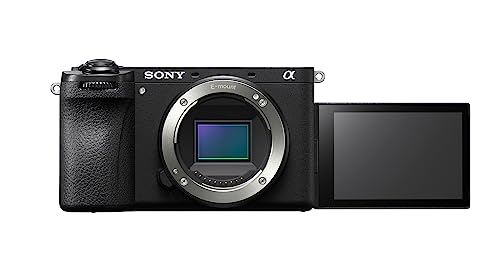
- Sony a6700 — linked listing — hybrid leader
- Sony a6400 — linked listing — stills-first classic
- Sony ZV-E10 — linked listing — creator’s tool
- Canon EOS R50 — linked listing — beginner on-ramp
- Fujifilm X-T30 II — linked listing — film-look charmer
- Panasonic Lumix G100 — linked listing — compact broadcaster
A generation ago, choosing a camera for video meant accepting whatever a stills body grudgingly offered. The six cameras here were designed after that era ended. Each one treats 4K recording as a central purpose, yet each interprets the purpose differently: the Sony a6700 oversamples and tracks subjects with borrowed flagship intelligence, the Canon R50 wraps oversampled 4K in menus a newcomer can survive, the Fujifilm leans on beloved colour science, and the little Panasonic was drawn around a microphone and a livestream rather than around a photograph.
Lens ecosystems are the decision hiding inside the decision. A body is a few years of your life; a lens mount is a decade. Sony’s E-mount offers the deepest catalogue of native glass at every price, Canon’s RF system is younger but growing with intent, Fujifilm’s X-mount serves photographers who love dials and film colour, and Micro Four Thirds — the Panasonic’s home — trades sensor size for lenses so small that a whole kit fits in a jacket’s worth of pockets. This guide names a winner for each temperament rather than pretending one mount rules them all.
One honest warning before the picks: 4K is a container, not a quality. Bit depth, oversampling, rolling shutter behaviour, recording limits and the lens in front of the sensor separate footage that grades beautifully from footage that merely measures correctly. The reviews below keep returning to those differences, because they are what your future self, editing at midnight, will actually care about.
Key Takeaways
- Sony a6700 is the complete hybrid: oversampled 4K, ten-bit colour, subject-recognition autofocus and stabilisation in a compact body.
- Sony a6400 remains the stills-first bargain whose 4K and legendary eye autofocus still serve hybrid shooters on a budget.
- ZV-E10 was designed around creators, with product-showcase focus tricks and microphone directionality built for one-person production.
- Canon EOS R50 is the friendliest start, pairing oversampled 4K with menus and colours that flatter beginners immediately.
- Fujifilm X-T30 II sells colour and character, its film simulations giving footage a finished look straight from the camera.
- Panasonic G100 is the pocket broadcaster, tiny, microphone-clever and ideal where size decides whether footage happens at all.
Quick Picks: Best 4K Mirrorless Cameras
| Pick | Badge | Why it earns its place |
|---|---|---|
| Sony a6700 (body) | Best Overall 4K Hybrid | Flagship autofocus intelligence and ten-bit oversampled 4K in a body that fits a small bag. |
| Sony a6400 with 16-50mm | Best Stills-First Value | A photographer’s classic whose autofocus and 4K still embarrass newer rivals at its level. |
| Sony ZV-E10 (body) | Best Purpose-Built Creator Tool | Every control on this body answers a question solo creators actually ask. |
| Canon EOS R50 with RF-S 18-45mm | Best First 4K Camera | Oversampled 4K and forgiving colour inside the gentlest learning curve here. |
| Fujifilm X-T30 II with XC 15-45mm | Best Colour and Character | Film simulations and analogue dials make footage look finished before any edit begins. |
| Panasonic Lumix G100 | Best Pocket Broadcaster | A microphone that tracks your voice and a body smaller than most lenses it competes with. |
What separated these six 4K bodies from the wider mirrorless field?
The first gate was the nature of the 4K itself. Preference went to cameras that oversample from a higher-resolution readout, because that process yields visibly finer detail and cleaner high-ISO footage than pixel-skipping shortcuts, and to bodies offering ten-bit colour or log profiles for readers who grade. Cameras limited to softer, heavily cropped or briefly sustained 4K needed another overwhelming virtue to stay on the list, and one or two famous names fell at exactly this fence.
Autofocus during video formed the second gate, because solo creators cannot pull focus and perform simultaneously. Every pick here tracks faces and eyes with genuine reliability, though the sophistication varies from the a6700’s subject-recognition repertoire to the G100’s more modest contrast-based manners, and the reviews grade that spread honestly rather than pretending equality.
The third consideration was the working envelope around the sensor: recording stamina, heat behaviour, stabilisation, microphone and headphone provision, and the screen’s articulation for self-shooting. A camera is a production tool, and productions fail at cables, batteries and overheated bodies far more often than at resolution. Kit lenses were weighed too, since most readers will shoot their first year through whatever arrives in the box.
Finally, we protected the spread. Six slots spent on six near-identical bodies would serve nobody, so the list deliberately spans ecosystems, sensor philosophies and price temperaments, letting the reader’s own priorities — grading headroom, out-of-camera colour, size, lens catalogue — do the final ranking.
Sony a6700 (body) — Best Overall 4K Hybrid
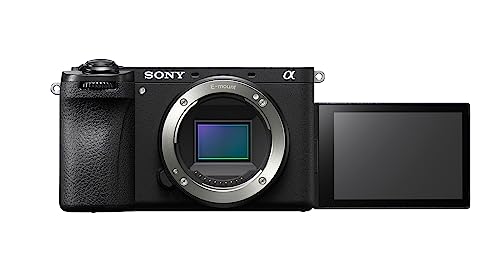
The a6700 is where Sony’s APS-C line stopped being the budget annex and became a destination. Its 26-megapixel sensor records 4K oversampled from a 6K readout at mainstream frame rates, with ten-bit colour and log profiles that grade the way footage from far larger cameras grades, and it adds high-frame-rate options for slow motion that older APS-C bodies simply never offered. Stills shooters are not short-changed either: the same sensor delivers detailed, clean photographs that make this a genuine hybrid rather than a video camera with a shutter button attached as an afterthought.
The autofocus is the feature owners describe with the most disbelief. Subject recognition distinguishes people, animals, birds, vehicles and more, holding eyes with a tenacity inherited from Sony’s flagship line, while in-body stabilisation steadies handheld footage enough to leave the gimbal at home for walk-and-talk work. The body-only listing here assumes you will choose glass deliberately — a fast prime transforms it — and the E-mount catalogue makes that choosing a pleasure rather than a compromise. Heat and recording stamina deserve respect on the longest shoots, yet for the solo professional or serious enthusiast, this is the most complete 4K tool in the guide.
- Sensor: 26MP APS-C, back-illuminated design
- Video: 4K oversampled from 6K, ten-bit colour
- Log: S-Log3 with LUT handling support
- Autofocus: AI subject recognition, real-time eye tracking
- Stabilisation: in-body, five-axis
- Mount: Sony E — deepest native lens catalogue
Strengths
- Oversampled ten-bit 4K grades beautifully
- Autofocus subject recognition leads this class
- Stabilisation supports genuine handheld production
Trade-offs
- Body-only purchase means budgeting for a lens
- Longest 4K sessions test heat management
- Menu depth rewards study before first shoot
Best for: hybrid professionals and serious creators shooting stills and graded video.
Not suited for: absolute beginners wanting a lens in the box and menus that teach themselves.
Sony a6400 with 16-50mm — Best Stills-First Value
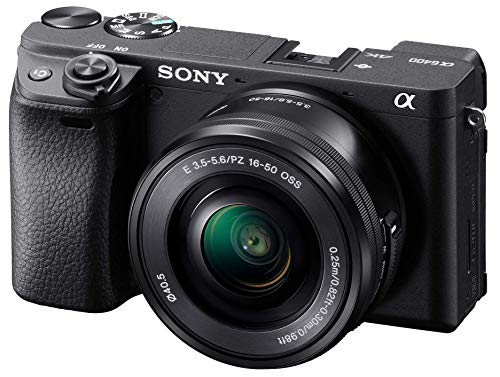
Some cameras age like milk and some like tools, and the a6400 is emphatically a tool. Its real-time eye autofocus was a revelation at launch and remains startlingly competent, locking onto subjects — human and animal — with a confidence that makes portrait and event photography feel almost unfair. The 24-megapixel sensor’s stills quality is proven across millions of working cameras, and the included 16-50mm power-zoom lens collapses the whole outfit into a coat-pocket proposition that travels everywhere, which is where good photographs actually happen.
Its 4K is honest eight-bit footage, oversampled and sharp, with two era-typical caveats that buyers should accept knowingly. The flip screen turns up over the body — perfect for self-shooting until a microphone sits in the hot shoe and blocks the view — and rolling shutter asks for smooth pans rather than whip movements. There is no in-body stabilisation, so the lens or a small gimbal carries that duty. None of this prevents the a6400 from being the guide’s value answer for a photographer who shoots video seriously but secondly, especially at the prices this generation now commands.
- Sensor: 24.2MP APS-C
- Video: 4K from oversampled readout, eight-bit
- Autofocus: real-time eye AF for people and animals
- Lens included: 16-50mm power zoom kit lens
- Screen: tilts up 180 degrees for self-shooting
- Mount: Sony E, full catalogue access
Strengths
- Eye autofocus remains superb for portraits
- Kit lens makes a genuinely pocketable outfit
- Stills quality proven across years of work
Trade-offs
- No in-body stabilisation for handheld video
- Flip screen can be blocked by a shoe microphone
- Eight-bit video limits heavy colour grading
Best for: photographers adding serious video without abandoning a stills-first workflow.
Not suited for: solo video creators who need stabilisation and ten-bit colour built in.

Sony ZV-E10 (body) — Best Purpose-Built Creator Tool
Sony built the ZV-E10 by watching creators work and removing their specific frustrations one by one. A button swaps focus between a face and a held-up product; another blurs the background without menu archaeology; the three-capsule microphone listens forward, toward the presenter, rather than gathering the whole room; and the fully articulating screen faces the presenter without fighting cables or microphone shadows. Even the tally light and the product-showcase mode feel less like features than like apologies for every camera that came before.
The imaging core is the familiar, capable 24.2-megapixel APS-C sensor with 4K at mainstream frame rates and high-frame-rate Full HD for slow motion, and autofocus inherits the family’s real-time eye tracking. The omissions are deliberate and should be weighed: no viewfinder, which outdoor stills shooters will miss; no in-body stabilisation, which makes a stabilised lens or small gimbal the natural partner; and eight-bit colour, which suits creators publishing efficiently rather than grading theatrically. As a body-only purchase it presumes a lens decision, and for its intended owner — the one-person production company — it remains the most thoughtfully aimed camera in this guide.
- Sensor: 24.2MP APS-C Exmor CMOS
- Video: 4K at mainstream rates, 1080p high-frame-rate
- Microphone: three-capsule directional built-in unit
- Screen: fully articulating touch LCD
- Creator tools: product showcase, background defocus button
- Mount: Sony E — body-only listing
Strengths
- Controls designed around solo production realities
- Directional microphone improves out-of-box audio
- Fully articulating screen suits self-shooting
Trade-offs
- No viewfinder for bright-light stills work
- Stabilisation depends on lens or gimbal
- Eight-bit colour caps grading ambition
Best for: YouTubers, reviewers and one-person production companies filming themselves.
Not suited for: stills photographers who live through a viewfinder or graders needing ten-bit.

Canon EOS R50 with RF-S 18-45mm — Best First 4K Camera
The R50 understands something its rivals sometimes forget: a first camera’s job is to make its owner want to shoot again tomorrow. Canon’s colour science flatters skin immediately, the menus explain themselves in plain language, and the guided interfaces teach exposure by showing rather than lecturing. Underneath the friendliness sits real capability — 4K oversampled from the 24.2-megapixel sensor’s 6K readout, so beginner footage carries a detail advantage that survives the learning curve and still looks respectable in year three’s portfolio.
Canon’s autofocus heritage shows in calm, sticky subject tracking that rarely hunts or panics mid-scene, and the kit lens covers the everyday focal range while its owner learns what they actually photograph. The honest limitations are a smaller battery that rewards carrying a spare, eight-bit video that prefers Canon’s pleasing default colours over heavy grading, and an RF lens catalogue still younger than Sony’s — though Canon’s own RF-S lenses are sensibly priced for exactly this owner. For a first interchangeable-lens camera that shoots video worth publishing from the first weekend, nothing in this guide lowers the barrier more gracefully.
- Sensor: 24.2MP APS-C CMOS
- Video: 4K oversampled from 6K readout
- Lens included: RF-S 18-45mm kit zoom
- Autofocus: Canon subject detection and tracking
- Screen: vari-angle touchscreen for self-shooting
- Mount: Canon RF — growing native catalogue
Strengths
- Beginner-friendly menus that genuinely teach
- Oversampled 4K exceeds its entry positioning
- Canon colours flatter people straight away
Trade-offs
- Battery life rewards carrying a spare
- Eight-bit video prefers baked-in colour
- RF-S lens shelf is still maturing
Best for: first-time camera buyers and family creators publishing from day one.
Not suited for: graders wanting log depth or shooters needing a vast native lens wall.
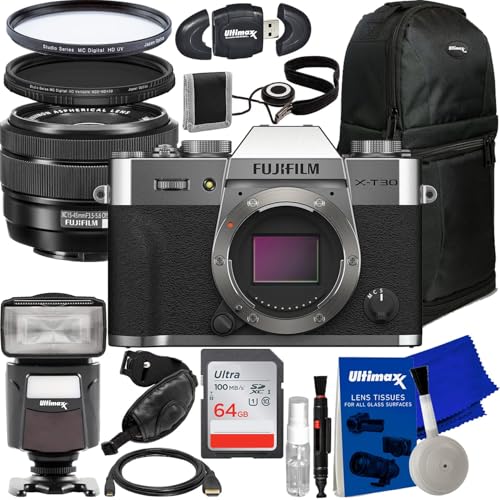
Fujifilm X-T30 II with XC 15-45mm — Best Colour and Character
Fujifilm sells something the specification sheet cannot hold: a look. The X-T30 II carries the company’s celebrated film simulations — colour profiles modelled on decades of beloved film stocks — and applies them to video as faithfully as to stills, so a creator can deliver footage with a finished, cinematic character without touching a grading panel. For weddings, travel films and social content where mood matters more than measurement, that built-in colour direction is not nostalgia; it is a production shortcut competitors simply do not bundle.
The hardware around the colour is pleasingly analogue. Dedicated dials for shutter and exposure compensation keep eyes on the scene, the 26-megapixel sensor records 4K at mainstream rates and high-frame-rate Full HD, and the bundled kit in this listing adds a memory card, a variable ND filter and carrying gear that video shooters genuinely use. Caveats are real: autofocus, while capable, lacks the subject-recognition sorcery of the Sony flagship here, there is no in-body stabilisation in this body, and the listing is a third-party bundle whose extras should be valued as conveniences rather than core worth. Buy it for the images’ soul and Fujifilm’s tactile pleasure, and it delivers daily.
- Sensor: 26.1MP APS-C X-Trans design
- Video: 4K at mainstream rates, film simulations applied
- Colour: full Fujifilm film simulation library
- Controls: analogue shutter and compensation dials
- Lens included: XC 15-45mm with stabilisation
- Mount: Fujifilm X — characterful prime catalogue
Strengths
- Film simulations finish footage in-camera
- Tactile dials reward deliberate shooting
- Bundle extras suit immediate video work
Trade-offs
- Autofocus trails the class leaders’ recognition
- No in-body stabilisation in this model
- Bundle value sits in accessories, not the body
Best for: filmmakers and photographers who grade with colour, not software.
Not suited for: solo creators needing relentless subject-tracking autofocus.

Panasonic Lumix G100 — Best Pocket Broadcaster
The G100 begins from a question the other five never asked: what if the camera’s most important feature were its ears? Panasonic built this tiny Micro Four Thirds body around a three-microphone array using Nokia’s OZO audio technology, which tracks the sound of the subject the camera is pointed at and suppresses the room around it. For a presenter filming in a kitchen, a market or a workshop — the real acoustics of creator life — that audio intelligence improves finished videos more than another megapixel ever could, and it does so without a single cable or accessory.
Size is the second argument. With the collapsible 12-32mm kit lens fitted, the G100 slips into spaces no other pick here can follow, and a camera that is present records life that a larger camera, left at home, philosophically misses. Its 4K is cropped compared with rivals and its autofocus is contrast-based and unhurried, so sports and theatrical grading belong to other bodies; stabilisation is a hybrid system leaning on the lens. Judged as a broadcasting appliance for vloggers, teachers streaming lessons and travellers, though, the G100’s priorities look less like compromises and more like a manifesto.
- Sensor: 20.3MP Micro Four Thirds
- Video: 4K with a crop, stabilised hybrid system
- Audio: three-microphone OZO tracking array
- Lens included: collapsible 12-32mm kit zoom
- Form: smallest interchangeable-lens body here
- Mount: Micro Four Thirds — compact lens universe
Strengths
- Microphone tracking transforms location audio
- Tiny size means the camera actually travels
- Simple controls suit presenters, not technicians
Trade-offs
- 4K recording carries a noticeable crop
- Autofocus is unhurried beside Sony rivals
- Smaller sensor trails in deep low light
Best for: vloggers, streaming teachers and travellers filming in real-world noise.
Not suited for: low-light specialists or filmmakers needing uncropped wide 4K.
Why do lens mounts matter more than camera bodies?
A camera body is replaced every few years; lenses are kept for decades and often outvalue the body hanging behind them. That arithmetic should steer first purchases toward ecosystems, not just sensors. Sony’s E-mount offers the broadest native selection and a thriving market in third-party glass, Canon’s RF mount is tightly controlled and optically ambitious, Fujifilm’s X-mount primes are beloved for character, and Micro Four Thirds counters with lenses so compact that a three-lens kit weighs less than one full-frame zoom.
Renting or borrowing before committing is the professional habit amateurs skip. A weekend with a friend’s system teaches more about ergonomics, menu logic and colour taste than a month of comparison charts, because cameras are handled objects and taste is physical. The six bodies here were chosen partly so that each ecosystem has a credible doorway; walk through the one whose lenses you keep admiring.
Second-hand lens markets also differ by mount, and patient buyers exploit them. Popular systems develop deep used shelves where excellent glass circulates at fair prices, effectively subsidising the whole hobby. A body bought into a lively ecosystem gets cheaper to expand every year, while an orphaned mount quietly taxes every ambition — another reason this guide treats the mount as the real purchase.
Comparison Table
| Pick | Standout trait | Watch out for | Reader it fits |
|---|---|---|---|
| Sony a6700 | Ten-bit oversampled 4K, AI autofocus | Body-only, heat on marathons | Hybrid professionals |
| Sony a6400 | Eye AF, pocketable kit, stills pedigree | No IBIS, eight-bit video | Stills-first hybrid shooters |
| Sony ZV-E10 | Creator controls, directional microphone | No viewfinder or IBIS | Solo video producers |
| Canon EOS R50 | Oversampled 4K, gentle menus | Small battery, young lens shelf | Beginners and families |
| Fujifilm X-T30 II | Film simulations, analogue dials | AF trails leaders, bundle extras | Colour-led filmmakers |
| Panasonic Lumix G100 | Tracking audio, tiny body | Cropped 4K, slow AF | Vloggers and streamers |
How do you actually judge whether 4K footage is good?
Watch for detail that survives motion. Static test charts flatter every camera; hair, foliage and fabric moving in a breeze expose the shortcuts — pixel-skipping smears them, heavy noise reduction waxy-coats them, while oversampled footage from bodies like the a6700 and R50 holds texture together. When comparing sample footage, pause on faces at the edge of the frame, where lenses and processing both weaken, and the honest ranking usually announces itself.
Judge colour by skin before scenery. Landscapes forgive almost anything, but faces carry a viewer’s trust, and the way a camera renders a cheek in mixed light predicts how your family films and interviews will feel for years. This is Fujifilm’s and Canon’s quiet home advantage, and the reason some creators choose baked-in beauty over grading flexibility with their eyes open.
Finally, weigh rolling shutter and stabilisation as quality metrics equal to resolution. Footage that wobbles like jelly on pans or shakes through a walk reads as amateur regardless of its pixel count, while steady, calmly moving 4K reads as professional. The best camera in this guide for your footage is the one whose weaknesses your shooting style never provokes.
What should a first lens purchase be after the kit zoom?
A fast prime is the classic answer because it teaches composition with your feet, opens low-light doors the kit zoom keeps shut, and delivers the background separation viewers unconsciously read as production value. On APS-C systems a lens around the 23–35mm equivalent range serves most creators as a walk-around storyteller, while portrait leanings argue for something longer. Every mount in this guide offers an affordable fast prime; it is the highest-value second purchase in photography.
Video-first buyers might instead prioritise a standard zoom with constant aperture and stabilisation, especially on bodies without in-body stabilisation like the a6400 and ZV-E10. The deciding question is whether your footage lives at one beloved focal length or roams across scenes. Answer honestly — your outtakes folder already knows — and the lens shelf stops being overwhelming.
How do you record clean audio without a film crew?
Distance beats equipment. Any microphone, including the G100’s clever array or the ZV-E10’s directional capsule, sounds dramatically better at arm’s length than across a room, so framing tighter is the cheapest audio upgrade in existence. After distance comes room choice: soft furnishings, curtains and bookshelves tame the echo that makes home footage sound amateur far more than microphone price does.
When the budget allows one accessory, a wireless lavalier system transforms interviews and presentations by pinning the sound source to the speaker. Monitor with headphones whenever the camera offers a socket, because audio faults are invisible until the edit, and the five-second sound check before a take has saved more productions than any stabiliser ever built.
Which errors do 4K camera buyers repeat most?
Chasing resolution while ignoring the lens is the founding mistake of the category. A modest body behind a good lens produces footage that shames a flagship behind a kit zoom in most real scenes, yet budgets routinely invert that logic because bodies carry the exciting numbers. This guide’s body-only picks exist partly to force the healthier allocation: decide the glass budget first, then let the body compete for what remains.
Ignoring recording limits and heat is the second error, discovered by wedding shooters and conference recordists at the worst possible moment. A camera that records beautiful 4K for twelve minutes is a superb tool for clips and a liability for ceremonies, so match the body’s stamina to your longest unbroken scene, and treat any single-take obligation — a service, a lecture, a match — as a specification as real as resolution.
The third mistake is buying for a grading workflow you will never adopt. Ten-bit log footage is genuinely superior in expert hands and genuinely flatter, slower and more storage-hungry in everyone else’s. Creators who publish weekly often produce better-looking channels from Canon’s or Fujifilm’s baked-in colour used well than from log footage graded in a hurry, and honesty about your edit is a specification too.
What else decides whether 4K footage looks professional?
Lighting outranks every camera in this guide, combined. A window, a inexpensive LED panel or simply turning a subject toward existing light improves footage more than upgrading any body here to the next tier, because sensors of this class are already good enough to reveal lighting rather than limit it. Creators who spend their second hundred units on light and their third on audio routinely out-produce creators who spend everything on a body, and the gap does not close with resolution.
Frame rate choice is a creative decision disguised as a setting. Twenty-four frames per second carries the cadence audiences associate with cinema, thirty suits online video’s directness, and sixty exists to be slowed into graceful motion rather than played back raw. Matching the rate to the destination before recording — rather than conforming everything afterwards — keeps motion looking intentional, and every body here offers the mainstream rates without exotic workarounds.
The humble tripod remains undefeated for interviews, product work and anything involving a second take. Stabilisation and gimbals liberated moving shots, but locked-off footage still reads as deliberate and professional, and it frees the solo creator to step in front of the lens knowing the frame will not drift. A modest tripod that you actually carry beats a magnificent one stored at home, a principle the G100’s entire design philosophy extends to cameras themselves.
Colour consistency across a project matters more than any single clip’s beauty. Mixing cameras — or even one camera across auto white balance swings — creates edit friction that viewers feel without naming. Locking white balance manually for a scene, a habit costing four seconds, is one of the clearest dividing lines between footage that looks produced and footage that looks gathered, and it is free on every body in this guide.
Sound design continues after the recording stops. Room tone, gentle music under dialogue and the discipline to cut on silence rather than through it shape perceived quality as surely as focus does. The creators whose channels look expensive usually reveal, when asked, that their secret was an afternoon spent learning audio editing — a skill that transfers across every camera they will ever own, unlike any single body’s specification.
Backup discipline is the least glamorous and most valuable habit in this entire guide. Cards fail, bags are stolen and drives die at statistically rude moments, so footage should exist in two places before a card is ever formatted, with the second copy ideally in a different building or a cloud account. Professionalism, in the end, is largely the art of never having to explain where the only copy went.
Practice subjects hide in plain sight. A pet crossing a room tests tracking autofocus, a kettle’s steam exposes rolling shutter and compression, a face beside a window teaches exposure judgement, and a bookshelf’s fine print reveals lens sharpness better than any chart. Running a new camera through this household obstacle course during the return window teaches its character faster than a holiday’s worth of snapshots, and it is genuinely enjoyable homework.
Ergonomics decide long-day happiness more than menus do. A grip that suits your hand, a screen that tilts the way your work demands and controls your fingers learn without eyes are the qualities still present at hour six of a wedding or a market day. Whenever possible, hold a camera before committing; the right body feels like an extension, and the wrong one feels like a negotiation you repeat ten thousand times.
resale values in mirrorless systems reward popular mounts. Bodies depreciate, good lenses hold value stubbornly, and an ecosystem with many users makes both buying used and selling onward painless. First-time buyers sometimes treat a camera as a terminal purchase, but most creators trade through two or three bodies across a decade, and choosing a mount with a lively second-hand shelf quietly subsidises every step of that journey.
Weather and dust deserve a thought before the first trip. None of these compact bodies should be treated as waterproof, yet their real enemy is usually grit in a bag or a rain shower during a walk rather than a storm at sea. A simple rain cover, a blower in the kit bag and the habit of changing lenses shielded from wind extend a camera’s clean life by years, whatever its badge promises.
The creator’s eye develops faster than any upgrade cycle. Reviewing your own footage critically — naming why one clip sings and another sags — compounds skill in a way new hardware cannot, and most experienced filmmakers insist their largest quality jump came from a month of deliberate shooting on one fixed lens. This guide happily sells you a camera; it insists, as a condition of friendship, that the camera then gets used daily.
Consider what your audience actually watches on. Most online video is consumed on phones and laptops where immaculate 4K and excellent 1080p are hard to separate, which reframes the purchase: autofocus reliability, audio clarity and colour that flatters people outperform raw resolution in the real distribution world. The cameras here were ranked with that world in mind, not a laboratory one.
A second body eventually tempts every working creator, and ecosystem discipline pays off then. Two bodies sharing lenses, batteries where possible and menu logic multiply production options — a wide shot and a close-up from one pair of hands — while a mixed-mount bag doubles chargers and confusion. Readers who suspect a professional future should let that suspicion influence today’s mount choice, gently but genuinely.
Firmware updates have become a real chapter in camera ownership. Manufacturers now add autofocus improvements, recording modes and interface polish years after launch, so registering a new camera and checking for updates during setup is worth the ten minutes it takes. It also explains part of these models’ longevity: the a6400’s reputation grew after release as Sony refined it, a pattern the whole industry has since adopted.
Slow motion deserves a practical note, because headline frame rates hide resolution trades. Several bodies here reach their highest speeds at Full HD rather than 4K, and that is usually the right exchange: slowed footage lives or dies by motion quality and light, not by pixel count, and a clean 120-frame Full HD clip intercuts with 4K timelines gracefully. Sports parents and product filmmakers should test the slow-motion mode in their actual lighting, since high frame rates demand short shutter times and therefore generous light.
Battery strategy separates event shooters from everyone else. A spare battery in a pocket is the cheapest reliability ever sold, while USB power banks extend static setups like interviews and streams almost indefinitely on bodies that support them. Weddings, matches and ceremonies are unforgiving of optimism, so professionals plan power the way they plan memory cards: counted, duplicated and checked the night before, not discovered wanting during the vows.
The screen you compose on shapes what you capture. Fully articulating displays serve self-shooters and awkward angles, tilting screens serve discreet waist-level stills, and both beat a fixed screen the moment a tripod stands taller than its operator. Readers who film themselves should treat the screen mechanism as a headline feature, because a framing you cannot see is a framing you are guessing, and guessing compounds across an entire channel’s archive.
Low-light behaviour follows sensor size with physics rather than opinion, yet the gap between these APS-C bodies and the Micro Four Thirds G100 narrows in real venues because lenses intervene. A fast prime on the smaller sensor can out-shoot a slow kit zoom on the larger one after dark, which is why this guide keeps redirecting attention from bodies to glass. Buyers filming evening events should budget the fast lens into whichever ecosystem they choose and judge the combination, not the sensor alone.
Menu systems are a genuine quality-of-life divide. Canon’s guided clarity welcomes beginners, Sony’s depth rewards configuration, Fujifilm’s dials bypass menus entirely for core settings, and Panasonic keeps video options unusually visible. None is objectively best; each suits a temperament. The practical test is whether you can change the setting you need, in the light you shoot in, without lowering the camera and losing the moment — a test worth simulating in a shop or during a rental weekend.
External recording and monitoring open a growth path worth knowing about. Several bodies here can feed clean video over HDMI to an external monitor or recorder, which helps focus judgement on larger screens and, on some setups, unlocks recording formats beyond the internal cards. Solo creators rarely need this on day one, but knowing the door exists matters when a client project eventually demands it, and it is another place where the a6700’s professional leanings quietly accumulate.
Wedding and event work tests a camera system beyond its sensor: dual card slots, weather tolerance, quiet shutters and flash ecosystems all enter the contract. This guide’s six are principally creator and enthusiast tools, and readers booking paid events should interrogate those professional safety features with particular care, or hire the body whose absence of them they can defend. Matching the tool to the obligation is the entire ethics of equipment advice.
Travel filmmakers face the opposite contract: everything must fit, charge from common cables and survive being ignored in a bag for a week between perfect days. The G100 and the a6400 with its collapsing kit lens shine under that contract, while the a6700 plus a fast prime remains carry-on plausible. Choosing the kit you will actually carry is a creative decision, because footage from a present camera defeats specifications from an absent one every single time.
Children and pets are the autofocus final examination. They move erratically, ignore direction and occupy the emotional centre of family archives, which is why eye-tracking — for animals as well as people — transformed home filmmaking when this camera generation matured. Readers whose true subject is a toddler or a spaniel should weight the Sony and Canon tracking systems heavily, because those cameras convert chaos into keepers at a rate older contrast systems cannot approach.
A note on colour workflows for mixed households of cameras: if a partner or collaborator already shoots one system, matching it buys shared lenses, shared batteries in some cases and footage that cuts together without a colourist’s intervention. Ecosystem gravity is real, and this guide’s per-mount spread exists so that readers can follow that gravity deliberately rather than discovering, two purchases later, that they own two of everything and share nothing.
Storage mathematics deserve one honest paragraph. An hour of high-quality 4K can occupy the space of thousands of photographs, so creators quickly become archivists whether they planned to or not. A simple system — shoot, offload to two places, verify, then format — scales from hobby to profession unchanged, and adopting it while your archive is small is infinitely easier than imposing it on a chaotic mountain of unnamed folders later.
The used market inside these mounts rewards the patient. Previous-generation bodies and lenses circulate constantly as upgraders trade in, and a reader willing to buy a well-kept used lens for a new body often ends with a better total kit than all-new purchases allow. Inspect glass for fungus and scratches, test any used body across a full card of shooting, and the savings compound into the next lens rather than evaporating.
Finally, schedule the learning. A new camera repays a weekend of deliberate practice — one subject, every mode, mistakes welcomed — more than a month of anxious ownership. Shoot the kettle, the pet, the street and a patient friend; review ruthlessly; read the manual only for the questions the weekend raised. By Monday the camera will feel like yours, which is the moment its 4K stops being a specification and starts being a voice.
Interview framing is a learnable grammar. Placing a subject off-centre with room in the direction of their gaze, keeping the background uncluttered and the horizon honest, and lighting the face from slightly to one side produces the composed, trustworthy look of professional conversation footage. Every camera in this guide can execute that grammar; the differentiator is whether its screen, autofocus and audio let a solo operator hold the whole arrangement together without an assistant, which is precisely how the picks were ranked.
Product reviewers live by a different grammar: hands entering frame, labels readable, focus that glides from face to object and back without hunting. The ZV-E10’s showcase mode exists because that glide is harder than it looks, and creators selling or reviewing physical things should test any candidate camera with the actual objects of their channel. A camera that fumbles your product fumbles your income, whatever its resolution claims.
Nature and wildlife leanings change the ranking again. Cropped sensors multiply lens reach, which is why APS-C bodies with fast tracking — the a6700 above all — punch into telephoto territory that would cost far more on larger formats, and why bird and animal eye detection is not a gimmick but a keeper-rate multiplier. The birder’s kit is a body plus the longest lens the budget tolerates, carried to where the subjects live at dawn.
Street photographers and discreet documentarians should look longest at the a6400 and X-T30 II. Small bodies with quiet manners draw less attention, tilting screens allow waist-level framing, and Fujifilm’s film colours suit the genre’s storytelling while Sony’s autofocus rescues fleeting expressions. The best street camera is the one nobody in the scene notices, and in that company the largest sensor in the guide matters least.
For hybrid shooters at weddings of friends and family — the unpaid but emotionally professional tier — reliability features matter more than peak quality. A camera that overheats during speeches or loses a face during the first dance creates a particular kind of regret, so test recording stamina at home across a full mock ceremony, carry the spare battery, and let the celebration, not the equipment, be the unpredictable element of the day.
Vlogging in public adds a social dimension to the technical one. Compact rigs like the G100 or a ZV-E10 with a small lens attract less attention, tire the holding arm more slowly and read as a hobbyist’s toy rather than a news crew, which changes how strangers behave around the lens. Audio wind protection matters outdoors more than any other accessory; a tiny muff over the microphone rescues more location footage than a stabiliser ever will.
Editing software is the silent partner in every camera choice. Log footage presumes a colour-capable editor and the time to use it, Fujifilm and Canon colours reward editors who prefer arranging to grading, and high-bitrate files presume a computer that can chew them without stuttering. Readers with an elderly editing machine should count a storage and patience budget alongside the camera budget, because the pipeline, not the sensor, is where many projects actually slow down.
A protective habit for new owners: shoot the same short scene with every picture profile your camera offers, then watch the results on the largest screen you own. Profiles that look similar on a three-inch display diverge honestly on a television, and choosing your default look from evidence beats inheriting a stranger’s settings from a forum. This single exercise teaches more about your camera’s colour personality than a week of specification reading.
Lenses for video deserve one specific caution: focus breathing and zoom behaviour matter on film in ways stills never reveal. Some photographic lenses shift framing noticeably as focus travels, or zoom in steps rather than gliding, and creators bothered by either trait should favour lenses designed or reviewed for video work. The mounts in this guide all contain such options at sane prices, another quiet dividend of choosing a mature ecosystem.
Ultimately, the six cameras here divide into two philosophies. One says the camera should disappear — tracking, stabilising and listening so the creator can perform — and Sony’s and Panasonic’s creator bodies embody it. The other says the camera should participate — dials, film colours and deliberate handling — and Fujifilm embodies that, with Canon graciously teaching newcomers the way in. Knowing which philosophy matches your temperament is worth more than any single feature compared in this guide.
One more practical divide: charging. Bodies that charge over USB between sessions forgive forgotten proprietary chargers on trips and top up from the same power bank as a phone, a small mercy that compounds across a travel year. Check your chosen body’s charging behaviour before a long trip rather than during it, and pack the cable that the camera, not the hotel drawer, prefers.
Insurance and registration sound like paperwork until a bag vanishes. Photographing serial numbers, keeping purchase records off the camera itself and registering gear with the manufacturer where offered costs an evening and can matter enormously after theft or failure. Creators whose channels depend on one body should treat a contingency plan — a rental source, a friend’s compatible system, a serviceable phone rig — as part of the kit, because audiences forgive a simpler episode and never notice a heroic one.
And a gentle closing caution about comparison culture: sample galleries and pixel-peeping forums can make excellent cameras look deficient by magnifying differences your audience will never see at viewing distance. Judge footage at the size and distance it will actually be watched, in the light it will actually be watched in, and several agonising decisions in this category simply dissolve — leaving the honest differences of autofocus, audio, colour and handling, which are the ones this guide ranked.
Final Recommendation
Let your dominant subject choose. Faces filmed by one person point to the ZV-E10 or the little G100 and its remarkable ears; graded hybrid work points to the a6700 without serious argument; a photographer’s first step into video is the a6400; a family’s first camera is the R50; and a filmmaker who thinks in film stocks should follow that instinct to the Fujifilm. Every one of these bodies records 4K — what separates them is what they believe the footage is for.
Buy the mount whose lenses you admire, spend on glass before bodies, and record something this weekend rather than researching for another month.
The best 4k mirrorless cameras are not the ones with the longest specification sheets; they are the ones whose footage still looks like the day you remember, years after the memory itself has softened.
Frequently Asked Questions
Is 4K from an APS-C sensor genuinely better than from a phone?
For most creators, decisively yes — not because of the pixel count, which phones match, but because of the lens in front and the sensor’s size behind it. Interchangeable lenses gather more light, separate subjects from backgrounds optically rather than computationally, and hold detail in shadows and highlights that phone processing smooths away, differences that grow more obvious on a television screen.
Do I need ten-bit colour and log profiles?
Only if you will actually grade. Ten-bit log footage preserves flexibility for colourists shaping a deliberate look, and the a6700 serves that reader superbly, but it demands time, storage and skill in the edit. Creators publishing on schedule often look better with eight-bit footage shot carefully in a pleasing profile, and there is no shame in that workflow — only in buying for a fantasy one.
How important is in-body stabilisation for video?
It depends on how you move. Static and tripod work barely needs it, gimbal owners duplicate it, but handheld walk-and-talk creators feel its absence in every clip, which is why the a6700’s stabilisation matters and why a6400 or ZV-E10 buyers should budget for a stabilised lens or small gimbal. Judge by your last ten videos, not your next imagined one.
Which of these cameras suits livestreaming lessons or services?
The G100 was practically designed for it, with tracking audio and simple controls, while the ZV-E10’s product modes serve presenters showing objects to camera. For long streams, mind heat and power: use a dummy battery or USB power where supported, test a full session’s duration before the real event, and remember that a camera resting between streams outlasts one pushed to thermal limits weekly.
Can the kit lenses here produce professional-looking footage?
Yes, in decent light, and the proof fills the internet. Kit zooms teach framing and expose your real focal-length habits, which is exactly the knowledge a smart second-lens purchase needs. Their limits — low light, shallow focus, slower autofocus in gloom — arrive gradually as your ambitions grow, and by then you will know precisely which lens solves your actual problem.
What memory cards and storage does 4K demand?
More than stills shooters expect. High-bitrate 4K consumes storage at a rate that turns a casual card into an afternoon’s footage, so buy capacity generously, prefer cards whose write speeds match your camera’s highest modes, and build an offload-and-backup ritual after every shoot. The cheapest insurance in filmmaking is a second copy of the card before anyone formats anything.
Related Guides
Creators building out a kit may find these adjacent guides equally practical: best mirrorless cameras for beginners best camera lenses for video creators best camera backpacks for travel See also autofocus mirrorless cameras.