Our Top Picks
 RUNBACH Armband for Samsung Galaxy S26 Ultra/S25 Ultra/S2410 x 8 x 0.3 inches0.1 poundsCheck on Amazon
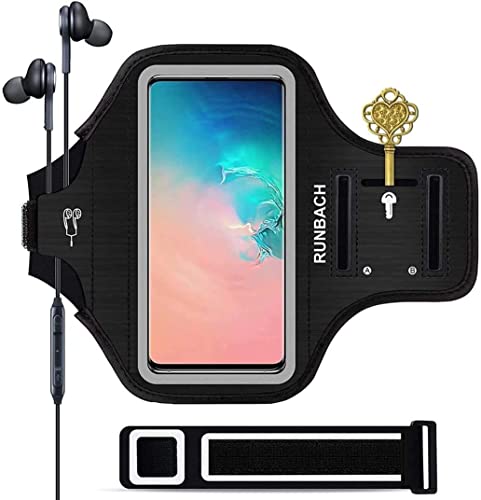 RUNBACH Armband for Samsung Galaxy S26/S25/S24/S23/S22/S21/S20/S10/S9/S8 up to10 x 8 x 0.3 inches0.1 poundsCheck on Amazon


What's inside
- What Quad-Band Actually Means on a Phone
- Why Band Support Matters More Than the Word Unlocked
- The Four GSM Bands, Region by Region
- How GSM, LTE, and 5G Bands Differ
- The Slow Retirement of GSM and Why It Still Appears in Specs
- Domestic Variants and the Risk of the Wrong Model Number
- Android Lines Known for Broad Band Support
- Reading a Band Table Without Guessing
- Voice Calling Abroad: VoLTE, Wi-Fi Calling, and Fallbacks
- SIM Cards, eSIM Profiles, and Dual SIM Strategy
- Roaming Versus Local Service: Choosing the Connection Model
- Special Cases That Catch Travelers Out
- How to Verify Bands Step by Step
- Questions to Ask a Seller Before Paying
- Software Settings That Matter Once You Land
- When a Second Device or Hotspot Makes More Sense
- Offline Preparation That Reduces Dependence on Bands
- Common Myths About Travel Phones
- Putting It Together: Three Example Trips
- A Compact Pre-Departure Checklist
- How to Judge a Phone Listing Quickly
- What Quad-Band Support Is Worth Today
- How Band Support Affects Battery, Heat, and Everyday Feel
- Traveling With Family or a Work Team
- Check prices on Amazon
- Keeping Records for the Next Trip
As an Amazon Associate I earn from qualifying purchases. This post may contain affiliate links at no extra cost to you.
Before anything else, a note on how guides like this one stay online. Some of the outbound links in our wider coverage earn a referral commission when a reader buys through them, and that income helps pay for testing time, research, and the upkeep of the site itself. It never changes which phones we mention here, it never adds a fee to what a reader pays, and in this particular guide we are not pointing you toward any single product listing at all. The goal below is narrower and more practical: to explain what quad-band support actually means on an Android phone, why that detail still matters for international travel, and how to check a handset properly before you rely on it in another country.
What Quad-Band Actually Means on a Phone
Quad-band describes a phone that works on four GSM frequency bands: 850, 900, 1800, and 1900 megahertz. Those four frequencies were the backbone of second-generation mobile networks across most of the world. Europe, Africa, much of Asia, and Oceania built their GSM networks mainly on 900 and 1800. North America leaned on 850 and 1900 instead. A handset that only covered the pair used in its home market could fall silent the moment its owner landed somewhere that used the other pair. A quad-band handset covered both pairings, which is why the term became shorthand for a phone that could roam almost anywhere GSM existed.
The word quad refers to a count of bands, not to a count of networks, carriers, or SIM cards. It also says nothing by itself about newer radio generations. A phone can be quad-band for GSM and still lack the LTE or 5G frequencies used in the country you plan to visit. That distinction trips up many buyers, because marketing pages often highlight the familiar quad-band label while the more important details for modern data service sit further down the specification sheet, listed by generation and by region.
GSM itself is a technology family as well as a set of frequencies. It carried voice calls and text messages first, then slower data through GPRS and EDGE. Even where carriers have retired their GSM layers, the vocabulary survives in spec sheets and in the way travelers talk about compatibility. When an older listing calls a phone a world phone, quad-band GSM support is usually part of what that claim rests on, though never the whole story for a modern trip.
Why Band Support Matters More Than the Word Unlocked
An unlocked phone is free of a carrier lock, meaning it will accept a SIM or eSIM profile from another provider. That freedom is necessary for easy travel use, but it is not sufficient. Unlocking changes permission; bands determine possibility. If the radio hardware inside the phone cannot tune to the frequencies a local network broadcasts, no setting, plan, or software update will create a signal. The phone will search, find nothing usable, and drain its battery in the process.
Think of it as two separate gates. The first gate is contractual: is the handset allowed to join another network? The second gate is physical: can its antennas and radio front end speak on the channels that network uses? Travelers often check the first gate carefully and forget the second entirely, because a phone that worked flawlessly at home gives no hint that its band list is regional. The failure only appears after landing, which is the worst possible moment to discover it.
Carrier locking also varies by market and by how the phone was bought. A handset bought outright from a manufacturer is commonly unlocked from day one. One bought through a carrier installment plan may stay locked until the balance is cleared or a waiting period passes. Either way, the lock status and the band list live in different parts of the paperwork, and a careful traveler confirms both, in writing, well before departure day arrives.
The Four GSM Bands, Region by Region
The 900 megahertz band is the workhorse of GSM across Europe, Africa, Asia, and the Pacific. Lower frequencies travel farther and pass through walls more readily, so 900 became the coverage layer in rural districts and inside older buildings. The 1800 band, sometimes labeled DCS in older documents, added capacity in cities where 900 alone could not handle the number of subscribers. Together they form the pairing most of the world standardized on during the GSM era.
North America took a different path because its 900 spectrum was already committed to other services. Carriers there deployed GSM on 850 for reach and 1900, often called PCS, for capacity. Canada, the United States, and parts of Latin America still reference those two frequencies in legacy documentation. A European phone with only 900 and 1800 support could therefore roam poorly or not at all on GSM in the Americas, and the reverse was equally true for an American dual-band handset taken east.
Some countries mixed the pairings in ways that reward a full quad-band radio. Parts of Latin America, for example, used combinations drawn from both traditions as different carriers built networks at different times. Travelers crossing several borders on one itinerary benefited most from covering all four frequencies, since the working pair could change at each frontier without any visible difference in the phone itself.
How GSM, LTE, and 5G Bands Differ
Each radio generation brought its own band numbering and its own regional fragmentation. GSM bands are named by their frequency, which makes them easy to read. LTE bands are numbered, so Band 1, Band 3, Band 7, Band 20, and Band 28 mean specific frequency ranges that a traveler must look up rather than guess. Europe relies heavily on LTE Bands 1, 3, 7, and 20, with Band 28 spreading for rural coverage. North American LTE leans on Bands 2, 4, 5, 12, 13, 17, 66, and 71, among others. Asia-Pacific networks use a mix that includes Bands 1, 3, 5, 8, 28, and 40.
5G complicates the picture further. Sub-6 gigahertz 5G uses numbered bands prefixed with the letter n, such as n1, n3, n28, n77, and n78, while millimeter-wave service uses much higher frequencies that appear mainly in parts of the United States and a few dense urban zones elsewhere. A phone sold for one continent may include n78, the band much of Europe and Asia adopted, but omit the low-band 5G frequencies a North American carrier uses, or the other way around. The handset is genuinely a 5G phone in both cases; it simply speaks a regional dialect of 5G.
The practical lesson is that compatibility is layered. Voice and messaging may ride one generation, data another, and emergency calling yet another path depending on the destination network. A traveler who checks only the headline generation, or only the GSM line of the spec sheet, sees one layer of a stack that is at least three layers deep on any current Android handset.
The Slow Retirement of GSM and Why It Still Appears in Specs
Many carriers have shut down their GSM networks or plan to, refarming the spectrum for LTE and 5G. In the United States, the major GSM layer is gone, and voice service now depends on VoLTE or 5G calling. Parts of Europe have kept GSM running longer, partly because machine-to-machine devices such as meters, alarms, and older vehicle systems still depend on it. Australia retired GSM years ago. The global picture is therefore uneven: the same quad-band capability that is essential in one destination is merely vestigial in another.
This uneven retirement changes what a traveler should prioritize. Where GSM survives, it can provide a basic voice fallback in areas with no modern coverage. Where it has closed, a phone without proper VoLTE support on local LTE bands may show data bars yet fail to place an ordinary call. That confusing state, data without voice, is now a more common travel problem than a total absence of signal, and it is one the old quad-band label cannot predict.
Spec sheets keep listing GSM bands because the radios still support them and because wholesale buyers compare complete tables. Treat that line as background information rather than a verdict. The lines that decide your trip sit below it: the LTE list, the 5G list, and any notes about VoLTE roaming or region-specific variants of the same model name.
Domestic Variants and the Risk of the Wrong Model Number
The single most common cause of travel band failure is buying the domestic variant of a phone whose name is shared with an international variant. Manufacturers routinely sell one model name in several hardware versions. The version built for a specific carrier may drop bands that carrier does not use, include antennas tuned for a single market, or ship with software that hides network options. From the outside, the two versions look identical, carry the same branding, and are described by sellers with the same headline.
The model number, not the marketing name, is the identifier that matters. It appears on the box, in the settings menu under device information, and in regulatory labels. Two phones with the same commercial name and different model numbers can differ in LTE and 5G support enough to decide whether either works abroad. Travelers who learn to quote and check the full model number avoid the most expensive compatibility mistake in this entire category.
Imported handsets carry the mirror-image risk. A phone built for an East Asian domestic market may lack the low LTE bands used for rural coverage in Europe or North America, because its home networks never needed them. Such devices often sell through third-party importers with sparse documentation, and their listings may copy the global variant’s band table by mistake. Verifying the exact unit, rather than the family name, is the only reliable protection.
Carrier Editions Versus Factory Editions
Carrier editions are tuned to one network’s band plan and may also carry carrier software that delays updates. Factory editions sold directly by the manufacturer usually carry the broadest band list in the range, because they are built to be sold across many networks. Neither is automatically better for home use, but for travel the factory edition’s wider radio support and cleaner update path are meaningful advantages that deserve weight in the decision.
There is also a warranty angle. A carrier edition bought in one country may only be serviced in that country, while some manufacturers offer broader service terms on their direct editions. A traveler who buys abroad for band reasons should confirm where the warranty will be honored, since a wide band list is little comfort if a cracked screen cannot be repaired at home.
Android Lines Known for Broad Band Support
Certain Android families have earned a reputation among frequent travelers for wide band lists and few regional surprises. Reputation is not a substitute for checking a specific model number, but it is a sensible place to start the search. The lines below recur in traveler discussions because their makers sell closely related hardware across many markets and publish detailed band tables that are comparatively easy to verify before purchase.
Google Pixel Phones
Google sells Pixel phones in a limited set of countries, yet the hardware tends to cover a generous spread of LTE and 5G bands, including the sub-6 frequencies used widely in Europe and Asia alongside North American bands. Recent generations such as the Pixel 8, Pixel 9, and the more compact a-series models are commonly cited by travelers who want one handset to behave predictably across continents. The caveat is availability and service: a Pixel bought in a market where Google does not officially sell it may be harder to repair locally, and some calling features depend on carrier support in the destination country.
Pixel software also exposes network information clearly, which helps when troubleshooting abroad. Preferred network settings, eSIM management, and carrier settings updates arrive through a relatively clean software layer. For a traveler juggling a home eSIM and a local data profile, that clarity reduces the chance of toggling the wrong line at the wrong moment.
Samsung Galaxy, International and Regional Editions
Samsung’s Galaxy S and Galaxy A ranges are sold nearly everywhere, which is both their strength and their complication. An international Galaxy edition typically carries a very wide band list, quad-band GSM included, plus the regional LTE bands of several continents. A carrier edition of the same Galaxy model, built for one domestic network, can be narrower. The Galaxy name alone therefore tells a traveler little; the regional suffix in the model number tells the real story, and Samsung’s own regional sites publish the band tables needed to compare them.
The Galaxy A series deserves mention because many travelers buy a midrange handset as a dedicated travel phone. A modest Galaxy A model with broad bands, a durable battery, and dual SIM capability can be a safer travel companion than a fragile flagship, since it can be replaced with less pain if lost. Readers comparing secondary handsets for trips may also want to look at our guide to best dual sim 5g phones, where two-line management is covered in more depth.
Motorola Moto G and Edge Models
Motorola has a long history in the Americas and sells Moto G and Edge phones in distinct North American, Latin American, European, and global editions. The global and European editions usually present the wider travel profile, while some North American editions concentrate on the bands of United States carriers. Motorola publishes band data per edition, and the differences between editions of one Moto G generation can be surprisingly large, so this is a range where reading the table for the exact edition is essential rather than optional.
Where Motorola scores with travelers is simplicity. The software stays close to plain Android, network menus are easy to find, and many models accept both a physical SIM and an eSIM or offer two physical slots in certain regions. For someone handing a phone to a local shop clerk for help with a prepaid SIM, an uncluttered interface is a genuine practical benefit.
Sony Xperia Models
Sony’s Xperia line is a smaller presence in shops, yet Xperia 1, Xperia 5, and Xperia 10 models have long appealed to buyers who read full specification tables. Sony tends to publish thorough band information for each regional variant, and its flagship and midrange models generally cover quad-band GSM with broad LTE support. Availability is the main hurdle: in some countries Xperia phones arrive only through specialist importers, which returns the buyer to the variant-checking discipline described earlier.
Travel photographers sometimes choose Xperia handsets for their manual camera controls and memory card slots, which simplify moving large photo sets without a laptop. Those strengths sit alongside the band question rather than replacing it; a card slot does not help a phone that cannot join the network at the shoot location.
OnePlus, Nothing, and Other Global-First Brands
OnePlus and Nothing built their businesses on selling similar hardware across many regions, and their recent flagship and midrange models generally carry wide LTE and 5G band lists aimed at that footprint. Regional firmware and band trimming still occur, particularly on models destined for a single large market, so the same rule applies: verify the variant. Smaller global-first brands can be excellent value for travelers, provided after-sales support in the home country is acceptable.
Asus, through its Zenfone and ROG Phone lines, also publishes detailed band tables and sells unlocked editions in several markets. Gaming-oriented models sometimes include very broad radio support because their buyers travel to events, though their size and battery priorities differ from a typical travel handset. The pattern across all these brands is consistent: the makers who publish complete tables are the makers a traveler can verify, and verifiability itself is a feature worth valuing.
Reading a Band Table Without Guessing
A band table looks forbidding, yet the reading method is simple. Work generation by generation. First note the GSM line and confirm it lists all four frequencies if your destination still uses GSM. Then read the LTE line and mark each band your destination carriers use for coverage, especially the low bands that reach rural areas and penetrate buildings. Finally read the 5G line and separate sub-6 bands from millimeter-wave entries, since the former decide most real-world travel outcomes.
Destination carriers publish their band usage on their own help pages, and national regulators publish spectrum assignments for anyone who wants a second source. Cross-checking two sources protects against the outdated blog tables that circulate for years after networks change. Bands also get refarmed: a frequency once used for an older generation may now carry LTE or 5G, which is another reason to prefer current carrier documentation over static comparison charts of uncertain age.
Carrier aggregation is the layer most spec readers skip. Modern LTE and 5G speeds often depend on the phone combining two or more bands at once, and the supported combinations differ by region and variant. A phone can list every band a network uses yet combine them in fewer ways than a local model, resulting in slower data rather than no data. For most travelers this is a secondary concern behind basic connectivity and voice support, but heavy data users should know the limitation exists.
Voice Calling Abroad: VoLTE, Wi-Fi Calling, and Fallbacks
Voice is where modern travel compatibility gets subtle. On networks that have retired older generations, calls travel as data over LTE through VoLTE, or over 5G through its equivalent. For VoLTE to work while roaming or on a local SIM, the phone’s software must contain a working profile for that carrier. Most major Android makers include profiles for large carriers worldwide, yet smaller regional carriers can be missing, leaving a phone that browses happily but pushes calls to a fallback that may no longer exist.
Wi-Fi calling can rescue voice service in hotels and apartments, since calls then travel over the internet connection instead of the local radio network. Its availability while abroad depends on the home carrier’s policy: some allow Wi-Fi calling from anywhere, others restrict it or treat foreign use differently for billing. Travelers who depend on receiving calls on their home number should test Wi-Fi calling behavior and read their carrier’s travel guidance before relying on it as the only voice path.
Messaging has quietly shifted to data channels for many people, which reduces dependence on traditional voice and text. Calls and messages inside chat applications work over any solid data connection, local SIM or eSIM alike. That shift explains why some travelers report a phone working perfectly abroad even with imperfect voice support: everything they actually used traveled as data. It also explains why the failure, when it comes, often involves a bank verification call or an airline’s callback, the two voice interactions that still assume a conventional line.
SIM Cards, eSIM Profiles, and Dual SIM Strategy
The physical side of travel connectivity has changed quickly. Many recent Android flagships sold in the United States are eSIM-only or pair one physical slot with eSIM, while models sold in parts of Asia and Europe may offer two physical slots. A quad-band radio is of little use if the phone cannot accept the form of service sold at your destination. Small airports and rural shops may stock physical SIM cards but have no process for activating an eSIM, and the reverse is true of some online-first travel data providers.
A common dual SIM strategy keeps the home line alive for banking codes and calls from family, while a local line handles maps, translation, and ride services at local data terms. Android’s dual SIM settings let you assign which line handles data, calls, and messages, and those assignments deserve a careful review on arrival day, because the defaults may route data over the expensive roaming line. Our coverage of best affordable unlocked smartphones lte discusses budget handsets that handle this two-line arrangement without flagship spending.
Travel eSIM services sell data profiles for many countries and regions, activated by scanning a code before departure. They are convenient, but most provide data only, with no local number for voice calls or for services that demand one. Travelers who need a reachable local number, for a tour operator or a delivery, may still prefer a physical local SIM on arrival. Knowing which of those needs applies to a given trip should be settled at home, not at an airport kiosk queue.
Checking Your Current Phone Before Buying Anything
Many travelers already own a suitable phone and simply do not know it. Start in the settings menu: record the exact model number, then find that model’s band table on the manufacturer’s regional site. Compare the LTE and 5G lines with the bands used where you are going. Check lock status by inserting a SIM from a different domestic carrier, or by asking your carrier to confirm in writing. Finally, confirm the phone supports eSIM if your travel plan depends on one.
This audit costs nothing and often ends the search. Midrange and flagship Android phones from the last several years frequently carry broader band support than their owners assume, particularly factory-unlocked editions. The audit also reveals the opposite early enough to act: a carrier edition with a narrow band list can be replaced, lent to a family member, or supplemented with a portable hotspot rather than discovered as inadequate after landing.
Roaming Versus Local Service: Choosing the Connection Model
Home-carrier roaming is the simplest model: keep your SIM, land, and connect. Its convenience is real, especially for short trips, multi-country tours where buying local service at every stop would waste half a day, and travelers who must remain reachable on a familiar number. The drawbacks are equally real. Roaming agreements may steer your phone to a partner network with weaker coverage than the country’s leading carrier, data may be throttled after a threshold, and some roaming plans exclude tethering that a working traveler needs.
Local service usually delivers the strongest coverage and the most generous data for the money, because your phone behaves like a resident’s phone on that network. It also sidesteps roaming steering: you choose the carrier whose band plan and coverage map suit your itinerary. The costs are friction and reachability. Your home number goes quiet unless dual SIM keeps it alive, some local prepaid plans require identification documents, and activation in an unfamiliar language can test a tired traveler.
Hybrid arrangements suit longer trips. Keep the home line on eSIM for calls, codes, and messaging identities, and put local data on a physical SIM, or the reverse depending on slot layout. Android handles this split gracefully once the per-line defaults are set. Travelers in regions where a specific carrier dominates rural coverage sometimes carry two local options across a group, so at least one handset in the party can reach a signal in remote terrain.
Special Cases That Catch Travelers Out
Japan and South Korea
Japan historically built its mobile networks on technologies that differed from the GSM world, and while modern Japanese LTE and 5G align far better with global practice, band details still matter. Japanese carriers lean on specific LTE bands, including some that older global phones omitted, and domestic Japanese handsets may carry unusual band combinations of their own. South Korea presents a similar pattern of strong modern networks with particular band preferences. For both destinations, checking the exact LTE list matters more than the GSM line, which has little practical role there.
China and Imported Handsets
Travelers taking phones into China should verify LTE Band 40 and related assignments used by local carriers, and should also understand that software services, rather than radio bands, often become the larger obstacle on that trip. The reverse journey creates radio problems more often: handsets built for the Chinese domestic market may omit low bands relied on in Western rural areas and may lack the software profiles for VoLTE on Western carriers. A bargain import can therefore look complete on a headline spec sheet while missing the two details that decide daily usability at home.
Rural Coverage and Low Bands
City testing hides band gaps. Urban networks run on several overlapping bands, so a phone missing one still finds another. Rural coverage, by contrast, often rests on a single low band chosen for its reach. If your handset lacks that band, the map’s promise of coverage dissolves precisely where you most need directions, weather, or help. Travelers planning road trips, hiking routes, or farm stays should weight the destination’s low bands above every other line in the table, and should treat a missing low band as a disqualifier even when mid-band support looks excellent.
Readers whose trips involve older regional networks or specific carrier lineups may find the discussion in best 4g at t compatible android micro sim phones useful background on how carrier-specific requirements shape handset choice, even though modern travelers will usually be dealing with nano SIM and eSIM formats instead.
Cruise Ships, Ferries, and Border Zones
Maritime networks operate as small roaming systems of their own, often at premium terms, and phones may cling to them after a ferry docks if the land signal is weaker. Border zones create a gentler version of the same trap: a phone near a frontier can register on the neighboring country’s network and quietly roam. Android’s network selection can be switched from automatic to manual in these situations, letting you pin the phone to the intended carrier until you move inland. Checking the carrier name in the status bar during the first hour in a new place is a small habit that prevents several classic travel billing surprises.
How to Verify Bands Step by Step
First, record the phone’s full model number from its settings and from the box if you still have it, since sellers sometimes ship a different variant than the listing described. Second, open the manufacturer’s specification page for that model number in the region where it was sold, and save or print the band table. Third, list the bands used by at least two carriers at your destination, favoring the carrier you actually intend to use. Fourth, compare generation by generation, marking any missing low band as a serious concern and any missing capacity band as a minor one.
Fifth, verify the lock status through your carrier and, where possible, by testing a different carrier’s SIM at home. Sixth, confirm VoLTE expectations: if the destination has retired older voice networks, check that your model is known to place calls over LTE on that carrier or plan to use data-based calling. Seventh, decide the SIM format you will use, physical or eSIM, and confirm the phone and the provider both support that format for your destination. Eighth, pack the small supporting items people forget: a SIM ejector tool, a safe place for the home SIM if it comes out, and charging gear suited to local outlets, a topic covered in our guide to best chargers for international travel.
Where doubt remains, community-maintained frequency databases and carrier forums can fill gaps, but treat them as leads rather than verdicts. The hierarchy of trust runs from the manufacturer’s table for your exact model and the destination carrier’s current documentation, down through regulator publications, and only then to enthusiast compilations. A traveler who follows that order rarely meets a surprise that better reading would not have prevented.
Questions to Ask a Seller Before Paying
Ask which regional variant the unit is, and ask for the model number in the reply so the answer exists in writing. Ask whether the phone was originally sold through a carrier, and if so, whether it has been fully unlocked and how that was confirmed. Ask whether returns are accepted if the band table of the delivered unit differs from the listing, because honest sellers of imported hardware expect that question and answer it plainly. Vague replies about a phone working everywhere, unaccompanied by a variant name or a band table, should be read as a warning rather than reassurance.
Secondhand purchases deserve extra care. A used flagship can be an excellent travel phone, but its history matters: carrier financing locks, regional service restrictions, and prior repairs with non-original parts can all affect network behavior. Meet sellers on terms that let you insert your own SIM and watch the phone register, check the model number on the device itself rather than the box alone, and confirm the IMEI shown in settings matches the paperwork. These checks take minutes and settle questions that photographs never can.
Software Settings That Matter Once You Land
On arrival, a few Android settings decide whether good hardware gets a fair chance. Data roaming must be enabled for the line you intend to roam on, and left off for lines you do not. Preferred network type should generally stay on its automatic setting so the phone can fall back to a working generation in weak coverage. Access point names for a local SIM are usually configured automatically, but if data fails while voice works, a mismatched access point entry is the first thing a local shop will inspect.
Dual SIM users should recheck which line is the default for mobile data after every SIM change, because Android may keep pointing data at the home line. Battery drain during the first hours abroad is often blamed on a new network when the real cause is the phone scanning for a band it cannot use or clinging to a distant roaming partner. If drain seems abnormal, a manual network selection and a restart settle most cases, and a phone that still searches constantly is telling you its band list and the local network do not agree.
Keep the phone’s software current before departure rather than after arrival. Carrier settings and modem firmware improvements arrive inside ordinary system updates, and installing a large update over hotel Wi-Fi wastes an evening. A pre-trip update, a backup of essential documents and photos, and a note of your carrier’s support channel complete the software side of preparation.
When a Second Device or Hotspot Makes More Sense
Sometimes the honest answer is that your main phone should stay home or stay on airplane mode. A traveler whose flagship is a narrow-band carrier edition might buy an inexpensive unlocked handset with a wide band list for the trip, use it as the connected device, and keep the flagship for photography on Wi-Fi. A portable hotspot with strong local band support can serve a whole family or a laptop-heavy work trip, letting several devices share one well-chosen local connection.
This approach also spreads risk. Losing a modest travel handset hurts less than losing the phone that holds your banking applications and your primary identity. Many seasoned travelers keep a permanent travel phone: contacts synced, maps downloaded, local applications from prior trips still signed in, and a band list they have already proven on several continents. Building such a device from a previous handset you already own often costs nothing beyond the audit described earlier.
Offline Preparation That Reduces Dependence on Bands
Even a perfectly matched phone meets dead zones, tunnels, and mountains. Downloading offline maps for each destination city and region, saving boarding passes and hotel addresses locally, and keeping translation language packs on the device turn a coverage gap from a crisis into an inconvenience. Screenshots of critical addresses written in the local script help with taxi drivers when data fails at the curb.
Share your itinerary and accommodation details with someone at home through a channel that does not depend on your travel line. Note the local emergency number, which differs by country, and save the address of your lodging in the phone’s notes. None of this replaces band compatibility, yet all of it lowers the stakes when compatibility proves imperfect in some corner of the trip.
Common Myths About Travel Phones
One myth holds that a phone with any 5G logo works on 5G everywhere. As the band discussion showed, 5G is a family of regional implementations, and a handset can be fully legitimate at home while finding no 5G abroad, falling back to LTE for the entire trip. Another myth claims unlocking a phone adds bands. Unlocking removes a permission barrier; it cannot add radio hardware, antennas, or amplifier paths that were never built into the device.
A third myth treats price as proof of compatibility. Expensive carrier editions can be narrower than modest factory editions, because their cost reflects cameras, screens, and brand rather than radio breadth. A fourth myth assumes last year’s trip proves next year’s: networks retire generations and refarm bands, so a route that worked on an older handset, or even on the same handset two years ago, deserves a fresh check against current carrier documentation.
Finally, many buyers believe a seller’s region label, such as global version, is a regulated term. It is not. It is marketing language whose meaning varies by brand and by seller, which is why this guide keeps returning to the same unglamorous anchor: the exact model number and its published band table, checked against the destination’s current networks.
Putting It Together: Three Example Trips
Consider a traveler flying from Chicago to Lisbon and then onward to rural Portugal. Her factory-unlocked Pixel lists quad-band GSM, the main European LTE bands including the low Band 20 used outside cities, and sub-6 5G bands n1 and n78. She keeps her home line on eSIM for codes and calls, buys a local physical SIM at the airport for data, and sets the local line as the data default. Every layer was checked at home, so arrival involves a coffee and a train ticket rather than a troubleshooting session.
Now consider a traveler carrying a carrier edition Galaxy bought on an installment plan, flying to visit family in the Philippines. The phone is still locked, which he discovers a week before departure by testing a friend’s SIM from another carrier. He clears the requirement with his carrier, receives confirmation of the unlock, and then checks the band table: the LTE bands he needs are present, while one rural low band is missing. He accepts that gap because his stay is urban, downloads offline maps as insurance, and travels with realistic expectations instead of a false sense of security.
A third traveler, a field worker heading to several Latin American countries in one assignment, chooses a global-edition Motorola precisely because the itinerary crosses networks built from both GSM traditions and several LTE band plans. She verifies each country’s main carrier bands against the phone’s table, carries a compact hotspot as backup for her laptop, and pins network selection manually near borders. Her preparation looks elaborate on paper, yet each step answers a failure she has personally met on earlier assignments.
A Compact Pre-Departure Checklist
- Write down the full model number from the phone’s settings, not just its commercial name.
- Save the manufacturer’s band table for that exact model and region of sale.
- List the LTE and 5G bands of the carrier you plan to use at each destination, with low bands marked.
- Confirm the phone is unlocked, ideally by testing a SIM from another carrier.
- Decide between roaming, a local physical SIM, a travel eSIM, or a dual SIM split of duties.
- Check whether local voice service depends on VoLTE, and whether your model is known to support it there.
- Update system software and carrier settings at home, then back up photos and documents.
- Download offline maps, lodging addresses, and translation packs for every stop.
- Pack a SIM ejector tool, a safe holder for any removed SIM, and suitable charging equipment.
- Set per-line defaults for data, calls, and messages after inserting any new SIM, and recheck them the next morning.
That list fits on a single page, and working through it takes less time than one disrupted arrival day. Travelers who repeat the routine before every major trip find it becomes automatic: model number, band table, lock status, SIM plan, offline backup. The order matters less than the completeness, because compatibility failures almost always trace back to the one item that was assumed rather than verified.
How to Judge a Phone Listing Quickly
When browsing listings, scan for four signals. A trustworthy listing names the variant and model number, links or reproduces the full band table, states the lock status plainly, and describes returns in concrete terms. A weak listing leans on broad adjectives, shows photographs of a different variant, copies a generic band table that mixes several editions, or buries the variant identity in fine print. Learning to spot that contrast quickly is worth more than memorizing any single band, because the same contrast appears across marketplaces, refurbishers, and import shops.
Refurbished phones deserve a specific note. A professionally refurbished factory edition can be an excellent travel purchase, since its band list matches the original global hardware and its battery has often been renewed. Ask the refurbisher to confirm the model number of the actual unit that will ship, not merely the family, and keep that confirmation with your receipt. If the shipped unit’s settings screen disagrees with the confirmation, you have clear grounds for an exchange before the trip rather than a dispute after it.
What Quad-Band Support Is Worth Today
Quad-band GSM support has shifted from headline feature to background expectation. On a modern Android phone sold unlocked through major channels, its presence is nearly universal, and its absence would be a warning sign about the handset’s intended market. The travelers who still benefit from understanding the term are those buying imported, refurbished, carrier-specific, or older handsets, where assumptions fail most often. For them, the four familiar frequencies remain a useful first filter before the more decisive LTE and 5G comparison begins.
The deeper habit this topic teaches is to read radios the way careful buyers read cameras or screens: as concrete, checkable specifications rather than vibes. Networks are physical systems built country by country, and phones are physical answers to those systems. When the two are matched deliberately, international travel connectivity becomes boring in the best possible way, and the phone returns to its proper role as a quiet tool rather than a source of arrival-day drama.
How Band Support Affects Battery, Heat, and Everyday Feel
Band compatibility is usually discussed as a yes-or-no question, yet it also shapes how a phone feels during a travel day. A handset working on a well-matched band with a strong local signal transmits at modest power and sips its battery. The same handset clinging to a weak signal on a less suitable band raises its transmit power, warms up in a pocket, and burns through charge while delivering slower data. Travelers sometimes blame a destination network for poor endurance when the real story is a partial band match that forces the radio to work harder for every photograph uploaded and every map tile loaded.
Low bands deserve their reputation here as well. Because they reach farther, a phone camped on a low band in a village or on a train often holds a steadier connection with fewer retransmissions than one straining on a capacity band meant for dense city blocks. That steadiness shows up as maps that keep updating, calls that stay intelligible, and a battery gauge that behaves the way it did at home. When comparing two otherwise similar travel phones, the one whose band list matches the destination’s coverage layer will usually feel like the one with the larger battery, even when the cells inside them are identical.
Heat matters for another practical reason: a warm phone throttles its processor sooner, which can slow camera processing and screen brightness on a bright day of sightseeing. None of this appears on a band table, but all of it follows from the table. Choosing the right variant is therefore not only about whether the phone connects, but about whether it connects gracefully enough to stay pleasant across a long day away from a charger.
Traveling With Family or a Work Team
Group travel multiplies both the risk and the remedy. If every member of a family carries a different handset from a different carrier and era, the odds that at least one phone struggles at the destination rise quickly. A short group audit, comparing each phone’s model number and lock status against the same destination band list, can be done around a kitchen table in one evening. The weakest handset in the group can then be swapped, supplemented with the group’s hotspot, or assigned to the traveler whose needs are lightest.
Work teams face an additional layer: device management policies may restrict SIM changes, network settings, or the installation of local applications. An employee who discovers at an airport that a managed phone refuses a local profile has few options, so the time to involve the IT department is during trip planning, not during the trip. Teams that travel regularly benefit from a small pool of verified travel handsets with known band lists, shared chargers, and no personal data, handed out and collected like any other piece of field equipment.
Groups also gain from deliberate redundancy. Put the boarding passes, hotel addresses, and emergency contacts on at least two phones from different makers, so a single device failure or band surprise cannot strand the whole party. Share live location through a data-based service once local connectivity is established, and agree on a meeting point that does not depend on any phone working at all.
Check prices on Amazon
Live listings for the shortlist in this guide are pulled from Amazon below, so prices and availability are always current at the moment you look.


Keeping Records for the Next Trip
Every verification you perform for one journey becomes an asset for the next if you keep a small record of it. Save a note with the phone’s model number, the band table source you used, the carriers that worked at each destination, and any settings you changed on arrival. Note also what failed: a hotel whose Wi-Fi calling was blocked, a rural district where a missing low band showed itself, a carrier shop that handled eSIM activation smoothly. Such notes, written while memory is fresh, turn the next trip’s preparation from research into review.
That record grows more valuable as networks evolve. When a carrier announces a shutdown or a new band, you can check your note and know immediately whether your handset is affected, instead of repeating the full audit from memory. Travelers who keep this habit stop fearing specification tables, because the table for their own phone is already translated into plain experience.
A final practical habit is to test the complete arrangement one day before departure: insert or activate the travel profile you plan to use, confirm the phone registers, place a short call, load a map over mobile data, and then restore your preferred defaults. That rehearsal, done while support lines and carrier shops at home are still within easy reach, converts untested assumptions into observed facts and sends you to the airport with evidence rather than hope.
Check the model number, trust the band table over the badge, and your next landing can be remembered for the view from the arrivals hall rather than for a phone still searching for a network that was never on its list.


