Our Top Picks


What's inside
- Why a SIM cutter still matters for Android phones
- SIM sizes, contact geometry and what actually gets cut
- How this guide compares cutters without handling claims
- Metal stamp cutters: the main category explained
- Adapter kits, trays and the return journey
- Cutting risk in detail: chips, cracks and silent failures
- When a carrier replacement beats cutting
- Choosing by household scenario
- Step by step: a careful cut from preparation to registration
- Troubleshooting after a cut
- Materials, maintenance and storage of the tool itself
- Reading a listing like an engineer
- Environmental and cost considerations
- Frequently asked questions
- Special cases: data cards, hotspots and older Android tablets
- What to do with offcuts, spares and records
- Check prices on Amazon
- Final guidance on picking a cutter
As an Amazon Associate I earn from qualifying purchases. This post may contain affiliate links at no extra cost to you.
Disclosure for readers: links in this guide may earn this publication a referral payment if you buy through them. That support keeps the site running and does not raise what you pay, and the comparisons below rest on published specifications, technical documents and owner reports rather than on any sales relationship.
Why a SIM cutter still matters for Android phones
A SIM cutter solves one narrow physical problem. A subscriber identity module that was issued years ago may be too large for the tray of a newer Android handset, and the owner wants the same number, account and stored carrier settings to move across without waiting for a replacement card. The tool stamps or shears the plastic body of a standard SIM or a micro SIM down to the smaller outline required by the new tray, most commonly nano SIM, while leaving the gold contact pad and the embedded chip beneath it untouched. When the cut is centred, clean and free of burrs, the trimmed card seats in the tray, the phone reads the integrated circuit card identifier, and registration on the mobile network proceeds normally.
That simple description hides the reason selection matters. Plastic can be trimmed with scissors, a craft knife or a nail file, yet the margin around a nano SIM contact area is measured in fractions of a millimetre. A hand cut that drifts toward the pad can expose copper, crack the chip carrier or leave one corner thick enough to jam inside a spring loaded tray. A purpose built cutter replaces freehand judgement with a fixed die, a locating stop and a lever that drives the blade in one plane. Differences between models therefore centre on die accuracy, blade material, frame rigidity, the sizes supported, and whether adapters and ejector pins are bundled for the reverse journey from nano back to micro or standard slots.
Android makes the need unusually varied. Flagship Galaxy, Pixel and OnePlus models moved to nano SIM long ago, while budget handsets, rugged phones, older tablets with cellular radios, mobile hotspots and dual SIM imports may still pair a nano slot with a micro slot, or accept different sizes on each line. Travellers who swap a home card and a local prepaid card in a dual SIM phone feel the mismatch most sharply, because the spare card in a wallet is often an older micro card while the travel phone only accepts nano. Readers planning that kind of swap may also want our guide to best dual sim 5g phones, since tray layout and second slot sizing differ widely between dual SIM designs.
There is also a legitimate counter argument that runs through this entire guide. A carrier issued replacement, especially an eSIM conversion where the network and handset support it, removes cutting risk altogether and preserves warranty goodwill if a damaged card later harms a tray. A cutter earns its place when time, distance from a store, a closed support desk, a legacy account that is awkward to reissue, or repeated trimming for family members makes a home tool practical. The sections below separate those cases carefully, because recommending a cutter for every move would ignore the safest option for many readers.
SIM sizes, contact geometry and what actually gets cut
The four form factors in plain dimensions
The full size SIM, sometimes called 1FF, is credit card sized and now survives mainly as the carrier card from which smaller formats are punched out. Mini SIM, or 2FF, measures about 25 by 15 millimetres and filled phones through the early smartphone era. Micro SIM, or 3FF, trims that outline to roughly 15 by 12 millimetres. Nano SIM, or 4FF, reduces the body to about 12.3 by 8.8 millimetres and cuts thickness slightly as well, from around 0.76 millimetres to about 0.67 millimetres. Those numbers explain why a nano conversion removes almost all spare plastic: the remaining border around the contact pad becomes a narrow frame rather than a broad card.
Contact geometry matters more than the outer rectangle. The gold pad follows the ISO 7816 contact arrangement, with positions for power, ground, clock, reset, data and programming voltage, although modern cards leave some positions unused or repurposed. The chip sits beneath the pad, not spread across the whole plastic body, so trimming plastic alone does not alter stored data. Trouble begins when a blade crosses the pad edge, lifts a contact finger, or flexes the substrate enough to fracture internal bonding. A cutter die is shaped to clear the pad on a correctly positioned card, which is why the locating guides inside the slot deserve as much attention as blade sharpness.
Thickness is the forgotten dimension. Some older micro cards are marginally thicker than a nano tray expects, and a stamp cutter that only changes length and width leaves that thickness untouched. The result can be a card that technically fits the outline yet drags against tray rails, resists ejection or sits high enough to stress the reader contacts. Better kits include a small abrasive sheet or a fine file for thinning the non contact side by a hair, and their instructions warn against sanding the gold face. Shaving the printed back, a little at a time and away from the pad, is the accepted approach described in manufacturer guidance for dual stage cutters.
Standard to nano, micro to nano and dual stage dies
Cutters fall into three die families. A single stage tool converts one source size to one target size, usually micro to nano, and suits an owner who knows every card in the household follows that path. A dual stage tool carries two slots or a reversible die, handling standard to micro and micro to nano, or standard directly to nano, and it reduces clutter for families with mixed generations of handsets. A third family, often sold as a three in one press, adds a standard to nano position and markets itself to small shops that trim cards for customers throughout the week.
Each added position introduces a compromise. Shared frames must align several dies under one lever, and any play in the pivot shows up as slightly different pressure across positions. Dedicated single size presses can be stiffer for the same weight of metal. None of that makes multi size tools poor choices; it means the buyer should read the stated conversion paths literally, confirm that the exact path needed is a true die position rather than a two step workaround, and check whether the maker lists a separate stop for each slot. Two cuts in sequence, standard to micro and then micro to nano, double the opportunities for misalignment compared with one direct stamp.
Owners of older feature phones and spare handsets should also note the reverse direction. Once plastic is removed it cannot be restored, so returning a nano card to a micro slot requires an adapter frame that cradles the smaller card and restores the larger outline. Adapter quality varies enormously, from precisely moulded frames with a film backing that holds the card flush, to loose bargain frames whose nano card can slip inside the phone and snag on reader pins. That reverse problem is covered in detail later, because for many households the adapter bundled with a cutter matters as much as the cutter itself.
How this guide compares cutters without handling claims
Comparisons here rest on manufacturer specification sheets, published die and material descriptions, carrier guidance on card handling, standards dimensions for each form factor, and patterns in owner feedback about jamming, miscuts and adapter fit. Blade steel grade, frame construction, stated conversion paths, included accessories and replacement blade availability can all be checked against documents a maker publishes. Where owners repeatedly report the same failure, such as a tray sticking after a cut from one frame style, that pattern is treated as a signal about tolerances rather than as a verdict on a single sample.
Several limits follow from that method. Stamping force cannot be ranked precisely from a lever photograph, and a maker rarely publishes die clearance figures, so this guide avoids inventing numeric scores for sharpness or effort. Instead it explains which construction clues correlate with clean cuts in owner reports: a closed steel frame that resists flex, a blade that enters the die squarely, a card stop that registers against two edges, and a base that stays flat on a table during the press. Readers can apply those clues to any listing, including regional brands whose names change between marketplaces.
Price bands and star figures are deliberately absent. Cutter pricing shifts with bundle contents and local import stock, and a single rating number would flatten the distinction between a robust shop press and a light travel tool that is perfectly adequate for two cuts a year. The useful question is fit for a stated job: how many cards, which source sizes, how much tolerance for risk, and whether adapters, files and ejector pins are needed in the same package. Sections are organised around those jobs so a reader can stop once the relevant profile becomes clear.
Metal stamp cutters: the main category explained
How a stamp press works
A stamp cutter works like a paper punch built to tighter tolerances. The SIM slides into a slot until its edges meet a stop, the gold pad faces the orientation mark moulded or printed beside the slot, and the user presses a lever or the top plate downward. A shaped blade descends through the card and into a matching recess, shearing the surplus plastic in a single stroke. The trimmed card drops or is pushed into the recess, the offcut frame remains in the slot, and the whole action takes seconds. Because the blade path is fixed, repeatability is the selling point: the tenth cut lands where the first one did, provided the card was seated the same way.
Seating is where most failures begin. A card pushed almost, but not quite, against the stop produces a nano card that is long on one side and shaved on the other, sometimes nicking the pad corner. Better designs make correct seating obvious with a window that shows the pad centred, a spring that holds the card against the stop, or a slot shaped so a card inserted backwards will not sit flat. Instructions from established accessory makers repeat the same sequence: insert with contacts facing the stated direction, confirm the bevelled corner matches the slot corner, press firmly in one motion, then inspect both faces before the card goes near a phone.
Partial presses cause a distinct class of damage. Stopping halfway lets the blade bite without completing the shear, and rocking the card free can tear plastic strands across the pad edge. A single committed stroke, on a stable surface, with the frame held by the other hand, is the technique described across maker guides. If resistance feels abnormal, the safer move is to complete the stroke rather than withdraw a half cut card, then discard that card if the pad shows scoring. A spare prepaid card is a sensible rehearsal piece for a first time user who owns an unimportant card with the same source dimensions.
Steel frames, alloy frames and plastic bodied presses
Frame material shapes both lifespan and cut quality. Machined or cast steel frames are heavy, resist twisting under lever load and keep the blade aligned after hundreds of cycles, which suits a repair counter or a community group that trims cards regularly. Zinc alloy and aluminium alloy frames reduce weight and cost while keeping reasonable stiffness, and most household cutters live in this middle band. Plastic bodied presses are the lightest and cheapest construction, adequate for an occasional cut when new, but their pivots and die seats can develop play that shows up as ragged edges after repeated use.
Blade descriptions deserve a careful read. Some makers name a stainless grade or describe a hardened cutting edge, while others say only metal blade, which tells the buyer little. A replaceable blade is a genuine advantage for heavy users because a dulled edge crushes rather than shears, leaving raised burrs that need filing and increasing the force transmitted into the chip carrier. For a household expecting fewer than a dozen cuts, a fixed blade in a rigid frame is usually the more sensible purchase than a serviceable blade in a flexible one. Edge retention matters less than alignment at low volumes.
Handle shape changes the force a user can apply comfortably. Long lever arms multiply pressure and suit stiff standard cards, while compact plier style tools squeeze through a shorter arc and travel better in a toolkit. Desktop presses with a broad base are the most forgiving for users with limited grip strength, because body weight can assist the stroke and the frame does not skate across the table. Anyone trimming a card for an elderly relative, or helping in a shop where many hands use the tool, should weigh that ergonomics point alongside die sizes, since a hesitant half press is a bigger risk than a slightly heavier frame.
Representative stamp cutter product lines
Several long running accessory lines illustrate the category. MediaDevil and similar phone accessory brands have sold lever press cutters bundled with adapter sets and ejector pins, aimed at a single household upgrade. Generic steel presses sold under rotating marketplace names copy the same die layout with heavier cast frames and minimal packaging, and owner reports praise their stiffness while noting sharp casting edges on the handle. Samdi and other tool oriented brands offer wooden or metal stand variants that hold the press upright, a small refinement that keeps the card slot visible during loading. None of these names guarantees a given die tolerance, so the construction checklist above remains the deciding tool.
Dual slot presses from brands such as iSYFIX and Aerb appear frequently in listings for nano conversion kits, typically pairing a standard to nano position with a micro to nano position in one frame, plus three adapters and a tray pin. Their published appeal is breadth rather than ultimate stiffness. At the other extreme, single purpose micro to nano presses from specialist SIM suppliers are plainer, sometimes little more than a steel die block and a punch, yet that simplicity can deliver very square cuts for the one conversion a repair bench performs daily. Matching breadth against frequency is the core buying decision in this category.
Adapter kits, trays and the return journey
An adapter is a thin frame with a nano or micro shaped recess that restores a larger outline around a smaller card. Quality examples hold the card at the same height as the surrounding frame, keep it from sliding when the tray tilts, and present smooth edges to the reader contacts inside the phone. Poor examples leave the card loose, sit slightly thick, or use a rough inner edge that catches as the tray slides home. A slipped card inside a handset is more than an inconvenience: it can wedge against spring contacts, bend a pin when the tray is forced, and turn a five minute swap into a repair visit.
Film backed adapters reduce that risk. A transparent membrane across the back of the frame keeps the nano card captive while remaining thin enough for most trays, and it peels away if the card needs to return to a nano slot. Rigid snap in adapters rely on a friction fit that loosens as the frame ages. Paper or card adapters sold as emergency fillers belong in neither category and should be treated as a last resort for a brief check, never as a permanent installation in a daily phone. Maker instructions for respected adapter lines, including the sets historically bundled by Noosy and similar SIM accessory brands, stress removing the adapter and card together as one unit and never inserting an empty adapter into a slot, because an empty frame can hook internal pins and refuse to eject.
Tray behaviour differs between Android designs. Some trays carry the SIM in a recessed cradle that supports an adapter well, while side loading slots without a removable tray, still found on older or rugged models, slide the card directly against reader contacts and are far less forgiving of adapter thickness. Phones that combine a SIM position with a memory card position in a hybrid tray add another alignment step, since the adapter must sit in the correct half of a shared tray. If expandable storage matters in that same handset, our overview of best android micro sd cards explains hybrid tray trade offs that affect which slot a trimmed card can occupy.
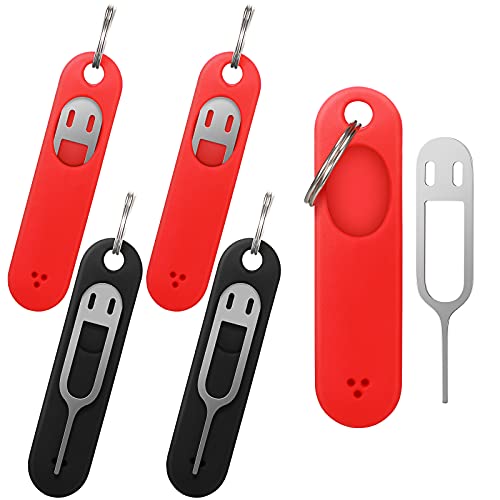
Ejector pins and tray tools are minor inclusions with outsized practical value. A cutter kit that includes a proper pin saves the user from straightening a paperclip beside an expensive handset, and a pin with a flat handle is easier to control than a bare wire loop. Some kits add a small storage tray or a labelled envelope for offcuts and spare adapters, which sounds trivial until a nano card must be found in a drawer two years later. Keeping the original offcut frame is also worthwhile: taped carefully around a nano card it can serve as an emergency locating jig for a future adapter, though it should not be inserted into a phone as a substitute for a moulded adapter.
Cutting risk in detail: chips, cracks and silent failures
Ways a cut can go wrong
The most visible failure is a blade that clips the contact pad. Even a shallow nick can lift one contact finger, interrupt the connection to the reader, and leave the phone reporting no SIM or SIM error despite the card looking almost correct. Less visible is a hairline crack through the substrate beneath the pad, caused by flexing a stiff old card in a loose die. Such a card may register intermittently, drop off the network when the phone warms up, or fail weeks later after repeated tray removals have widened the crack. Age matters here: plastic that has spent a decade in a warm wallet is more brittle than a recently issued card.
Burrs and oversized corners create mechanical rather than electrical failure. A nano card a fraction too wide can enter a tray under pressure and then refuse to come out, and prising at it risks scratching the tray or the reader housing. Filing the plastic edge, never the pad, usually resolves a tight fit, working slowly and checking the tray after every few strokes. Sanding dust must be brushed away completely, since grit inside a tray can score contacts. If a trimmed card needs force at any point, that is a signal to stop and correct the edge, not a challenge to push harder.
Static and contamination are quieter hazards. Handling the gold contacts with fingers deposits oils that can interfere with a marginal connection, and wiping the pad with a dry cloth is safer than using solvents that might attack the plastic or the printed carrier information. Work on a clean, light coloured surface so the small card stays visible, keep liquids away from the cutting area, and avoid cutting over a keyboard or a cluttered bench where a dropped nano card disappears. These habits sound fussy until the first time a card lands face down in carpet pile.
Cards that should not be cut at all
Some cards are poor candidates regardless of tool quality. A card whose pad sits unusually close to one edge, visible when compared with a modern card, leaves less plastic margin for the die. Cards with visible pad corrosion, deep scratches, a warped body or an existing crack should be replaced rather than trimmed. So should any card tied to a banking, identity or two factor arrangement where sudden loss of service would lock the owner out of recovery channels, because a failed cut at the wrong moment can compound an account problem. Corporate and machine to machine cards may also carry contractual terms that expect the carrier to perform size changes.
Prepaid cards bought for a short trip sit at the opposite pole. Their value is time limited, replacement may be impossible outside the issuing country, and a successful cut can be the difference between using a preferred Android handset and carrying a spare device. In that setting a cutter is often the rational choice, ideally applied to the travel card while the home card stays untouched in its original size. Travellers comparing handsets for such trips sometimes start from budget unlocked models, and our guide to best affordable android phones unlocked collects the considerations that matter when a phone will host foreign prepaid cards.
When a carrier replacement beats cutting
A store issued nano SIM or an eSIM transfer removes die risk, preserves the account in a carrier supported state and usually restores service with the same number after an identity check. Replacement is the better route when the phone is new and expensive, when the card is old or damaged, when the owner relies on that number for banking codes, when a nearby store or postal replacement is quick, or when the handset supports eSIM and the carrier offers a straightforward conversion. Many carriers supply the first replacement without charge or for a modest service fee, and a triple cut carrier card, where nano and micro outlines are pre scored inside a larger card, needs no cutter at all: the user simply presses out the required size by hand.
That last point deserves emphasis because it has quietly shrunk the cutter market. Most newly issued consumer cards now arrive as multi format carriers with snap out sections, so a fresh contract or a recent replacement rarely needs a die. Cutters address the long tail: legacy cards issued before multi format stock became normal, foreign cards, specialist data cards, and accounts where the holder cannot easily attend a store. Before buying any tool, examine the existing card under good light. If a scored outline surrounds the pad, fingers and patience will do the job that a press would otherwise perform, with the carrier having already centred the perforations.
eSIM changes the decision again for compatible Android models. A digital profile has no plastic to trim, can sit alongside a physical card for dual line use, and can be reissued after a handset change without a store visit in many markets. Its limits are carrier support, regional availability, transfer rules between operating systems, and the absence of a physical card to move into a dumbphone or hotspot in an emergency. Readers weighing a phone purchase around eSIM and physical tray flexibility will find relevant tray discussion in our roundup of best 4g at t compatible android micro sim phones for older network compatible models, where physical card handling remains the norm and cutter decisions stay relevant.
Timing also matters. Cutting a card on the evening before travel, a job interview or a hospital stay concentrates risk at the worst moment. If cutting is the chosen path, do it days ahead, keep the old phone available, confirm calls, messages, mobile data and banking codes on the new handset, and carry a quality adapter so the card can return to the previous device if the new one develops an unrelated fault. A cutter bought calmly and used early is a tool; the same cutter used in a panic at midnight is a gamble.
Choosing by household scenario
One upgrade, one card
A single micro to nano conversion for a personal upgrade is the lightest duty imaginable. Almost any rigid alloy press with the correct die, a centred viewing window and one decent adapter will handle it, and paying extra for shop grade steel brings little benefit. The smarter spend is on the bundle around the cut: an adapter for the old phone, an ejector pin sized for the new tray, and a fine file for edge cleanup. Borrowed cutters from a local repair shop, or a shop performed cut while the customer watches, can beat buying a tool that will sit in a drawer for five years, provided the shop accepts no responsibility wording is understood before the stamp comes down.
Families and mixed generations of phones
Households accumulate cards. Parents upgrade, children inherit handsets, a spare phone lives in a car, and a grandparent keeps a mini SIM feature phone for its large buttons. A dual stage cutter with both conversion paths, several adapters in each size and a labelled storage case suits that churn, because the next conversion rarely matches the previous one. Write the source and target size on each adapter envelope, keep nano cards taped into their frames when stored, and record which carrier each spare card belongs to. Administrative tidiness prevents the classic error of cutting the wrong family member’s card, an error no die quality can undo.
Small shops, repair counters and community helpers
Volume changes the priorities completely. A steel frame, a replaceable blade, a broad stable base and a clear refusal policy for damaged cards become the purchase criteria. Shops also need a rehearsal stock of expired cards for training, a magnifier for pad inspection, good task lighting and a written note that cutting is performed at the card owner’s risk. Throughput exposes weak pivots quickly, and a tool that produced twenty clean cuts may drift by the two hundredth if its die seat wears. Keeping a second press as a backup, and retiring a press that begins to leave consistent burrs on one side, protects both customers and reputation.
Travel, field work and off grid use
Expedition staff, aid workers, sailors, field engineers and long distance drivers share a pattern: cards change far from carrier stores, and connectivity is a safety matter rather than a convenience. A compact alloy cutter in a sealed pouch, with adapters, a pin, a file and a spare prepaid card, earns its weight in that kit. Plastic bodied mini presses save grams but are the first to flex when a cold, stiff card meets a tired user in poor light, so most field kits favour metal. Practising at home on an expired card, in daylight, is part of the preparation, as is confirming that the destination country’s prepaid cards are sold in a cuttable format rather than as nano only stock.
Step by step: a careful cut from preparation to registration
Begin by confirming the target size from the handset manual or the tray itself, not from a forum post about a similarly named model, because regional variants of the same Android phone can ship with different trays. Power the phone down before removing or inserting any card. Lay out the cutter, the card, a file, a soft brush, an adapter and the ejector pin on a clean surface. Photograph the card’s printed numbers or copy them down, since the trimmed offcut may carry part of the printed identifier that carrier support could ask for later.
Inspect the pad under bright light. Look for corrosion, lifting, cracks in the surrounding plastic and any earlier hand trimming that left the card asymmetric. Compare the pad position with the cutter’s orientation diagram. If anything looks irregular, stop and choose replacement instead. When the card passes inspection, slide it into the correct die slot until it meets the stop, confirm the bevelled corner aligns with the shaped corner of the slot, and check through the viewing window, where fitted, that the pad sits centred in the outline.
Place the cutter flat, hold the frame steady, and drive the lever through one firm, complete stroke. Do not pump the handle. Lift the press, remove the offcut frame first, then retrieve the trimmed card without touching its gold face. Hold the card by its edges and examine both sides: the outline should be even, the pad untouched, the corners complete, and no plastic whiskers should project from the edges. Run a fingertip lightly along the plastic border to feel for burrs, then remove any high spot with the file, stroking away from the pad and brushing dust off afterwards.
Seat the card in the tray in the orientation shown by the tray’s shaped corner, without an adapter for a native nano slot, and slide the tray home with gentle pressure. Power the handset on and allow a minute for network search. Check signal registration, place a short call, send a message, toggle mobile data and, where relevant, confirm that the second line in a dual SIM phone still registers. If the phone reports no card, power down, reseat once, and inspect again. Repeated force is never the answer; a card that only works when pressed is a card that needs filing, reseating in a better adapter, or replacement.
Finally, store the offcut, the adapter set and the cutter together, and note the date and the phone the card now serves. If the card will ever return to a larger slot, place it in its adapter immediately rather than loose in a wallet, where a nano card can slip from a coin pocket and vanish. Keep spare adapters away from children and pets; their small frames and film backings are easy to swallow and awkward to retrieve from inside a phone if inserted empty by curious hands.
Troubleshooting after a cut
No SIM, SIM error or intermittent registration
Start with the simplest causes. Confirm the card is in the correct tray position, especially in hybrid trays where the memory card position looks deceptively similar. Confirm orientation: a nano card inserted rotated will sometimes sit flat enough to fool a quick check. Reseat the tray fully, restart the handset, and try the card in the previous phone using a quality adapter. If it fails in both devices after a cut, pad damage or a substrate crack moves to the top of the list and carrier replacement becomes the realistic path. If it works in the old phone but not the new one, suspect tray fit, thickness or a burr, and inspect the edges again.
Software settings occasionally masquerade as cutting damage. A phone set to a manual network that no longer matches, an access point name wiped during a handset change, or a line disabled in dual SIM settings can all follow a card move without being caused by the card. Check the SIM status screen for the card identifier: if the identifier displays correctly, the reader and pad are communicating, and attention should shift to carrier settings. If the identifier is blank while another known good card reads fine in the same tray, the trimmed card itself is implicated.
Tray stuck or card too tight
A stuck tray demands patience. Do not lever against the handset body with metal tools, and do not pull an ejector pin sideways. Gentle repeated ejection attempts, a slight warming of the phone in the hands if it has come in from the cold, and professional help if the tray refuses to move will cost less than a bent tray or a torn reader contact. Once freed, find the cause before reinserting: an adapter that is too thick, a burr on one corner, or a card sanded unevenly so it wedges diagonally. Mark the tight edge with a pencil dot on the plastic border, file that edge minimally, and recheck.
Contacts, stored numbers and expectations
Modern Android phones store contacts in an account, an internal database or a synced service far more often than on the SIM itself, yet some older cards still hold the only copy of a small address book, and trimming does not erase it as long as the chip survives. Export anything stored on the card before cutting, using the contacts application’s import and export tools on the old handset. Similarly, a cut does not change a tariff, a number, network generation access or roaming permissions; those live in carrier systems keyed to the card’s identity, not in its plastic outline. Expect the same plan on a smaller card, nothing more.
Materials, maintenance and storage of the tool itself
A cutter needs little maintenance, but neglect shortens its accurate life. Brush plastic crumbs from the die after each session, because a fragment lodged in the recess can emboss the next card or hold it off the stop. Wipe steel parts with a dry cloth before storage in humid climates, and keep the press in a pouch or box so the blade edge does not knock against keys and tools in a drawer. A drop onto tile can bend a lever or shift a die seat; if cuts after a drop develop a consistent slant, retire the tool rather than trusting it with a live card.
Sharpening is rarely a home task. The shaped blade profile that clears a SIM pad is not a kitchen knife edge, and grinding it freehand can alter clearances. Makers who sell replacement blades describe a simple swap with the frame held in a vice, while sealed presses are treated as consumables at the end of their accurate life. For a household tool that may cut five cards in a decade, storage condition matters more than blade service: a dry, padded drawer preserves the factory edge indefinitely, whereas a damp toolbox corrodes it before the second use.
Adapters age as well. Their thin frames flex each time a card snaps in or out, film backings lose adhesion, and friction fits loosen. Replace an adapter that no longer holds a card flush, and never stack two adapters to make up a size, since the combined thickness can jam a tray. Keep one fresh adapter of each size in the kit as a spare, stored flat inside a card sleeve rather than loose among coins and keys.
Reading a listing like an engineer
Product listings for cutters are crowded with interchangeable claims, so translate them into checkable facts. Supported conversions should be named as source and target pairs, not as a vague promise of universal fit. Frame and blade materials should be stated separately; a steel blade in a plastic frame behaves like the frame, not like the blade, under load. Bundle contents should be counted: how many adapters of each size, whether a file or sanding sheet is present, whether an ejector pin is included, and whether a storage case keeps the small parts together.
Photographs reveal more than slogans when read closely. Look for a viewing window or an open slot that shows pad position before the stroke. Look for a base that contacts the table around the die, rather than a narrow foot that can rock. Look at the slot entry: a funnelled guide helps a card find the stop, while a raw slit leaves alignment entirely to feel. Owner photographs in feedback sections often show the actual finish of cast frames and the real thickness of bundled adapters, which can differ noticeably from polished studio renders.
Compatibility language needs the same scepticism applied to any accessory. A cutter does not need electronic compatibility with a handset brand, because it never touches the phone; it needs dimensional compatibility with the card formats involved. Listings that name dozens of phone models are describing the nano tray those models share. The buyer’s checklist is therefore short and physical: source size, target size, pad clearance, frame rigidity and adapter quality. Anything else is decoration.
Environmental and cost considerations
Cutting an existing card avoids a plastic replacement and a postal journey, a small but real saving multiplied across the many legacy cards still in drawers. It also extends the useful life of a card whose electronic identity remains valid, rather than retiring it for a purely geometric reason. Against that, a failed cut produces both an offcut and a ruined card, followed by the replacement journey anyway. The environmental arithmetic favours cutting when the card is sound, the tool is rigid and the user follows the seating steps; it favours replacement when the card is brittle or the account is critical.
Cost follows a similar pattern. A cutter bought for one conversion and never reused is hard to justify against a low cost or free carrier replacement, unless travel timing makes the replacement impractical. The same cutter shared across a family, a street, a workplace or a repair bench quickly becomes the cheapest option per cut. Lending libraries, community repair cafés and phone shops with a press on the counter are worth checking before purchase, because the tool’s value lies in occasional access rather than ownership for most households.
Frequently asked questions
Will a trimmed card work with mobile banking and verification codes?
Yes, provided the chip and pad survive intact, because banking applications and verification messages address the account and number attached to the card’s electronic identity, which cutting does not alter. The caution is about timing rather than capability: perform the cut well before a period when losing service would be disruptive, verify message delivery on the new handset, and keep an alternative recovery route for important accounts until the trimmed card has run reliably for several days.
Can a nano card go back into a micro SIM phone?
Yes, inside a well made adapter that restores the micro outline and holds the nano card flush and captive. Insert and remove the adapter and card as a single unit, never insert an empty adapter, and avoid adapters in side loading slots that drag the card directly across reader pins. If the older phone will become the card’s permanent home again, a carrier issued micro replacement is tidier than a lifetime spent in an adapter frame.
Does cutting affect signal strength or data speed?
No. Radio performance depends on the handset antenna, the network band in use, the carrier profile and the reader contact quality. A clean cut that seats correctly leaves all of those unchanged. A poor cut can interrupt contact entirely, which is a connection failure rather than a gradual speed reduction, so any sudden change after trimming should be investigated as seating or pad damage rather than accepted as weaker signal.
Is hand trimming with scissors ever sensible?
Only as an emergency improvisation on a low value card, using a printed template, a known good nano card as a guide, fine scissors and a file, with full acceptance that the card may be lost. Templates drift between printers when scaling is left automatic, which is one reason improvised cuts fail. For any card tied to an important number, a die cutter or a carrier replacement is the proportionate choice, and the price difference between improvisation and a basic press is small compared with the cost of losing service.
What about dual SIM phones with one eSIM line?
A hybrid arrangement, one physical card plus one digital profile, reduces cutting needs to a single line. Cut or replace only the physical card, and complete the digital transfer through carrier channels rather than expecting any tool to help. Keep a note of which line carries which number after the change, because tray labels and profile names can diverge during setup and confuse later troubleshooting.
Special cases: data cards, hotspots and older Android tablets
Phones are not the only devices that inherit legacy cards. Mobile hotspots, cellular routers for caravans and boats, older Android tablets with a voice capable modem, vehicle trackers and alarm panels all carry SIM slots, and their trays are often less accessible than a handset tray. A hotspot buried in a glovebox or a router mounted in a loft may hold a mini or micro card that must shrink before it can move into a current handset during a network outage. Keeping a cutter with the network kit, rather than in a phone drawer, makes sense for households that depend on such backup equipment.
Data only cards raise a verification wrinkle. Without voice service, the usual test call is unavailable, so confirmation rests on the status lights of the hotspot, the data session indicator in its administration page and a short browsing session through its network. Change one variable at a time: seat the trimmed card, restart the device fully rather than toggling its radio, and allow several minutes for registration, because embedded modems often search more slowly than a phone. Record the access point settings before the move, since a card that registers but passes no data usually needs those settings restored in the new host.
Vehicle trackers and alarm panels deserve a conservative rule. Their cards are frequently installed by a supplier, sealed inside a unit or linked to a monitoring contract, and cutting one can disturb a service that protects property rather than a personal handset. Leave supplier managed cards to the supplier. The same restraint applies to cards inside medical alert devices and lone worker pendants, where a failed experiment carries consequences far beyond inconvenience. A cutter is for cards whose owner controls the account and can tolerate a replacement delay.
Older Android tablets add a tray orientation trap. Several models place the card with contacts facing upward, opposite to the convention in most phones, and their manuals illustrate the bevelled corner in a position that surprises users who rely on habit. Read the diagram for the specific tablet before inserting a trimmed card, because forcing a tray that resists by a millimetre can bend the thin plastic border that a nano conversion leaves behind. Once that border cracks, the card may still function on a desk yet shift inside a tablet carried in a bag, producing dropouts that look like network faults.
What to do with offcuts, spares and records
The punched out frame left after a conversion looks like rubbish, yet keeping it for a few weeks costs nothing and occasionally helps. Carrier support staff sometimes ask for digits printed across the original card body, and the frame may carry the portion that the die removed. Tape the frame into the same labelled envelope as the adapter set, store the envelope away from heat, and discard it only after the trimmed card has survived a billing cycle. Photographing both faces of the original card before cutting, with the numbers legible, is an even better record and takes seconds.
Spare expired cards have training value beyond sentiment. A dead prepaid card lets a teenager learn the seating routine before touching a parent’s live card, lets a shop assistant practise a complete stroke, and lets a field worker confirm that a travelling press still cuts square after months in a kit bag. Mark expired cards clearly with a permanent pen across the printed face so nobody mistakes them for live spares during a hurried swap, and keep them separate from working adapters to avoid confusion in poor light.
Check prices on Amazon
Live listings for the shortlist in this guide are pulled from Amazon below, so prices and availability are always current at the moment you look.

Final guidance on picking a cutter
Match the tool to the conversion, not to a marketing bundle. Confirm the exact source and target sizes, choose a metal frame that will not flex, insist on a locating stop and a clear view of the pad, value a captive film backed adapter over a handful of loose frames, and include a pin and a file in the kit. Rehearse on a dead card if one is available, cut early rather than under time pressure, and keep the carrier replacement route open for brittle, corroded or mission critical cards. Readers whose next handset decision is still open may find that a phone with a forgiving tray and dual line flexibility matters as much as the cutter itself.
For the household that trims one sound micro card, seats it carefully, verifies calls and messages over the following days and stores its adapter flat in a labelled sleeve, a modest alloy press will quietly finish the job and then wait years for its next outing.


