Our Top Picks
 Rogue R67S Unlocked 4G LTE Smartphone for T-Mobile6.78 x 3.13 x 0.39 inches0.5 poundsCheck on Amazon



What's inside
- What Net10 Wireless is and how it works
- Bring your own phone and the SIM kit explained
- The bands and features your phone needs
- Motorola Moto G series: the natural Net10 companion
- Samsung Galaxy A series: polish and long support
- Google Pixel a-series: clean software, careful variant choice
- Other Android brands worth considering
- Who Net10 suits best
- Transferring your number and activating without drama
- Coverage checks before you commit
- Managing a prepaid line month to month
- Troubleshooting the common activation problems
- A calm buying checklist
- Final thoughts for Net10 shoppers
- A closer look at daily life on the Moto G Power
- Hotspot use, data habits, and honest expectations
- Physical SIM and digital options on prepaid service
- Seasonal, rural, and work-site stories
- Understanding locks, unlocking, and carrier history
- Support channels and getting help efficiently
- Setting up the phone itself for a smooth first month
- Keeping costs predictable without watching a bill
- A word about patience during the first week
- Check prices on Amazon
- One last habit: review the pairing twice a year
As an Amazon Associate I earn from qualifying purchases. This post may contain affiliate links at no extra cost to you.
A brief word about how this guide earns its keep before we discuss networks and handsets: this publication is reader-supported through referral arrangements, meaning that if you use a link here to visit a retailer or a carrier storefront and later buy a phone or a service kit, we may earn a modest referral payment from that seller, which funds the time spent checking compatibility details and updating this guide, while our descriptions of each device remain guided by how well it serves Net10 customers in ordinary daily use.
What Net10 Wireless is and how it works
Net10 Wireless is a prepaid mobile service brand in the United States that operates as a mobile virtual network operator, a type of carrier that does not build its own nationwide towers but instead delivers service over the infrastructure of a larger network. Net10 has long been associated with the Tracfone family of brands, and its service in recent years has centered on the Verizon network following changes in ownership and network agreements across that brand family. For customers, the practical meaning is simple: your phone connects to a major national network, while your account, billing, and support come through Net10 itself.
The prepaid model shapes everything about the experience. You pay for service in advance, in defined periods, rather than receiving a monthly bill after the fact under a long contract. When the period ends, you refill the account to keep the line active. That structure appeals to people who want predictable spending, who dislike credit checks, or who need a line for a season, a job site, or a family member without committing to a multi-year arrangement. It also means you are responsible for watching your renewal date, because a lapsed prepaid line can eventually lose its number if it stays inactive too long.
Bring your own phone and the SIM kit explained
Net10 is well known for its bring your own phone program, often shortened to BYOP, which lets you keep a handset you already own and activate it with a Net10 SIM kit instead of buying a new device. The kit, available through the carrier’s own store and through major retailers, typically includes SIM cards in the standard sizes and activation instructions that walk you through creating an account, choosing a service plan in general terms, and associating the SIM with your phone’s identity numbers. For many switchers, this is the cheapest and least disruptive path onto the service because contacts, photos, and familiar settings all stay exactly where they were.
Compatibility is the gate you must pass before anything else. The phone needs to be unlocked, meaning it is not tied to a previous carrier, and its radios need to support the bands used by the network that Net10 service rides on in your area. Net10 provides a compatibility checker on its website where you enter the phone’s IMEI, the unique identifier found in settings or by dialing a short code, and receive an answer about whether that specific unit can activate. Run that check before you buy a kit or a used phone, because two handsets with the same marketing name can differ in bands and lock status.
GSM history and CDMA history in plain language
Older guides to Net10 talk a great deal about GSM and CDMA, the two network technologies that once divided American carriers. Historically, Net10 sold SIM kits for GSM phones associated with some partner networks and separate activation paths for CDMA phones associated with others, and which path you used depended on your region and your handset. As American networks have retired their older third-generation systems and moved voice and data onto LTE and newer standards, that old divide matters far less than it once did. What matters now is whether your phone is unlocked and whether it supports the current LTE and 5G bands of the underlying network in the places you live, work, and travel.
If you are reading an older forum post that insists you must choose between two kit colors or two technology labels, treat it as history rather than current instruction. Follow the present-day compatibility checker and the instructions inside a current kit. Technology transitions strand a lot of confident old advice on the internet, and prepaid activation is one of the areas where following a five-year-old checklist can waste an afternoon. The checker, which sees your exact device identity, always outranks a generic chart copied from another era of network design.
The bands and features your phone needs
Band support decides where your phone works well and where it struggles. For service riding on the Verizon network, the important LTE bands to look for include the low-frequency bands that carry signal across rural distances and into buildings, together with the mid-band capacity layers that serve towns and suburbs. A phone missing the main low band may show signal outdoors yet fail at a kitchen table or inside a metal-clad workplace. When you compare specification sheets, confirm the phone lists the core LTE bands for that network rather than relying on a seller’s vague promise that a device is fully compatible with every carrier in the country.
Voice service today depends on Voice over LTE, usually labeled VoLTE, because the old circuit-switched voice paths have been retired. A compatible phone must support VoLTE on the underlying network, and most unlocked Android phones sold in the United States in recent years do. Problems arise mainly with older handsets and with international variants that support the right data bands on paper but were never certified for voice on American networks. This is another reason the IMEI checker matters: it catches voice certification issues that a band list alone might not reveal to a casual reader comparing numbers in a specification table.
5G access and what it changes
Many recent Android phones add 5G support, including the mid-band frequencies that provide the most useful speed and capacity gains on the underlying network. A 5G phone is not required for Net10 service, and a solid LTE phone remains a sensible choice for light users, but a 5G-capable unlocked handset gives you more headroom if you keep phones for several years. Check which 5G bands a model supports rather than trusting a logo, because early 5G phones sometimes covered only a narrow slice of spectrum. Also remember that coverage varies street by street, so a neighbor’s fast result does not guarantee the same experience inside your home.
Motorola Moto G series: the natural Net10 companion
Motorola’s Moto G family is arguably the easiest recommendation for Net10 shoppers. These phones are sold widely in unlocked form in the United States, support the key bands of the major American networks, and have a long record of activating smoothly on prepaid services that ride those networks. Models such as the Moto G Power, known for multi-day battery endurance, and the Moto G Stylus, which adds a built-in pen for notes and photo markup, give buyers a choice of priorities without leaving the family. The standard Moto G models balance screen size, camera quality, and endurance for people who simply want a dependable everyday handset.
The Moto G appeal for prepaid users goes beyond specifications. Because the phones are popular, cases, screen protectors, and replacement parts are easy to find at major retailers, and repair shops know the hardware well. Software is close to stock Android, so the activation process and network settings menus look much as the guides describe, without heavy manufacturer overlays hiding the access point or mobile network options. For a customer who may need to follow phone support instructions precisely, that plain layout is a genuine advantage that spec sheets never capture.
Which Moto G suits which Net10 user
Choose the Power variant if your days run long between charges, if you work outdoors, or if you use the phone as a hotspot for a laptop at job sites within your plan’s allowances. Choose the Stylus variant if you sign documents, sketch ideas, or prefer writing quick notes by hand. Choose the standard model if you want the lightest, simplest option for calls, messages, maps, and photographs of family life. In each case, buy the unlocked United States variant, run the IMEI through the checker when buying secondhand, and confirm the phone has not been reported lost or blocked, because a blocked device will fail activation regardless of its bands.
Samsung Galaxy A series: polish and long support
Samsung’s Galaxy A series brings a brighter, more polished experience to the same prepaid shelves. Recent Galaxy A models sold for the American market offer vivid displays, capable cameras, water resistance on some variants, and a commitment to software and security updates that stretches further than most rivals at similar levels. For Net10 customers who keep a phone for three or four years, that update runway protects banking applications and keeps the handset feeling current long after the box is recycled. The A series also benefits from Samsung’s wide retail presence, so you can handle a display unit in person before committing.
As with every brand in this guide, the variant is the detail that decides success. Buy the unlocked United States model or a model explicitly sold for broad American carrier compatibility, and be cautious with international A series variants offered at tempting terms through third-party marketplaces. Those international units may lack a band your town depends on or may not be certified for voice on the underlying network. The savings evaporate quickly if the phone cannot activate, and return shipping to an overseas seller is a poor way to spend a week. The carrier’s own store also sells Samsung phones packaged for its family of services, which removes guesswork for buyers who prefer certainty over hunting.
Galaxy S and foldable models on Net10
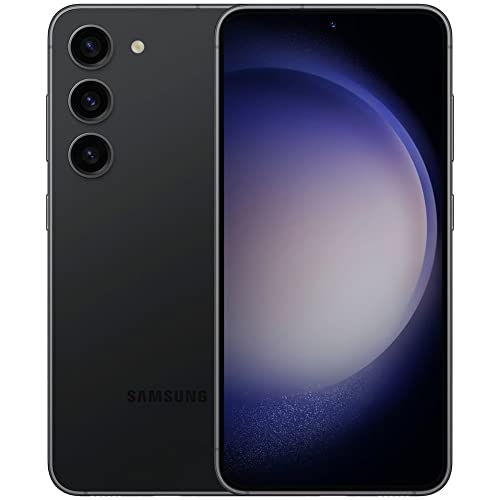
Flagship Galaxy S phones, including recent generations sold unlocked in the United States, generally work well on Net10 once the IMEI passes the checker, bringing excellent cameras and displays to a prepaid line. They make sense for people who already own the phone and are switching service to save money, rather than for people buying new hardware specifically for a light-use line. Foldable Galaxy models can also activate when unlocked and compatible, but their repair costs argue against pairing them with a budget service strategy unless you already own the device. In short, bring the flagship you have, buy the A series when purchasing new for value.
Google Pixel a-series: clean software, careful variant choice
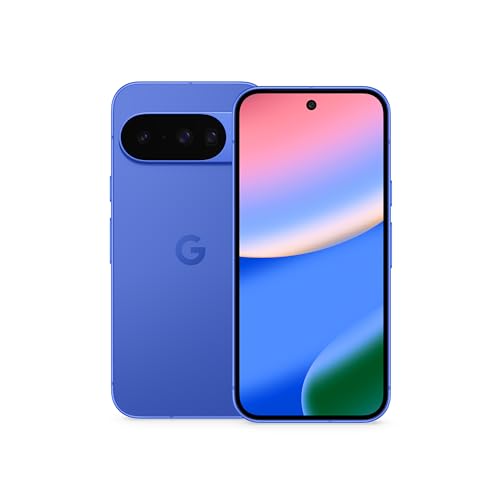
Google’s Pixel a-series, including recent models in that line, offers Net10 shoppers a distinctive combination: an excellent camera for the class, prompt software updates directly from Google, and a clean interface that makes network settings easy to find. Unlocked Pixel a models sold in the United States support the bands and voice features the underlying network requires, and they have a strong record on prepaid services generally. For parents buying a phone for a teenager, or for anyone who values a camera that handles birthdays and school events gracefully without manual fussing, the a-series deserves a place on the shortlist.
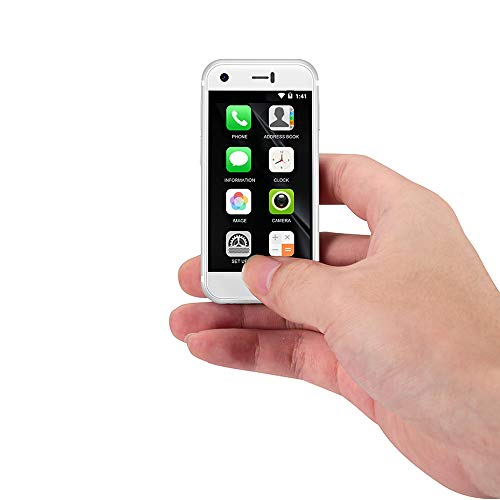
The caution with Pixel is to avoid carrier-specific variants whose unlock status is uncertain, and to confirm that a secondhand unit has been fully paid off and released by its original carrier. A locked Pixel will fail on Net10 no matter how new it is. Also consider hand feel and size, since some buyers prefer a smaller phone for one-handed use; readers in that camp may enjoy our companion notes at best android small smartphones before settling on a model, because a phone you handle comfortably all day serves you better than a larger screen you constantly grip with two hands.
Flagship Pixel models and switching
Full flagship Pixel phones behave much like flagship Galaxy models on Net10: unlocked United States units typically activate cleanly and bring top-tier photography to a prepaid account. If you are switching from a contract plan and already own such a phone, keeping it is often the smartest financial move available, since the hardware cost is already behind you. Back up the phone before switching, confirm your number transfer details with your old carrier, and schedule the change for a morning when support lines are open, so any snag can be resolved the same day rather than over a weekend.
Other Android brands worth considering
Beyond the big three families above, several other brands serve Net10 customers well when the correct variant is chosen. TCL and Nokia-branded phones from HMD appear regularly in prepaid retail channels and offer straightforward unlocked models aimed at value shoppers. OnePlus phones sold officially for the American market, including its Nord line, can work when unlocked and band-complete, though buyers should verify each generation individually because that brand’s band lists have changed over time. Sony Xperia models are capable but are sold in narrower channels, so confirm American band support with particular care before importing or ordering.
Phones sold directly through Tracfone-family channels, including devices packaged for Net10 itself, deserve mention as the lowest-friction option of all. These handsets arrive pre-matched to the service, often with the correct SIM already in the box, and activation reduces to following the enclosed steps. The trade-off is selection: the packaged range is smaller than the open unlocked market, and the phone may be locked to the brand family for a defined period before it can be unlocked for other carriers. For a first prepaid phone, or a phone for a relative who values simplicity over choice, that trade is frequently worth making.
Comparing with neighboring prepaid choices
Shoppers often research several prepaid brands in the same week, and the handset logic overlaps heavily from one brand to the next. A phone that is unlocked and band-complete for one major network’s prepaid services will frequently serve on another service riding the same network, though activation rules always rest with each brand’s checker. Readers comparing offers across carriers, including those weighing a handset discussed in best 250 00 t mobile android phones, should keep the same discipline: decide the network first based on coverage at home, then choose the phone variant built for that network, rather than falling for a handset and hoping coverage follows.
Who Net10 suits best
Net10 fits people whose mobile habits are steady and modest. If your data use centers on messaging, email, maps, music at moderate quality, and occasional video rather than hours of daily streaming away from Wi-Fi, a prepaid line keeps spending aligned with actual habits. It fits rural customers who need the reach of the underlying national network in places where smaller regional carriers thin out, provided local coverage checks confirm service at their specific address. It fits seasonal workers, snowbirds who split the year between two homes, and families adding a line for a teenager, because prepaid terms bend more easily around changing seasons and changing needs than long contracts do.
It also suits people who own good hardware already. A household with a drawer of recent unlocked phones from previous contract plans can put those devices back to work instead of buying new ones, which is both economical and less wasteful. Readers scanning the wider value market, including the roundups at best affordable android phones and best affordable android phones unlocked, will notice the same Moto G and Galaxy A names recurring, and that overlap is reassuring: the phones that serve prepaid customers best are simply good unlocked phones, bought carefully and checked properly.
Who should look elsewhere
Heavy data users who stream video daily on mobile data, households wanting multi-line contract perks, and travelers needing extensive included international roaming may find a traditional postpaid plan or a different prepaid brand a better match. People who want in-person help at a branded store on every block may also prefer a carrier with a dense retail footprint. None of this diminishes Net10’s value for its audience; it simply marks the boundary honestly. The happiest prepaid customers are those whose expectations match the model: bring a compatible phone, manage your renewal, and enjoy major-network reach without a long commitment.
Transferring your number and activating without drama
Most switchers want to keep their existing number, and number porting to Net10 is routine when prepared properly. Do not cancel your old service first, because a canceled line can release its number before the transfer completes. Gather the account number and any transfer PIN or password from your current carrier before you begin, and make sure the name and address on the request match the old account exactly. Small mismatches, such as a middle initial present on one account and absent on the other, are the most common cause of delays that stretch a transfer from hours into days.
Start the activation with the phone charged, connected to Wi-Fi, and with the new SIM inserted as the kit directs. Follow the activation flow on the Net10 website or through its support channels, entering the SIM number and the phone’s IMEI carefully and double-checking each long digit string before submitting. Long identifiers invite transposed digits, and a single swapped pair can send support down the wrong path. Keep the old phone active and nearby during the process, because confirmation messages about the transfer often arrive on the old line, and you may need it to approve the release of your number.
After activation: the first-day checks
Once the new line reports active, test the essentials in a deliberate order. Place a call to a friend and ask how you sound, send and receive a text, send a picture message, and browse the web with Wi-Fi off to confirm mobile data flows. Check that voicemail sets up correctly and record a greeting, because callers judge a missed call by the greeting they hear. Restart the phone once and confirm service returns without intervention. If picture messaging fails while everything else works, the access point settings may need the values from Net10’s support pages, a common and fixable quirk rather than a sign of an incompatible phone.
Keep your old SIM and your activation paperwork until the new line has survived a full week of normal use, including a trip outside your immediate neighborhood. Coverage at home can hide a band gap that only appears at a relative’s house or a work site across town. If a problem appears, you will want the old account details and the kit’s SIM numbers at hand when you call support. Store the paperwork in an envelope labeled with the phone number and activation date, a humble habit that turns any future support call from a scavenger hunt into a short, factual conversation.
Coverage checks before you commit
National coverage maps are a starting point, not a promise about your kitchen, your barn, or your office. Before moving a number you depend on, ask neighbors and coworkers on the same underlying network how service behaves at the places you frequent, and note the difference between outdoor signal and indoor reliability. If a friend visits with a phone on that network, ask them to check signal in your basement or workshop. Prepaid service makes experimentation easier than a contract does, yet a number transfer still takes effort, so a weekend of informal local research is time well spent before you port a number your bank and family rely on.
Rural readers should pay special attention to low-band coverage and to how the network behaves during storms, harvest seasons, and local events when many people connect at once. A phone with strong band support and a healthy battery will serve better in those moments than a thinner phone with a longer feature list. Consider also keeping a simple backup: a charged older phone in the truck or the kitchen drawer, ready to receive the SIM if the main handset is damaged, because prepaid flexibility only helps when you have working hardware to move the line into on short notice.
Managing a prepaid line month to month
The discipline of prepaid life is mostly a calendar habit. Note your service end date where you will actually see it, such as on a paper calendar or as a recurring reminder set several days early, and refill before the deadline rather than on it. Many customers enable automatic refills to remove the risk entirely, which suits people whose income and usage are steady. Others prefer manual refills because they adjust service around travel or seasonal work. Either approach works when chosen deliberately; lines get into trouble when renewal is left to memory during the busiest weeks of the year.
Watch data habits with the tools built into Android. The settings screen shows which applications consume the most mobile data, and most heavy surprises trace back to video applications autoplaying at high quality or cloud backups running over mobile data after a phone reset. Set backups and application updates to wait for Wi-Fi, download maps and music at home, and review the data chart midway through each service period. Light users who build these habits find their service period stretches comfortably, while the same line in careless hands feels mysteriously short by the third week.
Phones for parents, teens, and second lines
Prepaid lines shine as second lines and family starter lines. A parent can hand a teenager a Moto G or Galaxy A on Net10, set up family safety tools, and review usage together at each refill, turning the renewal into a natural conversation about habits and responsibility. An older parent who mainly needs calls and messages can use a simple unlocked handset without the cost structure of a contract line, and relatives can help manage refills remotely when visiting is hard. A tradesperson can keep a separate work number on a prepaid line, silencing it after hours without affecting the personal number that family uses to reach them in an emergency.
Troubleshooting the common activation problems
Most activation problems fall into a few familiar buckets. A phone reported as incompatible usually turns out to be locked, to be an international variant, or to have an IMEI entered with a digit wrong, so verify all three before concluding the handset cannot work. A line that activates for calls but not data usually needs correct access point settings or a restart after provisioning finishes. A transfer that stalls usually involves mismatched account details at the old carrier, which a call to that carrier’s porting department can untangle once you know to ask for that specific team rather than general support.
Keep your troubleshooting orderly and change one thing at a time. Note the exact wording of any error message, the time it appeared, and what you had just entered, because support agents solve problems faster with that record than with a summary written from memory days later. Resist the urge to buy a second kit or a second phone while a transfer is pending, since overlapping attempts can complicate the account further. Patience during the porting window, combined with a charged old phone still carrying the number, resolves the large majority of cases without any new hardware at all.
A calm buying checklist
- Confirm coverage of the underlying network at your home, workplace, and regular travel routes using local reports, not only maps.
- Choose an unlocked United States Android model, favoring the Moto G family, Galaxy A family, or Pixel a-series for proven compatibility.
- Run the exact IMEI of the exact phone through the Net10 compatibility checker before buying a kit or a used handset.
- Verify VoLTE support and the core LTE bands for the network, especially on any imported or older model.
- Collect your current account number and transfer PIN before starting, and never cancel the old line before the transfer finishes.
- Activate on a charged phone over Wi-Fi, double-check every long identifier, and test calls, texts, picture messages, data, and voicemail the same day.
- Set a refill reminder several days before the service end date and review data habits midway through each period.
- File the kit paperwork and old SIM together until the new line has worked reliably for a full week.
Buying secondhand with confidence
A used unlocked phone can be an excellent Net10 handset when bought carefully. Meet sellers in a public place, insert your own SIM or run the IMEI checker on the spot, and confirm the phone has been reset with the previous owner’s accounts removed, because a phone still tied to a stranger’s account can lock you out after an update. Check the charging port, the battery health indicators where available, and the screen for touch dead spots. A phone that passes those checks and activates on the checker is a sound buy, and the money saved compared with new hardware can fund many months of prepaid service for a light user.
Final thoughts for Net10 shoppers
The formula for a happy Net10 experience is not complicated: pick the network for its coverage where you actually spend your days, pick an unlocked Android phone whose bands and voice support match that network, verify the specific unit before spending, and handle the number transfer with paperwork in hand and patience in reserve. Motorola, Samsung, and Google each offer a family that does this job well at a sensible level, and the bring-your-own-phone path means the best handset for your line may already be sitting in your pocket today, waiting only for a kit and a careful activation morning.
When your familiar number rings for the first time on the new line and a neighbor’s voice comes through clear from the porch, the paperwork and patience of activation day will feel thoroughly worthwhile.
A closer look at daily life on the Moto G Power
Imagine a delivery driver starting before dawn in a mid-sized city, using maps continuously, scanning packages, photographing doorsteps, and calling dispatch through a long shift. That workload is where the Moto G Power earns its name in prepaid service. Its large battery tolerates the constant screen use and location tracking that drain slimmer phones by mid-afternoon, and its straightforward software keeps the scanning and messaging applications front and center without decorative extras competing for attention. On Net10, where the driver may be funding service personally while waiting for employer reimbursement, a phone that simply lasts the shift without a midday charge is worth more than a marginally better camera.
The same endurance serves home health aides, warehouse pickers, school bus drivers, and market vendors who spend their days away from desks and outlets. These workers share a pattern: the phone is a tool first and an entertainment device second, and reliability during the working day defines its value. Pairing that kind of handset with prepaid service creates a predictable monthly routine, where the only surprise is how rarely the battery warning appears. If you recognize your own workday in that description, put battery capacity and screen brightness for outdoor reading at the top of your comparison list, ahead of thinner bodies or exotic finishes.
Galaxy A displays and cameras in family life
Family use tells a different story, and it is where the Galaxy A series often wins the argument at the kitchen table. School concerts, grandparents on video calls, and photographs of a child’s first bicycle ride all benefit from a bright display that remains readable on a sunny porch and a camera that handles mixed indoor lighting without fuss. Samsung’s gallery and sharing tools are familiar to many households because so many relatives already use them, which shortens the teaching process when a parent or grandparent joins the line. On Net10, that familiarity reduces support calls within the family, which anyone who serves as unpaid technical help for relatives will appreciate immediately.
Durability features matter in family life too. A model with a degree of water resistance survives kitchen splashes and rainy soccer sidelines with less anxiety, and a screen that tolerates a modest case and a tempered protector will outlast the semester. Encourage every family member to use a case from day one, because a cracked screen costs the same to repair whether the service behind it is prepaid or contract. The savings of prepaid service are best kept as savings, not redirected into avoidable repairs during the first month of ownership.
Hotspot use, data habits, and honest expectations
Many prepaid customers ask about using the phone as a mobile hotspot for a laptop or tablet. Whether hotspot use is included, and how much data it may consume, depends on the specific service terms you select, so read the current terms for your chosen arrangement on the Net10 website before relying on the feature for work. Where hotspot is available, it can be a lifeline during a home internet outage or a quiet afternoon of email at a cabin. Where it is not included, attempting to tether may simply fail, and knowing that in advance prevents a stressful surprise on the day you planned to work from the road.
Data habits decide satisfaction more than any headline allowance. A commuter who downloads podcasts and playlists at home over Wi-Fi may use surprisingly little mobile data, while a user who lets a video application autoplay in high quality during every lunch break can consume several times as much without feeling like a heavy user. Android’s per-application data chart tells the truth kindly and early. Review it together with family members rather than in a spirit of policing, because most people genuinely do not know which application is responsible until the chart shows them, and a two-minute settings change often solves the problem for good.
Wi-Fi calling and indoor coverage
Wi-Fi calling can transform a Net10 line inside buildings where mobile signal fades, such as basements, hospitals, and thick-walled older homes. Support depends on both the phone model and the service configuration, so confirm the feature for your specific handset during the first week and test it at home by making a call in the room with the weakest mobile signal. Remember to set your emergency address for Wi-Fi calling when prompted, because emergency calls placed over Wi-Fi use that registered address to guide responders. That small setup step is easy to skip in the excitement of activation day and important to complete while you are thinking about it.
Physical SIM and digital options on prepaid service
Net10 activation has traditionally centered on a physical SIM from the kit, and that physical approach carries the same virtues described by many prepaid veterans: you can move the line to a spare phone after a drop, you can hand the card to a relative with the phone, and you can see and touch the thing that connects you. Some newer phones and service arrangements introduce digital activation options, and those can be convenient when they work smoothly. Whichever path your kit and handset use, follow the instructions packaged for your specific activation rather than mixing steps from two different methods found in separate videos.
Keep the physical kit card and packaging even after a successful activation. The printed identifiers on the kit are the fastest reference if support ever needs to re-provision your line, and the unused SIM sizes in a multi-size kit occasionally rescue a relative whose phone takes a different size. Store the kit with the activation envelope suggested earlier, and photograph the key numbers as a backup kept at home. Prepaid accounts involve fewer mailed statements than contract accounts, so your own small archive becomes the record that support conversations rely on months later when memories have faded.
Seasonal, rural, and work-site stories
Consider a couple who spend winters in the Southeast and summers in the northern lakes country. A contract plan built around one home address serves them awkwardly, while a prepaid line travels with the phone and asks only that coverage exists in both places, which the underlying national network generally provides along their route. They keep the same number year after year, refill on a simple reminder, and use Wi-Fi at both homes for the heavy lifting of updates and backups. Their handset, an unlocked Galaxy A model, was chosen because its bands are comprehensive and its screen stays readable on a bright dock, two unglamorous virtues that matter every single day of the migration.
Consider a roofing crew lead who needs a line only during the building season and only for coordinating crews and suppliers. A prepaid arrangement lets the business start the line in spring and pause the habit in winter without negotiating contract changes, while the phone itself, a rugged-cased Moto G, waits in the office drawer between seasons. The number stays printed on estimates and truck doors, so continuity for customers survives the seasonal rhythm. Before each season restarts, the lead charges the phone, updates its software over office Wi-Fi, runs the compatibility steps if the handset changed, and refills the line a few days before the first job.
Emergency preparedness and the second line idea
Households in storm, wildfire, and flood regions increasingly keep a prepaid line as part of their emergency preparation, separate from the family’s main carrier. When a regional carrier suffers an outage during a disaster, a line on a different underlying network may still connect, and that diversity is the point. The emergency phone should be simple, charged on a schedule, and stored with its charger and a printed list of key contacts, because contact lists trapped inside a dead phone help nobody. Review the arrangement twice a year when clocks change, test a call and a message, and confirm the line remains active so the preparation is real when the weather turns.
Understanding locks, unlocking, and carrier history
The single most common heartbreak in bring-your-own-phone activation is a locked handset, so it deserves a plain explanation. When a phone is bought through a carrier on an installment plan, that carrier typically locks it to its own service until the device is paid off and any required active-service period has passed. After those conditions are met, the owner can request an unlock, and reputable carriers provide instructions and timelines for the process. A phone bought outright as an unlocked model from the manufacturer or from major retailers skips this history entirely, which is why this guide keeps steering new purchases toward clearly labeled unlocked United States variants.
If you are unsure about a phone you already own, insert a SIM from a different carrier if one is available in the household and watch the result, or call the original carrier and ask directly whether the device is unlocked, giving them the IMEI from your settings screen. Do that before ordering a kit or starting a number transfer, because a transfer in progress plus a locked phone equals days without your familiar number on either service. Unlock requests can take some processing time, so build that wait into your switching calendar rather than scheduling the port for the same afternoon you request the unlock.
Phones from the Tracfone family and unlocking later
Phones sold packaged for Net10 or its sister brands are generally locked to that brand family at first, with an unlocking policy that allows the device to be released after a defined period of active service under the published terms. That arrangement is fair when understood in advance: the packaged price reflects the expectation that the phone will serve on the family network for a while. Read the current unlocking policy on the official site before buying a packaged phone with dreams of moving it elsewhere quickly. If future flexibility matters more than the packaged convenience, the unlocked retail route remains the cleaner choice from the start.
Support channels and getting help efficiently
Prepaid support works best when you arrive prepared. Net10 offers help through its website, chat, and phone support, and the quality of any session depends heavily on the information you bring. Have the phone number, the SIM identifier, the IMEI, and a short written timeline of what you attempted and what the phone displayed. State the goal in one sentence at the start, such as keeping your number while moving it to a new handset, because agents route problems differently depending on whether the issue involves porting, provisioning, or hardware. Polite precision is not a personality trait here; it is a practical tool that shortens calls.
Community knowledge can supplement official support when used carefully. Long-running forums devoted to prepaid service collect real activation experiences for specific phone models, including which settings screens matter and which errors are transient. Trust patterns across many reports rather than any single dramatic story, and distrust any advice that asks you to share account credentials or to buy services from unofficial sellers promising instant unlocks. Your account security is worth more than a shortcut, and official channels, while sometimes slower, leave a record that protects you if a problem needs escalation later in the week.
Setting up the phone itself for a smooth first month
Activation connects the line, but a short setup session makes the phone pleasant to live with. Begin with software updates over Wi-Fi, including both the system update and application updates, because a phone that sat in a warehouse may be several versions behind and some network features behave better once current. Sign in with the owner’s own account, enable a screen lock they will actually use, and turn on device-finding tools so a lost phone can be located or locked from a computer. For a phone belonging to an older relative, enlarge the text, place the phone, messages, and camera icons on the first home screen, and remove widgets that invite accidental taps into unfamiliar places.
Next, tidy the communication defaults. Set the new line as the default for calls and messages if the phone previously used another SIM, confirm the voicemail number the phone dials for messages, and add the most important contacts to favorites so they are reachable in two taps. Send a photograph to a family member and ask them to reply with one, which exercises both directions of picture messaging in a friendly test. Finally, walk through the emergency information screen and enter medical notes and an emergency contact, a feature responders can view without unlocking the phone and one that families consistently say they meant to complete later.
Accessibility and hearing considerations
Many Net10 customers are buying for relatives whose needs go beyond price and bands. Modern Android phones include hearing aid compatibility ratings, live captioning for calls and media on supported models, magnification gestures, and high-contrast display options. Check the hearing aid compatibility information for the specific model if the user wears hearing devices, and test call audio together in a noisy room before the return window closes. A phone that is technically compatible with the network but uncomfortable for its owner to hear on is the wrong phone, and discovering that during a calm afternoon at home beats discovering it during an urgent call from a clinic parking lot.
Keeping costs predictable without watching a bill
The emotional appeal of prepaid service is the absence of a surprise bill, and a few habits protect that calm. Turn on data warnings in Android so the phone itself flags heavy use before the service period ends. Keep automatic refills aligned with payday if budgeting is tight, so the line renews when funds are reliably present. Review the household’s lines together once a season, confirming that each line still matches its user’s habits, because a teenager’s needs at the start of high school differ from those during a summer job across town, and prepaid flexibility exists precisely to let the arrangement follow real life rather than an old signature.
Resist adding services you do not use out of habit from contract days. Insurance, entertainment bundles, and accessory installments all have their place for some buyers, yet each addition erodes the simplicity that drew you to prepaid service. If you do choose protection for a phone, read what it covers, what the deductible process involves, and how a claim would actually unfold for a prepaid customer without a branded store nearby. A clear-eyed choice either way serves you better than a default added at a register while a queue waited behind you and a salesperson moved quickly through a script.
By the time the second refill settles into routine and the phone has proven itself at the lake house, the work site, and the school gate alike, prepaid service stops feeling like a compromise and starts feeling like the way your household simply handles being reachable.
A word about patience during the first week
New lines occasionally behave oddly during their first days while carrier systems finish provisioning every feature behind the scenes. A picture message that fails on day one may succeed on day three without any action from you, and a voicemail indicator may lag briefly after setup. Give ordinary quirks a short grace period before embarking on major changes, but keep notes with dates so a persistent problem can be described accurately if it does not resolve. Distinguishing a settling-in quirk from a genuine fault is mostly a matter of watching whether the same failure repeats in the same place after restarts and after the first full day of normal use around town.
During that first week, carry the phone through the full geography of your life rather than judging it from the couch. Take it to the grocery store with the metal roof, the clinic with the deep interior waiting room, the relative’s farm at the end of a gravel road, and the school gym where every parent competes for signal at once. Those places, not a speed test in your driveway, reveal whether the pairing of this handset and this network deserves your trust for the years ahead, and discovering the answer while returns and adjustments remain easy is the entire purpose of testing deliberately.
And on the first quiet evening when the phone sits charged on the counter, its refill date noted and its spare kit filed away, you will know the line is truly yours because keeping it running no longer requires anyone’s permission but your own.
Check prices on Amazon
Live listings for the shortlist in this guide are pulled from Amazon below, so prices and availability are always current at the moment you look.



One last habit: review the pairing twice a year
Twice a year, when you change the clocks and check the smoke alarms, give the phone arrangement the same brief attention. Confirm the handset still receives security updates, clear out applications nobody opens, test the spare charger, and verify that the emergency contact and medical information remain current after any changes in doctors or medications. Check that the refill reminder still matches the household calendar, especially after a job change or a move, and confirm the compatibility of any new handset a family member received as a gift before a number moves to it in a moment of excitement.
Keep the envelope, keep the reminder, and let the line hum along quietly in the background of a busy household that has better things to think about than its phone service.