Our Top Picks
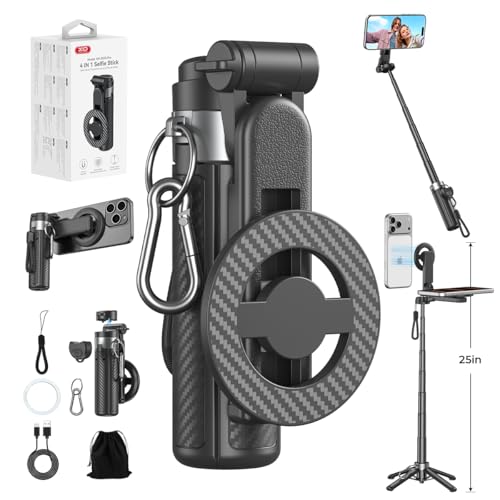 Upgrated 5-in-1 Magnetic Selfie Stick with Remote for2.4 x 2.05 x 4.92 inches0.3 poundsCheck on Amazon
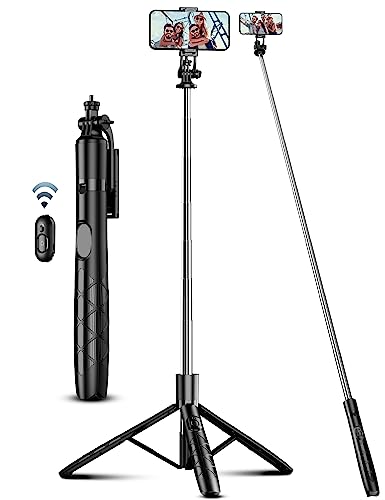


What's inside
- What a Selfie Stick Does, and What It Does Not Do
- The Main Types Sold for Android Phones
- Android Compatibility: Where the Details Live
- Length, Reach, and the Trade-Off With Sturdiness
- The Clamp: Small Part, Decisive Role
- Remotes, Batteries, and Small Electronics
- Brands and Lines Commonly Seen in This Aisle
- Buying Inside a Large Retail Store: What to Check
- Using the Stick Well: Technique That Matters More Than Gear
- Care, Transport, and Longevity
- Safety, Courtesy, and Places Sticks Do Not Belong
- Accessories That Pair Sensibly With a Stick
- Troubleshooting Common Problems
- Choosing by Use Case
- What to Expect From Pole Materials and Construction
- Buying for Children, Parents, and Shared Household Use
- Seasonal and Event-Based Buying
- How This Category Is Changing
- Aisle Checklist: The Short Version
- Final Thoughts on Choosing Well
- Outdoor, Travel, and Everyday Scenarios Revisited
- What Owners Commonly Get Wrong in the First Week
- Check prices on Amazon
- Reading Packaging Claims With a Cool Eye
As an Amazon Associate I earn from qualifying purchases. This post may contain affiliate links at no extra cost to you.
A quick word about how this guide supports itself, because readers deserve to know before they scroll any further. Our site sometimes earns referral income when readers follow links in our coverage and later make a purchase, and that income funds the time spent handling products, comparing designs, and writing up what we learn. That arrangement does not decide which selfie sticks appear in these paragraphs, it does not oblige you to buy anything, and this guide deliberately avoids steering you to one specific listing. What follows is a practical walkthrough of the kinds of selfie sticks sold for Android phones at a large retailer like Walmart, how the designs differ, and what to check with your own phone in hand before money changes hands.
What a Selfie Stick Does, and What It Does Not Do
A selfie stick is a telescoping pole with a phone clamp at one end and a grip at the other. Its job is distance. Holding a phone at arm’s length captures a face and not much else; extending that same phone another two or three feet pulls in friends, scenery, signage, and the context that makes a travel photograph worth keeping. The wider front cameras on recent Android phones help, yet geometry still wins: a longer lever simply places the lens farther from the subject, and no software setting can fully imitate that physical separation.
Equally important is what the tool cannot do. A basic stick does not stabilize video the way a motorized gimbal does, does not improve a weak front camera, and does not rescue a photograph ruined by harsh midday light. It is a simple mechanical accessory whose value depends on build quality, clamp security, and how reliably its shutter control talks to your particular phone. Judging it well means judging those mechanical and electronic details, not the promises printed in large type on the box.
The category has matured quietly. Early models were little more than a clamp on a collapsible antenna, triggered by a cable or a self-timer. Current designs fold into a pocket-sized bundle, open into a tripod, carry detachable Bluetooth remotes, and sometimes include a small fill light. That variety is exactly why a shopper benefits from understanding the types before standing in an aisle comparing near-identical packaging.
The Main Types Sold for Android Phones
Basic Wired Sticks
The simplest design connects to the phone through a short cable that plugs into the handset, historically through the headphone socket, and triggers the shutter from a button on the handle. Wired models need no charging and no pairing, and they respond instantly. Their weakness is modern phone design: many current Android handsets have dropped the headphone socket entirely, leaving the cable with nowhere to go. Adapters can sometimes bridge the gap, but each adapter adds a failure point and a small item to lose in a travel bag.
Where a wired stick still makes sense is as a spare. It weighs little, works after months in a drawer because there is no battery inside to go flat, and costs the shopper nothing in setup time. For a family that wants a backup for a beach trip, or a teacher equipping a classroom photo corner, that simplicity retains real appeal despite the fading connector that supports it.
Bluetooth Remote Sticks
The dominant design today pairs a small wireless remote with the phone over Bluetooth. In some models the remote is fixed into the handle; in better ones it slides out, so the person holding the phone can hand the shutter control to someone else or operate the camera from a few steps away. Pairing follows the familiar routine of holding a button until a light blinks, selecting the device in the phone’s Bluetooth menu, and confirming the connection in the camera application.
Bluetooth models depend on a small rechargeable or replaceable cell inside the remote. A remote that charges over a common cable is easier to live with than one using a coin cell, simply because the cable is already in most travel kits. Shoppers should also note the remote’s sleep behavior: a remote that wakes with one press is pleasant, while one that needs a long hold and a fresh pairing dance before every session quickly teaches its owner to stop carrying it.
Tripod-Integrated Sticks
Many current sticks hide three legs inside the handle. Open them and the stick becomes a small tabletop tripod; close them and it returns to handheld duty. This dual role suits Android users who record seated videos, join group photographs on a timer, or prop the phone for video calls. The legs on compact models are short, so the tripod works best on tables, walls, and flat rocks rather than uneven ground, and the phone sits lower than it would on a dedicated tripod.
The tripod form also changes how the stick should be judged. Leg hinges, the spread angle, and the stiffness of the center column matter as much as pole length. A model whose legs flex under a large phone will creep and tilt during a long recording. Shoppers who plan to film themselves speaking should weight tripod sturdiness heavily, since a handheld grip can forgive wobbles that a freestanding setup cannot.
Compact Gimbals and Hybrid Designs
At the upper end of the aisle sit motorized gimbals and hybrid handles that borrow gimbal ideas. A true gimbal uses motors and sensors to smooth hand movement, which transforms walking footage. Hybrids may offer a single stabilizing axis or electronic smoothing that depends on a companion application. These are no longer simple sticks, and they ask more of the buyer: charging discipline, application permissions, firmware updates, and a learning curve. They belong in the comparison because retailers shelve them beside ordinary sticks, but a shopper who only wants group photographs at landmarks is usually better served by a sturdy basic model and the money saved.
Android Compatibility: Where the Details Live
Android compatibility sounds universal and is mostly kind, yet the details decide daily satisfaction. The shutter button on a Bluetooth stick typically behaves like a volume key press, because Android camera applications commonly accept the volume button as a shutter control. If a phone’s camera settings have reassigned the volume keys to zoom or focus, the stick’s button may zoom instead of taking the picture. The fix lives in the camera settings menu, where the volume key action can be set back to shutter, but a shopper who does not know this may wrongly conclude the stick is broken.
Phone size and weight matter just as much. Large Android handsets with expansive screens fit most modern clamps, yet the combination of a heavy phone, a protective case, and a fully extended pole tests both the clamp’s grip and the pole’s stiffness. Clamp jaws should open wide enough to hold the phone with its case on, because removing a case at every photo stop is a ritual nobody maintains. Spring-loaded clamps are quick; screw-tightened clamps hold more deliberately. Either can work, provided the jaws have rubber padding that protects the phone’s frame and buttons.
Button placement creates a subtler clash. Some clamps grip exactly where a phone keeps its power or volume buttons, causing accidental presses or a constant squeeze on a control. Rotating the phone slightly or choosing a clamp with offset jaws solves the problem, but only if the shopper notices it during testing rather than on a trip. This is one of several reasons the in-store checks later in this guide carry so much weight for Android buyers specifically. Readers choosing a handset with photography in mind may also enjoy our overview of best 5g camera phones, which looks at phones whose cameras reward this kind of accessory.
Camera Applications and Remote Behavior
The stock camera application on most Android phones accepts a Bluetooth shutter without any extra software. Third-party camera applications usually do the same, though a few route button presses differently or require a setting change. Video recording is the area to test explicitly: some remotes start and stop video cleanly, others only trigger still photographs, and a shopper who records short clips for family will want to know which behavior a given stick offers before relying on it at an event.
Some sticks encourage or require a companion application for extra features such as gesture capture or face tracking on hybrid models. A companion application is not inherently bad, but it adds permissions, accounts in some cases, and an update dependency. A shopper who values a tool that works the moment it is picked up should favor a stick whose core shutter function runs through the ordinary camera application, treating any application extras as a bonus rather than the foundation.
Length, Reach, and the Trade-Off With Sturdiness
Extended length is the number every package advertises, and it deserves a skeptical reading. A stick that stretches very long but flexes like a fishing rod will deliver shaky photographs and a nervous owner. Pole sections made of aluminum generally feel stiffer than thin steel or plastic at the same length, and fewer, thicker sections usually wobble less than many thin ones. The locking mechanism between sections, whether a twist lock or a friction fit, should hold the chosen length without slow creeping while the phone is mounted.
Reach also changes the photograph itself. At moderate extension, a group fits comfortably with background to spare. At maximum extension, the angle grows dramatic, faces near the edges can distort on wide front cameras, and the person holding the stick may struggle to keep everyone framed because the phone is now far from their eyes. Experienced users often shoot at about three quarters of full extension, keeping the last section in reserve for crowds and tall scenery. Judging a stick only by its maximum figure therefore misleads; judge it by how steady it feels at the length you will actually use.
Collapsed length decides whether the stick travels at all. A model that folds down small enough for a jacket pocket or a handbag’s side sleeve gets carried, and a carried stick gets used. One that only fits a backpack may still suit deliberate photo outings, but it will miss the spontaneous moments at restaurants, parks, and school events where these accessories earn their keep. Shoppers should fold and unfold any candidate several times in the aisle, noting whether the motion feels smooth or already gritty when new.
The Clamp: Small Part, Decisive Role
More phones are dropped by failing clamps than by any other part of a selfie stick, so the clamp merits slow attention. Look for jaws that close evenly, padding that is firmly attached rather than loosely glued, and a hinge or screw that does not creak under gentle pressure. The phone should sit deep enough in the jaws that a jolt does not walk it sideways. A safety lip or a deeper cradle on the lower jaw adds quiet confidence when the pole tilts.
Rotation is the clamp’s second job. Most designs let the phone tilt and swivel between portrait and landscape, with a thumbscrew or a friction joint setting the angle. That joint must be firm enough to hold a large phone at a tilt without sagging during a video, yet movable without tools when the shot changes. Test it by mounting the heaviest phone available to you, angling it, and waiting a full minute. Sag that appears in sixty seconds in a store will only grow with age and warm weather.
Some clamps include a cold shoe or a small threaded mount for a light or microphone, which hints at the video-creator audience. Others include a mirror on the back, a leftover from the era when rear cameras vastly outclassed front ones and users composed with the better lens while checking the mirror. The mirror is harmless, though modern front cameras and the guidance in our piece on best camera phones for low light have made that workaround largely unnecessary for most people.
Remotes, Batteries, and Small Electronics
A detachable remote changes how a stick gets used. Detached, it lets the photographer join the group while the phone stands on its tripod legs across the room. Attached, it should sit flush and secure, because a remote that rattles in its slot will eventually fall out in a bag. Check the slot’s retention by turning the folded stick upside down and shaking it gently; a well-designed cradle keeps its remote through that test without drama.
Battery arrangements divide into rechargeable remotes with a charging port and remotes using a coin cell behind a tiny cover. Rechargeable designs suit frequent users who already carry charging cables. Coin cell designs can sit unused for months and still work on the day they are needed, which suits the occasional user, provided a spare cell is obtainable when the original fades. Either way, ask how low battery is indicated. A remote that simply stops responding, with no warning light pattern explained in the manual, creates confusion at exactly the wrong moment.
Bluetooth range is rarely the limiting factor it appears to be on packaging. In open space, any healthy remote covers the distance between a tripod and a posing group. Walls, crowds, and a phone buried in a metal-clad bag shrink that range, but the practical limit for a selfie stick remains the photographer’s ability to see the screen and compose. Treat range claims as background information and connectivity reliability, meaning fast pairing and no dropped links during a session, as the quality that actually separates good remotes from frustrating ones.
Brands and Lines Commonly Seen in This Aisle
Large retailers stock a blend of house brands, value electronics labels, and a few specialist names, and the blend at Walmart follows that pattern. The house brand onn. appears across the electronics department, and its selfie stick and tripod models are the ones many shoppers meet first: straightforward Bluetooth designs, often with tripod legs in the handle and a detachable remote, packaged plainly and shelved at the accessible end of the range. For a first stick or a spare for the car, that plainness is a virtue, provided the individual unit passes the clamp and stiffness checks described in this guide.
Tzumi is another label frequently encountered in this section, with selfie sticks, tripod combinations, and ring-light-adjacent accessories aimed at casual creators. Merkury Innovations products appear in similar assortments, often as compact sticks and small tripods. Vivitar, a long-standing name in budget photography gear, shows up with basic sticks and accessory kits. Bower-branded photo accessories also surface in big-box assortments. None of these names guarantees a good unit, and none condemns one either; within every value label, individual models differ in pole material, clamp design, and remote quality, which is why hands-on checking matters more than the logo on the cardboard.
Selfie-focused specialist labels, including lines sold under names such as Selfiecom in some assortments, tend to emphasize playful colors, bundled extras, or very compact folding designs. Availability of any specific label rotates with season and store size, and a supercenter will carry a wider wall of options than a smaller neighborhood format store. Shoppers attached to a particular model should be ready with a second choice that meets the same mechanical standards, rather than settling for a flimsier unit just because the first choice is out of stock that day.
Store Brand Versus Specialist Brand
The honest difference between a house brand stick and a specialist brand stick is usually support and consistency rather than magic materials. A house brand benefits from the retailer’s return counter and enormous distribution; a specialist brand may offer a clearer manual, a replacement remote program, or a design refined over several generations. Either route can end in a good purchase. The shopper’s protection in both cases is identical: test the actual unit, keep the receipt, and understand the return window before the first trip rather than after it.
Buying Inside a Large Retail Store: What to Check
A big-box store offers one advantage no delivery service can match: your phone is already in your pocket, and the product is already in your hand. Use that. Where store policy and packaging allow, mount your phone, pair the remote, and take real test photographs in the aisle. Lighting in a retail store is bright and mixed, which reveals shutter lag and pairing hiccups quickly. Staff at the electronics counter can often advise which models are display units and which are sealed, and many stores keep a demonstrator of popular accessories near the phone cases.
Check the return and exchange policy for electronics accessories before paying, and note whether the window differs for opened items. Policies change over time and can vary by item category, so read the current terms on the receipt or the store’s posted guidance rather than relying on memory of a previous purchase. Keeping the packaging intact until after a home test session is wise: a stick that behaves in a bright aisle may reveal a sagging tilt joint or a cranky remote only during a longer evening of use.
Inspect the box contents against the printed list. Bundles in this category often include a charging cable, a wrist strap, a small carrying pouch, or a spare remote battery, and a missing small item is far easier to resolve at the service desk on the same visit than a week later. Confirm that any included cable matches the remote’s charging port, since a bundle assembled around a different port standard helps nobody. Finally, glance at the shelf neighbors: replacement remotes, phone clamps sold separately, and small tripods on the same wall hint at how the retailer supports the category after the sale.
Testing Compatibility at the Counter
A focused counter test takes five minutes and answers nearly every Android question this guide raises. Pair the remote and confirm the phone names it sensibly in the Bluetooth list. Open the stock camera application and take a still photograph with the button. Switch to video and confirm whether the button starts and stops recording. Rotate the phone between portrait and landscape and check that no clamp jaw presses a side button. Extend the pole fully, hold a shot for half a minute, and watch for creep or sag. Fold the legs out, set the phone down, step back, and take a group-style photograph with the detached remote. A stick that passes all six steps in the store will very likely behave on the road.
If pairing fails in the aisle, do not assume your phone is at fault. Toggle Bluetooth, check whether the remote needs a wake press or a charge, and try once more. A second failure on a fresh unit is useful information: choose another unit or another model, because a remote that is temperamental when new rarely improves with ownership. Shoppers comparing phones for this kind of use may also find best 10mp camera phones a helpful reminder that modest camera hardware, paired with good technique and a steady stick, covers more situations than people expect.
Using the Stick Well: Technique That Matters More Than Gear
Good photographs from a stick depend more on habits than hardware. Hold the handle with a relaxed grip and brace your elbow lightly against your body when the pole is extended; a tense, fully outstretched arm shakes within seconds. Angle the phone slightly downward for group portraits so the background reads as scenery rather than sky, and step so that light falls across faces instead of blazing from behind them. When the sun is strong, turning the group so that everyone squints less matters more than any accessory on the shelf.
Compose wider than feels natural. The front camera’s preview on a distant phone is small, and people at the edges of a group tend to drift outward as they settle. Leaving margin on every side protects foreheads and elbows, and modern phone resolution allows a gentle crop afterward without visible loss for sharing sizes. Take several frames of each pose rather than one careful masterpiece; blinking, laughter, and a passerby crossing behind the group are all easier to forgive when alternates exist.
For video, move the pole slowly and let your body do the turning. Walking footage improves when steps are softened by slightly bent knees and when the stick stays close to the body instead of sailing ahead. Short clips recorded at moderate extension look calmer than long clips at full stretch. If shaky walking footage is the main goal rather than an occasional extra, that is the honest signal to look at the gimbal end of the category rather than expecting a plain pole to behave like one.
Group Photographs and the Timer Versus Remote Choice
With a tripod-capable stick, the photographer can finally appear in the photograph, and two triggering methods compete. The camera’s self-timer is universal and needs no pairing, but it imposes a fixed delay and a small sprint back to the group. A detached Bluetooth remote lets the photographer settle, check the framing once more, and fire several frames at natural moments. The remote’s advantage grows with group size, restless children, and pets, all of whom treat a countdown as a suggestion rather than a schedule.
Positioning the tripod setup deserves a thought about surfaces and wind. A small tripod on a café table is stable; the same tripod on grass or gravel may lean. Outdoors, a light breeze can topple a tall, phone-heavy arrangement, so keep the pole retracted when the phone stands unattended, and place the setup where a fall would land on something forgiving. Photographers who routinely shoot this way sometimes hang a bag from the handle for ballast, a trick borrowed from full-size tripod practice.
Care, Transport, and Longevity
Selfie sticks die young from neglect more often than from defects. Sand is the first enemy: a single beach session can leave grit inside the telescoping sections, after which every extension scrapes. Rinsing is not an option for models with electronics in the handle, so the practical defense is to wipe sections down before collapsing them, keeping grit outside the tubes. Salt air deserves the same wipe at the end of the day, since residue corrodes the small metal parts of clamps and hinges.
Transport the stick folded, with the clamp closed and, if the design allows, the remote docked in its slot. Loose in a tote bag, an open clamp snags fabric and the pole sections can bend under heavier items. A simple pouch, whether the one from the box or a repurposed sunglasses sleeve, prevents most transport damage. Store the stick away from heat extremes; a car trunk in summer is unkind to the small battery inside a remote and to the adhesives holding clamp padding.
Every few months, run a short maintenance ritual. Extend each section and wipe it, work the tilt joint through its range, tighten any thumbscrew that has developed play, and charge the remote even if it has not been used, because small rechargeable cells dislike sitting empty for seasons. A stick maintained this way can serve through several phones, which reframes the purchase: the right model is not a disposable novelty but a small piece of kit that outlives the handset it first held.
Safety, Courtesy, and Places Sticks Do Not Belong
Venues restrict selfie sticks for sensible reasons. Museums worry about extended poles near fragile exhibits, stadiums and concerts worry about sightlines and crowd safety, and theme parks have famously limited them around rides and dense walkways. Rules differ by venue and change over time, so check the destination’s current guidance before packing a stick as your only photography plan. A compact tripod-capable model that can be used discreetly at table height sometimes remains acceptable where a fully extended pole is not, but staff instructions on the day always outrank assumptions made at home.
Courtesy is the everyday version of the same idea. An extended pole in a crowded market, a busy sidewalk, or a packed train platform intrudes into other people’s space and sightlines. Step aside, shorten the pole, or wait for a gap in the crowd. Be similarly thoughtful with the remote tripod setup in restaurants and places of worship, where a freestanding phone recording the room may make strangers uncomfortable. The best travel photographers treat awareness of bystanders as part of the craft, not as an obstacle to it.
Physical safety deserves one blunt paragraph. Never extend a stick toward traffic, overhead wires, platform edges, or moving machinery, and never lean over railings or cliff edges to gain a more dramatic frame. Photographs taken at heights and near water have a documented history of ending badly when attention shifts from footing to framing. No image in this category is worth that trade, and a photographer who feels balance becoming uncertain should lower the pole first and review the shot later.
Accessories That Pair Sensibly With a Stick
A small fill light that clips to the phone or mounts on the clamp helps in dim restaurants and evening gatherings, where front cameras struggle and faces fall into shadow. It will not turn night into day, but it lifts the nearest faces enough to matter, and it pairs naturally with the low-light shooting habits discussed in our earlier camera coverage. Choose a light with adjustable warmth if possible, since a harsh blue-white glow flatters nobody at close range.
A wrist strap is the least glamorous and most useful companion. Loop it while shooting over water, from bridges, or in crowds where a jostle could send the whole assembly tumbling. A small carrying pouch, a spare charging cable for the remote, and a microfiber cloth for the front lens complete a kit that fits in a coat pocket. Resist the sprawling accessory bundles that add a dozen fragile extras; in this category, a few well-chosen companions beat a bag of novelties that never leave the drawer.
Phone choice itself is an accessory decision in reverse. Travelers who rely on a stick for group photographs often prefer a handset with a bright front camera, reliable Bluetooth, and a body size their clamp handles gracefully. Our roundup at best camera phones not samsung explores capable camera phones beyond the most obvious badge, several of which suit this style of shooting well.
Troubleshooting Common Problems
When a remote pairs but the shutter does not fire, work through the short list in order. Confirm the camera application is open and in a still photo mode for the first test. Check the volume key action in camera settings and set it to shutter. Confirm the remote is the active Bluetooth connection, since a phone juggling a watch, earbuds, and a car system can hold a stale pairing. Restart the camera application, and only then suspect the hardware. This sequence resolves the great majority of complaints that arrive at return counters.
When photographs blur despite a steady pose, suspect micro-movement at full extension, a loose tilt joint, or a shutter triggered while the pole was still swaying from being raised. Raise the phone, pause for one breath, then fire. When video jitters, shorten the pole and move more slowly. When the clamp marks a phone’s frame, check for grit trapped in the padding and clean it; padding that has torn or compressed flat should be treated as a sign the clamp is nearing retirement.
A remote that drains quickly may be failing to sleep because its button is pressed by other items in a bag. Transporting it docked, or in a small hard case, prevents those phantom presses. A remote that will not charge at all should be tried with a different cable before conclusions are drawn, because the thin cables bundled with small accessories fail more often than the electronics they serve.
Choosing by Use Case
The solo traveler needs compactness above all: a stick that vanishes into a daypack, opens fast, and stands on its own legs for the occasional self-portrait at a viewpoint. The family documentarian needs clamp security and a detachable remote, because their defining photograph is the whole group, taken three times in a row, with nobody sprinting back from a timer. The casual creator recording seated talks needs tripod stability and a tilt joint that holds an angle through a long session. The event-goer needs speed: a stick that extends, frames, and folds before the moment passes.
Notice that none of these profiles begins with a brand. Each begins with a job, derives the mechanical requirements from that job, and only then looks at labels and shelf placement. That order protects shoppers in any store, in any season, as assortments rotate. It also explains why two friends can buy different sticks on the same day and both be right: their jobs differed, so their correct answers differed too.
Budget thinking in this category is best expressed as cost per year of service rather than the figure on a shelf tag. A slightly better-built stick that survives three phones and dozens of trips is the economical purchase even when it is not the cheapest object on the wall. Conversely, a stick bought for a single wedding weekend can be the simplest model that passes the counter test, because its service life is honestly short. Matching spending to expected service is the calm way through this aisle.
What to Expect From Pole Materials and Construction
Aluminum alloy poles dominate the better end of this aisle because the material balances stiffness, weight, and resistance to corrosion. Stainless steel appears in some models and feels reassuringly solid, though a long steel pole grows heavy during a day of sightseeing. Plastic-heavy constructions serve the lightest budgets and the lightest duties; they can be perfectly adequate for occasional indoor group shots, yet they flex sooner and their joints loosen faster under repeated extension.
Construction quality shows in small places. Section collars should align without wobble when the pole is locked at intermediate lengths, not only at full extension. The handle’s grip texture should feel secure without being abrasive, and any seam where the handle meets the pole should sit flush. The folding tripod legs, where present, benefit from metal reinforcement at their hinge points, since those hinges absorb the leverage of a tall phone every time the setup stands. None of these observations requires tools; hands and eyes in the aisle reveal them reliably.
Weather resistance is modest across the whole category, and shoppers should calibrate expectations accordingly. A stick is not a sealed instrument. Light drizzle during a quick group photograph is a risk many owners accept, but a pole used repeatedly in rain, sea spray, or dusty trails needs the wiping routine described earlier, and its remote should be kept as dry as the phone itself. Models that hide the remote inside the handle offer it some shelter, which is a quiet design merit worth noticing during comparisons.
Buying for Children, Parents, and Shared Household Use
A household stick serves many hands, and shared use changes the selection criteria. For children, durability and a simple fixed remote beat delicate detachable parts that wander off. A shorter maximum extension is often safer and easier for small arms to control, and a brightly colored model is easier to spot in a pile of beach gear. Parents choosing a stick for family documentation usually value the tripod mode most, because it turns school concerts, birthday tables, and holiday group portraits into photographs that finally include the person who usually takes them.
For older relatives, look for large, clearly marked buttons, a remote that pairs once and stays paired, and a clamp that opens without strong finger pressure. A stick that demands fine motor precision or a companion application with small text will frustrate a grandparent who simply wants to photograph visiting grandchildren. Setting the stick up for them at home, pairing it, and labeling the shutter button with a tiny sticker transforms the gift from a gadget into a working tool.
Shared households also benefit from agreeing where the stick lives. A designated drawer or hook near the door, with its charging cable kept beside it, means the stick is charged and findable when a moment arrives. The most capable accessory in the world contributes nothing from the bottom of a forgotten closet, and in family life the logistics of storage quietly decide whether photography habits form at all.
Seasonal and Event-Based Buying
Demand in this aisle follows the calendar. Graduation season fills it with families preparing for ceremonies and parties; summer brings travelers and beachgoers; the winter holidays bring gift buyers and households expecting visiting relatives. Shopping just ahead of those waves means fuller shelves and calmer aisles for counter testing. Shopping in the middle of one means accepting a picked-over selection, which strengthens the case for judging by mechanical standards rather than hunting one specific model.
Event use has its own checklist. For a wedding, confirm venue rules, favor a tripod model for the group portraits, and charge the remote the night before. For a graduation, where crowds and sightlines matter, plan to use the stick briefly and put it away, rather than holding it aloft through the ceremony. For a reunion, the detached remote and a practiced volunteer photographer produce better results than passing the stick around among relatives who each need a pairing lesson.
Gift buyers should include the receipt and a note of the return window with the present, unglamorous as that sounds. Phone sizes and case thicknesses vary enough that even a carefully chosen stick can clash with a recipient’s particular handset, and an easy exchange protects the generosity of the gesture. A gift that can be swapped gracefully is worth more than a marginally fancier model that cannot.
How This Category Is Changing
Several trends are reshaping the shelf. Phones have grown larger and heavier, pushing clamp designs wider and poles stiffer. Front cameras have improved to the point where the stick’s role is openly about framing and distance rather than compensating for weak hardware. Tripod integration, once a novelty, is becoming the default expectation in midrange models. Detachable remotes with rechargeable cells are likewise displacing coin-cell designs in new assortments, following the same path as other small electronics.
At the same time, the boundary between a stick and a creator’s grip keeps blurring. Handles with built-in batteries for the phone, mounts for lights and microphones, and tracking features driven by applications all compete for the same shopper. The plain stick survives because its promise is modest and kept: it holds a phone farther away, steadily, and fires the shutter. Shoppers who keep that promise in view can let the hybrid designs argue for their extras on merit, rather than drifting into a complex purchase when a simple one was the actual need.
Aisle Checklist: The Short Version
- Decide the main job first: group photographs, solo travel, seated video, or quick event shots.
- Choose the type that fits that job: wired spare, Bluetooth remote model, tripod-integrated design, or a gimbal-class device.
- Mount your own phone, in its case, and confirm the clamp clears the side buttons.
- Pair the remote and test still photographs and video start and stop in the stock camera application.
- Extend the pole to the length you will really use and check for flex, creep, and tilt-joint sag.
- Open the tripod legs and take one detached-remote photograph from across a table.
- Fold everything down and confirm the collapsed size suits the bag or pocket it will live in.
- Check the box contents against the printed list, including the remote’s charging cable.
- Read the current return and exchange terms for opened electronics accessories, and keep the receipt and packaging through a home test.
- Charge the remote fully on the first evening, then run one longer home session before the first important outing.
That sequence takes minutes, yet it tests every failure mode this guide has described, in roughly the order those failures tend to appear in real ownership. A stick that clears the whole list has earned its place in the bag; one that stumbles early has given you the information while exchanging it is still effortless.
Final Thoughts on Choosing Well
The selfie stick is a humble tool, and that humility is its strength. It asks little, weighs little, and returns photographs that include everyone, taken from far enough back to show where everyone was. Choosing well in this category is less about pursuing the longest pole or the longest feature list and more about matching a sound mechanical design to your phone, your hands, and the photographs you actually take. The large-store aisle, with its mix of house brands and specialist labels, contains good answers for nearly every Android user willing to spend five minutes testing rather than five seconds grabbing.
Outdoor, Travel, and Everyday Scenarios Revisited
On a hiking trail, the stick earns its place at viewpoints where handing your phone to a stranger is impractical and where a tripod setup on a flat rock captures the whole party against the landscape. Keep the extension moderate in wind, keep the wrist strap looped, and remember that a pole raised on an exposed ridge in unsettled weather is poor judgment regardless of the photograph on offer. Back in the city, the same stick shortens to a discreet length for street scenes and market visits, where a fully extended pole would annoy everyone sharing the pavement.
At home, the tripod mode quietly becomes the most-used feature for many owners. It props the phone for video calls with family, holds it steady for a cooking demonstration recorded for a friend, and frames a child practicing an instrument for a teacher. These unglamorous uses, repeated weekly, justify a sturdy tilt joint and dependable remote far more than a once-a-year vacation does. Shoppers weighing two models should imagine the Tuesday evening uses, not only the holiday ones, because frequency of use is where build quality pays its dividend.
For content creators working at a beginner level, a stick with a tripod mode and a light mount offers a gentle starting platform: seated talks, product demonstrations on a table, and short outdoor pieces to camera. The limits arrive quickly, in the form of modest height and no motorized smoothing, but the learning is real and the investment is small. Graduating later to a dedicated tripod or a gimbal is easier once those limits have been felt personally, and the humble stick usually remains in the kit as the fast, light option for informal work.
What Owners Commonly Get Wrong in the First Week
The first-week mistakes are predictable and preventable. Owners forget to charge the remote because the stick itself feels mechanical, then meet a flat remote at a birthday dinner. They leave the volume key in the camera set to zoom from an earlier experiment and conclude the button is faulty. They mount the phone off-center, so the assembly lists to one side and the tilt joint creeps. They extend every section for every shot, even a two-person photograph at a café table, and then complain the pole feels flimsy at a length the shot never required.
Each of these has a one-line remedy that belongs in the first evening’s setup session. Charge the remote while dinner cooks. Set the volume key action deliberately and note it. Center the phone in the clamp and check the balance before tightening the tilt. Practice extending only as far as each kind of shot needs, so moderation becomes the habit. A short, deliberate first session converts a new accessory into a familiar tool, and familiarity is what makes people reach for it without thinking when a moment appears.
Owners also underestimate the preview problem at full extension: the phone is far away, the screen is small in their view, and faces drift out of frame unnoticed. The remedy is to compose, lower the phone for a quick review of the first frame, adjust, and only then take the set that matters. That small loop, review and adjust, separates keepers from near-misses more reliably than any feature printed on packaging.
Check prices on Amazon
Live listings for the shortlist in this guide are pulled from Amazon below, so prices and availability are always current at the moment you look.



Reading Packaging Claims With a Cool Eye
Packaging in this category speaks in superlatives, and a calm shopper translates those claims into testable questions. A claim about length becomes the aisle test of stiffness at that length. A claim about universal compatibility becomes the counter test with your own phone, your own case, and your own camera application. A claim about a long-lasting remote becomes a question about the charging method and whether the manual explains the low-battery warning. Every printed promise that survives translation into a test is worth something; every promise that cannot be tested should be treated as decoration.
Photographs on packaging deserve the same skepticism. They show the stick at glamorous angles, often holding a phone smaller than the handsets most people now carry, in lighting no aisle can reproduce. The unit in your hand is the truthful version. If the real clamp feels thinner than its photograph, believe your fingers. If the real pole locks more crisply than the box suggests, believe that too. This category rewards shoppers who trust direct handling over printed imagery, which is precisely why buying in a physical store, with the product open to inspection where policy allows, remains such a strong route for this particular accessory.
One more translation is worth making: the word kit. Bundled kits promise completeness, but their value depends entirely on whether the extras match your habits. A pouch and a wrist strap serve nearly everyone. A tangle of novelty mounts serves almost no one for long. Judge a kit by its weakest included item only if you intended to use that item; otherwise judge the stick itself and treat the rest as packing material with ambitions.
It also helps to decide, before entering the store, what would make you walk away from a particular unit: a clamp that touches a side button, a tilt joint that sags within a minute, a remote that fails a second pairing attempt, legs that wobble on a flat counter. Naming those deal-breakers in advance protects you from the gentle pressure of a busy aisle, a thinning shelf, or a companion who wants to leave. A shopper with clear walk-away lines rarely regrets the purchase that survives them, and never regrets the purchase that was declined for a reason written down beforehand.
Keep the little instruction leaflet, too, folded into the pouch rather than the recycling bin. Months later, when the remote needs pairing to a new phone or its button pattern for waking has been forgotten, that leaflet answers in seconds what memory cannot. Photographing its pairing page with the phone itself is a neat backup, since the phone is the one object certain to be present whenever the stick is used.
Bring your phone, run the counter test, respect the return window, and the stick you carry home will still be earning its pocket space long after the packaging is forgotten and the group photographs have found their way onto the family wall.


