What's inside
- Where to Buy the Best CenturyLink DSL Modem Routers
- Key Takeaways
- Quick Picks
- How Did We Choose the Best CenturyLink DSL Modem Routers for a Shrinking Class?
- How Do the Best CenturyLink DSL Modem Routers Compare Side by Side?
- What Should You Find Out About Your Line Before Ordering?
- How Do You Swap a DSL Gateway Without Losing Your Mind or Your Settings?
- What Mistakes Do DSL Buyers Keep Making?
- Final Recommendation
- How Do You Read a DSL Line’s Health Without Becoming a Technician?
- How Does a Household Live Well on DSL in a Streaming Era?
- What Should You Do When the Line Itself Is the Problem?
- Why Does the Provider’s Own Hardware Ecosystem Still Matter on DSL?
- How Should a Second-Hand DSL Gateway Be Judged?
- A Word for the Households Keeping a Landline on the Same Copper
- What Does a Sensible DSL Spare Cupboard Contain?
- Frequently Asked Questions
- Related Guides
As an Amazon Associate I earn from qualifying purchases. This post may contain affiliate links at no extra cost to you.
gizmoverdict.com is reader-supported. When you buy through links on our site, we may earn an affiliate commission.
Where to Buy the Best CenturyLink DSL Modem Routers
The best centurylink dsl modem routers belong to a technology that deserves honesty before nostalgia: DSL runs over the copper telephone pairs that already reach your house, it is a legacy and shrinking class, and in many areas the service once sold under the CenturyLink name is now operated under the Brightspeed name instead. None of that makes the right modem router unimportant — for the households still on DSL, it is the whole internet — but it does change how a sensible person buys. You are not shopping for the next decade. You are shopping for the best possible version of the connection your street actually offers, at the address where you actually live, because DSL speed is address-specific in a way cable and fibre shoppers never have to think about. Buy through the linked listing under each pick name, and confirm the model against your line type before paying, because the bonded-versus-single-line question below decides more than any brand does.
Two realities of this shelf must be said at the top. First, much of the C4000-series stock circulating today consists of renewed fleet returns — units that came back from other households and went out again — and the two C4000 variants that could not be verified as clean listings appear in this guide as prose-only entries with that reality stated, rather than as links dressed in borrowed confidence. Second, no modem in this article can make copper behave like fibre. A better modem router can stabilise a line, bond two pairs where the service supports it, and give the home a stronger wireless side, but the distance between your house and the provider’s equipment sets a ceiling that no purchase repeals. A guide that promised otherwise would be selling you a story instead of a modem.
What a good purchase here looks like, then, is modest and concrete: a unit that matches your line type exactly, that the provider’s ecosystem recognises, whose Wi-Fi generation suits the devices in the house, and that arrives with its condition honestly described. The eight entries below — six linked, two prose — are organised around the one technical fork that governs this category: whether your DSL service arrives on a single pair of copper wires or on two pairs bonded together for extra speed. Everything else, brand included, is commentary on that fork.
Key Takeaways
- DSL is a legacy copper technology and this guide treats it as one: buy for the line at your address, not for an imagined upgrade.
- Bonded versus single line is the deciding fork — the C4000BG and the C2000T speak to bonded service, the rest to single-line homes.
- The NETGEAR D7000 and D6400 are the retail route, VDSL and ADSL modem routers whose listings state CenturyLink certification or compatibility.
- The C3000A is the provider-ecosystem stalwart, the unit many CenturyLink households already know from the provider’s own cupboards.
- The C4000LG and C4000LZ are prose-only because the C4000 family’s circulating stock is largely renewed returns, and that is stated rather than hidden.
- The Actiontec GT784WN serves the oldest ADSL lines, where its Wireless-N generation matches the speed of the line itself.
Quick Picks
| Pick | Badge | Why it earns its place |
|---|---|---|
| CenturyLink C4000BG | Bonded-Line Flagship | The modern C4000-series unit built for bonded-line DSL, where two copper pairs are combined for the fastest service copper offers. |
| CenturyLink C3000A | Provider-Ecosystem Stalwart | The familiar CenturyLink-branded gateway that matches how the provider’s own installations have looked for years. |
| NETGEAR Nighthawk D7000 | Retail Performance Pick | An AC1900 VDSL and ADSL modem router whose listing certifies CenturyLink use on non-bonded, DSL-only service. |
| NETGEAR AC1600 D6400 | Retail All-Rounder | A dual-band gigabit VDSL and ADSL combination for single-line homes wanting a shop-bought alternative to provider hardware. |
| CenturyLink Technicolor C2000T | Bonded Veteran | A Technicolor-built combination covering ADSL2+ and VDSL with bonded-line heritage for established installations. |
| Actiontec GT784WN | ADSL Old-Line Servant | A Wireless-N ADSL modem router sized honestly to the oldest, slowest lines still in service. |
| CenturyLink C4000LG | Prose-Only C4000 Variant | A single-line C4000-family unit named here so readers recognise it, with its renewed-stock reality stated openly. |
| CenturyLink C4000LZ | Prose-Only C4000 Variant | The sibling C4000 variant, likewise described rather than linked because clean listings could not be verified. |
How Did We Choose the Best CenturyLink DSL Modem Routers for a Shrinking Class?
We started with line types, because a DSL modem that speaks the wrong dialect is a paperweight regardless of its Wi-Fi. ADSL and its ADSL2+ refinement serve the oldest and longest lines; VDSL serves shorter loops at higher speeds; and bonded service, where the provider provisioned it, runs two pairs as one fatter pipe. A household may not know which of these it has, and finding out — from the provider’s account pages, a bill, or the label of the existing gateway — is the true first step of this purchase, prior to any affection for a brand. Our picks deliberately span the dialects so that each line type has an honest representative.
Next we separated the two supply routes. Provider-ecosystem hardware, the CenturyLink-branded units, matches the installations technicians know and the firmware the support scripts describe. Retail hardware from NETGEAR offers the shop-bought alternative, with consumer setup flows and radios a generation more ambitious in places. Neither route is automatically superior; they suit different temperaments, and households that lean on provider support often fare better staying inside the ecosystem whose model names the support line recognises instantly.
Finally, we applied the condition rule that this class makes unavoidable. The C4000 family is the modern face of CenturyLink DSL, yet the units in circulation are heavily renewed returns, and two variants could not be verified as clean listings when this pool was built. Those two are written up in prose, with the renewed reality named, because a reader who meets the model name here should leave understanding the market as it is. In a shrinking class, honesty about stock is not a footnote; it is half the buying advice.

CenturyLink C4000BG — Bonded-Line Flagship
The C4000BG is the pick for the luckiest kind of DSL household: one whose service was provisioned as bonded, with two copper pairs working together. Its listing describes a bonded-line Wi-Fi DSL router from the C4000 family, the modern generation of CenturyLink gateways, and the bonded support is the headline because it changes what the line itself can deliver. On a bonded service, a single-line modem leaves half the provisioned connection unused, so matching this unit to a bonded line is not an upgrade in the usual sense; it is simply claiming what the household already pays for.
Confirming that you actually have bonded service is the homework this pick demands. The signs live in the existing installation: a gateway whose status pages speak of two lines, a service order or bill that uses the bonded word, or a provider account that lists a bonded tier. If none of those signs exist, this is not your pick, and the single-line units below will serve you without the mismatch. If the signs do exist, the C4000BG’s modern Wi-Fi side also refreshes the wireless half of a home that may have been running an elderly gateway for years, which on DSL — where every megabit is precious — means the local network stops wasting what the line delivers.
- Class: bonded-line DSL modem router, C4000 family
- Listing description: bonded line Wi-Fi DSL router
- Line fit: bonded service only — verify before buying
- Household fit: bonded-tier homes wanting the modern gateway
Strengths
- Uses both pairs of a bonded line, which single-line units physically cannot do.
- The modern C4000 generation refreshes Wi-Fi for homes stuck with elderly gateways.
- Sits inside the provider ecosystem, so support conversations start from a known model.
Trade-offs
- Pointless on a single-line service, where its defining feature never engages.
- C4000-family stock in general leans renewed, so read the specific listing’s condition line.
- Bonded availability is address-specific and cannot be ordered into existence by hardware.
Best for: households confirmed on bonded CenturyLink or Brightspeed DSL who want the current gateway generation. Not suited for: single-line homes, who should spend on the picks below instead.

CenturyLink C3000A — Provider-Ecosystem Stalwart
The C3000A is the gateway a generation of CenturyLink households would recognise on sight, the provider-branded unit that sat beside televisions and in hallways while DSL was simply what internet meant. Its listing is terse — the model name and little else — and that terseness is itself information: this is ecosystem hardware, sold on familiarity rather than on a marketing page. For a household replacing a failed C3000A with the same model, there is a real argument that continuity is the feature, since the household’s devices, the provider’s support scripts and the owner’s own habits all already know this box.
That argument strengthens for households who lean on the provider when things break. Support organisations troubleshoot fastest inside their own fleet, and a CenturyLink-branded gateway keeps every conversation in the first person. The counterweight is ambition: this is not the unit for a household trying to squeeze modern Wi-Fi behaviour out of its connection, and readers whose frustration is wireless rather than the line itself may be better served by the NETGEAR pair below, whose radios were designed for retail buyers comparing specifications. The C3000A’s virtue is that it asks nothing of its owner beyond plugging in and being recognised.
- Class: CenturyLink-branded DSL gateway
- Listing description: model name only — ecosystem hardware
- Line fit: standard CenturyLink DSL installations
- Household fit: like-for-like replacement and provider-supported homes
Strengths
- The most familiar silhouette in the provider’s support ecosystem.
- A like-for-like swap keeps household settings and habits intact.
- Suits owners who want the provider, not a forum, as their first call.
Trade-offs
- The listing’s silence on specifications leaves research to the buyer.
- Its radio generation reflects its era rather than today’s device shelf.
- Stock condition varies across sellers, so the condition line matters.
Best for: households replacing a C3000A in kind, or valuing provider familiarity above specification shopping. Not suited for: buyers chasing the strongest Wi-Fi the DSL shelf can offer.
NETGEAR Nighthawk D7000 — Retail Performance Pick
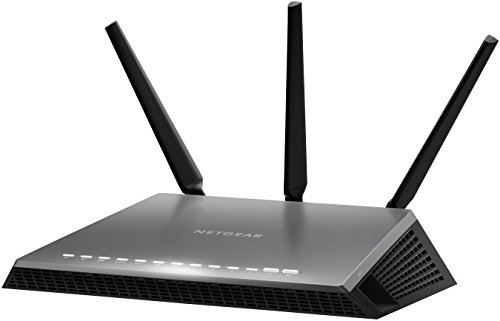
The D7000 is what happened when NETGEAR aimed its Nighthawk ambitions at a phone line. The listing describes an AC1900 VDSL and ADSL modem router certified with CenturyLink, and it adds two qualifiers that a careful buyer should read as part of the product: non-bonded, and DSL internet only. Those qualifiers draw its territory precisely. This is a single-line unit for DSL service, not a bonded solution and not a cable or fibre device, and within that territory it offers the strongest radio story in this guide, an AC1900-class dual-band design from the years when retail buyers compared such numbers avidly.
For a single-line household whose DSL speed is respectable — VDSL on a short loop can be genuinely usable — the D7000’s appeal is that the home network stops being the weak half of the experience. The line delivers what it delivers; this unit distributes it with a retail router’s competence, wired ports included, rather than a provider gateway’s shrug. Its certification language in the listing names CenturyLink directly, which matters in a category where a modem the provider does not recognise can turn setup into an argument. Check your line type first, as always: the household on bonded service must look at the C4000BG or C2000T, because no amount of Nighthawk branding bonds a second pair.
- Class: VDSL/ADSL modem router, retail
- Listing radio class: AC1900
- Listing qualifiers: certified with CenturyLink, non-bonded, DSL only
- Household fit: single-line VDSL homes wanting a stronger router half
Strengths
- The most ambitious radio in this guide, for homes whose line outruns their old gateway’s Wi-Fi.
- Listing-level CenturyLink certification language reduces activation guesswork.
- Covers both VDSL and ADSL, suiting mixed or changing single-line services.
Trade-offs
- Explicitly non-bonded, so bonded households must look elsewhere in this guide.
- A retail unit means provider support may treat it as foreign hardware.
- Its radio cannot add speed the copper line does not deliver.
Best for: single-line VDSL households whose bottleneck is the home network rather than the line. Not suited for: bonded service, or any household expecting it to lift a slow line.
NETGEAR AC1600 D6400 — Retail All-Rounder
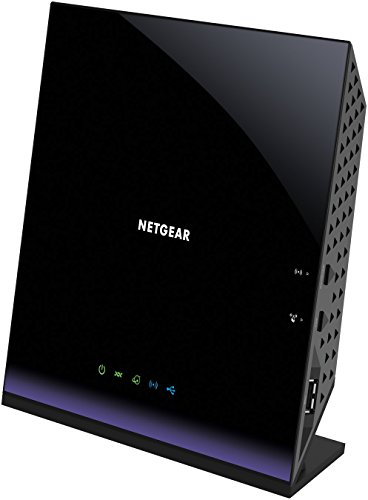
The D6400 is the D7000’s calmer sibling, and for many single-line homes the more proportionate purchase. NETGEAR’s listing describes an AC1600 Wi-Fi VDSL and ADSL modem router, dual-band and gigabit on the wired side, which translates into a combination sized for the reality of DSL: the line is the slow part, so the router half needs to be competent rather than spectacular. Dual-band Wi-Fi lets a household separate its handful of demanding devices from the background crowd, and gigabit Ethernet ports give the wired corner — a desktop, a television, a work machine — a path that never contends for airtime.
Choosing between the two NETGEARs is an exercise in matching the router to the line’s actual delivery. On a modest ADSL or entry VDSL service, the D6400’s radio already outruns the connection feeding it, and the D7000’s extra class buys headroom the household may never touch. On a strong VDSL line with several simultaneous users, the calculus tilts the other way. Either way, the retail route’s shared virtue applies: a consumer setup experience, a recognisable brand’s firmware, and freedom from the provider’s hardware queue. Its shared caveat applies too — when the line itself faults, a retail modem is the first thing a support script will ask you to bypass, so keep the old gateway in a cupboard as a diagnostic spare.
- Class: VDSL/ADSL modem router, retail
- Listing radio class: AC1600, dual-band
- Wired side per listing: gigabit
- Household fit: single-line homes wanting proportionate retail hardware
Strengths
- Dual-band Wi-Fi and gigabit ports matched sensibly to real DSL speeds.
- Covers VDSL and ADSL in one unit for households unsure of their exact dialect.
- A retail setup flow friendlier than provider firmware of its era.
Trade-offs
- Single-line only, like its sibling — bonded homes are not its audience.
- Less radio headroom than the D7000 for busy, strong-line households.
- Provider support may ask you to swap it out before investigating line faults.
Best for: single-line households wanting a balanced, shop-bought gateway without overspending on radio. Not suited for: bonded lines, or homes already straining an AC1600-class network.
CenturyLink Technicolor C2000T — Bonded Veteran
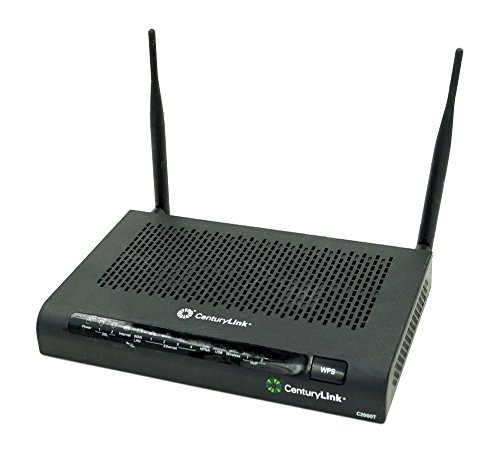
The C2000T carries a badge some buyers will not know and many technicians respect: Technicolor built gateways for providers in enormous numbers, and this CenturyLink unit is one of them. Its listing describes a wireless 802.11N ADSL2+ and VDSL modem router combination, and its history in the provider’s fleet includes bonded-line installations, which is why it stands in this guide as the veteran bonded option beside the newer C4000BG. A household whose existing installation already runs a C2000T on bonded service, and whose unit has finally failed, is looking at the least disruptive replacement on this page.
The Wireless-N radio dates the design honestly, and the right response is context rather than scorn. On DSL lines — especially the longer, slower loops where bonded ADSL2+ service often lives — the line’s own speed can sit below what even an N radio distributes around a modest home, so the modem half’s compatibility with the line matters more than the radio’s generation. Where the household’s complaint is purely wireless reach in a large home, though, this is the wrong tool, and the money belongs in the modem that matches the line plus separate wireless help. Buy the C2000T for line compatibility and continuity, the two things it genuinely offers.
- Class: provider-fleet DSL modem router combination, Technicolor-built
- Listing standards: ADSL2+ and VDSL, 802.11N wireless
- Line fit: includes bonded-line installations in its fleet history
- Household fit: established bonded or legacy installations replacing in kind
Strengths
- Bonded-line heritage inside the provider fleet, for legacy bonded homes.
- Covers ADSL2+ and VDSL, spanning the older dialects in one unit.
- A known quantity to technicians who have serviced these for years.
Trade-offs
- Wireless-N is two generations behind the radios in newer households.
- Its era means stock is aged and condition deserves scrutiny.
- Not the answer where wireless performance, not the line, is the complaint.
Best for: legacy bonded installations and long-loop homes replacing a C2000T in kind. Not suited for: households whose real problem is modern Wi-Fi coverage.
Actiontec GT784WN — ADSL Old-Line Servant
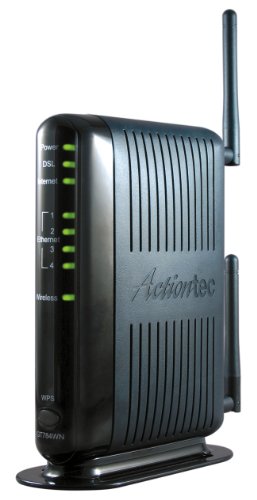
The GT784WN is the oldest design in this guide and, for a specific kind of line, still the right shape of answer. Actiontec’s listing describes a 300-megabit-class Wireless-N ADSL modem router, a combination from the years when ADSL was the default broadband of rural and suburban streets alike. Those streets still exist. On a long ADSL loop delivering single-digit or low-double-digit speeds, the modem’s compatibility with the line is the whole game, and a simple, proven ADSL unit that the provider’s ecosystem has known for years can be a wiser purchase than a newer box whose talents the line cannot use.
Actiontec’s name carries its own quiet credential here, since the company supplied DSL gateways to providers for a long stretch of the technology’s life. The GT784WN suits the spare-property connection, the relative’s house on an old line, the workshop or barn fed by whatever copper reaches it — places where the requirement is a working connection for mail, browsing and the occasional stream, not a household’s worth of simultaneous demand. Judge it by that standard and it is a coherent, inexpensive-shaped tool. Judge it as a modern family gateway and it will seem absurd, which says more about the judging than the tool.
- Class: ADSL modem router
- Listing radio: Wireless-N, 300 Mbps class
- Line fit: ADSL service, including long loops
- Household fit: light-duty and secondary connections
Strengths
- Proven ADSL compatibility from a maker steeped in provider DSL hardware.
- Proportioned honestly to the speeds old lines actually deliver.
- Simple needs mean simple setup and few surprises for light users.
Trade-offs
- ADSL only — it has nothing to say to a VDSL or bonded line.
- Wireless-N limits the local network for anything beyond light duty.
- An elderly design whose stock condition needs a careful read.
Best for: old ADSL lines and light-duty connections where compatibility outranks ambition. Not suited for: VDSL service, bonded lines, or busy modern households.
CenturyLink C4000LG — Prose-Only C4000 Variant
The C4000LG is one of the C4000-family variants a DSL household is most likely to meet by name, a single-line member of the modern gateway generation that providers placed into homes in large numbers. It is written up here without a link for the reason this guide stated at the top: when the pool was assembled, no clean listing for it could be verified, and the C4000 stock in circulation is dominated by renewed fleet returns. Naming it still serves the reader, because a household holding a C4000LG, or offered one, deserves to know what it is — a current-generation single-line DSL gateway — and what the market around it looks like.
If you encounter this model through a channel you trust, evaluate it the way the renewed discussion in this guide suggests: condition stated plainly, completeness of the box confirmed, and activation tested promptly while a return remains possible. If you are buying fresh through this guide’s links instead, the single-line household’s linked paths are the C3000A inside the ecosystem or the NETGEAR pair outside it. The C4000LG’s role here is recognition, and in a market this murky, recognition is a form of protection.
- Class: single-line DSL gateway, C4000 family — described, not linked
- Availability reality: circulation dominated by renewed returns
- Link status: prose-only, no purchase link
- Linked alternatives: C3000A, D7000, D6400 for single-line homes
Strengths
- Current-generation provider gateway design for single-line service.
- Widely deployed, so its behaviour is well understood by support staff.
- Obtainable through renewed channels for buyers who shop them knowingly.
Trade-offs
- No verified clean listing, so this guide offers no linked route to it.
- Renewed condition and completeness vary from unit to unit.
- Single-line only, despite sharing a family name with the bonded BG.
Best for: readers identifying a unit they already hold or are offered through a trusted channel. Not suited for: buyers who want a verified listing and a guide’s link behind the purchase.
CenturyLink C4000LZ — Prose-Only C4000 Variant
The C4000LZ is the C4000LG’s sibling variant, another member of the modern gateway family whose name differs by a letter and whose market situation, at pool time, matched its sibling’s exactly: no clean listing could be verified, against a background of renewed fleet returns circulating under the family name. It earns its own entry rather than a shared footnote because households meet these model codes individually — on a label, in a listing, in a support conversation — and a guide that lumped them together would leave the reader holding a LZ wondering whether the LG discussion applied to them. It does, in every particular that matters for buying.
The deeper lesson of the pair is about how provider hardware ages in public. These gateways were never really retail products; they were fleet equipment, and their afterlife in resale channels is the fleet dispersing. That is why their listings read differently from the NETGEARs’ — thinner descriptions, variable condition, sellers who are resellers rather than the brand. A reader who understands that story can shop the whole C4000 family safely. A reader who does not may pay retail-shaped money for fleet-shaped goods, which is the exact outcome the prose-only treatment exists to prevent.
- Class: DSL gateway variant, C4000 family — described, not linked
- Availability reality: renewed fleet returns dominate circulation
- Link status: prose-only, no purchase link
- Linked alternatives: C3000A inside the ecosystem, NETGEAR pair outside it
Strengths
- Modern provider-gateway generation behind a widely recognised name.
- Its fleet history means technicians know the model family well.
- Available through renewed channels to deliberate, informed buyers.
Trade-offs
- Unverified as a clean listing, hence deliberately unlinked here.
- Per-unit condition is the buyer’s research project, not a given.
- Variant letters in this family are easy to confuse at a glance.
Best for: readers who meet the LZ name on a label or listing and need it explained honestly. Not suited for: anyone seeking a straightforward linked recommendation.
How Do the Best CenturyLink DSL Modem Routers Compare Side by Side?
| Pick | Line type | Route | Radio | Character |
|---|---|---|---|---|
| CenturyLink C4000BG | Bonded | Provider ecosystem | Modern C4000 generation | The bonded flagship |
| CenturyLink C3000A | Standard DSL | Provider ecosystem | Its era’s standard | The familiar stalwart |
| NETGEAR D7000 | VDSL/ADSL, non-bonded | Retail | AC1900 | The performance pick |
| NETGEAR D6400 | VDSL/ADSL | Retail | AC1600 dual-band | The retail all-rounder |
| CenturyLink C2000T | ADSL2+/VDSL, bonded heritage | Provider fleet | 802.11N | The bonded veteran |
| Actiontec GT784WN | ADSL | Provider-era retail | Wireless-N | The old-line servant |
| CenturyLink C4000LG | Single-line | Fleet afterlife, prose-only | C4000 generation | The recognised variant |
| CenturyLink C4000LZ | DSL variant | Fleet afterlife, prose-only | C4000 generation | The sibling variant |
The line-type column is the table, and everything else is annotation. Match that column to the service at your address and the field collapses to one or two names; then let route and radio break the tie according to whether you lean on provider support or prefer retail hardware. A reader who starts from the radio column and works backwards will eventually own a modem that speaks beautifully to a line it cannot understand.
What Should You Find Out About Your Line Before Ordering?
Find out which dialect your service speaks. The answer lives in several places: the existing gateway’s status pages usually name the mode and report the line’s negotiated rates, the provider’s account pages describe the plan, and a support call can confirm bonded status in a sentence. Write down what you learn, including the downstream and upstream figures the current gateway reports, because those numbers are your baseline — the honest measure of what your copper delivers today, against which any new unit’s performance should be judged. A new modem that matches those numbers while adding stability or better Wi-Fi has done its job, whatever a listing promised.
Find out, too, what the provider’s own map and account tools say about your address’s future. In some streets DSL is a holding pattern while fibre is built; in others, copper is the foreseeable permanent answer. That knowledge shapes spending discipline: a household expecting fibre within a year should buy the proportionate modem that solves today, while a household settling into copper for the long term can justify the stronger retail units. Availability is address-specific to a degree urban cable shoppers find startling — the house across the street may be offered a different tier on a different loop length — so never import a neighbour’s numbers into your own decision.
Finally, inspect the small physical things. DSL arrives on a phone jack, and the gateway wants to live at the master socket with a short, good-quality lead and the correct filter arrangement for any voice phones sharing the line. Extensions wired decades ago, corroded terminals and a modem exiled to the end of a long flat cable all shave speed from a technology that has none to spare. On DSL, tidying the last few metres of copper is not fussiness; it is the cheapest performance available anywhere in this guide.
How Do You Swap a DSL Gateway Without Losing Your Mind or Your Settings?
Preparation is most of the swap. Before disconnecting anything, log into the old gateway and note the settings the household depends on: the network name and password, any port forwarding for a camera or a game, any static addresses handed to printers or storage. Photograph the wiring as it stands, especially which jack and filter arrangement the old unit used, because DSL installations accumulate small decisions over the years and the photograph remembers them all. If the new unit is a retail NETGEAR entering a provider ecosystem, also note the connection details the old gateway reports, since a retail setup may ask questions a provider box answered silently.
The swap itself is gentle work. Connect the new unit at the same master socket with its own lead and filter where required, power it, and give the line time to train — DSL modems negotiate with the equipment at the other end, and that negotiation is measured in minutes, not seconds, with speeds sometimes settling over the first day as the line management observes stability. Recreate the old network name and password so the household’s devices rejoin without a tour of every settings menu in the house, then walk the rooms and confirm the devices that matter are back: phones, the work computer, the television, the printer that only complains on Sundays.
Keep the old gateway, labelled with the date it was retired, until the new arrangement has survived a fortnight of ordinary life. DSL faults are weather-sensitive and mood-sensitive, and a spare that speaks your line’s dialect is the fastest diagnostic tool in the house: if trouble arrives, swapping back for an hour separates line faults from hardware faults more decisively than any support script. Only when the new unit has earned that trust does the old one become e-waste, a gift to another DSL household, or the cupboard’s permanent emergency resident.
What Mistakes Do DSL Buyers Keep Making?
The expensive mistake is buying for the wrong line type — a bonded household ordering a single-line retail unit, or an ADSL household ordering a VDSL-only box — because the mismatch is total and no setting rescues it. The second mistake is expecting a modem to repeal distance: a household at the end of a long loop who buys three successive modems hunting for speed is really hunting for a shorter street, and the honest purchase in that situation is the modem that holds the line most stably, not the one with the boldest radio. The third is ignoring condition in a class where renewed fleet stock circulates heavily, paying fresh-hardware money for a return because the model name felt reassuring.
Two quieter errors follow. Buyers blame the modem for wireless dead zones that belong to the house, replacing gateway after gateway while the far bedroom’s problem is two brick walls. And buyers throw away the old gateway on swap day, discarding their only diagnostic spare and their only proof of the settings the household ran on. Both errors cost nothing to avoid, which is what makes them errors rather than misfortunes.
Final Recommendation
Let the line choose first: bonded homes take the C4000BG for the modern route or the C2000T to replace in kind; single-line homes inside the provider ecosystem take the C3000A; single-line homes shopping retail take the D6400 for proportion or the D7000 where the line and the household justify its stronger radio; the oldest ADSL lines rest content with the GT784WN; and the C4000LG and C4000LZ stand as names to recognise and evaluate knowingly rather than links to click. Buy that way and a DSL connection becomes what it should be — not a promise of fibre’s future, but a copper line understood clearly, served by the right box, and wrung honestly for every stable megabit it has left to give.
How Do You Read a DSL Line’s Health Without Becoming a Technician?
Every gateway in this guide keeps a status page, and a DSL owner who learns to glance at it owns a diagnostic instrument most households never open. Three ideas on that page matter in plain language. The first is sync: the negotiated rate between your modem and the provider’s equipment, which is the line’s current honest speed before any device in the house touches it. The second is stability over time — a sync figure that holds for weeks describes a healthy line, while one that renegotiates daily describes a line with a grievance. The third is the pattern of errors and disconnections the log accumulates, which separates a line that is merely slow from a line that is actively unwell.
Weather writes its signature on copper, and recognising that signature saves arguments. Lines that misbehave when it rains suggest water finding its way into a junction somewhere between the house and the cabinet. Lines that falter in the evening suggest congestion or interference that follows the neighbourhood’s habits. Lines that degrade slowly over months suggest a connection corroding at human pace. None of these is a modem’s fault, and all of them become provider conversations with evidence attached when the owner arrives holding dates, weather and sync figures rather than a general sense that the internet feels sad.
The filters and splitters inside the house belong to the same health picture. Where voice phones share the DSL line, each phone point needs its filtering arranged correctly, and a single missing or failing filter can inject noise that the modem experiences as a worse line. When a DSL connection deteriorates suddenly in a house where nothing was changed, walk the phone points before blaming the gateway: a new phone, a moved fax-era device, a filter knocked loose by a vacuum cleaner. Copper-era technology has copper-era failure modes, and they are mostly findable by eyes and hands rather than by software.
How Does a Household Live Well on DSL in a Streaming Era?
Living well on DSL is an exercise in allocation rather than abundance, and households who accept that premise have a calmer time than households who keep expecting cable behaviour from copper. The core skill is scheduling the heavy and the background separately: let the cloud backup and the game download run overnight, keep the evening for the streams and calls that cannot wait, and teach the household that a progress bar at midnight is a kindness rather than a defeat. Modest lines reward planners and punish pile-ups, and most pile-ups are accidents of default settings rather than genuine need.
Resolution honesty is the second skill. A stream squeezed onto a busy DSL line will negotiate its quality down, and a household that sets its streaming expectations deliberately — a television at the quality the line sustains gracefully, rather than the maximum the app offers — sees a stable picture instead of a buffering wheel chasing an impossible one. Similarly, one person working from home on DSL should be wired to the gateway where possible and should treat video calls as the line’s priority traffic, with the household’s other demands arranged around the call rather than through it.
The third skill is remembering what DSL does well. For mail, browsing, messaging, music, a single stream, a careful video call — the ordinary fabric of an online life — a stable DSL line remains genuinely sufficient, and millions of households prove it daily. The households who suffer are those whose usage quietly became a multi-stream, multi-gamer, cloud-everything pattern while their street’s technology stood still. Naming that gap honestly is the first step either to managing it with the discipline above or to the harder conversation about alternative services at the address, which belongs to the household and its provider rather than to a modem guide.
What Should You Do When the Line Itself Is the Problem?
There comes a point in some DSL stories where the modem has been exonerated — swapped, tested, logged — and the fault stands revealed as the line. That is a provider conversation, and it goes better with the evidence habits this guide has recommended: baseline sync figures, a dated log of disconnections, notes on weather and hour, and the result of the spare-gateway test if you performed one. A provider can test the loop from their side, dispatch a technician to inspect junctions and the drop to the house, and occasionally discover that the line’s problem is a physical thing with a physical cure. Owners who arrive with evidence tend to reach that dispatch faster than owners who arrive with adjectives.
While the line’s case proceeds, keep expectations and arrangements realistic. Ask what the address’s provisioned profile is and whether the line is running it; ask whether bonded service is available at the address if you are single-line today, since that is the one upgrade copper itself can offer; and ask what the provider’s own roadmap says about the street, because the answer informs whether to keep investing in copper-era hardware. If the answers are bleak and the household’s needs are real, the honest alternatives — whatever fixed wireless or satellite options serve the address — are a separate research project, and the modem in this guide should be bought, if at all, as a bridge rather than a destination.
Why Does the Provider’s Own Hardware Ecosystem Still Matter on DSL?
On newer technologies, retail hardware long ago won the argument, but DSL keeps a reason to respect the provider’s fleet: the line itself is a negotiation between two ends, and the far end belongs to the provider. A gateway from the provider’s own ecosystem arrives pre-acquainted with that far end — its profiles, its line management, its quirks — and when a fault appears, no one in the support chain can point at the modem and call it foreign. For households whose technical confidence is modest and whose tolerance for telephone troubleshooting is lower still, that absence of an argument is worth real money, and it is the deepest reason the C3000A and its relatives remain rational purchases.
The retail counter-argument is about the half of the system the household touches. Retail gateways of the NETGEAR kind brought consumer interfaces, clearer status reporting and radios chosen by buyers rather than by fleet procurement, and a household that manages its own network will feel that difference weekly. The two routes are not rivals so much as temperaments: delegate to the ecosystem, or take the reins personally. DSL’s maturity makes either defensible, because the technology underneath is settled and neither route can surprise the other with a new standard next year.
How Should a Second-Hand DSL Gateway Be Judged?
Beyond the renewed channels discussed for the C4000 family, DSL hardware circulates informally — marketplace listings, a neighbour’s cupboard, the box left behind by the previous occupant. Judging such a unit is a small craft. First, identify the exact model and variant from the label, because this family’s letters matter and a photograph of the front is not identification. Second, establish its dialect and bonding against your line, the same homework as for any pick in this guide. Third, assume you will factory-reset it and set it up as your own, since a gateway carrying a stranger’s configuration is a puzzle with no prize.
Then weigh the economics coldly. A used DSL gateway that matches your line can be a perfectly rational spare or even a main unit in a light-duty home, because the technology is stable and the hardware is simple. What it should never be is expensive: the moment informal stock approaches the price of the linked retail or ecosystem options in this guide, the linked options win on condition certainty alone. And whatever the source, test promptly — sync, stability over a few days, a phone filter check — while returning or reselling remains possible, because copper-era faults are patient and a unit can seem fine for an evening before its habits emerge.
A Word for the Households Keeping a Landline on the Same Copper
Many DSL homes are also landline homes, the same pair of wires carrying conversations in one frequency range and data in another, with filters keeping the peace between them. That coexistence shapes small decisions. The gateway and the phones share a physical story, so a crackling phone line and a faltering modem are often one fault wearing two costumes, and reporting both symptoms together gives a technician a head start. Cordless phone bases and elderly answering machines occasionally misbehave beside DSL equipment, and when a new gateway arrives, testing the phones is part of testing the internet, not a separate chore.
It also shapes the household’s feelings about the technology, and a guide should respect that. For many of these homes, copper is not a legacy embarrassment but the familiar infrastructure that has carried their voices for decades, and the modem router is simply its newest tenant. Buying well in this category is an act of stewardship over that arrangement: the right dialect, the right bonding, the filters in their places, and a spare gateway in the cupboard against the day the line’s oldest tenant finally retires.
What Does a Sensible DSL Spare Cupboard Contain?
DSL households learn, sometimes the hard way, that their technology’s support ecosystem rewards self-reliance, and a small cupboard of spares is the cheapest insurance in this entire guide. It holds the retired gateway, labelled with its retirement date and the line settings it ran. It holds a spare filter or two, a short known-good phone lead for testing at the master socket, and the power supplies matched to their units with tape and a marker rather than by hopeful trial. None of it is glamorous, and all of it converts a future fault from a weekend without internet into an hour of methodical swapping.
Add one sheet of paper to that cupboard: the line’s vital statistics as this guide has described them — dialect, bonding status, baseline sync figures, provider account details and the date of the last known-good week. When a fault arrives, that sheet is the difference between starting the diagnosis at the beginning and starting it halfway up the ladder. Copper-era households kept such notes for their phone lines for generations; the modem era simply gives the habit new numbers to record.
One more habit belongs in that cupboard, figuratively: a standing decision about what would make the household change technology altogether. For some it is a fibre build reaching the street; for others, a work change that demands more upload than copper can offer; for others, nothing at all, because the current arrangement suits the life actually lived there. Deciding the trigger in advance, in a calm moment, prevents both errors — clinging to copper past the point of sense, and abandoning a sufficient line in a fit of specification envy. The modem you buy after reading this guide should be bought inside that decision, sized to the horizon you have actually chosen.
And when the new gateway has settled — sync holding steady through a week of weather, phones clear, the household’s devices all rejoined — take five minutes to update that sheet of line statistics with the new baseline. The next fault, whenever it comes, will be diagnosed against those numbers, and the person doing the diagnosing may be a future you who has forgotten everything about this purchase except where the cupboard is. Leave that person good notes. It is the most DSL-era virtue there is: patience, recorded.
There is a final, unfashionable point in copper’s favour that its households understand instinctively: the technology is finished. No firmware drama will redefine it, no new dialect will strand this year’s purchase next year, and a gateway bought correctly today will be exactly as correct in five years, because the line it serves is not changing underneath it. In a guide series full of standards racing each other, that stillness is worth naming. Buy the right dialect, keep the notes, and let other households chase the moving targets.
That stillness also forgives a slower buying process. There is no launch window to miss and no standard about to be superseded, so a DSL household can take a week to confirm its line type, read condition lines carefully and order once, correctly, instead of twice in a hurry. Use that luxury. It is the one unambiguous gift a mature technology gives its remaining households, and it costs nothing but a little patience to accept it gratefully, the way copper households have always accepted the terms of their dependable, unhurried technology together, season after season, without drama or regret, in houses where the phone still rings.
Frequently Asked Questions
Is CenturyLink DSL now Brightspeed?
In many areas, yes: the service and its customer base were transitioned to the Brightspeed name, while other areas kept the CenturyLink branding. The hardware question is unchanged by the signage — your line is still DSL over copper, with the same dialect and bonding status — so shop by line type and confirm compatibility against whichever provider name now bills your address.
How do I know if my DSL line is bonded?
Look for the evidence in the existing installation: a gateway status page reporting two lines or a bonded mode, a bill or service order using the word bonded, or a provider account describing a bonded tier. A support call settles it in one question. The answer matters completely, because bonded service needs a bonded-capable unit like the C4000BG, and single-line units cannot use the second pair.
Will a new modem router make my DSL faster?
It can recover speed the old setup was wasting — through bonded support on a bonded line, a cleaner connection at the master socket, or a gateway that holds sync more stably — but it cannot exceed what your copper loop delivers. Judge a new unit against the baseline figures your old gateway reported, and treat stability and Wi-Fi improvements as real gains even when the headline number barely moves.
Why are the C4000LG and C4000LZ not linked?
Because no clean listing for either could be verified when this pool was assembled, and the C4000 family’s circulating stock is largely renewed fleet returns. They are described in prose so readers can recognise the models and understand their market, while the linked single-line routes in this guide are the C3000A and the NETGEAR pair.
Can I use a cable modem router on my DSL line?
No. A cable modem speaks DOCSIS over coaxial cable and has no way to terminate a DSL phone line, just as these DSL units cannot speak to a cable network. The technologies are strangers to each other. If your household later moves to cable or fibre, the DSL gateway’s working life ends and a new class of hardware begins.
Should I buy a DSL modem if fibre might reach my street?
Buy proportionately. If fibre is plausibly near, choose the modem that solves today at the sensible end of this guide rather than the flagship, and keep the old gateway as a spare. If your street’s copper is the long-term reality, the stronger picks earn their place. Either way, let the provider’s own availability information for your exact address — not rumour — set the horizon.
Related Guides
Readers weighing a change of technology alongside this purchase will find best cable modem routers, best comcast xfinity cable modem routers and best fios gigabit routers useful companions.
Related guides
- Best 4K UHD HDR HDMI Extenders: 4K60, Long-Run and 4K120 Kits Compared
- Best 25–35 Inch Monitors With Lowest Display Lag: An Honest Ranking Without Invented Numbers
- Best Color Product Label Printers: Six Desktop Machines for Short-Run Product Labels
- Best Enterprise SATA SSDs: Endurance Classes, Power-Loss Protection and Fleet Sense


