What's inside
- Where to buy
- Key Takeaways
- Quick Picks
- How did we choose these 400 series motherboards?
- What can a 400 series board still run, honestly?
- How do the best 400 series motherboards compare side by side?
- B450 or X470 — which badge should a 2026 buyer actually chase?
- How do you install and set up a 400 series board in 2026 without the era’s traps?
- Which mistakes define 400 series shopping in the remnants era?
- How should memory be specced for a 400 series build that has to last?
- Why do 400 series boards make such satisfying home servers and second machines?
- Final Recommendation
- Frequently Asked Questions
- What should a buyer verify in the first 48 hours of owning one?
- Related Guides
As an Amazon Associate I earn from qualifying purchases. This post may contain affiliate links at no extra cost to you.
gizmoverdict.com is reader-supported. When you buy through links on our site, we may earn an affiliate commission.
Where to buy
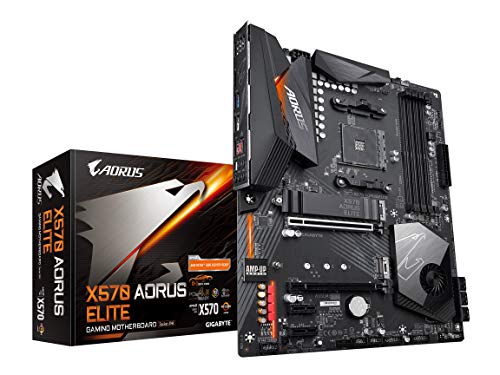
Scope first, because the phrase needs it: the best 400 series motherboards in this guide are AMD’s 400-series chipsets for the AM4 socket — B450 and X470 — and nothing else. Intel has used similar numbers in its own history, and the wider internet cheerfully mixes the two, but every board discussed below belongs to the AMD generation that launched alongside Ryzen 2000, carried Ryzen 3000 as an honoured guest, and in many cases stretched, via later BIOS work, to shake hands with Ryzen 5000 as well. That scope shapes the shopping reality too. These are mature, end-of-line boards now: the best of them remain genuinely recommendable for the processors they were built around, stock arrives in waves of warehouse remnants and returns, and only one model in our verified pool currently carries a confirmed listing with an official image — so this guide links that one, the MSI B450 Tomahawk MAX, and treats the other five places as prose-only routes describing board classes to hunt for, with the checks to run when you find them.
One more clarification belongs up front, because search results blur it constantly: a board being discontinued is not the same as a board being unsupported by its owners’ community. The 400-series sits inside the largest knowledge base the AM4 platform ever produced — every BIOS branch catalogued, every memory quirk mapped, every revision difference photographed by somebody who learned it the hard way. A buyer of a current-generation board purchases specifications; a buyer of this generation purchases specifications plus a decade of other people’s experience, freely available at the exact moment a question arises at midnight. For the home builder who is their own IT department, that library is a feature no spec sheet prints, and it compounds the value case that the rest of this introduction describes.
Why shop a discontinued generation at all? Because the arithmetic of AM4’s long life keeps pointing here. A B450 board under a Ryzen 5 or Ryzen 7 of its era produces a computer whose cost per year of remaining service embarrasses new entry-level platforms, especially while DDR4 sits at end-of-life prices and the processors themselves circulate cheaply. The 400-series also holds a unique place in the platform’s story: it is the generation that fixed the first generation’s lessons — better memory training, saner layouts, power delivery designed with eight cores in mind — without yet pricing itself for the PCIe 4.0 era. Buy one knowingly, with the revision checks and BIOS awareness this guide repeats, and it is not a compromise purchase. It is the platform’s value heartland, still beating.
Key Takeaways
- Here, 400 series means AMD B450 and X470 for AM4 — stated plainly because the same numbers mean other things elsewhere.
- B450 is the value heartland; X470 adds expansion and was the enthusiast tier of its day, and both top out at PCIe 3.0.
- Ryzen 3000 support is normal on this generation; Ryzen 5000 support depends on the exact board and BIOS branch — verify, never assume.
- The enlarged-BIOS MAX-class boards avoided the firmware squeeze that cost early 400-series owners features.
- Only one pick below is linked, because only one currently verifies in our pool; the rest are hunting routes with inspection checklists.
- Board revision and included accessories decide real value in the remnants market more than the retail name does.
- In this market the seller is part of the product: completeness of the listing predicts completeness of the box.
Quick Picks
| Pick | Badge | Why it earns its place |
|---|---|---|
| MSI B450 Tomahawk MAX | The one to buy new | The generation’s defining board, with the big BIOS chip and delivery that made it the default recommendation of its era. |
| ASUS ROG Strix B450-F class | The polished alternative — prose-only | ROG firmware and audio in B450 form; hunt it where returns and remnants surface, and inspect before trusting. |
| MSI B450 Gaming Pro Carbon class | The wireless rarity — prose-only | One of the few B450 boards with onboard WiFi worth having; scarce now, so condition decides everything. |
| Gigabyte B450 AORUS Pro class | The dual-storage route — prose-only | Two M.2 slots in a generation that usually offered one, for builders whose storage outgrew the standard layout. |
| ASRock B450 Steel Legend class | The honest budget — prose-only | Steel-shod slots and sensible delivery for six-core builds that would rather spend on memory and storage. |
| X470 flagship class (Taichi-grade) | The enthusiast ceiling — prose-only | What the generation’s top tier looked like: serious delivery, deep connectivity, and prices that finally make sense used. |
How did we choose these 400 series motherboards?
We chose the way the market now forces everyone to choose: by what can still be defended. A 400-series board earns a place here if its power delivery was respected in its own era — because those are the boards ageing gracefully under eight-core chips today — if its BIOS story survived the platform’s growth without crippling its owners, and if a buyer in 2026 can still find it through channels where inspection and return are possible. That filter is why this guide reads differently from a launch-era roundup. Several famous names of the generation are absent not because they were poor boards but because their surviving stock is too murky, too revision-tangled or too often stripped of accessories to recommend to a stranger. The six routes below are the ones we can describe honestly: one verified and linked, five mapped as classes with the specific things to check when a listing appears, because in the remnants market the checklist is worth more than another star rating.
Within the generation we weighted the B450-versus-X470 question by what owners actually feel. X470’s advantages were real in 2018 — more chipset lanes, broader USB, official support for splitting the graphics lanes between two cards in an era when that mattered — and most of them have quietly expired as single-GPU builds became universal and PCIe 3.0 storage proved fast enough for the processors involved. What has not expired is build quality: the X470 tier was built to a price its B450 siblings were not, and that shows today in heatsinks, slot reinforcement and the general sense of a board made to be kept. So our guidance inverts the launch-era advice. Then, X470 was the upgrade you bought for features. Now, a good X470 found used is the upgrade you buy for substance, while B450 remains the rational new purchase — where new stock of a verified model, like our linked pick, still exists at all.
What can a 400 series board still run, honestly?
The compatibility map of this generation is a story in three chapters, and a buyer should be able to recite it. Chapter one is native ground: Ryzen 1000, 2000 and the APUs of those years run on these boards as they were designed to, with the 2000 series — the generation the chipsets launched beside — as the home fixture. Chapter two is the honoured guest: Ryzen 3000 processors, whose arrival these boards absorbed through BIOS updates with near-universal grace, because AMD planned the socket’s continuity and the 400-series was young enough to hold the new code comfortably — with the caveat, on early boards with small BIOS chips, that the firmware sometimes slimmed its interface or shed support for the oldest processors to make room. Chapter three is the stretch: Ryzen 5000 support arrived later, unevenly, board by board and BIOS branch by branch, sometimes officially, sometimes in beta firmware that vendors left as the final word. A 400-series board may run a 5600 beautifully — many do — but that outcome is a property of the exact model and its exact firmware, established on the vendor’s CPU list, never a property of the chipset badge.
There is a subtler point about this generation’s maturity that buyers feel without naming: its problems are all known. Every quirk of B450 ownership — which boards slimmed their BIOS, which memory kits train reluctantly, which second M.2 slot borrows which SATA port — has been discovered, documented and argued to exhaustion by an enormous owner base. A newer platform offers better specifications and unknown failure modes; this one offers slightly older specifications and a complete map of its own behaviour. For a machine whose job is to work rather than to pioneer, the map is worth real money, and it is a large part of why the 400-series refuses to leave recommendation lists years after its chipsets were discontinued. Predictability is a specification. This generation has more of it than anything else you can buy.
Two further honest limits frame the generation. Its storage and graphics speak PCIe 3.0: a modern Gen4 SSD will work at the older speed, losing a benchmark crown and almost nothing in daily feel, while a current graphics card likewise runs happily a generation behind its connector’s best. And its processors’ ceilings are the platform’s ceilings — the sixteen-core discussion from our 3950X guide applies here with interest, because 400-series power delivery was designed before that chip existed. Read this generation as what it is: a superb home for four, six and eight-core Ryzen processors, a workable host for later chips where the paperwork proves it, and a false economy for flagship ambitions. Inside that honest envelope, it remains the best value in the entire AM4 story.

MSI B450 Tomahawk MAX — The one to buy new
Every generation produces one board that becomes its shorthand, and for the AMD 400-series that board is this one. The Tomahawk recipe was disarmingly simple: take the B450 chipset, refuse the budget tier’s compromises, bolt on power delivery and heatsinks a class above the price, and price the result where a careful builder could not ignore it. The MAX revision then fixed the generation’s one structural anxiety by doubling the BIOS chip’s capacity, so the firmware growth that forced rivals into stripped interfaces and shed processor support simply never became this board’s problem. The consequence for a 2026 buyer is unique in this guide: this is the 400-series board that can still be recommended as a straightforward purchase rather than a hunting expedition, because it is the one our pool currently verifies with a listing and official image, and because its behaviour under the era’s eight-core processors is the most thoroughly documented of any board here.
Its character in service is the absence of character, in the best sense. Memory of the period trains without theatre, the layout keeps cables and slots where hands expect them, and the board’s manners under sustained load made it the default answer to a thousand forum questions during its reign. The limits are the generation’s limits, worn openly: a single M.2 slot at PCIe 3.0 speeds, no onboard wireless, and no business hosting sixteen-core ambitions, as our companion guide argues at length. Buy it for a Ryzen 5 or Ryzen 7 build, a home server with manners, or the resurrection of a system whose board has died, and it will do the thing it has always done — disappear beneath the computer it enables, which is the highest praise a motherboard can earn in any generation.
- Chipset / socket: AMD B450, AM4
- Form factor: ATX
- Memory: DDR4, four slots
- BIOS note: MAX revision with enlarged firmware chip
- Storage highlight: single M.2 slot, PCIe 3.0
- Networking: wired Ethernet; no onboard WiFi
Strengths
- The generation’s reference board, still verifiable and purchasable with confidence.
- Power delivery that treated eight-core processors as the design case.
- The big BIOS chip sidestepped the firmware squeeze entirely.
Trade-offs
- One M.2 slot only in a storage-hungry age.
- Wireless must arrive by adapter or not at all.
- Its ceiling is the honest eight-core envelope of its generation.
Best for: the definitive B450 purchase for Ryzen 5 and Ryzen 7 builds. Not suited for: sixteen-core workloads or multi-drive NVMe layouts.
ASUS ROG Strix B450-F class — The polished alternative
This route is prose-only because our pool cannot currently verify a listing for it, and that status is itself useful information: the Strix B450-F class survives now mainly through returns channels, remnants and the used market, where the board you receive is a specific physical object with a history rather than a model with a warranty. What made the class desirable in its day remains desirable — ASUS’s firmware polish, an audio section a cut above B450’s ordinary, and styling that dressed a mid-range build in flagship clothes. For a Ryzen 5 or 7 system destined for a visible desk, a good example still delivers that polish, and its power delivery, while a step behind the Tomahawk’s reputation, was always adequate for the eight-core chips at stock settings, which is the only way this generation should be run now anyway.
The hunting discipline for this class is specific. Confirm the I/O shield is present, because this board’s shield is model-specific and a missing one turns a bargain into an open-backed compromise. Check the board’s BIOS behaviour at first boot before the return window closes — a board that has lived on an early firmware branch may need an older processor to update, a chicken-and-egg problem the flashback-less designs of this era cannot solve from a USB stick alone. And inspect the primary slot’s latch and the memory slots’ clips, the small plastics that suffer most in boards that have been built and rebuilt by previous owners. Pass those checks and the Strix route offers the generation’s most civilised daily experience; fail them and the Tomahawk’s certainty is worth its premium, which is the correct way to price every prose-only route in this guide.
- Socket / chipset: AM4, AMD B450 (class description)
- Size: ATX
- RAM: four DDR4 slots
- Character: firmware and audio polish above the B450 norm
- Storage highlight: single M.2 in most variants — confirm per listing
- Buying note: inspect shield, clips and BIOS branch before the return window ends
Strengths
- The most polished firmware and audio experience in the B450 class.
- Stock-settings eight-core manners are entirely respectable.
- Styling that flatters a visible desk build.
Trade-offs
- Availability is a hunt, and condition varies by individual board.
- No CPU-free BIOS flashing if an old firmware branch blocks your chip.
- Delivery trails the Tomahawk’s under sustained eight-core loads.
Best for: desk-visible Ryzen 5/7 builds bought through inspectable channels. Not suited for: buyers who need sealed-box certainty and a warranty.
MSI B450 Gaming Pro Carbon class — The wireless rarity
Wireless was B450’s rarest luxury, and this class wore it best: a Tomahawk-adjacent foundation with onboard WiFi and Bluetooth at a time when its rivals treated a network cable as a moral position. For the build that lives in a rented room, a spare bedroom or anywhere a cable run would cross a landlord’s patience, a good example of this class remains the tidiest solution the generation offers — no USB dongle negotiating for bandwidth, no PCIe card eating the slot beneath the graphics card. Its power delivery sat near the top of the B450 range in its day, its audio was a step up, and its general specification read like the answer to a wish list the rest of the chipset kept declining. Scarcity is the catch, and scarcity has done what scarcity does: surviving examples are priced by nostalgia as often as by condition, and the guide’s advice is to let other buyers fund the nostalgia.
Judged coldly, the purchase rule for this class is a ceiling: it is worth a modest premium over the Tomahawk for the wireless it saves you adding, and not a collector’s premium beyond that, because a modern USB or PCIe wireless adapter added to the linked pick reproduces most of the benefit with a warranty attached. When inspecting an example, the wireless hardware itself joins the checklist — antenna connectors unbent, the module’s presence confirmed in the BIOS or operating system at first boot, antennas included in the box, since replacements quietly erase the bargain. Boards of this class also shared the era’s smaller BIOS chips in some variants, so the firmware-branch conversation from the Strix section applies with equal force. Buy it as a tool at a tool’s price and it is a delight; buy it as a relic and it is an expensive way to avoid a cable.
- Platform: AM4, AMD B450 chipset (class description)
- Format: full ATX
- Memory: 4x DDR4 DIMM slots
- Character: onboard WiFi and Bluetooth — the generation’s rarity
- Storage: one M.2 slot on most variants — check the exact listing
- Buying note: verify antennas included and module detected at first boot
Strengths
- Genuine onboard wireless in a generation that mostly went without.
- Near-top B450 power delivery for its era’s processors.
- The tidiest foundation for cable-hostile rooms.
Trade-offs
- Scarcity pricing can exceed the value of the wireless it includes.
- Missing antennas or a dead module erase the point of the purchase.
- Some variants share the small-BIOS complications of early B450.
Best for: cable-hostile rooms that value the generation’s tidiest wireless board. Not suited for: anyone paying collector prices for a working tool.
Gigabyte B450 AORUS Pro class — The dual-storage route
Most B450 boards offer one M.2 slot and a shrug; this class offered two, and for a particular builder that difference reorganises the whole machine. The dual-storage route suits the owner whose single fast drive keeps filling — a game library beside a video project archive, an operating system that deserves its own device while scratch work lives elsewhere — and who would rather solve it inside the board than with adapter cards in slots the graphics card wants for air. Gigabyte’s implementation carried the era’s usual caveats, principally that populating the second slot could reclaim lanes or disable a SATA port depending on configuration, a table in the manual that must be read as part of the purchase rather than discovered during the build. Prose-only in our pool, this class reaches buyers now through the same remnants channels as the Strix, with condition deciding value.
The rest of the class’s character is solid Gigabyte mainstream of the period: workmanlike firmware, honest power delivery for six and eight-core processors at stock settings, and a layout that builds without surprises. Its inspection list adds one storage-specific item — confirm both M.2 standoffs and screws are present, because a missing standoff on the second slot is the sort of small absence that delays a build by days while a replacement crosses the country. Also confirm which variant a listing describes, since this class sold in versions with and without wireless under confusingly similar names. Get those details right and this remains the generation’s most practical answer to a storage-led build that cannot justify newer chipsets — two fast drives, an eight-core ceiling respected, and money left for the memory the workload actually feels.
- Chipset: AMD B450 on socket AM4 (class description)
- Board size: ATX
- Memory: DDR4 — four DIMM slots
- Character: dual M.2 provision in a single-slot generation
- Storage highlight: two M.2 slots; check the manual’s lane/SATA sharing table
- Buying note: confirm standoffs, screws and exact variant before ordering
Strengths
- Two fast drives without adapter cards or slot gymnastics.
- Mainstream manners that build and run without drama.
- Leaves budget for memory, where the workload feels it more.
Trade-offs
- Second-slot population can cost a SATA port — read the table first.
- Variant naming invites ordering the wrong board by accident.
- Small missing hardware, like standoffs, is common in remnant stock.
Best for: storage-led Ryzen 5/7 builds that outgrew one M.2 slot. Not suited for: buyers unwilling to read a lane-sharing table before building.
ASRock B450 Steel Legend class — The honest budget
Not every 400-series build carries an eight-core flagship of its day, and this class exists for the majority that do not: the Ryzen 5 home machine, the family computer, the home server assembled from parts with years left in them. ASRock’s Steel Legend recipe protected the things that break — reinforced slots, decent capacitors, a layout with no traps — and spent less on the things that merely photograph, producing B450 boards whose reputation among budget builders was earned in the least glamorous way possible: they kept working. Power delivery in this class is sized for four and six-core processors with headroom, and stretches to an eight-core at stock settings in a ventilated case, which is the honest boundary the guide draws around it. Beyond that boundary lies the Tomahawk, and pretending otherwise would betray the class’s own virtue, which is candour about what its money bought.
As a purchase today, the class rewards the buyer who checks the unphotogenic details. Its boards sold in both full ATX and micro-ATX forms under the same family name, and a listing’s photograph, not its title, is the authority on which one is actually in the box. The firmware’s processor support followed ASRock’s own branches, so the CPU-list check this guide prescribes everywhere applies here with the usual force — particularly for anyone hoping to stretch the board to a later Ryzen generation, where support exists in places and must be proven in the specific. What this class offers in return for that diligence is the generation’s floor price for a board that will not embarrass the machine built on it: a sensible foundation for the enormous population of AM4 processors that never needed a flagship, at a cost that leaves the budget where it belongs — in memory, storage and the graphics card the family actually notices.
- Socket and chipset: AM4 / AMD B450 (class description)
- Dimensions: ATX and micro-ATX variants — verify from the listing photo
- RAM provision: four-slot DDR4 on ATX variants
- Character: durability-first budget engineering
- Storage highlight: single M.2 in most variants
- Buying note: confirm form factor and CPU-list support for your exact chip
Strengths
- The generation’s sensible floor price without the junk tier’s risks.
- Reinforced slots and a trap-free layout for family builds.
- Ideal match for the four and six-core processors most AM4 systems run.
Trade-offs
- Eight-core service is a stock-settings, ventilated-case proposition.
- Same-name size variants make careless ordering easy.
- Trim and audio are working grade, not desk-display grade.
Best for: Ryzen 3/5 family machines, home servers and honest budget builds. Not suited for: eight-core overclocking dreams or flagship transplants.
X470 flagship class (Taichi-grade) — The enthusiast ceiling
The final route leaves B450 entirely and climbs to what the 400-series looked like with its wallet open. X470 flagship boards — the Taichi grade of machine, with its ROG and AORUS equivalents — were built as no-compromise foundations: power delivery designed to impress reviewers, connectivity that filled the rear panel, dual M.2 as a matter of course, and in some cases luxuries like onboard buttons, diagnostic displays and wireless that B450 buyers were told to live without. At launch their prices asked whether a motherboard could be a hobby in itself. In the remnants and used market, the same boards ask a much more interesting question, because their substance has aged far better than their price tags: a well-kept X470 flagship under a Ryzen 7 is, component for component, a finer foundation than most of the B450 generation ever was, and it now changes hands for the sort of money that once bought the budget tier.
The disciplines of buying one are the disciplines of buying anything flagship-grade second-hand. Complexity is the tax: more controllers mean more drivers to source for a clean install, more firmware features mean more branches to verify, and a board that has lived an enthusiast’s life may have lived it at enthusiastic voltages — so prefer sellers who describe a stock-settings history, inspect for the full accessory set these boards shipped with, and budget an evening for a methodical first setup rather than a rushed one. The reward for that care is the generation’s ceiling in every sense except the ones this guide has already fenced off: PCIe generation stays at 3.0, and sixteen-core sustained work stays beyond the honest envelope. Within those fences, a Taichi-grade X470 remains the most satisfying 400-series purchase a knowledgeable buyer can make — the top of a generation, finally priced like the middle of one.
- Chipset / socket pairing: AMD X470, AM4 (class description)
- Form factor: standard ATX
- Memory fitted: DDR4 across four slots
- Character: flagship delivery, connectivity and diagnostics of the era
- Storage highlight: dual M.2 typical at this tier
- Buying note: prefer documented stock-settings history; expect an evening’s setup
Strengths
- The finest foundations the 400-series ever produced, now at mid-tier money.
- Delivery and cooling that treat eight-core chips as light work.
- Connectivity and diagnostics B450 owners were told to skip.
Trade-offs
- Complexity multiplies drivers, firmware branches and setup time.
- An enthusiast’s used board may carry an enthusiast’s voltage history.
- Still PCIe 3.0, and still not a sixteen-core endurance platform.
Best for: knowledgeable buyers building the definitive Ryzen 7 AM4 machine. Not suited for: first-time builders who need a board that explains itself.
How do the best 400 series motherboards compare side by side?
| Route | Availability today | Storage | Wireless | Buy it when |
|---|---|---|---|---|
| MSI B450 Tomahawk MAX (linked) | Verified listing in our pool | Single M.2 | None | You want certainty and the generation’s reference board |
| ROG Strix B450-F class | Remnants / used — inspect | Single M.2 typical | None typical | Polish matters and the example checks out |
| B450 Gaming Pro Carbon class | Scarce — price discipline required | Single M.2 typical | Onboard WiFi | The room forbids cables and the price stays sane |
| B450 AORUS Pro class | Remnants / used — inspect | Dual M.2 | Variant-dependent | Two fast drives drive the decision |
| B450 Steel Legend class | Common in budget channels | Single M.2 typical | None typical | Six cores or fewer and value leads |
| X470 flagship class | Used market — buy the seller too | Dual M.2 typical | Often included | You want the generation’s ceiling, knowingly |
The availability column is doing quiet work in that table: it is the difference between shopping and hunting, and a reader should choose their column before their row. Shoppers should buy the linked Tomahawk and spend their patience on the build itself. Hunters — readers who enjoy the remnants market and can inspect what arrives — can reach further up the table, provided every prose-only route is treated as a description of a class to verify rather than a promise about the specific board in a specific listing’s photograph. Notice, too, what the table does not contain: a performance column. That omission is deliberate and it is the generation’s best-kept secret — at the same processor, memory and graphics card, every healthy board in this table produces a computer that feels identical in the work its owner actually does. The differences that survive contact with reality are storage count, wireless presence, delivery headroom and the condition of the individual example. Buyers who internalise that stop shopping for speed that was never on sale and start shopping for the four things that are, which is a cheaper and much more successful way to hunt this market.
Both readers end with good computers. The only losing strategy is hunting with a shopper’s assumptions, paying certainty prices for lottery tickets.
B450 or X470 — which badge should a 2026 buyer actually chase?
Strip the launch marketing away and the two chipsets differ in ways that have aged unevenly. X470 brought more chipset-fed USB and SATA, and the ability to divide the processor’s graphics lanes between two cards — a headline feature in the multi-GPU twilight that has since become a museum piece, since modern gaming and compute builds run one card and run it better. B450 countered with the same processor support, the same memory story and a price that made it the default. Judged by what a 2026 owner can still spend, the chipsets are nearly the same product, and the real difference has migrated from the chipset to the individual board: a flagship B450 with heatsinked delivery and a big BIOS chip will serve an owner better than a neglected X470 from the tier’s shallow end, while a kept X470 flagship outclasses everything beneath it. Badge shopping made sense when the boards were new and uniform. In the remnants era, board-by-board inspection is the only honest method, and the chipset is merely the first line of the inspection.
One practical consequence follows for pricing. Because launch-era hierarchy still echoes in listings, X470 badges sometimes carry premiums their remaining advantages cannot justify, and B450’s best boards — our linked pick above all — occasionally sell beneath neglected X470 stock purely on the badge’s reputation. The informed buyer arbitrages exactly that echo: price the physical board, its revision, its accessories and its delivery hardware, and let the chipset contribute only what it still contributes — a few ports, a little expansion, and nothing whatsoever to the processor’s speed. Do that consistently and the 400-series market becomes what it should have been all along: a shelf of known quantities at end-of-life prices, where patience and a checklist outperform a budget twice the size spent carelessly.
How do you install and set up a 400 series board in 2026 without the era’s traps?
The traps are mostly chronological, so the setup begins before the board enters the case: establish what firmware the board is likely carrying and what your processor needs. If the pairing is native — a Ryzen 2000 chip on any of these boards, a Ryzen 3000 on most — the build proceeds conventionally. If you are stretching toward a later processor, arrange the update path first, because most 400-series boards cannot flash themselves without a supported processor installed; a borrowed older chip, a friendly local shop, or a seller who updates before shipping are the three honest solutions, and discovering the problem with the cooler mounted is the dishonest fourth. Bench-test the board outside the case with one memory stick, confirm the BIOS version with your own eyes, and only then commit it to the chassis. While it is on the bench, photograph the revision printed on the board and save the image with your receipts — in this market, that photograph is a warranty document, a resale document and a troubleshooting document in one.
Inside the operating system, sequence matters more than it did when these boards were new, because driver ecosystems have thinned. Install AMD’s chipset driver before the board vendor’s utilities, let Windows find the platform on its own terms across a couple of reboots, and resist the driver-booster software that haunts mature platforms — the vendor pages for these boards still host what they need, and third-party bundles bring more risk than currency. Set memory to its rated profile, then verify stability overnight before declaring the machine finished; a 400-series board with a mature BIOS is a stable thing, but memory kits have aged alongside boards and deserve the same suspicion. Finish by saving a known-good BIOS profile and exporting your settings, so the inevitable CMOS clear someday restores a configuration rather than erasing one. A platform this mature rewards methodical owners with years of invisibility, and method, at this point in its life, is mostly a synonym for patience.
Which mistakes define 400 series shopping in the remnants era?
Keep one more lens in hand while reading that catalogue: in this market, the seller is part of the product. A listing that names the revision, lists the accessories, states the firmware branch and invites inspection is describing a board its seller understands, and that understanding is worth a premium over an anonymous listing at any price. Conversely, the cheapest 400-series board on the internet is frequently the most expensive one to own, because its price excludes the shield, the screws, the antennas and the return postage that its listing also excluded. Experienced remnants buyers do not hunt bargains; they hunt completeness, and let the price follow.
The defining mistake is buying a name instead of a board: paying for a famous model while ignoring that the specific example lacks its I/O shield, carries an ancient firmware branch, or is a different revision from the one the glowing review described. Its sibling is assuming the generation’s stretch — buying a board for a Ryzen 5000 processor on the strength of the chipset badge, when support lives in the exact model’s list and nowhere else. A third mistake runs in the opposite direction: dismissing the whole generation as obsolete and overspending on a newer platform for a workload a Ryzen 7 on B450 would have served for years, a waste the DDR4 price curve makes larger every quarter. Fourth comes accessory blindness — the missing M.2 screws, absent antennas and vanished SATA cables that convert a bargain board into a week of small orders. And finally, the mistake of tone: treating a mature platform as a temporary embarrassment rather than a tool with a known envelope. Owners who respect the envelope get the generation’s full value; owners who apologise for it tend to replace it early and often, which is the most expensive way to own any computer.
How should memory be specced for a 400 series build that has to last?
Memory decisions on this generation outlive every other choice in the build, because the kit you buy is the kit the machine will retire with. The platform’s controllers span three Ryzen generations with three temperaments, and the safe doctrine covers all of them: two sticks before four, capacity before frequency, and a rated profile treated as a starting point for verification rather than a promise. For a Ryzen 2000 machine, the DDR4-3000 to 3200 region remains the plateau where speed and serenity meet; Ryzen 3000 owners can sensibly reach a step higher; and anyone stretching a board toward Ryzen 5000 should buy the kit that future chip prefers, since memory is the one component that can be purchased for the transplant without compromising the present. What no 400-series buyer should do is fill all four slots with an aggressive kit and then troubleshoot the result for a month — the platform’s daisy-chain boards have always preferred a pair, and age has not softened their preference.
A worked example makes the doctrine concrete. A family machine on a Ryzen 5, built today for homework, photo storage and the occasional game, gains more from doubling its memory than from any other purchase in this guide — the board stays the same, the processor stays the same, and the computer’s patience under a dozen open applications transforms. A home server gains more from a second bulk drive than from a faster kit it will never feel. A workstation on eight cores gains most from the overnight validation that proves its chosen profile boring. In each case the memory advice is identical because the platform’s character is identical: capacity and calm, bought once, at end-of-life prices.
There is also a quiet capacity argument unique to this moment in the platform’s life. DDR4 is inexpensive precisely because the industry has moved on, and a 400-series machine bought today will never have a cheaper year to be given generous memory. Home servers, family machines that accumulate browser tabs like sediment, and workstations running virtual machines all feel capacity daily and frequency never. So the guide’s standing advice for this generation is almost embarrassingly plain: buy the two-stick kit with the most capacity your workload can plausibly grow into, at the moderate speed your processor generation likes, from a maker whose support will outlive the platform. Then validate it overnight and forget it exists — which, for memory in a mature build, is the highest state of grace available.
Why do 400 series boards make such satisfying home servers and second machines?
Because the server virtues and this generation’s virtues are the same list read in a different order. A home server wants a board that sips power at idle, and B450 systems with an efficient Ryzen chip do exactly that. It wants enough SATA for a small fleet of bulk drives, and even modest 400-series boards carry a full complement. It wants a network connection that never becomes a personality, wired Ethernet being this generation’s universal standard. And above all it wants to be forgotten — installed, configured, and then absent from its owner’s thoughts for years — which is precisely the behaviour mature firmware on a mature chipset delivers once the update treadmill has ended. There is a paradox here that newer platforms cannot match: a board whose BIOS will never change again is, for server duty, not abandoned but finished, and finished software is the rarest luxury in computing.
The second-machine story rhymes. A 400-series board under a mid-range Ryzen becomes the household’s spare workstation, the child’s first real computer, the workshop machine that runs the printer and the parts catalogue — roles where PCIe 3.0 is indistinguishable from the future and where the platform’s enormous second-hand processor market means a failed CPU is a cheap errand rather than a platform funeral. Buyers assembling for these roles should weight the picks by their dullest virtues: the Steel Legend class’s durability, the Tomahawk’s documented manners, the AORUS Pro class’s storage for a server that will accumulate drives. Glamour has no shift in a second machine’s schedule. Reliability works every day, and this generation, bought with its checklists observed, is reliability at a clearance price.
Final Recommendation
Buy the linked MSI B450 Tomahawk MAX if your need is a 400-series board without an asterisk — it remains the generation’s reference design and the only route here we can point at a verified listing. Hunt the prose-only classes when your need is specific: wireless without adapters, a second M.2 slot, the floor price for a six-core machine, or the flagship substance of X470 at a used-market price, and let the checklists in each section arbitrate what you find. Whichever route you take, the generation’s bargain is the same one it offered at launch, now sharpened by time: honest boards for the processors they were built around, at prices that finally admit the platform’s age, for owners willing to read a support list before they spend — which is to say, for owners who will still be pleased with the machine when its next birthday arrives. That is the note this generation deserves to be remembered on: not as the platform time forgot, but as the one that taught an entire socket how to grow old gracefully — and still has the paperwork to prove it. Buy it well, and it will not ask to be thought about again.
Frequently Asked Questions
Does “400 series” in this guide include Intel motherboards?
No. This guide’s scope, stated at the top, is AMD’s 400-series chipsets — B450 and X470 — for the AM4 socket. Other vendors have used similar numbering in their own histories; none of those boards accept Ryzen processors, and none are discussed here.
Can a B450 board run a Ryzen 5000 processor?
Many can, through later BIOS releases — but it is a property of the exact board model and firmware branch, not of the B450 badge. Check the vendor’s CPU support list for your specific board, and arrange an update path, since most 400-series boards need a supported processor installed to update at all.
Is X470 better than B450 for a build today?
For features as launched, mildly; for value as bought today, it depends on the channel. B450 is the rational verified purchase, while a well-kept used X470 flagship offers finer substance — delivery, heatsinks, connectivity — for similar money if you can inspect what you are buying.
What does the MAX in Tomahawk MAX actually mean?
It marks MSI’s revision with a larger BIOS chip. When the platform’s firmware grew to hold newer processor generations, boards with small chips shed features or older support; the MAX board’s bigger chip avoided that trade, which is a large part of why it remains the generation’s safest recommendation.
How long can a 400 series build realistically stay in service?
For the roles this guide recommends — family computing, home service, office work, mid-range gaming — a well-chosen 400-series build bought today has years of useful life, because those workloads’ demands grow slowly and the platform’s processors sit comfortably above them. The honest limit is not speed but ecosystem: operating-system support windows, browser and application requirements, and the slow retirement of DDR4-era parts from shelves. Plan on the machine serving until one of those external clocks runs out rather than until the board itself tires, and keep a spare CMOS battery and the board’s manual in the drawer against that long, quiet service.
Will a 400 series board bottleneck a modern graphics card?
At PCIe 3.0 the honest answer is: measurably, barely, and usually invisibly. Current cards are built for newer slots but run contentedly a generation back, and outside of narrow synthetic cases the difference sits inside the margin between one game setting and the next. The exception worth knowing is the budget card with a physically narrow interface, where a halved link width compounds the older generation — if your build plans pair this platform with such a card, that pairing, not the board alone, deserves a second thought.
Are 400 series boards a false economy in 2026?
Not for their honest envelope: four, six and eight-core Ryzen builds, home servers and family machines get years of service from these boards at a fraction of a platform change, especially with DDR4 prices where they are. The false economy begins only when the board is asked to host ambitions — sixteen cores, PCIe 4.0 storage fleets — that belong to later generations.
What should a buyer verify in the first 48 hours of owning one?
Treat the first two days as an inspection with a deadline, because in remnants channels the return window is the only warranty most of these boards will ever have. On arrival, photograph everything: the board’s revision marking, the accessory count against the manual’s list, the socket area and slot clips whose condition decides arguments later. Bench-build before case-building, with the processor you actually intend to run, and confirm three things in order — that the board POSTs, that its BIOS is the branch the support list promises for your chip, and that every storage device and port you plan to use enumerates correctly. Populate the second M.2 slot if your class has one, plug something into every USB tier you care about, and let a memory test run overnight; faults in remnant boards declare themselves early or not at all, and the overnight test is the cheapest interrogation ever devised.
Day two belongs to heat and habit. Run the machine through your real workload with the case closed and the room at its normal temperature, and listen — to fan behaviour, to coil whine under load, to the small acoustic confessions a board makes when it is unhappy. Check that sleep and wake behave across a dozen cycles, because a second machine that cannot sleep politely will be left running, and a board left running ages in dog years. If everything passes, record the configuration that worked: BIOS version, memory profile, driver sources, in a note stored with the machine’s receipts. If anything fails, the photographs and the window are still on your side, which is the entire reason the inspection was scheduled rather than improvised. Mature platforms reward this rhythm — verify early, document once, then enjoy years of a computer that asks for nothing.
Related Guides
Continue with best motherboards for the Ryzen 7 2700X, best motherboards for the Ryzen 9 3950X and the VRM question, and best aesthetic PC cases to finish the build.