Our Top Picks


What's inside
- A familiar name in a changed market
- Repairability: the idea that sets these phones apart
- Software kept close to standard Android
- Updates, security patches, and honest expectations
- From Nokia to HMD: what the rebrand means for buyers
- Design, durability, and everyday handling
- Cameras and performance without the hard sell
- Battery life and charging in real routines
- The current candidates, examined individually
- Matching models to the people who will actually enjoy them
- Setting up and maintaining one of these phones
- Repair day: what a first self-repair actually feels like
- Ownership costs across several years
- Sustainability claims, examined without cynicism or naivety
- For older users and anyone who wants a calmer phone
- Work use, travel, and the practical extras
- Common hesitations, answered directly
- Living with one: a year in the life of a repairable handset
- Final judgement on the range as a whole
- How to verify a listing before money changes hands
- What to do in the first month of ownership
- A closing thought for undecided shoppers
- Regional availability and why it shapes the recommendation
- Check prices on Amazon
- Questions to ask in the shop, in order
As an Amazon Associate I earn from qualifying purchases. This post may contain affiliate links at no extra cost to you.
A note from the editors on this particular guide: we kept returning to a single question while researching these handsets, namely whether a phone designed to be opened, mended, and kept for years changes the way its owner feels about it by the second winter.
A familiar name in a changed market
The Nokia badge carries memories that few technology brands can match. For many buyers it recalls handsets that survived drops onto concrete, batteries that lasted through a working week, and keyboards learned by thumb alone. Modern Nokia-branded Android phones, made under licence by HMD, cannot simply trade on that nostalgia, because the expectations around cameras, apps, and updates have transformed completely since those days.
What the current range attempts is a translation of older virtues into present terms. Durability becomes a body that tolerates daily knocks and, in some models, a construction that owners can repair themselves. Simplicity becomes software close to standard Android, without layers of duplicate applications competing for attention. Longevity becomes a stated update policy and spare parts that remain obtainable after the launch publicity has faded.
That translation matters because the mid-range market is crowded with devices offering startling specifications for their first month and little support thereafter. A Nokia or HMD handset often asks buyers to accept a steadier processor or a less ambitious camera in exchange for clarity about what happens in year two and year three. Whether that exchange suits you depends on how long you keep phones and how much you enjoy tinkering with settings.
The branding itself is in transition, which this guide will address directly rather than gloss over. HMD has been placing its own name more prominently on newer models while Nokia-branded devices continue in several ranges. Shoppers deserve to understand what that shift does and does not change about support, parts, and the phone already in their hand.
Repairability: the idea that sets these phones apart
Most modern smartphones are sealed units that treat a cracked screen or a tired battery as a professional-only event. Several models in this family take a different path, using screws, accessible internals, and repair partnerships that supply genuine parts and guides to owners. Replacing a battery, a charging port, or a display at a kitchen table becomes a planned afternoon task rather than a week without a phone.
The psychological effect is larger than the practical saving. Owners who know a battery can be swapped stop rationing their phone’s final year so anxiously. A cracked back panel becomes an inconvenience instead of a catastrophe that forces an early upgrade. That confidence changes buying behaviour too, because a handset bought with repairs in mind is chosen for comfort and fit rather than for fear of what might break.
Repairability has limits worth stating plainly. Water resistance and easy opening pull in opposite directions, so self-repair models usually carry more modest protection against immersion. Internal layouts vary, and not every Nokia or HMD phone opens as willingly as the models designed for it. Check the specific handset’s repair story, parts list, and guide availability in your country before assuming the whole range behaves identically.
Tools and patience are part of the deal. A first repair rewards a calm hour, a clean surface, and the discipline to keep screws organised in the order they emerged. Video guides from the parts partner help enormously, and practising on the removal steps before ordering components prevents surprises. People who enjoy mending bicycles or appliances tend to take to phone repair naturally, while those who dread flat-pack furniture may still prefer a local shop, which these parts programmes also supply.
Software kept close to standard Android
Nokia and HMD phones have built their reputation partly on restraint in software. The interface follows Google’s layout closely, the app drawer is not crowded with sponsored games, and settings live where an Android user expects to find them. For people moving from a Pixel or an older Motorola, the learning curve is almost flat. For those escaping a heavily customised handset, the calm can feel like a small holiday.
Restraint brings practical benefits. Fewer pre-installed applications means less storage surrendered before your first photograph and fewer notifications begging for accounts you never wanted. Updates arrive without waiting for a manufacturer to rework an elaborate skin, at least in theory. Everyday speed also holds up better over time, because there is simply less decorative software ageing alongside the operating system.
The trade-off is a shortage of flourish. Owners who love deep theming, elaborate always-on displays, or manufacturer-specific multitasking tricks will find the cupboard comparatively bare. Some rival skins offer clever clipboard tools, gaming overlays, and camera modes that this cleaner approach skips. The question is whether you use those extras weekly or merely enjoy them during the first fortnight before forgetting they exist.
Clean software also simplifies helping relatives. When a parent calls about a setting, a near-standard layout means your instructions match their screen even if your own phone comes from another maker in this same restrained tradition. Families standardising on simple Android layouts spend less time translating between interfaces during those calls. That household harmony rarely appears in reviews, yet it influences repeat purchases strongly.
Buyers comparing across brands on connectivity alone may also find best 5g samsung phones useful background before deciding how much the Nokia approach matters to them.
Updates, security patches, and honest expectations
HMD’s update promises have varied by model and era, which is exactly why buyers should read the commitment attached to the specific handset rather than the brand slogan. Some earlier Nokia models were celebrated for prompt monthly patches under the Android One programme. Newer ranges state their own terms for operating system upgrades and security coverage, and those terms differ between entry-level and mid-range lines.
Security updates deserve more attention than version numbers. A phone that receives regular patches while staying on the same Android release remains safer for banking and messaging than one that jumped a version and was then abandoned. When comparing candidates, write down the promised end date for patches on each model and treat that date as part of the price, because a handset retired early by its maker costs more per year of safe service.
Update timing also affects features in ways that are easy to miss. Camera improvements, accessibility additions, and fixes for battery drain often arrive quietly inside monthly releases. Owners who install updates promptly tend to report smoother ageing than those who postpone them for months. Scheduling updates overnight, with the phone charging, removes nearly all friction from staying current.
If a model you fancy is approaching the end of its promised support, factor that horizon into the decision rather than discovering it later. A discounted handset with one year of patches remaining can still suit someone who upgrades frequently. The same phone would disappoint a buyer planning four years of use. Honest arithmetic at the point of purchase prevents most update resentment.
From Nokia to HMD: what the rebrand means for buyers
HMD, the Finnish company behind modern Nokia phones, has begun selling devices under its own initials, and the change understandably raises questions. A new badge can look like a retreat, yet the reasoning is straightforward: the company wants an identity it owns outright, covering not only phones but also accessories and other connected products, rather than one it licences from Nokia.
For existing owners, the practical position is reassuringly dull. A Nokia-branded phone does not lose its update entitlement because a newer model carries different letters on the back. Warranty obligations, repair channels, and support pages continue to be handled by the same organisation. The badge on a handset has never been the thing that delivers a security patch; the maker’s support operation does that, and it remains in place.
For new buyers, the shift invites a useful discipline. Judge each device on its own stated support period, parts availability, and price, rather than buying or avoiding it purely for the name. Some shoppers will feel genuine affection for the Nokia wordmark and the design language that accompanies it. Others will welcome HMD models that experiment more freely, including modular accessories and bolder styling aimed at younger owners.
Retail listings can muddy the waters during a transition, with older stock, regional variants, and newer HMD equivalents sitting side by side. Check the exact model name, the year of release, and the support statement before ordering, because two phones with similar silhouettes may have different update horizons. A few minutes of verification protects against the most common disappointment in this range, which is buying last year’s promise at this year’s expectation.
Design, durability, and everyday handling
Design across this family favours clean lines and unfussy materials. Many models use recycled plastics and aluminium in their construction, part of a broader effort to reduce the environmental cost of devices replaced too often. Finishes tend toward the understated, which suits buyers tired of mirrored backs that record every fingerprint. These are phones that look appropriate in a workshop, an office, or a classroom without shouting for attention.
Durability claims should be read with the same care as update promises. An ingress rating tells you how the phone handled controlled tests, not whether it enjoys being dropped into a sink. Gorilla Glass generations, frame rigidity, and the availability of a decent case all influence real survival. The repairable models add a different kind of durability, namely recovery after damage, which in practice may matter more than resistance alone.
Handling is generally sensible. Buttons sit where thumbs expect them, fingerprint readers are integrated without drama, and the phones avoid the extreme thinness that makes some rivals feel fragile. Weight distribution rarely draws comment, which is a compliment in itself. A handset that disappears into routine, noticed only when needed, fulfils the original Nokia brief in a quietly modern way.
Anyone cross-shopping the wider market for coverage should keep best 5g cell phones in mind as a general reference while weighing these ownership advantages.
Cameras and performance without the hard sell
Cameras in this range aim for dependable results rather than headline theatrics. Main sensors on the stronger models produce pleasing daylight photographs with natural colour, and night modes have improved steadily across generations. Where they fall behind is at the extremes: fast-moving children in dim rooms, distant wildlife, and heavy cropping all expose the gap to flagship hardware. Knowing that boundary keeps expectations happy.
Video follows a similar pattern. Stabilisation is adequate for walking footage and family events, audio is clear enough for school concerts recorded from the back, and nobody will mistake the output for a dedicated camera. For social sharing and memory keeping, which describes most phone photography honestly, the results satisfy. Enthusiasts who edit seriously should look at the X-series and Skyline class models, where imaging receives more of the budget.
Performance tells an equally measured story. The processors chosen favour efficiency and cost control, so everyday applications open promptly while demanding games may need reduced settings. Scrolling smoothness depends partly on display refresh, which varies across the range. Buyers who mostly message, browse, navigate, and stream will rarely feel the ceiling. Buyers who game heavily every evening will find it quickly and should shop accordingly.
Storage and memory configurations deserve a glance before ordering. A model with expandable storage suits people who keep music and photographs on the device rather than in cloud accounts. Dual SIM support, common in this family, helps travellers and anyone separating work calls from personal ones. These unglamorous specifications often shape daily satisfaction more than a benchmark figure quoted to one decimal place.
Battery life and charging in real routines
Efficiency-minded processors and clean software give many of these handsets comfortable endurance through a full day of mixed use. Two-day claims depend on light habits, but finishing a demanding day without a top-up is a realistic expectation for the stronger battery models. That reliability suits people who work outdoors, travel between sites, or simply forget to charge until the morning alarm has already rung.
Repairable designs add a long-term battery advantage that sealed rivals cannot copy easily. Since capacity fades gradually, a phone that feels tired in its third year can be revived with a fresh cell rather than replaced. That single repair extends the useful life of every other component, from the screen you like to the case you have already bought. Few sustainability measures are as effective as simply keeping a working phone working.
Charging speeds sit in the sensible middle of the market. Wired top-ups are quick enough for a breakfast boost, and some models add wireless charging at the higher end, which pairs neatly with bedside pads. Battery care settings that limit overnight charging stress help owners who keep phones for years. As always, heat is the enemy, so charging on a hard surface out of direct sun does quiet favours for longevity.
The current candidates, examined individually
Nokia G42 5G
The G42 is the model most often cited when this family’s repair story is explained, and for good reason. It was designed so that owners can replace its battery, screen, and charging port using parts and guides supplied through an established repair partner. That capability, in a mainstream handset with modern connectivity, still feels quietly radical several seasons after launch.
As a daily phone it covers the essentials with composure. The display is roomy and smooth enough for scrolling, the camera handles daylight scenes cheerfully, and the software arrives without clutter. Performance will not thrill gamers, but the target owner values a phone that can be revived with a screwdriver more than one that wins synthetic contests. It remains the clearest expression of the range’s philosophy.
Check its remaining update horizon carefully at the time you buy, since its age means the support clock has been running. A G42 bought with eyes open about that date can be excellent value. Bought carelessly as if it were a fresh release, it could disappoint. The hardware invites long ownership; the calendar should be consulted to see how much of that promise remains.
HMD Skyline
Skyline carries the new branding with a design that nods to classic Nokia Lumia styling, all clean geometry and confident colour. It also extends the self-repair idea further up the range, allowing owners to address screens and batteries with official parts. The result is a phone that looks like a fashion statement and behaves like a toolkit, an unusual and appealing combination.
The camera system receives more ambition here, with a capable main sensor and a front camera intended for people who photograph themselves often. Wireless charging and a bright, fluid display lift daily polish beyond the G-series baseline. Performance suits its audience comfortably, covering social applications, photography, and casual gaming without strain.
Skyline suits buyers who liked the Nokia repair ethos but wanted a handset that feels current in design and features. Its support commitments should still be read in full before purchase, as with any model in transition-era branding. Chosen knowingly, it represents where the HMD name wants to go: expressive hardware that owners can keep alive themselves.
Nokia X30 5G
The X30 was presented as the range’s environmentally conscious flagship, built with a high proportion of recycled materials in its frame and back. It pairs that construction with a bright display, a capable camera for its class, and a slimmer profile than the repair-focused models. For buyers who want sustainability expressed through materials rather than modularity, it makes a coherent case.
Photography is a relative strength, particularly in good light where detail and colour stay balanced. The phone feels refined in the hand, and its software experience matches the cleaner end of the family. Wireless charging is absent, which some rivals at its original level offered, and its update window should be checked with particular care given its launch date.
Today the X30 appeals most to someone finding it at a sensible price who values build quality and materials over the longest possible support runway. It demonstrates that the Nokia approach was never only about budget devices. As a used or discounted purchase with verified battery health, it can serve elegantly for the remainder of its supported life.
HMD Fusion
Fusion experiments with modularity through attachable outfits that add functions to the phone’s back. A gaming outfit brings physical controls, a ring-light outfit serves creators, and rugged or wireless-charging outfits change the phone’s character for a weekend. The concept revives an old industry dream, but grounds it in accessories that swap without tools or rebooting rituals.
Beneath the outfits sits a straightforward mid-range handset with the family’s clean software and a repairable streak. That combination is shrewd, because owners are not forced to love the modular idea to enjoy the phone. If the accessories fade from the catalogue, the device remains a sensible Android handset rather than an orphaned experiment.
Fusion will suit tinkerers, younger buyers, and anyone whose phone use changes shape between workdays and weekends. Before committing, confirm which outfits are actually sold in your region and whether the ones you want are in stock, since the concept lives or dies by accessory availability. The core phone justifies itself regardless, which is the safest kind of novelty.
Nokia G22
The G22 pioneered the self-repair push in this family, arriving with replaceable battery, display, and back cover through the same parts partnership later models used. Its launch made the argument that repairability belonged in affordable phones, not only in specialist devices for enthusiasts. That argument has since spread across the industry conversation, and the G22 deserves credit for stating it early.
Expectations should match its station. The display and processor serve everyday communication and media without hurry, cameras are best in daylight, and the design prioritises practicality. For a first phone, a workplace handset, or a backup device that can be maintained cheaply, those qualities align well. Its age, however, makes the update calendar the deciding factor for any purchase now.
Someone who already owns a G22 may get the best value by repairing rather than replacing it, using the parts programme as intended. A fresh battery and an unbroken screen can make it feel surprisingly renewed. That outcome, a phone kept in service by its owner’s own hands, is precisely the future this model was built to demonstrate.
HMD Crest 5G
Crest targets markets where value and display quality drive decisions, offering a vivid screen and modern connectivity under HMD’s own name. It emphasises photography for social sharing, with a front camera aimed at the selfie habits of its intended audience. Availability is regional, so buyers elsewhere may encounter it mainly through importers, which complicates warranty and parts planning.
The software experience follows the family’s restrained pattern, and the design keeps a contemporary gloss without fragile excess. Performance is tuned for the social, streaming, and messaging workload its audience actually runs. As with Skyline, the HMD badge signals the company’s direction, and support terms should be confirmed for the specific regional variant on sale.
Crest makes most sense bought through official local channels where its support and repair routes are clear. Grey imports can look tempting, yet a phone chosen partly for longevity should not begin life with uncertain backing. Where it is sold properly, it broadens the new brand’s reach into a competitive segment.
Nokia C32
The C32 sits at the entry point, built for buyers whose needs centre on calls, messaging, browsing, and photographs of family occasions. Its large display and simple software make it approachable for first-time smartphone owners and for relatives who find elaborate interfaces bewildering. A glass-backed design gives it more presence than its station might suggest.
Performance limits are real and should be respected. Heavy multitasking and demanding games are not its territory, and storage fills quickly if photographs are never archived. Within its intended workload it behaves politely, and battery endurance benefits from the modest hardware it runs. It is a phone for communication first, entertainment second.
As a gift for a light user, bought with a case and set up patiently, the C32 can succeed where a complicated flagship would overwhelm. Enable larger text, pin essential contacts, and remove what will not be used. The family’s clean software helps that setup enormously, turning a budget handset into a calm, confidence-building tool.
Matching models to the people who will actually enjoy them
Start with the repair question, because it sorts this range faster than any specification. If the idea of replacing your own battery genuinely pleases you, the G42, G22, Skyline, and Fusion belong at the top of your list, ordered by age and ambition. If you would always pay a shop anyway, the X30’s materials and polish or the C32’s simplicity may serve you just as well, provided their support windows fit your plans.
Next consider the photography you honestly do. Family archivists who shoot in mixed light should lean toward Skyline or the X30, accepting their other compromises. Casual snappers sharing daylight pictures will be content with the G-series cameras and can spend the difference on a case, storage, or a repair kit for later. Nobody should buy a camera tier they will only use during the first holiday after purchase.
Finally, think about who will help you with the phone. Clean Android layouts make remote family support easier, and local repair shops increasingly recognise the popular models in this family. A handset your household understands is worth more than a theoretically superior rival that leaves everyone puzzled. That social infrastructure is an invisible specification, and this range scores well on it.
Readers weighing a slightly older flagship against a fresh mid-range Nokia might compare the thinking in best 2 year old android phones before spending.
Setting up and maintaining one of these phones
- Write down the promised security update end date and keep it with the receipt.
- Order a case that fits the exact model, since similar names hide different dimensions.
- Remove or disable applications you will never open during the first setup session.
- Schedule system updates to install overnight while the phone is charging.
- Bookmark the official parts and guide page for your model before anything breaks.
- Back up photographs to a second location, especially before attempting any repair.
- Set text size and home screen layout with the eventual user sitting beside you.
- Practise opening instructions by reading a full repair guide once, calmly, in advance.
That small list prevents the majority of regrets associated with this family. None of it requires expertise, only an hour of attention while the phone is new and returns are still possible. Owners who begin with clear dates, clear backups, and a clear home screen tend to keep these handsets longest, which is the entire point of buying one.
Repair day: what a first self-repair actually feels like
The first battery swap on a repairable model usually begins with nervousness and ends with disproportionate pride. You power the phone down, lay out the guide, and work through screws and connectors in an order designed by people who anticipated your hesitation. The old battery lifts out, the new one settles in, and the handset that felt ready for replacement wakes up with its stamina restored.
Mistakes are usually minor and recoverable: a screw placed in the wrong dish, a connector that needs a firmer press, a back panel that asks for even pressure rather than force. The guides anticipate these moments, and the parts kits include the tools most beginners lack. Working slowly, with good light and no audience of impatient children, keeps the experience closer to mending a bicycle than defusing anything.
Knowing your limits completes the skill. A swollen battery, a damaged connector, or water inside the phone are all reasons to hand the job to a professional instead. Self-repair is an option, not an obligation, and the parts ecosystem supports independent shops as well as owners. Choosing the shop for a complicated job still benefits from the design decisions that made the phone openable in the first place.
For a broader sense of how these handsets sit within the market, the overview at best 5g phones gives useful context without changing the repair-led case made here.
Ownership costs across several years
The honest way to price these phones is by year of supported, repairable service rather than by the figure on the shelf edge. A mid-range handset kept for four years with one battery replacement usually beats a cheaper sealed rival replaced twice, both in money and in disruption. Add the cost of a case, a possible screen, and the time a repair actually takes, and the comparison remains favourable for the models designed to be opened.
Resale values in this family are modest, which cuts both ways. Sellers should expect gratitude rather than profit when passing a phone on. Buyers of used examples, meanwhile, can find genuine bargains, provided they verify battery health, check the support end date, and confirm that parts for that model are still stocked locally. A used G42 with a fresh battery fitted by its previous owner could be the smartest purchase in this entire guide.
Insurance decisions follow the same arithmetic. When a screen replacement is affordable and available, the case for expensive cover weakens. When the phone is a premium Skyline whose parts cost more, a modest policy or a careful case habit may be justified. Either way, decide with the actual repair prices in front of you rather than from fear at the checkout.
Sustainability claims, examined without cynicism or naivety
Every phone maker now speaks the language of sustainability, so the useful task is separating structural choices from slogans. Recycled materials in a frame are worthwhile, and several models here use them in meaningful proportions. Yet the largest environmental saving available to any owner is keeping a device in service longer, because manufacturing dominates a phone’s lifetime footprint. Repairability and update support therefore outrank packaging gestures by a wide margin.
Trade-in and refurbishment programmes extend that logic beyond the first owner. A handset designed to accept a fresh battery and screen can be refurbished honestly, rather than sold with a tired cell hidden inside a polished shell. Buyers in the refurbished market should still ask what was replaced, what warranty accompanies the work, and how long security support remains. A transparent refurbisher will answer all three without hesitation.
There are honest tensions in the story. A phone built for easy opening may sacrifice some water resistance, and a buyer who drops handsets into puddles weekly might rationally choose a sealed rival and keep it for years instead. Sustainability is not a single feature but a pattern of ownership. The best choice is the one whose strengths match the accidents and habits of your actual life.
Chargers and cables form a smaller chapter of the same book. Many models now ship without a charger in the box, which reduces waste for households already stocked with compatible bricks and genuinely annoys everyone else. Check what is included before ordering, reuse a quality charger you trust, and replace frayed cables promptly rather than blaming the phone for slow or intermittent charging that a damaged lead caused.
For older users and anyone who wants a calmer phone
This family has an underappreciated strength with older owners and with anyone recovering from notification overload. The uncluttered home screen can be reduced to calls, messages, camera, and photographs in a few minutes. Text scales cleanly, the settings search uses plain language, and there are few manufacturer accounts demanding passwords that will inevitably be forgotten by Christmas.
Setting up for a relative deserves a deliberate afternoon. Sit together, choose a readable text size, arrange the contacts who matter on the home screen, and practise answering, ending, and returning a call until the motions feel boring. Turn on automatic updates, confirm the backup works by finding a photograph on another device, and write the unlock method into whatever household record the family keeps for such things.
Hearing and vision aids in standard Android work as expected here, from live captions during calls to magnification gestures for small print on forms. A larger model from the range gives those features room to breathe. Pair the phone with a case that has a pronounced grip and a lanyard loop if drops are a worry, because confidence in holding the device encourages its owner to actually carry and use it.
The repairable models add a final kindness for this audience. When a battery fades or a screen cracks, a family member can often restore the phone during a visit instead of beginning a replacement saga involving new accounts and unfamiliar layouts. Familiarity is a feature for older users, arguably the feature, and a design philosophy that protects familiarity deserves recognition.
Work use, travel, and the practical extras
Small businesses have long favoured this range for staff handsets, and the reasons remain sound. Predictable software simplifies training, dual SIM support separates a work number from a personal one, and repairable hardware reduces the downtime when a driver or site worker damages a screen. A fleet of identical phones also means one set of instructions and one stock of cases and cables in the office drawer.
Travellers benefit from the same dual SIM flexibility, adding a local data line without surrendering the home number that banks insist on texting. Wide network support across the 5G models in this guide makes that strategy practical in many regions. Before a trip, confirm band compatibility for the specific variant you own, because regional models differ and a phone that works beautifully at home can sulk abroad if its radios lack the local frequencies.
Security features for work are standard Android fare, competently delivered: work profiles that separate company data, biometric unlocking, and remote locate-and-wipe tools through Google services. What this family adds is the likelihood that the phone will still be receiving patches when a two-year contract ends. For an employer issuing devices, that horizon should be written into the purchase decision alongside the handset price.
Accessories are refreshingly ordinary. Standard charging connections, widely available cases for the popular models, and ordinary Bluetooth pairing mean few proprietary surprises. The Fusion’s outfits are the exception that proves the rule, and even those attach without altering the phone permanently. Owners who have been burned by exotic docks and discontinued magnetic systems will appreciate the plainness.
Common hesitations, answered directly
Some shoppers worry that choosing a repairable phone means accepting a fragile one, but the evidence points the other way. These models are built to ordinary toughness standards for their classes, and their party trick begins only after damage occurs. A phone that can be fixed is not a phone that expects to break. It simply refuses to treat a single accident as the end of its working life.
Others fear that clean software means missing something essential. In practice, the Play Store supplies any specialised tool a rival skin bundles, usually in a version updated more frequently than the built-in equivalent. What you give up is mostly duplication: second galleries, second browsers, second assistants asking for second accounts. Most owners who switch report forgetting those extras within a week, while remembering the calm for much longer.
Performance anxiety is the third hesitation, and it deserves a fair hearing. These processors will not match flagship silicon in demanding games or heavy video editing, and pretending otherwise would insult the reader. The honest test is your own application list. If it consists of communication, navigation, photography, streaming, and browsing, the hardware in the stronger models here will feel adequate for years, especially with storage kept tidy.
Finally, there is the brand question, which this guide has deliberately treated as secondary. Affection for the Nokia name is understandable, and HMD’s own badge will earn its reputation only through devices like Skyline and Fusion over time. Buy the phone whose support dates, repair routes, and handling suit you, and let the logo be a pleasant association rather than the foundation of the decision.
Living with one: a year in the life of a repairable handset
Imagine the ordinary biography of a G42 bought by a careful owner. The first month is setup and novelty, the clean software quietly pleasing. By spring the phone has learned the household routines, its battery comfortably ending each day with something in reserve. A summer drop onto gravel stars the back panel, which is replaced during a rainy weekend instead of becoming a permanent scar and a reason to browse replacements.
In the second year a charging port grows unreliable after months of pocket lint and hurried cable insertions. A guide, a small tool, and a genuine part restore it, and the owner begins recommending repairability to colleagues with the zeal of the converted. Photographs accumulate, storage is archived to a laptop each winter, and updates continue arriving on their stated schedule, which is all anyone asked of them.
By the third year the battery no longer holds its youthful stamina, and here the design pays its largest dividend. A fresh cell returns the phone to full-day confidence, postponing replacement by a season or more. When the handset eventually passes to a younger relative, it goes with a known history, a working backup routine, and a support window everyone can state. That is what buying for longevity actually looks like in practice, unglamorous and deeply satisfying.
Not every ownership story will be this tidy, because accidents and changing needs intervene. Cameras improve, networks evolve, and a phone bought for one job may be asked to do another. Still, a device that can absorb repairs and updates gracefully gives its owner choices at each turning point, rather than forcing a purchase in a panic on the day a sealed battery finally gives up.
Final judgement on the range as a whole
This family will not win a contest judged purely on launch-day specifications, and it does not try to. Its argument is slower and, for many households, stronger: phones should be understandable, supportable, and fixable for as long as their owners still enjoy using them. The G42 states that argument most purely, Skyline dresses it for a design-conscious audience, Fusion plays with it, and the C32 delivers its software calm at the lowest rung.
Choose with the calendar open beside you. Note when support ends, confirm that parts reach your country, and pick the model whose camera and performance match the life you lead rather than the life advertisements imagine. Set the phone up patiently, keep it updated, and treat its first accident as a repair appointment rather than a funeral.
Do that, and a Nokia or HMD handset becomes something increasingly rare in modern technology: a purchase you can stop thinking about, because it keeps its promises quietly in the background of your days, and when its battery finally tires years from now you will reach for a screwdriver and a familiar guide instead of a catalogue, which is exactly the ending this range was designed to make possible.
How to verify a listing before money changes hands
Because this range spans several years and two badges, listings deserve a careful read. Confirm the full model name and storage variant, then search the maker’s own support pages for that exact device rather than a sibling with a similar title. Sellers occasionally borrow descriptions across variants, and a phone described with the wrong support dates or camera details is a phone to walk away from, however attractive its photographs look.
Ask about battery health and repair history with the same directness you would bring to a used bicycle. A replaced screen fitted with a genuine part is a point in the phone’s favour, while an unknown panel fitted by an unnamed shop raises questions about touch response and water seals. Receipts for parts, or a note of which repairer did the work, turn a vague assurance into something you can rely on.
Check the device in person when you can. Make a call, take a photograph, connect to wireless headphones, and charge it for five minutes from your own cable. Those four tests expose most speaker, camera, Bluetooth, and port problems. For an online purchase, use a seller whose returns process you have read in full, and keep packaging until the phone has survived a week of ordinary use.
What to do in the first month of ownership
The first month sets patterns that decide whether the phone ages gracefully. Begin by installing updates before loading every application, so the system settles on its newest footing. Transfer photographs and messages once, verify the transfer on the new device, and only then erase the old handset. Haste during migration causes more lost memories than any hardware failure in this range.
Next, build the backup habit while motivation is high. Choose where photographs go, test restoring one, and decide what happens to messages and documents. A backup that has never been tested is a hope rather than a plan. Owners of repairable phones sometimes grow complacent because the hardware feels immortal, yet a lost phone loses its data just as completely as a broken one.
Spend a little time inside the camera and display settings too. Choose the photograph size that matches how you actually share images, set the screen timeout to something that suits your reading habits, and arrange quick settings so torch, hotspot, and do-not-disturb are one swipe away. These tiny arrangements compound across thousands of interactions, and they cost nothing but an evening’s attention.
Finally, store the proof of purchase, the support end date, and the parts page link together, digitally or on paper. When a repair is needed in year three, that small folder will save an evening of searching. It also helps whoever inherits the phone, because they will know exactly what they have been given and how long its maker intends to stand behind it.
A closing thought for undecided shoppers
If you are torn between one of these handsets and a flashier rival, run a simple experiment in imagination. Picture both phones eighteen months from now, each with a tired battery and a scratch you cannot quite remember acquiring. Ask which ownership story you prefer living through: arranging a repair with parts you can name, or beginning a replacement search under pressure. Your honest reaction to that scene will usually settle the decision more reliably than another hour of specification tables.
There is no shame in choosing the flashier rival if photography or gaming genuinely leads your list. This guide’s loyalty is to fit, not to a badge. But for the large group of buyers who use a phone as a communications tool, a family camera, and a small daily computer, the combination of calm software, stated support, and fixable hardware presented here remains one of the most sensible propositions in the Android market, and it earns that status the slow way, month after month, in pockets and workshops and kitchen drawers where a well-kept handset simply carries on working.
Regional availability and why it shapes the recommendation
Not every model in this guide is sold everywhere, and that patchwork matters more than usual here. A phone whose parts programme operates in your country is a genuinely different proposition from the same phone imported without local support. Before falling for a particular model, check the maker’s regional store, the repair partner’s coverage, and whether authorised service exists within a reasonable journey of your home.
Network compatibility follows the same regional logic. Variants built for different markets carry different radio bands and sometimes different SIM arrangements. A traveller buying abroad should verify that the variant in hand supports the carriers back home, including the emergency calling requirements of the destination. Retail staff can usually confirm this from the box label, and the model number tells the full story when descriptions get vague.
Warranty terms also travel poorly. A handset bought in one region may need to return there for service, which turns a simple repair into an international postal adventure. Buying through official local channels costs a little convenience at the start and saves a great deal later. For a range whose entire appeal rests on support and parts, that discipline is not pedantry; it is the purchase itself.
Accessories follow availability too. Fusion outfits, model-specific cases, and genuine replacement panels all depend on regional stocking decisions. If a particular outfit or colour is central to your plan, confirm it exists locally before ordering the phone around it. The core handsets travel well; their ecosystems are homebodies, and planning around that fact prevents the only disappointments this guide cannot argue away.
One more consideration belongs in every deliberation, and it is the simplest of all: how the phone feels during the unremarkable minutes that fill most days. Unlocking it with wet hands after washing up, reading a long message from a friend while a kettle boils, silencing it quickly at the start of a meeting, finding the torch control in a dark hallway. Handsets from this family tend to handle those minutes without fuss, because their designers spent their effort on the ordinary rather than the spectacular. Judge them there, in the hallway and at the sink, and you will know within a week whether the philosophy fits your hands as comfortably as it fits your values, which is the only verdict that will still matter when the next generation of every rival has come and gone.
Check prices on Amazon
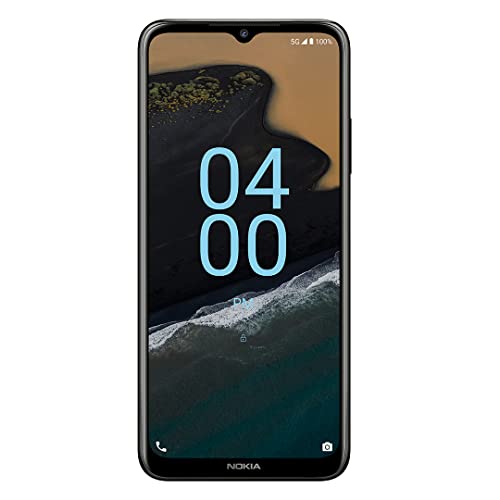
Live listings for the shortlist in this guide are pulled from Amazon below, so prices and availability are always current at the moment you look.


Questions to ask in the shop, in order
Begin with support, not with the screen. Ask the assistant to show you, on the maker’s own pages, the date until which this exact model receives security updates, and note whether that date was easy to find. Move next to repairs: ask which parts can be ordered for home fitting, which must be fitted by a service centre, and how long a typical order takes to arrive at an address like yours.
Then handle the phone as you will at home. Type a paragraph, take a photograph of the shop’s far wall, and make a short call to a companion standing outside so you can judge the earpiece in realistic noise. Open the settings and enlarge the text once, watching whether menus stay tidy. These ordinary tests reveal more than any demonstration mode, and they take less than ten minutes when you arrive knowing the sequence.
Finish with the unglamorous paperwork. Confirm what sits inside the box, whether a charger you own will suit it, what the return window allows, and how a warranty claim begins if the phone misbehaves in its first month. Write the answers on the receipt or in a note on the phone itself. A buyer who leaves with dates, parts routes, and return terms clearly recorded has already secured most of what this range promises, long before the first update or the first repair ever arrives.


