Our Top Picks
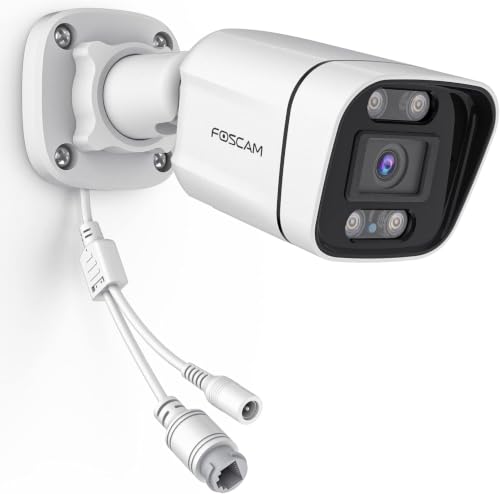 FOSCAM 4K 8MP IP PoE Security Cameras Wireless8MP POE7.6 x 3.94 x 4.17 inches1.1 poundsCheck on Amazon



What's inside
- Why Foscam Owners Add a Network Video Recorder
- Foscam’s Own Recorders and the Third-Party Alternative
- The ONVIF Question: What Decides Compatibility
- Channels and Resolution: Matching Cameras to Decoder Limits
- PoE Recorders and Wi-Fi Cameras: The Cabling Reality
- Hard-Drive Sizing: The Retention Calculation
- Motion Recording, Continuous Recording and Event Buffers
- Remote Viewing: The Foscam App, the Recorder’s App and the Big Screen
- Mixing Foscam Cameras With Other Brands on One Recorder
- Network Basics That Decide Whether the System Behaves
- Firmware, Passwords and Day-to-Day Hygiene
- Exporting Footage So It Can Actually Be Used
- Common Failure Modes and What They Mean
- Recorder Form Factors, Drive Bays and Noise
- Check prices on Amazon
- Sub-Streams, Mobile Playback and Bandwidth Manners
As an Amazon Associate I earn from qualifying purchases. This post may contain affiliate links at no extra cost to you.
This guide contains affiliate links, and the site may earn a commission when readers buy through them, which helps keep these guides free to read. Product details, stock and terms can change at any time, so check the listing carefully before ordering.
Why Foscam Owners Add a Network Video Recorder
A network video recorder, usually shortened to NVR, gives Foscam cameras a permanent home for their footage. Without one, most owners rely on a mixture of cloud subscriptions, memory cards inside individual cameras, and motion clips that exist only inside a phone app. Each of those options works until it does not. A memory card fills and overwrites quietly. A broadband outage pauses cloud uploads at exactly the moment a parcel goes missing. An app account problem can leave a camera recording nothing that anyone can later retrieve. A local recorder changes that picture because the video lands on a hard drive inside the building, under the owner’s control, whether or not the internet connection is healthy that day.
Continuous local recording is the strongest reason to add an NVR. Foscam cameras are widely used for driveways, small shops, warehouses, rental properties and family homes, and in all of those settings the useful footage is often the minute before an event rather than the event itself. A motion clip that starts when a door is already half open tells only part of the story. A recorder that keeps a rolling record around the clock lets the owner rewind to the approach, the vehicle, the face turned briefly toward the lens, and the direction of travel afterwards. That context is what turns a blurry alert into something a neighbour, an insurer or the police can actually use.
Independence from cloud plans matters for cost as well as reliability. Cloud storage is convenient, and for a single camera it can be entirely sensible, but the subscription maths changes as camera counts grow. Four or five cameras on paid plans can cost more over a few years than a recorder and a surveillance drive bought once. Local storage also keeps footage off third-party servers, which some owners prefer for indoor cameras in particular. The trade-off is responsibility: the owner becomes the person who checks that the drive is healthy, that the clock is right, and that the recorder has not silently stopped writing to disk.
An NVR also centralises management. Instead of opening each camera in turn to check settings, the owner gets one timeline, one search screen, one place to export clips and one set of user accounts. On a multi-camera property that consolidation saves real time. When something happens at 2 a.m., nobody wants to piece together four separate app histories with four different retention windows. A recorder presents the cameras side by side, synchronised to the same clock, and that alone justifies the hardware for many households and small businesses.
Foscam’s Own Recorders and the Third-Party Alternative
Foscam has sold its own recorders for years, and the FN3104H and FN3108E generation illustrates the shape of that line well. The naming carries the channel count: the smaller class handles four camera streams, the larger handles eight. These units were designed around Foscam’s own camera range, with plug-and-play discovery for compatible Foscam models, HDMI output for a local monitor, and recording resolutions matched to the camera generations of their era. For an owner whose cameras are all Foscam models from a similar period, a recorder from the same brand removes much of the guesswork around discovery and setup.
The limitation of the own-brand route is headroom. Recorders in that generation were specified for the resolutions common when they launched, and camera lines move on. A recorder whose decoding ceiling suits 1080p and modest 4 MP streams may struggle with a full set of newer high-resolution cameras, even if the channel count looks sufficient on paper. Firmware support also ages. A model that has not received updates for some time may still record perfectly well, but its remote viewing app, browser support and security patches can fall behind. Owners should read the specification sheet for maximum incoming bandwidth and decoding capability rather than judging by channel count alone.
Third-party NVRs from the wider surveillance industry take the opposite approach. They are built to ingest standard streams from many brands, and the better ones publish detailed compatibility information: supported ONVIF profiles, maximum bitrate per channel, total incoming bandwidth, and the number of streams they can decode at each resolution. That openness is valuable when a system mixes older Foscam units with newer cameras from other makers. It also means the buyer does the compatibility homework that a same-brand bundle would otherwise hide. The sections below work through that homework in the order it should be done.
Price positioning differs too, though the pattern is not simply that one route costs more. Own-brand recorders in the four- and eight-channel classes tend to be sold as accessible add-ons for home users, sometimes bundled with cameras. Third-party recorders span a much wider range, from compact home units to rack-mount machines with multiple drive bays and alarm inputs. The sensible comparison is not brand against brand but specification against requirement: channels today, channels plausibly needed in two years, the highest camera resolution in the system, and the number of days of footage the owner genuinely needs to keep.
The ONVIF Question: What Decides Compatibility
ONVIF is the interoperability standard that lets cameras and recorders from different manufacturers work together. It defines profiles covering streaming, recording, metadata and event handling, and a recorder that claims ONVIF support is really claiming support for particular profiles at particular versions. For Foscam owners the practical question is narrower: does this specific camera, running this specific firmware, expose an ONVIF stream and an RTSP stream that a third-party recorder can pull? When the answer is yes, the choice of recorder widens enormously. When the answer is no, the camera may only work fully inside Foscam’s own ecosystem.
Foscam’s camera history explains why the answer varies. The brand’s earlier standard-definition and early high-definition models were built around proprietary access, and some of those generations either lack ONVIF entirely or expose it in limited form. Later high-definition ranges moved toward standard protocols, and many of the widely sold 1080p and higher models document ONVIF and RTSP support in their manuals, sometimes behind a setting that must be switched on in the camera’s web interface. Security updates over the years also changed defaults: features that once shipped enabled may now ship disabled, requiring the owner to create a separate ONVIF user account on the camera before a recorder can connect.
That detail catches people out. A camera can appear in a recorder’s search results yet refuse the stream because the ONVIF user has not been created, or because the camera and recorder disagree about time and the authentication handshake fails. The specification sheet and the manual for the exact model, rather than a forum post about a similar model, are the reliable sources here. Owners planning a third-party recorder should verify each camera individually, ideally before buying the recorder, by checking the manual’s protocol section and, where possible, pulling the RTSP stream with a desktop player on the local network.
Readers comparing camera generations will find it useful to look at how resolution classes group together in practice, which is why many owners start with a roundup of the best 1080p ip cameras before deciding whether a recorder needs to handle anything beyond that tier. The 1080p class remains the most forgiving for third-party compatibility: streams are modest in bitrate, ONVIF support is well documented across that generation, and almost any current recorder decodes a full set of them without strain. Stepping above that class is where the checking starts to matter.
RTSP as the Fallback Path
RTSP, the Real Time Streaming Protocol, is the older and simpler route into a camera. Where ONVIF provides discovery, configuration and event signalling, RTSP provides the stream itself at a known address. Many recorders can add a camera as a generic RTSP source when ONVIF integration fails, and for basic continuous recording that can be enough. What the owner usually loses is the richer integration: motion events may not pass cleanly to the recorder, pan and tilt control may be absent, and two-way audio or smart detection features tied to the camera brand may not appear in the recorder’s interface. Recording still happens, search still works, but the system behaves like a set of cameras feeding a tape machine rather than a fully integrated system.
There is also a security dimension. RTSP streams on older firmware may be unencrypted on the local network, which is one more reason to keep cameras on a separated network segment, a topic covered later in this guide. For a camera that will never expose ONVIF properly, the honest choices are to keep it on a Foscam recorder, to use it as an RTSP-only channel with reduced features, or to retire it from the recorded system and let it serve as a live-view-only camera. Pretending full compatibility exists when it does not leads to the most common complaint in this category: a system that records but cannot do smart search, or that drops a channel every time the recorder reboots.
Channels and Resolution: Matching Cameras to Decoder Limits
Channel count is the headline number on every recorder box, and it is the least informative one. A sixteen-channel recorder does not promise sixteen happy cameras at any resolution; it promises sixteen stream slots within a total bandwidth and decoding budget. Each camera sends a stream with a bitrate, measured in megabits per second, and the recorder must receive all of those streams, write them to disk, and decode some of them for live display and playback at the same time. Those are three different jobs, and a recorder can be strong at one and weak at another. The specification sheet separates them: incoming bandwidth for recording, decoding capability for display, and playback capacity for review.
Resolution drives bitrate, though not in a perfectly straight line. A 2 MP camera, the 1080p class, commonly runs a main stream somewhere in the low single digits of megabits per second with modern compression. A 4 MP camera needs more, a 5 MP camera more again, and an 8 MP camera, the 4K class, can demand several times the bandwidth of a 1080p unit depending on frame rate, scene complexity and compression settings. Multiply a per-camera figure by the channel count and the totals climb quickly. Eight high-resolution cameras at busy settings can exceed the incoming bandwidth of a modest recorder even though eight is well within its channel count.
Compression helps, and the gap between H.264 and H.265 is significant in this category. H.265 typically cuts bitrate substantially for the same image quality, which means more days of storage and less network load, but it asks more of the decoder. A recorder that accepts H.265 streams may still limit how many it can display at full resolution simultaneously, falling back to sub-streams for grid view. That behaviour is normal and usually fine: the grid shows the lower-resolution sub-stream, a double-click opens the main stream, and the recording on disk is full quality throughout. Owners should confirm that the recorder records the main stream rather than the sub-stream, because a bargain unit configured carelessly can leave months of footage at a fraction of the camera’s real resolution.
Anyone planning a step up in resolution should read a dedicated comparison of the best 4k ip cameras alongside the recorder specifications, because the camera purchase and the recorder purchase constrain each other. A 4K camera feeding a recorder that caps recording at 4 MP wastes most of what the camera was bought for. Conversely, a high-end recorder paired with ageing 1080p cameras is harmless but unnecessary spending. The balanced system matches the recorder’s per-channel recording ceiling to the best camera in the set, with a little headroom for the next camera rather than a fantasy system that will never be built.
Frame Rate and Scene Complexity
Resolution is only half the stream. Frame rate multiplies the work: a camera at thirty frames per second sends roughly twice the data of the same camera at fifteen, and for most fixed surveillance views fifteen frames per second is plenty. Driveways, doors and tills do not need cinema smoothness; they need identifiable faces and readable plates at the decisive moment. Dropping frame rate on static views is the single easiest way to extend storage and relieve a recorder, and it costs nothing in evidential quality for slow-moving scenes. Fast scenes are the exception. A camera covering a road or a loading bay with quick vehicle movement benefits from a higher frame rate, and owners should budget bandwidth for that one channel rather than raising every camera to match.
Scene complexity matters as well. A camera pointed at a blank wall compresses beautifully; a camera pointed at trees in wind, rain on a driveway, or a busy shop floor produces far more data at identical settings because the encoder has more change to describe. Night footage with infrared illumination and sensor noise is also heavier than owners expect. Practical planning uses the camera’s configured maximum bitrate, often called the bitrate ceiling in Foscam’s web interface, rather than an optimistic average. If the ceiling figures fit inside the recorder’s incoming bandwidth with room to spare, real-world behaviour will too.
PoE Recorders and Wi-Fi Cameras: The Cabling Reality
Power over Ethernet, PoE, is the feature that sells many recorders, and it is also the feature most often misunderstood by Foscam owners. A PoE NVR has a built-in switch with powered ports: one network cable carries both data and power to each camera, the recorder discovers the cameras on its own private port network, and the whole camera system sits neatly behind a single uplink to the home router. It is tidy, reliable and electrically simple. The catch is that the camera at the other end must be a PoE camera. Most Foscam cameras sold for home use are not. The majority are Wi-Fi models powered by a separate adapter, and many of the brand’s wired models expect a power supply of their own unless a PoE splitter is added.
That does not make a PoE recorder useless with Foscam cameras; it changes how they connect. Wi-Fi Foscam cameras join the household wireless network and reach the recorder through the normal LAN connection, exactly as they would reach a non-PoE recorder. The PoE ports simply go unused, or serve a future wired camera. Owners should not let a PoE badge push them into rewiring cameras that work perfectly well over Wi-Fi, but they should be honest about Wi-Fi’s limits. Every wireless camera shares airtime with phones, laptops and streaming boxes, and a camera at the edge of coverage will drop frames or disconnect in bad weather when a wet wall attenuates the signal further.
For cameras that are wired but not PoE-native, a PoE splitter at the camera end separates the combined cable back into Ethernet and a power lead at the voltage the camera expects. This is a well-established workaround for running one cable to a distant camera position, and it suits Foscam models with an Ethernet port. The details that matter are matching the splitter’s output voltage and connector to the camera, and confirming the recorder’s per-port and total PoE budgets if several powered devices are planned. Standards-based PoE, described by the IEEE 802.3af and 802.3at specifications, negotiates power safely; passive injectors do not negotiate, and mixing the two carelessly can damage equipment.
When Wi-Fi Is the Right Answer Anyway
Plenty of good Foscam systems are entirely wireless, and for a rented home or a listed building they may be the only acceptable answer. The recorder does not care how the stream arrives, provided it arrives steadily. Making Wi-Fi recording reliable is a networking task: a strong access point placed with the cameras in mind, a preference for the less congested band where the camera supports it, and realistic expectations about how many simultaneous high-resolution streams a single consumer access point can carry. Four cameras is usually comfortable. Eight wireless cameras at high bitrates, sharing an access point with a busy household, is where owners start seeing the dropouts that get blamed on the recorder.
One hybrid pattern works well in larger homes. Cameras near the recorder or near a network switch go wired, because those runs are short and easy. Cameras at the far end of the property stay wireless, because trenching a cable across a garden for one viewpoint is hard to justify. The recorder treats both groups identically once the streams arrive. Owners planning this layout should reserve the wired channels in their head when counting, and should test each wireless camera’s signal at its mounting point before drilling anything, since a camera’s own reported signal bars are a rough but useful guide.
Hard-Drive Sizing: The Retention Calculation
Storage planning is arithmetic, not guesswork, and a few minutes with the numbers prevents the most common disappointment in this category: a recorder that keeps four days of footage when the owner assumed it kept a month. The formula is simple. Take the camera’s bitrate in megabits per second, multiply by the number of cameras, multiply by the seconds in a day, and divide by eight to convert bits to bytes. A single camera at four megabits per second produces roughly forty-three gigabytes per day of continuous recording. Four such cameras produce about one hundred and seventy gigabytes daily. A drive with two terabytes of usable space therefore holds around eleven to twelve days before the oldest footage is overwritten.
Work the calculation backwards from the retention goal. Decide how many days matter. A home that is checked daily may need only a week. A holiday property, a small business closed over long weekends, or a site where incidents surface slowly may need thirty days. Multiply the daily total by the target days, add a margin for the recorder’s formatting overhead and for bitrate spikes in busy scenes, and the result is the drive size to buy. If the number comes out larger than a single drive can provide, the options are a recorder with more bays, lower bitrates, motion-based recording, or a shorter retention target. Something has to give, and it is better to choose deliberately than to discover the compromise after an incident.
Drive type matters as much as drive size. Surveillance-grade drives are built for exactly this workload: continuous writing, twenty-four hours a day, from multiple simultaneous streams, in a warm enclosure, for years. Desktop drives are built for bursty use and regular rest, and they tend to fail earlier under constant writing, sometimes corrupting the recorder’s database as they go. The surveillance ranges from the major drive makers publish workload ratings and are rated for round-the-clock operation. They also handle the recorder’s error-recovery expectations better, which reduces the dropped frames that a struggling desktop drive can cause when it pauses to retry a bad sector.
One Drive or Two
Recorders with two bays raise a configuration question. Spanning the drives treats them as one large volume: maximum retention, but a single drive failure can take the whole archive with it. Mirroring keeps a copy of everything on the second drive: half the retention, but footage survives a failure. For most homes, spanning with a single good surveillance drive is the pragmatic choice, because the footage that matters is usually recent and the recorder itself is not a bank vault. For a business with compliance obligations or a site where footage has legal value, mirroring or a recorder with proper RAID options deserves the extra cost. Either way, the recorder’s drive-health page should be checked monthly; modern drives report their condition through S.M.A.R.T. data, and a drive showing reallocated sectors is asking to be replaced before it fails outright.
Owners should also know that the first format takes time and that a recorder may reserve a small percentage of capacity for its file system and event index. Quoted drive capacity and usable recording capacity are never identical, because drive makers count in decimal units and recorders report in binary ones. Planning with a ten percent margin absorbs all of these small losses without any unpleasant surprises in the first month.
Motion Recording, Continuous Recording and Event Buffers
Every recorder offers some version of the same choice: record everything, record only when something moves, or record continuously at a low stream and switch to full quality on events. Continuous recording is the simplest to reason about and the easiest to trust. Nothing depends on a detection algorithm noticing the important thing. Its costs are storage and search time, and both are manageable with the sizing maths above and a decent event index. For cameras covering entrances, tills and other high-value views, continuous recording is the setting this guide favours without much hesitation.
Motion-only recording stretches retention dramatically, sometimes by a factor of five or more on quiet views, but it moves trust onto the detection system. Foscam cameras offer motion detection with sensitivity and region settings, and newer models add human-shape detection intended to reduce false alarms from animals, headlights and moving shadows. When the camera does the detection and passes events to the recorder over ONVIF, missed events mean missing footage. When the recorder does its own motion analysis on the incoming stream, behaviour is more uniform across brands but the recorder spends processing power on analysis. Either way, quiet cameras are where motion recording earns its keep: a camera watching a rarely used side gate or a storage room can keep months of event footage on modest storage.
Pre-event and post-event buffers are the settings that make motion recording trustworthy. A pre-event buffer keeps a rolling few seconds in memory and attaches them to the start of each event clip, so the recording begins just before the trigger rather than just after it. A post-event buffer keeps recording for a set time after motion stops, which prevents a clip from ending while a person is standing still and then resuming as a second clip when they move again. Sensible starting points are five to ten seconds before and thirty to sixty seconds after, adjusted once the owner has watched a week of real events. Systems used around the clock benefit from thinking about this alongside a broader look at the best 24 7 security cameras, since cameras designed for uninterrupted duty pair naturally with continuous schedules and generous buffers.
Schedules and Privacy Masking
Most recorders allow schedules per camera, and they solve the indoor-camera problem neatly. A camera in a living space can record only when the house is empty or overnight, following a timetable the owner sets, rather than capturing family life all day. Business premises use the mirror image of the same idea: continuous recording during opening hours, motion-only overnight. Privacy masking is the related tool for outward-facing cameras. The recorder or camera can black out a neighbour’s window or garden from the recorded image, which is both courteous and, in some places, a legal expectation. Setting masks before recording starts is far better than discovering later that months of footage include a view that should never have been kept.
Remote Viewing: The Foscam App, the Recorder’s App and the Big Screen
Adding a recorder introduces a second viewing path, and owners should decide early which app becomes the daily habit. Foscam’s own app presents cameras individually, handles Foscam cloud features, and is where push notifications from the cameras themselves originate. A third-party recorder’s app presents the recorder as the source: live grid, synchronised playback, event lists drawn from the recorder’s index, and exports taken from the stored footage. Both can coexist, and many owners end up using the camera app for quick live checks and the recorder app for anything involving the past. Trying to make one app do everything usually ends with notification settings in two places fighting each other.
Notification discipline deserves a paragraph of its own. If the cameras push motion alerts and the recorder also pushes motion alerts, the phone buzzes twice for every cat. Pick one source for alerts, ideally the one whose detection the owner has tuned, and silence the other. Keep alerts for the important cameras only. A system that sends two hundred notifications a day trains its owner to ignore all of them within a week, and an ignored system is barely better than no system at the moment that matters.
The local display remains underrated. A recorder with HDMI output connected to a monitor gives instant, login-free viewing that no phone can match for speed, and in shops and workshops that monitor is often the main interface. Check the recorder’s maximum display resolution against the monitor, and check how many channels it can show at full resolution before it substitutes sub-streams. For playback, the local interface is usually the most capable version of the software: smart search, timeline zoom and export tools are frequently fuller on the recorder itself than in the companion app or the browser interface.
Browser Access and the End of Plugins
Older Foscam equipment and older recorders leaned on browser plugins that modern browsers no longer support, which is why so many owners have a memory of a camera that could only be configured from one ageing laptop. Current models have largely moved to plugin-free HTML5 viewing or to desktop client software. When evaluating a recorder, confirm how its live view and playback work in a current browser, or whether a maintained desktop client exists for the owner’s operating system. A recorder that records beautifully but can only be reviewed through obsolete software is a poor long-term buy, because the footage is only useful if it can be watched and exported years later.
Mixing Foscam Cameras With Other Brands on One Recorder
A mixed system is the normal end state of a camera setup that grows over years, and a standard-based recorder handles it gracefully within limits. Foscam cameras cover the house, a higher-resolution camera from another maker covers the driveway, a specialised camera watches the till. Provided each camera exposes ONVIF or a clean RTSP stream, the recorder records them all on one timeline. What varies is the depth of integration per camera. Native-protocol cameras usually give the recorder everything: motion events, smart detection labels, full configuration from the recorder’s menus. ONVIF cameras give a solid standard subset. RTSP-only cameras give the stream and little else.
Owners comparing recorder sizes for a growing mixed system often find that a mid-size chassis makes sense even with few cameras today, and anyone weighing that step can usefully review the best 16 channel dvr with 8 cameras category to understand how bundled recorder-and-camera kits are specced, even though those kits use analogue-style cabling rather than the IP approach covered here. The transferable lessons are about headroom, drive bays and power supplies rather than the transmission method. Buying one size up in recorder class is usually cheaper than replacing the recorder when camera nine arrives.
Time synchronisation becomes more important in mixed systems, because event correlation across brands depends on every clock agreeing. The recorder should act as the time authority where the cameras allow it, or all devices should point at the same network time server. A thirty-second disagreement between two cameras covering the same door makes timeline review confusing and can make exported evidence look sloppy. Set this up on day one, not after the first incident that needs cross-camera review.
Network Basics That Decide Whether the System Behaves
Most recorder problems that look like product faults are network problems wearing a disguise. The foundations are unglamorous: give each camera a fixed address, keep the addresses documented, and avoid letting the router hand out a new address to a camera after every power cut. Recorders find cameras by address; an address that changes is a camera that vanishes from the grid until someone re-adds it. Reserving addresses in the router’s DHCP settings achieves the same result with less per-camera configuration, and either method is fine provided it is done once and written down.
A separate camera network segment, whether a physical switch behind the recorder’s PoE ports or a VLAN on managed equipment, keeps camera traffic off the main household network and keeps household devices away from the cameras. The security benefit is real: cameras are small computers with a mixed update history across the industry, and isolating them limits what a compromised camera could reach. The performance benefit is real too, since a busy household network and a set of high-bitrate streams can otherwise contend at the cheapest switch in the chain. Owners without managed networking gear can still get most of the benefit from a PoE recorder’s built-in camera network, which is one of the strongest practical arguments for that recorder type.
Router and switch capacity deserve a quick audit. Gigabit ports are standard on current recorders and should be matched by a gigabit uplink where several cameras pass through one switch. The recorder’s own network port carries every remotely viewed stream as well as, in non-PoE layouts, every camera stream arriving for recording. A single remote viewer watching four full-resolution playbacks can saturate a slow connection, which is why recorder apps default to sub-streams on mobile data. None of this requires enterprise equipment; it requires knowing where the traffic flows and not routing all of it through the oldest piece of networking hardware in the house.
Remote Access Without Exposing the Recorder
The older pattern of forwarding ports from the public internet straight to a camera or recorder should be considered finished. It exposes a login page to constant automated attack, and the industry’s history of camera breaches is largely a history of exactly that exposure. The safer routes are the manufacturer’s cloud relay service, where the app connects through the vendor’s servers with the recorder making only outbound connections, or a VPN into the home network for owners comfortable running one. Both keep the recorder unreachable from the open internet. Whichever route is chosen, the recorder’s own user accounts still matter, because a relay account with a weak password undermines the whole arrangement.
Firmware, Passwords and Day-to-Day Hygiene
A recorder concentrates risk. One device holds every camera’s footage and, in many layouts, every camera’s credentials. That makes its password the most important one in the system. It should be long, unique to the recorder, and stored in a password manager rather than reused from the camera accounts or the household Wi-Fi. Foscam’s own security guidance over the years has repeatedly stressed changing default credentials on cameras, and the same discipline applies with more force to the recorder. Create named accounts for each person who needs access, give the everyday account viewing rights rather than full administration, and keep the administrator account for configuration changes only.
Firmware updates deserve a routine rather than a panic. Check the manufacturer’s support page for the exact recorder model a few times a year, read what each update changes, and apply security updates promptly while scheduling feature updates for a quiet moment. The same applies to the cameras, where Foscam publishes firmware by exact model and hardware revision, and installing firmware meant for a sibling model can disable a camera. Before updating anything, export the recorder’s configuration if it offers that option, and note the current firmware versions in the same document that holds the camera addresses. If an update misbehaves, that record is what makes recovery a task rather than an archaeology project.
Physical placement is part of hygiene too. A recorder should live somewhere ventilated, off the floor, and not obviously visible from a window, because a burglar who can see the recorder can take the evidence with them. The drive inside is the evidence. Some owners go further and keep a second copy of critical clips elsewhere, through scheduled exports or a cloud clip service for the most important camera. The recorder also deserves clean power. A small uninterruptible power supply keeps it recording through short outages and, just as importantly, lets it shut down or ride through the voltage dips that corrupt file systems when power flickers repeatedly.
Exporting Footage So It Can Actually Be Used
Footage that cannot leave the recorder is footage that barely exists. Every owner should rehearse an export before needing one for real: find an event, mark in and out points, export to a USB drive or over the network, and play the result on an ordinary computer. Recorders typically offer two export formats. The native format preserves everything, including multi-camera synchronisation and event data, but may need the manufacturer’s player. A standard format such as MP4 plays anywhere but usually carries one camera at a time and strips the metadata. For insurers and police, the standard format plus a note of camera, date and time is usually the practical choice, with the native export kept as the complete original.
Chain of custody sounds formal for a home system, yet the basics are simple and worth following whenever footage might matter. Export promptly, before retention overwrites the period in question, and if the incident is serious, consider pausing overwrite on the relevant channel or pulling the drive’s footage for the whole window rather than a tight clip. Keep the original export unchanged, make working copies for viewing, and write down who exported what and when. Clips trimmed for convenience are fine for showing a neighbour; the unedited original is what carries weight anywhere official.
Watermarks and timestamps embedded in the video image help here. Most Foscam cameras and recorders can overlay the camera name and a running timestamp on the recorded image itself, not just in the file metadata. Enable it. Metadata can be lost in conversion, while a timestamp burned into the picture survives every copy. Just ensure the clocks are right, which returns to time synchronisation: a visible timestamp that is forty minutes wrong is worse than none, because it looks authoritative while misleading everyone who reads it.
Common Failure Modes and What They Mean
Camera drops are the complaint every owner meets eventually. The pattern of the drop points to the cause. A single wireless camera dropping at the same time each evening suggests interference or a scheduled device competing for airtime. A camera that drops when it rains has a coverage or weatherproofing problem at its position. All cameras dropping together points at the switch, the recorder’s network port or power. Recorders keep logs, and the log’s timestamps turn guesswork into diagnosis: note whether the drop coincides with the recorder’s own reboot, a drive event, or nothing at all. Replacing a camera before reading the log is the expensive way to learn that a switch power supply was failing.
Time drift is the quiet failure. Cameras and recorders without a reliable time source drift apart by seconds a week, which is invisible until footage from two cameras must be lined up, or until a timestamp disagrees with a delivery record. The fix is one configuration pass: enable network time protocol synchronisation on the recorder and on every camera that supports it, confirm the time zone and daylight-saving behaviour on each, and re-check after any firmware update, since updates occasionally reset regional settings. An owner who checks the grid once a month will spot a drifting clock while it is still a curiosity rather than a problem.
Corrupted timelines and gaps in playback usually trace back to the drive or to power. A recorder that loses power mid-write can leave a damaged index, and many recorders will rebuild that index on the next start if given time to finish the job; interrupting the rebuild with impatient reboots makes things worse. Persistent gaps at the same times each day suggest a schedule or a detection setting rather than corruption. A drive reporting errors, a fan that has stopped, or an enclosure too hot to touch comfortably are hardware warnings to act on promptly. Heat is the slow killer in this category, and a recorder shut in an unventilated cupboard with a drive working continuously will age years in a single summer.
Recorder Form Factors, Drive Bays and Noise
The physical shape of a recorder influences where it can live, and where it can live influences whether it survives. Compact recorders with a single drive bay suit homes and small offices: they fit on a shelf, draw little power, and their single fan is quiet enough for a cupboard in a hallway. Larger chassis with two or four bays belong in the installations where retention targets or camera counts demand them, and they bring louder fans and a stronger expectation of a utility room, a rack, or at least a ventilated cabinet. Measuring the intended space before ordering sounds trivial, yet recorder returns in this category regularly involve a unit a few centimetres too deep for the shelf it was bought for, with cables that need still more room behind.
Noise deserves respect because recorders run at night in homes that are otherwise silent. The drive contributes a low hum and occasional seeking sounds; the fan contributes a constant note that carries through a stud wall better than owners expect. Placing a recorder in a bedroom-adjacent cupboard is the classic mistake. A utility space, a garage corner within the building’s insulated envelope, or an office that empties at night are all better homes. Where the only available spot is acoustically sensitive, a single-bay unit with a modern surveillance drive is noticeably easier to live with than a multi-bay chassis designed for a comms room.
Front-panel design varies more than it should. Some recorders expose drive bays behind a locked door, which suits business premises where the recorder sits in a shared space. Others put a USB port and basic controls on the front for quick exports, which suits homes where the recorder is the hub of the system. Indicator lights matter in daily life too: a clear drive-activity and alarm light lets an owner confirm health at a glance while passing, and that glance, repeated weekly, catches more problems early than any monitoring feature buried in a menu.
Check prices on Amazon
Live listings for the shortlist in this guide are pulled from Amazon below, so prices and availability are always current at the moment you look.


Sub-Streams, Mobile Playback and Bandwidth Manners
Nearly every Foscam camera produces more than one stream: a main stream at full resolution for recording, and one or two sub-streams at reduced resolution for lightweight viewing. Recorders lean on this arrangement constantly. The nine-camera grid on a monitor, the thumbnail previews in a phone app, and the low-data live view on a mobile connection are all sub-stream work. Understanding that arrangement explains behaviour that otherwise looks like faults. A grid view that seems softer than expected is showing sub-streams by design, and a phone app that sharpens noticeably when a single camera is opened has switched to the main stream for that view.
Owners can improve the experience by setting sub-stream parameters deliberately rather than accepting defaults. A sub-stream that is too small makes grid identification hard; one that is too large defeats its purpose and can overload a recorder’s decoder when nine of them run together. A middle resolution with a modest frame rate is the usual sweet spot, and because sub-streams are not what gets recorded, there is no evidential cost to keeping them lean. Cameras added over ONVIF usually expose their sub-stream as a second profile, and confirming that the recorder has picked it up is part of adding any third-party camera properly.
Bandwidth manners matter once remote viewing enters the picture. A recorder streaming full-resolution playback to a phone is competing with everything else on the household connection, and on an asymmetric home service the upload side is the bottleneck. Owners who regularly review footage away from home should test playback over their real connection rather than on the sofa, and should learn the app’s quality switch before they need it in a hurry. Some recorders also offer transcoded playback, re-encoding stored footage to a smaller stream on demand, which spends processor power to save bandwidth and can make remote review over a weak connection genuinely usable.
What to Do in the First Week
The first week of a new recorder’s life sets the pattern for its whole service. Watch a little footage every day, not because anything is expected to go wrong, but because familiarity with normal pictures is what makes abnormal ones obvious. Check how the driveway looks at noon glare, how the garden reads under infrared at midnight, and whether number plates stay legible on the one camera where plates matter. Adjust one setting at a time and note what changed, so that an unwelcome result can be traced to a specific decision. Confirm that the oldest day of footage is still present when the second week begins, which proves the retention calculation against reality rather than against the estimate. By the end of that week the owner should know the system’s ordinary behaviour well enough that a gap, a drifting clock or a soft picture stands out immediately, and that working knowledge, more than any single feature on the box, is what separates a dependable installation from a hopeful one.
Keep a simple system notebook, on paper or in a note on the phone, listing each camera’s position, address, model and firmware, the recorder’s firmware, the drive model and its installation date, and the retention the sizing calculation predicted. That single page turns every future question, from a support call to a drive replacement three years later, into a lookup instead of a fresh investigation, and it costs ten minutes on installation day.
A Short Commissioning Checklist
New systems behave best when they are commissioned deliberately rather than left at whatever settings the first evening produced. Work through the essentials once: every camera named for its location, every address fixed and documented, the time source confirmed on all devices, recording resolution verified as the main stream on each channel, motion regions drawn where motion recording is used, buffers set, one test export completed and played on a separate computer, remote access confirmed from outside the home network, and the administrator password stored safely. That hour of methodical setup is the difference between a system that merely records and a system that produces the right footage, findable and exportable, on the one day it is really needed.
Choosing between Foscam’s own recorders and a third-party machine is finally a question about where an owner wants the compatibility work to sit: inside a same-brand pairing that asks little and offers a fixed ceiling, or inside an open, standards-based recorder that asks for an evening of verification and then accepts almost any camera the future brings. Either route, set up with honest bitrate maths, fixed addresses, synchronised clocks and a drive built for the workload, turns a set of Foscam cameras into a recording system that keeps its promises quietly for years, and the evening spent checking ONVIF settings and decoder limits before ordering is the cheapest insurance in the whole project.
Related guides
- Best 1080p IP Cameras: PoE Domes, Turrets, Bullets and a PTZ That Earn Their Cable
- Best AC Powered Wireless Security Cameras: Wi-Fi Data, Mains Power, Zero Sleep
- Best Sony Full Frame Cameras for Astrophotography: Sensitivity vs Resolution
- Best Canon Point and Shoot Digital Cameras: PowerShot Picks From Pocket Compacts to Travel Zooms


