Our Top Picks




What's inside
- How a pioneering disk business became a Western Digital brand
- What the badge on a listing really tells you
- The product families, separated by intended workload
- Traits shared across the surviving catalogue, stated once
- Individual models worth shortlisting, and what sets each apart
- Recording method: why CMR and SMR change the answer
- Inside a helium drive, and why the seal matters
- What published reliability statistics can and cannot prove
- New old stock, recertified, or plainly used: pricing the risk
- The arrival inspection: reading a used drive’s health honestly
- Matching a drive to the job you actually have
- Handling, mounting, and habits that extend service life
- Interfaces, sector formats, and the small print of compatibility
- Four more models that surface constantly in listings
- Spotting misdescribed, relabelled, and counterfeit stock
- Wiping, reusing, and retiring drives responsibly
- A short decision routine before you spend anything
- Noise, vibration, and living with enterprise hardware at home
- Firmware, support status, and realistic expectations in 2026
- Capacity generations at a glance, and the years behind them
- Myths that refuse to die
- Questions that come up again and again
- When walking away is the right purchase decision
- Check prices on Amazon
- Disclosure
As an Amazon Associate I earn from qualifying purchases. This post may contain affiliate links at no extra cost to you.
Few names in storage carry as much second-hand baggage as Hitachi. Shoppers hunting for a Hitachi hard drive today are rarely looking at a current product line, because the brand itself left the market years ago. What they actually find is a mixture of enterprise surplus, new old stock, pulled server drives, laptop drives from retired machines, and relabelled units sold under confusing listings. That mixture is exactly why the name still matters. Drives carrying Hitachi or HGST branding include some of the most respected mechanical disks ever shipped, alongside ordinary consumer models that deserve far less enthusiasm. Sorting one group from the other requires a little history, a clear view of each family, and a disciplined routine for checking any individual unit before money changes hands.
Our research for this guide draws on manufacturer datasheets, Western Digital product documentation that succeeded the HGST catalogue, published fleet reliability reporting, and the specifications printed on drive labels across generations. Rather than treating every Hitachi-badged disk as equal, the sections below separate datacenter hardware from desktop and mobile lines, explain where helium sealing and recording method change the buying decision, and finish with the inspection steps that matter when nearly everything on sale is used, refurbished, or old stock.
How a pioneering disk business became a Western Digital brand
The lineage starts long before the Hitachi name appeared on a drive label. IBM built much of the early hard disk industry, and its storage division produced landmark products including pioneering air-bearing head designs and, much later, the tiny Microdrive. In 2002 IBM agreed to combine its hard disk operations with Hitachi storage activities, and the resulting company, Hitachi Global Storage Technologies, began operating in 2003. The new venture inherited IBM lines such as Deskstar for desktops and Travelstar for laptops, together with factories, firmware teams, and enterprise relationships.
Under Hitachi GST the catalogue settled into a recognisable shape. Ultrastar models served servers and storage arrays, Deskstar handled desktop duties, Travelstar covered mobile computing, CinemaStar targeted video recording, and Endurastar addressed harsh automotive and industrial settings. The company also pushed areal density hard, shipping early perpendicular recording products and later pioneering helium-filled enclosures for high-capacity datacenter models.
Western Digital announced its acquisition of Hitachi GST in 2011 and completed the purchase in March 2012. Regulators required certain 3.5-inch production assets and intellectual property to be divested to Toshiba, a condition that explains why some desktop designs of that era surface under Toshiba branding instead. The acquired business operated for several years as HGST, a Western Digital company, keeping its own engineering identity and product naming. Gradually the HGST label faded: enterprise lines were folded into Western Digital branding around 2018, and Ultrastar survived as the datacenter family name while Deskstar and Travelstar were retired.
That corporate timeline has practical consequences for buyers. A drive labelled Hitachi GST predates the Western Digital era or comes from its earliest transition period, so even unused examples are old. HGST-labelled units span a wide window that includes both ageing desktop models and sophisticated helium datacenter drives still desirable for home labs. Western Digital Ultrastar products carrying DC HC designations are the direct descendants, supported through current channels with conventional warranties. Identical-looking listings can therefore describe hardware separated by a decade of design progress.
What the badge on a listing really tells you
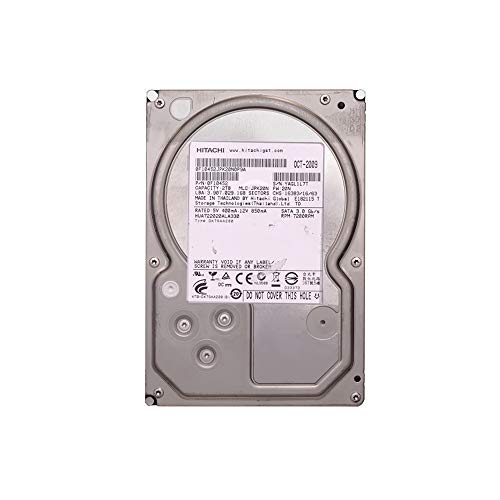
Sellers use the Hitachi name loosely, and listing wording deserves close reading. Genuine factory labels state manufacturer, model number, serial number, manufacturing date, rated voltage, and regulatory marks. Marketplace shorthand often compresses all of that into a headline mentioning only capacity and brand, which hides the distinction between an enterprise Ultrastar pulled from a decommissioned array and a consumer Deskstar removed from a prebuilt desktop. Always match the full model string on the label against the corresponding datasheet before assuming anything about workload rating or recording technology.
Refurbishment language adds another layer of ambiguity. Manufacturer recertified drives pass through a formal programme with defined screening and a stated warranty, whereas seller refurbished can mean anything from a verified low-hours unit to a wiped disk wearing a fresh sticker. Some drives carry white labels because they were produced for an equipment manufacturer or processed through a recertification channel; a white label is not automatically suspicious, yet it removes the quick reassurance of a retail label and makes serial verification more important.
Age interacts with every other variable. Mechanical drives deteriorate in storage as well as in service: lubricants settle, rubber components harden, and stiction can affect units left unpowered for very long periods. A sealed Deskstar manufactured in 2011 has never spun for a customer, but its materials have still experienced well over a decade of shelf time. Conversely, a 2019 Ultrastar with moderate recorded hours from a climate-controlled datacenter may prove the healthier purchase. Manufacturing date, power-on history, and health attributes together tell a fuller story than any single headline claim.
The product families, separated by intended workload
Ultrastar sits at the top of the historical range. These drives were engineered for continuous operation in servers, RAID arrays, and bulk storage systems, with rotational vibration compensation, error recovery behaviour tuned for array controllers, and workload ratings far beyond desktop expectations. Capacities grew from hundreds of gigabytes in early generations to fourteen terabytes and beyond during the helium era. Interface choices included SATA, SAS, and earlier Fibre Channel on legacy models, so checking connector type matters when browsing surplus stock.
Deskstar was the desktop counterpart, built for single-drive personal computers, external enclosures, and light-duty storage. Variants included mainstream fast-spinning models, slower energy-saving versions, and a NAS-branded sub-line with firmware adjusted for small arrays. Retail kits once filled shop shelves, which is why so many survive as boxed old stock. Their workload assumptions were always modest, and a Deskstar that spent years as the only disk in a busy family computer has lived a very different life from an Ultrastar of similar vintage.
Travelstar carried the name into laptops, balancing shock tolerance against power draw for portable machines in the compact 2.5-inch format. Many examples remain inside older notebooks, game consoles, and portable enclosures. CinemaStar models adapted desktop and mobile platforms for set-top boxes and surveillance recorders, favouring quiet acoustics and smooth streaming behaviour. Endurastar units, rarely encountered in consumer channels, tolerated temperature extremes and vibration for vehicle and industrial installations.
Understanding family placement prevents the most common buying mistake in this market: paying enterprise money for consumer hardware because the shared Hitachi name implies shared engineering. It also works in reverse. Shoppers who only need a scratch disk for non-critical duties can save money with a healthy Deskstar instead of hunting down surplus Ultrastar stock, provided they accept lighter endurance assumptions and keep proper backups elsewhere.
Traits shared across the surviving catalogue, stated once
Certain specifications repeat so often across these families that repeating them under every model would waste your attention, so they are collected here a single time. Nearly every SATA example from the Hitachi, HGST, and early Western Digital Ultrastar generations uses the 6 Gb/s revision of the interface, falls back gracefully to earlier negotiated speeds, and draws power through the standard fifteen-pin connector. Desktop and enterprise 3.5-inch units expect both twelve-volt and five-volt rails, while 2.5-inch Travelstar models run from five volts alone, which is why they suit bus-powered enclosures. Rotational speeds cluster into three camps: roughly 5,400 rpm for efficiency-oriented designs, 7,200 rpm for performance and enterprise lines, and discontinued 10,000 and 15,000 rpm Ultrastar models that belonged to the era before solid-state storage took over latency-sensitive work.
Cache sizes grew steadily with each generation, from eight megabytes on elderly desktop drives through sixty-four, one hundred twenty-eight, and two hundred fifty-six megabytes on later enterprise models, with the largest helium drives carrying even more. Sector formatting also shifted during the catalogue’s lifetime: older products use native 512-byte sectors, transitional designs emulate 512-byte logical sectors on 4K physical media, and datacenter variants offer native 4K formatting for hosts configured to expect it. Where a model below departs from any pattern described in this section, the departure is flagged in its own profile.
Individual models worth shortlisting, and what sets each apart
Ultrastar DC HC520, the twelve-terabyte helium workhorse
Originally sold as the He12 generation, the HC520 represents the mature end of HGST helium engineering. Twelve terabytes inside a sealed enclosure filled with helium rather than air let its platters spin with less turbulence, trimming power draw despite the capacity on offer. System builders favour this model for bulk media libraries and backup targets because density per bay is its whole argument: fewer enclosures, fewer cables, fewer drive slots consumed. The SAS variant suits harvested enterprise controllers, while the SATA version drops into ordinary NAS boxes and desktop cases without drama. Watch for power-disable behaviour on units pulled from particular OEM systems, since some host power supplies need a simple adapter workaround before the drive will spin up.
Ultrastar DC HC310, air-filled enterprise storage at moderate sizes
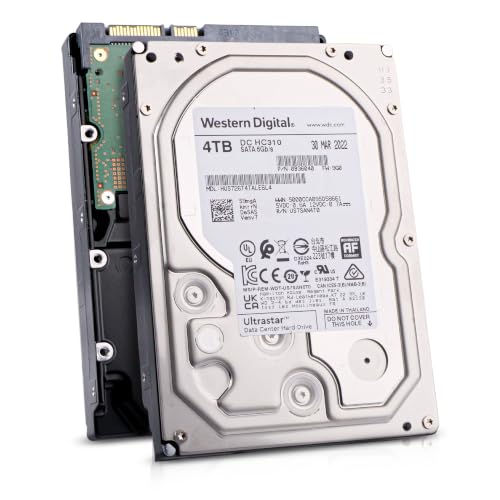
Where the HC520 pursues maximum density, the HC310 family, descended from the 7K6 line, keeps conventional air-filled construction at six and eight terabytes. That choice makes it a comfortable fit for smaller servers and cost-sensitive arrays where helium pricing never made sense. Its appeal lies in predictability: enterprise firmware behaviour, generous workload allowances, and none of the exotic handling questions that surround sealed helium units. Home lab buyers often pick HC310 stock for RAID rebuilds because matching rotational characteristics with existing members of an array is straightforward, and because these drives flooded the refurb market in large, consistent batches.
Ultrastar 7K6000, the last air-breathing generation before helium took over
The 7K6000 series topped out at six terabytes using conventional construction, and it illustrates how far perpendicular recording progressed before helium became necessary. Five platters crowd inside the enclosure, a mechanical density that contributes to its weight and its audible character under seek load. For buyers, the distinguishing point is value: datacenters retired these in volume, so asking prices often undercut newer families substantially. The trade-off sits in efficiency and noise rather than capability, making the model sensible for a detached backup server or an offsite rotation pool where watts and decibels matter less than dependable capacity.
Ultrastar He8, an earlier helium milestone still circulating
Before the HC naming scheme arrived, the He8 put eight terabytes into a helium enclosure at a moment when air-filled rivals stopped at six. Its historical significance translates into present-day caution. Early helium production means older seals, older firmware branches, and a higher chance that any given example has accumulated serious service hours. Specialists still buy them for specific array-matching reasons, but general shoppers usually do better stepping forward to the HC520 generation or sideways to an air-filled HC310. Treat He8 listings as specialist purchases requiring especially careful health screening rather than default recommendations.
Deskstar NAS, the desktop line adapted for small arrays
Among Deskstar variants, the NAS edition deserves separate attention because its firmware changed the personality of the underlying hardware. Error recovery timing was shortened so a struggling drive hands control back to an array controller quickly instead of stalling a volume, and rotational vibration handling received attention appropriate to multi-bay enclosures. Capacities centred on the three to six terabyte band that home servers favoured during its era. If your plan involves a two-bay or four-bay home NAS and brand-new drives feel overpriced for the role, a verified low-hours example from this sub-line is the Deskstar most aligned with that job. Readers sizing a fresh array may also want our capacity-focused guide to best 4 tb hard drives, since four terabytes was this family’s sweet spot.
Deskstar 7K1000 and its mainstream desktop siblings
The long-running 7K1000 name covered one-terabyte-class desktop drives sold in enormous numbers through retail and prebuilt systems. Nothing about the design is exotic, and that is precisely the point of discussing it: this is the baseline against which enterprise claims should be measured. A healthy example remains perfectly serviceable for a retro build, a secondary games library on a budget machine, or a sacrificial drive for operating system experiments. What it should never be is the only home for irreplaceable files, because age alone has consumed most of its design life. Buy on condition evidence, not nostalgia, and keep expectations firmly in the light-duty lane.
Travelstar 7K1000, the quick-spinning laptop option
Within the mobile family, the 7K1000 stood out by bringing the faster rotational speed to a one-terabyte laptop drive at a standard nine-and-a-half millimetre height. Owners of older notebooks used it to delay a full machine replacement, and PlayStation-era console upgraders adopted it widely. Its distinguishing trait today is versatility at small scale: it fits drive caddies, slim enclosures, and compact backup kits where 3.5-inch hardware cannot go. Power consumption stays modest enough for bus-powered use, although a worn example with rising start-stop counts will complain audibly long before it fails outright, giving attentive owners useful warning.
Travelstar 5K1500, capacity and quiet over speed
The 5K1500 took the opposite mobile trade: one and a half terabytes, slower spindle, calmer acoustics. Three platters delivered a capacity figure that embarrassed many desktop drives of its day, aimed at media-heavy laptops and external storage. In current listings it shows up inside portable enclosures and as pulled stock from large notebooks. Choose it for archive shuttling and media playback duties, where sequential transfers dominate and rotational latency barely registers. Avoid it for operating system duty in a machine you rely on daily, because the slower spin makes ageing hardware feel heavier than it needs to.
Recording method: why CMR and SMR change the answer
Two ways of laying down magnetic tracks divide the drives in this catalogue, and confusing them leads to disappointing purchases. Conventional magnetic recording keeps tracks side by side without overlap, so any sector can be rewritten at full speed whenever the host asks. Shingled magnetic recording overlaps tracks like roof tiles, gaining capacity from the same platter area but forcing the drive to rewrite neighbouring data during many write operations. Sustained writes, RAID rebuilds, and busy NAS workloads expose that penalty quickly.
Most Ultrastar models, including every helium generation discussed above, use the conventional approach, which is one reason datacenter buyers trusted them for rebuild-heavy arrays. The desktop picture is murkier. Later cost-reduced consumer drives across the industry adopted shingled recording, sometimes without prominent disclosure, and surplus listings rarely volunteer the information. The defence is documentary: look up the exact model string in manufacturer literature before purchase, and treat vague answers about recording method as a reason to walk away when the intended job involves parity RAID or constant writing. Our broader explainer on internal storage choices, best 1tb internal hard drives, touches on the same distinction at smaller capacities.
Inside a helium drive, and why the seal matters
Helium’s role is physical rather than magical. The gas is far less dense than air, so platters and heads experience less drag and flutter while spinning, allowing more platters to stack into the standard enclosure height with tighter spacing. Lower drag also trims motor effort, which is why the largest HGST and Ultrastar models post surprisingly modest power figures for their capacity. The enclosure must be hermetically sealed to keep the gas in, and that seal is engineered for the drive’s service life rather than indefinite survival.
For second-hand buyers the seal introduces a slow-moving variable that ordinary health data does not capture well. Some enterprise models report a helium level attribute through their diagnostic data, and a declining reading deserves to end the conversation about that unit. Drives cannot be refilled or resealed outside a factory, so a compromised example is scrap regardless of how clean its surface scan looks. This is another argument for favouring later helium generations over the earliest experiments when prices are close.
What published reliability statistics can and cannot prove
Cloud storage provider Backblaze has published drive failure statistics from its fleet for many years, and HGST models featured prominently in those reports during the 2010s. Several HGST four-terabyte enterprise and desktop-derived models recorded annualised failure rates below one percent across large populations, figures that built the brand’s formidable reputation among home server enthusiasts. The data is genuinely useful, but its limits deserve equal emphasis. Fleet statistics describe specific models operating in controlled datacenters with consistent vibration, temperature, and power conditions; they say little about a single drive shipped loose in a padded envelope a decade later.
Manufacturer datasheets frame reliability differently, quoting mean time between failures figures such as two million or two and a half million hours for enterprise lines, alongside annualised failure rate targets and workload allowances measured in terabytes written per year. These are population-level engineering estimates, not promises about an individual unit. The sensible reading combines both sources: use fleet data and datasheet ratings to choose which models deserve a place on your shortlist, then use per-drive health inspection to decide whether a particular example deserves your money.
One historical caution belongs here. Enthusiast folklore sometimes drags the Deskstar name through a much older episode involving IBM drives from around the turn of the millennium, a failure saga that attached an unflattering nickname to one specific generation. That episode predates Hitachi GST ownership of the line and says nothing meaningful about later Deskstar or Ultrastar products. Judging a 2016 Ultrastar by a 2001 desktop drive’s reputation is no more logical than the reverse.
New old stock, recertified, or plainly used: pricing the risk
Three broad categories dominate listings, and each deserves a different level of scrutiny. New old stock means a drive that never entered service but may have sat in a warehouse for years; verify the manufacturing date, remember that factory warranties have usually expired regardless of the seal on the antistatic bag, and budget time for a full surface verification before trusting it. Recertified units have passed through some screening programme, though the rigour varies enormously between a manufacturer scheme and a reseller’s bench check. Plainly used drives, sold as pulled or tested, carry the most unknowns and should be priced accordingly.
Warranty terms often matter more than small price gaps. A recertified Ultrastar backed by a reseller warranty measured in years can be a safer buy than a nominally new Deskstar whose only protection is a thirty-day return window. Read what the warranty actually covers: replacement with another refurbished unit is common, data recovery is essentially never included, and return shipping costs sometimes erase the saving that justified the purchase. Whatever category you choose, the arrival routine in the next section applies in full, because paperwork promises are no substitute for inspecting the actual hardware.
Capacity economics also shift between categories. At small sizes, per-terabyte pricing on old Hitachi stock frequently looks poor next to modern alternatives, and the sensible roles narrow to period-correct restorations, console upgrades, and spares for legacy systems; our guide to best 2tb internal hard drives covers that contested size class in depth. At eight terabytes and beyond, enterprise surplus pricing becomes genuinely competitive, which is why the helium and HC310 families attract the most serious attention from home lab buyers.
The arrival inspection: reading a used drive’s health honestly
Every second-hand mechanical drive should pass the same gauntlet before data moves onto it. Begin with the label and the diagnostics together. Connect the drive, read its self-monitoring data with a reputable utility, and record the headline attributes: power-on hours, start-stop or power-cycle counts, reported temperature history where available, and the raw values for reallocated sectors, pending sectors, and uncorrectable errors. On a healthy used enterprise drive, reallocated and pending counts should sit at zero; a small nonzero figure is not an automatic death sentence for a scratch role, but it disqualifies the unit from solo storage duty and strengthens your hand in any return discussion.
- Power-on hours reveal total spinning life; compare the figure against the seller’s description and the manufacturing date for consistency.
- Reallocated sector count shows how many failing areas the drive has already retired, and growth during your own screening is a clear rejection signal.
- Current pending sectors mark spots the drive cannot currently read, which frequently precede wider surface deterioration.
- Command timeouts and interface error counters can point to cable or enclosure problems rather than media damage, so swap cables before condemning a unit.
- Helium level reporting, where the model supports it, adds a seal-health datapoint unique to the high-capacity families.
Follow the attribute reading with active screening. Run the drive’s built-in short self-test, then an extended surface read across the full capacity, listening for repetitive seeking, clicking, or spin retry sounds that indicate mechanical distress. A complete write-and-verify pass on an empty new arrival goes further still, exercising areas a read scan of a blank disk cannot reach. Only after those stages should the drive join an array or accept backup duty, and even then the first weeks deserve periodic attribute checks to confirm nothing is drifting.
Sellers occasionally present screenshots of health tools as proof of condition. Treat images as a starting point only: serial numbers in screenshots should match the physical label of the unit that arrives, attribute values should be captured again on your own bench, and any mismatch between the advertised model string and the firmware-reported model string ends the transaction. Drives with altered firmware identity or zeroed timers do circulate, and the defence is simply refusing to skip your own inspection because a listing looked convincing.
Matching a drive to the job you actually have
Home NAS builders form the largest audience for surplus Ultrastar stock, and their priorities are consistent: conventional recording, tolerance for multi-drive vibration, and predictable behaviour during long rebuilds. Helium HC520 units maximise bay density for media collections, while HC310 models keep costs contained for general family storage. Buy matched sets from one batch where possible, keep a cold spare on the shelf, and remember that RAID protects availability, not data; a separate backup remains non-negotiable.
Desktop users face a simpler calculation. A single healthy enterprise drive makes a fine bulk data disk beside a solid-state system drive, storing game libraries, virtual machine images, and video projects at modest cost. Noise is the caveat: datacenter drives prioritise reliability over acoustics, and their seek sounds carry through lightweight cases. Rubber mounting, slower spin-down settings, and placing the case away from the desk all soften the intrusion, but a silence-obsessed builder should sample one unit before committing to several.
For external and portable roles, Travelstar models inside reputable enclosures remain handy, particularly for shuttling large media folders between sites or feeding a media player. Manage expectations about throughput, since the interface of an elderly enclosure often limits transfers more than the mechanism does. Whatever the role, format new arrivals completely, verify the reported capacity matches the label to guard against misdescribed stock, and log the serial number with your purchase records so warranty conversations start from evidence.
Handling, mounting, and habits that extend service life
Mechanical drives tolerate less casual handling than their metal shells suggest. Keep a firm grip away from the circuit board, avoid stacking unprotected units, and let a cold drive warm to room temperature before powering it, so condensation never forms on internal surfaces. In the case, secure all mounting screws evenly; a drive fixed on one side only can resonate against the chassis and add vibration that neighbours in the same cage will also feel. Enterprise models in particular assume the rigid mounting of a server tray.
Power quality quietly shapes longevity. A reputable power supply, clean shutdowns, and protection against abrupt outages reduce the emergency head-parking events that stress mechanics over time. Temperature deserves similar respect: sustained operation at the hot end of a drive’s rated range accelerates wear, so a modest fan path across a drive cage repays its tiny cost. None of these habits can rescue a drive that arrived with failing media, which is why they complement screening rather than replacing it.
Interfaces, sector formats, and the small print of compatibility
Surplus enterprise stock introduces compatibility questions that retail desktop drives rarely raise. SAS models appear regularly in Ultrastar listings at tempting prices, yet a SAS drive cannot connect to a SATA controller, even though the reverse combination works on a proper SAS backplane. The connectors look deceptively similar, and the signalling is entirely different. Anyone building around harvested SAS units needs a host bus adapter, suitable cabling, and a tolerance for fan noise, because the controllers and enclosures involved were designed for server rooms rather than studies.
Sector format deserves a question before checkout as well. Datacenter variants shipped in both emulated and native 4K flavours alongside traditional 512-byte models. An emulated-format drive behaves politely with older operating systems and cloning tools, while a native 4K unit can confuse legacy boot environments and some RAID controllers. The model string suffix usually encodes the choice, and datasheets decode it precisely, so a minute with the documentation prevents an afternoon of troubleshooting. Similarly, a handful of OEM-specified drives implement the power disable feature on the third pin of the power connector, which older supplies hold at a voltage that keeps the drive permanently asleep; the fix is trivial once identified, baffling until then.
Physical mounting holds one more trap. A few high-capacity models omit certain bottom mounting holes or shift their positions to accommodate extra platters, following an industry pattern that broke compatibility with some tool-less trays and compact enclosures. Checking a dimension drawing sounds pedantic until a drive costing real money refuses to seat in the only NAS you own. Measure the tray, compare hole positions, and confirm the enclosure accepts the drive’s height, particularly with thicker enterprise units destined for slim desktop cases.
Four more models that surface constantly in listings
Ultrastar DC HC330, ten terabytes without helium
The HC330 answers a question many buyers ask: how much capacity can conventional air-filled engineering deliver before helium becomes unavoidable? Its answer is ten terabytes, achieved with mature perpendicular recording and a media cache architecture that accelerates bursts of writes. Owners pick this line when they want modern density yet prefer to avoid dependence on a sealed gas enclosure, whether for longevity modelling in an archive or simple peace of mind. Performance character differs subtly from the helium HC520 family, with sustained throughput a touch lower at the largest sizes but small-file behaviour that feels every bit as enterprise-grade. For a mixed array of documents, photographs, and project archives, that balance lands comfortably.
CinemaStar 7K1000.C, tuned for recorders and quiet rooms
Consumer electronics duties shaped the CinemaStar branch, and the 7K1000.C shows those priorities clearly. Acoustic tuning softens seek noise for living-room hardware, while streaming-oriented firmware favours smooth delivery of video data over raw benchmark theatrics. These drives lived inside digital video recorders and early network video systems, so surviving examples often report very high power-on hours accumulated in always-on service, even when their start-stop counts look gentle. Judge them by hours first. A low-hours example makes a pleasant, unobtrusive bulk drive for a media cabinet; a recorder veteran with sixty thousand hours belongs in the reject pile regardless of how quiet it still sounds.
Travelstar Z7K500, the slim drive that hid inside ultraportables
At seven millimetres thin, the Z7K500 slipped into ultraportable laptops that could not accept the standard mobile drive height of its period. Five hundred gigabytes at the faster mobile spindle speed made it a popular factory fitment, and it later became a favourite for reviving slim machines and building pocketable external drives. The thinness is its whole identity: when a caddy, console bay, or enclosure specifies a seven-millimetre mechanism, few alternatives exist at any price. Confirm the height requirement of your target device before buying, because the standard-height Travelstar models described earlier will not squeeze into a bay designed around this drive.
Deskstar 5K3000, the CoolSpin approach to bulk desktop storage
The 5K3000 line pursued efficiency through a reduced rotational speed under the CoolSpin banner, targeting capacity-focused desktop storage and early home server builds. Lower spindle speed brought quieter operation and gentler power demands, paid for with slower random access that matters little when a drive mostly serves films, music, and backups. Surviving units often come from external enclosures that owners shucked for other projects, so inspect the board for enclosure-specific firmware quirks and confirm the drive reports its full native capacity on a direct motherboard connection. As a low-stress archive disk inside a cool, ventilated case, a verified example still earns its keep.
Spotting misdescribed, relabelled, and counterfeit stock
Popular enterprise models attract a fringe of dishonest supply, and the warning signs are learnable. Labels with blurry printing, spelling slips in regulatory text, or fonts that differ from factory photographs deserve immediate suspicion. Weight offers a crude cross-check, since helium models feel noticeably lighter than air-filled drives of similar size, and a supposedly helium unit with desktop heft warrants questions. Serial numbers should follow the manufacturer’s format and decode to a plausible production period matching the printed date; a drive claiming recent manufacture under a brand retired years ago is telling you a story that cannot be true.
Firmware-reported identity provides the strongest evidence. Diagnostic utilities display the model and serial exactly as the drive reports them internally, and those values must agree with the physical label. Disagreement means the board has been swapped, the firmware altered, or the label printed by someone other than the manufacturer. Timer manipulation also exists: utilities can reveal inconsistencies such as a drive reporting minimal hours alongside a huge count of head load cycles or an error log referencing events the claimed history cannot explain. Any single inconsistency justifies returning the unit while the return window remains open.
Channel discipline reduces exposure before any of this becomes necessary. Established refurbishers with named warranty programmes, consistent grading language, and serial-level inventory practices cost slightly more than anonymous marketplace sellers for a reason. Photographs of the actual item beat stock images, detailed health reports beat adjectives, and a seller who answers model-string questions precisely is demonstrating the competence you are paying for. When a listing resists every attempt at verification, the discount on offer is compensation for risk you cannot quantify.
Wiping, reusing, and retiring drives responsibly
Surplus drives sometimes arrive carrying remnants of a previous life, and your first write pass doubles as a sanitisation step. A full overwrite with a dedicated erasure utility, verified afterwards, handles ordinary reuse confidently; enterprise models additionally support instant secure erase functions built into their firmware, which reset the media far faster than a sector-by-sector pass. Perform this before loading personal data, both for hygiene and because the write load forms part of the stress screening described earlier. If a drive fails during erasure, it has done you the favour of failing early and empty.
At the other end of ownership, retirement deserves equal care. A drive leaving your household should leave wiped or physically destroyed, since recovery tools make forgotten files embarrassingly accessible. Drives that failed mechanically can go to electronics recyclers who handle data-bearing devices under documented destruction policies. Keeping a simple log of serial numbers, purchase dates, and disposal dates closes the loop and helps if a warranty or recall question surfaces later.
A short decision routine before you spend anything
Condensing the guidance above into a working order helps when listings multiply. Start by naming the job precisely, because archive duty, NAS service, and daily desktop use reward different families. Shortlist models whose datasheets match that job on recording method, workload rating, and interface, ignoring everything outside the list no matter how dramatic the discount. Verify the exact model string, sector format, and connector type with the seller in writing. Compare total cost including the warranty quality behind it, not headline price alone. Readers planning around the largest sizes can cross-check expectations against our survey of best 10tb external hard drives, which shows how external products frame the same capacity territory.
When the parcel arrives, photograph the label, capture health attributes before the first power cycle in your machine if the tooling allows, and run the full screening sequence within the return window rather than after it. Log serial numbers and attribute snapshots in a plain document you will still be able to find in three years. Drives that pass join your backup rotation with monitoring enabled; drives that stumble go back while evidence is fresh. Followed consistently, that routine converts a market full of question marks into a dependable source of inexpensive, honest capacity.
Noise, vibration, and living with enterprise hardware at home
Specifications rarely prepare home users for the soundtrack of datacenter drives. Enterprise models spin up with authority, seek with a purposeful clatter, and run background media scans that produce periodic bursts of activity when the host machine seems idle. None of this signals a fault. It reflects design priorities set for rack environments where nobody sleeps beside the equipment. Deskstar and Travelstar products, tuned for offices and laptops, behave far more politely, and the difference is obvious within the first evening of ownership.
Vibration management matters at array scale. When several drives share a cage, their rotational energy can reinforce each other, and enterprise firmware includes compensation for exactly that scenario, one more reason matched Ultrastar sets behave well together. Mixing a lone shingled desktop drive into such a group produces the opposite effect, because its write behaviour stalls while neighbours wait. Keep families together, mount everything firmly, and give the cage airflow that reaches every unit rather than only the front one.
Acoustic tricks can soften a loud installation without harming the drives. Decoupling mounts, felt-lined panels, and relocating the enclosure to a cupboard with ventilation all help, provided temperatures stay monitored. What never helps is restricting airflow to silence a fan, or stacking drives tightly to save space and letting them cook. Heat shortens mechanical life far more reliably than noise predicts failure, so solve the sound problem with distance and damping rather than insulation around hot metal.
Firmware, support status, and realistic expectations in 2026
Support realities deserve plain language. Hitachi GST as a company no longer exists, HGST-branded support pages were absorbed into Western Digital channels, and documentation for retired families survives mainly through archived datasheets and the successor Ultrastar literature. Firmware updates for the oldest models effectively ended years ago, which carries two implications. Known bugs in a given revision will stay known, and compatibility with future controllers rests on the standards compliance the drive shipped with rather than on any coming fix.
None of that makes the hardware unusable; it simply shifts responsibility onto the buyer. Standard SATA behaviour ages gracefully, and a well-kept enterprise drive from a decade ago still interoperates with current controllers in the overwhelming majority of builds. SAS infrastructure demands more care, because controller generations, expander firmware, and drive formatting interact in ways that reward keeping the whole chain from a similar era. Test a single unit in your exact environment before ordering a full set for an array, and record the firmware revision of any drive that behaves well, so later additions can be matched against a proven baseline.
Expectation setting also applies to performance. A modern helium Ultrastar delivers sequential throughput that embarrasses older desktop drives, yet random access latency remains mechanical, measured in milliseconds that solid-state storage left behind long ago. Pairing roles sensibly — solid-state for systems and applications, Hitachi or HGST iron for capacity — plays to the strengths this catalogue still offers honestly. Asking a Travelstar to anchor a busy workstation in 2026 asks the wrong tool to do the wrong job, however charming the price looked.
Capacity generations at a glance, and the years behind them
Mapping capacity to era sharpens your sense of what a listing really offers. One and two terabyte Deskstar and Travelstar models cluster around the late 2000s and early 2010s, a period when those sizes headlined retail shelves. Four terabyte Ultrastar and Deskstar NAS drives belong largely to the middle of the following decade and remain the backbone of the refurbished market’s reputation. Six and eight terabyte models arrived as helium technology matured, first at premium prices, then as standard datacenter equipment. Ten and twelve terabyte units mark the late helium generations, built when cloud providers were filling halls with exactly this hardware.
Reading a listing through that timeline exposes implausible claims instantly. A supposedly unused one-terabyte Deskstar is a warehouse survivor well into its second decade, priced fairly only as a curiosity or a legacy spare. A twelve-terabyte HC520 with modest hours, by contrast, may be younger than the solid-state drive in your current machine. Age, family, and hours form a triangle: any listing that hides one corner of it is asking you to pay for the missing information.
Myths that refuse to die
Several persistent stories distort decisions in this corner of the market, and they are worth retiring explicitly. The first claims that enterprise drives are always the better buy; in truth, a worn Ultrastar with heavy hours can be a poorer bet than a gentle-life Deskstar, because family pedigree never cancels individual condition. The second myth treats a perfect health report as a guarantee, when diagnostic attributes describe the past and present rather than promising a future. The third insists that helium drives leak and die on a short fuse, a fear that fleet experience with later generations simply does not support at the scale folklore suggests.
A fourth myth holds that refurbished means factory renewed, a misunderstanding sellers rarely rush to correct. Refurbishment describes a spectrum from certified remanufacturing down to a wiped drive in a fresh bag, and only the paperwork distinguishes the ends of that range. Finally, the idea that capacity alone defines value collapses the moment recording method, interface, sector format, and warranty enter the comparison. Buyers who internalise those five variables stop needing myths altogether, because the datasheet answers the questions folklore only gestures at.
One further habit separates experienced surplus buyers from hopeful ones: they keep notes. A simple record of which serial number sits in which bay, when it arrived, what its first health snapshot showed, and how values drift at each check turns guesswork into trend data. When a drive eventually stumbles, that history shows whether decline crept in over months or arrived overnight, and the distinction shapes both the urgency of replacement and the wisdom of trusting its siblings.
Questions that come up again and again
Can a Hitachi drive work in a modern computer at all? Provided the interface matches, yes: SATA examples connect like any other SATA device, appear in firmware setup, and accept current operating systems without special drivers. The practical limits involve age and capacity addressing on very old host hardware, not the badge on the label. A Travelstar pulled from a decade-old laptop will happily serve inside a contemporary enclosure, assuming its health screening passes.
Why do two drives with identical branding report different health attributes? Because attribute sets follow model and firmware, not the logo. Enterprise units expose richer telemetry, including workload and environmental counters that consumer models never tracked. Comparing raw values across families misleads; compare each drive against the expectations for its own model, and lean on the universal danger signs — reallocations, pending sectors, read errors — that every family reports in some form.
Is a louder drive a dying drive? Usually not. Datacenter models are loud by design, and a sudden change in a familiar drive’s sound matters more than the absolute volume of an unfamiliar one. New clicking with repetitive patterns, spin-up retries, or a drive vanishing from the system intermittently are the sounds and behaviours that demand immediate backup and replacement planning. Document the change, copy the data while copying is easy, and let diagnostics confirm what your ears suspect.
Should hours alone decide a purchase? Hours set the context, never the verdict. Thirty thousand gentle hours in a cooled datacenter can leave a drive healthier than three thousand hours in a hot, vibrating tower that suffered weekly power cuts. Combine hours with error counters, self-test results, and the seller’s warranty, and the picture sharpens. Where two candidate drives look equal on paper, pick the one whose seller documented more, because that documentation habit usually reflects how the hardware was handled before it reached you.
What about using these drives for backups that sit unplugged? Cold storage suits healthy mechanical drives reasonably well, with two disciplines attached. Spin stored drives up periodically — a few times a year is a sensible rhythm — so lubricants redistribute and any developing fault announces itself during a controlled check rather than at restore time. Keep at least two copies on separate units, ideally from different purchase batches, so a shared manufacturing weakness cannot take both copies in the same season.
When walking away is the right purchase decision
Some listings should end at the reading stage. A seller who cannot supply the full model string, refuses health screenshots tied to a serial number, or describes every unit with identical adjectives copied across dozens of unrelated drives is asking for trust they have not earned. Prices dramatically below the going rate for a verified model usually encode one of the problems documented above: shingled recording where you expected conventional, SAS where you need SATA, native 4K formatting your controller dislikes, or hours the listing somehow forgot to mention.
Condition red flags justify the same discipline after delivery. Any reallocated sectors appearing during your screening week, pending sectors that survive a full write pass, self-tests aborting with read failures, or temperatures climbing far beyond sibling drives in the same cage all point the same direction: return the unit while the process is painless. Sunk-cost thinking tempts buyers to demote a suspect drive to less critical duty, but a drive already demonstrating surface problems rarely stabilises, and demotion usually means it ends up holding the only copy of something nobody valued until it vanished.
Walking away costs a little time and occasionally a return postage fee. Accepting a bad drive costs data, rebuild weekends, and the particular frustration of a failure you predicted and funded anyway. The market for Hitachi and HGST hardware is deep enough that patience gets rewarded; another verified HC520, another honest Deskstar NAS, another low-hours Travelstar will surface, usually within weeks. Treat every individual purchase as replaceable, because in this market it genuinely is.
Check prices on Amazon
Live listings for the shortlist in this guide are pulled from Amazon below, so prices and availability are always current at the moment you look.


Disclosure
Transparency note: this publication earns commissions through qualifying purchases made via links in our guides, and that income supports continued coverage of niche hardware topics like this one. Selections here follow manufacturer specifications and our research process; vendors cannot pay to place a model in this roundup or to soften the cautions attached to older stock.
The Hitachi story rewards buyers who read labels carefully: behind one retired badge sit datacenter drives still worth real money, honest desktop hardware for light duties, and tired units trading on reputation alone, and the inspection habits above are what separate a bargain Ultrastar from an expensive lesson.
Related guides
- Best Hard Drives for Mac Backups: Time Machine Drives From a Slim 2TB to an 8TB Household Vault
- Best 2 TB Portable Hard Drives: Pocketable Backup and Storage Picks
- Best and Fastest Hard Drives: The Quickest Spinning Drives, Judged Honestly
- Best Hard Drives for Video Surveillance: SkyHawk and Purple Drives Matched to Your Recorder