What's inside
- Key Takeaways
- Quick Picks
- How We Chose These Picks
- Internal Swap or External Drive: Which Route Fits Which Problem?
- What About Load Times, Honestly?
- Two Routes, Six Drives: A Head-to-Head Reading
- How Should Extended Storage Be Managed Day to Day?
- How Do You Swap a PS4 Internal Drive Without Losing Anything?
- Which Upgrade Mistakes Do PS4 Owners Regret Most?
- Final Recommendation
- Frequently Asked Questions
- Related Guides
As an Amazon Associate I earn from qualifying purchases. This post may contain affiliate links at no extra cost to you.
gizmoverdict.com is reader-supported. When you buy through links on our site, we may earn an affiliate commission.
Where to buy: Every product name below carries a link to its Amazon listing. Before ordering anything, decide which of the PS4’s two upgrade routes is being taken — swapping the internal 2.5-inch drive, or adding an external USB drive — because the six picks split cleanly between those routes and a drive from one route cannot do the other route’s job at all.
Every PS4 owner eventually meets the same screen: a new game, a large update, and a storage warning standing between the two. The best hard drives to upgrade PS4 storage come in exactly two kinds, and keeping them separate is the whole secret of this purchase. Route one replaces the console’s internal drive — a 2.5-inch SATA unit in a pull-out bay — which raises the space available for everything the console does, system included. Route two attaches an external USB drive, which the console formats as extended storage for games and apps while the internal drive keeps running the system. Both routes are legitimate, they solve slightly different problems, and this guide’s six picks divide evenly between them.
The internal route has physical rules that no listing can repeal. The PS4’s bay accepts a 2.5-inch drive no thicker than 9.5mm, and capacities up to 8TB are recognised by the system; the swap also means reinstalling the system software from a USB stick and either restoring a backup or re-downloading the library. The external route has one system rule of its own: an extended-storage drive must be at least 250GB and connects over USB. Every pick below is reviewed inside its route’s rules, and the thick-drive trap that catches one high-capacity 2.5-inch model is called out where it occurs rather than smoothed over.
A word about what an upgrade buys. A hard drive swap does not make a PS4 dramatically faster — the console’s storage interface and processor set that ceiling — so this guide promises space, not miracles: room for the whole library, an end to deleting games to make space for updates, and load behaviour broadly comparable to the original drive. Owners clear about that bargain will be delighted; owners expecting a new console will not, and no honest guide should pretend otherwise. What follows is organised to keep the two routes unmistakably separate from the first table to the final verdict, because nearly every regret in this category begins with a drive bought for one route and judged by the other’s rules.
Key Takeaways
- There are two distinct upgrades: replace the internal 2.5-inch drive, or attach an external USB drive as extended storage. The picks in this guide split three and three between those two routes.
- Internal swaps must respect the bay’s limits — 2.5-inch format, no thicker than 9.5mm, with capacities up to 8TB recognised by the system software.
- The MDD 2TB kit bundles a Toshiba 2TB internal drive aimed squarely at the PS4 swap; the WD 1TB and MaxDigitalData 1TB are the smaller internal options for tighter libraries.
- The Seagate BarraCuda 5TB is a 2.5-inch drive whose high-capacity class is commonly thicker than the PS4 bay allows — verify its exact thickness against the maker’s documentation before planning an internal install.
- External picks — the Seagate Game Drive 2TB and the Silicon Power A62 2TB — need no tools, no reinstall and keep the warranty seal entirely unbroken.
- Back up saves before any internal swap; the system software must be reinstalled and the library restored or re-downloaded afterwards.
- Keep the removed original drive safely for the first weeks after a swap — it is a complete, bootable snapshot of the console exactly as it was.
- An external drive should be treated as part of the console: connected before power-on, removed only when the machine is fully off.
Quick Picks
| Pick | Badge | Why it earns its place |
|---|---|---|
| MDD 2TB PS4 Hard Drive Upgrade Kit with Toshiba 2TB | Complete swap kit | A 2TB internal drive bundled as a PS4 upgrade kit — the internal route in one purchase. |
| Seagate Game Drive for PS4 2TB | Official external | An officially licensed 2TB external made for PS4 systems, formatted as extended storage in minutes. |
| MaxDigitalData 1TB 2.5-inch Gaming Drive | Slim internal | A 7mm-thin 1TB internal drive listing PS3/PS4 fit and a two-year warranty. |
| WD 1TB 2.5-inch for PS4 | Repair-grade internal | A 1TB internal drive sold explicitly for PS4 upgrade and repair, doubling the base console’s space. |
| Seagate BarraCuda 5TB 2.5-inch | Capacity with a caveat | Five terabytes in 2.5-inch form — powerful for a desktop role, but its thickness must be verified against the PS4 bay. |
| Silicon Power A62 2TB External | Cross-platform external | A 2TB portable listing PS4 compatibility alongside Xbox One, PC and Mac. |
How We Chose These Picks
The organising decision was to honour the console’s two routes equally, because buyers arrive at this keyword from both directions: some have a screwdriver out already, others want storage tonight without opening anything. Three internal drives and two external drives were selected as unambiguous representatives of their routes, and one high-capacity 2.5-inch drive was included with its caveat in full view, because it surfaces in every search on this topic and buyers deserve a straight account of why its headline capacity does not translate into a PS4 internal upgrade without a thickness check.
Specification discipline was strict. Rotational speeds, cache sizes, interfaces and thicknesses are used only where a listing states them: the internal drives here state 5400RPM-class speeds with their cache figures, the MaxDigitalData listing states its 7mm height outright — a genuinely useful figure for a bay with a 9.5mm ceiling — and the externals state their capacities and console positioning. Where a listing is silent, the spec boxes say so. No drive is credited with a thickness, a speed or a compatibility its own listing does not support.
Finally, each pick was judged on the completeness of the job it leaves behind. An internal pick should leave the owner with a working console and a clear path through the system reinstall; an external pick should leave the library expanded with nothing opened and nothing reinstalled. The reviews below grade each product against the full errand, not just the hardware.
Internal Swap or External Drive: Which Route Fits Which Problem?
Choose the internal swap when the console’s own drive is failing, when the machine is an original 500GB model whose system partition itself feels cramped, or when the owner simply wants one self-contained console with no boxes hanging off it. The swap refreshes everything at once: the new drive holds the system, the saves’ home and the whole library, and a healthy new drive also removes the clicking and slow-loading symptoms of an ageing original. The costs are an evening of work, a system-software reinstall from a USB stick prepared in advance, and the discipline of backing up saves and captures first — PlayStation Plus cloud storage or a USB copy both serve.
Choose the external route when the internal drive is healthy and the problem is purely library size. An external drive formats as extended storage, games install to it and run from it, and the console’s original drive carries on untouched — no tools, no reinstall, no risk to saves. It is also the reversible choice: unplug the drive and the console is exactly as it was. Its limits are that the system itself never moves, one USB port is permanently spent, and the drive travels badly if the console moves between rooms or houses.
Capacity planning differs by route. Internally, the realistic ceiling in this list is the 2TB kit, since bay-compatible drives at greater capacities are scarce and the 5TB model discussed below carries its thickness caveat. Externally, the console accepts far larger drives than the two 2TB picks here, but 2TB of extended storage already transforms a base console’s life, quadrupling or better its game space. Owners can also run both routes in sequence — external tonight, internal when the original drive eventually tires — and nothing spent on the first route is wasted by the second.
The console generation within the PS4 family barely changes the advice. Original, Slim and Pro models share the same bay design and the same extended-storage rules, so a drive bought for one serves any of them; the Pro’s faster system hardware does not alter the storage arithmetic, and its owners face the identical choice between an evening with a screwdriver and a minute with a USB cable. What does differ is the starting point — later consoles shipped with larger internal drives — which shifts the capacity maths rather than the route decision itself.
There is also a timing consideration that experienced owners plan around. Game downloads and updates are the background weather of modern console life, and a storage upgrade performed just before a major release lands leaves a household unable to play until the library finishes restoring. The calm sequence is to back up, swap or attach, restore overnight, and let the machine settle for a day before judging it. Upgrades done in that rhythm feel effortless; upgrades begun an hour before a birthday party do not, and the difference is scheduling rather than skill.
One more distinction matters for households with two consoles or a PS5 in the future. Games stored on a PS4 extended-storage drive can move with that drive to another PS4 under the same account arrangement, which makes the external route the flexible one for shared setups. An internal drive, by contrast, belongs to its console completely once formatted. Neither fact should dominate the decision, but both belong in it.
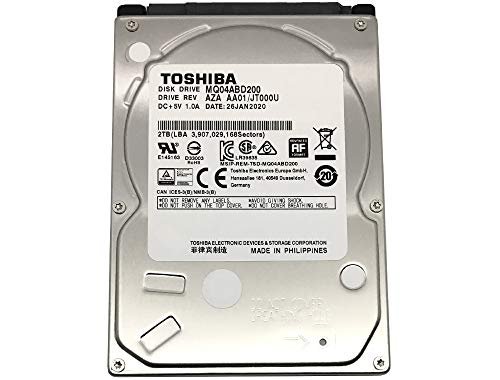
MDD 2TB PS4 Hard Drive Upgrade Kit with Toshiba 2TB — Complete swap kit
This bundle exists to make the internal route a single purchase: an upgrade kit built around a Toshiba 2TB internal drive whose listing states 5400RPM, a 16MB cache and a SATA 6Gb/s interface in the 2.5-inch format, sold explicitly as working for the PS4 game console. Two terabytes is the meaningful size for a swap — quadruple a launch console’s 500GB, double the later 1TB models — and it converts the storage warning from a weekly event into a distant memory for all but the largest libraries.
The kit framing is the point. A bare drive leaves the first-time upgrader to wonder about every accessory and step; a bundle positioned for this exact console signals that the drive’s format and the console’s expectations have been matched by the seller in advance. The work that remains is the console’s own ritual, which the how-to section below walks through: back up, prepare the system-software USB stick, slide the bay out, swap the drives, reinstall, restore. None of it is difficult, and the kit’s existence acknowledges that most owners do it exactly once and value certainty over improvisation.
Set expectations on performance honestly. A 5400RPM-class internal drive matches the character of the console’s original hardware, so games load as they always have — the gain is space, not speed. The cache figure in the listing is modest beside desktop drives, which matters little in a console whose storage demands are dominated by large sequential game data. What the owner is buying is a fresh, correctly sized drive and the end of library management, and judged on that errand this is the most complete internal pick in the list.
One planning note: keep the removed original drive. Stored safely, it is a bootable snapshot of the console as it was, and if anything about the new installation disappoints in its first week, the old drive returns the machine to its former state in minutes. After a month of confidence it can be retired to a drawer as the emergency spare — a small habit that makes the whole upgrade feel reversible and calm.
Consider also who this kit suits socially: the owner performing a first-ever console opening, following instructions step by step, values a bundle assembled for the purpose over a bare drive and a forum thread. The difference between a kit and a component is confidence, and on a job done once, in an evening, with the household’s game library in the balance, confidence is a legitimate product feature rather than marketing garnish.
- Capacity: 2TB
- Type: Internal drive upgrade kit for PS4
- Drive format: 2.5 inch internal
- Rotational speed: 5400RPM (stated in the listing title)
- Cache: 16MB (stated in the listing title)
- Interface: SATA 6Gb/s
- Compatibility stated in the listing: Works for PS4 game console
- Drive thickness: Not stated in the listing title — verify with the seller’s documentation before fitting
Strengths
- The internal route packaged as one console-specific purchase.
- 2TB ends the storage warning for the great majority of libraries.
- The drive’s key figures are stated in the listing, not left to guesswork.
Trade-offs
- The full swap ritual — backup, reinstall, restore — is still the owner’s to perform.
- Loading behaviour matches the original drive’s class rather than transforming it.
- Thickness is not stated in the title and should be confirmed with the seller.
Best for: a buyer seeking the complete internal upgrade in a single, console-matched purchase. Not suited for: an owner unwilling to open the console’s drive bay.

Seagate Game Drive for PS4 2TB — Official external
The external route has an official flag-bearer, and this is it: Seagate’s Game Drive for PS4 Systems, a 2TB portable external whose listing states USB 3.0 connection and officially licensed product status. Licensing matters in a small but real way — the drive was made for this console family, styled for it, and sold with the platform holder’s blessing — and for owners made nervous by storage warnings and formatting dialogs, that official character shortens the distance between buying and playing.
The experience it sells is minutes, not an evening. Plug the drive into the console, accept the extended-storage format when prompted, set it as the install location, and the library has 2TB of new room with the internal drive untouched and every save exactly where it was. Games installed to extended storage run from it directly, so the drive becomes a permanent appendage of the console rather than a warehouse — a distinction owners should note, because it means the drive should be treated as part of the machine, connected before powering on and left alone while games run.
Its limits are the route’s limits, stated plainly. The system software and its partition stay on the internal drive, so a console whose internal drive is actually failing gains nothing here. One USB port is permanently occupied. And the portable format invites the one dangerous habit — unplugging it casually — which the console tolerates poorly if a game is mid-write. Owners who keep it docked and undisturbed get the simplest storage expansion the PS4 offers, and for a healthy console with a growing library that is very often the correct answer.
The 2TB size deserves its own sentence, because it is the sweet spot of the external route: large enough to hold a full modern library of dozens of games with their updates, small enough that the drive remains an inexpensive, single-cable accessory rather than a piece of furniture. A library overflowing even this can still gain internal capacity later, and the external purchase is not wasted — the drive simply continues as the library’s second room.
A small operational habit protects this arrangement: connect the drive directly to the console rather than through a hub, and give it the same port every time. The console remembers its extended storage by that connection, and a stable, direct link avoids the occasional vanishing-drive confusion that hubs and swapped ports can cause after a tidy-up of the entertainment unit.
- Capacity: 2TB
- Type: External portable hard drive for PS4 systems
- Interface: USB 3.0
- Status stated in the listing: Officially licensed product
- Role: Extended storage for games and apps; the system stays on the internal drive
- Model named in the listing: STGD2000100
Strengths
- Officially licensed for the console, with setup measured in minutes.
- No tools, no reinstall, no risk to the existing library or saves.
- 2TB is the external route’s practical sweet spot.
Trade-offs
- Does nothing for a console whose internal drive is failing.
- Permanently occupies a USB port and dislikes casual unplugging.
- The internal drive’s space remains exactly as cramped as before for system use.
Best for: a buyer seeking licensed, zero-fuss extended storage for a healthy PS4. Not suited for: a console whose original internal drive is dying.

MaxDigitalData 1TB 2.5-inch Gaming Drive — Slim internal
This listing states the one figure internal upgraders most need and least often get: height. The MaxDigitalData 1TB is a 2.5-inch gaming hard drive described as 7MM in its title — comfortably inside the PS4 bay’s 9.5mm ceiling — with a 64MB cache, 5400RPM speed and SATA 6.0Gb/s interface stated, compatibility with PS3 and PS4 named, and a two-year warranty attached, model MD1000GLSA6454-PS. For a buyer burned by vague listings, that completeness is the product’s character.
One terabyte is the considered size here. It doubles a launch console’s storage, which is the right medicine for a moderate library, where the complaint is the occasional forced deletion rather than a permanent crisis. It is also the sensible resurrection drive: when an ageing PS4’s original drive begins clicking and stalling, a fresh 1TB unit restores the machine to health at the lowest commitment, and the stated two-year warranty suits a repair meant to extend a console’s life by years rather than months.
The cache figure is worth a remark because it is the largest among this list’s 1TB-class internal drives, at 64MB against the 16MB figures elsewhere. In console service the difference is subtle — game data is dominated by long sequential reads — but bursty system behaviour, patching and database work all pass through the cache, and the specification costs the buyer nothing to accept gratefully. The honest ceiling remains capacity: a household downloading several huge releases a month will outgrow a terabyte and should look at the 2TB kit above instead.
Cross-generational compatibility is a quiet bonus in the listing. A drive that also serves the PS3 fits households keeping both consoles alive — a common arrangement in the retro corner of the hobby — and means the same spare can rescue either machine. That versatility, the stated thinness and the warranty make this the most thoughtfully specified of the smaller internal drives.
It is also the pick that best respects a budget-conscious repair philosophy. A PS4 late in its life does not need the largest drive money can buy; it needs a correct, warranted drive that returns it to service for the years of play remaining in it. Spending the difference on games rather than on terabytes the console will never fill is a defensible allocation, and this drive is where that argument lands.
- Capacity: 1TB
- Form factor: 2.5 inch internal, 7mm height stated in the listing title
- Rotational speed: 5400RPM (stated in the listing title)
- Cache: 64MB (stated in the listing title)
- Interface: SATA 6.0Gb/s
- Compatibility stated in the listing: PS3 / PS4
- Warranty named in the listing: 2 years
- Model named in the listing: MD1000GLSA6454-PS
Strengths
- Its 7mm height is stated outright, removing the bay-fit gamble entirely.
- A two-year warranty suits its role as a life-extending repair drive.
- 64MB cache is generous for this class of console drive.
Trade-offs
- One terabyte is a doubling, not a transformation, for a big library.
- The swap still requires the full backup and reinstall ritual.
- Less headroom for the era of very large game installs than the 2TB picks.
Best for: a buyer seeking a verified-thin internal replacement or a modest doubling of space. Not suited for: a library growing by several huge releases every month.
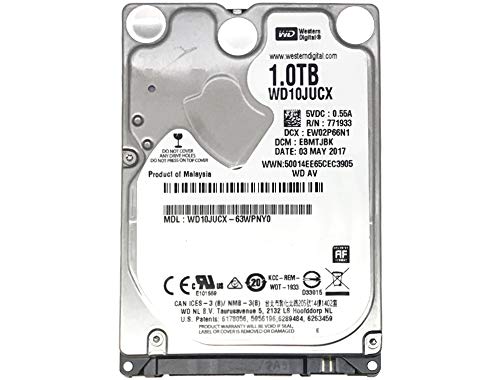
WD 1TB 2.5-inch for PS4 — Repair-grade internal
Western Digital’s entry in the internal route is sold with unusual directness: a 1TB drive whose listing states 5400RPM, a 16MB cache, SATA 6.0Gb/s and the 2.5-inch format, positioned explicitly for PS4 game console HDD upgrade and repair. That last pairing of words defines its audience. This is the drive for the console that has started freezing during loads, throwing database errors or clicking in a way its owner has learned to dread — a like-for-like heart transplant that returns the machine to its intended behaviour with double a launch unit’s capacity as a side benefit.
Repair framing changes what matters. The owner is not chasing the largest possible library; the owner is rescuing a machine, often one holding years of saves and captures, and the priorities are correctness of fit, predictability and a clean reinstall. A drive listed for this console by a major maker answers those priorities squarely. The job then follows the standard ritual — saves backed up first, system software prepared on USB, the swap itself a matter of a few screws — and the console emerges healthy with a terabyte to breathe in.
Its ceiling is the same as the other 1TB internal pick: capacity. A repair that also aims to end storage management for years should step up to the 2TB kit, since the labour of the swap is identical and only the drive differs. Thickness, it should be noted, is not stated in this listing’s title, so the prudent buyer confirms the exact model’s height against the 9.5mm ceiling before ordering — the 2.5-inch console-drive class is built around slim profiles, but this guide does not print figures a listing has not provided.
There is a diagnostic virtue to choosing a new drive as the repair, too. If a console’s stutters vanish with the fresh drive installed, the old unit was the fault and the machine is whole again; if they persist, the owner has still gained known-good storage and narrowed the problem honestly. Either way the purchase is not wasted, which cannot be said of every repair attempt a ageing console inspires.
Owners should also know the reinstall resets more than storage: settings, accounts and downloads all return through the restoration process, so the console’s household profiles and parental arrangements need re-establishing afterwards. None of it is difficult, but a repair scheduled for a quiet evening, with the account passwords to hand, goes noticeably better than one begun impulsively at midnight before a gaming session.
- Capacity: 1TB
- Form factor: 2.5 inch internal
- Rotational speed: 5400RPM (stated in the listing title)
- Cache: 16MB (stated in the listing title)
- Interface: SATA 6.0Gb/s
- Positioning stated in the listing: For PS4 game console HDD upgrade/repair
- Drive thickness: Not stated in the listing title — verify with Western Digital documentation
Strengths
- Sold explicitly for this console’s upgrade and repair, by a major drive maker.
- The right medicine for a console whose original drive is failing.
- Doubles a launch console’s capacity as part of the rescue.
Trade-offs
- One terabyte will not end storage management for a heavy downloader.
- Height is not stated in the title; confirm it before ordering.
- The swap ritual is unavoidable, including the system reinstall.
Best for: a buyer seeking a maker-branded internal drive to repair or refresh a PS4. Not suited for: an owner expecting a multi-terabyte library from one swap.

Seagate BarraCuda 5TB 2.5-inch — Capacity with a caveat
This pick is included to be argued with, respectfully and in the open. The Seagate BarraCuda 5TB is a 2.5-inch internal drive whose listing states SATA 6Gb/s, 5400 RPM and a 128MB cache, model ST5000LM000, positioned for desktop PC use. Five terabytes in the 2.5-inch format sounds like the ultimate PS4 internal upgrade, and it appears in searches for exactly that reason. The catch is physical: squeezing that capacity into this format has historically meant a stack of platters around 15mm thick, and the PS4’s bay accepts at most 9.5mm. The listing does not state the drive’s height, so this guide’s position is strict — verify the exact model’s thickness against Seagate’s documentation before planning any internal install, and expect the answer to rule the swap out.
Why keep it in the guide at all? Three reasons. First, honesty: a list that silently omitted the most-searched drive in this category would leave buyers to discover the trap alone. Second, the drive has legitimate neighbouring roles — as bulk storage inside a desktop PC, its stated role, it is a capacious and sensibly specified unit, and in a powered USB enclosure it could serve a console externally in principle, though that is an arrangement the buyer assembles rather than one this listing sells. Third, it teaches the category’s central lesson in one product: for internal PS4 upgrades, the binding constraint is millimetres, not terabytes.
Judged purely as a drive, the specifications are respectable — the 128MB cache is the largest stated in this guide’s internal picks, and BarraCuda is Seagate’s mainstream line with the support apparatus that implies. Judged as a PS4 internal pick, it must carry its warning label permanently, and its verdict line below reflects that. A buyer seeking maximum internal capacity should instead accept the console’s real ceiling and take the 2TB kit, which is guaranteed by its purpose to fit the machine it was bundled for.
There is a final, practical observation for owners tempted to try anyway: forcing an over-thick drive toward a bay it cannot enter risks the bay’s connector and the console’s casing, and a drive connected outside the bay with the cover off is an accident arranging itself. The console’s designers left a clean upgrade path — 2.5-inch, 9.5mm, up to 8TB in principle — and the satisfying upgrades are the ones that walk it.
None of this is a criticism of the drive itself, and fairness requires the point to be made clearly. Seagate sells this model for computers, states its specifications accurately for that role, and nowhere promises it a home inside a games console. The misunderstanding belongs entirely to search results and wishful reading — which is precisely why a buying guide, rather than a product page, is the right place to correct it.
- Capacity: 5TB
- Form factor: 2.5 inch internal
- Rotational speed: 5400 RPM (stated in the listing title)
- Cache: 128MB (stated in the listing title)
- Interface: SATA 6Gb/s
- Positioning stated in the listing: For computer desktop PC
- Drive thickness: Not stated in the listing title — verify with Seagate documentation; high-capacity 2.5-inch drives of this class are commonly thicker than the PS4 bay’s 9.5mm limit
- Model named in the listing: ST5000LM000
Strengths
- The largest 2.5-inch capacity and cache figures stated in this guide.
- A sound bulk-storage drive for the desktop role its listing actually describes.
- Its presence here prevents the category’s most expensive misunderstanding.
Trade-offs
- Thickness is the disqualifying question for PS4 internal use and is unstated in the title.
- Sold for desktop PCs, not for this console.
- Any console use would be through an owner-assembled external arrangement.
Best for: a buyer seeking high-capacity 2.5-inch storage for a desktop, fully aware of the console caveat. Not suited for: a PS4 internal swap, unless the exact model’s height is verified at 9.5mm or under.
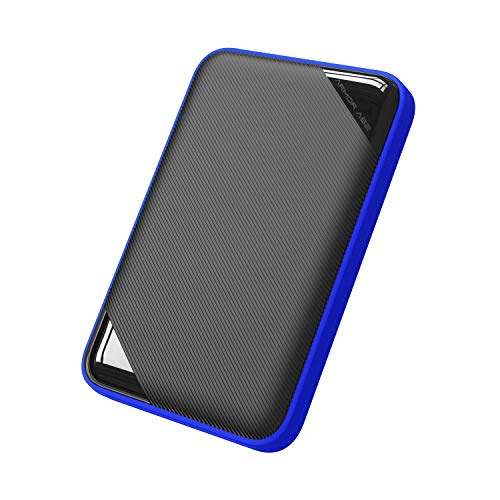
Silicon Power A62 2TB External — Cross-platform external
The Silicon Power A62 closes the external route with a different accent: a 2TB portable whose listing names compatibility with PS4, Xbox One, PC and Mac in one breath. In a household where consoles and computers share accessories, that breadth is the product. The drive can hold a PS4 extended-storage library as its day job — formatted by the console, games installed and running from it — while remaining, in principle, a member of the wider platform family rather than a single-console accessory.
A necessary honesty about that breadth: a drive formatted as PS4 extended storage belongs to the console while so formatted, and moving it to another platform means reformatting and losing the library aboard. The compatibility in the listing is therefore about the hardware’s welcome across platforms across its lifetime, not about hot-swapping between machines with data intact. Understood that way, it is a genuinely useful trait — the drive can be repurposed when the PS4 retires, or reassigned to a computer when a larger console drive arrives.
Against the officially licensed Seagate above, the A62 trades platform blessing for platform breadth, at the same 2TB capacity that suits extended storage so well. Owners who value the console-maker’s licence and styling will choose the Game Drive; owners who value a drive with a second life on other machines will choose this one. Both judgements are respectable, and the route’s fundamentals — minutes to set up, no tools, saves untouched, one USB port spent — are identical either way.
The portable format brings the standard external cautions, worth repeating once in their shortest form: keep it connected while the console runs, let the console power down before moving anything, and remember that the library aboard is only as safe as the drive’s own health, so cloud saves remain the real insurance for progress that cannot be replayed. With those habits, the A62 is the flexible household’s version of the simplest upgrade the PS4 offers.
Its breadth also makes it the easiest pick here to hand down. When a PS5 eventually takes over the television, a licensed single-console accessory becomes a souvenir, while the A62 reformats in minutes and begins a second career carrying a computer’s photo library or a laptop’s overflow. Purchases that survive their first job gracefully are rarer in console accessories than they should be, and the point counts in this drive’s favour.
- Capacity: 2TB
- Type: External portable hard drive
- Compatibility named in the listing: PS4, Xbox One, PC and Mac
- Role: Extended storage when formatted by the PS4; reformatting is required to change platforms
- Interface: Not stated in the listing title — verify with Silicon Power documentation
- Model line named in the listing: A62
Strengths
- The widest platform compatibility stated in this guide.
- 2TB of extended storage with the external route’s usual five-minute setup.
- Repurposable across computers and consoles across its working life.
Trade-offs
- Changing platforms means reformatting and losing the library aboard.
- Its listing does not carry the console maker’s official licence.
- Interface details are not stated in the title and should be verified.
Best for: a buyer seeking one portable drive serving a PS4 now and other platforms later. Not suited for: a buyer seeking the officially licensed console accessory.
What About Load Times, Honestly?
Since space is the honest promise, load times deserve one clear section of their own so nobody buys under a misapprehension. A PS4 reads game data from its hard drive in long sequential streams, and every healthy drive in this guide performs that work in the same class as the console’s original unit: menus appear when they always appeared, worlds load in their accustomed spans, and texture pop-in behaves as the console’s hardware dictates. A worn drive that was beginning to fail can make a console feel slower than it should, and replacing it restores the intended pace — which owners sometimes describe as a speed upgrade, when it is really a repair.
The storage technology that genuinely changes console loading is solid-state, and it sits outside this guide’s keyword deliberately. An SSD in the PS4’s bay or on its USB port trims some loads and improves some streaming behaviour, at a cost per terabyte far above any drive here, and with the console’s older interfaces capping much of the benefit. The sensible reading of the landscape is the one this guide is built on: hard drives are how a PS4 gains a library-sized home at a sane cost, and the six picks above are the honest ways to buy one. Owners who later step to solid-state will find nothing wasted — a retired hard drive becomes extended storage, a backup target, or the spare in the drawer.
Two Routes, Six Drives: A Head-to-Head Reading
The comparison in this guide is really between two philosophies wearing six product names. The internal picks demand an evening and return a self-contained console; the external picks demand a USB port and return an afternoon. The table states what each listing supports; the route decision in the earlier section decides which half of it deserves attention.
| Pick | Route | Capacity | Key stated figures | Defining trait |
|---|---|---|---|---|
| MDD Upgrade Kit with Toshiba | Internal | 2TB | 5400RPM, 16MB cache, SATA 6Gb/s | Console-matched bundle |
| Seagate Game Drive | External | 2TB | USB 3.0 | Officially licensed |
| MaxDigitalData | Internal | 1TB | 7mm height, 64MB cache, 5400RPM | Stated thinness, 2-year warranty |
| WD for PS4 | Internal | 1TB | 5400RPM, 16MB cache, SATA 6.0Gb/s | Upgrade/repair positioning |
| Seagate BarraCuda | Internal (desktop) | 5TB | 5400 RPM, 128MB cache | Thickness caveat for the PS4 bay |
| Silicon Power A62 | External | 2TB | PS4, Xbox One, PC, Mac named | Cross-platform breadth |
Read the table by symptom. A clicking, freezing console points at the internal 1TB pair, with the MaxDigitalData’s stated thinness and warranty making it the diagnostician’s favourite. A healthy console with a full library points at the 2TB external pair or the 2TB internal kit, depending on whether the owner prefers a cable or a screwdriver. And the BarraCuda’s row exists as the table’s warning label: the largest capacity in the room, disqualified from the bay by geometry unless verification says otherwise.
How Should Extended Storage Be Managed Day to Day?
Owners who take the external route gain a small set of habits worth learning in the first week, while the library is still small enough to rearrange without pain. Set the external drive as the default install location immediately, so new games land where the room is; the console allows existing games to be moved between internal and extended storage, and a sensible pattern is to keep the current favourites on whichever drive the household prefers while the deep back catalogue settles on the external. Updates follow the game, so a title living on the external drive patches there too, and the internal drive’s free space stops evaporating.
Power discipline is the second habit. The console should be fully powered down — not merely left mid-game — before the external drive is disconnected, and the drive should be reconnected before the console wakes if its games are to appear. Rest mode with the drive attached is fine and is how most households live; the dangerous moment is the casual unplug during a tidy-up, which risks the library index rather than the games themselves, and is repaired by patience and a database rebuild rather than by panic. Treat the external drive as furniture with a cable, not as a portable accessory, and the arrangement runs for years without incident.
Finally, keep perspective on what the external library is worth protecting. Game downloads can always be fetched again; the saves are the treasure, and they live on the internal drive and in the cloud backup rather than on the external unit. An owner who keeps saves backed up can lose an external drive entirely and lose nothing but download time — a resilience worth the five minutes it takes to confirm the cloud setting is switched on.
How Do You Swap a PS4 Internal Drive Without Losing Anything?
Preparation decides everything, and it happens before a single screw turns. Back up the saves — to PlayStation Plus cloud storage if the account has it, or to a USB stick through the console’s settings — and copy any captures worth keeping. Then prepare the reinstall media: the console needs its full system software on a USB stick in the folder structure Sony’s own support pages describe, downloaded fresh so the version is current. Skipping this step is the classic way an easy swap becomes a stranded console, because the new blank drive cannot boot far enough to download anything itself.
The physical swap is the gentle part. Power the console fully down, unplug it, and slide the drive bay cover free; the drive sits in a caddy held by a few screws. Move the caddy to the new drive — observing orientation — slide it home, and close up. Any drive fitted must be a 2.5-inch unit no thicker than 9.5mm, which is why the verified-thin and console-bundled picks in this guide carry their advantage. Connect the prepared USB stick, start the console in the mode that offers system initialisation, and let it install.
Afterwards comes restoration: sign in, re-download or restore the library, and pull the saves back down from wherever they were backed up. Plan the downloads across an evening or overnight — a full library is a lot of data — and resist judging the upgrade until the machine has settled. The old drive, kept in its caddy-less state in a labelled bag, remains the emergency return ticket for the first weeks, after which it can be wiped and repurposed in an enclosure as ordinary portable storage.
A note on verification belongs at the end of the job. Once the console has settled, open the storage settings and confirm the new capacity is reported, run one large game from the new drive, and check that a save created after the swap opens correctly the following day. Those three small checks close the upgrade properly; consoles that pass them on day two essentially never trouble their owners about storage again, which is the quiet outcome this entire category exists to deliver.
Which Upgrade Mistakes Do PS4 Owners Regret Most?
The champion mistake is ordering by capacity alone and meeting the 9.5mm ceiling with a drive that cannot enter the bay — the trap this guide flags on the 5TB BarraCuda, and the reason stated thickness figures deserve the weight given to them in these reviews. Second is starting the swap without the system-software USB stick prepared, converting a one-hour job into a console booting to an error and an evening with no play at all. Third is forgetting the saves: game downloads can be fetched again, but an un-backed-up hundred-hour save file is simply gone, and it is lost to a five-minute omission.
External-route mistakes are quieter. Owners unplug an extended-storage drive while the console sleeps and corrupt the library index; they fill the internal drive completely because the external was set as install location only for new games while updates still land internally; or they buy a drive under the console’s 250GB minimum for extended storage and discover the refusal at the format screen — a fate none of this guide’s picks invites, since every external here is 2TB. Read the route’s rules once, follow them, and either upgrade path is genuinely uneventful.
Two further regrets deserve dishonourable mentions. The first is discarding the old internal drive immediately after a successful swap, only to meet a problem in week two with no way back; the drawer costs nothing and the insurance is real. The second is buying a replacement drive from a listing that states nothing — no speed, no cache, no dimensions — when the picks in this guide demonstrate that the figures are available to any seller willing to print them. In a purchase where one unstated millimetre decides success, vagueness is itself a product defect, and buyers should treat it as one.
Final Recommendation
Decide the route first and the right product almost chooses itself. For the internal swap, the MDD 2TB kit is the complete answer for a library-driven upgrade, while the MaxDigitalData 1TB — thinness stated, warranty attached — and the WD 1TB are the repair-minded picks for a console whose original drive is failing. For the external route, the Seagate Game Drive brings the platform’s official blessing and the Silicon Power A62 brings a second life on other machines, both at the 2TB size this console wears best. And let the BarraCuda 5TB stand as the guide’s permanent reminder that in this category, fit is a physical fact before it is a specification. Do the backup, prepare the USB stick, and the PS4 that emerges will hold the whole library with room to spare — which was, after all, the entire point of opening the bay in the first place — more room, honestly bought, and a console ready for the next release instead of braced against it.
Frequently Asked Questions
Will a bigger hard drive make my PS4 faster?
Not meaningfully. The console’s processor and storage interface set its loading character, and a healthy hard drive of the same class performs much like the original. The upgrade buys capacity and, when the old drive was failing, reliability — both valuable, neither magical. Owners chasing speed above all are in SSD territory, which is a different guide and a different budget conversation.
What size drive can a PS4 take internally?
The bay accepts 2.5-inch SATA drives no thicker than 9.5mm, and the system recognises internal capacities up to 8TB. In practice, drives manufactured to that thickness top out well below the theoretical capacity ceiling, which is why this guide’s internal picks sit at 1TB and 2TB and why the 5TB model’s thickness is flagged for verification.
Can I use an external drive and keep my warranty intact?
Yes. The external route opens nothing, breaks no seals and changes nothing about the console itself; the drive formats as extended storage and can be removed to return the machine to its original state. Even the internal bay, it is worth knowing, was designed by the console’s maker to be user-accessible — but the external route remains the zero-intervention option.
What happens to my saves during an internal swap?
Nothing good, unless they are backed up first. The new drive starts blank, the system software is reinstalled, and saves return only from a backup — PlayStation Plus cloud storage or a USB copy made beforehand. Games themselves can always be re-downloaded or reinstalled from disc; saves and captures are the irreplaceable cargo, and they are why the preparation step leads this guide’s how-to section.
Can a PS4 external drive also be used on a computer?
The hardware can, the data cannot — at least not simultaneously. A drive formatted as PS4 extended storage is dedicated to the console, and a computer will offer to reformat it, erasing the library. The Silicon Power A62’s cross-platform listing describes a drive that can serve different machines across its life, with a reformat at each change of duty.
How long does an internal swap actually take?
The physical exchange is a matter of minutes — the bay was designed for it — and the system installation from a prepared USB stick takes a little longer. The honest total is dominated by restoration: re-downloading a library can run for hours depending on its size and the connection, which is why this guide schedules the job across an evening and an overnight rather than promising a number. Owners restoring from a local backup rather than the network shorten that tail considerably.
Can I move my external drive’s games to a different PS4?
Yes, within the account rules of the platform: an extended-storage drive can be connected to another PS4 and its games played when signed in with the account that owns them, which is one of the external route’s quiet advantages for households with two consoles. The drive should be disconnected only while the console is powered down, and it remains dedicated to console duty until reformatted for something else.
Why does this guide include a drive it warns against fitting?
Because the Seagate BarraCuda 5TB appears in every search for this topic, sized like a dream upgrade and silent on the dimension that decides the matter. A guide that ignored it would send buyers to discover the 9.5mm ceiling alone. Included with its caveat stated and its desktop merits acknowledged, it serves as both a legitimate bulk-storage drive and the category’s clearest lesson.
Related Guides
Console storage connects to a few neighbouring upgrades covered on this site. Readers weighing the faster medium can compare the best SSDs for PS4, those expanding a newer console should see our guide to PS5 storage expansion, and anyone rebuilding a whole gaming setup will find the framework in our roundup of essential gaming accessories.


