Our Top Picks
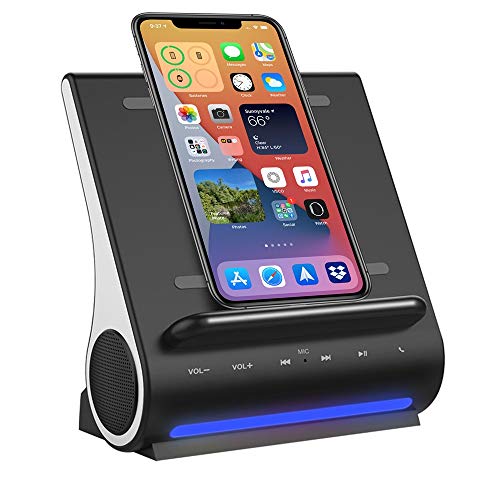
 Bluetooth Speaker with Wireless Charging and Cell Phone3.9 x 3.9 x 7.8 inches0.88 poundsCheck on Amazon


What's inside
- What happened to the classic speaker dock
- How this guide was researched
- What counts as an Android docking station today
- How to choose: the criteria that actually matter
- The eight products, in detail
- 1. Fast Charging Wireless Charger and Docking Station with Bluetooth Speakers and Built-In Mic
- 2. AFK Wireless Charging Station with Bluetooth Speaker and Alarm Clock
- 3. Meifigno 25W 5-in-1 Charging Station for Galaxy S26 Ultra with Bluetooth Speaker, Alarm Clock, and Night Light
- 4. Bluetooth Speaker with Wireless Charging and Cell Phone Stand
- 5. ActivPro Smart Station 6-in-1 Wireless Charging Station with Clock, Bluetooth Speaker, Lamp, and Radio
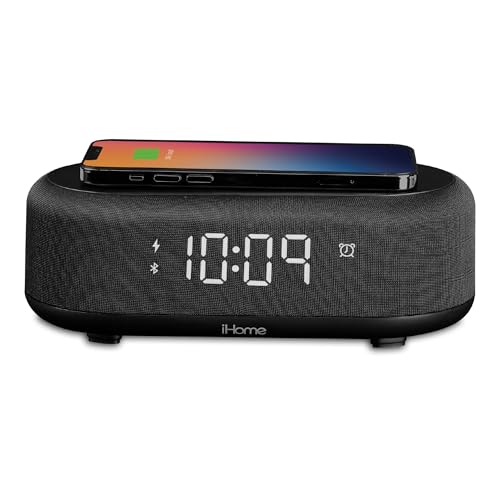
- 6. iHome Bluetooth Alarm Clock with Wireless Charger and USB Charging Station, Model iBTW112
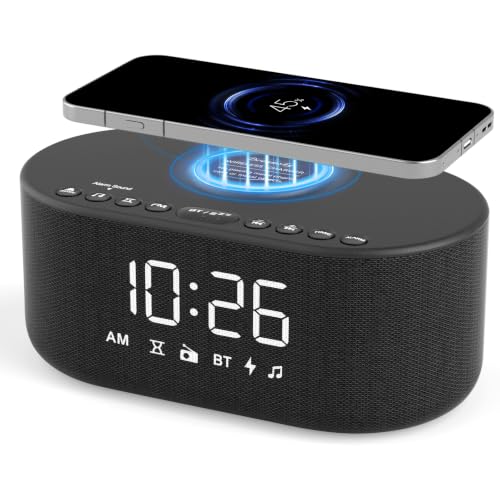
- 7. DreamSky Alarm Clock Radio with Wireless Charging and Bluetooth Speaker
- 8. Odokee Sound Machine Alarm Clock with Wireless Charging and Bluetooth Speaker
- A plain-language comparison of the eight
- Which one fits your situation
- Setting up and living with a charging station speaker
- Limitations to keep in mind across the whole category
- Frequently asked questions
- Check prices on Amazon
- Conclusion
As an Amazon Associate I earn from qualifying purchases. This post may contain affiliate links at no extra cost to you.
If you went looking for a classic Android docking station with speakers, you probably pictured a specific object: a cradle you drop your phone into, a connector that clicks into the bottom of the phone, and speakers built into the base that play music the moment the phone is seated. That product made sense for a while, and many people still search for it by that name. Before you choose anything here, you need an honest picture of what is actually for sale today, because the category has changed almost completely.
The classic plug-in Android speaker dock has nearly disappeared from store shelves. It has not been replaced by an identical product with a newer connector. Instead, its work has been split across a different class of product: the charging station and the alarm clock that combine wireless charging with a Bluetooth speaker. That is the real, buyable category covered here. Every product in this guide charges an Android phone through Qi wireless charging or, in one case, through an additional USB charging option, and plays audio over Bluetooth rather than through a wired dock connector. None of the eight should be understood as a plug-in cradle with wired speakers unless its own listing title says so, and only the first product here even describes itself as a docking station in that older sense.
That shift is not necessarily bad news. A wireless charging surface does not care whether your next phone moves its port or changes shape slightly, the way a fixed-connector cradle did. Bluetooth audio works with a Galaxy phone today, a Pixel phone tomorrow, and a tablet or second phone in the same household without any physical fitting. The trade-off is that you must judge these products on different terms. Alignment on a charging pad matters. Speaker quality comes from a Bluetooth connection, not a docked one. Many useful models are really bedside clocks first and chargers second, or desk chargers first and speakers second. This guide keeps those distinctions clear for each product, so you can match the device to the room and routine it will actually serve.
The eight products fall into recognisable groups. One presents itself as a 4-in-1 docking station with speakers and a built-in microphone for handsfree calls, and it is the closest thing to the classic idea. Several are wireless charging stations that add a Bluetooth speaker and an alarm clock. One is aimed squarely at newer Galaxy phones and foldables, with magnetic Qi2.2 charging and room for a Galaxy Watch and earbuds. One is a speaker with wireless charging and a phone stand, positioned for home and outdoor use rather than a bedside table. One combines a clock, a lamp, and a radio in a 6-in-1 station. One bedside model adds USB charging alongside wireless charging. The last two lean hardest into waking and sleeping, with a loud alarm, a fully adjustable dimmer, FM radio, a sleep timer, and built-in soothing sounds. Read the labels literally, because in this category the label tells you where each product is strongest.
What happened to the classic speaker dock
The original speaker dock depended on things that stopped being stable. Android phones once varied widely in where their charging port sat, which way up it faced, and how thick the body was around it. A cradle maker had to design around a moving target. As phones standardised around USB-C and then added Qi wireless charging, the reason to build a precise physical cradle weakened. Wireless charging offered a flat surface that could serve many models, and Bluetooth offered an audio link that needed no connector at all. Between them, they removed the two jobs the dock connector used to perform.
There is also a practical audio story. In the dock era, plugging in was how music reached the speakers. Today most listening arrives through streaming apps on the phone itself, and Bluetooth is the path those apps normally take to any external speaker in the home. A combined charger and Bluetooth speaker therefore fits how people already listen. You set the phone down to charge, pair once, and the same device handles overnight charging, a morning alarm, and music or radio in the room. It is a looser kind of dock, defined by place rather than by a connector: the phone has a home on your desk or beside your bed, even if nothing physically plugs into it.
How this guide was researched
Our research started with the product titles and published manufacturer information for each of the eight listings, and we compared listings side by side on the features they actually state. Where a title states a number, such as a charging figure, a count of alarm sounds, or a count of soothing sounds, this guide reports that number as stated. Where a title does not state a number, this guide does not invent one. That restraint matters here, because charging speed, speaker output, and size are exactly the details shoppers most want and exactly the details that vary between similar-looking stations.
What counts as an Android docking station today
For this guide, an Android docking station with speakers means a single device that gives your phone a fixed place to charge and gives you a speaker in the same unit. Charging is wireless in almost every case here, and audio is Bluetooth in every case. Some models add a clock display and an alarm, some add a night light or a lamp, some add a radio, and some add extra charging for a watch and earbuds. The shared idea is consolidation: fewer separate chargers, cables, and speakers competing for the same surface and outlet.
If wireless charging itself is new to you, compare these combination units with plain wireless chargers first, using the link above as a starting point. A plain charger will usually be smaller and simpler. A combination station earns its larger footprint only if you will genuinely use its speaker, clock, or extra charging spots. If you would not use them, the simpler device is the better buy, and this guide will not pretend otherwise.
How to choose: the criteria that actually matter
Charging style: Qi pad, magnetic alignment, or a wired option
The first decision is how the phone receives power. Most products here use a Qi wireless charging surface. You place the phone on the marked area, and charging begins when the coils align well enough. In daily life, alignment is the difference between a phone that charges reliably overnight and one you find in the morning barely charged because it sat slightly off centre. Thick cases, metal plates, and wallet attachments can interfere, and a flat pad gives little feedback about placement. An angled stand or raised surface can make placement easier to repeat.
Magnetic charging addresses alignment directly. The Meifigno station here uses Qi2.2 magnetic wireless charging, in which magnets help the phone settle into the intended position. That matters most for newer Galaxy owners who want a repeatable snap into place rather than a nightly hunt for the sweet spot. Magnetic systems still depend on the phone or its case supporting the magnetic arrangement, so check phone and case together rather than assuming any Android phone will behave the same way on a magnetic surface.
A wired option still has value, even in a wireless category. The iHome model here adds USB charging alongside its wireless charger, giving you a way to charge a second device, help a guest whose phone lacks wireless charging, or fall back on a cable when you need one. Wired charging through USB-C is also the general fallback for certainty across the Android world, since it does not depend on coil alignment. If your household mixes newer and older phones, a station with a wired option is easier to share.
Keep expectations about speed grounded in what each listing states. This guide reports stated charging figures only where a title gives them, and does not assign speeds to the other products. In general industry terms, wireless charging is chosen for convenience more than raw speed, and a wired connection remains the straightforward route when you need charge quickly before leaving. Readers comparing wired options for that job can use the link above to explore higher-output wired chargers separately from the combination stations covered here.
Speaker role: calls, music, radio, or sleep sounds
Not every Bluetooth speaker here is trying to do the same job. One product includes a built-in microphone for handsfree calls, making it a desk device for people who take calls where they work. Others present the speaker as part of an alarm clock, where its main moments are a morning alarm, radio, or music in a bedroom. One presents its speaker with a phone stand for home and outdoor listening. Two present sound as part of going to sleep, with soothing sounds or white noise built in rather than streamed from the phone.
Clock and alarm features
For bedside use, the clock half can matter more than the speaker half. Look for a display you can dim at night, an alarm that matches how hard you find it to wake, and controls you can operate while half asleep. One product states a dimmer range from fully off to fully bright, addressing the common complaint that a bedside clock is too bright in a dark room. Another is described as a loud alarm for heavy sleepers, with multiple alarm sounds and many volume steps. Another includes a night light as part of a charging station for newer Galaxy phones. These are different answers to the same bedside problem, and the right one depends on whether your problem is light, sound, or both.
Extra charging: watches, earbuds, and second phones
Multi-device stations promise one footprint for a phone, a watch, and earbuds. The Meifigno station is the clearest example here, described as a 5-in-1 station for a Galaxy phone together with a Galaxy Watch and Buds. The 4-in-1 and 6-in-1 products also signal in their titles that they combine several functions in one unit, though their stated combinations centre on charging, speaker, clock, lamp, or radio rather than on a named watch and earbuds pairing. Read the number in a product name as a count of combined functions or charging spots as the listing defines it, not as a guarantee that every spot suits every accessory you own.
Placement: desk, bedside, or shared room
Where the station will live should narrow your shortlist quickly. For a desk, handsfree calling, a visible phone position, and music or spoken audio point toward the docking-station style product or the speaker with a phone stand. For a bedside, dimming, alarm strength, radio, sleep sounds, and a night light point toward the clock-focused products. For a dorm room, office, or shared space, a digital alarm clock with both wireless and USB charging covers more situations and devices. Several listings name their intended rooms directly, and those named rooms are a reliable guide.
Finally, a combination station does not remove the need for good wired charging elsewhere. Travel, cars, and quick top-ups between rooms still suit a compact USB-C charger and a cable, and the link above is a useful companion read for that separate job. Buy the station for the room it will anchor, and keep wired options for everywhere else.
The eight products, in detail
1. Fast Charging Wireless Charger and Docking Station with Bluetooth Speakers and Built-In Mic
This product comes closest to the classic Android speaker dock idea, and its title is the reason: it calls itself a docking station, combines a fast charging wireless charger with Bluetooth speakers, and adds a built-in microphone for handsfree calls. That combination of charging, listening, and calling in one desktop unit is exactly what the old dock promised, updated so that charging and audio work without a physical connector into the phone. If your picture of a dock is a home base for your phone on a desk, this listing shares that picture most directly.
The title describes the unit as a 4-in-1 station and names compatibility with iPhone models and with a long run of Samsung Galaxy S phones, from the S20 through the S25 generations as listed. For an Android buyer, that named Galaxy S support is the useful part: the station is framed around the Galaxy S line rather than Android in the abstract. Owners of those Galaxy generations are the natural audience, and owners of other Android phones should confirm their phone supports wireless charging and Bluetooth audio, the two connections this station relies on.
The built-in microphone deserves emphasis because none of the other seven products state a microphone for handsfree calls in their titles. That feature changes the best use for this unit. At a desk, you can set the phone down to charge, listen through the speakers, and take a call without holding the phone or reaching for earbuds. In a home office, that is a coherent daily routine rather than a novelty. The speakers are described in the title as premium Bluetooth speakers, repeated here as the maker frames it, without output figures the listing does not state.
Keep the limits in view. This is a wireless charger, so placement on the charging surface matters, and it is a Bluetooth speaker system, so audio depends on pairing and on staying within normal Bluetooth range. It is not presented in its title as an alarm clock, a radio, or a sleep-sound device, so bedside shoppers who want those functions should look further down this list. Choose this one when the desk routine of charge, listen, and call is the routine you actually live.
2. AFK Wireless Charging Station with Bluetooth Speaker and Alarm Clock
The AFK station states its formula plainly: a wireless charging station with a Bluetooth speaker and an alarm clock, compatible with iPhone and with Android phones, in black. That plainness is its appeal. It does not claim a named phone generation, a watch charger, or a radio. It offers the three-part bedside or desk combination most people searching this category actually want, in a single unit, for Android phones generally.
3. Meifigno 25W 5-in-1 Charging Station for Galaxy S26 Ultra with Bluetooth Speaker, Alarm Clock, and Night Light
The Meifigno station is the most specifically targeted product here, and its title is dense with stated detail. It is described as a 25W 5-in-1 charging station for the Galaxy S26 Ultra, with a Bluetooth speaker, an alarm clock, and a night light. Its charging is described as Qi2.2 fast magnetic wireless charging, and the title states that a 45W adapter is included. It is framed for the S26 and the Z Fold7, and for the Galaxy Watch 8 and Buds. Every part of that description points the same way: a station built around the newest Galaxy ecosystem rather than Android in general.
The magnetic element is the headline for charging. As discussed in the criteria section, magnetic alignment helps the phone settle into the intended charging position, a practical nightly benefit for a phone you place and remove every day. For owners of the named Galaxy phones, including the foldable named in the title, that alignment story is the main reason to prefer this station over a general Qi pad with a speaker attached. The included adapter stated in the title also matters, because a multi-device station can only deliver its stated charging performance with suitable power input, and a buyer should not have to guess whether an adapter is in the box when the listing says one is.
The 5-in-1 framing, together with the named watch and earbuds, makes this the clearest all-in-one Galaxy charging point in the guide. A Galaxy phone, a Galaxy Watch 8, and Buds returning to one place each night is a tidy routine, and adding a speaker, an alarm clock, and a night light turns that charging point into a complete bedside unit. The night light is a bedside-specific feature the desk-focused products here do not state, and it suits a nightstand better than a work desk.
4. Bluetooth Speaker with Wireless Charging and Cell Phone Stand
This product reverses the usual order of priorities. Its title leads with the Bluetooth speaker, then adds wireless charging and a cell phone stand, names iPhone, iPad, and Samsung Galaxy among its compatible devices, describes HD surround sound, and positions the unit for home and outdoors. Where most products here are chargers or clocks that include a speaker, this one is a speaker that includes charging. That order should guide who buys it.
The cell phone stand is a meaningful part of the design. A stand holds the phone at a viewable angle, which suits video, video calls, following a recipe, or watching content while the phone charges and plays audio through the speaker. At a desk, in a kitchen, or in a living area, a propped-up phone is more useful than a phone lying flat beside a speaker. For Galaxy owners who listen and watch in the same spot, the stand, speaker, and charger combination covers a familiar routine in one object.
The description of HD surround sound is the maker framing for its audio, repeated here as stated rather than measured. Choose this product when listening and viewing come first and charging is the convenient second function that keeps the phone topped up while you do so. If an alarm clock is your first need, choose from the clock-focused products instead.
5. ActivPro Smart Station 6-in-1 Wireless Charging Station with Clock, Bluetooth Speaker, Lamp, and Radio
The ActivPro Smart Station packs the widest spread of household functions into one title: a 6-in-1 wireless charging station with a clock, a Bluetooth speaker, a lamp, and a radio, described as a wireless charger for iPhone, Samsung, and Android phones, with a US plug. Where other products specialise, this one consolidates. On a crowded nightstand, a desk in a small room, or a counter where outlets and surface space are scarce, replacing a charger, a clock, a lamp, and a radio with one unit has obvious practical logic.
The title does not state a watch or earbuds charging spot, a microphone for calls, or a magnetic charging system, and this guide does not add them. Choose the ActivPro when consolidation itself is the goal and when its combination of clock, lamp, and radio matches the room it will live in.
6. iHome Bluetooth Alarm Clock with Wireless Charger and USB Charging Station, Model iBTW112
The iHome model, identified in its title as the iBTW112, is a Bluetooth alarm clock with a wireless charger and a USB charging station, described as a digital alarm clock for bedrooms, offices, or dorm rooms. That room list summarises its character: a clock first, built for places where people sleep, work, and study, with two ways to charge rather than one.
The USB charging is the feature that separates it from most of this guide. Alongside wireless charging for a compatible phone, the USB charging station gives a wired path for a second device. In a bedroom, that can be a partner phone that lacks wireless charging or a tablet or e-reader that charges by cable. In a dorm room, it can be the difference between a station one person can use and a station two people in a shared space can use. In an office, it keeps a guest or work phone charging without competing for the wireless surface. This dual approach is the most flexible charging arrangement stated by any product here.
A related desk consideration is worth a brief note. If your working day involves long calls, a station speaker covers shared listening and short calls well, but private or lengthy calls often suit a dedicated headset better. Readers setting up a desk for calls can explore the link above alongside a station, rather than expecting one desktop speaker to cover every kind of call.
7. DreamSky Alarm Clock Radio with Wireless Charging and Bluetooth Speaker
The DreamSky is the most wake-up-focused product here, and its title states the details that support that claim. It is an alarm clock radio with wireless charging and a Bluetooth speaker, described as a loud alarm for heavy sleepers, with digital FM radio and a sleep timer, a dimmer that runs from 0 to 100 percent, nine alarm sounds, sixteen volumes, and USB. Each stated figure serves the same user: someone for whom waking reliably, and controlling light and sound precisely at night, are the main problems to solve.
The dimmer range deserves attention because bedside displays are a common source of dissatisfaction. A range stated from 0 to 100 percent means the display can, as described, go from fully dark to fully bright, covering both the light-sensitive sleeper who wants no glow and the reader who wants a clearly visible clock in a lit room. Combined with a sleep timer for the FM radio, the night-time story is coherent: listen as you fall asleep, have the radio stop on its own, and sleep in a properly dark room.
The morning story is equally coherent. A loud alarm aimed at heavy sleepers, with nine alarm sounds and sixteen volume steps as stated, gives far more adjustment than a single fixed alarm tone. Choice of sound matters because people habituate to a familiar tone, and fine volume steps matter because the right volume for a heavy sleeper in a quiet house differs from the right volume in a noisy shared space. The USB stated in the title adds a wired charging path alongside wireless charging, echoing the flexibility discussed for the iHome model.
This is not the station for a buyer whose main wish is a multi-device Galaxy charging point or a speaker for video viewing; its title states neither a watch charger nor a stand. Choose the DreamSky when waking up is genuinely hard, when FM radio is part of your morning, or when a too-bright clock display has bothered you before. For those buyers, its stated features answer the exact complaints they have.
8. Odokee Sound Machine Alarm Clock with Wireless Charging and Bluetooth Speaker
The Odokee closes the list at the sleep end of the category. Its title describes a sound machine alarm clock for bedrooms, with wireless charging, a dimmable clock, a Bluetooth speaker, and a white noise machine with twenty-one soothing sounds. Where the DreamSky concentrates on the morning, the Odokee concentrates on the night: falling asleep to a chosen sound, in a room where the clock display can be dimmed, with the phone charging beside you.
Built-in soothing sounds differ from Bluetooth audio in an important way. Sounds that live in the device itself do not depend on the phone, on streaming, or on an app staying open overnight. A white noise or soothing sound can run as a self-contained bedside function while the phone charges and stays silent. For sleepers who use sound to mask household or street noise, or to settle a child in a bedroom, that independence is the feature, and the stated count of twenty-one sounds gives a range of options to rotate through without involving a phone library at all.
The title does not state radio, a lamp or night light, a watch charging spot, or a wired charging option, and those absences define its lane. Choose the Odokee when sleep itself is the priority: when you want sound at night that does not come from your phone, a clock you can dim, an alarm for the morning, and wireless charging, all in the one object on your nightstand.
A plain-language comparison of the eight
- Closest to a classic dock: the 4-in-1 docking station with Bluetooth speakers and a built-in microphone. Its stated job is a phone home base for charging, listening, and handsfree calls, with named support for Galaxy S phones from the S20 through the S25 generations as listed.
- The straightforward all-rounder: the AFK charging station with a Bluetooth speaker and an alarm clock, in black, with broad compatibility for iPhone and Android phones. Its stated job is the basic three-part combination without model-specific extras.
- The newest Galaxy ecosystem station: the Meifigno 5-in-1, with stated 25W Qi2.2 magnetic charging, a stated 45W adapter included, and stated support for the Galaxy S26 Ultra, the S26, the Z Fold7, the Galaxy Watch 8, and Buds, plus a speaker, an alarm clock, and a night light.
- The listening and viewing speaker: the Bluetooth speaker with wireless charging and a cell phone stand, described with HD surround sound for home and outdoors, for iPhone, iPad, and Samsung Galaxy. Its stated job is audio and a viewable phone, with charging alongside.
- The maximum consolidation unit: the ActivPro Smart Station, a stated 6-in-1 with a clock, a Bluetooth speaker, a lamp, and a radio, and a US plug. Its stated job is to replace the most separate objects on one surface.
- The dual-charging alarm clock: the iHome iBTW112, a digital Bluetooth alarm clock with a wireless charger and USB charging, for bedrooms, offices, or dorm rooms. Its stated job is clock duties plus wired and wireless charging together.
- The heavy sleeper alarm: the DreamSky alarm clock radio, with a stated loud alarm for heavy sleepers, digital FM radio, a sleep timer, a stated 0 to 100 percent dimmer, nine alarm sounds, sixteen volumes, and USB.
- The sleep sound station: the Odokee sound machine alarm clock, with a dimmable clock, a Bluetooth speaker, and a white noise machine with twenty-one stated soothing sounds. Its stated job is the night itself, with built-in sound that does not depend on the phone.
Which one fits your situation
If you have a newer Galaxy phone, watch, and earbuds
Start with the Meifigno. It is the only product here whose title names a Galaxy Watch and Buds alongside current Galaxy phones and a foldable, and the only one that states magnetic Qi2.2 charging. If your devices match its named list, no other product here is aimed at you as directly. If your Galaxy phone is from the S20 to S25 generations and your priority is a desk base with calls rather than a bedside ecosystem, the 4-in-1 docking station is the alternative aimed at your phone line.
If your priority is the bedside
Decide whether your bedside problem is waking, sleeping, or light. For waking, the DreamSky states the strongest alarm story, aimed at heavy sleepers, with FM radio for the morning. For sleeping, the Odokee states built-in soothing sounds and white noise that run independently of the phone. For a night light combined with Galaxy charging, the Meifigno states one. For a lamp combined with a clock and radio, the ActivPro states one. For a general bedside clock with a wired charging fallback for a second device, the iHome states that combination. The AFK suits a bedside where none of those specific problems dominates and a simple charger, speaker, and alarm are enough.
If your priority is a desk
For calls and a phone home base, the 4-in-1 docking station is the only product here that states a built-in microphone for handsfree calls, making it the natural desk pick. For watching and listening at a desk or in a kitchen, the speaker with a cell phone stand holds the phone at a viewable angle while it charges. For an office where colleagues or guests also need to charge, the iHome adds USB charging to its wireless surface, covering phones without wireless charging. Desk buyers should weigh speaker and stand features more heavily than alarm features, since the alarm half of a bedside clock adds little at a desk.
If you are watching a budget
This guide does not list prices, because prices change and a printed figure would mislead you later. The budget principle here is simpler than price hunting: pay for stated functions you will use, and do not pay for stated functions you will not. A buyer who needs only charging, a speaker, and an alarm should not choose a six-function station for its count. A buyer who would otherwise purchase a separate sound machine, a separate watch charger, and a separate alarm clock may find that one consolidated station replaces several purchases. Compare the current price of each shortlisted product against the cost of the separate devices it would genuinely replace for you, and let that comparison, rather than the longest feature list, settle the decision.
Setting up and living with a charging station speaker
Setup is usually short, but a few habits make the difference between a station that feels effortless and one that feels unreliable. Place the phone on the charging surface deliberately for the first few nights, learning where its charging area sits, rather than dropping the phone down casually and assuming. If your case is thick or contains metal or a magnetic wallet attachment, be ready to remove or change it if charging is inconsistent, since cases are the most common cause of wireless charging trouble in everyday use. Keep coins, keys, and other metal objects off the charging surface.
Limitations to keep in mind across the whole category
Every product here depends on your phone supporting wireless charging for its main charging function. That sounds obvious, yet it is the most common mismatch in this category, especially with older or entry-level Android phones. Check your exact phone model before choosing any station here. Where a station also states USB charging, that wired path can serve a phone without wireless charging, but it does not turn the wireless surface into something that phone can use.
Frequently asked questions
Will these stations work with a Pixel phone as well as a Galaxy phone?
It depends on the product. The AFK station states compatibility with Android phones generally, and the speaker with a stand and the ActivPro name Android or Galaxy among broader compatibility. The Meifigno is aimed specifically at named Galaxy phones, a Galaxy Watch, and Buds, so Pixel owners should not assume its magnetic and accessory features are intended for them. For any station, your Pixel needs to support Qi wireless charging for the wireless surface to work.
Can one of these stations charge my watch and earbuds too?
Only where the title says so. The Meifigno states support for the Galaxy Watch 8 and Buds alongside its named Galaxy phones, making it the multi-device pick here. The other products do not state watch or earbuds charging spots in their titles, so do not plan a three-device routine around them without confirming additional detail in their full listings.
Check prices on Amazon
Live listings for the shortlist in this guide are pulled from Amazon below, so prices and availability are always current at the moment you look.


Conclusion
The Android docking station with speakers has not so much disappeared as changed its definition. What you can buy today, and what this guide has compared honestly, is a family of charging stations and alarm clocks that give your phone a home, charge it wirelessly, and play audio over Bluetooth. Within that family, the right choice is the one whose stated first job matches yours: the 4-in-1 docking station for a desk routine of charging, listening, and handsfree calls on a Galaxy S phone; the Meifigno for a newer Galaxy phone, watch, and earbuds with magnetic charging; the speaker with a stand for listening and viewing; the ActivPro for maximum consolidation with a lamp and radio; the iHome for an alarm clock with both wireless and USB charging; the DreamSky for waking a heavy sleeper with radio and precise dimming; the Odokee for built-in sleep sounds; and the AFK for the plain, broadly compatible version of the whole idea. Choose by room, by routine, and by the devices named in the title, and the modern version of the dock can serve you as faithfully as the classic one once did.
As an Amazon Associate we earn from qualifying purchases. This site does not carry out physical trials of the products it covers, and no product in this guide was handled or used in person for this article. This guide is based on manufacturer information, published listing details, and stated specifications, compared through our research, and you should confirm current details and compatibility for your exact phone, watch, earbuds, and case in the full product listing before you buy.


