What's inside
- Key Takeaways
- Quick Picks
- How Did We Separate True MagSafe Pads From Snap-On Batteries?
- Pads on the Desk, Batteries on the Back: A Side-by-Side Reading
- Why Does the 15W Ceiling Make This Guide About Everything Else?
- How Does a Case Change the Magnetic Picture?
- What Mistakes Do MagSafe Buyers Repeat?
- How Should the Charging Places of a 13 Pro Household Be Arranged?
- What Happens on a Travel Day With Each Family of Picks?
- How Does StandBy-Style Desk Use Change Which Pad Belongs?
- Final Recommendation
- Frequently Asked Questions
- Related Guides
As an Amazon Associate I earn from qualifying purchases. This post may contain affiliate links at no extra cost to you.
gizmoverdict.com is reader-supported. When you buy through links on our site, we may earn an affiliate commission.
Where to buy: The six picks below fall into two families that share a magnetic snap and nothing else. Four are charging pads and docks that draw power from a wall adapter and exist to charge an iPhone 13 Pro where it rests. Two are MagGo power banks — batteries that snap onto the phone’s back and charge it while both move around. A phone case is not a charger and appears nowhere as a pick. Every listing is sold through Amazon, and the wall adapter question — included or not — is stated pick by pick, because two of the pads ship without one.
The search for the best MagSafe chargers for iPhone 13 Pro begins with a number that disciplines the whole category: 15 watts. That is the maximum rate at which an iPhone 13 Pro accepts MagSafe charging, full stop. No pad, dock or power bank in this guide — or anywhere — charges this phone magnetically faster than 15W, whatever the headline on the box implies. Several picks here are Qi2 chargers rated at 15W, which for this phone is not a mid-tier figure but the ceiling itself, reached exactly. A charger claiming higher wireless output would be describing capacity the 13 Pro cannot accept; the honest contest among these six is not speed but everything else — cable length, adapter inclusion, stand design, and whether the charger stays on the desk or rides on the phone.
MagSafe’s real gift to the 13 Pro was never raw speed anyway. It was alignment. A plain Qi pad charges through a coil that must overlap the phone’s coil, and a phone placed carelessly charges slowly or not at all; MagSafe’s magnet ring snaps the two coils into their one perfect position every time, so the 15W on offer is the 15W actually delivered, all night, without the morning surprise of a phone that slid two millimetres and gave up. Qi2, the standard named in four of these titles, is the open version of that same magnetic alignment idea, and a Qi2 pad treats an iPhone 13 Pro’s magnets as its native language.
The pad-versus-power-bank distinction deserves its own paragraph because the two families are shelved together and confused constantly. A pad is a place: it lives on a desk or bedside, fed by a wall adapter, and the phone visits it. A MagGo power bank is a companion: it carries its own stored energy — 10,000mAh in the larger pick here, 5,000mAh in the smaller — snaps to the phone’s back, and charges the phone from that store while both are in a pocket, a bag or a hand. The pad’s question is where the phone rests; the power bank’s question is how far from a socket the day will go. Buying one to do the other’s job is the category’s classic disappointment, and this guide keeps the roles labelled on every pick.
Adapter inclusion is the quiet third axis. A pad rated at 15W delivers 15W only when fed by an adapter of sufficient output, and two of the pads below — the Anker Zolo and the Belkin kickstand pad — state ‘No Adapter’ in their titles, meaning the buyer must supply one. Apple’s own charger is a cable with a magnetic head, likewise adapter-dependent. The Belkin dock at the end of the list includes its adapter, which is part of its price and part of its appeal. Every spec list below states the adapter position in writing.
Key Takeaways
- 15W is the iPhone 13 Pro’s MagSafe ceiling — every Qi2 pad here rated 15W reaches the phone’s maximum, and nothing exceeds it.
- Four picks are desk pads or docks; two are MagGo power banks with their own batteries (10,000mAh and 5,000mAh) that charge the phone on the move.
- Two pads state ‘No Adapter’ in their titles and one dock includes its adapter — the wall brick is part of the purchase, not a footnote.
- Apple’s own charger is the reference pad, and its title specifies the 2 m cable version, the longest lead in this guide.
- Magnetic alignment is the real feature: the snap guarantees coil overlap, so the rated watts are the delivered watts.
- A MagSafe-compatible case preserves the snap; a thick non-magnetic case weakens both the hold and the charge.
Quick Picks
| Pick | Badge | Why it is here |
|---|---|---|
| Apple MagSafe Charger (2 m) | The reference pad | Apple’s own magnetic charger in its long-cable 2 m form — the baseline every third-party pad is measured against. |
| Anker Zolo MagSafe-Compatible Wireless Charger, Qi2 15W | Qi2 pad, adapter needed | Anker’s Qi2-certified 15W pad for the iPhone 13 series among others — full phone-ceiling speed, with no adapter in the box. |
| Anker MagGo Power Bank, 10,000mAh, Qi2 15W | Big snap-on battery | A Qi2-certified 15W power bank carrying 10,000mAh — the all-day companion for a phone that leaves sockets behind. |
| Anker 621 MagGo Power Bank, 5,000mAh | Slim snap-on battery | The smaller MagGo at 5,000mAh with a USB-C cable included, explicitly compatible with the iPhone 13 series, built for pockets. |
| Belkin Qi2 15W Magnetic Charging Pad with Kickstand | Pad that props the phone | Belkin’s Qi2 15W pad adds a kickstand so the 13 Pro stands for video and StandBy-style use while it charges; no adapter included. |
| Belkin Qi2 15W Wireless Charging Dock, 2 in 1 | Dock for phone and AirPods | A 2-in-1 dock charging the iPhone and AirPods from one footprint, with the power adapter included in the box. |
How Did We Separate True MagSafe Pads From Snap-On Batteries?
The sorting rule for this guide was functional, not lexical. A pick was classed as a pad if its energy comes from a wall adapter while it charges the phone, and as a power bank if its energy comes from its own internal battery. The distinction sounds obvious until the listings blur it: power banks use the same MagSafe and Qi2 vocabulary as pads, headline the same 15W figure, and photograph beautifully on desks they were never designed to live on. Every pick below carries its role in its section heading’s badge and its first paragraph, so no reader buys a battery expecting a bedside fixture or a pad expecting portable energy.
Within the pads, the stated facts that mattered were Qi2 certification, cable or form details, and the adapter position. The Anker Zolo and both Belkins name Qi2 and 15W in their titles; Apple’s title names fast-charging capability and the 2 m cable, with the 15W figure for this phone being a property of the phone itself — the ceiling described above — rather than a number the listing needs to claim. Within the power banks, the stated facts were capacity and Qi2 certification: the big MagGo names both its 10,000mAh and its Qi2-certified 15W, while the smaller 621 names its 5,000mAh and its iPhone 13 compatibility, with its wireless output not stated in the title and recorded that way below.
One exclusion deserves stating. Phone cases — including magnetic ones — are accessories that other picks in this guide depend on, but a case charges nothing and none appears as a pick. Likewise, plain Qi pads without magnetic alignment were left out of a MagSafe guide on principle: they can charge a 13 Pro, slowly and alignment permitting, but recommending one here would betray the keyword and the reader in equal measure.
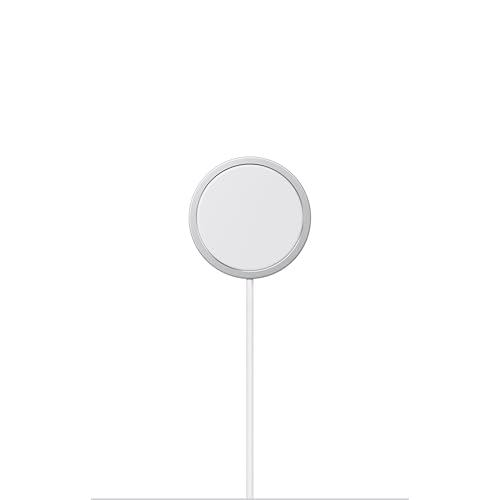
Apple MagSafe Charger (2 m) — The reference pad
Every category has an original, and this is MagSafe’s: Apple’s own magnetic charging puck, in the version its title specifies with a 2 m cable. That cable length is the detail to dwell on, because it is the longest lead in this guide and it changes where the charger can live. A one-metre puck tethers the phone to the socket’s immediate neighbourhood; a two-metre cable reaches across a desk, down the back of a bedside table, or to the far side of a sofa, and lets the phone rest where the person rests. For a product with no stand, no dock and no second charging spot, the cable is the design, and Apple sells the generous version of it here.
The puck itself is the reference implementation of the snap: a slim disc that finds the 13 Pro’s magnet ring with a decisive click and holds it through the night at the phone’s 15W ceiling. There is no alignment skill to learn and no placement ritual to perform, which was the entire point of the standard Apple created. Third-party Qi2 pads now match the alignment and the wattage; what they compete on is everything around the puck — stands, docks, extra spots, price. Judged purely as a charging disc, this remains the baseline, and its plainness is the honest expression of a first-party accessory.
What the box does not include is a wall adapter: the cable terminates in USB-C and expects a brick of adequate output to feed it, a fact the spec list records. Owners with a suitable USB-C adapter already in the drawer feel no friction; owners without one should count the adapter as part of the purchase, exactly as with the two ‘No Adapter’ pads elsewhere in this guide. The puck also offers nothing to AirPods beyond what any Qi surface offers a case placed on it — it is a one-device charger, proudly, and households charging more than the phone should read on to the dock.
- Type: MagSafe charging pad (cable puck)
- Cable: 2 m per listing title
- Charging rate for iPhone 13 Pro: up to the phone’s 15W MagSafe ceiling
- Wall adapter: Not stated as included in the listing title — verify with Apple documentation
- Extra device spots: none — single-device pad
Strengths
- The 2 m cable reaches charging places that one-metre rivals cannot, across desks and behind bedside tables.
- First-party snap and alignment — the reference behaviour every Qi2 pad here is matching.
- A slim disc that travels flat and works through any MagSafe-compatible case.
Trade-offs
- No stand or dock angle: the phone lies flat, which suits a bedside better than a desk.
- The wall adapter is a separate consideration, as with most pads in this guide.
- One device at a time — AirPods and a partner’s phone queue elsewhere.
Best for: a buyer seeking the original MagSafe puck with a long 2 m lead for a bedside or sofa-side charging place.
Not suited for: desk video calls or multi-device charging, where the kickstand pad and the 2-in-1 dock below are shaped for the job.

Anker Zolo MagSafe-Compatible Wireless Charger, Qi2 15W — Qi2 pad, adapter needed
The Anker Zolo is the straightforward third-party answer to Apple’s puck: a Qi2-certified charging pad, MagSafe-compatible, rated at 15W fast charging, with a title that names the iPhone 13 series among its supported generations — the exact phone this guide serves. Qi2 certification is the substance here. It means the pad implements the magnetic alignment standard formally, so the snap, the coil overlap and the 15W delivery to a 13 Pro behave as the standard promises rather than as a magnet glued into a generic Qi pad might. For a phone whose ceiling is 15W, a certified 15W Qi2 pad is not a compromise purchase; it is a full-speed one.
The title is equally plain about the two caveats, and both deserve repeating. ‘No Adapter’ means the box expects a wall brick to be supplied by the buyer, of sufficient output to let the pad reach its rating. ‘Not for Pixel’ is a compatibility boundary stated by Anker itself — the pad is aimed at iPhones and AirPods, and Android households should take the hint at face value rather than discovering magnetic alignment mismatches experimentally. A listing that states its exclusions this clearly is doing the reader a service, and the spec list preserves both statements.
In daily terms the Zolo is the pad for a single, defined charging place: the desk corner, the hallway console, the bedside. It has no stand and no second spot, and it does not pretend otherwise. What it offers over the Apple puck is the Anker ecosystem’s pricing tier and a Qi2 badge from the open standard; what it asks in return is an adapter from the drawer. Paired with any adequate USB-C brick — several live in this site’s wall charger guide — it is the rational default pad for a 13 Pro.
- Type: Qi2 magnetic charging pad
- Output: Qi2 15W fast charging stated in the listing title
- Stated compatibility: iPhone 13 series among 18 Pro through 13 generations, AirPods
- Wall adapter: not included — ‘No Adapter’ stated in the listing title
- Compatibility boundary: ‘Not for Pixel’ stated in the listing title
- Cable length: Not stated in the listing title — verify with Anker documentation
Strengths
- Qi2-certified 15W delivery equals the iPhone 13 Pro’s MagSafe ceiling exactly.
- The title names the iPhone 13 series directly — no compatibility guessing for this guide’s phone.
- Exclusions are stated in the open: no adapter, not for Pixel.
Trade-offs
- The required wall adapter is an extra purchase if the drawer lacks a suitable one.
- A flat pad with no stand — the phone lies down to charge.
- Single-device charging only.
Best for: a buyer seeking a certified Qi2 pad at full 13 Pro speed for one defined charging place, with a wall adapter already in the drawer.
Not suited for: Android households, or a charging place that must also handle AirPods simultaneously.

Anker MagGo Power Bank, 10,000mAh Qi2 15W — Big snap-on battery
This pick is not a pad, and its section will not treat it as one. The MagGo is a battery — 10,000mAh of stored energy in a slim pack that snaps magnetically to the back of the phone and charges it wirelessly at a Qi2-certified 15W, per its title. The phone and the battery then travel as one unit: in a hand, in a pocket, on a train table. Where a pad answers the question ‘where does the phone charge at home’, this answers ‘what happens on the day the phone never gets near home’ — the festival day, the travel day, the conference day, the day of photographing everything.
Capacity needs honest framing. Ten thousand milliamp-hours in the bank does not arrive whole in the phone: wireless transfer and conversion take their tax, and the practical yield is best understood as roughly a full extra charge for a phone of the 13 Pro’s class with something held in reserve, rather than a laboratory multiple. Even framed conservatively, that is the difference between rationing a battery from mid-afternoon and using the phone freely until bedtime. The Qi2 certification matters doubly on a battery, because misalignment wastes stored energy as heat — energy the bank cannot spare — so the certified snap protects the capacity as well as the pace.
The ergonomic note in the title is worth taking seriously: a 10,000mAh pack adds real thickness and weight to the phone’s back, and the combined unit is a handful rather than a sliver. That is the honest price of the big-battery role, and it is why the smaller MagGo exists below. Choose this one when the day is long and the bag can carry the phone with its companion attached, or when the pack will live on a desk as an occasional grab-and-go reserve rather than as an all-day attachment.
- Type: magnetic power bank (battery, not a wall pad)
- Capacity: 10,000mAh stated in the listing title
- Wireless output: Qi2-certified 15W stated in the listing title
- Stated compatibility: iPhone generations including the 13 Pro’s era and more
- Wired output options: Not stated in the listing title — verify with Anker documentation
Strengths
- A full extra day of phone freedom, snapped on with no cable to snag or forget.
- Qi2-certified alignment protects the stored energy from misalignment waste.
- 15W wireless delivery matches the phone’s MagSafe ceiling even untethered.
Trade-offs
- The combined phone-and-pack unit is thick and heavy in a pocket or a small hand.
- Wireless transfer loses some capacity to conversion; the yield is a generous full charge, not a doubled battery.
- It must itself be recharged from a wall eventually — it moves the socket problem rather than abolishing it.
Best for: a buyer seeking a snap-on battery that carries an iPhone 13 Pro through a long socket-free day at full MagSafe pace.
Not suited for: a bedside charging place, where a pad does the job without a battery’s bulk or cost.
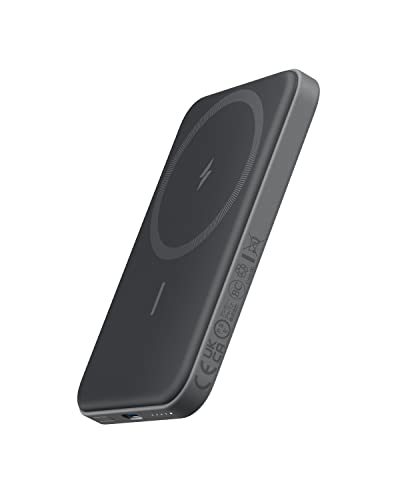
Anker 621 MagGo Power Bank, 5,000mAh — Slim snap-on battery
The 621 is the MagGo idea at half the capacity and a fraction of the presence: 5,000mAh in a slim magnetic pack whose title calls it a travel essential and names compatibility with the iPhone 13 series outright, the exact phone of this guide. Where the 10,000mAh model is a day-extender, this one is an evening-saver — the slim slab that lives in a jacket pocket or a small bag and turns a 20% warning at dinner into a comfortable taxi ride home. Its included USB-C cable, stated in the title, covers recharging the pack itself and gives the unit a wired option the title’s phrasing supports.
The honest limitation sits in what the title does not claim: no Qi2 badge and no wireless wattage figure are stated for this model, so its wireless delivery is recorded below as not stated in the title, with Anker’s documentation as the source for the figure. What can be said from the title is the role and the fit — a 5,000mAh magnetic pack, iPhone 13-compatible, travel-sized. Buyers for whom certified 15W wireless pace is the priority have the larger MagGo above; buyers for whom the pack must disappear into a pocket have this one, and the trade is stated plainly rather than smoothed over.
Five thousand milliamp-hours, after wireless conversion losses, is a partial-to-generous top-up rather than a full second battery — roughly the difference between a phone that dies during the evening and a phone that reaches home. Slim packs like this one also run their stored energy down across a few days of standby if forgotten in a bag, so the habit that suits it is a weekly top-up of the pack itself, keeping the rescue actually rescued. As an insurance policy carried daily, it is the most wearable pick in this guide.
- Type: magnetic power bank (battery, not a wall pad)
- Capacity: 5,000mAh stated in the listing title
- Stated compatibility: iPhone 16 through 12 series, including iPhone 13
- Bundled: USB-C cable stated in the listing title
- Wireless output wattage: Not stated in the listing title — verify with Anker documentation
- Qi2 certification: Not stated in the listing title — verify with Anker documentation
Strengths
- Slim enough to live in a pocket daily — insurance that is actually carried beats capacity left at home.
- iPhone 13 compatibility is stated in the title, not inferred.
- A USB-C cable is included for recharging the pack and wired use.
Trade-offs
- 5,000mAh yields a top-up, not a full second charge, after wireless losses.
- No wireless wattage or Qi2 claim appears in the title — pace must be confirmed in the documentation.
- An older design than the Qi2 MagGo above, with the spec sheet to match.
Best for: a buyer seeking a slim snap-on reserve for evenings and short trips, carried daily in a pocket beside an iPhone 13 Pro.
Not suited for: full-day heavy use away from sockets, where the 10,000mAh MagGo’s capacity is the right tool.

Belkin Qi2 15W Magnetic Charging Pad with Kickstand — Pad that props the phone
Belkin’s pad solves the flat-pad problem: a phone charging face-up on a desk is a phone that cannot be watched, glanced at or used for a call without being lifted off its charge. The kickstand named in the title props the iPhone 13 Pro upright while the Qi2 pad holds it magnetically and feeds it at 15W — the phone’s ceiling — turning the charging place into a small viewing station. Recipes in the kitchen, a video call at the desk, a clock face at the bedside: the upright phone keeps working while it charges, which is the use pattern flat pads quietly forbid.
The rest of the title is Belkin candour: MagSafe compatible, Qi2 15W, and ‘No Adapter’ stated plainly, with AirPods named among the devices the pad can serve when the phone is elsewhere. Belkin’s long-standing position as an Apple-adjacent accessory maker is the background trust here — its magnetic alignment and thermal behaviour are built to the standard the Qi2 badge certifies, and its titles, like this one, tend to disclose the inconvenient facts alongside the attractive ones. The adapter exclusion is the inconvenient fact: budget a suitable USB-C brick if the drawer lacks one.
As a desk pick, the kickstand changes the comparison with the Zolo pad above. Both are certified 15W Qi2 pads without adapters; the difference is posture. A charging place used for glancing and watching wants the Belkin’s stand; a charging place used for overnight stillness wants whichever pad is already owned. The kickstand also folds the pad into a slightly larger object than a bare disc, a fair trade that the title’s own framing accepts.
- Type: Qi2 magnetic charging pad with kickstand
- Output: Qi2 15W stated in the listing title
- Stated compatibility: iPhone 17 series, Galaxy S25 series, AirPods; MagSafe compatible
- Wall adapter: not included — ‘No Adapter’ stated in the listing title
- Stand: kickstand for upright viewing while charging
Strengths
- The kickstand keeps the phone usable — calls, video, clock — at full 15W charge.
- Qi2-certified alignment and output, equalling the 13 Pro’s ceiling.
- Belkin’s title states the adapter exclusion openly rather than burying it.
Trade-offs
- A wall adapter must be supplied separately.
- The stand makes it a desk or bedside fixture rather than a pocketable travel pad.
- One device at a time occupies the pad.
Best for: a buyer seeking a desk or kitchen charging place where the iPhone 13 Pro stands upright and usable while it charges at full MagSafe pace.
Not suited for: travel kits, or a charging place that must serve phone and AirPods at once.
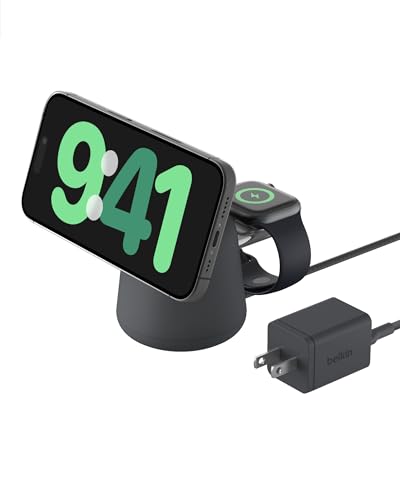
Belkin Qi2 15W Wireless Charging Dock, 2 in 1 — Dock for phone and AirPods
The closing pick is the most complete charging place in the guide: a 2-in-1 dock that charges an iPhone and AirPods from one footprint, at Qi2 15W for the phone, with the power adapter included — the only pad-side pick here whose box closes the adapter question entirely. The title names the iPhone 13 among its supported generations, so this guide’s phone is a stated tenant, not an assumed one. A dock like this is furniture for the bedside or the desk corner: one cable to the wall, two devices parked in their places, nothing migrating.
The 2-in-1 format deserves a clear-eyed look at who it serves. A home where the nightly census is exactly one iPhone and one set of AirPods gains a single, tidy station and retires two separate charging arrangements. Add a second phone, a watch or a tablet to the same census and another charging place is still needed beside it — the dock is complete for its pair and silent about everything else. Within its pair, the included adapter is a genuine differentiator: the dock’s 15W is achievable out of the box, with no drawer hunt and no underpowered brick quietly throttling the pad to half pace.
Against the kickstand pad above, the dock trades posture for company: the phone gains an AirPods companion and an included adapter, and the arrangement gains the permanence of a dock rather than the portability of a pad. Against Apple’s puck, it trades the long cable’s reach for a fixed station’s order. These are the real axes of the whole guide — reach, posture, company, portability — and the dock is the pick that maximises company and completeness at one defined place.
- Type: 2-in-1 wireless charging dock
- Output: Qi2 15W for the phone, stated in the listing title
- Devices: iPhone and AirPods from one dock
- Stated compatibility: iPhone 17 through 13 generations, AirPods, Qi2-enabled devices
- Wall adapter: included, stated in the listing title
- Second-spot wattage for AirPods: Not stated in the listing title — verify with Belkin documentation
Strengths
- Phone and AirPods share one footprint and one wall connection — the tidiest nightstand arrangement here.
- The adapter is included, so the stated 15W is available out of the box.
- iPhone 13 support is named in the title.
Trade-offs
- A fixed dock serves its pair only; a second phone still needs its own charging place.
- Dock permanence suits a bedside or desk corner, not a bag.
- The AirPods spot’s output is not stated in the title.
Best for: a buyer seeking one complete bedside station for an iPhone 13 Pro and AirPods, adapter included, with nothing else to buy.
Not suited for: households charging two phones nightly, or any role that travels.
Pads on the Desk, Batteries on the Back: A Side-by-Side Reading
| Pick | Role | Rate for this phone | Adapter | Extra |
|---|---|---|---|---|
| Apple MagSafe Charger (2 m) | Pad | Up to 15W ceiling | Not stated as included | 2 m cable |
| Anker Zolo Qi2 Pad | Pad | Qi2 15W stated | Not included | Not for Pixel, per title |
| Anker MagGo 10,000mAh | Power bank | Qi2 15W stated | Charges from wall to refill | 10,000mAh store |
| Anker 621 MagGo 5,000mAh | Power bank | Not stated in title | Charges from wall to refill | 5,000mAh store, USB-C cable |
| Belkin Qi2 Pad + Kickstand | Pad | Qi2 15W stated | Not included | Kickstand |
| Belkin Qi2 2-in-1 Dock | Dock | Qi2 15W stated | Included | AirPods spot |
The role column is the table’s whole argument. Sort these six by wattage and they look like near-duplicates clustered at a ceiling; sort them by role and they become four different answers to four different days. The pads compete on furniture virtues — cable reach, posture, company, adapter completeness. The power banks compete on carried energy and bulk. A reader who chooses within the correct family first will find the remaining decision small; a reader who chooses across families on wattage alone will own the wrong object at the right specification.
The adapter column is the table’s second lesson. Three of the four place-bound picks require a wall brick to be supplied or verified, and an underpowered brick silently demotes a 15W pad to whatever the brick can give. The dock’s included adapter is therefore not a garnish but a guarantee, and the pads’ exclusions are not flaws but invoices to be read before purchase rather than after.
Why Does the 15W Ceiling Make This Guide About Everything Else?
A fixed ceiling flattens the speed contest and elevates every other quality, which is why this guide spends its words on cables, stands, adapters and roles. When every serious pad delivers the same 15W to this phone, the differences that remain are the differences a user actually lives with: whether the phone can be watched while it charges, whether the AirPods have a home, whether the cable reaches the sofa, whether the brick in the drawer is strong enough to feed the pad at all. Speed shoppers find this category boring; pattern shoppers find it honest.
The ceiling also protects buyers from a whole genre of misleading headline. Wireless chargers exist that advertise outputs far above 15W, aimed at other phones or at theoretical maxima; on an iPhone 13 Pro those figures are simply unreachable, and any buying decision weighted toward them is weighted toward fiction. The Qi2 pads here state 15W because 15W is the truth for this phone. That alignment between the stated figure and the phone’s real ceiling is a small integrity test the whole list passes, and the one figure recorded as not stated — the small MagGo’s wireless output — is flagged rather than filled in, for the same reason.
There is a battery-health footnote to the ceiling as well. Magnetic charging at 15W generates warmth, and warmth is the variable batteries age by. A phone charged nightly at the ceiling on a well-aligned pad fares better than the same phone cooked slowly on a misaligned generic pad, because alignment efficiency is heat not created. The snap, once again, is the feature: it is a speed guarantee, a placement guarantee and a thermal kindness in one small ring of magnets.
How Does a Case Change the Magnetic Picture?
The 13 Pro’s magnets live in the phone, but the snap must reach through whatever covers them. A MagSafe-compatible case carries its own magnet ring that relays the alignment through the case’s thickness, preserving both the hold and the charging efficiency; the phone charges as if bare, and power banks grip as designed. A plain case without magnets attenuates everything: the snap weakens, the pad’s hold becomes a suggestion, a snap-on battery can slide under its own weight, and the charging gap grows, with speed and heat both suffering. A thick rugged case without a magnet ring is the worst pairing in this guide’s world — the phone may charge slowly, warmly, or, on a vertical stand, not stay attached at all.
The practical rules follow. If the phone lives in a MagSafe-compatible case, every pick here behaves as its section describes. If the phone lives in a plain thin case, flat pads remain workable while snap-on batteries and the kickstand’s posture deserve a cautious test. If the phone lives in a thick non-magnetic case, charge it out of the case on a pad, or change the case — and note that the case itself, however excellent, is an accessory in this story and never one of the chargers. Wallet attachments and metal plates between phone and charger interrupt the magnetic circuit entirely and must come off before any of these six picks can do their work.
What Mistakes Do MagSafe Buyers Repeat?
The first is buying a power bank to serve as a bedside pad: it works, after a fashion, until the morning the bank itself is empty and the phone on its back is emptier, both having spent the night passing a charge that a wall-fed pad would have supplied without bookkeeping. The second is the reverse — expecting a pad to help on a travel day. The third is feeding a 15W pad from an elderly low-output brick and concluding that MagSafe is slow; the pad was never given its 15W to deliver. The fourth is stacking accessories: a magnetic wallet left on the phone, a pad beneath, and a charge that crawls while everything warms.
Fifth, and most specific to this phone, is chasing wattage above the ceiling. Paying a premium for wireless output beyond 15W, for an iPhone 13 Pro, buys numbers the phone simply cannot spend at all. The money belongs in the axes that matter — the dock’s second spot, the puck’s long cable, the kickstand’s posture, the big MagGo’s capacity. Sixth is neglecting the power banks’ own charge: a MagGo that lives in a bag needs a weekly appointment with a wall, or the rescue arrives pre-discharged. Every one of these mistakes is a role error or a supply error, never a product error, which is why this guide has labelled roles so insistently.
How Should the Charging Places of a 13 Pro Household Be Arranged?
A phone has a geography: it sleeps in one place, works in another, and travels through a third. The well-arranged 13 Pro household assigns one pick to each geography rather than asking a single charger to cover the map. The bedside wants the charger that asks nothing at 1 a.m. — the Apple puck on its long cable, or the Belkin dock if AirPods share the night. The desk wants posture — the kickstand pad, where the phone stands for calls and glances. The hallway or kitchen, if it charges anything, takes the Zolo as the household’s spare pad, the place a low phone is set down during dinner. And the bag takes a MagGo, sized by the length of the days it must cover.
This arrangement sounds like abundance, but it is mostly a refusal of migration. Chargers that live in their places stay in their places; the phone develops the habit of being charged because charging is always within arm’s reach and never requires fetching anything. The households that struggle with this phone’s battery are rarely short of chargers in total — they are short of chargers in the right rooms, with one excellent pad imprisoned in a drawer of the wrong floor. Geography first, wattage nowhere: with a 15W ceiling, this phone makes the philosophy easy to follow.
One arrangement note belongs to the power banks specifically. A MagGo kept in the bag should be recharged on a schedule, not on a suspicion — Sunday night, say, alongside the week’s other resets. A bank recharged by routine is a bank that can be trusted at 4 p.m. on a Friday; a bank recharged ‘when it seems low’ is a paperweight with a magnet. The same routine can include the phone’s case check: magnets relayed, wallet detached, nothing between the rings that should not be there.
What Happens on a Travel Day With Each Family of Picks?
Travel separates the two families more sharply than home ever does. The pads travel badly by design: they need a wall adapter and a socket, they serve one spot in an unfamiliar room, and the puck’s 2 m cable — a virtue at home — becomes the only pad worth packing, because hotel sockets hide behind furniture at exactly the distance a short cable cannot reach. A traveller who packs a pad is really packing a bedside for the hotel, and should pack the adapter with it, since two of these pads ship without one and hotel rooms do not lend bricks.
The power banks travel as they were born to. The big MagGo turns a long-haul day — airports, a conference, a city walked with the camera open — into a day with a second battery in reserve, snapped on during the flat stretches and pocketed during the busy ones. The slim 621 covers the lighter itinerary: the evening city break, the day trip, the wedding. Neither bank cares where the sockets are, which in transit is the entire point. Airport queues, security trays and train tables are where snap-on banks quietly justify themselves in front of strangers every day, because the phone keeps charging in the hand, in the line and in the seat, without a cable ever being produced in public or a socket ever being hunted down. The experienced pattern combines both families without confusion: a MagGo for the day, and the puck — with its adapter — for the hotel night, the bank recharging beside the phone it spent the day rescuing.
How Does StandBy-Style Desk Use Change Which Pad Belongs?
Recent iPhone software has turned the charging phone into a small ambient display — a clock, a calendar, a photo frame — whenever the phone rests on its side, charging, in landscape. That single software habit quietly re-ranks this guide’s pads for desk and bedside use. A flat puck reduces the phone to a face-up slab, readable only from directly above. The Belkin kickstand pad, by contrast, holds the phone upright and angled, which is precisely the posture an ambient display wants, and the dock similarly presents the phone as a small fixture rather than a resting object. A charging place bought after this software era should be chosen with the phone’s second life as a display in mind.
The bedside is where the posture question bites hardest. A clock that can be read from a pillow at 3 a.m. without lifting the phone is a genuine quality-of-sleep feature, and it costs nothing beyond choosing the pad whose shape supports it. The desk version of the same logic is the glance: notifications, timers and call screens readable at working distance while the battery climbs. None of this changes the electrical story — the same 15W flows in every posture — but it changes which purchase feels right a year later, and purchases in this category are lived with nightly for years.
Final Recommendation
Start with the role, because the wattage has already been decided by the phone. For a bedside or sofa place, Apple’s 2 m puck reaches furthest; for a desk where the phone should stand and stay usable, Belkin’s kickstand pad; for the phone-and-Airpods pair, Belkin’s dock with its adapter included; for a single defined spot on a budget of attention rather than money, Anker’s Zolo pad and a brick from the drawer. For days that leave sockets behind, the MagGo pair divides by appetite — the 10,000mAh for the long day, the slim 621 for the carried-everywhere insurance. Fifteen watts everywhere, and the right shape for the day: that is the whole of the art with this phone.
Frequently Asked Questions
Can any charger charge an iPhone 13 Pro magnetically faster than 15W?
No. Fifteen watts is the phone’s MagSafe ceiling, set by the phone itself. A Qi2 pad rated at 15W — three of the pads and the large power bank in this guide state exactly that figure — already delivers the maximum this phone accepts. Higher wireless ratings on other products describe capacity aimed at other devices and cannot be spent by a 13 Pro.
What is the difference between MagSafe and Qi2 for this phone?
For an iPhone 13 Pro, the practical difference is branding and certification lineage rather than behaviour. MagSafe is Apple’s own magnetic system; Qi2 is the open standard built on the same magnetic alignment idea. A Qi2-certified pad snaps to the 13 Pro’s magnet ring, aligns the coils and delivers the same 15W ceiling, which is why Qi2 pads from Anker and Belkin sit beside Apple’s own puck in this guide without apology.
Do the power banks charge the phone at the same speed as the pads?
The large MagGo states Qi2-certified 15W, matching the pads and the phone’s ceiling while running on stored energy. The smaller 621’s title does not state a wireless wattage, so its pace should be confirmed in Anker’s documentation. Both banks also lose some capacity to wireless conversion, so their milliamp-hour figures translate into less than the same number delivered — a generous full charge from the big bank, a substantial top-up from the small one.
Which wall adapter do the pads need?
A USB-C adapter of sufficient output to feed a 15W pad at full pace, with headroom. Two pads here state ‘No Adapter’ in their titles and Apple’s puck does not state an included adapter, so the brick is part of the purchase for most of this list; only the Belkin dock includes its adapter. An underpowered legacy brick will charge the phone slowly through any of these pads, and the pad will be blamed for the brick’s arithmetic.
Will these chargers work through a phone case?
Through a MagSafe-compatible case, yes — its magnet ring relays the snap and the alignment survives. Through a plain thin case, flat pads generally work while snap-on batteries grip less surely. Through a thick case without magnets, expect weak hold, slower charging and extra warmth, and remove wallet attachments or metal plates in all cases, since they interrupt the magnetic circuit outright.
Why does the phone sometimes feel warm on a magnetic pad?
Because wireless transfer is less efficient than a cable and the difference leaves as heat, concentrated where the coils meet. Mild warmth at the end of a charge is normal physics. Persistent strong heat points to a widened coil gap — usually a thick case — or to the phone working hard while it charges, and both causes have remedies: a MagSafe-compatible case, and letting the heaviest tasks wait until the phone is fed. The aligned snap keeps this guide’s picks at the mild end of the range by keeping the gap at its designed minimum.
Do these chargers still work when the 13 Pro is eventually replaced?
Yes, and this is a quiet strength of buying to a standard rather than to a phone. MagSafe and Qi2 pads serve the iPhone generations before and after the 13 Pro — the titles here name ranges running from the 12 series to the newest models — and the Qi2 pads also serve AirPods and other Qi2 devices. A pad bought for this phone becomes the household’s spare pad for the next one, and a MagGo bank likewise outlives the phone it was bought beside. The ceiling to remember is that a future phone may accept more than 15W; these chargers would then feed it at 15W, gracefully and without complaint.
What should be checked in the first week with a new pad?
Three things. First, the morning battery: a correctly aligned pad leaves the phone at full every morning, and any shortfall points to a case problem, a weak adapter or a pad being nudged in the night. Second, warmth: the phone should finish its charge no more than mildly warm; persistent heat suggests the gap problem of a thick or non-magnetic case. Third, the snap itself with the case on — it should feel decisive, not tentative. A week of mornings answers all three, and a pad that fails them should be re-examined while returning it is still simple.
Which pick should a 13 Pro owner buy first if the budget allows only one?
The pad where the phone sleeps, because that charger will do most of the phone’s lifetime charging. For most owners that means the bedside: the Apple puck if reach matters, the Belkin dock if AirPods share the night. A power bank is the second purchase, bought when the days start outrunning the battery; buying the bank first leaves the nightly charge — the one that happens three hundred times a year — still dependent on a cable and a remembered routine.
Is a MagSafe power bank safe to leave snapped on all day?
It is designed for exactly that duty, with two comforts to manage rather than dangers to fear. The combined unit is heavier and thicker, which some hands tire of, and a phone working hard while charging from the bank — gaming, filming, navigating in sun — can grow warm, since it is spending and receiving energy at once. The sensible pattern is to let the bank do its heavy lifting while the phone rests or works lightly, and to detach it once the phone is comfortably charged rather than wearing it as a permanent shell.
Does MagSafe charging wear the battery faster than a cable?
Wireless charging is somewhat less efficient than a cable, and the difference becomes gentle heat. With a well-aligned MagSafe or Qi2 connection — the condition every pick here is built to provide — that heat is modest, and the alignment itself prevents the worst case, which is a misaligned pad cooking a phone slowly overnight. A 13 Pro charged nightly on an aligned pad at its 15W ceiling is living the use the system was designed for; the battery’s larger enemies are deep discharges and chronic heat from any source, not the magnet.
Can the Belkin dock charge a second iPhone instead of AirPods?
The dock is a 2-in-1 designed and titled for an iPhone plus AirPods, and its second spot is shaped and specified for the AirPods role; its output for that spot is not stated in the title. A two-iPhone household should treat the dock as one phone’s station and give the second phone its own pad — the Zolo or the Apple puck — rather than improvising on a spot designed for a smaller device.
Related Guides
For the bricks that feed these pads, see our Anker wall chargers guide. For charging several devices from one box, our multi device chargers roundup covers desktop stations, and for phones in thick cases on plain Qi pads, our Qi chargers for phone with case guide takes the alignment problem from the other side.


