What's inside
- Where to buy
- Key Takeaways
- Quick Picks
- How did we judge third-party gear for an Apple phone?
- What is MFi, and why does iOS care about your cable?
- What do you need for genuine iPhone fast charging?
- How do the six picks compare as a system?
- Which setup fits your household’s shape?
- How should you verify a third-party cable before trusting it?
- What mistakes send buyers back to the Apple Store?
- How long should a good cable last, and when should you retire one?
- Can the same third-party system charge an iPad and AirPods?
- What happens to all this Lightning gear when you eventually change phones?
- Final Recommendation
- Frequently Asked Questions
- Related Guides
As an Amazon Associate I earn from qualifying purchases. This post may contain affiliate links at no extra cost to you.
gizmoverdict.com is reader-supported. When you buy through links on our site, we may earn an affiliate commission.
Where to buy
Amazon’s US store carries the five linked picks in this guide — one wall charger, three Lightning cables, and one wireless pad, all from Anker’s catalogue as verified through our channel. The sixth pick, Apple’s own 20W adapter, is covered in prose only and deliberately left unlinked: a guide to third-party chargers should use the first-party product as its measuring stick, not quietly sell it as one of the contestants.
The phrase best 3rd party iphone chargers hides a question that Apple itself created. For years the iPhone shipped with a five-watt adapter that became a byword for slow charging, and an entire industry grew up to do better — faster bricks, tougher cables, cheaper spares for every room. Then Apple stopped including adapters altogether, and the third-party question changed from “can someone beat the brick in the box?” to “which stranger’s brick deserves to be the one my phone trusts?” That trust question is the real subject of this guide, and it has a precise technical name: MFi, Apple’s licensing programme for accessories, which is the difference between a cable your iPhone accepts for a decade and one it may reject after the next software update.
Everything linked below passes that test. The cables are MFi-certified, the wall charger speaks USB-C Power Delivery the way recent iPhones expect, and the wireless pad is Qi-certified. Around those five, the guide explains what certification actually guarantees, where the genuine risks of third-party charging live — they are in uncertified cables, not in reputable bricks — and where Apple’s own adapter still sets the benchmark that the alternatives must beat on value, ports, or convenience.
Key Takeaways
- MFi certification is the whole ballgame for Lightning cables: it is Apple’s own licence, it guarantees the connector chip the phone checks for, and every cable pick here carries it.
- Fast charging a Lightning iPhone needs two halves together — a USB-C Power Delivery brick and a USB-C-to-Lightning cable; either half alone leaves you at the old slow rate.
- The Anker Nano’s 47W is a two-port total, which makes it a charger for a phone plus a companion device rather than a single-output sprinter.
- USB-A-to-Lightning cables like Anker’s braided two-pack are for convenience charging at legacy speed, and they earn their place in cars and spare rooms on durability.
- Apple’s 20W adapter appears in prose as the benchmark: the alternatives below beat it with extra ports, longer cables, or lower cost per charging spot.
- iPhone 15 and later moved to USB-C, so Lightning picks serve the enormous iPhone 14-and-earlier installed base — check your port before ordering anything.
Quick Picks
| Pick | Badge | Why it is here |
|---|---|---|
| Anker Nano 47W 2-Port GaN Charger | Best third-party brick | A folding, pocketable GaN adapter whose two ports cover an iPhone at full fast-charge pace plus a second device alongside. |
| Anker New Nylon USB-C to Lightning Cable, 6 ft | Best fast-charge cable | The MFi-certified half that unlocks Power Delivery speeds for Lightning iPhones, in a braided six-foot length that reaches across rooms. |
| Anker USB-A to Lightning Cable, 2-Pack, 6 ft | Best legacy spares | Two double-braided cables for the USB-A ports that still fill cars, offices, and older adapters, built to survive being spares. |
| Anker 310 USB-C to Lightning Cable, 2-Pack, 6 ft | Best fast-charge pair | Two MFi USB-C-to-Lightning leads in one box, so the fast-charge setup exists in two rooms instead of being carried between them. |
| Anker 313 Wireless Charger Pad | Best cable-free option | A Qi-certified pad that charges a Lightning iPhone at the standard wireless rate while sparing the port a thousand insertions. |
| Apple 20W USB-C Power Adapter | Prose-only benchmark | Apple’s own single-port adapter, discussed without a link as the reference the third-party picks must justify themselves against. |
How did we judge third-party gear for an Apple phone?
Certification came first, and for cables it was an absolute filter. Apple’s MFi programme licenses the Lightning connector itself: certified cables contain an Apple-supplied authentication chip, are built to Apple’s specification, and are listed in Apple’s own searchable database. Uncertified cables imitate the connector without the chip’s blessing, and iOS has a long memory for them — the “this accessory may not be supported” warning, the charge that stops overnight, the cable that worked until an update. Every cable in this guide is MFi-certified, because a buying guide that gambles its readers’ phones on counterfeit connectors to save a small sum has misunderstood its job.
For the wall charger, the criterion was protocol honesty. An iPhone fast-charges over USB-C Power Delivery, so the brick must offer a proper PD profile at twenty watts or beyond for a single phone, and must describe its multi-port behaviour truthfully. GaN construction earned a preference rather than a requirement: gallium nitride transistors let a charger run cooler in a smaller body, which is why the Nano below folds into a pocket where older silicon designs of similar power could not. We also weighed the things that decide whether a charger is loved in year two — folding prongs, a housing that survives being dropped on tile, a brand that will still exist to honour its warranty.
The wireless pad and the benchmark adapter were chosen for the argument they complete. A third-party ecosystem is not only bricks and cables; for many Lightning iPhones the nightly charge is wireless, and Apple’s own 20W adapter is the product every shopper cross-examines before buying an alternative. Including both, honestly labelled, lets the guide answer the questions readers actually bring instead of the narrower ones a link list would prefer.
What is MFi, and why does iOS care about your cable?
MFi — Made for iPhone — is Apple’s licensing regime for the accessories that plug into its phones. A manufacturer joins the programme, buys the genuine connector components, submits its product for testing, and in return may print the MFi badge and, more importantly, ship a cable whose Lightning plug carries the authentication chip that iOS interrogates when a connection is made. The phone is not being precious for its own sake: the chip confirms the connector meets electrical specifications for voltage handling and data integrity, in a port that sits millimetres from the phone’s battery and logic board.
The failure mode of uncertified cables is not usually instant refusal, which is what makes them treacherous. A counterfeit cable often works for weeks, then an iOS update tightens the checks, or the connector’s tolerances drift with wear, and the phone begins rejecting it intermittently — charging when watched, stopping when trusted overnight. Some cheap cables commit worse sins, with poor voltage regulation that stresses the phone’s charging circuitry over months. The price gap between that gamble and a certified Anker cable is small enough that this guide treats certification as the entry ticket, full stop, and spends its remaining judgement on length, braid, and value.
One clarification protects buyers from a common confusion: MFi governs the Lightning end of the cable. A cable of this pairing is certified as a whole product, and its USB-C end follows the open USB standards. When shopping beyond this guide, the reliable tells of a genuine certified cable are the MFi badge on the packaging, a brand with a verifiable presence, and a listing in Apple’s own MFi accessory search. A cable whose marketing shouts about charging speed while whispering nothing about certification is telling you, in its own way, exactly what it is.
What do you need for genuine iPhone fast charging?
Two halves, both present, no exceptions. The first half is a USB-C charger offering Power Delivery at twenty watts or more — the Nano below, or Apple’s benchmark adapter. The second half is a certified USB-C-to-Lightning lead, like the two Anker cable picks in this guide that use that connector pairing. Join them and a Lightning iPhone from the iPhone 8 onward fast-charges, recovering roughly half its battery in about half an hour by the long-established behaviour of this system. Remove either half — plug a USB-A-to-Lightning cable into the finest PD brick via an adapter, or feed a USB-C cable from a feeble five-watt brick — and the phone politely reverts to the slow lane.
This is why the guide lists cables as first-class picks rather than accessories to the charger. Most households investigating third-party charging already own something brick-shaped; what they lack is the correct cable half, and a drawer’s worth of USB-A Lightning leads, however sturdy, cannot unlock the fast rate. The Anker 310 two-pack exists precisely for that realisation: it converts two rooms to fast charging in one purchase, on the assumption that the household owns or buys one capable USB-C brick and moves it, or better, owns the Nano as well and stops moving anything.
And the generational footnote, stated plainly so nobody orders in error: the iPhone 15 family and everything after it charge through USB-C, not Lightning. Those phones need a USB-C-to-USB-C cable — a different product, outside this guide’s picks — paired with the same PD brick. The Nano below serves them beautifully; the Lightning cables serve the hundreds of millions of iPhones from the 14 series downward that remain in daily service and will for years.
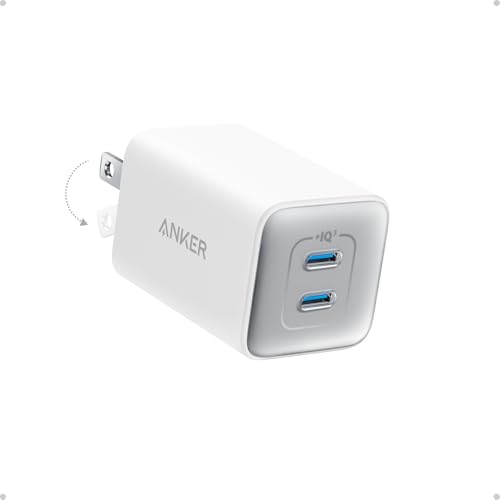
Anker Nano 47W 2-Port GaN Charger — Best third-party brick
The Nano is the answer to the question Apple created when it emptied the iPhone box: if one charger must now be chosen deliberately, which one covers the most life? Its answer is versatility in a body small enough to forget in a jacket pocket. Two ports — USB-C and USB-A — share a 47W maximum, and the USB-C port alone delivers enough Power Delivery output to fast-charge a Lightning iPhone at its full appetite, drive a newer USB-C iPhone likewise, or give a small tablet a serious drink. Plug a second device in and the pool divides, which is why the honest description of this charger is a phone-plus-companion tool: phone and earbuds, phone and watch puck, phone and a partner’s phone at maintenance pace.
GaN is the enabling technology and it is worth understanding rather than merely admiring on the box. Gallium nitride switches power more efficiently than the silicon in older adapters, wasting less energy as heat, and heat is what forces chargers to be big — big to shed it, big to survive it. The Nano’s folding prongs and dense little brick of a body exist because its internals run cool enough to allow them. In a travel washbag or a crowded kitchen socket strip, that compactness is not a luxury; it is the difference between the charger that comes along and the charger that stays home.
Against Apple’s benchmark adapter, the Nano’s argument writes itself: a second port, a higher total ceiling for the phone-plus-something pattern, folding prongs the Apple brick lacks, and one purchase covering the Android phone in the same household through the same ports. Its honest limits are the shared pool — it is not a two-fast-charge-at-once device — and the absence of a cable in the box, which is why this guide pairs it with the cable picks that follow. As the single third-party brick most iPhone owners should own, it has no serious rival in this roundup.
- Ports: one USB-C with Power Delivery plus one USB-A, in a folding-prong body
- Total output: 47W maximum shared across the two ports, not per port
- Solo behaviour: the USB-C port fast-charges a Lightning or USB-C iPhone in full
- Technology: GaN construction for a cooler, smaller adapter than silicon rivals
- In the box: charger only — pair it with a certified cable from the picks below
Strengths
- Covers a phone at full pace plus a companion device, in a pocketable body.
- Folding prongs and cool running make it the natural travel charger.
- One brick serves the iPhones and the Android phones of a mixed household.
Trade-offs
- Two hungry phones at once divide 47W and both slow down.
- No cable included, so the certified second half is a separate decision.
- Its tiny size makes it the easiest charger in the house to lose.
Best for: nearly every iPhone owner buying one deliberate charger for home and travel. Not suited for: households needing two simultaneous full-speed phone charges from a single brick.
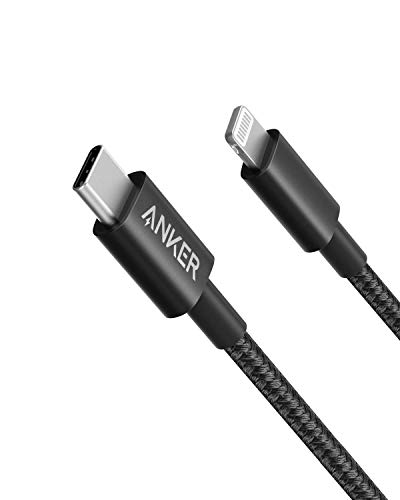
Anker New Nylon USB-C to Lightning Cable (6 ft, Black) — Best fast-charge cable
If the Nano is the engine of a third-party fast-charge setup, this cable is the transmission — the component without which the power never reaches the phone in the form it craves. It is MFi-certified, which settles the trust question completely, and it pairs a USB-C connector at the brick end with Lightning at the phone end, which is the only cable geometry that unlocks Power Delivery fast charging for iPhones from the 8 through the 14. Six feet of it, wrapped in Anker’s braided nylon, changes where charging can happen: the socket behind the sofa stops being a constraint, the phone stays usable in bed while it charges, and the cable reaches across a desk instead of tethering the handset to its edge.
The braid deserves its paragraph, because cable death is almost never electrical — it is mechanical, at the two strain points where lead meets connector, worried by a thousand small bends. Braided nylon over a strong core spreads that bending stress, resists the fraying that turns white rubber cables into electrical tape emergencies, and slides over upholstery and car upholstery without the rubbery grip that makes ordinary leads snag and knot. Owners of Apple’s own cable, whose sheath famously splits near the Lightning plug, will recognise this as the specific improvement they went shopping for.
Colour is the trivial detail that turns out to matter: this black version disappears against car interiors and dark furniture, while the silver sibling in our 6-foot guide suits lighter rooms. Choose by the room, not by superstition — the certification, braid, and length are identical where it counts. What this cable will not do is serve an iPhone 15 or later, whose USB-C port wants a different cable entirely; within the Lightning fleet, it is as close to a permanent purchase as cables get.
- Connectors: USB-C to Lightning — the fast-charge geometry for iPhone 8–14
- Certification: MFi-certified, with the authentication chip iOS checks for
- Length: 6 ft, enough to use the phone comfortably from distant sockets
- Construction: braided nylon over a reinforced core, built for bend survival
- Colour: black, the discreet option for cars and dark furniture
Strengths
- Unlocks genuine PD fast charging with any capable USB-C brick.
- The braid addresses the exact failure that kills Apple’s own cable.
- Six feet converts charging from a tether into a usable radius.
Trade-offs
- Lightning only — useless to the USB-C iPhone generation.
- Requires a PD brick to show its talent; with a weak brick it is ordinary.
- Braided cables are slightly stiffer to coil for very small travel pouches.
Best for: Lightning iPhone owners building one proper fast-charge station at home. Not suited for: iPhone 15-and-later owners, who need USB-C at both ends instead.

Anker USB-A to Lightning Cable (2-Pack, 6 ft, Black) — Best legacy spares
There is a temptation, in a guide that has just explained fast charging, to dismiss USB-A-to-Lightning cables as yesterday’s product. Resist it. The world’s installed base of USB-A ports is astronomical — in cars, in office docks, in aeroplane seats, in the beloved old twelve-watt iPad bricks still serving in kitchens — and a Lightning iPhone plugged into any of them needs exactly this cable. What it delivers is the legacy rate: not the PD sprint, but a perfectly serviceable charge for a phone sitting in a car on a long drive, or topping up at a desk where it will rest for hours anyway. Speed is a property of journeys, and not every journey is short.
Anker sells this cable as a two-pack of six-foot, double-braided leads, and the pairing is the point. Spares are a system, not a product: one in the car, one in the bag; one in the kitchen, one in the study. A single excellent cable still leaves its owner performing the nightly migration ritual that wears connectors out, whereas a matched pair, each left in its station, can serve for years with their strain points barely disturbed. The double braiding suits the spare’s life specifically — coiled in gloveboxes, trodden on in footwells, frozen and baked with the car’s seasons.
Certification, again, is the non-negotiable under the value: these are MFi-certified leads, so the phone accepts them without warnings today and after the next iOS update. The honest framing for the whole pick is that it is the best version of the old way — the old way done with proper materials and Apple’s blessing — bought for the places where the old way is the only way the ports allow.
- Connectors: USB-A to Lightning, for the legacy ports still found everywhere
- Certification: MFi-certified, like every cable pick in this guide
- Pack: two 6 ft leads, intended to live in two separate stations
- Construction: double-braided nylon for glovebox and footwell survival
- Charging pace: standard legacy rate — convenience charging, not PD fast charge
Strengths
- Two certified spares end the nightly cable migration between rooms.
- Braiding shrugs off the car and travel abuse that kills rubber leads.
- Compatible with every USB-A source a Lightning owner will ever meet.
Trade-offs
- Cannot fast-charge; the PD rate needs the USB-C cable picks instead.
- Six feet in a car can become six feet of footwell tangle if unmanaged.
- As USB-A ports slowly vanish, these are a purchase for the present fleet.
Best for: cars, offices, and spare stations where USB-A is the port on offer. Not suited for: anyone whose goal is the fastest possible charge at home.

Anker 310 USB-C to Lightning Cable (2-Pack, 6 ft, Black) — Best fast-charge pair
The 310 two-pack starts from a behavioural insight: fast charging that lives in one room is fast charging you use half the time. The phone runs low in the bedroom and the kitchen, at the desk and on the sofa, and a single prized cable spends its life being fetched. Two identical MFi-certified USB-C-to-Lightning leads, six feet each, plant the fast rate in the two places a household actually needs it, and the second cable typically costs far less than the regret of not having it. This is the pick for the reader who read the single-cable section above, nodded, and thought: both rooms, though.
Anker’s 310 line is the company’s value tier, and the differences from the braided flagship cable are honest ones: a simpler, lighter construction that favours flexibility and price over the heavy-duty braid. For cables that live plugged into a brick behind furniture — the exact life this two-pack is designed for — that trade is well judged, because a stationary cable’s enemies are not bends and boots but dust and time. Kept in their stations, a pair of 310s will outlast the phone they serve. Marched daily between rooms in a coat pocket, the braided pick above is the tougher companion, and the guide’s structure lets you choose per cable rather than per dogma.
The listing’s own parenthesis — charger not included — is the one line to plan around. This pack is the second half of the fast-charge system twice over, and it presumes your household has, or is buying, Power Delivery bricks to feed both stations; the Nano is the obvious partner, and one Nano plus this pack plus an existing USB-C brick anywhere in the house completes most homes. Buy the system, not the component, and the 310 pair is the most economical way to finish it.
- Connectors: USB-C to Lightning on both leads — the PD fast-charge pairing
- Certification: MFi-certified, with iOS acceptance guaranteed by the licence
- Pack: two 6 ft cables for two permanent fast-charge stations
- Construction: lighter value-tier build, ideal for cables that stay in place
- Requirement: needs USB-C PD chargers at both stations; none are in the box
Strengths
- Fast charging in two rooms for little more than a single premium cable.
- Identical twins make every station behave the same way.
- Stationary duty plays to this construction’s strengths perfectly.
Trade-offs
- Less armour than the braided pick for a life of travel and pockets.
- Two cables still need two PD bricks to fulfil their promise.
- Lightning’s sunset means these serve the current fleet, not the next phone.
Best for: households ready to make fast charging a fixture in two rooms at once. Not suited for: a single cable that must survive daily travel in bags and pockets.
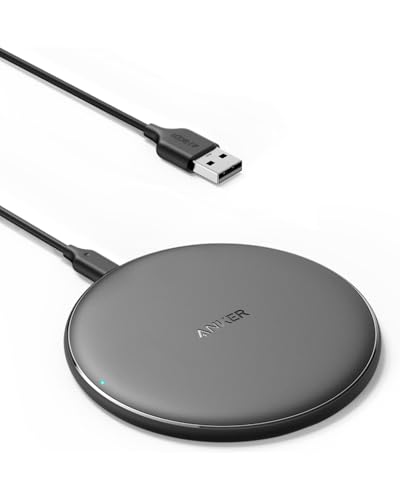
Anker 313 Wireless Charger Pad — Best cable-free option
A third-party charging ecosystem earns the name when it covers the way phones actually spend their nights, and for a great many iPhones that way is wireless. The Anker 313 pad enters this guide from a different door than the bricks and cables: not as the fastest route into the battery, but as the gentlest. On standard Qi, a Lightning iPhone draws seven and a half watts from this pad — the ceiling Apple sets for non-magnetic wireless charging — which fills the phone across a night with hours to spare while sparing the Lightning port the mechanical wear of a thousand plug-and-unplug cycles. Ports do wear out; a phone whose port survives to resale is worth measurably more than one whose cable must be held at an angle.
Within an Apple-focused guide, the pad also plays peacemaker in mixed households. The same disc that charges the iPhone at 7.5W charges a Samsung handset at up to ten and a set of AirPods at whatever gentle rate they request, so the nightstand stops needing a denominational split of chargers. Its Qi certification carries the foreign-object detection that matters when keys and coins share the surface, and its one honest demand, carried over from its own listing, is a suitable wall adapter to feed it — the pad includes none, and a Quick Charge class brick is the partner it was designed around.
Choose it with clear eyes about what it is not. It is not the charger for a dead phone at six in the evening before a night out; the Nano and a certified cable win that emergency by a distance. It is the charger for the other three hundred nights of the year, when the phone would be lying on the nightstand anyway and might as well be filling. Judged as infrastructure rather than as a sprinter, it completes this guide’s system: wired speed when minutes matter, wireless ease when they do not.
- Format: flat Qi-certified pad; the phone lies horizontal, no cable into the handset
- iPhone rate: 7.5W, Apple’s ceiling for standard Qi wireless charging
- Android rate: up to 10W for handsets that request it
- Adapter: none included; feed it a Quick Charge class wall adapter
- Port preservation: zero insertions per charge — the kindest option for an ageing Lightning port
Strengths
- Removes nightly port wear from a phone you may keep for years.
- Serves iPhone, Android, and AirPods from one denominational-neutral disc.
- The drop-and-sleep ritual is the lowest-friction charging habit there is.
Trade-offs
- Wireless pace is overnight pace; emergencies belong to the wired picks.
- Needs its own adequately rated adapter, which the box does not supply.
- Alignment, while forgiving here, still matters more than a cable ever does.
Best for: nightstands, and owners who want their Lightning port to outlive the phone. Not suited for: rapid top-ups before going out, where wired fast charging wins outright.
Apple 20W USB-C Power Adapter — Prose-only benchmark
Every alternative in this guide is, implicitly, an argument against this small white cube, so fairness demands it be described at full strength. Apple’s 20W USB-C adapter is the reference implementation of iPhone fast charging: one USB-C port, a clean twenty watts of Power Delivery, behaviour with iPhones that is correct by definition, and a build that has survived in millions of bags and sockets. Paired with a USB-C-to-Lightning lead from Apple or Anker, it delivers the canonical fast charge. If a buyer’s only criterion were “the charger Apple would choose,” the shopping would end here, which is precisely why it stands in this guide unlinked and unpicked — it is the titleholder the third-party challengers must dethrone on merit.
Its limitations are structural rather than qualitative. One port means one device. No folding prongs means a rigid cube that scratches its neighbours in a travel pouch and juts from a wall at the angle least convenient to furniture. Twenty watts, while perfect for a phone, leaves nothing for a second device and little headroom for a tablet. And as the benchmark purchase it is bought one room at a time, whereas the third-party picks above attack the whole household — two cables in a box, two ports in a brick — at friendlier arithmetic. None of this diminishes it as an object; it defines the bar. The Nano clears the bar on versatility, the cable packs clear it on household coverage, and the pad clears it by playing a different sport entirely.
Who should buy the benchmark anyway? The buyer with exactly one iPhone, one room, and a preference for first-party simplicity that no spreadsheet will argue away; also any buyer whose employer or insurer specifies Apple accessories. Everyone else is paying the benchmark’s price for a subset of the third-party system’s abilities, and this guide exists to make that trade visible rather than habitual.
- Ports: a single USB-C port — the reference design, nothing more
- Output: 20W Power Delivery, exactly matched to iPhone fast charging
- Coverage here: prose-only benchmark, deliberately not linked in a third-party guide
- Design notes: fixed prongs, no cable included, compact white cube
- Beaten by rivals on: port count, household value, travel manners, versatility
Strengths
- First-party correctness with iPhones is guaranteed by definition.
- Simple, compact, and proven at enormous scale over many years.
- The 20W PD profile is precisely the phone’s fast-charge appetite.
Trade-offs
- One port and twenty watts leave nothing for a second device.
- Fixed prongs travel badly and crowd neighbouring plugs.
- Costs titleholder money for a feature list the challengers exceed.
Best for: single-iPhone minimalists who value first-party simplicity above versatility. Not suited for: households charging several devices, which the third-party system serves better.
How do the six picks compare as a system?
| Pick | Type | Fast-charge role | Certification | Household job |
|---|---|---|---|---|
| Anker Nano 47W | Wall charger, 2 ports | Full PD rate to one phone | USB PD; GaN build | The one brick for home and travel |
| Anker New Nylon C-to-L, 6 ft | Cable, braided | Unlocks PD with a USB-C brick | MFi-certified | The primary fast-charge station’s lead |
| Anker USB-A to Lightning, 2-pack | Cables, braided | Legacy rate only | MFi-certified | Car and spare-room coverage |
| Anker 310 C-to-L, 2-pack | Cables, value tier | Unlocks PD in two rooms | MFi-certified | Two permanent fast-charge stations |
| Anker 313 Pad | Wireless pad | 7.5W to iPhones overnight | Qi-certified | Nightstand, port-preserving charge |
| Apple 20W Adapter | Wall charger, prose-only | Reference 20W PD rate | First-party | The benchmark single-room choice |
Read as a shopping list, the table resolves into one sensible basket for most Lightning households: the Nano, one of the two USB-C cable options chosen by whether your cables travel or stay, and the USB-A pair if your car and office still speak the older language. The pad joins when the nightstand ritual matters, and the Apple adapter joins only when first-party purity outranks the system’s arithmetic. Notice what the table never asks you to buy: an uncertified cable, at any price, for any reason.
Which setup fits your household’s shape?
The single-iPhone apartment needs the least: one Nano and one braided USB-C-to-Lightning cable create a fast-charge station that also travels, and the story ends until the phone is replaced. The couple with two Lightning iPhones should think in stations rather than chargers — the 310 two-pack plants fast charging in the bedroom and the living room, the Nano feeds whichever station hosts the evening’s emptiest phone, and a second brick, even Apple’s benchmark, eventually joins so neither station is ever orphaned. The family with teenagers adds the USB-A two-pack for cars and rucksacks, accepting legacy speed in exchange for cables that can be lost without grief.
Owners of ageing iPhones — an 11 or 12 with a battery that no longer lasts the day — should weight the pad more heavily than the speed picks. A wireless top-up at the desk and another by the bed flatten the day’s battery anxiety without a single port insertion, and the phone’s remaining life is spent gently. Owners of a brand-new Lightning iPhone, by contrast, should skip the pad initially and invest in the wired fast system, because a young battery plus a thirty-minute half-charge answers nearly every scenario that phone will meet in its first two years.
How should you verify a third-party cable before trusting it?
Start before purchase: look for the MFi badge on the packaging and, for any brand you do not know, search Apple’s own MFi accessory database for the product. A certified maker is proud of the listing and easy to find in it; absence is information. When the cable arrives, the phone itself performs the second check — plug it in and watch for the absence of warnings across several sessions, including one overnight, since intermittent rejection is the counterfeit signature. A genuine cable is boring from the first minute, and boring is the highest praise a charging accessory can earn.
Then apply the physical audit that catches the broader class of bad cables, certified or not. Connectors should seat with a clean, certain click and no lateral wobble; the sheath should meet the connector housing without gaps or glue; the cable should charge at the expected pace — roughly half the battery in half an hour when paired with a proper PD brick — and should not grow warm along its length in normal use. A cable failing any of these is returned inside its window, not demoted to a drawer where a guest may trust it with a phone you care about. The drawer of ambiguous cables is where charging problems go to breed.
What mistakes send buyers back to the Apple Store?
The expensive mistake is the uncertified bargain: a cable bought on price alone that works until an iOS update, then strands its owner at a hotel with a phone that refuses it. The saving over a certified Anker cable is small; the failure arrives at the moment of maximum inconvenience with the reliability of a law. Second is the half-system purchase — a fine PD brick paired with the household’s old USB-A cables, followed by bewilderment that fast charging never appears. The cable is the key, and the key is USB-C at the brick end. Third is buying Lightning gear for a USB-C phone, a mistake the iPhone 15 transition made common; the port check takes three seconds and belongs before every order.
Fourth is treating all ports on a multi-port brick as equals and expecting two full-speed charges from a shared pool, the car-charger fallacy transplanted to the kitchen. Fifth, and most poignant, is hoarding: the household that owns nine mediocre cables and no good system, forever fetching, untangling, and replacing, when the picks in this guide — one brick, two good cables, perhaps a pad — cost less in total than the drawer of failures already purchased. Third-party charging rewards the deliberate and punishes the accumulative, which is the opposite of how most drawers get filled.
How long should a good cable last, and when should you retire one?
A certified cable in stationary service — plugged into a brick behind a desk, disturbed only when the phone comes and goes — should last for years, plausibly for the remaining life of the Lightning standard itself. A travelling cable lives harder: its honest lifespan is measured in the low years rather than the high ones, and the braid on the flagship pick exists to push that figure upward. Either way, cables rarely die all at once. They announce their retirement in stages, and the owner who learns the announcements replaces a cable on a calm afternoon instead of during a trip.
The first announcement is mechanical: the connector that once seated with a click begins to feel vague, or the charge starts and stops when the phone is moved on the desk. The second is cosmetic with a meaning — sheath splitting near a connector, braid fraying through to the core, a kink that will not relax. The third is thermal: a cable or connector noticeably warm in ordinary service is a cable asking to be removed from it. Retire at the first announcement you cannot explain, because a Lightning connector lives against the phone’s charging circuitry, and the price of a replacement cable is trivial beside the price of the port it plugs into. Keep the retired cable out of circulation entirely; a demoted bad cable in a guest drawer is a problem you have chosen to store.
Can the same third-party system charge an iPad and AirPods?
Mostly yes, and the exceptions are instructive. AirPods ask for almost nothing: the wired case accepts a Lightning cable — any certified pick here — and the wireless case accepts the Qi pad, so the smallest devices in the Apple ecosystem are fully served by this guide’s system without a single additional purchase. iPads divide by generation. Lightning iPads charge from the same cables, slowly by modern standards but correctly, and benefit from the strongest brick available since their batteries are large. USB-C iPads need a USB-C-to-USB-C cable that this guide does not list, but they drink happily from the Nano, whose 47W pool is genuinely useful against an iPad’s capacity in a way a 20W benchmark brick is not.
The household pattern that emerges is worth copying deliberately: the Nano lives where the iPad and the primary iPhone overlap, usually a desk or kitchen counter; the pad lives where the AirPods and the nightly iPhone overlap, usually the nightstand; and the cable packs distribute the remainder. Configured that way, the third-party system stops being a collection of purchases and becomes what it should have been from the start — the house’s charging layer, indifferent to which Apple device lands on it, and cheaper than assembling the same coverage from first-party boxes one at a time.
What happens to all this Lightning gear when you eventually change phones?
Plan for the sunset honestly and it stops being an argument against buying well today. The Lightning fleet is vast and ageing slowly; an iPhone 13 or 14 bought recently has years of service ahead, and the certified cables in this guide will be useful for every one of them. When the household’s last Lightning phone finally retires, the cables retire with it — but notice how much of the system survives the transition. The Nano charges USB-C iPhones without blinking. The pad charges anything Qi-shaped, which includes the new phone. Only the Lightning leads themselves are generation-bound, and they are the cheapest layer of the whole arrangement.
There is also a second life to plan for rather than a bin. Retired Lightning cables serve the iPads, older iPhones kept as household spares, and the AirPods cases that remain in drawers and cars for years after the headline phone moves on; a certified cable passed to a family member’s older iPhone is a genuinely useful hand-me-down, not clutter. What should not happen is the anxious opposite — refusing to buy proper cables now, and limping through three years of warnings and slow charges, to protect against a transition that costs one cable pack when it eventually arrives. Buy for the phone in your hand, buy certified, and let the future pay its own small bill.
Final Recommendation
Build the system in this order: the Anker Nano as the brick, because one versatile charger anchors everything; a cable choice made by lifestyle, braided for travellers and the 310 pair for two-room households; the USB-A twins only where legacy ports still rule; and the pad when the nightstand deserves upgrading. Apple’s adapter remains a fine product and an honest benchmark, and that is exactly the role it plays here. Your iPhone cannot tell whether its watts arrived from a first-party cube or a certified challenger — it can only tell whether the cable carried Apple’s blessing, and every cable in this guide does.
Frequently Asked Questions
Are third-party chargers safe for my iPhone’s battery?
From reputable, certified makers, yes. The phone controls its own charging — it negotiates the Power Delivery contract, tapers current as it fills, and manages temperature — so a compliant brick cannot force-feed it. The genuine risks in this market live in uncertified cables and no-name bricks with poor regulation, which is why every pick here is certified or first-party-benchmarked rather than merely inexpensive.
What does the “accessory may not be supported” message mean?
It is iOS reporting that the cable’s authentication check failed or behaved inconsistently. With a counterfeit Lightning cable it is the beginning of the end: expect intermittent charging and eventual refusal, often after a software update. With a certified cable it is rare and usually traces to a dirty port or a damaged connector — clean the port gently, try the cable’s other end of its life in another device, and replace it if the message persists.
Why is my iPhone not fast charging with my new brick?
Almost always, the cable. Fast charging a Lightning iPhone requires a USB-C Power Delivery brick and a USB-C-ended Lightning cable together; a USB-A-to-Lightning lead anywhere in the chain caps the whole chain at the legacy rate. Check also that the brick’s USB-C port, not a USB-A port, is the one in use, and that a multi-port brick is not sharing its pool with a second hungry device.
Will these Lightning cables work with an iPhone 15 or later?
No, and the guide flags this at every pick for a reason: the iPhone 15 generation moved to USB-C, so those phones need a USB-C-to-USB-C cable. The Nano brick in this guide serves them perfectly with such a cable. The Lightning picks serve iPhone 14 and everything earlier — still an enormous fleet, but check your phone’s port before ordering.
Is GaN worth caring about in a phone charger?
It is worth understanding rather than worshipping. Gallium nitride lets a charger like the Nano stay small and cool at power levels that would make an older silicon design bulky or hot, which matters for travel and crowded socket strips. It does not change the watts your phone receives. Buy it for the size and the cool running, not as a speed claim.
Should I just buy Apple’s adapter and skip third-party entirely?
If you own one iPhone, charge in one room, and prize first-party simplicity, that is a defensible purchase — it is the benchmark for a reason. The moment your life includes a second device, a second room, a car, or a travel bag, the third-party system in this guide covers more of it for comparable money, with certification carrying the safety argument. Decide by the shape of your household, not by brand reflex.
Does fast charging wear out an iPhone battery faster than slow charging?
Slightly, in the way that everything involving heat and chemistry is a trade, and far less than folklore suggests. The phone’s own management does the protective work: it fast-charges through the middle of the battery’s range, where the chemistry accepts current most willingly, then tapers deliberately as the battery fills and whenever temperature rises. The dominant causes of battery ageing remain total cycles, deep discharge habits, and genuine heat exposure such as a phone left on a sunny dashboard. A Lightning iPhone fast-charged nightly on the certified system in this guide, kept out of hot cars and off feather duvets while it charges, will age its battery at a pace governed by its years and its cycles, not by the logo on its brick. Owners who keep phones for many years and charge overnight can split the difference with the pad, whose gentler rate and zero port wear suit a device with no schedule to keep — which is why both options earned their places here rather than one being crowned for every reader.
What should I pack for travel with a Lightning iPhone?
One brick, one braided cable, and the discipline to leave the rest. The Nano folds flat, serves the phone at full pace, and covers a travelling companion’s device through its second port; the braided USB-C-to-Lightning cable survives the bag, the hotel room’s distant socket, and the aeroplane seat’s awkward geometry better than any other lead in this guide. Add the pad only if the trip is long and the nightstand ritual is how you sleep. That kit weighs almost nothing, charges everything an Apple traveller carries, and — unlike the drawer of cables it replaces — can be packed the same way, in the same pouch, for every journey without a fresh round of decisions at the door.
How many chargers does a household actually need?
Fewer than the drawer suggests, arranged better. Count stations, not devices: a bedside, a workplace, a shared living space, and a travel kit cover nearly every household’s geography, and four deliberate setups out-serve nine accidental cables. The system in this guide was costed in exactly those terms — one versatile brick per fixed station, cables planted where they are used, the pad where the night is spent. Households that audit their stations before buying discover that the missing piece is usually a single cable in a single room, and that the rest of the drawer was purchased to solve a geography problem with hardware volume. Solve the geography, and the hardware list writes itself at a third of the length.
Should a guest room have its own charger?
If guests stay more than rarely, yes — and the USB-A two-pack in this guide is the natural furnishing for it. A guest arrives with an unknown phone, a forgotten cable, and no wish to borrow yours at midnight; a braided certified lead waiting in the room, plugged into whatever USB-A source the house already owns, is hospitality expressed as infrastructure. It costs little, asks nothing, and quietly prevents the one awkward conversation every host knows by heart. Choose the room’s most visible socket rather than the most hidden one, because a charger a guest must hunt for is a charger that, for practical purposes, the room does not have.
Related Guides
Complete the charging picture with the best 6ft iphone chargers for a deeper look at cable length and materials, the best 10w wireless chargers for the wireless end of the nightstand, and the best 18w car chargers for keeping the same phone alive on the road between home and office.



[…] at home deserves the same per-port honesty, so continue with the best 10w wireless chargers for the nightstand end of the day, the best 3rd party iphone chargers if your car’s […]