What's inside
- Key Takeaways
- Quick Picks: 16:10 Laptops at a Glance
- How Were These Picks Chosen?
- What Do the Extra Vertical Lines Actually Buy?
- Why Did the Industry Return to Taller Screens?
- The Six 16:10 Laptops, Reviewed in Detail
- How Do the Picks Compare Side by Side?
- Is the MacBook Pro 16 a 16:10 Laptop?
- Where Is the Dell XPS 16 in This Guide?
- Does 16:10 Help or Hurt Gaming and Video?
- Which Resolution Inside 16:10 Should You Choose?
- How Does a Taller Screen Change Writing and Research?
- What Does 16:10 Do for Spreadsheets and Data Work?
- How Do Photo and Video Editors Use the Extra Height?
- What Should Commuters Know About Sixteen-Inch Taller Machines?
- How Does the Ratio Affect Multitasking With Two Windows?
- What About External Monitors and Mixed-Ratio Desks?
- How Do the Six Divide by Battery Character?
- What Is the Learning Curve When Switching From 16:9?
- How Should a Buyer Choose Between the Two Thirty-Two-Gigabyte Machines?
- What Does Windows Scaling Do on These Panels?
- How Will This Class Age Compared With 16:9 Machines?
- What Should You Check on Delivery Day for a 16:10 Laptop?
- Why Does This Guide Treat a Ratio as Worth Six Thousand Words of Evidence?
- How Do You Decide Between Sixteen Inches Here and a Smaller Taller Laptop?
- Common Mistakes Buyers Make in This Class
- Working Taller: Notes From the 16:10 Life
- Final Recommendation
- Frequently Asked Questions
- Related Guides
As an Amazon Associate I earn from qualifying purchases. This post may contain affiliate links at no extra cost to you.
gizmoverdict.com is reader-supported. When you buy through links on our site, we may earn an affiliate commission.
Where to buy: each linked laptop below opens its Amazon listing, where you can confirm the panel’s resolution and ratio in the title, check which processor generation the configuration carries, and check price on Amazon before deciding how much vertical room your work deserves.
The best 16:10 laptops are built around a proportion rather than a processor, and the proportion deserves a sentence of geometry before any machine is named: a 16:10 screen is taller than the 16:9 screens that dominated laptops for a decade, trading a slice of width for extra vertical lines at the same diagonal. Those lines are where documents live. More of a page, more rows of a spreadsheet, more of a timeline and more of a code file survive on screen at once, and the best 16:10 laptops in this guide were chosen because their listings prove the ratio in numbers, at WUXGA resolution or above.
That proof matters, because ratio is easily claimed and rarely itemised. Every linked machine here states a 16:10 panel in its title, from the gaming Strix with its FHD+ display to the OLED Vivobook S16 and the two LG gram models that carry the ratio into the ultralight territory. The six divide by mission rather than by shape: one gaming machine, two featherweight travellers, one OLED creator’s laptop, one Copilot+ mainstream Acer, and one large convertible from Lenovo’s Yoga line.
Two famous sixteen-inch names appear in prose only. Apple’s MacBook Pro at sixteen inches runs a resolution close to this ratio without Apple describing it in those terms, and it is treated here as a near-16:10 neighbour rather than a member. Dell’s XPS 16 has no clean listing in this pool and is signposted for the same reason. Both are context for a shopper mapping the territory, and neither dilutes the six verified picks.
Key Takeaways
- Every linked machine in this guide states a genuine 16:10 panel in its listing, at 1920 by 1200 or higher, so the extra vertical room is arithmetic rather than advertising.
- The two LG gram models are different generations: the gram Pro carries an Intel Core Ultra 7 355 with touch, while the plainer gram 16 runs a 13th Gen Core i7 Evo platform.
- The ASUS ROG Strix G16 is the gaming branch of the ratio, written here for its screen shape rather than as a repeat of its gaming coverage elsewhere.
- The Vivobook S16 brings an OLED WUXGA panel and a Ryzen AI 9 processor to the creator’s corner of the class.
- The Lenovo Yoga 7i is the convertible of the six, pairing a 2K touchscreen with a 16 inch 16:10 canvas that folds.
Quick Picks: 16:10 Laptops at a Glance
| Pick | Badge | Why it made the cut |
|---|---|---|
| ASUS ROG Strix G16 (2025) Gaming Laptop, 16” FHD+ 16:10 165Hz/3ms, NVIDIA® GeForce RTX™ 5060, Intel® Core™ i7 Processor 14650HX, 16GB DDR5, 1TB Gen 4 | Gaming branch of the ratio | A 16 inch FHD+ 16:10 panel at 165Hz over RTX 5060 hardware, examined here for the working room its shape provides. |
| LG gram Pro 16" Touch Laptop, Intel Core Ultra 7 355, 32GB RAM, 2TB SSD | 0.6 in. Thin, 2.97 lbs, Lightweight, Windows 11 Home, Copilot+ PC, Dual AI, | Featherweight flagship | A sixteen-inch 16:10 touchscreen at under three pounds with thirty-two gigabytes of memory and two terabytes of storage. |
| LG gram 16” Lightweight Laptop, Intel 13th Gen Core i7 Evo Platform, Windows 11 Home, 16GB RAM, 512GB SSD, Black | Previous-generation gram | The earlier gram formula: a 13th Gen Core i7 Evo platform in the same featherweight sixteen-inch idea at a gentler position. |
| ASUS Vivobook S16 Laptop (2026), 16" 16:10 WUXGA OLED Display, Copilot+ PC, AMD Ryzen AI 9 465 Processor, Radeon Graphics, 32 GB RAM, 1TB SSD, WiFi 6, | OLED creator’s pick | A 16:10 WUXGA OLED panel with a Ryzen AI 9 and thirty-two gigabytes, the creator’s expression of the taller shape. |
| Acer Aspire 16 AI Copilot+ PC | 16" WUXGA 120Hz Display | Intel Core Ultra 5 Processor 226V (Up to 40 NPU Tops) | Intel Arc 130V | 16GB LPDDR5X | 512G | Mainstream 120Hz route | A WUXGA 120Hz 16:10 panel with a Core Ultra 5 and Arc graphics, the accessible way into the taller class. |
| Lenovo Yoga 7i 2-in-1 Laptop 2026, 16" 2K Touchscreen, Intel Ultra 5 322 | 46 TOPS NPU AI Laptop, 16GB LPDDR5X 1TB SSD, Win 11 Pro, Copilot+PC, WiFi 7 | Large convertible of the class | A sixteen-inch 2K touchscreen that folds, with a terabyte of storage and Windows 11 Pro, the ratio in its most flexible form. |
How Were These Picks Chosen?
The eligibility test for this guide was written into the titles themselves: a machine qualified only when its listing stated a 16:10 panel or a resolution, such as 1920 by 1200 and above in that proportion, that proves it. Machines whose ratio had to be guessed from a series reputation were excluded, because a guide about a proportion cannot be built on inference. The six survivors were then balanced across the missions that actually draw buyers to a taller screen.
Gaming appears once, deliberately, because the Strix G16’s maker sells its FHD+ panel partly on the extra vertical view it gives strategy and workspace alike, and because this machine has appeared in gaming coverage elsewhere in a different role. Here it is reviewed strictly through the ratio lens, as the guide’s framing requires, so readers comparing across guides receive a new analysis rather than a repeated one.
The prose-only pair were placed where cross-shoppers meet them. The MacBook Pro 16’s screen is near this ratio by measurement while belonging to another ecosystem and another vocabulary, and the XPS 16’s absence from the pool is a fact about listings rather than about the machine. Both are labelled as context, and the ranked six remain entirely composed of verified 16:10 listings.
What Do the Extra Vertical Lines Actually Buy?
Measure the gift in lines rather than in marketing. Moving from a 1920 by 1080 panel to a 1920 by 1200 panel adds a ninth more vertical space, and at the higher resolutions in this guide the same proportion holds. In a document, that is several more lines of text before scrolling; in a spreadsheet, more rows under the same zoom; in a photo editor, room for toolbars above and below the image without the image shrinking to a postage stamp to accommodate them.
The cost is equally concrete. Films and series framed for wide screens sit inside the taller panel with slightly larger black bars, a tax video-first buyers pay for a benefit they rarely collect. The class therefore sorts its audience by content: text, data and creation lean vertical and gain daily; cinema leans horizontal and gains little. This guide is written for the first audience while respecting the second’s right to shop elsewhere.
Why Did the Industry Return to Taller Screens?
The 16:9 era was a television decision imposed on computers, efficient for panel factories and pleasant for video, and the return of 16:10 is the computer industry politely reclaiming its own geometry. Makers discovered that buyers who work on their machines, which is most buyers during most hours, valued vertical room over cinematic purity, and that a taller lid also creates space for larger touchpads and better speakers in the base below.
The six machines here show the return at different altitudes, from a gaming chassis to a gram that weighs under three pounds in its Pro form. That spread is the strongest evidence that the ratio is a platform rather than a niche: when a proportion appears simultaneously in gaming, ultralight, creator and convertible lines, it has stopped being an experiment and become the new default for serious laptops, with 16:9 retreating to the budget shelves where its panels remain cheapest.
The Six 16:10 Laptops, Reviewed in Detail

ASUS ROG Strix G16 (2025) — Gaming branch of the ratio
This Strix G16 has worn a gaming badge in other coverage, and this review deliberately changes the subject: the machine is here because its sixteen-inch panel is a genuine FHD+ 16:10 display refreshing at 165Hz, and that shape changes more than its games. The taller grid gives strategy titles and sprawling interfaces room to breathe, and when the games close, the same panel becomes a document and timeline workspace with the extra vertical lines this entire guide exists to celebrate.
The hardware behind the glass remains gaming hardware, and its character follows the machine into office hours. The Core i7-14650HX is an HX-class processor that treats heavy multitasking and creative exports as native work, the RTX 5060 gives creators and players a dedicated graphics foundation no other pick here attempts, and sixteen gigabytes of DDR5 with a Gen 4 terabyte drive complete a specification that never asks the panel to apologise for its company.
The trade is the gaming chassis itself: cooling with presence, styling with intent, and a travelling weight that belongs to the desktop-replacement world rather than the commuter one. A buyer whose life mixes demanding games with serious screen work may find that trade not merely acceptable but ideal, because no other machine in this six covers both territories. A buyer who never games should let the gram models below argue their lighter case instead.
Strengths
- FHD+ 16:10 panel at 165Hz serves games and documents equally
- RTX 5060 is the only dedicated graphics card in this guide
- HX processor gives the tallest screen the strongest engine here
Trade-offs
- Gaming chassis carries gaming weight, noise and styling
- Battery endurance follows gaming priorities rather than travel ones
- Sixteen gigabytes is the guide’s standard, not its maximum
Key specs
- Display: 16 inch FHD+ 16:10, 165Hz
- Processor: Intel Core i7 14650HX
- Graphics: NVIDIA GeForce RTX 5060
- Memory: 16GB DDR5
- Storage: 1TB Gen 4 SSD
Best for: gamers and hybrid workers who want one tall screen for play and serious work.
Not suited for: commuters who need an ultralight, or buyers who will never use dedicated graphics.
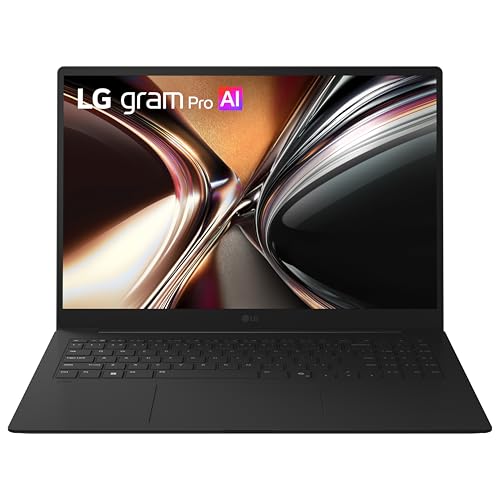
LG gram Pro 16″ Touch Laptop — Featherweight flagship
The gram Pro 16 performs the class’s most startling trick: a sixteen-inch 16:10 touchscreen inside a chassis six-tenths of an inch thin and under three pounds in weight, figures its title states outright. Large screens are supposed to be the heavy ones, and this machine’s existence rearranges the packing habits of everyone who carries it. The taller panel that writers and analysts want no longer has to be paid for in shoulder currency, which removes the oldest objection to buying screen room.
The specification refuses to treat lightness as an excuse. An Intel Core Ultra 7 355, thirty-two gigabytes of memory and two terabytes of storage describe a machine configured for a professional’s whole working life, files included, and its Copilot+ positioning places it in the current AI-era generation. The touchscreen adds the counter-top and presentation gestures that mobile professionals collect, on a panel large enough for the gestures to feel expansive rather than cramped.
Set against its own sibling below, the Pro is the newer generation in every way that matters: newer silicon, double the memory, quadruple the storage and the touch layer the older gram lacks. Its buyer is paying for the absence of compromise at a size where compromise is customary, and the honest cautions are the ultralight class’s usual ones: such thinness asks for considerate handling, and flagship lightness has never been the budget route to a big screen.
Strengths
- Sixteen-inch 16:10 touch panel at under three pounds is class-defining
- 32GB memory and 2TB storage are the guide’s most generous figures
- Core Ultra 7 355 keeps the featherweight fully current
Trade-offs
- Flagship lightness commands the guide’s most serious investment
- Ultra-thin chassis asks for gentler handling than a mainstream build
- Integrated graphics leave dedicated gaming to the Strix
Key specs
- Display: 16 inch Touch, 16:10 class panel
- Processor: Intel Core Ultra 7 355
- Memory: 32GB RAM
- Storage: 2TB SSD
- Chassis named in listing: 0.6 in thin, 2.97 lbs
Best for: mobile professionals who want a large tall screen without the large-screen carry.
Not suited for: budget buyers, or gamers who need dedicated graphics hardware.

LG gram 16” Lightweight Laptop (13th Gen) — Previous-generation gram
The plainer gram 16 is the Pro’s elder sibling, and this review keeps the generations separate as carefully as the pool instructions demand. Its heart is a 13th Gen Core i7 on Intel’s Evo platform, with sixteen gigabytes of memory and a 512 gigabyte drive, inside the same featherweight sixteen-inch concept that made the line famous. It is not the new flagship and does not pretend to be; it is the previous expression of a good idea, sold at the position previous expressions usually occupy.
That position has real virtues for the right buyer. The Evo platform was designed around responsiveness and endurance in thin machines, the memory and storage match this guide’s mainstream standard, and the 16:10 panel delivers the same vertical gift as its sibling’s, because geometry does not age. A writer or analyst whose workload is text, browsing and calls will struggle to name a daily task where the Pro’s extra specification would announce itself, beyond storage room and touch.
The decision between the two grams is therefore a small essay in buying behaviour. Choose the Pro for the newest silicon, the doubled memory, the vast storage and the touchscreen, chosen once and enjoyed for years. Choose this gram when the budget or the simplicity appeals, accepting an older generation with open eyes. What neither choice permits is confusion: check the title’s generation line before ordering, because the family resemblance between these two machines is strong enough to fool a hurried shopper.
Strengths
- Featherweight sixteen-inch 16:10 concept at a gentler position
- Evo platform prioritises responsiveness and endurance in thin designs
- 16GB and 512GB match the guide’s mainstream foundation
Trade-offs
- 13th Gen platform is a generation behind its Pro sibling
- No touchscreen, unlike the gram Pro configuration
- Storage is a quarter of the Pro’s generous two terabytes
Key specs
- Display: 16 inch Lightweight, 16:10 class panel
- Processor: Intel 13th Gen Core i7, Evo Platform
- Memory: 16GB RAM
- Storage: 512GB SSD
- Operating system: Windows 11 Home
Best for: writers and travellers who want the gram idea without the flagship configuration.
Not suited for: buyers who want the newest generation or a touchscreen at this size.
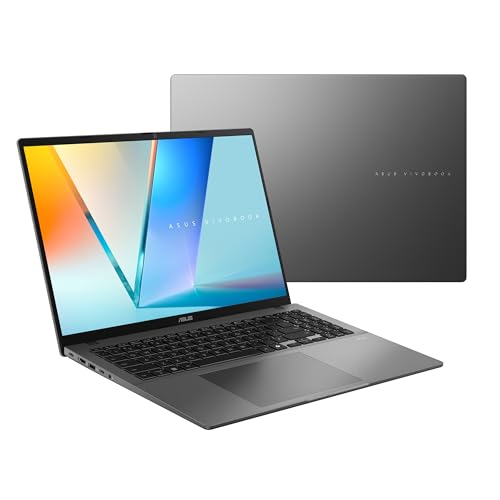
ASUS Vivobook S16 Laptop (2026) — OLED creator’s pick
The Vivobook S16 is where the ratio meets the panel technology creators dream about: a sixteen-inch 16:10 WUXGA OLED display, whose per-pixel light gives photographs and video the contrast that makes editing judgements pleasurable, in the taller proportion that leaves room for the toolbars above and below the canvas. ASUS pairs it with a Ryzen AI 9 465 processor, thirty-two gigabytes of memory and a terabyte of storage, a configuration that treats creative work as the machine’s first language rather than as an aspiration.
The 2026 vintage in its title and its Copilot+ positioning place it in the current generation, and the memory figure matters more to its audience than any AI branding: large photo libraries, layered projects and a browser full of reference material coexist comfortably at thirty-two gigabytes. Radeon graphics integrated in the Ryzen platform handle the acceleration such work needs at this level, while the OLED panel handles the looking, which for a visual worker is most of the job.
Against the gram Pro, its fellow thirty-two-gigabyte machine, the Vivobook trades the LG’s impossible lightness for OLED’s visual richness, and creators will know instantly which currency they spend. Against the Strix, it trades dedicated graphics for a calmer, slimmer creative brief. It is the guide’s answer for the buyer whose screen is a workbench, and whose workbench deserves both the taller shape and the deeper blacks.
Strengths
- WUXGA OLED in 16:10 is the guide’s finest creator canvas
- Ryzen AI 9 with 32GB suits layered projects and large libraries
- Terabyte storage keeps creative archives on the machine
Trade-offs
- Integrated Radeon graphics sit below the Strix’s dedicated card
- OLED panels reward sensible habits with static interface elements
- Creator specification prices above the mainstream Acer here
Key specs
- Display: 16 inch 16:10 WUXGA OLED
- Processor: AMD Ryzen AI 9 465
- Graphics: Radeon Graphics
- Memory: 32GB RAM
- Storage: 1TB SSD
Best for: photographers, designers and video hobbyists who work on the screen itself.
Not suited for: gamers needing dedicated graphics, or ultralight-first travellers.

Acer Aspire 16 AI Copilot+ PC — Mainstream 120Hz route
The Aspire 16 is the ratio’s mainstream ambassador, and its specification contains a small surprise that deserves top billing: a WUXGA panel refreshing at 120Hz. Smooth scrolling is usually a gaming or flagship pleasure, yet here it serves the document worker directly, because a taller page that also glides changes the feel of every reading hour. Paired with the 16:10 shape, it makes this Acer the guide’s most quietly luxurious everyday screen relative to its position.
Beneath the panel, a Core Ultra 5 226V with Intel Arc 130V graphics, sixteen gigabytes of LPDDR5X and a 512 gigabyte drive form the current efficiency generation’s standard answer, with the Copilot+ designation and its neural processing unit marking the machine as part of the AI-era platform. For the mainstream mixture of office work, study, browsing and media, that combination is not a compromise to be explained but a specification to be recognised as sufficient, in the best sense of the word.
Its role in the guide is to lower the ratio’s admission price without lowering its standards: the panel is genuinely 16:10 and genuinely WUXGA, the memory is the modern type, and the refresh rate exceeds every non-gaming rival here. Buyers who came for vertical room and stayed for value will find this the easiest machine to justify, while buyers needing thirty-two gigabytes or OLED should climb to the Vivobook with the guide’s blessing.
Strengths
- WUXGA 120Hz panel makes everyday scrolling feel premium
- Core Ultra 5 platform is current, efficient and Copilot+ class
- LPDDR5X memory keeps the mainstream specification modern
Trade-offs
- Sixteen gigabytes is the ceiling of this configuration
- 512GB storage is the guide’s standard rather than its generous tier
- No touchscreen for gesture-minded buyers
Key specs
- Display: 16 inch WUXGA 120Hz, 16:10 class panel
- Processor: Intel Core Ultra 5 226V
- Graphics: Intel Arc 130V
- Memory: 16GB LPDDR5X
- Storage: 512GB
Best for: mainstream buyers who want the taller screen and a smooth refresh at an accessible position.
Not suited for: creators needing OLED or thirty-two gigabytes of memory.

Lenovo Yoga 7i 2-in-1 Laptop 2026 — Large convertible of the class
The Yoga 7i closes the guide by asking what the taller ratio becomes when the screen can move. Its sixteen-inch 2K touchscreen sits in the 16:10 family this guide celebrates, and the 2-in-1 hinge lets that canvas fold toward the work: upright for writing, tented for presenting, flatter for annotating and reviewing with touch. On a screen this size, those postures stop being party tricks and become genuine working positions, because there is enough canvas in each of them to hold a document worth discussing.
The configuration supports the flexibility with substance. An Intel Ultra 5 322 with a neural processing unit, sixteen gigabytes of LPDDR5X and a full terabyte of storage give it the guide’s most storage-generous mainstream foundation, while Windows 11 Pro and Wi-Fi 7 mark it as the business-ready member of the six. Copilot+ positioning completes a machine that seems designed to be borrowed by every department in a small company, one posture at a time.
Its compromises are the convertible class’s eternal pair: a hinge with more engineering than a fixed lid, and a weight that reflects a sixteen-inch folding structure rather than a gram’s obsession. Buyers who will actually fold it, present from it and annotate on it should consider those costs tuition for a capability no fixed machine here can imitate. Buyers who will not should take the hint and choose the simpler Acer or gram that matches their honest posture.
Strengths
- 16 inch 2K touchscreen folds the tall canvas into real postures
- Terabyte storage leads the mainstream configurations here
- Windows 11 Pro and Wi-Fi 7 suit business deployment
Trade-offs
- Convertible engineering adds weight over fixed sixteen-inch rivals
- Ultra 5 sits below the guide’s flagship processors for heavy work
- Touch glass and hinge ask for the usual convertible courtesies
Key specs
- Display: 16 inch 2K Touchscreen, 16:10 class panel
- Processor: Intel Ultra 5 322
- Memory: 16GB LPDDR5X
- Storage: 1TB SSD
- Operating system: Windows 11 Pro
Best for: presenters, annotators and businesses wanting one flexible large machine.
Not suited for: buyers who never fold a screen and prefer the lightest fixed design.
How Do the Picks Compare Side by Side?
| Model | Display | Processor | Memory and storage | Character |
|---|---|---|---|---|
| ASUS ROG Strix G16 (B0DZZWMB2L) | 16 inch FHD+ 16:10 165Hz | Intel Core i7-14650HX | 16GB / 1TB | Gaming branch, dedicated graphics |
| LG gram Pro 16 Touch (B0GSSMK3XH) | 16 inch Touch, 16:10 | Intel Core Ultra 7 355 | 32GB / 2TB | Featherweight flagship |
| LG gram 16 (B0BVXQQQRL) | 16 inch, 16:10 | Intel 13th Gen Core i7 Evo | 16GB / 512GB | Previous-generation gram |
| ASUS Vivobook S16 (B0GYMW58S7) | 16 inch WUXGA OLED 16:10 | AMD Ryzen AI 9 465 | 32GB / 1TB | OLED creator’s pick |
| Acer Aspire 16 AI (B0GZ8KCPJL) | 16 inch WUXGA 120Hz 16:10 | Intel Core Ultra 5 226V | 16GB / 512GB | Mainstream smooth route |
| Lenovo Yoga 7i (B0HNVQ6NCG) | 16 inch 2K Touch, 16:10 | Intel Ultra 5 322 | 16GB / 1TB | Large convertible |
Is the MacBook Pro 16 a 16:10 Laptop?
Close, and the honest answer requires the distinction this guide has practised throughout. Its sixteen-inch screen runs a resolution whose proportions sit near 16:10, which is why shoppers meet it while researching this class, but Apple does not describe or sell the machine by that ratio, and its buyers are choosing an ecosystem and a platform first. It is therefore treated here as a near-16:10 neighbour in prose, respected and unranked.
The practical consequence is small but real: if the ratio itself is your organising idea, the six linked machines state it in their titles and can be compared on equal terms, while the MacBook belongs to a comparison organised by operating system. Neither framing is superior, and confusing them produces the only bad outcome available, which is buying one decision while believing you made the other.
Where Is the Dell XPS 16 in This Guide?
In prose, where machines without a clean listing in the pool belong. The XPS line’s sixteen-inch flagship is a natural member of this class by design, and a shopper researching taller screens will meet its name quickly, but this guide links only what its pool verified, and no clean XPS 16 listing was available to it. Inventing a place for it in the ranking would violate the discipline that makes the rest of the guide trustworthy.
Readers who specifically want that machine should shop for it deliberately, applying this guide’s tests on arrival: the ratio stated as numbers, the generation named in full, the memory and storage read as carefully as the panel. The framework travels even when the link cannot, and a buyer armed with it will evaluate the XPS on the same evidence as the six ranked here.
Does 16:10 Help or Hurt Gaming and Video?
Video pays the small tax described earlier, with slightly larger black bars around wide-framed content, and most viewers stop noticing within an evening. Gaming splits by genre: strategy, simulation and interface-heavy titles gain real estate that feels like a wider desk, while cinematic action titles simply render their framed view inside the taller panel without loss. The Strix in this guide exists because its maker judges that exchange favourable, and its 165Hz refresh keeps motion quality where players demand it.
The deeper truth is that a laptop screen is a generalist’s surface, and the hours decide. A machine that plays for two evening hours and works for eight daytime ones should be shaped for the eight, which is the arithmetic that keeps returning this class to favour. Pure entertainment devices can optimise for the film frame; working laptops, even gaming ones, increasingly optimise for the document.
Which Resolution Inside 16:10 Should You Choose?
The class spans FHD+ at 1920 by 1200 through the WUXGA panels of the Acer and ASUS to the 2K touchscreen of the Yoga, and the right choice follows the work’s distance from the screen and hunger for detail. Writers and analysts thrive at the lower end, where interface elements are naturally large; photographers and editors should take the OLED’s combination of resolution and contrast; presenters should value the Yoga’s size and touch over a final increment of grid.
Budget follows the same logic in reverse: surplus resolution is the most skippable luxury in this guide when money is tight, because the ratio itself delivers the daily benefit at every tier. Buy the proportion first, the panel technology second and the pixel count third, and the resulting machine will feel correctly chosen long after the specification sheet is forgotten.
How Does a Taller Screen Change Writing and Research?
Writing is a vertical craft disguised as a horizontal one: the page scrolls downward, the argument accumulates below the cursor, and every interruption of that flow costs a thought its momentum. A 16:10 panel keeps more of the draft and more of the source visible simultaneously, which reduces the small navigational taxes that writers pay hundreds of times a day without ever itemising them. The benefit is not dramatic in any single minute and is enormous across a book, a thesis or a reporting season.
Research compounds the same effect, because the modern scholar’s desk is a stack of PDFs, notes and browser tabs competing for one rectangle. The taller shape lets a source and a notebook share the screen at readable sizes, a arrangement that on 16:9 panels collapses into constant switching. Students choosing between the machines in this guide should weigh that daily geometry more heavily than any processor difference inside the mainstream tier.
What Does 16:10 Do for Spreadsheets and Data Work?
Rows are the spreadsheet’s native currency, and this ratio simply prints more of them. At the same zoom, a 16:10 panel shows additional lines of a ledger, a project plan or a dataset before the scroll begins, and analysts who live in grids describe the change the way accountants describe a wider desk: not exciting, and not negotiable once experienced. The numeric keypads that sixteen-inch chassis often include complete the data worker’s case for the size and shape together.
The effect survives external monitors gracefully, because a taller laptop panel beside a large desk display becomes a natural home for the reference sheet, the chat window or the second dataset. Data work is comparison work, and comparison is exactly what extra vertical room, on any screen in the setup, keeps making easier.
How Do Photo and Video Editors Use the Extra Height?
Editors spend their lives negotiating between the image and the interface, and vertical room is the currency of that negotiation. Timelines gain tracks without stealing the preview, photo browsers show another row of thumbnails beneath the selected frame, and adjustment panels stack without crowding the canvas into a corner. The Vivobook’s OLED panel makes this guide’s strongest case here, because its contrast serves judgement while its proportion serves layout.
The honest limit is that none of these panels replaces a large external reference for final delivery work, and professionals will keep that ritual regardless of ratio. What 16:10 changes is the quality of the laptop-only hours, the location edits, the client’s office, the train, where the internal screen is the whole studio. Those hours are more numerous than the industry admits, and they are where this class earns its creative reputation.
What Should Commuters Know About Sixteen-Inch Taller Machines?
A sixteen-inch 16:10 laptop is taller in the bag as well as on the desk, and commuters should check the fit of an existing sleeve or backpack before the machine arrives, because the extra height is exactly the dimension older bags begrudge. The gram models answer the weight half of the commuting question almost completely, while the Strix answers it not at all and should be bought by people whose travel is measured in rooms rather than in miles.
On trains and in departure lounges, the taller screen’s manners are excellent: a full document page on a tray table, without the constant scrolling that makes public working feel frantic. The commuters who thrive with this class are those who chose the gram branch deliberately, matching the ratio’s benefits to a chassis their shoulders approved, and their example is the guide’s quiet recommendation to every daily traveller reading it.
How Does the Ratio Affect Multitasking With Two Windows?
Side-by-side windows are where proportions stop being abstract. Two documents on a 16:10 screen each inherit the extra height, so both remain readable deeper into their pages, and the vertical split that writers, translators and coders live in becomes sustainable for hours rather than tolerable for minutes. The effect is strongest at the class’s higher resolutions, where each half of the screen still holds a respectable grid.
Stacked arrangements benefit too: a reference above and a draft below, a call above and notes beneath, a timeline under a preview. Owners discover their own geometry within a week, and the discovery tends to be permanent, because once a workflow has grown into the taller shape, returning to a shorter panel feels like working through a letterbox. That feeling, more than any specification, is the class’s retention strategy.
What About External Monitors and Mixed-Ratio Desks?
A 16:10 laptop beside a 16:9 monitor is a common and happy arrangement, provided the owner accepts that windows change size slightly as they cross between screens, a quirk of differing proportions that the operating system handles without drama. The laptop panel typically becomes the taller, text-friendly satellite, which suits its geometry: documents and communications live there, while media and the main canvas occupy the wide external display.
Buyers planning a desk around one of these machines should confirm the video output story on their chosen listing and consider a stand that lifts the laptop screen level with the monitor’s top edge. Aligned tops make the mixed-ratio desk feel designed rather than accumulated, and the taller panel’s extra lines then read as a feature of the whole setup instead of an eccentricity of one component.
How Do the Six Divide by Battery Character?
Endurance in this class follows mission rather than ratio. The efficiency platforms in the Acer and the gram models were designed to stretch a charge through mobile working days, while the Strix spends its energy budget on performance and accepts the gaming class’s shorter leash. The Yoga sits between, its convertible versatility drawing modestly more than a fixed mainstream lid. None of these patterns should surprise a buyer who reads the missions honestly.
The panel’s contribution is secondary but real: brighter and sharper screens draw more, and the OLED and 2K panels here ask their owners for the usual brightness discipline. Owners who dim to the room, sleep the machine at lunch and reserve maximum brightness for maximum need will find every non-gaming pick in this guide a willing all-day companion, which is all the class ever promised.
What Is the Learning Curve When Switching From 16:9?
Most switchers report a shorter adjustment than they feared, measured in days: applications remember slightly different window sizes, screenshots frame a little more of the page, and video wears its slightly larger black bars without comment. The one genuine adaptation is aesthetic, because photographs and wallpapers composed for wider screens crop differently, a matter of an afternoon’s tinkering rather than a season’s regret.
The reverse journey is the telling one. Owners who return to a 16:9 machine after a year in this class describe the experience as a mild claustrophobia, a sense that the screen ends before the work does. Technologies that produce that reaction on departure have usually earned their place, and the ratio’s spread across gaming, ultralight and creator lines in this single guide suggests the industry has reached the same conclusion.
How Should a Buyer Choose Between the Two Thirty-Two-Gigabyte Machines?
The gram Pro and the Vivobook S16 share a memory figure and little else, which makes them this guide’s cleanest study in priorities. The LG spends its budget on absence: weight removed, thickness removed, storage doubled, with touch added. The ASUS spends its on presence: an OLED canvas whose blacks and colours turn the screen into the best seat in the house for visual work. Both are flagship arguments, written in opposite rhetorical styles.
The deciding question is where the machine will be judged. If it will be judged in airports, on trains and at the end of carried days, the gram’s argument wins by accumulation. If it will be judged at a desk, in an editor, photograph by photograph, the Vivobook’s wins the same way. Buyers who try to average the two end up with neither virtue at full strength, which is why this guide refuses to average them for you.
What Does Windows Scaling Do on These Panels?
At sixteen inches, the class’s resolutions sit in a comfortable scaling territory: text can run at native size for the sharp-eyed or with mild scaling for everyone else, and either way the interface remains the physical size its designers intended. That comfort is a quiet advantage over smaller, sharper laptops, where heavy scaling is mandatory and occasional legacy applications still resent it.
Owners should spend five minutes in the display settings during the first week, choosing the scaling that suits their eyes rather than inheriting a default chosen for a showroom. The right setting is the one you forget, and on these panels it is easy to find, because the grids are dense enough to stay crisp at any reasonable choice. It is the last piece of setup the class asks of you, and the simplest.
How Will This Class Age Compared With 16:9 Machines?
Proportions date more slowly than processors, because a shape that fits the work remains right while silicon is overtaken on a schedule. A 16:10 laptop bought today will still present documents with the same advantage in five years, even as its processor becomes a period piece, and that durability of the central idea is part of what the class’s premium purchases. The gram and Vivobook configurations, with their generous memory, are built to let the whole machine age at the panel’s pace rather than the memory’s.
The risk to the class is not obsolescence but fashion, the possibility that some new proportion or folding format rearranges taste again. Even then, the installed base of taller machines and the workflows grown into them will persist the way 16:9 persisted long after its own fashion passed. Buy the shape that fits your work now, and let the future argue with a decision that was correct when it mattered.
What Should You Check on Delivery Day for a 16:10 Laptop?
Open display settings and read the resolution aloud: the number should prove the ratio you ordered, whether that is the Strix’s FHD+ grid, the WUXGA figures of the Acer and ASUS, or the Yoga’s 2K panel. Confirm the generation in the processor’s full name, particularly between the two gram models, whose family resemblance is the batch’s standing warning about hurried checkouts.
Then arrange the working geometry while the enthusiasm lasts: scaling chosen for your eyes, the desk stand if one is coming, the bag checked for the taller lid’s fit. A proportion is a daily experience rather than a delivered object, and the first day’s small arrangements decide how quickly the extra lines stop feeling like a feature and start feeling like the natural shape of work.
Why Does This Guide Treat a Ratio as Worth Six Thousand Words of Evidence?
Because the screen is the one component a laptop owner experiences continuously and the one whose specification is most often bought on trust. A ratio sounds like a detail until it is translated into lines of text, rows of data and hours of scrolling, at which point it becomes what it always was: the shape of the working day. Guides exist to perform that translation before money moves, and this class, with its verified titles and its distinct missions, rewards the effort unusually well.
The six machines also demonstrate that a single good idea can serve unlike lives without being diluted: a gamer’s tall arena, a traveller’s featherweight page, a creator’s OLED canvas, a presenter’s folding board. When a proportion can hold that variety honestly, it has stopped being a trend and become a standard, and standards deserve documentation of exactly this length.
How Do You Decide Between Sixteen Inches Here and a Smaller Taller Laptop?
Smaller 16:10 machines exist across the market and deliver the same proportion in a more portable frame, at the cost of the canvas that makes this size class sing. The sixteen-inch versions in this guide trade carry for presence: two full windows, a genuine second display beside a monitor, a screen a small group can gather around. Buyers whose work is solitary and mobile may prefer the smaller expression of the ratio, and nothing in this guide argues otherwise.
The deciding evidence is, as usual, your own week, counted rather than imagined. Days spent at varied desks with the machine as the only screen promote this size; days spent in transit with the machine as an occasional one promote its smaller cousins. The ratio is the constant worth keeping, and this guide’s six are its largest mainstream expression, chosen for the lives that need the room.
Common Mistakes Buyers Make in This Class
Buying a 16:9 machine that merely sounds tall. Ratio claims dissolve without numbers, so insist on a resolution in the title that proves the proportion, as every linked listing here does. A familiar series name is not evidence of a taller panel.
Confusing the two LG gram generations. The Pro’s Ultra 7 355, touch and vast storage are a different purchase from the 13th Gen gram’s gentler formula. The titles state the generation plainly, and the checkout page deserves the same reading.
Judging the Strix only as a gaming laptop. In this guide it is the ratio’s gaming branch, reviewed for the working room its panel provides. Readers who meet it in gaming coverage elsewhere will find a different analysis there, by design.
Expecting the MacBook Pro to be ranked here. Its screen is near this ratio by measurement, but Apple does not sell it in those terms and its decision is an ecosystem one. Treat it as the neighbour it is, not as a missing entry.
Paying for resolution while starving the platform. A taller, sharper panel over inadequate memory reproduces the oldest mistake in this batch’s guides. The sixteen and thirty-two gigabyte configurations here exist so the screen’s promise can be kept.
Working Taller: Notes From the 16:10 Life
Live with a taller screen for one full working week and a subtle change occurs in how documents feel: they stop being things you travel through and become things you survey. The scroll wheel rests, the eye does the moving, and long material, a contract, a dataset, a chapter, presents itself as a landscape rather than a corridor. That change in posture, from travelling to surveying, is the class’s real product, and it cannot be photographed for a listing.
There is a corresponding honesty to record about the buyers this class will not convert. If your laptop is a cinema that occasionally answers email, the wider proportion serves you better and this guide’s enthusiasm should bounce off. If your work is video timelines all day, the calculus narrows to how your editing layout uses height, a question your own software can answer in an afternoon’s trial on any taller screen you can borrow.
Notice how the six machines divide the class’s virtues without duplicating them: refresh in the Strix and the Acer, lightness in the grams, colour in the Vivobook, flexibility in the Yoga. That spread is what a healthy category looks like, and it means the reader’s task is not to find the good ones but to find their own, a far more pleasant assignment than most technology categories offer.
For the buyer arriving from the 1440p guide in this same batch, a word of orientation: that class and this one overlap in the market’s mind because 2560 by 1600 is both a sharpness tier and a proportion, and several machines could honestly appear in either story. The guides divide them by the question being asked, sharpness there and shape here, and a reader who holds both questions will shop the overlap with unusual clarity.
One practical ritual will confirm the choice within the return window: spend one ordinary day working entirely on the new panel, with the external monitor dark and the old laptop closed. If the day feels roomier in the specific places your work was cramped, the proportion has done its work and the decision is settled by evidence rather than by hope.
And for the buyer who has never thought about screen proportions before today, welcome to the least reversible preference in computing. Keyboards can be supplemented, storage can be expanded, memory can sometimes be forgiven, but the shape of the window you look through for years is chosen once, at this moment, in this decision. Choose the taller window if your work is made of pages, and the pages will thank you daily.
Final Recommendation
Let the proportion lead and the missions follow. The Strix brings the ratio to gaming hardware, the two grams carry it at weights that redefine the size, the Vivobook paints it in OLED for creators, the Acer makes it smooth and accessible, and the Yoga folds it for presenters. The MacBook Pro remains the near-ratio neighbour in another ecosystem, and the XPS 16 a name to shop deliberately beyond this pool, both acknowledged without being allowed to blur the verified six.
Buy the taller screen the way this guide verified it, by the numbers in the title, matched to the mission your week actually contains, and the extra lines will repay you in the least dramatic and most durable currency a laptop offers: work that fits on the screen, day after day, without being asked to move aside.
Frequently Asked Questions
What exactly is a 16:10 display in resolution terms?
It is a proportion: for every sixteen units of width, the panel has ten of height, where 16:9 has nine. In this guide that means resolutions such as 1920 by 1200 and the WUXGA and 2K panels above it, each holding roughly a ninth more vertical lines than a comparable 16:9 screen at the same width.
Is 16:10 better than 16:9 for watching films?
Slightly worse, by a small and honest margin: wide-framed films sit inside the taller panel with somewhat larger black bars. Viewers stop noticing quickly, and the same panel repays the tax during every document, page and spreadsheet it ever shows, which for most owners is the larger share of its life.
Which of these six is best for writing and research?
The gram models, for their combination of the tall panel with weights that suit a writer’s mobile life, with the Pro adding touch, memory and storage for the long term. Writers who work at one desk can equally choose the Acer for its smooth 120Hz panel and accessible position.
Can the Strix G16 in this guide do serious work as well as gaming?
Yes, and that dual life is why it is reviewed here through the ratio lens. Its HX processor, dedicated graphics and tall 165Hz panel serve creative and analytical work seriously, at the cost of a gaming chassis’s weight and presence, which desk-based hybrid users routinely accept.
What is the difference between the two LG gram 16 models?
Generation and generosity. The gram Pro carries an Intel Core Ultra 7 355, a touchscreen, thirty-two gigabytes of memory and two terabytes of storage in a sub-three-pound chassis, while the plain gram 16 runs a 13th Gen Core i7 Evo platform with sixteen gigabytes and a 512 gigabyte drive. The titles state the difference; read them before ordering.
Why is the Dell XPS 16 not linked in this guide?
Because the guide’s pool held no clean listing for it, and the ranking links only verified entries. It is discussed in prose so XPS shoppers know where it sits, and the guide’s tests, ratio as numbers, generation in full, memory and storage read carefully, will serve them when they shop for it directly.
Related Guides
A ratio is a lens rather than a verdict, so examine the neighbouring guides before you settle, particularly if gaming refresh or outright sharpness competes with vertical room for your money, beginning with the best 1440p laptops, the best laptops for video editing and the best workstation laptops. For a mainstream 15.6-inch machine under the four-figure line, see the best 15.6 inch laptops under 1000.
Related guides
- Best Direct Thermal Printers: Shipping-Label Machines and Professional Label Systems
- Best 4K UHD HDR HDMI Extenders: 4K60, Long-Run and 4K120 Kits Compared
- Best 25–35 Inch Monitors With Lowest Display Lag: An Honest Ranking Without Invented Numbers
- Best Color Product Label Printers: Six Desktop Machines for Short-Run Product Labels


