What's inside
- Key Takeaways
- Quick Picks: 15.6 Inch Laptops Under the Ceiling at a Glance
- How Were These Picks Chosen?
- How to Think About Money Under a Fixed Ceiling
- Why One Family Can Hold Three Rungs of the Ladder
- The Six Laptops Under the Ceiling, Reviewed in Detail
- How Do the Picks Compare Side by Side?
- Should You Consider a Gaming Laptop Like the Lenovo LOQ Instead?
- Why Does the MacBook Air Appear Only as a Landmark?
- How Long Will a Laptop Bought Under This Ceiling Stay Useful?
- What Is the Smartest Way to Split the Money With Accessories?
- How Do You Compare Two Laptops When the Prices Keep Moving?
- What Does Military-Grade Durability Billing Actually Buy You?
- How Should a Parent Buy Under This Ceiling for a Teenager?
- What Role Does the Keyboard Play at This Level?
- How Do Refurbished and Older Models Fit Under the Ceiling?
- What Should You Check in the First Week Under the Ceiling?
- How Does Weight Vary Across the Ladder?
- What About Battery Expectations Beneath the Ceiling?
- How Do You Decide Between the Two Ryzen 7 Acer Models?
- What Is the Case for the Touchscreen Dell at the Top?
- How Should Students Abroad or Shared-House Buyers Read This Guide?
- What Will You Wish You Had Spent On, a Year From Now?
- How Does This Guide’s Ladder Relate to the General 15.6 Inch Guide?
- How Do You Protect the Purchase After It Arrives?
- What Happens When the Ceiling Meets a Sale Season?
- Common Mistakes Buyers Make in This Class
- Spending Under a Ceiling Without Buying Twice
- Final Recommendation
- Frequently Asked Questions
- Related Guides
As an Amazon Associate I earn from qualifying purchases. This post may contain affiliate links at no extra cost to you.
gizmoverdict.com is reader-supported. When you buy through links on our site, we may earn an affiliate commission.
Where to buy: each linked laptop below opens its Amazon listing, where you can verify the processor generation and the memory figure in the title, weigh the configuration against the ceiling in your own currency of patience, and check price on Amazon on the day you actually buy.
The best 15.6 inch laptops under $1000 live under a ceiling that sounds generous until you shop beneath it, because this size hosts everything from featherweight starter machines to near-premium configurations, and the money can evaporate into the wrong component with remarkable speed. This guide reviews six Windows laptops with Full HD 15.6 inch screens that sit beneath that ceiling, and it talks about money the way experienced buyers do: in tiers and trade-offs rather than in figures that will have changed by the time you read them.
Read the six as a ladder built largely from two families. Three Acer Aspire Go machines climb from a Ryzen 3 through two different Ryzen 7 generations, two ASUS Vivobook Go models mark the floor and the balanced middle, and a touchscreen Dell Inspiron brings Intel and a large storage arrangement to the top of the group. The ladder is the lesson: at each rung you can see exactly what the next step buys, which is memory, storage or processor generation, never magic.
Two familiar directions are handled in prose only. Gaming machines in the Lenovo LOQ mould form a neighbouring branch worth considering when a dedicated graphics card matters more than the virtues gathered here, and Apple’s MacBook Air sits above this ceiling in most configurations, appearing as the landmark that tells you where the territory ends. Neither is ranked, and both are labelled so the ladder stays honest.
Key Takeaways
- Under this ceiling, the wisest money follows memory and storage first, because those two figures decide how the machine feels in its second and third years.
- Three Acer Aspire Go models form a ladder inside one family: Ryzen 3 7320U at the base, then Ryzen 7 in 5825U and 7730U generations near the top.
- The ASUS Vivobook Go with an Athlon Silver processor and four gigabytes of memory is the floor of the class and suits only genuinely light duties.
- Its Vivobook Go sibling with a Ryzen 5 and a half-terabyte drive is the balanced rung where most buyers should pause longest.
- The Dell Inspiron is the only touchscreen and the only Intel machine in the six, with a storage arrangement aimed at buyers who keep everything.
Quick Picks: 15.6 Inch Laptops Under the Ceiling at a Glance
How Were These Picks Chosen?
The pool for this guide was built by applying the ceiling as a framing condition and then refusing to let it do the thinking. Every pick had to be a 15.6 inch Windows laptop with a Full HD panel named in its listing, and the six were selected to show the ladder’s rungs rather than to crowd its middle. That is why an Athlon Silver floor model and two Ryzen 7 Aspire Go variants coexist here: together they teach the shape of the money better than six near-identical mids would.
Prices are discussed qualitatively throughout, as tiers relative to the ceiling, because the exact figure attached to any listing is a weekly weather report rather than a property of the machine. A laptop does not become better when its price dips for a weekend, and this guide’s judgements are written to survive the calendar. What does not change is what each configuration contains, and that is where the reviews concentrate.
The prose-only branches were placed where shoppers actually meet them. The gaming question arrives the moment a buyer notices that this money could buy a Lenovo LOQ instead, and the Apple question arrives when a household wonders whether to abandon the ceiling altogether. Both questions deserve direct answers in the text, and neither deserves a disguised place in a ranking it does not belong to.
How to Think About Money Under a Fixed Ceiling
A ceiling is a tool for excluding, not a target for spending, and the healthiest purchases under one often land a tier below it with money retained for the monitor, the bag, the backup drive or the simple comfort of an unspent reserve. The ladder in this guide is arranged so you can feel the rungs: the floor buys basic competence, the middle buys balance, and the top buys headroom and storage. Naming which rung your workload needs is the entire decision, and it is a workload question disguised as a money question.
The trap at this ceiling is the flagship component in a starved machine, a strong processor paired with memory or storage that will bottleneck it within the year. Every configuration reviewed here was checked against that trap, and the reviews call out the one machine that falls into a version of it honestly. Balanced mediocrity, an unfashionable phrase, outlasts lopsided brilliance in almost every household that has owned both.
Why One Family Can Hold Three Rungs of the Ladder
The three Acer Aspire Go models in this guide are a small education in how manufacturers build a range. The chassis idea, the screen and the general mission stay constant while the processor generation and the memory and storage figures move, and the buyer is effectively purchasing a position inside one design rather than three different laptops. That is not a criticism; a known design at three capability levels is easier to choose among than three strangers.
The two Ryzen 7 rungs reward close reading, because the 7730U and 5825U are different generations with different characters despite sharing a badge number. The reviews treat them as distinct machines, which they are, and the comparison table keeps their identities separate. A shopper who learns to read generations rather than badges has learned the single most transferable skill in this entire market.
The Six Laptops Under the Ceiling, Reviewed in Detail

ASUS Vivobook Go 15 (Athlon Silver) — Floor of the class
Every honest ladder needs its bottom rung labelled without embarrassment, and this Vivobook Go is it. The Athlon Silver processor, Radeon graphics, four gigabytes of memory and 128 gigabyte drive describe a machine for web browsing, email, documents of modest size, school platforms and video, performed one or two at a time. Within that brief it has a real virtue: a proper Full HD 15.6 inch screen, so the light work it does is at least presented at full clarity.
The review must be equally clear about the ceiling inside the machine. Four gigabytes of memory is the tightest allowance in this guide by half, and modern browsers treat memory as an appetite rather than a ration. A buyer who keeps many tabs, joins video calls while sharing screens, or expects a machine to grow with a teenager’s ambitions will meet this limit quickly and personally. No review language can soften arithmetic, and none is attempted here.
Who, then, is it for? The single-purpose buyer: a grandparent whose computing is correspondence and photographs, a household needing a homework terminal for set tasks, a small shop wanting a till-side browser and label printer’s companion. For those defined lives, spending more would buy capacity that never gets used. For everyone else, this model’s role in the guide is to mark where the ladder starts so the next rung’s value can be seen clearly.
Strengths
- Full HD screen presents light work at proper clarity
- Simple specification suits single-purpose, defined duties
- Lowest rung leaves the most of the ceiling unspent
Trade-offs
- Four gigabytes of memory is the guide’s tightest ceiling
- 128GB storage requires cloud habits from the first day
- No headroom for a workload that grows beyond the basics
Key specs
- Display: 15.6 inch FHD 16:9
- Processor: AMD Athlon Silver
- Graphics: AMD Radeon Graphics
- Memory: 4GB RAM
- Storage: 128GB SSD
Best for: single-purpose users whose computing is correspondence, browsing and set school or shop tasks.
Not suited for: multitaskers, growing teenagers, or anyone expecting the machine to absorb new ambitions.

ASUS Vivobook Go 15 (Ryzen 5) — Balanced lower-middle rung
One step up the ladder transforms the ownership experience, and this Vivobook Go is where the transformation happens. The Ryzen 5 processor brings genuine mainstream responsiveness, the 512 gigabyte drive quadruples the floor model’s room and removes storage from the list of weekly worries, and eight gigabytes of memory, while not lavish, covers the ordinary mixture of browsing, documents and calls that defines most people’s computing. The ErgoSense keyboard and the military-grade durability billing in its title speak to a machine expected to be carried and used hard.
WiFi 6E support is a quiet luxury at this rung, future-proofing the connection to modern routers in a way buyers rarely think to ask about at this level. The 60Hz Full HD panel is the conventional, sensible choice, prioritising clarity and efficiency over refresh spectacle that this class of machine would not exploit in games anyway. Every element of the configuration seems chosen by someone who asked what a hard-working everyday laptop actually needs.
Its limit is the same one shared by every eight-gigabyte machine in this guide: the multitasking ceiling arrives sooner than the processor’s does. Buyers whose worst hour involves a call, a large spreadsheet and a browser full of research should keep climbing to the sixteen-gigabyte rungs. Buyers whose days are sequential rather than simultaneous will find this the ladder’s best-value place to stand, with a satisfying amount of the ceiling still unspent.
Strengths
- Half-terabyte drive removes storage anxiety at a modest rung
- Ryzen 5 delivers genuine mainstream responsiveness
- WiFi 6E and durability billing suit carried, hard-used machines
Trade-offs
- Eight gigabytes of memory caps heavy simultaneous workloads
- Panel refresh is a conventional 60Hz rather than a high-refresh design
- Still an integrated-graphics machine for creative acceleration
Key specs
- Display: 15.6 inch FHD 60Hz
- Processor: AMD Ryzen 5
- Graphics: AMD Radeon Graphics
- Memory: 8GB RAM
- Storage: 512GB SSD
Best for: students and everyday users who work sequentially and want storage room without climbing far.
Not suited for: heavy multitaskers who should continue up the ladder to sixteen gigabytes.
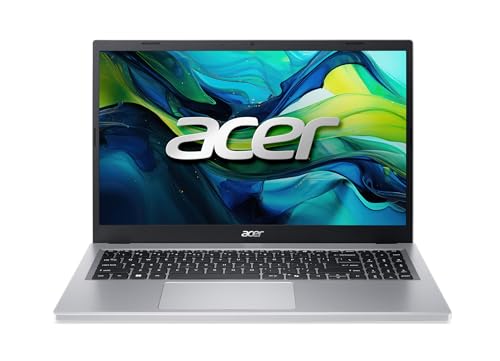
Acer Aspire Go 15 (Ryzen 3 7320U) — IPS-screen entry rung
Acer’s ladder begins with a courtesy the ASUS floor model also extends: a proper panel. The Aspire Go’s Full HD IPS screen gives a starter machine accurate, wide-angle viewing that shared video and side-by-side homework genuinely benefit from, and the Ryzen 3 7320U with Radeon 610M graphics is a more modern heart than the Athlon below it on the ladder. Eight gigabytes of LPDDR5 completes a specification that reads as a small version of a mainstream laptop rather than a different species.
The constraint, again, is storage: 128 gigabytes on a PCIe drive, sized for the cloud-first life. Windows, its updates and a handful of substantial applications will claim a meaningful share before the owner’s own files arrive, so synced folders and automatic photo backup are not optional accessories to this purchase; they are part of the product. Households fluent in cloud habits will feel no pain, while households that hoard locally should climb to a larger drive.
Compared with its ASUS neighbours, this Acer trades the Ryzen 5 model’s storage for a better panel technology and a lower rung, and trades blows with the Athlon model on clarity of purpose. It is the starter machine for a buyer who watches and shares the screen a great deal: a family’s homework and video terminal, a first laptop whose display will not be the thing apologised for. As the base of Acer’s ladder it also frames the two Ryzen 7 climbs above it.
Strengths
- IPS Full HD panel is the best screen story at the ladder’s base
- Ryzen 3 7320U is a modern, efficient starter processor
- LPDDR5 memory keeps the platform current in type
Trade-offs
- 128GB storage enforces a strictly cloud-first routine
- Eight gigabytes limits simultaneous application sprawl
- Entry graphics suit streaming and documents, not demanding titles
Key specs
- Display: 15.6 inch FHD IPS
- Processor: AMD Ryzen 3 7320U
- Graphics: AMD Radeon 610M Graphics
- Memory: 8GB LPDDR5
- Storage: 128GB PCIe SSD
Best for: families and first-laptop buyers who value the screen and live comfortably in the cloud.
Not suited for: local hoarders of media and programs, or anyone allergic to storage housekeeping.
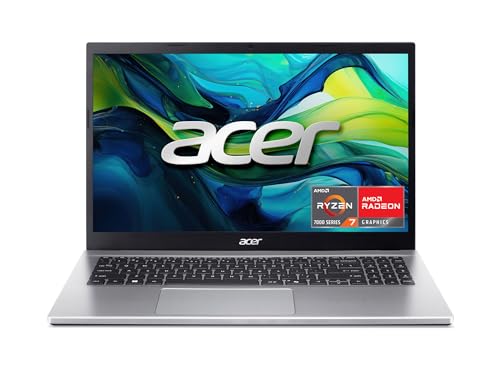
Acer Aspire Go 15 AG15-42P (Ryzen 7 7730U) — Upper Acer rung, newer Ryzen 7
The AG15-42P is the Acer ladder’s upper landing, and its specification removes the asterisks that trail the lower rungs. Sixteen gigabytes of memory and a 512 gigabyte PCIe drive mean the conversation can finally be about the processor rather than about ceilings, and the Ryzen 7 7730U brings the newer of the two Ryzen 7 generations in this guide, with the efficiency and sustained responsiveness that generation is known for in slim chassis.
That combination suits the buyer who has read the whole ladder and decided to buy the rung that asks the fewest compromises: a student entering a demanding course, a professional whose laptop is their office, a household purchasing its one main machine. The Full HD panel, Wi-Fi 6 and HD webcam cover the expected ground, and the Pure Silver finish keeps the machine presentable in rooms where a laptop is also furniture.
Set beside its 5825U sibling below, the differences are generational rather than categorical, and the reviews keep them distinct deliberately. The 7730U machine is the one to choose when the two are priced as neighbours, because newer silicon generally means a longer comfortable plateau. When the gap widens, the sibling becomes the value argument. Either way, this rung is where the Acer ladder stops feeling like a compromise and starts feeling like a destination.
Strengths
- Sixteen gigabytes and 512GB remove the lower rungs’ ceilings
- Ryzen 7 7730U is the newer Ryzen 7 generation in this guide
- Complete mainstream specification in a slim, presentable chassis
Trade-offs
- Integrated Radeon graphics remain the creative ceiling
- No touchscreen for buyers who value direct interaction
- Upper rung leaves less of the budget for accessories and extras
Key specs
- Display: 15.6 inch FHD
- Processor: AMD Ryzen 7 7730U
- Memory: 16GB RAM
- Storage: 512GB PCIe SSD
- Connectivity named in listing: Wi-Fi 6, HD webcam
Best for: students and professionals buying one main machine to keep for several years.
Not suited for: touch enthusiasts, or buyers whose budget must also stretch to a full desk setup.

Acer Aspire Go 15 AI Copilot (Ryzen 7 5825U) — Backlit all-rounder rung
This Aspire Go variant is the ladder’s study in how two machines can share a foundation and still be different purchases. Its Ryzen 7 5825U is the earlier of the two Ryzen 7 generations here, an eight-core processor with a long record of quiet competence, and it is paired with the same sixteen gigabytes and 512 gigabytes that free its sibling from ceiling talk. Around that foundation, this configuration adds the details its title advertises: an IPS Full HD panel and a backlit keyboard.
The backlit keyboard is worth dwelling on, because it is the sort of feature that specification comparisons underrate and owners praise nightly. Working in a dim room, on an evening train or in a bedroom office after the household sleeps, lit keys remove a small friction that recurs hundreds of times a year. Buyers who type in bright offices may never switch it on; buyers who live the other schedule will consider it the deciding detail between the two Ryzen 7 rungs.
The Copilot and AI language in its title reflects the era’s marketing rather than a separate species of hardware, and this review treats it accordingly: the machine’s value rests on its processor, memory, storage and panel, which are strong, rather than on assistant branding, which every Windows machine of its generation shares in some form. Judged on substance, it stands as the value-conscious way to buy the Acer ladder’s upper specification.
Strengths
- IPS panel and backlit keyboard serve evening and travel work
- Sixteen gigabytes and 512GB match the guide’s top foundation
- Eight-core Ryzen 7 has a proven record in slim machines
Trade-offs
- 5825U is the earlier Ryzen 7 generation beside its sibling
- No touchscreen despite the otherwise complete specification
- AI branding adds nothing the hardware does not already explain
Key specs
- Display: 15.6 inch IPS FHD
- Processor: AMD Ryzen 7 5825U, 8-Core
- Graphics: AMD Radeon
- Memory: 16GB
- Storage: 512GB
Best for: evening typists and value hunters who want the upper specification with an IPS screen.
Not suited for: buyers who always prefer the newest processor generation when prices are close.
Dell Inspiron 15 Touchscreen Laptop — Touch and storage top rung
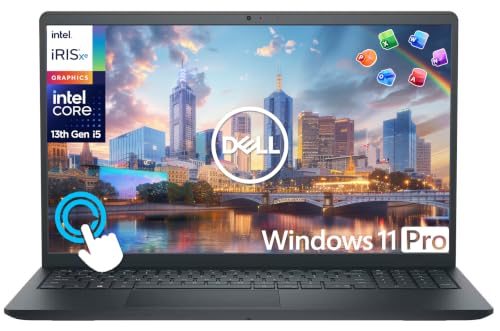
The Dell Inspiron closes the ladder by changing its terms rather than merely climbing them. It is the only Intel machine here, built on a ten-core Core i5, the only touchscreen in the six, and the one whose listing describes a terabyte of storage arranged around a 512 gigabyte SSD foundation. For the buyer whose files are the point, photographers with growing archives, students with years of coursework, small businesses digitising records, that storage story is the headline and the processor is the supporting act.
The touchscreen broadens the machine’s social life in the way this guide has noted before: presentations get pointed at, forms get signed, recipes get scrolled, and a laptop shared among a household’s members stops feeling like one person’s tool lent to others. Positioned by its listing for business, student and home use across 2025 into 2026, it is the generalist of the group, and generalism at the top of a ladder is a legitimate ambition rather than a failure to specialise.
Its compromises are the mirror of the Acers’. You trade the newest Ryzen 7 silicon for Intel familiarity, serviceability and that storage arrangement, and you should read the listing’s storage description carefully so the configuration you receive matches the one you imagined. Buyers whose bottleneck has always been space rather than speed will find this the most relieving machine in the guide, and relief, sustained over years, is a perfectly good definition of value.
Strengths
- Terabyte-scale storage arrangement leads the guide for keepers of files
- Touchscreen suits shared, presentational and household use
- Ten-core Intel i5 with sixteen gigabytes covers mainstream work fully
Trade-offs
- Storage arrangement needs careful reading on the listing page
- Intel platform here is mainstream rather than the newest silicon story
- Touch glass brings the usual reflections in bright rooms
Key specs
- Display: 15.6 inch FHD Touchscreen
- Processor: Intel Core i5, 10-Core
- Memory: 16GB RAM
- Storage: 1TB storage as described in listing, built around 512GB SSD
- Positioning named in listing: business, student and home use
Best for: archivists, students and small businesses whose bottleneck is storage and shared use.
Not suited for: buyers who want the simplest possible single-drive storage story.
How Do the Picks Compare Side by Side?
| Model | Display | Processor | Memory and storage | Character |
|---|---|---|---|---|
| ASUS Vivobook Go 15 Athlon (B0HBFL1Z8P) | 15.6 inch FHD | AMD Athlon Silver | 4GB / 128GB | Floor rung, light duties only |
| ASUS Vivobook Go 15 Ryzen 5 (B0GYMRPNVJ) | 15.6 inch FHD 60Hz | AMD Ryzen 5 | 8GB / 512GB | Balanced lower-middle rung |
| Acer Aspire Go 15 7320U (B0FN9JLD28) | 15.6 inch FHD IPS | AMD Ryzen 3 7320U | 8GB / 128GB | Screen-first entry rung |
| Acer Aspire Go 15 7730U (B0H7FHP8YY) | 15.6 inch FHD | AMD Ryzen 7 7730U | 16GB / 512GB | Upper rung, newer generation |
| Acer Aspire Go 15 5825U (B0GXX8WNLB) | 15.6 inch IPS FHD | AMD Ryzen 7 5825U | 16GB / 512GB | Backlit value rung |
| Dell Inspiron 15 Touch (B085ZV99X1) | 15.6 inch FHD Touchscreen | Intel Core i5, 10-Core | 16GB / 1TB storage | Touch and storage top rung |
Should You Consider a Gaming Laptop Like the Lenovo LOQ Instead?
The question is fair, because gaming lines such as Lenovo’s LOQ occupy the same money and add the one component this entire guide lacks: a dedicated graphics card. If your evenings involve demanding games, that component outweighs every virtue catalogued here, and the honest move is to shop the gaming branch deliberately, accepting its weight, noise and battery character as the price of admission.
If games are occasional or light, the exchange reverses. The machines in this guide are slimmer, quieter and longer-legged away from the charger, and their money has gone into memory, storage and screens suited to the other twenty-two hours of the day. The LOQ branch is a different answer to a different week, which is why it is signposted in prose rather than smuggled into this ranking.
Why Does the MacBook Air Appear Only as a Landmark?
Because in most configurations it sits above this guide’s ceiling, and a ranking organised by a budget boundary cannot quietly admit a machine that breaks it. Its presence here acknowledges the real cross-shopping that households do: many buyers under a ceiling pause to ask whether the ceiling itself is wrong. That is a legitimate question about priorities and ecosystem, and it should be asked openly rather than resolved by a ranking trick.
If the pause becomes a decision to stretch, shop that tier in a guide written for it, where the comparison includes the machines that actually live there. If the ceiling holds, as it usually does once the household budget has spoken, the six machines here cover the territory beneath it without needing Apple’s permission or apology.
How Long Will a Laptop Bought Under This Ceiling Stay Useful?
Usefulness is set less by the ceiling than by the rung. The sixteen-gigabyte machines at the ladder’s top have the memory and storage to remain comfortable across several years of mainstream work, because time taxes those two figures first. The eight-gigabyte rungs serve well while the workload stays sequential and modest, and the four-gigabyte floor should be bought as a defined chapter rather than a long foundation.
Owners extend every rung’s life with the same unglamorous habits: storage kept below the brim, updates allowed to happen, vents kept clear and a battery treated as a consumable rather than a grudge. A laptop bought under a ceiling and maintained with mild attention routinely outlasts a careless flagship, which is the most encouraging sentence in this entire guide.
What Is the Smartest Way to Split the Money With Accessories?
Reserve part of the ceiling before you spend any of it. A protective sleeve or bag, a backup drive or a cloud plan, and perhaps a mouse and a stand for desk work will all be used weekly, while the final step up a processor ladder might be noticed monthly. Buyers who budget the system rather than the laptop consistently report higher satisfaction per unit of currency, because their daily friction points were the accessories all along.
The exception is memory, which usually cannot be added later in these slim designs and therefore deserves priority over every accessory that can be bought next month. Fund the configuration first, the bag second and the ornaments never. That ordering, applied calmly, is most of what separates a wise purchase under a ceiling from a merely cheap one.
How Do You Compare Two Laptops When the Prices Keep Moving?
Compare configurations, not figures, and the comparison will still be true next month. Write down the processor’s full name, the memory, the storage, the panel type and the touch question for each candidate, and rank those five lines by your workload’s priorities. The machine that wins on paper under that discipline is almost always the machine that wins on the desk, regardless of which listing happens to be discounted on the day you order.
This guide’s qualitative treatment of money is deliberate for the same reason. A review that hard-codes a price becomes misinformation on a schedule, while a review that teaches the ladder remains useful across every sale season. When you do buy, the day’s figures choose among configurations you have already judged; they should never be allowed to reverse the judgement itself.
What Does Military-Grade Durability Billing Actually Buy You?
One listing in this guide advertises military-grade durability language, and the honest reading is that such phrases describe testing regimes rather than invincibility. A machine tested against drops, vibration or temperature extremes has earned some confidence for carried life, and students and field workers may reasonably value that. It does not license throwing the laptop into a bag unprotected or treating a staircase fall as a feature demonstration.
The practical durability hierarchy remains boring: a padded sleeve, a bag with a real laptop compartment, a charger cable that is not yanked by its cord, and a desk habit that keeps drinks at a distance. Certifications decorate that foundation; they never replace it. Buy the tested machine if its other figures suit you, then protect it as if no test had ever happened.
How Should a Parent Buy Under This Ceiling for a Teenager?
A teenager’s laptop must survive a school bag, a bedroom floor’s gravitational field and a workload that mutates from essays to video projects without asking permission. That argues for the ladder’s middle or upper rungs, where sixteen gigabytes and a half-terabyte drive absorb the mutations, and against the floor model, whose four gigabytes will be remembered as the year the computer was always slow.
It also argues for involving the teenager in the configuration decision while keeping the ceiling in adult hands. A young owner who understands why memory was chosen over a flashier badge takes better care of the result, and the conversation itself teaches the ladder logic they will use for their own purchases within a few years. The laptop is equipment; the judgement is the inheritance.
What Role Does the Keyboard Play at This Level?
Only one machine in this six advertises a backlit keyboard by name, its ErgoSense-branded sibling advertises typing comfort, and the rest ask you to trust the mainstream’s generally competent decks. For buyers who write seriously, that asymmetry deserves weight out of proportion to its place in the specification table, because the keyboard is the one component in constant physical contact with your work.
The pragmatic approach is to rank your own typing hours honestly. A novelist, a coder or a student facing essay-heavy years should let keyboard quality arbitrate between otherwise equal rungs, while an occasional typist can safely let memory and storage decide. There is no universal hierarchy of components, only the hierarchy imposed by the buyer’s actual day, and this guide’s structure is designed to let yours emerge.
How Do Refurbished and Older Models Fit Under the Ceiling?
A ceiling this size tempts buyers toward last year’s higher-tier machines and refurbished flagships, and the temptation is sometimes wise. An older configuration with sixteen gigabytes and generous storage can out-serve a new entry model, provided the battery’s health and the seller’s condition description are trustworthy. The discipline is to apply the same ladder reading to the used listing, with extra suspicion reserved for the battery, which no photograph can grade.
This guide ranks new listings because their condition is a known quantity, but its framework travels: read the generation, the memory, the storage and the panel, and let those four facts outrank the badge’s original altitude. A famous name with a tired battery and a small drive is a worse purchase than an honest Aspire Go with a full warranty, whatever the original launch event promised.
What Should You Check in the First Week Under the Ceiling?
Verify the machine against its listing while the return window is wide: the processor’s full name in system information, the memory figure, the storage composition and the panel’s resolution. Listings in this market are usually accurate and occasionally optimistic, and the first week is when accuracy is cheapest to enforce. Run the updates, set the backup and register the warranty before the machine accumulates a life you cannot move.
Then live with it deliberately for a few days before buying accessories, because the first week teaches you which frictions are real. The bag you need depends on the commute the machine actually makes; the mouse you need depends on the desk it actually visits. A ceiling spent in stages, configuration first and accessories after evidence, is a ceiling spent the way this guide has been arguing for since its first paragraph.
How Does Weight Vary Across the Ladder?
The Aspire Go and Vivobook Go families were designed as carried machines, and their slim profiles keep the daily shoulder cost of a 15.6 inch screen as low as this size reasonably allows. The Dell, as the group’s generalist with its touchscreen and storage ambitions, asks a little more commitment in the bag. None of the six is an ultraportable, and none pretends to be; the size itself sets a floor under the weight that marketing cannot repeal.
Buyers who carry daily should therefore judge the whole travelling system: machine, charger, sleeve and whatever else shares the bag. A lighter rung plus a modest charger can feel like a different category from the top rung plus its full kit, even though the screens match exactly. Your shoulder is a specification too, and it is the only one that reports its findings every single evening.
What About Battery Expectations Beneath the Ceiling?
Efficiency processors dominate this ladder for a reason: the Ryzen and Core chips in these slim machines were designed to stretch a charge through a working day of ordinary tasks, and the Full HD panels avoid the worst excesses of brighter, sharper displays. Expect the lighter rungs to behave particularly politely away from the wall, because their modest hardware asks little of the battery during browsing and documents.
Expect also the universal caveats. Video calls, high brightness and heavy multitasking shorten every machine’s day, and a battery is a consumable whose best year is its first. The owners who stay satisfied are those who bought endurance as a pattern, a machine that usually reaches evening, rather than as a promise engraved on a box. Beneath this ceiling, that pattern is genuinely available at several rungs.
How Do You Decide Between the Two Ryzen 7 Acer Models?
Start with the generation: the 7730U is the newer silicon, the 5825U the proven earlier design, and when the money between them is small, newer is the rational default for longevity. Then weigh the surrounding details, because the 5825U configuration counters with its IPS panel and backlit keyboard, features whose value depends entirely on where and when you type and watch.
The honest conclusion is that both are right answers to slightly different evenings. A buyer who works in bright rooms at a desk may never cash the backlit keyboard’s value and should take the newer chip; a buyer who writes at midnight in a shared house may cash it nightly and should not apologise for choosing the older generation. Ladders exist to be climbed with judgement, not by reflex.
What Is the Case for the Touchscreen Dell at the Top?
The Dell’s case is breadth. It is the pick for the buyer whose household or business cannot predict next month’s task, because its touchscreen, mainstream Intel platform, full memory and large storage arrangement cover the widest territory in the guide. Specialists can always find a rung that beats it at one thing; generalists find that it never finishes last at anything, which across years of varied use is its own form of excellence.
Breadth has a price in focus, and the review has noted the storage arrangement’s need for careful reading. Buyers who accept that small diligence gain the ladder’s most forgiving machine, the one most likely to absorb a change of job, course or household role without being replaced. Under a ceiling, forgiveness is a specification, and this Dell holds more of it than any rival here.
How Should Students Abroad or Shared-House Buyers Read This Guide?
Buyers whose machine must be serviced far from its seller should weight brand presence and mainstream design heavily, which favours every machine in this six and the Dell and ASUS names in particular. A laptop that any competent repair shop recognises is worth more, in a foreign city or a shared house with no tools, than a marginal specification advantage that only a specialist can maintain.
Shared houses add a social specification: accounts for each user, a charger with a fixed home, and a configuration generous enough that nobody’s project is deleted to make room for somebody else’s. The sixteen-gigabyte, half-terabyte rungs were practically designed for that diplomacy. Buy the machine that keeps the peace, and the household will remember the purchase as wisdom rather than as the start of an argument.
What Will You Wish You Had Spent On, a Year From Now?
Ask owners of year-old laptops what they regret, and the answers cluster with unusual consistency: the memory they saved on, the drive that filled, the bag that was never bought, the backup that was always tomorrow. Almost nobody regrets declining a marginally faster processor or a badge upgrade. That clustering is the most reliable market research available at any price, and it is free.
Let it steer the final allocation under your ceiling. Fund memory, respect storage, protect the machine physically and protect its contents digitally, in that order, and let the processor be the best one that remains after those duties are paid. A year from now, in the only survey that will ever be conducted on your purchase, you will grade yourself generously.
How Does This Guide’s Ladder Relate to the General 15.6 Inch Guide?
The general guide to this size, elsewhere in this batch, ranks machines without a budget boundary and reaches a Core i7 flagship at its top. This guide answers the narrower question that most households actually ask, which is what the money beneath a specific ceiling can do, and its ladder stops where the ceiling says. Readers who find their needs outgrowing the top rung here should read the general guide next rather than stretching a configuration past its design.
The overlap between the guides is intentional and instructive: the mainstream heart is the same, because the market’s centre does not move when a budget line is drawn across it. What changes is the framing, and framing is not decoration. A buyer who knows which question they are asking, best overall or best beneath a ceiling, has already made the purchase half correctly.
How Do You Protect the Purchase After It Arrives?
The first month under a ceiling should include the protections that keep a modest machine from becoming an expensive lesson. A padded sleeve costs little and prevents the scratches and corner knocks that carried laptops collect, while a surge protector guards the charger and the machine during the storms and wiring quirks of real houses. Neither purchase is glamorous, and both are cheaper than any repair they might prevent.
Digital protection deserves its appointment in the same month. Set the backup before the first irreplaceable file exists, turn on the drive encryption, and store the account recovery details somewhere a family member could find in an emergency. Owners who perform these small ceremonies early rarely think about them again, which is exactly the return on investment that good habits pay.
What Happens When the Ceiling Meets a Sale Season?
Sale seasons shuffle the ladder without rebuilding it: a higher rung may temporarily cost what a lower one did, and the disciplined buyer pockets that luck without letting it rewrite their judgement. The configuration you decided you needed remains the configuration you need, and a discount simply means the ceiling now covers the accessories sooner. Buyers who let a sale promote them into a worse-balanced machine have spent more to own less of what matters.
The reverse discipline matters too. If your chosen rung never dips, its configuration does not become wrong at full price; it becomes a decision about timing rather than about the machine. This guide’s refusal to chase figures is what allows it to say so calmly. Judge the laptop once, thoroughly, and let the calendar argue with itself.
Common Mistakes Buyers Make in This Class
Spending the whole ceiling because it exists. A ceiling is permission, not instruction. The rung below the top often funds the accessories and backup that make ownership pleasant, and unspent money is a feature of a good purchase.
Reading Ryzen 7 as one processor. The 7730U and 5825U in this guide are different generations sharing a badge. Generations decide longevity and efficiency, so read the full chip name before comparing listings.
Buying the floor model for a growing user. Four gigabytes of memory is a definition of light duty, not a challenge to be overcome by optimism. A teenager’s ambitions will meet that ceiling within the school year.
Ignoring storage arrangements in the small print. The Dell’s terabyte is an arrangement described in its listing, not a single monolithic drive. Read how storage is composed before imagining how your files will live on it.
Letting a gaming branch answer a non-gaming question. A dedicated graphics card is wasted money and weight for a household that never plays demanding titles. Match the branch to the week you actually live.
Spending Under a Ceiling Without Buying Twice
There is a quiet satisfaction in buying beneath a ceiling well, because the discipline produces a machine with no embarrassing component and a budget with no embarrassing remainder. The ladder in this guide was drawn to make that satisfaction available at several heights, and the reviews resist the idea that only the top rung counts as success. A floor machine bought knowingly for a defined life is a better purchase than a top machine bought accidentally for the wrong one.
Notice, too, how the two families’ philosophies differ in a way that suits different temperaments. Acer’s ladder is a staircase inside one design, legible and incremental, while ASUS marks the territory’s ends with a floor and a balance point and leaves the climbing to Acer. Dell stands apart as the generalist with touch. None of these philosophies is superior; each matches a way of shopping, and recognising your own way is part of the purchase.
A word for the buyer who finds ceilings vaguely stressful: the stress usually comes from treating the boundary as a test of worth rather than as a piece of information. The ceiling simply describes the household’s other priorities, the holiday, the course fees, the emergency fund, and honouring it is not settling. It is arithmetic with values attached, and the machines beneath it are good enough, in this generation, to make the honouring painless.
When the laptop arrives, resist the urge to judge it against the machines above the ceiling that you chose not to buy. Judge it against the work it was bought to do, in the rooms it was bought to do it in, and it will pass examinations that a flagship, bought with resentment and a strained budget, often fails. Satisfaction is a comparison, and you get to choose the terms of yours.
Finally, keep the ladder somewhere you can find it when the next purchase in the household approaches, because its logic outlives these six listings. Generations will change, badges will be renamed, and the rungs will be rebuilt from new silicon, but memory before badges, storage before spectacle and balance before bragging will still be the order that serves a buyer well beneath any ceiling.
And if two rungs still tie after every argument has been heard, choose the one that leaves the household calmer: the configuration nobody has to apologise for, manage around or upgrade in a panic. Calm is an underrated specification, and beneath a ceiling it may be the most valuable one a family can buy.
One more household pattern deserves a sentence: the under-ceiling laptop often becomes the machine that teaches a family its digital habits, from backups to account hygiene to the charger’s rightful home. Buying a balanced configuration for that role is an investment in the household’s routines as much as in its hardware, and routines, unlike processors, appreciate with use.
Final Recommendation
Stand on the rung your workload describes. The Athlon Vivobook serves a defined, light life at the floor; the Ryzen 5 Vivobook and the IPS Acer balance the lower middle; the two Ryzen 7 Aspire Go machines and the touchscreen Dell give the top its headroom, its backlit evenings and its storage relief. The LOQ branch waits for gamers, the MacBook Air waits above the ceiling, and both wait outside this ranking by design.
Spend like the owners who report no regrets a year later: memory funded, storage respected, the machine protected and its contents backed up, with the processor taking what remains. Under this ceiling, bought in that order, a 15.6 inch laptop is not a compromise with a budget but a demonstration of how much judgement can do inside one.
Frequently Asked Questions
Are the prices in this guide exact for today?
No, and deliberately so. Prices under this ceiling move with sales and seasons, so the guide ranks configurations and tiers that stay true while figures drift. Check the listing on the day you buy, and let the day’s number choose among machines you have already judged on their contents.
Which rung is best for a university student?
The sixteen-gigabyte rungs suit a degree’s unpredictability best, with the two Acer Ryzen 7 models and the Dell as the candidates. A student on a reading-heavy course with cloud habits can stand a rung lower, on the Ryzen 5 Vivobook, and fund a better bag and backup with the difference.
Is four gigabytes of memory ever acceptable now?
Only inside a genuinely defined, light role: correspondence, browsing, set school tasks or a single-purpose terminal. The guide includes the Athlon model for exactly those lives and warns everyone else upward, because modern browsers and video calls treat memory as a necessity rather than a luxury.
What is the real difference between the two Ryzen 7 Acer laptops?
Generation and details. The 7730U machine carries the newer processor, while the 5825U configuration counters with an IPS panel and a backlit keyboard on the same memory and storage foundation. When money between them is small, take the newer chip; when you type at night, the keyboard may argue successfully.
Should I buy a gaming laptop under this ceiling instead?
Only if demanding games are a central part of your week, in which case a line like Lenovo’s LOQ, discussed in prose here, is the honest branch. Otherwise the slim, quiet, longer-legged machines in this ranking spend the same money on the hours you actually spend working.
Why does the Dell’s storage need careful reading?
Because its listing describes a terabyte of storage as an arrangement built around a 512 gigabyte SSD, rather than as one single drive of that size. The capacity story is generous either way, but knowing how it is composed tells you how your files and backups will live on the machine.
Related Guides
A ceiling narrows the field but never settles the question alone, so browse the neighbouring guides to test whether size, touch or resolution deserves the money this budget holds back, beginning with the best 15.6 inch laptops, the best 15.6 inch touch screen laptops and the best laptops under 200.


