Our Top Picks


What's inside
- Best Chargers for Nabi Tablets: Finding a Replacement That Actually Fits
- Why Nabi Chargers Are Harder to Replace Than They Look
- Identify Your Nabi Model and Its Port Before You Buy Anything
- The Electrical Numbers That Must Match
- The Main Types of Nabi Replacement Chargers
- Safety Comes First in a Child Bedroom
- Cable Durability When Children Use the Tablet Every Day
- How to Check a New Charger When It Arrives
- Troubleshooting: When a Nabi Will Not Charge Properly
- When a New Charger Is No Longer the Answer
- Frequently Asked Questions About Nabi Chargers
- Check prices on Amazon
- Conclusion
As an Amazon Associate I earn from qualifying purchases. This post may contain affiliate links at no extra cost to you.
Best Chargers for Nabi Tablets: Finding a Replacement That Actually Fits
A lost Nabi charger rarely feels like a small problem. The tablet belongs to a child, the battery is flat before a car ride or a quiet afternoon, and the drawer full of old cables turns out to hold nothing that fits. Nabi tablets were sold across several years and several designs, and the brand did not use one single charging system from start to finish. Early models relied on a dedicated barrel style connector and a matching wall adapter. Later models moved toward USB charging, which looks simpler at first glance and then raises a new set of questions about cable ends, current, and whether a phone charger from the kitchen counter is suitable for daily use by a small child.
This guide works through that confusion in a practical order. It starts with why Nabi charging is harder to replace than charging for many adult tablets. It then explains how to identify the exact model in your home, how to read the port and the faded print on an old adapter, and which electrical numbers must match. From there it covers the main types of replacement available, the safety features that matter most in a child bedroom, cable durability, a calm routine for checking a new charger when it arrives, troubleshooting steps for slow or failed charging, and the point at which a new charger stops being the right answer.
Nothing in this guide requires special tools or technical training. A magnifying glass or a phone camera for reading small print helps. So does a few minutes of patience before ordering, because the most common mistake with Nabi charging is not buying a poor quality product. The most common mistake is buying a well made charger built for a different Nabi generation. Ten minutes spent confirming the model and the port can prevent a return, a loose connection, and a disappointed child waiting beside a tablet that still will not wake up.
Why Nabi Chargers Are Harder to Replace Than They Look
A brand that changed its charging design over time
Many tablet families keep one connector for years, so a spare cable bought for an older unit keeps working when a newer unit arrives. Nabi did not follow that pattern in a tidy way. The Nabi 2, one of the best known models in the line, used a proprietary charging arrangement with a round barrel connector and a dedicated direct current adapter. That design delivered power in a way the tablet expected, but it also meant that ordinary USB cables in the house simply had no way to connect. If the original adapter went missing, a generic phone charger on its own could not help, no matter how good it was.
Later Nabi models moved in a different direction. The Nabi Jr., aimed at younger children, and other models in the range adopted USB based charging, with the small rectangular or trapezoidal connectors familiar from other small electronics of the period. The DreamTab, a larger tablet built around a bigger screen, and the Elev-8, a later and more powerful entry in the line, continued the shift toward USB power, though details such as the exact connector shape and the expected current still varied by model and production period. Accessories, cases, and model revisions add further variation, so two tablets that both say Nabi on the front can need quite different charging gear.
What happens when the wrong charger is used
Using a charger with the wrong connector is usually obvious, because it either will not fit or will wobble in the port. The less obvious problems begin when a connector fits but the electrical delivery does not match what the tablet was built to accept. A charger that delivers too little current may keep the tablet alive during light use yet fail to raise the battery level, or it may charge so slowly that the child unplugs the tablet long before it is ready. A charger that delivers power at the wrong voltage is a more serious concern, because voltage mismatch can stress internal parts, generate excess heat, and shorten the life of the battery.
Forcing a connector is its own hazard. Children, and plenty of adults in a hurry, may push harder when a plug resists. On a Nabi tablet, that pressure can bend the small tongue inside a USB port, widen a barrel socket, or crack the plastic around the opening. A damaged port then makes even the correct charger unreliable. The tablet may charge only when the cable is held at an angle, or it may stop and start as the cable shifts. At that point the problem is no longer the charger at all, and buying another one will not repair the socket. A gentle rule serves every model in the line: if a plug does not slide in with light pressure in the correct orientation, stop, look closely, and compare shapes before trying again.
Why the original charger is so often missing
Nabi tablets live a different life from office tablets. They travel between bedrooms, sofas, grandparents, cars, and after school care. Their chargers travel with them, get left in other houses, fall behind furniture, or end up in a school bag. The chunky protective bumpers that make Nabi tablets friendly for children also make the whole kit bulky, so chargers get separated from tablets during packing. Add siblings sharing one adapter, a puppy with an interest in cables, and a few years of use, and the surprise is not that the original charger is gone. The surprise would be finding it exactly where it belongs.
Identify Your Nabi Model and Its Port Before You Buy Anything
Start with the label, the box, and the settings screen
If the tablet still holds a little charge, the most reliable identification route is the device itself. The settings area on Android based tablets normally includes an about section that lists a model name or model number. Write down exactly what appears there, including any suffix letters or numbers, because suffixes can separate one revision from another. If the battery is fully flat, look at the back panel. Many Nabi units carry printed or moulded details there, sometimes under or around the protective bumper. Removing a bumper carefully, following its natural flex rather than prying at one corner, may reveal a label that the case has covered for years.
Original packaging, if it survives, is equally useful. Boxes usually state the model name prominently and may show the charger type in a contents list or a diagram. Instruction leaflets often include a small drawing of the port area with labels. Even a damaged box can confirm whether the tablet is a Nabi 2, a Nabi Jr., a DreamTab, or an Elev-8. When the tablet arrived second hand with none of this material, a photograph of the back panel and the port, taken in good light, gives you a reference to compare against product photos and model guides while you shop. Keep that photo on your phone so the comparison happens side by side rather than from memory.
Read the port with your eyes, not by trial and error
Once the model is as clear as you can make it, study the charging port itself. Work in bright light and look straight into the opening. A barrel port is round, like a small tunnel, and expects a round plug. There is no flat tongue inside and no rectangular outline. A USB port is flat and rectangular or slightly trapezoidal, with a thin internal tongue that carries the contacts. On older USB designs common in the Nabi era, the connector has a wider top edge and a narrower bottom edge, so it enters in one orientation only. On smaller USB variants, the opening is slimmer and the plug is compact, and forcing it the wrong way round is a common cause of bent parts.
Compare the port shape with clear product images before ordering. Look at the outline, the relative width, and the way the plug shoulder meets the tablet body. Some replacement cables include a short adapter tip or a combined design, and those deserve extra care, because a tip that converts one shape to another adds a joint that can loosen with daily use by a child. A single moulded plug that matches the port directly is usually the sturdier arrangement for a tablet that will be plugged and unplugged often, sometimes by small hands with limited patience for delicate parts.
Use the old charger as a specification sheet
If any part of the original charging kit survives, even a damaged adapter, keep it until the replacement is working. The label on a wall adapter carries the most valuable information in the whole process. It states the input the adapter expects from the wall and, more importantly, the output it delivers to the tablet. Output is normally expressed as a voltage figure followed by a current figure. Photograph that label before the print fades further or the adapter is thrown away. If the cable survives but the adapter does not, examine the cable ends and any moulded markings. A barrel plug can be measured across its outer diameter with a simple ruler, and that measurement helps separate lookalike sizes that differ by a fraction.
The Electrical Numbers That Must Match
Voltage is the fixed point
Of all the numbers on a charger label, output voltage is the one that must match the tablet expectation most closely. Voltage is the electrical pressure that pushes power into the device. A tablet built for a given voltage expects delivery at that level, within a narrow tolerance that the design allows. USB charging settled around a common standard voltage for the era in which most USB Nabi models were made, which is why ordinary USB chargers can serve those models when other details are right. Dedicated barrel adapters for earlier models follow the rating printed for that model, which may differ from the USB norm, and that difference is exactly why a barrel adapter and a USB charger are not interchangeable parts of one system.
Current explains slow charging and false economy
Current, measured in amperes and often printed with a decimal or as a whole number, describes how much power flow the charger can supply at its rated voltage. Tablets draw what they need up to the limit the charger can offer. A charger that can supply more current than the tablet draws is not, by that fact alone, a danger, because the tablet controls the draw within its design. The common problem runs the other way. A charger that can supply only a small current, such as a low output phone charger or an old computer port, may feed a Nabi tablet so slowly that normal use outruns the incoming charge.
This is where many replacement purchases disappoint. The plug fits, the charging icon appears, and yet the percentage creeps upward over an entire afternoon or falls while a child watches a video. The tablet is not necessarily faulty. The charger is simply offering less than the tablet wants for timely charging. Larger Nabi models with bigger screens and bigger batteries are especially sensitive to this gap. When you compare products, look for a stated output current that meets or comfortably covers the figure associated with your model, and be wary of multi port products whose headline figure is shared across all ports rather than available at each one. A shared total divided among a tablet, a phone, and a sibling device can leave the Nabi with the slow share.
Wattage, fast charging claims, and what to ignore
Some listings lead with wattage, which is simply voltage multiplied by current, and with language about rapid or fast charging drawn from the phone market. For Nabi tablets, most of which predate the fast charging systems used by recent phones, those claims deserve a calm reading. A tablet without the internal circuitry for a given fast charging system will not use it. It will charge at the rate its own design allows when connected to a compatible charger. Extra headline wattage on a general USB charger does no harm when the voltage delivered in normal USB mode is correct, because the tablet draws only what it accepts, but it also brings no speed benefit. Pay for correct ratings, sound construction, and safety certification rather than for speed slogans aimed at a different category of device.
The Main Types of Nabi Replacement Chargers
Dedicated barrel adapters for the Nabi 2 generation
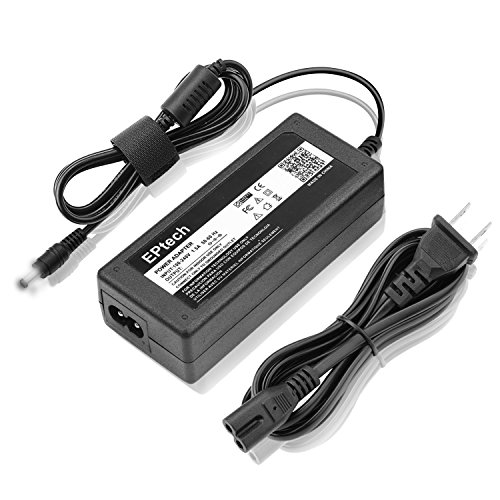
For a Nabi 2 and for any other Nabi model that uses a round barrel charging port, the replacement to look for is a dedicated adapter built for that port and that electrical rating. These products normally come as a wall adapter with a fixed cable ending in a barrel plug. The fixed design has a real advantage. There is no separate cable to lose, no wrong cable to pair with the adapter, and no confusion about which end belongs to the tablet. The whole unit either matches the model or it does not, and the buying check reduces to three items: the model name, the barrel size and shape, and the output figures on the label.
Judge these adapters by clarity and construction. The listing should name the compatible model directly, show the plug in a clear photograph, and state the output without hedging. The adapter body should feel solid, with a strain relief where the cable leaves the housing, because that junction takes the bending load every time the unit is packed or pulled from a socket. A very light adapter with a thin cable and no visible certification marks asks for a lot of trust. A slightly larger unit from a seller who publishes full specifications is usually the calmer purchase, even before any question of speed arises, because this type of charger will often live in a child bedroom and run for hours at a time.
USB cable and wall charger sets for later models
Pay attention to the cable end that meets the tablet. Photographs can make two different small USB connectors look nearly identical, especially on a phone screen. Compare the width, the shape of the metal shell, and the orientation of the bevelled edges against your port photo. If a listing offers several connector options under one title, confirm that the option in your basket is the one your model needs, because a default option may be a different tip entirely. After delivery, the first insertion should be gentle and decisive. A correct plug enters smoothly, sits flush, and does not rock. A plug that needs a wiggle and a push is telling you something, and the message is to stop and compare again.
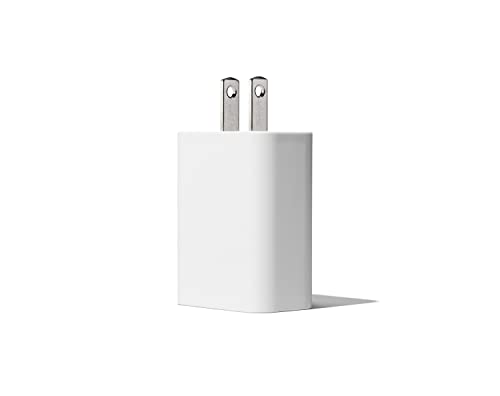
Within this category, households often ask whether a phone charger already in the home is enough. Sometimes it is, at least as a stopgap, when the connector matches and the output current is respectable. The weakness of borrowed phone chargers is that many small units supplied with older or compact phones deliver modest current, so charging may be slow, and the cable paired with them may be short or worn. A dedicated purchase for the Nabi, kept with the Nabi, tends to end the daily hunt and the slow charge at the same time. Readers comparing compact wall units for shared family use may also find our roundup marked best 2 port usb chargers useful, because a sound two port unit can serve a Nabi alongside a phone without either device taking an unfair share.
Multi port chargers for homes with several devices
Some homes charge a small fleet every night: a Nabi, another tablet, phones, a reading light, perhaps a game controller. A multi port charger or a small charging station can bring order to that tangle. Instead of four adapters competing for sockets and trailing cables across a counter, one unit with several USB outputs sits in a fixed place and every device returns to it. For USB based Nabi models, this arrangement can work well, provided two conditions hold. The total output must be honest and sufficient for the devices connected at once, and the individual port used for the Nabi must deliver enough current when the other ports are busy.
Families curious about newer wall units will see plenty of marketing around quick charging standards, and our comparison labelled best 3 0 quick charge wall chargers explains how those products behave with devices that support them. For a Nabi, the lesson is narrower. A quick charge capable wall unit will generally fall back to ordinary USB delivery for a tablet that does not speak that standard, so the purchase should rest on normal mode ratings, build quality, and certification rather than on the headline quick charge claim. If the same unit will also serve a recent phone that does support the standard, the dual role can justify the choice. If it will serve the Nabi alone, a simpler, well certified standard charger often makes more sense.
Car chargers and travel arrangements
Long drives are where a Nabi earns its keep, and also where a flat battery causes the loudest complaints. A car charger that plugs into the vehicle accessory socket and offers USB output can keep a USB based Nabi running through a journey, either topping up the battery or, with sufficient current, holding its level during video playback. The same current lesson applies on the road. A weak car charger may slow the fall of the battery rather than reverse it, which still helps on a medium trip but will disappoint on a long one. Check the per port output figure, not only the number of ports, and choose a unit whose body fits your vehicle socket firmly, because a loose car charger breaks contact over bumps and produces the stop start charging that confuses children and parents alike.
Safety Comes First in a Child Bedroom
Certification marks and what they signal
A charger is a device that takes mains electricity and turns it into low voltage power for a tablet. That conversion, done well, is routine and safe. Done poorly, with thin insulation, poor spacing between internal parts, or weak control of heat, it becomes one of the more risky small objects in a home. This is why independent safety certification matters more for chargers than for almost any other tablet accessory. Marks from recognised bodies such as UL or ETL indicate that a sample of the product was evaluated against a safety standard and that the maker is subject to follow up checks. The mark should appear on the adapter body itself, printed or moulded clearly, not only in a listing photograph.
No mark can promise perfection, and a printed mark on a suspiciously cheap, feather light adapter should be read with judgement. Still, the presence of a recognised mark, a named manufacturer or seller, a model number for the charger itself, and a full electrical rating together form a pattern of accountability. Their collective absence forms the opposite pattern. A charger with no maker name, no rating beyond a vague claim, no certification, and a price that seems detached from the cost of decent parts is asking the buyer to carry all the risk. In a room where a child sleeps, that bargain is a poor one, whatever the saving.
Protection features inside the charger
Good chargers include internal protection against the faults most likely to occur in family life. Over current protection limits delivery when a device or a damaged cable draws more than expected. Over voltage protection guards against delivery rising beyond the intended level. Short circuit protection shuts things down when a fault creates a direct path that should not exist. Temperature protection reduces or stops delivery when internal heat climbs too far. A buyer cannot see these systems, and a listing can claim them cheaply, which is why they should be weighed alongside certification and seller reputation rather than trusted as isolated slogans. Together, though, they describe the difference between a charger that fails safely and one that keeps pushing power into a problem.
Charging habits that reduce risk at home
Where a Nabi charges matters. A hard, clear surface such as a desk, a shelf, or a kitchen counter is the right setting. A bed, a sofa, or a pile of soft toys is the wrong one, because soft materials trap heat and hide a cable from view. Keep the charging spot away from water, from heaters, and from direct sun through a window, all of which add stress that a charger does not need. In a child bedroom, place the spot where an adult can see it during an evening check, and keep the cable route off the floor where feet and chair legs will work on it night after night.
Teach children the small rules early, in plain language they can repeat. Plugs go in gently. Cables are never pulled to unplug a tablet; the plug body is held instead. A cable that looks broken is shown to an adult, not taped and reused. Drinks stay away from the charging spot. These rules protect the port and the cable as much as they protect the child, and they turn charging from a background risk into a routine the whole family shares. A charger bought for safety features can still be undermined by a household habit of yanking cables from across a room, so the teaching is part of the purchase.
Cable Durability When Children Use the Tablet Every Day
Where cables actually fail
Replacement cables rarely fail in the middle of their length. They fail at the ends, where the flexible cable meets the rigid plug, because that junction bends sharply every time the tablet is picked up while plugged in. The outer jacket splits first, then the inner wires fray, and charging becomes intermittent before it stops. A child holding a tablet on a sofa, turning with the cable wrapped around an arm or trapped under a cushion, applies exactly this bending load for hours. When you judge a cable, start at the ends. Look for a tapered strain relief that spreads the bend over some length rather than ending in a hard step, and for moulding that feels firmly attached rather than decorative.
Braided nylon jackets earn their popularity in this setting. A braid resists abrasion from edges and floors, discourages chewing damage better than a smooth thin jacket, though no cable should be treated as chew proof, and tends to survive being dragged across carpet and car upholstery. Rubber and silicone style jackets can also serve well, with a softer feel and good flexibility in cold rooms. The material matters less than the overall build. A thick, well finished cable from a seller who states its charging role clearly will outlast a thin novelty cable in bright colours, however appealing the colours are to the child who owns the tablet.
Length, storage, and the two cable strategy
Cable length is a comfort choice with safety edges. A short cable keeps a charging station tidy and discourages a child from wandering far with a plugged in tablet, but it can pull tight if the socket is far from the resting spot, and a tight cable drags a tablet toward a table edge. A long cable reaches comfortably and allows the tablet to rest safely while charging, yet the spare length loops on the floor as a trip hazard and invites wrapping around furniture. For most rooms, a middle length that reaches from socket to resting spot with gentle slack is the right answer. Measure that distance before ordering rather than guessing, and route the cable along a wall or behind furniture where the slack can rest out of the walking path.
Many families settle on a two cable strategy for USB models. One cable stays at the home charging spot, ideally paired with the main charger and never travelling. The second cable lives in the travel bag with a car charger or a spare wall unit. Each cable then suffers only one kind of life, and the loss of the travel cable does not leave the home spot empty. Label both with the tablet name. In a house with several similar cables for phones and other tablets, a label prevents the slow Nabi cable swap that leaves everyone confused about which piece of kit is at fault.
When a cable, not the charger, is the problem
A useful diagnostic habit saves money here. When charging falters, the cable is the cheapest and most failure prone link, so it deserves early suspicion. Swap in a known good cable of the correct type, keeping the same wall charger and the same socket, and watch the result over a steady period with the tablet resting. If charging becomes normal, the old cable has given its answer and should be retired, not kept as a spare that will confuse the next diagnosis. If nothing changes, restore the original cable and move suspicion to the charger, the socket, and the port, in the order set out in the troubleshooting section below. Changing one part at a time is slower in the moment and far faster overall, because it produces knowledge instead of a drawer of half suspected parts.
How to Check a New Charger When It Arrives
Before the first plug in
Give a new charger a calm arrival inspection before it meets the tablet. Compare the product in your hand with the listing details you relied on. Read the rating printed on the adapter body and confirm that the voltage matches the figure you expected for your model and that the current figure meets the need you identified. Confirm that the connector matches your port photograph in shape and orientation. Look over the cable for cuts, crushed sections, or loose moulding at the ends, and look over the adapter for cracks, rattling sounds when gently shaken, or prongs that are not straight. Any serious mismatch at this stage is a return, not an experiment. A tablet port is too easy to damage for trial fittings with doubtful parts.
Keep the packaging until the charger has completed several ordinary charging cycles at home. Some faults appear only under sustained load or after the cable has been handled for a few days. The box, the receipt, and the order record together make a return straightforward if the unit proves intermittent. Note the date of first use and the seller name in the same place you keep the model note for the tablet. Months later, when the charger is one of several in a drawer, that record will tell you which unit is which and whether a warranty conversation is worth starting.
A first charging session, watched properly
For the first session, charge on a hard surface in a room where an adult is present. Note the battery level shown by the tablet before you begin, and note the time. Plug in gently, confirm that the tablet shows its normal charging indication, and then leave the tablet resting with the screen off as much as family life allows, because a screen in use makes progress hard to judge. Return at intervals rather than hovering. After a solid period, compare the new level with the starting level and form a simple view of the pace. Exact speed varies with battery size, starting level, and tablet age, so judge by whether the progress is steady and substantial rather than by a promise copied from a listing.
During that first session, pay attention to heat and stability. Touch the adapter body and the tablet back occasionally. Mild warmth is expected. Strong heat is a reason to stop and review the ratings. Watch for repeated connect and disconnect behaviour, a charging indication that flickers as the cable settles, or a tablet that wakes again and again. Rest the cable in its natural position rather than holding it in place, because a charger that works only while held has not solved your problem. If the tablet has a charge indicator light or an on screen percentage that can be shown while the device is off or resting, use that same indicator for every check, so your comparisons rest on one consistent measure.
Signs to act on early
Certain early signs should not be given the benefit of the doubt. A buzzing or high pitched sound from an adapter that can be heard across a quiet room, a smell of hot plastic, visible sparking at a socket, a plug that falls out of the tablet port under its own weight, or a tablet surface that becomes uncomfortable to touch all call for the same response. Stop, unplug, and do not use that combination again. Contact the seller with a clear description while the purchase is fresh. These are not quirks of a new product settling in. They are information about a mismatch or a fault, and acting early protects both the tablet and your ability to get the purchase put right.
Keep a short household charging note
Once a replacement is working well, spend two minutes writing a short note for the household and keep it with the tablet paperwork, or taped inside the drawer where the charger lives. Record the full model name, the port type, the charger output voltage and current, the date the replacement arrived, and the name of the seller. Add a line about where the spare cable is kept, if you hold one. That small record saves the entire identification process the next time a charger is lost on a trip or a cable fails on a Sunday evening, because nobody has to reconstruct the model from memory or guess at a rating from a faded label. It also helps relatives who charge the tablet in another home, since they can read the note rather than borrowing a random adapter from their own drawer. Photograph the note with your phone as a backup, and update it if you later change the charger or hand the tablet down to a younger child, so the record always describes the kit that is actually in use.
Troubleshooting: When a Nabi Will Not Charge Properly
Work from the wall outward
When charging fails, resist the urge to begin with the most expensive explanation. Work through the chain in order, changing one link at a time. Start at the wall. Confirm that the socket works by plugging in a lamp or another device you trust, and check any switched socket, extension lead, or power strip in between, because a strip switched off at a shared button has ended many investigations that began with fears about a battery. Extension leads and strips should be sound and not overloaded, and a charger deserves a direct socket where possible during diagnosis, so that no intermediate part can confuse the result.
The port and the battery are the next suspects
If known good charging gear still fails, attention moves to the tablet. Inspect the port again for packed debris, damage, or looseness. A plug that sits at an angle, or a port that lets the plug move side to side far more than it once did, points toward wear or damage that a new charger cannot cure. Try charging with the tablet fully powered down, where the model allows it, and leave it undisturbed for a long period before judging. A deeply discharged battery can be slow to show signs of life, and a tablet that seems dead may need a patient interval on a correct charger before its indicator responds. During that interval, avoid repeated button pressing and repeated unplugging, which only reset whatever slow recovery is under way.
Slow charging has its own checklist
Slow charging sits between working and failing, and it has a short list of usual causes. The charger current may be too low for the tablet, especially when a small phone charger has been borrowed. A multi port unit may be sharing its total across several busy devices. The cable may be thin, very long, or quietly damaged. The tablet may be in active use with a bright screen and loud video, consuming much of what arrives. The battery may be cold from a car or hot from a sunny room, and charging control may slow delivery until the temperature settles. Work through that list in order, changing the easy items first. Charge with the screen off, from a direct socket, with the best cable you have, on the strongest correct charger you have, and then judge the pace over a full hour of rest.
If slow charging persists after those steps, note whether the slowness began suddenly or crept in over months. A sudden change points toward a part that has failed or a port that has filled with debris. A gradual change across a long period points more toward battery age. That distinction, plus the results of your cable and charger swaps, gives a repair shop a useful starting account if you take the tablet in, and it gives you a firm basis for the decision in the next section about whether further spending on this tablet makes sense at all.
When a New Charger Is No Longer the Answer
Battery replacement and repair, weighed honestly
There comes a point in the life of an older tablet where charging problems reflect the tablet itself. Internal batteries are consumable parts. After years of cycles, heat, and storage at full or empty charge, they hold less energy and behave less predictably. Replacing an internal tablet battery is not like swapping batteries in a toy. The case must be opened, the old cell is often fixed in place, and the work involves small connectors and a battery that must be handled and disposed of with care. For most families, that means a professional repair rather than a kitchen table project, and the cost of the part and the labour must be weighed against the value and remaining usefulness of the tablet.
Knowing when a different tablet serves the child better
A replacement tablet is not a defeat. Software moves on, app support for older systems thins out, and a child who was well served by a Nabi Jr. at four may need something larger and more capable at eight. If your Nabi no longer runs the reading or learning apps the family now wants, if its storage fills despite careful clearing, or if its screen and speakers have fallen behind the uses your child has grown into, then even a perfectly charging Nabi may be the wrong tool. In that case, money held back from repeated charger and repair spending is better directed toward the next device, chosen for the child as they are now.
Families starting that comparison often begin with screen size, and readers who want a broad view of larger options can work through the guide marked best 10 inch tablets before narrowing to child friendly models. A larger screen helps with shared reading, drawing, and video, but it also means a larger battery, a heavier body, and a greater need for a protective case. Balance those points against the age and strength of the child who will carry it. A tablet that is impressive on a shop table can be tiring in small hands on a long journey, which is the very setting where these devices earn their place.
Budget deserves the same calm treatment. The child tablet market includes capable models at modest levels as well as premium designs, and the comparison page labelled best affoedable tablets for kids gathers the value end of that field in one place for families weighing a fresh start against another season of repairs. Whichever route you take, plan the charging side from the beginning this time. Note the new model and its charger rating, keep its charger labelled and in a fixed spot, and consider a spare cable early, while the correct type is easy to identify and widely available. The Nabi experience teaches that lesson clearly, and it costs little to apply it from day one with a new device.
If you do retire a Nabi, handle the ending properly. Charge it enough to power on, remove accounts and personal material through the device settings where the model allows, and keep its charger with it if it is passed to another family, together with a note of the model and rating. A handed on tablet with its correct charger and an honest note about battery life is a kind gift. The same tablet handed on without them is the beginning of the search this guide has just walked through, repeated in another kitchen with another flat battery.
Frequently Asked Questions About Nabi Chargers
Can I use a phone charger for a Nabi tablet?
For USB based Nabi models, a phone charger can work when three conditions line up: the cable connector matches the Nabi port, the charger delivers the correct standard USB voltage, and its current capacity is sufficient for the tablet. Many phone chargers meet the first two conditions yet fall short on the third, which produces slow charging rather than failure. As a temporary measure while a dedicated replacement is on its way, a phone charger is reasonable to try with the tablet resting and the screen off. As a permanent arrangement, a charger chosen for the tablet, with a clear rating and a cable that stays with the Nabi, is the more reliable and easier to manage choice. For barrel port models such as the Nabi 2, a phone charger alone cannot connect, and no amount of current capacity changes that physical fact.
Why does the tablet show a charging symbol but gain no charge?
That pattern usually means some power is arriving but not enough is being stored. Causes include a charger with low current capacity, a cable that is damaged or poorly suited to charging, a port partly blocked by debris so the plug cannot seat fully, heavy use during charging that consumes the incoming power, or a battery in poor condition. Work through the chain in order. Rest the tablet with the screen off, use a direct wall socket, swap the cable for a known good one, and try a correctly rated charger with stronger current capacity. If the symbol still promises what the percentage never delivers, the battery and the port move to the front of the investigation, and the troubleshooting order earlier in this guide will help you separate them.
Is it safe to leave a Nabi charging overnight?
A healthy tablet on a correctly rated, certified charger includes control that stops the charging process at full charge, and overnight charging is a common family routine. A cautious approach still improves the margins. Charge on a hard, clear surface in a visible spot, never under bedding or soft material, and unplug in the morning as part of the routine. If evening charging while adults are awake can cover the next day need, that pattern is even calmer. Any charger or tablet that becomes unusually hot, smells odd, or behaves erratically loses the benefit of the doubt and should be taken out of service until the cause is understood, whatever the hour.
How long should a Nabi take to charge?
There is no single honest figure, because battery size differs across the line and battery age changes the answer for every individual tablet. A smaller, younger model on a correctly rated charger will fill far sooner than a larger, older model on a weak borrowed charger. Judge your own tablet by consistency rather than by a universal promise. Note how long a charge from a low level to full takes on your chosen charger, with the tablet resting, once the setup is settled. That becomes your household baseline. A later charge that takes dramatically longer, under the same conditions, is useful information that something in the chain has changed, and it is worth investigating while the change is still new.
What should I do if the charging port feels loose?
Stop forcing the issue, in the literal sense. A loose port will not be improved by firmer plugging, angled cables, or objects wedged to hold a plug in place, and those habits can turn wear into breakage. Confirm that the looseness is in the port rather than in a worn plug by trying a second, known good cable of the correct type. If both plugs move loosely, the port itself is worn or damaged, and a repair assessment is the next step. Until then, charge only when the tablet can rest completely still, handle the connection with extra care, and factor the port condition into any decision about battery work or replacement, because a renewed battery behind a failing port will still charge badly.
Are expensive replacement chargers always better?
Price alone proves little in either direction. A very cheap charger with no maker name, no certification mark, and no stated rating is a risk that a family should not accept for a child bedroom. Beyond that floor, paying more makes sense only when it buys visible things: clear specifications, recognised certification, solid construction at the cable ends, a seller who answers questions and honours returns, and, for USB models, cable quality that will survive daily handling. A mid range, well documented product with those features is a better purchase than a costly product sold on speed slogans, and a better purchase than a bargain that hides every detail a buyer needs to check. Spend on evidence and build, not on adjectives.
Check prices on Amazon
Live listings for the shortlist in this guide are pulled from Amazon below, so prices and availability are always current at the moment you look.


Conclusion
A Nabi charger search succeeds when it slows down at the start. Identify the model from the label, the settings, or the box. Read the port with your eyes and compare shapes honestly. Match the voltage, secure enough current, and respect the cable as part of the system rather than an afterthought. Choose certification and clear specifications over slogans, set up a safe and visible charging spot, teach the small handling rules, and check a new charger patiently over its first days. When faults appear, change one link at a time and let each change teach you something, and when the battery or the port reaches the end of its life, recognise that moment and spend accordingly.
Do that, and the tablet on the kitchen counter stops being a recurring household puzzle and goes back to being what it was bought to be: a sturdy little screen, ready when your child reaches for it, with its story loaded and its battery quietly full.
Disclosure: This article contains affiliate links, and the publisher may earn a commission from qualifying purchases made through links in this content, at no extra cost to the reader. That support helps keep guides like this one available, and it does not change the order of the checks recommended above, which rests on model fit, electrical match, and safety evidence that any reader can verify from a charger label and a tablet port.
Related guides
- Best 3rd Party MacBook Chargers: 96W-Class Alternatives, the 100W Cable Rule, and the Apple Benchmark
- Best Chargers for Google Pixel 6 Pro: Six Bricks Judged on Output, Ports and Negotiation Language
- Best Fast Charge Qi Wireless Chargers: Qi2 at 15W and Qi2.2 at 25W
- Best 12 Volt Battery Chargers: Smart Picks From 1 Amp to 15 Amp