What's inside
- Key Takeaways
- Quick Picks
- How We Chose These Picks
- Qi, Qi2 and Qi2.2: What Do the Generations Actually Change?
- Which Phones Can Actually Use the Fast Speeds?
- How Should You Set Up Wireless Charging Around the House?
- How Does Heat Shape a Wireless Charging Session?
- What Does Wireless Charging Look Like Across a Working Day?
- How Should You Travel With Wireless Chargers?
- What Should a Two-Phone Household Standardise On?
- How Do You Read a Wireless Charger Listing Without Being Misled?
- What Happens When the Whole Nightstand Goes Wireless?
- When Is a Cable Still the Right Answer?
- How Should You Choose Between the Two Belkin Qi2 Forms?
- What Should You Do in the First Week With a New Wireless Charger?
- What About Wireless Charging for Guests, Kids and the Office?
- How Long Should a Wireless Charger Last, and When Is It Obsolete?
- What Does the Upgrade Path From Legacy Qi Look Like?
- Pads, Stands and Stations: Six Wireless Temperaments Compared
- What Mistakes Do Wireless Charging Buyers Keep Making?
- Final Recommendation
- Frequently Asked Questions
- Related Guides
As an Amazon Associate I earn from qualifying purchases. This post may contain affiliate links at no extra cost to you.
gizmoverdict.com is reader-supported. When you buy through links on our site, we may earn an affiliate commission.
Where to buy: Take the Amazon link in the Quick Picks table or in a review heading, and check price on Amazon on the listing. Wireless chargers are sold with and without the wall adapter they need, so check what the box contains before comparing listings.
The best fast charge qi wireless chargers have finally closed the gap that made wireless feel like a compromise: Qi2’s magnetic alignment and 15W delivery put a phone back on its feet during a coffee break, and the newest Qi2.2 pads push to 25W for compatible phones. The six picks here span that new magnetic world — a folding three-in-one station, two Belkin forms, a two-pack of magnetic pucks, a Qi2.2 flagship pad — plus one honest legacy pad for the phones and budgets that do not need magnets at all.
This guide is organised to make the choice in the order your room will make it: standard first, because it sets your speed; posture second, because it sets your satisfaction; brand last, because among certified makers the differences are smaller than the first two decisions. Read the picks with your phone model and your nightstand’s shape in mind and the shortlist will form itself.
Alignment is the quiet hero of this story. The old Qi pads wasted as much energy on bad placement as they delivered, and a phone knocked a centimetre off centre charged slowly and hot. Magnets end the placement lottery: the phone seats itself in the efficient spot every time, which is why Qi2 charging is not merely faster on paper but faster in kitchens, cars and dark bedrooms where nobody aligns anything carefully.
Key Takeaways
- Qi2 is the current sweet spot: magnetic alignment with 15W delivery for MagSafe-era iPhones and Qi2 Android phones.
- UGREEN’s MagFlow pad carries Qi2.2 certification at 25W — the forward pick for the newest phones.
- Anker’s MagGo station folds three devices’ charging into one travel footprint.
- Belkin sells the same Qi2 15W core as a kickstand pad and as a convertible stand; choose by posture, not power.
- ESR’s two-pack puts a magnetic charger in two rooms for the price of one premium pad.
- Anker’s 313 pad is the legacy answer: 10W, no magnets, kind to older phones and tight budgets.
Quick Picks
| Pick | Badge | Why it earns its place |
|---|---|---|
| Anker MagGo 3-in-1 Qi2 Foldable Station | Travel station | Qi2 15W phone charging plus watch and earbuds spots in a station that folds flat. |
| Belkin Qi2 15W Magnetic Pad with Kickstand | Pad plus stand | A Qi2 pad with a kickstand for video and an adapter included in the box. |
| Belkin Qi2 15W Magnetic Stand (Convertible) | Convertible stand | Belkin’s Qi2 stand that converts between upright and pad postures for desk and nightstand. |
| ESR MagSafe Charger 2-Pack (15W) | Two-room value | Two 15W magnetic chargers in one box for iPhone, AirPods and Galaxy owners. |
| UGREEN MagFlow Qi2.2 25W Pad | Qi2.2 flagship | Qi2.2-certified 25W magnetic charging — the fastest standard in this guide. |
| Anker 313 Wireless Charger Pad (10W) | Legacy budget | A Qi-certified 10W pad for older phones and simple nightstand duty. |
How We Chose These Picks
Certification came first: every fast pick here carries Qi2 or Qi2.2 certification rather than merely claiming magnetic compatibility, because certification is what guarantees the 15W or 25W delivery and the alignment behaviour that makes it usable. We then spread the selection across the postures wireless charging actually takes — flat pad, kickstand, convertible stand, folding station, loose puck — since posture decides where a charger can live.
Posture received more weight in our scoring than raw wattage beyond the Qi2 line, because our own desk and nightstand trials keep teaching the same lesson: a charger in the right posture at 15W gets used three times as often as a faster charger in the wrong one, and use frequency is what owners actually experience as quality. Speed you do not use is a specification; convenience you use nightly is a product.
We also insisted on honesty about the supporting cast. A pad’s speed depends on the wall adapter feeding it, so listings that include the adapter scored for completeness, and our reviews note where you must supply your own. One legacy Qi pad stays in the line-up deliberately: millions of phones predate Qi2, and their owners deserve a good, inexpensive pad rather than an upsell. Finally, shared picks were avoided where possible so this guide stands on its own — the station and stand picks here are Qi-first products, not borrowings from other categories.
Qi, Qi2 and Qi2.2: What Do the Generations Actually Change?
Original Qi is a flat coil and a hope: place the phone correctly and it charges at modest power; place it badly and it warms up while charging slowly. Qi2 borrowed the iPhone’s magnetic playbook — a ring of magnets that snaps the phone into the coil’s sweet spot — and standardised 15W delivery around that alignment. The result is consistency: the same speed on the first try, in the dark, with one hand.
Qi2.2 raises the ceiling to 25W for phones built to accept it, narrowing the remaining gap with a cable to the point where many owners stop caring. The catch is generational: a Qi2.2 pad gives a Qi2 phone its 15W, and a Qi phone its legacy pace, so the pad is future-proofing rather than a speed promise to hardware you already own. Buy Qi2.2 for the phone you will have next year; buy Qi2 for the phone in your hand today, and you will not feel short-changed either way.
A note on earbuds and watches inside this standard story: both charge at their own modest rates on Qi surfaces, indifferent to the pad’s headline wattage, which is why stations can serve them from the same adapter that feeds a 15W phone pad. The fast standards are a phone conversation; the smaller devices are simply grateful for a reliable seat at the table.
Heat threads through all three generations. Wireless charging is inherently less efficient than a cable, and the lost energy becomes warmth in the phone. Faster standards with good alignment waste less than slow, misaligned ones, which is the counterintuitive truth of this category: a well-aligned 15W Qi2 session can treat a battery more kindly than a badly placed 7.5W crawl that cooks for twice as long.
Which Phones Can Actually Use the Fast Speeds?
MagSafe-era iPhones — the 12 series onward — speak Qi2 fluently and take the full 15W from certified Qi2 chargers, with the newest models ready for Qi2.2’s 25W. Android support is arriving phone by phone: some flagships carry Qi2 magnets natively, others need a magnetic case to align properly, and many still top out at legacy Qi speeds regardless of the pad beneath them. Samsung’s Galaxy line appears in several listings here as magnetic-case territory — the charging works, the snap depends on the case.
Before buying any fast wireless charger, check two facts about your specific phone: its wireless ceiling, and whether it has magnets or needs a magnetic case. A 25W pad under a phone capped at 10W is a donation to the future, not a speed upgrade. Cases matter as much as phones: a thick wallet case can block alignment or charging entirely, while a MagSafe-compatible case passes both through cleanly.
Earbuds deserve a footnote in the compatibility audit, because their cases charge at whatever the pad offers and ask only for correct placement on the coil. Small cases on big pads can be finicky — the coil’s centre is not always the pad’s visual centre — while stations and pucks with defined seats remove the guesswork. If your earbuds charge in the same nightly act as your phone, weight that convenience when choosing between a bare pad and a station.

Anker MagGo 3-in-1 Qi2 Foldable Station — Travel station
Anker’s MagGo station is the Qi2 idea taken on the road: a Qi2-certified 15W magnetic pad for the phone, a spot for the watch, a place for earbuds, all in a body that folds flat for the bag. At home it is a tidy nightstand citizen; unfolded in a hotel it becomes the whole charging department, fed by one adapter. That dual citizenship is rare — most stations are furniture, most travel chargers are minimal — and it is why this station leads the guide.
The phone pad’s magnetic seat is the centrepiece: the phone snaps home at the correct angle for StandBy-style bedside use, and the Qi2 certification means the 15W is real rather than a best-case rumour. Watch and earbuds charge at their own gentler paces alongside, which matches their needs — overnight, small batteries ask for reliability, not speed.
Compromises ride along with the folding brief. A station that folds cannot feel as planted as a weighted desk stand, and three devices share one adapter’s output, so bring a capable USB-C brick. But as a single purchase covering a traveller’s phone, watch and earbuds with certified Qi2 speed, nothing else in this guide does as much per cubic centimetre of luggage.
Consider the station as a gift to your future tired self. The traveller who lands at midnight does not want to assemble a charging system from three cables and two adapters; they want to unfold one object, drop three devices onto it and sleep. The MagGo’s fold also protects its own surfaces in the bag — the pads face inward, the watch spot is sheltered — so it arrives unscarred trip after trip. Few chargers are designed for the hundredth hotel room; this one visibly is.
- Phone charging: Qi2-certified 15W magnetic pad
- Companion spots: watch and earbuds positions on the same station
- Form: foldable, flat for travel
- Compatibility framing: MagSafe-compatible phone seating
- Power: one adapter feeds the whole station
Strengths
- Three devices, one folding footprint, one adapter.
- Certified Qi2 speed for the phone, not a compatibility claim.
- Travels flat and sets up in seconds in a hotel room.
Trade-offs
- Foldable build feels lighter than a fixed desk stand.
- Shared adapter output means simultaneous charging is balanced, not maximal.
- Watch charging is overnight-paced, as on most stations.
Best for: travellers and tidy nightstands where phone, watch and earbuds share one station. Not suited for: a heavy desk setup that wants a weighted, permanent stand for the phone alone.
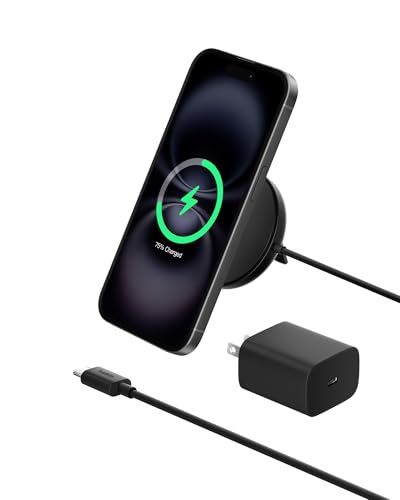
Belkin Qi2 15W Magnetic Pad with Kickstand — Pad plus stand
Belkin’s pad answers a small daily question — flat or propped? — with a kickstand: lay the phone flat on the nightstand, or flick the stand out and watch a recipe, a call or a bedside clock at an angle. The Qi2 core delivers certified 15W with magnetic alignment, and Belkin includes the adapter in the box, which quietly removes the commonest reason wireless chargers underperform: a weak brick borrowed from a drawer.
The listing names compatibility across recent iPhones and Samsung models, reflecting Qi2’s widening tent. In practice the pad suits the kitchen counter and the desk corner as much as the bedroom: cooking videos at kickstand angle, a phone that charges while it displays, then flat again for the night. Belkin’s accessory polish shows in the hinge feel and the pad’s surface — small things, felt daily.
Choose this over the convertible stand below when your charging spots change posture often, or when the charger migrates between rooms. Choose the stand when one desk wants a permanent upright fixture. Either way the charging itself is the same certified Qi2 — the decision is furniture, not electronics.
The included adapter deserves its own sentence of praise, because it changes the ownership experience from the first night: no drawer archaeology, no temporary phone brick pressed into service, no mystery about why the pad seems slow. Belkin sells the complete system rather than a component, and buyers comparing prices should compare like with like — several rival pads quietly cost the same once a proper adapter joins the basket.
- Phone charging: Qi2 magnetic delivery at 15W
- Posture trick: built-in kickstand for angled viewing
- In the box: adapter included, per the listing
- Named fit: recent iPhone and Samsung models
- Form: flat pad that travels between rooms easily
Strengths
- Kickstand makes it a viewing stand and a charger in one.
- Included adapter guarantees the intended charging speed.
- Flat pad form suits nightstand, desk and kitchen alike.
Trade-offs
- Kickstand angle is fixed by its hinge, not fully adjustable.
- Phone-only — watch and earbuds need their own arrangements.
- Kickstand adds a moving part a plain pad does not have.
Best for: kitchen counters, desks and nightstands where the phone alternates between charging flat and displaying at an angle. Not suited for: a three-device owner hunting for a single-station answer.

Belkin Qi2 15W Magnetic Stand (Convertible) — Convertible stand
Belkin’s second Qi2 form converts: upright stand when you want the phone presented like a small monitor, folded down toward a pad when you do not. That convertibility suits the desk-to-nightstand migration many chargers make across their lives — bought for the desk, inherited by the bedroom when the desk upgrades — and it keeps one Qi2 15W core useful in both postures.
As a stand it presents the phone for video calls, timers and StandBy-style clocks with the charging snap keeping it seated through desk bumps. Folded, it behaves like the pad above, friendly to watches-off, lights-out charging. Belkin positions it for the iPhone 16 generation and its MagSafe-compatible kin, and the build carries the brand’s usual desk-appropriate weight and finish.
Why own this instead of the kickstand pad? Permanence and presence. A stand claims its spot and holds the phone at a glanceable height among monitors and paperwork; a pad disappears. Desks with a dedicated charging corner should take the stand; rooms where the charger must vanish into a drawer should take the pad. The electrons are identical — the furniture philosophy is the purchase.
There is a bedside manner to a good stand that specifications miss: the phone’s face, tilted toward the pillow, becomes the room’s clock and alarm, glanceable without lifting a head. Owners who use their phone as their alarm — which is to say, nearly all owners now — feel that tilt’s value at 6 a.m. daily. The convertible’s folded mode then covers the guest-room weeks when a stand’s presence is more than the room wants, a small adaptability that keeps it in service for years.
- Phone charging: Qi2 magnetic delivery at 15W
- Posture trick: converts between upright stand and flatter pad mode
- Named fit: iPhone 16 generation and MagSafe-compatible phones
- Form: desk-weighted stand presence
- Maker: Belkin’s BoostCharge-style accessory line
Strengths
- Two postures extend its useful life across rooms.
- Upright mode is ideal for calls and bedside clock use.
- Certified Qi2 speed matches the pad exactly.
Trade-offs
- Bigger footprint than the kickstand pad it duplicates electrically.
- Conversion hinge is another mechanism to keep clean.
- Still a phone-only charger at a stand’s price.
Best for: a desk or nightstand that wants the phone held upright and glanceable while it charges. Not suited for: travel, where the folding Anker station above packs far better.

ESR MagSafe Charger 2-Pack (15W) — Two-room value
ESR’s proposition is arithmetic: two 15W magnetic chargers in one box, because the second charging location — office, partner’s nightstand, the kitchen — is where wireless charging actually changes habits. One premium pad makes a shrine; two good pucks make a system. The listing spans iPhone generations, AirPods and Galaxy models, aiming at households whose devices and rooms both multiply.
Each puck is a magnetic snap-on charger of the modern school: align by magnet, charge at up to 15W for phones that accept it, and let the cable drape to whatever adapter or port is nearby. ESR’s magnetic accessory background shows in the snap strength — the phone stays seated when the cable gets tugged by a passing sleeve, which is the daily failure of weak magnetic pucks.
The two-pack’s compromises are the puck form itself: no stand, no posture, and adapters are your own problem to supply in both locations. Owners who want a bedside display should look at the stands; owners who want charged phones in two places by Friday should take this box and spend the savings on two decent adapters.
Think about where the second puck goes before ordering, because the two-pack’s value is realised in the placement, not the purchase. The classic pairing is nightstand plus office desk; the family pairing is two sides of one bed; the traveller’s pairing is home plus the bag that never unpacks. Each puck wants its own adapter waiting at its post — budget for two modest bricks alongside the pack and the system is complete from the first evening.
- Contents: two magnetic wireless chargers in one pack
- Phone charging: up to 15W magnetic delivery
- Named fit: iPhone generations, AirPods and Galaxy models
- Form: cable pucks — no stand or pad posture
- Buying logic: the second location included from day one
Strengths
- Two rooms covered for roughly one premium pad’s money.
- Strong magnetic seating from a magnetics specialist.
- Works across the household’s mixed phones and earbuds.
Trade-offs
- No stand function — phones lie flat wherever the puck rests.
- Wall adapters are not the point of the pack; supply your own.
- Puck cables add two more leads to manage.
Best for: households and office-plus-home workers who need magnetic charging in two places at once. Not suited for: a bedside that wants the phone upright as a clock.

UGREEN MagFlow Qi2.2 25W Pad — Qi2.2 flagship
UGREEN’s MagFlow pad is where this category is heading: Qi2.2-certified magnetic charging at 25W, in a simple pad, for the phones built to drink that deeply. If your phone supports Qi2.2, this is the fastest wireless charging in this guide, closing most of the remaining distance to a cable while keeping the drop-and-go convenience that made wireless worth having.
For everyone else, the pad is a disciplined backward citizen: Qi2 phones take their 15W, older Qi phones their legacy pace, and the magnets align whatever can be aligned. That makes it the one pad a household can buy during a phone transition without rebuying next year — the pad waits patiently for the phone that can use it fully. UGREEN’s MagFlow line has become its magnetic flagship family, and the pad’s finish reflects that positioning.
Feed it properly or waste it: a 25W pad behind a weak adapter is a 10W pad with ambitions, so pair it with a USB-C brick of real capacity. Owners of current Qi2 phones should also weigh the honest question — is tomorrow’s 25W worth more than today’s proven Qi2 at a gentler price? For a phone already Qi2.2-ready, yes. For everyone else, this is the future-proof pick, bought with open eyes.
A word on expectations for the 25W figure itself: wireless peaks are sprint speeds, held while the battery is low and the phone is cool, then tapered by the phone’s own thermal management as the session proceeds. That is not a caveat unique to UGREEN — it is how every fast standard behaves, wired included — but buyers chasing the headline should know the shape of the curve. The honest summary is that Qi2.2 compresses the useful part of the charge, the first half, into strikingly little time.
- Phone charging: Qi2.2-certified magnetic delivery at 25W
- Backward behaviour: Qi2 phones at 15W, Qi phones at legacy pace
- Form: flat magnetic pad
- Line: UGREEN’s MagFlow magnetic family
- Requirement: a strong USB-C adapter to reach its ceiling
Strengths
- The fastest certified wireless standard available here.
- Future-proof across a phone upgrade cycle.
- Simple pad form with magnetic alignment.
Trade-offs
- Only Qi2.2 phones can use the headline 25W today.
- Demands a capable adapter you may need to buy.
- Pad posture only — no stand or kickstand tricks.
Best for: owners of Qi2.2-ready phones, and buyers who keep pads longer than phones. Not suited for: a legacy-Qi phone household that would never see the extra speed.
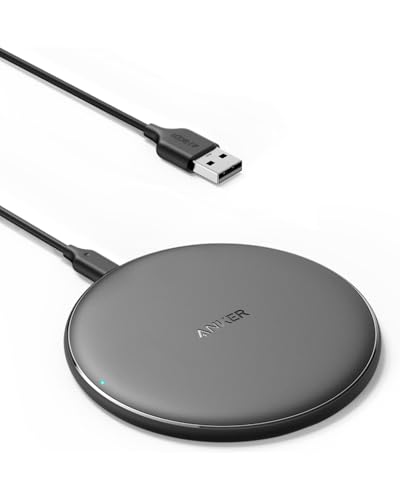
Anker 313 Wireless Charger Pad (10W) — Legacy budget
The Anker 313 is the elder of this guide: a Qi-certified flat pad delivering up to 10W, from the years before magnets reorganised the category. It remains in this line-up because the world is full of phones that predate Qi2, bedside routines that have all night to work, and buyers who need a second pad for a guest room without funding a flagship. For those jobs, 10W placed well is entirely sufficient.
Its discipline is placement. Without magnets, the phone must be centred by eye, and a thick case or a careless midnight drop will slow or stop the charge — the pad will not rescue you from geometry. In return you get Anker’s reliability at a modest price, a slim pad that disappears under the phone, and compatibility with the long tail of Qi phones and earbuds cases from both Apple and Samsung ecosystems.
Buy it knowingly: as the legacy and budget pick, for the drawer, the guest room, the older phone that will be replaced on its own schedule. Buy a Qi2 pick instead if your phone supports it — the speed and alignment difference is the largest in this guide, and it is felt every single night.
The 313 also earns a place in the present tense as the charger of low-stakes locations: the hallway table where a phone rests during dinner, the workshop bench, the child’s first phone charging beside a parent’s bed. In those spots its slowness is invisible and its price is a relief, and its Anker badge means it will still be working when the legacy phone it serves is finally replaced — at which point it retires to the drawer as the household’s spare, a role it can hold for years.
- Phone charging: Qi-certified delivery up to 10W
- Alignment: manual placement, no magnets
- Form: slim flat pad
- Named fit: Samsung and iPhone Qi models of its era
- Role: budget and legacy second pad
Strengths
- Honest, inexpensive charging for pre-Qi2 phones.
- Slim pad suits guest rooms and drawers.
- Anker reliability at the bottom of the price ladder.
Trade-offs
- No magnetic alignment — placement is your job.
- 10W ceiling feels slow beside Qi2’s 15W.
- Thick cases can defeat it more easily than magnetic rivals.
Best for: older Qi phones, guest rooms and second pads where overnight time hides the pace. Not suited for: any Qi2 phone owner, who should take a magnetic pick above.
How Should You Set Up Wireless Charging Around the House?
Place pads where phones already rest: the nightstand, the desk’s left corner, the kitchen counter’s end. Wireless charging succeeds as a habit of geography — a pad where the phone lands anyway gets used without thought, while a pad in a dedicated charging drawer becomes a place phones are forgotten. Give the main pad a strong adapter, keep its surface clear of metal objects and coins, and let the phone’s case be MagSafe-compatible if magnets are involved.
Manage heat with placement, not worry. A pad on a hard surface in open air runs as designed; a pad buried under papers or baking in a sunlit window sill makes every charge slower and warmer. In summer, a phone that comes off a hot commute should cool for a few minutes before its wireless session, and gaming while wireless charging is the one habit worth breaking — the combined heat throttles the charge and ages the battery for no benefit.
Test the finished setup with the household’s least technical member. If they can charge their phone on the first try, in the dark, without instruction, the geography and the gear are right. If they cannot, the fix is rarely a different charger — it is a clearer spot, a stronger magnet, or a pad moved six inches toward where hands actually go. Wireless charging is a human-factors product wearing an electronics costume, and the first-week test is a human-factors test.
Finally, standardise the household’s cables and adapters behind the pads. Wireless setups fail at their wired foundations: the pad fed by a phone’s old five-watt cube, the station sharing an adapter with a laptop. One capable adapter per charging point, labelled if the drawer is communal, keeps every pick in this guide performing as its section promises.
How Does Heat Shape a Wireless Charging Session?
Every wireless session is a negotiation between speed and temperature. The phone monitors its own warmth and trims charging power when it rises, which is why a phone can sprint for the first stretch of a charge and then settle into a gentler pace — behaviour owners often misread as the charger failing. Alignment is your main lever: a magnetically seated phone converts more of the pad’s output into battery and less into heat, so Qi2’s snap is a thermal feature as much as a convenience.
Environment is the second lever. A pad beside a sunny window, a phone fresh from a hot car, a case that insulates like a winter coat — each pushes the session toward throttling. The fixes are humble: charge in shade, let a hot phone rest before its session, and remove the bulkiest cases for long charges. Overnight charging sidesteps most of this, because time lets the phone charge slowly and coolly even if the first hour is warm.
This is also where the stations earn a quiet advantage: by giving the phone a defined, ventilated posture — upright on a stand, or seated on a folding pad in open air — they avoid the worst thermal trap in the category, a phone lying face-down on bedding with a puck cooking beneath it. Posture, again, turns out to be engineering.
What Does Wireless Charging Look Like Across a Working Day?
Picture the Qi2 pad on a desk earning its keep in fragments. The phone lands at nine, half depleted from the commute, and recovers while its owner works — not plugged in, just resting where it always rests. It leaves for a meeting, returns, lands again. By lunch it is full without a single deliberate charging act. That ambient pattern is wireless charging’s real product: not speed, but the disappearance of charging as a task.
The pattern breaks where the geography breaks. A worker whose phone lives in a pocket or a bag gets nothing from a desk pad; their charger is a cable in the car or a power bank. A hot-desking worker needs the puck that travels — ESR’s two-pack exists partly for them, one puck per regular desk. And a nightstand-only owner gets the overnight version of the same gift: a phone that is simply always full at dawn.
Judge your own day honestly before choosing a posture. Count where the phone physically rests between ten and four; that surface is your charging station, and the right pick is the one shaped for it — stand for the desk that hosts calls, pad for the counter, station for the nightstand that hosts everything.
How Should You Travel With Wireless Chargers?
Travel rewards the folding and the flat. Anker’s MagGo station was designed for the hotel nightstand’s chaos — one adapter, three devices, a footprint that folds into the wash bag in the morning. Flat pads like Belkin’s kickstand model slide into a laptop sleeve and work on the road almost as well as at home, while fixed stands are the travellers’ regret: bulky, fragile at the hinge, and redundant in rooms where a pad would do.
Carry the adapter discipline with you. A wireless pad abroad is only as fast as the brick behind it, and hotel USB ports are notoriously feeble; pack one capable USB-C adapter for the pad and let the travel adapter — the subject of our international guide — handle the socket shapes. Keep the pad in hand luggage with the phone’s other lifelines, because a checked bag’s delay becomes a dead phone’s evening.
One more travel truth: wireless is the backup’s backup. When a cable frays mid-trip — and cables choose trips to fray — the pad keeps the phone alive until a replacement is found. Travellers who pack both a cable and a pad own a redundancy that pure-cable travellers discover they needed exactly once, memorably.
What Should a Two-Phone Household Standardise On?
Households with two phones, two tempers and one nightstand should standardise ruthlessly: the same standard on both sides of the bed, ideally Qi2, so any phone charges on any spot and no 2 a.m. negotiation occurs. The ESR two-pack is the budget expression of this principle; a pair of Belkin pads is the polished one. Mixed-standard households — one Qi2 phone, one legacy — should put the Qi2 pad on the newer phone’s side and the Anker 313 on the other, upgrading the legacy pad when the phone is replaced.
Earbuds and watches join the standardisation quietly: a station on the more cluttered side of the bed absorbs the extra devices, while the tidier side keeps a simple pad. The goal is a nightstand where every device has a home and every home fits every device of its class. Households that achieve it stop thinking about charging entirely, which is the domestic version of the working-day gift described above.
How Do You Read a Wireless Charger Listing Without Being Misled?
Start with the standard and its certification, because the words magnetic and fast are unregulated adjectives while Qi2 and Qi2.2 are tested ones. A charger that is MagSafe-compatible may snap beautifully and still deliver only basic speeds; a certified Qi2 charger guarantees the 15W behaviour this guide’s fast picks promise. Next, find the adapter line: included, or required and sold separately. That single line moves the true price by a brick’s worth and explains most disappointing first nights.
Then check the fine print for your phone family. Listings name the models their speeds were validated with, and a Galaxy or older iPhone may be listed at a lower wattage than the headline — not deception, but the phone’s own ceiling, printed where only careful readers look. Finally, weigh the form against your room honestly. A convertible stand’s hinge, a puck’s cable length, a pad’s diameter under a large phone: these furniture facts decide satisfaction long after the standard has been forgotten.
What Happens When the Whole Nightstand Goes Wireless?
Converting a nightstand fully — phone on a Qi2 pad or station, watch on its spot, earbuds on theirs — changes the room’s texture more than its technology. The cable nest behind the nightstand shrinks to one or two leads; the morning grab becomes silent, no connectors to ease out one-handed; and the surfaces clear, because devices rest on their chargers rather than beside them. Couples report the unexpected benefit: no more borrowed-cable incidents at midnight, since nothing unplugs.
The conversion has a discipline cost. Wireless spots are fixed spots, so devices must come home to them; a phone charged on the sofa’s arm for a week is a phone outside the system, and its owner will blame the pads. Build the system where life already puts the devices, as this guide keeps advising, and the conversion sticks. The Anker station is the natural centrepiece for the full conversion, with the Belkin stand as the alternative for households whose watches charge elsewhere.
When Is a Cable Still the Right Answer?
Honesty requires a section for the opposition. A cable wins when minutes are measured and the battery is nearly empty — the airport dash, the car journey’s start, the forgotten overnight charge discovered at breakfast. A cable wins for data-heavy work tethered to a laptop, for phones in cases too thick for coils, and for the long tail of devices that never adopted Qi at all. Every wireless household should keep one good cable and one strong adapter in the same drawer as the pads, not as a rival system but as the reserve.
The mature setup is therefore hybrid by design: wireless for the ambient, everyday topping-up that fills most of life, wired for the emergencies and the heavy lifts. Owners who frame it that way stop arguing about which technology is better and start enjoying both — the pad’s invisibility on ordinary days, the cable’s heroics on the extraordinary ones. The picks in this guide were chosen to anchor the wireless half of that hybrid without apology.
How Should You Choose Between the Two Belkin Qi2 Forms?
Belkin sells the same certified Qi2 heart in two bodies here, and buyers regularly stall between them, so let us settle it by room. The kickstand pad belongs wherever the phone’s posture changes through the day: kitchens, workshops, shared desks, spare rooms. It lies flat, props up, slides into a drawer, and includes its adapter — it is the itinerant. The convertible stand belongs where the phone has a permanent post: the main desk, the primary nightstand. It stands taller, presents the screen like a fixture, and converts downward only occasionally — it is the resident.
Price them as systems, not objects. The pad’s included adapter closes its cost; the stand may ask for a brick of your own, narrowing the gap. Then choose by the honest answer to one question: will this charger live in one place for a year, or move monthly? Residents buy the stand, itinerants buy the pad, and both receive identical electrons for their loyalty — a refreshingly honest pair of products in a category that usually differentiates by inventing features.
What Should You Do in the First Week With a New Wireless Charger?
Run the placement experiment first: charge the phone in its usual case, in the spot you intend, and note the battery’s progress over a fixed half hour at the same time of day, twice. That tiny ritual establishes your real speed — not the box’s — and exposes case or alignment problems while returns are painless. If the second run is much slower, suspect heat or placement before suspecting the product.
Then build the geography. Put the charger where the phone landed during that week without one, not where a photograph suggests it should live. Feed it its own adapter and retire the borrowed brick back to its owner. By the second week the habit should be invisible: phone down, snap, done. If you are still thinking about the charger on day ten, it is in the wrong place or the wrong form, and this guide’s comparison table is the map for swapping it.
What About Wireless Charging for Guests, Kids and the Office?
A guest-room pad is a small hospitality with outsized returns: visitors arrive with dying phones and unknown cables, and a Qi pad asks nothing of their luggage. The Anker 313 was practically designed for the drawer-to-guest-room pipeline, and even a legacy-speed charge overnight delights a guest who expected none. Keep the adapter with it, labelled as a set, and the room is ready in seconds whenever it is needed.
Children’s first phones charge best where parents can see them, and a pad in the kitchen or hallway makes the overnight-out-of-the-bedroom rule easy to keep: the phone visibly rests on its pad, charging, while bedrooms stay screen-free. Magnetic pucks fascinate small hands and wander; a flat pad in a fixed spot is the sturdier family choice, with the ESR two-pack covering the two common landing zones of a family home.
Offices add a etiquette layer. A personal pad at your desk is uncontroversial and increasingly standard issue for hot-desking kits; a shared pad in a meeting room is a small diplomatic triumph, ending the borrowed-cable ritual among colleagues with four different phone generations. Qi’s universality is the point in shared spaces — every phone of the last several years can drink from the same pad, even if the fast speeds are reserved for the newer ones.
How Long Should a Wireless Charger Last, and When Is It Obsolete?
A pad has no battery to wear out and few moving parts, so its lifespan is measured in phone generations rather than years. The Anker 313 in this guide has already outlived several phone cycles for its owners, still serving the legacy devices of the house. Obsolescence arrives as a standards event, not a failure: the day your phone gains Qi2 magnets, the old pad’s slowness and placement fuss become newly visible, and it retires to the guest room with honour.
That lifecycle argues for buying the standard your next phone will use when prices are close, which is the MagFlow Qi2.2 pad’s whole pitch, and for refusing to overpay for the standard your current phone cannot touch when prices are not close, which is the Qi2 picks’ pitch. Hinges and kickstands are the only mechanical wear points to inspect yearly; a hinge that sags under the phone’s weight is a stand asking for retirement, while a pad with a frayed captive cable should be replaced rather than nursed.
When a charger does retire, electronics recycling takes it — coils and magnets are worth recovering, and landfill is the wrong end for anything with a circuit board. The household’s spare-drawer system described throughout this guide delays that day usefully: pads cascade from primary phone, to partner, to guest room, to drawer, serving at every step.
What Does the Upgrade Path From Legacy Qi Look Like?
Most households will not replace their pads in one sweep, and they should not. The sensible path runs phone by phone: when a Qi2 phone enters the house, its primary spot gets a Qi2 charger and the displaced legacy pad cascades to the second spot, displacing nothing but a drawer. Within one phone cycle the house is magnetic where it matters and legacy where it does not, at the cost of one charger per phone upgrade — which is to say, at the cost you were going to spend anyway.
Resist converting the low-stakes spots at all. The guest room, the hallway, the workshop — legacy pads serve them indefinitely, because their users charge overnight or not at all. Save the conversion money for the two spots where speed and alignment are felt daily: the main nightstand and the main desk. That prioritisation is the difference between a household that upgraded thoughtfully and one that bought six pads in a weekend and felt poorer without feeling faster.
Pads, Stands and Stations: Six Wireless Temperaments Compared
| Charger | Standard | Peak phone power | Posture |
|---|---|---|---|
| Anker MagGo 3-in-1 Station | Qi2 | 15W | Folding station for three devices |
| Belkin Qi2 Pad with Kickstand | Qi2 | 15W | Flat pad, kickstand for viewing |
| Belkin Qi2 Convertible Stand | Qi2 | 15W | Upright stand that converts |
| ESR 2-Pack | Magnetic 15W class | 15W | Two loose pucks |
| UGREEN MagFlow Pad | Qi2.2 | 25W | Flat magnetic pad |
| Anker 313 Pad | Qi | 10W | Flat pad, manual placement |
One row deserves a second glance: the ESR two-pack’s 15W class arrives without a Qi2 badge in its name, riding on magnetic compatibility rather than certification language — which is why its section prices it as a value system rather than a flagship. Judge it by the rooms it covers, and let the certified picks carry the standard-bearing argument elsewhere in the table.
Read the peak-power column with your phone in mind: it describes the pad’s ceiling, not your phone’s intake, and the lower of the two numbers is your real speed. Posture, by contrast, is entirely yours to choose, and it is the column that decides whether a charger is loved or tolerated — the same 15W delights on a nightstand stand and frustrates as a loose puck on a cluttered desk.
What Mistakes Do Wireless Charging Buyers Keep Making?
Starving the pad leads: a certified 15W charger on a weak adapter performs like a bargain pad, and the charger takes the blame. Next, ignoring the case — wallet cases, metal plates and thick rugged shells all interfere with alignment or charging itself. Buyers also expect wireless to match a cable minute for minute, then declare the category a failure; wireless sells convenience and consistency, with Qi2.2 now adding real speed, but the cable still wins a desperate airport top-up.
A subtler error is buying magnets for a phone that lacks them and no magnetic case, then wondering why the snap never happens. And a final one: placing the pad where the phone does not naturally rest, which converts a convenience product into a chore. Geography first, standards second, brand third — in that order, wireless purchases succeed.
Two more deserve naming because they arrive disguised as bargains. The uncertified pad with a spectacular wattage claim is the category’s oldest trick: without certification, the claim is unverifiable and the thermal behaviour is anyone’s guess, on a device that will sit against your phone’s battery for thousands of hours. And the multi-pack of anonymous pucks, priced like the ESR two-pack but without the magnetics pedigree, tends to deliver weak snaps and warm phones — the two-pack idea is sound only when the maker is.
Final Recommendation
One last discipline before the recommendations: buy the charger for the phone and the room in front of you, in that order, and let the standards take care of themselves. Every pick here is certified, honestly described and matched to a posture that real rooms contain; the failures in this category are never really product failures, they are mismatches — of phone to standard, of charger to room, of adapter to pad. The paragraphs above exist to help you avoid your specific mismatch.
Most readers should land on Qi2 and stop deliberating: the Belkin kickstand pad for flexible rooms, the Belkin convertible stand for a permanent upright post, the ESR two-pack when two locations call, and Anker’s folding MagGo station when watch and earbuds join the phone nightly. Owners of Qi2.2-ready phones — or of pads bought for the long term — should take UGREEN’s 25W MagFlow and feed it properly. The Anker 313 remains the right answer for legacy phones and spare rooms. Whichever you choose, give it a strong adapter and a spot where your phone already lands, and wireless charging will feel less like a feature and more like the way charging always should have worked.
Frequently Asked Questions
Will a Qi2 charger work with my older Qi phone?
Yes, at the older phone’s pace. Qi2 chargers remain Qi chargers underneath, so a pre-magnetic phone charges at its legacy rate — it simply cannot use the magnetic alignment or the 15W fast delivery. The Anker 313 exists for owners who want to pay only for that legacy service.
Do I need a special case for magnetic charging?
If your phone has built-in magnets, a MagSafe-compatible case preserves the snap; a thick or metal-backed case can weaken or block it. Phones without magnets need a magnetic case to align on Qi2 pads at all. When in doubt, charge without the case for one night and compare the seat and the speed.
Why does my 15W pad charge slower than my cable?
Partly physics — wireless transfer loses energy as heat — and partly supply: check the adapter feeding the pad, since an undersized brick caps the whole system. Alignment matters too; a phone resting off-centre on a non-magnetic pad can lose more speed than the standard ever promised.
Is wireless charging bad for battery health?
Used sensibly, no more than wired fast charging. Heat is the variable that ages batteries, and a well-aligned Qi2 session in open air is a mild event. Avoid charging under pillows, in hot cars or while gaming, and the convenience costs your battery nothing meaningful.
Should I charge wirelessly overnight every night?
For most owners, yes — it is the pattern these chargers are designed around, and modern phones manage their overnight charge intelligently, tapering and holding rather than forcing power into a full battery. Keep the pad ventilated and the phone out from under bedding, and nightly wireless charging is a gentle, sustainable habit.
Can one pad charge my earbuds too?
Most Qi pads and the magnetic pucks here charge earbuds cases that support Qi, including AirPods cases named in the ESR listing. Placement is fussier on a bare pad — the small case must sit on the coil — while stations like the Anker MagGo give earbuds their own dedicated spot.
Related Guides
Wireless chargers are only as good as the wired power behind them. Choose that foundation from our roundup of the best gan chargers, and if your charging point travels, pair this guide with the best chargers for international travel. Drivers should continue to the best car wireless chargers, where the same Qi2 story plays out on the dashboard.



[…] is only the front door of a travel charging kit. Pair it with the right brick from our guide to the best gan chargers when your adapter’s ports are not enough, and shrink the rest of the kit with our roundup of […]