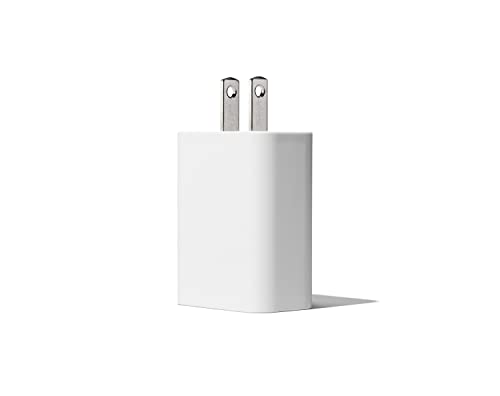
Our Top Picks


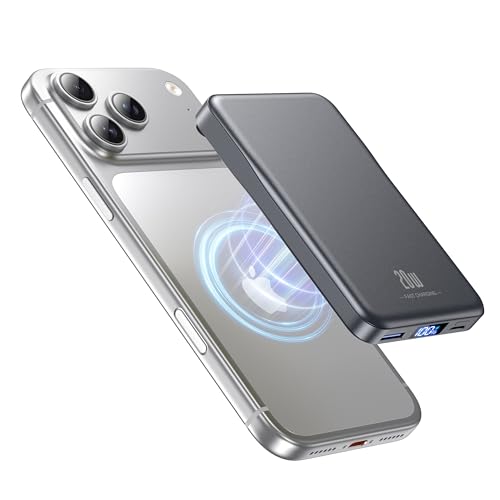

What's inside
- What actually fails first
- Cable construction that lasts
- Bend-lifespan ratings and what the numbers mean
- Certification and why it decides lifespan
- Lightning versus USB-C across iPhone generations
- Fast charging reality
- Wall charger build quality
- Wireless charging durability trade-offs
- Warranty length as a durability signal
- Habits that extend charger life
- Building a charging setup that lasts as a system
- Reading a specification sheet like an engineer
- Common misconceptions worth discarding
- Travel, commuting and the daily carry problem
- Battery health, charging speed and gear longevity
- Check prices on Amazon
- When a charger becomes a safety problem
As an Amazon Associate I earn from qualifying purchases. This post may contain affiliate links at no extra cost to you.
A charger rarely fails all at once. More often a cable that charged reliably for a year starts working only at one angle, a connector feels loose in the port, or a wall charger runs noticeably hotter than it used to and delivers slower charging than its rating suggests. Those small changes are the visible end of mechanical wear, electrical stress and heat ageing that have been accumulating for months. Choosing charging gear for durability therefore means looking past headline wattage and cable length and asking a different set of questions: where will this product flex, where will it get hot, what materials carry the load, and what evidence does the manufacturer publish about how long those parts are expected to survive.
This guide works through those questions in the order failures actually happen. It explains why the cable neck is the most common breaking point, how connector pins corrode, why repeated heat cycles age a wall charger from the inside, and which construction details genuinely slow that process down. It also covers certification for Lightning and USB-C cables, the transition between those two connector families across iPhone generations, what fast charging really draws from a charger, and why wireless charging trades convenience against heat. None of that requires exotic equipment to apply. Most durability decisions come down to reading a specification sheet carefully, handling a cable differently, and retiring gear at the right moment instead of the wrong one.
What actually fails first
Cable neck strain and conductor fatigue
The junction where a cable meets its connector housing, often called the neck or boot, concentrates almost all of the bending stress in a charging cable. The cable itself is flexible along its whole length, but the housing is rigid, so every bend pivots around the short transition zone between the two. Inside that zone sit thin copper conductors, each made of fine strands. Repeated bending work-hardens those strands, individual strands snap, and the remaining strands carry more current through a smaller cross-section, which raises local resistance and heat. The process is invisible from outside until enough strands have broken that the cable becomes intermittent, charging when held straight and dropping out when it moves.
External damage follows a similar pattern. The outer jacket at the neck flexes more sharply than anywhere else, so it cracks or splits there first, especially on smooth plastic jackets that have aged and lost plasticiser. Once the jacket opens, the shielding braid and then the insulation on individual conductors are exposed to abrasion and moisture. A cable can look merely scuffed while its internal conductors are already partly severed, which is why intermittent charging is a more reliable failure signal than appearance. Any cable that needs to be held, taped or weighted into one position to charge is already past the point where inspection matters; its conductors are damaged.
Connector pin corrosion and contact wear
At the other end of the cable, the connector pins face a slower kind of wear. Lightning and USB-C contacts are plated, usually with gold or a gold alloy over a base metal, because gold resists oxidation and keeps contact resistance low. Each insertion scrapes a microscopic amount of plating away, and pocket lint, dust and skin oils transfer onto the contacts every time the connector is handled or carried loose. In humid environments, or in a car that cycles between cold nights and warm days, condensation accelerates corrosion on any spot where plating has worn through to the base metal underneath.
Corroded or contaminated contacts do not simply stop working. They add resistance at exactly the point where current enters the phone, generating localised heat during fast charging and sometimes triggering the phone to reduce charging speed or report an accessory problem. On Lightning connectors the exposed flat contacts are easy to inspect and easy to contaminate in equal measure. USB-C hides its contacts inside a shell, which protects them from fingers but also traps debris inside the plug and inside the phone port, where compacted lint can prevent the plug seating fully and strain the port when it is forced. A connector that clicks or seats less positively than it once did is telling you something about accumulated debris or worn retention springs, not just about age.
Heat cycling inside the wall charger
Wall chargers age through heat cycling. Every charging session warms the internal components, and every unplugged period lets them cool. The solder joints, circuit board substrate and component bodies expand at different rates as temperature changes, so thousands of cycles gradually fatigue the joints, particularly around the transformer and output components that run hottest. Electrolytic capacitors, discussed in more detail later, lose electrolyte through their seals faster at higher temperatures, so a charger that runs hot does not just age during use; it ages at an accelerated rate for its entire service life.
Heat cycling explains why two chargers with identical ratings can have very different lifespans. A unit installed behind a sofa, plugged in permanently and charging overnight in still, warm air experiences long hot periods and poor cooling. The same design in an open, ventilated socket with airflow around it runs cooler per session. Placement and ventilation are therefore durability variables, not just conveniences, and they cost nothing to improve. A charger that is too hot to hold comfortably, that smells of hot electronics, or that has discoloured its casing near the vents has moved beyond normal ageing and should be retired rather than monitored.
Cable construction that lasts
Braided nylon jackets
A braided nylon outer jacket protects a cable in three distinct ways. First, the braid resists abrasion: dragging across a desk edge, a car seat rail or the contents of a bag wears the braid fibres instead of the insulation beneath. Second, the braid adds tensile strength, so a snag loads the woven jacket rather than stretching the conductors directly. Third, a tight braid limits how sharply the cable can kink, spreading a bend over a longer arc and reducing the peak strain at any one point. Looser decorative braids offer the first benefit but little of the other two, so braid density and tightness matter more than braid presence alone.
Braiding is not a complete solution. A braided cable still fails at the neck if the strain relief is poor, because the braid terminates at the housing just like any other jacket. Braid can also fray where it is repeatedly crushed, for example under a chair caster or in a car door shut line, and frayed ends can look untidy long before the cable is electrically compromised. Judge a braided cable as a system: braid quality, strain relief design, connector housing strength and conductor construction all contribute, and the weakest of them sets the real lifespan.
Aramid fibre cores and tensile members
Some durable cables add a central or surrounding tensile member made from aramid fibre, the class of synthetic fibres known for very high strength relative to weight and good resistance to heat. In a cable, the aramid does not carry current; it carries load. When the cable is pulled, caught or used, against all advice, to lift a phone, the aramid core takes the tension that would otherwise stretch the copper conductors and their terminations inside the connector. Copper stretches and necks down under repeated tension, raising resistance at the stretched point, so offloading that force protects the electrical path indirectly but effectively.
Manufacturer documentation describes aramid reinforcement in different ways, including fibre cores, fibre wrapping around the conductor bundle, and fibre integrated into the jacket. The practical check is whether the published specification states a tensile or pull strength and describes where the reinforcement sits. A cable that advertises fibre reinforcement without any construction detail may contain only a token amount. That said, even modest tensile reinforcement changes how a cable survives the most common real-world abuse, which is not careful laboratory bending but bags, drawers, seat mechanisms and hurried hands.
Reinforced strain relief, done properly
Good strain relief is a graduated transition, not a thicker lump of plastic. The most effective designs use a long, tapered boot, sometimes with internal ribbing or a secondary inner sleeve, so stiffness decreases gradually from the rigid housing to the flexible cable. That graduation forces any bend to form a wide arc whose tightest point sits away from the conductor terminations. Short, hard boots do the opposite: they move the pivot point a few millimetres outward and concentrate bending exactly at the end of the boot, which is why some reinforced-looking cables split neatly at the boot edge.
Construction details worth looking for in published specifications and product photography include strain relief length relative to the connector, a boot that is moulded as part of the housing rather than slipped over it, and reinforcement that extends into the housing so the conductors are anchored before they reach the flexible section. Two-piece housings that are ultrasonically welded or overmoulded resist the twisting loads that pry glued housings apart. None of these features can be verified by flexing a cable once in the hand; a new cable of any quality feels solid. They are specification and design judgements, which is why this guide leans on manufacturer documentation rather than first impressions.
best 3rd party iphone chargers
Bend-lifespan ratings and what the numbers mean
Bend ratings are the closest thing the cable market has to a durability standard, and they are also easy to misread. A rating states that a sample cable survived a stated number of bends in a test rig before failing an electrical continuity check. The rig typically clamps the cable, applies a defined bend angle, sometimes with a hanging weight to add tension, and cycles it at a fixed rate. Published figures vary widely between brands, from a few thousand bends for basic cables to tens of thousands for reinforced designs. The number is meaningful as a comparison within a consistent test method and much less meaningful across brands using different angles, weights and failure criteria.
Three variables decide how harsh a bend test is. Bend angle matters because a ninety-degree flex strains conductors far more than a shallow sweep. Applied weight matters because tension plus bending fatigues strands faster than bending alone. Bend radius matters most of all and is least often stated: forcing a cable around a tight radius concentrates strain, while the same angle over a generous radius is comparatively gentle. When a manufacturer publishes angle, weight and cycle count together, the figure deserves more trust than a bare cycle count with no method behind it. When only a large round number appears, treat it as an indication that the cable was designed with bending in mind, not as a promise about your cable.
Translating ratings into service life requires honesty about your own habits. A bedside cable that bends twice a day through a gentle arc may never approach even a modest rating in a decade. A cable that lives in a car, coils into a tight loop in a pocket, or supports a phone dangling from a dashboard mount can accumulate severe bends daily and exhaust a strong rating surprisingly quickly. The rating also covers the test section of cable, usually at the connector, and says nothing about crushing, chewing, heat or connector corrosion. Use bend figures to separate cables into broad durability tiers, then let construction details and warranty terms refine the choice within a tier.
Certification and why it decides lifespan
MFi licensing for Lightning cables
Lightning is a proprietary connector, and cables for it are licensed under a certification programme that requires the connector to contain an authentication chip supplied through the programme. A certified Lightning cable therefore guarantees two things: the connector meets mechanical and electrical specifications for the port it enters, and the phone will recognise it as an authorised accessory. Uncertified Lightning cables imitate the connector and either omit the chip or use a copied one. Copied chips are a common failure point because a software update can change how the phone validates accessories, turning a working counterfeit cable into one that triggers warnings or stops charging entirely, through no physical change to the cable itself.
The mechanical side matters just as much for durability. Connector dimensions that are slightly out of tolerance scrape the port contacts harder on every insertion, wear plating faster, and can stress the port’s internal tongue. A port damaged by an out-of-tolerance plug is a phone repair, not a cable replacement, which makes connector accuracy a durability issue for the more expensive device in the pair. Certified cables cost more partly because licensing and compliant components cost more, and that premium buys port safety as much as cable longevity.
USB-IF certification for USB-C cables
USB-C is an open standard administered by the USB Implementers Forum, which runs a certification programme covering connector dimensions, electrical safety and protocol behaviour. The most consequential requirement for iPhone charging concerns current capacity. USB-C cables rated for higher current must contain an electronic marker chip that tells the charger and phone what the cable can safely carry. A cable without the correct marker, or with a falsified one, can allow a charger to offer current the cable was not built for, overheating the cable or confusing the power negotiation so charging falls back, fluctuates or stops.
Certification also governs the resistors and wiring that identify the cable during power negotiation. Early uncertified USB-C cables with incorrect pull-up resistors became a well-documented hazard because they could mislead a charger about what was connected. Modern phones and chargers have more defensive circuitry, but the underlying lesson stands: in a negotiated power system, the cable is an active participant, and an uncertified participant can produce behaviour that looks like a failing charger or a failing phone. When troubleshooting intermittent fast charging, substituting a known certified cable is the cheapest diagnostic step available, and it should come before replacing anything else.
Why uncertified cables die young
Uncertified cables tend to combine several small economies: thinner conductors, minimal shielding, soft connector plating, short strain relief and housings assembled with adhesive rather than welding or overmoulding. Each economy shaves cost and lifespan simultaneously. Thinner conductors run warmer at fast-charge currents, which ages their insulation faster. Minimal plating corrodes sooner. Adhesive housings creep apart under twisting. The result is a cable whose realistic life is measured in months, bought repeatedly, at a cumulative cost that overtakes a certified reinforced cable bought once. The environmental arithmetic follows the same direction, since every discarded cable is mixed-material waste that is rarely recycled.
There is also a diagnostic cost. A failing uncertified cable produces symptoms, intermittent charging, heat at the connector, accessory warnings, that mimic phone and charger faults, and owners often replace the wrong component first. Keeping one certified cable as a known-good reference, even an ageing one, gives every future fault a quick comparison test. That reference role is an underrated reason to buy at least one cable strictly on certification and construction rather than on length or colour.
Lightning versus USB-C across iPhone generations
iPhones used the Lightning connector for many generations, and the installed base of Lightning phones, cases with battery packs, docks, car adapters and spare cables remains large. Newer generations moved to USB-C, aligning the phone with laptops, tablets and most other portable electronics. For durability planning, the transition creates a mixed household problem: Lightning cables are still needed daily, USB-C cables are the future-proof purchase, and every adapter inserted between the two adds a mechanical joint, a contact interface and a failure point. Adapters are useful bridges, but a native cable will almost always outlast a cable-plus-adapter combination used permanently.
The two connectors wear differently. Lightning presents a flat blade with exposed contacts on one face; it inserts either way up, has no fragile internal tongue in the plug, and its weakness is contact contamination and the retention clips inside the phone port. USB-C presents a hollow oval shell with contacts recessed inside and a corresponding tongue inside the phone port. That tongue is the delicate part: a misaligned insertion, a plug full of debris, or lateral force on a connected cable can damage it. USB-C cables therefore reward careful, straight insertion and ports kept clear of compacted lint, checked periodically with a non-metallic pick under good light.
Buying strategy during the transition should separate permanent stations from portable kits. At permanent stations such as a bedside or desk, install the native cable for the phone actually used there, in the length that suits the furniture, and leave it in place; a cable that is never coiled, carried or yanked is a cable whose bend rating barely matters. In portable kits, one high-quality USB-C cable plus a small number of certified adapters covers more situations with less total wear than several mediocre cables. As phones are replaced, stations convert one by one, and the Lightning cables that remain should be the best of the existing stock rather than new purchases, unless a household device will stay on Lightning for years.
Fast charging reality
USB-C Power Delivery and wattage classes
Modern iPhone fast charging runs over USB-C Power Delivery, a negotiated protocol in which the phone and charger agree a voltage and current rather than the charger simply pushing its maximum. Chargers are sold by their maximum output, grouped loosely into classes: compact units around the output needed for a single phone at full fast-charge speed, mid-range units that can fast-charge a phone alongside earbuds or a watch, and high-output units designed for laptops that also charge phones. A phone draws only what its own charging circuitry accepts, so connecting a high-output charger does not force extra power into the phone; the negotiation caps delivery at the phone’s request.
That negotiation is why cable specification matters to speed as well as safety. The phone, cable and charger form a chain, and the negotiated rate cannot exceed the lowest-rated link. A durable high-current cable with the correct electronic marker allows a charger to offer its higher rates; an older or basic cable limits the session to lower rates regardless of the charger’s rating. When a setup charges more slowly than expected, the cable is statistically the first suspect, ahead of both the charger and the phone, and swapping in a known certified cable separates a cable limit from a device limit in seconds.
What the phone actually draws, and heat over time
Fast charging is not a constant draw. Phones charge fastest at low battery levels, then taper progressively as the battery fills, with the final portion proceeding slowly to protect battery health. A typical session therefore stresses the charger and cable hardest in its opening phase and gently thereafter. For durability, this taper is good news: overnight charging spends most of its hours at low power and low heat, while repeated rapid top-ups from empty impose more high-power, high-heat cycles per unit of energy delivered. Neither pattern is wrong, but owners who fast-charge from empty several times a day should expect cable and charger ageing to track those high-power hours.
Heat during fast charging concentrates at conversion points: inside the charger where mains power becomes low-voltage direct current, at the connector contacts where resistance is highest, and inside the phone itself. A warm charger during the fast phase is normal; a charger that stays hot after the phone has tapered or been disconnected is not, and may indicate a fault or a parasitic load. Similarly, one hot spot along a cable, usually near a connector, points to damaged strands or corroded contacts at that spot. Localised heat is diagnostic information, and noticing it early is how a failing cable gets retired before it starts damaging a port.
Wall charger build quality
GaN components and what they change
Gallium nitride, abbreviated GaN, is a semiconductor material used in the switching transistors of many modern chargers. Compared with traditional silicon transistors, GaN devices switch faster with lower losses, which means less wasted energy converted to heat and smaller magnetic components for the same output. In practical durability terms, a well-designed GaN charger runs cooler in a smaller body, and cooler operation slows every heat-driven ageing process inside it. GaN also allows compact travel chargers that would previously have required a much larger enclosure to dissipate heat safely.
GaN is a component choice, not a quality guarantee. A compact GaN charger pushed to its maximum output continuously in a warm, enclosed space can still run hot, and miniaturisation can work against longevity if the designer spends the size saving entirely on smallness rather than partly on thermal headroom. Published specifications that include operating temperature ranges, thermal protection behaviour and safety certifications give a fuller picture than the GaN label alone. Treat GaN as a favourable starting point, then check how the specific design manages the heat it still produces.
Heat management, capacitors and the inside story
Inside a wall charger, the components with the shortest inherent lifespan are usually the electrolytic capacitors, which smooth the converted power. Their rated life is expressed in hours at a stated maximum temperature, and the governing rule of thumb in electronics is that service life roughly doubles for each sustained reduction in operating temperature below that maximum. A charger designed with generous capacitor ratings and cool internal layout can therefore outlast a cheaper design by years, even though both deliver identical power when new. Capacitor ageing shows up gradually as increased ripple, occasional charging dropouts, coil whine or a charger that works cold but falters when warm.
Other internal choices compound the difference. Transformer insulation class, the quality of solder joints on heavy components, flame-retardant board and enclosure materials, and the presence of over-temperature, over-current and short-circuit protection all determine whether an ageing charger fails gracefully or dangerously. Safety certification by a recognised testing laboratory indicates that a sample design passed a defined set of electrical and fire safety evaluations, which is a meaningful floor. Uncertified no-name chargers may omit protection components entirely, saving cost invisibly until a fault occurs. For a device left plugged in unattended for years, that invisible difference is the whole argument for buying certified chargers from accountable manufacturers.
Multi-port chargers and shared power
Multi-port chargers divide a total power budget among connected devices, and the division rules matter for both speed and wear. Some designs allocate fixed shares per port; others renegotiate whenever a device is connected or disconnected, briefly interrupting charging on the other ports. Frequent renegotiation is harmless electrically but worth knowing about if a phone seems to restart charging when a second device is plugged in. Thermally, a multi-port unit running several devices at once operates near its total rating for long stretches, so its cooling design and placement matter more than for a single-port unit used intermittently.
Durability planning for multi-port chargers should include the cables as a matched set. Ports wear at different rates depending on which device lives on which port, and rotating cables between ports occasionally evens out connector wear. A multi-port charger also concentrates risk: its failure removes several charging stations at once, which argues for keeping one simple single-port certified charger as a household spare. That spare doubles as the known-good reference for diagnosing cable faults described earlier, so it earns its drawer space twice over.
Wireless charging durability trade-offs
Wireless charging removes the cable’s weakest points entirely. There is no neck to fatigue, no plug to corrode, and no port wear from daily insertion, which is a genuine durability advantage for the phone’s connector over years of nightly charging. Magnetic alignment systems improve on basic pad placement by snapping the phone into the efficient position, reducing the misaligned sessions that generate excess heat while delivering little charge. For a bedside station where a phone sits for eight hours, the mechanical simplicity of a pad or stand is hard to beat.
The trade-off is heat, transferred from the charger into the phone battery. Inductive charging is less efficient than a cable, and the lost energy becomes heat in the pad and the phone. Battery ageing accelerates with temperature, so a phone that charges hot every night can lose battery capacity faster than the same phone charged slowly by cable in a cool room, even though its port stays pristine. Thick cases worsen alignment and insulation at once, trapping heat and reducing efficiency further. The durable compromise many owners settle on is wireless charging for convenience during the day at moderate temperatures, and wired charging, or a cooler, well-aligned stand, for the long overnight session.
Wireless chargers themselves age in familiar ways. Their internal electronics heat-cycle like any charger’s, their cables, where separate, fail at the same necks and connectors as phone cables, and the pad surface wears, becoming smoother or tackier and letting the phone migrate off the sweet spot as it vibrates with notifications. A pad whose phone is frequently found off-centre and undercharged in the morning may not be electrically faulty at all; its surface friction has simply changed. Cleaning the pad and the phone back, removing trapped grit that also scratches both surfaces, restores alignment behaviour more often than owners expect.
Warranty length as a durability signal
Warranty terms are one of the few durability signals a manufacturer cannot fake cheaply. A long warranty, particularly one that covers cable failure without requiring proof of careful use, commits the maker to a low expected failure rate, because every claim costs them a replacement and shipping. Short warranties do not prove a cable is poor, but they do show the maker has priced in a higher failure expectation. Reading the exclusions matters as much as the headline duration: some warranties exclude connector wear or require the failed cable to be returned at the owner’s cost, which changes the practical value of the promise.
Registration requirements and claim procedures also belong in the buying decision. A warranty that requires registration within a short window after purchase will silently lapse for most owners, while one that runs from the purchase date with a receipt is genuinely usable. Keep the receipt or order record with the cable’s details noted, because identifying which cable came from which order two years later is harder than it sounds in a household with a drawer of similar braided cables. A small label or a note in a household inventory turns a theoretical warranty into a claim that can actually be filed.
Warranty length should be weighed alongside, not instead of, construction evidence. The strongest buying position combines a published bend rating with a stated test method, visible strain relief design, recognised certification and a warranty that outlasts the typical failure window of cheap cables. When those signals agree, the probability of a long service life is high. When they conflict, for example a very high bend claim paired with a very short warranty, believe the warranty, because it is the signal backed by the manufacturer’s own money.
Habits that extend charger life
Coiling, unplugging and the yank problem
Most cable damage is habitual rather than accidental. Pulling a cable out by its cord applies full extraction force through the neck and the conductor terminations, exactly the load path strain relief is least able to protect against repeatedly. Gripping the housing instead takes seconds longer per day and removes the single most destructive routine load. Similarly, wrapping a cable tightly around a charger body or a hand, the common over-under mistake aside, stores it in a tight coil that holds the neck at a sharp angle for hours. A loose coil with a wide diameter, secured with a reusable tie away from the connectors, stores the same cable at a fraction of the strain.
Routing matters where cables live permanently. A bedside cable should reach the phone with slack to spare, not at full stretch, because a taut cable converts every knock of the phone into a tensile tug at both connectors. Desk cables benefit from a clip or grommet that carries the cable’s weight so the plug does not hang from the port at an angle, loading one side of the contacts and the port tongue. In cars, route cables clear of seat runners, pedals and the gear selector, and never trap a cable in a door or boot shut line, where a single closure can crush conductors invisibly inside an intact-looking jacket.
Car heat, bathrooms and other hostile places
A parked car in sun is the harshest common environment for charging gear. Cabin temperatures climb far beyond room conditions, ageing cable jackets, charger capacitors and any battery left connected, while overnight cold in winter completes a severe daily thermal cycle. A cable that lives permanently in a car should be regarded as a consumable with a shortened expected life, inspected more often, and chosen for jacket and strain relief quality rather than saved for with the cheapest option. Removing the wall charger from the car kit and using a vehicle-rated adapter designed for that temperature range is the more durable architecture.
Bathrooms and kitchens add moisture and steam to the picture. Chargers are mains devices and belong in dry sockets away from sinks and steam sources; cables that regularly get wet at the connector carry moisture into the port and accelerate the contact corrosion described earlier. If a connector does get wet, drying it fully before use is essential, and phones will often warn when moisture is detected in the port. Respecting that warning rather than overriding it protects both the port contacts and the cable plug from the electrolytic corrosion that current flowing through water causes remarkably quickly.
Cleaning and inspection routines
A brief inspection habit catches most failures while they are still cheap. Every few months, run each household cable through a simple check: look along the neck for jacket splits or a boot separating from the housing, flex the cable gently while charging and watch for dropouts, examine the connector contacts for discolouration or greenish corrosion traces, and confirm the plug seats positively in the port. Clean contacts with a dry, lint-free cloth; clear a port or plug of lint with a non-metallic tool and patience, never with a metal pin that can short contacts or scrape plating.
Retirement criteria should be decided in advance so a suspect cable does not drift back into service. Retire a cable immediately for exposed conductors, a hot spot during charging, visible corrosion that cleaning does not remove, a housing that has cracked or separated, or intermittent charging that follows the cable between phones and chargers. Retire a wall charger for casing discolouration, unusual smell, buzzing that has newly appeared, or output that cuts out when warm. Mark retired cables physically, by cutting or bagging them for electronic waste, because an unmarked failed cable in a drawer will eventually be pressed back into service by someone in a hurry.
best fast charge qi wireless chargers
Building a charging setup that lasts as a system
Durability improves fastest when the setup is planned as a system rather than accumulated cable by cable. Start by fixing the stations: bedside, desk, kitchen or family charging point, car and travel kit. Each station gets a charger matched to its actual load, a native cable of the right length with slack, and routing that protects the cable from edges, casters, doors and foot traffic. Stations that never move should favour slightly longer cables routed safely over the shortest cable stretched tight, because slack is the cheapest strain relief ever made.
Standardising within the household compounds the benefit. Fewer connector types in daily use means fewer adapters, fewer orphaned cables and a smaller, better stock of spares. When a phone upgrade changes a connector, convert the stations that phone actually uses and resist converting everything at once; the remaining Lightning infrastructure still serves the devices that need it. Keep one certified spare cable and one simple certified charger outside the daily rotation as diagnostic references and emergency replacements, and replace them when they are used rather than letting the spare role quietly disappear.
Length choice deserves more thought than it usually gets. Excess cable coiled beside a socket is harmless, but excess cable in a bag tangles, kinks and abrades against everything else in the bag. Match portable cables to portable distances and leave long cables at the stations they were bought for. Cable organisers, simple pouches and ties are durability accessories in the literal sense: they control bend radius and abrasion during the hours a cable is not charging, which for a travel cable is most of its life.
Reading a specification sheet like an engineer
A durable cable’s specification sheet should answer, in writing, the questions this guide has raised. Look for the certification listing, the current rating and whether an electronic marker is fitted on higher-rated USB-C cables, the jacket material and any tensile member, the strain relief description, the bend rating with its test angle and load, the conductor gauge or an equivalent current capacity statement, and the warranty duration with its main exclusions. A sheet that answers most of these is evidence of a manufacturer who expects scrutiny. A sheet that offers only length, colour and a wattage headline is evidence of the opposite.
For wall chargers, look for the safety certification mark of a recognised laboratory, the total and per-port output tables for multi-port models, the input voltage range for travel use, protection features listed individually, and the operating temperature range. Check that the stated outputs match the negotiation standards your phone uses, and be wary of headline wattage that is only reachable in a single-port configuration you will never use. Physical details count too: folding prongs reduce travel damage, a casing with some texture is easier to grip than a glossy shell when unplugging, and a charger that sits flush and stable in a socket puts less leverage on its own prongs and the socket contacts.
Finally, weigh the total cost of ownership rather than the ticket in front of you. A certified, reinforced cable with a long warranty, bought once and used for the life of a phone and its successor, costs less per year than a sequence of cheap cables, and it removes the intermittent-fault troubleshooting that cheap cables impose. The same arithmetic holds for chargers, with the added weight that charger quality is also a safety question. Durability, in this category, is not a luxury preference; it is the economical and the cautious choice arriving at the same answer.
Common misconceptions worth discarding
Several persistent beliefs lead buyers astray. A thicker cable is not automatically a stronger cable, because thickness can come from jacket padding rather than conductor size or reinforcement, and a stiff thick cable can actually load its own neck harder. A higher wattage charger does not charge a phone harder than the phone requests, and it does not wear the phone out faster by existing; heat and habits govern wear, not the number printed on a charger the phone negotiates with. A cable that still works at one angle has not got a minor quirk; it has broken conductors and is a candidate for retirement, not rotation to a less important station.
It is also worth discarding the idea that wireless charging is maintenance-free. Pads accumulate grit, surfaces wear, alignment drifts and the batteries in the phones they serve age with the heat they produce. And the belief that all certified cables are identical ignores everything this guide has covered about jackets, strain relief, bend testing and warranty backing: certification sets the electrical and safety floor, while construction decides how long a cable stays above it. Choosing well means using certification as the entry requirement and construction as the deciding vote.
One more misconception concerns spares. Buying several identical cheap cables as a redundancy strategy feels prudent but usually produces several cables ageing and failing on similar schedules, often discovered on the same trip. One well-made cable in service plus one well-made cable in reserve is a stronger position than four fragile cables in rotation, and it takes up less space in the drawer and the bag alike.
Travel, commuting and the daily carry problem
Travel imposes a distinctive pattern of wear that home charging never does. Cables are coiled and uncoiled daily, chargers are pushed into unfamiliar sockets at awkward angles behind hotel furniture, and the whole kit is compressed inside luggage where hard objects press against connector housings for hours. A housing that survives years on a bedside table can crack in a single season of checked baggage if it is carried loose against a laptop power brick. A simple padded pouch, with the cable coiled loosely inside it rather than wrapped around the charger, removes most of that compressive and abrasive load at almost no weight cost.
Socket variety is the second travel stress. Recessed sockets, worn sockets in older buildings and multi-way travel adapters all change how firmly a charger sits. A charger that hangs loosely in a worn socket makes intermittent contact, arcs microscopically at the prongs and heats the socket contacts, while its own weight levers against the cable port at the other end. Compact chargers with folding prongs reduce both the leverage and the chance of prongs bending in transit, and a short, well-relieved cable suits travel better than a long station cable pressed into service, because long cables tangle, snag on seat fittings and get trapped in tray tables and armrest mechanisms.
Commuting adds vibration and repeated micro-bending. A cable in a daily bag flexes thousands of times in small movements that never register as a bend in the owner’s mind, and a phone charging from a power bank in a pocket or bag bends its cable at the port with every step. Right-angled connectors can reduce that leverage in some carry positions by letting the cable leave the port along the phone’s edge rather than projecting outward, though they can increase strain in other positions, so the choice should follow the actual carry geometry. The broader rule is to give a carried connection slack and a protected path, or to avoid charging while walking altogether and charge at the desk instead.
Battery health, charging speed and gear longevity
Charger durability and phone battery durability are linked through heat and through time spent at high charge levels, and modern phones include software features that manage both. Optimised charging learns a routine and delays the final portion of charging until shortly before the phone is usually unplugged, reducing the hours the battery spends full and warm. Charge limits on newer models let owners cap the maximum level for daily use. Using those features costs nothing, reduces the thermal load on the battery overnight, and also reduces the hours a charger spends delivering its final low-power phase in a warm bedroom.
Slower charging is sometimes the more durable choice for the gear as well as the battery. A basic lower-output certified charger used overnight runs cool, heat-cycles gently and can remain in service for many years, while the fast charger is reserved for daytime top-ups when speed genuinely matters. That division of labour mirrors the station system described earlier: each charger works in the regime it suits, neither is pushed to do everything, and the fast charger accumulates far fewer high-temperature hours than it would if it handled every session. Owners who buy one powerful charger to do every job often discover that versatility and longevity pull in opposite directions.
It is equally important not to blame charging gear for battery ageing it did not cause. Batteries lose capacity through cycles, calendar time, heat exposure from many sources and software workload, and a phone that has lived in a hot car will age regardless of cable quality. Good gear removes the avoidable heat and the electrical irregularities from that picture; it does not freeze battery chemistry. Judging a charger by whether a three-year-old battery still behaves like a new one sets a test no charger can pass, and it distracts from the measurable signs, heat, dropouts, connector condition and charging consistency, that actually indicate gear health.
Check prices on Amazon
Live listings for the shortlist in this guide are pulled from Amazon below, so prices and availability are always current at the moment you look.


When a charger becomes a safety problem
Most ageing chargers simply stop working, but a minority fail in ways that matter beyond inconvenience, which is why retirement criteria deserve emphasis. Warning signs include a casing that has cracked enough to expose internal parts, prongs that are loose, bent or scorched, a burning or sharp chemical smell, sparking at the socket, a cable with melted or bubbled insulation, and any charger that delivers a tingle when the phone is handled while charging. Any one of those signs means immediate removal from service, not a period of observation, and the device should not be given away, sold or demoted to a garage socket.
Disposal should follow local electronic waste routes rather than household rubbish, because chargers and cables contain metals and circuit boards that recycling systems are set up to recover. Cutting a failed cable before disposal prevents it returning to service. Keeping a short note of what failed and roughly when, even in a phone note, builds a household picture over time of which constructions and brands actually lasted in your conditions, which is more useful buying evidence than any general claim, because it reflects your sockets, your climate, your cars and your habits.
A note on shared and borrowed chargers
Shared charging points in offices, schools and family kitchens subject gear to the widest range of handling habits, including the yanking, tight coiling and port forcing that careful owners avoid. Gear bought for shared use should therefore be chosen a tier sturdier than personal gear, with the longest strain relief and the clearest warranty, and it should be inspected on a schedule rather than on suspicion, because no single user notices gradual deterioration. Labelling shared cables with their purchase date helps rotate stock honestly. Borrowed chargers deserve a quick visual check before use as well: a cracked housing or a frayed neck on someone else’s cable is a reason to wait for a safer option, and returning your own gear to its pouch after lending it prevents the slow drift of good cables into communal drawers where their careful handling ends.
Finally, keep perspective on replacement timing. Replacing a cable at the first sign of intermittent charging is not wasteful; it protects the phone port, whose repair costs far more than any cable, and it keeps a degrading conductor from heating under load. Planned replacement on evidence is the cheapest form of maintenance this entire category offers.
Disclosure: readers following product links from this page will land on the retailer, and this site may earn a commission from qualifying purchases made there, at no additional cost to the buyer. That arrangement supports the research behind guides like this one, and the selection criteria described here, certification, construction, published specifications and warranty terms, are applied the same way whether a product carries a link or not.
Charge gear is easy to treat as disposable until the morning a phone wakes up empty before a journey that cannot move; buying for the neck, the pins and the heat, and handling cables like the engineered objects they are, is how that morning quietly never happens.
Related guides
- Best 3rd Party MacBook Chargers: 96W-Class Alternatives, the 100W Cable Rule, and the Apple Benchmark
- Best Chargers for Google Pixel 6 Pro: Six Bricks Judged on Output, Ports and Negotiation Language
- Best Fast Charge Qi Wireless Chargers: Qi2 at 15W and Qi2.2 at 25W
- Best 12 Volt Battery Chargers: Smart Picks From 1 Amp to 15 Amp