What's inside
- Key Takeaways
- Quick Picks
- How did we choose these picks for a UHS-I camera?
- What should an X-T1 owner understand about speed classes before choosing?
- Which cards deserve a closer look, one by one?
- How do these X-T1 options stack up against each other?
- What does a shooting day on the X-T1 actually demand from a card?
- How should you build a small card kit around a single slot?
- How should you set up and care for a card in the X-T1?
- Which X-T1 settings quietly change how hard the card works?
- How should a sceptical reader decode a card listing?
- Why does formatting and file system choice matter more than most owners expect?
- What mistakes do X-T1 owners make when buying SD cards?
- How long should a card serve in an X-T1 before retirement?
- Final Recommendation
- Frequently Asked Questions
- Related Guides
As an Amazon Associate I earn from qualifying purchases. This post may contain affiliate links at no extra cost to you.
gizmoverdict.com is reader-supported. When you buy through links on our site, we may earn an affiliate commission.
Where to buy: All six cards below link to their Amazon listings from the Quick Picks table and from each detailed review, so you can check price on Amazon once you know which capacity and speed class fit your shooting. Match the capacity printed in each review heading against the listing before ordering, because most of these card families are sold in several sizes that look identical at a glance.
The best sd cards for fuji xt1 start from a fact about the camera itself: the X-T1 has a single card slot, and that slot speaks UHS-I and nothing faster. Fujifilm’s first weather-sealed flagship writes its 16-megapixel raw files and its 1080p video through a bus that predates UHS-II, which means a UHS-II card physically fits and works, yet transfers inside the camera at UHS-I pace. That single constraint reshapes the whole shortlist. Money spent on a second row of contacts buys nothing in this body, so the sensible contest is among strong UHS-I cards: honest read speeds for fast offloads at the desk, video classes that cover the X-T1’s modest movie bitrates with room to spare, and capacities matched to how a single-slot camera should be managed on a trip.
Single-slot discipline matters more than raw pace here. With no backup slot, the card in the camera is the only copy of every frame until you offload, so many X-T1 shooters prefer a rotation of mid-size cards over one enormous card that holds a whole holiday. The six picks below span 32GB to 256GB for exactly that reason. Read speeds quoted in this guide come only from each listing title; where a title stays silent about write speed or video class, the spec box says so plainly rather than filling the gap with a guess.
Key Takeaways
- The X-T1 slot is UHS-I only, so every pick here is a UHS-I card; a UHS-II card would run at UHS-I speed in this body and waste its premium entirely, on every single shooting day without exception.
- Lexar’s 128GB SILVER carries the strongest title-stated figures in the set: 225MB/s read, V30 and U3, comfortably beyond anything the X-T1 can demand.
- Smaller cards suit single-slot shooting: the 32GB SanDisk Extreme PRO and the 64GB Kingston and Lexar cards make a rotation strategy cheap to build.
- The GIGASTONE 256GB is the capacity outlier, aimed at long trips and heavy video days, with a V30 class stated in its title.
- Write speed is absent from most of these listing titles, so burst depth judgement rests on speed class and on formatting habits, not on invented numbers.
- Every card here was judged against the X-T1’s real workload — 16-megapixel stills, moderate bursts and 1080p video — rather than against the demands of a modern flagship body.
- A card bought for this camera should be rehearsed before important work: one in-camera format, one test burst, one long clip, one full offload, all checked before anything unrepeatable is entrusted to it.
Quick Picks
| Pick | Badge | Why it earns its place |
|---|---|---|
| SANDISK 32GB Extreme PRO SD Memory Card, Up to 100MB/s Read Speeds, UHS-I | Rotation starter | A modest 32GB size with a 100MB/s read figure in the title, sized for one outing at a time in a single-slot body. |
| Lexar 128GB SILVER SD Memory Card, 225MB/s Read, 4K, V30, U3, UHS-I | Fastest title figures | The only card here pairing a 225MB/s read claim with both V30 and U3 in its title. |
| SanDisk 128GB Ultra SDXC UHS-I Memory Card | Quiet generalist | A plain 128GB UHS-I card from SanDisk’s mainstream line, its title making no speed promises at all. |
| Kingston 64GB Canvas Select Plus SD Card Up to 100MB/s Class 10, UHS-I, U1, V10 SDS3/64GB | Honest budget lane | U1 and V10 classes printed openly in the title, a fair match for stills-led X-T1 work. |
| Lexar Professional Silver Plus SDXC UHS-I Card 64GB Memory Card | Professional-line 64GB | Lexar’s Professional branding at the rotation-friendly 64GB size, with performance detail left to documentation. |
| GIGASTONE 256GB SD Card, 4K Camera Pro, UHS-I A1 V30 SDXC | Capacity pick | 256GB and a stated V30 class, plus a data recovery offer spelled out in the listing title. |
How did we choose these picks for a UHS-I camera?
The first filter was the bus. Every card considered had to be UHS-I, because that is the fastest interface the X-T1 can use, and recommending UHS-II hardware for this body would mean recommending a premium the camera cannot spend. Cards whose titles state a read speed, a UHS speed class or a video speed class were read on those stated figures only. Where a title names no class at all, the card stayed in contention on capacity and brand line, but its review flags the silence instead of papering over it.
The second filter was capacity spread. A single-slot camera rewards choice: some photographers swap a fresh card each day and treat the rotation as a primitive backup, while others shoot long events and want one card that simply never fills. A shortlist that offered only 128GB cards would serve neither group well, so this set deliberately runs from 32GB to 256GB across six cards.
The third filter was the X-T1’s actual workload. Its continuous burst is short by modern standards and its video tops out at 1080p, so extreme write performance is not the deciding factor it would be in a current sports body. What matters instead is that the card clears the buffer without drama, holds its class rating during a long video take, and offloads quickly when the day is done. Each review below judges its card against that workload rather than against a flagship camera the reader does not own.
What should an X-T1 owner understand about speed classes before choosing?
Three different numbers compete for attention on a card listing, and only two of them matter inside the X-T1. The read speed in a title, such as 100MB/s or 225MB/s, describes how fast files can move off the card into a computer through a capable reader. It says nothing direct about how fast the camera can write, yet it decides how long you wait at the end of a shoot, which is why it still earns its place in these reviews. The UHS speed class, U1 or U3, guarantees a minimum sustained write floor of 10MB/s or 30MB/s respectively. The video speed class, V10 or V30, makes the same promise in video terms. For the X-T1’s 1080p recording, even a V10 floor is workable, while V30 provides margin that also suits burst stills.
Write speed, the figure that governs buffer clearing, is the number most of these titles omit. That omission is normal in this tier and it is why this guide refuses to rank the six cards by an invented write order. Instead, each spec box records exactly what the title states and marks the rest as not stated, pointing you to the manufacturer’s documentation for the figure that matters to burst shooters. Treat any buying guide that quotes precise write speeds for these exact listings with suspicion unless it shows where the number came from.
Capacity interacts with the X-T1’s file sizes in a way worth picturing. A 16-megapixel raw file from this sensor is modest beside modern 45-megapixel output, so a 64GB card holds several thousand raw frames, and a 32GB card still covers a full day of deliberate shooting for most people. Video changes the arithmetic faster than stills do, and the 128GB and 256GB picks exist for readers whose X-T1 doubles as a trip video camera. Match the card to the day you actually shoot, not to the largest number on the shelf.
Which cards deserve a closer look, one by one?

SANDISK 32GB Extreme PRO SD Memory Card, Up to 100MB/s Read Speeds, UHS-I — Rotation starter
Thirty-two gigabytes sounds small in a era of terabyte cards, yet in an X-T1 it is a deliberate strategy rather than a compromise. The camera’s raw files are compact, so this card still swallows a long day of shooting, and its smallness forces the healthiest habit a single-slot photographer can have: offload tonight, format in camera tomorrow, and never let a month of work ride on one piece of plastic. Bought in multiples, cards of this size turn rotation into a filing system, one card per day or per location, each one a self-contained chapter of the trip.
The title states a read speed of up to 100MB/s, which keeps desk offloads brisk without pretending to be a flagship figure. What the title does not state is equally relevant: no UHS speed class beyond the UHS-I interface itself, no video class, and no write speed. The Extreme PRO name carries expectations, but this guide scores the listing in front of us, and on paper this is a sensibly quick, small UHS-I card rather than a spec-sheet champion. For stills-led X-T1 work and occasional 1080p clips, that profile is honestly sufficient.
There is also a psychological benefit to the small card that spec sheets never mention. A 32GB card fills at a pace that keeps the photographer aware of the archive, prompting the evening offload that protects the day. Large cards encourage deferral, and deferral is where losses live. Owners who know they procrastinate over backups should treat this card’s smallness as a feature engineered around their own habits, and buy two so the rotation never waits on a reader being free.
- Capacity: 32GB
- Interface: UHS-I
- Read speed: up to 100MB/s, as stated in the listing title
- Write speed: Not stated in the listing title — verify with SanDisk documentation
- Video speed class: Not stated in the listing title — verify with SanDisk documentation
Strengths
- Small capacity encourages daily offloading, the safest routine for a camera with one slot.
- A stated 100MB/s read speed keeps evening transfers short even across several cards.
- Extreme PRO line positioning suggests a card built for camera duty rather than casual storage.
Trade-offs
- Video shooters will fill 32GB quickly once clips pile up alongside raw stills.
- No video class appears in the title, so long-take performance rests on documentation, not the listing.
- Cost per gigabyte usually runs higher at this size than on the 128GB picks below.
Best for: a photographer seeking a one-card-per-outing routine in the X-T1, with offloads folded into the end of each day. Not suited for: a traveller recording long 1080p sequences who wants a single card to last a week untouched.

Lexar 128GB SILVER SD Memory Card, 225MB/s Read, 4K, V30, U3, UHS-I — Fastest title figures
On the evidence of its title alone, this Lexar is the most completely specified card in the set. A 225MB/s read figure leads the six picks by a wide margin, and the pairing of V30 with U3 promises a sustained write floor that covers the X-T1’s video and bursts without strain. Inside the camera, the UHS-I bus caps what any card can do, so those numbers will not make the X-T1 write faster than its slot allows; where they pay off is at the computer, where a 128GB card full of raw files drains through a good reader in a fraction of the time the slower cards need.
The 128GB capacity sits at the practical centre of this shortlist. It is large enough for a multi-day trip shot in raw, yet not so large that a card failure or a lost camera bag wipes out an entire season. Lexar labels it for 4K, which the X-T1 cannot record, but that headroom reads as margin rather than waste: a card engineered to sustain video writes well beyond 1080p demands is unlikely to be the bottleneck in a 2014 body. Photographers who also own a newer camera will find this the easiest pick to justify, since the same card serves both bodies at full UHS-I pace.
One caution belongs with the praise: a fast-reading card only delivers its stated figure through a reader that can keep up. An elderly USB reader will strangle the 225MB/s claim down to its own ceiling, and the card will be blamed for the reader’s limit. Pair this pick with a current UHS-I reader, and the offload advantage in the title becomes the advantage at your desk; pair it with whatever reader came free in a drawer a decade ago, and you have bought speed you cannot collect.
- Capacity: 128GB
- Interface: UHS-I
- Read speed: 225MB/s, as stated in the listing title
- Speed classes: V30 and U3, as stated in the listing title
- Write speed: Not stated in the listing title — verify with Lexar documentation
Strengths
- Highest stated read speed of the six, cutting offload time on full cards.
- V30 and U3 classes are both printed in the title, no documentation hunt required.
- 128GB balances trip capacity against the risk concentration of the largest cards.
Trade-offs
- The X-T1 cannot exploit the full read figure in-camera; the benefit arrives at the reader.
- Write speed still goes unstated, so burst clearing depth is inferred from class, not measured figures.
- One large card tempts lazy offloading habits that a single-slot camera punishes.
Best for: a shooter seeking one main card for the X-T1 with fast desk transfers after long raw-heavy days. Not suited for: a minimalist wanting the cheapest possible rotation of small cards for casual JPEG shooting.
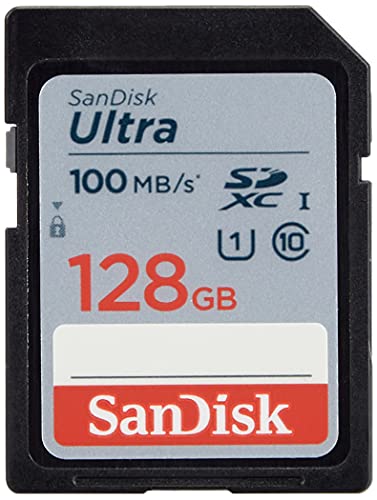
SanDisk 128GB Ultra SDXC UHS-I Memory Card — Quiet generalist
The Ultra is the plainest listing in this guide: a capacity, a format, an interface, and nothing else. No read speed, no class marks, no video claims appear in its title. That silence cuts both ways. It makes the card impossible to recommend for any demanding, specification-led reason, yet the Ultra line is SanDisk’s mainstream workhorse, sold in enormous numbers for exactly the undemanding jobs most X-T1 owners actually do: JPEG-heavy days, family events, travel snapshots with the occasional raw burst and short clip.
Judged strictly on title evidence, this is a 128GB UHS-I card and the review treats it as such. A photographer whose X-T1 work is deliberate and stills-focused will rarely meet the limits that the missing figures hide, because the camera itself writes gently compared with modern bodies. The risk appears at the edges: a long continuous burst, or a lengthy video take on a nearly full card, is where an unspecified floor stops being an abstraction. Readers who shoot that way should pick one of the class-marked cards instead and let this Ultra serve as a roomy spare in the bag.
Spare duty is not a dismissal. Every working kit needs a card that can absorb an overflow day, hold a JPEG-only outing, or step in when the main card is sitting in a reader across town. The Ultra’s roomy capacity and mainstream pedigree suit that understudy role well, and its lack of stated figures matters least exactly there, where the stakes are a casual day’s stills rather than a ceremony. Buy it as the kit’s safety net and it earns its keep without ever needing to be the star.
- Capacity: 128GB
- Interface: UHS-I, SDXC format
- Read speed: Not stated in the listing title — verify with SanDisk documentation
- Write speed: Not stated in the listing title — verify with SanDisk documentation
- Video speed class: Not stated in the listing title — verify with SanDisk documentation
Strengths
- Generous 128GB capacity at the mainstream end of SanDisk’s range.
- Simple, unhyped listing with no inflated speed language to decode.
- Makes a sensible second card for JPEG overflow and casual video.
Trade-offs
- Every performance figure requires a trip to manufacturer documentation.
- Unspecified write floor is a gamble for long bursts or extended video takes.
- Nothing in the title distinguishes it for camera use over general storage.
Best for: a casual X-T1 shooter requiring roomy, undemanding storage for stills-led days and short clips. Not suited for: an event photographer relying on sustained bursts as the primary card in the only slot.
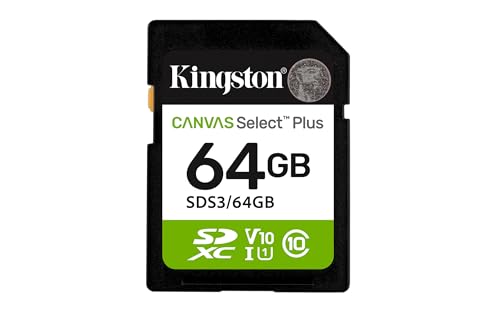
Kingston 64GB Canvas Select Plus SD Card Up to 100MB/s Class 10, UHS-I, U1, V10 SDS3/64GB — Honest budget lane
Kingston prints this card’s whole personality in its title, including the parts a marketing department might prefer to hide. U1 and V10 are the entry rungs of their respective ladders, guaranteeing a 10MB/s sustained write floor, and Kingston says so openly next to a 100MB/s read figure and a Class 10 mark. For the X-T1, that honesty is useful. The camera’s 1080p video and moderate bursts live comfortably above a 10MB/s floor in ordinary use, so a stills-first photographer loses little by choosing the transparent budget card over a pricier one whose advantages sit mostly in its name.
The 64GB capacity pairs naturally with the rotation habit this guide keeps recommending. Two of these cost roughly the mental effort of one large card while halving the amount of work any single failure can take with it. Where the card asks for care is sustained, back-to-back burst shooting and very long video takes, where a higher-class card’s guaranteed floor provides insurance this one does not claim. Know your shooting pattern, and this Kingston either fits it cleanly or rules itself out without wasting your money first.
The card also makes a thoughtful teaching tool. New X-T1 owners learning the camera’s drive modes and video behaviour can discover their own pattern on an inexpensive, honestly labelled card before spending more on classes they may never need. If the V10 floor never troubles a month of shooting, the lesson was cheap and the card remains useful as a rotation partner. If buffers and takes begin to bite, the upgrade path to the V30 picks in this guide is clear, and nothing about the Kingston purchase was wasted.
- Capacity: 64GB
- Interface: UHS-I
- Read speed: up to 100MB/s, as stated in the listing title
- Speed classes: Class 10, U1 and V10, as stated in the listing title
- Write speed beyond the U1/V10 floor: Not stated in the listing title — verify with Kingston documentation
Strengths
- Every relevant class is printed in the title, making the card easy to judge honestly.
- 100MB/s read figure matches the SanDisk Extreme PRO pick at a friendlier tier.
- 64GB size suits a two-card rotation without a large outlay.
Trade-offs
- U1 and V10 are minimum-tier guarantees, leaving the least headroom of the class-marked picks.
- Long video takes sit closer to the card’s guaranteed floor than on V30 cards.
- Model code SDS3/64GB must be matched carefully against near-identical Kingston variants.
Best for: a stills-led X-T1 owner seeking a clearly labelled, inexpensive 64GB card for everyday shooting. Not suited for: a videographer recording the longest takes the camera allows, back to back, on one card.
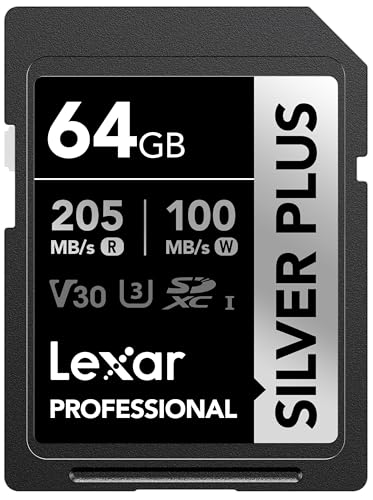
Lexar Professional Silver Plus SDXC UHS-I Card 64GB Memory Card — Professional-line 64GB
This Lexar creates the opposite problem from the Kingston: a Professional badge and a Silver Plus name, at a useful 64GB size, with a title that states no speed figure and no class at all. The Professional line is Lexar’s camera-facing range, and Silver Plus sits within it as a UHS-I offering, but a buying decision deserves numbers, and the listing title withholds them. The review therefore positions this card on what is verifiable: brand line, capacity, format and interface.
Within the X-T1’s gentle demands, that may be enough for many readers. A 64GB Professional-line card from a major memory maker is a reasonable home for a day of raw files, and the size again supports rotation. The hesitation is comparative rather than absolute: its own sibling in this guide, the 128GB SILVER, publishes a 225MB/s read figure and both video classes in its title, which makes this card’s silence harder to excuse. Choose it if the Professional line and the 64GB size are the priorities, and confirm the figures in Lexar’s documentation before expecting video or burst performance from it.
That documentation trip is worth describing honestly, because it is this card’s hidden cost. Finding the exact Silver Plus figures means identifying the precise model variant and capacity on Lexar’s site, since figures can differ across a family. Five minutes of reading converts this from a leap of faith into a known quantity, and the card’s Professional lineage suggests the numbers will be respectable once found. Readers unwilling to spend those five minutes should simply buy the sibling whose title already did the work.
- Capacity: 64GB
- Interface: UHS-I, SDXC format
- Read speed: Not stated in the listing title — verify with Lexar documentation
- Write speed: Not stated in the listing title — verify with Lexar documentation
- Video speed class: Not stated in the listing title — verify with Lexar documentation
Strengths
- Professional-line card at the rotation-friendly 64GB capacity.
- Lexar’s camera-focused range rather than a general-storage line.
- SDXC format and UHS-I interface match the X-T1 slot exactly.
Trade-offs
- No speed or class figure appears anywhere in the listing title.
- Its 128GB Lexar sibling in this guide publishes far more specification detail.
- Video suitability cannot be confirmed from the listing alone.
Best for: a Lexar loyalist seeking a 64GB Professional-line card for stills work in the X-T1. Not suited for: a specification-led purchase where video class must be confirmed before money changes hands.

GIGASTONE 256GB SD Card, 4K Camera Pro, UHS-I A1 V30 SDXC — Capacity pick
Every shortlist needs its maximalist, and this GIGASTONE fills the role with 256GB, a stated V30 class and a data recovery offer written into the title itself. The capacity is the argument: a photographer taking the X-T1 on a long trip, shooting raw stills all day and 1080p video in between, can treat this card as the trip’s single archive and stop thinking about storage entirely. The V30 mark matters because it converts that capacity from mere space into space the camera can actually fill at video pace, with a guaranteed sustained floor behind it.
The counterweight is concentration. Two hundred and fifty-six gigabytes of unoffloaded work is a great deal to lose to a dropped camera or a corrupted card, and the recovery offer in the title, while welcome, is a remedy rather than a prevention. The disciplined way to use this card is as a high-capacity working card inside a daily offload routine, not as a substitute for one. The A1 mark, an application-performance class aimed at phone-style random access, is largely irrelevant to camera duty and should not sway the decision either way.
One more scenario flatters this card: the hybrid trip where the X-T1 is both stills camera and the only video device along. Stills nibble at capacity while video devours it, and a mixed day can surprise a 64GB card into fullness by mid-afternoon. The GIGASTONE absorbs that surprise entirely. Paired with a laptop or a portable drive for the nightly copy, it becomes the trip’s rolling archive, and the photographer’s attention stays on the place rather than on a storage gauge.
- Capacity: 256GB
- Interface: UHS-I, SDXC format
- Video speed class: V30, as stated in the listing title
- Application class: A1, as stated in the listing title
- Read speed: Not stated in the listing title — verify with GIGASTONE documentation
Strengths
- Largest capacity in the set by a factor of two, ending storage anxiety on long trips.
- V30 class is stated in the title, covering the X-T1’s video needs with margin.
- Data recovery offer is declared up front in the listing title itself.
Trade-offs
- Concentrates the most work on a single card, demanding strict offload discipline.
- Read speed is absent from the title, so full-card offload time is undocumented here.
- A1 application class adds nothing for camera use despite its prominent placement.
Best for: a travelling photographer requiring one very large, V30-classed card for mixed stills and video across a long trip. Not suited for: a cautious shooter whose backup strategy is spreading work across several smaller cards.
How do these X-T1 options stack up against each other?
| Card | Capacity | Read speed in title | Classes in title |
|---|---|---|---|
| SanDisk Extreme PRO 32GB | 32GB | Up to 100MB/s | None stated |
| Lexar SILVER 128GB | 128GB | 225MB/s | V30, U3 |
| SanDisk Ultra 128GB | 128GB | Not stated | None stated |
| Kingston Canvas Select Plus 64GB | 64GB | Up to 100MB/s | Class 10, U1, V10 |
| Lexar Professional Silver Plus 64GB | 64GB | Not stated | None stated |
| GIGASTONE 256GB | 256GB | Not stated | V30, A1 |
The table exposes the real divide in this shortlist, which is not speed but disclosure. Two cards, the Lexar SILVER and the Kingston, publish enough in their titles to be judged precisely; the GIGASTONE publishes its class but not its read speed; the remaining three ask for trust in a brand line. Inside an X-T1, all six will record stills and 1080p video, because the camera’s demands are modest. The differences surface in offload patience, in guaranteed floors during long takes, and in how much homework a careful purchase requires.
What does a shooting day on the X-T1 actually demand from a card?
Picture the camera at work rather than the card on a shelf. A landscape photographer on a dawn shoot produces a few hundred raw files across two hours, pausing between frames, reviewing on the rear screen, deleting nothing. That workload is gentle: almost any healthy UHS-I card keeps pace, because the camera itself sets a relaxed rhythm. The buffer fills slowly, clears during the natural pauses, and the card spends most of its life waiting. For this pattern, capacity and offload speed shape the experience far more than write performance, which is why the modest Kingston and even the unspecified SanDisk Ultra remain credible choices for deliberate shooters.
Now picture a wedding or a school sports day shot on the same body. Bursts arrive in clusters, the buffer fills, and the photographer feels the card for the first time: the pause while the camera writes, the frames that wait their turn, the moment that nearly escapes. Here the guaranteed floors behind U3 and V30 stop being abstractions. A card classed at a 30MB/s sustained minimum clears a burst backlog predictably, while a card with an unstated floor clears it at whatever pace its controller manages that day, which can vary with temperature, fullness and age. The X-T1 will never be a machine-gun body, but its bursts are long enough to expose a weak card’s character.
Video sits between those two patterns. A single long 1080p take is a sustained write that never pauses, and it is exactly the workload the video speed class system was designed to describe. V10 promises a 10MB/s floor, V30 promises 30MB/s, and the camera’s movie bitrates sit within reach of the lower figure while leaving the higher one as insurance. Insurance matters most at the worst moment: a nearly full card, a hot day, a take that cannot be repeated. That is why this guide treats stated classes as evidence and unstated performance as a question to carry to the manufacturer’s documentation, rather than treating every card as equal because the camera is old.
The last demand is the one nobody photographs: the offload. A 128GB card filled with raw files has to travel through a reader into a computer, and the read figure in a title decides whether that journey takes a coffee or a lunch. The Lexar SILVER’s stated 225MB/s read exists for this moment. Photographers who offload nightly on the road, on a laptop battery, in a tent or a small hotel room, feel read speed as quality of life. It does not change a single photograph, yet it changes whether the backup routine actually happens, and a routine that happens beats a faster card whose files never leave it.
How should you build a small card kit around a single slot?
A single slot turns the card wallet into the backup system, so build the wallet deliberately. The classic arrangement pairs one main card with one understudy of similar quality: the main card lives in the camera, the understudy lives in the case, and a third, older card rides in a different bag entirely as the emergency reserve. Rotation means the understudy is not a stranger when it is promoted mid-shoot; swap roles regularly so every card in the kit is known to work, formatted in this camera, and trusted. An untested spare is a hope, not a spare.
Capacity choices inside the kit should follow the failure logic, not the shelf logic. Two 64GB cards protect a trip better than one 128GB card of the same total price class, because a failure, a loss or a moment of carelessness can only take half the archive. The exception is the shooter whose work cannot pause for swaps: the event photographer mid-ceremony, the traveller filming long sequences from a moving train. For those patterns, one large card such as the 256GB GIGASTONE, defended by nightly offloads, is the honest answer, and the kit’s second card exists to cover the main card’s retirement rather than to share the day.
Mixing generations inside a kit is fine, with one discipline: know which card is which without looking twice. Label by capacity and purchase order, keep the fastest class-marked card as the default for video days, and let the slower, unspecified cards inherit the stills-only, low-stakes work as they age. Cards are consumables with long lives, not heirlooms. A kit that gets pruned, with tired cards retired to a desk drawer for unimportant transfers, will outlast a kit that clings to every card ever bought until one of them fails at the wrong moment.
How should you set up and care for a card in the X-T1?
Begin every new card’s life with an in-camera format, not a computer format. The X-T1 builds the folder structure it expects and flags the card in its own terms, and repeating that format each time a card returns from the reader keeps the file system clean across years of use. Resist deleting individual frames in camera to make room; selective deletion fragments the card and invites the camera to write new files into a patchwork, which is where odd behaviour starts. Fill, offload, format: that loop is the whole religion.
Offloading deserves the same routine. Copy the entire card to the computer, verify the copy opened, and only then format the card back in the camera. Two copies, one on the computer and one on a separate drive, should exist before any card is wiped on a trip that matters. Label physical cards with a fine marker or a sliver of tape, because six identical black rectangles in a wallet will otherwise blur into one another, and the card you format in a hurry will eventually be the wrong one.
Storage and handling are unglamorous and decisive. Keep cards in a hard case rather than loose in a pocket, away from the heat of a car dashboard and the lint of a jacket. The X-T1’s weather sealing protects the camera, not the card you are holding in the rain during a swap, so change cards under cover and dry your hands first. Retire any card that produces a single unexplained error: photograph it, replace it, and do not give it a second chance with work you cannot reshoot.
Which X-T1 settings quietly change how hard the card works?
The camera’s own menu decides how much of the card’s performance you ever meet. Continuous shooting modes are the obvious dial: the faster drive settings stack raw files into the buffer in quick succession, and while the buffer absorbs the first seconds, the card inherits everything after it. A photographer who lives in the high-speed drive mode is effectively shopping for write performance whether they realise it or not, and should weight the class-marked picks, the Lexar SILVER and the GIGASTONE, more heavily than the unspecified cards.
Less obvious dials matter too. Shooting raw plus JPEG doubles the write stream for every frame, and film-simulation bracketing can triple the JPEG count from a single press. Neither is a mistake; both are creative choices with a storage cost attached, paid partly in capacity and partly in the pause while the camera finishes writing before it feels ready again. Video settings pull in the other direction: the X-T1’s movie modes are undemanding by current standards, yet a long take is a sustained write with no pauses at all, which is precisely the pattern a card’s video class certifies. Owners who split their time between stills bursts and long clips are asking for both kinds of strength, peak and sustained, from one small card.
Playback habits complete the picture. Reviewing images in camera reads from the card, and heavy chimping through a day’s raw files on the rear screen is a read workload the card handles easily, but the same files deserve a proper review on a computer where the offload speed in the title becomes the felt difference. None of these settings should be changed for the card’s sake alone. The point is diagnostic: know which of your habits load the card, and the shortlist above sorts itself, because each pick’s review states plainly which loads its documented figures can carry.
How should a sceptical reader decode a card listing?
Start with the grammar of speed claims. The words “up to” before a read figure mark a ceiling reached under test conditions, not a promise for your reader, your cable and your half-full card. Treat such figures as comparative signposts between listings rather than as measurements of your future evening. A card stating 225MB/s will, in practice, offload faster than a card stating 100MB/s through the same reader, and that relative truth is all the title can honestly sell you. This guide repeats title figures with their “up to” attached where the listing includes it, because stripping the qualifier would quietly upgrade a ceiling into a guarantee.
Next, separate the interface from the class. UHS-I names the bus, the physical and electrical road between card and camera, and every card here shares it because the X-T1 demands it. U1, U3, V10 and V30 name guaranteed minimum sustained write speeds, the floor rather than the ceiling, and floors are what keep a long video take alive. A listing that advertises only a heroic read ceiling and no floor is telling you about the journey home, not about the shoot. A listing that prints its floor, even a modest one like the Kingston’s V10, is giving you the number that decides whether recording stops mid-take.
Finally, notice what a title’s extras are really selling. A data recovery offer, such as the one written into the GIGASTONE title, is a service promise, valuable after a failure and irrelevant before one. An application class like A1 certifies random-access behaviour for phone apps, a workload a camera never presents. Capacity is the one extra that needs no decoding, yet even it hides a footnote: a card’s usable space is always a little less than its printed size, and the X-T1 will report the honest remainder. Read titles in that order — floor, interface, ceiling, extras — and the six listings in this guide become remarkably easy to rank for your own pattern of shooting.
Why does formatting and file system choice matter more than most owners expect?
Cards at 64GB and above in this guide are SDXC media, and they arrive formatted as exFAT, a file system that handles the large individual video files a camera produces without the old 4GB ceiling that FAT32 imposed. The 32GB SanDisk sits at the SDHC boundary and may arrive as FAT32, which is why long video on smaller, older cards sometimes arrives as a chain of split files. None of this requires management from the photographer, provided the formatting happens in the camera: the X-T1 prepares each card in the structure it prefers, and the photographer’s only job is to let it.
The subtler issue is what accumulates on a card that never gets formatted. Every deletion leaves a gap, every gap gets reused, and over months a hard-worked card becomes a patchwork that its controller must navigate at write time. Cameras are not computers with idle moments to tidy up; they write in real time, during your burst, at the worst possible moment for housekeeping. The format-after-offload rhythm promoted throughout this guide is not superstition. It returns the card to a clean, sequential writing surface, which is the condition under which its stated classes were measured and under which it will behave most predictably.
There is also a diagnostic habit worth adopting. When a card feels slow, test it empty and freshly formatted before condemning it, because a nearly full card of any brand writes more slowly than the same card with room to breathe. Fill level is the hidden variable in most card complaints. The photographer who keeps a working card perpetually at ninety percent full is asking every write to happen in the card’s least comfortable territory, then blaming the card for the discomfort. Leave headroom, and modest cards such as the Kingston and the Ultra will feel quicker than their class marks suggest.
What mistakes do X-T1 owners make when buying SD cards?
The classic error is paying for UHS-II. The extra contacts promise speed the X-T1’s slot cannot use, so the premium buys a feature that activates only in a different camera. A related mistake is reading the biggest number on a listing, the read speed, as if it described shooting performance; it describes the journey to the computer, not the buffer clearing during a burst. A third error is buying one enormous card as the entire strategy for a single-slot camera, which concentrates a whole trip’s risk onto one fragile object.
Counterfeit and mislabelled cards form the fourth trap, and the defence is boring: buy from reputable listings, check the card’s true capacity with a computer when it arrives, and be suspicious of capacity that seems impossibly cheap. Finally, many owners mix cards between cameras without formatting, letting two bodies write competing structures onto one card. A card can visit another camera, but it should be formatted in the X-T1 before the X-T1 trusts it again.
How long should a card serve in an X-T1 before retirement?
Flash memory wears by writing, and a camera card’s life is best measured in fills rather than birthdays. A card filled and formatted weekly lives a harder life than a card filled monthly, yet even the hard-worked card in a stills camera usually outlasts the photographer’s patience with its capacity. The practical retirement triggers are behavioural, not calendrical: a write error, a file that will not open, a format the camera refuses, a sudden reluctance to mount in the reader. Any one of those ends the card’s career with irreplaceable work, whatever its age, because the cost of a second failure is measured in photographs rather than in the price of a replacement.
Retirement does not have to mean the bin. A card stepping down from camera duty can spend its remaining years moving files between computers, holding printer documents, or living in a dashboard camera where a failure costs an afternoon’s footage rather than a wedding. Mark it clearly as demoted, because the one unforgivable outcome is a retired card drifting back into the camera bag and being trusted again by accident. The X-T1 itself is now an older camera kept alive by owners who value it; its cards deserve the same clear-eyed stewardship, used fully, watched honestly, and replaced the moment trust thins.
Final Recommendation
For most X-T1 owners, the Lexar 128GB SILVER is the card this guide would buy first: its title states the strongest read figure and both relevant classes, its capacity suits multi-day raw shooting, and nothing about it asks the camera to be something it is not. Pair it with the 32GB SanDisk Extreme PRO as a rotation partner and the single slot stops feeling like a limitation. Budget-led stills shooters can choose the Kingston with open eyes, and long-trip video shooters have the GIGASTONE. In a camera that rewards deliberation over haste, the best card is the one whose promises were printed where you could read them before paying.
Whichever of the six lands in your bag, give it the same first week: format it in the camera, shoot a test burst and a long clip before anything important rides on it, offload through the reader you actually travel with, and confirm the files open cleanly. That small rehearsal converts a purchase into a known tool. The X-T1 has survived a decade of newer models by doing its job beautifully within its limits, and a card chosen with the same honesty about limits will serve it for years.
Frequently Asked Questions
Will a UHS-II card work in the Fuji X-T1?
Yes, physically and electrically it will work, because UHS-II cards are backwards compatible. Inside the X-T1 it will run at UHS-I speed, since the slot has no second row of contacts to read. That is why this guide shortlists UHS-I cards only: the UHS-II premium earns nothing in this body, though the same card would run faster in a newer camera that supports it.
What capacity suits the X-T1 best?
It depends on shooting pattern more than on the camera. The X-T1’s raw files are compact, so 64GB covers several thousand frames and suits a rotation routine, while 128GB suits multi-day trips and 256GB suits trips mixing heavy video. A 32GB card remains practical for one deliberate outing at a time with nightly offloads.
Does the X-T1 need a V30 card for its video?
The camera records 1080p at bitrates a V10 card’s guaranteed floor can sustain in ordinary conditions, so V30 is margin rather than necessity. That margin is still worth having for long takes and nearly full cards, which is why the V30-stated Lexar and GIGASTONE picks sit comfortably in this guide. What matters is that the class is genuinely stated, as it is in those two titles.
Why do some listings here show no write speed?
Because the manufacturers chose not to print one in the title, which is common in this tier. This guide records that absence in each spec box instead of estimating a figure. If write speed decides your purchase, follow the pointer in the spec box to the manufacturer’s documentation for the exact model and capacity, since write performance can differ between sizes in the same family.
How often should a card be formatted in the X-T1?
Format the card in the camera after every completed offload, once the copies are verified. In-camera formatting keeps the file structure exactly as the X-T1 expects and clears the fragmentation that selective deletion creates. Avoid formatting on a computer for a card returning to camera duty, and never format a card holding the only copy of unoffloaded work.
Can one card be shared between the X-T1 and another camera?
It can, provided the card is formatted in whichever camera is about to use it, and provided nothing unoffloaded remains on it. Different bodies write different folder structures and file numbering, and letting two cameras interleave their files on one card invites confusion at best and numbering collisions at worst. Travellers carrying the X-T1 beside a second body are better served by dedicated cards per camera, labelled clearly, with sharing reserved for emergencies and followed immediately by an offload and a fresh in-camera format.
Related Guides
Readers weighing the X-T1 against newer bodies, or building out the rest of a travel kit, may also find our coverage of mirrorless camera storage explained, memory card speed classes decoded and single-slot camera backup routines useful alongside this guide.


