What's inside
- Key Takeaways
- Quick Picks
- How did we choose these cards for the D5500?
- What does the D5500 ask of a card on a real shooting day?
- Which cards deserve a closer look, one by one?
- What separates the six D5500 cards when placed together?
- How should D5500 cards be handled, formatted and offloaded?
- Why does the flash inside the card matter, and what is MLC?
- How does a year of D5500 shooting actually distribute across cards?
- Which D5500 settings change the card’s workload most?
- How should a sceptical reader decode these six listings?
- What mistakes do D5500 owners make when buying memory cards?
- Final Recommendation
- Frequently Asked Questions
- Related Guides
As an Amazon Associate I earn from qualifying purchases. This post may contain affiliate links at no extra cost to you.
gizmoverdict.com is reader-supported. When you buy through links on our site, we may earn an affiliate commission.
Where to buy: The six cards below are linked from the Quick Picks table and again from each detailed review, so you can check price on Amazon once capacity and class are settled. Capacities here run from 32GB to 256GB and two cards share the Transcend name at the same 64GB size, so match the full listing title — including the SDC300S or SDC500S model code — before ordering.
The best sd memory cards for nikon d5500 answer to a single UHS-I slot in a camera that punches well above its class. The D5500 pairs a 24-megapixel sensor with 1080p video at up to 60 frames per second, a touchscreen that invites touch-fired bursts, and a body light enough to travel everywhere — which means its card gets filled in more places, by more kinds of shooting, than a studio camera’s ever does. The slot’s UHS-I bus sets the ceiling: a UHS-II card would fit, would work, and would run at UHS-I pace for every file, so this guide shortlists UHS-I cards only and spends the money where this camera can feel it.
What the D5500 can feel is a guaranteed write floor under its bursts and its video, a read speed that respects the photographer’s evening, and a capacity matched to its double life as a stills camera and a travel video camera. The six titles below state those figures unevenly — one card prints a 250MB/s read headline and no class, another prints a complete class set at the largest capacity, two Transcends print honest mid-range numbers of different generations — and each review below spends only the evidence its own title provides. Where a figure is missing, the spec box says so and names the documentation that holds it.
That evidence discipline is not pedantry. Card listings borrow glory from their siblings constantly, and a D5500 owner comparing a 95MB/s Transcend against a 250MB/s SanDisk headline deserves to know which numbers describe shooting, which describe copying, and which describe nothing at all because they were never printed. This guide separates those journeys in every review.
Key Takeaways
- The D5500’s slot is UHS-I, so all six picks are UHS-I cards; UHS-II media would run at UHS-I speed in this body.
- The PNY Elite-X 256GB is the only card pairing the largest capacity with a complete printed class set: C10, U3 and V30.
- SanDisk’s 128GB Extreme PRO states the fastest read figure, up to 250MB/s, but prints no speed class in its title.
- Transcend’s SDC500S is the specification nerd’s pick: 95MB/s read, U3, V30 and MLC flash all stated in the title.
- Transcend’s SDC300S states a slightly faster 100MB/s read but entry-level U1 and V10 classes — read the pair carefully before choosing.
- The 32GB SanDisk Ultra suits a rotation habit for stills days, with its class unstated in the title.
- Buy cards in pairs where the budget allows: in a single-slot camera, the spare in the case is the only backup the slot itself cannot provide.
- Format in the camera after every verified offload, and retire any card at its first unexplained error rather than granting it a second chance with unrepeatable work.
- Whichever card you choose, its first job should be a rehearsal at home, never an unrepeatable event in the field.
- Read each title as three separate journeys — camera to card, card to computer, and this year to the card’s retirement — and notice which journeys a listing actually quantifies before trusting its adjectives, its tier names, or the borrowed glory of a faster sibling elsewhere in the same maker’s range, however impressive that sibling’s printed figures may be on its own separate listing page today alone.
Quick Picks
| Pick | Badge | Why it earns its place |
|---|---|---|
| SANDISK 128GB Extreme PRO SD Memory Card, Up to 250MB/s Read Speeds, UHS-I | Offload sprinter | The strongest read headline in the set at a roomy 128GB, with classes left to documentation. |
| PNY 256GB Elite-X C10 U3 V30 SDXC Flash Memory Card, UHS-I, 4K UHD | Capacity with credentials | 256GB plus U3 and V30 printed in the title — the long-trip, video-heavy answer. |
| GIGASTONE 128GB SD Card 4K Camera Pro, 150MB/s Read | Recovery-backed midsize | A stated 150MB/s read figure and a data recovery offer declared in the listing title. |
| Transcend 64GB SDC300S SD UHS-I SDXC Memory Card, 100MB/s, U1, V10, C10 | Honest entry tier | Every figure printed, including the modest U1 and V10 classes, at an everyday 64GB. |
| Transcend 64GB SDC500S SD UHS-I SDXC Memory Card, 95MB/s, U3, 4K, V30, MLC | MLC endurance pick | U3 and V30 classes plus MLC flash stated outright — built for sustained, repeated work. |
| SanDisk 32GB Ultra 100MBs SDHC Memory Card | Rotation small card | A 32GB card with a 100MB/s read figure in the title, sized for one outing at a time. |
How did we choose these cards for the D5500?
The first filter was the bus: UHS-I only, for the slot reason already given. The second was workload honesty. The D5500 is an enthusiast’s travel camera as often as it is a family camera, and its owners shoot raw bursts at wildlife, 1080p60 video of sport and children, and long timelapse-adjacent sequences of stills on trips. A shortlist for it needs at least one card with a certified video floor, at least one capacity maximalist, and honest mid-range options for the stills-led majority — which is the shape the six picks took once the pool was read title by title.
The third filter was disclosure quality, because this pool is a small museum of listing styles. Two cards print nearly everything, two print a headline and withhold the classes, one prints a service promise beside its figure, and one prints a modest figure beside modest classes with unusual candour. Rather than flattening those differences, the reviews preserve them, because the difference between a stated figure and an assumed one is exactly the difference between a decision and a guess. A D5500 deserves decisions.
One more filter ran quietly underneath the others: availability of a coherent story. A pick had to make sense as a sentence a knowledgeable friend might say — the endurance card, the expedition card, the rotation card — because a shortlist that cannot be explained cannot be used. Cards that survived every technical filter but duplicated another pick’s role exactly were set aside in favour of the ladder described next. Capacity spread was the final consideration. A single-slot camera benefits from choice: 32GB for rotation discipline, 64GB for the everyday middle, 128GB for trips, 256GB for the video-heavy expedition. The pool happened to provide that entire ladder, and the guide kept it intact instead of clustering around the fashionable middle sizes.
What does the D5500 ask of a card on a real shooting day?
Start with the burst. The D5500 fires at up to five frames per second, and its 24-megapixel raw files are substantial; a photographer tracking a bird or a striker fills the buffer in seconds and then lives at the card’s pace while it drains. A certified U3 floor — a guaranteed 30MB/s sustained minimum — makes that drain predictable, so the next burst is ready when the next moment arrives. An unstated floor makes the drain a matter of faith in a brand line, which often holds and occasionally, on a hot and nearly full card, does not.
Video at 1080p60 is the second ask, and it is a sustained one. The D5500’s movie mode is a genuine feature rather than a checkbox, and owners use it for sport and family movement precisely because 60 frames per second flatters motion. A long take is an unpausing write, the exact workload the V30 class certifies and the exact workload where the two V30-printed picks in this guide — the PNY and the Transcend SDC500S — separate themselves from the headline-led cards. The camera’s bitrates are not extreme, so the uncertified cards will usually cope; usually is a word that matters only until the take that cannot be repeated.
The third ask is the touchscreen’s quiet multiplication. Touch shutter and touch focus encourage frames — a tap here, a short burst there — and D5500 owners routinely return home with half again as many files as they remember shooting. Capacity planning should use the camera’s real appetite, not the photographer’s memory of it, which is one more argument for the 128GB tier as the travel default and for treating 32GB as a deliberate, stills-only discipline rather than a general-purpose size.
Which cards deserve a closer look, one by one?

SANDISK 128GB Extreme PRO SD Memory Card, Up to 250MB/s Read Speeds, UHS-I — Offload sprinter
A read figure of up to 250MB/s on a UHS-I card deserves a moment’s explanation, because it exceeds the classic UHS-I bus speed and is achieved through proprietary extensions that only deliver their full pace through a compatible SanDisk reader. Through an ordinary reader, expect ordinary UHS-I offload speeds; through the right reader, this card promises the fastest desk transfers in the shortlist. Either way, the figure describes copying, not shooting, and the title prints no class beside it — no U3, no V30 — so the sustained write floor behind the D5500’s bursts and video is a documentation question, and this review leaves it there.
What can be said on the evidence is considerable: Extreme PRO is SanDisk’s camera flagship line, 128GB is the travel-sweet capacity for this camera, and the UHS-I interface matches the slot exactly. A stills-led D5500 owner whose bottleneck is the evening offload on the road — a laptop, a small reader, a card full of raw files from a day in the hills — will feel this card’s headline where it counts. A video-led owner should complete the documentation check before an important shoot, or step to the PNY whose classes are printed on its face.
The pairing this card wants is a rotation partner, because 128GB in a single slot concentrates a trip’s work. Add the 32GB Ultra from this same guide as the stills-day card, or a second mid-size card of any credentialed kind, and the kit gains the resilience the camera’s single slot cannot provide on its own. Bought alone and offloaded nightly, the SanDisk is a strong main card; bought alone and offloaded monthly, it is a risk wearing a flagship’s name.
A word about that proprietary read pace is owed to owners of ordinary readers, because disappointment here is usually a mismatch of expectations rather than of hardware. The card will still offload at perfectly respectable UHS-I speeds through any reader, and for many owners that is the whole story and a happy one. The 250MB/s figure is a bonus available to those who complete the pairing, not a debt the card owes everyone. Judge the listing as a fast mainstream offload with an optional sprint, and it is honestly described.
- Capacity: 128GB
- Interface: UHS-I
- Read speed: up to 250MB/s, as stated in the listing title
- Write speed: Not stated in the listing title — verify with SanDisk documentation
- Video speed class: Not stated in the listing title — verify with SanDisk documentation
Strengths
- Fastest stated read figure in the set, aimed at short offloads through a capable reader.
- Flagship Extreme PRO line at the travel-friendly 128GB capacity.
- UHS-I interface matches the D5500 slot without wasted premium.
Trade-offs
- Full read pace depends on a compatible reader; ordinary readers cap it lower.
- No class is printed, so video and burst floors rest on documentation.
- Large single-card capacity demands strict nightly offloading on trips.
Best for: a travelling D5500 photographer seeking the fastest stated offloads from a 128GB main card. Not suited for: a videographer who needs the sustained write class certified in the title before a long take.

PNY 256GB Elite-X C10 U3 V30 SDXC Flash Memory Card, UHS-I, 4K UHD — Capacity with credentials
Most very large cards ask you to choose between size and specification; this PNY declines the trade. Its title prints C10, U3 and V30 beside the 256GB capacity, so the biggest card in the guide is also one of the two best-credentialed, with a certified 30MB/s sustained floor under its video and bursts. For the D5500 owner whose trips mix heavy stills with long 1080p60 sequences — the natural history shoot, the sports tour, the family expedition — this is the card that removes storage from the list of things to manage, without removing the guarantees that make removal safe.
The 4K UHD label overshoots the D5500, which records 1080p, and should be read as margin. The honest cautions are about concentration and fullness: 256GB of unoffloaded work is a great deal to lose, and any card written near full for weeks behaves worse than the same card emptied regularly. The PNY rewards the owner who treats it as a large working space inside a nightly routine — offload, verify, format in camera — rather than as a vault. Treated that way, it is the most complete single purchase in this guide.
Read speed is the one figure the title withholds, so the offload pace of a very full card is undocumented here. That is the genuine trade: the card that holds the most also asks the most patience at the reader, at an unknown rate. Owners who offload incrementally each evening will never meet the problem; owners who return from a fortnight with a brimming card should budget an unhurried hour and a good book, or check PNY’s documentation for the figure before the trip rather than after it.
There is a psychological dividend to capacity this large that deserves naming: it removes a background anxiety from the trip entirely. Photographers watching a storage gauge shoot differently — more cautiously, with deletions made in the field under poor light and worse judgement. The PNY’s owner never performs that triage, keeps the marginal frames that sometimes become the favourites, and does the editing at a desk where editing belongs. Capacity, bought once, is attention returned on every day of the expedition.
- Capacity: 256GB
- Interface: UHS-I, SDXC format
- Speed classes: C10, U3 and V30, as stated in the listing title
- Video labelling: 4K UHD, as stated in the listing title
- Read speed: Not stated in the listing title — verify with PNY documentation
Strengths
- Largest capacity in the set with a complete printed class set.
- V30 certification covers the D5500’s 1080p60 video with clear margin.
- Ends mid-trip card swaps for video-heavy expeditions.
Trade-offs
- Concentrates the most work on one card; offload discipline is compulsory.
- Read speed unstated, so a full-card offload’s duration is undocumented.
- Stills-only owners pay for capacity their pattern rarely touches.
Best for: a video-heavy traveller requiring certified V30 performance at maximum capacity in the D5500. Not suited for: a risk-spreading stills shooter who prefers several smaller cards over one large archive.

GIGASTONE 128GB SD Card 4K Camera Pro, 150MB/s Read — Recovery-backed midsize
GIGASTONE’s title offers a clean read figure — 150MB/s — a 4K Camera Pro positioning, and, in the listing’s full title, a multi-year data recovery offer that this guide treats as a service promise rather than a specification. No video class is printed, so the sustained floor behind the 4K label is undocumented here, and the review positions the card accordingly: a midsize, offload-friendly card for stills and ordinary video, with a recovery safety net behind it, whose long-take credentials should be confirmed in GIGASTONE’s documentation before an unrepeatable recording.
At 128GB the capacity is the D5500’s travel default, and the stated read figure, while not the SanDisk’s headline, promises evenings that end quickly. There is a behavioural argument for this card that spec tables miss: a fast-enough offload is the engine of the backup habit, and a card whose maker advertises recovery in the title is speaking to owners who know, perhaps from experience, what a card failure costs. The two reassurances work different sides of the same fear — one makes the routine easy, the other softens the day the routine was skipped.
Clear eyes are still required. Recovery services succeed often and not always, and they rescue data, not occasions; the photograph of the moment exists only if the card wrote it. The disciplined owner uses this GIGASTONE as a roomy working card inside a nightly copy routine and files the recovery offer under insurance, never under plan. Judged that way, it is a likeable middle pick: honest read figure, sensible size, and a maker willing to talk about the worst day in the title itself.
Middle picks earn their keep in kits, and this one pairs naturally with the Transcend SDC500S: the Transcend as the certified workhorse for video and burst days, the GIGASTONE as the roomy travel card whose offloads end evenings quickly. Between them they cover the D5500’s whole personality — the deliberate stills, the sudden video, the long trip — at a combined cost that usually undercuts a single flagship purchase, with the resilience of two cards thrown in as the real prize.
- Capacity: 128GB
- Format: SDXC, UHS-I class card for camera use
- Read speed: 150MB/s, as stated in the listing title
- Video speed class: Not stated in the listing title — verify with GIGASTONE documentation
- Data recovery offer: declared in the listing title
Strengths
- Stated 150MB/s read figure supports brisk nightly offloads.
- 128GB matches the D5500’s travel rhythm for mixed stills and video.
- Data recovery offer is declared openly in the listing.
Trade-offs
- The 4K Camera Pro label is positioning, not a printed V30 certification.
- Sustained write floor requires a documentation check before long takes.
- Recovery is a remedy after failure, not a substitute for backups.
Best for: a D5500 traveller seeking a stated read speed, roomy capacity and a recovery offer behind one card. Not suited for: a videographer filming unrepeatable events who wants the video class printed on the listing.

Transcend 64GB SDC300S SD UHS-I SDXC Memory Card, 100MB/s, U1, V10, C10 — Honest entry tier
Transcend prints this card’s whole truth in its title, including the unglamorous parts: 100MB/s read, and the entry-tier classes U1 and V10 beside the Class 10 mark. Those classes guarantee a 10MB/s sustained write floor, the minimum the UHS system certifies, and for a large share of D5500 work — JPEGs, deliberate raw shooting, short clips, family documentation — that floor is simply not the binding constraint. The camera’s buffer absorbs casual bursts, its video bitrates sit within reach of the guarantee, and the card’s candour lets its owner know exactly where the boundary lies instead of discovering it mid-ceremony.
The boundary is worth respecting rather than fearing. Long 1080p60 takes and sustained burst sequences are where a V10 floor earns scrutiny, and the D5500 owner whose pattern lives there should buy the SDC500S below, from the same maker, with its U3 and V30 figures printed just as openly. That is the pleasure of Transcend’s listing style: the upgrade path is legible on the page, model code against model code, with no adjectives harmed in the comparison. The SDC300S is the honest floor of that ladder, and honest floors have their place in a kit.
As a second card it may be the smartest money in this guide. A rotation partner does not need to match the main card’s credentials; it needs to be known, formatted and adequate for the work it will actually inherit, which is usually the stills day, the spare-in-the-bag day, the lent-to-a-relative day. The SDC300S at 64GB fills that role with its specification worn on its sleeve, and an owner can build a two-card D5500 kit around it and a classed main card without a wasted purchase anywhere.
Beginners deserve a specific mention, because the D5500 is so often a first serious camera. A first card teaches its owner what their shooting actually costs in capacity and patience, and a fully disclosed, inexpensive card is the best teacher in this guide: every number visible, every limit findable, no mystery when the camera hesitates. Graduating from the SDC300S to its stronger sibling, figures in hand, is a small education in photographic equipment that transfers to every lens and accessory decision afterward.
- Capacity: 64GB
- Interface: UHS-I, SDXC format
- Read speed: 100MB/s, as stated in the listing title
- Speed classes: C10, U1 and V10, as stated in the listing title
- Write speed beyond the U1/V10 floor: Not stated in the listing title — verify with Transcend documentation
Strengths
- Complete, candid specification printed in the title, modest classes included.
- 100MB/s read figure matches far pricier listings in this guide.
- Ideal rotation partner or second card at an everyday 64GB size.
Trade-offs
- U1 and V10 are minimum-tier guarantees with the least headroom here.
- Long 1080p60 takes sit closest to this card’s certified floor.
- Model code must be distinguished from the stronger SDC500S at purchase.
Best for: a stills-led D5500 owner seeking a fully disclosed, inexpensive 64GB card for everyday work. Not suited for: a sports videographer recording long 1080p60 sequences as the main card.
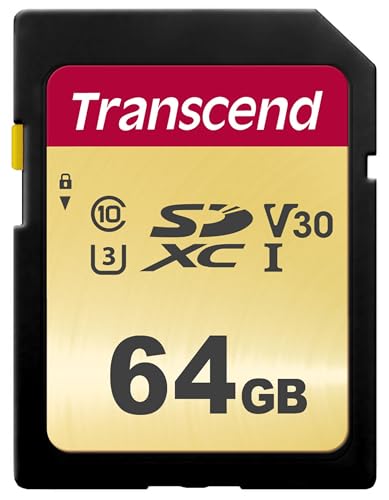
Transcend 64GB SDC500S SD UHS-I SDXC Memory Card, 95MB/s, U3, 4K, V30, MLC — MLC endurance pick
Here is the shortlist’s quiet masterpiece of a title: 95MB/s read, U3, V30, 4K, and one word no other listing here offers — MLC. That names the flash architecture, multi-level cell, a technology associated with endurance under repeated writing, and its presence in the title signals a card engineered for sustained, professional-style workloads rather than for shelf appeal. The read figure is the second-slowest in the set, and it does not matter, because this card’s argument is about what happens during the shoot and across the years, not about the minutes at the reader.
For the D5500, the fit is precise. U3 and V30 certify the floor its bursts and 1080p60 video want; MLC speaks to the owner who fills and formats cards weekly — the working enthusiast, the club photographer, the parent documenting two children’s entire sporting childhoods through one indefatigable camera. Such owners wear cards out in a way casual shooters never approach, and a card that advertises its endurance architecture is answering the question they actually ask. Its sibling above is cheaper in spirit and specification; this one is built for the long repetition.
The 64GB capacity keeps the card in the rotation-friendly tier, and a pair of SDC500S cards makes a coherent, endurance-minded kit for a single-slot camera. Offloads at a stated 95MB/s are perfectly civilised. If this guide were forced to choose one card on specification character alone — the completeness of what is promised, and the relevance of those promises to the camera’s real life — the Transcend SDC500S would be the connoisseur’s answer, and the review is content to say so while noting that capacity-led and offload-led buyers have their own champions elsewhere in the list.
One more audience should hear its name: the time-lapse and interval shooter. Long sequences of stills, written steadily for hours, are a pure endurance workload — no bursts to absorb, no reader sprint at the end that matters, just thousands of writes that must not falter at frame nine hundred. That is MLC’s home ground and V30’s certification working together, and D5500 owners building a sequence practice will find this unassuming 64GB card the most deliberately engineered tool in the guide for exactly their craft.
- Capacity: 64GB
- Interface: UHS-I, SDXC format
- Read speed: 95MB/s, as stated in the listing title
- Speed classes: U3 and V30, as stated in the listing title
- Flash type: MLC, as stated in the listing title
Strengths
- MLC flash stated in the title, an endurance signal no rival here matches.
- U3 and V30 classes certify the floor for bursts and 1080p60 video alike.
- Complete, professional specification disclosure in a single title.
Trade-offs
- Read figure is modest beside the headline cards, lengthening big offloads.
- 64GB capacity will turn over quickly on video-heavy travel days.
- Endurance virtues are wasted on very light, occasional use.
Best for: a heavy-use D5500 owner seeking certified classes and MLC endurance for years of weekly shooting. Not suited for: an offload sprinter who values the fastest stated read figure above all else.

SanDisk 32GB Ultra 100MBs SDHC Memory Card — Rotation small card
The smallest card in the guide is an SDHC-era design with a stated 100MB/s read figure and no class printed in its title, and its role here is deliberate smallness. Thirty-two gigabytes in a D5500 covers a committed stills day — a walk, a match, a family afternoon — and then insists on the healthiest ritual a single-slot owner can practise: offload tonight, format in the camera, start tomorrow empty. Cards this size are the building blocks of a rotation, one per outing, each a self-contained chapter, and a failure among them costs a day rather than a season.
Judged as a main card for everything, it would be the wrong recommendation, and the review does not make it. Video consumes 32GB quickly, the unstated class leaves long takes unexamined, and the Ultra line is SanDisk’s mainstream tier rather than its camera flagship. Judged as what it is — an inexpensive, honestly sized rotation card with a decent stated read pace for stills work — it is exactly right, and D5500 owners who shoot in day-sized portions will find a small fleet of these more protective than one large card at the same total spend.
One boundary deserves noting: at 32GB this is SDHC media, formatted differently from its SDXC siblings, and the D5500 handles it without complaint. Mixed fleets of SDHC and SDXC cards are normal in working bags. Label the small cards by outing or by number, keep them in a case rather than loose in the bag’s pockets, and the rotation system this card enables will quietly out-perform, in safety terms, every faster card in this guide used carelessly.
Small cards also make the best gifts and loans in photography. A D5500 owner asked to photograph a friend’s event can hand over, or be handed, a 32GB card that holds the occasion and nothing else, keeping archives separate and expectations clean. Fleets of small, labelled, honestly understood cards are how working photographers actually organise a life of shooting; the little Ultra is an invitation to start that organisation at the price of a modest lunch.
- Capacity: 32GB
- Interface: UHS-I, SDHC format
- Read speed: 100MB/s, as stated in the listing title
- Write speed: Not stated in the listing title — verify with SanDisk documentation
- Video speed class: Not stated in the listing title — verify with SanDisk documentation
Strengths
- Small capacity enforces the daily offload ritual that protects a single-slot archive.
- Stated 100MB/s read figure keeps stills-day transfers brisk.
- Affordable rotation building block; several cards spread risk widely.
Trade-offs
- 32GB fills quickly once 1080p60 video joins the day’s stills.
- No class in the title, so sustained performance is undocumented here.
- Mainstream Ultra tier rather than a camera-flagship line.
Best for: a stills photographer seeking a one-card-per-outing rotation for the D5500 at modest cost. Not suited for: a traveller wanting one card to hold a fortnight of mixed stills and video untouched.
What separates the six D5500 cards when placed together?
| Card | Capacity | Read speed in title | Classes in title |
|---|---|---|---|
| SanDisk Extreme PRO | 128GB | Up to 250MB/s | None stated |
| PNY Elite-X | 256GB | Not stated | C10, U3, V30 |
| GIGASTONE | 128GB | 150MB/s | None stated |
| Transcend SDC300S | 64GB | 100MB/s | C10, U1, V10 |
| Transcend SDC500S | 64GB | 95MB/s | U3, V30, MLC |
| SanDisk Ultra | 32GB | 100MB/s | None stated |
The table tells the guide’s story at a glance: in this pool, read speed and certification rarely travel together. The fastest reader withholds its classes; the best-classed cards read at ordinary or unstated pace; the two Transcends print everything and let the numbers fall where they may. A D5500 owner should choose by workload — video and bursts toward the certified floors, travel offloads toward the read headlines, heavy repetition toward the MLC card — and the reviews above exist to make that one decision well.
How should D5500 cards be handled, formatted and offloaded?
Format in the camera, every time a card returns from the reader, after its contents are copied and verified. The D5500 prepares the structure it expects, and the habit costs ten seconds. What it prevents is the slow accretion of deletions, half-emptied folders and computer-side tidying that eventually makes a card behave oddly in the field. Fill the card, copy the card, check the copy, format the card: the loop is the entire maintenance programme, and it scales from a 32GB rotation card to the 256GB PNY without modification.
Offloading a travel camera deserves a travel routine. Copy the whole card to a folder named by date and place, open a sample of files including the day’s longest video, and keep a second copy on a separate device before the card is formatted. On trips without a laptop, a portable drive or a phone-based copy of the best material still beats a single card holding everything, because the D5500’s whole purpose is to go where life happens, and life is not careful with small plastic objects.
Physical habits finish the system. Cards ride in a hard case; the write-protect tab guards a finished card during handling; a card that errors once is retired from camera duty without a second audition. The D5500 is light enough to be carried daily for years, and its media should be managed with the same long view: bought on stated evidence, rotated with labels, retired on behaviour rather than on hope.
Why does the flash inside the card matter, and what is MLC?
Most card listings never mention the memory technology inside, which is why the SDC500S title’s MLC note stands out. Flash cells store data as charge, and the more values each cell must distinguish, the more delicately it ages under repeated writing. MLC stores two bits per cell and has long been associated with endurance-focused products; the TLC and QLC architectures that dominate cheap, capacious storage store more bits per cell and trade some of that endurance for capacity economics. None of this makes a non-MLC card fragile — the other five picks will serve ordinary owners for years — but for the card that gets filled and formatted every week of a camera’s life, the architecture is a rational thing to weigh.
The practical translation is about writing volume. A card’s life is consumed by writes, and a D5500 used for timelapse-style sequences, sports days and weekly video writes an order of magnitude more than a holiday-only camera. Owners in the first group should read the SDC500S the way engineers read it: as a card whose maker chose to compete on repetition tolerance. Owners in the second group can treat the distinction as academic and choose on class and capacity, because their cards will be retired for smallness long before they are retired for wear.
There is a related habit that extends any card’s life regardless of architecture: avoid living at full. A card kept near capacity forces its controller to work harder for every write, shuffling data to find room, and the wear concentrates accordingly. The nightly offload-and-format rhythm recommended throughout this guide is therefore also a longevity practice. Empty cards write cleanly and evenly; brimming cards grind. The cheapest endurance upgrade available to any D5500 owner is a routine, and it costs ten seconds a day.
How does a year of D5500 shooting actually distribute across cards?
The D5500 is the camera people buy for the trip and then keep for the decade, and its year has a shape: long quiet stretches of family stills, punctuated by expeditions — holidays, tournaments, a safari saved for over years — where the camera suddenly works like a professional tool. A card kit built only for the quiet stretches fails on the expedition; a kit built only for the expedition is wasted money the rest of the year. The ladder in this guide is designed for that shape: the 64GB classed cards carry the ordinary year, the 128GB cards carry the trips, and the 256GB PNY exists for the expedition where video joins stills and the laptop stays home.
Expeditions change the failure arithmetic as well. At home, a card problem is an inconvenience with a spare in the drawer. Three days into a remote trip, the spare in the bag is the whole insurance policy, which is why this guide keeps recommending pairs over singles and rotations over vaults. Two mid-size credentialed cards, one in the camera and one in the case, protect an expedition better than any single flagship, because they protect against the likeliest disasters — loss, damage, a card left in a hotel reader — and not merely against the rarest one, electronic failure mid-write.
The quiet stretches have their own quiet risk: neglect. A card that sits in the camera for four months holding four months of family life, never offloaded because each individual day felt too small to bother with, is an accident accumulating interest. The rotation cards in this guide, the little Ultra and the SDC300S, are partly a defence against that psychology: small cards fill up, filled cards demand offloading, and the ritual stays alive through the quiet months so it is there, practised and automatic, when the expedition comes.
Which D5500 settings change the card’s workload most?
Raw plus JPEG is the first. Recording both formats doubles the write stream behind every frame and fills capacity at a rate that surprises owners who planned by raw numbers alone. It is a legitimate workflow — JPEGs for immediate sharing, raw files for the archive — but it should be chosen knowingly, and it pushes the sensible capacity floor from 32GB to 64GB for a full day’s shooting. The second setting is continuous drive: the D5500’s five frames per second feel modest beside sports bodies, yet behind a buffer they translate into exactly the sustained drain where a certified U3 floor shows its worth against an unstated one.
Movie settings form the third dial. The step from 1080p30 to 1080p60 raises the data rate and the capacity burn together, and owners who discover the smoother motion rarely go back. A card chosen when the camera lived at 1080p30 may feel smaller and slower a year later purely because the owner’s habits grew, which is why this guide’s video recommendations carry margin: the V30 cards are bought for the camera’s future settings as much as for its present ones. Interval and long-sequence stills work pulls in the opposite direction — modest rates, enormous counts — and there capacity, not class, is the binding constraint.
Finally, playback and review habits load the card in ways owners forget. The D5500’s touchscreen invites pinch-zooming through the day’s files on the camera itself, and heavy in-camera review, deletion and rating all write small changes back to the card constantly. None of it is harmful, but it is one more reason the format-after-offload rhythm matters: a card that only ever accumulates edits and deletions, without ever being returned to a clean state, is a card being asked to organise a desk it is never allowed to tidy.
How should a sceptical reader decode these six listings?
Sort every claim into one of three journeys. The read figure describes the journey from card to computer, and it is the only journey with a number on most of these titles: 250MB/s, 150MB/s, 100MB/s, 95MB/s. The classes describe the journey from camera to card, as a guaranteed floor rather than a headline: U3 and V30 promise 30MB/s sustained, U1 and V10 promise 10MB/s. The third journey, from this year to the card’s retirement, is described by almost nobody — except the SDC500S, whose MLC note is precisely a claim about that journey. A listing can now be read in seconds: which journeys does it quantify, and which does it leave to reputation?
Apply that grid and the pool reorganises itself. The SanDisk Extreme PRO quantifies only the first journey. The PNY quantifies only the second, at the largest capacity. The GIGASTONE quantifies the first and adds a service for the day all journeys end badly. The Transcends quantify the first two journeys completely, and the stronger of them adds the third. The little Ultra quantifies the first at a rotation size. None of these is a dishonest listing; they are simply partial in different directions, and a D5500 owner who can see the partiality can match a card to a workload instead of to an adjective.
The adjectives, finally, deserve their demotion. Extreme, Elite, Ultra, Professional: each names a tier inside one maker’s range and carries no cross-brand meaning whatsoever. An Elite card from one maker and an Extreme card from another cannot be compared by their badges, only by their figures — and where a figure is absent, by the documentation the badge’s owner publishes. This guide has followed that rule from its first pick to its last, and a reader who adopts it will never need another guide to decode a card listing again, for this camera or any other.
What mistakes do D5500 owners make when buying memory cards?
The first is paying the UHS-II premium for a UHS-I slot, buying contacts the camera cannot read. The second is ranking by read speed alone, crowning the 250MB/s headline while ignoring that the figure describes the desk and depends on a matching reader, while the figures that describe the shoot — the classes — sit unprinted. The third is confusing the two Transcends: the SDC300S and SDC500S share a capacity and a maker, and their classes differ by a generation of performance, so a hurried purchase can land the wrong card with the right-looking name.
The fourth mistake is capacity fatalism in both directions: one 256GB card treated as a vault, or a drawer of elderly small cards treated as a system. The fifth is mixing cards between the D5500 and other devices — phones, recorders, another camera — without an in-camera format on return, letting foreign file structures accumulate until the camera meets a card it half recognises at the worst moment of a trip. Each mistake is cheap to avoid and expensive to learn, which is the entire justification for guides like this one.
A sixth mistake has grown common enough to name separately: buying capacity by the terabyte-era instinct that bigger is automatically better, then discovering that a single enormous card has quietly become the family archive, the backup and the plan, all in one fragile object. The D5500’s portability makes the temptation worse, because the camera goes everywhere and the card inside it accumulates everywhere’s photographs. Resist by design rather than by willpower: cap the main card at a size you will actually offload, and let the money saved fund the second card that turns an archive back into a workflow.
Final Recommendation
Choose by the work you actually do. The Transcend SDC500S is this guide’s specification champion — certified classes, MLC endurance, everything in print — and the right main card for a D5500 that works weekly. The PNY 256GB is the expedition answer, capacity and credentials together. The SanDisk Extreme PRO serves the offload-led traveller, the GIGASTONE the recovery-minded one, and the SDC300S and the little Ultra build the rotation beneath whichever main card you choose. A D5500 rewards owners who match the card to the day; buy on printed evidence, defend it with a nightly routine, and this small camera will keep its big promises for years.
Before the first important shoot on any new card, run the rehearsal this guide recommends for every camera in the cluster: format the card in the D5500, fire a full burst at the dog, record an unbroken minute of 1080p60, offload everything through your travel reader, and open the files. Twenty minutes of rehearsal validates the card, the slot and the reader together, and it is the difference between discovering a problem in the garden and discovering it at the event. Cards are the cheapest component in the whole photographic chain and the only one whose failure cannot be edited around afterward; choose them like they matter, because in the end they are the part that holds everything else.
Frequently Asked Questions
Will a UHS-II card work in the Nikon D5500?
Yes, it will work, at UHS-I speed, because the D5500’s slot reads only the first row of contacts. The card is not harmed and the camera is not helped; the premium simply goes unspent inside this body, which is why every pick in this guide is a UHS-I card whose price reflects the interface the camera actually uses.
Which card is best for the D5500’s 1080p60 video?
The two cards printing a V30 class in their titles: the PNY Elite-X 256GB and the Transcend SDC500S 64GB. V30 certifies the sustained write floor a long, unpausing take depends on. The PNY adds swap-free capacity for video-heavy days; the Transcend adds MLC endurance for owners who record constantly. Other picks will often record successfully, but their titles do not certify the floor.
What is the difference between the Transcend SDC300S and SDC500S?
Nearly everything except capacity and maker. The SDC300S states a 100MB/s read with entry classes U1 and V10; the SDC500S states a 95MB/s read with U3 and V30 classes and MLC flash. The 300S reads marginally faster and guarantees far less; the 500S is the card for bursts, video and heavy repetition. Match the model code carefully when ordering.
Is 64GB enough for a D5500?
For stills-led shooting, yes, comfortably — thousands of raw files or a much larger JPEG count. Video and long trips change the answer: 1080p60 footage consumes capacity continuously, and a fortnight of mixed shooting points to 128GB or the 256GB PNY. The right capacity is the one your longest unoffloaded stretch requires, with the emphasis on keeping that stretch short.
Why does the SanDisk Extreme PRO here claim 250MB/s on a UHS-I card?
Because proprietary extensions beyond the standard UHS-I bus can raise read speeds when paired with a compatible reader, and the title advertises that ceiling. Through an ordinary reader the card offloads at conventional UHS-I pace. Either way the figure describes copying rather than shooting, and the title prints no class, so burst and video performance should be confirmed in SanDisk’s documentation.
Does the D5500 benefit from having two cards instead of one?
More than most cameras, because its single slot offers no internal backup and its owners travel far with it. A second card — even the modest SDC300S or the little Ultra from this guide — covers the three likeliest accidents: a full card mid-event, a card left behind in a reader, and a card that chooses the trip to retire. Two known cards in the bag convert each of those from a disaster into a thirty-second swap.
How often should I format the card in the D5500?
After every completed and verified offload. In-camera formatting restores the structure the camera expects and clears the fragmentation that selective deletion creates. Never format a card holding the only copy of anything, and never let a computer do the formatting for a card returning to camera duty when the camera itself can do it in seconds.
Can I mix SDHC and SDXC cards in the same D5500 kit?
Yes. The 32GB Ultra in this guide is SDHC and the larger cards are SDXC, and the D5500 reads and writes both without complaint. Format each card in the camera when it begins service, label them clearly since their capacities differ, and the mixed fleet will behave as one system. The only real rule is the standing one: a card returning from another device gets an in-camera format before the D5500 trusts it again.
Related Guides
Owners rounding out a travel kit may also appreciate our guides to entry-level DSLR travel setups, MLC and TLC flash explained and single-slot backup routines for travellers.


