What's inside
- Key Takeaways
- Quick Picks
- How We Chose These Picks
- What Does a Six-Bay ReadyNAS Ask of Its Drives?
- What Should a 316 Owner Monitor Once the Drives Are In?
- How Do the Six ReadyNAS 316 Picks Compare Side by Side?
- How Do You Populate a ReadyNAS 316 in Stages Without Regret?
- How Does the 316 Fit Into a Wider Storage Plan?
- Which Mistakes Do ReadyNAS Owners Make When Choosing Drives?
- Final Recommendation
- Frequently Asked Questions
- Related Guides
As an Amazon Associate I earn from qualifying purchases. This post may contain affiliate links at no extra cost to you.
gizmoverdict.com is reader-supported. When you buy through links on our site, we may earn an affiliate commission.
Where to buy: each drive below links to its Amazon listing from the Quick Picks table and again from its detailed review. The ReadyNAS 316 takes standard 3.5-inch SATA drives across its six bays, so confirm capacity and model line on the listing, and remember that a populated set should match — buy members together where the budget allows.
The best hard drives for readynas 316 are, at heart, the best NAS-class drives in the sizes a six-bay desktop enclosure uses well. The 316 is a six-bay ReadyNAS unit built around 3.5-inch SATA bays, and it rewards exactly the virtues this category always rewards: CMR recording that survives rebuilds, error behaviour that cooperates with the array instead of fighting it, vibration tolerance for a full complement of neighbours, and capacities chosen with parity arithmetic rather than shelf appeal. The six picks below come from Western Digital’s WD Red Pro and Red Plus lines and Seagate’s IronWolf line — the two NAS families that dominate this enclosure class.
A necessary honesty note: NETGEAR’s own compatibility documentation is the only authority on which drives the company formally supports in the 316, and no listing title in this roundup claims a place on that list. What follows therefore judges drives by the standard the enclosure itself sets — 3.5-inch SATA NAS-class drives, sized and specified for six-bay service — and flags every figure a title leaves unstated. Owners who need formal support confirmation should check NETGEAR’s current documentation for their exact unit before ordering; owners choosing on engineering merit will find the reasoning below sufficient.
The capacities gathered here run from 2TB to 24TB, which is a wider spread than a single array would ever mix. Read the list as a menu for different 316s: the small, quiet home unit archiving a family’s photographs; the studio box holding active projects; the maximal build that treats six bays as a small data centre. Each pick names the version of the 316 it suits, because in a fixed six-bay world, choosing a drive is really choosing what the whole enclosure becomes.
Key Takeaways
- The ReadyNAS 316’s six 3.5-inch SATA bays want NAS-class CMR drives; every pick here comes from the WD Red or Seagate IronWolf families built for that duty.
- Formal compatibility is NETGEAR’s call, not a listing’s — no title here claims official 316 support, so verify with NETGEAR documentation where formal support matters.
- The IronWolf 4TB (B07H289S79) is the most forthcoming listing: CMR, SATA 6Gb/s, 5900 RPM and 64MB cache all stated in its title.
- The WD Red Pro 24TB turns a six-bay 316 into a genuinely large store, but at that member size dual parity and a stocked spare stop being optional.
- The IronWolf 4TB 2-Pack suits staged builds and mirror pairs, letting a 316 start small and grow bay by bay.
Quick Picks
| Pick | Badge | Why it is here |
|---|---|---|
| Western Digital 24TB WD Red Pro NAS Internal Hard Drive | Maximum member | Twenty-four terabytes per bay for a 316 built as a bulk archive with dual parity across its six slots. |
| Western Digital 2TB WD Red Plus NAS Internal Hard Drive | Smallest, quietest start | Two terabytes of Red Plus for a lightly loaded 316 guarding documents and photographs in a mirror or small set. |
| Western Digital 4TB WD Red Plus NAS Internal Hard Drive | Home all-rounder | The four-terabyte Red Plus is the natural founding member for a household 316 that will grow into media duty. |
| Seagate IronWolf 4TB NAS Internal Hard Drive | Fully stated specification | CMR, 5900 RPM and 64MB cache printed in the title — the easiest 4TB member to document in a register. |
| Seagate 8TB IronWolf Internal NAS Hard Drive | Mid-size IronWolf | Eight terabytes per bay hits the sweet spot for a media-forward 316 without extreme rebuild windows. |
| IronWolf 4TB 2-Pack Internal NAS Hard Drive | Pair for staged builds | Two matched 4TB members in one purchase — a mirror today, the foundation of a wider set tomorrow. |
How We Chose These Picks
One scope decision should be stated plainly: this roundup judges drives, not the enclosure’s software, support lifecycle or resale market. A 316 owner’s wider questions — firmware posture, platform features, the unit’s age — matter to the ownership experience, but they do not change which drives its bays deserve, and mixing the two questions produces muddled purchases. Drives first, on the standard the bays set; platform questions separately, with the same rigour.
The enclosure set the first filter: 3.5-inch SATA NAS drives, because those are the bays a ReadyNAS 316 offers. Within that frame we required the NAS-class contract — array-friendly error recovery, multi-bay vibration provision, continuous-duty design — which in practice means the WD Red and Seagate IronWolf families. Desktop drives were excluded even in matching capacities, and we make no apology for the narrowness: a six-bay enclosure is an array, and array membership is a behaviour specification.
Recording technology formed the second filter. The Red Plus and Red Pro lines are Western Digital’s CMR NAS tiers, and IronWolf titles here state CMR where the listing is detailed; where a title is terse — the 8TB IronWolf and both WD entries among them — the spec boxes mark the figures to verify with the maker’s documentation. In a six-bay box, a rebuild reads five surviving members while writing the sixth, and that is precisely the workload where conventional recording earns its place over shingled alternatives.
The third filter was the shape of real 316 ownership. These units live long lives in cupboards, studios and small offices, and they are commonly populated in stages — a mirror first, wider sets later, a capacity refresh years down the line. So the list deliberately spans founding sizes (2TB, 4TB singles and a matched 2-pack), a mid-size growth option at 8TB and one maximum-density member at 24TB, letting a reader enter at the stage their own unit has reached.
What Does a Six-Bay ReadyNAS Ask of Its Drives?
Company, first of all. A 316 with all six bays filled houses a small crowd of spinning platters in a desktop-sized box, and each drive feels its neighbours through the chassis. NAS-class drives carry rotational vibration compensation for exactly this crowding; desktop drives, designed for solitary life, do not. The difference shows up as throughput sag and retry storms in a full enclosure long before it shows up as outright failure, which is why family membership matters more in a six-bay unit than in a two-bay one.
Continuous duty is the second ask. A ReadyNAS is rarely switched off; it idles through nights, serves backups at 3 a.m. and scrubs itself on schedule. Drives for it must be designed around that rhythm — bearings, lubricants and firmware housekeeping chosen for a life without weekends. Both families in this roundup are built to that assumption, and it is the deepest reason a desktop drive with identical capacity is not an equivalent purchase.
The third ask is cooperation during the bad days. When a member struggles, the array needs a prompt report, not a long silent retry; when a member dies, the survivors need to sustain an end-to-end read while the replacement is written. NAS firmware behaviour — the error-reporting contract shared by the Red and IronWolf lines — is written for those days. A 316 owner will likely meet that behaviour only a handful of times in the unit’s life, but those handful of times are the entire reason the enclosure exists.
How much capacity does a 316 actually need?
Start from the data, not the bays. Add up what the unit will hold, honestly project two to three years of growth — photographs accumulate, video projects balloon, backups breed — and then apply your redundancy layout: a six-bay set under single parity surrenders one member’s capacity, under dual parity two. A household archiving documents and finished photos may find a mirrored pair of 4TB members, with four bays left empty for growth, entirely sufficient. A studio ingesting camera originals will blow past that in a season and should found the set on 8TB members or accept the 24TB path with dual parity from the start.
Empty bays are not waste; they are the cheapest expansion path in storage. A 316 founded on a matched pair can grow by adding identical members, and several picks below — the 2-pack most obviously — are chosen with that staged life in mind. The opposite strategy, filling all six bays immediately with the largest members, suits estates whose data already demands it and whose parity plan can protect it. The error is the middle path taken by accident: six mismatched drives bought across six sales, forming a set nobody designed.
Does spindle speed matter inside a ReadyNAS?
Modestly, and mostly at the extremes of use. The one title here that states a speed — the IronWolf 4TB at 5900 RPM — sits in the traditional NAS band: brisk enough for household and small-team service, calm enough for a desktop enclosure’s thermal and acoustic budget. Where titles stay silent, as most in this roundup do, the practical guidance is to match the enclosure’s life rather than chase a number: a 316 under a desk serving a family’s evening traffic will never reveal its members’ spindle differences, while one feeding a video-editing team might. Buy the NAS contract first; let speed be a tiebreaker confirmed from documentation, not the headline act.

Western Digital 24TB WD Red Pro NAS Internal Hard Drive — Maximum member
Fit six of these and the ReadyNAS 316 stops being a desktop accessory and becomes the largest store many small organisations own. The Red Pro line is Western Digital’s top NAS tier — CMR recording as the family standard, multi-bay vibration provision, error behaviour written for arrays — and at twenty-four terabytes per member it converts the 316’s six bays into a bulk archive that would recently have required a rackmount unit. For a studio retiring a shelf of external drives into one managed enclosure, this is the consolidation pick.
The responsibilities are as large as the capacity. Under dual parity — the only responsible layout at this member size — four members carry data and two carry protection, and a rebuild after a failure reads the whole surviving set while writing a very large replacement. That window is measured in patience, and it makes the cold spare a first-order purchase: a 24TB spare on the shelf is a significant item, but without it the array waits on a courier while running wounded.
The listing title states capacity and family and leaves speed, cache and the rest to Western Digital’s documentation, which a purchase of this consequence should consult anyway — ideally alongside NETGEAR’s own compatibility documentation for the 316, since formal support status is the maker’s to confirm. Treat those two readings as the due diligence this tier deserves, and the drive itself as what the Red Pro badge promises: the maximum member the enclosure’s bays can meaningfully hold.
One more consideration belongs to the room, not the rack: a 316 fully populated with very large members is a hard-working little furnace, and the cupboard that tolerated a two-drive mirror may not tolerate six big spindles rebuilding at once. Give the unit air, check its temperatures after the first full scrub, and let the enclosure’s fans do their work unobstructed.
Budget honesty belongs in this review too: six members at this tier, plus the spare, plus the enclosure’s own appetite for a proper backup elsewhere, adds up to a system rather than an accessory. Organisations that flinch at the total should step down a tier with this guide’s blessing — a well-protected 8TB set serves real estates faithfully — because a maximal build bought by starving the backup line is a worse system than a modest build bought whole.
- Capacity: 24TB (stated in the listing title)
- Family: WD Red Pro NAS internal hard drive
- Recording technology: CMR is the Red Pro line standard — confirm for this model with Western Digital documentation
- Spindle speed: Not stated in the listing title — verify with Western Digital documentation
- Formal ReadyNAS 316 support: Not stated in the listing title — verify with NETGEAR documentation
Strengths:
- The largest member a 316 build in this roundup can standardise on.
- Red Pro NAS engineering for crowded, continuously running six-bay service.
- CMR line standard protects rebuild behaviour at very large member sizes.
Trade-offs:
- Rebuild windows at 24TB demand dual parity and real patience.
- A matching cold spare is a major purchase on its own.
- Title omits speed and cache, so specification work falls to documentation.
Best for: a six-bay 316 run as a bulk archive under dual parity, with a same-size spare stocked from day one. Not suited for: a lightly loaded home unit, where the capacity, rebuild exposure and spare cost all outscale the data being guarded.

Western Digital 2TB WD Red Plus NAS Internal Hard Drive — Smallest, quietest start
There is a version of the ReadyNAS 316 that holds a family’s documents, a photograph archive that grows slowly and a lifetime of scanned paperwork — and for that unit, two terabytes per member is not a compromise but a correct answer. The Red Plus line is Western Digital’s CMR NAS tier for small enclosures, and this smallest pick brings the full NAS contract — array error behaviour, vibration provision, continuous-duty design — to a 316 that will never be asked to serve video to a studio.
A mirrored pair of these is an especially graceful founding layout: simple, quick to rebuild, and leaving four bays empty as a built-in expansion path. When the archive outgrows the mirror — if it ever does — identical or larger members can join later, and the discipline learned on a small set (scrubs watched, health checked, backups kept separately) transfers unchanged to the larger one.
The title confines itself to capacity and family, so spindle speed and cache wait in Western Digital’s documentation; at this duty level those figures matter less than the family membership itself. What the buyer is really purchasing is proportionality: enterprise-adjacent NAS behaviour without paying for terabytes that a document archive will take a decade to fill.
Long service is the quiet theme of this pick. Small Red Plus members in a lightly loaded 316 live easy lives — modest temperatures, gentle workloads, rebuilds that finish while dinner cooks — and easy lives are how spinning drives reach old age. For the archival 316 that gets checked twice a year and otherwise ignored, that ease is the specification that counts.
There is also a teaching virtue in starting here. Every habit a NAS owner needs — checking health reports, running scrubs, testing a restore, swapping a member before it fails — is learned on a small set where mistakes are cheap and rebuilds are quick. The household that learns those habits on two terabytes will still be practising them, profitably, on whatever larger set eventually replaces this one.
- Capacity: 2TB (stated in the listing title)
- Family: WD Red Plus NAS internal hard drive
- Recording technology: CMR is the Red Plus line standard — confirm for this model with Western Digital documentation
- Spindle speed: Not stated in the listing title — verify with Western Digital documentation
- Cache: Not stated in the listing title — verify with Western Digital documentation
Strengths:
- Full Red Plus NAS behaviour at the smallest, coolest member size here.
- Mirror rebuilds complete quickly, keeping failure events minor.
- Leaves bays free for staged growth instead of forcing a full initial set.
Trade-offs:
- Two terabytes disappears fast under photo and video growth.
- Cost per terabyte across a full six-bay set is the least efficient here.
- Specification details beyond capacity require the datasheet.
Best for: a document-and-photograph 316 founded as a mirrored pair with room to grow. Not suited for: media production or camera-original archives, where this capacity becomes a recurring errand.

Western Digital 4TB WD Red Plus NAS Internal Hard Drive — Home all-rounder
If the average household 316 had a factory-fitted member, it would look like this: four terabytes of Red Plus, enough for a serious photo library, a music collection, documents for a whole family and a sensible cushion of empty space. The Red Plus line’s CMR recording and NAS error behaviour come along at this size just as they do at 2TB, but the headroom changes the ownership experience — growth stops being a quarterly calculation and becomes a yearly glance.
Four terabytes is also where single-parity layouts across four to six bays start to make household sense: one member’s worth of capacity buys protection, the rebuild after a failure finishes inside a day, and the whole set can be founded without the meeting a 24TB build requires. Many long-lived 316s in the wild run exactly this shape, and the drive’s popularity in that role is its own kind of evidence.
As with its smaller sibling, the title states capacity and family only. Speed and cache live in Western Digital’s documentation, and a buyer assembling a matched set should confirm the model code there once — then order the set together, register the codes, and let the enclosure get on with its decade of quiet service.
Think of this pick as the 316’s centre of gravity: large enough that most households will never replace it for capacity reasons, small enough that its failures are cheap lessons, and squarely inside the NAS family whose behaviour the enclosure was designed around. Builds that begin here rarely regret the beginning.
Noise deserves a mention at this tier, because household enclosures live in hallways, studies and the corners of living rooms. Red Plus members are specified for that social contract — NAS drives in this class run with occupied rooms in mind — and a 316 founded on them can share a home office without negotiating. Owners graduating from a whining desktop tower full of performance drives are often surprised by how completely the subject disappears.
- Capacity: 4TB (stated in the listing title)
- Family: WD Red Plus NAS internal hard drive
- Recording technology: CMR is the Red Plus line standard — confirm for this model with Western Digital documentation
- Spindle speed: Not stated in the listing title — verify with Western Digital documentation
- Cache: Not stated in the listing title — verify with Western Digital documentation
Strengths:
- The balanced founding size for a household 316 with media ambitions.
- Red Plus CMR and array error behaviour in a cool-running member.
- Single-parity sets at this size rebuild inside a comfortable window.
Trade-offs:
- Video-heavy households will eventually plan a capacity refresh anyway.
- Title leaves speed and cache to the datasheet, as with all WD picks here.
- Matching an existing IronWolf set mixes ecosystems and spares.
Best for: a four-to-six-bay household 316 holding photos, music and documents under a single-parity layout. Not suited for: a studio ingest station, where member size and workload both belong a tier up.
Seagate IronWolf 4TB NAS Internal Hard Drive — Fully stated specification
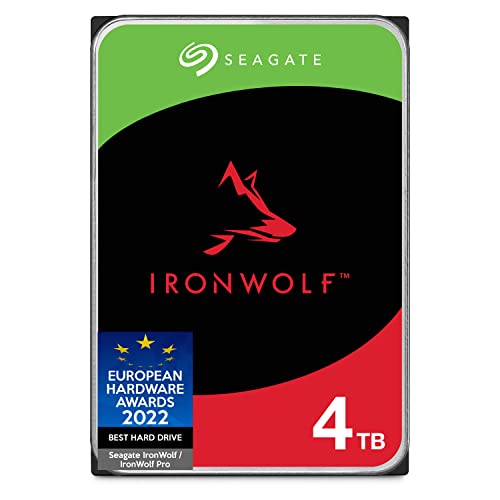
This IronWolf’s title does the clerical work other listings leave to you: CMR recording, 3.5-inch SATA 6Gb/s interface, 5900 RPM spindle speed and 64MB cache, all printed in the name of the product. For a ReadyNAS 316 owner keeping a proper register — and this guide argues every array owner should — that completeness makes the drive the easiest 4TB member in the roundup to buy, record and defend.
The 5900 RPM figure places it in the classic NAS band, a touch brisker than the slowest home members and calmer than desktop performance drives, which suits an enclosure that lives in occupied rooms. IronWolf firmware behaviour supplies the rest of the NAS contract: error reporting that cooperates with the array, health-conscious design for continuous running, and vibration provision for a full six-bay complement.
Against its Red Plus rival at the same capacity, the honest comparison is documentation style rather than character: both are CMR NAS drives from the two families that define the category, and a 316 will run happily on either. The IronWolf simply shows its papers at the door. Owners standardising a new set who value that transparency — or who already run IronWolf members in another enclosure — will find this the path of least paperwork.
It also makes a tidy spare. A single IronWolf 4TB on the shelf covers any bay in a 4TB-standardised 316, and because its specification is fully stated, the person swapping it in at midnight needs no documentation hunt to confirm they are holding the right drive.
Cross-shopping households will notice this drive and the Red Plus above present the category’s eternal fork: two excellent families, one enclosure. The practical tiebreakers are the register (this IronWolf documents itself), any existing loyalty in another enclosure, and the spare shelf — a household already holding an IronWolf spare from a different unit has its answer. What should not break the tie is a marginal difference in a figure neither title competes on; at 4TB NAS duty, both families are thoroughly proven quantities.
- Capacity: 4TB (stated in the listing title)
- Recording technology: CMR (stated in the listing title)
- Form factor and interface: 3.5-inch, SATA 6Gb/s (stated in the listing title)
- Spindle speed: 5900 RPM (stated in the listing title)
- Cache: 64MB (stated in the listing title)
Strengths:
- Every key figure stated in the title — the roundup’s cleanest paperwork at 4TB.
- 5900 RPM balances responsiveness against desktop-enclosure manners.
- IronWolf NAS behaviour for crowded six-bay, always-on service.
Trade-offs:
- Cache is modest, matching its home and small-team duty positioning.
- Media production growth will outrun 4TB members in time.
- Formal 316 support still rests with NETGEAR documentation, as for every pick here.
Best for: a 316 owner founding a documented, register-kept 4TB set who values a fully stated specification. Not suited for: a high-throughput editing share, where larger, faster members belong in the bays.

Seagate 8TB IronWolf Internal NAS Hard Drive — Mid-size IronWolf
Eight terabytes is the capacity at which a ReadyNAS 316 becomes a media institution: room for a household’s films and series, a photographer’s working archive, or a small team’s project history, with the set still small enough to rebuild without a weekend of held breath. This IronWolf carries the family’s NAS contract into that role — the title names the IronWolf line and its NAS purpose plainly, even though it leaves the detailed figures to Seagate’s documentation.
That terseness is the pick’s main friction. Recording technology, spindle speed and cache are not printed in the title, and in a category where this guide insists on CMR for rebuild health, the confirmation step matters: check Seagate’s documentation for the model, record the figures in the register, then order. The IronWolf line’s standing makes that check a formality in spirit, but formalities are what registers are for.
In service, the 8TB tier flatters the 316’s shape. A four-member single-parity set yields a generous store with a rebuild that completes inside a day; a six-member dual-parity set yields the same store with deeper protection and bays to spare for later growth by replacement. Either way, the enclosure runs within its thermal comfort and the members live the unhurried life that NAS drives are designed for.
For owners upgrading an existing 316 from 4TB members, this is the natural landing size: double the room per bay, the same family behaviour if the set already runs IronWolf, and a refresh that can proceed one member at a time under the array’s own expansion rules — with the removed 4TB drives cascading into backup duty.
Power and heat scale gently at this size, which matters for the 316’s typical habitat. A full set of 8TB members stays within the thermal story the enclosure was designed around, unlike the maximal build’s demands, so the unit can remain in its cupboard — provided the cupboard breathes — rather than being exiled to a ventilated rack. For most media households, that permission to stay put is worth more than another tier of capacity.
- Capacity: 8TB (stated in the listing title)
- Family: Seagate IronWolf internal NAS hard drive
- Recording technology: Not stated in the listing title — verify with Seagate documentation
- Spindle speed: Not stated in the listing title — verify with Seagate documentation
- Cache: Not stated in the listing title — verify with Seagate documentation
Strengths:
- The media-sweet-spot capacity for a six-bay desktop enclosure.
- IronWolf NAS family behaviour for continuous, crowded-bay service.
- Rebuild windows stay moderate in four and six-member layouts.
Trade-offs:
- The title states almost nothing beyond capacity and family.
- CMR confirmation requires the datasheet step this guide keeps insisting on.
- Very large archives will still graduate to the 24TB conversation eventually.
Best for: a media-forward household or small-team 316 standardised on IronWolf at eight terabytes per bay. Not suited for: a buyer unwilling to open Seagate’s documentation before ordering, since the title alone proves little.

IronWolf 4TB 2-Pack Internal NAS Hard Drive — Pair for staged builds
The most quietly clever purchase in this roundup is a box containing two matched drives. A 2-pack of 4TB IronWolf members — SATA III, 3.5-inch, NAS class, as the title states — founds a ReadyNAS 316 exactly the way staged ownership works in practice: a mirrored pair today, holding the data that matters, with four empty bays waiting for the day the archive justifies a wider set. Matched pairs also remove the small anxiety of wondering whether two separately bought members truly agree about what they are.
Bundling suits spares thinking too. A mirror founded on this pack can later gain a second pack to widen the set, keeping every member the same size and family, or hold one drive of a later pack back as the cold spare. Either way, the register stays beautifully simple: one model, one capacity, one family, repeated.
The title gives the pack’s essentials — capacity per drive, count, interface family and form — while leaving recording technology and speed to Seagate’s documentation, so the familiar verification step applies before the set is founded on them. IronWolf is Seagate’s NAS line and CMR is its stated standard in the detailed listings elsewhere in this roundup, but the register deserves the model’s own figures, confirmed rather than inherited.
There is a psychological benefit to the pair that should not be underestimated: it gets the 316 running. Owners who wait to afford a perfect six-drive set often spend the waiting months with their data on a single external drive — the riskiest storage of all. A mirrored pair this week beats a magnificent array next year, every time the data matters.
A final practical note: keep the pack’s packaging until both members have passed their first scrub inside the enclosure. Infant failures are rare but real across all spinning drives, and a matched pair that proves itself through one full initialisation and scrub has effectively graduated. After that, file the model details in the register and let the pair disappear into the background hum of a well-run 316 — which is, in the end, the highest compliment storage ever earns.
- Capacity: 4TB per drive, 2-pack (stated in the listing title)
- Form factor: 3.5-inch (stated in the listing title)
- Interface: SATA III (stated in the listing title)
- Family: IronWolf internal NAS hard drive
- Recording technology: Not stated in the listing title — verify with Seagate documentation
- Spindle speed: Not stated in the listing title — verify with Seagate documentation
Strengths:
- Two matched members in one purchase — the cleanest way to found a mirror.
- Enables staged growth: start protected now, widen the set later.
- Uniform members keep the register and the spare shelf simple.
Trade-offs:
- Specification detail in the title is thin beyond capacity, count and interface.
- Four terabytes per member caps the mirror’s room from day one.
- Owners planning an immediate six-bay fill may prefer single large members.
Best for: a new 316 owner founding a mirrored pair now with a deliberate plan to widen the set later. Not suited for: a maximum-capacity build, where the 24TB Red Pro’s density is the entire point.
What Should a 316 Owner Monitor Once the Drives Are In?
The enclosure’s health reporting is the owner’s early-warning system, and the first habit is simply to route it somewhere it will be seen: an inbox that gets read, not a folder that gets archived. Drive warnings in a NAS arrive as trends — a sector count that creeps, a temperature that drifts upward as a fan ages, a member that starts logging retries — and trends reward monthly attention rather than annual panic. Ten minutes with the health page each month is the entire cost of converting most drive failures from surprises into appointments.
Temperature deserves its own glance. A 316 lives where its owner puts it, and owners put enclosures in cupboards, lofts and garages whose August behaviour differs sharply from their January behaviour. Check the members’ temperatures after the first hot spell and after any change of location or loading, because heat is the quiet variable that separates the set that serves a decade from the set that serves three years. The maximal 24TB build earns the closest watching; the small Red Plus mirror the least, but every set benefits from one honest look per season.
Scrub results are the third instrument. A scrub reads every sector of every member and reconciles what it finds against the array’s redundancy, which makes it both a health check and a rehearsal for rebuild conditions. When a scrub surfaces correctable errors on one member repeatedly, that member has begun its retirement conversation, whatever its age. Replacing it on your schedule — spare in, rebuild done, old drive retired — is the whole art of array ownership, and it is available to every 316 owner who reads the reports the unit already generates.
When should a 316’s drives be refreshed as a set?
Refresh when three signals converge: the health reports accumulate warnings across several members rather than one unlucky drive, the capacity projection shows the set full within a year, or the members pass the age at which your own risk tolerance stops sleeping well. Refreshing in step — one new standard size, swapped in member by member with full rebuilds between — keeps the set uniform and the register simple. Refreshing piecemeal, by contrast, creates the mixed set this guide keeps warning against, with a spare problem for every size on board. The picks above are organised by founding size precisely so a refresh can pick one row and commit to it.
How Do the Six ReadyNAS 316 Picks Compare Side by Side?
| Drive | Capacity from title | Stated in title | 316 role |
|---|---|---|---|
| WD Red Pro (B0D24TQK3Q) | 24TB | Family and capacity | Maximum-density archive build |
| WD Red Plus (B008JJLZ7G) | 2TB | Family and capacity | Quiet document mirror |
| WD Red Plus (B0BDXSK2K7) | 4TB | Family and capacity | Household all-round set |
| Seagate IronWolf (B07H289S79) | 4TB | CMR, 5900 RPM, 64MB cache, SATA 6Gb/s | Documented 4TB set |
| Seagate IronWolf (B084ZV4DXB) | 8TB | Family and capacity | Media-forward mid-size set |
| Seagate IronWolf 2-Pack (B0F1QY3MBX) | 4TB ×2 | SATA III, 3.5-inch, NAS | Staged mirror foundation |
It is worth pausing on the 2-pack’s row, because it represents a buying pattern the rest of the table does not: the deliberate partial purchase. Every other row imagines a member bought to fill a defined role in a defined set; the pack imagines a set that does not fully exist yet and protects the data anyway. In a category addicted to completeness — full enclosures, matched sixes — the pack is a reminder that the correct first purchase is often the incomplete one, finished later on evidence rather than on hope.
Two philosophies share the table. The WD rows and the 8TB IronWolf ask for a datasheet visit; the detailed IronWolf 4TB and the 2-pack state more of their identity up front. Capacity philosophy divides the list the other way: founding sizes at 2TB and 4TB, a growth size at 8TB, and a maximal member at 24TB that changes what the enclosure is. A 316 owner should locate their own unit on both axes — how much paperwork patience they have, and how much enclosure they actually need — before falling for any single row.
How Do You Populate a ReadyNAS 316 in Stages Without Regret?
Before stage one, a half-stage of verification pays for itself: power the unit empty, update and explore its management interface, run one known-good drive through a bay to confirm the enclosure reads health data properly, and decide where the unit will live — a spot with air, a socket that is not shared with a kettle circuit, a shelf a toddler cannot reach. Fifteen unhurried minutes at this point prevents the particular misery of founding an array inside an enclosure with a dying fan.
Stage one is protection, not capacity. Found the unit on a mirrored pair — the 2-pack exists for this — migrate the data that matters, set up the scrub and health-report schedule, and establish the separate backup that no array replaces. A 316 in this state is already doing its real job, and everything after is enlargement rather than rescue.
Stage two is widening when the data earns it. Add matched members of the founding size to move from a mirror toward a parity set, following the ReadyNAS platform’s own expansion path, and let each addition finish its synchronisation and a full scrub before trusting the new layout. Resist mixing capacities during widening; the set’s usable maths follows its smallest member, and a stray large drive contributes only its smaller siblings’ worth until the whole set is refreshed.
Stage three, years later, is the capacity refresh: replace members one at a time with the new standard size — 8TB IronWolf or a larger WD tier are this roundup’s candidates — allowing a complete rebuild between swaps, and expand the volume only when every member matches. Keep the retired members, labelled, until the refreshed set has passed a full backup-and-restore test; they are both the rollback plan and a ready-made set of backup rotation drives.
Label the bays as you go. A small sticker with the member’s install date and capacity, placed on each caddy, turns a midnight failure from an identification exercise into a simple swap, and it makes the register self-checking: what the software reports and what the labels say should always agree. Owners of long-lived 316s swear by this ten-second habit more than by any other in this guide.
Through every stage, keep the register: model codes, purchase dates, bay positions, health notes. The 316 will outlive your memory of its build, and the register is what lets a future failure be handled from a chair rather than from behind the enclosure with a torch.
How Does the 316 Fit Into a Wider Storage Plan?
A ReadyNAS, however well populated, is one device in one room. The wider plan wraps it in two further layers: a local backup that can restore the enclosure’s contents after a catastrophe the array cannot see — fire, theft, a ransomware event that reached the shares — and, for the truly irreplaceable material, a copy that lives in another building or a cloud tier. The drives in this roundup make the first layer trustworthy; they do nothing for the other two, and the most common 316 disappointment in the world is an owner discovering that distinction after the fact.
The good news is that a 316 helps its own backup story. Retired members from a capacity refresh — a set of 4TB drives replaced by 8TB members, say — cascade naturally into backup duty in single enclosures or USB docks, and the enclosure’s own scheduling can push backups to them on rotation. Estates that plan the cascade when they buy the founding set find that backup storage appears almost free at every refresh; estates that never plan it buy backup drives in a panic, at retail, after the first scare.
There is also a division of labour worth deciding early: what lives on the 316 because it must be shared and always available, and what merely passes through. Camera originals awaiting edit, household documents, the family archive — those belong. A scratch folder of downloads that could be fetched again does not need parity’s protection or the members’ best years. Curating the enclosure’s contents, even loosely, stretches every capacity tier in this roundup further than any sale can.
Is a used or ageing 316 worth populating with new drives?
Often, yes — the enclosure’s bays, backplane and network interface age far more slowly than spinning disks, and a sound 316 with a fresh set of NAS members is a rational, economical unit. The due diligence is to confirm the unit’s own health first: fans that still move air, a power supply that behaves, firmware the owner is comfortable running, and a test population with one known-good drive before a full set is ordered. Where the unit passes, the picks above apply unchanged; where it fails, the same picks transfer directly to whichever modern six-bay enclosure replaces it, because the standard they were chosen by — 3.5-inch SATA NAS class — outlives any single box.
Which Mistakes Do ReadyNAS Owners Make When Choosing Drives?
A further mistake deserves naming because it is made by careful people: over-buying member size as a form of insurance, on the theory that capacity regret is worse than capacity waste. In an array the oversized member is not inert — it lengthens every rebuild, raises the price of the spare that must match it, and pushes the parity layout toward depths the data never required. Insurance in storage is spelled redundancy plus backup, not terabytes bought against a hypothetical. Size the set from the measured data and a sober growth line, and spend the difference on the backup layer where it actually reduces risk.
The first is treating the 316 like a big external drive and filling it with desktop members whose error behaviour and vibration tolerance were never designed for six-bay company. The second is assuming a listing implies official NETGEAR support; it does not, and where formal compatibility matters, only NETGEAR’s documentation speaks for NETGEAR. Third comes capacity theatre — six enormous members under a layout whose parity cannot protect their rebuild windows. Fourth is the mixed-drawer set: capacities and families accumulated across years of sales, forming an array nobody designed and nobody can spare for simply. The final mistake is skipping the separate backup because the enclosure has six bays and feels invincible; bays protect against dead drives, not against deletion, theft or a burst pipe.
Final Recommendation
One closing thought on temperament: the 316 rewards owners who decide once and then let the enclosure be boring. Every pick in this roundup will serve for years without asking for attention beyond a monthly glance at a health page, and that boredom is the product actually being bought. Resist the urge to keep optimising a working set — swapping families on a whim, chasing a marginally larger member, re-laying the array for elegance — because each intervention spends the array’s calm and occasionally its data. Choose well, document the choice, and then go and use the storage for the work it was bought to hold.
For most 316 owners, the founding answer sits at 4TB: the Red Plus for WD households, the fully documented IronWolf for Seagate ones, or the IronWolf 2-pack where a staged mirror is the plan. Grow to the 8TB IronWolf when media gravity asserts itself, and reserve the 24TB Red Pro for the deliberate, dual-parity archive build it deserves — with NETGEAR’s documentation checked wherever formal support is part of the requirement. A 316 chosen this way stops being a box of disks and becomes what it was sold as: the quiet, six-bay centre of a household’s or a studio’s memory.
Frequently Asked Questions
Are these drives officially compatible with the ReadyNAS 316?
None of the six listing titles claims official NETGEAR compatibility, and this guide does not claim it on their behalf. The picks are chosen by the enclosure’s own standard — 3.5-inch SATA NAS-class drives from the WD Red and Seagate IronWolf families — which is the engineering basis on which 316 owners have always chosen members. Where formal support status is a requirement for your situation, NETGEAR’s current compatibility documentation for the 316 is the authority to consult before ordering.
Can I mix the 4TB and 8TB picks in one 316 set?
The array will accept mixed capacities, but its usable capacity follows the smallest member, so an 8TB drive in a 4TB set contributes four terabytes until every member is replaced at the larger size. Planned growth uses that behaviour deliberately, swapping members one at a time with a full rebuild between each. Accidental mixing just strands capacity and complicates the spare shelf, which is why this guide recommends founding a set on one size and refreshing the whole set in step.
How many drives should I buy to start?
Two, as a mirrored pair, is the honest minimum that gives the data protection from day one — the IronWolf 2-pack and the 2TB and 4TB singles in this roundup all serve that founding. A full six-member set makes sense when the data volume already demands it or when a dual-parity layout is planned from the start, as with the 24TB build. Empty bays cost nothing and preserve every future option.
Does the 316 need CMR drives, or will any NAS-labelled drive do?
CMR is the recording technology this guide insists on for array duty, because rebuilds are long sustained writes and shingled drives can sag badly under them. The Red Plus and Red Pro lines are Western Digital’s CMR NAS tiers and the detailed IronWolf listing here states CMR outright; where a title leaves the technology unstated — the 8TB IronWolf and the 2-pack — confirm it in the maker’s documentation before the set depends on it.
What size spare should a 316 owner keep?
One spare matching the largest member in the set: a 24TB build needs a 24TB spare, a 4TB set is covered by a single 4TB drive, and the 2-pack’s uniformity makes that arithmetic painless at the smaller sizes. The spare’s job is to start the rebuild immediately, at whatever hour the failure chooses, so it belongs on the shelf beside the enclosure rather than in a shopping basket after the event.
How long will a set of these drives serve in a 316?
Plan in years and by role rather than by countdown. NAS-class members in a cool, lightly loaded home 316 commonly serve long lives; the same members under studio ingest work harder and should be rotated on a schedule informed by the health reports the platform generates. The practical routine is to watch the health data, refresh members in step when warnings accumulate, and let the register — not a guess — say when a set has earned retirement.
Should all six bays be filled at once?
Rarely. Filling every bay on day one spends the whole budget before the data has voted, locks the set’s founding size in completely, and removes the staged growth path that makes six-bay ownership economical. The exceptions are deliberate: a dual-parity archive founded on the 24TB Red Pro, or an estate migrating a known, measured volume that already fills the planned layout. Everyone else should found the set at the size the data justifies — a pair, or a four-member parity set — and let the empty bays wait patiently. They are very good at waiting; it is most of what bays do.
Can the drives from an old 316 move into a newer NAS later?
The drives themselves are standard 3.5-inch SATA NAS members and will physically serve in any enclosure built to that standard, which is one more reason to buy proper NAS-class drives now: the investment survives the enclosure. Whether an array’s data layout migrates intact is a platform question that varies by maker and generation, so plan any enclosure change as a copy-with-verification rather than a bay transplant, and keep the backup current through the move. The members transfer; the data should travel by the front door.
Related Guides
Read on with our roundup of NAS drives for multi-bay enclosures, the guide to planning parity and spare strategy, and our picks for external backup drives to pair with a NAS.


