What's inside
- Key Takeaways
- Quick Picks
- How did we choose cards for an aircraft?
- What does the Mavic 2 actually demand from a microSD card?
- What does each card offer Mavic 2 pilots, one card at a time?
- How do the Mavic 2 card choices compare in one table?
- How should a pilot manage cards across a flying day?
- How should capacity be chosen by mission type?
- What does flight do to a card that studio work never does?
- How does a card-per-battery system work in practice?
- What mistakes do Mavic 2 owners make when buying cards?
- How long should a flight card serve before rotation?
- Final Recommendation
- Frequently Asked Questions
- Related Guides
As an Amazon Associate I earn from qualifying purchases. This post may contain affiliate links at no extra cost to you.
gizmoverdict.com is reader-supported. When you buy through links on our site, we may earn an affiliate commission.
Where to buy: All six cards below are linked from the Quick Picks table and from each detailed review, so you can check price on Amazon once you have settled on a capacity. Every pick is a microSD card — the only format the Mavic 2 accepts — and several listings include a full-size adapter in the packet, which the drone ignores and your card reader may appreciate.
The best sd cards for mavic 2 are, strictly, microSD cards, and the distinction is the first buying decision: the Mavic 2 Pro and Mavic 2 Zoom carry a microSD slot and no other, so a full-size SD card is not a slower option or a bulkier option, it is simply not an option at all. The second decision is the class. The Mavic 2 records 4K video at bitrates up to 100Mbps, and DJI’s media guidance for the aircraft points to microSD cards carrying a U3 or V30 rating, because a drone’s recording has the least forgiving failure mode in this entire cluster of guides: when a card falters mid-flight, the footage and sometimes the flight’s whole purpose come home incomplete.
The six titles below state their credentials unevenly, and the reviews spend only what each title prints. Two Samsung cards state U3 and a 100MB/s figure outright. The Lexar states the fastest read figure in the set, 205MB/s, with a V30 class, at the largest capacity, 512GB. The two SanDisk Extreme cards state their line and their capacities but no class in the title, and the Kingston Canvas Go Plus states almost nothing. Where a class is not printed, the spec box says so and sends you to the maker’s documentation — because for a drone, of all devices, a video class should be verified rather than assumed, and this guide will not assume it on your behalf.
Capacity in a drone means flight time translated into footage. At the Mavic 2’s top 4K bitrate, an hour of video consumes roughly forty-five gigabytes, and a single battery covers well under an hour of recording, so the practical question is how many batteries’ worth of footage one card should hold before it is swapped, copied or trusted further. The picks span 128GB to 512GB for exactly that calculation.
Key Takeaways
- The Mavic 2 takes microSD only; full-size SD cards do not fit the aircraft at any speed, so all six picks are microSD.
- For 4K recording, the class to verify is U3 or V30; the Samsung pair and the Lexar print theirs in their titles, while the SanDisk pair and the Kingston leave theirs to documentation.
- Lexar’s 512GB Silver Plus states the fastest read figure, 205MB/s, with V30 printed, and holds many batteries’ worth of 4K footage.
- The Samsung EVO Select cards state U3 and 100MB/s at both 128GB and 256GB, the cleanest mid-range evidence in the set.
- SanDisk’s Extreme line is the drone world’s default media, but these two titles print no class, so verification precedes flight.
- Swap cards with batteries as a routine: a fresh card per flight session is the cheapest footage insurance a pilot can carry.
- Keep a written fleet log — card, capacity, verified class, purchase and rehearsal dates — in the flight case, and update it whenever a card is promoted or retired.
- Cards live in a hard case with a fixed full-versus-empty convention, readable at a glance in dawn light on a windy launch site.
- Nothing is ever formatted at a launch site; room is made by preparation and by carrying enough certified media for the day’s plan.
- Judge a listing by its certified floor before its transfer headline, because the floor is what the aircraft experiences while the headline waits at the desk.
- Retire a flight card at its first recording gap or unplayable file, demote it to ground duty in marker, and promote the rehearsed spare without debate.
- Match capacity to the mission rather than to the shelf: sessions near home, days on site, and expeditions beyond the reach of a desk are three different purchases.
- A card returning from a phone or another camera re-enters the fleet only through an in-aircraft format, with nothing unoffloaded left aboard it.
- Keep spare cards warm in an inside pocket on cold mornings and shaded in a closed case on hot afternoons at the launch site.
Quick Picks
| Pick | Badge | Why it earns its place |
|---|---|---|
| SanDisk 128GB Extreme microSDXC UHS-I Memory Card with Adapter | Default name, homework attached | The Extreme line at the standard 128GB size, its class unstated in the title. |
| SanDisk 256GB Extreme MicroSDXC UHS-I Memory Card | Double-size default | The same line at 256GB for multi-battery days, with the same documentation check. |
| SAMSUNG: EVO Select 128GB MicroSDXC UHS-I U3 100MB/s Full HD & 4K UHD Memory Card with Adapter | Stated-class standard | U3 and 100MB/s printed in the title at the everyday 128GB size. |
| SAMSUNG ELECTRONICS EVO Select 256GB MicroSDXC UHS-I U3 100MB/s Full HD & 4K UHD Memory Card with Adapter | Stated-class large | The same complete title evidence doubled to 256GB for long flying days. |
| Kingston Canvas Go Plus 128GB microSD Card | Bare-title project | Kingston’s performance line name at 128GB, with no figure of any kind in the title. |
| Lexar 512GB Silver Plus Micro SD Card, 205MB/s Read, 4K, V30, UHS-I | Capacity flagship | 512GB, a 205MB/s read figure and a printed V30 class — the expedition card. |
How did we choose cards for an aircraft?
The first filter was format, and it eliminated an entire shelf: microSD only, because the Mavic 2’s slot accepts nothing else. Adapters do not change this — an adapter makes a microSD card readable in full-size slots, never the reverse — so any listing whose substance was a full-size card was excluded regardless of its speed. The second filter was the recording requirement: 4K at up to 100Mbps is a sustained write of twelve and a half megabytes per second, and the U3 and V30 classes certify floors of thirty megabytes per second, which is the guarantee a pilot wants beneath footage that cannot be re-flown on a whim.
The third filter was evidence. Cards printing U3 or V30 in their titles were credited with exactly that; cards not printing a class were neither credited nor discarded, because the SanDisk Extreme line’s standing in the drone world is real — but standing is not a specification, and the reviews route those cards through a documentation check before flight rather than waving them through on reputation. A pilot who verifies once, before the season, loses nothing; a pilot who assumes, and is wrong, loses a flight.
The final filter was capacity against flight rhythm. A Mavic 2 battery delivers roughly half an hour of flight, and most pilots fly two to four batteries in a session. A 128GB card therefore holds several sessions of 4K with room to spare, 256GB holds a full day of committed flying, and 512GB holds an expedition. All three tiers are represented, because the right answer depends on whether the drone works near home, near a laptop, or at the far end of a hiking trail.
What does the Mavic 2 actually demand from a microSD card?
The sustained write comes first, as it does for every video device in this cluster, but the drone adds two twists. The first is that recording quality is chosen per flight: the Mavic 2’s 4K modes at the top bitrate make the full demand, while its HD modes relax it, so a card certified for the ceiling covers the whole menu without the pilot ever consulting a compatibility thought mid-session. The second twist is burst stills and high-frame work, which arrive in short, intense writes between long video cruises — a mixed workload that a certified floor handles as a matter of routine.
Environment is the second demand, and it is the one desk-bound card guides forget. A Mavic 2’s card records in cold dawn air at altitude, in summer heat on a launch pad, under constant vibration, and through the small shocks of imperfect landings. None of the titles in this pool print environmental ratings, so this guide does not invent any; it simply notes that the physical routine matters more in the air than in a studio. Cards live in a hard case, are handled by their edges, and are retired at the first behavioural oddity, because a card’s second failure in a drone can cost an aircraft’s whole morning.
The third demand is the offload, which for a drone pilot often happens in the field, to a laptop or a phone, between locations. Read figures — the Lexar’s stated 205MB/s, the Samsungs’ stated 100MB/s — govern that transfer, and the adapters bundled with several of these listings earn their keep exactly there, seating a thumbnail-sized card in whatever reader the field kit carries. A pilot whose workflow is shoot, land, copy, relaunch will feel read speed as turnaround time, and turnaround time, with batteries charging against the light, is a creative resource.
What does each card offer Mavic 2 pilots, one card at a time?

SanDisk 128GB Extreme microSDXC UHS-I Memory Card with Adapter — Default name, homework attached
If the drone world has a default card, it wears the Extreme name, and this 128GB listing is that default in its most common size, adapter included. Yet read the title the way this guide reads every title and a gap appears: no U3, no V30, no speed figure of any kind is printed. The Extreme line’s microSD cards are built for action cameras and drones, and SanDisk’s documentation for the line is where the class lives — but the listing itself asks the buyer to know that, or to go and learn it, and a Mavic 2 pilot should indeed go and learn it before the first 4K flight, because the class is the whole qualification for the aircraft’s top recording mode.
With that single errand run, the card’s case is strong. The capacity suits the aircraft’s rhythm precisely: several flight sessions of 4K per card, so a pilot can dedicate a card to a location or a day and keep the archive naturally sorted. The included adapter serves the field offload, seating the card in full-size readers. SanDisk’s distribution means an identical replacement can be found in almost any town with a camera counter, which matters for a device whose work happens away from home.
The review’s reservation is therefore procedural, not substantive, and it applies to its 256GB sibling identically. Verify the U3 or V30 class in SanDisk’s documentation for this exact capacity, run the rehearsal flight described in the FAQ, and the default card becomes a documented card. Skip the verification, and you are flying on a name — a good name, with a long record, but a name all the same, in the one device category where this guide is least willing to accept names as evidence.
One more practical virtue deserves recording: this is the card most likely to be found, identically, in a stranger’s flight kit, which makes it the easiest media to standardise across a crew. Multi-pilot operations — a wedding covered from two aircraft, a survey flown by a team — benefit from media that behaves identically in every aircraft and can be pooled, labelled and replaced without a second thought. Standardisation is a professional value that never appears on a specification sheet, and the default card owns it outright.
- Capacity: 128GB
- Format: microSDXC, UHS-I, with full-size adapter included
- Video speed class: Not stated in the listing title — verify with SanDisk documentation
- Read speed: Not stated in the listing title — verify with SanDisk documentation
- Write speed: Not stated in the listing title — verify with SanDisk documentation
Strengths
- The drone category’s default line at the aircraft’s natural 128GB size.
- Adapter included for flexible field offloading through any reader.
- Worldwide availability makes identical replacement simple mid-trip.
Trade-offs
- The listing title gives no class or speed figure at all.
- 4K qualification must be confirmed in documentation before flight.
- Rivals in this guide print their U3 or V30 evidence on the listing itself.
Best for: a Mavic 2 pilot seeking the category’s default card at 128GB, with the class verified in SanDisk documentation before flying. Not suited for: a pilot buying the night before a paid flight who needs the class visible on the listing.

SanDisk 256GB Extreme MicroSDXC UHS-I Memory Card — Double-size default
The same Extreme proposition at twice the capacity, and the review of its credentials can be brief because they are the same: the title prints the line, the size and the interface, and no class or speed. What changes at 256GB is the operational shape. A card of this size holds a full committed flying day of 4K — every battery, every location — which removes card management from the day’s thinking entirely. For a pilot working a property, a coastline or an event from the air, that removal is worth real money, because attention spent on media is attention taken from the aircraft.
The counterweight is the standing one, sharpened by altitude. A day’s footage on one card is a day’s footage at risk in one object, and a drone’s card lives a riskier life than a studio’s: it travels in the aircraft, survives its landings, and comes home in a pocket. The disciplined pattern for a card this size is the battery rhythm — offload or at least copy at each battery change, or swap the card with the battery so the day’s footage distributes itself across media as it is created. Pilots who adopt either rhythm get the capacity’s comfort without its concentration.
As with the 128GB listing, the documentation check on the class is the price of admission, and it should be paid once, in writing, in the flight kit’s notes: model, capacity, class confirmed, date. A 256GB card invites a longer service life in the bag than its smaller sibling, which makes that one-time verification an even better bargain. Verified and rehearsed, this is the long-day version of the category’s default, and many working pilots will need no other recommendation.
Property and survey pilots should note a subtler benefit of the big card: continuity of evidence. A roof, a boundary or a construction site recorded across an unbroken day on one card produces a single, chronologically clean archive that is easier to hand to a client or an insurer than the same day scattered by swaps nobody logged. Where the footage may be examined later by strangers, that tidiness has a professional value out of proportion to the modest premium over the smaller card.
- Capacity: 256GB
- Format: microSDXC, UHS-I
- Video speed class: Not stated in the listing title — verify with SanDisk documentation
- Read speed: Not stated in the listing title — verify with SanDisk documentation
- Write speed: Not stated in the listing title — verify with SanDisk documentation
Strengths
- A full multi-battery flying day of 4K on a single card.
- Extreme line pedigree and easy identical replacement anywhere.
- Removes mid-day media decisions from commercial flight work.
Trade-offs
- Concentrates a whole day’s footage in the aircraft’s most travelled object.
- Title prints no class or speed; verification is compulsory homework.
- Adapter is not mentioned in this listing’s title, unlike its sibling’s.
Best for: a commercial pilot requiring a full day’s 4K capacity from the category’s default line, class verified in advance. Not suited for: a risk-spreading pilot who prefers footage distributed across several smaller cards per day.
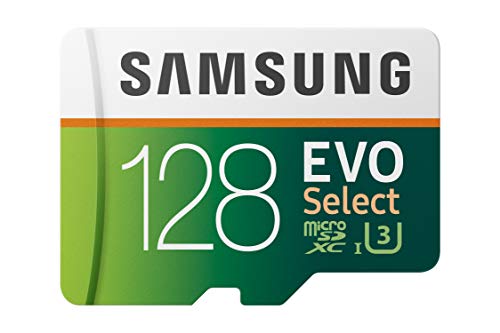
SAMSUNG: EVO Select 128GB MicroSDXC UHS-I U3 100MB/s Full HD & 4K UHD Memory Card with Adapter — Stated-class standard
Samsung’s title does the complete job in one line: 128GB, microSDXC, UHS-I, U3, 100MB/s, labelled for Full HD and 4K UHD, adapter included. The U3 is the operative fact — a certified thirty megabytes per second sustained floor, comfortably more than double the Mavic 2’s top 4K demand — and it is printed where a pilot can read it in the shop, which is where buying decisions should be finishable. The 100MB/s figure, read in context as the transfer headline, promises civilised field offloads through the bundled adapter.
This is the card the guide hands to a new Mavic 2 owner who asks for one recommendation without homework. Its capacity matches the aircraft’s session rhythm, its class is certified in print, its maker is a memory giant whose documentation is a formality rather than a necessity, and the EVO Select line’s whole existence is aimed at exactly this class of device. Nothing about the purchase requires faith, and in a category where two famous listings in this very guide ask for faith, that completeness deserves to be ranked as the feature it is.
The honest limits are tier limits. A 100MB/s transfer headline trails the Lexar’s stated 205MB/s, so the largest offloads take longer; and pilots flying many batteries daily will step up to the 256GB sibling below, whose title evidence is identical. Neither limit touches the recording itself, which is the aircraft’s actual business. As the standard against which the shortlist’s other 128GB cards are measured, the EVO Select earns its place by the oldest method in reviewing: it states its qualifications and meets the requirement.
Gift-givers and new-pilot mentors, take note as well: this is the card to include when a Mavic 2 changes hands or a second aircraft joins a household, because its qualification needs no explaining to the recipient. A card whose class is on its face teaches the new pilot the right lesson from the first flight — that media is a specification, not an accessory — and that lesson, once learned at 128GB, scales to every purchase the pilot will ever make.
- Capacity: 128GB
- Format: microSDXC, UHS-I, with full-size adapter included
- Speed class: U3, as stated in the listing title
- Transfer figure: 100MB/s, as stated in the listing title
- Write speed beyond the U3 floor: Not stated in the listing title — verify with Samsung documentation
Strengths
- U3 class printed in the title — the 4K qualification visible at purchase.
- Complete one-line specification with adapter included for field offloads.
- Capacity matched to the Mavic 2’s multi-session rhythm.
Trade-offs
- Transfer figure trails the Lexar flagship’s stated read speed.
- Heavy daily flyers will outgrow 128GB and step to the sibling.
- Sustained write beyond the U3 floor remains a documentation detail.
Best for: a Mavic 2 owner seeking a fully stated, certified card at 128GB with no homework attached. Not suited for: a pilot offloading very large volumes daily who prioritises the fastest stated transfer figure.
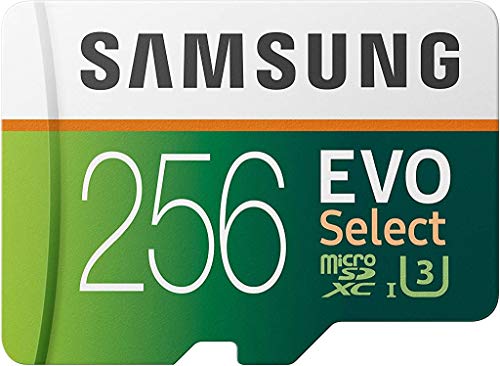
SAMSUNG ELECTRONICS EVO Select 256GB MicroSDXC UHS-I U3 100MB/s Full HD & 4K UHD Memory Card with Adapter — Stated-class large
Everything the 128GB Samsung states, this one states at double the capacity: U3 in the title, 100MB/s in the title, 4K UHD labelling, adapter in the packet, 256GB in the slot. The pairing of certified class with full-day capacity, both visible on the listing, makes this the most completely argued large card in the guide — the SanDisk 256GB asks for a documentation errand, the Lexar 512GB asks for flagship money, and this Samsung simply presents its credentials and its size and concludes.
For the working pilot, the operational meaning is a day of flying with no media decision after breakfast. Batteries rotate, locations change, the card absorbs all of it at a certified floor, and the evening offload through the adapter proceeds at the stated transfer pace. The concentration caution from the SanDisk 256GB review applies here identically — a day’s footage in one object wants copies at the first opportunity — but it is a caution about routine, not about the card, and the card itself has done everything a listing can do to earn trust.
There is a fleet argument as well. Two of these, alternated by day, give a Mavic 2 a media system with matched behaviour and a genuine spare, at a total capacity that covers an expedition’s flying with offloads only when convenient. Commercial pilots standardising on one card across aircraft will find this the easiest standard to defend in a purchase order: the class is in the title, the size fits the day, and the maker’s documentation is a short, boring read — which is what professional documentation should be.
Fleet buyers get one further dividend here: identical behaviour across every unit. When every card in the case states the same class and the same transfer figure, a pilot can predict an offload’s duration, a day’s capacity and a swap schedule without per-card footnotes, and prediction is the raw material of a calm flying day. Mixed fleets of equally certified cards work, but they tax exactly the attention this Samsung refunds.
- Capacity: 256GB
- Format: microSDXC, UHS-I, with full-size adapter included
- Speed class: U3, as stated in the listing title
- Transfer figure: 100MB/s, as stated in the listing title
- Write speed beyond the U3 floor: Not stated in the listing title — verify with Samsung documentation
Strengths
- Certified U3 class printed in the title at full-day 256GB capacity.
- Adapter included; stated transfer figure for predictable evening offloads.
- The most completely argued large card in the set on listing evidence.
Trade-offs
- A day’s footage on one card requires prompt copies as a routine.
- Transfer figure is ordinary beside the Lexar’s stated 205MB/s.
- Multi-day expeditions without offload access may still want 512GB.
Best for: a working pilot requiring certified class and full-day capacity with every figure visible at purchase. Not suited for: an expedition pilot flying beyond offload reach for many days at a time.

Kingston Canvas Go Plus 128GB microSD Card — Bare-title project
Kingston’s title is the shortest in this guide: a line name, a capacity, the format, and silence on everything else — no class, no speed, no video claim. The Canvas Go Plus line is Kingston’s performance microSD range, sold for drones and action cameras among other devices, and its documentation elsewhere carries the figures this listing withholds. A review bound to title evidence can therefore say only this: a 128GB microSD card, from a major maker, in a performance-leaning line, whose 4K qualification for the Mavic 2 must be established in Kingston’s documentation before it is trusted with a flight.
That errand is the whole review, and it is worth being precise about why it matters more here than in a stills camera. A card that underperforms in a camera costs a burst; a card that underperforms in a drone can cost the recording of a flight that consumed a battery, a location permit and a weather window. The verification — find this exact model’s U3 or V30 class in Kingston’s published specification — takes minutes and converts the card from a name into a known quantity. Pilots who run that check may find a card fully equal to the certified picks, quite possibly at an attractive price, and the guide will applaud the bargain from a distance it is obliged to keep.
Until the check is done, the card’s role in a Mavic 2 kit is as the spare that has not yet been promoted: fine for test flights, for the ground-based practice every pilot should do, for holding the aircraft’s firmware-era experiments. Promotion to paid or unrepeatable work follows the paperwork. It is the same position this guide took with Kingston’s bare title in the Rebel cluster, and consistency here is not laziness — it is the entire editorial policy, applied at altitude.
There is a bargain-hunter’s postscript that fairness requires. Bare-title listings are sometimes priced below their printed rivals precisely because the page does less selling, and a pilot who does the documentation work captures that difference as savings. The guide’s objection was never to the card or even to the price; it is to the sequence. Verify first, bargain second, fly third — and a Kingston bought in that order is as respectable a purchase as anything in this list.
- Capacity: 128GB
- Format: microSD
- Video speed class: Not stated in the listing title — verify with Kingston documentation
- Read speed: Not stated in the listing title — verify with Kingston documentation
- Write speed: Not stated in the listing title — verify with Kingston documentation
Strengths
- Performance-leaning Canvas Go Plus line from a major memory maker.
- 128GB capacity matches the Mavic 2’s session rhythm.
- May prove fully certified at an attractive price once documentation is checked.
Trade-offs
- The title offers no performance evidence whatsoever.
- 4K qualification for the aircraft cannot be established from the listing.
- Certified rivals finish the buying decision on the listing page itself.
Best for: a methodical pilot seeking a 128GB card and willing to verify its class in Kingston documentation before flight. Not suited for: a pilot who needs certified media confirmed at the moment of purchase.

Lexar 512GB Silver Plus Micro SD Card, 205MB/s Read, 4K, V30, UHS-I — Capacity flagship
The flagship of this shortlist leads on every printed axis at once: 512GB of capacity, a 205MB/s read figure that doubles the Samsung headline, and a V30 class stated in the title. V30 certifies the same thirty megabytes per second sustained floor as the Samsungs’ U3, so the recording qualification is identical; what the Lexar adds is endurance of a different kind — the capacity to keep flying for days without an offload, and the transfer pace to empty a very full card in reasonable time when the expedition finally reaches a desk.
Five hundred and twelve gigabytes at the Mavic 2’s top bitrate is on the order of eleven hours of 4K footage, which reframes the card’s purpose entirely. This is not a session card or even a day card; it is the card for the trip where the laptop stayed behind, the survey that runs a week, the journey where the drone is the trip’s memory and the memory must not fill. Pilots in that world will also feel the read figure most: offloading half a terabyte is a chore at any speed, and the stated 205MB/s is the difference between an evening task and an overnight one.
The cautions scale with the capacity. A 512GB card holding an expedition is the single most valuable small object in the luggage, and it should be treated accordingly — copied incrementally whenever any device is available, carried on the person rather than in checked bags, and never formatted until its contents exist twice elsewhere. Bought with that discipline, the Lexar is the expedition answer; bought as a substitute for discipline, it is merely the largest possible loss in the catalogue, wearing the best specification in this guide.
Survey and mapping pilots form this card’s most natural constituency after expedition travellers. A mapping day produces long, systematic video and stills runs whose value lies in their completeness, and an interruption to swap media can mean re-flying a grid line at the cost of a battery and a weather window. Capacity that simply removes the interruption from the day’s planning is, for that work, not a luxury at all but the difference between a clean dataset and a patched one.
- Capacity: 512GB
- Format: microSD, UHS-I
- Read speed: 205MB/s, as stated in the listing title
- Video speed class: V30, as stated in the listing title
- Write speed beyond the V30 floor: Not stated in the listing title — verify with Lexar documentation
Strengths
- Largest capacity and fastest stated read figure in the set, with V30 printed.
- Roughly eleven hours of top-bitrate 4K between offloads.
- Certified floor matches the requirement with the same margin as U3 rivals.
Trade-offs
- Concentrates an expedition’s footage in one thumbnail-sized object.
- Full-card offloads remain long despite the fast stated read figure.
- Capacity is wasted on pilots who offload nightly near home.
Best for: an expedition pilot requiring maximum capacity and certified V30 performance far from any desk. Not suited for: a home-based flyer whose nightly offload routine makes large capacity unnecessary.
How do the Mavic 2 card choices compare in one table?
| Card | Capacity | Read/transfer in title | Class in title |
|---|---|---|---|
| SanDisk Extreme 128GB | 128GB | Not stated | None stated |
| SanDisk Extreme 256GB | 256GB | Not stated | None stated |
| Samsung EVO Select 128GB | 128GB | 100MB/s | U3 |
| Samsung EVO Select 256GB | 256GB | 100MB/s | U3 |
| Kingston Canvas Go Plus | 128GB | Not stated | None stated |
| Lexar Silver Plus | 512GB | 205MB/s read | V30 |
The table divides the pool into the certified and the reputable. Samsung and Lexar print their qualifications; SanDisk and Kingston ask for a documentation errand that their line reputations make likely to succeed. For an aircraft, where a media failure is measured in lost flights, this guide ranks print above reputation while respecting both — and notes that the errand, once run, promotes the reputable cards to equals. Choose capacity by how far you fly from a desk, and class by the evidence, and the Mavic 2 will record everything the light offers.
How should a pilot manage cards across a flying day?
The battery rhythm is the organising idea. Batteries come home spent in a steady procession, and each landing is a natural media checkpoint: copy the card or swap it, note the location against the card’s label, and relaunch with known media. Pilots who swap a fresh card in with each battery hold the day’s footage pre-distributed across several cards, so no single loss — a card dropped in grass, a case left in a vehicle — can take the whole day. Pilots who fly one large card should at least copy at each battery change, turning the big card from a vault into a working buffer.
Formatting belongs at home or at the evening desk, in a reader or in the aircraft, after copies are verified — never in the field between flights, where a distraction can erase the wrong card in the wrong second. microSD cards are small enough to lose by looking at them, so the case system matters more than in any other cluster in this guide: a hard case, a fixed convention for full versus empty, labels written large enough to read in dawn light. The adapter bundled with several picks should live in the same case, because the field offload it enables is the routine that makes all the other routines possible.
Retirement at altitude is swift. A card that produces a recording gap, a file that will not play, or a mount the aircraft complains about is finished as flight media that day, however new it is; demote it to ground duty, label the demotion, and promote the rehearsed spare. Drones forgive many things. Their media should not be asked to forgive a second failure with a client’s coastline on board.
How should capacity be chosen by mission type?
Recreational flying near home is the lightest mission: a few batteries, a laptop waiting at the house, and a card that can be emptied the same evening almost by accident. The 128GB tier is generous here, and the Samsung 128GB’s printed U3 makes it the natural default, because the pilot’s real risk is not capacity at all but the slow drift of unoffloaded weekends accumulating on one card. A smaller, certified card emptied often beats a cavernous one emptied eventually, and the recreational pattern is where that truth is easiest to live by.
Commercial day work — real estate, inspection, events — changes the unit of account from the session to the client. Each client’s footage deserves its own media boundary, both for delivery hygiene and for the simple reason that a card handed over, copied or archived per job keeps the business tidy. Working pilots in this pattern often run several 128GB cards, one per client or per site, accepting the swaps as the cost of an archive that files itself. The 256GB certified Samsung suits the opposite commercial pattern, the single long site where the aircraft works all day and the footage is one continuous asset.
Expedition and travel work is the third pattern, and it is the Lexar’s home ground. When offload opportunities are measured in days and the drone is documenting a journey rather than a job, capacity stops being convenience and becomes range — the distance the aircraft can operate from a desk. Even here, the wise expedition pilot copies opportunistically: a phone, a tablet, a companion’s laptop, any second home for the best footage, taken whenever the trail offers one. The 512GB card buys the freedom to choose those moments rather than being driven by them, which is the actual luxury its price purchases.
What does flight do to a card that studio work never does?
Vibration is the first difference. A microSD card in a Mavic 2 records while its host vibrates continuously, in a slot that must maintain perfect contact through every manoeuvre. Quality cards and clean contacts shrug this off for years, which is precisely why the rehearsal flight matters: it proves the specific card in the specific aircraft before the pairing is trusted with distance. A card that has flown twenty batteries without a gap has earned a confidence no listing can confer, and pilots should treat that earned record as part of the card’s specification.
Temperature is the second. The aircraft climbs into colder air than the launch pad knows, and in winter the gap can be severe; in summer, a card recording in a sun-baked aircraft between flights meets the opposite extreme. Titles in this pool print no environmental ratings, so the guide offers routine instead of ratings: keep spare cards in an inside pocket in the cold, shade the case in the heat, and let a card from a freezing flight warm gradually before it meets a reader. These are small kindnesses, and flash memory repays small kindnesses with uneventful service.
The third difference is consequence geometry. A stills card’s failure is discovered at a desk; a drone card’s failure may be discovered after the aircraft has been packed, the light has gone and the location is an hour behind the crew. That asymmetry argues for the most conservative media policy in this entire cluster: certified classes only, rehearsed cards only, copies at every battery change where the work is paid. The Mavic 2 is a forgiving aircraft in many ways. Its media policy should be the least forgiving thing about it.
How does a card-per-battery system work in practice?
The system is simple enough to describe in one breath: the flight case holds batteries in numbered slots and cards in numbered sleeves, and the numbers march together. Battery one flies with card one; when the battery comes home, its card comes out, goes into the case face-down, and is copied that evening before anything is formatted. Pilots flying the larger cards can run a looser version — one card per location rather than per battery — but the principle survives intact: footage should be born distributed, so that distribution never depends on a single end-of-day ritual performed by a tired person.
The system’s hidden benefit is accounting. A card labelled by flight holds a known stretch of the day, so the evening’s catalogue work is half done before the reader is even plugged in, and a missing stretch announces itself immediately, while the aircraft and the location are still within reach. Compare the alternative — one vast card, a week’s flying, and a gap discovered at the edit, attributable to no particular day — and the case for the numbered sleeves makes itself without further argument.
None of this requires buying six cards. It requires buying cards in a pattern: two certified 128GB cards already implement the system for most pilots, with the larger Samsung or the Lexar joining for the days that outgrow it. Start with the pattern and a modest fleet, let the flying teach you which tier your missions actually consume, and expand the fleet in the direction the evidence points. Media bought by evidence, like media chosen by evidence, is the theme this guide has pursued from its first card to its last.
What mistakes do Mavic 2 owners make when buying cards?
The first is format blindness: ordering a fast full-size SD card for an aircraft that accepts only microSD, sometimes seduced by a UHS-II listing meant for a mirrorless camera. The second is the mirror error, assuming the adapter in a packet upgrades a card’s class; an adapter is a passive shape-changer and certifies nothing. The third is flying on a name — fitting an unstated-class card for a paid 4K flight because the line is famous, without the five-minute documentation check that converts fame into a specification.
The fourth mistake is capacity bravado at altitude: one enormous card, a week of flying, no copies, until the expedition’s entire memory rides on an object the size of a fingernail in a pocket of a bag in a boat. The fifth is environmental casualness — cards loose in a flight case among batteries and tools, handled by their contacts, baked on a dashboard between locations. Each error is small, ordinary and completely preventable, which is precisely why they account for nearly every lost-footage story in the drone world.
A sixth error deserves its own sentence because it wears the disguise of diligence: formatting a card in the field to make room, in a hurry, with the day’s earlier flights still aboard and uncopied. The format command does not know which card the pilot meant to erase, and in the pressure of a fading light and a waiting client, the wrong card is chosen more often than anyone admits afterward. The rule that prevents it costs nothing and admits no exceptions: nothing is ever formatted at a launch site. Cards are swapped, cases are carried, room is made by preparation — and the footage that already exists is treated as cargo, not as ballast.
How long should a flight card serve before rotation?
Flight media ages by cycles and by insults: every insertion, every hot car, every damp morning counts, and none of them appear on a specification sheet. A sensible policy for a working Mavic 2 is to rotate the main flight cards by season — the pair that carried the summer steps down to practice and ground duty in the autumn, replaced by fresh certified media whose rehearsal flights are flown before the season’s first booking. Recreational pilots can stretch that rhythm across a year or more, provided the behavioural rule overrides the calendar without exception: the first recording gap, the first unplayable file, the first mount the aircraft questions, and the card is retired from the air that day.
Demoted flight cards still have honest work to do. They hold practice footage, firmware-era experiments, and the ground recordings of a pilot learning a new manoeuvre, all of which can be lost without grief. Label the demotion on the card itself, in marker, because an unlabelled demoted card will eventually find its way back into the aircraft on the morning it can do the most harm. The fleet discipline this guide has recommended in every cluster — buy on evidence, label on arrival, retire on behaviour — reaches its purest form in the air, where the cost of forgetting any of the three is measured in flights that cannot be repeated.
Final Recommendation
Start with the Samsung EVO Select pair: U3 printed in the title, sensible transfer figures, an adapter in the packet, and capacities for the session and for the day. They are the recommendations that require nothing of the buyer except the flying. Step up to the Lexar 512GB when the work leaves desks behind for days, and its V30 class and 205MB/s read figure become expedition equipment rather than luxuries. Take the SanDisk Extreme pair as the category’s defaults once their class is verified in documentation, and the Kingston after the same errand. A drone’s footage is bought with batteries, weather and travel before a card ever records it; the right card is simply the one whose qualification was settled on the ground, where settling things is still possible.
One closing habit ties the whole guide together: write the fleet down. A single page in the flight log — card, capacity, class as verified, purchase date, rehearsal date — converts six small purchases into a managed system, and it takes less time to maintain than one lost flight costs to explain. Pilots are trained to respect checklists in the air; the media checklist on the ground deserves the same respect, because the footage is the reason the aircraft left the ground at all.
Frequently Asked Questions
Does the Mavic 2 use full-size SD cards?
No. Both the Mavic 2 Pro and the Mavic 2 Zoom record to microSD cards only, and a full-size SD card cannot be fitted at any speed or with any adapter — adapters work in the other direction, letting a microSD card sit in a full-size slot in a reader or camera. Every pick in this guide is microSD for that reason.
What speed class does the Mavic 2 need for 4K?
A U3 or V30 rating is the qualification to look for, certifying a sustained write floor of thirty megabytes per second against a top 4K demand of twelve and a half. The Samsung pair print U3 in their titles and the Lexar prints V30; the SanDisk and Kingston listings print no class, so their qualification should be confirmed in the makers’ documentation before a 4K flight.
How much 4K footage fits on a 128GB card?
At the Mavic 2’s top 4K bitrate of 100Mbps, roughly forty-five gigabytes per hour, so 128GB holds close to three hours of footage — several flight sessions — and lower-bitrate modes hold considerably more. A 256GB card covers a committed flying day, and the 512GB Lexar covers multi-day expeditions between offloads.
Is the included adapter useful for anything in drone work?
Yes, at the desk and in the field kit rather than in the air. The adapter seats the microSD card in full-size readers, including older laptop slots and studio readers, which makes the evening offload possible with whatever hardware is at hand. It plays no part in recording and does not alter the card’s class or speed in any direction.
Why do the SanDisk listings here show no speed class?
Because SanDisk chose not to print one in these titles, which is a listing decision rather than a verdict on the cards. The Extreme line’s class for each capacity is published in SanDisk’s documentation, and this guide’s spec boxes point there instead of assuming a figure. Verify it once, note it in the flight kit, and the cards can be flown with the same confidence as the printed-class rivals.
Can I use the same microSD cards in a phone or action camera?
Yes, with the standing discipline from every guide in this cluster: a card that visits another device gets formatted in the Mavic 2 before it flies again, and nothing unoffloaded rides along. The certified cards here will serve action cameras and handhelds happily, since their classes were chosen for a demanding video workload. What they should not become is a shared pool drawn at random on a flying morning; the aircraft’s cards are a fleet, with a log, and visitors return to the fleet only through the format gate.
How should I rehearse a new card before an important flight?
Format the card, fly one full battery near home recording at the highest 4K settings you will use commercially, include a burst of stills, then offload and play the footage end to end. A card that completes that rehearsal has proven itself in your aircraft, through your reader, at your settings — the only three variables that will be present on the day the footage is worth money.
Related Guides
Pilots equipping the rest of a field kit may also find our guides to drone field workflow essentials, microSD classes explained for video and expedition media backup routines worth reading.