What's inside
- Key Takeaways
- Quick Picks
- How Did We Choose These Picks?
- What Does a 4K Camera Actually Ask of a Card?
- Is V30, V60 or V90 the Right Class for Your Shooting?
- Why Does the UHS Bus Matter Alongside the Speed Class?
- How Do You Decode Everything Printed on a Card Label?
- How Much 4K Footage Fits on 128GB, in Real Terms?
- How Should You Test a New Card Before Trusting It?
- When Does It Make Sense to Mix Classes in One Kit?
- How Do the Six Cards Compare Side by Side?
- How Should You Set Up, Format and Rotate Cards on a Shoot?
- What Mistakes Do Buyers Keep Making With 4K Cards?
- Which Class Fits Each Kind of 4K Work?
- How Should Cards Be Stored, Carried and Retired?
- What About Cameras That Reach Beyond 4K?
- Final Recommendation
- Frequently Asked Questions
- Related Guides
As an Amazon Associate I earn from qualifying purchases. This post may contain affiliate links at no extra cost to you.
gizmoverdict.com is reader-supported. When you buy through links on our site, we may earn an affiliate commission.
Where to buy: Each card named below links to its Amazon listing, where you can confirm the capacity on offer, the exact speed class printed on that variant, and whether the seller is the brand store or a third party before you commit. Speed classes change between capacities inside the same product family, so check the listing for the size you actually intend to order rather than assuming the whole range behaves identically.
Shopping for the best sd cards 4k video work demands sounds straightforward until you discover that the number printed largest on the packaging, the read speed, is almost the least useful figure on it. A card can advertise a blistering transfer rate for emptying footage onto a computer and still stumble the moment a camera asks it to sustain a heavy 4K stream for ten unbroken minutes. What protects a recording is the guaranteed minimum write speed, the small V30, V60 or V90 badge tucked into the corner of the label, and that badge, far more than any headline figure, is what this guide is organised around.
The six cards gathered here are all full-size SDXC models, because the cameras that record serious 4K, mirrorless bodies, cinema compacts and higher-end camcorders, almost universally take full-size media. Five of them are UHS-II cards with the second row of contacts that unlocks faster transfers and, in the V60 and V90 classes, genuinely high sustained writes. The sixth is a UHS-I V30 card included deliberately as the honest budget option, with a clear explanation of which 4K modes it can serve and which ones it cannot. Pretending a V30 card covers every 4K mode would be the easiest mistake a guide like this could make, so we have not made it.
Capacity deserves a word before the picks themselves. Every linked card here is 128GB except the closing UHS-I model at 256GB, and that is not an accident. At typical 4K bitrates, 128GB holds a comfortable working session without encouraging you to treat a single card as an archive. Bigger cards exist in most of these ranges, yet many working shooters deliberately buy pairs of mid-size cards instead, spreading a day of footage across two pieces of media so that one failure, one loss, one card left in a trouser pocket, cannot take everything with it.
Key Takeaways
- The V-class badge is a guaranteed minimum sustained write speed: V30 promises at least 30MB/s, V60 at least 60MB/s and V90 at least 90MB/s, and that guarantee, not the read figure, decides whether 4K recording holds up.
- Standard 4K at common bitrates sits comfortably on V30, demanding 4K modes such as high-frame-rate or intraframe recording push you into V60 territory, and the most aggressive modes belong to V90 alone.
- Two cards here share the SanDisk Extreme PRO name yet belong to different speed classes, so always read the V-badge on the specific listing rather than buying on the family name.
- UHS-II cards still work in UHS-I slots, simply at UHS-I speeds, which makes them a reasonable purchase for a camera you plan to upgrade later.
- A fast card reader matters more than most buyers expect: a UHS-II card in an old UHS-I reader gives back only UHS-I transfer times at the computer.
Quick Picks
| Card | Badge | Why it earns its place |
|---|---|---|
| SanDisk Extreme PRO 128GB SDXC UHS-II V60 | Best all-round 4K card | V60 sustained writes with very strong read speeds make it the default choice for demanding 4K without paying V90 money. |
| Lexar SILVER PRO 128GB SDXC UHS-II V60 | Best Lexar alternative | A close V60 rival with fast transfers, suited to shooters who want a second brand in the bag for dual-slot bodies. |
| Lexar Professional 1800x 128GB SDXC UHS-II | Best for burst stills plus 4K | Long-established UHS-II line that pairs 4K video headroom with quick buffer clearing for hybrid shooters. |
| SanDisk Extreme PRO 128GB SDXC UHS-II V90 | Best for maximum bitrates | The V90 guarantee covers the heaviest 4K modes and reaches toward 6K and 8K work where cameras allow it. |
| SUNEAST 128GB SDXC UHS-II V60 | Best value V60 | Brings a genuine V60 rating from a smaller brand, aimed at 4K 60fps shooters watching the media budget. |
| Lexar SILVER 256GB SDXC UHS-I V30 | Best budget capacity | Doubles the storage at UHS-I pace, entirely adequate for standard-bitrate 4K and long, undemanding recording days. |
How Did We Choose These Picks?
We started from the recording modes rather than from brand catalogues. A card earns a place in a 4K guide only if its certified speed class maps honestly onto modes that real cameras offer, so the first filter was the V-rating and the bus type, not the marketing read speed. That filter produced a deliberate spread: one V90 card for the ceiling of what SD media can sustain, three V60 cards forming the practical sweet spot, a proven UHS-II workhorse from Lexar’s professional line, and one V30 UHS-I card representing the entry point with its limits stated openly.
The second filter was verification. Every linked card below was confirmed against a live listing with its class, capacity and bus type matching the description used here, because SD ranges are notorious for quiet revisions and for marketplace listings that borrow the wrong product photograph. Where two listings share a family name, as the two SanDisk Extreme PRO cards do, we treated them as separate products and checked each on its own merits, since a V60 and a V90 card sharing a label are no more interchangeable than two lenses sharing a mount.
Finally, we weighted the unglamorous virtues: consistent availability, a manufacturer with a real support channel, and a track record in working camera bags rather than only in benchmark charts. A card is a consumable that your footage trusts completely and that you replace without ceremony; the picks below reflect that reality instead of chasing whichever newcomer posted the largest number this quarter.
What Does a 4K Camera Actually Ask of a Card?
A camera writing 4K video is performing a sustained, unforgiving task. Unlike a burst of stills, which can pause while the buffer drains, a video stream arrives at a fixed rate for as long as you keep recording, and the card must absorb every second of it in real time. If the card’s true sustained write speed dips below the stream’s bitrate, the camera has nowhere to put the difference. Depending on the body, it will stop the recording, drop to a lower quality, or in the worst cases corrupt the clip entirely. This is why the guaranteed minimum matters and the peak figure does not: peaks describe a moment, recordings last for minutes.
Translating bitrates into card language helps. A 4K stream recorded at 100 megabits per second consumes roughly 12.5 megabytes per second, well inside even a V30 guarantee. Push to 200 megabits and you are near 25MB/s, still nominally V30 territory but with little margin for a warm card on a long take. At 400 megabits per second the stream needs about 50MB/s sustained, which is V60 work, and the intraframe codecs that record every frame in full can demand considerably more again, which is where V90 stops being a luxury. These are approximations, since cameras pad and vary their streams, yet they explain why two people can both shoot 4K and need completely different cards.
Frame rate multiplies the demand in ways resolution alone does not. Doubling from 30fps to 60fps roughly doubles the data rate for the same codec efficiency, and 120fps slow-motion modes are frequently the single most demanding setting a mirrorless camera owns. Shooters who never touch high frame rates can live happily a class below shooters who build their style around slow motion, and a sensible guide should say so instead of selling everyone the fastest card on the shelf.
Is V30, V60 or V90 the Right Class for Your Shooting?
V30 is the honest floor for 4K. It covers the standard recording modes of most mirrorless cameras and camcorders: 4K at 24, 25 or 30 frames per second in the efficient long-GOP codecs that dominate everyday production. If your work is interviews, events, family films or YouTube content shot in a camera’s standard quality settings, a good V30 card is not a compromise, it is simply the correct tool. Where V30 fails is at the edges: high-frame-rate 4K, intraframe recording, and the flagship quality modes manufacturers reserve for their top bitrates.
V60 is where most serious 4K shooters should land. The doubled guarantee absorbs 4K 60p in demanding codecs, gives intraframe modes real headroom, and keeps long takes stable when a card is warm, nearly full, or both, conditions under which real sustained speeds sag below fresh-card benchmarks. The three V60 cards in this guide differ in read speed, brand and price positioning, but their shared badge means each one promises the same minimum behaviour in the camera, which is exactly the kind of sameness worth paying attention to.
V90 exists for the modes that make other cards stop. All-intra 4K at high frame rates, oversampled high-bitrate recording, and cameras that also offer 6K or 8K modes ask for sustained writes that only the V90 guarantee covers. The honest caveat is that many cameras cannot use that headroom at all, because their own top modes were designed around V60. Buying V90 for such a camera buys faster offloads and future-proofing rather than unlocked features, and we flag that trade wherever it applies below rather than presenting the fastest card as automatically the best one.
Why Does the UHS Bus Matter Alongside the Speed Class?
The V-class and the UHS bus are separate systems that buyers constantly conflate. The bus, UHS-I or UHS-II, describes the physical interface and its theoretical ceiling; UHS-II adds a second row of contacts and roughly triples the maximum transfer rate. The V-class describes the guaranteed video write floor. A UHS-II card is usually faster in every respect, yet the guarantee you rely on during recording is still the V number, and a hypothetical UHS-II V30 card would promise no more in-camera sustained speed than its UHS-I equivalent.
Where the bus genuinely pays is everywhere except the recording itself. UHS-II cards clear stills buffers faster in cameras that support the bus, and they empty dramatically quicker onto a computer through a UHS-II reader, turning a twenty-minute offload into a short coffee break. For a wedding shooter with six cards to ingest before midnight, that difference is worth real money. For a hobbyist who records two clips a weekend, it may not be, and the V30 pick at the end of this list exists for exactly that calculation.
Compatibility runs in the forgiving direction. UHS-II cards physically fit and function in UHS-I slots, simply negotiating the slower interface, and UHS-I cards work everywhere SD cards are accepted. Nothing in this guide can damage a camera by being too fast; the only true incompatibilities in modern SD are ancient devices that predate SDXC capacities, which is a concern for decade-old hardware rather than for any camera that records 4K.
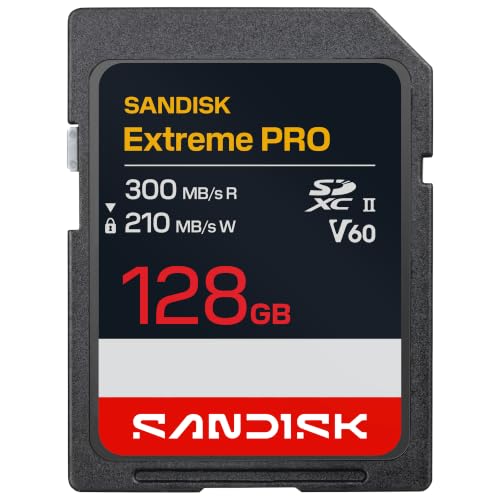
SanDisk Extreme PRO 128GB SDXC UHS-II V60 — Best all-round 4K card
If a working shooter asked for one card to cover nearly everything a modern mirrorless camera can record in 4K, this V60 Extreme PRO is the answer we would hand over. Its guarantee doubles the V30 floor, which in practice swallows 4K 60p in the heavier codecs, keeps intraframe modes fed, and leaves margin on long takes when lesser cards begin to fray. SanDisk lists read speeds up to 300MB/s for the family, and while that figure flatters the card at the computer rather than in the camera, the offload pace is genuinely welcome when a day of 4K has to be ingested before the next morning.
The confusing part is the name, because SanDisk also sells a V90 card under the same Extreme PRO banner, and it appears later in this guide. Treat the badge, not the branding, as the product: this is the V60 member of the family, positioned as the high-volume working card rather than the flagship. For dual-slot bodies it pairs sensibly with itself, giving identical behaviour in both slots for backup recording, and its 128GB size hits the working-session sweet spot described earlier, large enough for a serious shoot, small enough that you rotate media instead of hoarding footage on one card.
- Format: full-size SDXC, UHS-II interface
- Speed class: V60, U3, Class 10
- Capacity listed: 128GB
- Headline read speed: up to 300MB/s (brand-stated)
- Stated write capability: up to 210MB/s as the maker lists it
- Suited to: 4K up to high-bitrate and 60p modes, plus 6K where a camera supports it on V60
Strengths
- V60 headroom covers the 4K modes most owners actually unlock, including demanding 60p settings.
- Offload speed at a UHS-II reader is among the quickest in this roundup, shortening ingest after long shoots.
- SanDisk’s distribution makes replacements easy to source almost anywhere cameras are sold.
Trade-offs
- The shared Extreme PRO name with the V90 model invites ordering mistakes, so the badge needs checking every time.
- Cameras limited to V60 modes gain nothing extra from stepping up, yet this card still costs more than V30 media.
- Peak write figures describe fresh-card bursts, and long takes on a nearly full card will run slower.
Best for: mirrorless shooters recording 4K 60p or intraframe modes who want one dependable card type across every body they own. Not suited for: owners whose cameras top out at standard-bitrate 4K 30p, who would be paying for headroom their modes never touch.

Lexar SILVER PRO 128GB SDXC UHS-II V60 — Best Lexar alternative
Lexar’s SILVER PRO occupies the same V60 ground as the SanDisk above and makes its case on small differences rather than a different promise. The guaranteed floor is identical, at least 60MB/s sustained, while the family’s listed read speed of up to 280MB/s keeps offloads brisk and its write behaviour suits the same spread of 4K modes. In a camera, on a real recording, most shooters would be unable to tell the two V60 cards apart, and that equivalence is precisely the point of the speed-class system when it is used honestly.
Where the SILVER PRO earns its own paragraph is in how working kits are actually built. Photographers running dual-slot bodies often prefer two brands across the slots, reasoning that a bad batch or a firmware quirk is less likely to strike both at once, and videographers keeping a B-camera simply like media they can identify at a glance in a dark bag. Lexar’s silver livery is easy to spot and easy to label, the card behaves impeccably as the second flavour in a mixed kit, and it stands perfectly well alone for anyone whose loyalty or local pricing already leans Lexar’s way.
- Format: full-size SDXC, UHS-II interface
- Speed class: V60, U3
- Capacity listed: 128GB
- Headline read speed: up to 280MB/s
- Stated role: 4K video and fast stills work
- Suited to: mixed-brand dual-slot kits and Lexar-loyal shooters
Strengths
- Matches the class-leading V60 guarantee while giving dual-slot users a genuinely different second brand.
- Distinctive light-coloured shell is simple to mark and quick to identify among darker cards.
- Transfer pace at the computer stays close to the fastest cards gathered here.
Trade-offs
- Real-world in-camera behaviour is effectively tied with its V60 rivals, so the choice rests on preference and price.
- Lexar’s range naming overlaps across generations, and older stock can linger beside current versions.
- As with every UHS-II card, a UHS-II reader is an extra purchase before the offload speed shows up.
Best for: dual-slot shooters who deliberately split brands between slots, and Lexar users building a 4K kit. Not suited for: buyers hunting a meaningful performance step beyond V60, because the next real step is the V90 class, not another V60 label.
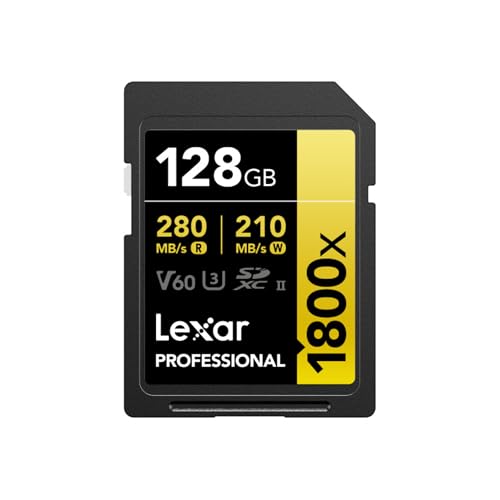
Lexar Professional 1800x 128GB SDXC UHS-II — Best for burst stills plus 4K
The Professional 1800x line has been a fixture of camera bags since UHS-II was the new thing, and its longevity is the story. This Gold Series card was built for hybrid shooters, people whose day mixes 4K recording with aggressive stills bursts, and whose bottleneck is often the buffer rather than the video stream. A camera firing long raw bursts needs the card to swallow data in gulps whenever the shutter pauses, and the 1800x family’s fast write behaviour and quick clearing have kept it on recommendation lists through several camera generations.
For pure video, read its credentials with the class system in mind rather than the speed printed on the box. The 1800x comfortably handles the standard and mid-tier 4K modes that make up most production, and its UHS-II interface keeps both buffer clearing and offloads lively. Shooters whose cameras lean on the very heaviest intraframe modes should compare its certified class against the V60 and V90 cards flanking it here and buy the badge their top mode demands; the 1800x is a superb all-rounder, but no all-rounder repeals the arithmetic of sustained bitrates.
- Format: full-size SDXC, UHS-II interface, Gold Series
- Capacity listed: 128GB
- Positioning: professional line for high-speed transfer and 4K recording
- Headline behaviour: fast buffer clearing for burst photography
- Series name: Professional 1800x
- Suited to: hybrid photo-video shooters on UHS-II bodies
Strengths
- Long production history means its behaviour in popular camera bodies is thoroughly documented by users.
- Excellent fit for hybrid days where stills bursts and 4K clips alternate constantly.
- UHS-II transfers keep both in-camera clearing and desktop ingest feeling responsive.
Trade-offs
- Buyers must verify the certified video class on the exact listing instead of trusting the family reputation.
- Its design predates the current V90 generation, so maximum-bitrate modes belong to newer cards.
- Gold Series pricing can drift close to newer V60 rivals that carry a clearer video guarantee.
Best for: hybrid shooters whose cameras spend half the day in burst mode and half recording conventional 4K. Not suited for: videographers whose signature modes are the highest-bitrate intraframe settings, who should shop by V-badge first.
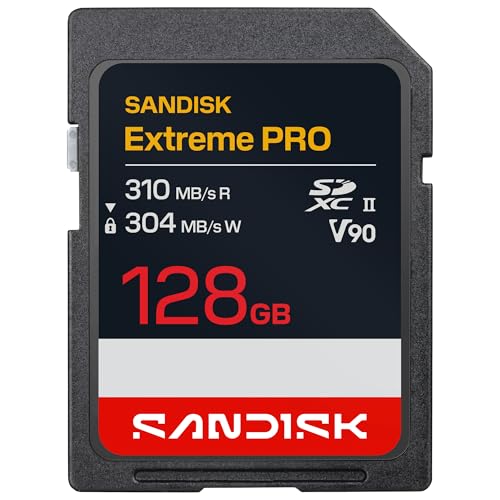
SanDisk Extreme PRO 128GB SDXC UHS-II V90 — Best for maximum bitrates
This is the ceiling of the SD format in this guide, and it shares a name with the V60 card at the top, so let the badge do the talking: V90, a guaranteed 90MB/s sustained floor, with SanDisk listing reads up to 310MB/s and writes approaching that figure in the family’s best conditions. Cards like this exist for the recording modes that end conversations about cheaper media: all-intra 4K at high frame rates, the most demanding oversampled modes on flagship mirrorless bodies, and cameras that reach into 6K and 8K while still accepting SD media at all.
The honest framing matters more here than anywhere else in the list. If your camera’s top 4K mode was engineered around V60, this card will not unlock anything new; it will simply offload faster and wait, expensively, for a future body that can use it. If your camera does offer modes that stop recordings on lesser media, the V90 is not an indulgence but the admission ticket, and buying two sizes smaller in a lower class to save money only purchases interruptions. Judge it strictly against your camera’s manual, where the required class for each mode is printed without marketing varnish.
- Format: full-size SDXC, UHS-II interface
- Speed class: V90, U3, Class 10
- Capacity listed: 128GB
- Headline read speed: up to 310MB/s (headline figure, brand-stated)
- Stated write capability: up to 304MB/s as listed by the brand
- Suited to: highest-bitrate 4K, plus 6K and 8K modes where supported
Strengths
- The V90 guarantee is the strongest sustained-write promise available in a full-size SD card here.
- Covers flagship intraframe and high-frame-rate modes that make V60 media halt recordings.
- Near-flagship transfer speeds shorten the ingest of the very large files its modes create.
Trade-offs
- Costs meaningfully more per gigabyte than V60 media with nothing to show on cameras capped at V60 modes.
- Identical family branding to the V60 version makes careless reordering a genuine hazard.
- Some flagship bodies reserve their absolute top modes for a different card format entirely, which no SD card can answer.
Best for: flagship-body owners whose manuals name V90 for the modes they actually shoot. Not suited for: anyone whose camera documentation asks for V60 or less, where the premium buys bragging rights instead of capability.

SUNEAST 128GB SDXC UHS-II V60 — Best value V60
SUNEAST is the unfamiliar name in this company, a Japanese brand better known in its home market, and its card makes a simple proposition: the same V60 guarantee as the famous badges, aimed at 4K UHD recording including 60fps work, at a friendlier point in the range. The listing quotes read speeds up to 280MB/s with writes up to 100MB/s, figures that describe peaks rather than promises, but the certified class underneath them is the same promise every V60 card signs. For a shooter equipping several bodies or building a deep bench of media, that equivalence is where budgets are honestly saved.
The reservation to state plainly is about ecosystem rather than speed. A smaller brand means a thinner retail footprint, fewer accumulated years of user reports in your camera model, and a support path that may run through the marketplace seller rather than a local office. None of that makes the card slow, and plenty of working shooters run second-tier media happily for B-cameras and overflow. It does suggest a sensible deployment: prove the card in your own body on unrepeatable test footage before trusting it with a wedding, exactly as you would validate any new media, only with a little more diligence.
- Format: full-size SDXC, UHS-II interface
- Speed class: V60, U3, Class 10
- Capacity listed: 128GB
- Headline read speed: up to 280MB/s
- Stated write capability: up to 100MB/s on the brand’s own spec line
- Suited to: 4K UHD including 60fps recording on a media budget
Strengths
- Carries the full V60 certification, so its in-camera promise matches the big-brand V60 cards.
- Lets multi-body kits reach V60 everywhere without flagship media money.
- UHS-II interface keeps offload behaviour in the same league as pricier rivals.
Trade-offs
- Shorter public track record in popular camera bodies than SanDisk or Lexar media.
- Replacement sourcing can be slower if a card fails the night before a shoot.
- Quoted peak write figure is modest beside flagship cards, even though the guaranteed floor is equal.
Best for: cost-conscious 4K shooters equipping B-cameras, overflow slots and spares with genuine V60 media. Not suited for: a once-in-a-lifetime shoot where you want the deepest possible bench of user reports behind the only card in the slot.

Lexar SILVER 256GB SDXC UHS-I V30 — Best budget capacity
Every 4K guide needs its reality check, and this Lexar SILVER is ours: a UHS-I, V30 card that doubles the capacity of everything above it to 256GB while stepping back a full generation in interface. For the large population of cameras whose 4K modes live at standard bitrates, 24 to 30 frames per second in efficient codecs, this card records all day without drama. Long interviews, stage performances, travel days and family events at sensible settings are exactly its parish, and the extra room means fewer swaps and fewer chances to fumble media with cold hands.
The limits deserve the same clarity as the virtues. Ask this card for 4K 120p, for all-intra recording, or for a flagship’s top quality tier and it will decline, usually by stopping the recording at the worst possible moment. Its UHS-I bus also means slower offloads and slower buffer clearing, which burst photographers will feel immediately. None of that is a defect; it is a V30 card being a V30 card. The mistake would be buying it for modes it never claimed, which is why it sits last here with its boundaries drawn in ink rather than discovered on a shoot.
- Format: full-size SDXC, UHS-I interface
- Speed class: V30, U3
- Capacity listed: 256GB
- Headline read speed: up to 225MB/s (per the maker)
- Positioning: high-capacity everyday 4K and stills
- Suited to: standard-bitrate 4K, long-form recording at modest settings
Strengths
- Twice the room of the other picks, which suits long events and travel without card juggling.
- Perfectly matched to the standard 4K modes most cameras are actually used in.
- UHS-I compatibility spans the widest possible range of older and newer bodies.
Trade-offs
- High-frame-rate and intraframe 4K modes are beyond its certified floor, full stop.
- Offloads and buffer clearing run at UHS-I pace regardless of reader quality.
- Concentrating a whole day on one large card raises the cost of losing that single card.
Best for: event, travel and family shooters using standard 4K settings who value capacity and simplicity. Not suited for: slow-motion work, intraframe codecs, or hybrid shooters who lean on rapid raw bursts.
How Do You Decode Everything Printed on a Card Label?
A modern SD label carries at least six separate markings, and each answers a different question. The capacity and the SDXC designation describe storage size and the file-system family the card belongs to. The UHS Roman numeral describes the bus, the physical interface that sets the ceiling for transfers. The U number, usually U3 on video-capable cards, certifies a minimum sustained write of 30MB/s under the older speed-class system. The V number supersedes it for video, stating the guaranteed floor in megabytes per second directly. The Class 10 mark is a legacy promise so modest that every card in this guide exceeds it without trying, and the read-speed figure in the largest type is a best-case laboratory number for transfers, not a recording guarantee of any kind.
Learning to read those marks in the right order transforms how you shop. Start with the V number, because it governs recording. Move to the bus, because it governs offloads and buffer behaviour. Then choose capacity for your genre, and only then compare brands, warranties and prices among the cards that survived the first three filters. Buyers who reverse that order, starting with brand loyalty or a headline number, are the ones who end up owning fast cards that stop recordings or slow cards bought for cameras that needed more.
One more marking deserves attention even though it rarely appears on full-size cards aimed at cameras: the absence of an application-class rating is normal here. That A1 and A2 system belongs to the microSD world, where cards double as phone storage and are judged on random access for apps. A full-size card without an A rating is not missing anything a camera would use; the two rating families measure different jobs, and confusing them leads buyers to demand badges that their device will never read.
How Much 4K Footage Fits on 128GB, in Real Terms?
Capacity questions sound simple and are not, because a gigabyte of storage holds wildly different amounts of finished work depending on the mode that filled it. At a gentle 100 megabits per second, an hour of 4K occupies roughly 45GB, so a 128GB card swallows close to three hours with room to spare. At 200 megabits the same hour takes about 90GB and the card becomes a ninety-minute medium. At 400 megabits an hour needs around 180GB, more than the card holds, and at the heaviest intraframe rates a 128GB card can be a half-hour device. These are approximations that vary with scene complexity on variable-bitrate codecs, but the shape of the maths is constant: bitrate, not resolution, eats cards.
That arithmetic should drive buying more than habit does. A documentary shooter recording interviews at modest bitrates can treat 128GB as an all-day card and may prefer the 256GB V30 pick for exactly that reason. A commercial shooter working in intraframe at high frame rates should think of 128GB as a per-setup quantity and carry several, because the day will consume them in sequence. Neither shooter is wrong; they are solving different equations, and the mistake is copying another genre’s media plan without redoing the sums for your own modes.
Leave headroom in every plan. Cards slow as they fill, file systems need breathing room, and a card that must be swapped at ninety-eight percent full during an unrepeatable moment is a small crisis you scheduled yourself. Working shooters treat eighty percent as full for planning purposes, which is another quiet argument for owning one more card than the bare calculation suggests.
How Should You Test a New Card Before Trusting It?
Every new card, from every brand in this guide, deserves a proving run before it carries work that matters. The basic test is simple and ruthless: fill the card completely on a computer using a reputable testing utility that writes and then verifies every block, and confirm that the capacity reported is the capacity delivered. Counterfeit and defective media fail this test spectacularly, either corrupting data partway or revealing a fraction of the claimed space, and they fail it at your desk instead of at a ceremony.
The second test belongs in the camera. Record your heaviest mode, at your longest typical take length, on the new card while it is already partly full, because that combination is where marginal media confesses. Watch for warnings, check the resulting file plays end to end, and note whether the camera’s remaining-time estimate behaves sensibly. A card that passes a full write-and-verify cycle and a worst-case in-camera recording has earned its place in the working case; one that hesitates at either stage becomes a stills-only card or goes back to the seller.
Keep a simple log, even a note on the card’s case: purchase date, where it was bought, and the bodies it has served in. When a card eventually glitches, and working media eventually does, that log tells you whether its siblings from the same order deserve suspicion. It also enforces rotation, because a glance at dates exposes the one heroic card that has silently absorbed three years of shoots while its partners sat new in a drawer.
When Does It Make Sense to Mix Classes in One Kit?
Mixed kits are not sloppy kits, provided the mixing follows the work rather than the wallet. Many shooters legitimately own a hierarchy: V90 or V60 media for the A-camera’s demanding modes, V30 media for a locked-off B-camera recording a wide shot at standard bitrates, and older cards retired to audio recorders and stills-only duties. The system works because each device asks a known question and each card tier answers it, and it fails only when the tiers blur, when a V30 card migrates into the flagship’s slot because it happened to be on top of the pile.
Physical separation keeps the hierarchy honest. Different coloured cases per class, or a strict rule that one wallet holds only camera-A media, prevents the midnight mix-up far better than memory does. Label cards with their class in large characters on the back if your eyes, like most people’s, refuse to parse tiny label print under event lighting. The goal is a kit where grabbing any card in the correct case is automatically the right decision, because shoots punish every decision that still needs making at the moment of use.
Revisit the mix whenever a body changes. A camera upgrade that unlocks heavier modes silently reclassifies your media: yesterday’s flagship V60 card becomes today’s bottleneck, and the V30 pair that served the old B-camera may no longer serve the new one at all. The cards did not change, the questions did, and a short audit after any body purchase, matching each mode you will use against each card you own, is the cheapest insurance in the whole upgrade.
How Do the Six Cards Compare Side by Side?
| Card | Bus | Class | Capacity | Natural habitat |
|---|---|---|---|---|
| SanDisk Extreme PRO V60 | UHS-II | V60 | 128GB | Demanding 4K including 60p and intraframe on most bodies |
| Lexar SILVER PRO | UHS-II | V60 | 128GB | Second-brand slot in dual-slot kits, same V60 promise |
| Lexar Professional 1800x | UHS-II | UHS-II professional class | 128GB | Hybrid days mixing raw bursts with conventional 4K |
| SanDisk Extreme PRO V90 | UHS-II | V90 | 128GB | Flagship bitrates, high-frame-rate intraframe, 6K and 8K modes |
| SUNEAST V60 | UHS-II | V60 | 128GB | Budget-conscious V60 coverage for extra bodies and spares |
| Lexar SILVER V30 | UHS-I | V30 | 256GB | Standard-bitrate 4K and long, steady recording days |
Read the table by class first and brand second. Within a class, sustained recording behaviour is governed by the same certification, so your decision turns on capacity, transfer pace, support and how the card fits a kit you are building. Across classes, the decision is about modes: list the settings you genuinely use, find the class each one requires in your camera manual, and buy the class that covers your heaviest regular mode rather than a theoretical mode you might try once.
How Should You Set Up, Format and Rotate Cards on a Shoot?
Format every card in the camera that will record to it, on the day, before anything precious is captured. In-camera formatting aligns the file system exactly as that body expects, clears the directory structure cleanly, and takes seconds; formatting on a computer and trusting the camera to cope is a shortcut that occasionally presents its bill mid-shoot. Make it a ritual on the same footing as charging batteries, and never format a card until its footage exists in two places, because formatting is the one irreversible step in the entire workflow.
Dual-slot bodies deserve a deliberate strategy rather than default settings. Recording simultaneously to both slots buys instant backup at the cost of halving your effective media and, on some bodies, limiting top modes to what the slower slot accepts, which is another reason matched classes matter. Overflow recording treats the second slot as spare capacity and suits long events. Separating stills and video by slot keeps a busy hybrid day organised. None of these is universally correct; the error is drifting into a strategy accidentally and discovering it while a card-full warning flashes.
Rotation is the quiet discipline that separates working kits from hopeful ones. Number your cards, use them in order, and keep recorded media physically separate from fresh media, in a different case or turned face-down, so that a tired hand at midnight cannot format the day’s only copy. Offload with a UHS-II reader to match these cards, verify the copies open, and only then return cards to the fresh pile. Cards are cheap beside footage; treat the workflow, not the plastic, as the thing you are really managing.
What Mistakes Do Buyers Keep Making With 4K Cards?
The classic error is shopping by read speed, the giant number on the front of the pack, when recording depends on the small sustained-write badge in the corner. A card can top a transfer benchmark and still stop a high-bitrate recording in under a minute. The second error is its mirror image: buying the fastest class in the shop for a camera whose manual never asks for it, then feeling the purchase was wasted when nothing improves. Both mistakes vanish the moment you shop from your own camera’s mode table instead of from packaging.
Counterfeit media is the mistake nobody believes will happen to them. High-capacity cards from famous brands are among the most faked products in photography, sold through marketplace listings at prices that should provoke suspicion, and a fake often reports the right capacity while corrupting data quietly for weeks. Buy from reputable sellers, test a new card by filling it completely and reading the data back before trusting it, and be wary of any deal that undercuts every legitimate retailer by a wide margin.
The final recurring mistake is treating one enormous card as a filing system. Footage that lives only on a card, for weeks, through shoots and trips, is footage one accident away from gone, and the bigger the card the bigger the loss. Smaller cards, rotated and offloaded promptly, are not an inconvenience; they are a risk strategy disguised as a habit, and they are why this guide’s capacities cluster where they do.
Which Class Fits Each Kind of 4K Work?
Wedding and event shooters live on reliability across long, unrepeatable days. Their main cameras usually run standard or mid-tier 4K modes for hours, which makes V60 the prudent default for the primary body and V30 entirely defensible for a locked-off second camera, provided that camera’s mode is genuinely modest. What this genre cannot afford is ambiguity, so matched cards, formatted in-camera that morning and rotated in strict order, matter more than squeezing into the highest class on the shelf.
Wildlife and sports shooters ask a different question, because their defining feature is the burst. A body tracking birds in flight alternates savage stills bursts with opportunistic 4K clips, and the card’s buffer-clearing behaviour shapes how soon the camera is ready again. UHS-II media earns its keep here even when the video modes alone would settle for less, and the 1800x profile above exists for this hybrid rhythm. Slow-motion specialists inside this genre should read their 120p mode’s requirement literally and buy the class it names.
Travel and family shooters should resist overbuying with a clear conscience. Their cameras spend most of their lives in standard 4K or even HD, their shoots forgive a card swap, and a capacious V30 card plus a spare is a more rational kit than a single flagship V90 that will never be asked its hardest question. The money saved buys a second battery or a better reader, both of which will improve more real days than unused write headroom ever will.
Commercial and narrative crews sit at the demanding end, where intraframe codecs are chosen deliberately for grading flexibility and where a stopped take costs crew time, not just a clip. For them V60 is the floor and V90 is a line item justified the first time it prevents a single interrupted setup. Their media plans also differ in kind: cards are often treated as production stock, logged per project and sometimes archived with the footage rather than wiped, a practice that makes mid-size capacities and disciplined labelling more valuable than raw speed bragging.
How Should Cards Be Stored, Carried and Retired?
SD cards are tougher than their size suggests and more fragile than their marketing implies. The contacts dislike grit, moisture and being carried loose in a pocket with keys and coins, and the thin shell can crack under a boot or a chair leg in a way that takes the data with it. A hard case with individual slots, kept in the same place in the bag every time, solves nearly all of this for almost no money, and it doubles as the rotation system described earlier when fresh and recorded cards occupy different rows.
Heat is the slow enemy. A card left on a dashboard through a summer afternoon or stored above a radiator ages faster than its specification assumes, and footage left unoffloaded in those conditions is quietly gambling. Treat recorded media like exposed film from an earlier era: bring it in with you, offload it the same day, and store working cards somewhere boring, cool and dry. The write-protect switch, meanwhile, is worth flicking on recorded cards during transport; it cannot stop a format command in every device, but as one more layer between a tired hand and a disaster it costs nothing.
Retirement should be a decision, not a surprise. Any card that produces a camera error, a corrupted file or a failed verification leaves front-line service immediately, however expensive it was, because its next failure is a matter of time and opportunity. Demote it to tasks where loss is trivial or destroy it if the data it held was sensitive. A working kit that replaces media on suspicion will always look extravagant right up until the day it looks wise.
What About Cameras That Reach Beyond 4K?
A growing number of bodies that accept SD media also advertise 6K or 8K modes, and buyers reasonably ask whether a 4K guide’s advice still applies. The class logic scales unchanged: those modes simply sit further along the same bitrate ladder, which is why the V90 card’s listing mentions 8K and the V60 card’s mentions 6K. What changes is the margin for optimism. A mode at the very top of a camera’s menu often assumes the very top of the card market, and some manufacturers quietly restrict their highest resolutions to a different, faster card format altogether, leaving SD to serve the modes below. Read the manual’s media table for those flagship modes with particular care, because it is the one page where wishful thinking about a cheaper card goes to be corrected.
Final Recommendation
For most people recording 4K today, the SanDisk Extreme PRO V60 at the top of this list is the card to build a kit around: its class covers the demanding modes most bodies actually offer, its transfers are rapid, and replacements are easy to find. The Lexar SILVER PRO stands beside it as an equal V60 for mixed-brand dual-slot kits, while the SUNEAST stretches a V60 budget across extra bodies. Step up to the V90 Extreme PRO only when your camera manual names that class for modes you truly use, consider the 1800x when stills bursts share your day, and let the big Lexar SILVER V30 handle standard-bitrate recording without apology. A 4K card is a promise about the worst second of a recording, not the best, so buy the badge that covers your heaviest real mode and let everything else be a bonus.
Frequently Asked Questions
Can a V30 card record 4K at all?
Yes, and for many cameras it records the most-used 4K modes perfectly well. Standard 4K at 24, 25 or 30 frames per second in efficient codecs sits within the V30 sustained guarantee. The class runs out of road at high frame rates, intraframe recording and flagship bitrate tiers, which is why the answer depends on your mode list rather than on the resolution alone.
Will a UHS-II card work in my older UHS-I camera?
It will fit, record and read normally, negotiating the older interface and running at UHS-I speeds. You lose the transfer advantage but keep the card’s certified class behaviour within the bus limits, which makes UHS-II media a sensible purchase shortly before a body upgrade rather than a waste.
Why did my recording stop after a few seconds?
The usual cause is a card whose sustained write speed fell below the mode’s bitrate, often because the mode needs a higher V-class than the card carries. Warm cards, nearly full cards and counterfeit media can produce the same symptom. Check the class your manual specifies for that exact mode, and test the card by filling and verifying it on a computer.
Is one 256GB card better than two 128GB cards?
For convenience at long events, sometimes; for risk, rarely. Two cards spread footage across separate media, let you offload one while shooting on the other, and cap the damage from a single failure or loss. Most working shooters in this guide’s class range choose pairs, and the lone 256GB pick here is aimed at long, standard-bitrate days where swaps are impractical.
Do I need a special reader for these cards?
Any SD reader will read them, but only a UHS-II reader unlocks the fast offload speeds of the five UHS-II picks. Given how large 4K files are, the reader is one of the highest-value accessories in the whole workflow, and using an old UHS-I reader silently taxes every ingest for the life of the kit.
How long should an SD card stay in service?
Flash media wears with write cycles, and video is write-heavy, so working cards are consumables rather than heirlooms. Retire a card at the first unexplained error, keep spares in rotation so no single card absorbs every shoot, and never let a card that has glitched once carry an unrepeatable event again.
Related Guides
If your 4K shooting happens on a phone, action camera or gimbal instead, our companion roundup answers what are the best micro sd cards 4k shooters can rely on in the smaller format. Sony flagship owners should also read which sd cards suit the a7siii and its highest bitrate modes before spending on media, and aerial shooters can compare notes with how to choose sd cards for dji drones where sustained write matters at altitude. Trail cameras play by different rules — small SDHC cards, in-camera formatting and field swaps — ranked in the best trail cam sd cards. Among the cameras these cards feed, the last great bridge bodies are compared in the best bridge cameras with 1 inch sensor.
Related guides
- Best 4K UHD HDR HDMI Extenders: 4K60, Long-Run and 4K120 Kits Compared
- Best 25–35 Inch Monitors With Lowest Display Lag: An Honest Ranking Without Invented Numbers
- Best Color Product Label Printers: Six Desktop Machines for Short-Run Product Labels
- Best Enterprise SATA SSDs: Endurance Classes, Power-Loss Protection and Fleet Sense


