What's inside
- Key Takeaways
- Quick Picks
- How Did We Define Affordable for a Switch Card?
- What Does the Switch Actually Ask of a Card?
- How Do the Six Options Compare for a Switch Owner?
- How Should You Install and Organise a Switch Card?
- How Much Library Does Each Capacity Really Hold?
- Which Mistakes Do Switch Card Buyers Keep Making?
- How Does the Physical-versus-Digital Choice Change the Card You Need?
- What Should Parents Know Before Handing Over a Card?
- How Does a Card Behave on the Road?
- Why Do Some Games Still Load Slowly From a Good Card?
- What Happens When the Card Eventually Fills Up?
- How Can You Tell a Genuine Card From a Counterfeit?
- How Do OLED, Original and Lite Owners’ Needs Differ?
- What About Using a Card You Already Own?
- How Should a Family Share One Console and One Card?
- When Is the Right Time to Buy the Card?
- Final Recommendation
- Frequently Asked Questions
- Related Guides
As an Amazon Associate I earn from qualifying purchases. This post may contain affiliate links at no extra cost to you.
gizmoverdict.com is reader-supported. When you buy through links on our site, we may earn an affiliate commission.
Where to buy: Five cards below carry links verified in this site’s product pool, spanning two capacities and three performance tiers, and the officially licensed Nintendo card is discussed in prose only. Affordable throughout this guide is a qualitative judgement about a card’s position in its range, never a printed price, because card pricing moves too often for a fixed figure to stay honest.
Hunting the best affordable Nintendo Switch SD cards starts with a liberating fact about the console itself: the original Switch family reads microSD cards through a UHS-I interface, which places a ceiling on how much speed the machine can use no matter what a card promises. That single specification reshapes the whole purchase. Money poured into exotic transfer figures is money the console cannot spend, while money aimed at honest capacity, a trustworthy maker and adequate ratings buys exactly what the Switch can actually enjoy. Affordable, in other words, is not a compromise on this console; it is the correct engineering answer.
One boundary must be drawn before the picks. Everything here concerns the original Switch, Switch Lite and Switch OLED, which share the same microSDXC support. Nintendo’s newer Switch 2 moved to microSD Express cards, a different and incompatible performance standard, and none of the cards in this guide should be bought for that machine. Owners unsure which console they are shopping for should check the box or the console’s settings first, because this is the one mistake in the category that no amount of card quality can rescue.
It also helps to remember what the card purchase replaces. Without one, the console’s owner becomes a curator under duress, deleting a loved game to greet each new one and re-downloading across an evening when nostalgia strikes. With one, the same owner becomes a librarian by choice. The difference in daily experience is wildly disproportionate to the modesty of the purchase, which is why card recommendations for this console generate such loyalty: few accessories change a machine’s personality so completely for so little range position in a catalogue.
Within the original family, the arithmetic of game sizes drives the decision. The console’s internal storage fills with a handful of large releases, after which every new download becomes an eviction hearing for an old favourite. A card doubles or quadruples the shelf, and at the capacities gathered here the cost of that relief, in range-position terms, sits at the gentle end of each maker’s ladder. The picks below are ordered from the capacity most households should start with, through performance and smaller options, to the licensed card whose premium buys artwork and certainty rather than speed.
Key Takeaways
- The original Switch family’s UHS-I slot caps usable card speed, making flagship card tiers unnecessary.
- Capacity, not transfer figures, is what an affordable Switch card purchase is really about.
- These picks suit Switch, Switch Lite and OLED only; Switch 2 requires microSD Express instead.
- A 128GB card is the natural starting size for a growing digital library.
- The Nintendo-licensed SanDisk card is a prose-only entry whose appeal is licensing, not pace.
- Every linked card here comes from an established maker, which matters more than small speed gaps.
Quick Picks
| Pick | Badge | Why it earns its place |
|---|---|---|
| SanDisk Ultra 128GB microSDXC | Sensible starting size | An A1 card at the capacity where Switch libraries stop feeling cramped, from the range’s value line. |
| Samsung EVO Select 128GB | U3 headroom included | Same roomy capacity with a U3 class that also suits cameras when the card travels. |
| SanDisk Extreme 64GB microSDXC | Performance-leaning pick | For players who also film, a U3 V30 A2 card that serves two devices across the week. |
| SanDisk Ultra 64GB microSD | Small-library value | The gentlest step into extra storage for a Lite or a child’s console with modest downloads. |
| Samsung EVO Select 64GB | Calm Samsung alternative | A U1 card with adapter for households that prefer Samsung’s line at the smaller size. |
| SanDisk microSDXC for Nintendo Switch (licensed) | Prose-only licensed card | Officially licensed and decorated, discussed without a link because the pool holds no listing for it. |
How Did We Define Affordable for a Switch Card?
Affordability was judged inside each maker’s own range rather than against a fixed sum, because this guide prints no product prices and because range position is the part of value that survives price movements. A card qualified as affordable when it delivered the console’s usable requirements, capacity, honest ratings, a reputable maker, without charging for performance tiers the Switch cannot exploit. By that test the value lines of SanDisk and Samsung qualify easily, while flagship performance cards fail it on this console specifically, however excellent they are inside a camera.
Capacity per purchase was the second lens. A very small card can be cheap to buy and expensive to own, because it fills quickly and forces a second purchase that erases the saving. The guide therefore treats 128GB as the affordable centre of gravity for most households and presents the 64GB picks honestly as starter or secondary cards, best for a Lite, a younger player’s console or a library weighted toward physical cartridges with downloads as seasoning rather than the main course.
A fourth lens, easy to overlook, is the household’s existing drawer. A family already loyal to one maker’s cards across its phones and cameras gains a small but real convenience from staying in that family: one adapter habit, one warranty routine, one set of expectations about how the packaging reads. Brand consistency is not a technical virtue, yet in a purchase this small, the absence of friction is a legitimate part of value, and it explains several of the near-tie verdicts below.
Trust formed the third lens, and it is not negotiable at any range position. Counterfeit cards target console owners relentlessly, since a fake that fails takes a game library’s convenience with it, and the defence is boring: established makers, verified links, reputable sellers and a fill test on arrival. An affordable card that corrupts a save-adjacent download cache in month two was never affordable in any sense a parent would recognise.
What Does the Switch Actually Ask of a Card?
Less than card marketing implies, and the specifics are reassuring. The console supports microSD, microSDHC and microSDXC cards, with the XC format covering everything from 64GB upward, and Nintendo’s own guidance has long pointed owners toward UHS-I cards with read speeds in a band that mainstream cards from serious makers comfortably reach. In practice the machine loads games from a good value card and a flagship card at speeds close enough that players reach for the capacity figure, not the stopwatch, when choosing.
Writing demands are modest too. Downloads arrive at the pace of the household’s internet and the console’s own hardware long before a mainstream card’s write floor becomes the bottleneck, and save data itself is tiny and, importantly, lives on the console’s internal memory rather than the card. What the card holds is game data, updates, screenshots and video clips, all of which are re-downloadable or copyable, a fact that should calm anyone anxious about entrusting a library to a thumbnail of flash memory.
The console formats a fresh card itself and manages its library through a simple interface, moving games between internal storage and card as owners wish. That friendliness hides one discipline worth learning early: archive rather than delete when a game must make room, because archiving keeps the icon and save in place and turns re-downloading into a single tap when the mood returns. A well-sized card makes even that chore rare, which is the entire point of buying one.

SanDisk Ultra 128GB microSDXC — Sensible starting size
If one card in this roundup deserves the phrase “just buy this one” for a typical household, it is this 128GB member of SanDisk’s Ultra family. The pool listing describes a UHS-I card with an A1 application rating, which translates on the Switch into entirely adequate loading behaviour and, far more importantly, a doubling-to-quadrupling of the console’s usable shelf depending on the model. Most libraries that felt like a constant negotiation suddenly fit, with room left for the year’s big release and a season of screenshots.
The Ultra line’s role in SanDisk’s range is the value workhorse, and that positioning is precisely what the console rewards. Its quoted speeds sit within the band the Switch can use, its A1 rating keeps the small-file side of game loading respectable, and its maker’s ubiquity means replacement or a second card for a sibling’s console is never a research project. Parents in particular should note the operational simplicity: one card, installed once, ends the weekly storage argument in most homes.
Its honest limits are the family’s limits. This is not the card for a household that also wants to film 4K from the same piece of plastic, and its write class will not thrill a camera owner borrowing it. Inside the console, though, those limits are invisible, because the Switch never files the requests that would expose them. Affordable excellence is often exactly this: a product whose weaknesses live entirely outside the job it was bought to do.
- Capacity: 128GB microSDXC
- Speed class: UHS-I, A1 application rating
- Console fit: Switch, Lite and OLED models
- Positioning: value line of a major maker
- Adapter: commonly included, confirm package
Strengths
- Capacity ends most storage juggling immediately
- Value positioning matches the console’s needs
- Maker support and availability are unmatched
Trade-offs
- Not a card for 4K camera side-duty
- Giant modern libraries can still outgrow it
- Adapter inclusion varies by retail package
Best for: most Switch households buying their first card and wanting the storage conversation finished. Not suited for: Switch 2 owners, who need microSD Express, or players building an enormous all-digital archive.

Samsung EVO Select 128GB — U3 headroom included
Samsung’s 128GB EVO Select enters the pool with a U3 speed class in its listing, a rating the Switch itself does not require, and that headroom is the card’s whole argument. Households whose card will occasionally leave the console, to record in a camera, to serve a phone, to hold a dashcam’s loop for a season, get a card whose certified write floor travels with it. Inside the console it behaves like the sensible 128GB card it is; outside, it keeps options open that the Ultra above politely closes.
There is also a brand-ecosystem comfort to this pick. Samsung’s memory division makes its own flash, its EVO line is one of the most widely deployed card families in the world, and the included-adapter tradition of the range suits households that move files through a laptop’s card slot. None of that changes a Switch loading screen in any way a player could detect, and this guide will not claim otherwise; it changes the card’s usefulness across the rest of the house, which is a legitimate reason to choose it.
Readers comparing the two 128GB linked picks should therefore ask a single question: will this card ever work anywhere else? If the answer is no, save the difference in range position and take the Ultra. If the answer is yes, or even maybe, the EVO Select’s U3 badge is affordable insurance bought once and redeemed whenever the card is borrowed by another device.
- Capacity: 128GB microSDXC
- Speed class: UHS-I, U3 per pool listing
- Console fit: Switch, Lite and OLED models
- Positioning: mainstream line, adapter tradition
- Extras: headroom for camera side-duty
Strengths
- U3 floor travels into cameras happily
- Same roomy capacity as the lead pick
- Vertically integrated, widely deployed line
Trade-offs
- Console alone cannot use its extra class
- Sits a step above the Ultra in range
- Speed advantage invisible during gameplay
Best for: households whose Switch card will moonlight in cameras or phones during its working life. Not suited for: buyers certain the card will never leave the console, who pay for headroom they will not visit.

SanDisk Extreme 64GB microSDXC — Performance-leaning pick
The Extreme appears in this guide at 64GB wearing ratings, U3, V30 and A2, that mostly address devices other than the Switch, and its inclusion needs that honesty up front. For a console-only purchase it is more card than the machine can use, and this guide’s affordability test says so plainly. Its place here is for the substantial minority of households where one card rotates between a console and an action camera or drone, a pattern in which the Extreme stops being overqualified and becomes the only pick that never has to apologise in either home.
Consider the weekend arithmetic of such a household. Friday night the card holds a modest Switch library; Saturday it is in a camera on a bicycle or a boat, recording 4K that a lesser card could not be trusted to sustain; Sunday the footage moves to a computer through the bundled adapter and the games return. Each transfer is a small tax on convenience, yet the alternative is two specialised cards, and for some budgets the single fluent card wins. The A2 rating even flatters the card if it later retires into a phone.
What this pick should never be is the default recommendation for a child’s Lite or a cartridge-based library, where its talents would sit unemployed for years. It is the specialist in an affordable guide, included because affordable must mean value for the buyer’s actual life, and some buyers’ lives genuinely include a drone.
- Capacity: 64GB microSDXC
- Speed class: UHS-I, U3, V30
- Application class: A2
- Quoted read speed: up to 160MB/s
- Adapter: full-size SD adapter included
Strengths
- One card serves console and 4K camera
- Adapter bundled for footage offloading
- A2 rating gives it a phone afterlife
Trade-offs
- Console cannot exploit its rating set
- Smallest capacity among the main picks
- Overqualified for cartridge-based libraries
Best for: households rotating one card between a Switch and a camera or drone. Not suited for: console-only buyers, for whom the 128GB value picks deliver more joy per purchase.

SanDisk Ultra 64GB microSD — Small-library value
Not every Switch needs a big card, and the 64GB Ultra exists for the consoles at the quiet end of the download spectrum. Its pool listing quotes up to 140MB/s reads with U1 and A1 ratings, a specification that would be a compromise in a camera and is simply appropriate in a Switch Lite carried by a younger player whose library is a row of cartridges plus a handful of downloaded treats. Doubling that console’s breathing room for the gentlest step in the range is a rational purchase, not a false economy.
The card also suits the second-console pattern spreading through families, where a primary Switch holds the archive and a Lite travels to grandparents and school runs with a curated subset. A modest card there is not a lesser choice; it is a matched one. Games finish, tastes rotate, and the subset changes, while the card’s job, holding this season’s favourites without drama, stays exactly the size it was on day one.
Its boundary is equally clear. A household drifting toward all-digital buying, or a player whose favourite series releases enormous annual instalments, will outgrow 64GB and meet the storage manager again within the year. Those readers should start at 128GB above and treat this pick as the answer to a smaller, specific question.
- Capacity: 64GB microSDXC
- Speed class: UHS-I, U1, A1
- Quoted read speed: up to 140MB/s
- Console fit: ideal for Lite and second consoles
- Adapter: full-size SD adapter included
Strengths
- Gentlest range step that still transforms a Lite
- A1 rating keeps loading behaviour respectable
- Adapter included for household file duties
Trade-offs
- All-digital libraries outgrow it quickly
- U1 class limits any camera ambitions
- Second purchase likely for growing players
Best for: Lite owners, younger players and second consoles with cartridge-led libraries. Not suited for: households converting to downloads as their primary way of buying games.
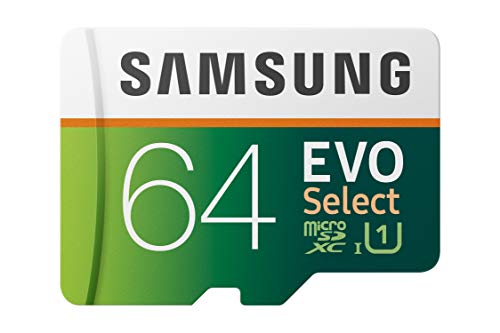
Samsung EVO Select 64GB — Calm Samsung alternative
Some households simply run on Samsung memory the way others run on a particular brand of anything, and the 64GB EVO Select serves that preference at the smaller capacity with its usual steadiness. The verified listing describes a UHS-I U1 card quoting up to 100MB/s and including an adapter, specifications that sit comfortably inside what the Switch can use and what a Lite or OLED asks of its storage. Nothing about the card strains for effect, which is rather the point of the EVO line.
Choosing between this and the SanDisk Ultra at the same size is mostly a matter of ecosystem and the day’s range positioning, since the console will treat them as near-identical citizens. The Samsung’s adapter inclusion is certain in its listing, a small practical edge for households that archive screenshots to a computer, and its maker’s flash pedigree reassures buyers who have been loyal across phones and drives for years.
The same capacity warning given to its SanDisk counterpart applies unchanged: 64GB is a starter size that growing digital libraries will test. Buy it as a deliberate match for a modest library and it will feel perfectly judged; buy it as a hopeful substitute for the 128GB picks and it will feel like a postponement wearing a bargain’s clothes.
- Capacity: 64GB microSDXC
- Speed class: UHS-I, U1
- Quoted read speed: up to 100MB/s
- Adapter: included in verified listing
- Console fit: Switch, Lite and OLED models
Strengths
- Adapter certainty in the verified listing
- Steady mainstream line from its flash maker
- Specification sits squarely within console needs
Trade-offs
- Starter capacity for digital libraries
- No application rating claimed in listing
- Read ceiling modest beside performance cards
Best for: Samsung-loyal households equipping a Lite or a modest OLED library. Not suited for: download-heavy players who should begin their search at the 128GB tier.
SanDisk microSDXC for Nintendo Switch (licensed) — Prose-only licensed card
Nintendo’s officially licensed microSDXC cards, made by SanDisk and decorated with artwork from Nintendo’s worlds, occupy a curious and not dishonourable niche. They are discussed in prose because the verified pool holds no listing for them, and they are described accurately: beneath the artwork lives competent mainstream card hardware from the same maker as several picks above, sold at a licensed premium for the emblem on its face and the certainty in a gift-buyer’s mind.
That certainty is the real product. A grandparent buying for a grandchild cannot be expected to decode UHS classes at a shop shelf, and the licensed card removes every doubt about compatibility in a single glance. For gift-giving and for younger players who will genuinely delight in the artwork each time the card is handled, the premium purchases something real, even though it purchases no additional speed the console could detect.
Readers buying for themselves with this guide open can make a cooler calculation: the same money in range terms generally buys a larger unlicensed card from the same manufacturer, and capacity is the currency the Switch actually spends. Neither answer is wrong. The licensed card is a present and a reassurance; the value picks above are an optimisation. Choose according to which of those your purchase actually is.
- Format: microSDXC, officially Nintendo-licensed
- Hardware: mainstream SanDisk card under artwork
- Appeal: compatibility certainty and gift value
- Availability here: prose discussion, no link
- Console fit: original Switch family models
Strengths
- Licence removes all compatibility doubt
- Artwork makes it a genuinely pleasing gift
- Backed by a major maker’s card hardware
Trade-offs
- Premium buys presentation, not performance
- No verified listing to link from here
- Same money usually buys more capacity unlicensed
Best for: gift-buyers and young players who value the official artwork and absolute certainty. Not suited for: self-buyers optimising capacity, who are better served by the linked value picks.
How Do the Six Options Compare for a Switch Owner?
| Card | Capacity | Character | Choose it when |
|---|---|---|---|
| SanDisk Ultra 128GB | 128GB | Value line, A1 | Buying the household’s main card |
| Samsung EVO Select 128GB | 128GB | U3 headroom | The card will also serve cameras |
| SanDisk Extreme 64GB | 64GB | U3 V30 A2 performer | One card rotates into a 4K camera |
| SanDisk Ultra 64GB | 64GB | Gentle starter, A1 | Equipping a Lite or second console |
| Samsung EVO Select 64GB | 64GB | Steady U1 with adapter | Preferring Samsung at starter size |
| Licensed SanDisk for Switch | Varies | Official artwork edition | Giving a gift with zero doubt |
How Should You Install and Organise a Switch Card?
Installation is one of the console’s friendlier rituals. Power the console fully down rather than sleeping it, since the card slot lives behind the kickstand on the original and OLED models and under a cover on the Lite, and Nintendo’s own guidance asks for a proper shutdown before the card is touched. Seat the card until it clicks, power up, and accept the console’s offer to format if one appears, understanding that formatting erases anything a previous device left behind.
The first organisational decision arrives immediately: the console asks, in effect, whether downloads should prefer the card. Say yes and mean it, because internal storage is the scarcer and more precious resource, holding saves and system needs, while the card is the expandable shelf bought for exactly this burden. Then visit the data management screen once, not to change anything, but to learn where it lives, since the day a big release lands is the wrong day to go hunting for the archive button.
Screenshots and clips deserve a small routine of their own. They accumulate invisibly, hundreds of small files swelling into real gigabytes across a year of triumphs, and the console lets owners copy them to a computer by USB or move them from the card directly. A quarterly clear-out, keeping the genuine trophies and releasing the accidental captures of a menu screen, keeps a modest card feeling spacious far longer than its capacity suggests.
How Much Library Does Each Capacity Really Hold?
Game sizes on this console span an unusually wide range, which makes any single “number of games” figure a polite fiction, yet the shape of the answer is still useful. Independent and retro-styled releases often occupy between a few hundred megabytes and a couple of gigabytes, so a 64GB card can hold dozens of them alongside updates. Nintendo’s own flagship titles commonly land in the region of ten to twenty gigabytes, and the largest third-party releases exceed that comfortably, sometimes arriving with additional downloads on top of a cartridge.
Translated into household terms, 64GB suits a library built mostly from cartridges and smaller downloads, with perhaps three or four major releases resident. At 128GB the same household stops counting: a shelf of major titles, a deep bench of smaller games and a year of screenshots coexist without negotiation. Players who buy everything digitally and keep everything installed should read both figures as waypoints rather than destinations and consider the same value families at still larger capacities, where the console’s support extends far beyond anything in this guide.
Updates deserve a line in the arithmetic because they are the silent tenants. A game bought on cartridge still downloads patches, and a beloved title can grow by gigabytes across its life. Cards bought with no headroom meet the storage manager not when a new game arrives, but on an ordinary Tuesday when an update does, which is why this guide keeps steering borderline buyers toward the larger of two otherwise equal options.
Which Mistakes Do Switch Card Buyers Keep Making?
Buying for the wrong console now leads the list, thanks to the Switch 2’s move to microSD Express. A standard card, however excellent, is not the newer machine’s format, and a newer Express card is not what this guide’s consoles ask for. Confirm the machine first; the thirty seconds spent checking can save an entire purchase.
Overbuying speed ranks second. The performance tiers of the card world are real and valuable inside cameras and phones, but the original Switch family’s interface leaves most of that value uncollected, and money spent there is unavailable for the capacity the console would have enjoyed daily. The Extreme pick above survives in this guide only because some households genuinely rotate cards into cameras; as a pure Switch purchase it is a luxury, labelled as such.
Underbuying capacity is the mirror error, usually committed with the kindest intentions by gift-buyers who see a small card at a friendly range position. The recipient’s library grows, the card fills, and the saving evaporates into a second purchase. When in genuine doubt between the two linked sizes, this guide’s counsel is consistent: the 128GB tier is where affordable and sufficient shake hands for most homes.
Sourcing carelessness completes the set. A counterfeit card in a console announces itself through corrupted downloads and games that reinstall in circles, and children experience it as the machine being broken. Buy through verified links or the maker’s own channels, fill the card once with real downloads before the return window closes, and the risk collapses to nearly nothing.
How Does the Physical-versus-Digital Choice Change the Card You Need?
A household that buys cartridges still needs a card, which surprises people until the first major update arrives. Physical games install patches, downloadable content and sometimes substantial portions of themselves, and those gigabytes live on console storage exactly as a full download would. The cartridge household’s card fills slowly and predictably, and the 64GB picks serve it for years. Its owners also enjoy an invisible advantage: the games themselves can be lent, resold and carried between consoles, so the card is a support act rather than the library itself.
The all-digital household lives differently. Every purchase is a permanent resident until evicted, sales tempt owners into buying ahead of playing, and the library grows in bursts that a small card experiences as ambushes. For these owners the guide’s centre of gravity moves firmly to 128GB and beyond, and the affordable question becomes which value family to trust at the larger size rather than whether the larger size is needed at all. Many digital households also discover the archive feature becomes a weekly tool rather than an emergency measure, and they should buy capacity specifically to avoid that fate.
Hybrid households, the majority in truth, should forecast from their last year rather than their intentions. Count what actually downloaded, not what was played from a cartridge, and size the card for twice that accumulation. The doubling sounds generous until a single flagship release plus its updates claims a visible fraction of a small card, at which point it reads as simple realism about how modern games are distributed.
What Should Parents Know Before Handing Over a Card?
The card slot on a Switch is small, the card itself is smaller, and children are children. A microSD card can be lost in a sofa, dropped in a car footwell or, in one memorable pattern reported by many families, inserted upside down with enough optimism to jam it. The practical defences are simple: an adult installs the card, the console’s case carries a spare-card holder only if a spare truly exists, and everyone in the house understands the card is not a toy to be swapped for curiosity’s sake. The console also needs powering down before removal, a step worth teaching as a household rule rather than a suggestion.
Parents should also know what a lost or failed card does and does not cost. Save progress survives on the console itself, purchased games can be downloaded again from the owner’s account, and screenshots are the only genuinely fragile cargo, which argues for copying the best of them to a computer occasionally. That resilience makes a modest, affordable card a lower-stakes purchase than it first appears: the worst realistic outcome is an evening of re-downloading, not a lost childhood of game progress.
Finally, the licensed prose-only pick earns a parental footnote. For a young player, the decorated card can be part of the gift’s delight, and for a buying grandparent it removes the fear of choosing wrongly. Families should simply make that choice knowingly, aware that the premium buys presentation and certainty while the linked value cards buy room, and that both are legitimate things for a present to buy.
How Does a Card Behave on the Road?
Travel is where a well-sized card quietly justifies itself, because the console leaves the house’s fast internet behind. Games already installed simply work, on trains, in cars and in hotel rooms with captive-portal Wi-Fi that consoles handle gracelessly, while games left in the cloud might as well be on the moon. A family that loads the card before a trip, downloads updated, favourites installed, a fresh release waiting, has effectively packed entertainment that no signal failure can confiscate.
Travel also exposes the one-card discipline. Swapping cards mid-journey invites loss and confusion about which library lives where, and the console’s habit of treating its card as a single shelf means a game split across cards is a game that may not open when wanted. The affordable answer to travel is therefore not several small cards in a wallet, the romantic option, but one card large enough that the wallet stays home. That is another reason the 128GB pick leads this guide despite the keyword’s emphasis on keeping the purchase gentle.
A protective habit completes the travel picture: before a long trip, launch each important game once at home. Updates trigger, licences refresh and any corrupted file reveals itself while a fast connection and a return window are still available. Ten minutes of launching games on the sofa is the cheapest travel insurance in the entire console ecosystem, and it depends on nothing but the card already fitted.
Why Do Some Games Still Load Slowly From a Good Card?
Because loading a game is a chain, and the card is only one link. The console’s processor decompresses data as it arrives, its memory bandwidth feeds the graphics hardware, and the game’s own design decides how much must be in place before a level opens. A card can deliver data promptly into a chain that then processes it at its own pace, which is why two consoles with identical cards can feel different, and why a flagship card cannot rescue a title whose loading is bound by computation rather than storage.
This is also why player reports about card speed contradict each other so cheerfully online. One owner’s favourite game streams textures continuously and rewards a strong card; another’s loads in discrete chunks and notices nothing. Both are telling the truth about different software. The guide’s position survives the contradiction: buy capacity and trustworthiness first, since those help every title, and let speed be the pleasant surplus that some games occasionally notice.
There is one storage-adjacent setting worth checking before blaming any card, and it is free space. A console whose storage, internal and card alike, is filled to the last megabyte manages its housekeeping poorly, and downloads, updates and caches all compete for the same shrinking margin. Keeping a few gigabytes permanently unclaimed costs nothing and quietly improves the behaviour of everything stored, a tip that applies to the internal memory exactly as much as to any pick in this roundup.
What Happens When the Card Eventually Fills Up?
Every card in this guide will fill eventually, because libraries grow toward the space provided for them with the reliability of a natural law. The console handles the moment gracefully if the owner cooperates: the data management screen shows exactly which titles occupy what, sorted so the giants identify themselves, and archiving a finished game frees its space while leaving its icon and save untouched. The first full-card moment is therefore a tidy-up, not a crisis, provided the owner learns the archive button before the moment arrives.
A sensible eviction order saves deliberation. Begin with games finished and unlikely to be revisited this year, then with enormous titles that were tried and quietly abandoned, then with duplicates of games the household also owns on cartridge. Favourites in active rotation and games with slow, huge downloads that would be painful to fetch again should be the last residents considered for eviction. Screenshots deserve their own pass, since a thousand forgotten captures can equal a small game’s footprint.
If the tidy-up becomes a monthly ritual, the console is delivering a clear message: the library has outgrown the card, and upgrading to the next capacity in the same trusted family is the affordable move, because the alternative is paying with time and temper every month instead. The old card rarely becomes waste, either. It retires into a camera, a phone, a spare console or a drawer as the household’s emergency spare, which is more than can be said for most outgrown technology.
How Can You Tell a Genuine Card From a Counterfeit?
The fakes in this category are brazen because the product is tiny and the printing is easy. A counterfeit typically advertises a large capacity while containing a fraction of it, programmed to report the larger figure to the console, and it betrays itself the same way everywhere: downloads begin failing once the real memory is exhausted, games corrupt, and files written earliest vanish or break. A console owner may blame the machine for weeks before suspecting a card bought from an anonymous marketplace listing at a position too good for its family.
The defences are procedural and complete. Buy from the verified links in a guide like this one or from the manufacturer’s recognised storefront. On arrival, fill the card with real content, ideally past the point where a plausible fake’s true capacity would end, then launch several of the largest games and confirm they open. Do this inside the return window, while the discovery is an inconvenience rather than a loss. Keep the packaging until the test passes, since reputable channels make returns painless when the evidence is fresh.
Price-position scepticism helps too, and it can be applied without knowing any figures. When a listing offers a famous maker’s largest card at a range position far beneath that maker’s own value line, the explanation is almost never generosity. Affordable in this guide means the honest value tier of a real manufacturer, and the distance between that and a suspicious listing is exactly the distance between a bargain and a story told later to friends.
How Do OLED, Original and Lite Owners’ Needs Differ?
The three consoles share a card standard and differ mainly in how their storage starts and how their owners play. The OLED model arrives with the most internal memory of the family, which tempts its owners to postpone a card entirely, yet its players also tend to be the household’s most committed, and their libraries catch up with the larger starting allowance soon enough. For them the 128GB picks are less an expansion than an inevitability scheduled in advance, and buying once at that size beats the staged purchase of a small card followed by its replacement.
The original model sits in the middle, with internal storage that a modern flagship release can embarrass in an afternoon. Its owners are the guide’s median reader: a card is not optional equipment but the difference between a library and a rotation. The kickstand-covered slot also makes card swapping marginally more fiddly on this model, which quietly strengthens the case for one generous card installed once and forgotten.
The Lite is the traveller and the second console, and its owners’ libraries are often deliberately curated subsets of a household collection. Here the 64GB picks find their natural home, matched to a machine that plays fewer simultaneous titles and values lightness over archive depth. A Lite that belongs to a child adds the parental considerations covered earlier, and its card choice should favour the trusted value lines over any experiment, since the adult who will troubleshoot it is rarely the person who bought it.
What About Using a Card You Already Own?
Many households already possess a drawer candidate: a card retired from a phone, a camera’s spare, a promotion freebie of forgotten origin. Reusing one costs nothing and the console will format it happily, but two checks separate thrift from trouble. First, capacity and format: the card must be microSDXC for the sizes that matter, and anything ancient and tiny will fill before it charms. Second, health: a card that spent years being overwritten in a dashcam has lived a harder life than its appearance admits, and entrusting a library to it invites the corruption symptoms described elsewhere in this guide.
The sensible compromise is a trial with low stakes. Format the found card in the console, install a few re-downloadable games, and live with it for a fortnight. Flawless behaviour earns it the job; a single corruption event retires it permanently, because card faults do not heal and the second failure always chooses a worse moment than the first. Saves remain safe on the console throughout the experiment, which is what makes the experiment rational.
If the found card passes and its size suits the library, the household has achieved the only genuinely unbeatable position in the affordability contest. The guide’s linked picks then become the answer to a future question, the upgrade when the library outgrows the drawer, and buying them can wait for a sale season with a clear conscience.
How Should a Family Share One Console and One Card?
Shared consoles create a storage politics all of their own. Several profiles may live on one machine, but the card holds everyone’s games in a single common shelf, and one player’s enormous annual sports title competes directly with another’s sprawling adventure. Households that set a simple convention early, finished games get archived at the end of each month, anyone may archive anyone else’s untouched downloads with a day’s warning, avoid the discovery that a new release cannot install because a sibling’s abandoned library is squatting in its space.
The card size decision in a shared house should be made from the combined library, not the loudest player’s. Two moderate players equal one heavy one for storage purposes, and four profiles of children with rotating enthusiasms can out-accumulate a single adult enthusiast. This is the scenario where stepping directly to the 128GB tier saves the most friction, because the cost of underbuying is paid in negotiations rather than in private disappointment.
There is a gentler side to the shared shelf worth naming: a common card turns a console into a family library in the old sense, where a game one person finished waits visibly for the next reader, and younger siblings inherit adventures the way they once inherited books. A card big enough to let finished games linger a while before archiving supports that culture, and households that value it should count the lingering room as part of what their purchase buys.
When Is the Right Time to Buy the Card?
The honest answer is before the console announces the need, because storage purchases made under the pressure of a release-day download queue are the ones that go wrong: the wrong format grabbed in haste, the suspicious listing chosen for its delivery promise, the small size bought because it was the one in stock. A household expecting a console as a gift, or watching its internal storage cross the halfway mark, is already inside the buying window, and the leisurely version of this purchase is better in every dimension than the emergency version.
Seasonal sales rhythms in the card market are real, and patient buyers who know their exact target, maker, family, capacity, can let a promotion do its quiet work. That patience is only possible with the decision made in advance, which is a further argument for reading a guide like this one before the need is urgent. The card itself will not improve while it waits in a drawer for the console’s birthday, and its warranty and usefulness begin when it is installed, so there is no penalty for readiness.
The one purchase timing to avoid is the panic upgrade mid-download, where an owner, told a game cannot fit, buys whatever card can arrive tomorrow. That owner’s second purchase, made calmly a month later at the right size from a verified link, is the one this guide would have recommended first, and the arithmetic of buying twice is the least affordable outcome in the entire category.
Final Recommendation
Most households should buy the SanDisk Ultra 128GB and consider the matter closed: it is the capacity the console’s library habits actually need, at the range position its interface actually rewards. Choose the Samsung EVO Select 128GB when the card will travel into other devices, the 64GB picks when the console’s library is genuinely small, and the licensed card when the purchase is a gift whose certainty matters more than its optimisation. A Switch library should feel like a shelf you browse for pleasure, and the right affordable card is simply the one that makes it feel that way by Christmas rather than by the second purchase.
Frequently Asked Questions
Will these cards work in a Switch 2?
No. The Switch 2 uses microSD Express cards, a different standard from the UHS-I microSDXC cards in this guide. Everything here is for the original Switch, the Switch Lite and the Switch OLED model.
Do save games live on the card?
No. Save data is stored on the console’s internal memory regardless of where the game itself is installed, which is why swapping or upgrading a card never endangers your progress, though the game data may need downloading again.
Can I copy my card to a bigger one later?
Yes. Nintendo supports moving card contents through a computer, copying the card’s folder structure to the new card, and owners upgrade this way routinely. Keep the original card until the new one has been tested in the console with several games launched.
Is a faster card going to shorten loading screens?
Only marginally at best. The console’s card interface sets the ceiling, and mainstream cards from major makers already operate near what the machine can use, so capacity and reliability should drive the choice rather than quoted speed.
Should I keep the packaging and receipt for a card this small?
Yes, at least until the card has survived a few weeks of real downloads and launches. Genuine cards from reputable channels rarely need their warranty, but the paperwork is what turns a rare failure into a replacement rather than a second purchase, and it takes no space to keep for a month.
Can I use the same card in two different Switch consoles?
A card’s downloaded games are tied to the account and console ecosystem that installed them, so moving a card between consoles is not a way to share a digital library; the second console will generally want to format or re-download. Keep one card married to one console and let each machine have its own shelf.
Does the card need any special formatting before first use?
No preparation is needed beyond inserting it with the console powered down. The Switch recognises a fresh card and formats it in its own way when required, and any previous contents should be copied elsewhere first, because that formatting erases the card completely.
How many cards can one console use?
One at a time in the slot, though owners can keep several and swap with the console powered down. Most households find a single well-sized card simpler than a wallet of small ones, since the console expects its library in one place.
Related Guides
Keep reading with our explainer of microSD speed classes in plain language, our guide to the best 64GB microSD cards for mixed devices and our roundup of storage for handheld gaming PCs. See also 64 gig micro sd cards.


