What's inside
- Key Takeaways
- Quick Picks
- How Did We Choose These Picks?
- Which 14-Inch Gaming Laptops Deserve a Detailed Look?
- Why Is Memory a One-Way Door in This Class?
- How Does OLED Change Daily Life on a 14-Inch Screen?
- What Is It Actually Like to Carry and Work on One?
- Comparison Table
- What Mistakes Do Buyers of Small Gaming Laptops Keep Making?
- How Should You Configure and Set Up a 14-Inch Gaming Laptop?
- How Do You Game Well at 3K on a Small Screen?
- What About Heat, Noise and the Physics of Small?
- How Should You Judge the Prose-Only Models When You Meet Them?
- Who Should Skip This Class Entirely?
- What Does a Week of Ownership Actually Look Like?
- How Long Will a 14-Inch Flagship Stay Satisfying?
- What Should You Verify in the First Fortnight?
- Should You Pair It With an External GPU or a Bigger Desk Setup?
- How Do the Two G14 Configurations Really Differ in Daily Use?
- Final Recommendation
- Frequently Asked Questions
- Related Guides
As an Amazon Associate I earn from qualifying purchases. This post may contain affiliate links at no extra cost to you.
gizmoverdict.com is reader-supported. When you buy through links on our site, we may earn an affiliate commission.
Where to buy: The three linked laptops below lead to their current Amazon listings, where you should confirm the exact memory and storage configuration before ordering — in this size class the memory is soldered, so the configuration you choose is the configuration you keep. The three prose-only models are covered without links because their current listings are thin or belong to earlier generations.
Shoppers hunting the best 14 inch laptop gaming laptops discover quickly that this is the narrowest class in gaming hardware. Most manufacturers simply do not build a true 14-inch gaming laptop; the size fights the physics of cooling a hot graphics chip, and the market rewards the bigger screens. What remains is a small, serious class dominated by a handful of designs — and that narrowness is exactly why a careful guide matters here. This article covers six machines: three current linked picks and three prose-only models from the class’s recent history that buyers will meet while shopping and deserve honest context for.
Set the class’s facts on the table immediately. The real screen of this class today is an OLED panel around 3K resolution refreshing at 120Hz — not 4K, whatever loose listing language suggests. The memory on the flagship designs here is soldered to the board, which means it cannot be upgraded later, which means the configuration decision at checkout is permanent. And the class’s most interesting near-neighbour, a convertible measuring 13.4 inches, is not a 14-inch laptop at all and will be described in this guide by its true size every time it appears.
Why accept those constraints at all? Because a 14-inch gaming laptop is the only gaming laptop that genuinely disappears into a work bag, rides happily on a train table, and opens in a meeting without announcing itself. Owners of this class are buying a double life: a credible professional ultraportable by day and a real gaming machine at night. Every pick below is judged against that double promise, not against the raw power of the 15 and 16 inch machines it can never out-cool.
Key Takeaways
- This class is genuinely tiny. Three current designs anchor it, and three earlier or adjacent models fill out the shopping landscape — this guide links the current three and covers the rest in prose.
- The class screen is OLED at roughly 3K and 120Hz. Listings that gesture at 4K in this size are describing something else; read the panel line carefully.
- Memory on the flagship picks is soldered. Choose 32GB at purchase if your work or your games will ever want it, because there is no later.
- The ASUS ROG Flow X13 is a 13.4-inch convertible, not a 14-inch laptop. It is discussed here as the class’s closest neighbour, at its true size.
- The two earlier prose models — Lenovo’s Legion Slim 5 14 from 2023 and MSI’s Stealth 14 Studio from 2023 — remain instructive purchases only with generation and availability understood.
Quick Picks
| Pick | Badge | Why it earns its place |
|---|---|---|
| ASUS ROG Zephyrus G14 (RTX 5060) | Mainstream flagship | The current G14 in its sensible configuration: Ryzen 9 power, RTX 5060 graphics and the line’s signature 3K OLED 120Hz screen. |
| ASUS ROG Zephyrus G14 (RTX 5080) | Maximum-power G14 | The same beloved chassis taken to its ceiling, with an RTX 5080, 32GB of memory and 2TB of storage for buyers who refuse compromise. |
| Razer Blade 14 (2025) | Premium metal alternative | Razer’s milled-aluminium answer, with an RTX 5070, 32GB of memory and the most understated design in the class. |
| ASUS ROG Flow X13 | Prose-only — 13.4-inch convertible | A folding, pen-friendly near-neighbour at 13.4 inches, for buyers whose “14-inch” search really means “smallest possible”. |
| Lenovo Legion Slim 5 14 (2023) | Prose-only — earlier generation | The 2023 value challenger with an RTX 4060, still instructive where found, with its generation stated plainly. |
| MSI Stealth 14 Studio (2023) | Prose-only — earlier generation | MSI’s 2023 studio-gaming crossover, covered for completeness with its age kept in view. |
How Did We Choose These Picks?
The first decision was honesty about supply. A guide to this class that pretended six current, linkable, directly comparable machines exist would be inventing a market that is not there. So this guide does what the class demands: it links the three current designs that define the category — two configurations of ASUS’s Zephyrus G14 and Razer’s Blade 14 — and then gives the three machines buyers actually cross-shop against them the full review treatment in prose. The Flow X13 presses in from below at 13.4 inches. The Legion Slim 5 14 and Stealth 14 Studio press in from the recent past. All six receive the same depth of analysis; only the links differ, and the reason for each prose treatment is stated in its own review.
The second decision was to judge the class by its own purpose. A 14-inch gaming laptop that merely survives a benchmark is a failure if it is miserable to carry, loud in a library, or dim on a train. So portability, screen quality in mixed lighting, keyboard and touchpad manners, and noise character under light work all weigh heavily here — alongside the gaming hardware, which in this generation is strikingly strong: OLED panels, current Ryzen processors, and graphics chips up to a class ceiling that would have seemed implausible in this size a few years ago.
The third decision concerns configuration guidance, because soldered memory turns shopping into a one-way door. Where a pick offers 16GB and 32GB forms, this guide says plainly which buyers should pay for the larger amount now. A 14-inch flagship is a premium purchase kept for years; discovering in year two that a fixed memory ceiling pinches is the class’s signature regret, and it is entirely avoidable at checkout.
Which 14-Inch Gaming Laptops Deserve a Detailed Look?
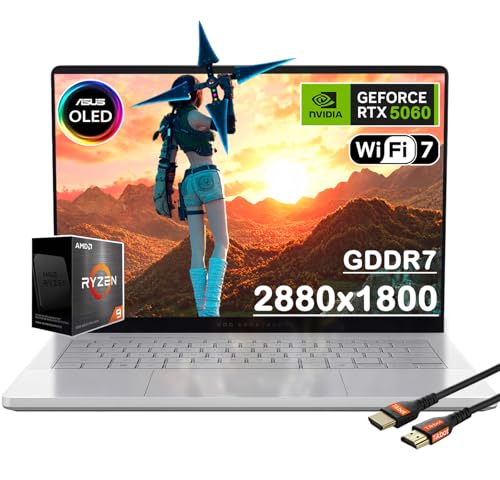
ASUS ROG Zephyrus G14 (RTX 5060) — Mainstream flagship
The Zephyrus G14 is the design that proved this class could exist, and its current generation is the default recommendation for most buyers in it. This configuration pairs an AMD Ryzen 9 270 with a GeForce RTX 5060 behind the line’s defining feature: a 14-inch OLED panel at 3K resolution refreshing at 120Hz. That screen deserves the emphasis it gets in every G14 conversation. OLED contrast transforms dark games, the resolution is far sharper than the Full HD panels of mainstream gaming laptops, and 120Hz keeps motion smooth in the fast titles this hardware plays best.
The configuration in this listing carries 16GB of memory, and that number is where a G14 buyer must think hardest. The memory in this design is soldered, so 16GB is not a starting point to expand later — it is the machine’s lifetime allowance. For a player whose life on the laptop is games, browsing and documents, 16GB remains workable and this is the G14 to buy. For anyone who edits video, runs virtual machines, keeps a hundred tabs beside a game, or simply intends to keep the machine a long time, the 32GB configuration reviewed next exists precisely for them, and stretching to it at purchase is cheaper than replacing the laptop early.
Everything else about the design serves the double-life brief. The chassis is compact and clean enough for a client meeting, the keyboard and touchpad are sized and tuned for real work, and the cooling system manages the remarkable trick of keeping a Ryzen 9 and a current RTX chip composed in a body this small — audibly busy under full gaming load, as physics insists, but civilised in the light work that fills most of a day. This is the G14 in its sensible suit, and for most readers it is the class’s centre of gravity.
- Display: 14-inch OLED, 3K, 120Hz — the class-defining panel
- Graphics: GeForce RTX 5060 laptop GPU
- Processor: AMD Ryzen 9 270
- Memory: 16GB, soldered — not upgradeable after purchase
- Extras: HDMI output; bundled cable per listing
Strengths
- The OLED screen is the finest display in this guide and a daily pleasure far beyond games.
- Current-generation graphics and a strong Ryzen processor in a genuinely portable body.
- Design and input devices honour the working half of the machine’s double life.
Trade-offs
- 16GB of soldered memory is a permanent ceiling that power users will meet.
- Full gaming load makes itself heard; small chassis cooling has no silent mode for heavy play.
- Premium pricing is the class’s entry condition, not an upgrade.
Best for: most buyers in this class — players who want the OLED flagship experience in its balanced configuration. Not suited for: heavy multitaskers and creators who should buy the 32GB configuration instead.
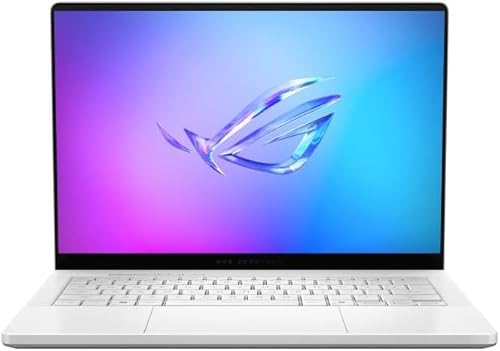
ASUS ROG Zephyrus G14 (RTX 5080) — Maximum-power G14
If the first G14 is the class’s centre of gravity, this configuration is its event horizon: the same 14-inch OLED design taken to the strongest specification ASUS offers in it. The processor steps up to the Ryzen AI 9 HX 370, the graphics to a GeForce RTX 5080, memory to 32GB, and storage to a full 2TB, finished in the Platinum White colourway. Read those numbers against the size of the machine and the achievement is plain — this is desktop-replacement hardware wearing an ultraportable’s coat.
Who is it honestly for? The buyer who travels constantly and refuses to leave performance at home: the developer who demos heavy builds in client offices, the creator who cuts footage in hotel rooms, the player whose games are the demanding kind and whose bag is small. The 32GB of memory answers the soldered-memory dilemma by removing it, and the 2TB drive answers the storage version of the same question. In a class where nothing can be upgraded later, this configuration’s real product is the absence of future regret.
The caveats are the physics of the form. An RTX 5080 in a 14-inch chassis is fed and cooled within limits a 16-inch machine does not face, so buyers should expect this laptop to trail larger implementations of the same chip in sustained heavy loads while still delivering performance that embarrasses the class’s history. Heat gathers under full load, fans announce themselves, and the premium over the RTX 5060 configuration is substantial. None of that diminishes the machine; it defines its buyer, who is purchasing the maximum that portability currently allows and accepts the terms.
- Display: 14-inch OLED, 3K, 120Hz
- Graphics: GeForce RTX 5080 laptop GPU — the class ceiling
- Processor: AMD Ryzen AI 9 HX 370
- Memory and storage: 32GB soldered, 2TB SSD
- Finish: Platinum White
Strengths
- The strongest specification available in a true 14-inch gaming design.
- 32GB memory and 2TB storage close the class’s two one-way-door decisions generously.
- Retains the G14’s OLED screen, portability and work-ready manners at full power.
Trade-offs
- A substantial premium over the mainstream G14 configuration.
- Sustained loads still meet small-chassis cooling limits that larger machines escape.
- Power this concentrated is wasted on light libraries; esports-only players should save the difference.
Best for: travelling power users, creators and demanding players who want the class maximum. Not suited for: buyers whose games are light, or who mostly play at a desk where a larger machine gives more for less.

Razer Blade 14 (2025) — Premium metal alternative
Razer’s Blade 14 is the class’s other philosophy, machined rather than moulded. Its aluminium unibody gives it a density and rigidity the G14 does not attempt, and its design language — black, minimal, a logo that can be dimmed into discretion — suits boardrooms even better than its rival’s. This 2025 configuration pairs an AMD Ryzen AI 9 365 with a GeForce RTX 5070, fits 32GB of DDR5 memory and a 1TB drive, and carries the same class-standard screen formula: a 3K OLED panel at 120Hz.
The specification lands deliberately between the two G14s: graphics a rung above the mainstream ASUS, memory at the generous 32GB level this guide keeps recommending, storage at a terabyte that most libraries can live within. For a buyer cross-shopping the class, the Blade’s argument is that it asks for no configuration agonising at all. The memory question is already answered, the screen is the class standard, and the remaining decision is whether Razer’s design and ecosystem — its Chroma lighting, its software, its famously premium support experience at a famously premium tier — speak to you.
Ownership realities deserve their lines. Razer’s thin metal chassis runs warm under sustained gaming load, an accepted Blade trait across generations, and the company’s machines ask their owners to keep firmware and drivers current through Razer’s own channels for the best behaviour. Battery life in light work is respectable for the class rather than class-leading. None of this has dented the Blade 14’s position because its buyer is purchasing an object as much as a specification — the gaming laptop that looks least like one — and on that brief it remains unmatched in this size.
- Display: 14-inch OLED, 3K, 120Hz
- Graphics: GeForce RTX 5070 laptop GPU
- Processor: AMD Ryzen AI 9 365
- Memory and storage: 32GB DDR5, 1TB SSD
- Design: milled aluminium unibody, Chroma RGB keyboard
Strengths
- The finest industrial design in the class, with a rigidity you feel every time you lift it.
- 32GB of memory fitted as standard removes the class’s biggest purchasing dilemma.
- RTX 5070 graphics sit in the class’s sweet spot for demanding play at native resolution.
Trade-offs
- Premium pricing applies to the whole ownership experience, accessories included.
- The slim metal shell runs warm under long gaming sessions.
- Buyers wanting the absolute class ceiling in graphics should look at the RTX 5080 G14.
Best for: professionals who want one elegant machine for work and serious play. Not suited for: value shoppers, or players who prioritise sustained-load cooling above design.
ASUS ROG Flow X13 — Prose-only 13.4-inch convertible
The Flow X13 appears in this guide under a correction: it is a 13.4-inch machine, not a 14-inch one, and any roundup that files it silently under the larger size is rounding in its own favour. That said, the half-inch is exactly why it belongs in this conversation. The Flow X13 is a convertible — its screen folds back into tablet and tent modes, it accepts pen input, and across its generations it has offered gaming-capable hardware in a body smaller than anything else in this article. A buyer whose real requirement is “the smallest laptop that still games” will find this machine at the end of their search whatever size they typed.
Its character differs from the G14 and Blade in kind, not just degree. The folding hinge makes it a note-taking, presenting and media machine that happens to game, rather than a gaming machine that happens to work. ASUS has also historically paired this line with an external graphics dock concept for desk play, an idea that suits its convertible nature: light and flexible on the move, reinforced at home. Shoppers should examine the exact generation and configuration in front of them carefully, because this line has worn several processors and graphics arrangements across its life.
We cover it in prose because the pool for this guide holds no verified current listing for it, and inventing one would betray the standard the rest of the article is built on. Treat this section as the briefing for your own listing check: confirm the generation, the graphics arrangement, the memory — which in a body this small is likewise fixed — and the pen and dock accessories included, then judge it as what it is, the class’s talented smaller sibling.
- Display: 13.4-inch convertible touchscreen — smaller than this class, stated plainly
- Form: 360-degree hinge with pen support
- Graphics: gaming-capable arrangements vary by generation — verify the exact listing
- Memory: fixed at purchase in this size of chassis
- Status in this guide: prose-only honourable mention, no verified listing in pool
Strengths
- The most flexible form in this article: laptop, tent, presentation and tablet in one body.
- Smaller and lighter than the true 14-inch designs for the most mobile buyers.
- Pen input opens note-taking and sketching uses the clamshell picks cannot offer.
Trade-offs
- It is 13.4 inches; buyers who truly need the 14-inch screen should not round up.
- Convertible hinges and tiny chassis impose their own cooling and keyboard compromises.
- Configurations vary widely by generation, so listing diligence matters more than usual.
Best for: highly mobile users who value the convertible form and pen as much as gaming. Not suited for: buyers who specifically want a 14-inch screen, or who dislike configuration homework.
Lenovo Legion Slim 5 14 (2023) — Prose-only earlier generation
Lenovo’s Legion Slim 5 14 arrived in 2023 as the class’s value challenger, and its specification still reads well: a 14-inch design with an OLED screen and an RTX 4060 in its best-known configuration, from the Legion family whose cooling and keyboard reputation was built in larger sizes. For a season it was the answer to a fair question — why did a portable gaming laptop have to cost flagship money? — and buyers who meet it in today’s listings deserve to understand both its genuine merits and its generation.
That generation is the point of this prose treatment. A 2023 machine carries a 2023 processor platform, 2023 battery wear if it has lived a life, and a listing landscape that has thinned as newer designs took the shelf. None of that makes it a bad purchase where it appears at a fair position against the current picks; the RTX 4060 remains a capable 1080p-and-beyond chip, and Lenovo’s build discipline in this line was real. It makes it a purchase that must be priced and examined as an earlier-generation machine, with warranty terms read twice and condition scrutinised once more than that.
We do not link it because current listings are sparse, and a guide that links whatever listing happens to exist this week would be outsourcing its judgement to chance. If you find one: verify the exact graphics configuration and memory, prefer sellers offering a real warranty, and compare its total position against the mainstream G14 before deciding that the saving is the bargain it appears to be.
- Display: 14-inch OLED class panel (2023 design)
- Graphics: GeForce RTX 4060 in its best-known configuration
- Generation: 2023 model — evaluate age, warranty and condition accordingly
- Family: Legion Slim line, Lenovo’s portable gaming range
- Status in this guide: prose-only, current listings thin
Strengths
- Brought OLED and a strong graphics rung to a friendlier position in its day.
- Legion-family cooling and keyboard manners in a genuinely portable size.
- Still capable hardware for the libraries most players actually own.
Trade-offs
- A 2023 platform: check battery condition and warranty with unusual care.
- Availability is inconsistent, so the exact listing matters more than the model name.
- Current designs offer newer processors, features and support horizons.
Best for: value hunters who find a well-kept example with real warranty cover. Not suited for: buyers who want a current-generation machine with a long support runway.
MSI Stealth 14 Studio (2023) — Prose-only earlier generation
MSI’s Stealth 14 Studio, from 2023, was the class’s creator-flavoured experiment: a slim 14-inch machine pitched simultaneously at gamers and at the studio crowd its name invokes, with a high-resolution display option and a design meant to pass in professional rooms. It completes this guide’s map of the class because searches for 14-inch gaming laptops still surface it, and a buyer comparing it against the current G14 and Blade 14 needs its context stated rather than implied.
The context is generational. The Stealth 14 Studio’s platform, graphics arrangements and panel belong to its 2023 moment, and MSI’s line has moved on since. As with the Legion above, the honest questions are about the specific example in front of you: its exact configuration, its condition, its warranty, and how its asking position compares with a current machine whose support horizon stretches years further. Creator buyers should additionally verify the display’s colour credentials on the specific unit’s listing rather than trusting the Studio badge to settle them.
It is covered in prose for the same reason as its prose companions: this guide links only what its verified pool supports, and this model’s current listing picture does not meet that bar. Read this section as a fair summary of a respectable earlier design, and let it sharpen the question the current picks answer — whether the class’s present, in OLED and current silicon, is worth its premium over the class’s recent past.
- Display: 14-inch high-resolution panel options (2023 design)
- Positioning: gaming and creator crossover, per its Studio name
- Generation: 2023 model — configuration and condition checks essential
- Family: MSI Stealth slim line
- Status in this guide: prose-only, no verified current listing in pool
Strengths
- Slim, professional design that anticipated the class’s work-and-play direction.
- Creator-flavoured specification that still suits mixed workloads where found well-kept.
- A useful price reference point against the current flagships.
Trade-offs
- Earlier-generation platform with the support horizon that implies.
- Studio branding is not a colour guarantee; verify the individual listing.
- Thin availability makes comparison shopping and returns less predictable.
Best for: informed buyers who find a clean example and price it as the earlier design it is. Not suited for: anyone who wants current-generation features and a long warranty runway.
Why Is Memory a One-Way Door in This Class?
In a 15-inch gaming laptop, memory is a mood: buy the modest configuration today, add a stick next year. In this class, memory is a marriage. The G14 and Blade 14 designs solder their memory to the motherboard to save space and improve efficiency, which means the number printed at checkout is the number the machine dies with. Buyers conditioned by upgradeable laptops routinely under-order, assuming a future fix that does not exist, and the regret arrives on schedule when a new game, a heavier workload or a second monitor habit starts pressing the ceiling.
The practical rule this guide gives every reader is simple. If your use is games, documents and browsing, and you replace laptops on a short cycle, the 16GB configuration of the mainstream G14 is a defensible, honest purchase. If any of the following is true — you edit media, you run development environments or virtual machines, you keep applications open in dozens, you intend to keep the machine beyond a few years, or the laptop is also your only work computer — buy 32GB now. In this class, memory is the cheapest insurance sold at checkout and the most expensive lesson sold afterwards.
How Does OLED Change Daily Life on a 14-Inch Screen?
The class’s collective move to OLED is the best thing that ever happened to it. On a small screen, where every pixel earns its place, OLED’s per-pixel light control delivers blacks that are actually black, contrast that makes games with dark scenes legible rather than murky, and colour that flatters everything from films to photo libraries. Paired with the 3K resolution these panels carry, text stays crisp through a long working day, which is half the double life these machines promise.
OLED ownership has its own small disciplines. The technology can retain images under extreme static use, so let the screen sleep, vary your taskbar habits, and use the panel-care features the manufacturers include rather than disabling them in a fit of tidiness. Brightness in a sunlit carriage will not match the best mini-LED flagships, but in the shaded, indoor reality of most travel it is more than sufficient. None of these notes should scare a buyer off the class’s screens; they are the owner’s manual for enjoying the finest laptop panels most people have ever owned.
What Is It Actually Like to Carry and Work on One?
Fourteen inches is the size that changes behaviour. These machines fit the small café table, the train tray, the lecture-hall fold-down desk and the hand luggage pocket that 15-inch gaming laptops bully. Their chargers are smaller, their bags can be ordinary, and the decision to bring the gaming laptop along — rather than leaving power at home — stops being a decision at all. Owners consistently report that the class’s real feature is presence: the machine is simply there, at the hotel, the friend’s house, the weekend cottage, in a way bulkier hardware is not.
Work life benefits in kind. Keyboards in this class have matured into genuinely good typing surfaces, the touchpads are large and glassy, and the screens’ sharpness means two windows side by side remain readable where a Full HD panel would blur the compromise. Video calls look respectable, the designs pass in professional rooms, and the only tell is the fan note when a heavy build or export runs — a sound your colleagues will forgive in a machine this size far sooner than in a glowing 17-inch slab.
Gaming away from the desk is the class’s party trick and its limit in one. On a lap or a tray table, these machines play beautifully for a session; on battery, that session is short and throttled, because physics again. Carry the charger, claim the socket by the window, and the double life works exactly as advertised.
Comparison Table
| Laptop | Graphics | Screen | Watch out for |
|---|---|---|---|
| ASUS ROG Zephyrus G14 (RTX 5060) | RTX 5060 | 14-inch OLED 3K 120Hz | 16GB soldered memory is permanent |
| ASUS ROG Zephyrus G14 (RTX 5080) | RTX 5080 | 14-inch OLED 3K 120Hz | Premium price; small-chassis cooling limits |
| Razer Blade 14 (2025) | RTX 5070 | 14-inch OLED 3K 120Hz | Runs warm under sustained load |
| ASUS ROG Flow X13 | Varies by generation | 13.4-inch convertible touch | Not actually 14 inches; verify configuration |
| Lenovo Legion Slim 5 14 (2023) | RTX 4060 | 14-inch OLED class | 2023 model; thin current listings |
| MSI Stealth 14 Studio (2023) | 2023-era arrangements | 14-inch high-resolution options | Earlier generation; verify colour claims |
What Mistakes Do Buyers of Small Gaming Laptops Keep Making?
The class’s signature mistake is ordering memory by habit instead of by future, covered above and worth repeating because solder makes it permanent. The second mistake is size confusion at the search box: accepting a 13.4-inch convertible, a 15-inch machine in a “small laptop” roundup, or a thin-and-light with integrated graphics as though they were members of this class. This class is three current designs wide. Everything else is a neighbour, and neighbours should be bought knowingly.
The third mistake is expecting desktop silence and desktop endurance from a machine half the volume. Fans will speak during heavy play, batteries will not carry an evening of gaming, and the charger’s presence is part of the lifestyle. Buyers who accept those terms adore this class; buyers who deny them spend a year resenting a machine that never hid them. The fourth mistake is neglecting panel care on an OLED screen — static elements left blazing for months — when the mitigations cost nothing but a screensaver habit.
Finally, do not buy the earlier-generation prose models on a current-generation assumption. A 2023 machine can be a fine purchase, but only when its age, battery and warranty are priced into the decision. The listings will not always volunteer that framing. This guide just did.
How Should You Configure and Set Up a 14-Inch Gaming Laptop?
At checkout, settle the one-way doors in order: memory first, storage second. Memory cannot change, so apply the rule from the earlier section without flinching. Storage in this class is sometimes serviceable but rarely convenient, so buy the drive your library needs rather than the one your optimism suggests. Then, in the first week, set the machine up for its double life: a quiet profile for work hours, a performance profile for plugged-in play, the OLED care features left enabled, and the manufacturer’s updates applied before your own software goes on.
Accessorise for the size you bought. A compact high-wattage USB-C charger, where the listing confirms the machine accepts one, turns the travel kit featherweight. A sleeve rather than a cavernous gaming backpack keeps the portability promise. And if the machine will dock at a desk, a single-cable hub driving your monitor and peripherals makes the daily transition between lives a ten-second ritual instead of a cable ceremony.
How Do You Game Well at 3K on a Small Screen?
A fair question follows the OLED specification: can these graphics chips actually drive 3K in games, or is the panel a beautiful overreach? The honest answer is layered. Esports and lighter titles run natively at high refresh without complaint. Demanding modern releases ask for help, and the current NVIDIA feature set supplies it — upscaling renders internally at a lower resolution and reconstructs a sharp image, while frame generation smooths motion on top. At 14 inches, where pixel density is extreme, upscaled play is remarkably hard to distinguish from native, which is precisely why this class pairs ambitious panels with mid-to-upper graphics chips rather than flagships alone.
Practical settings make the partnership sing. Use the game’s quality upscaling preset rather than performance where the option exists, cap frame rates a few frames below the panel’s 120Hz ceiling for stability, and prefer the manufacturer’s performance profile when plugged in. Players coming from 1080p laptops should resist judging the first hour; eyes recalibrate to the sharper panel quickly, and the older screen is the one that will look coarse afterwards. The class’s screens are not a gimmick bolted to a small laptop. They are the reason the small laptop feels like a flagship.
What About Heat, Noise and the Physics of Small?
Everything admirable about this class is a negotiation with heat. A 14-inch chassis has perhaps half the internal air volume of a large gaming laptop, one or two compact fans, and heatpipes that must move energy from two hot chips to fins that are never far from your fingers. The engineering in the current G14 and Blade generations is genuinely impressive — vapour chambers, liquid-metal thermal compounds on some designs, exhaust paths that avoid roasting the user’s mouse hand — but the negotiation’s terms are fixed. Under sustained heavy load these machines run their fans audibly, warm their decks noticeably, and trim their chips’ power sooner than a big chassis would.
Owners adapt with three habits. First, elevate the rear of the machine or use a stand; the intakes live underneath and a flat soft surface starves them. Second, choose the balanced profile for long sessions in shared spaces and save the full-performance mode for when the room is yours. Third, keep the vents and fins clean, because in a small cooling system a season of dust costs a larger share of total headroom than it would in a big tower of fins. Respect the physics and the class rewards you; pretend it away and you will spend ownership fighting a machine that told you the truth on day one.
How Should You Judge the Prose-Only Models When You Meet Them?
Because three of this guide’s six machines arrive without links, readers need a field method for evaluating them in the wild. Start with generation identification: find the exact model year and processor, and place it on the timeline honestly, because a familiar nameplate can span several platforms. Continue with configuration verification — graphics chip and its memory, system memory amount, panel type — taken from the manufacturer’s archived specification for that model code rather than from a seller’s summary, which in thin markets is often copied from a different configuration entirely.
Then examine condition and cover with a sceptic’s checklist. Battery health reporting, warranty that survives the sale, return terms that allow a real inspection week, and photographic evidence of the actual unit all matter more for these models than for a sealed current machine. Price the whole picture against the mainstream G14: the saving must compensate for the shorter support horizon and the thinner listing landscape, not merely exist. A prose-model purchase made with that discipline is a shrewd one. Made on the nameplate alone, it is a lottery ticket.
Who Should Skip This Class Entirely?
Honesty about fit runs both ways, and some readers should close this guide and open the 15.6-inch one. If your laptop will live on one desk for years, the portability you are paying a premium for is a feature you will never collect, and a larger machine returns more power, more cooling and more upgrade room for the same commitment. If your library is the heaviest current releases at maximum settings for marathon sessions, small-chassis thermals will tax every one of those sessions. If you know you upgrade memory and storage as a hobby, soldered specifications will feel like a locked door you chose.
Conversely, if you travel weekly, work in several places, or simply refuse to own two computers, this class is not a compromise at all — it is the only design brief that matches your life, and its premiums buy you the machine you will actually have with you. The worst laptop purchase is a magnificent machine left at home. The best is the one present for the game, the meeting and the journey alike, and presence is what fourteen inches sells.
What Does a Week of Ownership Actually Look Like?
Monday, the machine rides in an ordinary work bag and spends the day in documents and calls, fans silent, the OLED making even spreadsheets look considered. Nobody in the meeting asks about your laptop, which in this class counts as a design triumph. Tuesday adds a train journey: the tray table fits it, the battery covers the work, and a saved game fills the last half hour at reduced settings with the charger still in the bag. Wednesday is desk day — one cable to the hub, the lid closed or open as a second screen, a heavy export running while the fans make their one audible appearance of the working week.
Thursday and Friday repeat the pattern with a late game each night, the panel’s contrast turning a dark dungeon or a night race into the best-looking version of itself you have seen on any laptop you have owned. The weekend is when the class justifies itself completely: the machine comes along — to a friend’s place, a family visit, a quiet cottage — because bringing it costs nothing, and a co-op session happens that a 17-inch machine would have been left behind for. That is the ownership truth no specification captures: in this class, the gaming laptop is present for your life, and presence compounds.
The frictions in that week are the ones this guide has named rather than hidden. The charger travels too, because battery gaming is a snack rather than a meal. A stand or a book under the rear edge appears for long sessions. The memory you chose either never crosses your mind — the 32GB outcome — or crosses it exactly when a heavy new title and a dozen applications coincide. Live with those terms and the week above is not marketing. It is the ordinary experience this small, serious class was built to deliver.
How Long Will a 14-Inch Flagship Stay Satisfying?
Longevity in this class is decided less by raw power than by the fixed decisions. The processors and graphics chips in the current picks have years of useful life at the panel’s resolution with modern upscaling doing quiet work in the background, and OLED screens do not dim the way ageing backlights do. The binding constraints are the soldered ones: memory chosen well ages invisibly, memory chosen poorly ages loudly, and storage can usually be managed with an external drive long after it starts to pinch. Battery wear is the other clock — expect to think about a replacement cell in the later years of a heavily travelled machine, and treat that as maintenance rather than failure.
Care habits stretch the horizon. Heat is the enemy of everything inside a small chassis, so the cleaning and elevation habits from the cooling section are really longevity habits. Keep the manufacturer’s firmware current, since small machines lean on refined fan and power tables more than big ones do. And buy the configuration for the owner you expect to be in year three, not only the one at checkout: this class punishes optimism about future needs more than any other, because it offers no way to correct the record.
What Should You Verify in the First Fortnight?
Small flagships reward an attentive first two weeks. Run the OLED through dark and bright test images and look for uniformity issues while an exchange is painless. Play your most demanding game for a full session and learn the machine’s fan voice at each profile, so a later change in that voice means something to you. Test every port, the fingerprint or camera login if fitted, and the exact charger the box contained. Confirm in the system information that memory and storage match the configuration you ordered — in a soldered class, a warehouse mix-up discovered in month three is a tragedy with paperwork.
Set up the software while motivation is high: the manufacturer’s control utility for profiles and panel care, current graphics drivers, your cloud saves syncing, and a backup habit for the work half of the machine’s life. Register the warranty. Note the return deadline somewhere visible. Owners who give a new flagship this fortnight of attention almost never meet the class’s classic regrets, because every one of them — wrong memory, wrong panel expectations, wrong thermal assumptions — is discoverable inside it.
Should You Pair It With an External GPU or a Bigger Desk Setup?
A recurring temptation in this class is to bolt the small laptop to a large desk rig and ask whether the combination replaces two machines. For work, the answer is an easy yes: one cable, a big monitor, a proper keyboard, and the 14-inch machine becomes the quiet heart of a full workstation, its own OLED serving as a second display. For gaming, judge with care. External graphics enclosures exist in this ecosystem’s history — the Flow line built its name partly on the idea — but they add cost, cabling and their own compatibility homework, and the current internal chips are strong enough that most owners will never need the experiment. Buy the configuration that plays your library on its own, and let the desk setup be a comfort upgrade rather than a rescue plan.
How Do the Two G14 Configurations Really Differ in Daily Use?
Because two of the three linked picks share a nameplate, the comparison deserves direct treatment. In documents, browsing and media the two machines are indistinguishable: same screen, same keyboard, same silence. The differences arrive in layers as work intensifies. The RTX 5080 configuration holds higher settings and steadier frame rates in demanding games, exports and renders finish sooner under its stronger processor, and its 32GB of memory keeps a game, a stream and a browser’s worth of research open together without the system quietly closing doors behind you. Its 2TB drive simply removes storage from your list of concerns for years.
The mainstream configuration’s counter-argument is efficiency of purchase. If your library is esports and mid-weight titles, if your work is documents rather than renders, and if your replacement cycle is short, the stronger machine’s advantages are real but rarely visited, and the saving buys the accessories, games and travel that make the small laptop lifestyle complete. Neither buyer is wrong. The class’s one unforgivable error is choosing the 16GB machine while knowing your life needs 32 — because that error, alone among them, cannot be corrected with money later.
Final Recommendation
For most readers, the mainstream Zephyrus G14 with the RTX 5060 is this class distilled: the OLED screen that defines it, current graphics, and a design that works as hard as it plays — provided 16GB of lifetime memory genuinely fits your life. If it does not, the decision makes itself: the Blade 14 answers with 32GB, an RTX 5070 and the finest body in the class, while the RTX 5080 G14 answers with the maximum specification the size allows and no compromises left to regret. The Flow X13 serves the buyer who secretly wanted smaller and more flexible, and the two 2023 prose models serve the informed bargain hunter who prices their age honestly. Fourteen inches is a narrow door, but for the traveller who games, it opens onto the best room in the house.
Frequently Asked Questions
Are there really only a few true 14-inch gaming laptops?
Yes. Cooling a gaming graphics chip inside a 14-inch chassis is hard, and most manufacturers skip the size. The current class is anchored by the Zephyrus G14 line and the Razer Blade 14, with a small number of earlier and adjacent designs around them, which is why this guide mixes linked and prose coverage.
Is the Flow X13 a 14-inch laptop?
No. It measures 13.4 inches. It belongs in this conversation because buyers searching for the smallest gaming-capable laptops find it immediately, but it should always be described at its true size, as this guide does.
Why does soldered memory matter so much here?
Because it removes the upgrade path entirely. In a larger laptop you can correct an under-ordered memory configuration later for modest cost. In this class the configuration at checkout is permanent, so the 16GB versus 32GB decision deserves more thought than any other on the order form.
Are the screens in this class really OLED and 3K?
The current flagships, yes: the G14 configurations and the Blade 14 in this guide carry OLED panels at roughly 3K resolution and 120Hz. Claims of 4K in this size should be read with suspicion and checked against the manufacturer’s specification for the exact model.
Can a 14-inch gaming laptop replace a desktop?
For many players, with a dock and a monitor at the desk, it can — especially the higher configurations here. What it cannot do is match a larger machine’s sustained cooling or upgrade path, so committed desktop upgraders and marathon-session players should weigh that honestly.
Should I buy one of the 2023 models instead of a current pick?
Only knowingly: at a position that reflects its generation, with its exact configuration verified and a real warranty behind it. Bought that way, an earlier Legion Slim 5 14 or Stealth 14 Studio can serve well. Bought as though it were current, it will disappoint.
Is 16GB enough if I mostly play esports titles?
For a focused esports and everyday workload, yes — those games are built to run on modest hardware, and 16GB serves them and ordinary multitasking well. The caution in this guide is aimed at mixed and growing workloads: the moment creation software, heavy multitasking or a long ownership horizon enters the picture, 32GB becomes the configuration that will not need apologising for, and in a soldered design that moment must be anticipated at checkout rather than discovered later.
Is a 14-inch screen big enough for strategy and simulation games?
It depends on how interface-dense the games you play are. Shooters and action titles scale gracefully to a 14-inch panel, because the important information sits in the middle of the screen. Grand strategy, city builders and management games are the harder case: their interfaces carry small text, dense toolbars and map legends that were laid out with a desktop monitor in mind, and at 14 inches you will lean on the game’s UI scaling slider — most modern titles offer one, and pushing it to 110–125% usually restores readability at the cost of some visible map area. The pragmatic pattern many owners settle into is hybrid: play on the laptop’s own screen when travelling, and dock to a larger monitor at home, where the same machine drives the bigger panel without complaint. If your library is mostly interface-heavy strategy and you rarely travel, that tension is the honest argument for stepping up to a 15.6-inch machine instead.
Why do so many current 14-inch gaming laptops use OLED, and what is the catch?
The class adopted OLED because the panel solves two of its problems at once: it is thin, which suits a compact chassis, and its per-pixel response is fast enough that motion clarity stops depending on overdrive tuning. The contrast also flatters games in dim rooms, which is where small laptops tend to be used. The catches are real, though. Sustained brightness on a full white screen is lower than a good IPS panel, so a sunlit desk is not its favourite environment; static interface elements left on screen for very long stretches carry a gradual burn-in risk that makers mitigate with pixel-shift and refresh routines you should actually leave enabled; and OLED models in this guide’s class are the newer, dearer configurations. None of that disqualifies the technology — for most buyers it is the best-looking option in the size — but it rewards owners who vary their content and let the panel-care features do their quiet work.
Related Guides
Keep exploring the laptop range with best 15.6 inch gaming laptops for the mainstream size this class shrinks from, best 1080p gaming laptops for the Full HD value heartland, and best large gaming laptops if your priorities swing to the biggest screens instead.


