What's inside
- Where to buy
- Key Takeaways
- Quick Picks
- How did we assess a generation that is no longer current?
- The picks in detail: best 3070 gaming laptops, with the inspection notes that matter
- Why does wattage matter even more on this generation?
- How do you inspect a refurbished or remaining-stock gaming laptop?
- What should the warranty and returns picture look like?
- How well does a 3070 laptop actually play in 2026?
- What will you need to budget beyond the machine?
- How do these flagship-era screens and keyboards hold up today?
- What about heat, noise and the physics of older flagships?
- Who should walk past this generation entirely?
- What does a fair deal look like in this market?
- How do you set up an older flagship for a second life?
- What happens in year two of owning one?
- A word about the community knowledge around these machines
- How should you choose between the standard card and the Ti?
- One more honest topic: what these machines are like to sell on
- Comparison table
- What mistakes do buyers of this generation keep making?
- Final Recommendation
- Frequently Asked Questions
- Related Guides
As an Amazon Associate I earn from qualifying purchases. This post may contain affiliate links at no extra cost to you.
gizmoverdict.com is reader-supported. When you buy through links on our site, we may earn an affiliate commission.
Where to buy
Amazon is where most of the remaining RTX 3070 laptops in the world now sit, sold by a mixture of manufacturers clearing old stock, specialist refurbishers and third-party sellers — and that mixture is the first thing to understand before you buy any of the best 3070 gaming laptops. Read the seller name and the condition line as carefully as the specification. The four linked picks in this guide point to listings we could verify; the two prose-only machines that complete the six are models worth hunting through reputable refurbishers, named here without links because their availability is too fluid to point at responsibly.
Now the context that shapes everything below. The RTX 3070 laptop GPU is a 2021-era part. In its day it was the connoisseur’s choice — the card that ran 1440p beautifully in a portable machine — and the silicon has not forgotten how. What has changed is the market around it: these laptops are no longer current products rolling off a line, but remaining stock, graded returns and refurbished units, sold at prices that can make them either a bargain or a trap depending entirely on condition, warranty and the honesty of the individual listing. This guide treats that reality as the main event rather than a footnote, because with this generation the buying process is half the product.
Why bother with a 2021 card at all when newer machines exist? Because the RTX 3070 laptop GPU, in its higher-wattage forms, still trades blows with newer mid-range cards in traditional rendering, carries 8GB of VRAM, supports DLSS, and sits inside chassis that were flagships in their day — with screens, keyboards and cooling that shame many newer budget machines. Bought with open eyes and a checked warranty, a 3070 laptop is the connoisseur’s shortcut: yesterday’s flagship experience at a fraction of its launch position. Bought carelessly, it is someone else’s worn battery and tired fans at your expense. The difference is inspection, and this guide is mostly about that. Read it in that spirit — the picks first, for the hardware; the inspection sections twice, for the purchase — and you will understand this generation better than most of the people selling it to you, which is precisely the advantage a careful buyer is supposed to have.
Key Takeaways
- RTX 3070 laptops are 2021-generation machines; what is sold today is remaining stock or refurbished stock, so condition grading and warranty matter as much as the specification.
- The Alienware x17 R2 in this list carries the RTX 3070 Ti, a meaningfully stronger variant, and it is labelled as such throughout — do not confuse it with the standard 3070 machines.
- The Alienware m15 R6 is the high-refresh esports instrument of the list, with a 360Hz screen that only makes sense for competitive players.
- The Lenovo Legion 5 Pro is the balanced connoisseur’s pick: a bright 16-inch QHD screen, a full-power 3070 and the strongest all-round chassis of the standard-3070 group.
- The HP OMEN 16 pairs its 3070 with a QHD 165Hz screen and a comparatively restrained design for a flagship-era machine.
- The Razer Blade 15 Advanced and Gigabyte AORUS 15P appear as prose-only picks: excellent machines whose current listings are too inconsistent to link, best hunted through reputable refurb channels with returns.
Quick Picks
| Pick | Badge | Why it is here |
|---|---|---|
| HP OMEN 16 | QHD Flagship-Era Value | A 16.1-inch QHD 165Hz screen, an eight-core Intel chip and the full 3070 experience in HP’s restrained flagship chassis of the period. |
| Lenovo Legion 5 Pro | Balanced Connoisseur’s Pick | The 16-inch QHD Legion pairs a full-power 3070 with the era’s best all-round screen and cooling package. |
| Alienware m15 R6 | 360Hz Esports Instrument | A standard RTX 3070 driving a 360Hz FHD screen, with 32GB of memory, for competitive players who value refresh above resolution. |
| Alienware x17 R2 | RTX 3070 Ti Flagship | The Ti variant in a 17.3-inch flagship chassis with a 360Hz screen — the strongest and largest machine in this guide. |
| Razer Blade 15 Advanced (RTX 3070) | Prose-Only: Premium Slim Pick | The era’s definitive thin flagship; hunt it through reputable refurbishers, since current listings vary too much to link. |
| Gigabyte AORUS 15P (RTX 3070) | Prose-Only: Understated Performer | A full-power 3070 in a discreet chassis that was overlooked in its day; availability now is refurb-led and intermittent. |
How did we assess a generation that is no longer current?
We assessed these machines the way a careful secondhand buyer assesses a car: specification first, then condition pathways, then the reputation of the channel selling it. On specification, the RTX 3070’s laptop variants differ more than the name suggests. Wattage allowances across the era’s chassis ranged widely, and a full-power 3070 in a thick Legion or AORUS is a materially faster card than a low-wattage one in a thin design. Every linked pick here is a higher-power implementation in a chassis built for it, which is the only kind of 3070 laptop still worth seeking. The 8GB of VRAM all these cards carry is adequate for 1440p play with sensible texture settings, though it is the specification that will date first.
On condition, we applied a simple rule: a pick stayed in the guide only if a buyer can plausibly obtain it with some combination of seller accountability, a returns window and ideally a warranty — because a 2021 machine’s battery health, fan wear and thermal paste state are unknowns that no listing photograph can settle. That rule is why two fine machines are prose-only: the Blade 15 Advanced and the AORUS 15P surface through refurb channels whose stock changes weekly, and linking a specific transient listing would be a false promise. It is also why this guide will keep interrupting itself with inspection advice. Forgive the repetition; with this generation, the inspection is the review.
Screens and supporting hardware were judged by the standards of their flagship era, which is generous territory: QHD panels, high refresh rates, good keyboards and serious cooling were the price of entry in 2021’s top tier, and they remain pleasant today. Processors — Intel’s 11th and 12th generation, AMD’s Ryzen 5000 series — are a step behind current silicon in efficiency and single-core speed, yet none of them bottlenecks a 3070 in any meaningful way at 1440p. Buyers should simply know that battery life and heat, not frame rates, are where the generation gap will show.
The picks in detail: best 3070 gaming laptops, with the inspection notes that matter

HP OMEN 16 — QHD Flagship-Era Value
The OMEN 16 was HP’s grown-up gaming flagship when the 3070 was new, and its virtues have aged gracefully. The 16.1-inch QHD panel runs at 165Hz with a 300-nit brightness that was honest flagship specification, the Core i7-11800H brings eight proper performance cores, and the RTX 3070 inside is the full-power implementation the card deserves. Thunderbolt 4, an RGB keyboard and Wi-Fi 6 complete a specification that reads, even now, like a machine with nothing missing. In games, this is the 3070 experience as it was meant to be: 1440p, high settings, DLSS where a title offers it, and frame rates that still embarrass many newer mid-range laptops.
The OMEN’s design restraint is its second virtue. HP styled this machine for adults — no light show visible from orbit, no badge you need to explain — and that makes remaining stock of it a quietly excellent buy for someone whose gaming laptop also attends work. The cautions are the generational ones this guide repeats deliberately: verify the condition grade, ask about battery health if the channel allows it, and budget a possible repaste and fan clean in its first year if you buy a unit with unknown history. Do those things and the OMEN is the list’s easiest flagship-era value: the complete 3070 package in its most presentable suit.
- Display: 16.1-inch QHD IPS, 165Hz, 300 nits
- Processor: Intel Core i7-11800H, eight cores
- Graphics: NVIDIA GeForce RTX 3070, 8GB
- Memory and storage: flagship-era configuration; verify exact amounts on the listing before ordering
- Connectivity: Thunderbolt 4, Wi-Fi 6, RGB keyboard
- Character: the presentable flagship of the standard-3070 group
Strengths
- QHD 165Hz screen is the resolution this GPU was born for
- Eight-core processor still feeds the card without strain
- Restrained OMEN styling suits work as well as play
Trade-offs
- Sold today as remaining or refurbished stock — condition varies by seller
- Battery health on any given unit is an unknown to verify
- 11th-generation Intel efficiency trails current chips noticeably
Best for: buyers who want the complete flagship-era 3070 experience in a machine that looks at home anywhere.
Not suited for: anyone unwilling to check condition and warranty details before falling in love with the specification.
Lenovo Legion 5 Pro — Balanced Connoisseur’s Pick
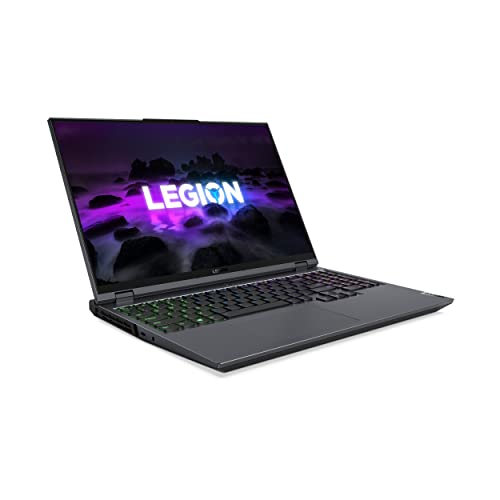
If one machine defined the RTX 3070 era for enthusiasts, it was this one. The Legion 5 Pro paired the card, at a full-power allowance, with a 16-inch QHD screen in the taller 16:10 format that the whole industry has since adopted, a Ryzen 7 5800H whose eight cores were the era’s benchmark for mobile efficiency, 16GB of memory and a terabyte of storage. Reviewers of the day treated it as the default recommendation, and time has been kind to that judgement: the screen remains genuinely good, the cooling remains genuinely strong, and the chassis remains the one rivals were measured against.
What should a buyer today expect? A machine that runs the current catalogue at 1440p with high settings in most titles, that stays composed under sustained load better than thinner rivals, and whose keyboard and port layout — including the Legion habit of putting sockets at the rear, where cables belong — make docked life pleasant. What to inspect is equally clear: the 5800H generation is old enough that a hard-used unit may have tired fans and a battery that has lived many cycles, so the refurb grade and returns window are not paperwork but the substance of the purchase. Buy a well-graded Legion 5 Pro and you own the era’s benchmark machine; buy a careless one and you own its previous owner’s habits.
- Display: 16-inch QHD 16:10 gaming panel
- Processor: AMD Ryzen 7 5800H, eight cores
- Graphics: NVIDIA GeForce RTX 3070, 8GB, full-power implementation
- Memory and storage: 16GB memory, 1TB SSD
- Cooling: Legion dual-fan system with rear exhaust
- Character: the era’s benchmark all-rounder
Strengths
- Full-power 3070 with the cooling to sustain it
- 16:10 QHD screen was ahead of its time and still feels modern
- Ryzen efficiency gives it the group’s best unplugged manners
Trade-offs
- Refurb and remaining-stock channels only — inspect before you commit
- Weight is substantial, as flagship-era cooling demands
- 8GB of VRAM will set texture ceilings in the newest titles
Best for: enthusiasts who know exactly why this machine was famous and want a well-kept example of it.
Not suited for: buyers who want a sealed, current-generation product with a full factory warranty by default.
Alienware m15 R6 — 360Hz Esports Instrument
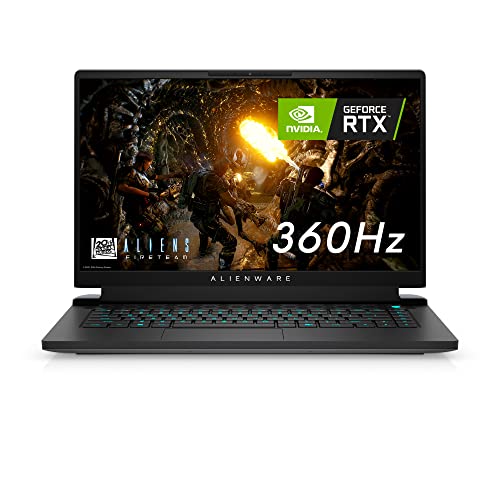
The m15 R6 is the specialist of this guide, and its specialism is written on its screen: a 15.6-inch FHD panel refreshing at 360Hz with a 1ms response claim, a specification that only makes sense — and then makes complete sense — for competitive players. At 1080p the standard RTX 3070 in this machine can feed very high frame rates in esports titles, and the 360Hz panel turns that output into the smoothest motion this list can offer. The supporting cast is serious: a Core i7-11800H, a generous 32GB of DDR4 memory and a 1TB SSD, wrapped in Alienware’s distinctive, polarising design language.
Judge this machine by its intended job and it is superb; judge it by any other and it looks eccentric. The FHD resolution that competitive players prefer — because frames matter more than pixels at their level — is a step down in sharpness for cinematic games, where the QHD picks above will look clearly better. Alienware’s cooling in the R6 generation runs warm and audible under full load, the price of compact performance in that era’s design. And the same refurb-era cautions apply with interest, because esports machines live hard lives at high temperatures. For the player whose world is ranked ladders, though, a well-checked m15 R6 remains a genuinely distinctive tool: nothing newer at comparable money offers this screen.
- Display: 15.6-inch FHD, 360Hz, 1ms response
- Processor: Intel Core i7-11800H
- Graphics: NVIDIA GeForce RTX 3070, 8GB
- Memory and storage: 32GB DDR4 memory, 1TB SSD
- Design: Alienware flagship styling with advanced cooling of its era
- Character: a competitive instrument, deliberately uncompromising
Strengths
- 360Hz screen is unique in this guide and transformative for esports
- 32GB of memory is generous even by current standards
- 3070 at 1080p delivers the frame rates the panel demands
Trade-offs
- FHD resolution is visibly less sharp than the QHD picks for cinematic games
- Runs warm and audible under sustained load
- Competitive machines live hard lives — condition checks are essential
Best for: ranked competitive players who measure screens in hertz and milliseconds, not inches and pixels.
Not suited for: players of slow, beautiful games, who should take a QHD pick and never look back.
Alienware x17 R2 — RTX 3070 Ti Flagship
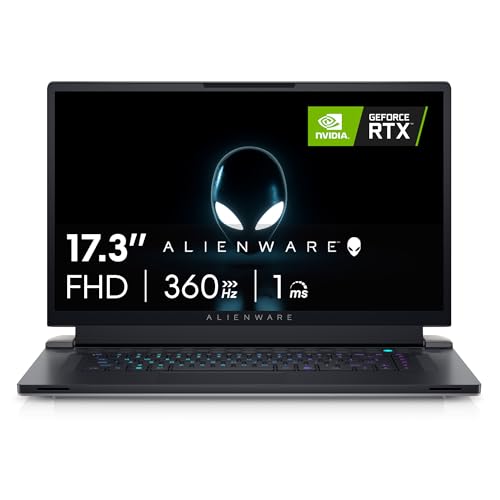
Read the badge carefully, because it changes the machine: the x17 R2 carries the GeForce RTX 3070 Ti, not the standard 3070, and the Ti is a meaningfully stronger card — more cores, faster memory, and in this 17.3-inch flagship chassis, the cooling and power budget to use them. Around it Alienware built the era’s definitive big laptop: a 17.3-inch FHD screen at 360Hz, a Core i7-12700H from the newer 12th generation with its hybrid core design, 16GB of memory and a terabyte of storage. In its day this was a no-excuses flagship; as remaining or refurbished stock it is the most powerful machine in this guide by a clear margin.
Size is the contract you sign. A 17.3-inch flagship is a desk that folds, not a laptop that travels — it will fit in large backpacks and dominate small desks, and its power supply is a substantial brick. In exchange, the big chassis gives the Ti silicon room to sustain performance that smaller 3070 machines cannot match, and the 360Hz screen serves both competitive play and the simple pleasure of an impossibly smooth desktop. The 12th-generation processor also makes this the most modern-feeling machine here away from games. Apply the guide’s inspection discipline — this model’s flagship status made it a hard-used favourite — and a sound x17 R2 is the closest thing this generation offers to a future-proof purchase.
- Display: 17.3-inch FHD, 360Hz, 1ms response
- Processor: Intel Core i7-12700H, 12th generation
- Graphics: NVIDIA GeForce RTX 3070 Ti, 8GB GDDR6 — the Ti variant, stronger than the standard 3070
- Memory and storage: 16GB memory, 1TB SSD
- Design: full-size Alienware flagship chassis with flagship cooling
- Character: the most powerful and the least portable pick here
Strengths
- RTX 3070 Ti is a clear step above every standard 3070 in this guide
- 12th-generation processor is the most modern silicon here
- Large chassis sustains flagship performance without throttling drama
Trade-offs
- 17.3-inch flagship size and weight end most travel ambitions
- FHD resolution on a large screen is less sharp than QHD rivals
- Flagship-era machines were often driven hard — verify condition closely
Best for: desk-based players who want the strongest card in this generation and a screen built for speed.
Not suited for: anyone who carries their laptop daily, or who sits close to a large screen and prizes sharpness.
Razer Blade 15 Advanced (RTX 3070) — Premium Slim Pick
The Blade 15 Advanced was the machine that proved a gaming laptop could look like a MacBook’s darker sibling: a slim aluminium unibody, a superb keyboard and trackpad, and an RTX 3070 in a chassis thinner than anything else in this guide. It remains the pick for buyers who value design and portability within this generation, and its screens — the Advanced line offered high-refresh FHD and QHD variants — were among the era’s best. We present it without a link deliberately: current availability runs through refurbishers and resellers whose individual units vary enormously, and the honest recommendation is to hunt it through a channel with graded condition and a returns window rather than to chase any single listing.
Know its compromises before the hunt. The thin chassis gives its 3070 a lower power allowance than the Legion or AORUS implementations, so expect somewhat lower sustained frame rates in exchange for the portability. Razer batteries of this era have a known tendency to swell with age and heat, so a refurbished Blade deserves a specific question about battery condition and a close look at the chassis seams and trackpad level when it arrives. A good unit, though, is a genuinely lovely object that still plays the catalogue at 1440p or high-refresh 1080p — the connoisseur’s Blade, bought with a connoisseur’s caution.
- Display: high-refresh FHD or QHD variants, depending on the unit found
- Processor: Intel Core i7 of the 2021 generation
- Graphics: NVIDIA GeForce RTX 3070, 8GB, lower power allowance than the big chassis picks
- Memory and storage: varies by unit — confirm the exact configuration with the refurbisher before paying
- Build: slim aluminium unibody, the thinnest design in this guide
- Availability note: this recommendation is for the model, sourced through graded refurb channels with returns; no single live listing is endorsed here
Strengths
- Design and portability nothing else in this generation matches
- Excellent keyboard, trackpad and screen options
- Still a capable 1440p and high-refresh 1080p gaming machine
Trade-offs
- Lower GPU power allowance than the full-size picks
- Battery condition needs specific verification on any unit
- Refurb-only availability means patience is part of the price
Best for: design-conscious players willing to hunt patiently through reputable refurb channels.
Not suited for: buyers who want to order today with certainty, or who prize sustained performance over slimness.
Gigabyte AORUS 15P (RTX 3070) — Understated Performer
The AORUS 15P was the enthusiast’s sleeper pick of the 3070 era: a full-power implementation of the card in a comparatively discreet 15.6-inch chassis, with a high-refresh screen, a proper keyboard and none of the visual shouting of its rivals. Gigabyte’s gaming line has always spent its money on the thermal system rather than the light show, and the 15P’s sustained performance in long sessions was its quiet party trick. Like the Blade above, it appears here without a link — its remaining availability is refurb-led and intermittent, and a model-level recommendation with channel advice is the honest format for it.
Hunting advice specific to this machine: confirm the exact sub-variant, because the 15P line spanned more than one screen and configuration, and confirm the graphics power allowance where the refurbisher can state it, since that figure is this model’s whole appeal. Check the hinge and the screen bezel carefully on arrival; big-screen gaming laptops of this era that were carried daily show it there first. Find a clean one and you have the thinking person’s 3070 laptop — flagship performance that can sit in a meeting without announcing itself, at refurb money.
- Display: 15.6-inch high-refresh FHD panel, variant-dependent
- Processor: Intel Core i7 of the 2021 generation
- Graphics: NVIDIA GeForce RTX 3070, 8GB, full-power implementation
- Memory and storage: differs between sub-variants — have the seller state the fitted amounts in writing
- Design: discreet chassis with enthusiast-grade cooling
- Sourcing note: recommended as a model to source from graded refurbishers; stock is intermittent and no specific listing is linked
Strengths
- Full-power 3070 with cooling that sustains it
- Discreet design suits work and shared spaces
- Was overlooked new, so refurb pricing can be kind
Trade-offs
- Sub-variants differ — specification must be confirmed per unit
- Availability is intermittent; the hunt may take weeks
- Same generational battery and wear checks as every pick here
Best for: patient enthusiasts who want flagship-era performance without flagship-era styling.
Not suited for: anyone shopping to a deadline, or who wants a single click to settle the matter.
Why does wattage matter even more on this generation?
Because the RTX 3070’s laptop life spanned the widest power range of any modern gaming GPU. The same nameplate appeared in slim machines at restrained wattages and in flagships at full power, and the performance gap between those extremes is larger than the gap between some entirely different card models. This is the single most important technical fact about buying a 3070 laptop, and it is why this guide’s linked picks are all substantial chassis with serious cooling: a full-power 3070 remains a genuinely fast 1440p card, while a starved one is a cautionary tale with good marketing. When you evaluate any 3070 machine beyond this list — including the ASUS TUF Dash F15, a slim model of the era that circulates widely in renewed channels — establish the graphics power figure before anything else, and treat a seller who cannot or will not state it as a seller answering a different question than the one you asked.
The Ti in the x17 R2 deserves its own sentence in this discussion. The RTX 3070 Ti is not a trim level but a stronger chip, and in a flagship chassis with a flagship power budget it stands at the top of what this generation can do in a laptop. If your shortlist comes down to a standard 3070 in a beloved chassis or the Ti in the big Alienware, the honest answer is that they are different products for different desks, and the sections above were written to keep that distinction impossible to miss.
How do you inspect a refurbished or remaining-stock gaming laptop?
Methodically, and within the returns window, because that window is your laboratory. On arrival, before installing anything, examine the chassis: hinge play, screen bezel gaps, a trackpad that sits level rather than domed — a domed trackpad can mean a swelling battery beneath it, which ends the inspection and starts the return. Power it on and check the screen with solid colours for dead pixels and backlight bleed. Then run a demanding game or a free GPU stress tool for thirty minutes while watching temperatures and listening to the fans; a healthy machine is loud and smooth, while a sick one rattles, surges or throttles its clocks downward as it warms.
Check the battery’s reported health in the operating system’s battery report, which states its current full-charge capacity against its design capacity; a unit holding most of its design capacity is a keeper, while a deeply worn one is a negotiation or a return. Verify every port, every key and the webcam. Confirm the configuration inside matches the listing — memory, storage and above all the exact graphics card variant — because variant confusion is the era’s most common honest mistake and its least honest sales trick. Keep notes with dates. A machine that passes all of this has earned your trust in a way no listing description can confer, and a machine that fails has failed cheaply, inside the window where failure costs you nothing.
What should the warranty and returns picture look like?
For this generation, the returns window matters more than the warranty document, because most faults a refurbished machine carries announce themselves in the first fortnight of honest use. Buy through channels that offer a real window — measured in weeks, not days — and treat anything shorter as a discount you are being paid to accept risk, which is occasionally worth it and never worth it unknowingly. Where a refurbisher offers graded condition, understand their scale before ordering: the difference between their top grade and their middle grade is usually the difference between a machine that was returned and a machine that was used, and for a gaming laptop that distinction is written in fan wear and battery cycles.
Manufacturer refurbished programmes, where they exist for these brands, are the gold standard: the machine has been inspected by people with the parts bin, and it usually carries a real, if shorter, warranty. Third-party refurbishers range from excellent to theatrical, and their reviews — specifically reviews mentioning returns handling — are the document to read. Remaining factory stock, sealed and old, is its own case: the hardware is new but the battery has aged in the box and the warranty clock may have opinions about purchase dates, so register it immediately and keep the receipt where your future self can find it.
How well does a 3070 laptop actually play in 2026?
Better than its age suggests, with one honest boundary. The back catalogue — which is to say, most of the games most people play — runs beautifully: 1440p, high settings, high refresh in competitive titles, and DLSS available across a wide swathe of the last several years of releases. Current heavy titles run well at 1440p with settings tuned and DLSS engaged, and very well at 1080p. The boundary is drawn by the 8GB of VRAM and by features this generation predates: the newest releases with mandatory ray tracing or enormous texture pools will ask for medium textures and upscaling, and frame generation of the modern kind is not available to this architecture. A buyer whose library is the living catalogue will be delighted; a buyer who plays only launch-week flagships at maximum everything should buy newer silicon and consider this guide a history lesson.
There is a creative footnote. The same CUDA cores that game also accelerate video editing, streaming encoders and 3D work, and the flagship-era chassis in this list — with their good screens and strong cooling — make capable creator machines for the software of their period and well beyond. A refurbished 3070 laptop is, for a student filmmaker or a hobbyist streamer, one of the most capable computers obtainable at refurb money, provided the inspection discipline above is followed. Value hides where fashion has moved on, and fashion has thoroughly moved on from this generation — which is exactly the opportunity.
What will you need to budget beyond the machine?
Plan for the consumables of an older performance laptop. A battery replacement at some point in its life with you is a probability, not a pessimism, and checking the price and availability of a battery for your specific model before purchase is a five-minute task that separates the shrewd refurb buys from the stranded ones. Thermal paste dries with age and heat cycles; a repaste by a competent shop, or carefully by your own hand with a guide, can restore temperatures and quiet that the machine has not had in years. A can of compressed air and a soft brush are the ongoing version of the same care.
Then the usual desk economy applies: a stand for airflow and posture, a mouse worthy of the 360Hz screens in this list, a headset to privatise the fan noise, and a backup drive, because a refurbished machine holding the only copy of anything is a story with a sad chapter scheduled. None of this is a hidden scandal; it is the honest total cost of a flagship-era machine, and it still sums to far less than the flagship’s launch position. That arithmetic is the entire case for this generation, stated in one paragraph.
How do these flagship-era screens and keyboards hold up today?
Remarkably well, and in one respect better than well: the early 2020s flagship tier standardised things that budget laptops still treat as luxuries. The QHD panels in the OMEN and the Legion are bright, colour-complete screens that shame the dimmer panels fitted to many newer mid-range machines, and the 16:10 aspect of the Legion’s display — radical in 2021 — is simply what a modern laptop screen looks like now. The 360Hz panels in the two Alienwares remain exotic even by current standards; refresh rates that high have retreated to a niche in newer line-ups, which makes these refurbished units an oddly direct route to a specification money struggles to buy new.
Keyboards follow the same pattern. This era’s flagship decks — the Legion’s deep, quiet board, the OMEN’s full layout, Alienware’s distinctive switches — were built when manufacturers still competed on typing feel, and they compare favourably with the shallow, cost-trimmed boards on many current value machines. Trackpads are the one place age shows: smaller and less glassy than today’s best, they are serviceable rather than delightful, and since every owner of a gaming laptop should own a mouse anyway, it is the right place for age to show. Webcams are period pieces at 720p on several of these; an external camera is the standard cure, and every pick has the ports for one.
What about heat, noise and the physics of older flagships?
These machines were built before efficiency became the industry’s religion, and they behave like it. Under full load they draw serious power, move serious air and make a sound best described as purposeful. The big chassis — the Legion, the x17 — manage that energy with the most grace, spreading heat across large vapour surfaces and exhausting it rearward, away from your hands. The Blade, at the other extreme, concentrates flagship ambition into a thin body and pays for it in surface warmth and fan pitch; its owners have always accepted that trade knowingly, and a refurb buyer should accept it with the same open eyes rather than discover it with surprise.
The good news is that age-related thermal decline is mostly reversible. The two great causes of an older gaming laptop running hotter than it did when new are dust in the fin stacks and dried thermal interface material, and both yield to an afternoon of careful maintenance: fans held still against compressed air, old paste replaced with fresh, pads inspected. Owners who perform this service on a refurbished unit routinely describe the result as a different, quieter machine. Budget that afternoon into your purchase plan — or the modest cost of a shop doing it — and the thermal story of this generation stops being a warning and becomes one of its satisfactions: hardware you can actually maintain.
Who should walk past this generation entirely?
Honesty requires naming them. Players whose library is the current year’s flagship releases, played at launch at maximum settings, will find the 8GB of VRAM and the older architecture a recurring negotiation, and their money is better spent on newer silicon. Buyers who cannot abide any uncertainty — who need a sealed box, a full factory warranty and a support line that answers for everything — should buy new and accept the different compromises of the current budget tier. Travellers who game in airport lounges and client offices will find these flagship-era machines, the Blade excepted, heavier and hungrier than modern equivalents, with power bricks to match.
And anyone buying for a child or a non-technical relative should think twice, not because the machines are fragile but because the purchase model is not: this generation rewards an owner who will run the battery report, watch the temperatures for a week and keep the fans clean. Given that owner, these are some of the most satisfying laptops obtainable at their money. Without that owner, a new mid-range machine with a warranty and no homework is the kinder gift. The guide’s enthusiasm is real, and so is its condition: this is a generation for people who enjoy knowing their machine.
What does a fair deal look like in this market?
A fair deal has a shape you can learn to recognise. The listing names the exact model and sub-variant, states the graphics card and — ideally — its power allowance, declares the condition grade in the seller’s own scale, shows real photographs of the actual unit or a representative graded example, and sits inside a channel offering a returns window measured in weeks. The price, in qualitative terms, should sit clearly below what the same money buys new in the current mid-range, because that gap is your compensation for age, wear and homework. When a listing is dramatically cheaper than its siblings, the discount is information: something about the unit — grade, battery, variant, warranty — is different, and the seller’s silence about which thing it is should be read as the answer.
Conversely, do not let a fair-priced, well-graded unit slip away while hunting for a miraculous one. The stock of good examples of these machines is finite and shrinking, because the well-kept Legion 5 Pros and OMEN 16s of the world are being bought by exactly the readers this guide is written for. Decide your inspection standard, set your shortlist from the six here, and when a unit that meets the standard appears in a channel you trust, the correct move is to buy it and start the inspection clock — not to wait for the market to produce a better one out of a supply that only ever moves in one direction.
How do you set up an older flagship for a second life?
Begin with a clean foundation. If the machine arrives with a previous owner’s Windows installation, reset it fully or reinstall from the manufacturer’s recovery image; you inherit no one’s settings, trials or mysteries that way. Update the operating system completely, then the chipset and graphics drivers, then the manufacturer’s control utility — in that order, because each layer assumes the one beneath it is current. Check the BIOS version against the manufacturer’s support page, since flagship-era machines received meaningful stability and fan-behaviour updates, and a refurbished unit may have missed years of them. Set the battery charge limit if the brand’s utility offers one; a machine that lives docked ages its battery far more slowly when it is not held at a permanent full charge.
Then tune it like the performance machine it is. Confirm the screen is running at its full refresh rate, because reset systems love defaulting to 60Hz. In the graphics control panel, set the discrete GPU as the preferred processor for games. Choose fan profiles per context — a quiet profile for the desk by day, a full profile for the evening’s demanding title — rather than living in whichever mode the previous owner preferred. Run one trusted benchmark or one familiar game and record the temperatures and frame rates in a note; that note is your baseline, the document that turns a future ‘is it slower than it was?’ from a feeling into a fact. Finally, make the backup. A second-life machine holding a first copy of anything is a risk with no upside, and the external drive you buy this week is the cheapest insurance in the whole purchase.
What happens in year two of owning one?
Year two is when a well-bought 3070 laptop quietly proves its owner right. The machine has passed its inspection, received its cleaning and repaste, and settled into the household’s rhythms; the settings in its games have drifted a notch in the newest titles and not at all in the catalogue that fills most evenings. This is also when the economics become vivid, because the alternative — the newer mid-range machine bought at the same time for similar money — is showing its own compromises by now: a dimmer screen, a sealed chassis, a battery that cannot be sourced. The flagship-era machine, by contrast, still takes parts, still takes upgrades, and still has a community of owners who documented every quirk it owns years ago.
Plan the mid-life service rather than waiting for symptoms. Fans cleaned, paste refreshed if temperatures have crept, the battery report re-run and compared with your arrival notes, storage health checked with the drive maker’s utility. An hour, twice a year, is the entire maintenance religion of this generation, and it is a large part of why these machines develop devoted owners. Hardware that can be understood and serviced tends to be kept; hardware that cannot tends to be replaced. When the end eventually comes — a board fault, a screen failure beyond economic repair — it will come to a machine that has already repaid its purchase several times over in evenings exactly like the ones it was bought for.
A word about the community knowledge around these machines
One of the unlisted specifications of a mature machine is its documentation — not the manufacturer’s, but the crowd’s. Every pick in this guide has been owned, benchmarked, undervolted, repasted and argued about by thousands of people for years, and the residue of that argument is searchable in a way that a new model’s never is. The exact fan curve that quiets a Legion 5 Pro, the driver version an OMEN 16 prefers, the battery part number a Blade needs: all of it exists, written by owners, usually with photographs. When you buy into this generation you inherit that library, and it materially lowers the risk of ownership, because there is almost no fault your machine can develop that someone has not already diagnosed in public.
The same maturity applies to parts. Screens, fans, keyboards, batteries and hinges for these flagship-era models circulate through a real aftermarket, because the installed base was large and the machines were worth repairing. Contrast that with an obscure current budget model whose fan exists in one warehouse and whose battery may never be stocked again. Longevity is not only a property of the machine you buy; it is a property of the ecosystem around the machine, and on that measure this generation — famous, numerous and documented — is stronger than its age would ever suggest.
How should you choose between the standard card and the Ti?
Decide by desk and by library. If the machine will live on one desk, under a strong power supply’s worth of cooling, and its library leans toward demanding single-player titles, the Ti in the x17 R2 converts directly into settings you can raise and frame rates you can feel, and its newer processor sweetens everything the machine does outside games. If the machine must move — between rooms, houses, campuses — the standard 3070 in the Legion or the OMEN delivers the overwhelming majority of the experience in a body that can actually be carried, and the QHD screens on those two will look sharper than the big Alienware’s FHD panel at the distances a laptop is actually viewed from. Neither answer is the consolation prize; they are different flagships aimed at different lives, which is why this guide refuses to collapse them into a single ranking and instead keeps asking the only question that resolves it: where will this machine spend its evenings?
One more honest topic: what these machines are like to sell on
Ownership of a well-kept flagship-era laptop tends to end in a sale rather than a skip, and the same documentation that protected you as a buyer protects you as a seller. A Legion 5 Pro with its battery report printed, its repaste dated and its original box kept is a machine a stranger can trust, and trust is what secondhand value is made of. Keep the accessories together, keep the service notes with them, and the laptop’s second life funds a meaningful share of its replacement. It is a fitting symmetry for this generation: bought carefully, kept honestly, and sold transparently, a 3070 flagship is less a purchase than a long, enjoyable loan of excellent hardware — and the interest is paid in games.
Comparison table
| Pick | Graphics | Screen | Memory / Storage | Defining trait |
|---|---|---|---|---|
| HP OMEN 16 | RTX 3070 | 16.1-inch QHD 165Hz | Verify per listing | Presentable flagship-era value |
| Lenovo Legion 5 Pro | RTX 3070 | 16-inch QHD 16:10 | 16GB / 1TB | The era’s benchmark all-rounder |
| Alienware m15 R6 | RTX 3070 | 15.6-inch FHD 360Hz | 32GB / 1TB | Esports refresh-rate instrument |
| Alienware x17 R2 | RTX 3070 Ti | 17.3-inch FHD 360Hz | 16GB / 1TB | Strongest card, largest chassis |
| Razer Blade 15 Advanced | RTX 3070 | FHD or QHD high-refresh | Varies by unit | Prose-only: slim premium design |
| Gigabyte AORUS 15P | RTX 3070 | 15.6-inch high-refresh FHD | Varies by variant | Prose-only: discreet full-power pick |
What mistakes do buyers of this generation keep making?
The gravest is buying the badge and not the wattage, ending with a slim, starved 3070 that performs like a lesser card while wearing a flagship’s name. The second is skipping the inspection fortnight — falling in love, installing everything, and discovering the tired battery or the rattling fan in week five, when the conversation with the seller has become a negotiation instead of a return. The third is confusing the Ti with the standard card in either direction: paying Ti money for a standard machine, or dismissing the x17 R2 as just another 3070. Buyers also forget that remaining stock may be years old in the box, with a battery that aged on a shelf, and that refurb grades are marketing dialects that differ by seller. Finally, people buy this generation for the wrong library: if your gaming life is launch-week flagships at maximum settings, no inspection discipline will make a 2021 card into a 2026 one. Buy it for the enormous, wonderful catalogue it plays superbly, and it will not disappoint you.
Final Recommendation
For most readers the Legion 5 Pro is the machine this generation will be remembered by, and a well-graded example is the purchase we would make ourselves: full-power card, era-defining screen, cooling that respects the hardware. The OMEN 16 runs it close with better manners for mixed work, the m15 R6 and the Ti-powered x17 R2 serve the speed-obsessed at two different sizes, and the Blade and AORUS reward patient hunters with designs the linked picks cannot match. Whichever you choose, let the inspection be as deliberate as the choosing, keep the service notes from the first week, and run the battery report before the return window closes — because a 3070 laptop bought with open eyes and a checked battery is not a compromise at all, but a flagship that waited patiently in a warehouse for an owner clever enough to come back for it.
Frequently Asked Questions
Is the RTX 3070 laptop GPU still good enough?
For 1440p gaming across the great majority of the catalogue, yes — especially in the full-power implementations gathered here, and with DLSS available in most major releases of the last several years. Its limits are 8GB of VRAM in the newest texture-heavy titles and the absence of modern frame generation.
What is the difference between the RTX 3070 and the 3070 Ti in a laptop?
The Ti is a stronger chip with more cores and faster memory, and in a flagship chassis like the x17 R2 it delivers a clear step up in frame rates. It is not a trim package. Check which one a listing actually offers; the distinction is the most commonly blurred line in this market.
Are refurbished gaming laptops a false economy?
They are an economy with conditions. Bought through graded channels with a genuine returns window, and inspected methodically in the first fortnight, a refurbished flagship-era machine is excellent value. Bought on a badge and a prayer from a channel with no returns, it can indeed be false. The channel and the inspection are the product as much as the laptop is.
How much battery wear is acceptable on a unit of this age?
Judge by the battery report’s full-charge capacity against design capacity. A unit holding the large majority of its design capacity will behave well for years; a unit that has lost a large share should be priced as a machine that needs a battery, or returned. There is no shame in either outcome — only in not checking.
Can I upgrade one of these machines?
Generally yes for memory and storage, which are socketed across most of this era’s flagship chassis, and that is part of their charm. The graphics card and processor are fixed for life, as in all gaming laptops, so the wattage and variant checks before purchase remain the decisions that cannot be revisited.
Related Guides
Set this generation in its wider landscape with our guide to the current higher-budget gaming laptops, compare what the thousand-dollar tier now offers new, and read the tighter-budget gaming laptop roundup to see exactly what the 3070 generation still does better than cheaper new machines.
Related guides
- Best 1440p 165Hz Monitors: One Native 165Hz Pick, Three 180Hz Upgrades, an Overclock Headline and a 160Hz Ultrawide
- Best 13×19 Professional Printers
- Best 3rd Party MacBook Chargers: 96W-Class Alternatives, the 100W Cable Rule, and the Apple Benchmark
- Best Built PC: Six Prebuilt Gaming PCs Judged on Parts, Power and Upgrades


