What's inside
- Key Takeaways
- Quick Picks
- How Did We Judge Alexa Compatibility?
- What Is the Real Difference Between Native and “Works With”?
- How Do the Six Compare Side by Side?
- How Should You Set Up Alexa Camera Viewing So It Actually Gets Used?
- What Can Alexa Not Do With These Cameras?
- What Mistakes Do Alexa Camera Buyers Keep Making?
- A Day in a House That Talks to Its Cameras
- What Happens When an Integration Breaks?
- Who Else Gets a Voice? Children, Guests and the Camera’s Audience
- How Should You Buy for the House You Will Have in Three Years?
- Final Recommendation
- Frequently Asked Questions
- Related Guides
As an Amazon Associate I earn from qualifying purchases. This post may contain affiliate links at no extra cost to you.
gizmoverdict.com is reader-supported. When you buy through links on our site, we may earn an affiliate commission.
Where to buy: all six cameras below are sold on Amazon under the names in the headings — an irony the guide will make use of, since buying a camera from Amazon and having it truly belong in Amazon’s voice ecosystem turn out to be two different things.
“Works with Alexa” might be the most elastic phrase in the smart home. It appears on cameras that Alexa can summon to a screen in two seconds with a doorbell press announced in three rooms, and on cameras that Alexa can, after a skill is enabled and an account is linked and the wind is favourable, eventually display in standard definition while two-way talk stays behind in the manufacturer’s app. Both claims are technically true. They describe different products, and the best alexa compatible cameras are best understood by sorting them into the two nations the phrase conceals: the natives — Blink and Ring, Amazon’s own camera companies, built inside the ecosystem — and the citizens by skill, from Wyze, Tapo and eufy, whose cameras visit Alexa through an integration layer.
Neither nation is simply better. The natives win on voice viewing, announcements and the sheer absence of setup friction; ask an Echo Show to show the front door in a Blink or Ring household and the picture simply arrives, while a doorbell press can announce itself on every Echo in the house like a butler with a network. The skill-based cameras often win on the camera itself — resolution, colour night vision, local storage without a subscription — because their makers compete on hardware while Amazon’s compete on belonging. The right purchase depends on which half of the experience you will touch more: the voice command, or the footage.
This guide therefore reviews each pick twice over, once as a camera and once as an Alexa citizen, and it keeps the two verdicts separate rather than blending them into a misleading average. It also assumes the reader owns, or is considering, the natural partner device: an Echo Show. A camera’s Alexa compatibility without a screen in the house is a radio play; with one, it becomes the experience the marketing photographs promise — the nursery on the kitchen display, the doorstep on the hall screen, summoned by voice while your hands are in the washing-up.
Key Takeaways
- Alexa compatibility comes in two tiers: native integration from Amazon’s own Blink and Ring, and skill-based integration from Wyze, Tapo and eufy — the tiers differ most in voice live-view speed and announcements.
- The Blink Outdoor 4 system is the deepest Alexa citizen among outdoor cameras: Echo Show viewing, motion announcements and routines, powered by batteries that last seasons.
- Ring’s battery doorbell delivers the signature Alexa moment — a press announced aloud and the visitor on screen — with no wiring.
- The Blink Mini 2K+ pair is the easiest indoor Alexa coverage, plug-in simple and fluent in routines from the first evening.
- Wyze’s Cam v4 and Tapo’s C211 prove the skill-based bargain: better hardware value and local storage, in exchange for a slightly longer path between command and picture.
- The eufy S350 is the best camera in the guide and a perfectly serviceable Alexa citizen — buy it for its lenses, and let the voice features be the bonus they are.
Keep the tier distinction in front of you as you read the table below and the reviews beyond it, because nearly every disappointment in this category is a tier misunderstanding wearing a product’s name. The cameras are all good at something; the guide’s job is to make sure the something matches the household that will be speaking to them.
Quick Picks
| Pick | Badge | Why it earns its place |
|---|---|---|
| Blink Outdoor 4 (System) | Best Native Outdoor | Amazon’s own battery system: Echo Show live view, spoken motion alerts and hub included, at 1080p with infrared nights. |
| Blink Mini 2K+ | Best Native Indoor | Two plug-in indoor cameras that join Alexa routines as naturally as an Echo joins a room. |
| Ring Battery Doorbell 2K | Best Doorbell Moment | Press the bell and the house announces it; ask, and the visitor appears — the Alexa party trick that never gets old, in 2K. |
| WYZE Cam v4 | Best Skill-Based Value | 2.5K and colour night vision at a budget price, viewable on Echo Show through the Wyze skill. |
| Tapo C211 (2-Pack) | Best Skill-Based Pair | Two pan-and-tilt cameras with local recording that Alexa can call to a screen — nursery duty, doubled. |
| eufy Security Indoor Cam S350 | Best Camera, Alexa Included | Dual-lens 4K with on-device intelligence and no subscription; its Alexa link is the garnish on the guide’s finest indoor hardware. |
How Did We Judge Alexa Compatibility?
We weighted the voice experience by the three moments households actually repeat. The first is summoning a live view: the sentence spoken to an Echo Show, and the seconds — counted honestly, including the skill-based cameras’ extra breath — before the picture stabilises. The second is announcement: whether motion or a doorbell press can speak its name aloud on chosen Echo devices, turning a silent notification on one person’s phone into a household event. The third is routines: whether a camera’s motion can trigger Alexa’s machinery — lights, announcements, other devices — because a camera that can turn on the porch light it watches is worth two that merely record the darkness.
On those three moments the natives lead, and the guide says so without embarrassment, because it is a fact about corporate architecture rather than engineering virtue. Blink and Ring are Amazon companies; their cameras speak to Alexa as family. The skill-based makers speak as honoured guests, through an API, and the conversation carries a slight accent: live view can take longer to open, some features stay in the home app, and the integration’s quality depends on a skill maintained by a third party. We scored that gap as real but modest — a matter of seconds and polish, not of capability denied — because for most households the camera’s own quality reasserts itself the moment the footage matters.
The camera half of the judgement used the ordinary virtues, applied strictly: resolution stated as the verified listings state it, night performance, storage philosophy, power source. One discipline deserves naming: this guide contains no invented measurements of latency or image quality. Where a difference is architectural — native versus skill — we describe it as architecture. Where listings were vague, we wrote qualitatively. An Alexa guide lives or dies on the accuracy of its expectations, because the reader will test every claim the same evening, out loud, in their kitchen.
We also considered the household that has not yet bought anything smart at all, because Alexa camera guides are often a first-time buyer’s first ecosystem decision disguised as a camera decision. For that reader the natives offer something genuinely valuable: a single account, a single app family for the voice layer, and a doorbell-and-camera estate that behaves coherently from the first evening, at the price of accepting Amazon’s storage philosophy. The skill-based route offers that same reader a slower start — two or three accounts, a linking ritual per brand — repaid in hardware quality and storage independence for years afterwards. Neither is the beginner’s trap; the trap is only ever buying without knowing which of the two journeys you have embarked on, and this guide has tried to make the signposts impossible to miss.
What Is the Real Difference Between Native and “Works With”?
Think of it as the difference between a resident and a visitor with a standing invitation. A native camera’s identity lives inside your Amazon account’s device graph: it appears in the Alexa app without a linking ritual, its live view opens through the same pipeline as a Ring doorbell’s, its motion can be announced by name, and its behaviour in routines is configured in the same screens as your lights and plugs. Setup is measured in the time it takes the app to find the camera, because in a meaningful sense it was never lost.
A skill-based camera arrives by introduction. You enable the maker’s skill, sign in with that maker’s account, and grant the connection; from then on Alexa can request the camera’s stream and display it on an Echo Show, which covers the majority of what households ask for. The seams show at the edges: the stream may open in the maker’s own time, two-way conversation through the Echo may be limited where the maker’s app offers it richly, firmware and skill updates travel on the maker’s schedule, and if the skill ever stumbles, the camera falls back to being excellent inside its own app and invisible to Alexa until the bridge is repaired. None of this is a scandal. It is simply the physics of two companies integrating, priced into cameras that usually cost less or see better.
The practical translation for buyers is a question about their own habits. Households that talk to their homes constantly — screens in the kitchen and hall, routines choreographing mornings — will feel the native polish daily and should weight it heavily. Households that mostly review footage after an alert, in the maker’s app, will barely meet the integration layer at all, and should buy the better camera. This guide’s six picks were chosen so that both households can shop from the same page without either being served a compromise dressed as a consensus.

Blink Outdoor 4 (System) — Best Native Outdoor
As an Alexa device, the Outdoor 4 system is what the phrase promises when it is not being elastic. The cameras and their included Sync Module Core join the household’s Amazon account as natives: say the words to an Echo Show and the garden, the gate or the side path appears, carried there without a skill, a linking screen or a prayer. Motion can announce itself aloud — a calm voice in the kitchen remarking that movement was detected at the back door — which transforms the camera from a recording device into a member of the household’s attention. Routines complete the citizenship: the same motion can bring up lights, and the whole arrangement is configured in the Alexa app alongside every other device the house obeys.
As a camera, it is the disciplined battery unit this site has praised elsewhere, specified honestly here as elsewhere: 1080p by day, infrared by night, two-way talk, and a battery life claim of up to two years that holds under the light-event conditions a garden gate provides. The hub in the box matters to the Alexa story as much as to the power story, because it is the always-awake citizen that lets the cameras sleep; a voice request wakes the system through it in a way that preserves the batteries the request would otherwise spend. For an Alexa household covering its exterior, no other arrangement in this guide is as coherent.
The ceilings are the known ones. Live view is a visit, not a residence — battery cameras ration streaming, so the Echo Show shows you the gate when asked rather than monitoring it all afternoon. The 1080p picture on a large Echo Show is adequate rather than lush. And Blink’s cloud tier courts the household for long-term clip storage. Accept those, and this is the native outdoor pick in its purest form: the camera Alexa would choose for its own garden, because in every way that counts, Amazon did.
- Alexa tier: native — Echo Show view, announcements, routines
- Video: 1080p HD, infrared night view
- Power: battery, up to two years under light use
- Included: Sync Module Core hub
- Audio: two-way talk
Strengths
- Voice live view with no skill, no linking, no perceptible ceremony
- Spoken motion announcements turn alerts into household events
- Hub-based design protects the battery life voice requests would drain
Trade-offs
- Battery discipline rations long live-view sessions on the big screen
- 1080p is honest but modest on a large Echo Show
- Clip history leans toward the cloud plan
Best for: Alexa households covering gardens, gates and side doors natively.
Not suited for: all-day screen monitoring, or buyers outside Amazon’s ecosystem.

Blink Mini 2K+ — Best Native Indoor
Indoors, the native advantage shrinks to its most likeable form: nothing to think about. The Mini 2K+ pair plug into sockets, join the account, and are thereafter simply there — in the Alexa app, in routines, on the Echo Show when a voice asks for the nursery or the hallway. Their 2K video, night vision and improved audio make them respectable cameras in their own right, a clear generation beyond the original Mini’s impressionistic footage, but their real product is citizenship. A routine that shows the baby’s room on the bedroom Echo at a sentence, an announcement when the hallway stirs after midnight: these are the small magics that make a smart home feel smart rather than merely busy, and the Minis perform them natively, in pairs, from the first evening.
The pair format deserves attention in an Alexa context, because two rooms of coverage changes what routines can mean. One Mini watches the front door’s interior, the other the children’s corridor, and the household’s evening routine can arm both, announce from both and display either, without the choreography ever leaving Amazon’s app. For grandparents visiting, for the parent cooking with wet hands, for anyone who has ever wanted the camera view without finding the phone first — the voice path is the product, and here it has no toll booths.
The compromises are storage and station. Blink’s world stores its clips most happily in the cloud tier, and the Mini is a mains-powered indoor device, so its map ends at the last interior socket. Buyers whose priority is subscription-free local recording should look at the Tapo and eufy picks below and accept their skill-based manners as the price. Buyers whose priority is a house that answers when spoken to will find these two small cameras the easiest yes in the guide.
- Alexa tier: native — routines, announcements, Echo Show view
- Video: 2K, night vision, enhanced audio
- Pack: two plug-in indoor cameras
- Power: mains — no batteries to manage
- Storage character: cloud-centred
Strengths
- Native voice control of two rooms from the first evening
- Routines and announcements configured entirely inside Alexa
- Plug-in power removes every battery consideration indoors
Trade-offs
- Long-term recording comfort lives in the subscription tier
- Indoor only, and only where a socket reaches
- No local card culture for the subscription-averse
Best for: Echo-furnished homes wanting nursery and hallway coverage by voice.
Not suited for: outdoor posts, or households boycotting camera subscriptions.
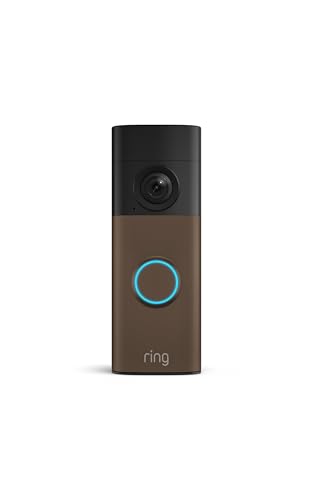
Ring Battery Doorbell 2K — Best Doorbell Moment
The single most theatrical Alexa interaction in the smart home belongs to the doorbell, and Ring — Amazon’s other camera company — performs it natively. A visitor presses; the house announces the door in whichever rooms the household has chosen; a face appears on the Echo Show by voice or, in configured homes, by itself. It is the demo every smart-home sceptic secretly enjoys, and unlike most demos it remains useful on the five-hundredth performance, because the doorstep is the one camera position whose events are always addressed to the household personally. Ring’s battery model delivers the full ceremony without doorbell wiring, in 2K, through a wide-angle lens that frames the caller’s face and the parcel at their feet in one composition.
Beyond the theatre, the doorbell is a well-judged camera for its post. The enhanced zoom reads the details of a caller who keeps their distance at the gate end of the path. Two-way talk through Alexa or the app handles the courier negotiation hands-free. The swappable battery pack suits a device whose wake-ups are dictated by the street: a charged spare in a drawer converts its one maintenance task into a ninety-second errand, and the announcements keep flowing through seasons of deliveries without the household ever opening the Ring app for anything but curiosity.
Its ecosystem honesty matches the Blink picks: Ring’s subscription tier is where video history lives most completely, and a household should enter that arrangement knowingly. The doorbell also, by definition, covers one threshold; the garden behind the house is another pick’s parish. But within its parish the Ring is the Alexa experience in concentrate — the device that makes visitors, including sceptical ones, understand in eight seconds why a camera would ever need a voice assistant at all.
- Alexa tier: native — press announcements, Echo Show visitor view
- Video: 2K, wide-angle doorstep framing
- Zoom: up to 6x enhanced zoom
- Power: rechargeable battery, swappable pack
- Audio: two-way talk via app or Alexa
Strengths
- The announcement-and-appear doorbell moment, performed natively
- No wiring — the full ceremony fits homes with no doorbell circuit
- Swappable power keeps the threshold covered through battery changes
Trade-offs
- One doorway is its whole world
- Video history is fullest inside the subscription tier
- Busy streets make both its battery and its announcements busy
Best for: any Alexa household whose front door lacks a voice-announced witness.
Not suited for: perimeter coverage, or subscription-free purists.

WYZE Cam v4 — Best Skill-Based Value
The Cam v4 is the guide’s clearest illustration of the skill-based bargain, struck in the buyer’s favour. As a camera it embarrasses price peers: 2.5K resolution, colour night vision that keeps the hues monochrome cameras surrender, a body rated for the porch as happily as the nursery, and two-way audio with genuine conversational clarity. As an Alexa citizen it arrives by introduction — the Wyze skill enabled, the account linked — after which an Echo Show can call up its view on request, and the household gains a screen window on whichever post the v4 occupies. The path from sentence to picture carries the skill tier’s characteristic extra moment, and in exchange the buyer keeps local card recording and a hardware specification the natives reserve for higher prices.
Judging the trade requires knowing your own household’s centre of gravity. If the camera’s day is mostly recording events for later review in the Wyze app — the porch parcel, the workshop visitor, the dog’s afternoon — the integration layer is a corridor walked twice a week, and the v4’s camera quality dominates the experience completely. If the household’s day is a liturgy of voice requests, the extra breath before the picture, repeated twenty times, becomes the experience, and the natives above earn their premium. Both households exist; this guide declines to pretend one of them is wrong.
The v4’s own caveats are by now familiar citizens of this series: it joins 2.4GHz networks only, and Wyze’s cloud tier holds its most elaborate detection labels while the essentials record locally. Neither touches the central case. For the buyer who wants the strongest camera their money buys and an Alexa window onto it that works perfectly well, the v4 is the value pick of the guide — skill-based, unashamed, and sharper than the natives it undercuts.
- Alexa tier: skill-based — Echo Show view via Wyze skill
- Resolution: 2.5K
- Night: colour night vision
- Network: 2.4GHz Wi-Fi only
- Use: indoor and outdoor rated
Strengths
- Camera hardware a tier above its price, colour night vision included
- Local recording keeps footage without a subscription
- Echo Show viewing works once the skill handshake is done
Trade-offs
- Voice live view takes the skill tier’s extra moment to open
- Two-way talk lives most fully in the Wyze app, not through Alexa
- 2.4GHz only — network configuration matters at setup
Best for: footage-first households wanting an Alexa window at a value price.
Not suited for: voice-liturgy homes that summon live views all day.

Tapo C211 (2-Pack) — Best Skill-Based Pair
The C211 pair brings the skill-based proposition to the nursery, twice. Each camera pans and tilts, records 2K to a local card without any subscription, watches by night vision and speaks by two-way audio — the complete indoor guardian specification — and the Tapo skill introduces both to Alexa, so an Echo Show in the kitchen can summon the cot or the playroom by name. The introduction is the same handshake as the Wyze’s: enable, link, name the cameras clearly, because a voice assistant’s usefulness is capped by the names you give things, and “Camera 1” is a name only a spreadsheet could love.
The pan-and-tilt character interacts with voice control in a way worth picturing. Alexa shows you the camera; the camera’s own app is where you steer it. In practice the household settles into a rhythm — the Echo Show for the glance, the phone for the investigation — and the rhythm is comfortable enough that the seam stops registering within a week. What the pair adds over a single camera is the end of the corridor dilemma: the nursery and the living room both covered, both summonable, both recording locally through the night while the household’s data stays in the house unless a clip is deliberately shared.
Tapo’s compromises are the skill tier’s standard set, plus one of placement: these are indoor cameras, and the Alexa household’s porch must look elsewhere in this guide. Within their rooms, though, the C211 pair offers the most complete subscription-free indoor coverage an Echo Show can call upon — two moving eyes, local evidence, and a voice door into both, at a pair price that makes the native indoor alternative justify itself on polish alone.
- Alexa tier: skill-based — Echo Show view via Tapo skill
- Resolution: 2K per camera
- Pack: two pan-and-tilt indoor cameras
- Storage: local SD card or cloud
- Features: night vision, two-way audio, siren
Strengths
- Two summonable, moving cameras with subscription-free local recording
- The Echo glance plus app steering rhythm suits nursery duty well
- Pair pricing makes two-room coverage the default, not the upgrade
Trade-offs
- Steering the cameras happens in the Tapo app, not by voice
- Live view opens at the skill tier’s pace
- Indoor only — the porch belongs to other picks
Best for: parents wanting two rooms on the Echo Show without a subscription.
Not suited for: households wanting to pan cameras by voice, or outdoor duty.

eufy Security Indoor Cam S350 — Best Camera, Alexa Included
The S350 reverses this guide’s usual order of questions. Begin with the camera, because it is the finest indoor instrument here: two lenses, a wide eye for the room and a telephoto for the truth, 4K recording, zoom that remains legible at eight times because it is optical in origin rather than a crop and a hope, and tracking that follows a toddler or a grandfather across the room while the detail lens keeps them portrait-sized. Its recognition runs on the device, its recordings need no subscription, and its pan-and-tilt base gives it the full circle. Then, almost as an afterthought the hardware barely needs, it also works with Alexa: enable the eufy skill and an Echo Show can call up its view like any other camera in this guide.
That ordering — camera first, compatibility as garnish — is the honest way to buy it, and this guide insists on the honesty because the S350’s Alexa experience is the standard skill-tier arrangement, competent and unremarkable, while its camera experience is anything but. The household that buys it for a nursery where detail is devotion, or a care situation where confirming a face and a posture at distance is the entire point, will use the eufy app for the deep work and Alexa for the glance, and will be served excellently by both in their proper proportions.
The costs are the premium’s usual companions: the highest commitment among the indoor picks, a streaming appetite to match its resolution, and an indoor-only remit. There is also a philosophical fit to consider — eufy’s local, on-device posture appeals to households minimising cloud dependence, and those households tend also to be the ones least invested in voice ecosystems. If that is your house, the S350 is not a compromise pick at all; it is the destination, with Alexa retained for the occasional screen glance. If voice is your household’s native language, the natives above speak it better. The guide’s last word on the S350 is the simplest: it is the best camera here, and it is Alexa-compatible enough — in that order, deliberately.
- Alexa tier: skill-based — Echo Show view via eufy skill
- Resolution: 4K, dual cameras with telephoto
- Zoom: up to 8x hybrid zoom
- Intelligence: on-device tracking and recognition
- Subscription: none required
Strengths
- Telephoto detail that no other indoor pick here can approach
- On-device intelligence and local recording respect privacy and budgets
- Alexa viewing included for the kitchen-screen glance
Trade-offs
- Alexa integration is the standard skill tier, not its selling point
- The premium indoor commitment, in price and bandwidth
- Indoor only, and proud of it
Best for: detail-critical indoor watching, with Alexa as a welcome extra.
Not suited for: voice-first households, or any outdoor post.
How Do the Six Compare Side by Side?
| Camera | Alexa tier | Video | Echo Show view | Storage character |
|---|---|---|---|---|
| Blink Outdoor 4 | Native | 1080p | Yes — by voice, hub-fed | Cloud-leaning |
| Blink Mini 2K+ | Native | 2K | Yes — by voice | Cloud-centred |
| Ring Battery Doorbell | Native | 2K | Yes — plus press announcements | Cloud tier for history |
| WYZE Cam v4 | Skill | 2.5K | Yes — via Wyze skill | Local card, cloud optional |
| Tapo C211 (2-Pack) | Skill | 2K | Yes — via Tapo skill | Local card, cloud optional |
| eufy S350 | Skill | 4K dual lens | Yes — via eufy skill | Local, no subscription |
The table’s honest message is that the tier column and the video column pull in opposite directions, and every buyer must decide which column is their headline. Native polish lives at 1080p and 2K; the sharpest eyes arrive by skill. There is no row that wins both, which is not a failure of this guide’s selection but a true map of the market as it stands — Amazon’s integration advantage and the independents’ hardware advantage are both real, and they are rarely sold in the same box. Buyers who accept that map early tend to be satisfied for years; buyers who keep hunting for the mythical row that tops every column tend to own three cameras and a grudge.
How Should You Set Up Alexa Camera Viewing So It Actually Gets Used?
Name cameras like a person who will speak to them at 6 a.m. The Alexa app and the makers’ skills all inherit the names you assign, and a household that calls its cameras “Front Door,” “Nursery” and “Garden” will use voice viewing daily, while a household stuck with model numbers and default labels will quietly revert to the phone. Rename during setup, in the maker’s app and in Alexa both, and keep the names short, distinct and impossible to mishear — a voice assistant parsing a tired parent’s mumble deserves every advantage you can give it.
Place the screen where the glances happen. The Echo Show’s natural habitats are the kitchen counter and the bedside, and camera viewing follows the screen: a household with its only display in a study will walk to the study twice and then stop walking. If camera viewing is a stated reason for the purchase, budget the screen’s position as part of the camera system, not as furniture. Then configure announcements with a light hand. Doorbell presses everywhere, by all means; motion announcements only from the cameras whose motion is genuinely news — the back gate, perhaps the nursery — because an Echo that narrates every cat has trained its household to ignore it by Friday.
Build one routine that justifies the whole ecosystem and build it first: motion at the front after dark brings up the porch light and announces the camera’s name. That single loop — detection, light, voice — is the experience that converts visitors and sceptics, and it exercises every part of the integration at once. Add routines one at a time, live with each for a week, and delete without sentimentality any that the household has started routing around. A voice home, like a camera system, is maintained by pruning as much as by planting.
What Can Alexa Not Do With These Cameras?
A clear-eyed list of the integration’s borders saves more disappointment than any feature list. Alexa is a viewing and announcing layer, not a replacement for the makers’ apps: the deep settings — motion zones drawn on the picture, sensitivity, recording schedules, firmware, card management — live in each brand’s own application, and a household that deletes those apps after linking the skill will find itself locked out of its own cameras’ brains. Two-way conversation is the second border: through Alexa it is available in its fullest form mainly in the native family, while skill-based cameras generally reserve their best talk experience for their own apps. The third border is permanence of view: Echo Shows display cameras on request and for reasonable sessions, but battery cameras ration streaming to protect their charge, and even mains cameras are guests on the screen rather than permanent picture-in-picture residents.
None of these borders is a trick, and all of them are discoverable in the first week — which is precisely why this guide prints them in the middle rather than the footnotes. The households that love their Alexa cameras are the ones whose expectations were set by an honest map: voice for the glance, the announcement and the routine; the maker’s app for the investigation and the archive. Set that expectation at purchase and the system feels like a partnership. Discover it by disappointment and the same system feels like a promise broken, though nothing about it changed except the brochure in your head.
What Mistakes Do Alexa Camera Buyers Keep Making?
The founding mistake is reading “works with Alexa” as a single standard and buying the cheapest camera that carries the phrase, then discovering the skill tier’s manners at the kitchen screen. This guide exists largely to prevent that one purchase. The second mistake is skipping the screen: buying Alexa cameras for a house with only a voice-only Echo, then concluding the compatibility was oversold, when in fact the window the cameras were meant to appear in was never installed. Cameras are a visual medium; Alexa’s camera features assume a display somewhere in the home’s daily path.
Then come the naming chaos and the announcement flood, twin self-inflicted wounds already prosecuted in the setup section: six cameras with factory names nobody can say, and every Echo in the house narrating every moth. Both are cured in ten minutes of configuration and both are, left uncured, fatal to the household’s affection for the system. The final mistake is subtler — deleting the makers’ apps in a tidiness purge, severing the settings, cards and firmware on which the Alexa layer floats. The voice assistant is the house’s mouth. The apps remain its memory, and a smart home needs both organs healthy.
A Day in a House That Talks to Its Cameras
The value of the native tier is easiest to feel as a schedule rather than a specification. At half past six the kitchen display is showing the weather when the driveway camera notices the paper delivery, and the house mentions it once, in the room where someone is making tea, and returns to silence. At eight, a parent with a toddler on one hip asks for the nursery — the toddler having been relocated there for a nap by the other parent, in the way of households — and the picture arrives while the question is still in the air, which is the entire difference between a system that gets used and a system that gets admired. The footage was always available in an app. The voice path is what turns availability into habit, and habit is what turns a camera into security.
The afternoon belongs to the doorbell. A courier presses at two; the announcement reaches the garden office, the visitor appears on its screen, and the parcel is directed into the box by a conversation held through the door itself — no phone hunted, no door opened, no delivery failed. At six the gate camera’s motion brings up the porch light because a routine says so, and the returning teenager is lit and announced in the same gesture, greeted by the house before any human in it has looked up. None of these moments is dramatic. Their accumulation is the product: a home whose cameras participate in its day at the level of glances and sentences, instead of waiting in an app for a crisis to justify their existence.
The skill-based cameras live in the same day more quietly, and it is worth picturing their version honestly rather than as a lesser copy. Their views arrive when asked, a breath later; their richest detail waits in their own apps, where the evening’s review — the parcel’s arrival, the workshop’s visitor, the nursery through the night — is sharper than anything the natives recorded. A household can run both nations at once, natives at the thresholds where voice matters and skill cameras where footage matters, and many of the happiest systems this guide’s research encountered were exactly that federation. The tiers are a map, not a war.
What Happens When an Integration Breaks?
Every smart home eventually holds the small ceremony of the camera that vanished from Alexa while remaining perfectly visible in its own app. The causes are mundane: a skill unlinked by an account change, a password rotated in the maker’s service, an update that reset a permission. The recovery is equally mundane and worth rehearsing once, calmly, before it is needed at midnight: confirm the camera is healthy in its maker’s app, re-enable or re-link the skill, rediscover devices, and confirm the camera’s name survived the resurrection — names are the first casualty of every re-linking, and half of all “Alexa can’t find it” mysteries are a camera that came back calling itself something else.
The native family is not immune to ghosts, but its failures are fewer and its recovery is a single account’s business. That asymmetry is, in the end, the most practical form of the native advantage: not speed, but the number of companies whose systems must all be healthy for your kitchen screen to show the gate. Households choosing the skill tier should simply budget the occasional ten-minute relinking as the rent on better hardware — a fair rent, most conclude, and one that shrinks with practice. Either way, the household rule is the same: fix integrations on a quiet afternoon, document what you did in the household’s notes, and never troubleshoot a camera system for the first time during the incident it was bought for.
Who Else Gets a Voice? Children, Guests and the Camera’s Audience
A voice-controlled camera has an audience problem no app ever faced: anyone within earshot of an Echo can ask. In most households that is a feature with charming edges — a child checking whether the dog is in the garden, a grandparent summoning the nursery without learning an app — and it quietly democratises the system beyond the person who installed it. But households should choose the arrangement deliberately. Guest rooms and short-stay spaces deserve thought about which cameras a visitor’s casual request could summon, and families with older children sometimes discover that the hallway camera’s audience includes everyone the hallway was meant to discreetly observe. The settings exist to shape this — device placement, announcement choices, which displays live in which rooms — and the time to shape them is setup day, not the evening a voice from the spare room asks for the garden and gets it.
The deeper point is that voice changes a camera’s social meaning. An app is private; a spoken request is a household act, overheard and discussable. Families generally find this healthy — the camera system becomes common property with common rules, rather than one member’s quiet infrastructure — and it nudges the whole arrangement toward the disclosed, proportionate end of the spectrum that every guide in this series recommends. A camera anybody can summon by name is a camera nobody suspects of secrecy.
How Should You Buy for the House You Will Have in Three Years?
Camera systems are rarely finished; they accrete. The doorbell justifies a garden camera, the garden camera justifies a second display, and one day the household owns nine lenses and a mild grievance about apps. Buying with that future in view changes a few present decisions. It argues for choosing your federation’s families early — the native house and at most one or two skill families — because every additional brand is another account, another archive and another integration to re-link after every password change. It argues for naming conventions that scale: room-plus-role names survive growth, while cute one-off names become a dialect nobody under the roof fully speaks. And it argues for displays bought as infrastructure, placed in the rooms where future cameras will also want to be glanced at.
It also argues for a moment of honesty about the ecosystem itself. An Alexa-centred camera estate is a bet on Amazon’s stewardship, and the natives deepen that bet while the skill cameras hedge it — a Wyze or eufy camera remains fully itself in its own app if the household’s voice allegiance ever changes, whereas a Blink estate is Amazon all the way down. Neither posture is foolish. The hedged household pays in integration polish; the committed household pays in optionality. What is foolish is drifting into either by accident, one impulse purchase at a time, and discovering at camera nine that the estate has a foreign policy nobody chose. Decide the policy while the estate is small, write it in the household notes, and let every future purchase be a citizen of a plan rather than a refugee from a sale.
Final Recommendation
Let your household’s centre of gravity decide. If your home talks — screens in the kitchen, routines at dawn, a doorbell that should announce itself — buy inside the native family: the Ring doorbell for the threshold, the Blink Mini pair for the rooms, the Outdoor 4 system for the garden, and let the whole estate answer to one voice without a single skill enabled. If your home mostly watches — reviewing the parcel, the nursery, the workshop after the fact — buy the better cameras and let Alexa be their window: the Wyze v4 for value, the Tapo pair for two subscription-free rooms, the eufy S350 when one room deserves the finest eyes in this guide.
Either way, the compatibility worth paying for is the kind you will still be using when the novelty has worn off: a name spoken half-asleep, a picture that arrives, a house that mentions the gate before you think to ask. Choose the tier that serves your habits rather than the phrase that serves the listing, and your cameras will feel less like gadgets integrated and more like residents. Start with the threshold — a doorbell or a single room — live with its voice manners for a month, and expand in the direction your own household’s sentences point; the right second camera is always the one your family has been asking the first one to be.
Frequently Asked Questions
Do I need an Echo Show to use an Alexa-compatible camera?
For viewing, effectively yes — a screen is where camera pictures live in the Alexa world. Voice-only Echo devices still earn their place through announcements and routines: a doorbell press spoken aloud, a motion alert from the back gate, lights triggered by a camera’s detection. But the household that buys cameras for Alexa should budget at least one display, placed where the household actually glances.
Why does my third-party camera take longer to appear on the Echo Show?
Because its stream travels through the maker’s skill — a request relayed between companies’ systems — rather than through Amazon’s own camera pipeline. A few seconds of difference is the tier working as designed, not a fault. If the delay suddenly grows or the view fails entirely, the remedies are the unglamorous ones: check the skill is still linked, confirm the camera is healthy in its own app, and restart the display.
Can Alexa record or manage my cameras’ settings?
No — Alexa views, announces and triggers routines; it does not administer. Motion zones, sensitivity, recording schedules, storage and firmware live in each maker’s app, for native and skill-based cameras alike. Keep those apps installed and signed in. The healthiest mental model is a partnership: Alexa is the voice and the screen, the maker’s app is the control room.
Can I talk to a visitor through an Echo Show?
With the native family, the doorbell conversation through Alexa is a headline feature and works as the demonstrations suggest. With skill-based cameras, two-way talk is generally at its best inside the maker’s own app, and the Echo experience may be view-only or more limited. If doorstep conversation by voice is a priority, that fact alone argues for the Ring pick in this guide.
Will these cameras work if I stop paying any subscription?
The cameras keep working; what changes is the archive. Blink and Ring reserve their fullest video history for subscribers, while the Wyze, Tapo and eufy picks record locally to card or device and lose little. Alexa viewing itself is not a subscription feature in any of these families — the voice window stays open regardless; it is the memory behind it whose rent varies.
Can Alexa show several cameras at once?
Echo Show displays are fundamentally one camera at a time in these integrations — you summon a view, look, and summon another. Households wanting a permanent multi-camera wall should treat that as a different product category, a dedicated monitor or kit screen, and keep Alexa for what it does uniquely well: the spoken request, the announcement and the routine that ties cameras to the rest of the house.
Can I mix Blink, Ring and third-party cameras in one Alexa home?
Yes — Alexa is unusually good at being the common room where different brands meet. Each family keeps its own app for settings and archives, while the Echo displays and announcements treat them as fellow citizens. The practical advice is to keep the federation small and purposeful: natives where voice matters most, one skill-based family where hardware matters most, and consistent names across all of them.
Does Alexa viewing use much of a battery camera’s charge?
Every live view is an awake, streaming session, and battery cameras budget accordingly — occasional glances are negligible, while a display left monitoring a gate all afternoon will show up in the battery’s month. Hub-based natives soften this by managing the conversation efficiently, but the physics remains: ask the camera to perform, and it spends. Save long monitoring sessions for mains-powered picks.
Related Guides
Keep exploring with our guides to the best affordable wifi security cameras, the best airbnb security cameras and Echo Show camera setups for nurseries.


