What's inside
- Key Takeaways
- Quick Picks
- What Does HDMI 2.1 Actually Give You?
- How Did We Build This Shortlist?
- How Many HDMI 2.1 Ports Do You Actually Need?
- VRR Ranges, ALLM and eARC: The Supporting Cast Explained
- Cables: The Cheapest Specification in the Whole System
- The Best TVs With HDMI 2.1 and 120Hz, Examined Port by Port
- What Does a 120Hz-Class Panel Do for Sport and Film?
- Does Any of This Matter If You Never Game?
- The Enhanced-Format Setting: The Trap Behind the Trap
- The Six at a Glance
- Will HDMI 2.1 Be Replaced Soon?
- Why Does 4K at 120Hz Need So Much Bandwidth?
- What About Receivers, Switches and Other Middlemen?
- How Do You Wire It All Up Correctly?
- One Remote to Rule the Stand: CEC Behaviour
- How Should You Spend the First Week With a High-Refresh TV?
- Which Connection Mistakes Waste the Most Money?
- Final Recommendation
- Frequently Asked Questions
- Related Guides
As an Amazon Associate I earn from qualifying purchases. This post may contain affiliate links at no extra cost to you.
gizmoverdict.com is reader-supported. When you buy through links on our site, we may earn an affiliate commission.
Where to buy: each television in this guide to the best tvs with hdmi 2.1 and 120hz is sold on its own Amazon listing at the size in its heading, and because this guide is about connections, treat the listing’s specification section as required reading — it is where port details live — before you check price on Amazon and commit.
Most television guides worship the panel and treat the sockets as plumbing. This one inverts the hierarchy, because for a growing class of buyers the port is the product. A television’s HDMI 2.1 inputs decide whether your console’s 120Hz modes exist at all, whether variable refresh can smooth a demanding game, and whether a soundbar, two consoles and a PC can coexist without a nightly cable ceremony. The best tvs with hdmi 2.1 and 120hz are therefore not merely televisions that list the right numbers; they are televisions whose connection story survives contact with a real entertainment stand.
Six models make this shortlist, and their refresh stories span the modern range: a native 120Hz TCL T7 that states its figure plainly, native 144Hz panels from TCL’s F8D, native 165Hz claims from two Hisense models, a Sony BRAVIA 3 II whose listing states both 120Hz and four HDMI 2.1 ports outright, and a Samsung QN80H whose Motion Xcelerator 144Hz framing requires the decoder this guide provides. Sizes run from 55 inches to a 75-inch Sony, because connection needs do not shrink with the room.
The discipline of this guide is documentary. Port counts are asserted only where a listing states them — Sony’s four HDMI 2.1 sockets being the honourable example. Where a maker does not print the count, we do not guess it; instead, each review tells you what to verify in that model’s specification, and a full section below teaches the verification method itself. In a category where the decisive detail is the one marketing least likes to print, teaching you to find it is worth more than another ranking.
Refresh figures get the same treatment. Native panel rates are quoted where makers state them. Branded accelerator numbers — Game Accelerator 240 and 288, Motion Xcelerator 144Hz — are identified as the processing-inclusive constructs they are: not meaningless, but not panel rates, and never comparable across brands.
Key Takeaways
- HDMI 2.1’s gift is bandwidth: the full specification carries 4K at 120Hz with HDR and VRR, which lesser ports physically cannot, regardless of what the panel behind them can do.
- Port counts vary silently — many sets offer full bandwidth on only some sockets, and one is often shared with eARC — so the specification sheet, not the headline, is the authority.
- Sony’s BRAVIA 3 II listings state a full quartet of HDMI 2.1 sockets outright; for every other pick here, verify the count and layout in the model’s own documentation before ordering.
- Native refresh is the comparable figure: 120Hz on the TCL T7, a stated native 144Hz on the TCL F8D, and claimed native 165Hz on the Hisense U7 and U8.
- Accelerator figures such as Game Accelerator 288 describe processing modes layered over the panel, useful context that must never be read as the panel’s rate.
- VRR ranges matter to PC players most; console players need VRR to cover their machines’ output range, which every high-rate pick here does comfortably.
Quick Picks
| Pick | Badge | Why it earns its place |
|---|---|---|
| TCL T7 55-inch | Best honest 120Hz value | A native 120Hz panel stated without decoration, with VRR and both dynamic HDR formats on Google TV. |
| Hisense U7 75-inch | Best big-screen gaming specification | Hisense claims native 165Hz and VRR up to 330 for this Google TV U7 listing, at a theatre-worthy size. |
| Samsung QN80H 55-inch | Best mini-LED picture with gaming pace | Neo QLED full-array contrast behind Samsung’s Motion Xcelerator 144Hz gaming framing. |
| TCL F8D 55-inch | Best Fire TV gaming route | A stated native 144Hz QLED panel inside Amazon’s Fire TV platform, with VRR for consoles and PC alike. |
| Sony BRAVIA 3 II 75-inch | Best documented ports | Four HDMI 2.1 ports and a 120Hz panel, both stated plainly on the listing, at a 75-inch scale. |
| Hisense U8 65-inch | Best specification ceiling | Native 165Hz claimed with VRR to 288, flagship dimming claims and 4.1.2 audio for the full system. |
What Does HDMI 2.1 Actually Give You?
Bandwidth, above all: up to 48Gbps in the full specification, against the far narrower pipe of the previous generation. That headroom is what allows a 4K picture at 120 frames per second to travel with HDR colour and variable refresh intact. A television can own a 120Hz panel and still strangle it with a lesser port, which is why this guide interrogates sockets before screens.
The supporting features ride on the same connection. VRR lets the panel synchronise to a game’s fluctuating output. ALLM lets a console order the television into its low-latency mode automatically. eARC sends high-quality audio back down the same cable to a soundbar, including the lossless formats older ARC could not carry. Each feature has its own requirements — the source must support it, the cable must be rated for it, the specific port must offer it — and a chain is only as capable as its weakest link, a sentence this guide will repeat because the category’s disappointments almost all live there.
Certification language helps when shopping the details: an Ultra High Speed HDMI cable is the rated category for full-bandwidth runs, and a port described as supporting 4K at 120Hz is the one your console wants. Ports described merely as HDMI 2.1 without that refresh pairing may carry a subset of the features, which is legal, common and exactly why the specification sheet matters.
How Did We Build This Shortlist?
Admission required two kinds of evidence from the listing itself: a native panel rate of 120Hz or better stated by the maker, or a gaming presentation — like Samsung’s Motion Xcelerator framing on the QN80H — strong enough to merit inclusion with its nature explained; and a credible HDMI 2.1 story, whether stated outright like Sony’s or verifiable in the model’s documentation. Sets whose connection claims dissolved under reading did not survive, however lovely their panels.
We also insisted on spread: three smart platforms, three panel philosophies, sizes from 55 to 75 inches, and positions from value to flagship. A connections guide that only serves one ecosystem would fail the households whose stands hold a bit of everything, which is to say most households.
Reader experience steered the emphasis throughout: the questions that flood in about this category are almost never about panels and almost always about a console that will not show 120Hz, a soundbar that stole a port, or a cable that failed on a Friday night. A guide that answered those questions honestly had to be built the way this one is — connections first, panels second, and every unverifiable claim labelled rather than laundered.
Finally, a note on what this guide refuses to do. It will not print a port count a maker did not state, will not convert an accelerator figure into a panel rate, and will not quote input-lag milliseconds no listing publishes. The gaps are labelled as gaps, with instructions for closing them, because a buyer’s own five minutes in a specification sheet beats a reviewer’s confident guess.
How Many HDMI 2.1 Ports Do You Actually Need?
Count your sources with ambitions, not your sources today. Each current console wants one full-bandwidth port to deliver its high-refresh modes. A gaming PC wants one. A soundbar or receiver claims the eARC socket, which on many televisions is itself one of the full-bandwidth set. A household with two consoles, a PC and a bar can therefore need four capable sockets — the exact configuration Sony states on the BRAVIA 3 II listings — while a single-console household is honestly served by two.
When the arithmetic fails, three remedies exist, in ascending order of elegance. A full-specification HDMI switch collects several sources onto one port, provided it is explicitly rated for the bandwidth and VRR passthrough. An AV receiver with capable passthrough does the same job while upgrading the sound. Or the humble manual swap survives for the second console that wakes twice a month. What does not work is hoping: a standard-bandwidth port will cap a 120Hz console at 60Hz silently, and the disappointment will be misdiagnosed as the game, the console or the television’s panel.
Future sources deserve a vote in the count as well. The stand that holds one console today tends to hold a second within a couple of years, and a streaming box or a disc player often joins for one stubborn catalogue. Buying one capable port beyond your current arithmetic is the cheapest future-proofing in this entire category — cheaper than a switch, cheaper than regret, and available only at the moment of purchase.
The verification ritual is short. Find the model’s specification or manual online, locate the HDMI section, and note which sockets carry the 4K120 or full-bandwidth designation and which one carries eARC. Do it before ordering, while the answer can still change the order.
VRR Ranges, ALLM and eARC: The Supporting Cast Explained
Variable refresh rate has a range, and the range is a specification worth one paragraph of your life. A panel can only synchronise within its window — a floor below which frames repeat to compensate, and a ceiling at its native rate. Console output lives comfortably inside every window in this guide. PC players are the audience for the wide claimed ranges on the Hisense models, because PC frame rates wander further, from cinematic cutscene to esports sprint, sometimes inside one game. If PC play is your future, the claimed VRR ceilings on the U7 and U8 are written for you; if consoles are your whole world, any pick here covers you completely.
ALLM is the diplomat of the group: a signal in the connection that tells the television a game has arrived, prompting the low-latency path without human intervention. Its value is measured in sessions not ruined — every player has lost a first match to a forgotten game-mode toggle — and it depends on the whole chain honouring it, which is one more reason switches and receivers must be chosen for explicit gaming-feature passthrough.
eARC closes the triangle. It returns audio from the television to a soundbar or receiver over the same cable that feeds pictures in, at quality levels including lossless formats that the older ARC standard could not carry. Its cost, as this guide keeps noting, is a socket: on many televisions the eARC port is one of the full-bandwidth family. Budget it in the port plan like a source, because functionally it is one.
Cables: The Cheapest Specification in the Whole System
An Ultra High Speed HDMI cable is a certified category, tested to carry the full bandwidth this guide revolves around. It is also, relative to any television here, nearly free — which makes the bargain-cable failure mode so tragic. Uncertified or elderly cables present as intermittent black screens, sparkling artefacts, a console that offers 120Hz on Tuesday and hides it on Friday. Every one of those symptoms gets blamed on the television first and the cable last, in defiance of the actual probabilities.
Length discipline helps: bandwidth margins shrink as cables lengthen, so keep high-refresh runs short, and for genuinely long runs consider the certified optical options designed for distance rather than a copper cable at the edge of its physics. Label both ends of every cable with its source while installing. The entertainment stand is the one place in the home where a labelling habit pays compound interest.
The Best TVs With HDMI 2.1 and 120Hz, Examined Port by Port

TCL T7 55-inch — Best honest 120Hz value
The T7 earns its place in a connections guide by saying the quiet part plainly: its listing states a native 120Hz refresh rate, the exact specification this category revolves around, alongside VRR and a Game Accelerator 240 mode for higher-rate gaming handling. Around that core sit a 4K QLED panel on Google TV, Dolby Vision and Atmos, HDR10+ and Alexa+ — a breadth of format support that makes the T7 as capable a streaming screen as a gaming one.
For console players, native 120Hz is the whole requirement met without remainder: the panel accepts the machines’ full output, VRR smooths their dips, and the television never becomes the ceiling. PC players get a legitimate 120Hz 4K canvas. What the listing does not do is enumerate its full-bandwidth port count in the material summarised here, so apply this guide’s ritual: confirm in the specification how many sockets carry the full rate, and which one holds eARC, before assuming a multi-source stand will fit.
Streaming households should not overlook the dual-format HDR in a connections guide: a set that accepts Dolby Vision and HDR10+ alike is, in connection terms, the television equivalent of a universal socket — nothing in your library needs an adapter. The T7’s format breadth quietly future-proofs it against services changing their HDR allegiances.
As the value expression of the 120Hz idea, the T7’s honesty about its panel is its charm. It does not inflate; it connects.
- Panel: 55-inch QLED, 4K
- Refresh: native 120Hz stated; Game Accelerator 240 mode
- Gaming: VRR supported
- HDR: Dolby Vision, HDR10+
- Audio: Dolby Atmos decoding
- Platform: Google TV with Alexa+
Strengths
- Native 120Hz stated plainly at a value-leaning position
- Both Dolby Vision and HDR10+ for maximum streaming compatibility
- VRR included for console and PC play
Trade-offs
- Full-bandwidth port count requires specification checking
- Game Accelerator figure is a mode, not a panel rate
- Backlight is a standard design rather than mini-LED
Best for: console households wanting certified 120Hz performance without flagship expenditure. Not suited for: buyers who need a printed four-port guarantee without reading a specification sheet.
Bring one question to this listing: the port layout. Everything else about the T7 is already on the table; once the specification answers it, you can check the current price on Amazon with a clear head.

Hisense U7 75-inch — Best big-screen gaming specification
This U7 listing is the Google TV expression of Hisense’s gaming line, and its title carries the numbers in full: a Mini-LED ULED panel with Hi-QLED colour, a claimed native 165Hz refresh rate, VRR up to 330, HDR10+, Dolby Vision IQ and Atmos, IMAX Enhanced certification, an anti-reflection screen and 2.1.2-channel audio. Note the size carefully — the linked listing is the 75-inch class model, so this is the shortlist’s big-screen gaming statement, with the U7 series spanning other sizes whose listings deserve their own read.
At 75 inches, connection quality stops being a footnote: a screen this size is a room’s centrepiece, fed by everything the household owns, and the U7’s specification is built for that traffic. The claimed VRR ceiling serves high-refresh PC play far beyond console requirements, while Dolby Vision IQ adapts the picture to the room for the films between sessions. Hisense’s figures are, as ever in this guide, the maker’s own claims — stated, attributed and to be weighed as such.
A screen of this scale also reframes the soundbar question: at 75 inches, a television’s own speakers — even a 2.1.2 system like this one — are painting a much larger picture than they were designed for, so most owners will add a bar eventually, which makes the eARC side of the port plan a when, not an if.
Port enumeration follows the guide’s rule: verify the full-bandwidth layout in this model’s specification before designing a multi-console stand around it. The panel and platform story, meanwhile, needs no verification beyond reading: Google TV, anti-reflection, serious audio, enormous canvas.
- Panel: 75-inch class Mini-LED ULED Hi-QLED, 4K (listing size)
- Refresh: native 165Hz claimed; VRR up to 330 claimed
- Screen: anti-reflection, per listing
- HDR: Dolby Vision IQ, HDR10+, IMAX Enhanced
- Audio: 2.1.2-channel, Dolby Atmos
- Platform: Google TV
Strengths
- The largest canvas here with a flagship gaming specification
- Claimed VRR range exceeds any console’s needs by design
- Anti-reflection finish suits the big bright rooms 75-inch sets live in
Trade-offs
- Headline rates are Hisense’s claims, to be weighted accordingly
- Port layout must be confirmed in the model’s specification
- A 75-inch panel demands the room, stand and viewing distance to match
Best for: big-room households building one screen for consoles, PC and cinema. Not suited for: compact rooms, where this much panel becomes the furniture’s problem.
Measure the wall and the doorway before anything else — 75-inch televisions fail more purchases on logistics than on specifications. The U7’s listing page will show you today’s price on Amazon once the tape measure approves.
Samsung QN80H 55-inch — Best mini-LED picture with gaming pace
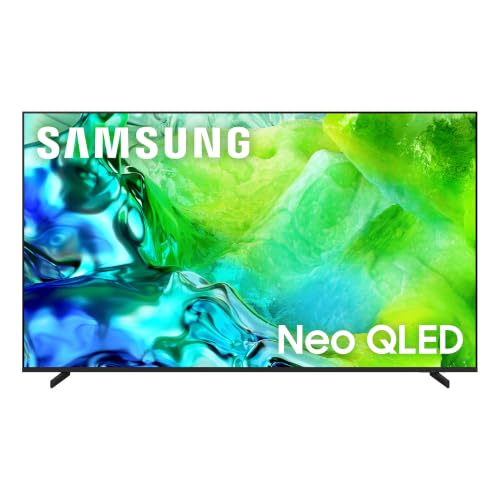
Samsung’s QN80H brings the strongest backlight in this guide’s 55-inch class: a Neo QLED Mini LED design with Quantum Mini LED Full Array, per its listing, driven by Samsung Vision AI with 4K AI upscaling and Color Booster Pro. Its gaming presentation is Motion Xcelerator 144Hz — Samsung’s framing that combines panel behaviour with its motion processing — and this guide reads it exactly as that: evidence of gaming intent and processing pace, not a native panel figure of the kind TCL and Hisense print for their models.
There is a living-room diplomacy point in Samsung’s favour as well: its platform’s free-content library and polished interface make the QN80H the set least likely to be treated as a single-purpose gaming appliance by the rest of the household. A television that everyone uses justifies its stand space in a way a specialist screen cannot.
That distinction decides who should buy it. If your gaming is console-led at up to 120Hz and your evenings mix film and sport, the QN80H’s contrast, colour and processing polish may matter more than a native-rate headline. If you are a PC player shopping specifically for a certified high native rate, the listings that state one plainly serve your brief more directly. Samsung’s port specifics, as with most makers here, belong to the specification sheet — do the ritual.
Dolby Vision’s absence is the standing Samsung note, relevant to the film side of this set’s life. Within a connections-first guide, the QN80H is the picture-quality candidate: the set for buyers who want mini-LED excellence and gaming pace in one Samsung-shaped package, and who will verify the port layout like adults.
- Panel: 55-inch Neo QLED Mini LED, 4K
- Backlight: Quantum Mini LED Full Array, per Samsung
- Motion: Motion Xcelerator 144Hz maker framing
- Processing: 4K AI upscaling, Color Booster Pro
- Platform: Samsung with Vision AI
- Voice: Alexa built in
Strengths
- Full-array mini-LED contrast leads this guide’s 55-inch picture quality
- Samsung’s processing polish flatters games and broadcasts alike
- Gaming pace is a designed feature, not an afterthought
Trade-offs
- Motion figure is a maker construct, not a stated native rate
- No Dolby Vision support
- Port allocation requires the specification ritual
Best for: picture-first buyers whose gaming runs at console rates. Not suited for: PC players who need a printed native high-refresh guarantee.
Approach this one as a television first and a gaming display second, and its priorities make sense. When you are ready, the QN80H listing is where to confirm the current price on Amazon for the 55-inch model.

TCL F8D 55-inch — Best Fire TV gaming route
The F8D is TCL’s Fire TV expression of the high-refresh idea, and its listing is admirably explicit: a 144Hz 4K UHD QLED panel with a stated native 144Hz refresh rate, Dolby Vision and Atmos, HDR10+, a Game Accelerator 288 mode and VRR, with Alexa+ on board. For households whose streaming life runs through Amazon’s platform, this is the gaming specification without the platform compromise.
Read the two refresh numbers as this guide has taught: the native 144Hz is the panel, comfortably above console ceilings and genuinely useful for PC play; the Game Accelerator 288 is TCL’s processing mode layered on top, context rather than hardware. VRR support completes the gaming core. The panel is a QLED design rather than a mini-LED one, so its contrast story is quieter than the QN80H’s or U8’s — the trade this model makes for its platform and rate combination.
Gaming dens are this model’s other habitat: a 55-inch native 144Hz panel above a desk-adjacent console setup, close enough that its rate advantage is felt rather than theorised. In that setting the standard backlight’s limits recede, because gaming rooms control their light better than lounges do.
Port verification follows the house rule. Fire TV households should also confirm that their existing Alexa routines and Amazon services map onto the set as expected, since platform continuity is half this pick’s argument.
- Panel: 55-inch QLED, 4K UHD
- Refresh: native 144Hz stated; Game Accelerator 288 mode
- Gaming: VRR supported
- HDR: Dolby Vision, HDR10+
- Audio: Dolby Atmos decoding
- Platform: Fire TV with Alexa+
Strengths
- Stated native 144Hz panel inside the Fire TV ecosystem
- Full dynamic HDR coverage with Dolby Vision and HDR10+
- VRR covers consoles and gaming PCs alike
Trade-offs
- Standard QLED backlight rather than mini-LED dimming
- Accelerator figure should not be read as the panel rate
- Full-bandwidth port count needs specification confirmation
Best for: Fire TV households wanting a genuine high-refresh gaming panel. Not suited for: dark-room contrast hunters, who should look to the mini-LED picks.
Amazon-centric homes can treat this as the default gaming upgrade: the platform is already familiar, and the panel finally keeps up with the consoles. Visit the F8D’s page to view the current price on Amazon when the stand is ready.

Sony BRAVIA 3 II 75-inch — Best documented ports
In a guide built on documentary discipline, the BRAVIA 3 II is the model citizen: its listing states a 120Hz refresh rate and a full complement of HDMI 2.1 sockets in plain language, alongside an anti-glare screen, the XR Processor with AI technology, Dolby Vision and Atmos, Google TV with Gemini and included 4K movie credits. At 75 inches, this is also the shortlist’s most direct answer for a large room that games.
Four full ports change what a household can plug in without apology: two consoles at full rate, a soundbar on eARC, and a port in reserve for the PC or the next machine. Sony’s XR processing brings its broadcast and upscaling pedigree to the size where upscaling matters most — 75 inches forgives nothing — and the anti-glare treatment suits the big bright rooms such panels inhabit.
Sports at this scale deserve a sentence: a 75-inch panel with Sony’s processing turns a final into furniture-moving event television, and the stated port abundance means the consoles come out after the match without a single cable touched. Versatility at size is this model’s whole personality.
The panel is an LED design rather than mini-LED or OLED, so night-scene contrast sits below the U8’s ambitions; the trade is documented ports, processing and scale. For the connections-first buyer this guide addresses, that trade is not a compromise but the thesis itself, executed at size.
- Panel: 75-inch LED, 4K HDR, anti-glare
- Refresh: 120Hz, per Sony
- Ports: 4x HDMI 2.1, as stated on the listing
- Processor: XR Processor with AI technology
- HDR/audio: Dolby Vision, Dolby Atmos
- Platform: Google TV with Gemini; movie credits included
Strengths
- A full set of four full-bandwidth sockets, stated outright — no ritual required
- XR upscaling earns its keep at 75 inches
- Anti-glare finish for the rooms big screens live in
Trade-offs
- Standard LED backlight limits dark-room contrast
- 120Hz is the ceiling; PC players chasing more should look to the Hisense claims
- 75-inch logistics: measure doorways, stands and viewing distance
Best for: multi-source households wanting documented connectivity at cinema scale. Not suited for: small rooms, or contrast-first film viewers.
Let the port diagram close the sale: four stated sockets mean the stand you already own, with all its machines, simply works. The BRAVIA 3 II’s listing carries the current Amazon price once your room measurements agree.

Hisense U8 65-inch — Best specification ceiling
The U8 closes this guide the way it opened the batch’s mini-LED guide: as the specification maximalist. Hisense’s listing claims a native 165Hz panel with VRR up to 288, up to LD5600 local dimming and 5,000-nits peak brightness — the latter pair repeated here strictly as the maker’s own figures — plus HDR10+, Dolby Vision IQ and Atmos, IMAX Enhanced certification and a 4.1.2-channel audio system, on Google TV. As a connections-and-rate proposition, nothing else in this guide reaches further on paper.
Owners upgrading from the batch’s mini-LED guide will recognise this set’s dual citizenship: it is a flagship home-cinema panel that happens to carry a gaming ceiling, rather than a gaming panel tolerating films. Households whose evenings split evenly between the two crafts will find that balance exactly right.
For the gaming household, the practical translation is headroom everywhere: refresh ceiling beyond any console, a VRR window wide enough for unstable PC frame rates, and dimming ambition that gives HDR games their contrast. The built-in audio reduces the eARC pressure slightly — a household can postpone the soundbar without postponing good sound — though the port ritual still applies when the bar eventually arrives.
Scepticism is built into this guide’s method, so apply it evenly: Hisense’s claims are claims, and the U8 should be bought for the totality of its specification and platform rather than for any single heroic number. Even read conservatively, it is the ceiling of this shortlist, and ceilings are useful things to know.
- Panel: 65-inch ULED Mini-LED QLED, 4K
- Refresh: native 165Hz claimed; VRR up to 288 claimed
- Dimming/brightness: up to LD5600 and 5,000 nits, maker claims
- HDR: Dolby Vision IQ, HDR10+, IMAX Enhanced
- Audio: 4.1.2-channel, Dolby Atmos
- Platform: Google TV
Strengths
- The highest claimed gaming ceiling in this guide
- Flagship dimming and brightness claims for HDR impact
- Built-in 4.1.2 audio eases the soundbar timetable
Trade-offs
- Every headline figure is a maker claim requiring weighting
- Port layout still needs specification confirmation
- Feature density demands an evening in the settings menus
Best for: specification-led gaming households building a flagship mixed-use screen. Not suited for: buyers who prefer documented simplicity over claimed ceilings.
Give this set the full day-one routine from this guide — right port, right cable, console verification screen — because a specification this tall deserves to be confirmed, not assumed. Its Amazon page is ready to check price on Amazon when the homework is done.
What Does a 120Hz-Class Panel Do for Sport and Film?
Sport benefits through processing rather than connection: broadcast feeds never approach 120Hz, but a high-rate panel gives motion systems finer steps to work with, and pans across a pitch render with a smoothness that standard panels approximate less convincingly. The benefit is real but modest, and it belongs to the panel rather than the port — a distinction this guide maintains because conflating them is how buyers pay for connections their content never uses.
Film, famously, wants the opposite of everything gaming wants: no interpolation, no enhancement, the 24-frame cadence preserved. A 120Hz-class panel has a quiet advantage here too — 24 divides evenly into 120, so film frames can be shown for exactly five refreshes each without the uneven pulldown rhythm that 60Hz panels impose. It is the rare specification that serves the gamer at noon and the cinephile at midnight without asking either to compromise, and it partly explains why high-rate panels have become the default ambition of serious televisions generally.
Does Any of This Matter If You Never Game?
Partly — and honesty requires separating the parts. The 120Hz connection itself is a gaming and PC feature; no broadcast or streaming source will ever ask a television for 4K120 over HDMI. But the televisions built around that connection tend to carry the panels and processing that flatter everything else: high native rates clean up sports motion, full-bandwidth thinking correlates with flagship engineering, and a port-rich set simplifies any growing stand. A non-gaming household should not pay a premium for the badge alone, yet will often find that the set it wants for picture reasons is standing in this guide anyway.
There is also the household’s future to consider. Televisions outlast the habits of the year they were bought in: children become gamers, a work laptop becomes a gaming PC, a console arrives as a gift. A connection-rich set absorbs those futures without replacement, which is a form of value that never appears in a specification table and routinely decides satisfaction in year four.
The Enhanced-Format Setting: The Trap Behind the Trap
Even with the right port and the right cable, many televisions gate their full bandwidth behind a per-input menu setting — labelled enhanced format, full bandwidth, or something similar — that may ship in its standard position for compatibility with older sources. The symptom is maddening: a certified setup that reports 60Hz. The cure is thirty seconds in the input settings, per socket, for each high-refresh source.
Make this the first troubleshooting step whenever a new source underdelivers, ahead of cable swapping and well ahead of doubting the panel. Manufacturers default conservatively because a tiny population of ancient sources misbehaves on enhanced settings; the setting exists to be changed by exactly the buyers reading this guide. While you are in that menu, name the inputs — most sets allow labels — so the household stops referring to sources by number and prayer.
The Six at a Glance
| Model | Size | Native rate (as stated/claimed) | Port story | Platform |
|---|---|---|---|---|
| TCL T7 | 55-inch | 120Hz stated | Verify in specification | Google TV |
| Hisense U7 | 75-inch class | 165Hz claimed, VRR to 330 | Verify in specification | Google TV |
| Samsung QN80H | 55-inch | Motion Xcelerator 144Hz framing | Verify in specification | Samsung |
| TCL F8D | 55-inch | 144Hz stated | Verify in specification | Fire TV |
| Sony BRAVIA 3 II | 75-inch | 120Hz stated | 4x HDMI 2.1 stated | Google TV |
| Hisense U8 | 65-inch | 165Hz claimed, VRR to 288 | Verify in specification | Google TV |
Notice also how the refresh column stratifies by audience rather than by quality. The stated 120Hz models fully serve every console in existence; the 144Hz tier adds PC comfort; the claimed 165Hz tier is headroom as a philosophy, bought by players who want the panel to be the last component ever questioned. None of those audiences is wrong, and confusing their needs is how buyers overspend — a console household gains nothing measurable from a 165Hz claim, while a PC household gains nothing from being told 120Hz is enough for everyone.
The port column is the most honest in this batch’s guides, and deliberately the least complete: it records what makers state and instructs where they are silent. If the industry takes one lesson from buyers, it should be that a printed port diagram sells televisions to exactly the customers who keep them longest.
Will HDMI 2.1 Be Replaced Soon?
Standards evolve in public and slowly, and the honest answer is that the connection these televisions are built around is the current gaming and home-cinema standard with a long runway: consoles, PCs, receivers and soundbars all speak it, and the installed base guarantees accessories and support for years. Successor specifications, when they arrive, historically arrive first on flagship sources and displays at flagship prices, and they coexist with the incumbent for a long transition rather than replacing it overnight.
The practical buying conclusion is unspectacular and liberating: purchase for the standard your sources use today, with the headroom this guide describes, and stop insuring against a future that will announce itself years before it obliges you to act. A television bought on that principle in the HDMI 2.0 era served a full console generation; the same discipline serves this one.
Why Does 4K at 120Hz Need So Much Bandwidth?
The arithmetic is unforgiving and worth seeing once. A 4K frame carries roughly eight million pixels; at 120 of them per second, with HDR colour depth and audio riding along, the uncompressed data rate climbs into territory only the full HDMI 2.1 specification reaches. Halve the frame rate and the previous generation copes; that is why 4K60 lived happily for years, and why the jump to 120Hz — not the jump to 4K — is what forced a new connection standard on the industry.
Compression muddies the water helpfully: some implementations use display stream compression to fit high-refresh signals into narrower pipes, which is legitimate engineering and one reason two ports both labelled with the same standard can behave differently at the margins. For the buyer, the operational rule stays simple — a port that accepts your source’s full output, verified on the source’s own reporting screen, is a port that works, whatever combination of bandwidth and compression achieved it.
This is also why cable certification exists as a tested category rather than a vibe. At these data rates, cable construction stops being jewellery and becomes engineering, and the certified mark is the difference between a tested claim and a hope.
What About Receivers, Switches and Other Middlemen?
Every device inserted between a source and the television inherits the chain’s obligations: it must pass the full bandwidth, honour VRR and ALLM, and return eARC where audio flows backward. Modern receivers advertise these capabilities explicitly because gamers demanded it; older receivers and bargain switches are where connections go to be quietly capped. The diagnostic habit from this guide applies unchanged — when a setup underdelivers, remove middlemen one at a time until the source talks to the panel directly, and the guilty link identifies itself.
There is a positive case for a receiver in a serious lounge: it centralises switching, powers real speakers, and reduces the television to a display, which is the architecture least sensitive to any one set’s port count. Desk and family setups rarely need that machinery. Buy the middleman for the problem you have — too many sources, real speakers to feed — never as a precaution, because every added link is a specification to verify and a firmware to maintain.
How Do You Wire It All Up Correctly?
Sequence matters. Decide the port plan on paper first: console or consoles to the full-bandwidth inputs, soundbar to eARC, everything else to what remains. Use an Ultra High Speed certified cable for each high-refresh source, keeping runs as short as the furniture allows, and enable each input’s enhanced or full-bandwidth format setting in the television’s menu — many sets ship those sockets in a compatibility mode that caps the rate, the single most common cause of a missing 120Hz.
Then verify at the source. A console’s video output information screen reports what the television is actually accepting; a PC’s display settings do the same. If the reported ceiling is 60Hz where 120Hz was promised, the suspects, in order, are the port choice, the input’s format setting, and the cable. The panel is almost never guilty.
Finish with audio: set the television’s digital output to passthrough where a soundbar or receiver should do the decoding, confirm eARC is enabled at both ends, and test with content whose sound you know. Label the cables while you are behind the stand; your future self, adding a machine in two years, will be grateful.
One Remote to Rule the Stand: CEC Behaviour
HDMI carries a control channel alongside the picture — CEC, marketed under a thicket of brand names — that lets devices wake each other, switch inputs and share volume commands. When it works, the console’s power button wakes the television onto the right input and the TV remote governs the soundbar, and the whole stand feels designed. When it misbehaves, televisions switch inputs uninvited or a streamer hijacks the screen whenever it wakes for updates.
The connection-rich setups in this guide multiply both outcomes, so spend five minutes in each device’s CEC settings during the first week: enable it where the chain is simple and trusted, disable it on the one device that keeps seizing the screen, and confirm the soundbar’s volume follows the television remote. CEC is a servant with initiative; the settings exist to set its boundaries, and households that set them once rarely think about remotes again.
How Should You Spend the First Week With a High-Refresh TV?
Verify before you decorate. Day one belongs to the verification ritual: each high-refresh source connected, its input’s enhanced setting enabled, and the source’s own reporting screen confirming the expected ceiling. Only when every machine reports what it should do the cables get dressed and the stand get closed. A fault found in hour one is a setting; the same fault found in month three is a grievance.
Across the week, deliberately exercise the features you paid for: a VRR game with an unstable frame rate, a film through the soundbar with eARC carrying the audio, a sports broadcast on the panel’s native rate strengths. Features that survive their first week become invisible infrastructure; features that were never tested remain suspicions. Register the warranty once the week passes, and photograph the rear panel’s label and your final port map — the cheapest documentation in home technology, and the most valuable the day anything changes.
Which Connection Mistakes Waste the Most Money?
Buying a high-refresh television and feeding it through a standard port or cable is the category’s signature waste — the capability is purchased, delivered and never once used. The verification ritual in this guide exists because the failure is silent: nothing announces that your console has been capped.
Trusting an accelerator figure as a panel rate runs second. A Game Accelerator or Motion Xcelerator number describes a processing mode; the native rate is the hardware the console negotiates with. Confusing the two leads buyers to expect performance the panel cannot sign for.
Third is assuming the eARC socket is spare. On many sets it is one of the full-bandwidth family, so the soundbar and the second console are in quiet competition from the moment of unboxing. Count before you buy, as the port section insists.
Last is the bargain cable at the end of a flagship chain. Uncertified cables cause intermittent dropouts that masquerade as television faults; one certified cable per high-refresh source is the cheapest reliability in the entire setup.
Final Recommendation
A closing observation from years of connection questions: nobody regrets the evening spent planning ports, cables and settings, and nearly everybody regrets skipping it. The televisions above are all capable of giving their owners a decade of invisible reliability, but invisibility is earned at setup, not unboxed. Treat the first hour as part of the purchase and the rest of the ownership takes care of itself.
Start with the Sony BRAVIA 3 II if documented certainty is your love language — four stated ports and a 120Hz panel remove the guesswork entirely — or the TCL T7 for the same honesty at 55 inches and a value position. PC players chasing ceilings should weigh the Hisense U7 and U8 claims, Fire TV households the F8D’s stated native 144Hz, and picture connoisseurs the QN80H’s full-array contrast with its motion framing understood. Whichever you choose, do the unglamorous things this guide has repeated — read the port diagram, buy the certified cable, verify at the source — and the numbers on the box will finally mean something in your room, which is where numbers either matter or do not.
Frequently Asked Questions
Is HDMI 2.1 necessary for a 120Hz TV to make sense?
For external sources, yes: without a full-bandwidth connection, a console or PC cannot deliver 4K at 120Hz to the panel, however fast the panel is. Built-in apps are unaffected, since they never cross an HDMI cable, but gaming is precisely the use case that needs the port.
What is the difference between native 144Hz and Game Accelerator 288?
The native figure is the panel’s real frame ceiling. The accelerator figure is the maker’s name for a processing mode that works with high-rate input and motion handling to present a smoother result. Compare native figures across brands; treat accelerator figures as feature descriptions within one brand.
How can I tell how many full-bandwidth ports a TV has?
Read the model’s full specification or manual, usually linked from the listing or the maker’s product page, and look for sockets designated 4K at 120Hz or full bandwidth, plus which socket carries eARC. If the document does not say, that silence is itself information — contact the maker’s support before ordering.
Does VRR matter for console gaming?
Yes, whenever a game’s frame rate fluctuates, which is most demanding titles at least some of the time. VRR lets the panel wait for each frame instead of tearing or stuttering, and it is one of the features that makes this console generation feel smoother than the last on the same television budget.
Can a soundbar and two consoles share one TV?
Comfortably, if the port plan works: each console on a full-bandwidth input and the bar on eARC. The Sony in this guide states a 4x HDMI 2.1 complement, which covers that stand exactly; on sets with fewer capable sockets, a rated switch or a receiver solves the arithmetic.
My console offers 120Hz in the shop demo but not at home. Why?
Almost always the home chain, not the console: the port choice, the input’s enhanced-format setting left in standard mode, or an uncertified cable. Work those three in that order, checking the console’s video output information screen after each change, before suspecting the television itself.
Is a 120Hz TV worth it for watching films?
For the cadence reason explained in this guide — 24 frames dividing evenly into 120 — plus the processing headroom these panels carry, yes, though it should never be the sole reason for the purchase. Buy it for the connections and the games; let the film cadence be the quiet bonus it is.
What should I do first when a new TV and console disagree?
Resist the urge to factory-reset anything. Check the reporting screen, the port, the input’s format setting and the cable, in that order, changing one variable at a time. Methodical beats dramatic in connection troubleshooting, and nearly every disagreement in this category resolves inside those four checks.
Should I plug streaming boxes into the fast ports too?
There is no benefit: streaming devices output at standard rates that every socket handles, and the fast ports are a scarce resource reserved for consoles and PCs. Give the streamer any remaining socket, keep the full-bandwidth ones for machines that can use them, and let eARC feed the soundbar.
Does every HDMI port on these TVs support 120Hz?
Not necessarily, and that is this guide’s central warning. Makers commonly provide full bandwidth on a subset of sockets. Sony’s BRAVIA 3 II listings state four HDMI 2.1 ports; for the other models here, the specification for the exact model is the authority, and the gaming source belongs on a socket designated for 4K at 120Hz.
What does eARC have to do with gaming?
Indirectly, everything: the soundbar that carries your game’s audio usually occupies the eARC socket, which on many sets belongs to the full-bandwidth family. Count it as a gaming port spent on sound when you draw the port plan, or the second console will discover the conflict for you.
Are longer HDMI cables a problem at 120Hz?
They can be. Bandwidth margins shrink with length, so keep high-refresh runs short where possible; for long runs, choose cables explicitly rated for the distance at full bandwidth, including certified optical designs built for that purpose.
Will these TVs help non-gaming content too?
The high native rates and processing benefit sport particularly, and the panels here are strong general televisions in their own right. But if no console or gaming PC will ever connect, a model chosen purely for picture and platform may serve you better — this guide’s premium is specifically the connection story.
Related Guides
The console-specific application of this science lives in Best PS5 Compatible TVs, the panel-first view continues in Best QLED 4K TVs, and match-day readers should finish with Best TVs for Viewing Sports.
Related guides
- Best 1080p IP Cameras: PoE Domes, Turrets, Bullets and a PTZ That Earn Their Cable
- Best 43 1080p TVs: Why 43 Inches Went 4K — and Where True Full HD Survives
- Best Doorbell Cameras No Subscription: Local Storage Picks, and the Ring/Blink Truth
- Best AC Powered Wireless Security Cameras: Wi-Fi Data, Mains Power, Zero Sleep


