What's inside
- Key Takeaways
- Quick Picks
- What Actually Makes Sport Look Good on a TV?
- How Did We Pick These Six for Sport Specifically?
- Native Refresh, Motion Rates and VRR: A Supporter’s Decoder
- When Sport Arrives in HDR, What Changes?
- Different Sports Stress Different Strengths
- Why Do Viewing Angles Matter More for Sport Than for Film?
- How Much Does the Broadcast Feed Limit What You See?
- The Best TVs for Viewing Sports, Reviewed
- Why Is Your Stream Behind Your Neighbour’s Shout?
- What Does Match-Day Sound Actually Need?
- Bigger Screen or Better Screen for Sport?
- Head to Head: The Six for Sport
- How Should You Configure a TV for Sport?
- Which Mistakes Do Sports Fans Make When Buying?
- Your First-Fixture Checklist
- Final Recommendation
- Frequently Asked Questions
- Related Guides
As an Amazon Associate I earn from qualifying purchases. This post may contain affiliate links at no extra cost to you.
gizmoverdict.com is reader-supported. When you buy through links on our site, we may earn an affiliate commission.
Where to buy: all six televisions in this guide to the best tvs for viewing sports link to their own Amazon listing at the 55-inch size named in each heading, and the listing page is where you will find the definitive port diagram, the stand width and today’s buying terms — worth a careful read before you check price on Amazon.
Sport is television’s stress test. A football pitch is a vast field of near-identical green that exposes banding and dirty-screen flaws instantly. A racing car crossing the frame at full speed interrogates motion handling without mercy. A Saturday-afternoon kick-off in a bright lounge asks the panel to fight sunlight and win. And the broadcast feed itself is often the weakest link — compressed, sometimes not even native 4K — so the television’s upscaling and processing carry a load that film streaming never imposes.
The best tvs for viewing sports are therefore not simply the best televisions. They are the ones whose strengths align with sport’s specific demands: motion clarity that keeps a fast ball a ball rather than a smudge, brightness and anti-reflection behaviour that survive daytime viewing, upscaling that flatters a scruffy feed, and viewing angles wide enough for the friends crowded onto your sofa. The six 55-inch picks below were chosen against exactly those criteria, and they span the technology map deliberately — an OLED, three mini-LED designs from three different makers, a Sony LED with a native 120Hz panel, and a cinema-leaning Hisense with proper motion hardware.
One decoding duty before the rankings: sports marketing loves inflated motion numbers. Figures branded as Motion Rate this or that are maker constructs blending panel, backlight and processing, and they cannot be compared across brands. The native refresh rate — printed plainly on several listings here, including a native 165Hz and two native 144Hz panels — is the hardware truth. This guide quotes native figures where makers state them and labels branded figures as the constructs they are.
Size deserves a sentence of its own. Fifty-five inches suits the dens, bedrooms and modest lounges where much sport is actually watched, and every model here belongs to a series spanning other sizes for bigger rooms. Panel character and processing travel with the series; exact brightness can vary by size, so confirm the specification of the size you order on its own listing.
Key Takeaways
- Sport rewards three panel virtues above all: clean motion on fast pans, brightness that survives daylight, and upscaling that rescues compressed broadcast feeds.
- Native refresh is the honest motion figure — the Hisense U7 claims a native 165Hz panel, the TCL QM7L and Hisense E7 Cinema claim native 144Hz, and the Sony BRAVIA 3 II lists 120Hz.
- Viewing angle is a team sport: OLED’s per-pixel light holds colour from wide seats, while LCD models vary, so seating layout belongs in the buying decision.
- Anti-reflection finishes, named on the Hisense U7’s listing, can matter more at a 3 p.m. kick-off than any specification measured in a dark room.
- Broadcast sport is rarely pristine 4K, which makes processor quality — Sony’s XR, TCL’s and Hisense’s AI picture systems — a genuine sports feature.
- All six picks are 55-inch listings from wider series, so apply the verdict at your size only after checking that size’s own details.
Quick Picks
| Pick | Badge | Why it earns its place |
|---|---|---|
| Sony BRAVIA 3 II 55-inch 120Hz | Best for broadcast sport | A native 120Hz panel behind Sony’s XR processing, the combination built for upscaling real-world sports feeds. |
| Hisense U7 55-inch 165Hz | Best motion specification | Hisense claims a native 165Hz mini-LED panel with anti-reflection coating and 2.1.2-channel audio for match days. |
| TCL QM7L 55-inch | Best mini-LED all-rounder | TCL’s SQD-Mini LED panel at a native 144Hz, with Dolby Vision IQ for the films between fixtures. |
| Samsung QN70H 55-inch | Best colour for kits and pitches | Neo QLED colour volume keeps saturated kits and turf vivid when the room is bright. |
| Hisense E7 Cinema 55-inch | Best motion-processing value | Native 144Hz with FALD and MEMC motion compensation, tuned under a Cinema banner that still serves sport properly. |
| LG OLED evo C6 55-inch | Best for evening fixtures | OLED’s near-instant pixel response and perfect blacks make night matches under floodlights look extraordinary. |
What Actually Makes Sport Look Good on a TV?
Start with the pan. Sports cameras sweep constantly, following play across the field, and that single movement exposes everything: a panel with slow pixel response smears the grass texture, a weak processor judders the crowd, and poor uniformity turns the pitch into a patchwork of faint blotches known as dirty-screen effect. Uniformity deserves more fame than it gets — a giant, flat colour field is the hardest image in television to render cleanly, and sport is made of it.
Motion processing is the second actor. Broadcast sport typically arrives at 50 or 60 frames per second depending on region and service, and televisions offer interpolation systems — MEMC is the generic name, listed explicitly on the Hisense E7 Cinema — that synthesise intermediate frames for smoother-looking play. Used moderately, this is sport’s friend: the ball tracks cleanly and pans glide. Used aggressively on film, the same system produces the infamous soap-opera look, which is why per-input picture memories matter and why this guide keeps steering film and sport into separate presets.
Brightness and reflection control form the third pillar, because sport is disproportionately daytime viewing. A panel that cannot outshine a bright lounge reduces a white kit in sunshine to guesswork. Anti-reflection treatments, mini-LED brightness headroom and OLED’s contrast each solve the problem differently, and the right answer depends on your room’s windows more than on any ranking — a theme the individual reviews keep returning to.
How Did We Pick These Six for Sport Specifically?
The filter was sporting evidence on the listing, not general prestige. Each pick had to show at least one of: a native refresh rate of 120Hz or better stated by its maker, a serious motion-processing story, anti-reflection treatment, or processing with a broadcast pedigree. The result deliberately mixes technologies, because sport is where technology tribalism goes to die — the OLED’s response speed, the mini-LEDs’ brightness and the Sony LED’s upscaling each win different Saturday afternoons.
We also weighted the unglamorous infrastructure of match day: how quickly the set reaches a live channel or app, whether the platform carries the services your leagues live on, and how the sound handles a commentator over a crowd. A television that takes forty seconds to wake and another twenty to find the match is a television that misses kick-offs, and no panel figure compensates.
We also listened for the crowd, literally: audio earned more weight in this guide than in our film-focused ones, because commentary intelligibility over three hours is a performance metric, and it is why the U7’s built-in multi-channel system features in its verdict rather than its footnotes. A sports television is a broadcast instrument before it is a cinema screen, and the selection treated it that way throughout.
Finally, series breadth mattered as before. Sport is watched in dens and in great rooms; a model line spanning sizes lets the same verdict serve both, with the standing instruction to verify the chosen size’s own specification rather than assuming it mirrors the 55-inch listing reviewed here.
Native Refresh, Motion Rates and VRR: A Supporter’s Decoder
The native refresh rate is how many fresh frames the panel can draw each second. For sport, its benefit is indirect but real: a 120Hz-class panel gives motion processing more room to work and renders high-frame-rate sports streams — an increasing feature of premium services — without compromise. The listings here are admirably explicit by industry standards: Hisense claims native 165Hz for the U7 and native 144Hz for the E7 Cinema, TCL claims 144Hz for the QM7L, and Sony lists 120Hz for the BRAVIA 3 II.
Branded motion figures are the fog around those facts. When a listing elsewhere advertises a Motion Rate of several hundred, it is summing panel behaviour, backlight scanning and interpolation into one marketing number. Such figures are not comparable between brands and do not describe the panel. If a set you are considering prints only a branded figure, assume a standard panel and judge the television on its processing reputation and your own eyes.
VRR — variable refresh rate — belongs to gaming, not broadcasting, and appears in this guide because sports households often game in the same seat. The U7’s listing claims VRR up to 330 alongside its high native rate, an extravagant ceiling aimed at PC play. For the sports brief itself, VRR is irrelevant; for the household brief, it is a pleasant inheritance.
When Sport Arrives in HDR, What Changes?
Premium fixtures increasingly arrive in 4K HDR, and the experience differs from standard broadcasts in ways worth preparing for. Colours deepen — kits gain the saturation the QN70H’s colour volume exists to serve — while floodlights and stadium skies acquire genuine highlight range. Dolby Vision IQ and HDR10+ Adaptive, carried by the Hisense pair and the QM7L in this guide, adjust that HDR presentation to your room’s light, which matters for the daytime HDR fixtures that are becoming the marquee events.
HDR also exposes feed quality ruthlessly. A well-produced HDR match on any set here will look like a generational leap; a poorly produced one can look dimmer than the standard version if the television’s tone mapping is left in an unsuitable preset. Keep a separate picture memory for HDR sport if your set distinguishes it, with brightness set for the room rather than copied from your film settings, because the two HDR use cases — a dark cinema room and a lit lounge at noon — could hardly differ more.
Do not let HDR availability distort the purchase, though. The majority of any household’s sport still arrives in standard dynamic range, and upscaling plus motion — the unglamorous virtues — will decide far more of your season than the handful of HDR showcases. Buy for the weekly feed; enjoy the finals as a bonus.
Different Sports Stress Different Strengths
Football and rugby live on the wide shot: a green field, twenty-two moving figures, relentless pans. Uniformity and motion composure rule here, and processing quality shows in whether the grass holds its texture mid-pan. Motorsport inverts the test — a small, fast subject against detailed backgrounds — punishing slow pixel response and weak motion handling with visible smear, which is where the C6’s response and the high native rates of the Hisense pair earn their keep.
Tennis and golf are brightness and detail examinations. A small white ball against grass or sky, played in daylight, asks for peak punch and clean upscaling of fine lines; the mini-LED models’ headroom and the QN70H’s colour volume suit them. Basketball and ice hockey stress the opposite end: fast lateral movement under arena light, with hockey’s white ice exposing both dirty-screen flaws and the automatic brightness behaviour of panels working hard. Winter sports combine everything — speed, white fields, shadowed courses — and are the sternest all-round audition in this guide.
The practical conclusion is that “sport” is not one brief. Weight the criteria by your calendar: the football household buys uniformity and processing, the motorsport household buys response and rate, the golf household buys brightness and detail. The six picks were spread across those virtues deliberately, so let your fixture list, not a generic ranking, cast the deciding vote.
Why Do Viewing Angles Matter More for Sport Than for Film?
Film is usually watched from a chosen seat; sport is watched from wherever there is room. That social fact changes the engineering priorities. LCD panels shift as you move off-axis — contrast softens, colours thin, blacks lift — and the effect grows with the angle. A supporter on the sofa’s far end during a final may literally be watching a paler match than the host in the centre, on the same television, at the same moment.
Panel sub-types explain the spread. VA-type LCD panels, favoured for their strong native contrast, tend to fade fastest from the side. IPS-type panels hold their colour wider while starting from softer contrast. Listings rarely name the sub-type, which is why this guide treats angle as a room-design problem: arrange seating in a shallow arc, consider a swivelling mount that can aim the panel at the gathering, and avoid placing half the audience beyond a forty-five-degree line from the screen if the match matters to them.
OLED sidesteps the dilemma structurally. Because each pixel emits its own light in a wide pattern, the C6 holds its picture from angles that would wash out an LCD, which is a genuine sporting virtue and not a laboratory curiosity. If your household’s big matches are genuinely communal — a roomful of people, food in laps, seating improvised — the angle argument may outweigh every specification in this guide.
How Much Does the Broadcast Feed Limit What You See?
More than panel marketing admits. Much televised sport is produced and distributed at resolutions and bitrates well below a 4K panel’s capability, and compression shows itself precisely in sport’s signature images: grass becomes a shifting green soup, crowds dissolve into noise, and fast pans smear as the encoder gives up. A better television cannot invent information the feed discarded, but processing quality decides how gracefully the gaps are papered over — which is why Sony’s broadcast heritage and the AI picture systems named on the Hisense and TCL listings are sporting features, not garnish.
Your own network is part of the feed. A television straining on weak Wi-Fi will downshift a stream’s quality dynamically, so the panel gets blamed for the router’s sins. Where possible, wire the television by Ethernet or place it within strong Wi-Fi range, and prefer the highest tier of your sports service for the matches that matter. These unglamorous steps routinely improve match day more than a model tier would.
Set expectations per competition as well: flagship tournaments increasingly offer 4K HDR presentations that let these panels sing, while a midweek cup tie on a secondary channel may arrive in a state no television can redeem. The sets here were chosen to span that reality — forgiving of the worst feed you watch, glorious on the best.
The Best TVs for Viewing Sports, Reviewed
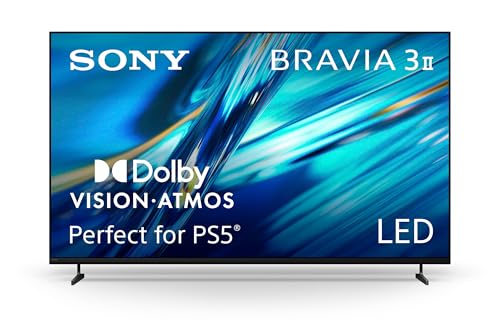
Sony BRAVIA 3 II 55-inch 120Hz — Best for broadcast sport
Sony’s sports credibility was built in broadcast trucks and studio monitors long before it reached living rooms, and the BRAVIA 3 II carries that inheritance into an accessible LED model: a 120Hz refresh rate on the listing, the XR Processor with AI technology, Dolby Vision and Atmos support, Google TV with Gemini, four HDMI 2.1 ports and — a detail football fans will appreciate — PlayStation 5 features for the console that shares the stand after full time.
The XR processing is the sporting argument. Broadcast feeds arrive compressed and inconsistent, varying by channel, by match and sometimes by half, and Sony’s upscaling and motion handling have a long-earned reputation for making such material look composed rather than processed. A native 120Hz panel gives that processing a proper canvas. This is not the brightest set in the guide, nor the most exotic panel — it is an LED design — but sport is a processing contest as much as a panel contest, and Sony plays it expertly.
There is a temperament argument for this Sony as well: its picture philosophy favours natural colour and unforced sharpness, which suits long viewing sessions — a full day of tournament coverage, back-to-back matches — where aggressive processing becomes fatiguing. Sport is a marathon genre, and composure compounds.
The four HDMI 2.1 ports, stated on the listing, quietly future-proof the purchase for consoles and soundbars, while the included 4K movie credits acknowledge that even sports households watch films eventually.
- Panel: 55-inch LED, 4K HDR
- Refresh: 120Hz, per Sony’s listing
- Processor: XR Processor with AI technology
- Ports: 4x HDMI 2.1, as listed
- HDR/audio: Dolby Vision, Dolby Atmos
- Platform: Google TV with Gemini; PS5 features
Strengths
- Sony’s broadcast processing pedigree flatters real sports feeds
- Native 120Hz panel at an accessible position in the range
- Four HDMI 2.1 ports cover consoles and soundbars without juggling
Trade-offs
- Standard LED backlight, so contrast trails the mini-LED picks in dark rooms
- Peak brightness is not its headline, so very bright rooms should compare the U7
- No mini-LED dimming finesse for film nights
Best for: viewers whose sport arrives by broadcast, cable or mixed-quality streams and who value composure over spectacle. Not suited for: brightness battles in glass-heavy rooms.
During setup, give the sports input its own picture memory with moderate motion processing, and let the film input stay natural; this set rewards that small discipline weekly. When the seating is arranged, open the BRAVIA 3 II listing to confirm the current price on Amazon.
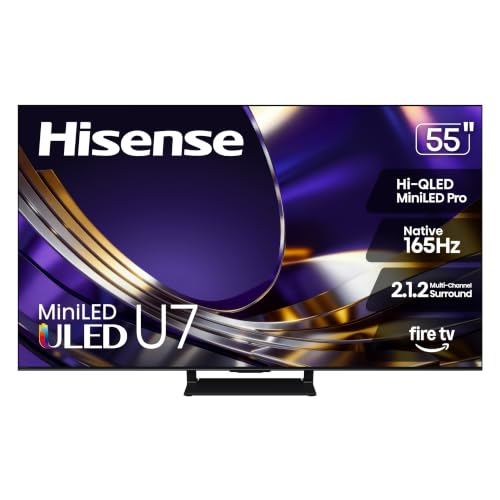
Hisense U7 55-inch 165Hz — Best motion specification
Hisense builds the U7 like a specification argument: a Mini-LED ULED panel with Hi-QLED colour, a native 165Hz refresh rate as the maker claims, VRR up to 330, Dolby Vision IQ and Atmos, IMAX Enhanced certification, an anti-reflection screen and 2.1.2-channel audio, all running on Fire TV. For sport, read that list as a checklist of this guide’s criteria — motion ceiling, reflection control, brightness ambition, crowd-friendly sound — ticked in one model.
The anti-reflection treatment is the feature to dwell on, because it addresses the most common way sport actually gets ruined: not by a rival’s better panel, but by your own window mirrored in yours. Combined with mini-LED brightness headroom, it makes the U7 the natural candidate for the bright lounge where afternoon fixtures live. The 2.1.2 audio gives commentary a centre anchor and the crowd some height, postponing the soundbar conversation honourably.
Tournament weeks reveal another U7 virtue: stamina features. A set that wakes quickly, holds its app sign-ins and switches inputs without drama becomes invisible infrastructure across a month of daily fixtures, and the U7’s modern platform and processing headroom are built for exactly that unnoticed reliability.
Fire TV will suit Amazon-centred households, with Alexa+ on the listing. Specification sceptics should apply the usual rule — Hisense’s figures are its own claims — while recognising that even discounted generously, the U7’s paper position in this group is formidable.
- Panel: 55-inch Mini-LED ULED Hi-QLED, 4K
- Refresh: native 165Hz claimed; VRR up to 330 claimed
- Screen: anti-reflection, per listing
- HDR: Dolby Vision IQ, IMAX Enhanced
- Audio: 2.1.2-channel, Dolby Atmos
- Platform: Fire TV with Alexa+
Strengths
- The group’s highest claimed native refresh rate for motion headroom
- Anti-reflection finish aimed squarely at daytime fixtures
- Built-in 2.1.2 audio lifts match-day sound above television norms
Trade-offs
- Headline figures are maker claims and should be weighted accordingly
- Fire TV’s interface promotes Amazon content prominently
- Specification density means settings worth an evening of exploration
Best for: bright-room sports fans who also game and want one panel to dominate both briefs. Not suited for: Google TV households, or viewers who prefer a set-and-forget experience.
Let the U7 prove itself with your hardest fixture: a sunny afternoon match on your most compressed channel. If it passes that audition in the return window, it will pass anything; the U7’s Amazon page is where to see today’s price on Amazon beforehand.

TCL QM7L 55-inch — Best mini-LED all-rounder
TCL’s QM7L sits in the productive middle of its mini-LED range: an SQD-Mini LED QLED panel — the same panel branding as TCL’s flagship line — at a native 144Hz per the listing, with Google TV and Gemini, Dolby Vision IQ, Dolby Atmos and HDR10 support. For sport, the recipe is balanced rather than extreme: mini-LED brightness and dimming for punch, a high native rate for motion, and TCL’s panel technology doing the heavy lifting.
Second-screen households will appreciate a quieter strength: TCL’s Google TV implementation handles the casting and app-switching rhythm of modern fandom — highlights on the phone, the match on the wall, a stats app cast up at half-time — without the friction that makes people abandon features. Sport is increasingly watched with a phone in hand, and the television that cooperates wins the evening.
Between fixtures, the QM7L’s film credentials keep it from being a one-season purchase. Dolby Vision IQ adapts HDR to room light, which suits the common pattern of sport by day and cinema by night on the same screen. The Google TV platform will already be familiar to Android households, and Gemini’s presence on the listing signals where TCL’s interface is heading.
Against the Hisense U7 it concedes the specification crown — refresh ceiling, anti-reflection billing, audio channels — and answers with TCL’s panel lineage and a generally calmer proposition. Households choosing between them are choosing philosophies: maximal specification versus panel-first balance, and neither answer is wrong.
- Panel: 55-inch SQD-Mini LED QLED, 4K
- Refresh: native 144Hz, per TCL
- HDR: Dolby Vision IQ, HDR10
- Audio: Dolby Atmos decoding
- Platform: Google TV with Gemini
- Claims: ultimate colour, brightness and contrast, maker framing
Strengths
- Flagship-lineage SQD-Mini LED panel at a mid-range position
- Native 144Hz keeps motion honest for sport and games alike
- Dolby Vision IQ suits the sport-by-day, film-by-night household
Trade-offs
- No anti-reflection headline feature for the brightest rooms
- Built-in audio is conventional next to the U7’s 2.1.2 system
- TCL’s ultimate-performance language is marketing, to be weighed as such
Best for: households wanting mini-LED sport performance with serious film manners in the same set. Not suited for: specification maximalists, who will keep glancing at the U7.
One setup habit suits this set particularly well: because its panel flatters both sport and cinema, per-source picture memories pay double — sport bright and smooth, film accurate and calm. The QM7L listing will show you its current Amazon price when you are ready to act.

Samsung QN70H 55-inch — Best colour for kits and pitches
Sport is the most colourful genre on television — saturated kits, painted turf, sponsor boards in primary hues — and the QN70H’s listing argues its case in precisely that currency: a Neo QLED Mini LED panel with Quantum Mini LED backlighting and a Samsung claim of 100% Color Volume with Quantum Dot. Colour volume is the ability to keep colours saturated while bright, and a sunlit match is exactly the scenario that consumes it.
Derby days and finals also flatter this set’s contrast: stadium scenes mix deep shadow in the stands with floodlit turf, and a mini-LED backlight keeps both ends of that range legible where a basic panel greys the crowd or blows out the pitch. It is the sort of mixed-scene competence that never appears in a headline figure.
The NQ4 AI processor’s 4K upscaling matters here as much as the panel, because so much sport still arrives below native resolution. Samsung’s processing has a polished, confident character that flatters stadium pictures, and its smart platform with Vision AI and Alexa built in covers the connected side. In this guide’s context — a 55-inch set for a den or second lounge — the QN70H is the connoisseur’s sports screen, prioritising the look of the game over the loudest motion specification.
Dolby Vision’s absence, Samsung’s range-wide policy, matters less for sport than for film collecting, since live sport is not delivered in Dolby Vision in the first place. Judge this set as a sports and general-viewing instrument and the omission shrinks to its proper size.
- Panel: 55-inch Neo QLED Mini LED, 4K
- Colour: 100% Color Volume with Quantum Dot, maker claim
- Processor: NQ4 AI with 4K upscaling
- Platform: Samsung smart system with Vision AI
- Voice: Alexa built in
- HDR: Samsung HDR handling (no Dolby Vision)
Strengths
- Saturated colour holds up in bright scenes where rivals wash out
- Mini-LED backlight gives sport real contrast and punch
- Confident upscaling for the sub-4K feeds sport still uses
Trade-offs
- No native refresh figure headlined on the listing for motion comparison
- Dolby Vision absence will matter to the household’s film side
- Samsung’s platform promotes its own content services
Best for: colour-led sports fans in reasonably lit rooms who watch kits and turf as much as tactics. Not suited for: buyers who rank motion specifications above picture character.
Watch a match on your current set and note whether the kits look rich or merely bright; that single observation predicts your delight with this Samsung. Its product page is the spot to check the latest price on Amazon for the 55-inch listing.

Hisense E7 Cinema 55-inch — Best motion-processing value
The E7 Cinema carries a film-flavoured name into a sports guide on the strength of its hardware: a Hi-QLED Mini-LED panel with full-array local dimming, a native 144Hz refresh rate per Hisense, AI Picture processing, Dolby Vision IQ and Atmos, HDR10+ Adaptive and MEMC motion compensation, running on Fire TV. Strip the Cinema branding away and that is a sports specification wearing a tuxedo.
MEMC deserves the spotlight because it is the technology casual guides either hype or dismiss without explaining. Motion estimation and compensation synthesises frames between the broadcast’s real frames, and for sport — where the camera pans relentlessly and the source frame rate is modest — a well-judged implementation visibly smooths play. The E7’s inclusion of it alongside a genuinely fast native panel gives you both routes to smooth motion: hardware rate and processing craft, selectable per content type.
Multi-sport households — the ones who move from football to motorsport to tennis in a single weekend — may get the most from this model, because each sport stresses motion differently and the E7’s combination of native rate and adjustable MEMC lets you tune per genre rather than accepting one maker’s compromise for everything.
HDR10+ Adaptive and Dolby Vision IQ both adapt picture to content and room, which suits the mixed lighting of real match days. Against its own U7 sibling, the E7 concedes refresh ceiling and audio channels while keeping the fundamentals — native 144Hz, FALD, serious motion handling — that decide the sports experience.
- Panel: 55-inch Hi-QLED Mini-LED, 4K, FALD
- Refresh: native 144Hz, per Hisense
- Motion: MEMC compensation
- HDR: Dolby Vision IQ, HDR10+ Adaptive
- Audio: Dolby Atmos decoding
- Platform: Fire TV with Alexa+
Strengths
- Native 144Hz plus MEMC gives two genuine routes to smooth sport
- Full-array local dimming at a value-leaning position
- Both adaptive HDR systems for changing room light
Trade-offs
- Cinema branding undersells it; sports buyers must read past the name
- Steps down from the U7 in refresh ceiling and built-in audio
- MEMC needs restraint for film, so per-input settings are essential
Best for: value-conscious sports fans who understand motion processing and will actually configure it. Not suited for: viewers who want the television to make every decision unaided.
Spend your first match toggling MEMC levels at half-time rather than mid-play; you will find your setting in one game and keep it for years. Head to the E7 Cinema’s listing to view the current price on Amazon once you have decided.

LG OLED evo C6 55-inch — Best for evening fixtures
Evening sport under floodlights is OLED’s showcase event. The C6’s listing promises Brightness Booster, Perfect Black and Perfect Color, the a11 AI Processor Gen3, VRR in the 165Hz class, Dolby Vision and Atmos, and Filmmaker Mode for the films after the match. For sport specifically, the decisive trait is the one no listing needs to print: OLED’s near-instantaneous pixel response, which keeps fast pans and faster balls free of the smearing that backlight-based panels can exhibit.
A night match on this panel has a quality that statistics struggle to convey — the black of the stands is truly black, the floodlit pitch glows against it, and a white ball tracked across the frame stays a clean disc. Viewing angles are the other sporting gift: OLED holds colour and contrast from the sofa’s ends and the floor cushions, so the whole gathering watches the same match rather than graded versions of it.
Racing and winter sports make an especially strong case here: a white car against dark tarmac, or a skier against shadowed pines, is precisely the high-contrast, high-speed material where pixel response and per-pixel light control separate from backlight-based rivals. If your sporting calendar leans toward those images, the C6’s premium buys visible returns.
The cautions are the familiar OLED pair, honestly stated. Bright daytime fixtures in a sunlit room are where this set concedes ground to the mini-LED brigade, and static score graphics during very long sessions deserve the sensible viewing variety discussed in this batch’s OLED guide. Within an evening-sport brief, neither caution dents the recommendation.
- Panel: 55-inch OLED evo, 4K
- Brightness: Brightness Booster, per LG
- Processor: a11 AI Processor Gen3
- Gaming: VRR 165Hz class claimed
- HDR/audio: Dolby Vision, Dolby Atmos, Filmmaker Mode
- Angles: wide, inherent to OLED
Strengths
- Pixel response delivers the cleanest fast motion in this guide
- Perfect blacks make floodlit night sport look cinematic
- Every seat in the room gets the same picture
Trade-offs
- Bright-room daytime fixtures favour the mini-LED picks
- Static score graphics warrant varied viewing habits over long sessions
- Premium positioning within this shortlist
Best for: evening and night sport, film households, and group viewing from wide seating. Not suited for: sun-drenched afternoon viewing as the primary use.
If your fixtures are floodlit and your films are frequent, this is the set whose strengths compound across your whole week, not just match day. The C6’s Amazon page holds the current price on Amazon for this 55-inch listing.
Why Is Your Stream Behind Your Neighbour’s Shout?
Every sports fan knows the betrayal: a roar from next door, then thirty seconds later your screen explains it. Streaming latency is a property of the delivery chain, not your television, and no panel purchase fixes it. Antenna and cable feeds sit closest to real time; streaming services trail by amounts that vary with their buffering choices. If live-ness matters — you follow along on social media, or your walls are thin and your neighbours loud — the feed decision may matter more than the set decision.
What the television can control is its own small contribution: processing adds milliseconds, and a game-mode-style low-latency path, where a set offers one for general inputs, trims it. More usefully, keep the set’s network healthy, because a stream that keeps rebuffering to lower quality is falling behind in every sense. Radio commentary listeners have the mirror problem — radio often leads the pictures — and the traditional fix of pausing one source to sync the other works with any set here that offers live pause through its platform or an attached recorder.
None of this should scare anyone off streaming sport, which now carries competitions no antenna can reach. It simply relocates part of the sports brief from the panel to the pipeline, where this guide’s feed advice — wire the connection, buy the better tier — does its quiet work.
What Does Match-Day Sound Actually Need?
Sport audio is a two-layer problem: a commentator who must remain intelligible for three hours, and an atmosphere that should swell without swallowing the voices. Television speakers historically fail the first layer by lunchtime. The U7’s built-in 2.1.2-channel system is the strongest native answer in this guide, and the E7 and QM7L’s Atmos decoding positions them well for a future bar. For the rest, judge built-in sound by a commentary segment, never by a film trailer.
If a soundbar joins the setup, sport changes the shopping brief slightly: prioritise a centre-channel-strong bar with a genuine voice mode over a bass-heavy cinema bar, because your dominant content is speech over crowd noise rather than explosions. Connect over eARC so the television remote stays in charge, and store the sports sound setting alongside the sports picture memory so match day is one preset, not a ritual.
Crowd noise has a social dimension too. A roomful of supporters generates its own volume, and a system that stays clear at moderate levels beats one that must be cranked — your neighbours, during a late final, will silently thank the dialogue mode.
Bigger Screen or Better Screen for Sport?
Sport tempts buyers toward size, because scale is immersion: a 55-inch panel at a typical den distance already fills the view generously, yet the pull of the larger sibling in the same series is understandable for a main room. The honest trade is that panel flaws scale too — uniformity variation and compression artefacts grow more visible as the image enlarges — so a better 55-inch set frequently satisfies more than a lesser 65-inch one fed by the same broadcast.
Use the series structure as your escape hatch. Every verdict in this guide is written at model-line level precisely so you can apply it at the size your room demands; just re-read that size’s listing for its brightness and specification, which can shift across a range. Measure the viewing distance, check the stand or mount dimensions, and let the room — not the showroom’s wall of glowing rectangles — arbitrate.
Head to Head: The Six for Sport
| Model | Panel | Native rate (listing) | Sports signature | Platform |
|---|---|---|---|---|
| Sony BRAVIA 3 II | LED | 120Hz | XR broadcast processing, 4x HDMI 2.1 | Google TV |
| Hisense U7 | Mini-LED ULED | 165Hz claimed | Anti-reflection, 2.1.2 audio | Fire TV |
| TCL QM7L | SQD-Mini LED QLED | 144Hz | Balanced panel-first all-rounder | Google TV |
| Samsung QN70H | Neo QLED Mini LED | Not headlined | Colour volume for kits and turf | Samsung |
| Hisense E7 Cinema | Hi-QLED Mini-LED | 144Hz | MEMC motion craft, FALD | Fire TV |
| LG OLED evo C6 | OLED evo | VRR 165Hz class | Pixel response, night fixtures | LG |
Platform deserves a word in a sports context, because leagues scatter across services with no respect for your interface preferences. Google TV’s unified search helps households hunting where a match lives this week; Fire TV suits Prime-carried leagues and Alexa households; Samsung’s and LG’s systems cover the mainstream services capably. Before buying, list your three most-watched competitions and confirm each one’s home service exists on the platform of the set you favour — a five-minute check that prevents a season of workarounds.
No column in that table crowns a universal winner, because match day is not one event. The noon kick-off in a bright lounge, the evening final with friends spread wide, and the compressed away-game stream are three different examinations, and this shortlist deliberately fields a specialist for each. Identify your most common fixture first; the table then reads like a fixture list with your name on the right line.
How Should You Configure a TV for Sport?
Create a dedicated sports picture memory rather than borrowing the film one. Raise brightness to suit your room’s match-time light, engage motion processing at a moderate setting — enough to smooth pans, not enough to make the crowd look synthetic — and favour the vivid-leaning colour temperature your set offers for sport if your eyes prefer it, because broadcast colour is graded conservatively and a nudge is legitimate here in a way it is not for cinema.
Sound wants its own decision. Commentary clarity is the whole game: enable dialogue enhancement if the set offers it, and if a soundbar is present, choose its sports or voice mode for matches. Crowd noise should swell around the voices, never over them. If your set offers a stadium-style surround preset, audition it for one half before adopting it; some are thrilling, some are echo in a trench coat.
Finally, rehearse the route to the match. Pin the app or channel you use to the home screen’s front row, sign in before the day of the game, and confirm the set wakes to the right input. Technology fails supporters most often in the ninety seconds before kick-off, and every failure there is preventable in advance.
Which Mistakes Do Sports Fans Make When Buying?
Shopping by a branded motion number leads the list. A Motion Rate or equivalent figure tells you almost nothing comparable; the native rate and the processing reputation are the evidence. Buyers who chase the biggest invented number routinely end up with a standard panel and a processing style they dislike.
Judging in a dark showroom for a bright-room life is the second error. Sport’s calendar is full of daylight, and the set that mesmerised under shop lighting at night may mirror your windows at noon. If your room is bright, weight anti-reflection finishes and brightness headroom as first-order features, as this guide has.
Third comes ignoring the feed. A premium panel fed by the lowest-quality stream will disappoint, and the fix — a better service tier, a wired network connection instead of strained Wi-Fi — often costs less than the next television tier up. Spend on the signal before the screen when the two compete.
Last, forgetting the crowd. A television bought from one centre seat gets watched from six positions on the day that matters. Seating geometry and viewing angles belong in the purchase, not in the post-match complaints.
Your First-Fixture Checklist
Before the first big match on a new set, run this rehearsal once. Sign in to every service your leagues use and pin them to the home screen’s front row. Play ten minutes of a previous match from your most-used source and set the sports picture memory against it — brightness for the room’s light at that hour, motion processing at the level where pans smooth out but faces stay natural. Set the sound memory for commentary clarity. Confirm the remote’s batteries, the console’s input for afterwards, and the route to the antenna channels if you use them.
Invite the crowd’s perspective early, too: sit in the worst seat in the room for ten minutes of a practice match. If the picture holds there, it holds anywhere, and you will have bought the room’s approval along with the panel’s. If it does not hold, a swivelling mount or a seating shuffle in week one is a far happier discovery than the same lesson during a final.
Then watch something you do not care about. A panel’s uniformity and motion character reveal themselves across ordinary viewing, and discovering a centre-screen flaw during a friendly is a gift compared with discovering it during a final. If the set passes the rehearsal week, register the warranty and retire the checklist until the next tournament.
Final Recommendation
One practical order of operations before the verdicts: fix the feed first (the best tier you will actually watch, on a wired or strong wireless connection), fix the room second (seating arc, light control, a mount that can aim), and only then let the panel arguments below spend your money. Households that follow that sequence routinely discover their shortlist has quietly narrowed itself to one or two names.
For most sports households, the Hisense U7 is the boldest answer here — claimed native 165Hz, anti-reflection armour and real audio in one Fire TV package — while broadcast loyalists should take the Sony BRAVIA 3 II’s processing pedigree seriously, and evening viewers with film habits will find the LG C6 or TCL QM7L the more complete companions. The QN70H serves the colour connoisseur, the E7 Cinema the motion craftsman on a budget of attention rather than money. Choose by your fixtures, your light and your feed — and may your team’s colours, rendered perfectly, be the only thing about the match that hurts.
Frequently Asked Questions
Does a 120Hz TV make 60Hz sports broadcasts look better?
Indirectly, yes. The broadcast still arrives at its own frame rate, but a higher-rate panel gives motion processing more room to smooth pans and can display high-frame-rate sports streams where services offer them. The processing quality matters as much as the panel figure.
Is OLED good for daytime sport?
OLED’s motion clarity is superb at any hour, but bright rooms favour mini-LED brightness and anti-reflection finishes for daytime fixtures. If most of your sport is daytime and your room is sunny, the U7 or QM7L will serve you better; evening sport reverses the verdict.
What is MEMC and should I turn it on for sport?
MEMC is motion estimation and compensation — the set synthesises frames between real ones to smooth movement. For sport it is generally beneficial at moderate settings. For film it creates an artificial smoothness most viewers dislike, which is why per-input picture settings exist.
Why does the pitch sometimes look blotchy on a new TV?
That is uniformity variation, often called dirty-screen effect, where a large flat colour reveals faint panel inconsistencies. Mild cases are normal across LCD panels and fade from notice; severe centre-screen blotching on a new set is worth an exchange during the return window.
Which of these TVs is best for watching with a group?
The LG C6’s OLED angles hold the picture together from wide seats. Among the LCD models, a swivelling mount and seating arranged in a shallow arc help everyone; judge group viewing as a room problem with a panel component, not a panel problem alone.
Can I watch two matches at once on these TVs?
Some platforms and sets offer multi-view or picture-in-picture features, but support varies and is not stated consistently across these listings, so check the exact model’s feature list if split-screen viewing is a priority. A tablet on the coffee table remains the universal second screen.
How do I stop the grass looking smeared when the camera pans?
Work through three suspects in order: the feed (a low-bitrate stream smears no matter what), the motion setting (raise processing one step on the sports preset), and the sharpness control (excess sharpness adds artefacts that read as smear). If a high-quality source still smears on a new set, that is panel behaviour worth weighing inside the return window.
Does an anti-reflection screen really help?
In bright rooms, yes, measurably in comfort if not in specifications: scattering window reflections preserves contrast that would otherwise be lost to glare, and it helps every seat rather than only the centre one. In a controlled dark room the benefit shrinks to nearly nothing, which is why this guide weights it by your room, not by fashion.
What is the best picture mode for sport?
Start from the set’s sports or standard preset rather than its film mode, then adjust: brightness for your room’s match-time light, motion processing at a moderate level, and colour a touch warmer than the factory vivid setting if faces look sunburned. Save it as the sports memory on that input and leave the film preset untouched.
Should I use motion smoothing for sport but not for films?
Exactly that. Store a sports preset with moderate motion processing on the input your sport arrives through, and keep the film preset free of it. The two genres want opposite treatment from the same panel, and per-input memories exist so you never have to choose a household-wide compromise.
Is a 55-inch TV big enough for a sports den?
For typical den distances — roughly one and a half to two and a half metres — yes, comfortably. If your room measures larger, every series here offers bigger sizes with the same character; verify that size’s listing for its exact specification before ordering.
Do I need a soundbar for sport?
Not immediately — the U7’s built-in 2.1.2 system is a genuine head start — but commentary clarity improves markedly with almost any decent bar. Live with the set for a few matches, note what annoys you, and let that list choose the bar.
Related Guides
Players who share the seat with gamers should read Best PS5 Compatible TVs, film fans can go deeper with Best OLED TVs for Movies and Video Games, and the backlight story continues in Best Mini Led TVs.
Related guides
- Best Doorbell Cameras No Subscription: Local Storage Picks, and the Ring/Blink Truth
- Best 4K HDR Projectors: Tone Mapping, Color and the Rooms They Deserve
- Best Barn Cameras: 4G LTE, Long-Range Wi-Fi and Hub Systems Compared
- Best 1080p IP Cameras: PoE Domes, Turrets, Bullets and a PTZ That Earn Their Cable


