What's inside
- Where to Buy, and Why 240Hz at 1080p Is the Esports Sweet Spot
- Key Takeaways
- Quick Picks
- How Did We Choose These 240Hz Panels?
- Which 240Hz Monitor Wins Your Duel?
- How Do the Best 1080p 240Hz Monitors Stack Up?
- Can Your PC Actually Feed 240 Frames Per Second?
- How Do You Configure a 240Hz Monitor for Competition?
- Which Mistakes Do 240Hz Buyers Make Most Often?
- Is 240Hz Worth It Over 144Hz or 360Hz?
- Final Recommendation
- How Does a 240Hz Screen Fit a Streaming or Dual-Monitor Desk?
- How Do You Verify a 240Hz Panel During Its First Week?
- What Happens to 240Hz Value as the Rest of Your Setup Ages?
- Which Competitive Genres Gain the Most From 240Hz?
- How Do You Keep Your Eyes Fresh at 240Hz?
- How Should a First-Time Buyer Sequence a 240Hz Upgrade?
- Frequently Asked Questions
- Related Guides
As an Amazon Associate I earn from qualifying purchases. This post may contain affiliate links at no extra cost to you.
gizmoverdict.com is reader-supported. When you buy through links on our site, we may earn an affiliate commission.
Where to Buy, and Why 240Hz at 1080p Is the Esports Sweet Spot
The best 1080p 240hz monitors occupy the exact point where competitive gaming stopped compromising. For years the choice was cruel: resolution or speed, a pretty image or a responsive one. The 240Hz Full HD class ended the argument for players whose games reward reaction — at 1920×1080 a mid-range graphics card can actually feed 240 frames per second in the titles that matter, and the panel redraws quickly enough that motion stops being a smear you interpret and becomes information you use.
This guide compares six screens built for that job: four you can buy through the verified listings we link, from ASUS, Acer, Gigabyte and ViewSonic, and two prose-only benchmarks from BenQ’s ZOWIE line and Samsung’s Odyssey range that define the category’s extremes and deserve discussion even without a link. Between them they span the category’s real range of prices, sizes and philosophies, from the Acer’s austerity to the ZOWIE’s professional single-mindedness, so that whichever direction your priorities lean, one of the six is leaning with you. All are 24-to-27-inch 1080p panels running at a native 240Hz, because that combination — not 144Hz dressed up, not an overclock that voids its own warranty — is what the keyword promises and what competitive players actually mean when they say the words.
It is also the class where the second-hand and sale markets behave best, because the specification is binary — a panel is 240Hz or it is not — and the models in this guide are current enough that discounts and lightly used units circulate without the archaeology that haunts older categories. Buyers with patience can hold out for the ASUS during a promotion; buyers without it can take the Acer today and lose nothing that a match would notice.
A word on who should not buy here, in the interest of the honesty this site prefers: if your gaming is cinematic and slow, a 1440p screen will make you happier for similar money, and if your PC cannot push past 120 frames in your main title, a 240Hz panel is a window onto performance you do not have. But if you play shooters, racers or fighting games with intent — if you have ever lost a duel and blamed the screen with some justice — this is your category, and these are its six most defensible citizens. Read the value pick and the flagship pick against each other, because the distance between them is the price of the category’s refinements, and knowing which refinements you personally will use is the whole art of buying in a mature market.
Key Takeaways
- ASUS’s TUF VG249QML5A is the most complete 240Hz package here, with ELMB Sync, a proper ergonomic stand and a three-year warranty.
- Acer’s Nitro KG240Y is the value route into genuine 240Hz, with FreeSync Premium and a 0.5ms response class.
- Gigabyte’s GS25F2A uses the slightly larger 24.5-inch esports format with a clean, no-nonsense Fast IPS specification.
- ViewSonic’s VX2726 is the 27-inch option, adding HDMI 2.1 and speakers for players who want 240Hz on a bigger canvas.
- BenQ’s ZOWIE XL2546K remains the professional tournament benchmark, with DyAc+ blur reduction on a TN panel.
- Samsung’s Odyssey G4 is the other established 240Hz IPS alternative, with Samsung’s gaming design and feature set — and it is a G4, not the 180Hz G3, a distinction worth double-checking at any checkout.
Quick Picks
| Monitor | Award | The case for it |
|---|---|---|
| ASUS TUF Gaming VG249QML5A | Best Overall | 240Hz Fast IPS with ELMB Sync, full ergonomic stand and warranty backing — the complete article. |
| Acer Nitro KG240Y | Best Value | Genuine 240Hz with FreeSync Premium at the friendliest cost of entry in this class. |
| Gigabyte GS25F2A | Best 24.5-Inch Pick | The tournament-preferred panel size with a tidy SuperSpeed IPS specification. |
| ViewSonic VX2726 | Best 27-Inch Pick | 240Hz on a larger screen, with HDMI 2.1 for high-refresh console and PC play alike. |
| BenQ ZOWIE XL2546K | Pro Benchmark (Prose-Only) | The tournament standard: DyAc+ clarity and esports-first design, at a professional price. |
| Samsung Odyssey G4 (25-inch) | Established Alternative (Prose-Only) | A 240Hz IPS from Samsung’s gaming line, with height adjustment and Odyssey styling. |
How Did We Choose These 240Hz Panels?
Native refresh rate was the gate, and it was absolute: a monitor had to run 240Hz as its designed specification at 1080p, not as a fragile overclock. That single rule removes a surprising amount of marketing fog, including respectable 180Hz models that belong in other guides — Samsung’s Odyssey G3 line, for instance, is a fine 180Hz family, and precisely because it is 180Hz it is not a pick here, however often roundups blur the line. In a category defined by a number, the number is the category.
Panel behaviour came second. At 240Hz the frame lasts about four milliseconds, so a panel whose pixels transition slowly spends its life showing the previous frame’s ghost; the Fast IPS panels in this list exist to keep transitions inside the frame window, and the one TN entry — the ZOWIE — is here because tournament players have historically accepted TN’s colour compromises in exchange for exactly that clarity. We also weighed blur-reduction technology, since strobed backlight modes like ASUS’s ELMB and BenQ’s DyAc are the competitive player’s second weapon after raw refresh, and the ability to combine blur reduction with adaptive sync, once impossible, now separates the current generation from the last.
The supporting cast decided the order among equals: stand ergonomics, because a 24-inch screen at the wrong height taxes a long session; input selection and console behaviour, because many 240Hz desks also host a PlayStation or Xbox running its 120Hz modes; and warranty, because a monitor bought for ranked play will be used harder than any office screen. Price was considered last and relatively — this class has converged enough that the differences buy features rather than fundamentally different experiences.
We also deliberately included two prose-only reference points, the ZOWIE and the Samsung G4, because a buyer’s shortlist does not end at the listings a single guide can verify. Their role here is calibration: they mark the professional extreme and the establishment alternative, so that the four linked picks can be judged against the whole market rather than against each other in a sealed room. Where a pick is prose-only we say so at its heading, and no purchase link in this article leads anywhere but to the four verified listings.
Which 240Hz Monitor Wins Your Duel?

ASUS TUF Gaming VG249QML5A — Best Overall
The VG249QML5A is what a mature 240Hz monitor looks like: every specification the category promises, present simultaneously rather than in trade against each other. Its 24-inch Fast IPS panel runs 240Hz with a 0.3ms minimum response figure, and ASUS’s ELMB Sync does the thing earlier generations could not — strobing the backlight for motion clarity while FreeSync Premium remains engaged, so you get blur reduction without surrendering tear-free variable refresh. In a fast shooter the practical result is an image that stays legible during the violent camera movements where duels are actually decided, without the tearing that punishes the same movements on lesser screens.
Around the panel, ASUS sweats the details competitive players notice in month three rather than minute three. The stand is fully ergonomic — height, tilt, swivel and pivot — in a class where tilt-only stands still appear; the warranty runs three years; the gaming software features include shadow enhancement and the firm’s AI-assisted tools for the players who use them. Colour coverage is honest IPS with 99% sRGB, so the same screen handles everyday work without the washed-out penance of a TN panel, and the connectivity covers PC and console without dongle improvisation.
If the guide must name one monitor to buy with no further questions, it is this one, because it has no asterisk. It is not the cheapest 240Hz screen here — the Acer undercuts it — nor the largest, nor the tournament circuit’s own choice. It is the most complete: the panel, the sync, the blur reduction, the stand and the warranty all arriving in the same box. For the player upgrading from 144Hz and wondering whether 240Hz is real, this is the monitor that answers without caveats.
- Panel: 24-inch Fast IPS, 1920×1080
- Refresh rate: 240Hz, FreeSync Premium
- Motion: ELMB Sync blur reduction usable with sync
- Response: 0.3ms minimum class
- Stand and warranty: full ergonomic adjustment, 3-year cover
Strengths
- Blur reduction and adaptive sync at the same time
- Ergonomic stand that shames most of the class
- Complete package with a three-year warranty
Trade-offs
- Costs more than the value pick without more hertz
- 24 inches will feel small to 27-inch converts
- Gaming design language is assertive for a work desk
Best for: Competitive players who want the full current-generation feature set in one purchase. Not suited for: Strict budgets, or players who prefer a 27-inch canvas.
Acer Nitro KG240Y — Best Value
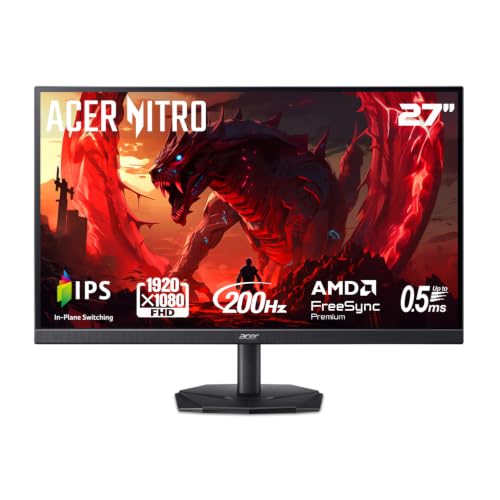
The KG240Y’s proposition is blunt and attractive: the same headline specification as the premium picks — 23.8-inch IPS, 240Hz, a half-millisecond response class, FreeSync Premium — at the friendliest cost of entry in this company. Acer’s Nitro line has made a speciality of this move, stripping the ceremony and keeping the substance, and for 240Hz gaming the substance is the panel’s speed and the sync that keeps it clean. Plug in a DisplayPort cable, set 240Hz, and the experience that defines this entire category is simply there, without the tax of features a focused player may never open.
In play, the monitor does the important things right. Motion at 240Hz on its IPS panel is crisp, colours hold the 99% sRGB promise closely enough that the screen doubles for media and work, and the FreeSync Premium implementation keeps the frame-rate dips of real gameplay — the drops during a firefight’s particle storm — from tearing the image at the worst moment. Two HDMI ports join the DisplayPort, so a console can live on the same desk, and the VESA mount means the tilt stand’s limits are a choice rather than a sentence: add an arm later and the monitor’s one ergonomic compromise evaporates.
Know what the savings cost. The stand tilts and that is all; the design is unmistakably budget-Nitro; and ASUS’s blur-reduction-with-sync trick is not replicated here. None of that touches the core transaction, which is frames: this is the cheapest honest route in this guide to the full 240Hz experience, from a gaming line with a long memory. For a first esports monitor, a second setup, or a player whose money is better spent on the graphics card that feeds the frames, the KG240Y is the rational champion of the class.
- Panel: 23.8-inch IPS, 1920×1080
- Refresh rate: 240Hz, FreeSync Premium
- Response: 0.5ms class
- Inputs: 2× HDMI, DisplayPort
- Mounting: VESA compatible, tilt stand fitted
Strengths
- Full 240Hz specification at the class’s friendliest entry
- FreeSync Premium keeps heavy scenes tear-free
- VESA mount lets you fix the stand later
Trade-offs
- Tilt-only stand out of the box
- No blur-reduction mode to rival ELMB or DyAc
- Styling and materials announce the budget
Best for: Value-focused competitive players and first-time 240Hz buyers. Not suited for: Players who want blur reduction and a premium stand included.

Gigabyte GS25F2A — Best 24.5-Inch Pick
The GS25F2A’s distinguishing decision is size, and it is a more meaningful one than half an inch sounds. Tournament players settled on 24.5 inches as the competitive format because the whole screen stays inside the focused field of view — no head movement, no peripheral hunting for the minimap — while the slight size increase over 24 inches eases the pixel density just enough to keep text and interfaces comfortable. Gigabyte’s SuperSpeed IPS panel in this format runs the full 240Hz with a 1ms grey-to-grey response class and FreeSync Premium, which is the complete competitive brief executed without garnish.
That restraint is the monitor’s character. Gigabyte includes the essentials — HDMI and DisplayPort, tilt adjustment, a clean bezel design that suits multi-monitor ambitions — and declines to inflate the specification with features that would raise the price without raising your rank. The panel’s behaviour at speed is the product: fast transitions, sync engaged, an image that stays composed during the flicks and pans of serious play. For the player whose reference point is the tournament broadcast desk, this is the screen that most resembles what the professionals’ stages standardised on, translated into a home purchase.
Its limitations mirror the Acer’s: the stand adjusts for tilt rather than offering the ASUS’s full repertoire, and there is no headline blur-reduction system. Between the Gigabyte and the Acer, the honest arbitration is size and taste — 24.5 inches with Gigabyte’s tuning against 23.8 with Acer’s marginally faster response claim — and either leaves you with the category’s essential experience intact. Players building a dedicated competitive corner, especially those who spectate as much as they play, will find the GS25F2A’s format quietly addictive: everything visible, nothing wasted.
- Panel: 24.5-inch SuperSpeed IPS, 1920×1080
- Refresh rate: 240Hz, FreeSync Premium
- Response: 1ms GTG class
- Inputs: HDMI and DisplayPort
- Format: the tournament-preferred 24.5-inch size
Strengths
- 24.5-inch format keeps the whole game in view
- Clean, complete competitive specification
- Understated design suits serious setups
Trade-offs
- Tilt adjustment only on the stand
- No dedicated blur-reduction headline feature
- Less widely stocked than Acer or ASUS rivals
Best for: Esports-focused players who want the tournament format at home. Not suited for: Players wanting a big screen or a full ergonomic stand.
ViewSonic VX2726 — Best 27-Inch Pick
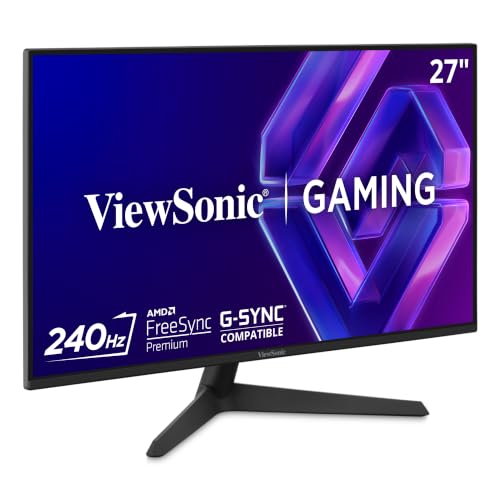
Every 240Hz guide needs its size dissenter, and the VX2726 argues that the esports formula survives translation to 27 inches. The trade is explicit: the same 1920×1080 resolution spread across a larger panel lowers pixel density, so text and fine detail soften compared with the 24-inch picks — and in exchange, targets are bigger, immersion is wider, and the screen serves films, streams and work with a generosity the tournament formats refuse. ViewSonic’s IPS panel holds 240Hz with a 1ms MPRT response class, FreeSync Premium and G-Sync compatibility, so the speed credentials are genuine rather than diluted by the size.
The connectivity is this pick’s quiet triumph. HDMI 2.1 means current consoles can deliver their high-refresh modes at full specification and a modern PC has headroom, while the monitor’s ability to run 144Hz and 165Hz modes gracefully acknowledges the hardware most people actually own today. Built-in speakers — rare in this speed class — make it a complete entertainment screen for the bedroom or shared flat, and HDR10 support, modest as HDR is at this level, rounds out media duties. This is the 240Hz monitor for the player whose desk is also their cinema and their office, and who accepts a small sharpness tax for a large life.
Competitive purists will note, correctly, that a 27-inch 1080p screen asks your eyes to patrol more territory and renders each pixel larger; ranked specialists should take the 24-inch picks and never look back. But the majority of 240Hz buyers are not specialists — they are enthusiasts who play fast games among everything else — and for them the VX2726 may be the most liveable screen in this guide: esports speed when the match starts, big-screen ease the rest of the day, and no apology required in either direction.
- Panel: 27-inch IPS, 1920×1080
- Refresh rate: 240Hz, FreeSync Premium, G-Sync compatible
- Response: 1ms MPRT class
- Inputs: HDMI 2.1 included
- Audio: built-in speakers
Strengths
- The only 27-inch route to 240Hz in this list
- HDMI 2.1 serves consoles at full specification
- Speakers and size suit media as well as matches
Trade-offs
- 1080p at 27 inches softens text and fine detail
- Too wide for the strict tournament field-of-view doctrine
- Stand ergonomics are mid-pack
Best for: Enthusiasts mixing competitive play with media and work on one large screen. Not suited for: Ranked purists who want the compact competitive format.
BenQ ZOWIE XL2546K — Pro Benchmark (Prose-Only)
The XL2546K is included without a link because no honest 240Hz guide can omit the monitor the professional circuit actually standardised on. ZOWIE’s esports line builds around a 24.5-inch TN panel whose native behaviour, paired with the DyAc+ backlight-strobing system, produces motion clarity that players describe in almost physical terms: moving targets stay defined, recoil patterns stay readable, and the screen never becomes the excuse. Around that panel, everything is tournament logic — a height-adjustable stand with markings so you can restore your exact setup at a LAN, a shield to cut reflections, settings that can be shared and cloned between identical units.
The compromises are the mirror of its virtues and should be understood before envy sets in. TN colour and viewing angles are a generation behind the IPS picks for everything that is not a match; the price is a professional’s price; and the feature set deliberately excludes the entertainment furniture — no speakers worth mentioning, no HDR ambitions — because its buyer is not entertained, they are employed. For home players, the XL2546K functions best as a reference point: it shows what the last few percent of motion clarity cost, and lets you decide, with the ASUS’s ELMB Sync in mind, how much of that clarity the mainstream now delivers for far less.
If your life genuinely includes tournament play, qualifiers, or a ranked obsession measured in thousands of hours, the ZOWIE is not an extravagance but the standard tool of your trade, and this guide respects it as such. Everyone else should read its section as the category’s north star — the clarity target the four linked picks chase at friendlier prices and with far better manners the other twenty hours of the day.
- Panel: 24.5-inch TN, 1920×1080
- Refresh rate: 240Hz native
- Motion: DyAc+ blur reduction
- Design: tournament stand with position markers, glare shield
- Availability: discussed prose-only in this guide
Strengths
- Motion clarity the professional circuit trusts
- Setup repeatability designed for LAN conditions
- Purpose-built, with nothing wasted on decoration
Trade-offs
- TN colour and angles trail every IPS pick here
- Professional pricing for a single-purpose tool
- Entertainment features deliberately absent
Best for: Tournament players and ranked specialists whose only metric is motion clarity. Not suited for: Media lovers, colour-sensitive work, or general-purpose desks.
Samsung Odyssey G4 (25-inch) — Established Alternative (Prose-Only)
Samsung’s Odyssey G4 rounds out the category’s establishment: a 25-inch IPS panel at a native 240Hz with a 1ms response class, FreeSync Premium and G-Sync compatibility, and the height-adjustable stand that Samsung fits to its gaming line as a matter of course. It is the mainstream Samsung expression of this exact specification — and a useful place to repeat a distinction this guide insists on: the G4 is a 240Hz monitor; Samsung’s more common Odyssey G3 models are 180Hz, excellent in their own bracket, and not interchangeable with this one when a listing or a roundup blurs the names.
In character the G4 sits between the Acer’s value and the ASUS’s completeness: IPS colour with Samsung’s typically punchy tuning, the Odyssey design language with its angular stand, and a feature set — black equaliser for shadow detail, virtual aim point, eye-saver modes — aimed at the player who games across genres rather than drilling one title. Its ergonomics out of the box beat the value picks, and its brand carries the service network that cautious buyers weigh. We discuss it prose-only here, so treat it as the shortlist’s sixth name: the one to compare against the ASUS when both are in front of you, decided by price, stand feel and which menu system your hands prefer.
Between the G4 and the VG249QML5A, the honest differences are of emphasis — Samsung’s tuning and design against ASUS’s ELMB Sync and warranty — rather than of tier. Either anchors a serious 240Hz desk. That two such complete monitors, plus a value Acer, a tournament-format Gigabyte and a 27-inch ViewSonic, now contest this category is the real story of 240Hz in this generation: it has stopped being a flagship flex and become a competitive market, which is precisely when buyers win.
- Panel: 25-inch IPS, 1920×1080
- Refresh rate: 240Hz native — distinct from the 180Hz G3 line
- Sync: FreeSync Premium, G-Sync compatible
- Stand: height adjustment included
- Availability: discussed prose-only in this guide
Strengths
- Complete 240Hz IPS specification from a major gaming line
- Height-adjustable stand included as standard
- Genre-flexible feature set and tuning
Trade-offs
- Name confusion with the 180Hz G3 models is a real shopping hazard
- No blur-reduction system to answer ELMB or DyAc
- Design is bold for shared or office spaces
Best for: Players who want Samsung’s ecosystem and ergonomics at full 240Hz. Not suited for: Buyers who need a linked, verified listing from this guide — compare it in store against the ASUS.
How Do the Best 1080p 240Hz Monitors Stack Up?
| Monitor | Size / Panel | Refresh | Blur reduction | Defining edge |
|---|---|---|---|---|
| ASUS TUF VG249QML5A | 24″ Fast IPS | 240Hz | ELMB Sync | Most complete package |
| Acer Nitro KG240Y | 23.8″ IPS | 240Hz | — | Lowest cost of entry |
| Gigabyte GS25F2A | 24.5″ SS IPS | 240Hz | — | Tournament format |
| ViewSonic VX2726 | 27″ IPS | 240Hz | — | Size plus HDMI 2.1 |
| BenQ ZOWIE XL2546K | 24.5″ TN | 240Hz | DyAc+ | Pro-circuit clarity |
| Samsung Odyssey G4 | 25″ IPS | 240Hz | — | Ergonomics and tuning |
Can Your PC Actually Feed 240 Frames Per Second?
The monitor is only the display half of a contract; your graphics card signs the other half. In the esports titles this category exists for — the major competitive shooters, racers and hero shooters — modern mid-range GPUs at 1080p with competitive settings genuinely reach and hold frame rates in the 240 neighbourhood, which is exactly why the resolution and refresh are paired: 1080p is the resolution at which 240Hz is feedable without flagship hardware. In graphically maximal AAA titles, the same system will produce far fewer frames, and the monitor’s adaptive sync will keep those frames clean — but the player buying for those games should reread the introduction’s honesty and consider whether 1440p at 144Hz serves their library better.
CPU limits surprise upgraders more than GPU limits. At very high frame rates the processor’s ability to prepare frames becomes the ceiling, particularly in crowded multiplayer scenes, so an older CPU paired with a new graphics card can plateau well below 240 in the exact moments that matter. The practical audit takes ten minutes: run your main title with an FPS overlay at your real settings and watch the floor, not the average, during busy fights. If the floor lives above 200, a 240Hz panel will transform your game. If it lives at 130, the panel will still help — motion clarity scales with whatever you feed it, and headroom future-proofs the next upgrade — but you should buy with eyes open and perhaps sequence the PC upgrade first.
Settings are the free frames. Competitive players have always traded shadows, reflections and post-processing for frame rate, and at 1080p those trades are nearly invisible in motion while doubling the delivered frames. A 240Hz purchase is therefore also a settings philosophy: you are declaring that in your games, information outranks decoration. Players who feel that declaration in their bones are this category’s people; players who hesitate should demo a fast panel before spending, because the preference is real, personal and impossible to settle from a specification sheet.
How Do You Configure a 240Hz Monitor for Competition?
Start by making the refresh real. Use the DisplayPort cable from the box, open your operating system’s advanced display settings, and set 240Hz explicitly — then verify it in the monitor’s own on-screen readout, because systems occasionally report what they intend rather than what they deliver. In the graphics driver, confirm the same figure, enable the adaptive-sync technology your panel and card share, and set the global frame-rate behaviour deliberately: many competitive players cap frames a few below the panel’s maximum to keep sync engaged at all times, a refinement worth testing in your own title rather than adopting on faith.
Then tune the panel’s motion behaviour with a fast game as your laboratory. If your monitor offers blur reduction — ELMB on the ASUS, DyAc on the ZOWIE — try it in your main title and weigh its clarity against the brightness it costs; some players swear by it, others prefer the brightness and sync purity of leaving it off, and both camps are right about their own eyes. Set overdrive to the middle of its range first and watch dark objects crossing bright backgrounds for the twin tells — smearing means too little, pale halos mean too much. Disable dynamic contrast, eco dimming and any feature that changes brightness mid-match, because a screen that breathes during a final circle is a variable you did not agree to.
Placement finishes the setup. At these sizes the screen belongs roughly an arm’s length away, centred on your seated eye line — the ergonomic stands on the ASUS and Samsung earn their keep here — with the monitor’s brightness matched to the room rather than maximised, since a searing panel in a dark room fatigues the eyes that 240Hz is meant to serve. Save your tuned profile in the monitor’s memory if it offers slots; tournament and media settings differ, and the player who can swap in two button presses actually will.
Which Mistakes Do 240Hz Buyers Make Most Often?
The canonical mistake is buying the panel for the PC you plan rather than the PC on your desk, then blaming the monitor for frame rates it never receives. The second is its mirror image: owning a capable PC but leaving the display at 60Hz in the settings for six months, a tragedy so common that every 240Hz owner’s first duty is the verification step in the section above. Third comes the cable drawer — an old HDMI lead that silently caps the connection, where the boxed DisplayPort cable would not. High refresh is a chain, and it fails at its oldest link.
Fourth, shoppers confuse the neighbourhood: 180Hz models with similar names and lower prices — fine monitors, wrong guide — get bought as 240Hz by people reading quickly, which is why this guide repeats the G3-versus-G4 distinction without embarrassment. Fifth, size is chosen by appetite rather than genre: the 27-inch feels generous in the shop and costs the ranked player the compact field of view they actually compete in, while the 24-inch feels austere to the media lover who would have thrived on the ViewSonic. Sixth, overdrive and blur settings are left at showroom extremes, and the resulting halos get blamed on the panel. Every one of these errors is free to avoid, and avoiding them is worth more performance than the price difference between the cheapest and dearest pick in this list.
Is 240Hz Worth It Over 144Hz or 360Hz?
Against 144Hz, the case is experiential and cumulative. The step from 60Hz to 144Hz is the revolution; 144Hz to 240Hz is the refinement — a further smoothing of fast motion, a further tightening of the loop between hand and image — that competitive players feel immediately and casual players feel as a general rightness. If you own a good 144Hz screen and play for fun, upgrading is a luxury. If you compete, or you are buying fresh, 240Hz is the correct default because the price gap has narrowed to the point where choosing less speed saves little and dates the purchase sooner.
Against 360Hz, the argument inverts into diminishing returns and honest physics. Panels beyond 240Hz exist for the professional fringe, at prices and GPU demands that escalate steeply, while the perceptual gains compress; the frame interval shrinks from about four milliseconds toward three, a difference laboratory-visible and match-relevant only at the very top of the skill distribution. The 240Hz class is where the curve bends — nearly all of the benefit, a fraction of the cost, feedable by real hardware — which is why tournaments, streamers and this guide converge on it. Buy 240Hz as the settled answer, and let the frontier argue with itself at prices you need not pay.
Final Recommendation
Most competitive players should buy the ASUS TUF VG249QML5A: it is the only pick here with no meaningful omission, pairing 240Hz Fast IPS with blur reduction that coexists with sync, a stand that respects your spine and a warranty that respects your wallet. The Acer KG240Y is the value champion and the right first 240Hz monitor for anyone whose budget is shared with a GPU upgrade; the Gigabyte GS25F2A serves the tournament-format purist; the ViewSonic VX2726 serves the big-screen enthusiast. The ZOWIE XL2546K and Samsung Odyssey G4 stand as the category’s reference points — the professional’s tool and the establishment alternative — and comparing any purchase against them will keep your expectations calibrated.
A closing thought for the player still on 60Hz and doing the arithmetic of the whole upgrade: this category rewards commitment in sequence — the frames, then the panel, then the patience to learn what your hands can suddenly do. Whichever panel lands on your desk, honour the contract: feed it frames, set it up deliberately, and give your eyes a week to recalibrate. Players who make the jump rarely describe it as a specification — they describe it as the game finally moving at the speed they were already thinking, and that is the only review of 240Hz that has ever really mattered. Buy the panel that fits your genre and your chair, and the argument is settled by your own hands within a week.
How Does a 240Hz Screen Fit a Streaming or Dual-Monitor Desk?
Streamers and multitaskers adopt 240Hz panels for a reason beyond the match itself: the desktop becomes a calmer place. A high-refresh primary screen makes window dragging, timeline scrubbing in editing software and rapid task-switching feel frictionless, which matters across a six-hour broadcast or work session as surely as it matters in a firefight. The common arrangement pairs the 240Hz monitor as the game and primary-work screen with an older, slower panel beside it for chat, monitoring and browsers — and every pick in this guide with VESA mounting makes that pairing a clean installation rather than a stack of improvisation.
Two configuration habits protect the setup. First, keep the high-refresh screen as the designated main display in your operating system, because games and some applications still take their refresh cues from the primary monitor’s identity. Second, expect mixed-refresh behaviour to have matured: modern operating systems handle a 240Hz panel beside a 60Hz one gracefully, but if you ever see the fast screen stutter when video plays on the slow one, the fix is usually a driver setting or moving the video to the primary — a five-minute diagnosis worth knowing before you blame the hardware. GPU load also deserves a thought: a second screen showing static content costs little, while a second screen playing video during a match is a real, if modest, tax on the frames you bought this monitor to display.
For creators specifically, the IPS picks earn their keep twice — their colour behaviour, led by the ASUS and ViewSonic, is honest enough for thumbnail work, stream overlays and casual editing, so the fast screen does not need a colour-critical sibling for anything short of professional print work. The ZOWIE is the exception that proves the rule: on a creator’s desk its TN panel would be the one thing in the setup apologising for itself, which is precisely the division of labour this guide has drawn all along.
How Do You Verify a 240Hz Panel During Its First Week?
New-panel inspection matters more at 240Hz because the failure modes are subtler than a dead screen. Begin with the refresh itself: confirm in the monitor’s own information page that the incoming signal is 240Hz while your fastest game runs, since a chain is only as strong as its cable, port and settings. Then run a motion test — the classic UFO pursuit pattern or simply a rapid camera pan across a high-contrast scene in your main title — and look for the three tells: smearing behind moving objects, pale inverse-ghosting halos, and any flicker when blur reduction is engaged. Each has a settings remedy described earlier in this guide; what you are checking is that the remedy works on your unit.
Pixel and uniformity checks follow the standard liturgy, performed because returns are painless now and arguments later. Display solid white, black, red, green and blue screens in a dim room; look for dead or stuck pixels, patches of backlight bleed at the edges, and any corner that glows like a moonrise on black. Sit at your real distance — a flaw invisible from your chair is a flaw you do not own — and check the stand’s adjustments and every input you intend to use, including the console’s. Finally, live with the monitor for several full sessions before the window closes, because eye comfort with strobing modes and brightness behaviour is a property of evenings, not minutes. A panel that passes all of this has earned its five years on your desk; one that fails has failed while failing was still free.
What Happens to 240Hz Value as the Rest of Your Setup Ages?
Monitors outlive the PCs that feed them, typically by two generations of graphics cards, and that longevity is the quiet economic argument for buying this tier properly. A 240Hz 1080p panel bought today will be fed better every time you upgrade anything else — the GPU that reaches higher floors, the CPU that stops plateauing your favourite title — so its experienced performance improves across its life in a way few components manage. The corollary is that its limitations are equally durable: the 1080p ceiling and the physical size you choose will still be there in five years, which is why this guide pressed the size question so hard and why the player torn between 24 and 27 inches should decide by genre, not by the day’s mood.
There is also a resale and hand-me-down dignity to the class. A used 240Hz screen remains a desirable object to the next player building a first competitive desk, in a way that a used 60Hz office panel is not, and within households these monitors cascade gracefully — main desk to second desk, sibling to sibling — because their defining specification does not date the way resolutions and connections do. DisplayPort and HDMI at these standards will be with us for years. Buy the panel as infrastructure, keep its box if you have the space, and the purchase amortises across more gaming than almost anything else plugged into your PC.
Which Competitive Genres Gain the Most From 240Hz?
Tactical and arena shooters remain the flagship case, because their decisive moments are angular: a head appearing at a doorway edge, a flick to a second target, a spray transfer tracked through recoil. At 240Hz each of those motions is rendered in finer slices, and the player’s aim — which is really a continuous negotiation with a moving image — negotiates with better information. Players moving from 144Hz typically report the same sentence in different words: they did not get faster, the game got clearer, and clarity compounds into confidence across a long session in a way that shows up in results before it shows up in vocabulary.
Racing games convert refresh into something subtler: the sense of speed itself. At high frame rates the road’s edge, the braking marker and the rival’s car hold their definition at velocities where slower panels smear them into suggestion, and the driver’s inputs land with a directness that wheel and pedal players describe as the car answering sooner. Fighting games are the interesting edge case — their logic traditionally runs at a fixed 60 updates per second, so the panel’s contribution is reduced input lag and cleaner presentation rather than more game information; players still prefer fast panels, but the honest guide notes that this genre buys the least from the headline number and the most from the low-lag engineering that accompanies it.
Battle royale and hero shooters sit between the poles: large maps and long sightlines reward the clarity, chaotic final circles reward the frame floor, and their variable frame rates are exactly what adaptive sync was invented to civilise. If your main title lives in this middle kingdom, weight the sync implementation and the panel’s behaviour at 120-180fps as heavily as the 240Hz ceiling, because that is the range your matches will actually occupy — a nuance the ASUS and Acer, with their mature FreeSync Premium implementations, handle particularly well.
How Do You Keep Your Eyes Fresh at 240Hz?
High refresh is itself an eye-comfort technology — smoother motion means less work for the visual system tracking it — but the surrounding habits decide whether long sessions end fresh or frayed. Brightness is the first lever: match the panel to the room, because a 240Hz screen at showroom brightness in a dark room will fatigue you regardless of its speed, and several picks here include blue-light and eye-saver modes for the evening hours. Flicker deserves a specific note for strobing users: blur-reduction modes pulse the backlight by design, and a minority of players find that tiring over hours — if a headache pattern emerges on ELMB or DyAc days, believe it and use those modes for matches rather than marathons.
Distance and breaks complete the discipline. The compact competitive formats invite sitting close, which is legitimate for a match and unwise as a permanent posture; push the screen to arm’s length for work and media, and let the ergonomic stands on the ASUS and Samsung do the height work your neck keeps requesting. The twenty-minute glance-away habit costs nothing and remains the cheapest performance upgrade in this entire guide. A 240Hz monitor removes excuses about the hardware; what you do with your eyes across a season is, as it should be, back in your hands.
How Should a First-Time Buyer Sequence a 240Hz Upgrade?
If the whole setup is being built or refreshed at once, buy in the order that protects the experience: graphics card first if yours cannot feed the frames, monitor second, peripherals with what remains. That sequence feels backwards to players who shop with their eyes, but a 240Hz panel behind an underpowered PC spends its first year as a promise, whereas the reverse order — frames first, panel a month later — delivers the transformation the day the screen arrives. The exception is a dying current monitor, which jumps every queue for the obvious reason that a setup without a picture has no performance at all.
Second-hand deserves a measured word in this class. Used 240Hz panels circulate as their owners chase 360Hz, and a verified unit — checked with the inspection routine in this guide, ideally still inside its warranty — can be the value move of the entire category. What you must not buy used is uncertainty: no return window, no chance to run the motion tests, a seller who cannot show the panel running at its rated refresh. The difference between a bargain and a bequest of someone else’s dead pixels is the half hour of testing, and in the used market that half hour is entirely your responsibility.
Frequently Asked Questions
Do I need a special cable for 240Hz at 1080p?
DisplayPort is the reliable route and the cable in the box is the right one; it carries 1080p at 240Hz comfortably. HDMI can also do it on modern standards — the ViewSonic’s HDMI 2.1 is the clearest case — but older HDMI cables and ports can cap the refresh below the panel’s ceiling. When in doubt, use DisplayPort and verify the rate in the monitor’s own menu.
Is a higher refresh rate visible on the desktop, or only in games?
Everywhere, immediately. Cursor movement, window dragging, scrolling through documents and timelines all redraw at the panel’s rate, and the smoothness is the first thing new owners notice before any game launches. It will not make you a better administrator, but it makes the machine feel responsive in a way that colours every hour at the desk, which is part of why these panels convert sceptics so reliably.
Will a 240Hz monitor help if my games run at 120fps?
Yes, though not at full strength. Motion clarity improves with whatever frame rate you feed the panel, adaptive sync keeps those 120 frames tear-free, and the monitor leaves headroom for your next hardware upgrade. But be honest in the other direction too: if your library will live at 120fps for years, a good 144Hz 1440p screen may serve you better, and this guide would rather tell you that than sell you hertz you cannot use.
What is the difference between ELMB, DyAc and plain overdrive?
Overdrive speeds up pixel transitions to reduce smearing. ELMB and DyAc go further, strobing the backlight so each frame is shown briefly and cleanly, which dramatically sharpens moving objects at the cost of brightness. ASUS’s ELMB Sync is notable for working alongside adaptive sync; BenQ’s DyAc+ is the tournament-tuned implementation on the ZOWIE. Try before you commit — some eyes love strobing, others find it fatiguing.
Is 24 or 27 inches better for competitive play?
The competitive consensus is 24 to 25 inches: the entire screen stays within your focused vision, so information arrives without eye travel. Twenty-seven inches at 1080p also spreads the same pixels thinner, softening fine detail. Choose 27 inches only if your desk mixes competition with media and work and you accept the trade knowingly, as the VX2726’s buyers should.
Can consoles use a 240Hz monitor?
They can use the monitor fully as a display and partially as a high-refresh one: current consoles output up to 120Hz in supported titles, which these panels handle beautifully, and the extra headroom simply waits unused. A 240Hz purchase for a console-only desk is future-proofing for a PC you have not bought yet; as a display for the console itself, it is excellent but more than required.
How long does it take to adjust to 240Hz?
Most players feel the difference in the first session and recalibrate fully within a week of regular play; aim trained at lower refresh translates upward almost immediately because the image simply carries more information. The stranger adjustment is returning: after a fortnight at 240Hz, a 60Hz screen feels visibly steppy, which is less a problem than a permanent raising of your standards — budget accordingly.
Does 240Hz reduce input lag, or is that separate?
They are related but distinct. Higher refresh shortens the time between frames being displayed, which is one component of the total lag chain from mouse to photon; panel processing and your PC contribute the rest. A 240Hz monitor therefore does reduce felt latency versus a slower panel on the same system, and the low-lag engineering of gaming lines like these trims the panel’s own share further.
Why is the Samsung G3 not in this guide?
Because it is a 180Hz monitor, and this guide’s gate is a native 240Hz specification. The G3 line is a respectable 180Hz family and appears in our other monitor coverage; Samsung’s 240Hz entry is the Odyssey G4, which is the model discussed here. Keeping that line bright is worth more to shoppers than one more pick would be.
Should you use the strongest overdrive setting at 240Hz?
Almost never. Every 240Hz panel in this guide offers several overdrive levels, and the fastest one usually overshoots: pixels race past their target shade and settle back, which paints a bright halo behind moving objects — the inverse ghosting competitive players complain about. The middle setting is the honest sweet spot on most panels, because it shortens response without pushing transitions into overshoot at the refresh rates you actually sustain. If a game cannot hold a near-locked 240 frames per second, drop one overdrive level as well; overdrive tuned for the maximum refresh behaves worse when the frame rate swings, and a steadier image reads faster than a nominally quicker one that smears.
Related Guides
Explore the neighbouring shelves with our companion guides: best 100 dollar gaming monitors for the budget tier below this one, best 1080p acer monitors for a single-brand deep dive at this resolution, and best accessories for laptops if your gaming desk is built around a portable machine.
Related guides
- Best 100 Dollar Gaming Monitors: Honest Picks and Sensible Stretch Options
- Best 1080p 144Hz Monitors: One True 144Hz Pick, Four Honest 180Hz Upgrades and a Labelled 120Hz Alternative
- Best 10 TV Monitors: The 6 Screens That Actually Earn a Place in Both Lives
- Best 1080p 21 Inch Monitors: The Honest Guide to the Compact Class