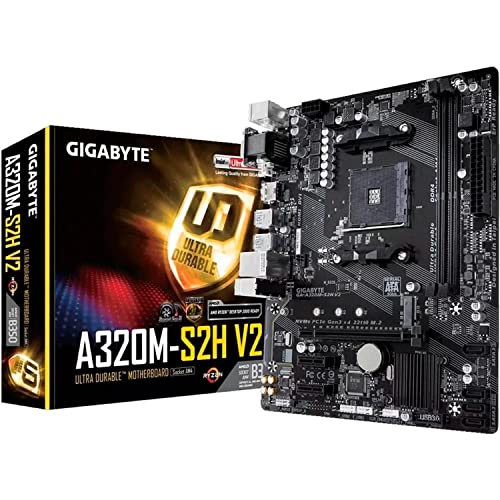
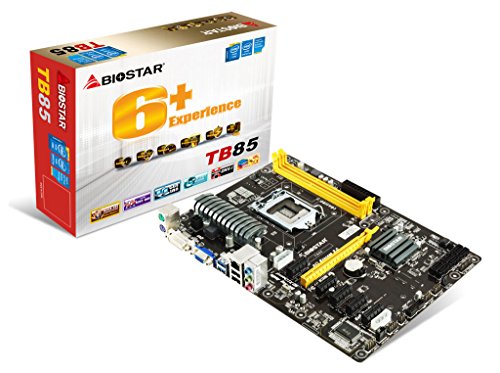
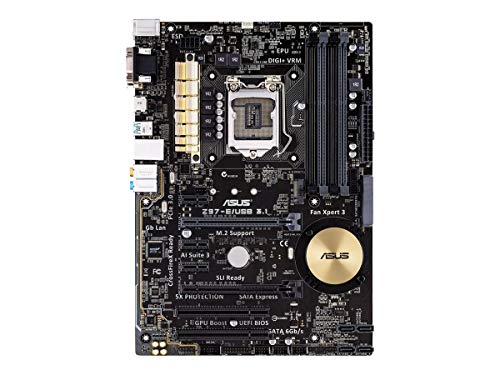
Our Top Picks
 Intel Corp. BX80662E31275V5 Xeon Processor E3 1275 V51.48 x 1.48 x 0.1 inches0.1 poundsCheck on Amazon


What's inside
- Why E3 v5 Chips Refuse to Run on Consumer Boards
- C232 Versus C236: The Two Chipsets That Matter
- ECC Memory: UDIMMs Only, and Why RDIMMs Fail
- The PCIe Lane Budget: Sixteen Plus the Chipset
- Storage on a 2015 Platform: SATA, M.2, and U.2
- IPMI and iKVM: Remote Management on Server Boards
- Form Factors: ATX, Micro-ATX, and Mini-ITX Server Boards
- BIOS, Microcode, and Processor Steppings
- Using These Boards Today: Home Servers and NAS Builds
- Workstation Use and Its Limits
- Buying Second-Hand Without Regret
- Power, Cooling, and Board-Level Practicalities
- Virtualisation, Pass-Through, and Operating System Support
- Troubleshooting a Board That Will Not Boot
- Longevity, Capacitors, and the Remaining Service Life
- Choosing Between Specific Board Families
- Check prices on Amazon
- A Short Decision Path
As an Amazon Associate I earn from qualifying purchases. This post may contain affiliate links at no extra cost to you.
The Xeon E3 v5 family occupies a peculiar place in computing history: processors that look, socket, and mostly behave like the desktop Skylake chips of their era, yet refuse to start in the desktop boards those chips were built for. Anyone who has bought an inexpensive second-hand E3-1230 v5, seated it in a consumer LGA1151 motherboard, and watched the fans spin without a display has met the central fact of this platform. The processor is not faulty and the board is not faulty; they were deliberately separated by chipset policy, and understanding that separation is the price of admission to one of the most cost-effective home server and workstation platforms of its generation.
Before the chipset tables and lane diagrams, a note on how this guide is funded for readers arriving from a search result. Certain outbound links here are affiliate links, and the site may receive a commission if a purchase follows, with no added cost to the buyer; the retailer sets its own pricing and stock, and that arrangement plays no part in which chipsets, memory rules, or management features our research treats as requirements below.
This guide explains which boards actually run E3 v5 processors, how the C232 and C236 chipsets differ, why only one specific kind of ECC memory works, and what a platform launched in 2015 can and cannot offer a home server or network-attached storage build today. It also covers the second-hand realities that specification tables omit: BIOS versions that predate later processor steppings, remote management modules with elderly firmware, M.2 slots that share bandwidth in ways the marketing summary compresses, and idle power figures that decide whether a cheap board is actually cheap to run all day and all night.
Why E3 v5 Chips Refuse to Run on Consumer Boards
Earlier Xeon E3 generations earned a loyal following because many of them worked in consumer desktop boards, giving buyers server features such as ECC memory support on inexpensive hardware. With the v5 generation, built on the Skylake architecture and the LGA1151 socket, that informal compatibility ended. Manufacturer documentation and board vendor support lists agree on the mechanism in practical terms: E3 v5 processors require a motherboard built around the C232 or C236 server and workstation chipset, and consumer chipsets of the same socket, including Z170, H170, B150, and H110, will not initialise the processor. The socket accepts the chip physically, the cooler mounts normally, and the power supply is adequate, yet the system does not complete its boot process because the platform firmware and chipset combination is outside the supported configuration.
This lock has three consequences for buyers. First, the second-hand market must be read carefully: a bundle advertised as a processor and board together should be checked against the board manufacturer’s own processor support list, not against the socket printed on the box. Second, a consumer board already owned cannot be repurposed for an E3 v5 build no matter how recent its BIOS, because the limitation is at chipset level rather than microcode level. Third, the boards that do support these processors come from workstation and server product lines, which changes the feature mix in useful ways: ECC memory support becomes standard, remote management appears on server models, and consumer extras such as elaborate audio sections and overclocking controls largely disappear.
There is a further naming trap. The E3 v5 family shares its generation label with mobile Xeon variants that use a different package and are soldered or socketed for laptops and compact workstations; those parts are not interchangeable with the LGA1151 desktop processors discussed here. Always match the full processor model number against the board’s support list, including its stepping where the vendor lists steppings separately, because a board may support an early production version of a model while requiring a BIOS update for a later revision of the same nominal chip.
C232 Versus C236: The Two Chipsets That Matter
The C232 is the entry server chipset for the platform. It provides the essentials a small server needs: support for the processor’s ECC memory capability, a complement of SATA ports for storage, USB connectivity, and PCI Express lanes from the chipset for additional controllers. What it does not provide is a connection for the processor’s integrated graphics. Many E3 v5 models include an integrated GPU, identified by a model number ending in 5, such as the E3-1245 v5, but on a C232 board that graphics block cannot be used for display output, because the chipset lacks the necessary display path. A C232 build therefore needs either a discrete graphics card or, more commonly for a server, a board with remote management that provides its own basic display controller independent of the processor.
The C236 is the fuller workstation chipset. It adds support for the integrated graphics of those processor models that include it, which unlocks display outputs on the board and, importantly for media servers, access to the Quick Sync video transcoding block built into the integrated GPU. C236 also expands the platform’s connectivity and management feature set compared with C232, including broader support for features associated with workstation deployments such as certain RAID configurations and Intel vPro-related capabilities on suitably equipped boards, though the exact implementation depends on the board design and the specific processor fitted. Buyers should read the individual board’s specification rather than assuming every C236 board exposes every chipset capability; vendors routinely leave chipset features unimplemented when a board is aimed at a narrower market.
Choosing between them is therefore a question about graphics and expansion, not about raw processor performance, because both chipsets run the same processors at the same speeds with the same memory ceiling. A headless file server with remote management gains little from C236. A workstation that will drive displays from integrated graphics, or a media server intended to transcode video with Quick Sync, needs C236 and a processor model that actually contains the integrated GPU. The common E3-1230 v5, for all its popularity, has no integrated graphics at all, so pairing it with a C236 board still leaves the builder needing a discrete card or a management controller for any local display.
RAID, and What It Is Not
Chipset RAID on these boards arranges SATA drives into mirrored or striped volumes under firmware control, with the operating system seeing a volume presented by that firmware layer. It is convenient for a simple mirrored pair of system drives, but it is not a substitute for a backup, and it ties the volume’s readability to a compatible controller if the board fails. Many home server builders therefore run the drives as individual devices and let the operating system’s own storage software handle redundancy, which keeps the disks readable on ordinary hardware. Whichever approach is chosen, manufacturer documentation for the specific board should be consulted for which ports participate in chipset RAID, because add-on storage controllers fitted by the board vendor sit outside that arrangement entirely.
ECC Memory: UDIMMs Only, and Why RDIMMs Fail
Error-correcting code memory is the main technical reason to build on this platform, because it detects and corrects single-bit memory errors that would otherwise pass silently into a file system or a virtual machine. The E3 v5 memory controller, however, supports only unbuffered ECC DIMMs, usually labelled ECC UDIMM. Registered DIMMs, labelled RDIMM and common in larger servers, place a register between the memory controller and the memory chips to support greater capacities per channel; the E3 v5 controller cannot drive them, and a system fitted with RDIMMs will not boot. This is the single most expensive mistake available on the platform, because registered memory is abundant and inexpensive on the second-hand market, looks physically similar, and fits the same slots.
The platform ceiling is 64 GB across four UDIMM slots on a full-size board, using 16 GB modules, with smaller boards offering two slots and a correspondingly lower maximum. Memory speed support follows the Skylake generation’s DDR4 baseline, and the board’s qualified vendor list is the authoritative source for which module densities and organisations are supported. Mixing ECC and non-ECC modules is not a route to partial protection: the system may operate with error correction disabled or refuse the combination, depending on the board, so a build intended to protect data should use matched ECC UDIMMs throughout. Ordinary non-ECC desktop DDR4 generally works in these boards when paired with a processor that supports it, which is useful for initial troubleshooting, but it forfeits the platform’s defining feature.
Buyers sourcing ECC UDIMMs second-hand should verify three attributes from the module label or the seller’s detailed listing: that the module is unbuffered rather than registered, that it carries ECC rather than being a plain unbuffered module, and that its organisation matches what the board accepts. Listings that describe a module only as server memory are not sufficient evidence, because that phrase covers registered parts in far greater numbers. A board that fails to boot with newly fitted memory should be troubleshot one module at a time in the slot the manual designates for single-module operation before any component is declared faulty, since slot population order matters on many server boards and the correct order is printed in the manual rather than following desktop convention.
The PCIe Lane Budget: Sixteen Plus the Chipset
Expansion planning on this platform starts with a fixed number: the processor provides 16 PCI Express lanes, intended primarily for graphics or other high-bandwidth cards. On workstation boards those lanes may feed a single full-length slot, be split between two slots for paired cards, or be partly diverted to onboard devices, and the manual’s block diagram is the only reliable account of which arrangement a given board uses. The chipset contributes its own additional lanes for lower-bandwidth duties such as network controllers, storage controllers, and shorter expansion slots, with the total depending on whether the board uses C232 or C236 and how the vendor allocated them.
For a home server, the practical allocation is usually straightforward: a host bus adapter for additional hard drives in the main slot, or a multi-port network card, or a graphics card for a workstation, with chipset-fed slots handling a second network adapter or a modest NVMe adapter card. Difficulties arise when a builder expects every long slot to run at full width simultaneously, which this class of platform was never designed to do. Bifurcation support, which would let one slot be split electrically for multiple NVMe devices on a carrier card, is inconsistent on boards of this era and should be confirmed for the exact board and BIOS version rather than assumed from the slot’s physical length, because a long slot wired for fewer lanes is common and entirely legitimate.
Readers planning a multi-card build on a newer platform will find the lane-allocation discussion in best 4 gpu motherboards a useful contrast, since it shows how quickly lane budgets, rather than slot counts, become the binding constraint when several accelerators share one processor. On E3 v5 hardware that lesson arrives earlier and harder: the platform suits one substantial expansion card plus supporting peripherals, and a design that needs more should move to a larger Xeon or desktop platform instead of fighting the arithmetic.
Slot Layout and Physical Clearance
Electrical allocation is only half the layout question. A double-width graphics card can cover the slot beneath it, a tall host bus adapter can foul a memory slot latch, and a card with its power connector on the end rather than the top needs case depth that compact server chassis do not always provide. Server boards also place components for rack cases rather than tower cases, so fan headers, front-panel connectors, and even the battery may sit in positions that are awkward in a consumer enclosure. Studying the manual’s board diagram before purchase, and checking the intended chassis against the board’s form factor and connector positions, prevents the build-day discovery that a cable cannot reach or a drive cage overlaps the board’s edge.
Storage on a 2015 Platform: SATA, M.2, and U.2
SATA is the dependable foundation here. Both chipsets provide multiple SATA ports at the 6 Gb/s standard of the era, sufficient for hard drives and for the SATA solid-state drives that remain the sensible boot devices for a small server. Port counts vary by board, and some ports may be shared with other connectors, so a build planning to populate every SATA port and an M.2 slot simultaneously must check the manual’s sharing table. That table, often a footnote in the storage section, states which SATA port is disabled when a particular M.2 device is installed, and overlooking it produces the confusing symptom of a drive that vanishes when a new one is added.
M.2 support on boards of this generation is inconsistent in both presence and capability. Workstation-oriented C236 boards are the most likely to include an M.2 slot, and where fitted it may support NVMe devices, SATA devices, or only one of those types, at a link width and generation set by how the vendor wired it. A slot from this era should never be assumed to match current M.2 performance expectations; its value in a server build is usually as a compact boot or cache device rather than as the main high-speed storage. Physical keying and supported lengths also vary, so the manual’s list of accepted module lengths should be checked before ordering a drive.
U.2 connectors appear on a small number of workstation boards from this period as an early route to NVMe storage in a cabled, hot-swap-friendly form. Their presence is a curiosity rather than a buying reason today, because the ecosystem of U.2 drives remained narrow while M.2 became the mainstream format. A board with U.2 can still use the connector with the appropriate cabling for a compatible drive, but builders should not pay a premium for it, and should confirm cable availability, since a connector without its specific cable assembly is unusable in practice.
IPMI and iKVM: Remote Management on Server Boards
The feature that most separates server-grade E3 v5 boards from their workstation counterparts is a baseboard management controller providing IPMI remote management with iKVM console access. In plain terms, the board carries a small independent computer that stays powered whenever the system has standby power, offering a web interface and network protocols through which the machine can be powered on, powered off, reset, monitored for temperatures and fan speeds, and, most valuably, viewed and controlled at console level as if a monitor and keyboard were attached. An operating system installation, a BIOS settings session, or a boot failure can all be handled from another room or another city, which is why a headless server built on such a board needs no graphics hardware at all.
ASRock Rack, Supermicro, and Gigabyte all produced E3 v5 boards with this capability, differing in the management controller generation, the interface layout, and whether the management network port is dedicated or shared with a data port. A dedicated management port is the cleaner arrangement, keeping management traffic physically separate and available even when the main network interfaces are reconfigured by the operating system. The management controller on boards of this age runs its own firmware with its own update cycle, and that firmware is old; the responsible practice is to place the management interface on a trusted, restricted network segment, never expose it directly to the public internet, change its default credentials immediately, and apply the latest management firmware the vendor provides for the exact board model.
Remote media mounting, which lets an installation image stored on another machine appear to the server as a local optical or USB device, is the feature that justifies iKVM during setup, because it removes any need to attach physical media to a machine in a cupboard or rack. Its speed is limited by the network and by the management controller’s modest hardware, so patience is required with large images, and some boards of this era implement parts of the interface with browser technologies that modern browsers have retired. Checking how the specific board’s console is accessed, and whether a standalone viewer or an HTML5 console is available in its later firmware, is a worthwhile pre-purchase investigation for anyone who will rely on remote access weekly rather than once a year.
Sensors, Fans, and Alerts
The management controller also watches the board’s sensors, logging events such as fan failures, temperature excursions, and power supply problems, and it can send alerts when configured with network details. In a home server this logging is quietly valuable: an intermittent fan that stops overnight leaves an event record rather than a mystery, and a history of rising temperatures points to dust or a failing bearing before anything overheats. Fan control itself on server boards is oriented toward rack chassis with powerful, loud fans, and the available profiles may not suit a quiet tower build; builders sensitive to noise should investigate the board’s fan settings in its manual and expect to choose fans whose speed range the board can actually govern.
Form Factors: ATX, Micro-ATX, and Mini-ITX Server Boards
Full ATX boards give this platform its widest choice of slots and memory capacity, with four DIMM slots for the full 64 GB ceiling and room for several expansion cards, at the cost of requiring a case with genuine ATX depth and standoff positions. Micro-ATX variants keep four DIMM slots on many models while trimming slot count, making them a natural fit for a compact tower server that still needs a host bus adapter and a network card. The mounting pattern is standard, but server micro-ATX boards sometimes place the processor socket and memory to suit rack airflow, so a tall tower cooler that fits a desktop board may conflict with drive cages in a small chassis.
Mini-ITX server boards are the specialised end of the range, built for compact network-attached storage and appliance builds. They typically offer two DIMM slots, which halves the memory ceiling compared with four-slot boards, and a single expansion slot, yet they often include the full server feature set of remote management and multiple network ports in a board that fits enclosures holding little else. Storage connectivity on these boards leans on the chipset’s SATA ports, sometimes supplemented by a vendor-fitted controller, because there is no room for a large slot array. For a quiet, low-power file server in a small case, that trade is often the right one; for a virtualisation host expected to grow, it is a ceiling that will be reached quickly.
Proprietary and rack-specific boards also circulate second-hand, pulled from branded servers, and they require caution: non-standard mounting holes, proprietary power connectors, and firmware tied to a vendor’s chassis can make them unusable in a standard case despite an attractive price. A board sold with its original retail box, standard power connectors, and a downloadable public manual is a far safer purchase than a bare pulled board identified only by a part number, however capable the pulled board was inside its original system.
BIOS, Microcode, and Processor Steppings
Processor support on a mature platform is a function of BIOS version as much as chipset. Over the E3 v5 family’s production life, later steppings and additional models appeared, and board manufacturers issued BIOS updates adding the microcode and initialisation support those revisions required. A board that has sat in storage with its original release BIOS may therefore fail to boot with a later-stepping processor even though that processor appears on the board’s support list, because the listing assumes a minimum BIOS version that the support page states and sellers rarely mention. The practical defence is to ask the seller which BIOS version is installed, or to plan the first boot with an early, widely supported processor model on hand if the board’s version is unknown.
Updating the BIOS on these boards follows the vendor’s documented procedure, which on server models can often be performed through the management interface even without a working main processor configuration, a genuine advantage of the IPMI-equipped boards. Workstation boards without management rely on conventional update utilities and require a booting system, which creates the circular problem that an unsupported processor cannot boot the board to update it. Before purchase, matching three documents resolves nearly all uncertainty: the processor support list for the exact board revision, the BIOS release notes showing which version added the intended processor, and the manual’s memory population rules. Builders comparing newer platforms can see the same pattern in the support lists discussed in best 10th gen motherboards, where early BIOS versions and later processor releases interact in exactly the same way.
Microcode also carries security and stability fixes for the Skylake generation that were issued over several years, so bringing a second-hand board to its final BIOS version is part of commissioning rather than an optional refinement. The final versions are stable and well understood by now, which is one of the quiet benefits of a mature platform: there are no surprises left in its firmware, every incompatibility has been documented by someone, and the vendor’s last release can simply be installed and left alone.
Using These Boards Today: Home Servers and NAS Builds
The strongest modern case for an E3 v5 board is a home server that values ECC memory, remote management, and proven stability over raw speed. Four cores with hyper-threading on most models handle file serving, backup targets, media libraries, home automation, and a handful of virtual machines or containers without strain, and the platform’s modest memory ceiling is the real limit on consolidation rather than processor throughput. A builder who needs to run many memory-hungry virtual machines will reach 64 GB, or 32 GB on a two-slot board, sooner than any processor limit, and should size the intended workload against that ceiling honestly before buying.
Idle power deserves measurement rather than assumption, because a server runs idle for most of its life. A sensibly configured E3 v5 system with a small number of drives can idle at a level that makes continuous operation reasonable, but the details decide the figure: an elderly, inefficient power supply, a discrete graphics card left installed unnecessarily, multiple spinning drives that never sleep, and add-in cards that prevent the processor from entering deeper idle states can each add a steady draw that compounds across a year. Spec sheets show the processor’s thermal design power, which describes heat under load rather than idle consumption, so whole-system measurement at the wall with a plug-in power meter after the build is the only figure worth budgeting from. Choosing a modern, efficient power supply sized close to the actual load is one of the few new parts a second-hand build should insist on.
For a media server, the C236 and integrated graphics combination returns to relevance: a processor model with the integrated GPU fitted in a C236 board can use Quick Sync hardware transcoding, which handles video conversion with far less processor load than software encoding, and it does so without occupying the main expansion slot with a graphics card. The version of Quick Sync in this generation supports the codecs of its era well and lacks hardware handling for the newest formats, so a library built around recent codecs will lean more on the processor cores. That limitation is acceptable for many household libraries and should be weighed against the cost of a newer platform bought solely for transcoding.
Networking and Drive Counts for a NAS
Most boards of this class provide one or two gigabit network ports, sometimes with controllers from different vendors on the same board, which suits separating management, storage, and general traffic at household scale. Faster networking can be added in the main expansion slot if the chassis and lane budget allow, though that choice competes directly with a storage host bus adapter, and a NAS design should decide early which of those two claims the slot serves. Drive count is governed by chipset SATA ports plus whatever a host bus adapter adds, and by the case’s bays and cooling; a board with six SATA ports in a case with six bays and adequate airflow is a coherent design, while a plan to hang a dozen drives from adapters in a small enclosure creates heat and cable problems that the board cannot solve.
Reliability practices matter more than any single component choice. ECC memory reduces one class of silent error, mirrored or redundant storage arrangements address drive failure, and a backup held separately from the server addresses everything else, including deletion and ransomware. The platform supports those practices affordably, which is its real distinction: features that were priced for small businesses in 2016 are now available at hobbyist prices, provided the buyer accepts the era’s limits on expansion and efficiency.
Workstation Use and Its Limits
As a workstation, an E3 v5 build offers ECC memory, professional graphics card support in the main slot, and in C236 form, integrated graphics for lighter duties or as a diagnostic fallback when a discrete card is removed. It suited CAD, software development, and general professional work in its day and remains serviceable for those tasks at modest scale. The limits are generational: no support for later instruction set extensions that some current software prefers, a four-core ceiling across the whole family, memory capped as described, and platform connectivity from before USB standards settled into their current naming and speeds. A buyer choosing between a refurbished E3 v5 workstation board and a newer consumer platform, such as those covered in best 2700x motherboards, is really choosing between ECC and remote management on one side and core count, memory headroom, and modern connectivity on the other, and the workload should make that decision rather than nostalgia for either era.
Graphics card compatibility is generally broad because the main slot is a standard PCI Express x16 connection of the third generation, but physical and power considerations from the period apply: very long modern cards may not fit older workstation cases, and the power supplies in refurbished systems may lack the connectors a recent card requires. Integrated graphics output resolutions and connector types on C236 boards reflect 2015 expectations, so a modern high-refresh or very high-resolution display belongs on a discrete card, with the integrated output kept for setup and troubleshooting.
Buying Second-Hand Without Regret
Inspect what can be inspected. Photographs of the socket are worth requesting, because LGA1151 socket pins are fine and easily bent, and a single damaged pin can disable a memory channel or an expansion slot in ways that appear only under specific configurations. Ask whether the board includes its I/O shield, its management licence or credentials state where applicable, any proprietary storage cables, and the original driver media is unnecessary but the manual’s availability online should be confirmed. A board reset to factory management defaults, with the seller able to say so, saves an evening of recovery procedures documented in the vendor’s knowledge base.
Price the whole platform rather than the board alone. ECC UDIMMs in the larger density carry a premium because every E3 v5 and several neighbouring platforms compete for the same limited supply of 16 GB unbuffered modules, and a cheap board paired with expensive memory may cost more in total than a dearer board bundled with suitable modules. The same arithmetic applies to a required discrete graphics card for a C232 build, or a replacement power supply for a refurbished workstation. Builders who have priced the newer enthusiast platforms in best 3950x motherboards will recognise the pattern: the headline component is rarely where a build’s budget is actually decided.
Finally, test methodically on arrival. Build the minimum configuration outside the case: board, one memory module in the designated slot, processor and cooler, power supply, and either a management connection or a basic display. Confirm the BIOS version, update firmware by the vendor’s procedure, then add memory to full population, storage, and expansion cards one step at a time. That sequence isolates faults to the step that introduced them and creates a known-good baseline before the machine is trusted with data, which is the entire philosophy of the platform in miniature.
Power, Cooling, and Board-Level Practicalities
Most retail E3 v5 boards use the standard 24-pin main power connector and an 8-pin processor power connector familiar from desktop builds, which keeps power supply choice straightforward. Some compact and rack-oriented boards use a single connector arrangement or expect power from a chassis backplane, and those designs should be identified from the manual before a standard supply is ordered around them. Processor power draw across the family is moderate by current standards, with the common quad-core models designed for ordinary tower coolers, and low-power variants carrying a letter suffix in the model name for builds where heat and noise matter more than peak frequency. The cooler mounting pattern matches other LGA1151 processors, so a wide range of air coolers fits, though a server board’s component layout around the socket should be checked against a very wide tower cooler’s footprint.
Airflow direction is a server design assumption that tower builders inherit whether they notice it or not. Rack servers move air front to back in a straight line, and their boards place memory slots parallel to that flow so each module receives moving air. In a tower case with a large slow fan and a graphics card obstructing the path, memory and voltage regulation components may receive far less airflow than the board’s designers assumed, particularly when the processor cooler blows downward or exhausts in a direction that fights the case flow. A small amount of deliberate case airflow across the board, rather than reliance on the processor cooler alone, keeps those supporting components within comfortable temperatures and extends the life of the fans that provide it.
Voltage regulation on workstation and server boards of this era was built for sustained loads rather than brief peaks, which suits a machine that compiles, renders, or serves files for hours. It also means these boards rarely offer the elaborate power tuning found on enthusiast products, and that absence is a feature for a server: settings stay where they were left, boot behaviour is predictable, and the firmware prioritises identifying installed hardware correctly over extracting marginal performance. Anyone hoping to overclock should look elsewhere entirely, because the processors and chipsets in this family were not designed or marketed for it, and the boards provide neither the controls nor the cooling assumptions such use would require.
Virtualisation, Pass-Through, and Operating System Support
The E3 v5 processors support the hardware virtualisation features expected of their class, including second-level address translation for efficient virtual memory handling, and most models support directed I/O pass-through, which allows a physical device such as a network card or storage controller to be assigned directly to a virtual machine. Board firmware must expose the relevant settings, and server boards generally do, though the options may live in a processor or chipset submenu whose naming follows the vendor’s conventions rather than the terminology used in hypervisor documentation. Confirming those toggles exist in the manual is worthwhile for a buyer whose entire purpose is a virtualisation host, because a board that hides or omits a pass-through setting limits the build in a way no later accessory can correct.
Operating system support is broad precisely because the platform is old. Current Linux distributions carry mature drivers for the chipsets, network controllers, and storage controllers used on these boards, and the major hypervisors either support the platform directly or run with well-documented configurations. Windows installations should follow the board vendor’s driver archive for chipset and network devices, since the newest generic drivers may no longer be validated against this generation. That maturity cuts both ways: there will be no new feature drivers, no support for the newest sleep states or power management refinements, and management controller firmware will remain at its final version. For a server expected to run a stable workload for years, that frozen state is often preferable to a platform still changing under its administrator.
Boot mode choices deserve a decision at installation time. These boards support both legacy and UEFI boot, and installing the operating system in UEFI mode with a GUID partition layout is the cleaner long-term choice for drives of modern capacity and for consistency with current installation media. Mixing modes later, or moving a system disk from a legacy installation on another machine, produces boot failures that look like hardware faults. The firmware’s boot order settings, network boot options, and management controller’s own network configuration should be recorded once the machine is commissioned, ideally in the same document that holds its BIOS version and memory module details, so a future administrator is not reconstructing the configuration during an outage.
Trusted Platform Modules and Secure Boot
Some workstation boards of this generation provide a header for a discrete trusted platform module or include firmware support for platform security features, and secure boot can be configured in the UEFI firmware with the operating system’s signed bootloaders. The exact capability depends on the board and on whether a physical module was ever fitted, which second-hand listings seldom state. A buyer whose compliance or encryption plan depends on a TPM should verify the header’s presence and the correct module specification for that board, because modules are not universally interchangeable across vendors or generations, and a module bought on the strength of a matching pin count alone may not initialise. Where full-disk encryption is the goal, the processor’s hardware encryption acceleration does the heavy lifting in daily use, and it is present across the family.
Troubleshooting a Board That Will Not Boot
A systematic order of checks resolves most failures on this platform, and the order matters because several distinct faults present identically as a machine that powers on and shows nothing. First, confirm the chipset: if the board is a consumer model, no further troubleshooting will make an E3 v5 processor run in it, and the correct action is to change the board or the processor rather than to reseat components repeatedly. Second, confirm the memory type: read the module labels and verify that the fitted parts are unbuffered, because registered modules produce exactly this symptom and are the most common cause after the chipset itself. Third, confirm the graphics path: a processor without integrated graphics in a board whose display outputs depend on it will appear dead to anyone watching a monitor, while the machine may be running normally and reachable through its management interface or network.
Fourth, reduce the system to its minimum and listen to what the board provides for diagnosis. Server and workstation boards offer varying diagnostic aids: speaker beep codes, small status LEDs, hexadecimal checkpoint displays on higher-end models, and event logs readable through the management controller even when the main system will not start. That last facility is a decisive advantage during troubleshooting, because the log often distinguishes a memory training failure from a processor initialisation failure without any guesswork. Consult the manual’s troubleshooting section for the board’s specific codes rather than applying another model’s chart, since vendors assign meanings independently.
Fifth, consider the power supply and the board’s standby behaviour. A management-equipped board draws a small standby load continuously, and its controller should be reachable on the network shortly after power is connected, before the main system is ever switched on. If the controller never appears, the fault lies in standby power, the management network connection, or the controller’s own configuration, and the main processor is not yet part of the problem. A supply that has aged out of specification can also produce a board that starts under no load and resets when drives spin up, which is why substitution with a known-good supply is a standard step rather than an admission of defeat. Each substitution should change one variable at a time, with the result noted, because replacing three components at once leaves the builder knowing only that something in the pile was at fault.
Longevity, Capacitors, and the Remaining Service Life
Boards from 2015 and 2016 have now spent years in service, and their remaining life is governed less by the silicon than by the supporting components: electrolytic capacitors age with heat and time, fans wear, and the coin cell that maintains firmware settings and the real-time clock eventually depletes. A depleted cell announces itself through settings that reset whenever power is fully removed and a clock that loses time; replacing it is inexpensive and should be part of commissioning any second-hand board, before settings are carefully configured and then mysteriously lost. Visual inspection under a bright light can reveal capacitors with bulged tops or residue at their bases, and while a single suspect component does not condemn a board, widespread signs of heat stress around the voltage regulation area should temper the price paid.
Storage of spare capability is a rational strategy for a machine expected to serve for years. Because the platform is discontinued, a builder who depends on one of these systems might reasonably keep a spare set of memory modules or even a second board bought while supply remains plentiful, since the cost of holding a spare today is small against the cost of an urgent migration later. Data should never depend on that strategy, of course; backups and redundant storage exist so that the failure of any single board, however well chosen, is an inconvenience rather than a loss. The platform rewards that philosophy, because its entire value lies in dependable service from understood hardware, not in novelty.
Set against newer hardware, an E3 v5 board will lose every contest of peak performance, expansion, and efficiency at full load, and it will win the contests that its remaining buyers actually care about: purchase cost for ECC capability, the availability of genuine remote management outside enterprise contracts, a deep public record of documentation and solved problems, and behaviour that has been stable for years. Judged on those terms, and bought with the chipset, memory, BIOS, and graphics checks in this guide completed before payment, it remains a coherent platform rather than a nostalgic one.
For the builder who verifies the C236 chipset on the box, fits unbuffered ECC modules in the manual’s slot order, and reaches the finished server through its management console from a desk upstairs, this ageing platform still delivers exactly the quiet, remotely tended reliability it was designed for in 2015.
Choosing Between Specific Board Families
Within the server board ranges, the deciding differences are rarely the headline specifications, which converge across vendors, but the supporting details each manufacturer handles differently. One vendor’s management interface may receive its final firmware with a modern browser console while another’s remains dependent on older viewer technology; one may document memory population and error codes thoroughly in a public manual while another assumes a trained integrator. For a platform bought to be maintained by its owner for years, documentation quality is a hardware feature in every practical sense, and it can be assessed before purchase by downloading the manual and attempting to answer three questions from it: which slot takes a single memory module, which BIOS version added a chosen processor, and which ports are disabled when the M.2 slot is populated.
Workstation boards from the larger desktop manufacturers follow a different logic, trading remote management for friendlier audio, more USB ports, and cases and coolers aimed at a desk rather than a rack. Those boards suit a single-user professional machine that will be sat beside its operator, where a management controller would never be configured. The error to avoid is buying a workstation board for a server role on the assumption that management can be added later with a plug-in card of the kind used in larger enterprise systems; on this class of board, management is a property of the board’s own controller and layout, and a board built without it will always require physical presence for console-level work.
Stock condition grading also deserves scepticism. A board described as refurbished may mean anything from a manufacturer-recertified unit in sealed packaging to a pulled board wiped with a cloth, and the listing language rarely distinguishes them. Evidence that carries weight includes clear photographs of the actual item rather than a catalogue image, a stated firmware or BIOS version, the inclusion of the I/O shield and any board-specific cables, and a returns policy long enough to complete the methodical minimum-configuration build described earlier. A seller who can answer which management firmware the board runs has almost certainly powered it on, and that simple fact separates tested stock from warehouse stock more reliably than any grading label.
Check prices on Amazon
Live listings for the shortlist in this guide are pulled from Amazon below, so prices and availability are always current at the moment you look.
A Short Decision Path
Work through the platform in the order its constraints apply. Confirm the processor is a desktop LGA1151 E3 v5 model and note whether it carries integrated graphics. Choose C236 if those graphics or Quick Sync transcoding will be used, and accept C232 for a headless machine with management or a discrete card. Choose the form factor from the case and the memory ceiling it implies, remembering that two-slot boards halve the maximum memory. Decide whether remote management is a requirement, a convenience, or unnecessary, and let that decision select between the server and workstation families before comparing individual models. Then verify the specific board against its own support list for the exact processor and BIOS version, price the correct unbuffered ECC memory as part of the same purchase, and reserve the main expansion slot for the one card the build genuinely needs.
That sequence, followed in order, eliminates nearly every failed build reported for this platform, because each step closes a door that later steps cannot reopen. What remains is a matter of condition, documentation, and price among boards that will all work, which is exactly where a second-hand purchase should be decided. Bought that way, an E3 v5 system asks little of its owner after commissioning: it holds its settings, logs its faults, corrects its memory errors silently, and serves files or virtual machines with the steadiness that made small organisations trust it when it was new.
The wisest E3 v5 purchase is therefore not the cheapest board on the listing page but the one whose manual, BIOS revision, and memory labels the buyer checked on a quiet evening before any money moved.
One final habit separates a settled installation from a fragile one: after the machine has run cleanly for its first week, export or photograph its firmware settings, record the management controller’s firmware version beside the main BIOS version, and store the board manual with those records rather than relying on finding the correct revision online years later when the vendor’s archive has been reorganised. Note which memory modules sit in which slots, which SATA ports are occupied, and which expansion card holds the main slot, because a future fault will be diagnosed against that baseline. A platform this well documented rewards an owner who adds one page of their own documentation to it. Label the management network cable at both ends before the rack door closes for the first time.