What's inside
- Where to buy
- Key Takeaways
- Quick Picks
- How did we choose these motherboards for 12th Gen Intel?
- Which 12th Gen Intel motherboard should you buy first?
- How do the six 12th Gen Intel motherboards compare side by side?
- What should you check before pairing a board with an Alder Lake processor?
- How do you install a 12th Gen Intel motherboard without the usual scars?
- What mistakes do Alder Lake builders keep making?
- Final Recommendation
- Frequently Asked Questions
- How does an Alder Lake board choice age across the years after the build?
- Which companion parts deserve thought before the board is ordered?
- What do three realistic Alder Lake builds look like on these boards?
- Why does the chipset ladder confuse so many otherwise careful shoppers?
- How should a buyer read a motherboard listing like a sceptic?
- Related Guides
As an Amazon Associate I earn from qualifying purchases. This post may contain affiliate links at no extra cost to you.
gizmoverdict.com is reader-supported. When you buy through links on our site, we may earn an affiliate commission.
Where to buy
Linked board names in this guide open their Amazon listings, where the memory standard printed in the listing title deserves a slow read before anything else. The best motherboards for 12th Gen Intel processors start from a fortunate position: Alder Lake chips arrived on the LGA1700 socket alongside two memory generations, so a builder holding DDR4 sticks from an older rig and a builder starting fresh with DDR5 both find honest homes here. Four of the six boards below carry verified listings in our pool, and each listing states its memory camp plainly enough that nobody should end up holding the wrong kit. The remaining two positions are covered in prose, because they represent specification classes worth knowing even where we hold no verified link.
Twelfth generation ownership usually begins with a processor already chosen, often a Core i5-12400F bought for value or a Core i7-12700K bought for headroom, and the board decision then splits along three practical lines. Memory comes first, because DDR4 and DDR5 versions of otherwise similar boards are separate products with separate slots, and a kit from one camp physically refuses the other. Chipset comes second: Z690 unlocks processor overclocking and the widest expansion, while B660 and B760 trim cost by removing multiplier tuning that most Alder Lake owners never touch. Board size comes third, since a micro-ATX board inside a large case leaves expansion on the table, while a full ATX board inside a compact case simply never arrives.
One warning belongs near the top because it wastes more weekends than any other in this category. A B760 board is newer than a B660 board, yet both support a 12th Gen chip out of the box, and neither needs the BIOS anxiety that haunted early LGA1700 adopters pairing later processors with first-wave firmware. Going the other direction causes the trouble: dropping a 13th or 14th Gen processor into an early Z690 or B660 board can demand an update first. This guide stays on the 12th Gen side of that line, where compatibility is the calm default rather than a research project.
Key Takeaways
- Alder Lake splits its board market by memory: B760-P WiFi DDR4 and PRIME B760M-A AX D4 reuse an existing DDR4 kit, while the PRO Z690-A WIFI route suits a fresh DDR5 purchase.
- Z690 remains the only chipset in this list that permits Core K processor overclocking; B660 and B760 boards lock the multiplier regardless of cooling ambition.
- Every board here accepts a 12th Gen processor without a preliminary firmware update, which removes the borrowed-CPU ritual from the build entirely.
- Micro-ATX picks trade expansion slots and storage headers for lower cost and smaller cases, a bargain that suits single-graphics-card systems perfectly well.
- Wi-Fi appears in the name of four of the six selections, so wireless networking should be treated as a checklist item rather than assumed equipment.
Quick Picks
| Pick | Badge | Why it earns its place |
|---|---|---|
| MSI PRO Z690-A WIFI | The overclocker’s foundation | Full ATX Z690 with Wi-Fi for builders pairing a K-series Alder Lake chip with serious cooling and several drives. |
| MSI PRO B760-P WiFi DDR4 | The DDR4 value anchor | Its listing names DDR4 and three processor generations outright, making it the calm choice for reusing memory you already own. |
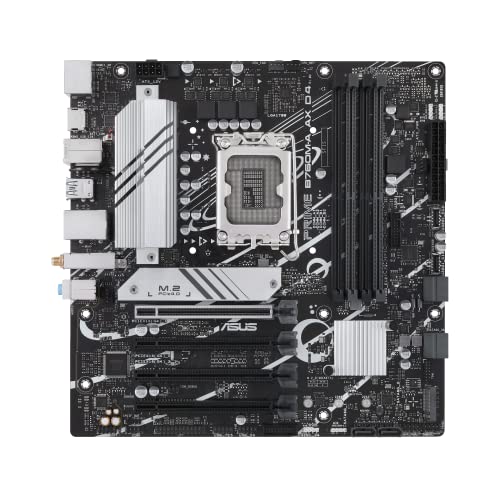
| ASUS PRIME B760M-A AX D4 | The compact dual-display board | A micro-ATX B760 whose verified title confirms DDR4, Wi-Fi 6 and a Dual HDMI rear panel for integrated-graphics desks. |
| ASRock B660M-HDV | The lean budget board | A stripped micro-ATX B660 that spends its money on the socket and slots a basic Alder Lake system genuinely needs. |
| Gigabyte Z690 AORUS Elite class (DDR4 editions) | The gaming-trim alternative | Prose-only here, representing Z690 boards dressed with heavier heatsinks and gaming audio for builders who want that finish. |
| MSI MAG Z690 Tomahawk class (DDR4 editions) | The storage-heavy alternative | Also prose-only, standing in for Z690 boards that stack extra M.2 slots for multi-drive game libraries and capture work. |
How did we choose these motherboards for 12th Gen Intel?
Selection began with the socket and stopped there until every candidate proved LGA1700 support for Alder Lake processors in its verified listing. That sounds obvious, yet marketplace searches cheerfully mix LGA1200 boards for 10th and 11th Gen chips into results for this keyword, and an incompatible board discovered after delivery helps nobody. Each linked pick below traces to a listing checked through the site’s own product feed on 2026-11-25, and the listing title is reproduced in the companion sources file so the chipset, form factor and memory standard can be audited without trusting our summary.
Memory honesty carried unusual weight in this particular ranking. Alder Lake’s controller speaks both DDR4 and DDR5, but each physical board speaks exactly one, and the difference hides inside suffixes such as D4 or inside a title line that a hurried buyer skims past. Where a verified title states DDR4 outright, the article says so and treats kit reuse as that board’s headline virtue. Where a title stays silent about the standard, the article refuses to guess and instead directs the reader to the listing’s specification block, because a wrong memory purchase is the single most common Alder Lake build error still circulating.
Chipset balance shaped the final six as well. A list containing nothing but Z690 boards would flatter enthusiasts while ignoring the majority of 12th Gen owners, whose non-K processors cannot use multiplier overclocking anyway. Mixing two Z690-class positions with B760 and B660 boards mirrors how these systems are actually bought: one or two machines built for tuning, and many more built for quiet competence at a sane total. Form factor received the same treatment, pairing full ATX anchors with micro-ATX boards that fit the smaller cases dominating desk setups.
Finally, each candidate needed a plausible owner. A board that could not answer the question of who should buy it, in one honest sentence, left the list regardless of specification depth. That discipline produced the pattern visible below: an overclocking foundation, a DDR4 value anchor, a compact board with unusual display generosity, a lean budget option, and two prose positions describing specification classes that round out a buyer’s map of the market even without a verified link attached to them today.
Which 12th Gen Intel motherboard should you buy first?

MSI PRO Z690-A WIFI — The overclocker’s foundation
Z690 is where Alder Lake shows its full hand, and this MSI board presents that hand without gaming costume. The PRO line dresses plainly, puts its budget into power delivery and slot layout, and suits the builder whose Core i7-12700K or i9-12900K will actually be tuned rather than merely installed. Multiplier overclocking, the feature B-series chipsets withhold, lives here, along with the board space that a serious air cooler or a 280mm radiator demands around the socket. Owners planning a graphics card, two or three NVMe drives and a capture card will find the full ATX canvas absorbing all of it without slot-sharing surprises dominating the manual’s fine print.
Memory requires a deliberate pause with this pick. The verified listing title confirms the chipset, socket, size and Wi-Fi, yet does not print a memory standard in the shortened title we hold, and this board family has historically been sold in both DDR4 and DDR5 dress. Treat that as a shopping instruction rather than a flaw: open the listing, read the memory line in its specification block, and order the matching kit in the same basket. Builders who follow that single instruction get a board that anchors an Alder Lake system for years; builders who skip it join the long tradition of Friday-evening returns.
- Chipset and socket: Intel Z690, LGA1700, full ATX
- Wireless: Wi-Fi included, per the board’s name and listing
- Overclocking: K-series multiplier tuning supported by the chipset
- Memory: confirm DDR4 or DDR5 variant inside the listing before ordering a kit
Strengths
- Z690 chipset unlocks the tuning features that justify buying a K-series Alder Lake processor at all.
- Full ATX layout leaves comfortable room for large coolers, long graphics cards and several storage devices together.
- PRO-series restraint keeps the price aimed at hardware rather than lighting controllers and decorative shrouds.
Trade-offs
- The listing title we verified does not state its memory generation, so the variant check falls on the buyer.
- Its workmanlike appearance will disappoint anyone dressing a showcase window build around the board.
- Features beyond a single fast graphics card reward planners; casual builders pay for expansion they may never populate.
Best for: Alder Lake owners with a K-series chip, real cooling and more than one expansion ambition. Not suited for: buyers who want the memory question answered by the headline alone, or who will never open a tuning menu.

MSI PRO B760-P WiFi DDR4 — The DDR4 value anchor
Few listing titles in this guide work as hard as this one. It names DDR4 in capital certainty, promises support across the 12th, 13th and 14th processor generations, and confirms Wi-Fi 6E and 2.5 gigabit wired networking before a buyer reaches the description. For the enormous population holding a good DDR4 kit from a previous machine, that title removes the most expensive line item from an Alder Lake upgrade: the memory itself. A Core i5-12400 or i7-12700 dropped onto this board, fed by reused sticks, produces a system whose performance per total spend embarrasses many nominally newer builds.
B760’s compromises are real but narrowly aimed. Processor multiplier overclocking is absent, which matters only to K-chip owners, and the chipset trims some high-speed connectivity compared with Z690. What remains is the equipment a mainstream desktop actually exercises: PCIe 4.0 for the graphics slot and fast storage, modern networking in both wired and wireless forms, and MSI’s PRO-series layout discipline. Pair it with a non-K Alder Lake processor and the pairing feels less like settling and more like refusing to buy features whose invoice arrives without a corresponding benefit.
- Chipset and socket: Intel B760, LGA1700, ATX
- Memory: DDR4, stated directly in the verified listing title
- Networking: Wi-Fi 6E plus 2.5 gigabit Ethernet, per the listing
- Processor support: 12th, 13th and 14th Gen, per the listing title
Strengths
- DDR4 support turns an existing memory kit into found money during an Alder Lake platform upgrade.
- Both networking standards arrive current, so neither a cable run nor a wireless link bottlenecks a fast connection.
- Generation-spanning processor support leaves a later CPU swap open without replacing the board again.
Trade-offs
- K-series owners surrender multiplier overclocking the moment they choose a B-series chipset.
- DDR4 locks the build out of DDR5’s bandwidth growth for the life of this board.
- Its plain PRO styling offers little to builders who treat the motherboard as visual centrepiece.
Best for: upgraders carrying DDR4 memory and a non-K Alder Lake chip toward a balanced, modern desktop. Not suited for: tuners with unlocked processors, or fresh builders who prefer paying once for the newer memory standard.

ASUS PRIME B760M-A AX D4 — The compact dual-display board
The verified title for this ASUS board reads like a checklist written by someone who has answered support questions. D4 settles the memory generation as DDR4. Wi-Fi 6 settles networking. Two M.2 slots settle storage expansion for its size class. Then comes the detail that also earns this board a leading role in the companion guide to dual-HDMI boards: the title states Dual HDMI outright, a rarity worth celebrating because it lets an integrated-graphics Alder Lake processor drive two HDMI monitors without a graphics card or a pocketful of adapters.
Micro-ATX dimensions shape everything else about the PRIME B760M-A AX D4. It slips into compact cases that full ATX boards cannot enter, costs less than its larger siblings, and asks in return that owners accept fewer expansion slots and a tidier, more deliberate cable plan. For an office machine, a family desktop or a small living-room PC built around a Core i5-12400’s integrated graphics, those trades land gently. The board’s audience is not chasing a second graphics card; it is chasing a quiet, small, dual-screen desk that starts every morning without drama.
- Chipset and socket: Intel B760, LGA1700, micro-ATX
- Memory: DDR4, signalled by the D4 suffix and title
- Display outputs: Dual HDMI plus DisplayPort, per the verified title
- Storage and networking: two M.2 slots, Wi-Fi 6, 2.5 gigabit LAN
Strengths
- Two genuine HDMI ports serve dual-monitor integrated-graphics desks with zero adapter improvisation.
- DDR4 support and micro-ATX pricing combine into one of the cheapest honest entries into Alder Lake ownership.
- Wi-Fi 6 and fast wired networking both arrive built in, unusual generosity at this size and tier.
Trade-offs
- Micro-ATX expansion limits future capture cards, extra controllers and multi-card experiments.
- B760 still withholds processor overclocking, so K-chip buyers should look at the Z690 positions instead.
- Compact boards crowd headers together, making a first build slower and a tidy cable job harder.
Best for: small dual-screen desktops running Alder Lake integrated graphics with DDR4 memory on hand. Not suited for: expansion-heavy gaming rigs or anyone planning several add-in cards over the machine’s life.

ASRock B660M-HDV — The lean budget board
ASRock’s HDV line has always practised a particular honesty: strip the board to the equipment a basic system uses, price the remainder keenly, and let buyers spend the savings where performance actually lives. This B660M-HDV applies that formula to Alder Lake. The verified title is almost aggressively plain, naming the chipset, the micro-ATX size and LGA1700 compatibility, and that plainness is the product. A Core i3-12100F or i5-12400F, a single graphics card, one NVMe drive and a DDR4 kit form exactly the machine this board was drawn for, and nothing in that recipe feels starved.
Expectations must be set with equal plainness. HDV boards historically run modest power delivery, so pairing one with a flagship i9 processor and dreams of sustained all-core workloads misunderstands the assignment. Rear connectivity is functional rather than generous, wireless networking is not part of the name or the pitch, and the aesthetic is circuit board rather than sculpture. Judged as the foundation of a value gaming PC or a home office machine, though, its restraint reads as discipline: every omitted feature is money redirected toward the graphics card or the monitor, where a budget builder feels it daily.
- Chipset and socket: Intel B660, LGA1700, micro-ATX
- Memory: DDR4 platform, as with the B660 generation generally — confirm kit speed in the listing
- Networking: wired Ethernet; no Wi-Fi in the board’s name
- Role: entry-cost foundation for single-card Alder Lake systems
Strengths
- The lowest-friction route in this list to a working Alder Lake system that still uses current-generation parts.
- Micro-ATX size fits the inexpensive compact cases budget builders already favour.
- ASRock’s BIOS and board documentation suit first-time builders who value clarity over flourish.
Trade-offs
- Modest power stages argue against flagship processors under heavy sustained loads.
- No built-in Wi-Fi means a cable run or a separate adapter joins the shopping list for many homes.
- Sparse rear connectivity fills quickly once several peripherals, drives and dongles compete for ports.
Best for: value gaming and home office builds around Core i3 or i5 Alder Lake processors with wired networking. Not suited for: i9 workloads, wireless-only rooms or builders who count rear USB ports before anything else.
Gigabyte Z690 AORUS Elite class, DDR4 editions — The gaming-trim alternative
This position is deliberately prose-only. Gigabyte’s AORUS Elite treatment of Z690, in its DDR4 editions, represents the branch of the Alder Lake board market that dresses the same chipset in gaming trim: larger finned heatsinks, reinforced primary slot presentation, gaming-oriented audio and lighting headers arranged for a windowed case. We hold no verified listing for it in the current pool, so it earns discussion rather than a purchase link, and any buyer pursuing one should verify the exact suffix on the box, because AORUS Elite Z690 boards were sold in DDR4 and DDR5 versions whose names differ by very little.
Why include a board class we cannot link? Because a buyer comparing only the linked four might conclude that Z690 means MSI’s PRO aesthetic or nothing. The AORUS branch matters to builders who want Z690 overclocking headroom wrapped in a more theatrical presentation, often paired with Gigabyte graphics cards for unified lighting software. Its honest caveats travel with it: gaming trim commands a premium over PRO-series boards with similar electrical substance, and the DDR4-versus-DDR5 suffix trap applies here with extra force precisely because both editions genuinely exist in the wild.
- Chipset and socket: Intel Z690, LGA1700, ATX in its common editions
- Memory: DDR4 in the editions discussed here — suffix verification essential
- Presentation: gaming heatsinks, lighting headers, reinforced slot styling
- Listing status here: discussed without a link, absent from the verified pool
Strengths
- Z690 tuning headroom arrives with the visual finish windowed gaming builds are usually dressed for.
- DDR4 editions let an existing memory kit survive into a flagship-chipset build.
- Gigabyte’s gaming line pairs neatly with same-brand graphics cards under one lighting ecosystem.
Trade-offs
- Similar electrical substance costs less in plainer PRO-series clothing elsewhere in this guide.
- Edition naming makes a memory-generation mistake easy for anyone ordering in a hurry.
- Without a verified listing here, stock and seller quality need extra scrutiny from the buyer.
Best for: windowed gaming builds wanting Z690 capability with gaming presentation and DDR4 reuse. Not suited for: buyers who dislike suffix archaeology, or who prefer every recommendation to carry a checked listing.
MSI MAG Z690 Tomahawk class, DDR4 editions — The storage-heavy alternative
The second prose position belongs to the Tomahawk interpretation of Z690, the branch of MSI’s range that historically stacks storage and slot provision for builders whose machines accumulate drives the way libraries accumulate shelves. Game libraries spread across several NVMe drives, capture footage parked on its own volume, a Linux partition beside the Windows install: the Tomahawk class exists for that owner. As with the AORUS position above, no verified listing sits in our pool for this board family, so the discussion stays in prose and the buyer carries the verification duty.
Its inclusion completes the chipset map this guide wants a 12th Gen buyer to hold. Z690 buys three things over B760: processor overclocking, richer expansion and deeper storage provision. The PRO Z690-A WIFI linked earlier delivers that trio in work clothes; the Tomahawk class delivers it in gaming dress with storage emphasis. Knowing both shapes prevents a common shopping error, which is assuming a chipset name guarantees a feature list. It does not. Two Z690 boards can differ by several M.2 slots, a networking tier and a meaningful sum of money, and the model line, not the chipset badge, decides which one arrives.
- Chipset and socket: Intel Z690, LGA1700, ATX
- Memory: DDR4 editions discussed here; DDR5 siblings exist, so verify the variant
- Emphasis: multiple M.2 positions and expansion for drive-heavy systems
- Pool status: no checked listing held, hence the prose treatment
Strengths
- Storage-first layout serves multi-drive game libraries and capture workflows without slot-sharing gymnastics.
- Z690 overclocking support keeps K-series Alder Lake processors fully employable.
- MSI’s MAG presentation splits the difference between plain PRO boards and full gaming theatre.
Trade-offs
- Drive-heavy provision is wasted money for the majority who run one NVMe drive and nothing else.
- DDR4 and DDR5 editions under near-identical names repeat the variant trap described throughout this guide.
- Prose-only status means pricing, stock and seller checks rest entirely with the buyer.
Best for: Alder Lake builders whose storage count keeps growing and who want Z690 room to feed it. Not suited for: single-drive minimalists, or anyone uncomfortable verifying an unlinked listing carefully.
How do the six 12th Gen Intel motherboards compare side by side?
| Board | Chipset / size | Memory | Defining trait |
|---|---|---|---|
| MSI PRO Z690-A WIFI | Z690, ATX | Confirm variant in listing | Overclocking foundation with Wi-Fi |
| MSI PRO B760-P WiFi DDR4 | B760, ATX | DDR4, per title | Kit reuse plus Wi-Fi 6E and 2.5G LAN |
| ASUS PRIME B760M-A AX D4 | B760, micro-ATX | DDR4, per title | Dual HDMI rear panel |
| ASRock B660M-HDV | B660, micro-ATX | DDR4 platform | Leanest honest entry price |
| Gigabyte Z690 AORUS Elite class | Z690, ATX | DDR4 editions | Gaming trim, prose-only |
| MSI MAG Z690 Tomahawk class | Z690, ATX | DDR4 editions | Storage emphasis, prose-only |
Read the table by memory column first and chipset column second. The memory decision is irreversible for the life of the board, while chipset differences mostly govern features a buyer may or may not exercise. A DDR4 owner who buys the PRO B760-P WiFi DDR4 has made the consequential call correctly even if a Z690 board would have added tuning menus; a DDR5 buyer who lands on any D4 board by suffix confusion has made the consequential call wrongly even if the chipset is flagship. Tables flatten nuance, so treat this one as a sorting tool and the individual sections above as the actual advice.
What should you check before pairing a board with an Alder Lake processor?
Start with the processor’s own letter. A K or KF suffix means the chip was sold for overclocking, and only Z690 in this guide honours that intent; pairing a 12700K with a B760 board runs perfectly well at stock behaviour but quietly deletes the feature the K premium purchased. The absence of a letter, or an F suffix marking the lack of integrated graphics, points the other way: B660 and B760 boards serve those processors completely, and the money saved belongs in a faster graphics card or a larger drive. The F question matters separately, because an F chip has no display output of its own, making rear-panel video ports decorative until a graphics card arrives.
Memory planning deserves a paragraph of arithmetic rather than vibes. DDR4 reuse saves the entire cost of a kit today, which at mainstream capacities is a graphics-card tier of money. DDR5 purchase costs more now and buys bandwidth that Alder Lake uses modestly in gaming, more visibly in some productivity loads, plus a kit that can migrate to a future platform. Neither answer is universally right. The reuse answer wins when the existing kit is a decent capacity and speed; the fresh answer wins when the old kit is small, slow or destined for a second machine that still needs it.
Power delivery is the quiet specification that separates a board that runs a processor from a board that flatters it. Alder Lake’s higher tiers draw serious current under all-core loads, and a lean board’s voltage regulation can run hot enough to throttle a flagship chip in a warm case. Matching tiers avoids the waste in both directions: flagship processors on boards built for them, value processors on value boards, and suspicion toward any pairing that saves a small sum by crossing those streams. Case airflow participates too, since board heatsinks shed heat into the same air the case must move.
Finally, inventory your peripherals before admiring slot counts. Count the USB devices you truly plug in, the drives you truly own, the cards you truly foresee. Boards are routinely bought for an imagined future expansion that never occurs, while the rear panel that annoys its owner every single day was visible in the product photographs all along. The correct board is the one whose daily surface matches your desk and whose expansion covers your plausible next two years, not your most theatrical hypothetical.
How do you install a 12th Gen Intel motherboard without the usual scars?
Begin on a table, not inside the case. Seat the processor by aligning its corner markings with the socket’s, close the retention frame without forcing anything, and treat any resistance as a stop signal rather than a challenge. Mount the cooler while the board is still accessible, because backplate access inside a cramped case converts a five-minute job into an exercise in dropped screws. Memory goes into the slots the manual names for a two-stick kit, which on most four-slot boards are the second and fourth positions counting from the socket, and each stick deserves a firm, even push until both latches speak.
Install the NVMe drive before the board enters the case as well, heatsink screw and all, since its tiny fastener is the component most often lost to carpet. Standoffs come next: one under every mounting hole the board actually has, none anywhere else, because a stray standoff under the board’s belly can short traces in a way that presents as a dead system. Route the front-panel cables while you can still see the header block, photograph the result for the inevitable day a cable works loose, and only then introduce the graphics card, whose weight deserves support in any case that travels.
First boot should happen with expectations of patience. Memory training on a fresh Alder Lake build can hold a black screen long enough to tempt a premature reset; give the board its minute. Enter the firmware setup, confirm the memory profile is enabled so the kit runs at its rated speed rather than its fallback, set the boot order to the installation media, and check that every fan reports rotation. Update the firmware only after the operating system is installed and stable, from the board maker’s own support page for your exact model and revision, and never during weather that threatens the power.
What mistakes do Alder Lake builders keep making?
Buying the wrong memory generation leads the list by a distance that embarrasses the industry. The board’s suffix, the listing’s specification block and the kit’s packaging must all agree before money moves, and a two-minute check prevents the most common return in the category. Close behind comes pairing an unlocked processor with a locked chipset and discovering the fact in a forum thread after assembly, followed by its mirror image: paying Z690 prices for a locked processor whose owner will never open the tuning menu the premium purchased.
Firmware panic causes a quieter waste. Because later LGA1700 processors sometimes need updates on early boards, some 12th Gen buyers update reflexively on day one, occasionally interrupting a flash that was never necessary. A 12th Gen chip on any board in this guide boots without preliminary updates, so the calm sequence is build, verify stability, then update deliberately if a specific fix is wanted. The last recurring mistake is physical: forgetting the rear I/O shield on boards that still use a separate one, discovered only after every cable is connected, in the traditional manner.
Final Recommendation
Most 12th Gen Intel builders should start at the MSI PRO B760-P WiFi DDR4, because its listing answers the memory question in plain language, its networking is current in both forms, and its chipset trims exactly the feature most owners never use. Step up to the PRO Z690-A WIFI when an unlocked processor and tuning plans justify the flagship chipset, verifying its memory variant inside the listing first. Shrink to the ASUS PRIME B760M-A AX D4 for a compact dual-screen desk, or to the ASRock B660M-HDV when the budget needs every spare unit aimed at the graphics card. The two Z690 prose positions exist so that gaming-trim and storage-heavy shoppers recognise their branch of the market when they meet it. Whatever the branch, an Alder Lake system assembled around a board chosen for its memory camp first and its marketing second will still feel well judged when its owner has long forgotten the afternoon spent choosing it.
Frequently Asked Questions
Does a 12th Gen Intel processor need a BIOS update on B660 or B760 boards?
No preliminary update is required for Alder Lake chips on the boards in this guide, since 12th Gen support is the baseline these chipsets shipped around. Updates become relevant when a later processor generation meets an early board, which is a different pairing from the one this keyword describes.
Can I reuse my DDR4 memory on any LGA1700 motherboard?
Only on boards built for DDR4, because the slots themselves differ and a DDR5 board cannot accept the older sticks. The B760-P WiFi DDR4 and PRIME B760M-A AX D4 state their allegiance in their titles; any board whose title stays silent needs its specification block checked before a kit is ordered.
Is Z690 worth it for a Core i5-12400F?
Generally not for the processor’s sake, since the 12400F cannot use multiplier overclocking and runs identically at stock behaviour on B660 or B760. Z690 can still justify itself through expansion or storage needs, but that case should be made by the slot list rather than by chipset prestige.
What changes between B660 and B760 for an Alder Lake owner?
Less than the numbering suggests. Both chipsets serve 12th Gen processors fully, with B760 arriving later and often carrying slightly revised connectivity or board-level refinements. For an Alder Lake build the individual board’s ports, power delivery and price matter more than the generational badge between these two.
Do I need a graphics card with these motherboards?
Only if the processor carries an F suffix, which marks the absence of integrated graphics. Non-F Alder Lake chips drive displays from the board’s rear ports directly, which is precisely the scenario where the ASUS board’s Dual HDMI panel earns its keep for dual-monitor desks.
How much power delivery does a 12th Gen build really need?
Match the board tier to the processor tier. Core i3 and i5 chips run contentedly on lean boards like the B660M-HDV, while i7 and especially i9 processors under sustained all-core loads deserve the heavier regulation of the Z690 class, plus case airflow that lets board heatsinks do their work.
How does an Alder Lake board choice age across the years after the build?
The first year with any of these boards is mostly invisible, which is the compliment the category aims for. What changes across that year is rarely the chipset; it is the accumulation around it. A second NVMe drive arrives when a game library outgrows the first, a USB dock appears when a work laptop begins sharing the desk, and a Wi-Fi router upgrade suddenly makes the board’s wireless generation a daily fact rather than a line in a table. Boards chosen with one spare M.2 slot and current networking absorb that year gracefully. Boards bought at the exact shape of the first day’s needs begin charging rent for their omissions, one adapter at a time.
Memory decisions age in a particular direction. A DDR4 build assembled in the reuse spirit stays fast in absolute terms, yet its kit is a terminal asset: it will not migrate to the next platform, so its value must be fully harvested inside this machine’s life. That is a perfectly respectable plan when the machine is expected to serve four or five years, which most Alder Lake systems comfortably will. A DDR5 build pays more at the till and keeps a door open. Neither plan fails; what fails is drifting into one of them accidentally, which is why this guide keeps returning to the suffix check as the moment the whole build quietly turns on.
Firmware tells a slower story. Across a board’s life, updates arrive carrying processor support for later generations, memory compatibility refinements and the occasional security fix. Owners who update deliberately, reading the notes and skipping versions that change nothing they use, tend to have uneventful years. Owners who chase every release occasionally inherit a quirk, and owners who never update sometimes meet a new processor or memory kit that needed one. The middle path is not indecision; it is recognising that firmware is medication, taken for a diagnosed reason at a calm moment, never as a hobby and never during a thunderstorm.
Thermal reality also revises first impressions. A board that seemed generously heatsinked in a winter benchmark can run its voltage regulation warm when summer raises room temperature and a graphics card dumps its exhaust into the case. Alder Lake’s efficient performance cores sip power in games, but all-core rendering or compiling loads draw on the board continuously, and that is where the gap between the lean HDV tier and the Z690 tier stops being theoretical. Builders who know their heaviest weekly workload can predict their board’s hardest hour; builders who buy for the average hour sometimes meet the peak one unprepared.
Resale and hand-me-down value complete the ageing picture. A complete Alder Lake board, processor and memory bundle passes to a younger sibling, a home server or a second desk with unusual ease, because the platform remains well documented and its parts remain findable. Wi-Fi-equipped boards travel better, since the receiving room rarely has a cable waiting. Documentation matters here too: the box, the I/O shield, the spare M.2 screws and the antenna pair, kept together in a drawer, are worth real money and real gratitude years later. Board buying is partly the purchase of that future afternoon, whether buyers admit it or not.
Which companion parts deserve thought before the board is ordered?
The power supply is the companion most often sized by folklore. Alder Lake processors are efficient in ordinary play yet can draw sharply in bursts, and modern graphics cards add transients of their own, so a quality supply with comfortable headroom serves a board better than a bargain unit at its limit. What the board asks of the supply is mostly connector honesty: the right CPU power leads for the board’s sockets, enough SATA leads for the drives actually planned, and cables long enough for the chosen case. Checking the board’s power connector layout against the supply’s lead list takes minutes and prevents the particular despair of a build paused by one missing cable.
Cooling deserves the same pre-purchase arithmetic. The board’s socket neighbourhood, its memory slots and its top expansion slot form a crowded junction, and a very wide air cooler can overhang the first memory slot or crowd a tall graphics card backplate. Board product photographs with dimensions, plus the cooler maker’s clearance notes, answer the fit question before either box is opened. Liquid cooling moves the problem rather than deleting it: radiator thickness at the case’s roof can meet the board’s top heatsinks or its CPU power cables, so the board, case and radiator should be chosen as a trio rather than as strangers introduced on build day.
Storage planning rewards a moment with the board’s manual, which is published online before any purchase. Slot-sharing rules hide there: on many boards a particular M.2 slot, once populated, disables a SATA port or narrows another slot’s lanes. None of that is a defect, yet a buyer planning four SATA drives beside two NVMe drives can design a conflict unknowingly if the manual stays unread. The boards in this guide differ in exactly these footnotes, and the five minutes spent comparing them is the cheapest insurance in the entire build. A board whose sharing rules match your drive census is worth more than a nominally faster board whose rules fight it.
The case closes the circle, because board size is a promise the case must keep. A micro-ATX board in an ATX case looks lost but works; an ATX board aimed at a micro-ATX case is a return. Front-panel connectors deserve a glance as well, since a case offering a USB-C front port wants a board header to feed it, and boards differ on that header’s presence. Even the humble matter of where a board places its front-audio header decides whether that cable drapes across a graphics card or tucks along an edge. Companion thinking is unglamorous, and it is also the entire difference between a build that assembles in an afternoon and one that assembles across a week of deliveries.
What do three realistic Alder Lake builds look like on these boards?
Consider first the upgrader in a spare bedroom in Ohio, carrying a Ryzen-era DDR4 kit, a serviceable power supply and a graphics card with years left in it. Her processor choice is a Core i5-12400, bought because its six performance cores handle her game library and her photo edits without theatrics. On the PRO B760-P WiFi DDR4, her old memory clicks straight in, the wireless reaches the router two rooms away, and the total platform cost stays low enough that a larger monitor joins the same month’s budget. Nothing about her build is exotic, and that is the point: the board’s virtues are precisely the absence of new problems, and a year later her upgrade itch points at storage, not at regrets.
The second build belongs to a video hobbyist assembling a machine around a Core i7-12700K he intends to tune modestly and cool seriously. He chooses the PRO Z690-A WIFI after confirming its memory variant in the listing, pairs it with a large dual-tower air cooler, and fills the board gradually: one fast NVMe drive at first, a second for footage by winter, a capture card when his channel justifies it. The Z690 chipset’s tuning access gets used exactly twice, once during setup and once after a cooling change, yet its expansion depth is used monthly. His build illustrates the honest version of the flagship case, where the premium buys room and options that a real workflow keeps touching.
The third build is a family desk in a small apartment, where a micro-ATX case sits on a shelf and two modest monitors flank a keyboard tray. The PRIME B760M-A AX D4 anchors it, its two HDMI ports feeding both screens from a Core i5-12400’s integrated graphics, its DDR4 kit salvaged from the machine it replaces. There is no graphics card, no lighting, and no plan for either; there is homework, video calls, a household budget spreadsheet with strong opinions, and a parent who values a computer that simply wakes and works. Judged by specifications alone this is the humblest build of the three, and judged by fit between machine and life it may be the best judged of them.
A fourth, quieter scenario deserves mention because it explains the B660M-HDV’s continued existence. A school leaver building a first gaming PC with money earned across a summer counts every component twice. The HDV board, a Core i3-12100F and a single graphics card form a machine that plays the current library at sensible settings while teaching its owner the anatomy of a PC without expensive parts at risk. Two years later the same owner, now fluent, replaces the platform wholesale and keeps the first board as a home server. Value boards earn their keep across two lives like that, a fact that spec-sheet comparisons rarely capture.
Notice what none of these builders did. None chose a board by its colour, its launch-day review score or its position in a chipset hierarchy recited like scripture. Each began with a processor, a memory situation and a desk, and let the board be the answer to those three facts. That ordering is the closest thing this category has to a secret, and it is why the same six boards can serve four different households without any of them feeling like a compromise. The board is the least visible part of a finished computer and the most consequential, a combination that rewards exactly this kind of unglamorous, fact-first choosing.
Why does the chipset ladder confuse so many otherwise careful shoppers?
Intel’s naming invites the confusion honestly. A buyer meets Z690, B660 and B760 in one search session and reasonably assumes the numbers form a staircase of quality, with the largest number at the top. In truth the letters carry the meaning and the numbers mostly carry the calendar. Z denotes the enthusiast tier with processor overclocking, B denotes the mainstream tier without it, and the trailing digits mark generation and positioning inside that tier. A B760 board is therefore not a better Z690, nor a worse one; it is a newer mainstream board standing beside an older enthusiast board, and a shopper comparing them is comparing philosophies, not rungs.
The confusion deepens because board makers reuse model names across the ladder with small suffix changes. A PRO board exists on several chipsets, a Tomahawk exists on several more, and the memory suffix rides at the end of the name where tired eyes stop reading. Retail search tools aggravate everything by sorting these near-identical names adjacently, so one careless click moves a buyer from DDR4 to DDR5 or from B760 to Z690 without any visible jolt. The defence is boring and total: read the full name aloud, letter by letter and suffix by suffix, and match it against the listing’s specification block before paying. No other habit in this category repays its thirty seconds as reliably.
There is also a generational wrinkle unique to LGA1700’s long life. Because one socket served three processor generations, boards launched at different moments carry different out-of-box support stories, and marketplace listings for the same board can describe different firmware states depending on when their stock was manufactured. For the 12th Gen buyer this wrinkle is mercifully inert, since Alder Lake support is the platform’s founding condition. It becomes worth understanding only when a bargain Z690 board tempts a buyer who secretly plans a later processor swap, at which point the firmware question returns and the manual’s update instructions deserve reading before the bargain is celebrated.
How should a buyer read a motherboard listing like a sceptic?
Treat the title as a claim and the specification block as the evidence. Titles are written to be found, which means they collect attractive words; specifications are written to be accurate, because returns punish their errors. The memory standard, the exact chipset, the form factor and the wireless generation should each be located in the specification text rather than inferred from a photograph or a sibling model’s reputation. Where title and specification disagree, believe the specification, screenshot both, and consider choosing a different seller, since a listing that cannot describe its own board consistently has told you something about its fulfilment as well.
Photographs deserve scepticism of a gentler kind. Board images often show a sibling variant, a regional revision or a rendering, and port counts taken from them have misled careful people. Count ports only on the maker’s own product page for the precise model, and treat marketplace imagery as illustration. The same caution applies to included accessories: antenna pairs, M.2 screws and SATA cables vary by region and revision, and the maker’s packing list is the only version of that story worth trusting. Scepticism of this sort is not cynicism about sellers; it is respect for how many near-identical variants of one board the modern market insists on manufacturing.
One last sceptical habit concerns the processor support list, a document every board maker publishes and almost no buyer opens. It names each supported chip and the firmware version from which support begins, and for Alder Lake buyers it performs a quieter service: it confirms the exact board revision in the listing is the one the documentation describes. Sellers occasionally mix revisions under one listing across a board’s life. Matching the revision, the support list and the specification block takes perhaps four minutes, and it converts a purchase from an act of hope into an act of record. Builders who form the habit rarely meet a compatibility surprise again, on any platform.
Keep the board’s box and paperwork after the build, too. A retained box protects the board during any future move, its serial label speeds any support conversation, and the manual’s diagram remains the fastest answer when a cable is disturbed during cleaning two years later. Storage costs one shelf corner; reconstruction costs an evening.
Related Guides
Builders weighing the AMD side of this generation should read our guide to B550 motherboards for AM4 processors, while anyone whose desk plan starts with two HDMI monitors will find the port-counting method in our guide to motherboards with two HDMI ports worth an evening. See also 2700x motherboards.
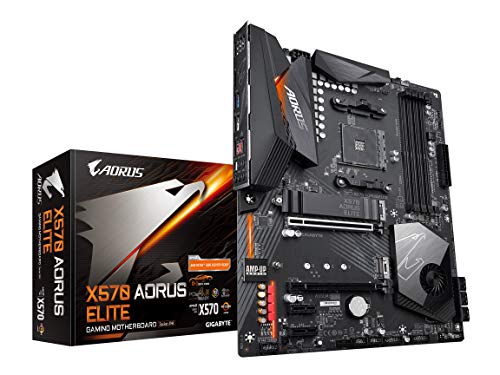
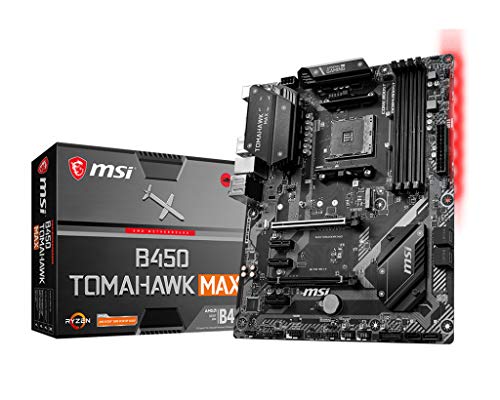
[…] Keep planning the build with best motherboards for the Ryzen 7 2700X, best 400 series motherboards and what they can still run, and best all-glass PC cases and their airflow trade-offs. […]