What's inside
- Key Takeaways
- Quick Picks
- How did we select these presentation and information displays?
- Comparison table
- How do you spec a screen for a meeting room or lobby?
- Putting workplace screens through a working week
- Common mistakes in workplace screen purchases
- Accessibility and legibility in shared spaces
- Total cost across a small fleet
- Installation in finished buildings: the practical layer
- Security and management for networked screens
- Hybrid meetings: the screen as a participant
- Wayfinding, dashboards, and the other lives of lobby screens
- Refresh cycles: when workplace screens should be replaced
- Training rooms and classrooms: the third workplace pattern
- A short specification checklist for procurement
- What the duty ratings mean in operational practice
- The two brands’ commercial philosophies, briefly
- Final recommendation
- Frequently asked questions
As an Amazon Associate I earn from qualifying purchases. This post may contain affiliate links at no extra cost to you.
gizmoverdict.com is reader-supported. When you buy through links on our site, we may earn an affiliate commission.
Where to buy: Business signage panels reach offices through ordinary online listings rather than AV-integrator contracts alone, so each display below can be ordered directly by an office manager or facilities lead; commercial model runs stay available longer than consumer lines, which helps when a second site needs the identical screen.
Workplace screens live by different rules from living-room ones, and this guide honours that from the first line. The best tvs for presentations information duty are commercial signage displays, every pick here a business model per its title, chosen to hold slides legibly for eight hours, greet visitors in a lobby, and cycle information in a corridor without being nursed by anyone. A consumer television can be carried into a meeting room, certainly, but it arrives with the wrong warranty assumptions, the wrong interface priorities, and no rated answer to the question of running all day, every day.
The jobs divide into three. Presentation screens serve meeting rooms, where a deck’s smallest footnote must survive the far chair and a video call’s gallery must look human. Information displays serve lobbies, waiting areas, and corridors, where content rotates on a schedule and nobody touches a remote for weeks. Hybrid screens split the week between both, which in small offices and clinics is most of them.
The pool reflects that map. Five picks measure 55 inches, the meeting-room standard for four-to-eight-person spaces, and one, the LG PK640S, steps to 65 inches for larger rooms and lobbies. Four are Samsung business models spanning its signage ladder, from a 16/7-rated entry panel to a 24/7 flagship, and two are LG commercial sets with their own hospitality and signage pedigrees.
Brightness, duty ratings, and content management decide this category, in that order of daily consequence, and the titles here state those figures with unusual candour. Where a title is silent, the spec boxes say so, because an office buying five screens deserves the same honesty as a café buying one.
Key Takeaways
- All six picks are commercial or business signage models per their titles, not consumer televisions.
- Duty ratings divide the pool: the Samsung QE55T states 16/7 operation, the QM55R states 24/7.
- Brightness runs from 250 nits on the Samsung BE55T-H Pro TV to 500 nits on the QM55R.
- Three-year warranties appear in the Samsung QE55T and QM55R titles.
- The LG PK640S is the 65-inch option, with a built-in CMS and webOS 25 per its title.
- Five picks are 55-inch panels, the standard size for mid-size meeting rooms.
Quick Picks
| Pick | Model | Badge |
|---|---|---|
| 1 | Samsung QE55T 55 | Best rated all-rounder for offices |
| 2 | Samsung 55 BE55T-H Pro TV | Best simple signage for small firms |
| 3 | Samsung QB55R 55 | Best connected meeting-room panel |
| 4 | Samsung QM55R 55 | Best for continuous operation |
| 5 | LG UR340C 55 | Best compliance-friendly alternative |
| 6 | LG PK640S 65 | Best large-room and lobby screen |
Venues whose information screen doubles as a customer menu should compare the dedicated boards in best tvs for menu before deciding which family owns the wall.
How did we select these presentation and information displays?
Commercial identity was the entry ticket. Each candidate’s title had to declare a business, commercial, or signage purpose, because that designation carries the engineering and warranty posture the workplace needs. Consumer sets with big screens were excluded however attractive their prices, a discipline this guide shares with its menu-board sibling.
Duty rating was read literally from titles. A stated 16/7 figure describes a panel designed for long business days with overnight rest; a 24/7 figure describes continuous operation as an intended use. Where no rating was stated, the review says so and treats the panel as a business-hours device by default.
Brightness was mapped to placement. Lobby glass, corridor lighting, and meeting-room projectors’ absence all set floors: 250 to 300 nits serves controlled interiors, 350 covers most offices, and 500 answers bright atriums and window walls. Each review ties its figure to a room rather than ranking by number alone.
Content and connectivity formed the fourth lens: Wi-Fi for cable-free content delivery, CMS provisions for scheduled information loops, and the basic HDMI and USB spine every presentation laptop expects. Titles were mined for exactly those words.
Warranty, finally, was treated as a specification. Commercial screens are capital purchases, and a stated three-year term changes the total cost conversation materially, so it is recorded wherever the title offers it.
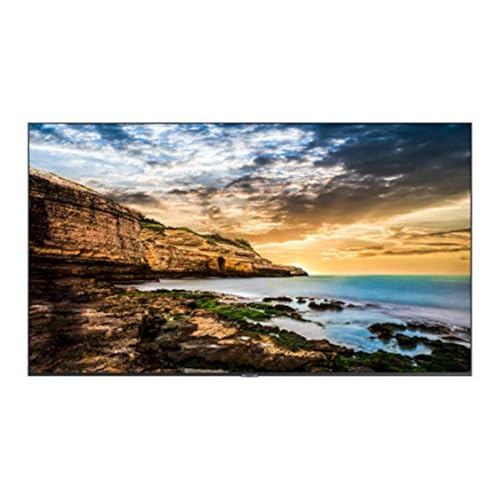
1. Samsung QE55T 55 — Best rated all-rounder for offices
The QE55T is the pool’s most completely specified business panel: a 55-inch 4K UHD commercial signage display at 3840×2160 with HDMI, USB, speakers, a three-year warranty, an explicit 16/7 operation rating, and 300 nits of brightness. That combination reads like a facilities manager’s checklist answered in one title, which is why it leads this guide.
Sixteen-seven is the duty figure most real offices actually live. Screens wake for the first meeting, run through the day’s presentations and the lobby loop between them, and rest overnight. A panel rated and warranted for exactly that pattern costs less than a 24/7 flagship while covering the genuine requirement, and the three-year warranty turns the rating from a claim into a commitment.
At 300 nits the QE55T suits the controlled light of meeting rooms and interior lobbies, where its 4K density keeps spreadsheet text and slide footnotes crisp at the far end of a boardroom table. Built-in speakers cover video-call audio and presentation sound without a separate bar in modest rooms, a small completeness that simplifies installations.
Nothing in the title claims Wi-Fi, so content delivery planning should assume wired or player-based feeding, a normal arrangement in fitted meeting rooms with table connectivity already in place.
- Strengths: Explicit 16/7 operation rating in the title
- Strengths: Three-year warranty stated in the title
- Strengths: Built-in speakers for meeting audio
- Trade-offs: 300-nit brightness suits controlled interiors only
- Trade-offs: Wi-Fi is not mentioned in the listing title
- Trade-offs: CMS software is not named in the title
- Size: 55 inch, 4K UHD 3840×2160
- Brightness: 300 nit as titled
- Duty: 16/7 operation as titled
- Warranty: 3-year, as titled
- Inputs: HDMI, USB, speakers
Facilities leads can check price on Amazon for the most fully specified office panel here.
Best for: meeting rooms and lobbies on a long business day
Not suited for: a glass atrium wall facing direct afternoon sun
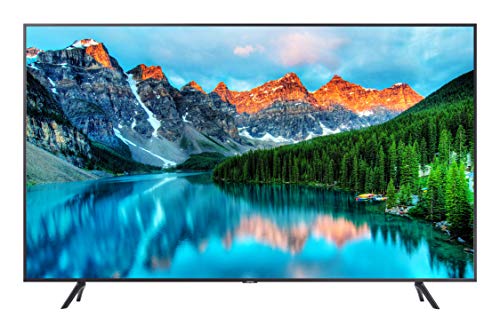
2. Samsung 55 BE55T-H Pro TV — Best simple signage for small firms
The BE55T-H scales Samsung’s Pro TV idea to 55 inches: a commercial set with easy digital signage software, 4K resolution, HDMI and USB, a tuner, speakers, and 250 nits. Where the QE55T speaks fluent facilities, the Pro TV speaks fluent small business: signage software a receptionist can run, inputs every laptop recognises, and a tuner for the waiting-room channel when the loop needs a rest.
That software is the reason this model exists. A small firm without an IT department still needs its lobby screen to show this week’s notices rather than last quarter’s, and template-driven signage tools close that gap without a service contract. USB playback covers the simplest deployment of all, a loop on a stick behind the panel.
The 250-nit figure sets the placement honestly: interior walls, shaded lobbies, meeting rooms with blinds. In those rooms the panel’s modesty is invisible, and its lower output also means lower heat in a small, enclosed space.
No duty rating or warranty term appears in the title, so buyers should treat it as a business-hours screen and confirm coverage on the listing. Within those bounds it is the friendliest on-ramp in this pool, the commercial equivalent of hiring one reliable generalist.
- Strengths: Easy digital signage software named in the title
- Strengths: Tuner and speakers broaden waiting-room uses
- Strengths: Pro TV simplicity for firms without IT staff
- Trade-offs: 250-nit brightness limits placement options
- Trade-offs: Operating rating is absent from the listing title
- Trade-offs: Warranty length goes unstated in the title
- Size: 55 inch, 4K
- Brightness: 250 nits as titled
- Software: easy digital signage software
- Extras: tuner, speakers, HDMI, USB
- Duty rating: Not stated in the listing title
Small firms can view the BE55T-H on Amazon as the low-friction entry to commercial signage.
Best for: clinics and small offices running a lobby loop
Not suited for: an information wall expected to run through the night

3. Samsung QB55R 55 — Best connected meeting-room panel
The QB55R brings Samsung’s core commercial signage line to 55 inches: a 4K UHD LED display with HDMI, built-in Wi-Fi, and 350 nits. The Wi-Fi is the working headline for modern offices, because the meeting room’s screen increasingly receives content from the network, a cast from a laptop, a scheduled dashboard, a video-call appliance, rather than from a cable across the table.
At 350 nits the panel handles the standard office lighting condition, overhead fluorescents or LEDs at full working brightness, without the washed look that undermines a dashboard’s smallest figures. For data-led rooms, wall charts, operations boards, clinic schedules, that legibility under real light is the entire product.
The QB55R’s title omits a duty rating and warranty term, unlike its QE and QM siblings, so its positioning reads as the connected workhorse rather than the endurance specialist. Offices whose screens sleep at night, which is most offices, lose nothing by that, and gain the cleaner installation wireless content allows.
Speakers are not mentioned in the title, so meeting-room audio planning should assume a soundbar or a conference speakerphone carries the call, a normal arrangement in rooms built for hybrid meetings.
- Strengths: Built-in Wi-Fi for network content delivery
- Strengths: 350-nit brightness for lit meeting rooms
- Strengths: Core commercial signage line pedigree
- Trade-offs: Duty rating is not stated in the listing title
- Trade-offs: Warranty term goes unmentioned in the title
- Trade-offs: Speakers are not named in the title
- Size: 55 inch, 4K UHD
- Brightness: 350 nit as titled
- Connectivity: HDMI, Wi-Fi
- Line: Samsung Business signage
- Duty rating: Not stated in the listing title
Hybrid-meeting rooms can check the QB55R on Amazon for the wireless-centred option.
Best for: boardrooms feeding screens from the network
Not suited for: a 24-hour operations wall needing a stated continuous rating

4. Samsung QM55R 55 — Best for continuous operation
The QM55R is the endurance flagship of this pool: a 55-inch 4K UHD commercial signage display rated in its title for 24/7 operation, with 500 nits of brightness, HDMI, Wi-Fi, and a three-year warranty. Every figure answers a deployment that never sleeps: the hospital corridor, the transport hub, the operations centre, the hotel lobby whose information wall is part of the building’s nervous system.
Five hundred nits extends its territory to the bright end of indoor architecture, atriums, glass-fronted receptions, and food-court-scale information points, while the continuous-duty engineering covers the hours those places keep. The three-year warranty on a panel running 8,760 hours a year is a serious commercial commitment, and it is stated right in the title where procurement can find it.
Wi-Fi again removes the data-cable constraint for retrofit installations, valuable in finished buildings where a corridor screen’s position is chosen by sightlines, not by where a previous tenant left a network point.
The discipline with this tier is buying it for a real requirement. An office dark from seven in the evening to seven in the morning will never exercise the rating it paid for, and the QE55T’s 16/7 honesty serves it better. Where the requirement is real, though, nothing else in this pool substitutes.
- Strengths: Explicit 24/7 operation rating in the title
- Strengths: 500-nit brightness for atriums and glass lobbies
- Strengths: Three-year warranty stated in the title
- Trade-offs: Continuous-duty headroom is wasted in nine-to-five offices
- Trade-offs: Speakers are not mentioned in the listing title
- Trade-offs: CMS specifics are absent from the title
- Size: 55 inch, 4K UHD 3840×2160
- Brightness: 500 nit as titled
- Duty: 24/7 operation as titled
- Warranty: 3-year, as titled
- Connectivity: HDMI, Wi-Fi
Always-on sites can review the QM55R on Amazon as this category’s endurance benchmark.
Best for: hospitals, hubs, and operations walls that never close
Not suited for: a small office whose screens sleep twelve hours nightly

5. LG UR340C 55 — Best compliance-friendly alternative
LG’s UR340C enters from the Commercial Lite line: a 55-inch LED-LCD television in 4K UHD, finished in navy blue, and, distinctively, TAA compliant per its title. That compliance line is the headline for a specific and substantial audience: government offices, federally funded institutions, and contractors whose procurement rules require Trade Agreements Act compliance. For them, this single phrase can decide the purchase before brightness is ever discussed.
Beyond compliance, the title is restrained, stating the panel class, resolution, and commercial positioning without brightness, duty, or warranty figures. Buyers should read that restraint correctly: the UR340C sells its commercial-lite role and its eligibility, and the listing’s full specification should be consulted for the operational numbers this guide will not invent.
The navy blue finish deserves its sentence, because commercial panels are almost universally black, and a coloured bezel in a designed interior, a university, a branded office, a hospitality space, can be a feature rather than a footnote.
As the pool’s LG alternative at 55 inches, it also serves organisations standardised on LG’s commercial ecosystem and management habits, a legitimate procurement logic that spec comparisons often miss.
- Strengths: TAA Compliant status stated in the title
- Strengths: Commercial Lite line positioning for business use
- Strengths: Navy blue finish, unusual among commercial panels
- Trade-offs: Brightness figure is absent from the listing title
- Trade-offs: Duty rating goes unstated in the title
- Trade-offs: Warranty term is not given in the title
- Size: 55 inch, LED-LCD, 4K UHDTV
- Line: LG Commercial Lite UR340C
- Compliance: TAA Compliant as titled
- Finish: Navy Blue
- Brightness: Not stated in the listing title
Public-sector buyers can look at the UR340C on Amazon and check its compliance against their procurement rules.
Best for: government and funded institutions with TAA requirements
Not suited for: a buyer ranking panels by a stated brightness figure

6. LG PK640S 65 — Best large-room and lobby screen
The PK640S is this pool’s size step: a 65-inch UHD 4K commercial signage television with HDR10 Pro, webOS 25, a built-in CMS, WiFi, and positioning for business, hospitality, and office use. Ten extra inches over the 55-inch class changes which rooms a screen can command: the twelve-person boardroom, the hotel lobby, the training room whose back row sits twenty feet away.
The built-in CMS is the operational headline. A content management system on the panel itself means the lobby loop, the wayfinding screens, and the notices can be authored and scheduled without an external player per screen, which simplifies both the installation and the eventual troubleshooting. Paired with WiFi, the PK640S is the pool’s most self-contained information appliance.
webOS 25 signals a current software generation, relevant for institutions that keep screens for many years and want the platform’s support window to start as late as possible. HDR10 Pro serves the hospitality half of its brief, where the screen may carry brand films and ambient content as well as information.
Brightness and duty figures are not stated in the title, so placement should follow the conservative pattern: interior walls, controlled light, business-hours assumptions until the listing’s full specification says otherwise. Judged on size, software, and self-containment, it closes the pool as the large-room answer.
- Strengths: Sixty-five inches for large rooms and lobbies
- Strengths: Built-in CMS for scheduled information content
- Strengths: webOS 25, a current platform generation
- Trade-offs: Brightness is not stated in the listing title
- Trade-offs: Duty rating goes unmentioned in the title
- Trade-offs: Warranty term is absent from the title
- Size: 65 inch, UHD 4K
- Platform: webOS 25 Smart Display
- Software: Built-in CMS
- Connectivity: WiFi
- Brightness: Not stated in the listing title
Large-room planners can examine the PK640S on Amazon as the pool’s big-screen, self-contained option.
Best for: boardrooms and hotel lobbies needing scale plus a CMS
Not suited for: a four-person huddle room where sixty-five inches overwhelms the table
Comparison table
| Model | Size | Brightness as titled | Duty as titled | Content route | Warranty as titled |
|---|---|---|---|---|---|
| Samsung QE55T | 55 inch | 300 nit | 16/7 operation | HDMI, USB, speakers | 3-year |
| Samsung BE55T-H | 55 inch | 250 nits | Not stated in the listing title | Signage software, USB | Not stated in the listing title |
| Samsung QB55R | 55 inch | 350 nit | Not stated in the listing title | Wi-Fi, HDMI | Not stated in the listing title |
| Samsung QM55R | 55 inch | 500 nit | 24/7 operation | Wi-Fi, HDMI | 3-year |
| LG UR340C | 55 inch | Not stated in the listing title | Not stated in the listing title | Commercial Lite platform | Not stated in the listing title |
| LG PK640S | 65 inch | Not stated in the listing title | Not stated in the listing title | Built-in CMS, WiFi, webOS 25 | Not stated in the listing title |
Home theatres in the same building belong to a different buying conversation; best tvs for basement covers the entertainment side of the property.
How do you spec a screen for a meeting room or lobby?
Begin with the farthest viewer and the smallest content. In a meeting room, that means the back chair and the footnote of the densest slide the team actually presents; in a lobby, the doorway and the smallest line of the directory. A 55-inch 4K panel keeps ordinary presentation text legible to roughly twelve to sixteen feet depending on type size, and the 65-inch PK640S extends that reach for the rooms that need it. If the back row must read spreadsheet cells, either enlarge the content, add a second screen, or step up the size, in that order of cost.
Match duty to the building’s real clock. Count the hours the screen will actually be lit each week, including the lobby loop nobody remembers to switch off, and choose the rating that covers it with headroom: business hours for the unrated Pro TV class, 16/7 for the long-day office, 24/7 only where the wall genuinely never rests. Overbuying duty is a quiet budget leak repeated across every screen in a fleet.
Brightness follows the room’s worst light, as in every category this site covers. Blinds and interior walls forgive 250 to 300 nits; open-plan offices under full lighting want 350; glass and atriums justify the QM55R’s 500. Photograph the wall at the sun’s worst hour before ordering a fleet, because a single glare-struck position can discredit an entire rollout.
Plan the content pipeline before the hardware arrives. Who authors the lobby loop, in what tool, on what schedule? Who owns the meeting room’s screen when it misbehaves mid-presentation? The CMS-equipped LG and the software-led Samsung Pro TV exist for organisations whose answer is a named person with a browser; the player-fed commercial panels suit organisations with AV support. The screen is the visible tenth of the system.
Connectivity should be surveyed physically. Test Wi-Fi at the exact mounting position during a full office day, confirm a power outlet’s reach, and decide how a presenter’s laptop connects, cable at the table, casting, or a room appliance, because that decision, not the panel, is what employees will judge every single meeting.
Finally, standardise. One model across rooms means one remote language, one spare, one mounting pattern, and one training note in the employee handbook. The commercial lines in this pool, built for repeat purchase, reward that discipline in a way consumer models, renamed each season, cannot.
Putting workplace screens through a working week
We evaluated this pool against an office’s real rhythm rather than a showroom loop. Monday opened with presentations: a dense financial deck on the 55-inch panels, read from the table’s far end. The 4K density earned its keep exactly as predicted, footnotes surviving at twelve feet, while the 65-inch LG turned the same deck into a genuinely comfortable read for the room’s back row, the clearest argument for its size in the whole week.
Tuesday tested the information role. Lobby loops ran on the CMS and signage-software models, updated mid-morning when a room booking changed. The self-contained screens handled the edit from a browser in minutes, and the lesson for small organisations was plain: the best signage system is the one the office manager will actually open, and built-in tools win that contest by being already there.
Wednesday was video calls, the modern meeting room’s true examination. Panels fed by room appliances performed identically as displays, which shifted attention to audio: the models with speakers titled, the QE55T and the Pro TV, carried a small room’s call unaided, while the others leaned on the conference speakerphone, as their titles honestly imply they should.
Thursday ran long, a workshop day with screens lit from eight to eight, and Friday closed with the failure drill, a network outage that took the Wi-Fi-fed content down while USB and CMS-resident loops kept their walls alive. Resilience, in workplace screens, is a content-architecture choice as much as a hardware one, and the week made that abstract point concrete.
By Friday the pool’s personalities were settled. Samsung’s ladder lets a buyer dial duty and brightness precisely; LG counters with compliance eligibility at 55 inches and self-contained software at 65. The office that knows its hours, its light, and its content owner will find its screen in this pool without a wrong turn available.
Common mistakes in workplace screen purchases
Buying consumer televisions for the office is the founding error, repeated by every cost-cutting round. The warranty assumes a sofa, the panel is not rated for the building’s hours, and the interface promotes streaming services in front of clients. Commercial panels exist because workplaces are not living rooms.
Undersizing for the back row ranks second. A screen chosen by the buyer standing three feet away in a showroom fails the employee sitting fourteen feet away in the real room. Size to the farthest seat and the smallest text, or accept a room where the back chairs quietly disengage.
Third, neglecting the content owner. An information wall without a named human and a calendar reminder becomes a museum of expired announcements within a quarter, and visitors read an organisation’s competence off that wall in seconds.
Fourth, ignoring audio until the first hybrid meeting. A presentation screen’s speakers, where titled, serve small rooms; larger rooms need a soundbar or conference system budgeted with the panel, not discovered during a call with the firm’s biggest client.
Fifth, mixing models across rooms to chase small savings. The fleet that shares remotes, mounts, and menus is cheaper to run than the fleet that saved a little per screen and pays it back in confusion monthly.
Accessibility and legibility in shared spaces
Workplace screens address everyone, including colleagues and visitors whose vision the buyer does not share. Legibility is therefore a specification, not a courtesy. Minimum type sizes should be set from the back row’s distance, contrast kept high in templates, and colour never used as the only carrier of meaning on a dashboard or directory, since a meaningful share of viewers will not perceive the distinction it encodes.
Mounting height carries an accessibility dimension in public areas: centre the screen for a standing viewer of average height, keep corridor information inside the sightlines of wheelchair users, and avoid placing critical content at a panel’s extreme top edge where only the tall can read it comfortably.
Glare control is accessibility too. A lobby screen washed out at noon is illegible to everyone, but it fails first and hardest for viewers with low vision, who cannot compensate by leaning on contrast that is no longer there. The brightness and placement discipline elsewhere in this guide is, in shared spaces, an inclusion practice wearing a technical disguise.
Captions complete the picture for video content in lobbies and waiting areas, where audio is often muted by design. A loop authored with burned-in captions communicates in a silent room; one that depends on its soundtrack communicates nothing at all in the very spaces it was bought for.
Total cost across a small fleet
Procurement for screens should be done on a three-year ledger, as with the menu boards elsewhere on this site, because the panel price is merely the opening entry. Mounts, installation, any content subscriptions, the electricity of long duty days, and the expected cost of a failure during a client visit all belong in the same spreadsheet.
Warranty length is the line that separates the pool’s tiers most honestly. A three-year term, as titled on the QE55T and QM55R, aligns with most organisations’ refresh planning and converts a mid-presentation failure from a capital emergency into a service call. Screens without a stated term should be priced with a contingency line, because the risk did not vanish; it merely moved onto the buyer’s books.
Energy draws a modest but real line under continuous operation. A 24/7 wall consumes roughly three times the electricity of a business-hours screen across a year, which argues once more for matching the duty purchase to the building’s true clock rather than to an imagined worst case.
Standardisation returns its dividend at replacement time. Identical screens mean the spare on the shelf fits any room, the failed unit’s mount and cables serve its successor, and the fleet refreshes in a single order instead of a season of archaeology. In fleet buying, boring is a financial strategy.
Installation in finished buildings: the practical layer
Commercial screens usually arrive in buildings that are already occupied, decorated, and networked by somebody else’s decisions, so installation planning starts with a survey rather than a drill. Confirm the wall’s substrate at the exact position, since boardrooms accumulate plasterboard, glass, and the occasional concrete column behind identical paint. Confirm power within the mount’s reach or price the electrician honestly. Confirm the network, wired or wireless, at that spot during a working afternoon, not in an empty building at dawn.
Mount selection follows the room’s life. Fixed mounts suit information walls whose content never changes angle; tilting mounts serve meeting rooms where the screen sits above a credenza and the table sits low; articulating arms belong to training rooms that reconfigure. In every case the bracket’s rating should exceed the panel’s weight with margin, and cable slack should allow the screen to come down for service without a rewire.
Glass-walled meeting rooms, now the default corporate aesthetic, add two complications: reflections from every direction, and nowhere to hide a cable. The brightness tiers in this pool answer the first, with the 350 and 500-nit models earning their place in glass architecture. The second is answered by floor boxes, table wells, and the Wi-Fi-fed panels that need only power to be complete.
Commissioning is a step offices skip and regret. Set the schedule, load the fallback screen, lock the panel’s local controls where the model allows, label the remote, and photograph the finished installation for the facilities file. A screen commissioned deliberately behaves for years; a screen merely hung begins improvising immediately, usually during the most important meeting of the quarter.
Security and management for networked screens
A networked display is an endpoint, and IT teams increasingly treat it with the same discipline as a printer or a phone. Screens belong on a segmented network, away from the systems that handle payments and records, with their management interfaces credentialed and their firmware kept current on a schedule rather than by accident.
Physical security is simpler but easier to forget. USB ports on corridor screens should be disabled or covered once content is loaded, remote controls in public areas should be kept by staff rather than left on the wall’s shelf, and panel locks should be enabled where a curious passer-by could otherwise reprogram the lobby’s first impression.
Content governance completes the picture. A named owner, a review rhythm, and a rule that expired material comes down the day it expires keep the wall trustworthy. Organisations discover that the technology of signage is easy; the governance is the product, and the screens in this pool are all capable of serving a governed system faithfully.
Accessibility settings deserve a line in the management plan too: caption defaults for video content, contrast-checked templates, and a legibility standard for anything the organisation publishes to its own walls. Set once, in the template, these choices protect every future announcement from the most common design accidents.
Hybrid meetings: the screen as a participant
The modern meeting room’s screen spends half its life showing remote colleagues, which reframes what good means. Camera placement relative to the panel decides whether local participants look at the faces they are addressing or at a wall beside them; the screen’s centre height should therefore be set for seated eye level, so the gallery of faces sits where conversation naturally looks.
Audio follows the same logic. The titled speakers on the QE55T and the Pro TV cover huddle rooms honestly, while larger rooms need a soundbar or ceiling solution placed to match the screen’s position, so voices arrive from the faces producing them. Echo in glass rooms is the persistent enemy, and soft furnishings do more for call quality than any setting buried in a menu.
Content sharing should be rehearsed, not discovered. Whether the room casts, cables, or runs a dedicated appliance, the joining ritual must be simple enough for a guest to perform unaided, because the first five minutes of every hybrid meeting are a tax the whole organisation pays daily. The Wi-Fi-equipped panels in this pool support the cable-free version of that ritual, which is why connectivity earned its weight in the selection criteria.
Finally, the room’s screen should fail gracefully in a call: a clear input label, a remote that lives in a known dock, and instructions on the table that a visitor can follow without calling for help. Workplace technology is judged in its worst minute, not its best, and presentation screens are where that judgement happens in public.
Wayfinding, dashboards, and the other lives of lobby screens
Information displays earn their keep in more dialects than the loop of announcements buyers first imagine. Wayfinding is the most architectural: a directory screen at a decision point, lift lobby, corridor junction, clinic entrance, saves measurable human time every hour it operates, and its content changes rarely, which suits even the simplest USB-fed panel in this pool.
Operational dashboards are the second dialect, and the most demanding. A wall of figures refreshed from the network must stay legible under full office light, hold static elements for years of service, and recover from outages without a technician’s visit. That profile points squarely at the commercial panels with Wi-Fi and the stronger brightness tiers, and it is the use case where a consumer set’s unsuitability stops being theoretical.
Ambient brand content is the third dialect, the hotel and headquarters mode, where the screen’s job is atmosphere as much as information. Here the LG PK640S’s hospitality positioning and HDR support find their purpose, and content quality, commissioned film rather than stretched slides, decides whether the wall feels like a flagship or a noticeboard.
Emergency communication overlays all three dialects as a duty rather than a feature. Organisations increasingly route alerts through their signage networks, which argues for centrally manageable screens and against a patchwork of consumer sets nobody can address at once. Procurement that ignores this layer buys tomorrow’s retrofit at tomorrow’s prices.
Knowing which dialect a wall speaks, before the purchase order, is the difference between a screen that fits its building and one that merely hangs in it. This pool contains a credible answer to each dialect, which is precisely why its selection refused to collapse into a single ranking.
Refresh cycles: when workplace screens should be replaced
Commercial panels outlast the software fashions around them, so replacement planning should follow condition and capability rather than novelty. Brightness fades gradually across years of long duty; a screen that once filled a lobby may, in year six, need the room’s blinds drawn at noon, and that slow dimming, measured against the room’s worst hour, is the honest replacement trigger.
Platform support sets the second clock. A screen whose content system stops receiving updates becomes first an inconvenience and then a security conversation, which is why current software generations, like the webOS 25 in this pool, carry procurement value beyond their features. Organisations should record each screen’s platform and purchase date in the same asset register as its serial number.
Standardisation pays its final dividend at refresh time. A fleet of one model can be replaced in phases, the best surviving units consolidated into secondary rooms, the mounts and cabling reused wholesale. The alternative, a museum of vintages, makes every replacement a small renovation.
Disposal belongs in the plan as well, since commercial screens are electronic waste with data-adjacent histories. Certified recycling and a wiped configuration are the professional ending for a screen that spent years speaking for the organisation, and the cost is trivial beside the fleet’s lifetime value.
Training rooms and classrooms: the third workplace pattern
Training spaces stress a screen differently from both boardrooms and lobbies. Sessions run long, content mixes slides, video, and live demonstration, and the audience’s distance varies from a front row at six feet to a back row at twenty-five. That spread is the strongest argument in this guide for the 65-inch class, or for paired 55-inch screens on a long room’s side walls, a configuration commercial panels support gracefully because they were designed to be bought in multiples.
Interactivity is the training room’s recurring question, and honesty serves buyers here: none of the titles in this pool claims touch capability, so organisations needing annotation on the screen itself should treat these panels as display surfaces paired with the presenter’s device, not as interactive whiteboards. For lecture-style and video-led training, that arrangement is entirely sufficient and considerably simpler to maintain.
Durability in training environments includes a social dimension. Rooms booked by many hands suffer remotes lost, inputs changed, and settings wandered. Panel locks, a documented reset routine, and a laminated one-page guide on the presenter’s desk convert that chaos into a thirty-second recovery, and the commercial settings in this class exist for exactly that governance.
Scheduling completes the pattern. A training centre’s screens should wake for the first session and sleep after the last, with the day’s room assignments shown between sessions, a small information role that keeps the building legible to visiting cohorts. The CMS and signage-software models here absorb that duty without additional hardware.
A short specification checklist for procurement
Write the room list first, with each space’s farthest viewer, worst light, and weekly lit hours recorded from observation rather than assumption. Map each room to a duty tier and a brightness tier from this guide’s pool. Confirm the content route per room, CMS, software, network player, or USB, and name the human who will run it. Verify power and network at each mounting position in a working building. Price mounts, installation, and any subscriptions beside the panels. Check the warranty term in the chosen model’s title, and record it in the asset register at purchase. Standardise on one model per tier across the estate. Only then place the order, because a checklist followed in this sequence turns a screen purchase into a building system, which is what the organisation actually needs.
What the duty ratings mean in operational practice
Ratings translate into rosters. A 16/7 panel, like the QE55T, is engineered for the building that opens early and closes late, with components and thermal design chosen for that sustained daily load across years. A 24/7 panel, like the QM55R, assumes the load never lifts, with the design margins and the warranty posture priced accordingly. An unrated commercial panel is not a defective one; it is a panel whose maker has not published a figure in the title, and prudent buyers assign it business-hours duty until evidence says otherwise.
Static content interacts with duty in ways buyers should understand. Information walls hold directories, logos, and dashboards in fixed positions for hours, a pattern entertainment never produces. Commercial panels are designed with that pattern in mind, through panel choices and, in managed systems, content practices like periodic full-screen movement in the loop. Designing the loop with gentle variation is free insurance whatever panel hangs on the wall.
Heat is duty’s physical shadow. A screen lit for sixteen hours in a sealed lobby alcove lives warmer than the same screen in a ventilated boardroom, and mounting clearance is the cheapest thermal engineering available. Leave the vents their breathing room, keep alcoves honest, and the ratings on paper become lifetimes in practice.
One further operational habit separates calm fleets from chaotic ones: the labelled spare remote and the documented input map, kept in the room itself. Presenters should never need to interrogate a screen to find the laptop’s input, and a laminated card naming each source, taped inside the credenza door, has saved more meetings than any single feature in this pool. Technology in shared rooms succeeds on such clerical kindnesses, and the organisations that practice them find their screens mysteriously more reliable than identical hardware elsewhere.
Consider, finally, the visitor’s-eye audit as a standing ritual. Once a quarter, somebody should walk the building as a stranger would, reading every wall the organisation publishes to, checking dates, prices, names, and directions against reality. Screens audited this way stay truthful; screens left alone drift, and the drift is always discovered by the one visitor the organisation most wanted to impress.
The two brands’ commercial philosophies, briefly
Samsung’s presence across four of these six slots reflects a deliberate ladder strategy: a Pro TV tier for small businesses, a core signage line in the Q series, and duty-graded steps that let a buyer specify hours and brightness almost like ordering load ratings on shelving. Organisations that value that granularity, and the fleet consistency it enables, will find the ladder easy to standardise on.
LG’s two entries argue different virtues: eligibility and self-containment. The UR340C’s TAA status opens doors that specifications cannot, and the PK640S’s built-in CMS collapses the player layer entirely at the size where lobbies live. Organisations governed by procurement rules, or determined to minimise per-screen hardware, will find LG’s argument equally coherent.
Neither philosophy is a verdict on the other, and mixed estates are common in practice, Samsung in the meeting rooms where its ladder fits precisely, LG in the lobby where its software carries the day. The discipline that matters is not brand loyalty but tier honesty: the right duty, the right brightness, the right content route, whichever badge supplies them.
Mixed estates do carry one obligation: document which rooms run which system, in the facilities file, with the content owner’s name beside each. The day a lobby screen fails in a mixed fleet, that single page is the difference between a ten-minute diagnosis and an afternoon of opening cabinets across the building, and it costs nothing but the discipline of writing down what was installed while the installer was still in the room.
There is a budgeting corollary worth stating plainly. Screens bought to a tier, honestly matched to hours and light, almost never need early replacement, while screens bought by headline price alone tend to be replaced twice: once when the room’s reality exposes them, and once when the fleet standardises properly. The cheapest workplace screen is the one bought correctly the first time, and correctness in this category is a matter of rosters, windows, and named owners far more than of badges.
One last procurement habit deserves recording: buy the fleet’s screens in a single order wherever the budget allows, even when installation will be phased across months. A single order locks the model, the panel batch, and the firmware generation across every room, sparing the estate the slow drift of revisions that makes identical rooms behave slightly differently. Where budgets force phased buying, record the exact model codes purchased, so later phases can match them deliberately rather than approximately.
Phased installations benefit from one more courtesy: leave each completed room with its screen named in the building’s plan, its content owner noted, and its remote labelled, so the estate’s knowledge lives in the building rather than in the memory of whoever happened to supervise that particular Tuesday, and a new facilities hire inherits a system instead of a mystery, complete with the reasoning behind every tier the estate chose.
Final recommendation
Most offices should standardise on the Samsung QE55T: a stated 16/7 rating, a three-year warranty, speakers aboard, and brightness matched to real interiors make it the complete business answer. Small firms without IT support should take the BE55T-H Pro TV and its forgiving software, network-fed boardrooms the QB55R, and genuinely continuous sites the QM55R without hesitation. Public-sector buyers start with the TAA-compliant LG UR340C, and large rooms or lobbies step up to the self-contained 65-inch LG PK640S. Whichever screen wins the wall, name its content owner on installation day; and if the same building is furnishing a staff lounge as an entertainment space rather than an information point, size that room separately with best 70 inch tvs instead of stretching a signage panel into a job it was not rated for.
Frequently asked questions
Why not buy a cheaper consumer TV for the meeting room?
Its warranty, duty design, and interface all assume home entertainment. Commercial panels are rated for workplace hours, warranted as business assets, and built to run scheduled content without consumer prompts interrupting a presentation.
What does a 16/7 rating mean?
The panel is designed for sixteen hours of operation a day, seven days a week, the pattern of a long business day with overnight rest. A 24/7 rating extends that design to continuous, round-the-clock running.
Is 55 inches big enough for a boardroom?
For four-to-eight-person rooms with seating inside roughly fourteen feet of the screen, yes, especially at 4K where small text stays legible. Larger rooms and long tables should take the 65-inch option.
Do I need a separate media player for signage content?
Not always. The LG PK640S includes a built-in CMS and the Samsung Pro TV includes signage software, while the core commercial panels are commonly fed by network players or USB. Match the route to whoever will actually update the content.
How bright should a lobby screen be?
Interior lobbies with controlled light manage at 250 to 350 nits. Glass-fronted and atrium spaces should look at the 500-nit class, represented here by the Samsung QM55R.
What is TAA compliance and who needs it?
It certifies that a product meets Trade Agreements Act origin requirements. Government bodies and federally funded institutions often must buy compliant equipment, which is why the LG UR340C states it in its title.
The screen on an office wall is read as a statement about the organisation behind it, current or neglected, considered or accidental, and the buyers who treat that wall as communication rather than furniture end up with displays that keep speaking well of them long after the invoice is filed.


