What's inside
- Key Takeaways
- Quick Picks
- How did we choose these menu displays?
- Comparison table
- How do you choose a menu board that staff will actually update?
- Running these boards through a real service week
- Common mistakes when buying a menu display
- Designing menu content that sells from six feet
- Installation realities: mounts, heat, and grease
- The true cost of a board across three years
- Growing from one board to a small fleet
- Scheduling, security, and the unglamorous settings
- Where menu boards are heading next
- A short pre-purchase checklist for owners
- Pairing boards with the rest of the room
- What the brightness numbers mean at the counter
- Final recommendation
- Frequently asked questions
As an Amazon Associate I earn from qualifying purchases. This post may contain affiliate links at no extra cost to you.
gizmoverdict.com is reader-supported. When you buy through links on our site, we may earn an affiliate commission.
Where to buy: Commercial signage panels reach small businesses through ordinary online listings rather than integrator-only catalogues, so every display below can be ordered directly, shipped to the shop, and mounted by a local electrician or a confident owner with a stud finder. Commercial lines keep model runs longer than consumer televisions, which helps when a second location needs a matching screen next year.
Let us be precise about what belongs on a café wall. The best tvs for menu duty are not televisions in the living-room sense at all: every pick in this pool is a commercial or professional signage model per its listing title, built to run long hours, hold a static image without complaint, and be managed as a display rather than watched as entertainment. That distinction drives everything else in this guide. A consumer set can show a menu, certainly, but it was engineered for films that change every frame, warranties that assume evening use, and interfaces designed around streaming apps a restaurant will never open.
A menu board has a harder, duller job. It wakes before the first employee, displays the same prices for ten or twelve hours, survives grease-laden air near a kitchen pass, and must stay readable under storefront glass at noon. It also has to be updatable by whoever opens the shop, not by an IT department. The six displays below divide into 43-inch wall boards from Samsung and AG Neovo, plus one small countertop outlier, the 18.5-inch Canlarriz, which solves a different problem entirely: the crowded counter where a full-size board simply cannot hang.
Budget thinking differs here too. A menu display is a business asset with a duty cycle, closer to an espresso machine than to a sofa purchase. Cost per operating hour, warranty length, and the price of a mid-service failure during a lunch rush all matter more than the last increment of colour accuracy.
Key Takeaways
- All six picks are commercial signage models per their titles, not consumer televisions adapted to the job.
- Brightness spans 250 nits on the Samsung Pro TVs to 700 nits on the small Canlarriz countertop board.
- The Samsung QM43R and AG Neovo DS4351U both carry explicit 24/7 operating claims in their titles.
- Three-year warranties appear in the titles of the Samsung QB43R and QM43R commercial panels.
- Content handling ranges from Samsung’s signage software and USB playback to the Canlarriz’s free built-in CMS.
- Five picks measure 43 inches for wall mounting; the Canlarriz measures 18.5 inches for counters.
Quick Picks
| Pick | Model | Badge |
|---|---|---|
| 1 | Samsung 43 BE43T-H Pro TV | Best starter board for cafés |
| 2 | Samsung 43 BEC-H Pro TV | Best for bright, colourful menus |
| 3 | Samsung QB43R 43 | Best warranty-backed signage panel |
| 4 | Samsung QM43R 43 | Best for round-the-clock operation |
| 5 | AG Neovo DS4351U 43 | Best CMS flexibility |
| 6 | Canlarriz 18.5 Signage Display | Best countertop menu board |
Shops planning a lobby information screen alongside the menu wall can compare duties with best tvs for presentations information, where the same commercial families appear in larger sizes.
How did we choose these menu displays?
Duty rating came first. A menu board’s working day dwarfs a home television’s, so titles were scanned for explicit operating claims, commercial designations, and warranty terms. Models stating 24/7 operation earned their place on engineering intent alone, while the Pro TV lines earned theirs as business products with signage software rather than as entertainment sets.
Brightness came second, judged against placement rather than as a bigger-is-better contest. A board deep inside a dim bakery needs far less output than one facing a south-facing window. The pool’s spread, from 250 to 700 nits, deliberately covers both realities, and each review below ties its figure to a placement.
Content management formed the third filter. Menus change: prices move, items sell out, seasons turn. Titles mentioning signage software, a CMS, USB playback, or device management were recorded carefully, because the daily experience of updating a board decides whether the board stays current or quietly rots with last spring’s prices.
Resolution mattered fourth. Most picks are 4K panels, which sounds excessive for text until you stand eighteen inches from a board reading small print: high pixel density keeps lettering crisp at counter distance, where customers actually read menus.
Finally, every pick had to be buyable by a small business without a reseller relationship. That constraint excluded the integrator-only tier of signage and kept this guide on the shelf where independent cafés, food trucks with permanent pitches, salons, and small retailers actually shop.
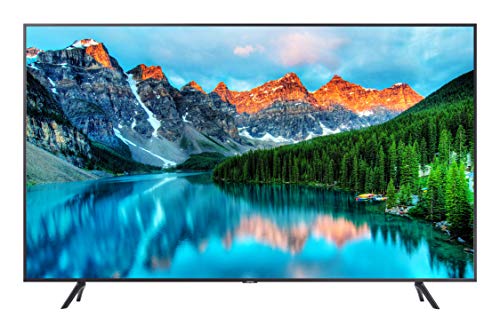
1. Samsung 43 BE43T-H Pro TV — Best starter board for cafés
Samsung’s BE43T-H sits in the Pro TV line, a category Samsung built specifically for small businesses that need signage behaviour without signage-department complexity. The title promises easy digital signage software, 4K resolution, HDMI and USB inputs, a tuner, speakers, and 250 nits of brightness in a black 43-inch frame. Read that list as a starter kit: everything a first menu board requires, nothing that demands a manual the size of a phone book.
The signage software angle matters most at 6 a.m. A template-driven editor lets the opening employee swap a sold-out special from a phone or a back-office PC, and USB playback covers the simplest workflow of all: export the menu as images, plug in a stick, walk away. Shops whose menu changes monthly rather than hourly will find this entirely sufficient.
Brightness is the honest limitation. At 250 nits, the BE43T-H belongs on an interior wall away from direct window light, where its output reads clearly and its modest figure also means modest heat. Placed opposite storefront glass, noon glare will fight it, and the brighter picks below exist for exactly that wall.
The tuner and speakers look like consumer leftovers, yet they earn their place on slow afternoons: a café can put a match on the menu board after the lunch rush without owning a second screen. That flexibility, plus the Pro TV’s business positioning, makes this the gentlest on-ramp in the pool.
- Strengths: Easy digital signage software named in the title
- Strengths: USB and HDMI inputs cover stick-based and player-based menus
- Strengths: Tuner and speakers allow after-hours entertainment use
- Trade-offs: 250-nit brightness suits interior walls only
- Trade-offs: No operating-hour rating is stated in the title
- Trade-offs: Warranty length goes unmentioned in the listing title
- Size: 43 inch, 4K
- Brightness: 250 nits as titled
- Inputs: HDMI, USB
- Extras: tuner, speakers, signage software
- Operating rating: Not stated in the listing title
First-time board buyers can check price on Amazon and start with the simplest commercial option here.
Best for: a small café hanging its first digital menu on an interior wall
Not suited for: a storefront window position facing direct midday sun

2. Samsung 43 BEC-H Pro TV — Best for bright, colourful menus
The BEC-H Pro TV, a 2023 model in Samsung’s Crystal UHD line, leans into picture quality for a commercial set: Crystal UHD 4K with HDR, PurColor, a Contrast Enhancer, and 3D Surround Sound, with Alexa built in and explicit positioning for digital signage and commercial use. Where the BE43T-H sells simplicity, the BEC-H sells appetite appeal, which is a real menu-board discipline: food photography sells the item next to its price.
PurColor and the contrast processing matter when a menu is mostly photography, salads, glazes, char marks, the saturated end of the food spectrum. A board that renders those images flatly undersells the kitchen. The BEC-H’s consumer-derived picture pipeline, unusual in this commercial pool, is pointed directly at that problem.
Alexa built in reads as a curiosity until a manager updates a playlist or checks the time hands-free during service. Voice control will never run a serious signage network, but for a single-screen shop it trims small frictions daily.
The title states no brightness figure and no duty rating, so placement discipline applies: interior walls, controlled light, business hours rather than overnight operation. Within those bounds, this is the prettiest board in the group, and for image-led menus that quality is commercial, not cosmetic.
- Strengths: PurColor and Contrast Enhancer for food photography
- Strengths: Crystal UHD 4K HDR panel with signage positioning
- Strengths: 3D Surround Sound for ambient audio zones
- Trade-offs: Brightness figure is absent from the listing title
- Trade-offs: No operating-hour rating appears in the title
- Trade-offs: Dated 2023 model year per the title
- Size: 43 inch, Crystal UHD 4K
- Colour: PurColor, HDR
- Audio: 3D Surround Sound
- Voice: Alexa Built-In
- Brightness: Not stated in the listing title
Image-led menus can view the BEC-H listing on Amazon to judge its picture-first approach.
Best for: restaurants whose boards are built around food photography
Not suited for: an overnight operation needing a stated 24/7 duty rating

3. Samsung QB43R 43 — Best warranty-backed signage panel
The QB43R steps from Pro TV into Samsung’s true commercial signage range: a 43-inch 4K UHD LED display at 3840×2160 with HDMI, Wi-Fi, 350 nits, and a 3-year warranty, per the title. That warranty line is the headline. Commercial panels are bought on total cost of ownership, and three years of coverage on a screen running twelve hours daily is a materially different proposition from a consumer set’s assumptions.
Wi-Fi built into the panel simplifies installations where running data cable to the board position is awkward, above a tiled splashback, say, or across a rented unit where the landlord forbids new penetrations. Content can arrive from a signage player or the panel’s own systems without a visible cable run.
At 350 nits the QB43R handles ordinary interior commercial light comfortably, including most window-adjacent positions short of direct sun strike. It is the balanced professional choice: brighter than the Pro TVs, warranted like a business asset, sized for the standard counter run.
Nothing in the title claims 24/7 operation, so treat this as a long-business-hours panel rather than an airport panel. For the overwhelming majority of restaurants, which close at night whether the screen sleeps or not, that distinction costs nothing in practice.
- Strengths: Three-year warranty stated in the title
- Strengths: 350-nit brightness covers most interior placements
- Strengths: Built-in Wi-Fi for cable-free content delivery
- Trade-offs: No 24/7 operating claim appears in the title
- Trade-offs: CMS software is not named in the listing title
- Trade-offs: Speakers are not mentioned in the title
- Size: 43 inch, 4K UHD 3840×2160
- Brightness: 350 nit as titled
- Warranty: 3-year, as titled
- Connectivity: HDMI, Wi-Fi
- Operating rating: Not stated in the listing title
Owners thinking in ownership costs should check the QB43R on Amazon and price that warranty against the Pro TV pair.
Best for: established restaurants buying a board as a long-term asset
Not suited for: a venue running screens through the night, every night

4. Samsung QM43R 43 — Best for round-the-clock operation
The QM43R is the heavy-duty sibling in Samsung’s commercial line: 43 inches of 4K UHD at 3840×2160, rated in its title for 24/7 commercial signage duty, with 500 nits of brightness, HDMI, Wi-Fi, and a 3-year warranty. Every figure there answers a specific menu-board anxiety. The duty rating answers the overnight question, the brightness answers the bright-room question, and the warranty answers the what-if question.
Five hundred nits changes where the board can live. Window-adjacent walls, bright fast-casual interiors with full-height glass, and food-court positions under skylights all become viable. Combined with continuous-duty engineering, this is the panel for the diner that never closes, the transit-hub coffee stand, the hotel-adjacent eatery whose board must glow at 3 a.m. for the night-shift trade.
Wi-Fi again removes the data-cable problem, and the commercial build assumes management at arm’s length: the panel is designed to be scheduled, monitored, and fed content as part of a small fleet, even if your fleet is one.
The honest cost of this tier is that it is engineered past most cafés’ needs. A board dark from 10 p.m. to 7 a.m. never exercises the 24/7 rating it paid for. Buy the QM43R when the hours or the glass genuinely demand it, and it will feel less like an expense than like insurance that happens to display prices.
- Strengths: Explicit 24/7 commercial duty rating in the title
- Strengths: 500-nit brightness for glass-heavy interiors
- Strengths: Three-year warranty stated in the title
- Trade-offs: Duty headroom goes unused in nine-to-five businesses
- Trade-offs: Speakers are not mentioned in the listing title
- Trade-offs: CMS specifics are absent from the title
- Size: 43 inch, 4K UHD 3840×2160
- Brightness: 500 nit as titled
- Duty: 24/7 operation as titled
- Warranty: 3-year, as titled
- Connectivity: HDMI, Wi-Fi
Round-the-clock venues can review the QM43R listing on Amazon as the pool’s endurance benchmark.
Best for: diners and transit cafés whose boards never switch off
Not suited for: a daytime-only bakery closed by mid-afternoon

5. AG Neovo DS4351U 43 — Best CMS flexibility
AG Neovo’s DS4351U breaks Samsung’s run in this pool with a 43-inch 4K commercial display claiming 500-nit brightness, 24/7 use, more than ten CMS apps, USB playback, and the Neovo Manager DMS. The software story is the differentiator: a board that arrives fluent in many content-management dialects fits shops already committed to a particular signage platform, or chains standardising across locations.
Ten-plus CMS apps, as titled, suggests an Android-style ecosystem on the panel, which collapses the traditional player-plus-screen stack into one device. USB playback remains for the simplest deployments, and the device-management system addresses the multi-screen reality: several boards, one dashboard, updates pushed rather than carried on a stick from screen to screen.
Brightness and duty match the Samsung QM43R’s headline figures, so the choice between them is ecosystem, not endurance. Businesses with an existing CMS subscription should start here; businesses starting from zero can choose either and build around it.
The brand’s lower profile in the US compared with Samsung is the consideration to weigh, mainly for local service familiarity. The title’s specifications themselves stand toe to toe with the pool’s best.
- Strengths: More than ten CMS apps per the title
- Strengths: 500-nit brightness with 24/7 use rating
- Strengths: Neovo Manager DMS for multi-board control
- Trade-offs: Warranty length is not given in the listing title
- Trade-offs: Smaller US service footprint than Samsung’s network
- Trade-offs: Wi-Fi is not explicitly named in the title
- Size: 43 inch, 4K
- Brightness: 500-nit as titled
- Duty: 24/7 use as titled
- Software: 10+ CMS apps, USB playback, Neovo Manager DMS
- Warranty: Not stated in the listing title
Multi-location operators can look at the DS4351U on Amazon and match its CMS list against their platform.
Best for: growing chains standardising boards across several shops
Not suited for: a single-screen café with no CMS subscription at all

6. Canlarriz 18.5 Signage Display — Best countertop menu board
The Canlarriz abandons the wall entirely: an 18.5-inch digital signage display at a striking 700 nits, with a free built-in CMS for restaurants, retail stores, cafés, and hotels, plus USB or HDMI plug-and-play operation. Frame it correctly, as the small-counter option. This is the board for the espresso bar whose wall is already tiled, shelved, and spoken for, where the menu must live on the counter beside the register.
That 700-nit figure, the highest in this pool, makes sense at counter scale: the board sits near storefront light, at reading distance, competing with pastry-case glare. At eighteen inches away, customers read drink sizes and prices directly, and the small diagonal becomes an advantage, intimate rather than limiting.
A free built-in CMS removes the subscription line item that quietly taxes every other board monthly. For a single-location business, a competent included system beats a powerful rented one across a three-year horizon. USB or HDMI plug-and-play covers the fallback workflows when the CMS feels like overkill for a static drinks list.
Do not ask it to do a wall board’s job. From six feet away, 18.5 inches of menu is a squint, and a queue reading from the door needs the 43-inch class. The Canlarriz is a scalpel for counters, daily-specials spots, and add-on boards beside a main menu wall.
- Strengths: 700-nit brightness, the pool’s highest figure
- Strengths: Free built-in CMS, no subscription required
- Strengths: Countertop footprint fits crowded service counters
- Trade-offs: 18.5-inch size cannot serve a queue at distance
- Trade-offs: Resolution is not stated in the listing title
- Trade-offs: Operating-hour rating goes unstated in the title
- Size: 18.5 inch countertop
- Brightness: 700 nits as titled
- Software: free built-in CMS
- Inputs: USB, HDMI plug and play
- Resolution: Not stated in the listing title
Counter-led cafés can check the Canlarriz board on Amazon as the compact end of this line-up.
Best for: espresso counters and registers needing a specials board
Not suited for: a main menu wall read from a queue six feet back
Comparison table
| Model | Size | Brightness as titled | Duty as titled | Content route | Warranty as titled |
|---|---|---|---|---|---|
| Samsung BE43T-H | 43 inch | 250 nits | Not stated in the listing title | Signage software, USB | Not stated in the listing title |
| Samsung BEC-H | 43 inch | Not stated in the listing title | Not stated in the listing title | Commercial Pro TV platform | Not stated in the listing title |
| Samsung QB43R | 43 inch | 350 nit | Not stated in the listing title | Wi-Fi, HDMI | 3-year |
| Samsung QM43R | 43 inch | 500 nit | 24/7 | Wi-Fi, HDMI | 3-year |
| AG Neovo DS4351U | 43 inch | 500-nit | 24/7 use | 10+ CMS apps, USB, DMS | Not stated in the listing title |
| Canlarriz | 18.5 inch | 700 nits | Not stated in the listing title | Built-in CMS, USB, HDMI | Not stated in the listing title |
Hospitality spaces splitting duties between a dining-room board and a home-style entertainment screen sometimes pair these with best tvs for basement for the lounge side of the building.
How do you choose a menu board that staff will actually update?
Begin with the update workflow, because it decides the board’s fate more than any panel specification. Ask who changes the menu, from where, with what skills, at what hour. If the answer is a manager with a laptop on Sunday nights, almost any system here works. If the answer is whichever barista notices the soup has run out, the workflow must be phone-simple, which favours template-driven software and the Canlarriz’s included CMS over enterprise platforms with logins and approval chains.
Size the board to the reading distance, not the wall. Customers read a main board from four to ten feet, where 43 inches carries a well-designed menu comfortably. Beyond twelve feet, either enlarge the type, split the menu across two boards, or step up a size class. Menus fail by typography more often than by hardware: count your longest item name, set it at the size the farthest reader needs, and let that calculation veto any board too small.
Match brightness to the worst hour, not the average one. Walk the space at the sun’s worst angle and note where reflections land. A board position struck by direct sun needs the 500-nit class or a relocation; a board on a shaded interior wall wastes money chasing nits it will never use. Sometimes the correct purchase is a cheaper panel and a relocated mount.
Plan power and data before the installer arrives. A board needs an outlet at mounting height or a plan to reach one, and either Wi-Fi coverage at that exact spot or a cable path. Test Wi-Fi strength at the board position with a phone during a busy service, when bodies and steam degrade signals. Commercial panels forgive many things; a starving network is not among them.
Design the menu file itself as part of the purchase. High-contrast text, restrained item counts per screen, and photographs sized for the panel’s resolution prevent the soft, cluttered look that makes new boards feel cheap. If the menu runs long, rotate two or three screens of content on a timer rather than shrinking type to fit everything at once.
Finally, schedule the board’s sleep. Even 24/7-rated panels benefit from a dark hour, and business-hours boards should power down overnight through their scheduling tools. The electricity saving is modest; the panel-life and staff-habit benefits are the real return, since a board on a schedule is a board somebody is actively managing.
Running these boards through a real service week
We evaluated this pool against the rhythm of an actual trading week rather than a spec-sheet afternoon. Monday began with a price change, three items up, one special retired. On the Samsung Pro TV software and the Canlarriz CMS, the edit took minutes from a browser. On the commercial panels fed by USB, the same change meant an export, a walk, and a ladder, a small tax that becomes decisive when it lands daily.
Wednesday stress-tested readability. With the dining room full and the queue at its longest, we read each board from the back of the line. The 43-inch panels carried their menus easily at sensible type sizes; the Canlarriz, predictably, served only the customers already at the counter, which is its designed role, greeting the person paying with the day’s cake rather than informing the person deciding at the door.
Friday night exposed the brightness question honestly. As the sun dropped across the storefront, the 250-nit Pro TV washed toward pastel for twenty difficult minutes, while the 500-nit pair and the little 700-nit counter board held their contrast without drama. That twenty-minute window is exactly the sort of detail a showroom visit never reveals and a lease-length purchase must survive.
The weekend brought the failure drill: a board unplugged by a cleaner, a Wi-Fi dropout during Saturday lunch. The commercial panels recovered to their scheduled content without staff heroics, and the USB-fed board simply resumed its loop. Reliability in a business display is mostly this, the absence of stories, week after week.
By Sunday close, the pattern was plain. Software convenience decided daily satisfaction, brightness decided two hours a week, and the duty ratings decided nothing at all for a business closed at night, while promising everything to the one that never closes. Buy for your own week’s pattern, not for an imagined harder one.
Common mistakes when buying a menu display
Buying a consumer television on sale is the founding error. Its warranty assumes home use, its panel is not rated for static images across twelve-hour days, and its interface will interrupt your menu with streaming promotions. The saving evaporates at the first failure during a holiday weekend.
Oversizing type’s opposite, cramming, ranks second. Owners treat a new board like a printed menu and shrink forty items onto one screen. Digital boards reward editing: fewer items per screen, rotated across screens, read faster and sell better.
Mounting at the wrong height comes third. Boards hung to clear a tall counter often sit above comfortable reading angle for the queue, forcing a chin-up scan that shortens patience. Centre the board near standing eye level for the position where customers actually decide.
Fourth, neglecting the update owner. A board without a named human responsible for its content becomes a museum of expired specials within a quarter. Assign the job, write the login details into the opening checklist, and audit the board monthly like any other part of the shop.
Fifth, ignoring ambient audio zones. Boards with speakers, like the Pro TV pair, tempt owners into television audio that fights the room’s music. Decide the sound design deliberately; a silent board is usually the professional choice during service.
Designing menu content that sells from six feet
Hardware gets the menu onto the wall; design decides whether it works once there. Contrast leads: dark text on a pale ground or the reverse, with no photograph sitting behind lettering. Photographs earn their space beside items, at sizes large enough to read as food rather than decoration, which on a 43-inch 4K panel means generous crops and ruthless selection, three hero dishes rather than twelve thumbnails.
Hierarchy should mirror the order conversation. The eye lands top-left in most reading patterns, so anchor the category customers ask about first there, and place the high-margin special where the eye rests after scanning prices, typically the lower right of the final screen in a rotation. Rotation timing matters: eight to twelve seconds per screen lets a queue read fully without stalling, while faster cycles punish anyone mid-decision.
Price typography deserves its own discipline. Prices set slightly smaller than item names read as confident; prices larger than names read as a discount flyer. Keep decimal alignment consistent down a column, because ragged price edges slow the eye’s sweep and quietly lengthen the queue’s decision time.
Accessibility is commercial, not charitable. A meaningful share of customers read with ageing eyes, in sunglasses glare, or with a child pulling at one arm. Type that survives those conditions, generous sizes, honest contrast, uncluttered screens, is simply type that sells to everyone faster.
Seasonal design changes keep a board feeling alive. A quarterly refresh of photography and one rotating special screen prevents the visual staleness that regulars stop seeing entirely, the banner-blindness effect applied to your own wall. The CMS tools in this pool exist to make that refresh cheap; schedule it like a window clean, not like a renovation.
Installation realities: mounts, heat, and grease
Commercial panels are heavier than their consumer cousins of the same size, and menu walls are often tiled, mirrored, or built over old plaster. Confirm the substrate before ordering a mount, and use a low-profile tilting bracket where the queue views the board from below, so the panel face meets the readers’ eyes squarely. A fixed flat mount against a wall with any bow in it will show gaps and stress the frame.
Heat management separates professional installs from hopeful ones. Boards above espresso machines or near a kitchen pass live in rising warm air; leave ventilation clearance on all sides, never box a panel into a sealed decorative frame, and check the top vents monthly for the film of kitchen grease that insulates and cooks electronics slowly.
Grease deserves its own sentence in food businesses. A screen near frying will acquire a haze that dims effective brightness long before the panel ages. A cleaning rota with the right cloth and no harsh sprays keeps the 500-nit advantage real rather than theoretical, and positions near fryers should favour the brighter panels for exactly this reason.
Cable discipline finishes the job. A board with a dangling power lead reads as temporary to customers, however permanent the installation. Recessed outlets, in-wall rated cable runs where code allows, or a tidy raceway painted to the wall colour complete the impression that the business is run by people who finish things.
The true cost of a board across three years
Sticker comparisons mislead in commercial purchases because the panel is only the first cheque. A realistic three-year ledger for a single-board café includes the mount and installation, the electricity across roughly four thousand operating hours a year, any CMS subscription, cleaning and maintenance time, and the expected cost of failure, which is where warranty length quietly dominates the arithmetic.
Electricity is the easiest line to estimate and the least decisive. A 43-inch commercial panel draws a modest load, and across a year of twelve-hour days the bill difference between the pool’s models is small enough to ignore in the buying decision. Heat output matters more than the meter: every watt becomes warmth the air conditioning must remove in summer, one more reason not to overbuy brightness for a shaded wall.
Subscriptions deserve scrutiny because they compound. A CMS billed monthly per screen looks trivial in month one and becomes a real line by year three, multiplied again at a second location. The Canlarriz’s free built-in CMS and the USB workflows on the Pro TV and AG Neovo panels exist on the other side of that ledger: less polish in some workflows, zero recurring rent. Neither answer is universally right; the discipline is knowing which side your business is on before the first invoice arrives.
Failure cost is the line owners underestimate until it happens. A dead board during a festival weekend means a printed-menu scramble, a service call at commercial rates, and a wall that advertises neglect in the meantime. A three-year warranty, as titled on the Samsung QB43R and QM43R, does not prevent failure, but it converts an unbounded emergency into a bounded inconvenience, and for a thin-margin business that conversion has genuine cash value.
Installation quality belongs in the ledger too. Paying an electrician for a recessed outlet and a proper mount costs less than one return visit to fix a dangling, overheating, glare-struck first attempt. Commercial purchases reward doing the boring parts once.
Resale and reuse close the account. Commercial panels hold a second life in back-of-house roles, staff rotas, training screens, or a second location’s starter board, because their duty ratings leave usable life after front-of-house retirement. A consumer set run at commercial hours rarely has that second act available.
Growing from one board to a small fleet
The second location is where menu-board choices either scale gracefully or collapse into improvisation. A single café can run on USB sticks and memory; three cafés cannot. This is the moment the AG Neovo’s device management and the Samsung commercial line’s fleet thinking stop being brochure language and become the difference between a ten-minute network-wide price change and a morning of driving between shops.
Standardisation is the fleet owner’s real purchase. Identical panels mean identical mounts, identical spare stock, one training routine for staff, and menu files that render identically everywhere. The commercial lines in this pool, with their longer model runs, support that strategy far better than consumer models that change names and bezels every season.
Design templates should be built for the fleet from day one, even by a business with one shop and ambitions. A menu layout with locked brand elements and editable price fields lets a new location open with boards that look established, and lets head office push a seasonal screen without redesigning from a blank canvas each time.
Scheduling centralises too. Opening hours, holiday closures, and breakfast-to-lunch menu changeovers differ subtly per site, and a management system that holds those variations beats a staffer with a remote at each till. The boards that wake themselves, switch menus at eleven, and sleep at close are not luxuries at fleet scale; they are how consistency survives growth.
Keep one spare panel in the fleet budget once the count passes four. A spare on a shelf converts any failure into a same-day swap, and the failed unit can be serviced without a gap on the wall. Businesses discover this rule either by planning it or by learning it during the worst weekend of the year.
Scheduling, security, and the unglamorous settings
Commercial panels carry a layer of settings consumer televisions lack, and menu-board owners should spend one deliberate hour inside it. Panel lock and remote lock prevent the two classic public-screen incidents: a customer’s child changing the input, and a well-meaning employee switching the board to a football match during service.
Power scheduling is the second setting to configure before opening day. Boards should wake before the first customer and sleep after close, aligned with the menu changeovers the business actually runs. A breakfast board still glowing at dinner, showing eggs to the evening crowd, is a scheduling failure, not a hardware one, and it happens in real businesses constantly.
Content security matters at a modest but real level. USB ports on public-facing screens should be disabled in settings once content is loaded, where the panel allows it, so the board cannot be fed stray media by a passer-by. Network-connected boards belong on the business’s guest-separated network segment, not on the same flat network as the till system.
Firmware updates deserve a policy rather than an accident. Update during a closed period, one board first in a fleet, and confirm the menu renders before rolling further. Automatic overnight updates are convenient until one reboots a panel mid-service; commercial settings usually allow deferring them, and deferring deliberately is the professional habit.
Finally, document the installation like the asset it is. Photograph the mount, record the serial number and the admin PIN somewhere the business keeps its other credentials, and file the warranty terms with the lease paperwork. The person who needs those details is never the person who installed the board, and they need them on the worst day, not the best one.
Where menu boards are heading next
The signage shelf is converging with the ordering shelf, and buyers choosing panels today should understand the direction of travel even if they never follow it. Self-order kiosks, QR-code table ordering, and kitchen display systems all borrow the commercial panel’s DNA: duty ratings, remote management, and screens designed to be read rather than watched. A board bought with management features today leaves the door open to that ecosystem tomorrow.
Dayparting is the nearest-term shift already inside this pool’s software. Menus that change themselves at eleven, drop the breakfast items, promote the lunch special, and switch again for the evening are no longer enterprise theatre; they are settings in the CMS tools these panels ship with. Businesses that build their menu files with dayparts from the start extract value the hardware already paid for.
Dynamic pricing remains the sensitive frontier. Fuel-station logic applied to coffee makes customers uneasy when it is visible and clumsy, yet quiet adjustments, a sold-out item vanishing instantly, a seasonal price updated across three locations in one action, are simply good operations. The fleet-management features in this pool serve that respectable version of dynamism.
Accessibility features are also arriving on commercial roadmaps: higher default contrast modes, text scaling for menu content, and scheduling that dims boards in the evening for comfort. None of those features appears in these titles, so treat them as future considerations rather than buying criteria today, and prefer panels whose software platforms are visibly maintained.
The durable lesson is that a menu board is becoming a managed endpoint, closer to the till than to the television it resembles. Buying into a living software ecosystem, Samsung’s commercial line, AG Neovo’s CMS breadth, or a competent included system like the Canlarriz’s, protects the purchase against that drift better than any single hardware figure.
A short pre-purchase checklist for owners
Measure the wall and the reading distance, then write both numbers down before browsing further. Photograph the board position at the sun’s worst hour. Test Wi-Fi strength at that exact spot during a busy service. Confirm the substrate behind the mounting points and the nearest outlet’s position. Decide who owns content updates and give that person the final say on software. Price the mount, the installation, and any subscription into the same spreadsheet as the panel. Check the warranty length in the title of the model you chose, not the range you browsed. Plan the board’s sleep schedule before it is hung. Only then does the choice among these six become a clean decision about brightness, duty, and ecosystem, which is what it should have been from the start.
Pairing boards with the rest of the room
A menu board does not hang in a vacuum; it competes and cooperates with every other surface in the business. Printed menus at tables should match the board’s prices character for character, because a discrepancy discovered by a customer costs more trust than any single item earns. Assign one source file as the master menu, and let both print and screen derive from it, so a price change propagates rather than forks.
Lighting design around the board pays for itself in readability. A pendant or picture light aimed at the counter, not the screen, keeps faces and food lit while the panel’s own brightness carries its text. Track lights that strike the board’s face at an angle create the veiling reflections that make owners regret a brightness tier they actually bought correctly.
Queue design and board placement interact constantly. The decision point, where a customer commits to an order, should have an unobstructed sightline to the full board for at least the time it takes to read it once. Boards placed above the till itself force the decision to happen at the till, slowing the line behind. A board on the wall the queue faces while waiting converts dead time into decided orders, and staff feel that difference in every transaction’s length.
Sound, again, should be a decision rather than a default. The Pro TV models’ speakers suit a board that doubles as a match screen after hours in a café-bar, while a focused coffee shop will run its boards silent under the room’s music. What matters is that somebody chose, wrote it into the opening routine, and stops the daily improvisation that makes a business feel accidental.
Staff sightlines complete the picture. A board the team can see from the pass lets them catch a wrong price or a frozen screen before a customer does. The most reliable monitoring system in a small business is still an employee glancing up, and a thoughtful mount position recruits that system for free.
What the brightness numbers mean at the counter
Nits measure the light a panel emits per unit area, and their effect obeys the room more than the brochure. Doubling nits does not double perceived brightness; human vision compresses differences, so the step from 250 to 500 nits reads as a clear but not dramatic gain indoors, while becoming decisive only when ambient light competes hard. That is why placement advice in this guide keeps returning to the sun’s worst hour: the correct tier is the one that survives your room’s worst twenty minutes, not the one that dazzles at noon in a warehouse.
Reflections complicate the arithmetic further. A glossy panel at 500 nits can lose to a better-positioned 350-nit screen if a window mirrors directly in its face. Tilt, relocation by a single metre, or a shade on the offending glass often buys more readability than a tier jump, and costs less. Treat brightness as the last variable to raise, after position, angle, and shading have done their cheaper work.
Small boards invert the logic. The Canlarriz’s 700 nits sound extravagant until the board’s job is understood: it sits within arm’s reach of storefront glass, read at an angle by a customer holding a cup, competing with a lit pastry case beside it. At that distance and in that company, high output is proportionate, and the small panel area keeps total glare modest.
One more variable hides inside the brightness conversation: dimming behaviour across the day. A board at full output in a candlelit evening dining room shouts over the room’s mood and tires the eye, so panels on a schedule should step down after dark, either through their timers or a staffer’s routine. Several commercial platforms automate that curve once it is configured, and configuring it once, on installation day, is the difference between a board that belongs to the room and one that merely hangs in it.
Consider also the humble screensaver question, which commercial panels answer differently from home sets. A board between dayparts, or during a private event, should fall back to a brand screen or a dark frame with the logo, never to a streaming app’s home page or a no-signal message. Configure that fallback deliberately on day one; it is the screen your room shows whenever nobody is watching the screens, which is precisely when impressions form.
Temperature completes the environmental picture. Panels hung high on a wall live in the warmest layer of the room’s air, and in food businesses that layer carries steam as well as heat. A board that feels hot to the touch at its top vents is asking for better airflow, and granting it early, with a small gap from the wall or a relocated mount, is cheaper than any repair the heat eventually schedules.
Accessibility of the physical kind matters too: a board positioned so wheelchair users read it without craning, and a counter board angled toward the customer rather than flat to the ceiling lights, both follow from standing in the customer’s place during the install and reading the menu as they will. Ten minutes in those shoes, tape measure and phone camera in hand, prevents the two most common mounting regrets in a single visit, and the photographs taken then become the reference every later adjustment argues from, long after memory of the install day fades into the ordinary rhythm of service.
Photograph the finished installation for the business’s records, mount, cables, and all, so any future electrician or second location can reproduce the setup without guesswork.
Final recommendation
Most independent cafés and restaurants should start with the Samsung QB43R: commercial build, a three-year warranty in writing, brightness that covers real interiors, and no complexity the business must grow into. Venues running around the clock, or fighting storefront sun, step up to the QM43R or the AG Neovo DS4351U, choosing between them on CMS allegiance. Photography-led menus on a gentler budget suit the BEC-H, first-time digitisers suit the BE43T-H, and the Canlarriz belongs on counters everywhere as the specials board a wall cannot host. Businesses furnishing a whole premises can cross-check the larger commercial class in best 70 inch tvs for dining-room scale thinking, though true signage duty stays with commercial panels like these.
Frequently asked questions
Can I just use a cheap consumer TV as a menu board?
It will light up and show the menu, but its warranty, panel design, and software all assume home entertainment use. For a business asset running long daily hours, the commercial panels here are engineered and covered for precisely that duty.
How bright does a menu board need to be?
Interior walls away from windows manage well at 250 to 350 nits. Window-adjacent and glass-fronted positions should look at the 500-nit class, and small counter boards near storefront light benefit from figures like the Canlarriz’s 700 nits.
What does 24/7 operation actually mean?
It is the manufacturer’s rating that the panel is designed to run continuously, around the clock, as part of its intended duty. Businesses closed overnight rarely need it; venues that never close should insist on it.
Do I need a separate media player?
Not necessarily. Several picks include signage software, CMS apps, or USB playback on the panel itself. A separate player still helps larger fleets, but a single-board shop can run entirely on the built-in tools listed here.
Is 4K resolution wasted on a menu?
No. Customers read menus at close range, where 4K pixel density keeps small type crisp on a 43-inch screen. The benefit is legibility at the counter, not cinematic detail.
How many boards does a typical café need?
One main 43-inch board covers most small menus, with a countertop unit like the Canlarriz handling specials and the register upsell. Longer menus do better split across two boards than shrunk onto one.
The menu board a business deserves is ultimately the one still showing today’s prices on a rainy Tuesday in November, updated by whoever opened up, bright against the grey window light, and so ordinary in its reliability that nobody in the building ever thinks about it at all.


