What's inside
- Where to buy
- Key Takeaways
- Quick Picks
- How We Chose These Picks
- What Happened to Pre-Flashed DD-WRT Routers?
- How Does OpenWrt Compare With the DD-WRT You Remember?
- What Should You Check Before Buying an Open-Firmware Router?
- How Do You Set Up an OpenWrt Router Safely on Day One?
- The Six Picks in Detail
- Open Firmware, Travel Size and Home Duty: The Six Picks Side by Side
- Common Mistakes
- Final Recommendation
- What Does ‘Open’ Actually Buy You Day to Day?
- How Should a Traveller Choose Between the Beryl, Slate and Mango?
- How Did the Travel Router Become Open Firmware’s Home?
- What Should You Do With an Old DD-WRT Router You Already Own?
- Which of These Routers Belongs in a Remote-Work Bag?
- Frequently Asked Questions
- Related Guides
As an Amazon Associate I earn from qualifying purchases. This post may contain affiliate links at no extra cost to you.
gizmoverdict.com is reader-supported. When you buy through links on our site, we may earn an affiliate commission.
Our Top Picks
Where to buy
Start with the correction this guide owes you in its first breath: if you came looking for the best flash routers with dd wrt already installed, the product class you remember has essentially vanished from Amazon. A decade ago, retailers sold popular routers with DD-WRT already flashed by a third party, sparing buyers the risky business of installing alternative firmware themselves. That shelf is now effectively empty. What replaced it is better in almost every way: routers built from the factory on OpenWrt, the open-source firmware family that DD-WRT’s generation paved the way for, sold and supported by their maker — principally GL.iNet, whose five linked picks fill this guide — with one prose-only seat reserved for the Linksys WRT3200ACM, the classic DD-WRT-era machine whose remaining listings are third-party and used stock.
Why did pre-flashed DD-WRT die? Several currents ran the same way. Router makers began locking bootloaders and complying more strictly with radio regulations, which made third-party flashing harder to promise at retail. The flashing services themselves were always a thin-margin cottage industry standing on other companies’ hardware. And crucially, the demand migrated: the features people flashed for — a real VPN client and server on the router, granular control, SSH access, installable packages, freedom from a vendor’s cloud — became the factory offering of OpenWrt-native brands. GL.iNet sells routers whose titles state ‘pre-installed OpenWrt’ the way the old listings once boasted of a DD-WRT flash, except now the firmware is the maker’s own supported platform rather than a modification.
So this guide judges the modern route on the terms the old one promised. Openness first: is the firmware genuinely OpenWrt, with SSH and package support, rather than a locked skin using the name? Then the travel and home roles these routers actually fill — GL.iNet’s line runs from the pocket-sized Mango to the Flint 2 home flagship — and the VPN tooling stated in their titles, OpenVPN and WireGuard recurring like a refrain. The WRT3200ACM closes the list as history and as a caution: a fine machine in its era, now a used-market purchase to enter with open eyes.
One more honesty note before the picks. OpenWrt-native does not mean identical to a community OpenWrt build on day one: makers ship their own builds with their own interfaces layered over the open core, and update cadences vary. The reviews below read each title for what it actually claims — two titles state OpenWrt outright, others state VPN and travel roles — and mark unstated firmware details as not stated, because in a guide about firmware, precision about firmware is the entire point.
Key Takeaways
- Pre-flashed DD-WRT retail routers have essentially vanished from Amazon; the honest modern route is factory OpenWrt hardware.
- GL.iNet’s Flint 2 and Mango state OpenWrt in their titles outright; the Flint 2 also states pre-installed OpenWrt with OpenVPN and WireGuard.
- Judge this class on openness — full OpenWrt, SSH, package support — not on a legacy firmware name.
- The Linksys WRT3200ACM is the DD-WRT era’s emblem, now third-party and used stock; it is prose-only here.
- Travel routers dominate the class because portable VPN routing is where open firmware earns its keep daily.
Quick Picks
| Pick | Role in this guide | Headline detail from the listing title |
|---|---|---|
| GL.iNet Flint 2 | The flagship: pre-installed OpenWrt stated | Pre-installed OpenWrt, OpenVPN WireGuard, dual 2.5G ports, WiFi 6 |
| GL.iNet Beryl AX | Travel router with OpenWrt stated | OpenWrt, 2.5G WAN, gigabit LAN, USB 3.0, WiFi 6 dual band |
| GL.iNet Slate AX | Pocket travel router with VPN | WiFi 6 up to 1800 Mbps, MU-MIMO, OFDMA, up to 120 devices |
| GL.iNet Slate Plus | Captive-portal specialist for travel | Pocket VPN travel router; connects to public and hotel WiFi login pages |
| GL.iNet Mango | Mini OpenWrt router, the budget doorway | OpenWrt, OpenVPN/Wireguard, 2X Ethernet Ports, USB 2.0 |
| Linksys WRT3200ACM | The DD-WRT-era classic — history seat | Prose-only: remaining stock is third-party/used |
How We Chose These Picks
The shortlist began with an audit of the premise itself: searching for genuinely pre-flashed DD-WRT routers at retail returned the class’s obituary — discontinued flashing services, stale listings, and used units. Rather than pad the guide with those, we rebuilt it around the route a knowledgeable buyer actually takes today. GL.iNet is that route’s main road: the Flint 2 GL-MT6000 title states pre-installed OpenWrt alongside dual 2.5G ports and OpenVPN/WireGuard; the Beryl AX title states OpenWrt; the Mango title states OpenWrt and both VPN protocols. The Slate AX and Slate Plus titles emphasise travel VPN roles without naming OpenWrt, and their reviews mark the firmware detail as not stated in the title while describing the travel job each is built for.
We deliberately kept the class’s shape visible: one home flagship (Flint 2), three travel routers of descending size and price class (Beryl AX, Slate AX, Slate Plus), one ultra-budget mini (Mango), and the historical prose-only seat for the WRT3200ACM. That shape is the truth about open-firmware retail in this decade — it lives in travel routers and one enthusiast home line, not across the whole router market. Picks were ranked on stated openness first, then on the completeness of the stated package: ports, VPN protocols, wireless generation and the maker’s own positioning.
We also applied the standing rule of this site: nothing enters a spec box unless the listing title states it. Firmware version numbers, package counts and SSH claims that titles omit are marked not stated, with the maker’s documentation named as the place to verify — a discipline that matters doubly here, because the entire appeal of this category is knowing exactly what software your router runs.
What Happened to Pre-Flashed DD-WRT Routers?
The pre-flashed DD-WRT router was a product of a specific moment. In the late 2000s and early 2010s, a handful of beloved router models — the Linksys WRT line above all — could run DD-WRT, a Linux-based alternative firmware that unlocked features the stock software withheld: proper VPN servers, advanced QoS, VLANs, SSH, repeater modes. Flashing one yourself meant following a wiki page with a steady hand, because a mistake could brick the box. Entrepreneurs filled the gap: buy the router, flash it carefully, resell it with the work done. For years, that was a real shelf in the router aisle, and this keyword is its fossil.
Three changes emptied the shelf. Regulators tightened rules about radio firmware modification, and major makers responded by locking down their bootloaders and firmware signing, making third-party flashes model-specific gambles rather than a service you could promise at scale. The famous flashable models aged out and their successors proved less welcoming. And the audience’s needs were absorbed from two directions at once: mainstream routers added VPN servers and better controls, while GL.iNet and its peers built businesses on factory-open firmware. A service whose value was ‘we did the scary flash for you’ cannot survive the flash becoming unnecessary.
The used listings that remain deserve a clear-eyed paragraph. A second-hand router advertised as DD-WRT-flashed may be exactly that — or may carry an ancient build, a stranger’s configuration, or credentials you cannot audit. If you buy one, factory-reset it, reflash it yourself from the project’s official builds, and change every password before it touches your network. At that point you have done the work the pre-flashed premium once paid for, which is why this guide’s recommendation runs to new OpenWrt-native hardware instead.
How Does OpenWrt Compare With the DD-WRT You Remember?
They are cousins from the same open-source router movement, and the family resemblance is real: both replace a maker’s restrictive firmware with a Linux system you control — packages you can install, a firewall you can read, services like VPN servers and dynamic DNS that stock firmware of the era hid or omitted. The differences are in governance and fit. OpenWrt is a full Linux distribution for embedded devices with a package manager, maintained as a distribution; DD-WRT is a firmware built around a broad hardware catalogue and a web interface that many veterans still find quicker for common tasks. Enthusiasts argue the comparison endlessly, and both can be the right tool on the right hardware.
What matters for a buyer today is not the old debate but the delivery model. A GL.iNet router ships with the maker’s OpenWrt-based firmware installed, warranted and updateable through the maker’s own channel, with a friendly interface on top and the open system beneath — SSH in, install packages, and you are standing in the same country DD-WRT promised, reached by a paved road. The Flint 2’s title states this outright: pre-installed OpenWrt. That phrase is the legitimate heir of ‘DD-WRT preinstalled’, and unlike the old cottage listings, it comes with the hardware maker’s name behind both the box and the build.
Set expectations precisely, though. A maker’s OpenWrt build may lag the community’s newest release, and the maker’s interface, not the stock OpenWrt one, is the supported surface. If your plan is to discard the vendor build and run vanilla OpenWrt, check the OpenWrt project’s own hardware table for your exact model and revision before buying — support is per-model, and near-identical names can hide different chips. The titles in this guide state what they state; the project’s table is the authority for everything beyond them.
What Should You Check Before Buying an Open-Firmware Router?
Begin with the firmware facts, since they are the purchase. Does the title or the maker’s documentation state the firmware plainly — OpenWrt pre-installed, as the Flint 2 and Mango do — and does the maker publish updates for the model? Is SSH access part of the platform, and can packages be installed, or is the openness a skin over a locked core? GL.iNet’s platform is known for genuine access beneath its interface, which is why the brand anchors this guide, but verify the specific model: the Slate AX and Slate Plus titles in this guide emphasise their travel VPN roles without naming OpenWrt, and their reviews mark that honestly.
Next, the travel realities, because most of this class lives in a laptop bag. Hotel and café Wi-Fi often hides behind a captive portal — the login page in a browser — and a travel router must join such networks as a client and re-serve them to your devices; the Slate Plus title names exactly this skill, connecting to public and hotel Wi-Fi login pages. VPN support decides whether your traffic home or to your provider is encrypted on untrusted networks: OpenVPN and WireGuard are the two protocols to look for, WireGuard being the modern, faster hand. Power matters too — a travel router that runs from a laptop’s USB port or a small power bank survives journeys that a wall-wart-only box does not.
Finally, size the wireless and ports to the trip. A pocket router serving one traveller’s phone, laptop and tablet needs little; the same router feeding a family apartment abroad needs dual-band Wi-Fi 6 and a gigabit or better wired port for the streaming stick. The Beryl AX’s stated 2.5G WAN is headroom for fast hotel and fibre connections; the Mango’s two ethernet ports and USB 2.0 are a humbler kit for a humbler job. Buy the tier your itinerary describes, and the open firmware will make any of them punch above its size.
How Do You Set Up an OpenWrt Router Safely on Day One?
Open firmware rewards a careful first hour. Connect to the router locally, change the admin password before anything else, and update the firmware to the maker’s current release while the setup is still disposable. Then set your country or region correctly — radio rules differ, and open firmware often asks rather than assumes. Configure the WAN, set strong Wi-Fi passwords, and only then begin adding the features you bought the platform for: the VPN client or server, dynamic DNS, guest network, in small steps, testing after each one so a mistake has a short suspect list.
Take a configuration backup the moment the setup works, and store it off the router. The freedom to experiment is OpenWrt’s joy, and a backup is what makes experimentation free rather than frightening — any tangle can be unwound to the known-good state in minutes. Keep the same discipline for updates: read the maker’s notes, back up, update, verify. A router is infrastructure that everything else stands on; the enthusiast’s playground and the home’s foundation are the same box, and it deserves to be treated as both.
If you are migrating from the DD-WRT era, resist importing old habits unexamined. Settings do not transfer between platforms; rebuild your VPN and firewall intentions natively in the new system, and you will likely find the modern tooling — WireGuard especially — simpler than the configurations you remember wrestling into place. The spirit of the old flashing scene was control. The new hardware simply hands it to you with the shrink-wrap still on.
The Six Picks in Detail

GL.iNet Flint 2 GL-MT6000
The Flint 2 is the guide’s thesis in a single listing title: pre-installed OpenWrt, stated outright, on a Wi-Fi 6 gaming router with dual 2.5G multi-gig ports and 8-stream wireless rated at 6 Gbps. This is what the pre-flashed DD-WRT shelf evolved into — open firmware as the factory platform, warranted by the maker, wrapped in an interface a normal person can drive, with the open system underneath for SSH and packages. For a home user who once would have paid a premium for a flashed router, the Flint 2 is the same destination reached legitimately, and its dual 2.5G ports mean the openness does not come at the price of yesterday’s hardware.
OpenVPN and WireGuard are both named in the title, which matters more than it might appear: a router-level VPN client lets the whole house ride one tunnel, and a VPN server lets you reach home from the road — the two jobs that drove most DD-WRT flashing in the first place. The per-band figures in the title, up to 1148 Mbps and 4804 Mbps, describe a serious Wi-Fi 6 radio for a full household. If your search began with a legacy firmware name but your actual desire is a router you control, running modern VPN protocols on modern ports, this is the pick the guide exists to point at.
What the listing title states
- Firmware: pre-installed OpenWrt, as stated in the title
- VPN: OpenVPN, WireGuard, as stated in the title
- Ports: dual 2.5G multi-gig ports, as stated in the title
- Wireless: Wi-Fi 6, 8-stream, at 6 Gbps; up to 1148 Mbps and 4804 Mbps, as stated in the title
- SSH and package support detail: Not stated in the listing title — verify with the maker’s documentation
Strengths
- OpenWrt pre-installed and stated in the title — the guide’s core requirement, met word for word
- Both modern VPN protocols named: OpenVPN for compatibility, WireGuard for speed
- Dual 2.5G ports keep the open platform on current hardware rather than a legacy chassis
Trade-offs
- Wi-Fi 6, not 6E or 7 — the radio is a generation behind the newest gaming routers
- The maker’s build and interface, not a vanilla community OpenWrt, is the supported surface
- Its power is surplus for a household that only wanted a VPN toggle and nothing more
Best for: a home enthusiast who wants genuine OpenWrt from the factory, router-level VPN in both directions, and multi-gig ports, without flashing anything.
Not suited for: a traveller needing a pocket router, where the Beryl AX or Mango below fits the bag and the job.
If the Flint 2 is the heir you were actually looking for, check its current Amazon price — the OpenWrt is already installed, which was rather the point.

GL.iNet Beryl AX GL-MT3000
The Beryl AX compresses the guide’s premise into a travel format: its title states OpenWrt alongside a 2.5G WAN port, gigabit LAN, USB 3.0 and dual-band Wi-Fi 6 — 574 Mbps on 2.4 GHz plus 2402 Mbps on 5 GHz. In a hotel room or a rented apartment, that specification becomes a small sovereign network: the Beryl joins the building’s Wi-Fi or wired port once, your phone, laptop, tablet and streaming stick join the Beryl, and a VPN client on the router can wrap the whole party’s traffic without installing anything on any of them. It is the DD-WRT fantasy — my network, my rules, anywhere — at pocket scale, factory-built.
The 2.5G WAN deserves a traveller’s appreciation: fast fibre in a modern apartment or a good hotel can exceed gigabit, and the Beryl will not be the ceiling. USB 3.0 opens the platform’s party tricks, from shared storage to a tethered phone as a backup connection, subject to the platform’s support. Of the travel picks here, the Beryl AX is the one whose title states OpenWrt in so many words while also carrying the strongest port — for the traveller who reads firmware first and luggage second, it is the shortlist’s head.
What the listing title states
- Firmware: OpenWrt, as stated in the title
- WAN: 2.5G WAN, as stated in the title
- LAN: gigabit LAN, as stated in the title
- Wireless: Wi-Fi 6 dual band, 574Mbps 2.4GHz plus 2402Mbps 5GHz, as stated in the title
- USB: USB 3.0, as stated in the title
Strengths
- OpenWrt stated in the title, in a travel body — the class’s promise kept at pocket size
- A 2.5G WAN port outruns the internet connections most travellers actually meet
- USB 3.0 and gigabit LAN make it a real little network hub, not a single-device dongle
Trade-offs
- Travel radios serve a room, not a house — range expectations should stay in the hotel suite
- VPN throughput on travel hardware trails the Flint 2’s home-class platform
- One LAN port means a wired entourage needs a small switch or goes wireless
Best for: a frequent traveller who wants OpenWrt, a router-level VPN and a fast WAN in one pocketable box for hotels and rentals.
Not suited for: a whole-home deployment, where the Flint 2’s radio and ports cover a household the Beryl was never sized for.
Road warriors can check the Beryl AX’s current Amazon price; note how much of the Flint’s openness it carries into a jacket pocket.
GL.iNet Slate AX GL-AXT1800
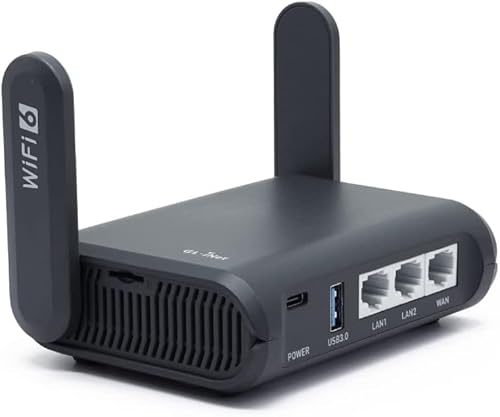
The Slate AX’s title sells the travel outcome rather than the firmware: a pocket-sized Wi-Fi 6 travel router with VPN, dual-band speeds up to 1800 Mbps, MU-MIMO and OFDMA, connecting up to 120 devices simultaneously. That device figure is doing quiet work — a travel router’s real test is not one laptop but the modern traveller’s whole flock, plus a partner’s flock, plus the streaming stick, all re-homed onto one network that the hotel only had to authorise once. The Slate AX is built and marketed for exactly that re-homing act, with VPN as a headline feature rather than a buried menu.
In this guide’s firmware-first framing, one discipline applies: the Slate AX’s title does not name OpenWrt, so the spec box marks the firmware as not stated in the listing title, and a buyer for whom the platform is the purchase should verify it in GL.iNet’s documentation — the maker’s line is built on open firmware, but this guide credits only what titles claim. Judged on its stated hand, the Slate AX is the polished travel appliance of the group: fast enough Wi-Fi 6 for a suite, a device ceiling you will not meet, and VPN in the headline. It trades the Beryl’s stated-OpenWrt certainty and 2.5G WAN for a sleeker travel pitch.
What the listing title states
- Wireless: dual-band Wi-Fi 6, speeds up to 1800 Mbps, MU-MIMO and OFDMA, as stated in the title
- Device capacity: connects up to 120 devices simultaneously, as stated in the title
- VPN: travel router with VPN, as stated in the title
- Firmware name: Not stated in the listing title — verify with the maker’s documentation
- Port speeds: Not stated in the listing title — verify with the maker’s documentation
Strengths
- A stated 120-device ceiling swallows a whole family’s travel flock without blinking
- MU-MIMO and OFDMA are the Wi-Fi 6 features that keep many small devices civilised
- Pocket-sized with VPN in the headline — the travel brief, stated cleanly
Trade-offs
- The title does not name OpenWrt, so firmware purists must verify the platform in the documentation
- No port speeds are stated, leaving the wired side unquantified from the listing
- Its 1800 Mbps class radio is a tier below the Beryl AX’s stated figures
Best for: a travelling family or work crew whose devices number in the dozens and who want one VPN-wrapped network per hotel room.
Not suited for: a firmware-first buyer who requires OpenWrt stated in the listing itself — that certainty is the Beryl AX’s and Flint 2’s.
If the flock is large and the firmware question is one you’ll verify in the documentation, check the Slate AX’s current Amazon price.
GL.iNet A1300 Slate Plus
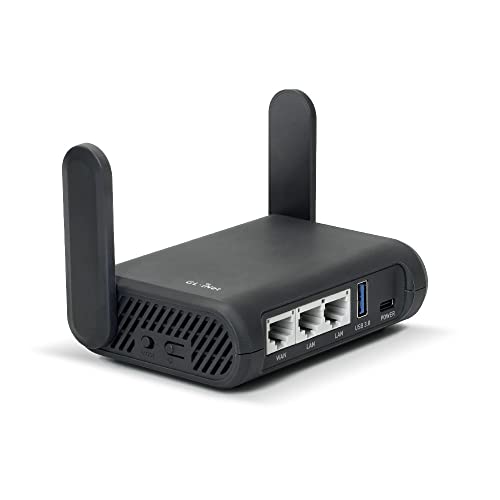
The Slate Plus title names the single most annoying moment in travel networking and promises to handle it: ‘Connect to Public & Hotel Wi-Fi login Page’. Captive portals — the browser login screens of hotels, airports and cafés — break naive travel setups, because the network wants a conversation with a browser before it grants passage. A travel router built for the job joins as a client, presents the portal, lets you complete it once, and then serves your whole kit behind that single authorisation. The Slate Plus is a pocket VPN travel router marketed on easy setup, and that portal skill is its reason to exist in this guide.
Positioned honestly, it is the simplicity pick of the travel bench. Its title makes no firmware claim and no speed claim, so this guide makes none on its behalf: the spec box marks those details not stated, and the buyer who cares should consult GL.iNet’s documentation. What the title does promise — portable, easy to set up, portal-friendly, VPN in its very name — describes the traveller who is not an enthusiast at all: the consultant, the grandparent, the crew member who wants the hotel network tamed and their traffic wrapped, with the fewest possible decisions between the door and the desk.
What the listing title states
- Role: pocket VPN travel router, portable Wi-Fi router for travel, as stated in the title
- Portal handling: connect to public and hotel Wi-Fi login page, as stated in the title
- Setup: easy to set up, as stated in the title
- Firmware name: Not stated in the listing title — verify with the maker’s documentation
- Wireless speed class: Not stated in the listing title — verify with the maker’s documentation
Strengths
- Captive-portal handling is named in the title — the travel feature that matters most in real hotels
- Easy setup is the stated pitch, suiting travellers who are not network enthusiasts
- A pocket VPN router covers the whole kit behind one hotel authorisation
Trade-offs
- No firmware name in the title, so openness must be verified in the maker’s documentation
- No speeds stated — frequent travellers with fast connections should compare the Beryl AX’s figures
- Its simplicity-first design gives enthusiasts less to tinker with than the range’s flagships
Best for: a non-technical traveller whose nemesis is the hotel login page and who wants VPN cover without a hobby attached.
Not suited for: a tinkerer’s travel kit, where the Beryl AX’s stated OpenWrt and port speeds give more to work with.
Portal-weary travellers can look up the Slate Plus’s current Amazon price — one authorisation per trip is the whole pitch.
GL.iNet Mango GL-MT300N-V2
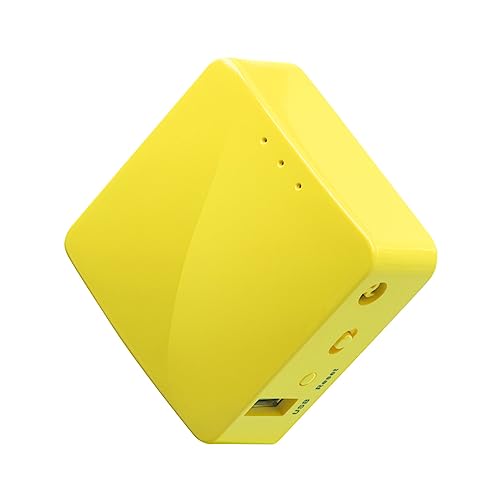
The Mango is the smallest, cheapest doorway into this guide’s whole philosophy, and its title is admirably complete for its size: portable mini travel pocket VPN router, 2X Ethernet Ports, USB 2.0, OpenWrt, OpenVPN/Wireguard for public and hotel Wi-Fi, easy to set up via admin panel. OpenWrt is stated. Both VPN protocols are stated. For the price of a modest dinner, a traveller gets a genuine open-firmware router that can join a hotel network, wrap traffic in WireGuard, and hand a wired-only device — an old laptop, a work phone dock, a streaming stick with an adapter — a port of its own. As a first open-firmware router, it is nearly risk-free tuition.
The limits are the honest other half. The Mango is a mini router of an older wireless generation — its title makes no Wi-Fi 6 claim, and its two ethernet ports and USB 2.0 describe a one-person, one-room job. Throughput expectations should be set to ‘hotel network, email, calls, a stream’ rather than ‘apartment full of gamers’. Many owners buy it as a spare, a testbed for learning OpenWrt, or a dedicated travel node that lives in the washbag so it can never be forgotten. In a guide that began with a vanished premium product, the Mango is the cheerful counter-argument: the open-router idea did not die; it shrank, cheapened and put itself in every bag.
What the listing title states
- Firmware: OpenWrt, as stated in the title
- VPN: OpenVPN/Wireguard, as stated in the title
- Ports: 2X Ethernet Ports, as stated in the title
- USB: USB 2.0, as stated in the title
- Wireless generation and speeds: Not stated in the listing title — verify with the maker’s documentation
Strengths
- OpenWrt and both VPN protocols stated in the title, at the mini end of the range
- Two ethernet ports let a wired-only device join the travel network
- Small and inexpensive enough to live permanently in a travel bag as a spare
Trade-offs
- An older, mini-class platform — no Wi-Fi 6 claim in the title and modest throughput
- USB 2.0 rather than 3.0 limits its storage and tethering party tricks
- One room, one traveller is its scale; groups should step up to the Slate or Beryl
Best for: a solo traveller, student or OpenWrt-curious beginner wanting a genuine open router for the price of a pizza night.
Not suited for: a family apartment abroad needing Wi-Fi 6 capacity across rooms — the Beryl AX’s stated figures fit that trip.
Curious about OpenWrt with training wheels? The Mango’s current Amazon price is the cheapest honest entry in this guide.
Linksys WRT3200ACM
The WRT3200ACM holds this guide’s prose-only seat as a monument. In the DD-WRT era, Linksys revived the WRT name and the stackable blue-and-black silhouette of the legendary WRT54G, and built routers explicitly welcoming to open firmware — the WRT3200ACM was the flagship of that revival, the machine a generation of enthusiasts flashed, configured and loved. Its presence in a guide like this is obligatory and elegiac at once: it is the product class the keyword remembers, the reason ‘preinstalled’ flashing services existed, and the benchmark against which the factory-open GL.iNet generation should be measured.
The buying reality today is stated plainly, without invented specifications: units now circulating are third-party and used stock. That means unknown histories, unknown firmware states, ageing radios by current standards, and no maker’s warranty standing behind the sale. A hobbyist who finds a clean unit, reflashes it personally from official project builds, and treats it as a retro project will have a fine time — that is a hobby purchase, entered knowingly. A buyer who simply wants an open router that works should spend the same money on the new, warranted, factory-OpenWrt hardware above. The king is honoured here, and then respectfully not recommended as the practical route.
What the listing title states
- Status: prose-only — described from its historical role, with no specifications asserted
- Availability today: third-party and used stock, as noted in the guide’s research
- Firmware: the classic open-firmware-era machine; any individual unit’s current firmware state is unknown
- Warranty: treat as not stated — verify the individual listing’s terms before purchase
Strengths
- The emblematic open-firmware router of its era, with a devoted knowledge base still online
- A rewarding retro project for an enthusiast who reflashes and audits a unit personally
- Its lineage explains this entire category — the WRT name is where the flashing scene began
Trade-offs
- Remaining stock is used and third-party, with unknown configuration and firmware states
- Its wireless generation belongs to its decade, behind every linked pick here
- No maker’s warranty should be assumed on a used unit
Best for: an enthusiast collector or retro-project builder who will reflash and audit a used unit as part of the fun.
Not suited for: anyone needing a warranted open router for a real network today — the factory-OpenWrt picks above are that purchase.
No link is offered for this pick, deliberately: if you hunt one down second-hand, reflash it from official builds and change every credential before it joins your network.
Open Firmware, Travel Size and Home Duty: The Six Picks Side by Side
| Pick | Firmware stated in the title | Ports stated in the title | VPN stated in the title |
|---|---|---|---|
| GL.iNet Flint 2 | Pre-installed OpenWrt (stated) | Dual 2.5G ports (stated) | OpenVPN, WireGuard (stated) |
| GL.iNet Beryl AX | OpenWrt (stated) | 2.5G WAN, gigabit LAN (stated) | VPN (stated in title) |
| GL.iNet Slate AX | Not stated in the listing title | Port speeds not stated in the title | VPN (stated in title) |
| GL.iNet Slate Plus | Not stated in the listing title | Port speeds not stated in the title | VPN in product name (stated) |
| GL.iNet Mango | OpenWrt (stated) | 2X Ethernet Ports (stated) | OpenVPN/Wireguard (stated) |
| Linksys WRT3200ACM | Historical — see review | Used-market stock; verify per listing | Era-dependent; not asserted here |
The table tells the category’s story at a glance. Three titles state OpenWrt outright — Flint 2, Beryl AX and Mango — and those three are the guide’s confident core for firmware-first buyers. Two titles, the Slate AX and Slate Plus, sell travel outcomes without naming the firmware, and are bought on their stated travel merits with the platform verified in documentation. One row is history. Notice, too, how VPN appears in every single row: whatever else changed when the flashing era ended, the feature that drove it — a router that runs your tunnel — survived intact into the factory-open age.
Common Mistakes
Paying a premium for a ‘pre-flashed’ listing in this decade
The remaining marketplace listings that trade on the old pre-flashed idea are typically used hardware at hopeful prices, with builds of unknown age and provenance. The premium once bought a skilled person’s careful work on new hardware; today the same money buys new factory-OpenWrt hardware with a warranty. If a listing’s main boast is a firmware name from a decade ago, price it as the used router it is.
Assuming a maker’s OpenWrt build is the community build
Factory OpenWrt-based firmware is a supported product with the maker’s interface and update cadence, which is its virtue — and it may differ from the newest community release in version and details. Buyers planning to run vanilla OpenWrt must check the OpenWrt project’s hardware table for the exact model and hardware revision, because support is specific and neighbouring model names can conceal different internals.
Trusting a used router’s existing configuration
Any second-hand router — above all one sold on its firmware — should be treated as untrusted until reset and reflashed from official sources, with every password changed. A stranger’s configuration can contain anything from an old VPN account to a remote-access setting you would never have chosen. The WRT3200ACM can be a delightful project; let the project’s first step be a clean slate.
Buying travel hardware for a home-sized job, or the reverse
The open-firmware shelf is dominated by travel routers because that is where the retail demand lives, and their radios are sized for hotel rooms. A Mango in a three-storey house will disappoint exactly as predictably as a Flint 2 in a carry-on will annoy. Match the chassis to the territory — this guide separates the home flagship from the travel bench for precisely that reason.
Final Recommendation
The keyword asked for a product that no longer meaningfully exists, and the most useful thing this guide can do is refuse to pretend otherwise. The pre-flashed DD-WRT router is gone from Amazon’s shelves; in its place stands something better — factory OpenWrt hardware with the maker’s warranty behind the firmware, led here by the Flint 2 at home and the Beryl AX and Mango on the road, each stating OpenWrt in its own title.
Buy the openness, not the nostalgia: a router whose firmware is open by design, updated by its maker, and yours to inspect — that was always the point of the flashing era, and it is now simply how the box arrives.
What Does ‘Open’ Actually Buy You Day to Day?
Strip away the nostalgia and open firmware pays its rent in four ordinary ways. First, the VPN runs on the router, so devices that cannot run VPN software — a work laptop you may not modify, a streaming stick, a guest’s tablet — still travel inside the tunnel. Second, you can inspect and shape the network: see which device is eating the evening, fence guests away from your own machines, and set rules that survive a change of phone or laptop. Third, dynamic DNS and a VPN server turn the home network into something you can reach from anywhere, which is how a travel router and a home router in this guide end up working as a pair. Fourth, longevity: a platform with an open core and an active maker ages slower than a sealed box whose cloud service can be switched off by a product manager.
None of this requires command-line heroics in daily use. The maker’s interface drives the ordinary tasks, and the open system waits underneath for the day you need it. That layered arrangement — appliance on top, workshop underneath — is precisely what the old flashing scene was trying to build by hand, one risky firmware upload at a time. The factory simply learned to build it for them.
How Should a Traveller Choose Between the Beryl, Slate and Mango?
Let the itinerary decide. The Mango suits the solo traveller on familiar routes: one room, a handful of devices, hotel Wi-Fi of ordinary speed, and a premium on never forgetting the router because it lives in the bag. The Slate AX suits the travelling group or family, where the stated 120-device ceiling and Wi-Fi 6 manners keep a whole flock civilised behind one hotel login. The Beryl AX suits the traveller who works: a 2.5G WAN for fast apartment fibre, OpenWrt stated for the firmware-conscious, and USB 3.0 for the extras a working trip accumulates.
Whichever tier you choose, rehearse at home. Join the router to your own network, complete a pretend trip — VPN on, devices joined, a video call placed — and only then pack it. Travel routers fail their owners almost exclusively on first contact with a strange network at midnight, and a home rehearsal moves that first contact to a civilised hour. It is the cheapest insurance in this entire guide, and it costs one evening’s curiosity.
How Did the Travel Router Become Open Firmware’s Home?
It is worth pausing on the oddity this guide documents: the open-router movement’s flagship retail products are now mostly travel routers. The reason is demand geometry. A home user who wants advanced firmware is a niche; a traveller who wants their own trusted network in an untrusted hotel is a market. The travel router’s whole proposition — join a foreign network, re-serve it as your own, wrap it in a VPN — is an open-firmware proposition, and GL.iNet built a company by noticing that the people most motivated to control their router are the people carrying one. The home flagships like the Flint 2 exist because that travel business proved the platform could be sold honestly at retail.
The travel context also disciplines the engineering in ways home routers escape. A travel router must join networks it has never met, behind portals it cannot predict, on power it cannot choose, and it must do so for owners who are tired, jet-lagged and presenting in the morning. Interfaces get simpler under that pressure; defaults get safer; the one-tap VPN becomes a headline rather than a submenu. The DD-WRT era’s software, for all its power, was built by and for people at desks with weekends. The modern travel router carries the same power in a form factor — physical and digital — built for people in transit.
For the home enthusiast, the practical upshot is choice with a clear head. The openness you remember is available, warranted and current; it simply lives in a catalogue organised around journeys, with one home flagship flying the flag at full size. Buy the Flint 2 for the house and a Mango for the bag and you have reconstructed — better, and for less — the entire promise that the old pre-flashed listings once charged a premium to keep.
What Should You Do With an Old DD-WRT Router You Already Own?
If a DD-WRT machine from the old days is still running your network, it deserves an audit rather than either nostalgia or panic. Check the build it is running: DD-WRT builds aged in place on millions of routers, and a build from many years ago carries the vulnerabilities of its era. The project’s current builds, where your model is still supported, are the safer footing — flashed carefully, with the model’s specific instructions read twice, because the bricking risk that created the pre-flashed industry has not vanished; it has merely become your responsibility again.
Check the configuration with fresh eyes too. Old setups accumulate old decisions: a remote-access setting enabled for a forgotten reason, a VPN configured to a provider you cancelled, a guest network whose fence predates the till joining the LAN. Export the configuration, walk every page, and remove anything you cannot explain. A setting nobody can explain is a liability wearing a moustache. Then change the admin password, because a decade-old router has had a decade of houseguests, contractors and former housemates within its walls.
Finally, plan the succession honestly. When the old machine’s radio generation or processing ceiling starts to pinch — gigabit internet it cannot route at speed, a household of Wi-Fi 6 devices it serves at half pace — its replacement is in this guide, and the migration is gentler than the original flash ever was. Keep the old unit, reset and reflashed, as a spare or a testbed. The movement it belonged to taught a generation that their router could be theirs; the least sentimental tribute is to keep the lesson and upgrade the hardware.
Which of These Routers Belongs in a Remote-Work Bag?
Remote work has quietly become the travel router’s largest parish. The consultant in a client office, the engineer on a site with a guest network and a compliance policy, the journalist filing from a hotel — each needs the same liturgy: join an untrusted network once, place every work device behind a VPN to the office or the provider, and keep personal and work traffic in their own lanes. The Beryl AX states the toolkit for that liturgy most completely in this guide — OpenWrt, a fast WAN, USB for a tethered backup — while the Slate Plus answers the portal problem that client and hotel networks pose daily, and the Mango covers the worker whose travels are occasional and whose budget is honest about it.
The detail that separates a work bag from a holiday bag is failure planning. A work traveller carries the cable for the wired fallback, knows the router’s settings well enough to rebuild them from the backup file, and has tested the VPN against the office from home before the trip that matters. Open firmware rewards that preparation disproportionately, because its configuration can be exported, carried and restored — the whole network in a file, rebuildable on a replacement unit in minutes if the original is lost to an airline. No stock travel gadget of the sealed kind offers quite that continuity.
There is a courtesy dimension too. A travel router in a workplace should be a good citizen: its own network named clearly, its power draw modest, its presence explainable to a client’s IT team in one sentence. The machines in this guide are all small, quiet and single-purpose in appearance, which helps. The open firmware that makes them powerful also makes them configurable to behave impeccably — a guest on the network, never a problem on it — and the remote worker who configures theirs that way will be welcomed back with their little network in tow.
One last word for the searcher who arrived with a very specific memory — a flashed router, bought ready-made, that simply worked for a decade. That experience is still available. It simply wears a different name on the box now, comes with a warranty the old cottage listings never offered, and updates through its maker’s channel rather than a wiki page. The Flint 2 on a shelf at home, a Beryl or a Mango in the bag, and the old WRT honoured in prose: that is the honest shape of this category today, and it is a better shape than the one nostalgia is shopping for.
Frequently Asked Questions
Can I still buy a router with DD-WRT preinstalled?
Essentially not as a new, warranted retail product on Amazon. The flashing services that once sold them have disappeared, and remaining listings are used or third-party units of unknown provenance. The supported modern equivalent is a router with OpenWrt pre-installed by its maker, such as the GL.iNet Flint 2.
Is OpenWrt better than DD-WRT?
They come from the same movement and both give you a Linux system you control. OpenWrt behaves like a full distribution with a package manager; DD-WRT centred on a broad hardware catalogue and its web interface. For a new purchase, the deciding factor is not the old rivalry but delivery: OpenWrt is what factory-open routers ship with today, supported by their makers.
Which picks state OpenWrt in their listing titles?
Three: the GL.iNet Flint 2 (‘pre-installed OpenWrt’), the Beryl AX, and the Mango. The Slate AX and Slate Plus titles emphasise travel VPN roles without naming the firmware, so verify their platform details in GL.iNet’s documentation if that is decisive for you.
Is the Linksys WRT3200ACM still worth buying?
As a hobby project, possibly — it is the classic open-firmware machine of its era. As a practical network purchase, no: remaining units are third-party and used stock with unknown firmware states and no assumed warranty. Reflash any unit from official builds and change all credentials before use.
What is a captive portal, and why do travel routers brag about handling it?
A captive portal is the login page hotels and cafés present before granting internet access. A travel router must complete that conversation once and then serve all your devices behind it. The Slate Plus names this skill in its title, and it is the feature that separates a real travel router from a small home router in a suitcase.
Can I install extra software on these routers?
Package installation is part of the OpenWrt platform’s appeal, and the factory-open route keeps that door open beneath the maker’s interface. The listing titles do not enumerate package support, so treat specifics as a documentation check for your exact model — and take a configuration backup before experimenting, always.
Related Guides
- Best travel routers with ethernet ports for hotel rooms
- Best affordable routers with VPN support for whole-home tunnels
- Best gaming routers with 8 LAN ports for a fully wired desk
Open firmware and powered ports are the two ways a small network escapes its limits; our guide to the best poe routers for samll business takes the powered-ports side.


