What's inside
- Key Takeaways
- Quick Picks
- How Did We Choose These 75-Inch Sets?
- What Does Panel Type Change at 75 Inches?
- How Much Viewing Distance Does a 75-Inch Screen Need?
- What Should Gamers Actually Look for in a 75-Inch Set?
- Fire TV, Google TV or Samsung’s System — Does the Platform Matter at This Size?
- Bright Room or Dark Room — Which Picks Suit Which Light?
- Which of These Six 75-Inch Sets Belongs on Your Wall?
- How Do the Six 75-Inch Sets Compare Side by Side?
- How Do You Get a 75-Inch Television Into the Room and Onto the Wall?
- What Mistakes Do Buyers of Very Large Televisions Keep Making?
- Why 75 Inches — and When Should You Choose a Different Size Instead?
- What Should You Budget Around the Television Itself?
- What Sound Should Accompany a Picture This Large?
- Final Recommendation
- Frequently Asked Questions
- Related Guides
As an Amazon Associate I earn from qualifying purchases. This post may contain affiliate links at no extra cost to you.
gizmoverdict.com is reader-supported. When you buy through links on our site, we may earn an affiliate commission.
Where to buy: Follow the Amazon links below to each listing, and before ordering any set this size, confirm the delivery arrangements, the stand width and the exact model code on the listing itself — a 75-inch television is a logistics decision as much as an electronics one.
The best 75 inch 4k tvs share a diagonal and almost nothing else, which is what makes this category worth a guide rather than a tape measure. At 75 inches the panel technology stops being a detail and becomes the picture: the six sets here divide into Mini-LED models with dense backlight control, QLED models that lean on colour volume, and combinations of the two, with refresh rates — where a listing is willing to state one — running from the unstated to a native 144Hz aimed at gamers. Every pick in this guide was verified as a genuine 75-inch 4K set from its fetched listing title before it earned a place, because this category has a history of listings whose headlines promise a size the box does not contain; if a specification does not appear in a pick’s title, this guide does not print it, and you will find no invented brightness figures anywhere below.
Seventy-five inches also changes the room before it changes the picture. The viewer needs distance — roughly two and a half to three and a half metres for the screen to fill the view without filling the skull — the furniture needs width, the doorway needs measuring, and the wall needs to be more than an afterthought. Readers stepping up from a smaller set may want to compare the neighbouring territory in our guide to the best 65 inch oled tvs before committing; this page assumes the room has already voted for 75 and concerns itself with which 75, and why.
Key Takeaways
- Panel type is the decision at this size: Mini-LED backlighting on the Samsung M70H, the Hisense U6 Pro, the TCL QM6K and the Samsung QN70F, QLED colour on the Insignia and the Toshiba.
- Stated refresh rates exist on only three listings — native 144Hz on the Hisense, 144Hz on the TCL, and 144Hz motion processing on the Samsung QN70F — so no rate is claimed for the other three.
- The Hisense U6 Pro carries the longest stated gaming and format list: Dolby Vision IQ, HDR10+, Dolby Atmos and a glare-free screen among them.
- The two Samsung picks are different tiers — the M70H is the 2026 Mini LED line, the QN70F a Neo QLED model with Samsung’s Quantum Matrix technology — and are labelled as such throughout.
- Measure the room, the stand and the doorway before the panel: at 75 inches, delivery and viewing distance reject more purchases than picture quality does.
Quick Picks
| Pick | Badge | Why it earns its place |
|---|---|---|
| INSIGNIA 75-Inch QF QLED Fire TV | Straightforward big-screen value | QLED colour and Fire TV at the full 75 inches, without paying for gaming hardware a film household will not use. |
| Samsung 75-Inch M70H Mini LED TV | 2026 Samsung Mini LED | Samsung’s current Mini LED line with its Vision AI Companion and a stated DLG 120Hz motion figure. |
| Hisense 75-Inch U6 Pro Mini-LED TV | Gaming-led specification | A native 144Hz Mini-LED panel with the deepest stated format support here, plus a glare-free screen for bright rooms. |
| TOSHIBA 75-Inch M450 QLED Fire TV | Simple QLED alternative | The M450 pairs QLED colour with Fire TV familiarity for buyers who want the size without a new platform to learn. |
| TCL 75-Inch QM6K QLED Mini LED TV | Feature-dense all-rounder | QLED Mini LED at a stated 144Hz with IMAX Enhanced and Dolby Vision, running Google TV. |
| Samsung 75-Inch Neo QLED QN70F TV | Premium Samsung tier | Neo QLED with Quantum Matrix backlight control and 144Hz motion processing, the connoisseur’s Samsung at this size. |
How Did We Choose These 75-Inch Sets?
Verification came first, before judgement. This category attracts mislabelled listings — a headline size that belongs to a different model in the same line, a resolution implied rather than stated — so each pick here had to declare itself plainly in its fetched title: 75 inches, 4K, a named panel technology. Sets that could not state their own size and resolution in their own title did not proceed, however attractive their photographs. That discipline is also why this guide’s specification boxes sometimes look restrained: a box may only repeat what the listing itself asserts, and where a listing is silent — on the Insignia’s refresh rate, for example — the box says the decision must rest on other evidence rather than borrowing a number from a sibling model.
Judgement then ran on the axes a 75-inch buyer actually feels. Panel architecture leads, because at this diagonal the backlight’s behaviour in a dark scene is visible from every seat: Mini-LED’s many controlled zones against the simpler arrangements behind the QLED pair. Refresh and gaming evidence follows, strictly as stated — a native 144Hz claim is a different thing from a motion-processing figure, and this guide keeps the two in separate sentences where they belong. Platform is the third axis: Fire TV, Google TV and Samsung’s Tizen-based system divide the six, and a household’s existing habits are a legitimate reason to choose among otherwise close sets.
The final test was room honesty. Each pick had to make sense as the single large screen in a real living room — the film nights, the sport, the games console, the bright Sunday afternoon — rather than as a specification sheet looking for a wall. Two picks lean cinematic, two lean gaming, two lean simplicity, and the guide labels those leanings rather than pretending every set is equally for everyone.
What Does Panel Type Change at 75 Inches?
On a small screen, backlight shortcuts hide. A bright edge, a halo around a subtitle, a black that is really a dark grey — at 32 inches these are footnotes. At 75 inches each flaw is the size of a dinner plate, which is why four of the six picks use Mini-LED backlighting: many small LEDs grouped into zones the processor can dim independently, so a starfield can be black between the stars and a candlelit scene can glow without lifting the whole frame. The Samsung QN70F’s listing names the brand’s Quantum Matrix Technology Slim for this control, the Hisense and TCL build their pitches on Mini-LED panels of their own, and the M70H carries Samsung’s Mini LED Processor 4K to run its array.
QLED, the technology in the Insignia and the Toshiba and a layer within the TCL and Hisense designs, works a different lever: quantum-dot colour. It widens the palette a panel can show and holds colour saturation as brightness climbs, which flatters sport, animation and sunlit nature footage. The honest summary is that the two technologies attack different weaknesses — Mini-LED improves contrast and black control, QLED improves colour richness — and the strongest sets here combine them, which is precisely what the Hisense’s Hi-QLED-over-Mini-LED and the TCL’s QLED Mini LED descriptions are claiming. A buyer choosing between the pure plays should choose by content: dark-room cinema leans Mini-LED, bright-room colour leans QLED, mixed households lean to the hybrids.
What this guide will not do is rank these panels by numbers their listings never published. No nit counts, no zone counts, no contrast ratios appear below, because none appear in the fetched titles. Panel comparisons are made in the class terms the evidence supports — architecture, stated processing, stated formats — and the final fine judgement between two sets at this level belongs to your eyes, in your room, on the content you actually watch.
How Much Viewing Distance Does a 75-Inch Screen Need?
The comfortable band for a 75-inch 4K screen runs, for most viewers, from about two and a half metres to a little beyond three and a half. Treat those figures as a starting negotiation with your own eyes rather than as law, because eyesight, content and personal taste all move the ideal seat by a cushion or two in either direction. Closer than that, the picture remains sharp — 4K at this size holds detail well — but the edges of the frame leave the comfortable field of view and film scenes start to require eye travel, which tires across a two-hour runtime. Further than the band, the set still looks fine and the case for having bought 75 inches quietly evaporates; a 65-inch set would have done the same job for less wall. Measure from the back of the sofa, where heads actually rest, not from its front edge, and be honest about the room’s fixed geometry rather than the arrangement you intend to get around to.
Height and tilt obey the same realism. The centre of a 75-inch screen should sit near the seated eye line — lower than most people first mount it — and a set placed above a fireplace needs a tilting bracket and a frank acceptance that necks will vote against the arrangement within a month. On furniture, the stand question is width: a 75-inch set’s feet, on models that use spaced feet, can demand a unit nearly as wide as the screen, and measuring the furniture after the television arrives is a genre of regret this guide exists to prevent. The listings carry each model’s stand arrangement; read yours before the delivery van does.
Light is the third dimension of the room. A screen this large is a mirror of consequence when off and a glare surface when on, and its relationship with windows decides afternoon viewing. The Hisense’s stated glare-free screen addresses the problem in the panel itself; for the others, the answers are positional — avoid the wall directly opposite a large window, or accept curtains as part of the installation budget. Readers whose rooms are uncompromisingly bright may find our guide to the best large tvs for bright room a useful companion before choosing.
What Should Gamers Actually Look for in a 75-Inch Set?
Gaming at this size is an immersion argument before it is a specification argument: a racing game or a flight simulator on 75 inches occupies the peripheral vision in a way no desk monitor can, and the room becomes the cockpit. The specification that feeds that immersion is the panel’s refresh behaviour with a real source connected. A current console or gaming PC can output high-refresh 4K signals; a set whose listing states a native 144Hz, as the Hisense does, is declaring it can take that signal at full stride. The TCL’s stated 144Hz makes the same tier of claim. The Samsung pair’s figures are motion-processing numbers — valuable for how broadcast sport and film motion are presented, but a gamer comparing inputs should file them differently, as this guide does throughout.
Beyond refresh, the gaming checklist runs in class terms because the listings state little of it: input lag in the set’s game mode, the number of high-bandwidth HDMI inputs for a household with two consoles and a PC, and whether game settings persist per input so the film source keeps its own calibration. Ask those questions of the listing’s full specification and the maker’s documentation for your finalist; they are answerable there even though the titles are silent. What you should not do is assume a feature from a sibling model — television lines share names across sizes and years while differing in exactly these ports and modes, and the 75-inch variant is its own product.
There is also a comfort truth about gaming this large. Fast camera movement across a 75-inch field, viewed from closer than the film distance, can overwhelm; many players sit a half-metre further back for games than for films in the same room, or reduce the in-game field of view where the title allows. The room plan that serves both habits — a sofa position for cinema, a chair that can pull back or forward for play — is worth sketching before the bracket is fixed, because the bracket decides the screen and the furniture must then negotiate with it.
Fire TV, Google TV or Samsung’s System — Does the Platform Matter at This Size?
It matters more than the specification sheets suggest, because at 75 inches the television is the household’s main screen and its home screen is the family’s front door. Fire TV, on the Insignia, the Toshiba and the Hisense, organises life around Amazon’s content storefront and Alexa’s voice habits; households with Amazon accounts and Alexa speakers elsewhere will find the big screen slots into an existing routine without a single new password. Google TV, on the TCL, organises around recommendations drawn from across services and suits households living in Google’s account world, with casting from Android phones as a native reflex rather than a feature to configure.
Samsung’s system, on the M70H and the QN70F, is the manufacturer’s own house: the Vision AI layer the listings advertise, a free-content catalogue the M70H’s title emphasises, and Alexa built into the QN70F itself. Samsung households — phones, appliances, an existing Samsung account — experience the least friction here, and the AI companion features aim to make the largest screen in the house answer questions and surface information as readily as it plays films. None of the three platforms is a mistake. All of them stream the major services; the differences live in voice ecosystems, home-screen temperament and which company’s account your household already keeps. Choose the panel first and the platform second, but where two panels tie, the platform you already speak is the correct tiebreaker — a 75-inch screen the whole family can drive beats a marginally finer one that only its purchaser understands.
Bright Room or Dark Room — Which Picks Suit Which Light?
Every 75-inch recommendation is secretly two recommendations, because the same set is a different product at noon and at midnight. At noon, the enemies are reflections and washed contrast: a large glossy panel mirrors the window behind the viewers, and ambient light lifts the blacks the backlight worked to deepen. The Hisense U6 Pro is the only pick whose listing claims a glare-free screen, and in a bright, windowed room that claim is worth more than any other single line in this guide — it attacks the actual problem rather than asking brightness to shout over it. The QLED pair fight the noon battle with colour saturation that survives ambient light, which is why bright-room sport so often looks best on a colour-led panel.
At midnight the ranking inverts. With the room dark, backlight control becomes the whole picture, and the Neo QLED QN70F’s Quantum Matrix discipline and the Mini-LED architecture of the M70H, the Hisense and the TCL separate themselves from the simpler LED arrangement behind the Insignia. Subtitles over a night scene, a horror film’s held darkness, a space documentary’s starfields — these are the moments the tier exists for, and they are also the moments a household either notices or never encounters, depending on what it watches. Be honest about your own ratio. A family whose screen works hardest on Saturday afternoons should not buy for the horror film it watches at Halloween.
Many rooms are both, and for them the answer is environmental as much as electronic: blackout-capable curtains or blinds on the offending window convert a bright room into a dark one on demand, at a cost below the price difference between panel tiers. Buy the set for the room’s harder case, treat the light with fabric where you can, and the compromise mostly dissolves.
Which of These Six 75-Inch Sets Belongs on Your Wall?

INSIGNIA 75-Inch QF QLED Fire TV — Straightforward big-screen value
The Insignia QF is the set for a household that has decided on 75 inches and 4K, wants QLED colour doing the visual work, and declines to fund features it will never switch on. Its listing is admirably plain about the offer: a 75-inch QF Series LED 4K UHD QLED Smart Fire TV with an Alexa voice remote. Fire TV brings the familiar grid of applications and the free-and-live channels ecosystem, the voice remote brings the household’s least technical member into full control of the biggest screen in the house, and the QLED panel brings the colour saturation that makes sport and animation at this size feel like an event rather than an enlargement.
The restraint in the listing cuts both ways, and the guide reads it honestly. No refresh rate is stated, so competitive gamers should look to the Hisense or the TCL, whose listings make their claims in the open. No gaming format list is offered. What the QF sells instead is proportion: the full diagonal, a colour-led panel and a mainstream platform, at the end of the range where value lives. For a film-and-sport family room that hosts the neighbourhood on big match days, that is a coherent and defensible brief.
- Size and resolution: 75 inches, 4K UHD
- Panel: QF Series LED with QLED colour, per the listing
- Platform: Fire TV
- Remote: Alexa voice remote included
- Refresh rate: not stated in the listing title — judge on panel and platform
Strengths
- Full 75-inch QLED picture without paying for unused gaming hardware
- Fire TV is the platform most households already know how to run
- Voice remote keeps the biggest screen accessible to every viewer
Trade-offs
- No refresh rate is published in the listing for gaming comparisons
- LED arrangement without Mini-LED zoning concedes the darkest scenes to the Mini-LED picks
- Format support beyond the platform basics is not itemised by the listing
Best for: film, sport and family viewing rooms that want size and colour first. Not suited for: competitive gamers choosing a set by its stated refresh specification.

Samsung 75-Inch M70H Mini LED TV — 2026 Samsung Mini LED
The M70H is Samsung’s current-generation answer at this size: a 75-inch Mini LED 4K set, listed as a 2026 model, with Samsung Vision AI Companion, a Mini LED Processor 4K, Pure Spectrum Color, and a Motion Xcelerator figure with DLG 120Hz in its title. Read that motion line carefully, because this guide does: DLG is a motion-processing technique, and the listing presents the 120Hz as part of that processing description rather than as a native panel rate — a distinction the gaming section below keeps intact. What the M70H unambiguously offers is Samsung’s newest Mini LED architecture and processing at the full diagonal, with an AI companion layer for viewers who use their television as a household information surface as well as a screen.
Pure Spectrum Color is the listing’s colour claim, and paired with Mini-LED contrast it sketches the set’s character: Samsung aiming at a balanced, premium-mainstream picture rather than a single-metric trophy. The free-content emphasis in the title — endless free content, in the maker’s words — signals the platform pitch: a set that arrives with a great deal to watch before any subscription is discussed. Choose the M70H when you want Samsung’s latest line, value the AI and content layer, and prefer your motion claims read precisely rather than loudly.
- Size and resolution: 75 inches, 4K
- Panel: Mini LED, with Mini LED Processor 4K
- Colour: Pure Spectrum Color, per the listing
- Motion: Motion Xcelerator with DLG 120Hz stated in the listing
- Platform features: Samsung Vision AI Companion, free content emphasis
- Model year: 2026, per the listing
Strengths
- Current-generation Samsung Mini LED processing at the full size
- Balanced pitch — contrast, colour and platform rather than one headline metric
- AI companion features suit households that use the TV as a home hub
Trade-offs
- The 120Hz figure is a DLG motion-processing figure, not a stated native rate
- Gamers comparing raw specifications will find clearer claims on the Hisense
- Its breadth means it is nobody’s single-issue champion
Best for: Samsung households wanting the newest Mini LED line as an all-round family screen. Not suited for: buyers choosing strictly on a native refresh-rate figure for competitive play.
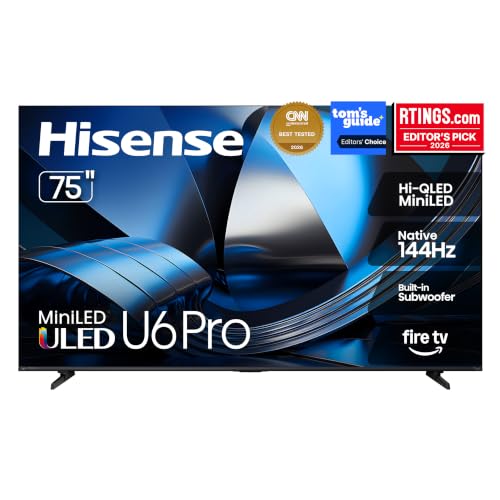
Hisense 75-Inch U6 Pro Mini-LED TV — Gaming-led specification
No listing in this guide states its case as completely as the U6 Pro’s. The title runs: Mini-LED ULED 4K UHD HDR gaming smart Fire TV, Hi-QLED, native 144Hz, Motion Rate 480, Dolby Vision IQ, Dolby Atmos, HDR10+, glare-free, Alexa+. Each clause is a decision a buyer can actually use. Native 144Hz is the gaming headline — a panel rate, stated as native, of the kind that high-refresh consoles and PCs exist to feed. Dolby Vision IQ and HDR10+ together mean the set accepts both of the dynamic HDR formats a film collection is likely to contain. Glare-free addresses the bright room. Fire TV runs the platform, with Alexa+ as its voice layer.
The combination that matters is gaming plus cinema in one cabinet, because most 75-inch rooms are asked to be both, on different nights of the same week. A set that takes a console’s high-refresh output on Friday and a Dolby Vision film on Saturday, without either audience feeling like the compromise, is the set that stays bought. The Motion Rate 480 figure is the maker’s motion-processing metric and this guide reports it as exactly that, distinct from the native rate it accompanies. If your household games seriously and watches seriously, the U6 Pro is the pick whose listing leaves you the fewest questions to ask.
Test the U6 Pro against a plausible Saturday and its breadth stops looking like a list and starts looking like a household. The afternoon brings a match in a sunlit room, where the glare-free screen and QLED-family colour earn their keep. The evening brings a console session at the refresh rate the panel was built for. The night ends with a film in Dolby Vision IQ, the format that adjusts to the room’s light as it plays. Three different televisions would each do one of those shifts best; the U6 Pro’s proposition is that it is never the wrong set for the shift in front of it, and at 75 inches — where a household buys one screen, not three — that absence of wrongness is the most valuable specification of all.
- Size and resolution: 75 inches, 4K UHD
- Panel: Mini-LED ULED with Hi-QLED colour
- Refresh: native 144Hz stated; Motion Rate 480 as the maker’s motion metric
- Formats stated: Dolby Vision IQ, HDR10+, Dolby Atmos
- Screen: glare-free, per the listing
- Platform: Fire TV with Alexa+
Strengths
- Native 144Hz is the clearest gaming claim made by any listing here
- Both dynamic HDR formats plus Atmos cover a serious film library
- Glare-free screen suits the bright rooms big sets often land in
Trade-offs
- Fire TV rather than Google TV or Tizen may not match every household’s habit
- Its specification depth is wasted on a room that only watches broadcast sport
- Motion Rate figures are maker metrics — the native rate is the comparable number
Best for: mixed households where high-refresh gaming and Dolby Vision cinema share one wall. Not suited for: buyers who want Samsung’s or Google’s platform specifically and will trade spec depth for it.
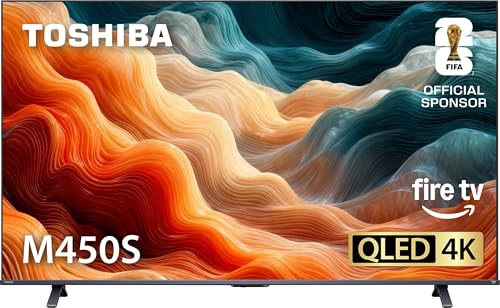
TOSHIBA 75-Inch M450 QLED Fire TV — Simple QLED alternative
The Toshiba M450 makes the same philosophical offer as the Insignia — QLED colour, Fire TV, the full 75 inches, no detours — from a different badge, and in a category this size the existence of two honest simple options is a service to buyers: it keeps the simple end competitive and lets platform familiarity or a household’s prior Toshiba experience settle the tie. The listing describes a QLED 4K UHD Smart Fire TV with a voice remote with Alexa and the ability to stream live TV without cable, which is the complete sentence a family-room buyer needs: big, colourful, familiar, and fed by the aerial-and-apps mixture most houses actually watch.
Where the M450 should not be oversold is where its listing is silent. No refresh figure is published, no Mini-LED architecture is claimed, and the guide credits it with neither. Its picture case rests on QLED colour at a cinematic size, which for streamed drama, sport and family film nights is a case most viewers will find entirely sufficient — the content that fills these screens is rarely the content that exposes backlight limits, and when it is, it is usually one scene in one film a month. Buy the M450 for the ninety-nine evenings, and let the Mini-LED picks court the hundredth.
- Size and resolution: 75 inches, 4K UHD
- Panel: QLED, per the listing
- Platform: Fire TV, with live TV streaming without cable
- Remote: voice remote with Alexa
- Refresh rate: not stated in the listing title
Strengths
- QLED colour and Fire TV simplicity at the full diagonal
- Live-without-cable pitch matches how family rooms actually watch
- A second honest option keeps the simple end of the range competitive
Trade-offs
- No stated refresh rate for gaming-led comparisons
- No Mini-LED zoning for the darkest cinematic scenes
- Listing itemises less than the feature-dense TCL and Hisense
Best for: family rooms wanting Toshiba’s take on the big, simple, colourful formula. Not suited for: dark-room cinephiles or refresh-rate-led gaming builds.

TCL 75-Inch QM6K QLED Mini LED TV — Feature-dense all-rounder
The QM6K is where TCL’s value-engineering reputation meets a specification sheet with no obvious holes: a 75-inch QLED Mini LED 4K HDR set on Google TV, a stated 144Hz, IMAX Enhanced certification, HDR10, Dolby Vision, Dolby Atmos audio and a voice remote, described by its maker as a premium gaming model. The QLED-over-Mini-LED stack claims both levers from the panel section — colour volume and backlight control — while the 144Hz figure and the gaming positioning speak to the console household, and IMAX Enhanced speaks to the film household that wants its largest-format content presented as its makers intended.
Google TV is the platform differentiator in this six. Households invested in Google’s ecosystem — or simply preferring its recommendation-led home screen and casting habits — get the feature-dense hardware without surrendering the platform, a combination the Fire TV picks cannot offer. The QM6K’s honest limitation is the mirror of the Hisense’s: where the U6 Pro states Dolby Vision IQ and HDR10+, the TCL states Dolby Vision and HDR10, a step less exotic in format terms, balanced by the IMAX Enhanced badge the Hisense does not claim. Two feature-dense sets, two slightly different densities; the formats your own library uses should arbitrate.
TCL’s trajectory is part of this pick’s story, and a buyer is entitled to weigh it. The brand built its name by putting large panels within reach, then spent successive generations closing the feature gap on the premium badges; the QM6K reads like the current state of that project — a set whose listing no longer concedes anything obvious at this size. For a household, the practical meaning is support and software: Google TV’s update cadence, a maker with a deep catalogue at the size, and parts and documentation that follow from selling very large televisions in very large numbers. The specification sheet earns the QM6K its place in this guide; the industrial reality behind it is why the place is not a gamble.
- Size and resolution: 75 inches, 4K HDR
- Panel: QLED Mini LED, per the listing
- Refresh: 144Hz stated in the listing
- Formats stated: IMAX Enhanced, HDR10, Dolby Vision, Dolby Atmos audio
- Platform: Google TV, with voice remote
- Positioning: premium gaming, per the maker
Strengths
- QLED and Mini-LED combined, with a stated 144Hz for gaming
- IMAX Enhanced and Dolby Vision cover the film household’s formats
- Google TV suits households in Google’s ecosystem
Trade-offs
- HDR10 rather than the HDR10+ the Hisense states
- No glare-free claim is made in its listing for difficult rooms
- Feature density means a longer first-evening setup than the simple picks
Best for: Google TV households wanting one set that games and screens films at full specification. Not suited for: buyers whose film library leans on HDR10+ and who will miss it.

Samsung 75-Inch Neo QLED QN70F TV — Premium Samsung tier
The QN70F is the connoisseur’s Samsung in this six, and its listing draws the tier line clearly against the M70H: Neo QLED rather than the standard Mini LED description, Quantum Matrix Technology Slim for backlight control, an NQ4 AI Gen2 processor, Motion Xcelerator 144Hz, Samsung Vision AI and Alexa built in, in a 2025 model. Neo QLED is Samsung’s name for its most controlled Mini-LED implementations, and at 75 inches that control is the picture: the dark scenes, the subtitles over black, the night cityscapes where lesser backlights announce themselves. The 144Hz motion figure is presented as Motion Xcelerator processing, and this guide files it as such — processing, not a native panel claim — while noting it is the highest motion figure Samsung states here.
Choose between the two Samsungs by temperament. The M70H is the newer model year with the broader household pitch; the QN70F is the picture-purist’s tier, where the money concentrates on the panel and its processor. Vision AI appears on both, Alexa is built into this one rather than living in the remote, and the ownership experience — Samsung’s platform, Samsung’s support — is common ground. What the QN70F asks is that you value backlight discipline enough to pay the tier’s premium, and at this diagonal, in a darkened room, that discipline is the most visible thing money buys.
There is a specific evening that justifies this tier, and buyers will recognise it: the lights are off, the film is a slow one — a night drive, a submarine, a horror picture that holds its darkness — and the screen’s job is to keep black black while a face, a headlight, a single lamp burns inside it. Lesser backlights halo and breathe around those points of light, and once noticed the effect cannot be unnoticed for the rest of the set’s life. The QN70F’s premium is the price of not seeing it. Households whose viewing is mostly lit-room sport and streamed comedy will genuinely never meet that evening, and for them the tier is money spent on an invisible virtue; households who live for it should pay without resentment, because it is the virtue the whole category is graded by after dark.
- Size and resolution: 75 inches, 4K
- Panel: Neo QLED Mini LED with Quantum Matrix Technology Slim
- Processor: NQ4 AI Gen2, per the listing
- Motion: Motion Xcelerator 144Hz stated as processing
- Platform features: Samsung Vision AI, Alexa built in
- Model year: 2025, per the listing
Strengths
- Neo QLED backlight control is the strongest dark-scene claim here
- Gen2 AI processor is Samsung’s more advanced picture brain in this six
- Alexa built into the set rather than only in the remote
Trade-offs
- The 144Hz is a motion-processing figure, not stated as a native rate
- Premium tier pricing logic applies even where this guide quotes no figures
- Its advantages are least visible in bright rooms and broadcast content
Best for: dark-room film viewers who want Samsung’s most controlled panel at 75 inches. Not suited for: bright-room households, whose money works harder on the glare-free Hisense.
How Do the Six 75-Inch Sets Compare Side by Side?
| Pick | Panel | Refresh evidence | Platform | Leans toward |
|---|---|---|---|---|
| INSIGNIA QF | QLED LED | Not stated | Fire TV | Size and colour value |
| Samsung M70H | Mini LED | DLG 120Hz processing | Samsung with Vision AI | Newest all-round Samsung |
| Hisense U6 Pro | Mini-LED, Hi-QLED | Native 144Hz | Fire TV | Gaming plus cinema formats |
| TOSHIBA M450 | QLED | Not stated | Fire TV | Simple family viewing |
| TCL QM6K | QLED Mini LED | 144Hz stated | Google TV | Feature-dense gaming and film |
| Samsung QN70F | Neo QLED Mini LED | 144Hz processing | Samsung with Vision AI | Dark-room picture quality |
The refresh column is the table’s honesty test: three different kinds of claim — native, stated, processing — and two silences, all preserved rather than flattened into a single misleading ranking. Choose first by panel and platform, then let the refresh evidence break ties if gaming matters in your house. Readers cross-shopping the high-refresh category as a whole will find the wider field in our guide to the best 4k 120hz tvs.
How Do You Get a 75-Inch Television Into the Room and Onto the Wall?
Logistics first, because at this size logistics veto more plans than electronics do. Walk the route from the front door to the wall with a tape measure: door widths, the turn at the stairs, the hallway corner where a box nearly two metres long must pivot. Measure the car if collection is even a remote possibility, and abandon the idea if the numbers argue — these sets travel to most homes by delivery vehicle for a reason. Two adults move a 75-inch panel, always, holding it by the frame’s strong points and never by the screen, and the box stays upright and unopened until it stands in the room where the set will live.
Wall mounting a panel this large is a fixing problem before it is a viewing one: the bracket must be rated well beyond the set’s weight, fixed into studs or masonry with the hardware the wall’s material demands, and levelled with more patience than feels necessary, because a two-degree tilt on a 75-inch rectangle reads as a landslide. On furniture, measure the stand’s footprint against the unit’s depth and the feet’s spread against its length, and consider a strap even here — a set this size on a stand is a sail in a house with children, dogs or earthquakes. Cable the installation once and properly: power, the console, the sound route, all dressed behind the unit before it is pushed into place, because nobody voluntarily moves a 75-inch screen to reach a port in month three.
First-evening setup rewards method. Update the platform, sign in once, arrange the home screen around the household’s three real uses, set the picture mode per input — film settings for the film source, game settings for the console — and then watch something you know well. A familiar film is the calibration tool every household owns: skin tones you can judge, a dark scene you remember, a soundtrack you have heard properly before. Adjust until the familiar looks right, and write the settings down, because a firmware update or a visiting relative’s button-pressing will one day make that note the most valuable paper in the house.
What Mistakes Do Buyers of Very Large Televisions Keep Making?
Underestimating distance is the classic: the set bought for a room measured by hope, watched thereafter from a range where the edges of the frame require head movement, and quietly resented. The second is stand surprise — the furniture too narrow for the feet, solved with boards, overhangs and other arrangements that photograph badly and wobble worse. Third is spec-sheet shopping in a category where listings do not publish comparable numbers: choosing by an invented nit count from a forum over the stated architecture and formats in front of you. This guide’s refusal to print unstated numbers is the antidote; buy the claims a maker will sign.
Fourth comes neglecting sound. A 75-inch picture with the set’s own speakers working alone is a cinema with a transistor radio’s voice in many rooms; the sets here carry respectable audio claims — Atmos support on the Hisense and the TCL among them — but the room usually deserves a soundbar or a system in the budget from the start, and planning for it beats discovering it. Fifth is forgetting the household’s other viewers: the voice remotes and built-in assistants across these picks exist because a big screen only one person can drive becomes that person’s job. Set up every viewer’s route to the content on the first evening, while patience is fresh.
Why 75 Inches — and When Should You Choose a Different Size Instead?
The case for 75 is the case for presence at a sane price per inch: it is the size where a living room becomes a venue — where sport gathers a roomful, where a film’s landscape shots land as landscapes, where a game’s world stops being a window and becomes a place. It is also, not coincidentally, near the practical ceiling for most houses: panels above it grow disproportionately awkward to deliver, mount and house, while panels below it — the 65-inch class — serve rooms a metre shorter with most of the drama intact. Seventy-five is the enthusiast’s size that still fits through a standard door, and the six picks here exist because that combination has made it the most contested diagonal in the catalogue.
Choose smaller when the room’s fixed geometry says so: a sofa that cannot retreat beyond two metres, a wall interrupted by doors and radiators, a rental where the bracket conversation is forbidden and the furniture is narrow. Choose larger only with eyes open about delivery and about the price curve, which steepens sharply beyond this class. And choose 75 with confidence when the measurement supports it, because the commonest post-purchase regret in this category is not having bought too much screen — it is having talked yourself down a size in the shop and spending five years watching a room that had space for the real thing.
What Should You Budget Around the Television Itself?
The set is the headline cost, not the whole invoice. A bracket worthy of a 75-inch panel, or a furniture unit honestly wide enough for its feet, belongs in the plan from the start. Sound, as the mistakes section argues, usually deserves a line of its own. Delivery and installation help — two-person crews, wall fixing, the removal of a box the size of a door — are worth pricing rather than improvising. Small things accumulate too: cables long enough to dress properly, a surge protector sized for the rack, perhaps the curtains that make the room worthy of the panel. None of this is an argument against the size; it is an argument for buying the whole installation once, calmly, instead of discovering it in instalments across the first month.
Running costs at this diagonal are modest but real. A 75-inch panel draws more power than the 43-inch set it replaces, and brightness habits decide the bill’s slope: the vivid mode that impressed in the shop is the expensive and least accurate way to watch at home, while a calibrated film or standard mode trims consumption and improves the picture simultaneously — a rare case of the virtuous setting also being the better-looking one. Standby discipline matters across a year; a household that lets the set sleep properly pays for a few film nights’ worth of electricity less than one that leaves it glowing at a home screen.
What Sound Should Accompany a Picture This Large?
A screen of 75 inches creates an expectation the laws of cabinet design cannot meet: viewers unconsciously expect sound with the same scale as the image, and a slim panel’s speakers, however well engineered, fire from a shallow box. The sets here do what can be done — the Hisense and the TCL both state Dolby Atmos support, which lets them render height-aware soundtracks in processed form and, more importantly in the long run, pass proper Atmos to an external system when one arrives. Samsung’s pair and the Fire TV sets all carry their makers’ current audio processing. For streamed drama and sport, the built-in sound of a modern big set is respectable. For the film nights that justify the diagonal, most households will eventually add the soundbar or the speaker system, and planning the purchase in that order — panel now, sound when the budget breathes — is a legitimate strategy rather than an admission of defeat.
Placement interacts with sound in ways worth one paragraph. A set hard against a wall gives its rear- and down-firing speakers a surface to work with; a set on an open stand in the middle of a large room gives them nothing. Dialogue clarity, the thing households actually complain about, improves more from a centre-focused soundbar than from any volume increase, and the voice remotes across these picks at least ensure that reaching for the volume is a spoken request rather than a hunt for a remote in the sofa. Judge the audio question by your room’s hardest case — the action film at family volume — and let the sets’ stated Atmos support guide which of them will grow with an external system most gracefully.
Final Recommendation
Let your room and your content arbitrate. The dark-room film household should stand in front of the Samsung QN70F and ask whether any picture they love would look better on anything else here; usually the QN70F conversation ends the search. The mixed gaming-and-cinema household belongs to the Hisense U6 Pro, whose listing makes the strongest combined case, with the TCL QM6K as its Google TV-flavoured rival decided by platform and by whether your library speaks HDR10+ or IMAX Enhanced. Samsung loyalists wanting the newest line take the M70H; households wanting size, colour and simplicity take the Insignia QF or the Toshiba M450 and spend the difference on the sound and the sofa. One last discipline before ordering: read your finalist’s listing once more, slowly, and check the model code digit by digit against the set you believe you are buying, because television families reuse names across tiers and years with a creativity that has filled many warehouses with the wrong television. The six listings behind this guide were verified pick by pick for exactly that reason. Measure the room before all of it — because at seventy-five inches, the right television in the wrong room is just a very large, very sharp reminder that the tape measure was in the drawer the whole time.
Frequently Asked Questions
Is 75 inches too big for an average living room?
It is too big for a room that cannot give it roughly two and a half to three and a half metres of viewing distance, and right-sized for one that can. The diagonal is not the variable; the sofa’s position is. Measure first and let the number decide without sentiment.
What is the difference between a native 144Hz claim and a motion-processing figure?
A native rate describes how often the panel itself refreshes and is the figure that matters for high-refresh gaming sources. A motion-processing figure — Motion Xcelerator, DLG, Motion Rate — describes the set’s processing of motion and is not directly comparable. This guide keeps the two in separate columns, and so should your shortlist.
Mini-LED or QLED — which should I choose?
They solve different problems: Mini-LED controls the backlight for contrast and dark scenes, QLED widens colour. Dark-room cinema leans Mini-LED, bright colourful content leans QLED, and the hybrids — the Hisense and the TCL — stack both, which is why they anchor the middle of this guide.
Can one person install a 75-inch television?
No, and attempting it is how panels die on their first day. Two adults for every move, a bracket rated beyond the set’s weight fixed into structure, and the box opened only in the room of installation. Delivery crews exist; use them where offered.
Do I need a soundbar with a set this size?
Most rooms benefit. The Hisense and TCL state Dolby Atmos support, which helps their own audio and any Atmos system you add, but a 75-inch picture generally deserves a dedicated sound route. Budget for it alongside the set rather than as an afterthought — and if voice control of the whole arrangement appeals, our guide to the best voice controlled tvs covers the platform side.
Should I wall-mount a 75-inch set or use its stand?
Mount it if the wall is structure and the room’s layout is settled: the panel sits at the correct height, the furniture beneath is freed, and the tip risk of a very large screen on feet disappears. Use the stand if the room rearranges often or the wall cannot take fixings — and in that case verify the furniture’s width and depth against the set’s feet, and fit a restraint strap as a matter of routine rather than worry.
How long will a 75-inch set stay current?
Panel technology at this level ages slowly; a well-chosen Mini-LED or QLED set bought today will still be showing films beautifully in a decade. Platforms age faster than glass, and the pragmatic answer when a built-in system eventually slows is the one households have used for years — an external streaming device restores the interface while the panel carries on. Buy the picture for the long term and treat the software as renewable, and a 75-inch purchase stops feeling like a gamble on this year’s interface.
Which pick is best for sport?
Sport rewards colour, motion handling and size, which spreads the honours: the QLED pair flatter saturated kits and pitches, the Hisense adds its glare-free screen for afternoon fixtures, and the TCL pairs a stated 144Hz with Mini-LED control for fast play under lights. In a bright room, the Hisense’s glare-free claim is the tiebreaker.
Related Guides
For the panel technologies in depth, see the best mini led tvs and the best qled 4k tvs; for the size below, compare the best 65 inch oled tvs before the tape measure makes its final ruling.
Anyone who decides even a big panel is not cinema enough can step up to the approach in our roundup of the best tv projectors for bedroom.
The smaller, safer end of the TV shelf is handled in best tvs for kids room.


