What's inside
- Key Takeaways
- Quick Picks
- How Did We Narrow a Whole Panel Class Down to Six?
- Why Does Per-Pixel Light Matter More Than Any Single Specification?
- What Should You Check in Your Room Before a 65-Inch OLED Arrives?
- Should You Be Looking at Mini-LED Instead? An Honest Word for the Alternative
- How Do You Set Up a 65-Inch OLED Properly on Its First Evening?
- What Does Owning an OLED Ask of You Over the Years?
- LG’s Three Rungs or a QD-OLED: Reading the Six as Two Arguments
- Which Buying Mistakes Do OLED Shoppers Keep Making?
- Final Recommendation
- Frequently Asked Questions
- Related Guides
As an Amazon Associate I earn from qualifying purchases. This post may contain affiliate links at no extra cost to you.
gizmoverdict.com is reader-supported. When you buy through links on our site, we may earn an affiliate commission.
Where to buy: All six televisions below are sold through Amazon listings checked against this site’s verified product pool on 2026-11-26, and each pick carries its pool link in the Quick Picks table and again under its full review. Street prices on large OLED panels swing hard around sale events, so treat any number you see on the listing as that day’s figure and check the price on Amazon before deciding; nothing in this guide prints a fixed price, because a panel this size is exactly the kind of purchase where last month’s figure misleads.
Shoppers hunting the best 65 inch oled tvs usually arrive with one question dressed up as three: will films look dramatically better than on the LED set they already own, will games feel responsive, and will the screen survive a room that is not a cave. The honest answer to the first two is yes, and it comes from the same root cause. Every pixel on an OLED panel makes its own light and can switch itself completely off, so a starfield is genuinely black between the stars rather than dark grey, and a subtitle over a night scene does not bloom a halo into the picture the way a backlit panel’s local dimming zones can.
The third question, brightness in a lived-in room, is where the six picks below separate. A current OLED evo panel from LG, a QD-OLED from Samsung or Sony, and an entry-level LG B-series all share that perfect per-pixel black, but they differ a great deal in how hard the panel can push highlights, how the screen surface handles a window behind the sofa, and how much picture processing stands between the source and your eyes. At 65 inches those differences stop being spec-sheet trivia. This is the size where the panel fills enough of your field of view that tone mapping, motion handling and near-black detail are visible from the sofa every single night.
One framing note before the picks. Every set here is a 65-inch 4K OLED with Dolby Vision support, so the contest is not about resolution or basic format coverage. It is about panel generation and philosophy: LG’s white-OLED evo line in three price steps, Samsung’s QD-OLED with its punchier colour volume, and Sony’s two-pronged approach with a conventional OLED for film lovers and a QD-OLED flagship for people who want maximum colour and brightness together. Read the roles, not just the ranking, because the best set for a dark cinema room is not automatically the best set for a bright family room that also hosts a games console.
Key Takeaways
- Per-pixel light control is the whole point of this class: blacks are truly off, so contrast comes from the panel itself rather than from dimming zones chasing the picture.
- The LG C5 is the balanced buy for most rooms, the C6 is the step to the newest panel and processor, and the B5 proves how far the entry rung has come.
- Samsung’s S90F and Sony’s BRAVIA 8 II use QD-OLED panels, which hold saturated colour at high brightness better than white-OLED designs.
- Sony’s BRAVIA 8 is the film-first choice, with processing and motion handling tuned for cinema rather than for demo-reel punch.
- Burn-in risk on modern OLED is a managed habit, not a verdict: varied content, sensible brightness and the built-in panel care routines keep these sets healthy for years.
- Measure your viewing distance before ordering; at 65 inches, roughly two to two and a half metres is the zone where 4K detail and immersion balance.
Quick Picks
| Pick | Badge | Why it earns its place |
|---|---|---|
| LG C5 OLED evo 65″ | Best overall | The 2025 evo panel, mature processing and a full gaming feature set in the size most rooms actually want. |
| LG C6 OLED evo 65″ (2026) | Newest generation | Brightness Booster hardware and the a11 AI Processor Gen3 make this the forward-looking LG buy. |
| Samsung S90F OLED 65″ | Best QD-OLED value | QD-OLED colour volume and a 144Hz Motion Xcelerator panel for less than the flagship tier usually charges. |
| Sony BRAVIA 8 OLED 65″ | Best for film purists | XR processing, restrained tone mapping and PlayStation 5 extras on a Google TV platform. |
| Sony BRAVIA 8 II QD-OLED 65″ | Premium pick | Sony’s brightest OLED pairs QD-OLED colour with the company’s most careful processing in a slim cabinet. |
| LG B5 OLED 65″ | Budget OLED pick | The genuine OLED experience, self-lit pixels and all, at the lowest rung of LG’s 2025 ladder. |
How Did We Narrow a Whole Panel Class Down to Six?
We started from the constraint in the keyword itself: 65 inches, OLED, 4K, and currently listed through a verified Amazon listing. That filter removes the 55-inch bargains and the 77-inch statement pieces, and it also removes the older clearance panels that still circulate under confusing names. What survived was then sorted by panel technology first and brand second, because a QD-OLED and a white-OLED of the same size behave differently enough in a bright room that comparing them purely on price produces bad advice.
We also weighed the things that only appear after the first month. Panel care systems had to be automatic rather than buried in menus. The smart platform had to be one of the three mature ecosystems, webOS, Google TV or Tizen, so that the major streaming services arrive promptly and stay supported. And each set had to make sense as a five-to-ten-year appliance: a television at this size is furniture, infrastructure and the household’s main window on film and sport, and a pick that delights for a season but dates quickly is a failed pick however strong its launch reviews were.
Processing came next. At this size, upscaling of broadcast television, streaming compression artefacts and 24-frame film motion are all plainly visible, so each pick had to come from a maker with a current-generation processor and a credible film mode. Gaming support was the third sieve: variable refresh rate, automatic low latency switching and at least one high-bandwidth path for a modern console are table stakes in this class now, and every set here clears that bar, though they clear it at different refresh ceilings. Finally we kept one deliberate value pick, the LG B5, because a guide to this category that only lists flagships fails the reader who simply wants OLED contrast without flagship money.
Why Does Per-Pixel Light Matter More Than Any Single Specification?
A backlit television divides its screen into zones and dims them in groups. A bright object in a dark scene forces a compromise: light the zone and grey the darkness around it, or protect the black and clip the object. OLED removes the compromise entirely. When a candle flickers in a black room on screen, the pixels forming the flame burn bright while the pixels one centimetre away are simply off. That is why OLED contrast looks different in person from any contrast ratio printed on a box, and why owners consistently describe the upgrade as larger than the resolution jump from 1080p to 4K felt.
The practical consequences reach beyond cinema. Subtitles stop glowing. Video game HUD elements sit crisp against dark backgrounds instead of smearing light into them. Near-black detail, the murky band where cheap panels crush everything to uniform grey, resolves into visible texture: the folds of a dark coat, the gradient of a night sky, the shadow side of a face. The trade is absolute brightness. Even the best OLED cannot match a flagship mini-LED for full-screen punch in a sunlit room, which is why this guide keeps returning to your room, your windows and your habits as the deciding evidence.
What Should You Check in Your Room Before a 65-Inch OLED Arrives?
Start with the wall or stand. A 65-inch television is roughly 145 centimetres wide, and while OLED panels are thin and lighter than equivalent LED sets, the stand feet on some models sit near the ends of the panel, so a narrow media unit can rule a model in or out before picture quality enters the discussion. Check the foot spacing in the listing details against your furniture, and if you plan to wall-mount, confirm the VESA pattern and leave room behind the panel for cable bends, because these cabinets are slim enough that a stiff HDMI cable can push against the wall plate.
Then look at your light. Sit in your usual seat at your usual viewing hour and note what reflects where the screen will be: a window directly behind the sofa prints itself on any glossy panel, OLED included. You cannot fix geometry with settings, so either plan curtains, shift the seating, or favour one of the brighter panels below. Finally, count your sources. A soundbar on the eARC port, two consoles and a streaming box is four HDMI devices; every pick here is a modern smart TV with the usual complement of ports, but the console you care about most should get the port with the fullest gaming feature support, and on some models that is a specific numbered input rather than any input.

LG C5 OLED evo 65″ — Best overall
The C-series is the line LG aims at the centre of the market, and the C5 shows why it keeps landing there. Its OLED evo panel brings the brightness improvements of the evo programme to the size most living rooms can actually fit, and the listing confirms the full modern format stack: Dolby Vision and HDR10 for HDR, Dolby Atmos passthrough for a soundbar or receiver, AI Super Upscaling 4K for the broadcast and streaming sources that still make up most viewing, and FILMMAKER Mode for watching films with the processing theatrics switched off. For the majority of buyers this is not the compromise choice; it is the reference point the rest of this list is measured against.
What makes the C5 easy to recommend is the absence of a weak flank. Film nights get the panel’s perfect blacks and LG’s now-mature tone mapping, which has learned restraint: highlights roll off rather than clip, and skin tones stay plausible in the accurate modes. Games get a properly specified panel with variable refresh support and the low input lag the C-series has been known for across generations, so a PlayStation 5 or Xbox Series X feels immediate rather than merely adequate. Daytime sport, the traditional OLED anxiety, is handled by the evo panel’s extra brightness headroom; it will not outshine a flagship LED with the curtains open, but a football match at noon no longer looks like it is being played at dusk.
Ownership details are quietly strong. The panel runs its care routines in standby without being asked, the stand design leaves a sensible gap for a soundbar on most furniture, and the set wakes fast enough that the smart platform never feels like a toll between you and the programme. LG’s long support of the C-series with software updates also matters at this price: the television you buy this year is not frozen in this year’s interface, and the gaming features have historically been maintained rather than abandoned at the next model year.
The webOS platform remains a matter of taste. It is quick, the app catalogue covers every major service, and the pointer remote divides opinion exactly as it always has: people who learn the flick-and-point gesture rarely go back, and people who hate it buy a streaming stick and forget the built-in system exists. Either way the panel underneath is the same, and the panel is the reason to buy this television.
- Panel: 65-inch OLED evo, 4K, self-lit pixels
- Formats: Dolby Vision, HDR10, Dolby Atmos passthrough
- Modes: FILMMAKER Mode, AI Super Upscaling 4K
- Model: OLED65C5PUA, 2025 series
Strengths
- The evo panel’s brightness headroom makes this the OLED that asks the fewest compromises of a normal, not-blacked-out living room.
- Gaming support is complete rather than token, so the same set serves the console corner without a second screen for serious play.
- Colour accuracy in the film-oriented modes is trustworthy out of the box, sparing most owners any calibration expense.
Trade-offs
- The glossy screen still mirrors a window placed directly behind the seating position; panel brightness cannot repeal geometry.
- webOS carries advertising surfaces on its home screen that some owners will want to minimise in settings.
- It sits a clear price step above the B5 below while sharing the same basic OLED contrast, which value hunters will notice.
Best for: households wanting one television that handles films, sport and a modern console with no apologies in any of the three. Not suited for: buyers whose seating faces a wall of glass with no curtains, or anyone determined to spend as little as possible to get OLED contrast.

LG C6 OLED evo 65″ (2026) — Newest generation
The C6 is the 2026 step in the same line, and its listing reads like a direct answer to the two requests C-series owners have repeated for years: more brightness, and a faster brain. LG fits Brightness Booster hardware to push the panel harder, pairs it with the a11 AI Processor Gen3, and quotes Perfect Black and Perfect Color as the panel’s twin claims, which in plain language means the set holds its colour accuracy as brightness rises rather than washing out at the top end. Variable refresh support now reaches 165Hz, a figure aimed squarely at PC gamers with high-end graphics cards, since current consoles top out well below it.
Buying the newest generation is a judgement call, and it deserves a straight account of both sides. In favour: the processor is the part of a television that ages fastest, because upscaling, motion handling and smart features all improve with silicon, and the Gen3 chip is the newest LG offers in this class. The brightness gain is also real headroom you will use every bright afternoon, not a benchmark flourish. Against: a just-launched model carries launch-period pricing while the C5 above it is the mature, discounted expression of nearly the same idea, and the differences narrow in a dark room, where both panels are ultimately showing you the same perfect black.
There is also a subtle point in the C6’s favour that only appears over months of use. A stronger processor does not just upscale better on day one; it is the component that receives each year’s platform features, and it is the headroom that keeps the interface quick after several software generations have been layered onto it. Televisions rarely feel slow in the shop. They feel slow in year four, and the sets that avoid it are the ones bought with silicon to spare.
Our read is that the C6 is the right buy for the keeper. If your habit is to buy a television and run it for eight years, the newest panel and processor are the rational spend, and the 165Hz ceiling means a gaming PC bought in three years still finds the screen ahead of it. If you replace sets more often or watch mostly in the evening, the C5’s value argument strengthens. Either way, this is a genuine generational step rather than a badge change, which is not something that can be said of every model-year refresh in this industry.
- Panel: 65-inch OLED evo, 4K, Brightness Booster
- Processor: a11 AI Processor Gen3
- Gaming: VRR up to 165Hz
- Formats: Dolby Vision, Dolby Atmos, Filmmaker Mode
- Model: 65C6, 2026 series
Strengths
- The brightest, freshest version of LG’s mainstream OLED idea, with the newest processor to keep upscaling and motion current longest.
- A 165Hz variable refresh ceiling gives PC gamers room that no current console can use but a good graphics card can.
- Perfect Color behaviour at high brightness closes much of the gap that used to separate white-OLED from QD-OLED in vivid scenes.
Trade-offs
- Launch-cycle pricing means the premium over the C5 buys future-proofing more than tonight’s picture in a dark room.
- As the newest model it has the shortest track record, so long-term owner reports are necessarily thinner than the C5’s.
- The full benefit of the refresh ceiling needs a PC source; console-only households pay for headroom they cannot reach.
Best for: buyers who keep a television for many years and want the newest LG panel, processor and gaming ceiling in one purchase. Not suited for: bargain hunters, who will find the C5’s mature pricing more persuasive, or dark-room film viewers who gain least from the brightness step.

Samsung S90F OLED 65″ — Best QD-OLED value
Samsung builds its OLED line on QD-OLED panels, and the physics of that choice is the S90F’s whole argument. Instead of a white OLED layer filtered into colours, QD-OLED converts blue light through quantum dots, which keeps colours saturated at brightness levels where white-OLED designs start to thin out. A sunset, a neon street, a football kit under floodlights: on this panel the vivid scenes hold their richness further up the brightness range. The listing backs the panel with Samsung’s NQ4 AI Gen3 processor, HDR+ support and Motion Xcelerator at 144Hz, which is a gaming ceiling above what consoles use and squarely useful for a PC.
The honest caveat that follows every Samsung OLED recommendation is format politics. Samsung does not support Dolby Vision, on this set or any other; its HDR10+ format is the alternative, and while major services increasingly carry both, a film collection built around Dolby Vision discs and streams will be shown in base HDR10 here. For many viewers the difference is modest and the panel’s colour volume is the bigger daily factor, but a purist with a Dolby Vision library should weigh it deliberately rather than discover it later. It is the one genuine asterisk on an otherwise complete specification.
A word about how the S90F behaves with ordinary television, because QD-OLED flagships are usually discussed only in HDR terms. Broadcast sport upscales convincingly, the panel’s colour volume makes kits and pitches look richly themselves rather than neon, and motion stays composed in fast pans. Streaming in standard dynamic range, which is still most of what most households watch, looks clean and saturated without the set straining to manufacture drama that the source does not contain. It is a television that flatters the everyday as well as the showcase.
Everything else about the S90F is easy. The Tizen platform is fast and its Gaming Hub aggregates cloud gaming services alongside the console inputs, which suits households where a streaming game session happens as often as a disc. In a mixed room the QD-OLED’s colour behaviour flatters sport and animation as much as film, and the panel’s viewing angles are as wide as OLED angles get, so the corner seat is not punished. As the value route into QD-OLED, it undercuts the flagship tier while keeping the panel technology that makes the tier interesting.
- Panel: 65-inch QD-OLED, 4K
- Processor: NQ4 AI Gen3 with Upscaling Pro
- Gaming: Motion Xcelerator 144Hz
- Formats: HDR10+ family; no Dolby Vision
- Extras: Vision AI features, Alexa built in
Strengths
- QD-OLED colour volume keeps saturated scenes rich at brightness levels that mute the white-OLED competition.
- A 144Hz gaming ceiling and Samsung’s Gaming Hub make it the natural OLED for a PC-plus-console desk-and-sofa setup.
- It delivers the QD-OLED experience without the flagship S95-series price step.
Trade-offs
- No Dolby Vision support, which matters to viewers with libraries and subscriptions built around that format.
- Raised blacks can appear slightly lifted if strong ambient light falls directly on a QD-OLED panel, so placement still matters.
- Tizen’s home screen pushes Samsung’s own content rows harder than some owners will like.
Best for: viewers who prize vivid colour and gaming headroom, and whose HDR viewing is not centred on Dolby Vision. Not suited for: Dolby Vision loyalists, or rooms where a bright window shines straight onto the screen all afternoon.

Sony BRAVIA 8 OLED 65″ — Best for film purists
Sony’s BRAVIA 8 takes the opposite bet from Samsung. The panel is a conventional OLED, and the money has gone into the XR Processor and the discipline of its picture tuning. Sony’s long-standing approach is to respect the source: tone mapping that follows the mastering of the film rather than re-grading it for showroom impact, motion handling that smooths judder without tipping 24-frame cinema into soap-opera glide, and upscaling that treats an old DVD or a compressed stream as material to restore rather than to sharpen into artefacts. The listing confirms Dolby Vision and Dolby Atmos, Google TV as the platform, and Sony’s exclusive feature set for PlayStation 5.
The film-purist case rests on accumulated small fidelities. Faces keep their texture. A slow pan across a landscape holds together. Dark scenes retain the gradation the director graded, because the XR processing is conservative about crushing the bottom of the range to manufacture punch. None of this photographs well in a comparison screenshot, and all of it is what you notice across a two-hour film. Google TV is also the most straightforward of the major platforms to live with, with a content-led home screen and Chromecast built in, and the listing notes included 4K movie credits, a small but fitting bonus for a set aimed at film buyers.
Sound deserves a mention here because Sony treats it as part of the product rather than an afterthought, using the screen itself as part of the speaker system on its OLED designs so that dialogue appears to come from the actors rather than from below the picture. It does not replace a soundbar for film bass, but for news, series and everyday viewing it is the most convincing built-in sound among these six, and households that resist extra boxes will appreciate the intent.
The BRAVIA 8 is not the brightness champion of this list and does not pretend to be. In a dim or dark room, which is where its audience watches, that hardly matters. In a bright room at midday it will look more restrained than the LG C6 or the QD-OLED sets. Choose it knowing which room and which viewer you are: if your viewing is films first, streamed and on disc, in the evening, this is the most considered picture of the six.
- Panel: 65-inch OLED, 4K HDR
- Processor: XR Processor with AI technology
- Platform: Google TV
- Formats: Dolby Vision, Dolby Atmos
- Extras: exclusive PlayStation 5 features, 4K movie credits included per listing
- Model: K-65XR80
Strengths
- The most faithful film presentation here, with tone mapping and motion that serve the source instead of the showroom.
- XR upscaling is kind to older and lower-quality sources, which still make up much of a film lover’s diet.
- Google TV is an easy platform to live with, and the PlayStation 5 features make it a credible second screen for a console.
Trade-offs
- Peak brightness trails the newest LG and QD-OLED rivals, so bright-room daytime viewing is its weakest scenario.
- Gaming support, while complete for consoles, does not chase the high refresh ceilings aimed at PC players.
- Sony pricing rarely discounts as aggressively as LG’s, so the value gap can widen during sale events.
Best for: film-first viewers who watch in the evening and value faithful grading, motion and upscaling over headline brightness. Not suited for: bright-room sports households or PC gamers chasing the highest refresh rates.

Sony BRAVIA 8 II QD-OLED 65″ — Premium pick
The BRAVIA 8 II is what happens when Sony stops choosing between its two philosophies. The panel is QD-OLED, described in the listing as Sony’s brightest OLED with maximum colour, and behind it sits the same XR processing discipline that defines the BRAVIA 8. The result aims at the viewer who read the two reviews above and wanted both: QD-OLED colour volume and brightness, without giving up Sony’s restraint in tone mapping and motion. The cabinet follows the same thinking, an ultra-slim design that treats the television as a piece of furniture rather than a black slab with aspirations.
In practice the combination shows most in HDR highlights with colour in them. A neon sign, a sunset through a window in the scene, fireworks: white-OLED panels render the brightest part of such images increasingly white as they push, while QD-OLED keeps the hue attached to the light. Sony’s processing then keeps that capability on a leash, so the image reads as vivid rather than garish. For viewers who found older Sony sets a touch sober and Samsung sets a touch theatrical, this is the deliberate middle path, executed at flagship level.
There is a ownership pleasure to a flagship that specifications do not capture. The 8 II feels finished in the small ways: the remote, the stand’s fit, the absence of fan noise or coil whine that occasionally haunts lesser sets, the way the picture modes are named and organised by people who appear to watch films themselves. None of that justifies a premium alone, but stacked on the best panel-processing combination in this guide, it explains why buyers who stretch to this rung rarely report regret.
The premium is real and should be bought for the right reason. You are paying for the best panel Sony sells plus its best processing, in the knowledge that the BRAVIA 8 below delivers perhaps the majority of the film experience for notably less. The 8 II justifies itself in brighter rooms, in HDR-heavy viewing, and to buyers who keep a flagship for a long time and would rather over-buy the panel once than wonder about the upgrade for years. The listing again includes 4K movie credits, which will last an opening weekend.
- Panel: 65-inch QD-OLED, 4K HDR, ultra-slim design
- Processor: XR Processor with AI technology
- Platform: Google TV
- Positioning per listing: Sony’s brightest OLED, maximum colour
- Extras: 4K movie credits included per listing
- Model: K-65XR80M2
Strengths
- QD-OLED brightness and colour with Sony’s film-faithful processing is a combination no other pick on this page offers.
- Coloured HDR highlights stay saturated instead of washing toward white, which transforms neon, sunset and stage-lighting scenes.
- The slim cabinet and Google TV platform make it as easy to live with as it is impressive to watch.
Trade-offs
- It is the premium rung of this list, and the BRAVIA 8 delivers much of the same film character for less money.
- Like the Samsung QD-OLED, the panel prefers not to have strong light falling directly on it for long periods.
- No television at this level should be paired with its own speakers alone; budget for a soundbar to match the picture.
Best for: buyers who want the single best OLED picture of the six and watch enough HDR in a moderately lit room to use it. Not suited for: strict budgets, or dark-room-only viewers who will never call on the extra brightness they are paying for.
LG B5 OLED 65″ — Budget OLED pick
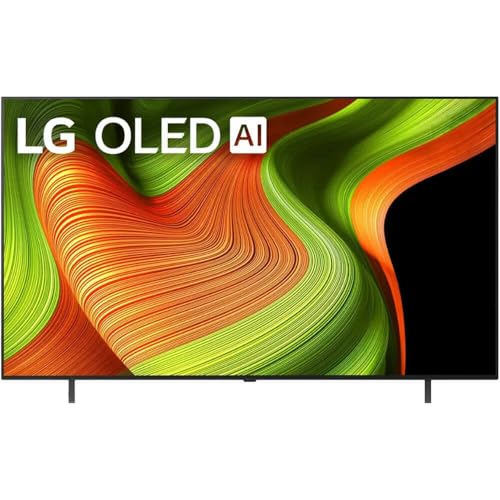
The B5 is the pick that makes this guide honest about money. It is a genuine 65-inch OLED from LG’s 2025 range, running webOS, with the self-lit pixels that define the category. Everything that makes OLED OLED, the true blacks, the pixel-level contrast, the wide viewing angles, the instant pixel response that keeps motion clean, is present here. What the lower rung gives up is the top layer of the flagship experience: the brightest evo panel treatment, the fastest processor, and some gaming ceiling. The question the B5 asks is how much of your viewing actually touches those ceilings.
For an evening viewer the answer is often: very little. Films and series watched after dark live in the brightness range where the B5 and the C5 are far closer than their price gap suggests, because both are anchored by the same perfect black and similar colour behaviour at moderate luminance. Where the gap opens is in a bright room, in HDR scenes mastered to push highlights hard, and in the snappiness of the smart platform under a heavier processor. Those are real differences, but they are specific ones, and a buyer whose room is shaded and whose console is a standard model may rationally never miss them.
One more scenario flatters the B5: the dedicated games room. Pixel response on OLED is effectively instant at every rung of LG’s ladder, so fast games look clean and smear-free here, and a console that outputs at standard refresh rates never asks the questions the C6’s ceiling answers. Pair the B5 with a modest soundbar and a console and you have a setup that embarrasses far more expensive LED combinations for the money actually spent.
Treat the B5 as the thinking person’s entry point rather than a consolation prize. It is also the sensible way to buy a second OLED for a bedroom or a dedicated movie room, where the main set already carries the flagship duties. The money saved against the C-series buys a good soundbar with room to spare, and a B5 plus a soundbar is a better evening than a C5 played through television speakers. That arithmetic, more than any specification, is why this set closes the list.
- Panel: 65-inch OLED, 4K, self-lit pixels
- Platform: webOS
- Series: B5, 2025 model year
- Model: OLED65B5P
Strengths
- Full OLED contrast and pixel response at the friendliest price in LG’s 65-inch range.
- Evening film and series viewing comes remarkably close to the C-series experience that costs a step more.
- Savings against the flagships fund the soundbar this size of screen deserves anyway.
Trade-offs
- Lower peak brightness than the evo models shows in bright rooms and in the most aggressive HDR highlights.
- The processor is a rung down, so upscaling and platform speed are good rather than class-leading.
- Serious PC gamers should check the gaming specification carefully against the C6’s higher ceiling before choosing.
Best for: evening viewers, second-room buyers and anyone who wants true OLED contrast while keeping the total budget sane. Not suited for: bright-room households or enthusiasts who know they will use flagship brightness and refresh headroom daily.
Should You Be Looking at Mini-LED Instead? An Honest Word for the Alternative
Every OLED guide owes the reader one paragraph of disloyalty. A flagship mini-LED set will out-brighten everything on this page by a wide margin, will never ask you to think about panel care, and in a sun-drenched room with the curtains open it can simply be the better television. If your viewing is daytime sport in a bright family room, your household leaves the set on a news channel for hours, or your budget stretches further in LED sizes, the QLED and mini-LED guides on this site exist for exactly your case, and choosing one is not a failure of taste.
What you give up in that trade is the thing this page exists for: black that is truly black, contrast at the level of the individual pixel, and the particular depth that gives night scenes and dark films their atmosphere. Mini-LED dimming zones have become very good, and blooming around bright objects on dark backgrounds has shrunk with each generation, but it has not vanished, because it cannot; the physics of a shared backlight guarantees a halo somewhere. The decision is therefore not good screen against bad screen. It is which compromise your room and your habits punish less, and for evening-centred viewing in a controllable room, the six sets above remain the answer we would defend.
How Do You Set Up a 65-Inch OLED Properly on Its First Evening?
Unbox with help and keep the panel upright; a 65-inch OLED is light for its size but the screen is thin, and pressure on a corner is the classic first-day accident. Attach the stand or mount before removing all the protective film, connect the soundbar to the port labelled eARC, and put your main console on the input your model’s manual identifies as the full-bandwidth gaming port. Only then power on and let the set update its software before you judge the picture, because launch firmware is rarely the firmware the reviewers measured.
Picture settings deserve twenty unhurried minutes. Choose the accurate mode first, FILMMAKER Mode on the LG sets or the film-oriented preset on the Sony and Samsung models, then disable the eco and ambient light-sensor options that quietly dim the panel in ways that confuse your judgement of it. Turn motion smoothing off for film sources and on, gently, for sport if you prefer it. Set the console input to the set’s game mode so automatic low latency and variable refresh are active, and rename the inputs while you are in the menus; future-you, holding the remote at midnight, will be grateful.
Then check the unglamorous things. Run the panel’s built-in pixel refresh once if the set prompts for it. Confirm the screen-saver and logo-dimming protections are enabled, especially if the set will show news or games with fixed overlays. Set the sleep behaviour so the television is not left glowing at a paused menu all night, both for the panel’s sake and the electricity bill’s. Finally, watch one scene you know well, ideally something with a dark interior and a bright exterior in the same sequence. If the interior holds its detail and the exterior does not flare, the set is dialled in; if not, adjust brightness for your room rather than reaching for the vivid mode, which will please you for a week and tire your eyes for a year.
What Does Owning an OLED Ask of You Over the Years?
Very little, but not nothing. The panel care routines built into all six sets run automatically when the television is in standby, which is why these sets should be left plugged in and put to sleep with the remote rather than killed at the wall socket every night. Letting the compensation cycles run is the single most useful habit an OLED owner can adopt, and it costs nothing but a change of routine for households used to switching everything off at the strip.
Beyond that, ownership is ordinary television ownership with two footnotes. Keep direct sun off the panel where you can, because heat and ultraviolet are no panel’s friends, OLED or otherwise. And vary what the screen shows across the week, which most households do without thinking. News marathons, static dashboards and a single game HUD for a thousand hours are the patterns to avoid; films, series, sport and a rotation of games are simply normal use, and normal use is what these panels are built and warrantied for.
LG’s Three Rungs or a QD-OLED: Reading the Six as Two Arguments
| Pick | Panel | Processor / platform | Gaming ceiling | Choose it if |
|---|---|---|---|---|
| LG C5 | OLED evo | LG processing, webOS | High, console-complete | You want the balanced centre of the class |
| LG C6 | OLED evo, Brightness Booster | a11 AI Gen3, webOS | VRR to 165Hz | You keep sets for years and game on PC |
| Samsung S90F | QD-OLED | NQ4 AI Gen3, Tizen | 144Hz | Colour volume matters more than Dolby Vision |
| Sony BRAVIA 8 | OLED | XR, Google TV | Console-focused, PS5 features | Films in a dark room come first |
| Sony BRAVIA 8 II | QD-OLED | XR, Google TV | Console-focused, PS5 features | You want Sony tuning on the brightest panel |
| LG B5 | OLED | LG processing, webOS | Standard for the class | Budget discipline with real OLED contrast |
One row of that table deserves emphasis because shoppers misread it most often: gaming ceiling is not gaming quality. A console that outputs at 120 frames per second is fully served by four of these six sets, and the two higher ceilings exist for PC hardware. Paying for refresh you cannot feed is harmless but pointless, while paying for the processing and panel you will look at every night is never wasted.
Read as a table, the pattern is clearer than any ranking. LG sells you a ladder of brightness and processing at three heights. Samsung and Sony sell you QD-OLED colour, with Samsung adding the gamer’s refresh ceiling and Sony adding the filmmaker’s restraint. The BRAVIA 8 stands slightly apart as the processing-first choice on a conventional panel. None of the six is the wrong television; each is the right answer to a different weighting of room light, film habits and gaming hardware, which is why the verdicts under each review are written the way they are.
Which Buying Mistakes Do OLED Shoppers Keep Making?
The most expensive mistake is buying brightness for a room that does not need it, or starving a bright room of it. Buyers read that a flagship is brighter, assume brighter is simply better, and pay the flagship premium for a basement cinema where the entry panel would look identical for ninety per cent of the evening. The mirror error is just as common: a discounted panel goes into a glass-walled family room and the owner spends years closing curtains against a purchase that was wrong for the space. Your room is a specification. Treat it as one.
Shoppers also mishandle the demo. Judging these sets from a showroom’s vivid mode, or from a compressed online video of a screen, tells you almost nothing; the accurate modes in a dim corner of the store, playing a scene with darkness in it, tell you nearly everything. If a retailer will not let you switch a set out of its torch mode for two minutes, that is information about the retailer, not the television.
The second mistake is neglecting sound until after the panel is mounted. Every set here is thin, and thin cabinets make poor loudspeakers; the picture of a 65-inch OLED deserves at least a competent soundbar on the eARC port. The third mistake is burn-in paralysis in both directions: either refusing OLED entirely over a risk that varied viewing and built-in panel care manage well, or abusing the panel with a static news ticker at maximum brightness for twelve hours a day and acting surprised. Varied content, sensible brightness and letting the set run its compensation cycles when it asks are the whole secret. Finally, check the stand width and the VESA pattern before the delivery is booked, not during it.
Final Recommendation
For most households the LG C5 is the purchase we would make with our own money: the evo panel, the complete gaming support and the mature platform, at the centre of the class’s pricing. Step up to the C6 if you keep televisions for a long time or feed the screen from a gaming PC. Choose the Samsung S90F when vivid colour is your priority and Dolby Vision is not, and the Sony BRAVIA 8 when films in a dark room are the entire point. The BRAVIA 8 II is the connoisseur’s flagship, and the LG B5 is the smart way in. Whichever you choose, a 65-inch OLED bought for the room it will actually live in will still be making you grin at a night scene long after the spec sheets are forgotten.
Frequently Asked Questions
Is 65 inches big enough for a main living-room television?
For most rooms, yes. At a viewing distance of roughly two to three metres a 65-inch 4K screen fills enough of your view for immersion while still resolving fine detail, and it is the largest size that fits typical media furniture without dominating the wall. Measure your distance first; a very large open-plan room with seating four metres away is the case for stepping up a size instead.
Will an OLED burn in if I watch news or play the same game daily?
Modern OLED panels carry several layers of protection, including pixel-shift, logo dimming and scheduled panel refresh cycles, and varied viewing at sensible brightness makes permanent retention unlikely. The risky pattern is a single static element at high brightness for many hours every day. If that describes a trading screen or a permanent news ticker, an LED set is the safer tool; for mixed entertainment use, OLED is fine.
What is the real difference between QD-OLED and the LG evo panels?
QD-OLED builds colour from a blue OLED layer through quantum dots, which keeps colours saturated at high brightness. LG’s evo panels use a white OLED layer with colour filters, and recent generations have closed much of the brightness gap. In practice QD-OLED wins on vivid, bright colour; the LG sets win on range of models, pricing and, in the C6, gaming refresh ceiling.
Do I need Dolby Vision, and does it rule out the Samsung?
Dolby Vision is a dynamic HDR format carried by many discs and streaming services, and the Samsung S90F shows that content in standard HDR10 instead, because Samsung backs the rival HDR10+ format. The picture remains excellent, but a viewer with a Dolby Vision-centred library who cares about the difference should choose one of the LG or Sony sets, all of which support it.
Should I pay for a professional calibration on a set like this?
Most owners should start with the accurate picture mode, FILMMAKER Mode on the LG sets or Sony’s film-oriented presets, which are close to reference out of the box. A calibration adds the last few per cent and makes most sense on the flagship BRAVIA 8 II or in a dedicated cinema room. It is a refinement, not a rescue, on panels of this standard.
How long should a television in this class last?
Budget on the panel serving well beyond the point where its smart platform feels old, because that is the usual order of events: the picture stays excellent while apps and interfaces age around it. The practical fix is cheap, since a current streaming stick restores a tired platform in minutes. Buy the panel for a decade, in other words, and treat the smart system as a replaceable accessory that happens to be built in.
Is a soundbar genuinely necessary with a television at this price?
For films, honestly, yes. All six sets can produce clear dialogue and respectable everyday sound, but the cabinets are too thin for real bass or a wide soundstage, and a 65-inch picture with small sound feels unbalanced within one action scene. A mid-range soundbar on the eARC connection is the single largest quality-of-life upgrade available to any of these televisions, and the B5 section above explains why it can even change which television you should buy.
Do these sets work well as giant PC monitors?
The LG C6 and Samsung S90F are the natural candidates, with variable refresh ceilings of 165Hz and 144Hz respectively that a strong graphics card can use, and OLED’s instant pixel response keeps fast motion clean at those rates. Use the game or PC mode for correct colour sampling, enable the panel’s screen-shift protections, and auto-hide desktop icons and taskbars if the set will show a desktop for long stretches.
How far should the sofa be from a 65-inch screen?
A practical range is about two to two and a half metres for mixed viewing, closer for a cinema-leaning setup and a little further for mostly broadcast television. If you are between sizes, sit at your actual distance with a tape outline of the panel on the wall for a day; the right size usually announces itself.
Related Guides
Still deciding on the wider setup? Our companion reading covers the best anti-glare televisions for bright living rooms, our guide to the best 4K 120Hz TVs for console and PC gaming, and the best QLED 4K TVs for viewers who want maximum brightness.



[…] the indoor side of the same problems, read our anti-glare television guide for rooms with difficult windows, the Roku television roundup for the simplest indoor streaming, and our QLED 4K guide to the […]