What's inside
- Key Takeaways
- Quick Picks
- How Did We Choose Among Televisions That All Run the Same Software?
- What Makes the Roku Platform Worth Building a Purchase Around?
- How Much Panel Does a Roku Household Actually Need?
- What Is Life With a Roku TV Like After the First Month?
- How Does a Roku TV Fit a Household With an Aerial, a Console and Three Generations?
- How Seriously Should a Gamer Take a Roku Television?
- Should You Buy a Roku TV, or a Different TV With a Roku Box Plugged In?
- One Interface, Six Panels: Where the 65-Inch Roku Sets Actually Differ
- How Do You Set Up a Roku TV So the Whole Household Can Drive It?
- Which Roku TV Mistakes Do Buyers Keep Making?
- Final Recommendation
- Frequently Asked Questions
- Related Guides
As an Amazon Associate I earn from qualifying purchases. This post may contain affiliate links at no extra cost to you.
gizmoverdict.com is reader-supported. When you buy through links on our site, we may earn an affiliate commission.
Where to buy: The six televisions below are the 65-inch Roku TV listings verified in this site’s product pool on 2026-11-26, and each carries its pool link in the Quick Picks table and under its full review. One of them is a 2021 model still sold new, and this guide flags it wherever it appears rather than letting it hide among current sets. Prices in this class move with every sale event, so check the price on Amazon on the day you buy.
The best 65 roku tvs are bought for a reason that has nothing to do with panels, at least at first. Roku is the smart platform a large part of the public already knows how to use: a home screen of simple tiles, a remote with a handful of buttons, search that treats every streaming service alike, and no patience required. For households tired of being IT support for their own television, that simplicity is not a feature on a list; it is the entire purchase. The good news is that Roku’s platform now sits inside televisions ranging from a basic budget panel to a mini-LED flagship, so choosing the interface no longer means settling the picture in advance.
That range is exactly what this guide maps. All six picks are 65-inch 4K sets running Roku TV, but underneath the identical home screen they divide sharply: Roku’s own Pro, Plus and Select series, built by Roku itself with escalating panel ambition; a current TCL with gaming features; a Hisense QLED with a full game mode; and the old TCL 4-Series, the 2021 design that refuses to leave the market and still tempts with its price. Same remote language, six very different televisions.
A word on who should keep reading and who should not. If your household lives inside one maker’s ecosystem, an Apple household wedded to its box, a Google household with its own habits, a dedicated streaming device may still be your centre, and any television is just a screen for it. But if the goal is one remote, one interface, and a television that a guest, a grandparent or a child can drive without instruction, Roku TV is the strongest answer the market gives, and the only remaining question is how much panel to put underneath it.
Key Takeaways
- Every pick runs the same Roku TV platform, so this guide is really about panels: the interface is the constant, the picture is the variable.
- Roku’s own Pro Series is the surprise flagship of the class, a QLED mini-LED set with a 120Hz panel and Dolby Vision IQ.
- The Plus Series is the balanced Roku-built buy, and the Select is the honest budget expression of the same idea.
- TCL’s R7D and Hisense’s E6SR bring gaming features, VRR and ALLM on the Hisense, to a platform not known for gaming.
- The TCL 4-Series is a 2021 television still sold new; buy it knowingly as a budget holdout, not as a current model.
- Headphone listening through the remote or the Roku app is a class-wide pleasure that households underestimate until they use it.
Quick Picks
| Pick | Badge | Why it earns its place |
|---|---|---|
| TCL R7D 65″ | Best overall | High brightness, gaming acceleration and TCL’s panel value under the Roku interface most households want. |
| Roku Pro Series 65″ | Premium pick | Roku’s own flagship: QLED mini-LED, 120Hz, Dolby Vision IQ and the backlit Voice Remote Pro. |
| Roku Plus Series 65″ | Best mid-range | QLED mini-LED and Dolby Vision in Roku’s balanced own-brand tier. |
| Hisense E6SR 65″ | Best value | Hi-QLED colour, Dolby Vision and a real game mode with VRR and ALLM at a value price. |
| Roku Select Series 65″ | Budget pick | The simplest honest Roku TV: 4K QLED, voice remote and Bluetooth headphone mode. |
| TCL 4-Series 65S435 (2021) | Legacy budget holdout | The 2021 design still sold new; the cheapest route to a big Roku screen, bought with open eyes. |
How Did We Choose Among Televisions That All Run the Same Software?
With the platform held constant, the judging became purely about hardware and honesty. Panel first: backlight type and dimming, colour technology, brightness for real rooms. The Roku-built Pro and Plus series field QLED mini-LED panels, which would have been unthinkable in this class a few years ago, while the value end runs simpler backlights whose limits we describe rather than excuse. Gaming second: Roku households own consoles too, so VRR, ALLM and low-latency behaviour were checked wherever a listing claimed them, and processing claims like game acceleration figures were read as processing, not panel rates.
Honesty was the third filter, and it is why the 2021 TCL is in this guide labelled as what it is. A legacy model still selling new is a legitimate budget option and a legitimate trap, depending entirely on whether the buyer knows. We would rather include it with its age printed on it than let it ambush a reader in the wild. Finally, the Roku-specific pleasures were weighed: remote quality, headphone listening, AirPlay and casting support, and how gracefully each set handles the platform’s updates, because a Roku TV is bought for years of unconsidered use.
What Makes the Roku Platform Worth Building a Purchase Around?
Start with the home screen’s refusal to be clever. Where rival platforms reorganise themselves around recommendations and advertising rows, Roku presents a grid of the household’s own services in the order the household put them, and it stays that way. Search is genuinely cross-service, pricing a film across the apps you have rather than steering you to a store. The remote is a study in restraint, and the platform’s private listening, through the remote’s headphone socket on higher models or the phone app, is the feature owners mention most after a year: a film at full volume for one viewer and silence for the sleeping house.
The platform is also unusually democratic about outside devices. AirPlay 2 and Google Cast appear across this guide’s picks, so an iPhone household and an Android household can both throw photos and video to the screen without a dongle. Voice control works through the remote rather than demanding a smart speaker. And Roku’s update record is long; televisions from many seasons ago still receive the current platform, which matters in a class bought to be forgotten about. The trade is real too: Roku’s interface carries advertising on its home screen’s margins, and enthusiasts who want a fully customisable Android playground should look at Google TV sets instead. For the mainstream household, the exchange is overwhelmingly worth it.
How Much Panel Does a Roku Household Actually Need?
Answer by room and by content, not by tier envy. A shaded living room watching streaming series and films in the evening will be served honestly by the Plus or even the Select, because streaming content at moderate brightness is forgiving material. A bright family room, or one where sport is a weekend institution, justifies the Pro’s mini-LED brightness or the TCL R7D’s high-brightness panel, because backlight headroom is what keeps a picture composed when the room will not cooperate. A household with a current console should insist on the game features: VRR and ALLM on the Hisense, the gaming acceleration on the TCL, the Pro’s 120Hz panel at the top.
Sound follows the same logic, and it is the line item households most often leave at zero. A Roku TV’s own speakers are tuned for dialogue in series and news, and they do that job acceptably on every pick here. Film, though, is mixed for systems with bass and width, and a 65-inch picture with television speakers is a sports car on bicycle tyres. The soundbar does not need to be extravagant; it needs to exist, and budgeting for it at purchase time, rather than in a later month that never comes, is part of buying the panel honestly.
The mistake to avoid is buying the interface and forgetting the television. Roku’s sameness across the range is a trap for the incurious: the Select and the Pro feel identical in the shop’s menu demo, and utterly different in a dark scene in a film. Spend the panel money where your room and your content will see it, and save it where they will not; this guide’s verdicts try to draw exactly that line for each pick.

TCL R7D 65″ — Best overall
TCL built its American business on Roku televisions, and the R7D is the current, grown-up form of that partnership: a 65-inch 4K HDR set with a high-brightness panel, Game Accelerator 120 processing and Motion Rate 240, with Google Cast and AirPlay 2 alongside the Roku platform. The roles in this guide were assigned on evidence, and the R7D takes the overall badge because it balances the things a main-room Roku household actually uses: brightness for a real living room, enough gaming provision for a console, and TCL’s habit of pricing a tier below where the specification suggests.
Read the gaming language with this guide’s usual care. Game Accelerator 120 is TCL’s gaming processing claim, and Motion Rate 240 is a motion figure, not a native panel rate; the listing does not present this as a native 120Hz panel, and neither do we. What the R7D offers the console player is a low-latency game mode with acceleration processing on a bright, responsive-feeling screen, which covers the overwhelming majority of living-room gaming honestly. The player who needs certified high-refresh hardware should step to the Roku Pro below or to our dedicated high-refresh guide.
As a household television the R7D is easy to live with. The panel’s brightness holds up in lit rooms, Roku’s search makes the family’s scattered subscriptions feel like one library, and casting support means guests’ phones join the screen without a tutorial. TCL’s picture processing at this tier is competent and improving, and the set’s sound is adequate for series and sport, with a soundbar the natural upgrade for film nights. It is the pick we would hand to the reader who asked for a good big Roku TV and meant all three words equally.
Sport deserves a specific mention, because it is the R7D’s home turf. A bright panel and TCL’s motion processing keep a fast match legible, Roku’s live sports rows surface the game without a scavenger hunt through apps, and the set’s size at 65 inches is the one that turns a living room into a plausible venue for a final. Households whose calendar is built around fixtures will find this pick quietly optimised for their year.
There is also a maturity argument. TCL has shipped Roku televisions longer than anyone, the failure modes are known, the platform updates arrive as expected, and the value engineering goes into the panel rather than into surprises. In a class bought for peace of mind, that record counts.
- Panel: 65-inch, 4K UHD HDR, high brightness
- Gaming: Game Accelerator 120 processing, Motion Rate 240 (processing figures, not native panel rate)
- Platform: Roku TV, with Google Cast and AirPlay 2
- Series: R7D
Strengths
- The balanced main-room package: brightness, TCL value and the Roku interface in its most experienced pairing.
- Casting from both phone ecosystems makes it the household and guest-friendly screen.
- Gaming provision is honest and sufficient for mainstream console play in a shared room.
Trade-offs
- Not a native high-refresh panel; serious console players should look at the Pro Series or the high-refresh guide.
- Backlight control is a rung below the mini-LED picks for dark-scene finesse.
- Sound is serviceable rather than cinematic without a soundbar.
Best for: the mainstream main-room household wanting the classic TCL-plus-Roku formula at its current best. Not suited for: high-refresh gaming purists, or dark-room viewers who need mini-LED dimming.
Roku Pro Series 65″ — Premium pick
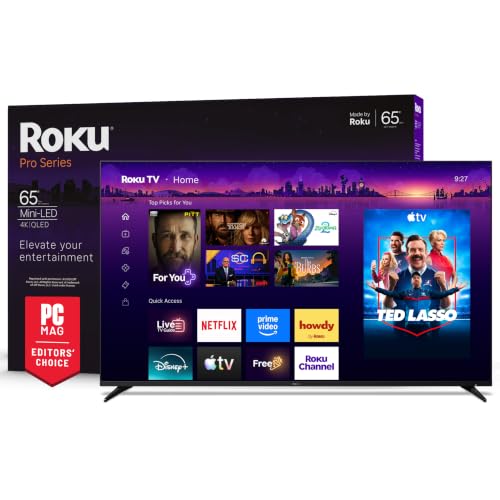
The most interesting television in this guide is the one Roku built itself. The Pro Series is a 65-inch QLED mini-LED television with a 120Hz refresh rate and Dolby Vision IQ, bundled with the Backlit Voice Remote Pro. Sit with that specification for a moment: the platform company, tired of its software being demonstrated on mediocre panels, went and made a flagship. The result reorders this entire category, because it means the simplest interface in the business is now available on hardware that needs no apology to anyone.
The panel is the headline. Mini-LED backlighting with QLED colour gives the Pro the brightness and dimming control that Roku televisions historically lacked, and Dolby Vision IQ adapts HDR to the room’s light, the right feature for the bright, uncurated rooms these sets live in. The 120Hz rate is a genuine panel specification in the listing, making this the one pick here that fully serves a current console’s high-frame modes alongside its streaming duties. Roku even sweated the frame and the remote: the backlit Voice Remote Pro, rechargeable and with a finder feature in Roku’s ecosystem, is the remote the platform always deserved.
Who is it for? The household that chose Roku for sanity and resented the picture compromises that used to come with it. There is a large, underserved buyer in that description, the person who can afford a flagship and wants a television their whole family can operate. The Pro Series is built precisely for them, and its existence also pressures every other pick in this guide to justify itself on value, because on the combination of panel and platform, this is the summit.
Consider the evening this set is really selling. The room is not darkened like a cinema; the lamps are on, someone is half-watching from the kitchen doorway, and the film still looks rich because Dolby Vision IQ is grading for the room as it is, not as a reviewer wishes it were. Then the console wakes, the panel answers at full rate, and nobody touched a setting. That seamlessness across the household’s whole repertoire is what flagship money is supposed to buy, and the Pro is the only Roku set that delivers all of it.
Practical notes are few. The Pro’s picture modes reward a minute of calibration for film, its sound is the strongest of the Roku-built sets while still benefiting from a bar for cinema, and its price sits at the top of this class, where it competes with mainstream flagships from the big panel brands. That it can hold that conversation at all is the story.
- Panel: 65-inch QLED Mini-LED, 4K, 120Hz refresh rate
- Formats: Dolby Vision IQ
- Remote: Backlit Voice Remote Pro
- Platform: Roku TV
- Series: Roku Pro Series
Strengths
- A genuine flagship panel, mini-LED with a 120Hz rate, under the simplest interface in the business.
- Dolby Vision IQ suits the bright real-world rooms Roku households actually have.
- The backlit rechargeable remote is the best controller in this guide by a distance.
Trade-offs
- The class’s premium price competes with big-brand flagships that offer their own ecosystems.
- Roku’s platform advertising remains present even at this tier.
- Film purists may still prefer a processing-led brand set for the last degree of picture tuning.
Best for: households that want Roku’s simplicity without any panel compromise, console included. Not suited for: strict budgets, or enthusiasts who prefer a fully customisable smart platform.

Roku Plus Series 65″ — Best mid-range
The Plus Series is Roku’s own balanced tier, and it may be the sweet spot of the entire guide. The listing gives it a QLED mini-LED panel with Dolby Vision, Wi-Fi for the household’s streaming, and the Enhanced Voice Remote. That is the Pro’s architecture with the flagship extras trimmed: mini-LED backlighting and quantum-dot colour survive the step down, which are the two things that most determine how a film looks after dark, while the 120Hz panel and the fanciest remote are left at the tier above.
In a typical living room the Plus’s compromises are well chosen. Most Roku viewing is streaming, and streaming at 4K with Dolby Vision on a mini-LED panel is a thoroughly modern experience: dark scenes hold, highlights behave, and the interface never makes anyone wait. The Enhanced Voice Remote covers the household’s real needs, voice search and private listening through the app ecosystem, without the Pro remote’s backlight and rechargeable refinements. For the buyer who reads the Pro’s specification and asks which parts they will use every night, the Plus is usually the honest answer.
Where the step down shows is in the scenarios this guide keeps returning to: the brightest rooms, where the Pro’s extra headroom and IQ processing earn their money, and the console corner, where the Pro’s 120Hz panel is a real feature and the Plus is a fine but ordinary gaming screen. A household without a current console and without a glass wall will not meet either scenario weekly, and for that household the Plus is not the compromise pick. It is the correct one.
There is a second-room logic to the Plus as well. Because it is Roku’s own balanced set, it pairs naturally with a Pro in the main room: identical interface, identical remote language, a panel a rung down where the viewing is a rung more casual. Households building a two-room Roku setup will find the Plus the natural companion purchase, and the consistency between the rooms is worth more than the specification gap suggests.
Roku building its own televisions also simplifies support in a way worth naming: one company owns the panel, the platform and the remote, so updates and warranty conversations have a single address. In a class bought for peace of mind, that tidiness has value beyond the specification.
- Panel: 65-inch QLED Mini-LED, 4K
- Formats: Dolby Vision
- Remote: Enhanced Voice Remote
- Platform: Roku TV
- Series: Roku Plus Series
Strengths
- Mini-LED and QLED, the two panel features that matter most after dark, at the mid-range tier.
- Dolby Vision support keeps film streaming in its intended format.
- Single-maker simplicity for updates, support and the remote experience.
Trade-offs
- No 120Hz panel, so console high-frame modes are out of its reach.
- The remote lacks the Pro’s backlight and rechargeable design.
- Very bright rooms will find the Pro’s extra headroom worth the step up.
Best for: the balanced Roku household, streaming-first, that wants a real panel without flagship pricing. Not suited for: console players chasing 120Hz, or the brightest rooms.
Hisense E6SR 65″ — Best value
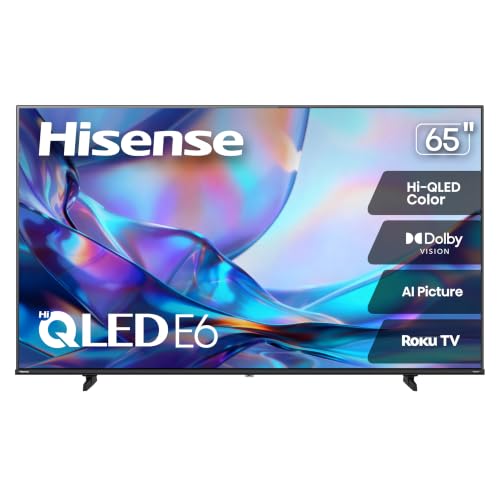
Hisense’s E6SR is the value pick with a gamer’s streak. The listing describes a 65-inch Hi-QLED 4K set, a 2026 model, with Dolby Vision, Game Mode Plus with VRR and ALLM, DTS Virtual:X audio, Apple AirPlay and compatibility with Alexa and Google Assistant. That is a lot of correct boxes for the money, and the gaming pair, variable refresh and automatic low latency, are the two features that decide whether a television feels responsive with a console, delivered here at the class’s value end.
The Hi-QLED panel gives the set colour confidence beyond its tier, and Dolby Vision puts its film streaming in the intended format, which is not a given at value prices. Game Mode Plus with VRR means a console’s fluctuating frame rates are shown smoothly rather than tearing, and ALLM means the set switches into its low-latency mode when the console wakes, without a family member hunting through menus. These are quality-of-life features that used to live two tiers up, and their presence here is the pick’s whole argument.
The compromises are the value tier’s usual physics. The backlight is not mini-LED, so the darkest film scenes will show greyer blacks and more halo than the Roku-built pair above, and peak brightness suits ordinary rooms rather than the brightest. Hisense’s processing is capable rather than class-leading. None of that dents the proposition for its intended buyer: the household that wants a big, colourful, console-friendly Roku screen and would rather keep the difference for the console games themselves.
For a family with a games console and a film habit sharing one screen, the E6SR’s split personality is exactly right. The console gets its low-latency welcome, the films get Dolby Vision, the sport gets a big bright-enough QLED, and the budget survives contact with all three. Value picks usually ask a household to choose which of its pleasures to serve; this one serves the list.
One more practical virtue: the E6SR’s broad assistant and casting compatibility makes it the diplomat of this guide, happy in an Alexa house, a Google house or an Apple house. Value picks often save money by picking a side; this one declined to.
- Panel: 65-inch Hi-QLED, 4K UHD
- Gaming: Game Mode Plus, VRR, ALLM
- Formats: Dolby Vision; DTS Virtual:X audio
- Extras: Apple AirPlay; Alexa and Google Assistant compatible
- Series: E6SR, 2026 model
Strengths
- VRR and ALLM at a value price make it the console-friendliest budget route in the guide.
- Hi-QLED colour and Dolby Vision lift film and series above the tier’s usual standard.
- Casting and assistant support across every ecosystem suits mixed-device households.
Trade-offs
- No mini-LED backlight, so dark scenes trail the Roku Pro and Plus.
- Brightness is for ordinary rooms, not for fighting a wall of windows.
- Processing polish is a step behind the class leaders on poor sources.
Best for: value-led households with a console, wanting real game features and Dolby Vision. Not suited for: dark-room film enthusiasts or the brightest living rooms.

Roku Select Series 65″ — Budget pick
The Select Series is Roku’s budget tier, and its listing is refreshingly plain about what that buys: a 65-inch 4K QLED television with a voice remote, Wi-Fi and Bluetooth headphone mode, from Roku’s 2026 range. The QLED in the specification is worth noticing, because budget televisions usually drop the quantum-dot film first; its presence gives the Select colour that its price peers often lack, even though the backlight behind it is a straightforward one without mini-LED dimming.
Judge the Select by the jobs it will actually do. It will stream the household’s services in 4K, run the same friendly interface as every set in this guide, pair Bluetooth headphones for late-night viewing without disturbing anyone, and present sport and series in a lit room with complete adequacy. It will not thrill a film enthusiast after dark, because its blacks are a backlight’s blacks, and it will not serve a console’s high-frame modes. A buyer who knows those boundaries is getting exactly the television the listing describes, which at this tier is praise.
The Select also makes sense as the second television: the bedroom, the guest room, the rental property, the kids’ space, anywhere a big simple screen is worth more than a great one. Roku’s platform consistency means the second set behaves exactly like the main one, which households appreciate more than they expect. Remotes multiply, interfaces should not.
Renters and frequent movers should note a virtue the specification omits: at this tier the set is light on both wallet and wall, a television you can re-hang in a new flat without a project plan. Combined with the platform’s indifference to which network it joins, the Select is the pick that tolerates an unsettled life best, and there are years in most lives when that is the quality that matters.
One buying note: at 65 inches the Select’s price sometimes drifts close to the Plus during sale events, and when the gap narrows, the Plus’s mini-LED panel is worth the small step. Check both listings on the day; this class’s pricing is fluid enough that the right budget pick can change between weekends.
- Panel: 65-inch QLED, 4K (2160p)
- Remote: Voice Remote
- Extras: Bluetooth headphone mode, Wi-Fi
- Platform: Roku TV
- Series: Roku Select Series, 2026
Strengths
- QLED colour at the budget tier, where most rivals offer a plainer panel.
- Bluetooth headphone mode is a genuinely useful late-night feature rarely highlighted at this price.
- The full Roku platform with no interface compromises against its pricier siblings.
Trade-offs
- A standard backlight means dark scenes are the tier’s usual grey rather than black.
- No gaming features beyond the basics; consoles get a screen, not a partner.
- Sale pricing can bring the Plus close enough to make this the false economy.
Best for: budget buyers, second rooms and anyone who wants the big simple Roku experience at its cheapest honest form. Not suited for: film enthusiasts after dark, or console players wanting game features.

TCL 4-Series 65S435 (2021) — Legacy budget holdout
This pick carries its date in its name in this guide, because the date is the review. The 65S435 is TCL’s 4-Series from 2021: a 65-inch 4K UHD HDR Roku television from the design generation that made Roku TVs a mass-market phenomenon. It is still listed new, it is still cheap, and it is still, in the right household, a rational purchase. It is also a five-year-old design in a fast-moving category, and anyone buying it should do so as a deliberate act of thrift rather than under the impression that it is a current model.
What has aged? The panel is a basic backlit design without the dimming or brightness of anything else in this guide, HDR is present as a format the panel can accept rather than a spectacle it can deliver, and the processor belongs to its era, so menus and app launches have a 2021 pace. What has not aged is the proposition underneath: a big screen, the Roku interface, 4K streaming from every major service, and a price that undercuts the modern value picks. For a holiday home, a workshop, a kids’ room or a household whose viewing is news, soaps and sport in a lit room, the 4-Series still does the job it was designed for.
The comparison that matters is against the Select and the E6SR above, which are its modern successors in spirit. They cost more and return it in panel quality, speed and features. The 4-Series wins only on price, and only while its price stays meaningfully below theirs; during deep sale events the modern sets can close the gap entirely, at which point the holdout’s case evaporates. Check the arithmetic on the day, with the model year in mind, and the 4-Series becomes what it should be: a known quantity bought knowingly.
A final scenario flatters it honestly: the set that will be watched hard and replaced without grief. Children’s dens, rental properties, a first screen for a student house, anywhere the television is equipment rather than furniture. The 4-Series’ panel will not win a film night, but its price means a spilled drink or a thrown toy is an annoyance rather than a catastrophe, and there is a real market for televisions you do not have to protect.
There is a certain respect due to the design regardless. The 4-Series put a good big screen within reach of households the flagship market ignored, and its continued presence in listings is a market verdict on how many people still want exactly that. This guide includes it in that spirit, labelled, dated and fairly judged.
- Panel: 65-inch, 4K UHD HDR
- Platform: Roku TV
- Series: TCL 4-Series, 2021 model
- Model: 65S435
Strengths
- The cheapest route in this guide to a big Roku screen, from a proven design.
- Roku platform and 4K streaming cover the everyday needs of undemanding rooms completely.
- A sensible second-room or holiday-home set where panel finesse is not the point.
Trade-offs
- A 2021 design: basic backlight, modest brightness and period processor speed.
- HDR is accepted rather than showcased; dark scenes are the weakest in this guide.
- Modern value picks can match its price in sales, which removes its one advantage.
Best for: strict budgets and undemanding second rooms, bought with the model year understood. Not suited for: anyone expecting current-generation picture quality, or a main room’s only screen for film lovers.
What Is Life With a Roku TV Like After the First Month?
The honeymoon with most smart televisions ends when the platform starts rearranging itself, pushing a service the household does not have, or demanding attention for features nobody requested. Roku’s after-month story is duller, and dull is the compliment. The home screen is where you left it. The remote is where the dog left it, and the finder feature on the Pro remote exists for exactly that household fact. Updates arrive and mostly change nothing you notice, which, for an appliance, is the correct behaviour.
The features that grow on a household are the quiet ones. Private listening turns a late film from a negotiation into a non-event. The phone app rescues the evening when the remote is genuinely lost, and doubles as a keyboard for the passwords that television remotes type so badly. Live TV integration, where an aerial is connected, folds broadcast channels into the same guide as the streaming services, so the household’s older viewing habits and newer ones stop living in different menus. None of this photographs well in a product listing. All of it is why Roku owners tend to buy Roku again.
There is one habit worth forming: a minute in the settings each season. Rearrange the tiles as the household’s services change, remove the trial apps that expired, check that the screensaver and sleep settings still suit the routine. A Roku TV asks for less maintenance than any other computer in the house, but the small amount it asks for pays compound interest in calm.
How Does a Roku TV Fit a Household With an Aerial, a Console and Three Generations?
This is the actual demographic of the platform, so it deserves a direct walk-through. The aerial connects and its channels appear in Roku’s live guide beside the streaming tiles, which means the grandparent’s broadcast habits and the children’s streaming habits share one menu and one remote. The console takes an HDMI port, and on the Hisense and TCL picks the game features engage automatically; on the Roku-built sets the input is simply another tile. Voice search from the remote finds a programme across services without anyone remembering which service carries it, which is the single most-used feature in mixed households once they discover it.
The generations test is the one rival platforms keep failing. A visiting relative can be handed a Roku remote and be watching something within a minute, unassisted, because the interface makes its whole vocabulary visible: home, back, the service tiles, the search. That is not a small thing. It is, for many households, the entire reason the platform exists, and it is why this guide treats the panel as the variable and the interface as the solved problem.
How Seriously Should a Gamer Take a Roku Television?
More seriously than the platform’s reputation suggests, provided the expectations are set by tier. At the top, the Pro Series is a genuine gaming television: a 120Hz panel is the full console specification, and there is nothing casual about it. In the middle, the Hisense E6SR’s VRR and ALLM deliver the two features that most affect how standard console play feels, smoothness and responsiveness, and the TCL R7D’s game acceleration covers the shared-room player who games between other uses. At the budget end, the Select and the 4-Series are screens a console can use, not partners for it, and a serious player should not pretend otherwise to save money they will regret saving.
The honest boundary is the PC. A gaming PC that outputs high frame rates belongs on the dedicated high-refresh sets in our other guide, because no Roku television except the Pro even approaches that territory, and the Pro stops at the console ceiling. Roku’s gaming story is a console story, and within that story it now has a beginning, a middle and a flagship. That is a better position than the platform held two generations ago, when the answer was simply to buy a different television for games and accept two remotes as the price.
One practical check for console households: the television’s game mode must be assigned to the console’s input, and on the sets where it is not fully automatic, the first setup session should confirm it engages. A responsive panel in the wrong picture mode is the most common self-inflicted wound in living-room gaming, on every platform, and Roku is no exception.
Should You Buy a Roku TV, or a Different TV With a Roku Box Plugged In?
It is the obvious alternative, and it deserves a fair hearing. A separate streaming device plugged into any television gives you the same interface with the freedom to choose any panel on the market, including the OLED and flagship sets in this site’s other guides, and the device can be replaced for a fraction of a television’s cost when it ages. For an enthusiast with a beloved panel already on the wall, that modularity is decisive, and this guide will not pretend otherwise.
The integrated television wins on everything around the picture. One remote instead of two, with no input-switching ritual when the streaming box sleeps. No HDMI port consumed, no dongle hanging behind the panel, no second power supply. The aerial guide, the inputs and the streaming services live in one menu, so the household’s whole viewing world has one address. And the total cost, panel plus platform, is usually lower than the same panel plus a separate premium streamer. The households in this guide’s sights, the ones who want to watch things rather than administer them, feel those advantages every single day.
The deciding question is which part of the system you expect to replace first. Panels now outlast platforms by years, which argues for the modular route at the flagship end, and it is why our OLED guide’s readers often pair those sets with a box. At the mainstream prices in this guide, the arithmetic flips: the integrated set costs little more than the panel alone, the platform is the longest-supported in the business, and simplicity compounds daily. Buy the integrated Roku TV here; buy the box when you graduate to a flagship panel and want to bring the interface with you.
One Interface, Six Panels: Where the 65-Inch Roku Sets Actually Differ
| Pick | Panel | HDR highlight | Gaming | Remote |
|---|---|---|---|---|
| TCL R7D | High-brightness LED | HDR | Game Accelerator 120 processing | Roku voice remote |
| Roku Pro Series | QLED Mini-LED, 120Hz | Dolby Vision IQ | 120Hz panel | Backlit Voice Remote Pro |
| Roku Plus Series | QLED Mini-LED | Dolby Vision | Standard | Enhanced Voice Remote |
| Hisense E6SR | Hi-QLED | Dolby Vision | VRR, ALLM, Game Mode Plus | Roku voice remote |
| Roku Select Series | QLED | HDR | Basic | Voice Remote |
| TCL 4-Series (2021) | LED | HDR | Basic | Roku remote |
One more difference hides below the table’s resolution: build and warranty support. Roku’s own sets come from a single maker with a single support channel, the TCL and Hisense sets from television giants with their own networks, and all five modern picks are current products with current parts. The 2021 set, again, is the exception in spirit; its support runway is the shortest, which is priced into it and should be priced into your decision too.
Because the software column would read identically six times, it is not in the table, and that absence is the guide’s thesis. The differences that remain are the ones a buyer can see and feel: dimming after dark, brightness at noon, the console’s welcome, and the remote in the hand at midnight. Choose on those, and the Roku decision makes itself.
How Do You Set Up a Roku TV So the Whole Household Can Drive It?
The platform’s gift is that setup is mostly subtraction. Sign in, let the set gather the household’s services, then arrange the home screen in the order the family actually uses them and delete the preloaded tiles nobody will open. Turn on the features that make Roku Roku: private listening through the app for the night owls, the remote finder where the model supports it, and the screensaver that turns the idle set into the household’s photo frame if that appeals. Set the picture mode per input once, film-friendly for the streaming apps, game mode for the console’s port, and the television will hold those choices without further negotiation.
While you are in the menus, set the television’s name to the room it lives in. It sounds like trivia until the household has two Roku sets and a guest tries to cast a photo to the screen, at which point Living Room and Bedroom are the difference between a party trick and a confusion. The same session is the moment to connect the phone app, which the household will want the first time the remote slides between the sofa cushions, and to test private listening once so that everyone knows it exists before the night it is needed.
Two settings deserve deliberate attention. The home screen’s advertising and recommendation rows can be reduced in the privacy and home-screen settings, and a household that values the platform’s calm should spend the minute it takes. And the automatic updates should be left on: Roku’s long support is one of the reasons to buy the platform, and it only protects a set that is allowed to receive it. After that, the correct relationship with a Roku TV is to forget it exists and watch things, which is the highest compliment this category can earn.
Which Roku TV Mistakes Do Buyers Keep Making?
The first is assuming the platform equalises the televisions, buying the cheapest 65-inch Roku set for a dark cinema room because the menus looked the same in the shop. The second is the reverse: paying Pro Series money for a bright kitchen television whose panel talents will never be used. The third is ignoring the model year on legacy listings, the trap the 4-Series section exists to disarm. And the fourth is forgetting the sound: every set here is slim, film nights deserve a soundbar on the ARC port, and Roku’s ecosystem even makes that painless with its own wireless audio options for those who want them.
There is also the small mistake of the unmeasured wall: 65 inches is the size where stand feet reach the edges of modest furniture and where a mount’s stud spacing stops being a detail. Measure the furniture and the wall in the same session as the viewing distance, and the delivery day holds no surprises.
A quieter mistake is neglecting the network. A 4K streaming television is only as good as its Wi-Fi, and a set placed at the far end of a house from the router will buffer its way through the very content it was bought to show. If the room is a known dead spot, solve that first; no panel in this guide can outrun a bad connection.
Final Recommendation
Most households should start at the TCL R7D for the balanced classic formula, or step to the Roku Plus for the mini-LED panel at a mid-range price. The Pro Series is the pick for the Roku loyalist who wants the flagship the platform always deserved, the Hisense E6SR for the value buyer with a console, and the Select for the honest budget screen. The 4-Series remains the knowing thrift buy. Choose any of them and the household gets the same daily gift, a television that never needs explaining, and on the nights when the whole family sits down without a single question about the remote, that gift will feel worth every penny of the panel beneath it.
Frequently Asked Questions
Is Roku TV better than Google TV or the other platforms?
Better is the wrong word; simpler is the right one. Roku offers the calmest interface, the most neutral search and the easiest remote, at the cost of customisation and some home-screen advertising. Google TV is more ambitious and recommendation-led, and enthusiasts often prefer it. For a household that wants the television to disappear into the evening, Roku’s restraint is the advantage.
Can I use a Roku TV without a Roku account or internet?
The platform is designed around an account and a connection, and its streaming purpose needs both. The sets still function as displays for a console, an aerial or a cable box without streaming, but a buyer who wants a fully offline television is swimming against this platform’s current. For everyone else, setup is a few minutes once.
Do these televisions work with Apple and Android phones?
Yes. AirPlay 2 and casting support appear across the guide’s picks, the TCL and Hisense explicitly, and Roku’s own app on both phone platforms provides remote control, private listening and casting of personal media. A mixed-device household is the normal case for these sets, not an exception.
Which pick is best for a PlayStation or Xbox?
The Roku Pro Series, with its 120Hz panel, is the only pick that shows the consoles’ high-frame modes. The Hisense E6SR is the value answer, with VRR and ALLM making standard play smooth and responsive. The TCL R7D’s game acceleration suits casual console play in a shared room. The Select and 4-Series will display games perfectly happily at standard rates.
What is private listening and why do owners praise it?
It routes the television’s audio to headphones, through the remote on models with a headphone socket or through the Roku phone app, and increasingly through Bluetooth on sets like the Select. One viewer hears the film at full volume while the room stays quiet. Parents of young children and partners of light sleepers tend to rank it among the platform’s best ideas.
Does a Roku TV need a particularly fast internet connection?
A 4K stream asks for a steady connection in the range the major services recommend, and the television’s Wi-Fi is rarely the bottleneck in a house with decent coverage. The common failure is placement: a set in a far room behind several walls. If streaming stutters on any pick here, a wired Ethernet connection where the model offers it, or a mesh node near the room, will fix more evenings than any television upgrade.
Can I add a soundbar or wireless speakers to a Roku TV?
Yes, and the platform makes it unusually painless. A soundbar connects over the ARC or eARC HDMI port in the usual way, and Roku’s own wireless speakers and soundbars pair through the platform for households that want to stay inside one ecosystem. Either route transforms film nights on every pick here, because all six share the slim-cabinet sound limitations of modern televisions.
Is the 2021 TCL 4-Series a mistake to buy in 2026?
Not automatically. It is a mistake only if bought unknowingly, expecting a current model. Bought deliberately, for an undemanding room, at a price clearly below the modern value picks, it remains a functional big Roku screen. The moment its price approaches the Hisense E6SR or the Roku Select during a sale, the modern sets are the correct purchase instead.
How long will a Roku TV keep receiving updates?
Roku’s record is among the longest in the industry, with sets many seasons old still receiving the current platform. That longevity is a genuine part of the value case for every pick here, though the 2021 4-Series is naturally closest to the end of its runway and should be bought with that in mind.
Related Guides
Still comparing? See our anti-glare television guide for rooms with difficult windows, the outdoor patio television roundup for streaming beyond the living room, and our QLED 4K selections when maximum panel brightness is the priority.


