What's inside
- Key Takeaways
- Quick Picks: 15.6 Inch Laptops at a Glance
- How Were These Picks Chosen?
- The Three Tiers of 15.6 Inch, Explained Plainly
- Why Has 15.6 Inches Become the Default Size?
- The Six 15.6 Inch Laptops, Reviewed in Detail
- How Do the Picks Compare Side by Side?
- Is a Numeric Keypad Worth Having at This Size?
- Where Do the MacBook Air 15 and LG gram Fit in This Picture?
- How Much Does Touch Change Life at 15.6 Inches?
- Which Tier Should a Buyer Planning Five Years Choose?
- How Does a 15.6 Inch Laptop Fit Real Furniture and Real Bags?
- What Should You Know About Servicing and Longevity at This Size?
- How Do These Machines Handle an External Monitor at a Desk?
- What Does the Webcam and Microphone Story Look Like Here?
- How Should a Small Business Buy From This Guide?
- What About Gaming on a Mainstream 15.6 Inch Laptop?
- How Do Screens at This Size Treat Your Eyes Across a Day?
- What Is the Smart Way to Time This Purchase?
- How Do You Set Up a New 15.6 Inch Laptop in the First Hour?
- Which Pick Suits a Household With One Laptop for Everyone?
- How Does This Size Compare With 14 and 17 Inch Alternatives?
- What Will the Next Owner of Your Laptop Thank You For?
- How Do Speakers and Entertainment Fit Into a Work Size?
- What Security and Backup Habits Suit a Mainstream Machine?
- Common Mistakes Buyers Make in This Class
- What Living With a 15.6 Inch Laptop Really Involves
- Final Recommendation
- Frequently Asked Questions
- Related Guides
As an Amazon Associate I earn from qualifying purchases. This post may contain affiliate links at no extra cost to you.
gizmoverdict.com is reader-supported. When you buy through links on our site, we may earn an affiliate commission.
Where to buy: every linked model below opens its Amazon listing, where you can confirm the exact memory configuration on offer that week, read the panel description in the seller’s own words, and check price on Amazon before the family council votes.
The best 15.6 inch laptops occupy the size that the laptop market quietly treats as its default, large enough for a full working day of documents side by side, small enough to cross a house or a campus without a dedicated expedition, and produced in such volume that every budget tier and personality type is represented. This guide reviews six Windows machines at exactly that size, all with Full HD screens, and sorts them into the three tiers that actually structure the shelf: an entry model, a mainstream heartland, and a near-premium top.
That tier structure matters more than any single specification, because a 15.6 inch badge guarantees nothing about the machine inside the lid. The six below range from an eight-gigabyte Acer built for light duties and cloud habits to a Core i7 Acer with sixteen gigabytes and fast storage, with touchscreens appearing on four of them and absent on two. Two machines from the same family names recur with different panels and processors, which is precisely why this guide reads each listing on its own evidence.
You will also meet two famous names handled in prose only. The MacBook Air at 15.3 inches sits close to this size while belonging to a different operating system and a slightly different measurement, and the LG gram line represents the ultralight branch of 15.6 inch design at a different price altitude altogether. Both are signposts rather than picks, included so that the map you shop from shows the whole territory.
Key Takeaways
- This size divides into three honest tiers: an entry Ryzen 3 machine, a mainstream group around Core i5 and Ryzen 7, and a top pair built on Core i7 and Core 7 silicon.
- Four of the six picks carry touchscreens, while the Acer Aspire 5 at the top and the Acer Aspire Go at the entry point are non-touch designs.
- The Aspire 5 reviewed here is the non-touch Core i7 configuration, a different listing from the touch version examined in the 1080p guide of this same batch.
- Sixteen gigabytes of memory is the mainstream standard across five of these six machines and the figure to defend when configuring your order.
- Every pick uses a Full HD 1920 by 1080 panel, so the contest here is about processors, memory, touch and storage rather than resolution surprises.
Quick Picks: 15.6 Inch Laptops at a Glance
| Pick | Badge | Why it made the cut |
|---|---|---|
| acer Aspire 5 15 Slim Laptop | 15.6" FHD (1920 x 1080) IPS |Core i7-1355U | Intel Iris Xe Graphics | 16GB LPDDR5 | 512GB Gen 4 SSD | Wi-Fi 6E | USB4/T | Top-tier specification | The strongest configuration in the six: Core i7, Iris Xe, sixteen gigabytes of LPDDR5 and a Gen 4 drive behind a non-touch IPS panel. |
| ASUS Vivobook 15 Business Laptop, 15.6" Touchscreen IPS FHD (1920×1080) Display (Intel Core 7 150U, 16GB RAM, 512GB SSD, WiFi 6, BT 5 | Business touch choice | A Core 7 processor behind a touchscreen IPS panel, configured for business buyers who want sixteen gigabytes as standard. |
| Dell Inspiron 15 3530 Touchscreen Laptop, 15.6" FHD LED, Intel Core i5-1334U (10-Core), for Business, Students, Webcam, IST Computer Customized 8GB/16 | Configurable student-business pick | A ten-core Core i5 touchscreen Inspiron sold in customised memory configurations, aimed at students and small business alike. |
| HP Pavilion 15.6" FHD Touchscreen Laptop Computer, 10-Core Intel Core i5-1334U, 16GB RAM, 512GB SSD, Webcam, Fast Wi-Fi 6, 11 Hours Long Battery Life, | Fixed-spec family favourite | The same Core i5 heart as the Dell in a fixed sixteen-gigabyte Pavilion configuration with a touchscreen and fast Wi-Fi 6. |
| Lenovo IdeaPad Slim 3 Laptop 2025 15.6” FHD 1920 x 1080 Touchscreen, AMD Ryzen 7 5825U, 8-core, AMD Radeon Graphics, 16GB DDR4, 512GB SSD, Wi-Fi 6, Bl | AMD mainstream alternative | An eight-core Ryzen 7 with Radeon graphics behind a Full HD touchscreen, the AMD route through the mainstream tier. |
| Acer Aspire Go 15 AI Ready Laptop | 15.6" FHD IPS Display | AMD Ryzen 3 30 Processor | AMD Radeon Graphics | 8GB LPDDR5 | 128GB PCIe SSD | Wi-Fi 6 | W | Entry-tier representative | The honest floor of the size: a Full HD IPS screen and modern memory around an entry Ryzen 3 and a small drive. |
How Were These Picks Chosen?
The selection rule for this guide was representativeness within the size, not a hunt for exotic hardware. Each pick had to be a genuine 15.6 inch Windows laptop with a Full HD panel stated in its listing, and the six were then arranged to cover the tiers a real shopper encounters: one entry machine, four mainstream configurations with different emphases, and one specification that reaches toward the premium shelf without leaving the mainstream brands.
Touch support was tracked as a first-class fact rather than a footnote, because at this size it changes how the machine is used at counters, in presentations and on sofas. The listings were read individually, since the Aspire and Inspiron families each appear in this batch in more than one panel configuration, and assuming consistency across a family name is how buyers end up with the wrong screen.
The prose-only names were chosen to answer the two questions cross-shoppers always ask. Yes, Apple sells something close to this size, and no, it is not a 15.6 inch Windows laptop, so it is discussed as context. Yes, dramatically lighter 15.6 inch machines exist in the LG gram branch, and they trade money for grams in a way this mainstream six deliberately does not attempt.
The Three Tiers of 15.6 Inch, Explained Plainly
The entry tier, represented here by the Acer Aspire Go with a Ryzen 3, exists for defined light work: browsing, documents, streaming and school platforms, with storage sized for cloud-first habits. It is a legitimate tier rather than a punishment, provided the buyer’s workload is honestly light. Its danger is only mismatch, when a buyer with growing ambitions saves a little money and inherits a ceiling they meet within the year.
The mainstream tier is where this size earns its reputation, and four of the six picks live there with sixteen gigabytes of memory, half-terabyte drives and processors from Intel’s Core i5 line or AMD’s Ryzen 7 family. The top tier, occupied by the Aspire 5’s Core i7 and the Vivobook’s Core 7 configurations, buys headroom and refinement rather than a different category of machine. Most households should shop the middle, visit the top for longevity, and choose the entry tier only with clear eyes.
Why Has 15.6 Inches Become the Default Size?
The size persists because it resolves several tensions at once. A 15.6 inch panel shows two documents at readable sizes, accommodates a numeric keypad that smaller chassis sacrifice, and still fits the bags, sleeves and airline trays designed around it over decades. Manufacturers respond to that installed base with their deepest model ranges, which is why a shopper at this size finds every tier and configuration represented while a shopper at an unusual size finds a shortlist.
The costs are equally structural. A 15.6 inch laptop is a deliberate carry rather than an afterthought, and its screen invites the desk-bound habits that smaller machines discourage. Buyers who commute daily on crowded transport sometimes discover that the default size was chosen by the market’s average week rather than by theirs. The reviews below therefore keep asking who carries the machine and how far, alongside the usual questions about silicon.
The Six 15.6 Inch Laptops, Reviewed in Detail

acer Aspire 5 15 Slim Laptop (Core i7, non-touch) — Top-tier specification
This Aspire 5 configuration tops the guide on specification, and the first service this review can do is distinguish it from its near namesake in the 1080p guide elsewhere in this batch. That listing carries a touchscreen; this one does not. The machine here pairs the same Core i7-1355U and Iris Xe graphics with a conventional FHD IPS panel, sixteen gigabytes of LPDDR5, a Gen 4 solid-state drive, Wi-Fi 6E and USB4 connectivity, a combination aimed at buyers who want capability without a touch layer they would never use.
The resulting personality is that of a fast mainstream professional. Iris Xe graphics give it the most graphical composure in this six for photo work and light creative tasks, the processor handles crowded office days without theatre, and the connectivity named in the title keeps it current with modern routers and docks. It is the pick for someone who intends to skip the next several upgrade cycles by buying the headroom now.
Its trade-offs are the honest ones of its tier. A non-touch panel will disappoint anyone who has grown used to tapping through their day, and the slim Aspire formula means the generous factory memory should be treated as the final memory, chosen correctly at purchase. Buyers comfortable with both terms get the most complete 15.6 inch machine in this guide, and the one least likely to be the reason a task waits.
Strengths
- Core i7 with Iris Xe is the strongest pairing reviewed here
- Wi-Fi 6E and USB4 keep connectivity current for years
- Gen 4 storage and 16GB LPDDR5 remove the usual bottlenecks
Trade-offs
- No touchscreen, unlike the Aspire configuration in the 1080p guide
- Slim design makes the factory memory effectively your final memory
- Top-tier position asks the largest budget of the six
Key specs
- Display: 15.6 inch FHD IPS, 1920 x 1080, non-touch
- Processor: Intel Core i7-1355U
- Graphics: Intel Iris Xe Graphics
- Memory: 16GB LPDDR5
- Storage: 512GB Gen 4 SSD
Best for: professionals and prosumers who want the fullest mainstream specification at this size.
Not suited for: touch devotees, or buyers who prefer to upgrade memory themselves over time.
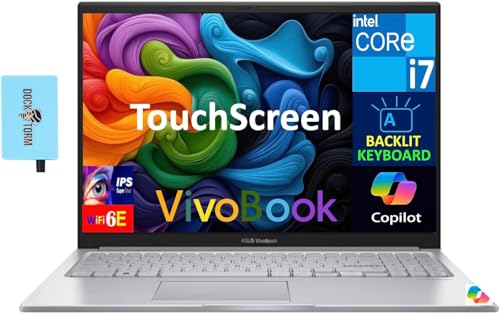
ASUS Vivobook 15 Business Laptop — Business touch choice
ASUS aims this Vivobook 15 squarely at the business buyer, and the configuration reads like an answer to a purchasing department’s checklist: a Core 7 150U processor from Intel’s newer naming generation, sixteen gigabytes of memory, a 512 gigabyte drive, and a touchscreen IPS panel at Full HD. The touch layer on a business machine earns its keep in meeting rooms and shared work, where a screen gets pointed at, scrolled and annotated by whoever is standing nearest.
The Core 7 badge deserves a translation for buyers raised on i-numbers, because it represents the generation of Intel naming that succeeded the familiar i7 tier in this class. What matters practically is that the machine sits in the upper mainstream for performance, comfortably above the Core i5 configurations below, and well matched to the memory and storage it is sold with. Nothing in this specification is an island of excellence surrounded by compromise.
Against the Aspire 5 at the top, the Vivobook counters Iris Xe with touch, and that exchange defines the choice between them. A buyer whose work is pointing, presenting and collaborating may value the touchscreen daily, while a buyer whose work is editing and producing may value the Acer’s graphics more. Both are defensible flagships of the mainstream; they simply report to different managers.
Strengths
- Core 7 processor places it in the upper mainstream tier
- Touchscreen IPS panel suits meetings and collaborative work
- Memory and storage arrive at the sizes experience recommends
Trade-offs
- Integrated graphics trail the Iris Xe configuration above
- Touch glass shows reflections and fingerprints in bright rooms
- Business positioning means styling stays deliberately sober
Key specs
- Display: 15.6 inch Touchscreen IPS FHD, 1920×1080
- Processor: Intel Core 7 150U
- Memory: 16GB RAM
- Storage: 512GB SSD
- Connectivity named in listing: WiFi 6, Bluetooth
Best for: business users and consultants who present, collaborate and travel with one machine.
Not suited for: graphics-led creators who would trade touch for stronger integrated performance.
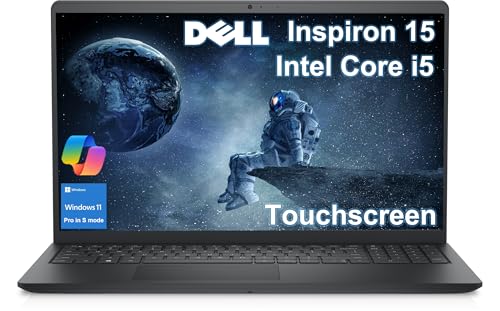
Dell Inspiron 15 3530 Touchscreen Laptop — Configurable student-business pick
The Inspiron 15 3530 in this listing is the guide’s configurable option, and its title tells that story openly by describing a customised machine offered with different memory amounts. That makes the review’s most important advice procedural: whatever else you decide, select the sixteen-gigabyte configuration at checkout, because the ten-core Core i5-1334U deserves memory that lets it stretch, and the difference between the two configurations will be felt every day the machine is owned.
With that choice made, the proposition is appealingly straightforward. A Full HD touchscreen serves the mixed student and business life the listing names, the webcam covers the calls that now structure both worlds, and Dell’s Inspiron line brings the serviceability and familiarity that institutions value. It is not the most powerful machine here, nor the most elegant, and it does not need to be either to be the right answer for a buyer furnishing a first serious laptop.
Its natural rivals are the HP Pavilion below, which shares its processor, and the Lenovo further down, which counters with a Ryzen 7. The Dell’s case rests on the touchscreen’s everyday usefulness and the flexibility of its configurations. Just remember that flexibility cuts both ways: the cheapest configuration on the listing page is not the machine this review is recommending, and the upgrade decision happens once, at purchase, in a dropdown menu that deserves your full attention.
Strengths
- Ten-core Core i5 handles mainstream multitasking comfortably
- Touchscreen suits the student and business mixture it targets
- Configuration choice lets buyers match the machine to the budget
Trade-offs
- The lower-memory configuration would undersell the processor
- FHD LED panel lacks the IPS billing of several rivals here
- Customised listings demand extra care when checking your order
Key specs
- Display: 15.6 inch FHD LED Touchscreen
- Processor: Intel Core i5-1334U, 10-Core
- Memory: customised configurations, choose 16GB
- Storage: see listing configuration
- Features named in listing: webcam, business and student positioning
Best for: students and small businesses that will select the sixteen-gigabyte configuration deliberately.
Not suited for: buyers who want a fixed, unambiguous specification without configuration decisions.

HP Pavilion 15.6″ FHD Touchscreen Laptop — Fixed-spec family favourite
HP’s Pavilion takes the opposite approach to the configurable Dell while using the same ten-core Core i5-1334U: one clear configuration with sixteen gigabytes of memory and a 512 gigabyte drive, a Full HD touchscreen, a webcam and Wi-Fi 6. For family buyers and anyone purchasing on behalf of somebody else, that fixed clarity has real value. The machine you read about is the machine in the box, and the review can therefore be unusually direct: this is a well-judged mainstream laptop.
The Pavilion line’s long residence in living rooms shows in the priorities. The touchscreen suits shared use, the specification suits school, office and household administration in rotation, and the design aims to be welcome in any room rather than impressive in one. Battery life is presented by the listing as a selling point, and while this guide treats endurance qualitatively rather than repeating headline figures, the Pavilion’s efficiency-class processor supports the claim’s direction: this is a machine built to be used away from its charger during the day.
Choose it over the Dell when you prefer the decision already made, and over the Lenovo below when Intel familiarity or the Pavilion’s particular balance appeals. Its compromises are the mainstream’s usual ones: integrated graphics set the ceiling for creative acceleration, and the chassis prioritises value over the thinnest possible profile. Within those terms, it is one of the easiest recommendations in this guide to defend at a family dinner table.
Strengths
- Fixed 16GB and 512GB configuration removes ordering guesswork
- Touchscreen and webcam suit shared family and school life
- Efficiency-class processor supports long unplugged stretches
Trade-offs
- Integrated graphics cap demanding creative and gaming ambitions
- Mainstream chassis favours value over ultra-slim elegance
- No configuration freedom for buyers who enjoy specifying their own
Key specs
- Display: 15.6 inch FHD Touchscreen
- Processor: Intel Core i5-1334U, 10-Core
- Memory: 16GB RAM
- Storage: 512GB SSD
- Connectivity named in listing: Wi-Fi 6, webcam
Best for: families and gift buyers who want a complete, unambiguous mainstream configuration.
Not suited for: tinkerers who want to choose every component, or gamers needing dedicated graphics.

Lenovo IdeaPad Slim 3 Laptop 2025 — AMD mainstream alternative
Lenovo’s IdeaPad Slim 3 gives the mainstream tier an AMD accent, built around the eight-core Ryzen 7 5825U with Radeon graphics, sixteen gigabytes of DDR4 memory and a 512 gigabyte drive behind a Full HD touchscreen. The 5825U is a proven efficiency-minded processor whose strength is sustained, quiet competence across a mixed day, and in a slim chassis that character matters more than any single burst of speed.
The specification invites one precise observation: its memory is DDR4 where the Aspire at the top uses LPDDR5, a generational difference that matters less in daily experience than the shared capacity of sixteen gigabytes matters enormously. Buyers should therefore read this machine as mainstream in the ways that count, with a slightly older memory standard as the acceptable price of its positioning. The touchscreen, Wi-Fi 6 and storage all match the tier’s expectations without apology.
Its role in the guide is to give AMD-preferring buyers, and anyone whose previous Lenovo served them faithfully, a first-class option rather than a consolation. Against the two Core i5 machines it trades blows evenly on daily work while offering its own graphics character through Radeon. Households already invested in Lenovo chargers, docks and habits will find the continuity argument genuinely practical rather than sentimental.
Strengths
- Eight-core Ryzen 7 delivers calm, sustained mainstream performance
- Sixteen gigabytes and a half-terabyte drive match the tier standard
- Touchscreen and Wi-Fi 6 complete a well-rounded specification
Trade-offs
- DDR4 memory is a generation behind the LPDDR5 at the top
- Radeon integrated graphics remain a ceiling for heavy creative work
- Slim chassis shares the class’s limited upgrade expectations
Key specs
- Display: 15.6 inch FHD Touchscreen, 1920 x 1080
- Processor: AMD Ryzen 7 5825U, 8-core
- Graphics: AMD Radeon Graphics
- Memory: 16GB DDR4
- Storage: 512GB SSD
Best for: AMD loyalists and returning Lenovo owners wanting a complete mainstream touchscreen machine.
Not suited for: buyers determined to have the newest memory standard regardless of daily impact.
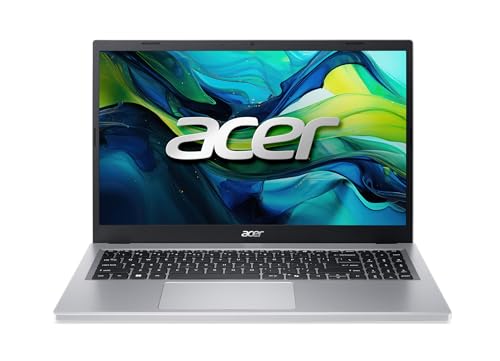
Acer Aspire Go 15 (Ryzen 3) — Entry-tier representative
The Aspire Go 15 closes the guide at the entry tier, and its virtues begin with what Acer refused to cut: the screen. A Full HD IPS panel at this level is a genuine courtesy to its owner, because the display is the one component a light user experiences at full intensity every minute. Documents, classes and video all arrive with the clarity the size promises, even though the silicon behind the glass is the most modest in this guide.
The rest of the specification defines the tier’s terms clearly. A Ryzen 3 processor with Radeon graphics covers browsing, office work and streaming, eight gigabytes of LPDDR5 is a modern memory type in a modest amount, and the 128 gigabyte PCIe drive is the tightest storage here by a distance. This is a cloud-first machine in the strict sense: documents live in synced folders, photographs back up automatically, and the local drive is a workspace rather than an archive.
Bought for the right person, it is a kind purchase rather than a cheap one: a younger student, a grandparent returning to email and video calls, a household needing a second machine for homework and administration. Bought for the wrong person, someone whose ambitions are quietly growing, it becomes a ceiling met within the year. The review’s job is to make sure the Aspire Go meets the first buyer, and its screen ensures that meeting goes well.
Strengths
- Full HD IPS panel is unusually respectful for an entry machine
- LPDDR5 memory keeps the platform modern despite modest capacity
- Light specification suits quiet, defined everyday duties
Trade-offs
- 128GB storage demands a genuinely cloud-first routine
- Eight gigabytes limits multitasking growth from day one
- Entry processor leaves no reserve for demanding software later
Key specs
- Display: 15.6 inch FHD IPS
- Processor: AMD Ryzen 3
- Graphics: AMD Radeon Graphics
- Memory: 8GB LPDDR5
- Storage: 128GB PCIe SSD
Best for: younger students, returning users and households needing a respectful second machine.
Not suited for: anyone whose workload or local storage needs are still growing.
How Do the Picks Compare Side by Side?
| Model | Display | Processor | Memory and storage | Character |
|---|---|---|---|---|
| acer Aspire 5 (B0BXLYH8GX) | 15.6 inch FHD IPS, non-touch | Intel Core i7-1355U | 16GB / 512GB | Top-tier capability |
| ASUS Vivobook 15 Business (B0D6SSKKT8) | 15.6 inch Touchscreen IPS FHD | Intel Core 7 150U | 16GB / 512GB | Business touch flagship |
| Dell Inspiron 15 3530 (B0G442F3LW) | 15.6 inch FHD LED Touch | Intel Core i5-1334U | Choose 16GB configuration | Configurable all-rounder |
| HP Pavilion 15.6 (B0FLGVS38H) | 15.6 inch FHD Touchscreen | Intel Core i5-1334U | 16GB / 512GB | Fixed family specification |
| Lenovo IdeaPad Slim 3 (B0F2MLQPL3) | 15.6 inch FHD Touchscreen | AMD Ryzen 7 5825U | 16GB / 512GB | AMD mainstream route |
| Acer Aspire Go 15 (B0GRJ59M6Y) | 15.6 inch FHD IPS, non-touch | AMD Ryzen 3 | 8GB / 128GB | Cloud-first entry machine |
Is a Numeric Keypad Worth Having at This Size?
The 15.6 inch chassis is the smallest common size that routinely fits a numeric keypad, and for anyone who enters figures for a living, that pad is not nostalgia but throughput. Accountants, shopkeepers, engineers and spreadsheet-heavy students feel its absence immediately on smaller machines. The trade is a slightly off-centre main keyboard and touchpad, which touch typists notice for the first week and then absorb into habit.
Listings do not always state the keypad’s presence clearly, so photographs of the exact model deserve a look before ordering if the feature matters to you. It is a small detail with an outsized daily effect, and it illustrates this size’s broader bargain: a little more machine in exchange for a little more of everything you touch.
Where Do the MacBook Air 15 and LG gram Fit in This Picture?
They frame the size from two directions. The MacBook Air measures 15.3 inches, close enough to invite comparison and different enough, in operating system and ecosystem, to belong to another decision entirely; it is mentioned here because cross-shoppers will meet it, not because it competes for a place in a Windows ranking. The LG gram branch proves that 15.6 inches can be made dramatically light, at prices that reflect the engineering involved.
Both signposts clarify the six picks by contrast. This guide’s machines are the mainstream: heavier than a gram, cheaper than the ultralight branch, and running the software most households and institutions already own. A buyer who discovers, while reading, that weight or ecosystem is actually their first priority has learned something valuable and should follow that priority into the guide written for it.
How Much Does Touch Change Life at 15.6 Inches?
At this size, touch is a convenience layer rather than a transformation, because the machine remains a laptop in posture and purpose. Its genuine uses are intimate and small: scrolling a recipe with a floury finger, tapping a presentation forward, signing a school form, zooming a map during trip planning. Four of the six picks offer it, which tells you the market considers it close to standard equipment in the mainstream tier now.
The costs are equally modest: a glossier screen surface, fingerprints to wipe, and a small premium folded into the price. Buyers who work at a fixed desk with a mouse may never miss it, while buyers whose laptop migrates around the home tend to adopt it without deciding to. Let your geography, not the feature list, cast the deciding vote.
Which Tier Should a Buyer Planning Five Years Choose?
Five-year ownership argues for the top of the mainstream or the tier above it, because time taxes memory and storage before it taxes processors. The Aspire 5 and Vivobook configurations, with sixteen gigabytes and half-terabyte drives behind strong processors, are built for that horizon. The mainstream i5 and Ryzen 7 machines can also reach it if the workload stays mainstream, which is a condition the buyer controls more than the calendar does.
The entry Acer is the honest exception: it is a machine for a defined chapter, such as the school years it will serve or the second-machine role it will fill, rather than a five-year foundation for growing ambitions. Matching the tier to the intended chapter is the whole skill this guide tries to teach, and it matters more than any individual specification inside the tiers.
How Does a 15.6 Inch Laptop Fit Real Furniture and Real Bags?
Dimensions in a listing are abstract until the machine meets a kitchen table already holding breakfast, a lecture desk designed for a notebook half its ambition, or a bag whose laptop sleeve was sewn for a smaller decade. The 15.6 inch class fits most modern sleeves and all ordinary tables, yet it claims its space assertively on small surfaces. Owners who work in cafes learn to arrange cup, notebook and machine in a small choreography that smaller laptops never demand.
At home, the size earns its footprint back every evening, because the screen doubles as the household’s most convenient television, recipe display and video-call window. A machine that lives several lives justifies a larger presence in each of them. The buyers who regret this size are rarely those who measured it; they are those who imagined a portability their calendar never actually required.
What Should You Know About Servicing and Longevity at This Size?
Mainstream 15.6 inch machines are the most serviceable laptops most owners will ever meet, with batteries, fans and storage that independent repairers know intimately and parts that remain findable for years. That ecosystem is an unlisted specification with real monetary value, because a machine that can be economically repaired at year four often outlives a sealed design that cannot. The big brands in this guide benefit from that familiarity wherever their owners live.
Longevity also depends on the owner’s treatment of two wear items: the battery and the hinge. Opening the lid from its centre rather than a corner, avoiding permanent full-charge storage in heat, and keeping vents clear of dust cost nothing and repay themselves in years. A mainstream laptop is not fragile, but it keeps a ledger of how it was treated, and the ledger is read aloud eventually.
How Do These Machines Handle an External Monitor at a Desk?
Most 15.6 inch laptops spend part of their lives as desk computers in disguise, and this class handles the double life gracefully. The laptop screen becomes the secondary display for chat, reference material or a music queue while a larger monitor takes the main work, and the processors across the mainstream tier drive that arrangement without strain. Confirm the video output options on your chosen listing, because the port that carries the picture varies by model.
A stand, a separate keyboard and a mouse complete the transformation, and together they cost less than the difference between tiers in this guide. Buyers furnishing a home office should therefore think in systems: the mainstream pick plus ergonomic furniture will serve a working day better than the flagship pick used hunched over a kitchen table. The laptop is the engine, not the whole vehicle.
What Does the Webcam and Microphone Story Look Like Here?
Every pick in this guide is sold into a world of video calls, and several name their webcams in their titles because buyers now ask. Mainstream laptop cameras are competent rather than cinematic: they hold a face together in decent light, struggle gracefully in poor light, and benefit enormously from the owner sitting near a window or a lamp. A ring of household lighting does more for your call quality than any specification difference inside this class.
Microphones follow the same pattern, adequate for meetings and family calls, and easily improved by the headset most owners already own for their phone. The practical advice is to test your exact setup before an important call rather than discovering its character during one. None of the six will embarrass you in an ordinary meeting; none will replace a broadcaster’s kit, and the class does not pretend otherwise.
How Should a Small Business Buy From This Guide?
A small business buying several machines should prize sameness over individual brilliance, because identical laptops simplify support, spare chargers and the quiet knowledge of where every port lives. The fixed-configuration HP and the business-positioned ASUS are natural fleet candidates here, while the configurable Dell demands a written note of which configuration was ordered for each desk, lest the fleet quietly become two different machines.
The other fleet virtue is a spare. One extra mainstream laptop in a cupboard is cheaper than a day of a colleague’s lost work when a machine fails, and at this size and tier the mathematics of that insurance is unusually kind. Businesses graduate to dedicated workstation classes for specialised staff, but the general fleet question is answered remarkably well by exactly the mainstream heart of this guide.
What About Gaming on a Mainstream 15.6 Inch Laptop?
Gaming deserves an honest paragraph in a general guide, because many buyers hope the question will not need asking. These six machines, built on integrated graphics, handle casual titles, older releases, browser games and cloud streaming with good grace, and the Iris Xe Aspire handles them best. They are not gaming laptops, and a buyer whose evenings centre on demanding new releases should shop the gaming class where dedicated graphics begin.
The distinction is not snobbery but arithmetic: a dedicated graphics card is a different order of hardware from any integrated solution in this guide. Occasional players are genuinely well served here, and the money saved against a gaming machine buys the monitor, desk and chair that make every other hour at the laptop better. Know which evenings you actually have, and buy for those.
How Do Screens at This Size Treat Your Eyes Across a Day?
A Full HD panel at 15.6 inches sits in a comfortable middle for all-day reading: text is large enough at default scaling to avoid strain, and sharp enough that edges do not shimmer during long sessions. Owners who read for a living often prefer this honest size-to-resolution ratio over sharper panels run at heavy scaling, because the interface elements remain the physical sizes their designers intended.
Brightness discipline matters more than any panel specification here. Match the screen’s brightness to the room rather than leaving it at maximum, take the distance breaks that every eye-care leaflet recommends, and position the machine so windows light your work without reflecting in the glass. The touchscreen models’ glossier surfaces reward that positioning most, but every owner in this class benefits from it.
What Is the Smart Way to Time This Purchase?
Mainstream laptops are discounted on a rhythm set by school terms, holidays and model refreshes, and a flexible buyer can use that rhythm without becoming its servant. The configuration discipline matters more than the calendar: decide the tier, the memory and the storage first, then let timing choose among listings that meet them. A bargain on the wrong configuration is not a bargain; it is a cheaper route to the wrong laptop.
Model-year transitions deserve a similarly calm reading. The 2025 IdeaPad in this guide and the newer-named Core 7 Vivobook coexist because generations overlap in this market, and a slightly older processor in a complete configuration often serves better than a newer badge attached to starved memory. Buy the whole machine, not the freshness of one component’s name.
How Do You Set Up a New 15.6 Inch Laptop in the First Hour?
The first hour decides whether a new laptop becomes an organised tool or a familiar mess in a new shell. Create the accounts, run the waiting updates while the machine is still a novelty, uninstall the trial software you will never open, and set the backup before the first important file exists to lose. Pin the five applications you actually use and let the rest wait in the menu where they belong.
Then arrange the physical life: the charger’s home, the sleeve or bag, the desk position if it has one, and the external monitor connection if the machine will live the double life described earlier. Owners who spend that hour deliberately rarely think about setup again, while owners who skip it rediscover the omission monthly. The six machines here all reward the same ritual equally.
Which Pick Suits a Household With One Laptop for Everyone?
The shared household machine has the hardest job description in this guide: homework at four, a parent’s accounts at six, a video call at seven and a film at nine, with four people’s files and patience in rotation. It needs the mainstream tier’s memory, a touchscreen for the gestures younger users assume, storage that forgives untidiness, and a fixed configuration that nobody has to administer. That description lands squarely on the HP Pavilion and the Lenovo IdeaPad in this six.
Separate user accounts are the household feature no specification can replace, giving each person their own desktop, documents and dignity. Set them up on day one, agree where the charger lives, and the shared machine becomes a utility like the family car: booked, respected and missed when it is away. The entry Acer can serve a smaller household in this role, provided its cloud-first terms suit everyone who will touch it.
How Does This Size Compare With 14 and 17 Inch Alternatives?
The fourteen-inch class trades the numeric keypad and some screen room for a genuinely easier carry, and commuters feel that trade in their shoulders daily. The seventeen-inch class trades portability for a canvas that suits desk-bound work and shared viewing, and its owners accept that the machine travels between rooms rather than between buildings. The 15.6 inch size is the compromise that refuses to feel like one, which is why the market keeps electing it.
Your own week is the electorate that matters. Count the days the machine leaves the house, the hours it spends on your lap rather than a desk, and the number of times two documents must share its screen. Those three counts, answered honestly, will usually point at a size before any specification is discussed, and for the majority of households they point exactly here.
What Will the Next Owner of Your Laptop Thank You For?
Every machine in this guide will likely serve a second owner, whether that is a younger relative, a colleague, a buyer of used equipment or a charity that refurbishes donations. That future person will thank you for the configuration choices that looked conservative today: the sixteen gigabytes that still feel adequate, the half-terabyte drive that still holds a life, the battery that was treated kindly and the charger that was never lost.
They will also thank you for the unglamorous courtesies: accounts removed, data wiped properly, the machine cleaned and its passwords cleared before the handover. Buying with a second life in mind is not sentimentality; it is the practical recognition that a well-chosen mainstream laptop is a durable good, and durability is the quality this entire size class was built to deliver.
How Do Speakers and Entertainment Fit Into a Work Size?
A 15.6 inch laptop is the screen households reach for when the television is occupied, and its entertainment duties deserve a fair paragraph. The Full HD panels across this six present films and series at their native resolution, the larger chassis gives speakers more room to work than ultraportables can offer, and the mainstream processors stream without effort. Nobody should buy from this guide as a home cinema decision, yet everybody will use the machine as one weekly.
The touchscreen models add a small domestic grace here, because pausing, skipping and browsing a catalogue from the sofa is easier by fingertip than by touchpad archaeology. It is the sort of advantage that never appears in a benchmark and appears in a household’s habits within days. Entertainment is the second job of every mainstream laptop, and this class performs it without needing to be asked twice.
What Security and Backup Habits Suit a Mainstream Machine?
The data on a household’s main laptop is usually worth more than the laptop, which makes the first week’s security setup the highest-value hour of ownership. Turn on the built-in drive encryption, tie sign-in to an account whose recovery you control, and let automatic updates run rather than negotiating with them monthly. The machines in this guide all ship ready for that routine; the variable is whether the owner performs it.
Backup deserves the same matter-of-fact treatment. A cloud folder for documents and photographs, plus an occasional full copy to an external drive kept somewhere sensible, protects against the two realistic disasters: a failed drive and a stolen bag. The terabyte of discipline is worth more than a terabyte of storage, although the owners who thrive longest tend to arrange both.
Common Mistakes Buyers Make in This Class
Assuming the size guarantees the specification. A 15.6 inch badge covers everything from the entry Acer to the Core i7 flagship in this very guide. Read the tier, the memory and the drive before the diagonal impresses you.
Ordering the configurable Dell in its cheapest memory form. The Inspiron listing offers more than one configuration, and the smaller one undersells its own processor. The sixteen-gigabyte choice is the recommendation; the dropdown is where it happens.
Confusing the two Aspire 5 listings in this batch. One carries touch and one does not, under nearly identical names. Decide whether you want touch first, then order the listing whose title says so.
Treating the entry machine’s small drive as a detail. A 128 gigabyte drive reorganises your habits around the cloud whether you planned it or not. Choose that life deliberately or choose a larger drive.
Ignoring the prose-only signposts entirely. The MacBook Air and the LG gram exist to test your priorities. If weight or ecosystem is secretly your first criterion, discovering that here is cheaper than discovering it after delivery.
What Living With a 15.6 Inch Laptop Really Involves
There is a reason estate agents describe some houses as suitable for everyone and difficult to dislike, and the 15.6 inch mainstream laptop is the computing equivalent. It asks little imagination to own, fits the furniture and the bags the world already owns, and offends nobody’s budget committee. Guides like this one exist not because the choice is exotic but because the ordinary choice deserves to be made well.
Notice how often the reviews above returned to memory and storage rather than to the diagonal in the title. That is the market’s own lesson repeated across a decade of returns and regrets: owners forgive a modest processor within a month and curse a small drive for years. If this guide leaves you with one purchasing reflex, let it be checking those two numbers before admiring anything else on the page.
The touchscreen question, by contrast, resolves itself through geography. Machines that migrate around a home get touched; machines that sit at a desk get moused. Four of these six offer the layer because most mainstream laptops now migrate, pulled between kitchen, sofa, study and the occasional office day. Your own floor plan knows the answer, and it has been trying to tell you since you started reading.
For the buyer furnishing a student, the mainstream tier’s boring virtues compound across a degree: enough memory for research sprawls, enough storage for coursework archives, a screen large enough for sources and essays side by side. The flagship configurations buy insurance against the final-year project nobody can yet describe, while the entry machine asks the student to travel light and organise relentlessly. Both can be wisdom, applied to different temperaments.
And for the buyer replacing a much-loved old machine, a word of reassurance: this size is where your habits already live. The bag fits, the desk fits, the external monitor’s cable is the right length, and the new machine’s speed will feel like a renovation of a familiar house rather than a move to a strange one. Continuity is a feature, and at 15.6 inches it comes as standard.
One more pattern is worth naming before you choose: the configuration you buy is the configuration you will explain to yourself at every slow moment for years. A deliberate choice, even of the entry tier, weathers those moments calmly, while an accidental one, a wrong dropdown on a configurable listing or a family name trusted instead of a title read, nags indefinitely. Read the listing once more before you pay; it is the cheapest minute in the whole ownership.
Finally, remember that the best machine in this guide is the one whose tier matches the life it will actually lead, not the life in the advertisement. The six were arranged to make that matching easy: an honest entry, a generous mainstream and a capable top. Choose your tier with the same honesty the listings were read with, and the size the market calls default will feel, in your house, like it was designed for you.
A last thought for buyers hesitating between two adjacent tiers: the difference in price between them is usually smaller than the difference in daily patience across four years of ownership. Nobody frames that arithmetic on a listing page, yet it is the arithmetic that decides whether a laptop is remembered as a bargain or as a saving that kept charging interest.
There is also a generational comfort to buying at this size in 2026: the platform has settled. Ports, chargers, docks, sleeves and stands all assume the 15.6 inch mainstream exists, so accessories are plentiful and fairly priced, and advice from any friend who owns a laptop probably applies to yours. Novelty has its thrills, but a settled platform has something better for most households, which is the absence of surprises.
Final Recommendation
Let the tiers do the work. The Aspire Go serves defined light duties with a screen that respects its owner, the mainstream four cover the great middle of household, student and business life with sixteen gigabytes and touchscreens in various accents, and the Aspire 5 and Vivobook at the top buy the headroom that long ownership rewards. The MacBook Air and the LG gram remain signposts to other decisions, acknowledged and deliberately left outside the ranking.
If one sentence must survive your reading, let it be this: at 15.6 inches, buy memory and storage for the life you have, a panel you have verified with your own eyes, and a tier you chose on purpose. A laptop selected that way stops being a purchase and becomes what this size has always promised to be, the household’s most useful piece of furniture that happens to compute.
Frequently Asked Questions
Why is 15.6 inches considered the standard laptop size?
It balances a screen large enough for side-by-side documents and a numeric keypad against a chassis that still fits ordinary bags and desks, and decades of that balance have built the deepest model ranges and accessory support in the market. Most buyers’ weeks genuinely match its compromises.
Is sixteen gigabytes of memory necessary at this size?
For a machine expected to serve several years of mainstream multitasking, it is the configuration this guide recommends in five of its six picks. Eight gigabytes remains workable for defined light duties, as the entry Acer shows, but it leaves no room for your habits to grow into the machine.
Which of these six is best for a student?
The HP Pavilion and the configurable Dell, ordered with sixteen gigabytes, suit student life’s mixture of coursework, calls and entertainment, while the Lenovo offers the same tier with an AMD accent. Students with light, cloud-based courses can also consider the entry Acer and spend the difference on a good bag and backup.
Do I need a touchscreen on a 15.6 inch laptop?
You need it only if your hands will use it: shared family machines, presenters and counter-top users benefit daily, while fixed-desk workers with a mouse may never touch the glass. Four picks here include it, two do not, and the honest answer follows where the machine will live.
How does the Aspire 5 here differ from the one in the 1080p guide?
The processor, memory and storage story are closely related, but the panel differs: this guide’s listing is the non-touch IPS configuration, while the 1080p guide reviews the touchscreen version. The family name is shared, so the title’s panel line is the deciding evidence when you order.
Can these laptops replace a desktop at home?
For mainstream work, yes, especially with a stand, a separate keyboard and an external monitor turning the laptop into the system’s engine. The top configurations here have the memory and processor headroom for that double life, while the entry machine is better kept to its lighter brief.
Related Guides
Size is a starting point rather than a conclusion, so keep exploring the neighbouring guides if your budget ceiling, your eyes or your commute argue for a different corner of the catalogue, beginning with the best 15.6 inch laptops under $1000, the best 15.6 inch touch screen laptops and the best 1080p laptops.
Related guides
- Best 4K UHD HDR HDMI Extenders: 4K60, Long-Run and 4K120 Kits Compared
- Best 25–35 Inch Monitors With Lowest Display Lag: An Honest Ranking Without Invented Numbers
- Best Enterprise SATA SSDs: Endurance Classes, Power-Loss Protection and Fleet Sense
- Best Color Product Label Printers: Six Desktop Machines for Short-Run Product Labels



[…] to test whether size, touch or resolution deserves the money this budget holds back, beginning with the best 15.6 inch laptops, the best 15.6 inch touch screen laptops and the best laptops under […]