What's inside
- Key Takeaways
- Quick Picks
- How Were the Six Separated From a Crowded Shelf?
- Convertible or Clamshell: Which Hinge Philosophy Fits Your Week?
- What Should You Know About Pens, Panels and Ports Before Choosing?
- How Do the Six Lines Sit Next to Each Other?
- How Should You Read the Resolution Ladder in This Class?
- Where Do Buyers Most Often Misjudge This Class?
- How Do You Configure a Touch Laptop So the Touch Earns Its Keep?
- What Will Ownership Cost Beyond the Sticker?
- How Should You Test a Touch Laptop in the First Week?
- Which Buyer Should Land on Which Pick?
- Final Recommendation
- Frequently Asked Questions
- Related Guides
As an Amazon Associate I earn from qualifying purchases. This post may contain affiliate links at no extra cost to you.
gizmoverdict.com is reader-supported. When you buy through links on our site, we may earn an affiliate commission.
Where to buy: Each of the six laptops below links to a listing confirmed in this site’s verified pool. Two of them fold a full circle, two fold with premium ambitions, one refuses to fold at all, and one is larger than the keyword’s heartland — every review names its machine’s true size and hinge type before praising anything else.
The best 13 touch screen laptops live at the size where portability stops arguing with productivity. Thirteen-to-fourteen inches is the diagonal at which a keyboard keeps full-size keys, a screen holds two windows without apology, and the whole machine still disappears into a slim bag. Add touch to that formula and the class splits into two philosophies that buyers constantly confuse: convertibles, whose screens rotate a full 360 degrees into tent and tablet postures, and clamshells, whose touchscreens serve fingers and pens while the hinge stays a hinge. This guide keeps the two families clearly labelled, because choosing between them is the first real decision in the category — more important than any processor comparison that follows.
Five of the six picks sit in the 14-inch neighbourhood that modern “13-inch class” shopping actually means; panel sizes have drifted upward as bezels shrank, so a current 14-inch laptop often occupies the footprint of a 13.3-inch machine from a few years ago. The sixth pick deliberately steps up to 16 inches as the guide’s large-screen escape hatch, labelled as such, for readers whose “13-inch” search is really about a portable machine with a touchscreen and who discover, reading the reviews, that their desk habits want more canvas. Every other pick stays inside the brief.
What should a buyer expect the money to buy here? OLED panels have taken over the premium half of the class, memory at 16GB is the working floor with 32GB at the top, and pen support ranges from a bundled stylus to an optional extra depending on brand. The reviews below sort those variables pick by pick, with the hinge question answered first in each case.
Key Takeaways
- The class divides into 360-degree convertibles and touch clamshells; decide which family you want before comparing processors.
- The Yoga 9i Aura and OmniBook Ultra Flip are the premium pair — 32GB of memory and high-resolution OLED panels at the top of the range.
- Fourteen inches is the modern centre of this class; the chassis footprints match older 13.3-inch machines.
- The Zenbook 14 Touch is the deliberate non-folder: lighter and simpler for buyers who want touch without postures.
- The Galaxy Book5 Pro 360 at 16 inches is included as a labelled step-up, not disguised as a 13-inch machine.
Quick Picks
| Pick | Badge | Why it earns its place |
|---|---|---|
| Lenovo Yoga 9i 2-in-1 Aura Edition 14 | The flagship folder | A 14-inch 4K OLED convertible with 32GB of memory and a terabyte drive — the class’s ceiling, priced like it. |
| HP OmniBook Ultra Flip 14 | HP’s premium answer | A 14-inch 3K OLED convertible carrying the Spectre lineage’s design ambitions under a new name, with 32GB aboard. |
| Lenovo Yoga 7 14 (OLED Touch) | The mainstream OLED | The folding OLED experience at the class’s middle tier — the pick most buyers should price first. |
| ASUS Vivobook Flip 14 (OLED) | The storage-rich folder | A 14-inch OLED convertible with an efficiency-led Intel chip and a full terabyte for local libraries. |
| ASUS Zenbook 14 OLED Touch | The non-folding option | A 14-inch touch clamshell — no tablet mode, no tent tricks, just a light laptop whose screen answers fingers. |
| Samsung Galaxy Book5 Pro 360 16 | The labelled step-up | A 16-inch AMOLED convertible for readers who realise their portable brief actually wants a bigger canvas. |
Notice what the table is quietly telling you: five hinges that fold and one that does not, five panels at 14 inches and one at 16. The reviews treat those two axes — hinge and size — as the skeleton of every verdict.
A word on how to use the pages that follow. Each review opens with the facts a returning owner would give a friend — what the machine is, what its hinge does, where its specification sits — before turning to the texture of living with it. Readers in a hurry can read the spec boxes and verdict lines alone and shop soundly; readers choosing between the two flagships, or between the two mainstream folders, will find the deciding details in the middle paragraphs, where the machines’ temperaments live.
How Were the Six Separated From a Crowded Shelf?
The verified pool for this class is deep, so selection worked by coverage: the shortlist had to contain the premium ceiling, the mainstream centre, the value-leaning folder and the non-folding alternative, because readers arrive at this keyword from all four directions. Two excellent machines were left out for honesty’s sake — near-duplicates of included picks whose differences were a processor variant rather than a different ownership experience. A shortlist of six near-identical convertibles would be easier to write and useless to read.
Hinge behaviour was tested as a concept rather than a feature. A convertible earns its complexity only if its owner uses the postures; the guide therefore weighs each folder on how its tablet and tent modes serve real habits — annotating, presenting, watching, cooking along — and weighs the Zenbook on the opposite virtue, the simplicity dividend of a machine that never asks to be folded. Neither philosophy wins in the abstract. Each review names the reader its philosophy serves.
Panels were judged at working distance. At 14 inches, the practical differences are OLED versus LCD contrast, gloss versus glare in bright rooms, and resolutions between WUXGA and 4K whose text-rendering benefits are real but diminishing. The flagship’s 4K OLED is the visual ceiling; the mainstream picks cluster at resolutions that balance sharpness against battery, and the reviews say plainly where extra pixels stop paying rent.
Memory and storage were treated as permanence decisions. Nothing in this class is upgradeable after purchase in any meaningful way, so the configurations in the verified listings — 16GB as the floor, 32GB at the premium end, half-terabyte and terabyte drives — are presented as five-year commitments, and each review states which workload its configuration will still suit in year four.
Convertible or Clamshell: Which Hinge Philosophy Fits Your Week?
The convertible case rests on postures. Fold the screen back and a laptop becomes a presentation easel on a meeting table, a recipe stand that keeps flour off the keyboard, a film screen that sits closer on a tray table because the keyboard deck is out of the way, and a thick tablet for annotating documents with a pen. Students, presenters, teachers and anyone who marks up PDFs will use these postures weekly, and for them the hinge is not a gimmick but the reason for the purchase.
The clamshell case rests on everything the convertible spends to buy those postures. A fixed hinge is lighter, stiffer, cheaper to engineer well and impossible to wear into wobble; the keyboard never faces outward against a desk; the machine opens, works and closes with one decision instead of three. Touch on a clamshell is not a consolation prize — tapping, scrolling and pinching on an upright screen is how most owners actually use touch on a laptop, in ordinary seated work, dozens of times a day.
The tiebreaker is the pen. Serious handwriting — lectures, design, mathematics, field notes — belongs on a surface that lies flat or folds flat, which means a convertible. Occasional markup and signatures are perfectly served by signing on an upright screen or a trackpad. Buyers should audit their last month honestly: count the times a flat writing surface would have helped, and let that count, not the showroom fold, choose the family.
There is also a longevity footnote. Hinges are the moving part most likely to define a laptop’s old age, and a 360-degree hinge lives a harder life than a clamshell’s. Makers have largely engineered this worry away at the tiers in this guide, but a buyer planning a seven-year ownership may reasonably count the clamshell’s simplicity as durability, while a buyer on a three-year cycle should ignore the point entirely.
One more consideration belongs in this essay because owners raise it constantly: lap behaviour. A convertible in laptop posture behaves exactly like a clamshell on a lap, hinge and all — the folding talent only appears when invited. In tablet posture the same machine becomes a lap-unfriendly slab that wants a cushion or a desk. Buyers whose computing splits between a desk and an armchair will use both facts weekly, and the armchair half of that life is where the detachable designs in the companion small-laptop guide make their competing case. Within this guide’s six, the convertibles are armchair-adequate and desk-excellent, and the Zenbook is honest about being a seated machine through and through.
What Should You Know About Pens, Panels and Ports Before Choosing?
Pen ecosystems divide by vendor, and the divisions matter more than most first-time buyers expect. Lenovo’s convertibles, HP’s Flip, ASUS’s Flip and Samsung’s Book5 each speak their own pen dialect — different protocols, different pressure behaviour, different button arrangements — and a pen bought for one brand’s machine may not write on another’s. The practical rule is to buy the pen the maker sells for the machine, confirm whether the verified listing includes one, and treat third-party stylus bargains as experiments rather than equipment. Samsung’s S Pen is the exception that proves the ecosystem point: it is a mature, battery-free system with deep software support, and Galaxy households feel that maturity in every annotation.
Panel care is the OLED era’s new homework. The five OLED and AMOLED screens in this guide deliver their contrast partly by driving pixels individually, and static elements left at full brightness for years — a fixed taskbar, a permanent spreadsheet grid — can age unevenly. Modern panels carry mitigation software that shifts and refreshes pixels invisibly, and ordinary varied use makes the risk small; but a buyer planning to park one static application on screen all day, every day, should know the behaviour exists and may reasonably favour an LCD machine from a neighbouring guide.
Ports decide the dongle count. Thin convertibles increasingly offer USB-C and little else, which is elegant until a hotel television, a wired network or an older projector enters the day. Inventory your own connections before choosing: the pick whose port selection matches your bag’s existing cables will feel cheaper and lighter than a nominally superior machine plus three adapters. Charging follows the same logic — USB-C charging across this class means one travel brick can serve laptop and phone, provided its wattage clears the laptop’s appetite.
Sound and cameras, finally, have quietly become deciding specifications in the video-call era, and they do not appear in most comparison tables. The flagships invest audibly here; the mainstream picks are competent; and a buyer whose income arrives through a webcam should weight the Flip and Yoga 9i’s call hardware as heavily as their panels. It is the specification your colleagues will experience, which makes it, in a real sense, the most public one you own.

Lenovo Yoga 9i 2-in-1 Aura Edition 14 — The flagship folder
Lenovo reserves the Yoga 9 name for the machine it builds when the brief is “no visible compromise,” and this Aura Edition makes that case in specifications first: a 14-inch OLED panel at 4K resolution, 32GB of memory, a terabyte of solid-state storage, and Intel’s premium convertible platform wrapped in the line’s most finished chassis. It is the most expensive kind of pick in this guide and the easiest to justify on paper — every line of its configuration is the line a buyer would choose if the budget conversation happened after the engineering one.
The 4K OLED deserves scrutiny rather than applause, because at 14 inches its benefits are specific. Text and interface elements render with a smoothness that WUXGA panels approach but do not match, photographs show gradations that lesser screens band into steps, and the OLED’s contrast gives films a depth that makes the machine a genuinely good personal cinema in a dark room. The costs are equally specific: more pixels to push means more battery spent pushing them, and in bright rooms the glossy surface negotiates with every window. Owners who work in controlled light will call it the best screen they have owned; owners who work in glass-walled offices should read the OmniBook and mainstream reviews with equal care.
As a convertible, the 9i folds with the polish its price promises. The hinge action is the line’s party piece — engineered to feel deliberate through the full rotation — and the tablet posture, while still a 14-inch slab, is the thinnest and most refined version of that compromise in this guide. Pen support suits extended writing and sketching, and the machine’s speakers and microphones, tuned for the video-call era, are a class above the mainstream picks: voices land clearly in both directions, which matters more to most owners than any benchmark gap.
The Aura Edition branding signals Lenovo’s current software layer — vendor AI features and support tooling whose value depends entirely on whether an owner uses them. Treat them as a bonus rather than a reason. The reasons are the panel, the memory, the storage and the build; a buyer who will use this machine hard for four years, in the postures convertibles exist for, is exactly the buyer the 9i was priced for.
- Real size and hinge: 14-inch, full 360-degree convertible
- Display: OLED at 4K resolution — the visual ceiling of this guide
- Memory and storage: 32GB RAM and 1TB SSD, the premium configuration
- Pen: Active-pen support aimed at extended writing and sketching sessions
- Calls and media: Speaker and microphone tuning a step above the mainstream tier
- Ownership note: Glossy 4K OLED spends battery faster than the WUXGA picks below
Strengths
- Screen quality that owners describe in superlatives and mean it
- 32GB of memory future-proofs heavy multitasking for years
- Convertible polish — hinge, audio, build — matches the flagship billing
Trade-offs
- The price sits at the class ceiling and accessories can add to it
- 4K resolution taxes battery life in bright, pixel-hungry work
- Tablet mode remains a two-handed slab despite the refinement
Best for: professionals and creators who fold, ink and present daily and want the class’s best panel doing it.
Not suited for: bright-office workers sensitive to glare, and buyers whose workloads never leave a browser and a document.
HP OmniBook Ultra Flip 14 — HP’s premium answer
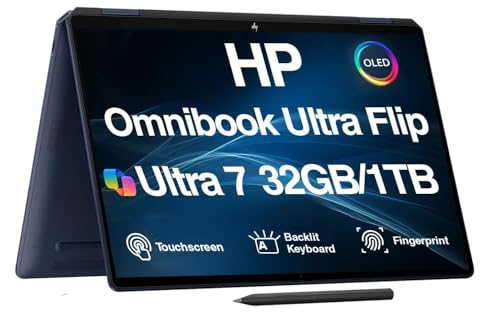
Anyone who knew HP’s Spectre x360 line will recognise this machine’s ambitions, because the OmniBook Ultra Flip is where that lineage now lives. HP retired the Spectre name for its newest premium convertibles, and the Flip carries the inheritance visibly: a 14-inch OLED panel at 3K resolution, Intel Core Ultra 7 power, 32GB of memory and a terabyte of storage, in a chassis designed to be looked at as much as used. Buyers cross-shopping the Yoga 9i should treat this as the same argument made by a different design studio.
The 3K resolution is arguably the class’s sweet spot, and the Flip is its best exhibit. At 14 inches, 3K renders text and photography with a crispness most eyes cannot distinguish from 4K across a desk, while asking meaningfully less of the battery to do it. Paired with OLED contrast, the result is a screen that gives up nothing a typical owner can see and returns hours across a working week. If the Yoga 9i’s panel is the ceiling, the Flip’s is the ceiling’s sensible twin.
HP’s premium convertibles have long leaned into the details around the screen: camera quality for video calls, microphones that isolate a voice in a noisy room, and a keyboard and touchpad tuned for long writing days. The Flip continues that pattern, and its tablet and tent postures feel engineered rather than permitted — the hinge holds angles with the confidence presenters need when a machine becomes an easel in front of an audience.
Choosing between this and the Yoga 9i is the happiest problem in the guide, and it resolves on preferences rather than merits: Lenovo’s 4K against HP’s 3K efficiency, one design language against another, one vendor’s software layer against the other’s. Both are flagships. A buyer loyal to neither brand should let the current listing terms and the keyboard feel decide, and should not expect to regret either outcome.
- Real size and hinge: 14-inch, full 360-degree convertible — the Spectre lineage under its new name
- Display: OLED at 3K resolution, the class’s sharpness-versus-battery sweet spot
- Processor: Intel Core Ultra 7 in the verified configuration
- Memory and storage: 32GB RAM and 1TB SSD
- Calls: Camera and microphone tuning aimed at presenters and remote workers
- Pen: Active-pen support across the folding postures
Strengths
- 3K OLED balances visual richness against battery better than 4K rivals
- Premium fit, finish and call quality throughout
- Specification matches the flagship tier line for line
Trade-offs
- Premium pricing, with the pen situation to verify on the listing
- Design-forward chassis shows fingerprints and begs for a sleeve
- Power users wanting discrete graphics are in the wrong category entirely
Best for: remote professionals and presenters who want flagship convertible polish with a battery-friendlier panel.
Not suited for: bargain hunters, and anyone who needs a graphics card rather than a hinge.
Lenovo Yoga 7 14 (OLED Touch) — The mainstream OLED
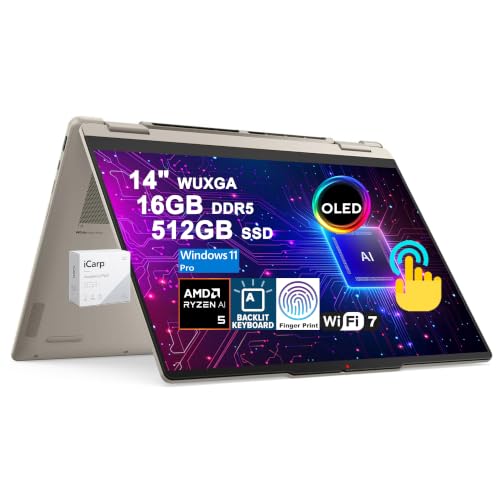
Below the flagships, the Yoga 7 14 is where this class’s centre of gravity sits, and its specification explains why: a 14-inch WUXGA OLED touchscreen, AMD’s Ryzen AI 5 430, 16GB of memory and a 512GB drive, folded into the same 360-degree format as its expensive sibling. Read the two Lenovo reviews together and the product strategy becomes clear — the 9i sells resolution, memory and finish, while the 7 sells the experience of an OLED convertible to buyers who counted the cost and chose the middle.
That middle is well chosen. WUXGA on OLED at 14 inches looks rich in every ordinary room; the step down from 4K is visible mainly in side-by-side comparisons and in the battery gauge, where it appears as a gain. Sixteen gigabytes is the memory figure the guide treats as the working floor, and the Ryzen silicon handles the mainstream workload — browsing at scale, office suites, calls, light creative work — without fan drama. For the majority of people who type this keyword into a search engine, this configuration is not a compromise; it is the answer.
The folding experience carries the family traits: a hinge that stays where it is put on laps and trays, tent and stand postures that earn their keep with films and recipes, and a tablet mode best understood as a desk annotation surface rather than a reading slate. Pen support covers notes and markup competently. Owners stepping up from older mainstream laptops will feel the largest difference in the screen and the silence; owners stepping down from flagships will miss finish details more than performance.
Value framing matters here because the Yoga 7’s natural rival sits two reviews below in ASUS’s Flip, and the pair should be compared on the day’s listings rather than on loyalty. Either machine satisfies the brief; the Yoga’s case is Lenovo’s convertible depth — a line refined over more generations than any rival — showing in hinge feel and keyboard manners.
- Real size and hinge: 14-inch, full 360-degree convertible
- Display: WUXGA OLED touch — rich contrast at a battery-sane resolution
- Processor: AMD Ryzen AI 5 430 with integrated graphics
- Memory and storage: 16GB RAM and 512GB SSD
- Pen: Supported for notes and annotation; confirm inclusion on the listing
- Role: The class’s mainstream centre — the first configuration most buyers should price
Strengths
- OLED convertible experience without flagship pricing
- Balanced configuration with no line item requiring an apology
- Hinge and keyboard manners from the most experienced convertible line
Trade-offs
- 512GB fills faster for owners with large local media libraries
- Finish and audio sit a tier below the Yoga 9i, as priced
- Integrated graphics cap gaming at casual and older titles
Best for: students and professionals wanting the full folding OLED experience at the class’s middle price posture.
Not suited for: owners with terabyte-scale local libraries and buyers chasing flagship finish.

ASUS Vivobook Flip 14 (OLED) — The storage-rich folder
ASUS enters this shortlist twice, once in each hinge family, and its convertible entry makes a distinctive bet: pair Intel’s efficiency-focused Core Ultra 7 256V with a full terabyte of storage and an OLED panel, then price the bundle against Lenovo’s mainstream. The bet pays off for a particular owner — the one whose laptop is also their archive. Photographs, offline film libraries, project files and years of documents live on this drive without the external-disk shuffle that 512GB owners learn by heart.
The Lunar Lake processor shapes the machine’s temperament. In the light, bursty work that fills most laptop days — documents, browsing, mail, calls — it runs cool and stretches its battery impressively, and its integrated graphics handle casual gaming and photo editing without complaint. Sustained heavy lifting is not its party trick; buyers rendering video daily or compiling large projects should look at higher-wattage machines and accept their fans as the cost.
Folded, the Flip covers the convertible repertoire competently: tent for films, stand for presentations, flat for annotation with its supported pen. ASUS’s mainstream chassis tend toward the lighter end of the class, which flatters the tablet posture slightly, though no 14-inch folder becomes a one-handed reader. The OLED panel matches the Yoga 7’s richness, and in a darkened room the two machines are visual peers.
So the mainstream decision narrows to temperament and terms. Lenovo offers the deeper convertible lineage; ASUS offers the bigger drive and the efficiency silicon. A buyer with a large local library and long writing days has a clear favourite here, and it is wearing the Vivobook badge.
- Real size and hinge: 14-inch, full 360-degree convertible
- Display: OLED touch panel with the class’s characteristic deep contrast
- Processor: Intel Core Ultra 7 256V — efficiency-led, cool in light work
- Memory and storage: 16GB RAM and 1TB SSD, the mainstream storage leader here
- Pen: Supported across postures for notes and markup
- Temperament: The archive-keeper’s convertible — capacity and calm over raw wattage
Strengths
- Terabyte storage ends the external-drive routine for most owners
- Long, quiet unplugged stretches in writing and browsing work
- OLED panel keeps visual pace with the Yoga 7
Trade-offs
- Efficiency silicon is not built for sustained rendering or compiling
- Chassis feel is mainstream beside the two flagships above
- Pen inclusion varies — verify on the product page
Best for: owners with big local libraries and long light-work days who still want the folding repertoire.
Not suited for: video renderers and anyone needing sustained multi-core wattage.

ASUS Zenbook 14 OLED Touch — The non-folding option
Every guide to this keyword owes its readers one machine that declines the convertible premise, and the Zenbook 14 Touch is that machine — deliberately. Its 14-inch OLED screen answers fingers and supports touch interaction in the ordinary seated sense, but the hinge stops where laptop hinges have always stopped. No tent, no tablet, no keyboard against the desk. In exchange, the Zenbook pursues the clamshell virtues without distraction: slimness, lightness, a stiff single-motion lid, and the Zenbook line’s long-standing obsession with packing a serious screen into a bag-friendly frame.
The verified configuration pairs the OLED panel with AMD’s Ryzen AI 9 465 and 16GB of memory — notably strong silicon for a machine whose selling point is restraint. That headroom suits the Zenbook’s natural owner: a writer, analyst or manager whose laptop is a productivity instrument opened forty times a day, whose touch use is scrolling, tapping and pinching at a desk, and who values a machine that disappears into a bag and reappears instantly. The OLED makes documents and media handsome; the processor makes the machine feel quick for years.
Be clear about what is being traded away, because the review’s honesty is the pick’s value. There is no flat surface for handwriting, so pen-led workflows belong to the convertibles above. Presentations happen from laptop posture or an external screen. Reading happens held or propped, not folded. Buyers whose month contains none of those needs lose nothing; buyers whose week contains all three should not let the Zenbook’s elegance talk them out of a hinge.
Within its philosophy, though, this is close to a perfected object — the touchscreen laptop for people who want touch as an input convenience rather than a transformation, built by the line that has refined that idea longest.
- Real size and hinge: 14-inch clamshell — the screen does NOT fold flat; labelled plainly
- Display: OLED touch panel for seated tapping, scrolling and pinching
- Processor: AMD Ryzen AI 9 465 — headroom well beyond the brief
- Memory: 16GB in the verified configuration
- Pen: No flat writing posture — handwriting workflows belong to the convertibles
- Role: The light, simple, premium-feeling laptop for desk-centred owners
Strengths
- Slim, light and stiff in the way only a fixed-hinge machine can be
- Processor headroom promises years of quick responses
- OLED touch without convertible complexity or weight
Trade-offs
- No tablet, tent or stand postures — the folding repertoire is absent by design
- Handwriting and sketching have no natural home here
- Premium clamshell pricing overlaps entry convertibles
Best for: desk-centred professionals who tap and scroll on touch but never fold a screen.
Not suited for: note-takers, presenters and anyone whose workflow needs a flat writing surface.

Samsung Galaxy Book5 Pro 360 16 — The labelled step-up
This pick breaks the size brief openly, and the review will keep it open: the Galaxy Book5 Pro 360 carries a 16-inch AMOLED display, two inches beyond this guide’s heartland. It earns its place because a real slice of this keyword’s readers are not actually size-locked — they want a portable touchscreen laptop with pen and postures, and their desks, eyes and document habits would be better served by the larger canvas. For them, Samsung’s flagship convertible is the machine to consider before defaulting smaller. For readers who are size-locked, the honest instruction is to skip this pick; the five above are your shortlist.
What the extra size buys is workspace. A 16-inch AMOLED holds a document and its reference side by side without the squint that defines 14-inch split-screen work, spreadsheets show more of themselves, and pen annotation gains a canvas closer to paper. Samsung’s AMOLED panels are the company’s home turf — contrast and colour are exemplary — and the Book5 Pro pairs the screen with Intel’s Core Ultra 7 platform and the Galaxy ecosystem’s party trick: unusually smooth cooperation with Samsung phones and tablets for buyers already inside that world.
The costs are the physics of size. Sixteen inches travels heavier and wider; bags sized for 14-inch machines may refuse it, and tray tables in economy cabins will not love it. Tablet posture at this diagonal is a desk activity, full stop. The machine is a convertible in format but a desktop in spirit — it folds for presentations and annotation at a table, not for sofa reading.
Judged on those terms it is an excellent flagship, and its inclusion here is the guide’s way of saying the quiet part: “13-inch class” is a starting question, not a law, and the right answer for some desks is bigger. Just buy it with the tape measure, not the keyword, in hand.
- Real size and hinge: 16-inch — ABOVE this guide’s 13–14″ heartland, stated plainly; 360-degree convertible
- Display: AMOLED with Samsung’s characteristic contrast and colour
- Processor: Intel Core Ultra 7 platform
- Pen: S Pen support with a genuinely paper-like canvas at this size
- Ecosystem: Galaxy phone and tablet cooperation for Samsung households
- Travel note: Check bag and tray-table dimensions before committing
Strengths
- Split-screen workspace no 14-inch pick can match
- AMOLED quality from the panel’s home manufacturer
- Annotation canvas closest to paper in this guide
Trade-offs
- Size and weight break the portable brief for genuinely mobile buyers
- Tablet posture is a desk-only arrangement at 16 inches
- Galaxy ecosystem benefits are lost on non-Samsung households
Best for: desk-anchored buyers who fold and annotate at a table and want the largest canvas that still travels occasionally.
Not suited for: daily commuters, small-bag travellers and anyone with a hard 14-inch ceiling.
How Do the Six Lines Sit Next to Each Other?
| Pick | Size | Hinge | Panel | Memory / storage |
|---|---|---|---|---|
| Yoga 9i Aura 14 | 14″ | 360° convertible | OLED 4K | 32GB / 1TB |
| OmniBook Ultra Flip 14 | 14″ | 360° convertible | OLED 3K | 32GB / 1TB |
| Yoga 7 14 | 14″ | 360° convertible | OLED WUXGA | 16GB / 512GB |
| Vivobook Flip 14 | 14″ | 360° convertible | OLED | 16GB / 1TB |
| Zenbook 14 Touch | 14″ | Clamshell — does not fold | OLED touch | 16GB / varies |
| Galaxy Book5 Pro 360 | 16″ | 360° convertible | AMOLED | Ultra 7 configuration |
The table’s story is the guide’s: two flagships, two mainstream folders separated by storage and silicon, one proud non-folder, and one big-screen guest whose size is printed in the same ink as everyone else’s.
How Should You Read the Resolution Ladder in This Class?
Four resolutions appear across these six spec boxes, and the ladder is worth climbing slowly. WUXGA — 1920 by 1200 — is the modern baseline: a 16:10 shape that returns vertical lines to documents, rendered sharply enough at 14 inches that individual pixels vanish at working distance. It is the resolution of the mainstream picks, and for text-led work it is not a compromise but a considered balance of clarity and battery.
The 3K tier, represented by the OmniBook Ultra Flip, sharpens photographic and design work and smooths text edges further, at a moderate battery cost. The 4K tier, on the Yoga 9i, is the connoisseur’s step: genuinely visible in image gradation and fine detail, genuinely expensive in power. The honest summary is that eyes differ more than panels do at this end of the ladder — some owners perceive the flagship steps immediately, others cannot separate 3K from 4K across a desk — and the only reliable test is your own eyes on your own work, which is why the first-week testing section exists.
Underneath the numbers sits a constant: all six panels in this guide are OLED or AMOLED, delivering perfect blacks and per-pixel light control, so contrast is a solved problem across the shortlist and the ladder is purely about sharpness and power. Buyers arriving from older LCD laptops will find even the mainstream WUXGA OLED a revelation, which is worth remembering before paying flagship money for resolution alone.
Where Do Buyers Most Often Misjudge This Class?
The commonest error is buying a convertible for a posture used twice. The fold is seductive in a showroom and irrelevant in a life spent at desks; those buyers carry extra weight and hinge complexity for years to pay for a demo. Audit the postures first, as the hinge essay above insists, and let the count decide the family.
The second error is the mirror image: buying a touch clamshell and discovering, a month in, that the degree course or the job involves annotating documents daily. A touchscreen that cannot lie flat is a poor notebook. The Zenbook review states its limit in its spec box precisely so this mistake gets made on the page rather than after delivery.
The third error is chasing resolution past the point of return. At 14 inches, 4K is a luxury with a battery bill attached; WUXGA and 3K are where sharpness and endurance balance. Buyers who prize unplugged days should read the flagship reviews’ trade-off lines as carefully as their strengths.
The fourth error is forgetting that memory is forever. Every configuration here is fixed at purchase. Sixteen gigabytes is the floor for a long ownership; thirty-two is the flagship comfort; and no later upgrade will rescue a buyer who underbought to save a small sum on day one.
The fifth error is assuming the pen is in the box. Across this class, inclusion is a listing-level detail that changes between configurations of the same model. A note-taker who orders on that assumption and opens a pen-less box has bought a delay and a second delivery; thirty seconds on the product page prevents it.
The sixth error is subtler: comparing convertibles by processor benchmarks when the lived differences are hinge feel, pen behaviour, keyboard manners and call quality. Every chip in this guide is fast enough for the class’s work. The machines diverge in the hand and on the desk, which is where the reviews concentrate — and where a buyer’s attention should follow.
How Do You Configure a Touch Laptop So the Touch Earns Its Keep?
Out of the box, Windows treats a touchscreen as a mouse that happens to be a finger, and the first week’s settings decide whether touch becomes a habit or a novelty. Start with the taskbar and interface spacing: enable the touch-optimised spacing if your fingers are frequent flyers, and pin your most-tapped applications where a thumb lands naturally rather than where a cursor would park. Small ergonomics, repeated hundreds of times a week, are the entire ballgame.
Convertible owners should rehearse the posture changes with their real software open. Does your note application rotate gracefully? Does the video-call client keep the camera framing sane in tent mode, where the camera sits at a different angle than in laptop posture? Does the keyboard truly sleep when folded beneath the screen? Every pick here handles these transitions well, but applications vary, and discovering a quirk during a holiday rehearsal is free while discovering it during a client call is not.
Pen users should spend twenty minutes on calibration and customisation. Set the barrel button to the function your hand actually wants — eraser for writers, right-click for navigators, screenshot for annotators — and test palm rejection with your real writing angle, since the heel of the hand behaves differently in a quick signature and a slow diagram. Choose one note application and grant it exclusive custody of your handwriting; the fastest way to lose notes is to scatter them across three apps’ incompatible silos.
Finish with the unglamorous layer: a microfibre cloth in the bag, because touchscreens collect fingerprints as a condition of employment, and a sleeve for the glossy flagships, whose finishes reward protection. None of this is difficult. All of it separates the owners who describe their convertible as the best laptop they have owned from the owners who describe it as a laptop with a hinge.
What Will Ownership Cost Beyond the Sticker?
The honest budget for a touch laptop includes its pen, and the pen’s price varies from included to a meaningful accessory purchase depending on pick and listing. It includes a sleeve or a bag insert for the glossy premium finishes. For travellers it may include one USB-C hub that lives in the bag permanently, bought once and forgotten. None of these are hidden traps — they are the standard kit of the category — but a buyer comparing a convertible against a clamshell should compare complete baskets, because the clamshell’s basket is shorter by exactly the pen and the posture accessories.
Time is the other cost. A convertible asks its owner to learn postures and pen software; a flagship asks its owner to learn a vendor’s AI and support layer, or to spend an afternoon declining it. These are small investments with real returns, but a buyer who wants a machine that disappears should count them, and the Zenbook’s entire existence is the counter-argument: the premium simplicity of a laptop that asks almost nothing.
Against those costs, set the category’s dividend: one device doing the work of a laptop and a tablet, one charger, one bag slot, one machine to maintain and back up. Households that previously replaced a laptop and a tablet on separate cycles often find the convertible’s arithmetic favourable over five years even at flagship prices — which is why this class, at this size, has become the default shape of the premium laptop market.
How Should You Test a Touch Laptop in the First Week?
Fold it through your real week, not a showroom routine. Take one video call in tent mode, annotate one real document in tablet posture, type one long piece in laptop mode, and watch one film in a dark room. A convertible that delights in all four has earned its hinge; one that merely survives them is telling you something while returns are still easy.
Test the pen on your actual paperwork — your lecture slides, your forms, your sketches — because inking feel is personal in a way specifications cannot capture. Test the screen in your brightest room at your usual hour, since glare is a property of your life, not of the panel. And test the bag: the machine, its charger and your daily carry, lifted together, are the true specification of portability.
Which Buyer Should Land on Which Pick?
The graduate student annotating papers nightly has the clearest brief in the guide: a convertible, a pen, enough memory for a reference manager beside a browser beside a document. The Yoga 7 answers it at the sane price; the Yoga 9i answers it luxuriously. Either way the decision is made by the annotation habit, and the clamshell, however elegant, was never in the conversation.
The consultant who presents in other people’s meeting rooms should weight the tent posture and the webcam as heavily as the processor. A machine that becomes its own easel, with a camera and microphones that flatter its owner, earns its fee in rooms where impressions convert to contracts — the OmniBook Ultra Flip’s natural habitat, with the Yoga 9i as the equally credible alternative for those who prefer Lenovo’s keyboard.
The writer or analyst whose laptop lives on desks and café tables, opened and closed thirty times a day, is the Zenbook’s constituency. For this buyer every convertible feature is weight without benefit, and the Zenbook’s stiffness, lightness and instant readiness are the luxury. Touch still earns its place — scrolling long documents by finger at a café table is a genuine pleasure — but it earns it upright.
The home-based professional with a permanent desk and a portable brief only on Fridays should read the Galaxy Book5 Pro 360’s review twice. Four days a week, the 16-inch canvas is pure gain; one day a week, the bag is heavier. Buyers whose travel is by car rather than by cabin baggage will barely feel the cost, and for them the step-up pick may be the guide’s best answer despite breaking the size in its title.
The household buying one shared premium laptop — homework, paperwork, films, the family archive — should land between the mainstream folders, choosing the Vivobook Flip for its terabyte when the archive is large and the Yoga 7 when it is not. Shared machines die of full drives and modest memory more often than of slow processors, and both picks are specified against exactly those deaths.
Final Recommendation
Start at the hinge. If your week contains annotation, presenting or tent-mode viewing, you are buying a convertible: the Yoga 7 14 for the mainstream centre, the Vivobook Flip 14 if a terabyte and quiet efficiency matter more, and the Yoga 9i or OmniBook Ultra Flip when the budget stretches to flagships — choosing between those two on panel philosophy and design taste. If your week is desks and documents, the Zenbook 14 Touch gives you OLED and touch without the folding tax. And if your desk keeps asking for more canvas, the Galaxy Book5 Pro 360 is waiting at 16 inches with its size declared. Buy the hinge your life uses, at the size your bag allows, and this class will reward you for years.
One last discipline is worth stating, because it protects every other decision in this guide: verify the exact configuration on the product page at the moment of ordering. Convertible lines are sold in overlapping variants — memory, storage, pen inclusion and even panel resolution can differ between listings of the same model name — and the reviews here describe the verified configurations named in each spec box. A buyer who matches the listing to the spec box gets the machine this page reviewed; a buyer who assumes gets a lottery ticket.
A note on generations before the verdict hardens. This class refreshes annually, and adjacent generations differ mainly in silicon revisions and panel tuning rather than in concept. The six machines here are the current verified listings, and a buyer choosing among them is choosing among mature designs at their refined end — the stage of a product line’s life when the hinge, the keyboard and the thermals have all survived several rounds of owner feedback. That maturity is worth money, and it is part of why this guide does not chase rumoured successors: a touch laptop is bought for the work of the next four years, and proven designs do that work with fewer surprises than launch-day novelties.
Frequently Asked Questions
Is a 14-inch laptop really in the 13-inch class?
In footprint, usually yes. Bezels have shrunk so far that current 14-inch machines commonly match the chassis dimensions of 13.3-inch laptops from a few years ago, which is why this guide treats 14 inches as the class’s centre and prints every diagonal plainly. Buyers upgrading from an older 13-inch machine will typically find the new 14-inch model fits the same sleeve, the same bag pocket and the same tray table — the growth went into the screen, not the furniture.
What is the difference between a convertible and a 2-in-1?
The terms overlap. In this guide, convertible means a laptop whose screen rotates 360 degrees into tent and tablet postures; detachables, whose screens separate from their keyboards, are the other 2-in-1 family and are covered in the small-laptop guide instead.
Does the Zenbook 14 Touch work with a pen?
Its screen is touch-sensitive for fingers, but the clamshell design gives handwriting no flat surface, and it is not the pick for pen-led work. Buyers who ink regularly should choose among the convertibles, where the screen folds flat.
Is 4K worth it on a 14-inch laptop?
For photo and design work in controlled light, the Yoga 9i’s 4K OLED is visibly superb. For general use, WUXGA and 3K panels look nearly as sharp at working distance and return noticeably better battery life — the trade is stated in each flagship review.
Will a convertible’s hinge wear out before the rest of the laptop?
Hinges are the hardest-worked moving part, and premium lines engineer them for tens of thousands of cycles — well beyond a normal ownership of daily folding. The realistic failure mode is gradual looseness after years of heavy posture changes, not sudden collapse, and it is one reason the guide favours makers with long convertible track records.
How much memory should a touch laptop have in 2026?
Sixteen gigabytes is the working floor for a machine expected to serve several years, and 32GB is the comfortable flagship tier. Memory in this class is not upgradeable, so buy for your year-four workload, not your first week.
Does a touch screen drain the battery faster on a 13 or 14 inch laptop?
Somewhat, and the size of the penalty depends on the panel more than the touch layer itself. The digitiser draws a small continuous amount of power, but the bigger cost is that touch models often ship with brighter, higher-resolution OLED panels that use more energy than the matte IPS screens on non-touch versions. In practice, expect a modest reduction in untethered time compared with a non-touch twin of the same machine, and treat any maker figure as measured on the least demanding configuration. If battery life is your first priority, the fix is not avoiding touch — it is choosing the lower-resolution panel option and keeping brightness honest.
Related Guides
More shelves worth browsing: best 10 inch touch screen laptops and their modern successors, best 14 to 15 inch touch screen laptops, and best touch laptops with solid state drives.
Related guides
- Best 4K UHD HDR HDMI Extenders: 4K60, Long-Run and 4K120 Kits Compared
- Best Printers for Watercolor: Pigment and Fine-Art Machines for Reproducing Paintings
- Best Built PC: Six Prebuilt Gaming PCs Judged on Parts, Power and Upgrades
- Best 1440p 165Hz Monitors: One Native 165Hz Pick, Three 180Hz Upgrades, an Overclock Headline and a 160Hz Ultrawide


