What's inside
- Key Takeaways
- Quick Picks
- How Did We Judge Extenders for Streaming Duty?
- Why Does Streaming Buffer on a Connection That Tests Fast?
- What Does Each Kind of Stream Actually Ask of the Network?
- How Does the Router Behind the Extender Change the Result?
- How Do the Six Compare Side by Side?
- How Many Simultaneous Streams Can One Extender Carry?
- Extender or Mesh for a Streaming Household?
- Where Should a Streaming Extender Be Placed?
- How Should an Installation Be Tested Before the Big Night?
- What Settings and Habits Keep Streams Smooth?
- Does the Television’s Own Hardware Change the Answer?
- What Mistakes Sabotage Streaming Extenders?
- What About Temporary and Rented Streaming Setups?
- Final Recommendation
- Frequently Asked Questions
- Related Guides
As an Amazon Associate I earn from qualifying purchases. This post may contain affiliate links at no extra cost to you.
gizmoverdict.com is reader-supported. When you buy through links on our site, we may earn an affiliate commission.
Where to buy: You can follow any of the six extender links below with confidence — each one was matched to a checked entry in this site’s records. Streaming makes specific demands of an extender — band choice and a wired port matter more than headline coverage — and each pick below is judged against those demands rather than against a generic checklist.
The best wifi range extenders for streaming are chosen by a different logic from ordinary extenders, because streaming itself is a peculiar load. A film or a match does not need the fastest connection in the house; it needs a connection that refuses to waver for two hours. Buffering is rarely caused by a lack of peak speed — a high-quality stream sips data compared with what even a modest extender can carry — it is caused by dips: the moment the signal degrades, the moment a crowded band stalls, the moment the extender’s link back to the router renegotiates at the worst possible scene. The picks below are therefore judged on steadiness engineering: dual and tri-band designs that keep the stream’s path clear, and Ethernet ports that let the television step off the wireless stage entirely.
That Ethernet port is the most undervalued feature in this category, and four of the six titles here advertise one — gigabit on the TP-Link RE550 and RE605X and across the Linksys RE9000’s four ports, 2.5G on the NETGEAR Wi-Fi 7 unit. An extender placed near the television, linked wirelessly to the router, with the television or streaming box cabled into the extender, converts the last and flakiest hop — the one across the room to a television whose own Wi-Fi radio is often its weakest component — into a wire. The stream then depends on one wireless link instead of two, and that link is the extender’s, with its better antennas and its placement chosen for signal rather than for screen size.
The six picks span the sensible range of that strategy. Three TP-Link Wi-Fi 6 extenders cover the modern mainstream at AX3000 and AX1800 classes, all with Ethernet ports and app setup per their titles. The TP-Link RE550 flies the previous generation’s flag with AC1900 dual band and the largest stated coverage here. The Linksys RE9000 is the tri-band elder with four gigabit ports, built to wire an entire media stack. The NETGEAR EXS27 brings Wi-Fi 7 and a 2.5G port for households whose router and internet have already moved to the newest tier. Between them sits every reasonable answer to a buffering screen.
Key Takeaways
- Streaming punishes inconsistency, not slowness: the extender’s link quality to the router matters more than its class number.
- An Ethernet port on the extender lets the television or streaming box go wired for its final hop — the single most effective anti-buffering trick in this category.
- Dual-band designs keep the stream on the faster 5GHz band; the Linksys pick’s tri-band design gives the extender’s backhaul its own lane.
- Stated coverage figures — up to 2,200 and 2,400 square feet on the TP-Link flagships — describe favourable conditions, and placement inside the router’s decent signal is what redeems them.
- Wi-Fi 6 extenders pair best with Wi-Fi 6 routers; the Wi-Fi 7 NETGEAR pick suits households already on the newest generation.
- Device counts in the titles, from 30 to 64, are connection ceilings — a streaming household’s real constraint is airtime at the busy hour, not the census.
Quick Picks
| Pick | Badge | Why it is here |
|---|---|---|
| TP-Link AC1900 WiFi Range Extender RE550 | Largest stated coverage | Dual-band AC1900 with a gigabit Ethernet port, stated coverage up to 2,200 square feet and 32 devices. |
| TP-Link AX3000 WiFi 6 Range Extender (RE715X) | Wi-Fi 6 flagship | The strongest TP-Link here: AX3000 dual band, an Ethernet port, up to 2,400 square feet and 64 devices per its title. |
| TP-Link RE615X AX1800 WiFi 6 Range Extender | Modern mid-tier | AX1800 Wi-Fi 6 with an Ethernet port, up to 2,100 square feet and 64 devices, with EasyMesh support. |
| TP-Link AX1800 WiFi 6 Extender (RE605X) | AP mode flexibility | AX1800 service up to 1,500 square feet and 30 devices, with a gigabit port and an access-point mode for cabled spots. |
| Linksys RE9000 AC3000 Tri-Band Wi-Fi Extender | Media-stack wiring | Tri-band design with four gigabit Ethernet ports — enough wired sockets for a television, console, box and recorder at once. |
| NETGEAR Nighthawk WiFi 7 Extender EXS27 | Newest generation | Wi-Fi 7 at up to 5 Gbps class, up to 1,500 square feet, 45 devices and a 2.5G Ethernet port, working with any router. |
How Did We Judge Extenders for Streaming Duty?
The first criterion was the return path. An extender is two radios in a trench coat: one talks to the router, one talks to the room, and the stream crosses both. Dual-band designs — five of the six here — can dedicate the faster band intelligently and keep the television’s traffic out of the crowded 2.4GHz lane where doorbells and microwaves argue. The tri-band Linksys goes further, holding a band for the backhaul conversation itself. In each case the title was read for the band architecture before any other figure, because for streaming the architecture is the performance.
The second criterion was the Ethernet port, for the wired-final-hop strategy described in the introduction. Ports were checked for presence and for class: a gigabit port exceeds any stream’s appetite by an order of magnitude, and the NETGEAR’s 2.5G port exceeds the gigabit’s. The Linksys’s four ports change the proposition from a wired television to a wired media stack. An extender without a port can still stream — placement and band discipline carry it — but it surrenders the category’s most reliable trick, and the spec boxes record port details from the titles so the surrender, where it happens, is visible.
Coverage and device figures were weighed last and most sceptically. The square-foot claims in these titles assume the extender sits within good signal and the rooms beyond are ordinarily built; a streaming room behind two masonry walls will not be redeemed by a 2,400-square-foot label. What redeems it is placement — the extender at the edge of the router’s strong zone, not inside the dead zone — plus the wired hop for the screen itself. The judging therefore favoured designs that support that discipline: app-guided setup, named in several titles, which reports the link back to the router and tells the installer when the chosen socket is too far.
Why Does Streaming Buffer on a Connection That Tests Fast?
Because a speed test and a film ask different questions. The test measures the best few seconds the connection can produce, standing wherever the phone happens to be. The film asks for an unbroken two hours at a modest rate, delivered to a television in a fixed position, through an extender whose link to the router fluctuates with the household’s life — doors closing, people moving, a neighbour’s network waking up, the microwave joining the evening. Streaming services defend themselves with a buffer, a small reservoir of pre-downloaded video; a dip shorter than the reservoir is invisible, and a dip longer than it is the spinning wheel. Everything in streaming extender design is about keeping dips shorter than reservoirs.
That framing explains the category’s apparent paradoxes. A faster extender class does little for a stream if its link to the router is marginal, because the dips live in the link, not the class. A wired television outperforms a wireless one on the same extender, because the television’s own modest radio and its position — low, behind a panel, inside a cabinet — manufactured dips that the extender’s better-placed radio avoids. And the evening is the honest testing time: the band that is empty at noon carries the whole street’s streaming at nine, and an extender judged at noon has not been judged at all.
There is one more environmental factor that streaming exposes mercilessly: interference with a schedule. The neighbour’s network that wakes when they come home, the wireless speaker system that negotiates at programme changes, the baby monitor cycling in the next room — each writes its timetable into the airtime, and a stream that fails at the same time each evening is reporting a timetable, not a defect. Extenders with current-generation airtime management ride these patterns more gracefully, and the placement rehearsal described later in this guide, conducted at the failing hour, is how such patterns are caught rather than cursed.
Adaptive streaming adds a quieter symptom worth recognising. Before a service surrenders to the wheel, it steps the picture quality down, trading sharpness for continuity. Films going soft at busy moments — faces smearing, textures dissolving — are the same dips made visible, absorbed by the service’s mercy rather than by the buffer. The cure is identical: shorten the dips. But the diagnosis matters, because a soft picture is often blamed on the service or the television when the extender’s placement is the author of it.

TP-Link AC1900 WiFi Range Extender RE550 — Largest stated coverage
The RE550 is the previous generation’s thoroughbred, and its title makes the streaming case in the right order: AC1900 dual-band service, a gigabit Ethernet port, coverage stated up to 2,200 square feet across 32 devices, app setup and EasyMesh support. For a streaming room, that is the complete basic toolkit — the faster band for the stream, a wired port for the television, and guided setup that reports whether the chosen position hears the router well enough to deserve the job. Its coverage figure is the joint-largest in this roundup, subject to the standard caution about walls and floors.
AC1900’s age shows only against the newest households. Behind a Wi-Fi 5 router, the RE550 is generation-matched and nothing is wasted; behind a Wi-Fi 6 router it still performs the extender’s duties fully, simply without the newer standard’s refinements in crowded airtime. Streaming, which asks for steadiness rather than novelty, is the duty where that gap matters least. A household whose screen buffers in a far room, whose router is a few years old, and whose budget prefers sense to fashion will find this the most proportionate answer in the set.
- Wireless class stated in title: AC1900 dual band
- Ports stated in title: gigabit Ethernet port
- Coverage stated in title: up to 2,200 square feet
- Device count stated in title: 32 devices
- Setup stated in title: app setup
- Mesh feature stated in title: EasyMesh
Strengths
- The full streaming toolkit — dual band plus gigabit port — in one mature design.
- Stated coverage is the joint-largest here, suiting long flats and spread rooms.
- App setup with link feedback supports the placement discipline streaming demands.
Trade-offs
- Wi-Fi 5 class leaves Wi-Fi 6 households’ refinements unused.
- A single Ethernet port wires one device; a fuller media stack needs a switch or the Linksys.
- The 32-device ceiling is the second-lowest here, though ample for a streaming room’s census.
Best for: a buyer seeking a dependable streaming rescue behind a Wi-Fi 5 or mixed-generation router. Not suited for: a buyer seeking Wi-Fi 6 or 7 throughout, or several wired media devices fed from one extender.

TP-Link AX3000 WiFi 6 Range Extender (RE715X) — Wi-Fi 6 flagship
The RE715X is TP-Link’s flagship entry here and its title carries the roundup’s strongest combination: AX3000 dual-band Wi-Fi 6, an Ethernet port, coverage stated up to 2,400 square feet, a 64-device ceiling, app setup and EasyMesh — plus a PCMag Editor’s Choice mention in the listing itself. For streaming, the AX3000 class means the extender’s conversation with a Wi-Fi 6 router runs at the current standard’s full courtesy, with the airtime refinements that keep a stream smooth when the household’s other devices wake up around it. This is the extender for the busy house: films in the far room, calls in the study, a console downloading, all at the same hour.
Its stated coverage leads the set, and its device ceiling doubles the RE550’s — figures that describe capacity headroom rather than promises, but headroom is precisely what the busy hour consumes. The Ethernet port enables the wired-television strategy, and EasyMesh offers the coordinated route where the router is an EasyMesh model. A household buying one extender to end its streaming complaints comprehensively, behind a modern router, is this pick’s exact portrait; households behind older routers will still be well served, while paying for refinements their router cannot yet reciprocate.
- Wireless class stated in title: AX3000 dual-band Wi-Fi 6
- Ports stated in title: Ethernet port
- Coverage stated in title: up to 2,400 square feet
- Device count stated in title: 64 devices
- Setup stated in title: app setup
- Mesh feature stated in title: EasyMesh
Strengths
- The strongest combination of class, coverage and device ceiling among the TP-Link picks.
- Wi-Fi 6 airtime behaviour suits the multi-stream busy hour.
- Ethernet port and EasyMesh give both the wired-hop and mesh routes to steadiness.
Trade-offs
- Its refinements are fully realised only behind a Wi-Fi 6 router.
- The port’s speed class is not specified in the title beyond its presence.
- Flagship capacity is surplus for a quiet household with one screen.
Best for: a buyer requiring the comprehensive fix — busy household, modern router, far streaming room. Not suited for: a buyer seeking the gentlest budget answer for a single television on a quiet network.

TP-Link RE615X AX1800 WiFi 6 Range Extender — Modern mid-tier
The RE615X is the flagship’s argument at a calmer tier: AX1800 dual-band Wi-Fi 6 — described in its title as a 1.8G repeater — with an Ethernet port, coverage stated up to 2,100 square feet, the same 64-device ceiling as the RE715X, app setup and EasyMesh support. For a streaming household, the AX1800 class already exceeds the duty by a wide margin; a screen’s stream is a modest, steady sip, and what the room needs from the extender is a clean link and a wired port, both present here. The class difference from the flagship appears in the aggregate — many devices, many streams, the busiest hours — rather than in any single film.
That makes this the proportionate pick for the commonest version of the problem: one streaming room, a modern router, a handful of other devices, and no ambition to run a small cinema’s worth of simultaneous demand through the extender. Its stated coverage nearly matches the flagship’s, which reflects the truth that coverage is mostly antennas and placement while class is capacity. Buyers torn between the two TP-Link Wi-Fi 6 models should count their household’s simultaneous streams honestly; the count, not the catalogue, decides.
- Wireless class stated in title: AX1800 dual-band Wi-Fi 6
- Ports stated in title: Ethernet port
- Coverage stated in title: up to 2,100 square feet
- Device count stated in title: 64 devices
- Setup stated in title: app setup
- Mesh feature stated in title: EasyMesh
Strengths
- Wi-Fi 6 steadiness and the wired-hop port at a mid-tier class.
- Device ceiling matches the flagship’s, suiting device-dense rooms.
- Stated coverage is within a step of the roundup’s largest.
Trade-offs
- AX1800 aggregate capacity trails the RE715X under many simultaneous streams.
- Port speed class is not specified in the title.
- Like all single-port picks, a media stack needs help from a switch.
Best for: a buyer seeking a modern, proportionate streaming fix for one room behind a Wi-Fi 6 router. Not suited for: a buyer seeking maximum aggregate capacity for a houseful of simultaneous streams.
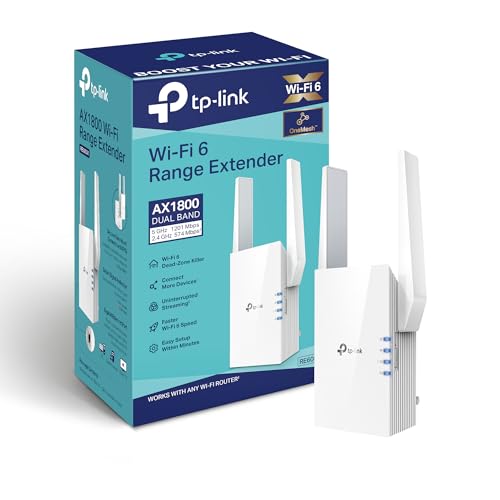
TP-Link AX1800 WiFi 6 Extender (RE605X) — AP mode flexibility
The RE605X shares the AX1800 class with the RE615X and distinguishes itself in the title’s details: coverage stated up to 1,500 square feet across 30 devices, a gigabit port specified outright, and an AP mode that the neighbouring picks’ titles do not advertise. AP mode matters to streaming more than it first appears. Where a network cable already reaches the streaming room — a wired house, a powerline adapter’s port, a long run installed years ago — an extender in AP mode becomes a full-strength access point, its backhaul freed from the air entirely, and the room’s streaming inherits wired steadiness end to end.
As a wireless extender it is the most modestly specified of the Wi-Fi 6 trio, with the smallest stated coverage and device figures — numbers that describe a single room’s duty honestly rather than a whole home’s. Its gigabit port is specified where the RE615X’s is not, which suits the wired-television strategy with no ambiguity. The pick’s portrait is a room with a cable, or a room of ordinary size with a television that deserves wiring: in both, its specification is complete, and the flagship’s headroom would go unused.
- Wireless class stated in title: AX1800 Wi-Fi 6, up to 1.8Gbps
- Ports stated in title: gigabit port
- Coverage stated in title: up to 1,500 square feet
- Device count stated in title: 30 devices
- Mode stated in title: AP mode
- Role stated in title: dual-band repeater
Strengths
- AP mode converts any available cable into a full-strength streaming access point.
- The gigabit port is specified in the title, suiting the wired-television strategy.
- Honestly sized coverage for the single-room duty it is bought for.
Trade-offs
- Smallest stated coverage and device ceiling among the Wi-Fi 6 picks.
- EasyMesh is not claimed in this title, unlike its TP-Link siblings.
- Its advantages assume a cable or a modest room; large dead zones want the bigger siblings.
Best for: a buyer seeking a streaming room fix where a cable exists, or a single television wired through a gigabit port. Not suited for: a buyer seeking the widest wireless coverage from one extender across several rooms.

Linksys RE9000 AC3000 Tri-Band Wi-Fi Extender — Media-stack wiring
The RE9000 is the elder design in this roundup and still the most specialised streaming instrument in it. Its title states the two features that define it: an AC3000 tri-band architecture and four gigabit Ethernet ports, working with any Wi-Fi router. Tri-band gives the extender’s conversation with the router a lane of its own, separate from the bands serving the room — the architectural answer to the shared-airtime tax that dual-band extenders pay — and four ports wire the whole media stack at once: television, console, streaming box and recorder, each on cable, each immune to the room’s wireless weather.
There is a longevity argument for this design that newer picks cannot make. A media stack changes slowly — televisions, consoles and recorders live in a room for years — and an extender whose contribution is ports and a dedicated backhaul lane does not date the way a radio generation dates. The RE9000 installed behind a media cabinet in a Wi-Fi 5 household will be doing precisely the same useful work in five years, because the work was never about the newest standard; it was about removing wireless hops from the devices that suffer most visibly from them. In a category that refreshes annually, that durability of purpose is a genuine distinction.
For a dedicated cinema room or a living room where the screen is the household’s centre, that combination remains formidable despite the design’s Wi-Fi 5 generation. Streaming steadiness is the product of dips avoided, and the RE9000 avoids them structurally on both hops: a dedicated backhaul lane across the house, then wire across the room. Its limits are generational rather than architectural — a household standardising on Wi-Fi 6 or 7 devices leaves those refinements unused — and physical, in that a four-port media hub assumes a room with a stack to wire. A single bedroom television does not need it. A media wall does, and has few alternatives like it.
- Wireless class stated in title: AC3000 tri-band
- Ports stated in title: 4 gigabit Ethernet ports
- Compatibility stated in title: works with any Wi-Fi router
- Coverage figure: Not stated in the listing title — verify with Linksys documentation
- Device count: Not stated in the listing title — verify with Linksys documentation
- Setup method: Not stated in the listing title — verify with Linksys documentation
Strengths
- Tri-band architecture dedicates a lane to the backhaul, streaming’s favourite arrangement.
- Four gigabit ports wire an entire media stack from one extender.
- Router-agnostic design suits any household’s existing equipment.
Trade-offs
- Wi-Fi 5 generation trails the Wi-Fi 6 and 7 picks for modern device refinements.
- No coverage or device figures are stated in the title to set expectations by.
- Its talents are wasted on a single small screen with nothing else to wire.
Best for: a buyer requiring a cinema room or media wall wired and steadied by one extender. Not suited for: a buyer seeking the newest Wi-Fi generation, or a one-television bedroom fix.
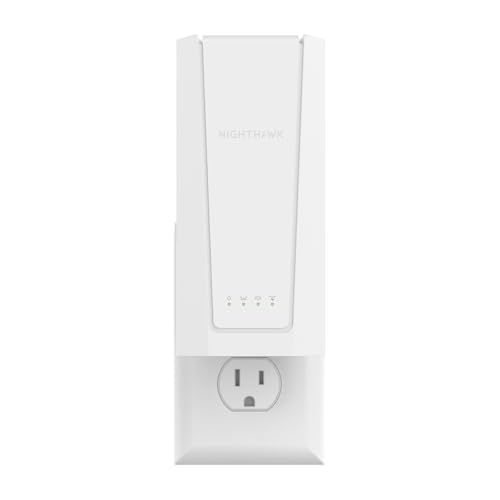
NETGEAR Nighthawk WiFi 7 Extender EXS27 — Newest generation
The EXS27 is the roundup’s glimpse of the category’s future: a Wi-Fi 7 extender whose title states up to 1,500 square feet of coverage, a 5 Gbps class, 45 devices, compatibility with any router, and a 2.5G Ethernet port under NETGEAR’s Nighthawk badge. For streaming, its significance is headroom in every direction at once — the newest airtime behaviour behind a Wi-Fi 7 router, and a wired port faster than gigabit for the television or box that anchors the room. Households that have already bought into Wi-Fi 7 at the router will find the extender that speaks the same language at full fluency.
The calibration is the familiar one. Behind an older router, the EXS27 performs extender duty at the older standard’s terms, and its premium buys future compatibility rather than present transformation. Its stated coverage is the joint-smallest here, describing a single room’s rescue rather than a whole floor’s, and its device ceiling sits mid-pack. This is a pick for the household whose network is already current-generation and whose streaming room is the last unfinished room — or for the buyer who replaces equipment rarely and prefers the extender to outlast the next router as well as the present one.
- Wireless class stated in title: Wi-Fi 7, BE5000, up to 5 Gbps
- Ports stated in title: 2.5G Ethernet port
- Coverage stated in title: up to 1,500 square feet
- Device count stated in title: 45 devices
- Compatibility stated in title: works with any router
- Setup stated in title: easy set up
Strengths
- The newest Wi-Fi generation with the fastest wired port in the roundup.
- Router-agnostic, so it can precede or follow a router upgrade gracefully.
- Nighthawk line positions it as the performance tier of its maker’s extenders.
Trade-offs
- Wi-Fi 7 benefits require a Wi-Fi 7 router to be fully realised.
- Stated coverage is single-room scale, the joint-smallest here.
- One port wires one device, despite the port’s speed.
Best for: a buyer seeking a current-generation extender for a Wi-Fi 7 household’s streaming room. Not suited for: a buyer seeking whole-floor coverage, or value behind an ageing router.
What Does Each Kind of Stream Actually Ask of the Network?
Not all streaming is one load, and the differences explain several otherwise puzzling experiences. A film from a major service is a buffered, one-directional flow that tolerates a great deal, provided the average delivery stays ahead of the playback and the dips stay short. Live sport is the same flow with a thinner cushion and a harder deadline — the buffer is smaller because the event is happening now — which is why the match buffers in houses where films never do. Live sport is therefore the honest stress test for any installation in this guide, and the wired-television strategy earns its keep most visibly on match days.
Video calling is streaming in both directions at once, with the upload path — historically the weaker half of home connections and of extender links — suddenly mattering as much as the download. A room used for calls as well as films asks the extender for symmetry and steadiness rather than peak download, and placement discipline matters correspondingly more. Cloud gaming is the strictest tenant of all: interactive, intolerant of latency variation, and unforgiving of the retransmissions a marginal link produces. It can be served well by the picks here — wired screen, strong link, faster band — and it will find any weakness the installation contains. Households should judge their extender by the strictest stream they actually run, not by the most forgiving one.
Music and radio streaming, by contrast, ask almost nothing — a trickle so light that any functioning extender carries it without noticing. Their inclusion in the mental census matters only at the aggregate level: a house alive with speakers in every room is still a house whose airtime is spoken for, and the busy-hour arithmetic of the flagship picks counts those small claims along with the large ones.
How Does the Router Behind the Extender Change the Result?
An extender amplifies the router’s situation as faithfully as its signal. A router marooned in a corner behind the television stand gives every extender a weakened starting position; moving the router to a central, elevated point — the cheapest network upgrade in existence, costing one cable’s rearrangement — can improve an extender’s results more than replacing the extender itself. Households should perform that rearrangement before judging any pick in this roundup, because several condemned extenders were innocent of everything except their feed.
The router’s generation sets the ceiling, as the FAQ notes, but its settings share the stage. A router clinging to a congested channel chosen years ago handicaps its extenders equally; modern routers and extenders negotiate channels automatically, and letting them — rather than locking a manual choice made in different conditions — is usually the wiser administration. Similarly, an internet tier that sags at the busy hour will sag through the finest extender unchanged. The diagnostic order in the final FAQ exists because streaming faults are distributed across the whole chain, and the extender, being the newest link, attracts blame out of proportion to its guilt.
How Do the Six Compare Side by Side?
| Pick | Class | Ethernet | Coverage in title | Devices in title |
|---|---|---|---|---|
| TP-Link RE550 | AC1900 dual band | Gigabit port | Up to 2,200 sq ft | 32 |
| TP-Link RE715X | AX3000 Wi-Fi 6 | Ethernet port | Up to 2,400 sq ft | 64 |
| TP-Link RE615X | AX1800 Wi-Fi 6 | Ethernet port | Up to 2,100 sq ft | 64 |
| TP-Link RE605X | AX1800 Wi-Fi 6 | Gigabit port, AP mode | Up to 1,500 sq ft | 30 |
| Linksys RE9000 | AC3000 tri-band | 4 gigabit ports | Not stated in the listing title | Not stated in the listing title |
| NETGEAR EXS27 | Wi-Fi 7 BE5000 | 2.5G port | Up to 1,500 sq ft | 45 |
Streaming’s priorities rearrange this table’s apparent order. The largest coverage figure and the fastest class are not the streaming virtues; the port column and the band architecture are. A household wiring its television through any row of this table has already secured most of the available improvement, and the remaining choice is about generation-matching with the router and the scale of the room. That is a calmer decision than the marketing suggests, and it can be made from the titles alone.
How Many Simultaneous Streams Can One Extender Carry?
More than intuition suggests, fewer than the device ceilings imply. A single high-quality stream is a modest and steady draw; the extender’s real budget is airtime, and airtime is spent by everything in the room and by the extender’s own backhaul conversation. In a dual-band extender working wirelessly, the backhaul and the room share the medium, so the practical capacity for simultaneous streams in the rescued room is a small handful of confident ones — two or three televisions and boxes streaming hard at once, with phones and laptops browsing around them — before contention starts taxing the dips. Wiring the main screen removes the largest single claim from that budget, which is yet another reason the port matters.
The class numbers scale this budget rather than transform it. The AX3000 flagship spends airtime more efficiently than the AC1900 design, particularly with many Wi-Fi 6 devices negotiating politely; the tri-band Linksys removes the backhaul from the shared budget altogether, which is why its older generation can out-serve newer dual-band rivals in a stack-heavy room. Households should therefore count simultaneous streams, not devices: a census of sixty idle gadgets costs the extender almost nothing, while four simultaneous evening streams through one wirelessly-fed unit is a genuine design load that deserves the flagship or the tri-band answer.
Extender or Mesh for a Streaming Household?
The boundary is the number of rooms and the movement between them. One streaming room with a defined screen is the extender’s home ground: a single unit, placed and wired as this guide describes, solves it completely and at a fraction of a system’s cost. Streaming that happens everywhere — the living room set, the kitchen display, the bedroom screen, the tablet carried between them — is mesh’s argument, because the household’s problem has become coverage and roaming rather than one room’s link. Several picks here straddle the boundary deliberately: the TP-Link models’ EasyMesh support lets an extender join a compatible mesh as the household’s ambitions grow, converting today’s purchase into tomorrow’s node rather than tomorrow’s clutter.
There is also a hybrid worth naming for the two-screen house. A powerline kit feeding the farther screen — covered in the neighbouring guide — plus one extender for the nearer room often beats two extenders negotiating with the same walls. The technologies are complements more often than rivals, and streaming, with its preference for wired steadiness, is the workload most likely to benefit from mixing them deliberately instead of doubling down on one.
Where Should a Streaming Extender Be Placed?
At the edge of the router’s strength, not at the centre of the room’s weakness. The extender must first hear the router clearly — the apps named in several titles grade exactly this — and only then does its own coverage of the streaming room matter. In practice the winning socket is often in a hallway, a landing or the doorway side of the room, elevated and unobstructed, rather than behind the television where instinct puts it. Behind the television is, not coincidentally, one of the worst radio positions in any home: low, shielded by the panel, surrounded by cables and metal.
The wired-hop strategy refines the geography further. If the television is to be cabled to the extender, the extender belongs within a cable’s tidy reach of the screen while still standing in good router signal — a negotiation between the two positions that usually resolves to the room’s router-facing corner or the unit beside the media cabinet. Run the cable along the skirting rather than across the floor, test the stream at the household’s busiest hour, and only then declare the installation finished. A placement proven at nine in the evening has been proven; a placement proven at noon has been introduced.
How Should an Installation Be Tested Before the Big Night?
Rehearse the exact performance. The test that predicts a successful film night or cup final is a rehearsal under identical conditions: same hour, same room, same screen, same service, with the household’s other evening loads running — the other television on, the console awake, the phones at their usual work. Run the strictest available content: live sport if that is the household’s religion, the highest-quality film stream otherwise. Watch for the two symptoms in their order of appearance — softness first, as the service trades quality for continuity, then the wheel itself. Softness alone means the installation is close and a placement adjustment may finish it; the wheel means the link needs the fuller remedies of placement, wiring or class.
Change one variable at a time during the rehearsal period. Move the extender a socket closer to the router and re-run the same scene; wire the screen and re-run it again. Streaming faults are unusually diagnosable because the content is repeatable — the same match segment, the same film passage — and methodical testing over two evenings teaches more about a home network than any amount of specification reading could. Keep the winning arrangement’s details noted somewhere; installations drift when sockets are borrowed and furniture migrates, and the note converts a future regression from a mystery into a restoration.
What Settings and Habits Keep Streams Smooth?
One setting question recurs often enough to settle here: whether the extender should rebroadcast on the same channels it receives. In the dual-band designs dominating this roundup, the cleaner arrangement lets the extender receive on one band and serve the room substantially on the other where the design supports it, separating the two conversations. Where the model instead repeats on the same band, placement quality matters even more, since the same airtime is spent twice. The apps guiding these units make the sensible arrangement the default in most cases; the household’s task is to avoid overriding defaults in search of numbers, and to judge by the rehearsal method instead.
Keep the stream on the faster band. Dual-band extenders present both bands, and the 5GHz band — shorter-ranged but far less crowded — is where a television’s traffic belongs when the extender is sensibly placed; the 2.4GHz band is the fallback for distance, with a steadiness cost. Where the extender offers band steering or a single combined name, let it steer; where the names are separate, choose deliberately rather than by whichever the television found first during setup.
Channel conditions deserve one pass of attention in dense neighbourhoods. Where many networks overlap — flats and terraces especially — the extender and router negotiating their channels automatically will usually find the quietest arrangement available, and the negotiation deserves a day to settle before being judged. A manually locked channel should be revisited when a neighbour’s new router arrives on the same frequency; yesterday’s quiet channel is a perishable fact. None of the titles in this roundup advertises manual channel control as a feature, which reflects the category’s correct instinct: for streaming steadiness, automatic negotiation by current equipment beats a forgotten manual setting almost every time.
Household habits matter at the margin. Large downloads and cloud backups scheduled for the small hours stop competing with the evening’s viewing; a console updating a game at eight in the evening is a self-inflicted dip. None of this requires vigilance — most devices and services allow scheduling once — but the household that notices its buffering keeps a calendar-shaped pattern has found a free fix. Firmware updates for the extender itself belong in the same set-and-forget category: applied occasionally, at a quiet hour, they keep the radio’s behaviour current with the maker’s corrections.
Does the Television’s Own Hardware Change the Answer?
Frequently, and it is the variable households most often overlook. Televisions are designed around their panels; their network hardware is an afterthought in many models, with modest radios tucked behind a large metal-backed screen that shadows them from the room. Two televisions in the same room, fed by the same extender, can behave entirely differently — the newer set sailing, the older one dipping — and the difference is in the sets, not the network. This is the deepest argument for the wired hop: a cable into the television’s Ethernet port bypasses its wireless compromises entirely, and televisions’ wired ports, while rarely fast, exceed any stream’s requirements with room to spare.
Streaming sticks and boxes rearrange the problem helpfully. A small modern streamer plugged into the television brings a current radio and current software, and it can be positioned — on a short extension, away from the panel’s shadow — more favourably than the set’s own internals. Households keeping an older television for its picture can therefore modernise its streaming brain independently, and the combination of a current streamer, wired where the extender’s port allows, is the most cost-effective streaming rescue in this entire guide. The extender’s job then narrows to what it does best: one strong link to the router, delivered to a port or a well-placed small radio.
What Mistakes Sabotage Streaming Extenders?
Placing the extender inside the dead zone leads the list, as it does in every extender category: the unit faithfully amplifies a poor link, and the stream inherits every dip. The second mistake is wireless television by default — never trying the cable the extender’s port offers, and blaming the service for the television’s own radio. The third is judging the installation at a quiet hour, then discovering the busy hour’s verdict during the season finale.
A related error is over-extending a success. The first extender cures the living room so completely that a second is bought for the bedroom and chained from the first, then a third contemplated for the study. Each link in such a chain pays the airtime tax again, and the far rooms end up worse served than a single well-placed unit or a proper mesh would have managed. Extenders are soloists. The moment a household needs a choir, the mesh guide is the right chapter, and several picks here can join that choir later through their EasyMesh support rather than being discarded.
A fourth mistake is generation vanity in both directions: buying Wi-Fi 7 to extend a Wi-Fi 5 router and expecting transformation, or refusing a Wi-Fi 6 extender for a Wi-Fi 6 household on the grounds that the old one still lights up. A fifth is stacking solutions — an extender extending another extender — which compounds the airtime tax until the stream pays it all. One extender, well placed, with the screen wired where possible, is the architecture every pick in this roundup was designed for.
What About Temporary and Rented Streaming Setups?
Extenders are the most portable network equipment a household owns, and streaming in temporary homes — rentals, student houses, a season in a relative’s annexe — is where that portability pays. Nothing in this roundup requires drilling, cabling through walls or the landlord’s cooperation: a socket at the signal’s edge, a short cable to the screen, and the room streams. The discipline of this guide travels with the equipment, and the app-graded placement takes minutes in a new floor plan. Households in transition should favour the mid-tier picks, whose completeness survives any ordinary room, over the specialists — the tri-band media hub assumes a stack and a settled room, and the Wi-Fi 7 unit assumes a router generation a temporary home may not have.
The same portability argues for keeping the box and the receipt discipline simple: one extender, known to work, becomes part of the household’s permanent kit, deployed wherever the screen lands for the next several years. Streaming hardware ages slowly — a film’s demands next year will resemble this year’s — so a well-chosen extender from this set is a long-lived answer rather than a stopgap, in the temporary home and in the settled one alike.
Final Recommendation
A final word on proportion. Streaming is the workload where networking money shows its results most theatrically — the wheel either spins or it does not — and that theatre tempts households into flagship purchases for rooms that needed placement and a cable. Spend first on position, which is free; second on the wired hop, which costs a cable; and only then on class. The picks below are ordered so that each budget finds its honest stopping point, and the most expensive unit here is the right buy only for the households its section describes.
Wire the screen, place the extender at the signal’s edge, and match the generation to the router. On that recipe, the RE715X is the comprehensive modern choice for a busy Wi-Fi 6 household, the RE615X its proportionate sibling for the single streaming room, and the RE605X the pick where a cable already reaches the room. The RE550 serves Wi-Fi 5 households with the largest stated coverage here, the Linksys RE9000 remains the media wall’s specialist with its tri-band design and four wired ports, and the EXS27 carries Wi-Fi 7 households into the newest standard. Streaming does not ask for the fastest network in the street; it asks for two unbroken hours — and every pick above, placed with discipline, delivers them.
Frequently Asked Questions
Does a streaming extender need to match the router’s Wi-Fi generation?
It works across generations, but it performs at the older partner’s standard. A Wi-Fi 6 extender behind a Wi-Fi 5 router behaves as a Wi-Fi 5 link; the reverse pairing behaves the same way. Matching generations — Wi-Fi 6 with Wi-Fi 6, the EXS27 behind a Wi-Fi 7 router — is how the refinements in these titles are actually realised.
Why does wiring the television to the extender help so much?
It removes the weakest radio in the chain. Televisions and boxes often have modest Wi-Fi hardware in poor positions — low, behind panels, inside cabinets. Cabled to the extender, the screen’s traffic crosses only the extender’s stronger, better-placed link to the router. One wireless hop instead of two is the most reliable anti-buffering step available.
Is dual band enough, or is tri-band worth it for streaming?
Dual band suffices for the great majority of streaming rooms, especially with the screen wired. Tri-band, as in the Linksys RE9000, earns its premium where several streams and devices share the extender and the backhaul would otherwise compete with them — the media wall rather than the bedroom television.
How far from the router should the extender sit?
Within the router’s clearly good signal — the setup apps in these titles grade the link and warn when a position is too distant. A useful rule is halfway to the streaming room as a starting point, adjusted by the app’s verdict and by the need to stay within a cable’s reach of the screen if the wired strategy is used.
Can one extender serve two streaming rooms?
Only where both rooms fall inside its genuine coverage with strong signal — usually adjacent rooms around a central placement. Two serious streaming rooms at opposite ends of a house deserve either an extender each, a mesh system, or a powerline route to the farther room; a single extender stretched across both tends to serve each at the busy hour’s mercy.
Does a faster internet tier fix buffering?
Only where the tier was the constraint. Most streams need a modest, steady rate that mainstream tiers already exceed; buffering in a far room is usually the local link’s dips, not the service’s ceiling. Upgrading the tier without touching the extender’s placement is the expensive way to discover this — the dips survive the upgrade untouched, because they were never the internet’s fault.
Is a separate extender better than moving the router for streaming?
Moving the router is free and should be tried first: a central, elevated router position improves every room at once and may cure the streaming room outright. The extender earns its purchase where the router cannot move — the service enters at the wrong corner, the household’s wired devices anchor it — or where one distant room remains weak after the router’s best placement. The two remedies also combine well, and the extender’s app grading will show the improvement the router’s move delivered.
Should the extender’s network name match the router’s?
A single name lets devices choose and simplifies life, and the EasyMesh models here can coordinate that properly with a compatible router. Separate names give the household manual control — the television can be pinned to the extender deliberately — at the cost of devices needing introduction. For a fixed streaming room, pinning the screen to the extender under either naming scheme is the behaviour that matters.
What if the stream still buffers after a good installation?
Work outward from the screen: confirm the television is on the extender’s faster band or wired, test at the busy hour, check the extender’s link grade in its app, and test the internet service itself at the router with a wired device. Buffering that survives all four checks is the service or the subscription tier speaking, not the extender.
Related Guides
Streaming is one workload among several a home network carries; the neighbouring guides cover mesh extenders for whole-home roaming coverage, powerline range extenders for rooms radio cannot reach and wireless extenders for comcast xfinity internet and its gateways.


