What's inside
- Key Takeaways
- Quick Picks
- How Did We Sort Systems From Add-Ons in This Guide?
- What Actually Makes Mesh Different From an Extender?
- How Does Roaming Behave in Daily Life?
- What Should Happen to the Old Router and the Modem?
- How Do Security, Guests and Controls Work Across a Mesh?
- How Do the Six Compare Side by Side?
- What Do the Class Numbers — AX3000, BE3600, AC1900 — Actually Mean?
- Is It Better to Buy a Full Pack or Grow Unit by Unit?
- Where Should Mesh Units Be Placed?
- What If a New Mesh Still Disappoints?
- What Mistakes Do Mesh Buyers Make Most Often?
- When Is Mesh the Wrong Route Entirely?
- Final Recommendation
- Frequently Asked Questions
- Related Guides
As an Amazon Associate I earn from qualifying purchases. This post may contain affiliate links at no extra cost to you.
gizmoverdict.com is reader-supported. When you buy through links on our site, we may earn an affiliate commission.
Where to buy: Every product below links to a listing verified in this site’s product pool. This shelf mixes complete mesh systems with add-on nodes, and the difference decides whether a purchase works at all — each pick is labelled with what it is, and the two add-ons carry their conditions in their headlines, not in fine print.
The best mesh extenders answer a frustration that a single router cannot fix: a home where the signal is strong in one room and apologetic in the next, where calls drop on the stairs and the far bedroom negotiates with the network like a distant relative. Mesh replaces the lone router’s single shout with a team of radios placed through the house, passing devices between them and presenting one network name from the front door to the garden fence. Done well, the experience stops being about signal bars entirely and becomes about rooms simply working.
This roundup deliberately contains three different species that the shops shelve together. Four picks are complete mesh systems — router and satellites in one box — that replace an existing router outright. One pick, the eero 6 unit, is an add-on that only extends an eero system already in the house; its title says so in so many words. One pick, the ASUS RP-BE58, is a range extender with a second life as a mesh node for ASUS AiMesh routers, and its title claims it works with any Wi-Fi router in its extender role. Treating these as interchangeable is the category’s standard expensive mistake, so the guide keeps the species separate from the first table to the last verdict.
Coverage figures deserve their usual translation before the picks begin. The square-foot numbers in the titles — 6,000, 6,500, 5,500, 2,100, 1,500 — are measured in favourable construction and describe the system’s total footprint when its units are placed well. Dense walls, floors with underfloor heating, foil insulation and metalwork all tax those figures, and placement taxes or redeems them further. The sections after the picks cover placement, backhaul and the honest meaning of the numbers, because a mesh system is one of the few networking purchases where the installation genuinely is half the product.
Key Takeaways
- Four picks here are complete systems that replace a router; two are add-ons that extend a specific existing system and are useless purchases without it.
- The eero 6 unit’s title states the condition outright: a required eero mesh system is not included.
- The ASUS RP-BE58 works as an extender with any router per its title, and as an AiMesh node only inside the ASUS ecosystem.
- Ethernet backhaul — named in both Deco systems’ titles — is the single biggest quality upgrade a mesh can receive, turning wireless relays into wired ones.
- Square-foot title figures assume favourable construction and good placement; thick-walled homes should read them as ceilings, not promises.
- Wi-Fi generation spreads from AC1900 Wi-Fi 5 to Wi-Fi 7 across the six picks, and the right tier depends on the internet service and devices the home actually has.
Quick Picks
| Pick | Badge | Why it is here |
|---|---|---|
| NETGEAR Orbi 370 Series WiFi 7 Mesh System, 3 Pack | Wi-Fi 7 flagship system | A router plus two satellites covering up to 6,000 square feet per its title, with up to 5 Gbps class service, 70 devices and a 2.5 gig port. |
| TP-Link Deco X55 AX3000 Mesh System, 3-Pack | Backhaul-ready workhorse | Wi-Fi 6 coverage up to 6,500 square feet, three gigabit ports per unit and stated Ethernet backhaul support. |
| TP-Link Deco S4 Mesh AC1900 System, 3-Pack | Value whole-home set | Up to 5,500 square feet of dual-band mesh with gigabit ports, replacing router and extender in one coordinated set. |
| Amazon eero 6 Mesh WiFi Add-On Extender | eero homes only | Adds up to 1,500 square feet of Wi-Fi 6 coverage to an existing eero mesh — which its title notes is required and not included. |
| ASUS RP-BE58 BE3600 WiFi 7 Range Extender | Extender with mesh second life | A dual-band Wi-Fi 7 extender that works with any router, and joins ASUS AiMesh systems as a node where one is present. |
| TP-Link Deco X15 AX1500 Mesh System, 1-Pack | Small-home starter | A single-unit Wi-Fi 6 Deco covering up to 2,100 square feet, with two gigabit ports and Ethernet backhaul, expandable later. |
How Did We Sort Systems From Add-Ons in This Guide?
The first act of judging was taxonomy. Each product was classified by what its listing title actually describes: a system whose box contains a router unit, an add-on whose box contains only a node, or an extender that can moonlight as a node. That classification is printed beside every pick in this guide, because the costliest mesh mistake is categorical — a node bought to start a network, or a second incompatible system bought to extend the first. Mesh families do not interoperate as mesh, whatever their individual Wi-Fi standards say, and the titles here were read with that rule held firmly in mind.
The second act was reading the wired story. Mesh quality is decided largely by how the units talk to each other, and the titles reveal more than most buyers notice: the Deco X55’s three gigabit ports per unit and explicit Ethernet backhaul support, the X15’s two ports and the same backhaul statement, the Orbi’s 2.5 gig port. Ports are options — for backhaul, for a wired desk, for a television that would rather be cabled — and a system generous with them stays flexible as a home’s needs rearrange themselves.
Finally, generations were weighed against honesty rather than novelty. Wi-Fi 7 appears twice in this roundup, in a full system and in an extender, and it brings real advances for homes with current devices and fast internet. But the AC1900 Deco S4 remains in the set on merit: for a household on a modest internet tier with ordinary devices, a mature Wi-Fi 5 mesh placed well will feel identical to a flagship system in daily use, and the difference in the budget can buy the Ethernet cable that improves any mesh more than a radio generation does.
What Actually Makes Mesh Different From an Extender?
A conventional extender creates a second network that happens to relay the first. Devices must be handed between the two — often clumsily, sometimes not at all — and the extender spends half its airtime repeating. A mesh system is designed from the start as one network with several radios: a single name, a single password, coordinated decisions about which unit each device should use, and traffic routed between units over a dedicated or shared backhaul. The user-visible difference is movement. Walking a call from the kitchen to the attic crosses extenders like borders and crosses mesh like rooms in one house.
The backhaul is the mesh’s internal conversation, and it explains most of the performance spread between systems. Where units relay wirelessly, they share spectrum with the devices they serve, and each hop costs something. Where Ethernet backhaul is available — stated in both Deco titles here — the internal conversation moves to wire, the wireless spectrum serves only devices, and the far unit performs like a router in its own right. This is why the placement and cabling sections of this guide matter as much as the product sections: the same system can be mediocre wirelessly relayed or excellent wired, and the difference is a cable.
There is a subtler difference in how the two approaches age. An extender household accumulates exceptions over the years: the network with the suffix for upstairs, the printer that only appears on one of them, the streaming stick that must be told which name to join. Each exception is small, and together they make the network a piece of household folklore that one person understands. A mesh household accumulates nothing of the kind, because there is only ever one network to understand. That administrative tidiness, more than any roaming demonstration, is what converts most households permanently.
Mesh also changes failure and growth. A dead extender orphans its corner of the house; a mesh usually routes around a failed unit at reduced coverage. Growth is modular within a family: the single-unit Deco X15 in this roundup is explicitly the start of a system its owner can extend with more Deco units, and the eero add-on exists purely as growth for an installed base. The corresponding trap is that growth stays inside the family — a fact the add-on picks’ sections state as plainly as their titles allow.

NETGEAR Orbi 370 Series WiFi 7 Mesh System, 3 Pack — Wi-Fi 7 flagship system
The Orbi 370 is the flagship proposition in this roundup: a Wi-Fi 7 mesh system whose title describes a router plus two satellite extenders covering up to 6,000 square feet, offering up to 5 Gbps class service and capacity for 70 devices, with a 2.5 gig port and security features included. It is aimed at the household that wants the current generation bought once and forgotten — fast internet service, recent phones and laptops, a houseful of streaming and calls — and it carries the Orbi line’s traditional emphasis on a strong dedicated relationship between its units.
Dual-band is the detail in its title worth pausing on. Some Wi-Fi 7 systems add a third band; the 370 works with two, which keeps the design simpler and places more weight on placement and on that 2.5 gig port for wired duties. The 70-device figure should be read as a connection ceiling comfortably above a busy smart home’s census, not as an invitation to test it. For a large home on a fast fibre tier, this is the pick that treats the internet connection as the only remaining bottleneck, which is exactly what a flagship should do.
- Contents stated in title: router plus 2 satellite extenders, 3 pack
- Wireless generation stated in title: Wi-Fi 7, dual-band
- Coverage stated in title: up to 6,000 square feet
- Speed class stated in title: up to 5 Gbps
- Device count stated in title: 70 devices
- Ports stated in title: 2.5 gig port
Strengths
- The most current radio generation in a complete, three-unit system.
- Coverage and device figures are sized for large, busy, multi-storey homes.
- A 2.5 gig port gives fast wired devices and future internet tiers a proper doorway.
Trade-offs
- Dual-band design leans on placement where tri-band rivals lean on a dedicated relay band.
- Wi-Fi 7 headroom is wasted on homes with slow internet and older devices.
- Three units is the whole prescription; very large or awkward homes may still want a fourth.
Best for: a buyer requiring a current-generation system for a large home on a fast internet tier, bought as a finished answer. Not suited for: a buyer requiring a small flat solution, or an extension to an existing non-Orbi mesh.

TP-Link Deco X55 AX3000 Mesh System, 3-Pack — Backhaul-ready workhorse
The Deco X55 is the engineer’s favourite in this set, because its title advertises the unglamorous things that decide mesh quality over years: AX3000 Wi-Fi 6 coverage up to 6,500 square feet from three units, three gigabit ports on every unit, and explicit support for Ethernet backhaul. That port count is a philosophy. Each satellite can wire a desk, a television and still keep a port in reserve, or take a backhaul cable and free the wireless spectrum entirely — flexibility that survives rearranged furniture, new jobs and teenagers becoming streamers.
As a system it replaces the router outright, and its coverage figure is the largest in this roundup, to be read with the usual discount for construction. Wi-Fi 6 sits in the practical sweet spot for most homes buying now: every current device speaks it, the radios are mature, and the AX3000 class comfortably exceeds the internet tiers most households actually subscribe to. A home that wires even one of the two satellites — the far one, ideally — will feel the backhaul difference more than any specification gap between this system and the Wi-Fi 7 flagship above it.
- Contents stated in title: 3-pack system
- Wireless class stated in title: AX3000, Wi-Fi 6
- Coverage stated in title: up to 6,500 square feet
- Ports stated in title: 3 gigabit ports per unit
- Backhaul stated in title: supports Ethernet backhaul
- Role stated in title: replaces wireless router and extender
Strengths
- Three gigabit ports per unit is the most flexible wired story in this roundup.
- Stated Ethernet backhaul support lets the system grow from good to excellent with one cable.
- The largest stated coverage figure, from a mature and widely understood platform.
Trade-offs
- Wi-Fi 6 trails the Wi-Fi 7 picks for the newest devices and fastest tiers.
- Gigabit ports cap wired backhaul below the Orbi’s 2.5 gig doorway.
- Its talents are partly potential: a home that never wires anything uses a fraction of the design.
Best for: a buyer seeking a whole-home system with the ports and backhaul support to be wired properly over time. Not suited for: a buyer seeking a single-room solution, or an add-on for an existing non-Deco network.
TP-Link Deco S4 Mesh AC1900 System, 3-Pack — Value whole-home set
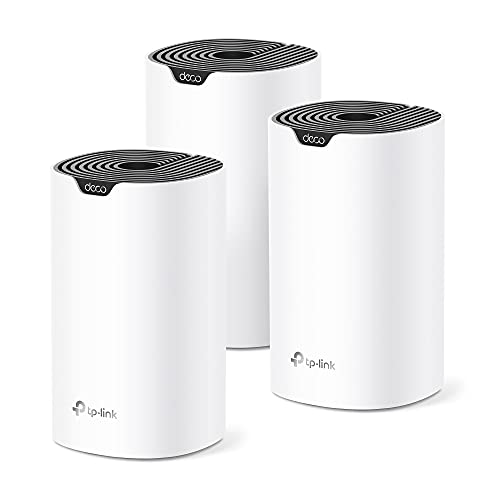
The Deco S4 is the elder statesman of the roundup and the value argument in physical form: a three-pack AC1900 mesh covering up to 5,500 square feet, with gigabit ports and voice-assistant compatibility, replacing router and extender as one coordinated system. Its Wi-Fi 5 radios are a generation or two behind the headliners, and this guide will not pretend otherwise. The case for it rests on what most homes actually contain: an internet tier well inside AC1900’s capacity, a device fleet of mixed ages, and dead zones that are a placement problem rather than a speed problem.
For that household, the S4’s three coordinated units cure the actual complaint — rooms that drop, stairs that stall calls — at the gentlest budget in this set, and the money not spent can fund the Ethernet run that lifts any mesh. Its limits appear where a household’s demands have already outgrown it: a gigabit internet tier will be trimmed by its radios at the busiest moments, and a home dense with Wi-Fi 6 and 7 devices leaves their advantages unused. Judged as the answer to “the Wi-Fi does not reach”, rather than “the Wi-Fi is not fast enough”, it remains a rational, complete purchase.
- Contents stated in title: 3-pack system
- Wireless class stated in title: AC1900 mesh
- Coverage stated in title: up to 5,500 square feet
- Ports stated in title: gigabit ports
- Role stated in title: replaces Wi-Fi router and extender
- Extras stated in title: works with Alexa
Strengths
- A complete three-unit mesh at the most accessible tier in this roundup.
- Coverage figure remains generous for ordinary family homes.
- Mature platform with simple setup, suited to households that want Wi-Fi handled quietly.
Trade-offs
- Wi-Fi 5 radios trim the benefit of the fastest internet tiers.
- Newer devices gain none of their Wi-Fi 6 or 7 refinements here.
- Gigabit ports are present, but per-unit port generosity is not detailed in the title.
Best for: a buyer requiring dead zones cured across a family home on a modest internet tier, at a contained budget. Not suited for: a buyer requiring a gigabit fibre tier delivered at full speed to the far corners.
Amazon eero 6 Mesh WiFi Add-On Extender — eero homes only
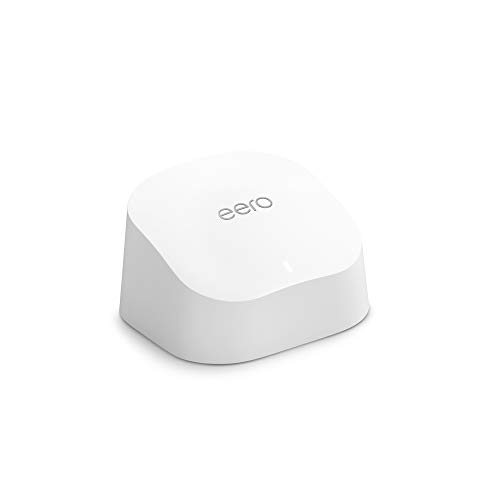
This is the pick whose condition matters more than its specification, and its listing title is admirably blunt about it: an eero 6 mesh Wi-Fi add-on extender that adds up to 1,500 square feet of Wi-Fi 6 coverage, with a required eero mesh system not included. Read that last clause as the product. This unit contains no router and starts no network. Plugged into a home without eero, it is a paperweight with a status light. Plugged into an eero household, it is the simplest coverage purchase in this entire roundup: adopt it in the app, place it in the weak room, and the existing network grows by a room or two.
Within its ecosystem, the proposition is genuinely good. Eero’s appeal has always been administrative minimalism, and an add-on that inherits the network’s name, password and settings without a single decision is that philosophy in a box. The 1,500-square-foot figure describes the increment it adds, which in practice means the dead bedroom, the home office in the extension, the nursery at the end of the hall. Households running eero should buy this without a second thought when a room needs help; households running anything else should not buy it at all, and this guide’s verdict lines below are written to make that fork impossible to miss.
- Role stated in title: add-on extender for eero mesh
- Condition stated in title: required eero mesh wifi system not included
- Coverage stated in title: adds up to 1,500 square feet
- Wireless generation stated in title: Wi-Fi 6
- Router function: none — this unit cannot start a network
- Ports: Not stated in the listing title — verify with Amazon documentation
Strengths
- The simplest possible expansion for an existing eero home — no settings, no new network.
- Wi-Fi 6 increment matches the generation of the systems it extends.
- A single room’s worth of coverage is honestly sized for the add-on job.
Trade-offs
- Absolutely dependent on an existing eero system; it has no standalone function whatsoever.
- One unit covers one problem area, so multi-room dead zones need multiples or a system rethink.
- It locks the household’s expansion path further into a single ecosystem.
Best for: a buyer requiring one weak room fixed inside an existing eero mesh, with zero configuration appetite. Not suited for: a buyer seeking a first router, a starter mesh, or an extension for any non-eero network.

ASUS RP-BE58 BE3600 WiFi 7 Range Extender — Extender with a mesh second life
The RP-BE58 occupies the most interesting middle ground in this roundup. Its title describes a BE3600 dual-band Wi-Fi 7 range extender and AiMesh extender for seamless mesh Wi-Fi, which works with any Wi-Fi router. Both halves of that sentence are true, and they describe two different products in one housing. As a universal extender, it pairs with an arbitrary router the conventional way — receiving the existing network and rebroadcasting it — with Wi-Fi 7 radios doing the work. As an AiMesh node, adopted into an ASUS AiMesh router’s system, it becomes a true mesh citizen with coordinated roaming and single-name behaviour.
The honest reading is that the second life is the better one. A household already running an AiMesh router gains a current-generation node that extends the real mesh, which is a stronger result than any universal extender can offer. A household with another brand’s router gains a capable modern extender — with the extender’s usual caveats about placement and shared airtime — and a reason to consider ASUS when the router is next replaced. What it is not is a system starter: like the eero add-on, it contains no router, though unlike the eero it can still earn its keep in front of any router as a plain extender.
- Wireless class stated in title: BE3600, dual-band Wi-Fi 7 (802.11be)
- Role stated in title: range extender and AiMesh extender
- Compatibility stated in title: works with any Wi-Fi router
- Mesh condition: AiMesh node behaviour requires an ASUS AiMesh router
- Coverage figure: Not stated in the listing title — verify with ASUS documentation
- Ports: Not stated in the listing title — verify with ASUS documentation
Strengths
- Wi-Fi 7 radios in a single-unit purchase, the cheapest current-generation entry in this set.
- AiMesh adoption turns it into a genuine mesh node for ASUS households.
- Universal extender mode keeps it useful in front of any other router meanwhile.
Trade-offs
- Its best behaviour is ecosystem-conditional, like the eero add-on’s.
- The title prints no coverage figure, so its reach should be assumed modest until tested in place.
- As a plain extender it inherits the mode’s shared-airtime limits.
Best for: a buyer seeking a Wi-Fi 7 node for an existing AiMesh system, or a modern extender with a mesh future. Not suited for: a buyer seeking a complete network in one box, or coordinated mesh behaviour behind a non-ASUS router.

TP-Link Deco X15 AX1500 Mesh System, 1-Pack — Small-home starter
The X15 single-pack is the modest beginning this category needs more of: one Deco unit, AX1500 Wi-Fi 6, covering up to 2,100 square feet per its title, with two gigabit ports and Ethernet backhaul support, replacing router and extenders for a flat, a small house or the near half of a larger one. A single mesh unit is not a contradiction — it is a router that speaks mesh natively, ready to adopt siblings the day a dead corner is discovered, rather than forcing a whole new system purchase at that moment.
That growth path is the pick’s real substance. Small homes change: a baby arrives, an office moves into the extension, a teenager colonises the attic. A conventional router meets each change with an extender of uncertain compatibility; the X15 meets it with another Deco, adopted into the same network with the same name. Its AX1500 class is the gentlest in the roundup and will trim a fast gigabit tier at peak moments, and its two ports ask for a small switch if the wired ambitions grow. As the foundation of a system bought in stages, though, it is the most financially honest way into mesh in this entire set.
- Contents stated in title: 1-pack single unit
- Wireless class stated in title: AX1500, dual-band Wi-Fi 6
- Coverage stated in title: up to 2,100 square feet
- Ports stated in title: 2 gigabit ports per unit
- Backhaul stated in title: supports Ethernet backhaul
- Role stated in title: replaces routers and extenders
Strengths
- A genuine mesh foundation at single-unit cost, expandable with any further Deco units.
- Ethernet backhaul support is present from the first unit, not reserved for bigger packs.
- Coverage is honestly sized for flats and small houses rather than inflated.
Trade-offs
- AX1500 is the roundup’s gentlest radio class and trims fast internet tiers.
- Two ports fill quickly once a desk and a television both want cable.
- One unit cannot perform mesh’s roaming trick until a second unit joins it.
Best for: a buyer seeking a small home covered now and a mesh that can grow unit by unit later. Not suited for: a buyer seeking multi-room roaming across a large house from a single box.
How Does Roaming Behave in Daily Life?
The promise of mesh is a call that survives the walk from the kitchen to the attic, and in practice the handover is a negotiation between the system and the device. The mesh units advertise themselves and suggest moves; the phone or laptop makes the final decision, and devices differ in temperament. Modern phones roam eagerly and well. Older laptops and many smart-home devices cling to a fading unit long past the point of sense — the sticky-client problem — and no mesh system can fully overrule a device that refuses to let go. Toggling such a device’s Wi-Fi off and on at its new location is the folk remedy, and it works because it forces a fresh, sensible choice.
Band behaviour shapes the experience further. A dual-band system like every pick here presents both bands under one name and steers devices between them: distant devices settle on the far-carrying band, near devices take the faster one. Good steering is invisible, which is the point — the household should notice nothing except the absence of the old rituals, the manual network-switching and the standing in one particular corner for calls. When evaluating any mesh after installation, that invisibility is the correct success metric, not a speed test performed beside a satellite.
What Should Happen to the Old Router and the Modem?
A complete mesh system replaces the router, and the old router’s retirement deserves a decision rather than a drawer. Some internet services arrive through a combined modem-router supplied by the provider; a mesh system usually connects to it best with the provider box set to pass the connection through, or with the mesh running the routing and the provider box demoted to modem duty. Running both as full routers stacks two layers of network management and causes a familiar family of mysteries — devices that cannot see each other, games and calls with inexplicable failures. One router brain per household is the rule, and every system pick here is designed to be that brain.
The modem itself stays whatever the mesh decision is, unless the service changes. This is also the moment to check the internet tier against the new system’s class with clear eyes. A household paying for a gigabit tier and installing the AC1900 Deco S4 will receive most of that tier near the router unit and less at the satellites at busy times — a reasonable trade at the S4’s tier, provided it is chosen knowingly. Conversely, a Wi-Fi 7 flagship fed by a slow rural connection will make the local network magnificent and the internet no faster at all. Mesh distributes; it does not create.
How Do Security, Guests and Controls Work Across a Mesh?
One network name across a house raises sensible questions about the people and devices sharing it. The system picks here are managed through their makers’ apps, and features such as guest networks, device lists and security functions — named in the Orbi 370’s title — live at that level. A guest network across a mesh is a genuinely useful thing: visitors receive internet everywhere in the house while the household’s own devices, drives and printers stay on the main network, unreachable. In an extender household that separation usually existed only near the router; mesh extends the courtesy to the whole property.
Smart-home devices deserve a census during setup. A large household can accumulate dozens of bulbs, plugs, cameras and speakers, and the device ceilings in the titles — 70 for the Orbi system — stop being abstract numbers at that point. Mesh helps such devices twice over: coverage reaches the garage door and the boiler cupboard where they live, and the system’s single network means a plug adopted in the kitchen stays adopted when it is moved to the shed. Households approaching a ceiling should count before they buy, because the count, once taken, is a hard fact rather than an estimate.
How Do the Six Compare Side by Side?
| Pick | Species | Generation | Coverage in title | Condition to know |
|---|---|---|---|---|
| NETGEAR Orbi 370, 3 Pack | Complete system | Wi-Fi 7 | Up to 6,000 sq ft | Replaces the router |
| TP-Link Deco X55, 3-Pack | Complete system | Wi-Fi 6 AX3000 | Up to 6,500 sq ft | Ethernet backhaul supported |
| TP-Link Deco S4, 3-Pack | Complete system | AC1900 | Up to 5,500 sq ft | Replaces the router |
| Amazon eero 6 add-on | Add-on node | Wi-Fi 6 | Adds up to 1,500 sq ft | Requires an existing eero system |
| ASUS RP-BE58 | Extender / AiMesh node | Wi-Fi 7 BE3600 | Not stated in the listing title | AiMesh behaviour needs an ASUS AiMesh router |
| TP-Link Deco X15, 1-Pack | Starter system | Wi-Fi 6 AX1500 | Up to 2,100 sq ft | Expands with more Deco units |
The species column is the one to read twice. Systems and add-ons sit in the same search results wearing similar language, and the price gap between them tempts exactly the wrong purchase. A node is cheaper than a system for the same reason a satellite speaker is cheaper than the amplifier: the expensive half of the job lives elsewhere. Every other column — generation, coverage, ports — only becomes meaningful after the species question is settled.
What Do the Class Numbers — AX3000, BE3600, AC1900 — Actually Mean?
The letters and numbers in these titles are a shorthand worth decoding once, because they recur across the whole category. The letters name the Wi-Fi generation the class belongs to: AC is Wi-Fi 5, AX is Wi-Fi 6, BE is Wi-Fi 7. The number is the sum of the theoretical maximum rates of all the unit’s bands added together, under laboratory conditions no home reproduces. AX3000 does not mean any device receives anything like that figure; it means the system’s total capacity, shared among every connected device and both directions of traffic, sits in that class.
Read as a capacity tier rather than a speed promise, the numbers become useful. A household’s real question is whether the class comfortably exceeds the sum of what the home does at once: the internet tier arriving at the router, the streams and calls in parallel, the local traffic between devices. AC1900 exceeds a modest tier’s demands with room to spare; AX3000 swallows a fast tier and a busy house; the BE classes add the newest refinements for current devices and the fastest services. Overshooting by one class is harmless headroom. Undershooting shows up exactly at the household’s busiest hour, which is why the census of devices and the honesty about the internet tier, both covered earlier, precede the class choice in any sane buying order.
Is It Better to Buy a Full Pack or Grow Unit by Unit?
Both strategies are legitimate, and the roundup contains the instruments of each. A three-pack — Orbi, Deco X55 or Deco S4 — suits the home whose dead zones are already mapped and miserable: one purchase, one setup afternoon, whole-home coverage by the evening, and pack pricing that usually treats the third unit kindly. It also suits households that value a finished project over an evolving one. The risk is over-buying for a home that two units would have covered, leaving a satellite with nothing to do but consume a socket.
Growing unit by unit — the Deco X15’s explicit invitation, and the eero add-on’s entire existence — suits the home whose needs are still arriving. Start with the router unit or the existing system’s spare capacity, add a node when a room’s purpose changes, and let the network’s shape follow the family’s. The discipline required is family loyalty: growth units must belong to the same system, which makes the initial family choice the consequential one. Households that expect to grow should therefore choose the starter by the ecosystem they want to inhabit in five years, not merely by the first unit’s specification.
Where Should Mesh Units Be Placed?
Mesh placement obeys one master rule: each unit belongs where it can still hear the previous unit clearly, while standing inside the area it must serve. That usually means roughly halfway between the router unit and the dead zone, in the open, at around waist-to-shelf height — not inside a cabinet, not behind the television, not on the floor behind a sofa. A satellite placed inside the dead zone itself has nothing worth relaying, which is the mesh version of the repeater’s oldest mistake, committed weekly in homes everywhere.
Before drilling or committing to positions, live with the system for an evening in draft placement — units resting on shelves and side tables, cables trailed where they must go. Walk the house with a call in progress and a stream running in the worst room, and let the apps report each link. Mesh placement is empirical: the floor plan proposes, but the building disposes, and an evening of experiment routinely finds positions — the landing niche, the hall console — that no amount of advance reasoning would have nominated. Only when the draft has survived a normal evening’s use should anything be fixed in place.
Vertical placement deserves thought in multi-storey houses. A unit directly above another talks through one floor well; a diagonal arrangement often crosses two floors and a stairwell’s worth of structure at the satellite’s position. Stairwells and halls are natural signal corridors, and placing units to exploit them — one at the stair head, one along the landing — routinely outperforms a geometric grid drawn on the floor plan. The app-guided placement tools in these systems report the link quality between units; treat a weak inter-unit link as a instruction to move the satellite closer, not as a verdict on the system.
Materials rewrite the map in older and denser construction. Foil-backed insulation, metal lath, thick masonry and underfloor heating all tax the inter-unit link, and in such homes the honest answer is often fewer wireless hops and more cable: Ethernet backhaul, stated in the Deco titles here, converts the weakest link of a difficult house into its strongest. A home that defeats wireless placement is not a failed mesh candidate — it is a wired mesh candidate, and the systems with ports and backhaul support are built for exactly it.
What If a New Mesh Still Disappoints?
Troubleshoot in the order the signal travels. First, the feed: test a wired device at the router unit and confirm the internet service itself is healthy, since a mesh faithfully distributes a bad connection to every room. Second, the inter-unit links: every system here reports how strongly its satellites hear the router unit, and a weak report is a placement instruction — move the satellite closer, higher, out of the cabinet, away from the metal appliance it was hiding behind. Most disappointing meshes are cured entirely at this step, without a single setting being changed.
Third, the environment. A satellite beside a microwave, a mirror-backed wardrobe, an aquarium or a foil-lined wall is fighting architecture, and small moves — a shelf along, the other side of the doorway — routinely transform its link. Fourth, the devices: one ancient laptop clinging to the far unit can make the whole system seem slow, when its other forty devices are perfectly content. Check the app’s device list, see where things have attached, and judge the mesh by its majority. Only after those four steps should settings, channels and resets enter the conversation — and by then, in most homes, they no longer need to.
There is also an honest terminal diagnosis: some homes exceed what wireless relaying can do, because of construction rather than equipment. Stone, earth-sheltered and metal-heavy buildings can tax every hop until the mesh is a chain of whispers. Those homes are the wired-backhaul cases the Deco systems are built for, or candidates for the powerline approach covered in a neighbouring guide, where the house’s own wiring carries the inter-unit conversation. Recognising that a home is in this class is not a defeat; it is the diagnosis that finally gets it covered.
What Mistakes Do Mesh Buyers Make Most Often?
The categorical mistake leads the list: an add-on bought as a starter, discovered at unboxing to contain no router at all. The eero unit’s title warns against it explicitly; read titles for the words “add-on”, “extender” and “system not included” with the seriousness they deserve. The second mistake is mixing families — a Deco satellite expected to mesh with an Orbi router, an AiMesh node expected to coordinate with a foreign system. Wi-Fi standards let them coexist as neighbours, never as teammates.
A related placement mistake deserves its own sentence: hiding units for tidiness. A satellite inside a closed cabinet, behind a row of books or under a metal side table loses a meaningful share of its voice, and mesh units are designed as furniture-neutral objects precisely so they can sit in the open. The household that cannot tolerate a small white unit on a shelf should choose the system whose appearance it minds least — and then still leave it uncovered, because no aesthetic preference survives contact with a buffering wheel.
The third mistake is buying coverage by arithmetic: dividing the home’s floor area by the title figure and ordering the quotient. Title figures assume the favourable construction described earlier, and a stone-walled house may need twice the units the arithmetic suggests, while an open-plan flat needs half. The fourth is neglecting the modem and the internet tier at the centre of it all — a mesh distributes the service it is fed, and no satellite upgrades the connection arriving at the router unit. Finally, the quiet mistake: scattering units without ever checking the inter-unit link quality the apps report, then blaming the system for a placement it was protesting all along.
When Is Mesh the Wrong Route Entirely?
Mesh is the best general answer to whole-home coverage, and it still has honest exceptions. A single difficult room beside an otherwise healthy router does not need a system; a well-placed extender — the ASUS pick in its universal mode, for instance — solves that narrower problem at narrower cost. A home whose wiring is modern and whose dead zone sits in a fixed place may be served better by powerline, which carries the network through the mains to a waiting access point and never negotiates with the walls at all. And a property whose problem is outdoors — the yard, the barn, the gate — belongs to the outdoor and bridge guides, where mesh is at most the indoor half of the answer.
Cost of ownership is the other exception worth stating. A mesh system is a small fleet of computers, updated and managed as one, and households that found a single router’s app annoying will find a system’s app ever-present — though the better systems, eero famously among them, are designed to be administered in minutes per year. The counterweight is that the fleet replaces a menagerie: the router, the extender with its second network name, the switch added in desperation. Most households that switch describe the simplification, not the specification, as the improvement they feel.
Renters form a final special case. A mesh asks for no cabling, no drilling and no landlord’s permission, and it packs into one box on moving day — a genuine advantage over every wired alternative. The Ethernet backhaul that this guide praises is an owner’s upgrade; the renter’s mesh, wirelessly relayed and thoughtfully placed, remains a complete and respectable answer, and the systems here were chosen to perform in that mode as their titles describe.
Final Recommendation
One closing observation from the category as a whole. Every product in this roundup, from the flagship system to the humblest add-on, is an attempt to make networking disappear — to reach the state where the household thinks about its Wi-Fi the way it thinks about its plumbing, which is to say only when something is wrong. The systems differ in generation, ports and price, but they converge on that destination, and the surest way to choose among them is to ask which one a particular home will think about least. For most homes that is the system matched to their size, their construction and — where one already exists — their ecosystem, installed with patience and then left entirely alone.
Start with the species question and the rest resolves itself. A household with no mesh should buy a system: the Orbi 370 for a large home on a fast tier that wants the current generation, the Deco X55 for the household that values ports and a wired future, the Deco S4 for dead zones on a modest tier, and the single Deco X15 where the home is small but the plans are not. A household with a mesh should buy its own family’s node — the eero add-on for eero homes, the RP-BE58 where an AiMesh router presides — and resist every cross-family bargain. Mesh is a team sport; the best extender is the one that was already on the team.
Frequently Asked Questions
Can mesh units from different brands work together?
Not as mesh. A Deco unit will not coordinate roaming or backhaul with an Orbi or eero system; at best, foreign units coexist as separate networks. Coordinated behaviour lives inside one family, which is why add-on purchases must match the system already in the house.
What is Ethernet backhaul and is it worth running cable for?
Backhaul is the traffic between mesh units. Run over Ethernet — supported by both Deco systems here, per their titles — it frees the wireless spectrum for devices and makes each satellite perform like a wired access point. In homes with thick walls or long distances between units, it is the single most effective upgrade available, worth more than a radio generation.
Does the eero add-on work as a router?
No. Its title states that a required eero mesh system is not included: the unit extends an existing eero network and cannot start one. A home without eero needs a complete system from the system picks in this roundup.
What happens when one mesh unit fails or is unplugged?
The system degrades rather than collapses. Devices served by the missing unit reattach to whichever surviving unit they can hear, at reduced signal, and the apps in these systems report the absence so it can be investigated. Coverage shrinks around the gap rather than vanishing across the house — one of mesh’s structural advantages over a single router, whose failure is total. A satellite knocked off a shelf by a cleaner is therefore an afternoon’s reduced coverage, not an emergency.
Should the mesh use the same network name as the old router?
Reusing the old name and password is the laziest and often the wisest setup choice: every device in the house rejoins the new system without being re-taught, from the printer to the doorbell. The exception is a household using the upgrade as a spring clean, retiring forgotten devices and changing a password that has been shared too widely. Either way, decide once at setup; renaming later means every device must be re-introduced individually.
How many mesh units does a home need?
Enough that each unit hears its neighbour clearly while standing inside the area it serves. The title coverage figures give a starting estimate for favourable construction; dense walls increase the count, open plans reduce it. Buying a system that can grow — one more unit of the same family — is safer than over-buying on day one.
Is Wi-Fi 7 mesh worth it over Wi-Fi 6?
For homes with a fast internet tier and current phones and laptops, Wi-Fi 7 systems such as the Orbi 370 offer real headroom and longevity. For a modest tier and a mixed device fleet, a Wi-Fi 6 system like the Deco X55 will feel identical in daily use, and its ports and backhaul support may matter more than the generation gap.
Do wired devices still matter in a mesh home?
Yes, and the port counts in the titles exist for them. A desktop, a games console, a television and a network drive all behave better on cable, and every wired device removes its traffic from the shared wireless spectrum, improving life for everything still wireless. The Deco X55’s three gigabit ports per unit make each satellite a small wired hub; the Orbi’s 2.5 gig port serves the fastest wired duties at the router. A mesh with generous ports is quietly two networks — a wired backbone where it matters and wireless everywhere else.
Can a mesh system be too powerful for a small home?
A three-pack in a small flat is not harmful, merely wasteful: units placed too close together hand devices between near-identical signals and consume sockets for no coverage gain. Small homes are the single-unit and add-on territory of this roundup — the Deco X15 alone, or one node added to an existing system — with growth available the day the home’s needs outgrow the arrangement.
Can the ASUS RP-BE58 extend a non-ASUS router?
Its title states that it works with any Wi-Fi router as a range extender, and in that role it behaves as a conventional — if modern — extender. Its AiMesh node behaviour, with coordinated mesh roaming, is reserved for homes running an ASUS AiMesh router.
Related Guides
Mesh is one route to whole-property coverage; the neighbouring routes are covered in our guides to outdoor range extenders for gardens and yards, powerline range extenders for homes where wiring beats radio and wifi range extenders for streaming in the far room.


