Our Top Picks



What's inside
- Why Composite Inputs Are Disappearing
- Composite, Component, S-Video, and Digital: An Honest Comparison
- Input Lag and Retro Gaming
- Native Composite Ports Versus Converter Boxes
- Panel Quality When the Source Is Standard Definition
- Sizing: Why Small Televisions Win This Category
- Setup, Cabling, and Signal Hygiene
- Durability, Repairability, and the Long View
- Regional Standards, Broadcast Variants, and Imported Hardware
- VCR-Specific Considerations: Tracking, Time Base, and Tape Condition
- Camcorders, Karaoke, and the Long Tail of Composite Sources
- How to Audition a Composite Television During a Return Window
- Care, Cleaning, and Keeping Analog Jacks Alive
- Check prices on Amazon
- Questions to Answer Before You Choose
As an Amazon Associate I earn from qualifying purchases. This post may contain affiliate links at no extra cost to you.
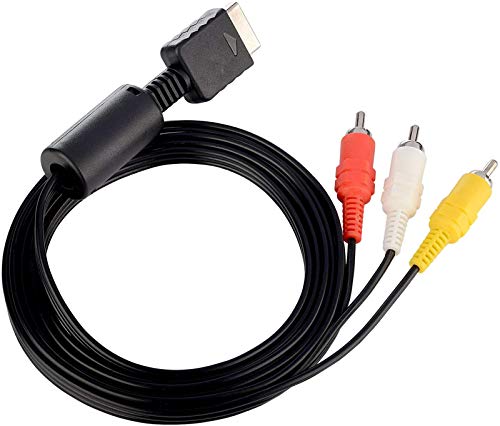
There is a particular frustration known to anyone who has carried a beloved old game console into a room with a brand-new television: the console has three round plugs, colored yellow, white, and red, and the television has nothing that accepts them. Composite video, the analog connection carried on that yellow plug, was the default way home electronics talked to televisions for decades. VCRs used it. DVD players used it. Camcorders, karaoke machines, early streaming boxes, and generations of game consoles used it. Modern televisions, however, have steadily deleted the port in favor of digital connections, leaving owners of older hardware with three options: find a television that still includes composite inputs, convert the signal to a digital format the new set accepts, or keep an aging secondary television alive purely for legacy duty. This guide examines the first option in depth and treats the other two honestly as context, drawing on published specifications, port documentation, and manufacturer manuals, so you can decide which route fits your room, your hardware collection, and your patience.
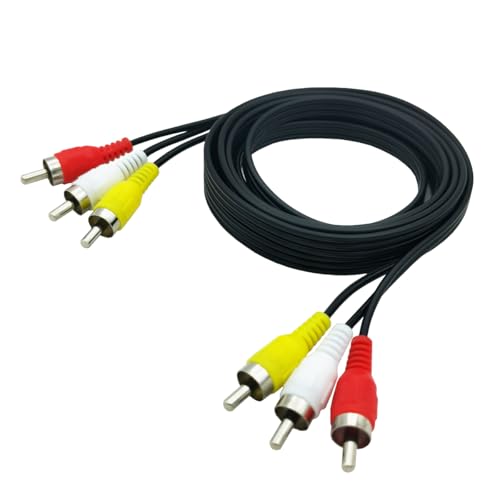
Composite video deserves a clear explanation before any shopping advice makes sense. The format squeezes an entire standard-definition picture — brightness information and color information combined — into a single analog signal traveling down one cable. That combination is its weakness: because color and brightness share one channel, they interfere with each other, producing the soft edges, shimmering patterns on fine detail, and color bleed that anyone who grew up with the format remembers. The white and red plugs alongside it carry left and right analog audio. The yellow-white-red trio is often called an RCA connection after the connector style, and the input bank on a television may be labeled AV, Video, or Composite depending on the brand’s habits. When a modern specification sheet lists one composite input, it almost always means exactly this trio, sometimes shared with another analog format in ways that matter a great deal, as a later section explains.
Why Composite Inputs Are Disappearing
Television makers removed analog inputs for reasons that are rational from their side of the factory. Every port costs money: the connector itself, the decoding circuitry behind it, the board space, and the engineering time to integrate an analog decoder into a system designed around digital processing. As disc players, consoles, and streaming devices all moved to digital output, the share of buyers using composite shrank each year, and manufacturers pruned the port the way they earlier pruned other legacy connections. Panel production also consolidated around larger sizes, which squeezed the small televisions that historically served kitchens, bedrooms, workshops, and dorm rooms — exactly the sets most likely to keep analog inputs for casual legacy use. The result is a market where composite survives mainly in smaller models, in televisions aimed at recreational vehicles and hospitality, in some budget lines, and in sets designed for regions where older broadcast and playback equipment remains common.
This scarcity changes how a buyer should search. Instead of starting with picture quality and checking ports later, start with the port itself as a hard filter, because a television without a composite input cannot do the core job no matter how beautiful its panel is. Verify the input on the manufacturer’s own specification page or manual rather than trusting a retail listing summary, since listings frequently copy port data across model variants that differ by region or production year. Photographs of the rear and side panels help, but a labeled diagram in the manual is stronger evidence. Model numbers in this category are notoriously fluid: a set sold under one name this year may reappear next year with a revised board that drops the analog decoder while keeping the same marketing name. The manual’s revision date and the exact suffix of the model code are the details that protect you.
Shared Inputs and the Combo Jack Trap
The most common disappointment in this category is the shared input. Many televisions that advertise both composite and component capability actually provide one bank of jacks serving both formats, selectable in software. Component video uses three plugs for the picture alone, separating brightness and color information for a much cleaner image, plus separate audio. In a shared arrangement, the green component jack doubles as the yellow composite jack. That works electrically, but it means you cannot connect a composite device and a component device at the same time; you choose one per bank. Some sets go further and use a single compact jack that requires a breakout adapter cable, included in the box if you are lucky and sold separately if you are not. Before buying, decide how many legacy devices you truly intend to keep connected simultaneously. A VCR, a DVD player, and two retro consoles quickly exceed what one shared bank can host without a switch box, and an analog AV switch — a simple, inexpensive category of accessory — becomes part of the realistic setup rather than an admission of defeat.
Breakout cables deserve special suspicion. When a television uses a small multipurpose jack for composite, the pin arrangement is not universal across brands, so a generic cable that fits physically may wire the video and audio channels incorrectly, producing a black-and-white picture, buzzing audio, or no signal at all. The correct cable is the one specified by the television’s manufacturer, and if it is not included, confirm its part number and availability before the television arrives. Losing or damaging that proprietary adapter years later can orphan the input entirely, which argues for ordering a spare while the model is current, or for preferring sets with full-size RCA jacks whenever your shortlist offers the choice. Full-size jacks also tolerate the thicker, stiffer cables of older equipment better than a delicate adapter dangling off the side panel.
Composite, Component, S-Video, and Digital: An Honest Comparison
Legacy connections form a quality ladder that is worth understanding, because many older devices offer more than one output and the best available output should win. Composite sits at the bottom: one channel carrying everything, with the softness and artifacts that follow. S-Video separates brightness from color into two channels within one cable, a meaningful step up in clarity and color stability, though televisions that kept S-Video are now rarer than those that kept composite. Component separates the picture into three channels and can carry progressive and high-definition signals from devices that support them, making it the strongest analog option and the preferred choice for DVD players and the console generations that offered it. Digital connections carry the picture as data, immune to the interference patterns of analog, and they are the native language of every modern source. The practical rule is simple: inventory each device you own, note its best output, and let the television’s input mix serve the whole collection rather than optimizing for one favorite machine.
For households whose legacy hardware is modest — perhaps one VCR for family tapes and one older console — the analysis in our guide to best 10 non smart tvs overlaps with this one, because simple televisions without elaborate smart platforms often retain the analog inputs that flagship models abandoned, and their straightforward menus make switching to an AV input a two-button task rather than an archaeological expedition through a smart home screen. Simplicity has genuine value in this niche. A television used mainly for a tape collection or a retro game shelf does not need voice control, an app store, or a recommendation engine; it needs to turn on, find the right input quickly, remember that input at the next power-up, and display a standard-definition signal without mangling it. Those humble virtues are exactly what to verify in manuals and menus before purchase.
What Composite Actually Looks Like on a Modern Panel
Expectations need calibration. A composite signal carries standard-definition resolution designed for cathode-ray screens of modest size. Displayed on a large modern panel, that signal is upscaled to fill millions of pixels it never described, and the upscaling reveals every flaw: softness becomes blur, dot crawl becomes visible shimmer along edges, and color bleed spreads. On a small panel, the same signal looks considerably more at home, because the display’s physical size matches the density the format was built for. This is the central sizing insight of the whole category, and it runs opposite to normal television buying, where bigger usually means better. For composite sources, smaller is often genuinely better, a point explored fully in the sizing section below. Processing settings also shape the result. Aggressive sharpening invents harsh edges around analog softness, noise reduction smears moving detail, and motion smoothing alters the cadence of games and old broadcast recordings in ways most viewers dislike. A game or AV mode that disables most processing usually delivers the most faithful and most responsive picture.
Input Lag and Retro Gaming
Input lag is the delay between pressing a button and seeing the result, and it matters intensely for older games designed around the instant response of cathode-ray televisions, which displayed analog signals essentially as they arrived. A modern television must digitize an incoming composite signal, scale it, and often process it before display, and each step adds delay. In rhythm games, fighting games, and precision platformers, added delay changes how the game feels and can make timing-based challenges genuinely harder. Manufacturers rarely publish lag figures for analog inputs specifically, so indirect evidence guides the choice: a dedicated game mode, a reputation for low processing delay on digital inputs, and menu options that let you disable noise reduction, dynamic contrast, and motion interpolation on the AV input are all positive signs. Some televisions apply different processing per input, so confirm that the game mode is available on the composite input itself, not only on the digital ports.
There is also a compatibility quirk that retro gaming communities know well. Some very old consoles output a slightly nonstandard video timing that cathode-ray sets tolerated without complaint. Certain modern televisions and capture devices reject or mishandle that timing on their analog inputs, producing a rolling picture, a dropped signal during bright scenes, or complete refusal to sync. This behavior varies by television model and even by firmware, and it cannot be predicted from specification sheets. If your collection includes early consoles, prioritize models whose manuals or community documentation confirm tolerant analog sync behavior, and buy from a seller whose return terms let you verify your exact hardware. Bringing a console’s identity into the purchase decision is not fussiness; in this category, the source device and the display form a matched pair, and the pairing is the product.
Light Guns and Other Special Cases
A hard limit must be stated plainly: classic light gun accessories that work by reading the scanning pattern of a cathode-ray tube do not function on flat panels, regardless of which input you use. The technology depends on timing characteristics that only the older display type produces. No composite input, converter, or setting restores it. Owners of those accessories need a cathode-ray television for that specific purpose, full stop. Other special cases are softer. Some older computers and imported consoles output regional video variants that a television sold in another region may display in black and white or not at all through composite, because the color encoding differs between broadcast standards. Multi-standard support appears in some models’ specifications and is worth seeking if your collection crosses regions. Karaoke machines, video microscopes, older security recorders, and legacy medical or industrial monitors form a long tail of composite sources; each has its own sync and encoding habits, and the same advice applies — verify with your exact device during a return window whenever the stakes justify it.
Native Composite Ports Versus Converter Boxes
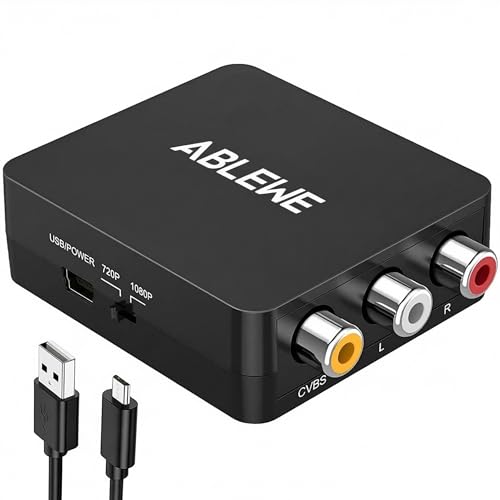
The alternative to a native port is a converter: a small box that accepts composite video and analog audio, digitizes them, and outputs a digital signal a modern television accepts. Converters range from simple cables with a chip in the plug to powered units with scaling controls and aspect-ratio options. Their appeal is obvious — they unlock the entire modern television market for your legacy devices. Their compromises are equally real. The cheapest converters add noticeable lag, handle motion poorly, and may stretch the picture to fill a widescreen unless the television’s own aspect controls rescue it. Better converters with dedicated scaling hardware cost more, require their own power supply, and still interpose a digitization step whose quality you cannot audition from a listing. For a VCR digitizing project or casual DVD playback, a decent converter behind a good modern panel can be perfectly satisfying. For latency-sensitive gaming, a native input on a responsive panel, or a purpose-built high-quality scaler, usually serves better.
The middle path is worth naming: a modern television plus one carefully chosen converter, shared among legacy devices through an AV switch, keeps the main living-room setup clean while preserving access to the old hardware. The den or game room path is the mirror image: a smaller television with native composite becomes the dedicated retro station, leaving the main set entirely digital. Which path suits a household depends on how often the legacy devices actually get used. Daily retro gaming justifies a dedicated station. A VCR that emerges twice a year for family tapes does not. Honest self-knowledge about usage frequency prevents both overbuying a specialized set that gathers dust and underbuying a converter chain so laggy and tangled that the old consoles stop being fun and quietly return to the closet they escaped from.
Aspect Ratio Handling
Composite sources were built for screens with a squarer shape than today’s widescreens. A television receiving that signal must decide how to present it: preserve the original proportions with bars on the sides, stretch it to fill the screen and distort every circle into an oval, or zoom and crop the top and bottom. Good televisions offer a clear aspect menu on the AV input, remember your choice per input, and include a mode that presents the signal in its original shape without overscan cropping the edges. Overscan, a relic of broadcast-era design, trims the picture borders; on game consoles it can hide score displays and health bars tucked near the edges. Look for a setting described as direct, original, or one-to-one in the manual’s picture menu. If the manual never mentions aspect control for analog inputs, assume the set makes its own choices, and weigh that uncertainty heavily, because a permanently stretched picture is the kind of flaw that irritates more with every session.
Panel Quality When the Source Is Standard Definition
Panel virtues reorder themselves when the source is an old analog signal. Peak brightness and wide color gamuts, the headline virtues of modern displays, matter little to a signal that carries a limited palette at modest resolution. What matters instead is uniformity, viewing angle, and the quality of the scaling engine. Uniformity matters because large areas of flat color — skies in old games, studio backgrounds in vintage broadcasts — expose blotchy backlights mercilessly. Viewing angle matters because retro gaming is social: friends sit off to the sides of a small set, and panels whose contrast collapses off-axis will punish the people in the side chairs. Many small televisions use panel types with weaker off-axis behavior to control cost, so a set destined for group play deserves scrutiny of its stated viewing angles and, where possible, an in-person look from a realistic side seat rather than from the sweet spot directly in front.
The scaling engine is the unsung component of this entire category. Two televisions with identical panels can render the same composite signal differently because one scales with a careful algorithm that respects the source’s structure and the other uses a crude method that smears diagonal lines into staircases. Specification sheets almost never describe scaling quality, so the practical proxies are brand track record with legacy sources, the presence of picture controls granular enough to compensate — sharpness that can be reduced to zero, noise reduction that can be fully disabled, color temperature options that avoid a permanent blue cast — and return terms that let you judge with your own tapes and games. Readers comparing small sets for desks and bedrooms will find the candidates in our guide to best 13 inch tvs relevant here, because the smallest televisions are disproportionately likely to keep composite inputs and because their scale suits the format’s resolution, even though each model’s port layout still needs individual verification before purchase.
Audio: The Forgotten Half of the AV Input
Composite connections carry stereo audio alongside the picture, and television speakers have thinned along with television cabinets. Small sets often include modest speakers that render dialogue adequately and music thinly. For VCR tapes of family events, dialogue clarity is the whole job, and most sets manage it. For games with beloved soundtracks or for concert DVDs, routing the red and white audio plugs to external speakers or a soundbar transforms the experience; some setups split the signals so video goes to the television while audio goes directly to an amplifier, which also sidesteps any audio delay the television’s processing introduces. Check whether the television passes analog input audio to its own audio outputs without adding echo or delay, and whether volume through the AV input matches the level of other inputs, because a set that plays tapes at half the volume of everything else trains the household to blast the speakers at every input change when someone forgets to turn things back down.
Sizing: Why Small Televisions Win This Category
Standard-definition signals contain a fixed, modest amount of picture information. Spreading that information across a very large screen enlarges every imperfection, while a compact screen keeps the image dense enough to look coherent from normal viewing distances. This is why so many satisfying retro setups center on televisions in the small-to-mid sizes, and why the largest sets with composite inputs are usually the worst way to enjoy the format despite their novelty. Viewing distance interacts with size: a small set on a desk or in a kitchen is watched closely, where its density shines; the same set across a large living room would strain eyes on game text and menu lettering from VCR-era interfaces. Match the trio of source resolution, screen size, and seating distance as a system. If the room demands a large screen for modern content and the legacy devices are secondary, the converter path behind the large set may be the coherent choice; if legacy content is the point of the room, let the small native set define the room instead.
Secondary placements expand the options further. A compact composite-equipped television turns a guest room, a workshop bench, or a recreational vehicle into a place where the old hardware genuinely gets used, which is the entire goal. Mobile and twelve-volt models deserve mention for vehicles and off-grid cabins: they frequently retain analog inputs because their buyers use varied, older sources, and their power flexibility suits travel in ways a living-room set cannot. Our guide to best 12v 4k tvs covers that mobile category for readers whose retro setup needs to ride along, and the overlap is instructive — port generosity survives longest in televisions designed for flexible, real-world hookups rather than for a minimalist living-room aesthetic. Even in a fixed home, thinking like a vehicle installer helps: short cable runs, secure mounts, and inputs you can reach without dismantling furniture all compound into a setup that stays connected instead of slowly disassembling into good intentions.
Resolution Labels and What They Mean for Analog Sources
Small televisions come in several native resolutions, and the choice interacts with composite in counterintuitive ways. A lower-resolution panel close to the source’s own structure can render analog video with a pleasing directness, while a higher-resolution panel must upscale more aggressively, with results that depend entirely on its scaling engine. Neither is automatically superior; a well-implemented scaler on a sharper panel can look cleaner than a mediocre low-resolution panel with poor contrast. What you should avoid is assuming the higher number wins by default, an assumption that fails repeatedly in this niche. Readers who also plan to use a television as a computer display face a different calculus, since text rendering rewards resolution directly; our guide to best 1080p tvs as pc monitor explores that dual-purpose tension, and the honest conclusion for many households is that one set optimized for retro analog and another optimized for crisp modern text beat a single compromise that serves both masters indifferently.
Setup, Cabling, and Signal Hygiene
Analog signals degrade in ways digital signals do not, so cabling discipline pays visible dividends. Use the shortest cable run that comfortably reaches, because long composite runs invite interference that appears as rolling bars, hum in the audio, or a faint ghost image trailing the main picture. Keep composite cables away from power bricks and parallel runs alongside mains wiring, and cross power cables at right angles when crossing is unavoidable. The connectors themselves loosen with age; a plug that spins freely in its jack or falls out under its own cable’s weight will produce intermittent color dropouts that mimic a failing console. Cleaning oxidized plugs with appropriate contact cleaner and replacing spongy decades-old cables with decent shielded ones solves a surprising share of supposed television faults. Before blaming any new set for a poor picture, connect the source with a known-good short cable, directly, with no switch boxes or splitters in the path, and establish a clean baseline that accessories can then be reintroduced against, one at a time.
Grounding hum deserves its own paragraph because it haunts analog setups specifically. When a console, a VCR, and a television draw power from different outlets on different circuits, small voltage differences can travel along the cable shields and emerge as a loud buzz or slowly scrolling bands. Consolidating the legacy stack onto one power strip usually quiets it, and that strip also gives the whole retro corner a single, satisfying off switch that eliminates standby draw from devices old enough to lack efficient sleep modes. Labeling matters more than pride admits: after three months, nobody remembers which of four identical black cables belongs to which console, and a few tape flags save a floor-level archaeological dig behind the cabinet every time the setup changes.
Menu Archaeology: Finding and Favoriting the AV Input
The daily experience of a composite television is largely the experience of its input menu. Some sets bury AV inputs at the end of a long list dominated by digital ports and streaming shortcuts; others let you rename inputs, hide unused ones, and set the power-on default to the last used input. These conveniences, invisible on a specification sheet, decide whether the retro corner feels welcoming or bureaucratic. Renaming the input after the connected device, hiding the ports nothing uses, and confirming the set wakes on the correct input are ten minutes of setup that pay back at every session. If the television includes a channel-style tuner as well, an auto-scan with nothing connected to the antenna port can waste time or overwrite settings; manuals usually describe how to skip or configure it. For households where children or guests will operate the set, a laminated card with the three steps to reach the game input prevents the slow drift of settings that occurs when every visitor improvises their own route through the menus.
Durability, Repairability, and the Long View
A television bought for legacy duty may serve for a decade, because its job description will never change: the VCR’s output in ten years is identical to its output today. That stability rewards build quality over features. A set with a sturdy stand, a cabinet that does not creak, and a remote with replaceable batteries and legible buttons will outlast a flimsier set with a longer feature list. Backlight longevity, button durability on the unit itself for the inevitable lost-remote weeks, and a manufacturer that hosts manuals and firmware openly all matter more than smart extras that will age badly. Indeed, the absence of a smart platform can be a longevity feature in this niche: there is no app ecosystem to abandon the set, no account to maintain, and no update that rearranges the menus overnight. The television simply remains the television you learned, which is precisely the temperament you want from the display entrusted with hardware older than some of its users.
Consider also the ecosystem of spares. Remotes fail and get lost; universal remotes cover major brands more reliably than obscure ones, and the input button — the single most important key for this use — must be directly available rather than hidden behind a menu the universal remote cannot navigate. If the set uses a proprietary breakout adapter for its composite input, a spare adapter bought while available is cheap insurance, as noted earlier. Keep the manual, the adapter, and a known-good composite cable together in one labeled place, and the retro station becomes infrastructure rather than a project: something any household member can switch on and enjoy without a maintenance ritual, which is ultimately the difference between a collection that gets played and a collection that gets stored.
Regional Standards, Broadcast Variants, and Imported Hardware
Composite video traveled the world inside several broadcast standards that share a connector and little else. The color encoding used across North America and Japan differs from the systems dominant in Europe, and both differ from the variant common in parts of South America and elsewhere. A television built for one market may accept another market’s composite signal and render it without color, with unstable color, or with a picture that rolls because the frame timing also differs subtly between standards. In the cathode-ray era, multi-standard televisions were a recognized specialty category. Today, the specification line to hunt for is explicit multi-system or multi-standard support in the manual, ideally naming the standards covered rather than gesturing at worldwide compatibility. Imported consoles complicate the picture further, because a console sold in one region may output that region’s encoding regardless of where it is used, and modification histories vary from machine to machine. Owners of mixed-region collections should treat standard support as a headline requirement, equal in importance to the presence of the port itself.
There is a pragmatic workaround culture around these mismatches, and it is worth understanding its limits. Some converters translate between standards as a side effect of digitizing the signal, which can rescue an imported console for display on a local television. That rescue comes with the converter’s usual toll in lag and scaling quality, and it works only when the converter genuinely accepts the incoming standard rather than merely the connector. Other owners keep a small multi-standard set as the household’s universal legacy display, the one screen guaranteed to make sense of any orphan device that arrives from an auction, a relative’s attic, or a trip abroad. Either strategy beats the common failure mode: assuming that because the plug fits, the picture will follow. In analog video, physical compatibility is merely the invitation; electrical and encoding compatibility decide whether the meeting succeeds.
Antenna Inputs, Tuners, and the RF Corner Case
The oldest devices in many collections predate composite entirely and speak only through a radio-frequency modulator, presenting themselves to a television as a miniature broadcast station on a low channel. Consoles and computers of that vintage connect through the antenna terminal, and using them requires a television whose tuner still covers the appropriate analog broadcast bands — a feature even scarcer than composite, because many regions have ended analog broadcasting and manufacturers have trimmed tuner coverage accordingly. Some sets include a tuner that scans and finds nothing where an RF-modulated console sits, unless the user adds channels manually or selects the correct band. External demodulators and VCRs pressed into service as tuner intermediaries form the usual bridge: the RF device feeds a VCR’s tuner, and the VCR’s composite output feeds the modern television, which is one more reason a composite input earns its keep even for hardware that never had a yellow plug. If your collection reaches back that far, map the entire signal chain on paper before buying anything, because each translation step is a place where a missing capability quietly ends the project.
VCR-Specific Considerations: Tracking, Time Base, and Tape Condition
Videocassette sources bring quirks that no game console produces. The mechanical nature of tape playback means the signal’s timing wobbles subtly, especially during pauses, searches, and the first seconds after play is pressed, and at the top of the picture where tracking errors bend vertical lines. Cathode-ray televisions absorbed this instability gracefully. Digital processing chains can react badly, dropping frames, losing sync momentarily, or smearing the image while the processor decides the signal has changed. Televisions whose analog inputs are documented to tolerate unstable sources — sometimes described in manuals aimed at surveillance or industrial playback markets — handle tapes with more composure. Where documentation is silent, the return-window audition matters most for tape households: play the roughest tape you own, one recorded in a long-play mode on a different machine decades ago, and judge the set by its worst minutes rather than its best.
Time base correction is the technology built to tame exactly this instability, historically found in professional playback decks and some high-end consumer machines, and now also offered inside certain standalone converter and capture devices. A household digitizing a tape archive will encounter the term constantly, and it is worth separating the two jobs a composite television might serve. For casual viewing of tapes that will remain tapes, a tolerant native input on a modest set is sufficient and pleasantly direct. For a one-time archival transfer to digital files, the television is almost incidental; the playback deck’s condition, head cleaning, and the correction and capture chain determine the archive’s quality, with any display serving merely as a monitor. Conflating the two jobs leads to overspending on the viewing set or underspending on the archival chain. Decide which job you are actually equipping, and let the other job borrow the result rather than dictate the purchase.
DVD Players: The Bridge Generation
DVD players occupy a sweet spot in legacy collections because most offer several outputs spanning the entire quality ladder, from composite up through component and, on later models, digital. That generosity makes the DVD player the ideal first device to connect when evaluating a new television: begin with composite to verify the analog input’s behavior, then compare the player’s better outputs on the same disc to see how much the television’s handling of each input differs. The comparison teaches you the set’s scaling personality with material you can pause, repeat, and study — chapter menus with fine text, dark scenes that expose backlight uniformity, and bright animation that reveals color handling. Players also remind us that remote control design peaked in an era of dedicated buttons; keep the player’s remote with the television’s, because the two devices will be operated as a pair for as long as the setup lives. Finally, remember that many players can be set to output in a shape matching either squarish or widescreen televisions, and a mismatch there produces distortion easily mistaken for a television fault; the player’s own setup menu is part of the signal chain and deserves the same careful audit as the display’s menus.
Camcorders, Karaoke, and the Long Tail of Composite Sources
Family camcorders recorded birthdays and school plays onto tapes whose playback often depends on the camera itself, connected through a composite cable that may be proprietary at the camera end. Those little cables are now the rarest component in many households’ archives, rarer than the tapes, and they should be hunted down, verified, and stored with the camera before any television purchase is contemplated, because the finest composite input in the world cannot display a camera that cannot be connected. Karaoke machines, video doorbells of a certain age, rear-view camera testers, older drones with analog video links, and point-of-sale or training-video players all extend the list of devices that speak composite. Each tends to live in a different room from the main television, which strengthens the case for a smaller secondary set with a native input positioned where those devices are actually used. A composite television in the workshop, the music corner, or the guest room is not a compromise purchase; it is the correct tool placed at the point of need, and collections organized around rooms rather than around a single heroic living-room setup consistently see more use.
How to Audition a Composite Television During a Return Window
Because so many decisive qualities in this category resist specification, a structured audition during the return period is the buyer’s real protection, and it should be planned before the box is opened. Assemble the actual sources in advance: the roughest tape, the most timing-sensitive console, the DVD with the dark scenes, and the cables you genuinely intend to use. Connect everything directly at first, without switches or converters, and work through a fixed sequence — power-on behavior, input selection speed, aspect settings, processing toggles, audio levels, and the set’s memory of your choices after being switched off and on again. Take notes, because day-three impressions blur, and the decision to keep or return should rest on observations rather than on the fading memory of unboxing enthusiasm. Photograph the rear panel connections once everything works; that photograph becomes the map for every future reconnection after cleaning, moving, or lending equipment.
Judge the picture from the seat where viewing will actually happen, at the distance that seat imposes, with the room’s real lighting rather than showroom brightness. Analog sources reveal themselves over time: a picture that impresses for five minutes may fatigue over an hour if the scaler shimmers on every camera movement or the audio hums at a level only noticeable in quiet scenes. Invite the household’s other users into the audition, especially anyone whose eyesight or hearing differs from yours, because text legibility in old game menus and dialogue clarity in home videos are collective experiences in most homes. If the set passes with your worst source and your least technical user can reach the right input unaided, the audition has done its work and the television can be promoted from trial equipment to household infrastructure.
When to Choose a Cathode-Ray Set Instead
Honesty requires acknowledging the cases where no flat panel, however generous its ports, is the right answer. Light gun games are the absolute case, already discussed. Close behind are collections centered on the very earliest consoles with eccentric timing, where a period display simply sidesteps a category of sync arguments. Some enthusiasts also prefer the way a cathode-ray screen’s natural softness and scanline structure render pixel art drawn for exactly that display technology; the preference is aesthetic, informed, and not reproducible by filters alone, though good filters narrow the gap. Against those virtues stand the realities of cathode-ray ownership today: size, weight, dwindling repair expertise, and picture geometry that varies from unit to unit. The sensible division of labor in many collections is a cathode-ray set reserved for the material that truly demands it, and a modern composite-equipped panel handling everything else with less fuss, less floor space, and no warm-up ritual. Framing the modern set as the collection’s workhorse rather than its museum piece clarifies both purchases.
Care, Cleaning, and Keeping Analog Jacks Alive
RCA jacks fail slowly and then suddenly. The center contact oxidizes, the outer ring loosens its grip after years of cable weight, and a channel begins to vanish whenever the cabinet is bumped. Prevention is mostly mechanical kindness: support heavy cables so their weight does not hang from the jack, avoid side loads when reaching behind the set, and disconnect by gripping the plug body rather than hauling on the cable. A periodic gentle reseating of each plug wipes the contact surfaces and restores marginal connections, which is why so many intermittent faults vanish during a careful reconnection and never return. Contact cleaners formulated for electronics can rehabilitate genuinely oxidized plugs, applied sparingly to the cable end rather than sprayed into the television. Dust is the other slow enemy, settling into unused jacks and ventilation slots alike; a soft brush during seasonal cleaning keeps both the thermal path and the spare inputs ready for the day a new old device joins the collection.
The television’s own settings deserve archival care as well. After you have tuned the AV input’s picture to your satisfaction — processing off, sharpness low, aspect preserved, color temperature civilized — record those settings in the same place you keep the manual, whether that is a note in a drawer or a photograph of each menu page. Firmware updates, curious guests, and well-meaning children all conspire to return televisions to their defaults, and a written record converts an afternoon of re-tuning into five minutes of restoration. The same note should list which physical device occupies which input and which remote operates what, because the household’s collective memory of a working setup is always more fragile than the setup itself. Infrastructure that is documented gets maintained; infrastructure that lives in one person’s head gets unplugged during spring cleaning and never quite reassembled.
Budgeting Honestly Across the Whole Setup
The television’s price is only the visible part of a composite setup’s cost, and planning for the remainder prevents the slow drip of small surprises. A realistic budget includes decent shielded cables to replace the spongiest originals, an AV switch if several devices will share one input, a power strip to consolidate the stack and silence ground hum, possibly a spare proprietary breakout adapter, and a universal remote if the collection’s original remotes are failing. None of these items is glamorous, and together they often matter more to daily satisfaction than a step up in panel specification. Conversely, money saved by choosing the smaller, simpler set that actually fits the sources can fund the entire accessory list with room to spare. The households happiest with their retro corners are rarely the ones that spent the most on the screen; they are the ones that treated the screen, the cables, the switch, and the seating as one designed system and refused to let any single component’s marketing outrank the system’s coherence.
One last perspective may help undecided readers. Every earlier display transition orphaned something: silent film speeds, black-and-white broadcasts, mono audio, and the squarish frame itself all faded as standards moved on, and in each case a small population of caretakers kept the older material viewable until the wider culture remembered its value. Composite video now occupies that same threshold. The televisions that still accept it are, whether their makers intend this or not, caretaking equipment — bridges between a half-century of recorded and programmed material and the screens of the present. Buying one is therefore less like buying an ordinary appliance and more like adopting a piece of shared infrastructure for your household’s memory. That framing explains the emphasis throughout this guide on verification, spares, documentation, and honest limits: bridges are judged by whether they hold, season after season, for everyone who needs to cross. Choose accordingly, and the modest yellow plug will keep doing its quiet work long after flashier connections have been replaced twice over.
Keep expectations for resale and replacement realistic as well. Models in this niche appear and vanish quickly, sometimes within a single retail season, so a set you admire today may be unrepeatable next year even from the same brand. That transience argues for buying the verified unit in front of you rather than waiting for an idealized successor, and for treating the purchase as a long-service decision instead of a placeholder. It also argues for keeping the box and packaging through the audition period, since returning a television without its original protection is an unnecessary argument with any seller.
Check prices on Amazon
Live listings for the shortlist in this guide are pulled from Amazon below, so prices and availability are always current at the moment you look.


Questions to Answer Before You Choose
- Which legacy devices will connect, and what is the best output each one offers — composite, component, or something else?
- Does the television’s manual confirm a composite input on the exact model variant being sold, and is it shared with component?
- Does the input use full-size RCA jacks or a proprietary breakout adapter, and is a spare adapter obtainable?
- Can processing features be disabled on the AV input, and is a game mode available on that specific input?
- Does the picture menu preserve the original aspect ratio without overscan cropping the edges of games?
- Is the screen size matched to standard-definition sources and to the distance your seating actually sits?
- How many legacy devices must connect simultaneously, and would an AV switch belong in the plan from the start?
- Does the set remember the last input at power-up, and can unused inputs be hidden or renamed?
Working through those questions converts nostalgia into a specification, which is the only reliable way to shop a shrinking category. The televisions that serve retro collections well share a recognizable profile: a verified native input with sensible jack hardware, processing that can step aside, aspect handling that respects the source, a panel sized to the signal rather than to the room’s ego, and menus that make the analog input a first-class citizen instead of a buried compatibility footnote. None of those virtues appears in the headline marketing of modern televisions, which is exactly why buyers who need them must dig into manuals and diagrams rather than trusting summaries. The reward for that digging is considerable and durable. A correctly chosen set reconnects you with hardware that modern displays abandoned, and it does so with a directness no chain of adapters quite reproduces: plug in three cables, select one input, and a machine from another era is simply on, asking nothing further of you.
It is worth closing the analysis with the collection itself in view. Tapes degrade, optical discs scratch, and old consoles develop faults of their own, so the years in which a composite television can reunite you with this material are not infinite. That finitude argues for setting up the viewing station sooner and more simply rather than endlessly optimizing it. A good-enough native input enjoyed weekly beats a theoretically perfect chain assembled after the tapes have faded. Choose the set that removes friction now, keep its cables and adapters safe, and let the collection do what it was kept for: being watched and played, in the company of people who may never have seen a yellow plug before and who will find, to their surprise, that the soft old picture carries its pleasures intact.
Disclosure: some links in this article are affiliate links, which means a purchase made after following one may earn a small commission that helps fund this site’s ongoing guides; that arrangement plays no part in how models are compared here, where port documentation, published specifications, and manual details — including the unflattering ones — carry the argument.
May your oldest console greet its new screen like an old friend, three familiar plugs finding their home at last.