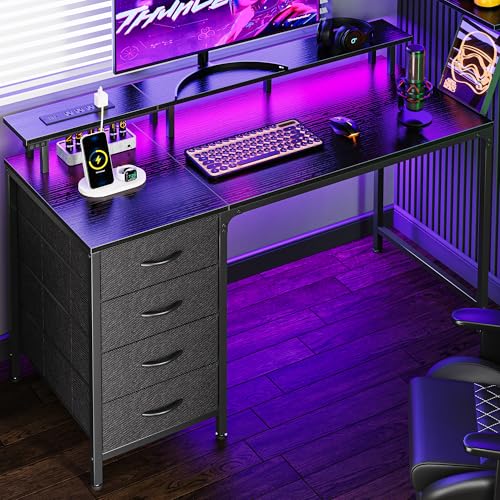
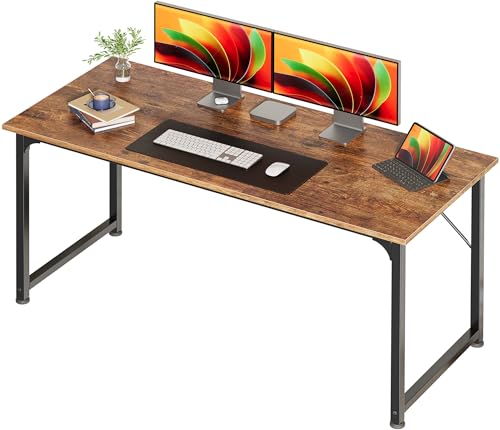
Our Top Picks
 VEVOR Folding Portable Bar Table 38.39x15.16x34.25in Tradeshow Podium38.39 INCH38.39 x 15.16 x 34.25 inches10.14 poundsCheck on Amazon
 Winsome Corbett Set of 4 Oversized Foldable SnackSet of 4 with Stand15.8 x 23.7 x 25.5 inches39.3 poundsCheck on Amazon
 LIFE SAVERS Wint O Green Breath Mints Hard44.93 Ounce (Pack of 1)10.5 x 7 x 3.25 inches2.8 poundsCheck on Amazon

What's inside
- Start With the Array, Not the Desk Catalogue
- Monitor-Array Sizing, With the Actual Math
- The Two-by-Two Stacked Array and Its Footprint
- Desk Depth and Viewing Distance for Large Arrays
- Stands Versus Monitor Arms
- Frame and Load Budgets: Count Everything
- Standing Desks for Long Trading Sessions
- Power Integration: Treat Electricity as Part of the Desk
- Cable Management at Scale
- Desktop Materials and Thickness
- L-Shaped and Corner Layouts for Wrap-Around Arrays
- Dual-PC and KVM Setups
- Heat and Room Airflow With Several PCs Under One Desk
- Chair Clearance and Foot Space
- Common Mistakes That End Trading Setups Early
- Check prices on Amazon
- A Closing Framework: Screens and Hours Decide
As an Amazon Associate I earn from qualifying purchases. This post may contain affiliate links at no extra cost to you.
Some buying guides treat a trading desk as a slightly wider office desk, and that shortcut is where most failed setups begin. A trading workstation carries a monitor array that behaves like a sail, a computer or two that run hot for long sessions, a backup power unit that weighs as much as a small child, and a bundle of cables thick enough to resist every tidy photograph. The desk has to hold all of that still, at the right distance from your eyes, for hours at a stretch, without sagging, wobbling, or trapping heat against your legs.
Disclosure: this guide is reader-supported, and when you buy through links on this page we may earn a commission from the retailer at no added cost to you. That arrangement never changes which specifications we recommend checking, because the measurements in this guide come from published manufacturer documentation, frame load ratings, and monitor dimension sheets rather than from any commission structure. Our research compared manufacturer spec sheets for desks, monitor arms, power distribution units, and uninterruptible power supplies, then cross-checked those figures against VESA mounting standards and common panel dimensions.
Read this guide as a sizing exercise first and a shopping exercise second. The number of screens you run, the hours you sit or stand in front of them, and the weight of the machines underneath decide the desk long before colour or finish does. A buyer who works through the arithmetic in the early sections will usually narrow a long product list to two or three frames very quickly, and will also understand why a cheaper desk that fails one measurement is not a saving at all.
Start With the Array, Not the Desk Catalogue
Every trading desk decision flows from the monitor array, so measure the array before you look at a single desktop. Write down each panel by its diagonal size, its actual width and height from the manufacturer’s dimension sheet, and whether it will sit in landscape or portrait orientation. Diagonal size is a marketing number; the physical width is the number that consumes your desk. Two panels with the same diagonal can differ by more than an inch in width because bezel thickness and housing design vary between product lines.
Next, decide how the panels will be arranged in rows and columns, because arrangement changes both the width you need and the height your mounts must reach. A single row of four asks for a very wide desk and a strong tolerance for turning your head. A two-by-two grid asks for less width but much more from the stand or arms, and it puts the top row high enough that viewing angle and neck posture become real constraints. Neither layout is automatically better; they simply load the desk in different places.
Finally, count everything else that must live on the surface. A keyboard and mouse need a clear zone roughly thirty inches wide. A stream deck, a small mixer, a notebook, a phone stand, and a second keyboard for a backup machine all compete for the same front edge. Buyers routinely size a desk for the monitors alone and then discover that the working zone in front of them is a narrow strip, which pushes the keyboard too close and forces the chair back into the room.
Monitor-Array Sizing, With the Actual Math
A 27-inch panel with a sixteen-to-nine aspect ratio has a viewable width of about 23.5 inches, and once the housing and bezels are included the physical width is roughly 24.2 inches. Four of those panels placed side by side in a straight line therefore occupy about 96.8 inches before you add anything at all. That single calculation rules out most desks sold for home offices, and it explains why four-across traders so often end up with either a very long straight desk or a corner layout that turns the outer panels inward.
Angling the outer panels inward reduces the total span, but it does not reduce it as much as buyers hope. Turning each outer panel by twenty degrees shortens its contribution to the overall width while pushing its inner corner forward and its outer corner back. The array becomes a shallow arc, which is easier to read, yet the desk must now be deep enough at the sides to support mounts that sit further back, and the rear corners of the outer panels can collide with a wall if the desk is pushed fully home.
Smaller panels change the picture in useful ways. A 24-inch sixteen-to-nine panel is roughly 21.5 inches wide in its housing, so four across come to about 86 inches, and three across come to about 64.5 inches, which fits a 72-inch desk with modest margins. A 32-inch panel is roughly 28.5 to 29 inches wide, so even three across approach 87 inches. Ultrawide panels compress the count differently again: a single 49-inch super-ultrawide housing is around 47 inches wide and replaces two 27-inch panels while removing the centre bezel, at the cost of one large, heavy unit that needs a mount rated for its weight and its curved depth.
- Four 27-inch panels in a row: about 97 inches of housing width before mounts, gaps, or speakers.
- Three 27-inch panels in a row: about 72.6 inches, which already fills a 72-inch desktop edge to edge.
- Two 27-inch panels in a row: about 48.4 inches, leaving genuine working room on a 60-inch desk.
- A two-by-two grid of 27-inch panels: about 48.4 inches wide, but roughly 30 inches tall including housings.
Those margins matter because a desk that is exactly as wide as the array leaves nowhere for the mount bases, the speakers, or the inevitable small items. As a working rule from published dimension sheets, add at least six inches of total spare width beyond the array for a single row, and more if speakers sit on the surface rather than on stands behind it. Shoppers comparing mid-size frames can see how quickly the arithmetic tightens in our guide to best 60 computer desks, where a 60-inch top suits two large panels comfortably but leaves three large panels with almost no margin.
The Two-by-Two Stacked Array and Its Footprint
Stacking panels in a two-by-two grid halves the width demand and doubles the height demand. The combined housing height of two 27-inch rows is close to 30 inches once the gap between rows is included, and the centre of the upper row will sit well above a seated eye line unless the lower row is kept low. That is why stacked arrays pair naturally with taller poles, heavier bases, and a deliberate decision about how far back the chair sits, since distance is what brings the upper row into a comfortable viewing cone.
The footprint on the desktop also changes shape. A freestanding four-panel stand concentrates a large load on one or two feet near the rear edge, and those feet can be ten to fourteen inches deep. On a 30-inch desk that leaves a workable front zone; on a shallower desk the stand feet creep into the keyboard area. Grommet-mounted and clamp-mounted poles shrink the surface footprint to almost nothing, but they transfer the same load into the desktop material itself, which is a trade examined in the mounting sections below.
Heat and light behave differently in a stacked grid as well. Four panels in a compact block radiate warmth into a smaller volume of air directly in front of the trader, and the upper panels throw light downward onto the lower bezels, which some buyers notice as a faint reflection during dark chart themes. Leaving a small vertical gap between rows helps air move and gives tilt adjustment room, so do not plan the grid as a perfectly sealed wall of glass unless the mounts allow each panel to tilt independently.
Desk Depth and Viewing Distance for Large Arrays
Depth is the dimension buyers undervalue most. A 30- to 36-inch deep desktop is the practical range for trading arrays because depth buys viewing distance, and viewing distance is what lets a large array be read without constant head movement. With the panels mounted near the rear edge of a 36-inch desk, a seated trader can sit roughly 32 to 40 inches from the screens, a range in which a two-by-two grid of 27-inch panels fills the view without forcing the eyes to travel to extreme angles.
On a 24-inch deep desk the same panels end up around 20 inches from the eyes once the keyboard zone is respected. Text that looked crisp in a showroom becomes tiring at that distance, and the outer edges of a wide row fall far outside a comfortable gaze. Shallow desks also leave no room for a stand foot plus a keyboard plus a wrist rest in a straight line, so something always overhangs. If a room forces a shallow desk, the honest compensations are fewer panels, smaller panels, or wall mounting that reclaims a few inches at the rear.
Viewing distance also interacts with resolution and scaling. A 27-inch panel at 1440p viewed from about 32 inches presents chart text at a size most traders can read at one hundred percent scaling, while the same panel at 4K often needs scaling that effectively returns the workspace to a similar layout. None of that changes the desk, but it does change how many panels a buyer truly needs, and needing one fewer panel can be the difference between a standard frame and a custom-length top. Buyers weighing a longer top for that extra distance will find the layout trade-offs laid out in our guide to best 70 computer desks.
Stands Versus Monitor Arms
A freestanding stand is the simplest mounting route and the easiest to move, and for a single row of two or three panels it is often the most stable choice because its wide feet resist tipping in both directions. Its weaknesses appear at scale: feet consume depth, the height range is limited, and each stand model fixes the spacing between panels. Buyers who expect to change panel sizes within a year should note that a stand bought for one grid may not adapt to another, whereas individual arms can be repositioned one at a time.
Individual arms give the most control over position, height, and angle, and they free the surface beneath the panels for a keyboard, documents, or a small control surface. The cost of that freedom is load concentration. Each arm clamps or bolts at one point and then acts as a lever, holding a heavy panel out on a horizontal reach. The longer the reach and the heavier the panel, the greater the twisting force at the mounting point, and that force is applied every hour of every day, not just when the panel is moved.
Pole systems sit between those extremes. A single tall pole with crossbars suits a fixed grid, keeps all panels aligned, and spreads the connection across several clamps on one upright. Alignment is their great virtue for trading, because a row of charts reads best when bezels line up and the top edges form one line. Their weakness is adjustability after installation: moving one panel usually means loosening hardware that also affects its neighbours, so pole grids reward buyers who set them carefully once and then leave them alone.
Clamp Loads on the Desktop Edge
An edge clamp squeezes the desktop between a pad above and a screw plate below, and the panel’s weight tries to rotate that clamp off the edge. Manufacturers publish clamp ranges as desktop thickness windows, commonly fitting tops from about half an inch to a little over three inches depending on the model. A top thinner than the stated minimum lets the clamp rock; a top thicker than the maximum simply will not fit. Check the window against your actual top, including any edge banding or bevel that reduces the flat gripping area.
Clamp pressure also damages weak materials quietly. A clamp tightened onto thin particleboard can crush the core over months, after which the arm develops a slow forward lean that no amount of re-tightening fully cures. A simple defence is a pair of flat reinforcement plates, one above and one below the top, which spread the squeeze across a wider area. Several arm makers sell such plates, and a short length of flat steel bar from a hardware supplier does the same job provided its edges are smoothed and it does not foul the frame rail beneath.
Through-Bolt and Grommet Mounts
A through-bolt mount trades a drilled hole for a far stronger connection. The bolt passes through the desktop and a wide washer or plate underneath, so the load is carried by the full thickness of the top rather than by friction at its edge. For stacked arrays and for heavy ultrawide panels, published documentation from arm manufacturers consistently treats bolt-through fixing as the more secure option, and it also lets the mount sit anywhere along the rear of the desk rather than only where a clamp can reach an edge.
The obvious cost is permanence. A drilled hole stays when the layout changes, and a hole placed too close to a steel frame rail or a cable tray can be unusable. Measure from below before drilling: mark the frame rails, the tray position, and any modesty panel, then choose a point with clear space on both faces of the top. Grommet mounts reuse an existing cable hole when its diameter matches, which is convenient, but a plastic grommet liner should be removed so the hardware bears on the top material itself.
Pole Height for Stacked Rows
Pole height decides whether a stacked grid is possible at all. A standard desk pole of about 16 inches suits a single row; a two-row grid of 27-inch panels typically needs a pole in the 28- to 35-inch range so the upper mounts can sit high enough while the lower mounts still have room to slide down. Published pole specifications list both the pole length and the maximum panel weight per mount, and both numbers must be satisfied at once, since a tall pole does not raise the per-mount weight limit.
Tall poles also flex more. A long upright carrying two heavy panels near its top will sway slightly when the desk is bumped or when a height-adjustable frame moves, and that sway is visible on screen as a slow wobble. Shortening the exposed pole, choosing a larger pole diameter, and keeping the heaviest panels on the lower mounts all reduce the effect. Where a grid will never change, a crossbar system bolted at two points is stiffer than a single central pole of the same height.
Frame and Load Budgets: Count Everything
Desk load ratings look generous until a trading setup is weighed honestly. Four 27-inch panels commonly weigh between 9 and 15 pounds each without their factory stands, so an array alone can reach 60 pounds. Add four arms or a grid stand at another 25 to 40 pounds, a desktop computer sitting on the surface at 30 pounds or more, speakers, a laptop, and the small hardware that accumulates, and a surface load of 150 pounds is unremarkable. Steel frames rated in the 200- to 400-pound range exist precisely because this arithmetic is normal for multi-screen workstations.
The rating that matters is the frame’s published maximum including the weight of the desktop itself. A thick solid-wood top on a 72-inch desk can weigh 60 to 80 pounds before anything is placed on it, and that weight consumes part of the frame budget. Manufacturers of height-adjustable frames state the limit in different ways, some including the top and some excluding it, so read the manual’s wording rather than the headline number. When the wording is ambiguous, assume the lower interpretation and keep a margin of at least a quarter of the rating unused.
Margin is not wasted capacity. A frame working near its limit lifts more slowly, sounds strained, and deflects more under an off-centre load, which is exactly the load a trading desk presents when a heavy computer sits at one end and a backup power unit hangs or stands at the other. Dynamic load matters too: leaning on the front edge while standing adds a shifting force that a static rating does not describe, and traders lean on their desks a great deal during tense sessions.
Why Leg Design Matters More Than the Top
Buyers admire tops and ignore legs, yet legs decide stability. A four-legged frame with cross bracing resists racking, the sideways parallelogram movement that makes tall arrays sway. A two-legged height-adjustable frame depends on the stiffness of its lifting columns, the width of its feet, and a crossbar between the columns. Long feet, extending well forward and back of the column, are a meaningful specification: they widen the base polygon that keeps a top-heavy array from tipping when the desk is raised and someone leans on the front edge.
Leg placement shapes the room underneath as well. Legs set at the extreme ends maximise knee space and leave room for a computer tower and a backup power unit between them, but they also lengthen the unsupported span of the top. Legs inset from the ends shorten that span and reduce sag, at the cost of a slightly narrower clear zone. For tops longer than 72 inches, a third leg or a central support rail stops being an upgrade and becomes the sensible default, particularly with heavy tops.
Foot levelling deserves a mention because trading rooms are rarely perfectly flat. Adjustable glides let a frame sit without rocking on an uneven floor, and a rocking frame multiplies through a tall pole into visible screen movement. Set the glides after the full load is on the desk, not before, because the frame settles differently once the array and machines are in place, and recheck them after the first week as floor coverings compress.
Standing Desks for Long Trading Sessions
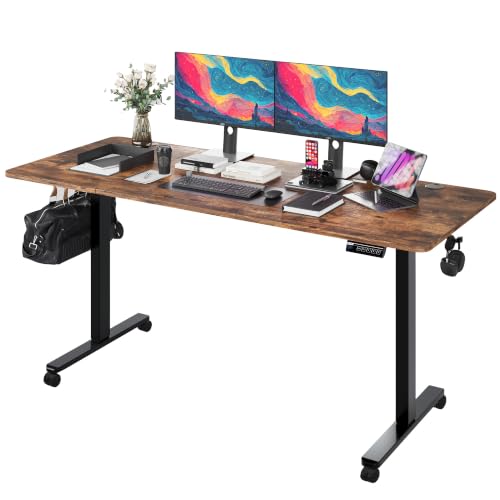
Height adjustment earns its cost for traders who work a full market day plus preparation and review on either side. Alternating between sitting and standing changes which muscles carry the load, and many traders use the open and close as natural switch points. The specifications that matter are the height range, the speed and noise of the lift, and the controller’s memory presets. A range that reaches low enough for a seated elbow height and high enough for standing with slightly bent elbows is the baseline; taller traders should check the maximum carefully, because a desk that stops two inches short at standing height cannot be fixed later.
Memory presets sound like a convenience and function like a consistency tool. Saving a seated position, a standing position, and perhaps a third position for a different chair or for a second user means the array returns to exactly the same height each time, so panel angles and eye lines stay as they were set. Controllers with three or four presets are common on mid-range frames. A simple up-down paddle is cheaper but invites small daily variations that add up to a setup that never quite feels settled.
Anti-collision sensors, which stop the lift when the desk meets resistance, matter more in trading rooms than in ordinary offices because the space under a trading desk is crowded. A rising desk can lift a computer tower by its cables, tip a backup power unit, or crush a cable bundle against a shelf. Published documentation describes these systems with varying sensitivity, and a sensor that can be adjusted is preferable to one that cannot, since a very sensitive unit may stop the lift whenever a heavy cable bundle shifts.
Wobble at Standing Height, Amplified by Tall Arrays
Every height-adjustable frame wobbles more at its maximum extension than at its lowest, because the lifting columns overlap less and the structure’s leverage grows. On its own that movement is small, often a few millimetres at the desktop. A tall monitor pole converts those millimetres into a much larger movement at the top row of a stacked array, in the same way a long fishing rod turns a small hand movement into a wide sweep at the tip. Traders with two-by-two grids notice this effect far more than single-row users.
Several choices reduce it without giving up height adjustment. Keep the array as low as the layout allows, use the stiffest mount geometry available, choose a frame with a crossbar, and place the heaviest equipment low and centred so the frame is not top-loaded to one side. Floor surface plays a part too: a frame on thick carpet moves more than the same frame on a hard floor, and a rigid chair mat under the desk feet is not a solution, since the feet belong on the firmest surface available.
If standing work is occasional rather than daily, a fixed-height desk with a separate standing converter is sometimes proposed, but converters are a poor match for large arrays. Their platforms are sized for one or two panels, their weight limits are modest, and raising a converter lifts the keyboard and panels together while leaving the rest of the desk behind. For three or more panels, a full lifting frame is the coherent answer, and the converter money is better spent on frame stiffness.
Power Integration: Treat Electricity as Part of the Desk
A trading workstation can draw power for four to eight displays, one or two computers, networking gear, a phone charger, speakers, and task lighting. Feeding all of that from one household outlet strip bought on impulse is the most common electrical mistake in home trading rooms. Plan the power path as deliberately as the monitor layout: wall outlet, surge protection, backup power for the machines that must survive an outage, and distribution along the desk for everything else.
Rack-Mount PDU Strips
A rack-mount power distribution unit, the long metal strip designed for equipment racks, adapts surprisingly well to a large desk. Mounted under the rear edge or inside a cable tray, it offers many outlets in a straight line, a metal housing, a switch, and in some models surge protection and individual outlet spacing wide enough for bulky power bricks. Its length, often around 19 inches for rack format or longer for strip format, spreads the plugs out so that large adapters stop blocking neighbouring sockets, a chronic problem with compact strips.
Look for a unit whose cord is long enough to reach the wall outlet or the backup power unit without an extension lead, and whose mounting ears or keyhole slots allow it to be screwed firmly to the underside of the top. Loose strips migrate, end up on the floor in a nest of cables, and collect dust around their sockets. A mounted strip also makes it possible to label each outlet, which pays off the first time a single device must be restarted mid-session without disturbing the rest.
UPS Sizing and Placement
An uninterruptible power supply for a trading desk has a narrow job: keep the computers, at least one panel, and the networking equipment alive long enough to close positions safely and shut down cleanly, or to ride through a brief interruption. Sizing starts with the actual draw of the equipment that will be connected to its battery outlets. A trading computer under load, one monitor, a modem, and a router commonly total a few hundred watts, and published runtime charts from manufacturers show how quickly runtime falls as load rises, so choose a capacity that leaves the connected load near half of the unit’s rating for a useful buffer.
Placement is a genuine design decision. On the floor, a large unit is stable, cool, and out of the way, but it sits in dust, risks being kicked, and its cables must travel up to the desk, which complicates height adjustment because those cables must flex with the lift. On an under-desk shelf, the unit moves with the desk and cable runs stay short, yet its considerable weight, often 20 to 30 pounds for larger models, hangs from the frame and consumes load budget. A shelf mount must be rated for that weight and positioned so the unit’s vents are unobstructed and its display and controls remain reachable.
Only some loads belong on battery outlets. Laser printers, space heaters, and large subwoofers can overwhelm a backup unit when they cycle on, and they gain nothing from battery support. Most units separate battery-backed outlets from surge-only outlets; put the computers, one panel, and networking on the battery side, and put speakers, chargers, and lighting on the surge-only side. That division also clarifies thinking during an outage, because the equipment that stays lit is exactly the equipment that matters.
Surge Protection for a Full Workstation
Surge protection is rated in joules, and higher figures indicate more energy the device can absorb before its protection degrades. Protection also wears out: a unit that has absorbed several events may continue passing power while offering little protection, which is why models with a protection status light are worth preferring. Published guidance from manufacturers is consistent on one point, that a protection device should be replaced after a major event and checked periodically, rather than treated as a permanent fitting.
Data lines deserve the same attention as power lines. A surge can arrive on an Ethernet run from an external connection point or on a coaxial feed, and some protection units include pass-through ports for those lines. In a room where the trading computer is wired directly to a router near the desk, the exposure is smaller, but a long Ethernet run from another part of the building is worth protecting. Keep the protection device between the wall and everything else, with no unprotected strip daisy-chained beyond it, since chaining strips defeats the rating and is discouraged in manufacturer instructions.
Cable Management at Scale
Count the cables in a four-panel, dual-computer setup and the scale becomes clear: four display cables, four panel power leads, two or more computer power leads, a handful of USB runs for peripherals and hubs, at least one Ethernet run, speaker wire, and charging leads. Thirty cables is a realistic total. Cable management at that scale is not about hiding a few wires; it is about giving a thick bundle a defined route with enough room to add or remove one run without dismantling the rest.
An under-desk tray is the core component, and its dimensions matter more than its appearance. A tray that is too shallow forces cables into a compressed wad that pushes the tray’s fasteners and makes tracing a single run miserable. Look for trays at least four inches deep and wide, in lengths that span most of the desk, with an open or slotted design that lets cables enter and leave along its length rather than only at the ends. Two shorter trays can serve better than one long one when a lifting frame’s crossbar divides the underside.
Raceways, the enclosed channels that run along a wall or down a desk leg, handle the vertical part of the journey. The bundle that leaves the tray must reach the floor and the wall outlet, and on a height-adjustable desk that vertical run must include a service loop: enough slack, neatly coiled or guided in a flexible spine, to allow the full lift range without tension. A cable pulled taut at full height will eventually pull a plug sideways or lift a lightweight device, so set the loop at the desk’s lowest position and then raise the desk slowly to confirm nothing binds. Readers working with a compact top face the same routing problem in miniature, as the layout notes in our guide to best 50 inch computer desks show.
- Separate display cables from power leads inside the tray where space allows; it eases tracing and reduces clutter.
- Label both ends of every display cable with the panel position it feeds.
- Leave one empty slot of tray capacity unused so the next device does not force a rebuild.
- Bundle by destination, not by cable type, so removing one machine removes one bundle.
Velcro-style ties beat hard plastic ties for bundles that change. They release without cutting, they do not bite into cable jackets when over-tightened, and they can be reused when a panel is replaced. Spiral wrap suits a fixed run such as the group of cables descending one leg. Adhesive-backed mounts, by contrast, tend to fail under the weight of a thick bundle once dust and warmth weaken the adhesive, so screw-fixed mounts are the reliable choice under a desk that will carry this much copper.
Desktop Materials and Thickness
The desktop is a structural part, not a surface finish, once arms are clamped to it and a heavy array leans on its rear edge. Solid wood and quality plywood tops resist clamp crushing and hold screws well, and they can be refinished if a drill hole or clamp mark needs to disappear. Their drawbacks are weight, which consumes frame capacity, and movement with humidity, which is minor indoors but can open a hairline gap at a joint on very wide tops made from joined boards.
Engineered tops divide sharply by core. A high-density particleboard or medium-density fibreboard top of adequate thickness performs acceptably for clamp loads spread by reinforcement plates, and most commercial desks use such cores under laminate or veneer. Low-density particleboard, recognisable by its light weight and coarse crumbly edge where a grommet hole is cut, is the material behind most sagging and clamp failures. Honeycomb-core tops, used on some very light desks, are the weakest choice of all for mounting arms, because the clamp bears on a thin skin over a void.
Thickness interacts with span. A one-inch top spanning 72 inches between legs will flex noticeably under a central load, while the same top at one and a half inches is dramatically stiffer, since stiffness rises fast with thickness. Where a thin top is unavoidable, a steel support rail screwed along the underside near the front edge, or a frame whose rails run close to the top’s edges, restores much of the lost rigidity. Check the underside layout in product photographs and manuals before buying, because rail position also determines where clamps and trays can go.
Heat From Computers on or Under the Top
A desktop computer placed on the surface radiates heat from its top and rear panels, and some case designs exhaust warm air upward directly toward the underside of a panel or a shelf. Laminates tolerate ordinary computer warmth without issue, but sustained heat plus a heavy clamp load can soften some adhesives in engineered tops over long periods. Leaving an inch or two of clearance around a tower’s exhausts, and never enclosing a tower in a closed desk cupboard without ventilation, keeps both the computer and the desktop in their intended conditions.
Under-desk machines heat the knee space instead, which is a comfort question covered later in this guide. From the material’s perspective, the relevant point is that a tower should not sit pressed against a wooden leg or a modesty panel; a small air gap on all sides is enough. Buyers who mount a computer in an under-desk holder should confirm the holder’s straps or brackets do not block the case’s intake panels, a detail shown in most holder manuals as a clearance diagram.
L-Shaped and Corner Layouts for Wrap-Around Arrays
An L-shaped desk solves the four-across problem by turning it. Two panels sit on each wing, angled toward the chair in the corner, and the trader rotates modestly instead of scanning a nearly eight-foot straight line. The corner itself becomes the natural home for the primary chart display, directly in front of the chair, with secondary displays fanning out. For rooms that cannot accept a very long straight desk along one wall, an L along two walls often fits the same array into less linear wall space.
Corner geometry has its own traps. The diagonal depth at the corner is generous, which tempts buyers to push the main panels far back, but the wings are usually shallower, commonly 24 to 30 inches, so side panels sit closer than centre panels unless arms bring them forward. A corner desk’s rear corner is also the hardest place in the room to reach, which makes it a poor location for a power strip that needs occasional access and a good location for a fixed, labelled distribution unit that rarely needs touching.
Check whether an L-shaped model is reversible, whether the long wing can be assembled on either side, and whether the frame under the join is supported by a leg at the corner. Unsupported joins flex, and flex at the join is exactly where two wings of monitors meet. Buyers with a smaller corner to fill can compare the proportions discussed in our guide to best 47 inch desks, keeping in mind that a trading array will outgrow a compact corner far sooner than a general-purpose setup will.
Dual-PC and KVM Setups
Many traders run two machines: a primary trading computer and a second unit for research, communication, backups, or a separate broker connection. Two machines double several desk requirements at once. Power draw rises, heat output rises, cable count rises sharply, and the surface must either hold two keyboards or route one keyboard and mouse through a switch. Planning for the second machine at purchase time is far easier than retrofitting, because frame load, tray size, and backup power capacity are all cheaper to oversize once than to replace later.
A KVM switch, which shares a keyboard, video, and mouse between computers, reduces surface clutter but introduces its own constraints for trading arrays. A switch that handles four high-resolution panels is a specialised device, and many traders instead switch only the input devices while each machine keeps its own dedicated panels, or use a software solution where the machines are networked. Whichever route is chosen, the desk implication is the same: the switch or hub belongs within arm’s reach, mounted under the front edge or sitting in a defined spot, with cable runs short enough that switching does not mean tugging a bundle.
Label the two machines’ cables by colour at both ends. In a bundle of thirty runs, the ability to identify which display cable, power lead, and network run belong to which computer turns a stressful mid-session fault into a short interruption. A small label printer or simple coloured tape flags accomplish this, and the habit costs an afternoon at most during the initial build, when every cable is already in your hands.
Heat and Room Airflow With Several PCs Under One Desk
Two trading computers, four to six panels, and a backup power unit together release a steady stream of warm air into the room, comparable to a small fan heater running at a low setting during active hours. The desk sits at the centre of that plume. Cases placed under the desk exhaust into the knee space, panels radiate toward the trader’s face and arms, and the backup unit adds its own warmth while charging. Comfort over a long session depends on giving that air somewhere to go.
Position cases so their exhausts point into open room air rather than into a wall, a modesty panel, or each other. A tower belongs with several inches of clear space behind and above it, and two towers side by side should not be arranged so one breathes the other’s exhaust. Raising a case a few inches off carpet on a stand or in a holder improves its intake, since many cases draw air from the bottom, and it keeps dust intake lower than a case sitting directly in carpet pile.
Room-level answers are simple and effective: a door left open, a ceiling fan on a low setting, or a quiet fan that moves air across the room rather than directly at the trader. Air conditioning capacity is rarely the limit in a single room, but the local pocket of warm air around a desk can be several degrees above the room average if the air is still. If the room has a window, placing the desk so the array does not face direct sunlight solves both a heat problem and a glare problem in one decision.
Chair Clearance and Foot Space
A trading chair is occupied longer than most office chairs, and it needs room to roll, swivel, and recline slightly without striking a computer tower, a backup power unit, or a desk leg. Reserve a clear rectangle under the desk at least as wide as the chair’s base and deep enough for the chair to push back a foot or more. Equipment should live outside that rectangle, toward the sides, which is another reason wide desks serve traders well: they create equipment bays at each end that the chair never enters.
Foot space includes the small things. A footrest, used by many traders to vary posture, needs a flat area and should not share it with a power strip. Pedals or a small control device on the floor need a fixed position that cables do not cross. The vertical cable spine or raceway descending from the desk should land outside the foot zone, ideally directly behind a leg, so that feet never rest against a bundle and slowly work a plug loose.
Armrests and desk height must agree. A chair whose armrests cannot slide under the top forces the chair further back and lengthens the reach to the keyboard, while armrests that collide with the edge will chip both surfaces over time. Measure the armrest height against the underside height of the desktop, remembering that a thick top plus a frame rail can reduce the clear height by several inches compared with the stated desktop height.
Common Mistakes That End Trading Setups Early
Glass Tops
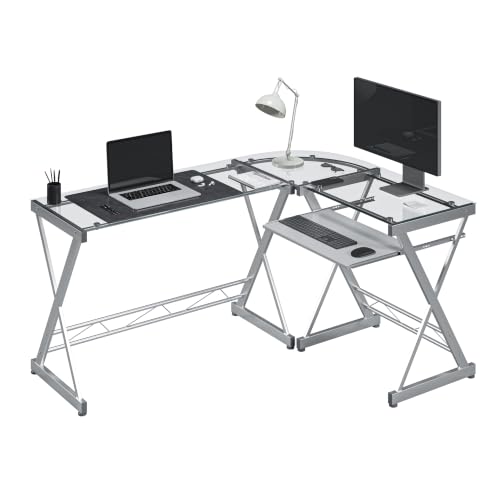
Glass looks clean in photographs and fails traders in practice. A glass top cannot accept a through-bolt mount, clamps grip it poorly and risk cracking it under a levered load, and its rated capacity is usually far below what a multi-panel array with arms imposes at a point. Glass also shows every cable beneath it, flexes in a way that feels unsettling with tall mounts, and turns a dropped tool into a potential catastrophe. Published load guidance for glass desks consistently positions them for light office use, and a trading array is not light office use.
Shallow 24-Inch Desks
A 24-inch depth is the standard for general office desks and the single most common reason a trading build feels cramped. The panels sit too close, stand feet consume the keyboard zone, a cable tray behind the desk pushes the desk away from the wall and steals effective depth, and there is no room to push a keyboard away and set down a notebook. Traders who inherit such a desk can improve it with wall-mounted panels and a keyboard tray, but a buyer choosing new should treat 30 inches as the floor and 36 inches as the comfortable target for three or more panels.
Thin Particleboard and Sagging Spans
Sag is slow, which is why it surprises people. A thin particleboard top carrying a central cluster of mounts may look level on delivery and develop a visible bow within a year, tilting panels inward and opening a gap under clamp plates. The signs arrive earlier than the bow: a door or drawer that stops aligning, a clamp that needs repeated tightening, a faint creak when leaning on the front edge. Reinforcement rails, a third leg, or a thicker replacement top fitted to the same frame can all rescue a sagging build, and each is cheaper than replacing the whole desk after the array has been mounted twice.
A related mistake is trusting a headline load figure without asking how it was measured. Some ratings describe a load spread evenly across the whole surface, which is nothing like four arms levering at the rear edge. Where a manufacturer publishes both a distributed and a point load, the point load is the honest guide for mounting decisions. Where only one figure exists, keep the planned load well inside it and favour frames whose manuals discuss monitor mounting explicitly.
Check prices on Amazon
Live listings for the shortlist in this guide are pulled from Amazon below, so prices and availability are always current at the moment you look.


A Closing Framework: Screens and Hours Decide
Bring the decision back to two numbers: how many screens, and how many hours a day in front of them. With one or two panels and a few hours of trading, a sturdy fixed-height desk of 30-inch depth, a sound top at least an inch thick, and a single good mount will serve well, and money saved on the frame is better spent on the chair. This is the one tier where a general-purpose desk and a trading desk genuinely overlap, provided the top material passes the clamp checks described earlier.
With three or four panels and a full market day, the requirements harden. Choose a steel frame with a published rating that leaves a clear margin after the top, panels, arms, and machines are counted; choose 30 to 36 inches of depth; plan a mounted distribution strip, a properly sized backup power unit, and a tray system sized for thirty or more cables. Height adjustment becomes strongly advisable at this tier, not as a luxury but because six or more hours in one posture is a physical cost that a second posture directly reduces.
With five or six panels, a stacked row, or two computers, treat the desk as infrastructure. An L-shaped or very long frame, through-bolt mounts, a third leg or support rail on long spans, rack-format power distribution, and deliberate airflow planning all move from optional to expected. At this scale the cost of the desk is small beside the cost of the equipment it carries and the cost of a session interrupted by a wobbling array, a tripped breaker, or a backup unit that was never sized for the load attached to it.
Whatever the tier, verify the same short list before ordering: the array width computed from housing dimensions, the depth needed for your viewing distance, the frame rating against your counted load, the top material and thickness against your mounting method, the tray and power plan, and the clear space for your chair and feet. A desk that passes all six checks on paper almost always passes in the room, because trading desks fail on measurements, not on surprises.
One last check concerns the weight printed on each monitor arm, because that figure is a range rather than a single limit. Gas-spring arms hold a panel still only when its weight falls between the minimum and maximum in the manual; a panel lighter than the minimum drifts upward, and one heavier than the maximum sinks slowly through the day. Weigh the panel without its factory stand, add the weight of any speakers or cameras mounted on the same arm, and confirm the total sits comfortably inside the stated range before the desk is ordered, not after the array is already leaning.
Measure your room twice, order once, and let the quietest desk in the building be the one your future self thanks you for on a loud market morning.