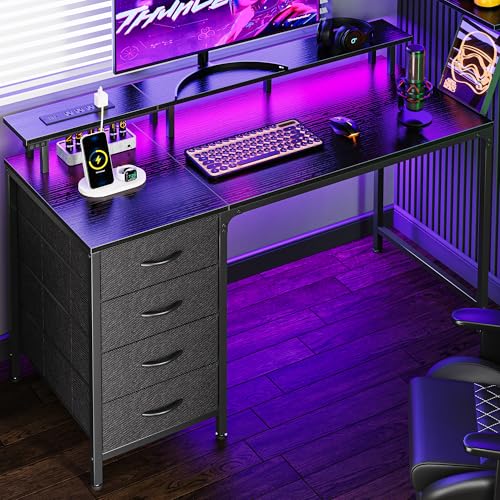
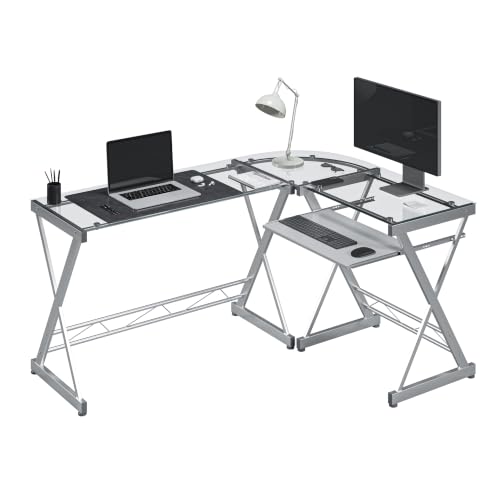
Our Top Picks
 OFFICE WORKS BY SAUDER Affirm 72'' x 30''72" x 30" x 29.29"29.53 x 71.1 x 29.29 inches122.28 poundsCheck on Amazon

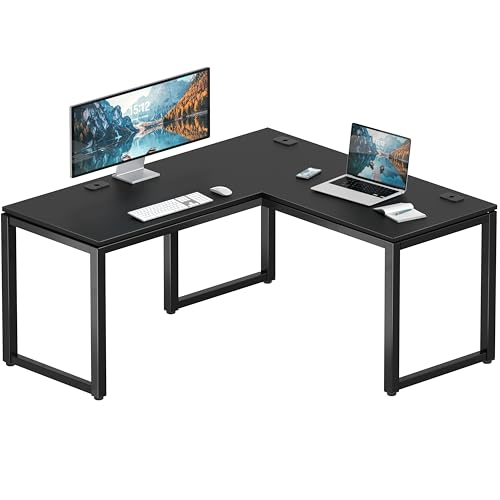

What's inside
- What separates commercial-grade desks from residential desks
- ANSI/BIFMA X5.1 and X5.5 in plain language
- Worktop substrates: particleboard, MDF, and plywood
- Surface materials: melamine, thermally fused laminate, and high-pressure laminate
- Edge banding: thickness, bonding, and impact resistance
- Frame construction: steel gauge, bracing, and modesty panels
- Rated load capacity and what it really covers
- Cable management for real offices: grommets, trays, and raceways
- Sizes and layouts for teams: benching, returns, and knee clearance
- Assembly at scale, levelling glides, and floor protection
- Height-adjustable commercial desks and their mechanisms
- Warranty structures and what wears out first
- Care, cleaning, and repair over a long service life
- Check prices on Amazon
- A practical buying checklist for commercial desks
As an Amazon Associate I earn from qualifying purchases. This post may contain affiliate links at no extra cost to you.
A commercial desk is not simply a larger version of a desk sold for a spare bedroom. It is a piece of workplace infrastructure, expected to survive daily cleaning, repeated reconfiguration, hot mugs, dragged monitors, chair arms striking the same edge hundreds of times, and staff who treat the surface as a workbench rather than furniture. That difference in duty cycle explains almost every other difference in this guide: denser worktop cores, thicker edge banding, heavier steel, replaceable parts, and documentation written for facilities teams rather than for a single buyer assembling one unit on a weekend.
Choosing well matters because the purchase price is only part of the cost. A desk that chips at the front edge in its second year, wobbles when a printer runs, or cannot accept a new cable tray when the team changes from laptops to dual monitors creates disruption far beyond its ticket value. Conversely, a plain, well-specified commercial desk can move between departments, accept a new top when a layout changes, and still look presentable after several office moves. This guide explains how to read specifications with that longer life in mind.
Some links on this page are affiliate links, which means the site may earn a commission if you buy through them, at no extra cost to you. That support helps keep these buying guides free to read, and it does not change the criteria described below: durability, repairability, and suitability for the layout you actually plan to build.
Our research for this guide drew on manufacturer spec sheets, published test summaries, and ergonomics guidance for seated and standing work. Where a maker lists a load figure, a panel thickness, or a warranty term, we compared that claim against the construction behind it, because a number without a frame, a core, and a fixing method to support it tells you very little. Specifications show whether a desk belongs in a busy office; marketing labels alone do not.
What separates commercial-grade desks from residential desks
The most useful distinction is intensity of use. A residential desk might host one person, one laptop, and a few hours of work a day, with long quiet periods in between. A commercial desk in an open-plan office can be occupied for two shifts, cleaned nightly with spray products, and used as a leaning surface, a meeting surface, and a temporary storage surface all in the same week. Manufacturers design for that pattern by increasing abrasion resistance on the top, impact resistance on the edges, and fatigue resistance in the frame joints.
Appearance can mislead. Two desks can share the same oak-effect finish and black legs in a photograph, yet differ completely underneath. One may use a low-density particleboard core with a thin decorative foil and 0.5 millimetre edge tape. The other may use a dense core, a high-pressure laminate face, and 2 millimetre impact banding bonded under heat and pressure. The first will look fine on delivery day. The second is the one still looking fine after a facilities team has unbolted it, stacked it, moved it across a building, and rebuilt it in a new configuration.
Commercial ranges also assume a buyer who manages many desks at once. That assumption shows up in details a home buyer rarely needs: tops drilled for several leg positions, frames that accept shared legs between adjoining desks, modesty panels that double as cable routes, spare glides sold by the bag, and tops available as a separate replacement part years after the original purchase. When you evaluate a range, look for that ecosystem. A desk sold as a single sealed product, with no spare parts list and no shared components, is harder to keep in service at scale.
Finally, commercial desks are specified against standards rather than impressions. In North America the relevant family is the ANSI/BIFMA series, discussed in the next section. In other markets you may see EN standards for office furniture dimensions and strength. The exact regime matters less than the habit of mind: a commercial maker can usually tell you which standard a desk was evaluated under, what size of top was used, and what the limits were. Vague claims about being heavy duty, industrial, or professional, without any standard or test context, deserve scepticism.
ANSI/BIFMA X5.1 and X5.5 in plain language
ANSI/BIFMA X5.1 covers general-purpose office chairs, so it is not the desk standard, but it appears constantly in office furniture discussions and is worth placing correctly. When a bundle or a procurement document mentions X5.1, that reference belongs to seating. It tells you the chair was evaluated for matters such as base strength, back durability, and arm strength under defined procedures. It does not certify the desk beside it, and a chair passing X5.1 says nothing about whether a worktop will sag.
ANSI/BIFMA X5.5 is the desk and table standard in that family. In general terms, it sets out test methods for strength, durability, and stability of desk and table products used in offices. The procedures address concerns a facilities manager recognises immediately: whether a top deflects excessively under distributed load, whether legs and their attachments survive repeated horizontal forces, whether a desk tips when weight is placed near an edge, and whether drawers or other attached elements, where fitted, keep functioning after cycling.
Reading X5.5 references carefully matters. A responsible listing will identify the standard, sometimes the edition year, and describe the product configuration evaluated. A less useful listing simply prints a logo or the word compliant with no configuration at all. Because a 120 centimetre desk and a 200 centimetre bench built from the same components behave differently, the size evaluated matters. Ask which top length and which leg arrangement the claim covers before assuming it covers the layout you intend to order.
Standards testing also uses defined loads and cycles, not real office chaos. Passing a laboratory procedure is a strong signal that a design has been engineered and checked, but it does not guarantee that a particular installation will feel rigid. Floor flatness, assembly torque, shared-leg alignment, and how much equipment sits near the rear edge all influence the result in a real room. Treat a standards reference as the starting point for questions about gauge, joints, and bracing, not as a substitute for them.
For buyers outside a formal procurement process, the practical takeaway is simple. Prefer desks whose makers publish the standard they design to, the rated load for the specific size, and the warranty that backs it. If a seller cannot provide any of those three, price the desk as a light-duty product regardless of how it is described, and do not plan to place shared printers, desktop towers, or multiple monitor arms on it.
Worktop substrates: particleboard, MDF, and plywood
The core inside a worktop determines screw holding, sag resistance, edge strength, and what happens when moisture reaches a cut-out. Most commercial desks use engineered wood cores because they are flat, consistent, and economical in large panels. The differences between those cores are large enough to affect service life, so the generic phrase engineered wood on a listing is not enough. Ask which core, at what thickness, and at what density where the maker publishes it.
Particleboard is the most common commercial core. It is made from wood particles bonded under pressure, and its quality varies widely with particle size and resin content. Higher-density particleboard, often discussed in the region of 650 to 720 kilograms per cubic metre for furniture panels, holds screws more securely, resists edge crumbling better, and feels less hollow when a monitor arm clamp tightens against it. Low-density board is lighter and cheaper, but fasteners can pull through when a desk is dismantled and rebuilt several times, which is exactly what happens in offices that reconfigure teams.
Panel thickness interacts with density. A 25 millimetre top is the common commercial expectation, with 18 millimetre tops appearing on lighter ranges and thicker 32 to 38 millimetre tops used where a long unsupported span or a premium feel is wanted. Thickness alone does not rescue a weak core, but a dense 25 millimetre panel with proper laminate on both faces is a balanced specification for most bench and single-desk layouts. The underside laminate, sometimes called a balancer, matters because an unbalanced panel can warp as humidity changes.
Medium-density fibreboard, or MDF, offers a very smooth face and crisp machined edges. It is heavier than particleboard at the same thickness and takes shaped or profiled edges well. Its weakness is moisture at exposed edges and screw holding in repeated assembly: screws driven into the face hold reasonably, while screws into a narrow MDF edge can split or loosen. Commercial desks in MDF usually rely on metal inserts, dowels, or frame fixings into the face rather than repeated edge screws, and they need intact edge protection wherever cleaning fluids might reach the core.
Plywood cores, built from cross-laminated veneers, bring strong screw holding and good resistance to splitting. A quality birch or mixed hardwood plywood top tolerates clamp loads and re-drilling better than most particle cores, which makes it attractive for desks that will be reconfigured often or fitted with arms and accessories over time. The trade-offs are cost, weight, and edge appearance: exposed ply edges can look deliberate and attractive, but they need sealing, and lower-grade plywood can contain voids that weaken a fixing point invisibly. Where plywood is offered, ask about void-free construction for the fixing zones.
Moisture behaviour deserves a separate mention because offices are wet in small, repeated ways. Spilled drinks run to the lowest edge, cleaning sprays pool around grommet holes, and steam from a kettle placed on a rear corner drifts into an unsealed cut-out. A good commercial top seals every cut edge, including cable grommets and scallops, with banding, lacquer, or a fitted grommet that covers the raw core. When you inspect a sample or a showroom desk, look inside the grommet hole. Raw, crumbly core visible there is a warning about the rest of the panel.
Surface materials: melamine, thermally fused laminate, and high-pressure laminate
The surface is what staff see, clean, and abrade. Three terms dominate commercial specifications, and they are often used loosely, so precise definitions help. Melamine in everyday listings usually means a decorative paper impregnated with melamine resin, applied to the core. Thermally fused laminate, often shortened to TFL, describes a similar resin-impregnated decorative sheet fused directly to the panel under heat and pressure during manufacture, producing a consistent, economical face widely used on commercial casegoods and desk tops. High-pressure laminate, or HPL, is a separate sheet built from multiple resin-treated layers pressed at high pressure, then bonded to the core as a distinct skin.
Abrasion resistance is where HPL usually earns its higher cost. Because the laminate sheet has its own substantial wear layer, it tolerates chair castors striking a modesty area, equipment being dragged, and gritty dust being wiped across the surface for longer before the pattern wears. TFL and direct melamine faces perform well for ordinary keyboard-and-paper work and clean easily, but their decorative layer is thinner, so a deep scratch is more likely to reach the core colour and become permanent. In a training room or hot-desking area with constant equipment movement, that difference compounds quickly.
Stain and chemical behaviour follow a similar pattern. Coffee, marker ink, and hand sanitiser sit on all three surfaces without immediate damage if wiped promptly. Prolonged contact is less forgiving on thinner faces, and strong solvents can dull any of them. HPL generally gives cleaning teams the widest margin, which matters in shared offices where a spill may sit overnight. Whatever surface you choose, obtain the maker care sheet: some finishes dislike bleach-based sprays, and a cleaning contract that uses the wrong product can void goodwill long before the top itself wears out.
Heat is the third everyday hazard. A laptop power brick left face-down, a mug without a coaster, or a laminating machine parked at the end of a bench can mark a surface. HPL tolerates brief contact with hot vessels better than thin melamine faces, but no laminate top should be treated as a trivet. Facilities teams often solve this socially rather than technically, with coasters in kitchen-adjacent areas and a rule that heat-producing equipment lives on a separate equipment table.
Edge behaviour connects surface choice to core choice. A surface can be intact while the desk still looks worn, because the eye reads the edge first. If the face is HPL but the edge is a thin tape that peels after chair impacts, the desk will look tired early. Better commercial specifications pair a durable face with banding of matching durability, radius the front edge slightly so impacts glance rather than chip, and avoid razor-sharp 90-degree front corners where bags and hips strike. When comparing quotes, compare the full sandwich: face, core, balancer, and edge, not the face alone.
Finish and glare also affect daily comfort. A matte or low-sheen surface reduces reflections from overhead panels and windows, which staff notice during long screen work. Very dark tops show dust and scratches more readily; very pale tops show coffee rings and pen marks. Mid-tone woodgrains and soft greys hide the evidence of a working office best, which is one reason so many commercial ranges centre on those palettes. Order a physical sample and view it under your own lighting before committing a whole floor to a colour chosen from a screen.
If your shortlist includes smaller workstations for focused work at home as well as office benches, the way these surfaces behave at compact sizes is covered in our notes on best affordable home office desks, where the same laminate distinctions apply at a different scale.
Edge banding: thickness, bonding, and impact resistance
Edge banding is the strip applied to the exposed sides of a worktop to seal the core and absorb impacts. Its thickness is one of the most honest specifications on a commercial desk listing because it is easy to state and hard to fake. Budget desks often use banding around 0.5 to 1 millimetre thick. Solid commercial desks commonly use 2 millimetre ABS or PVC banding on the front and other exposed edges, and some heavy-use ranges go thicker on the user edge. That front edge takes the chair arms, belt buckles, vacuum cleaners, and crates during moves, so thickness there matters most.
Material matters alongside thickness. ABS banding is widely used, bonds well, and can be trimmed and radiused cleanly. PVC banding is also common and durable, though environmental policies in some organisations prefer ABS. What you want to avoid is a paper-thin foil edge that is essentially part of the decorative face folded over the side. Foil edges look neat in photographs and fail early in service, lifting at corners and exposing the core to moisture.
Bonding quality decides whether thick banding stays attached. Hot-melt adhesives applied and pressed correctly produce a tight, almost invisible glue line. Poorly applied banding shows a dark glue line, lifts at the ends, or can be peeled with a fingernail at a corner. On a sample, run a thumbnail along the junction between face and edge. It should feel smooth, with no lip to catch. A lip collects dirt, catches sleeves, and gives an impact a starting point to peel the strip.
Radius and corner treatment are the quiet details of a good edge. A small radius on the top and bottom of the banding softens contact with forearms during long typing sessions and reduces chipping. Corners can be square, slightly rounded, or fully radiused. In busy circulation areas, rounded corners survive better and hurt less when someone catches a hip. For benching runs, check how corners are handled where tops meet: a well-designed system keeps the banding continuous and avoids a raw joint at the seam.
Repair is the final edge question. Banding can be replaced by a competent furniture technician if the core beneath is sound, and some makers supply matching banding by the roll for exactly that purpose. Ask before you buy. A range with replaceable banding and replaceable tops can be refreshed for a fraction of replacement cost, while a range without spares forces a whole-desk decision over a 40 centimetre strip of damaged plastic.
Frame construction: steel gauge, bracing, and modesty panels
Most commercial desk frames are steel, and the specification that matters is the thickness and section of that steel, not simply its presence. Steel thickness may be described in millimetres or in gauge, where a lower gauge number means thicker metal. Legs and beams in the region of 1.5 to 2 millimetres of wall thickness, formed into box or rectangular sections, behave very differently from thin-walled tube that can be dented by a thumb press. Section shape matters too: a 60 by 30 millimetre rectangular leg resists sideways racking better than a slim round tube of similar weight.
Racking, the sideways parallelogram movement you feel when you push a desk from the end, is the enemy of a professional feel. Frames control it in three ways: stiff legs, a beam or apron connecting the legs near the top, and fixings that pull the top into the structure so the panel itself acts as a diaphragm. A desk with two independent leg frames and no connecting beam can feel acceptable at 120 centimetres and unsettled at 180 centimetres. A full-width structural beam, or a cable tray designed to act as one, transforms the same legs into a much calmer assembly.
Cross bracing appears on longer spans, on standing-height frames, and on bench systems where several tops share legs. Bracing can be a low rear bar, diagonal elements in industrial styles, or a deep modesty structure. Each approach trades legroom and access against stiffness. A low crossbar that passes exactly where a user wants to stretch their legs will be cursed daily, so check its height and depth against real seating positions, especially for taller staff.
Modesty panels deserve a balanced view. A panel hanging below the rear of the top can hide cables, give seated privacy in open layouts, and add stiffness if it is structurally fixed. A purely decorative thin panel adds weight without stiffness and can drum or vibrate. Materials range from steel and laminate to fabric-wrapped acoustic boards. In bench layouts, a shared modesty or screen system can also carry accessories and divide sightlines, but confirm that the panel does not steal the knee depth discussed later in this guide.
Welds and fixings complete the picture. Look for clean, continuous welds at leg joints rather than spot tacks, and for frame-to-top fixings that use metal inserts or through-bolts into substantial brackets rather than short screws into the underside alone. A frame that bolts together with proper machine screws can be dismantled and rebuilt many times. A frame held by self-tapping screws into thin tube will loosen with each move, and no amount of retightening fully restores it.
Feet are part of frame construction, not an afterthought. Adjustable glides with a wide base spread load and allow levelling. Castors, where mobility is needed, should be lockable and sized for the floor type, with soft treads for hard floors. A commercial range will state which feet options fit which frames, so a desk can move from glides to castors as its role changes. That flexibility is a hallmark of a system designed for facilities management rather than a single delivery.
Rated load capacity and what it really covers
A rated load figure only helps if you know what it includes. Some makers rate the frame alone, some rate the complete desk with a specified top, and some quote an evenly distributed load while your real load is concentrated under a monitor arm clamp and a desktop tower. Ask three questions: is the figure for the size you are buying, is it evenly distributed or point load, and does it include the weight of the top itself on a height-adjustable model? On electric frames, the lifting capacity must carry the top, all equipment, and anything a user leans on the front edge.
For a conventional single desk with two monitors, a laptop dock, and a small tower, the combined equipment weight is modest, often well within a sensibly rated commercial frame. The demanding cases are shared and specialised: a bench position carrying a large-format monitor on an arm plus a workstation tower; a desk repurposed for a printer and paper stock; a training desk with a desktop machine at every seat. Paper is deceptively heavy, and a row of archive boxes placed on a desk during an office clear-out can exceed the load of any normal workstation setup.
Sag is the slow form of overload. A top can be within its total load rating and still deflect visibly if the weight sits mid-span on a long, thin panel without a supporting beam. If you plan spans of 180 centimetres or more, look for a central support beam, an intermediate leg option, or a thicker top specification. A straight edge laid across an older desk in your current office will teach you more about sag than any brochure: many tired desks show a gentle dish between the legs.
Dynamic loads matter as well. People lean, perch, and occasionally sit on desk edges during informal conversations, whatever the facilities policy says. Commercial designs anticipate a degree of this with stability and strength procedures, but a desk already carrying its maximum equipment load has less margin for the colleague who sits on the corner with a coffee. Keeping everyday equipment loads comfortably below the rated maximum is the simplest way to preserve that margin.
Document the loads you intend. A one-page schedule per desk type, listing monitors, arms, towers, and accessories with their weights from spec sheets, turns load capacity from a guessing game into a checkable specification. It also helps later, when a team requests larger monitors: the schedule shows immediately whether the existing frames remain within their rating or whether the request triggers a frame change.
Cable management for real offices: grommets, trays, and raceways
Cable management fails in offices not because nobody planned it, but because the plan assumed the desk would hold exactly the equipment listed on day one. Real desks gain a second charger, a replacement dock with a bulkier power brick, a desk phone that returns after being removed, and a monitor swapped for a larger model with its cable in a different place. Good commercial cable design leaves spare capacity in every element: a tray wider than the first set of power supplies, grommets positioned for more than one layout, and a vertical route that can accept another cable without being dismantled.
Grommets are the entry point. A standard round grommet, commonly around 60 to 80 millimetres in diameter, passes plugs and cables from the top into a tray below. Rectangular brush grommets suit bench centres where cables emerge along a shared spine. Placement matters more than size. A grommet centred at the rear of a single desk serves most layouts; on benches, a shared central access point between facing users reduces cable runs across the top. Check that the grommet cap or brush covers the raw core, and that the hole position does not collide with the frame beam or a monitor arm clamp underneath.
Under-desk trays carry the weight of the system. A pressed-steel or wire tray fixed to the underside or to the frame holds power strips, docks, and power bricks off the floor, where cleaners can work and where kicked plugs cause outages. Wire trays allow heat to escape and make it easy to see what is connected; solid trays hide clutter better and catch screws and pens dropped through a grommet. Either way, the tray should be reachable without removing the top, and its fixings should go into the frame or into metal inserts, not into a thin section of board that will be re-drilled at every change.
Vertical raceways move cables from floor or wall outlets up to the tray without a dangling bundle. In bench systems this is often a leg with a removable cover or a separate cable spine shared between positions. For single desks against a wall, a simple adhesive or screw-fixed channel can suffice, though screw-fixed versions survive cleaning better. Where power comes from floor boxes in the middle of a room, the raceway position dictates the bench position, so coordinate desk layout with the electrical plan before ordering, not after delivery.
Separation of power and data is a practical as well as a tidiness concern. Bundling mains cables tightly with data cables for long parallel runs is poor practice, and facilities teams generally keep them in separate compartments of a tray or spine where the design allows. Many commercial bench spines provide two channels for exactly this reason. Labelling at both ends of each cable, dull as it sounds, is what makes a well-routed desk maintainable a year later when a different technician fault-finds a dead port.
Finally, plan the slack. Each workstation needs enough spare cable to allow a monitor to move on its arm, a laptop to be lifted and turned, and a desk to be pulled forward for cleaning, without tugging a connector. Excess slack should live coiled in the tray, not hanging in loops behind the desk where it collects dust and catches chair castors. A tray that is slightly too large, with a handful of reusable ties, will still look organised in year three; a tray filled to capacity on day one will not.
Compact workstations benefit from the same discipline at a smaller scale, and readers planning a single mid-size desk can compare tray and grommet positions in our guide to best 50 inch computer desks before deciding how much cable capacity they really need.
Sizes and layouts for teams: benching, returns, and knee clearance
Commercial desk sizes cluster around a few practical widths: 120, 140, 160, and 180 centimetres for single desks and bench positions, with depths of 70 or 80 centimetres for most screen-based work. Depth is the dimension buyers most often undervalue. An 80 centimetre depth allows a monitor on a stand or arm, a keyboard, and documents in front of the screen without crowding. A 60 centimetre depth can work for laptop-led work with an external screen on an arm, but it leaves little room for paper and pushes the screen closer than many people prefer.
Benching, where several tops share a frame structure in a run or face-to-face cluster, is the dominant layout in modern offices because it uses floor space efficiently and shares legs, beams, and cable spines. A bench of four or six positions also shares its weaknesses: one wobbly shared leg affects neighbours, a central spine filled by the first team leaves nothing for the second, and a single damaged top section may be harder to replace if the system uses continuous tops rather than individual ones. Prefer bench systems with individual tops per position; they reconfigure and repair far more gracefully.
Returns extend a main desk at a right angle, creating an L-shaped workstation with a secondary surface for paperwork, a printer, or a second task zone. In commercial ranges, a return may be a full supported top, a shorter return with its own leg, or a mobile pedestal supporting one end. Check the junction: the return should meet the main top flush, with a bracket that prevents a step developing as fixings settle. Also check knee space at the corner, because a supporting leg placed exactly where the user rotates between surfaces will be struck constantly.
Pedestals and storage interact with layout more than expected. A fixed pedestal under a desk adds stiffness and convenient storage but fixes the layout and removes legroom on that side. Mobile pedestals preserve flexibility and can support a return, but they wander on hard floors unless their castors brake properly. Many offices now separate storage from the desk entirely, using shared lockers and keeping the desk zone clear, which improves both legroom and cleaning. Decide the storage model first; the desk specification follows from it.
Knee clearance and accessibility should be planned in general terms with your local regulations and accessibility adviser, because requirements vary by jurisdiction and building. The widely used principles are consistent: provide a clear knee space under at least some workstations, free of modesty panels, low crossbars, pedestals, and cable trays; keep that space wide enough for a wheelchair user to approach front-on; and ensure controls for height adjustment and power are reachable from a seated position. A bench system that looks efficient in a plan view can fail this test if every position has a tray or beam crossing the knee zone.
Circulation space completes the layout. A desk depth figure means little without the space behind the chair. As a planning habit, allow room for a chair to pull out, for a colleague to pass behind an occupied seat without brushing the sitter, and for cleaning equipment to reach the wall. Cramped rows generate constant small collisions with desk edges and monitor arms, which is both an ergonomic and a durability problem. If the floor plate forces a choice, reducing bench length by one position often improves the whole row more than squeezing every position by a few centimetres.
For a home office that borrows commercial ideas at a domestic footprint, our overview of best 60 computer desks shows how the common 60-inch class balances depth, knee room, and monitor space outside a bench system.
Assembly at scale, levelling glides, and floor protection
Assembling one desk is a task; assembling two hundred is a logistics operation. Commercial ranges support that scale with pre-drilled tops, captive fixings, frames that arrive as a small number of sub-assemblies, and instructions written for installers who build the same unit repeatedly. Ask how the desk is packed: flat tops stacked with protection, legs boxed per position, and fixings bagged per desk save hours on site. A range that requires the installer to drill the top on site introduces dust, error, and inconsistency across a floor.
Sequencing matters during a fit-out. Frames are usually built first, levelled loosely, tops placed and fixed, then trays and accessories added before final levelling once the full equipment load is on. If your installer levels an empty desk perfectly and a facilities team later adds a heavy tower and printer, expect to revisit the glides. Building a short re-level visit into the project plan, a week after occupation, is a small cost that removes a long tail of wobble complaints.
Levelling glides compensate for floors that are never perfectly flat, especially in older buildings and over raised access flooring. A glide with a threaded stem and a wide foot allows fine adjustment from above or below depending on design. During installation, adjust until all feet share load: a desk rocked diagonally will reveal one light foot immediately. Recheck after moving a desk even a short distance, because a glide setting that suited one floor tile may not suit the next, and a desk dragged rather than lifted often arrives with a bent stem.
Floor protection is the glide other job. Hard nylon glides slide well on carpet tile but can mark vinyl and timber; felt or soft polymer pads suit hard floors but wear and pick up grit. On polished concrete, a wide soft foot prevents both marking and the clicking noise of a hard foot on a rough surface. Raised access floors deserve special care: confirm the desk feet land on tile centres rather than bridging joints where a point load can rock a tile, and never place a heavy safe or dense paper store on a desk over an access floor without checking the floor rating separately.
Protect the desks during the move itself. Most edge and surface damage in a commercial desk life happens in transit between rooms, not in use. Tops should travel on edge trolleys with padding, corners protected, and laminate faces never dragged across one another. If a removal contractor proposes stacking unprotected tops, that is the moment to intervene. A short handling note in the move plan, agreed with the contractor, prevents the most common and most avoidable form of damage.
Keep an installation record. A simple log of which desk types went to which floor, the date, and any damaged or substituted parts becomes invaluable when a warranty question arises two years later. Photograph a completed typical position, including the cable tray and the underside fixings. That photograph becomes the standard for later moves and for new installers, and it settles arguments about how a desk was originally configured far faster than memory does.
Height-adjustable commercial desks and their mechanisms
Height-adjustable desks are now a standard part of commercial ranges, and their mechanisms need the same scrutiny as the top and frame. Electric lifting columns, usually two or three per desk, are driven by motors in each column or by a central motor with a drive system, controlled by a handset and a control box. Published specifications to compare include lifting capacity including the top, adjustment speed under load, duty cycle, noise, and standby power draw. A desk that lifts quickly when empty but slows markedly with a full workstation on it will discourage use, which defeats its purpose.
Stability at full height is the characteristic weakness of adjustable desks. A frame that feels solid at seated height can sway at standing height because the columns are extended and the load sits higher. Crossbars between columns, deeper feet, and well-designed column overlaps all help. When evaluating, raise the desk to its maximum, place a typical monitor load on it, and type. Some movement is normal; a monitor that visibly oscillates after each keystroke is not. Remember that monitor arms raise the load further and move it rearward, so evaluate with the arm fitted if that is the intended setup.
Anti-collision systems, which stop the desk when it meets an obstruction, protect both equipment and the low storage that inevitably migrates under desks. Sensitivity varies: a system that stops for a pedestal but also stops for a cable brushing the column will be disabled by frustrated users if disabling is possible. Ask how the system behaves, whether its sensitivity can be set during installation, and what happens after a stop: a small automatic reversal is more convenient than a full reset procedure.
Cable management on an adjustable desk must move with the desk. A cable spine or a managed loop with enough slack for the full travel is essential; a tight cable will either restrict movement or pull a plug out at full height, and both failures appear in the first week. Power should ideally rise with the desk from a floor or wall outlet through a single managed route, with the tray mounted to the desk so that only one flexible connection crosses the moving boundary.
Hand-crank and pneumatic mechanisms still appear in commercial settings where power is unavailable at the desk or budgets are tight. They carry lower loads, adjust more slowly, and suit occasional repositioning rather than daily sit-stand routines. Whatever mechanism you choose, confirm that replacement handsets, control boxes, and columns are available as spare parts. Electronics age faster than steel frames, and a desk whose control box cannot be replaced becomes a fixed desk at whatever height it last stopped.
Readers comparing adjustable models for a single workspace can use our dedicated roundup at best adjustable desks alongside this section, then return to the commercial criteria here for frame and top construction.
Warranty structures and what wears out first
Commercial furniture warranties are usually split by component, and reading the split tells you what the maker expects to last. Frames and structural metalwork often carry the longest terms, sometimes a decade or more. Worktops and surface finishes commonly carry a shorter term. Mechanisms, motors, and electronics on adjustable desks are usually shortest of all, reflecting their duty cycle and complexity. A single headline figure advertising the longest component term, with the shorter terms in footnotes, is marketing; the component schedule is the warranty.
Understand what the warranty covers. Most cover defects in materials and workmanship, not damage from misuse, impacts, water ingress through a cut edge, or the use of unapproved cleaning chemicals. Some makers offer on-site service in metropolitan areas and parts-only service elsewhere. For a multi-site organisation, the service model matters as much as the term: a generous warranty that requires returning a bench top to a distant depot may be worth less than a shorter one with a local technician and next-day parts.
What actually wears out first, in typical office service, is predictable. Edge banding at the front corners chips or lifts. Glides wear, crack, or go missing during moves, after which the desk rocks and the frame fixings take the strain. Height mechanisms develop play or a failed handset. Grommet covers disappear. Chair castors and arms mark the modesty area. Notice that none of these is the main structural frame, which is why spare parts availability converts most early failures from replacements into repairs.
Claims go more smoothly when the buyer kept records: order confirmations showing the range and finish, the installation log mentioned earlier, and photographs of the damage in place. Report damage promptly rather than accumulating a list, because a lifting edge repaired early protects the core, while the same edge left for a year may allow moisture in and turn a banding claim into a disputed top replacement. Facilities teams that inspect desks during routine cleaning rounds catch these small failures at the cheap stage.
For large orders, discuss warranty handling before signing: a named contact, expected response times, whether advance replacement parts can be held on site, and how discontinued finishes are handled if a top needs replacement in year six. Makers of genuine commercial systems deal with these questions routinely and usually have a service document ready. A seller who cannot discuss service at all is telling you something about the years after delivery.
Care, cleaning, and repair over a long service life
Daily care for laminate commercial tops is simple: wipe with a soft cloth and a mild detergent solution, rinse away residue, and dry standing liquid rather than letting it pool at edges and grommets. Avoid abrasive pads, scouring powders, and steam cleaners directed at edges, all of which attack the bond line or the surface sheen. Place coasters or mats under plants and kettles, because the ring under a repeatedly overwatered plant is one of the most common permanent marks on office desks.
Ink, adhesive, and paint marks should be treated gently and promptly. Many marks lift with a cloth dampened with a mild solvent recommended by the surface maker, used sparingly and tested in an inconspicuous place first. Never flood a mark near an edge or grommet, because liquid running into the core causes more harm than the mark itself. Keep a small care kit with the cleaning team: microfibre cloths, the approved cleaner, spare grommet covers, and a handful of glides solve most desk complaints on the spot.
Repair options scale with damage. A lifted section of banding can often be re-bonded or replaced. A chipped front edge can be cut back and re-banded by a furniture technician, restoring both appearance and moisture protection. A stained or deeply scratched top on a frame that remains sound is a candidate for top-only replacement, which is why ranges that sell tops separately are so valuable. Keep one or two spare tops in a popular size for a large installation; the first time a pipe leaks over a weekend, that small stock pays for itself.
Frame care is mostly inspection. Check glide condition, tighten any fixing that has worked loose, and look at welds and column guides on adjustable desks for damage after every move. Lubrication should follow the maker instructions only; many modern columns are designed to run without user lubrication, and adding the wrong product attracts grit. Electrical components should be kept dry, with control boxes mounted where a spilled drink on the top cannot drain into them through a grommet.
End of life deserves a plan as well. A commercial desk built from a steel frame and a separable top is relatively easy to refurbish, resell, or recycle by material stream. Desks bonded into mixed-material assemblies are not. If your organisation reports on waste or carbon, ask the maker about take-back or refurbishment schemes and about the recycled content of the frame steel. Choosing a repairable desk and then actually repairing it for a decade is the strongest sustainability statement an office furniture purchase can make.
Check prices on Amazon
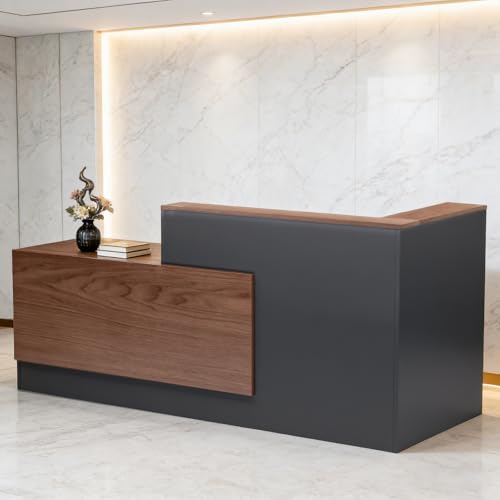
Live listings for the shortlist in this guide are pulled from Amazon below, so prices and availability are always current at the moment you look.


A practical buying checklist for commercial desks
- Confirm the core material, density where published, and panel thickness, with 25 millimetres as a sensible commercial baseline.
- Identify the surface precisely: melamine face, thermally fused laminate, or high-pressure laminate, and obtain the care sheet for it.
- Check front edge banding thickness, aiming for around 2 millimetres on exposed edges, with a clean, lipless bond.
- Ask for the steel section sizes, the presence of a structural beam or bracing, and how the top fixes to the frame.
- Match the rated load to a written equipment schedule for each desk type, leaving margin for leaning and future monitors.
- Walk the cable route on paper from floor outlet to monitor, counting grommets, tray capacity, and vertical raceways.
- Verify knee clearance at every position, with trays, beams, and pedestals kept out of the clear zone where access is needed.
- Confirm spare parts: tops, banding, glides, grommets, handsets, and control boxes, and how long they remain available.
- Read the warranty by component, not by headline, and agree the service route before placing a large order.
- Order physical samples of top, edge, and frame finish, and view them under your own office lighting.
Two final habits separate satisfied buyers from disappointed ones. First, pilot a small number of desks with the team that will use them, fully equipped, for several weeks before a large rollout; every layout assumption in this guide becomes concrete in a pilot, and changes are cheap at that stage. Second, standardise. A floor built from one or two desk types, in one or two sizes, with shared components, is cheaper to buy, faster to install, easier to repair, and simpler to reconfigure than a floor assembled from a dozen attractive exceptions.
Budget planning should follow the same long view. Compare ranges on the cost of a complete, equipped position, including trays, raceways, screens, delivery, installation, and a small stock of spare glides and grommet covers, rather than on the bare desk price alone. Then add a modest allowance for the first reconfiguration, because teams rarely stay in their opening layout. A range that looks marginally cheaper at quotation stage can become the expensive option once installers charge extra for drilling tops, sourcing non-standard fixings, or replacing a damaged panel that has no matching spare available anywhere in the country.
A commercial desk earns its name not on the day it is unboxed, but on the ordinary Tuesday, years later, when it is cleaned, leaned on, reconfigured, and still does its job without anyone noticing it at all.