Our Top Picks
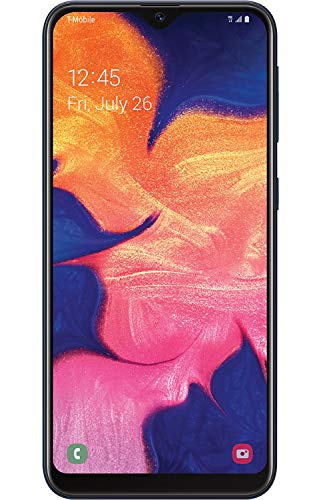 Samsung Galaxy A10e 32GB A102U GSM Unlocked Phone32 GB5.8 x 2.74 x 0.33 inches1 poundsCheck on Amazon



What's inside
- How to judge an older Android phone
- Samsung Galaxy S23
- Google Pixel 8
- Samsung Galaxy S22
- Google Pixel 7 Pro
- OnePlus 11
- Samsung Galaxy S21 FE
- Google Pixel 7
- Nothing Phone 1
- Motorola Edge 30 Pro
- Battery health: the used-phone inspection that matters most
- Security patches and the real meaning of end of support
- Buying used or refurbished without inheriting someone else’s problem
- Questions buyers ask about older Android phones
- Living with an older Android version, honestly assessed
- How cameras, displays and performance really age
- Cases, repairs and the quiet advantage of popularity
- The environmental and household case for buying older
- A realistic first month with an older flagship
- Choosing between two older finalists
- Check prices on Amazon
- Our verdict on buying an older Android
As an Amazon Associate I earn from qualifying purchases. This post may contain affiliate links at no extra cost to you.
A note from the GizmoVerdict editors on older handsets: we revisit previous-generation Android phones with fresh eyes each season, handling retail and refurbished units ourselves, and no maker has paid for a place in this guide or seen its wording before publication.
An older Android phone is not a failed new phone, and treating it as one is the first mistake sensible buyers learn to avoid. A flagship from a couple of generations back was engineered to impress demanding reviewers, carry premium materials and survive years of heavy daily use, and none of that engineering evaporates simply because a successor has taken the spotlight. What changes with time is the support calendar wrapped around the hardware, the chemistry inside the battery and the gap between its camera processing and the newest computational tricks. Judge those three things honestly and a previous-generation handset can deliver the most satisfying version of Android ownership available without paying launch-day money.
The shoppers who benefit most from this route tend to share a particular mindset about technology and timing. They would rather own a beautifully built device with a mature software record than a fragile novelty assembled to hit an aggressive launch target. They read update policies the way careful travellers read tide tables, because both describe a window that quietly closes whether you pay attention or not. And they understand that a battery is a consumable component, more like tyres on a good car than like the engine, so its condition deserves inspection rather than blind faith.
This guide walks through the former flagships and standout models that still make sense, explains how much update life each one realistically has left, and shows you how to examine a used or refurbished example before money changes hands. Along the way we will talk about security patches, storage headroom, camera ageing and the small physical checks that separate a cherished one-owner phone from a tired ex-demo unit. Readers who are also considering handsets bought new a couple of seasons ago may enjoy our companion piece on best 2 year old android phones once they have finished here.
One promise runs through everything that follows, and it concerns honesty about time rather than enthusiasm about hardware. Every phone below is described with its remaining support window in plain view, because a bargain that stops receiving security patches next spring is not the same bargain as one protected for several more years. Where a model suits only a short ownership horizon, we say so directly and explain which kind of buyer can still be happy with it. Value in this corner of the market is always value per supported year, never just the number attached to a listing.
How to judge an older Android phone
Start any older-phone decision with the software calendar, because it is the one specification that cannot be improved by a careful previous owner. Count forward from today through the months of full system upgrades the maker still owes the model, then through the longer tail of security patches that follows those headline releases. A phone with modest performance but three calm years of patches ahead of it will age more gracefully than a faster device whose protection quietly ends within twelve months. Write the end date on a sticky note if you must, because that date is effectively the expiry date of the whole purchase.
Performance, by contrast, ages far more kindly than marketing suggests it does. The flagship processors fitted two or three generations ago were massively overpowered for messaging, browsing, photography and navigation, and those everyday workloads have not grown hungry enough to embarrass them. What you may notice instead is heat behaviour under sustained gaming, slightly slower photo processing after dark and app launch times measured in fractions rather than instants. For the overwhelming majority of owners, those are footnotes rather than frustrations, which is precisely why the used flagship market exists at all.
Battery condition sits between those two poles, partly predictable and partly a lottery you can learn to read. Lithium cells lose capacity with every charge cycle and with time spent sitting at full charge in warm places, so a lightly used phone from a careful home can easily outlast a younger unit that lived on a car dashboard. Ask sellers about charging habits, look for swelling or screen lift, and treat any refusal to discuss battery health as information in itself. Our wider survey of enduring favourites in best all time android phones shows how the longest-lived models were usually the ones whose owners replaced a battery once rather than replacing the whole phone.
Finally, weigh the intangibles that specifications never captured even when these phones were new. A mature model has a public record: known faults have surfaced, repair costs are understood, cases and screen protectors are everywhere, and forums hold answers to questions the manual never anticipated. Buying into that knowledge base is a genuine advantage over being an early adopter of an unknown quantity. The older phone arrives with its reputation already written, and your job is simply to read that reputation before you pay.
Samsung Galaxy S23
Few older Android phones feel as complete in the hand as the Galaxy S23, a compact flagship that resisted the industry drift toward ever larger glass slabs. Its flat display remains bright and colour-accurate, the aluminium frame still looks tailored rather than merely assembled, and the whole device carries the quiet confidence of a design Samsung refined over several generations. Because it launched as a true flagship, the fit and finish embarrass many newer mid-range phones that technically outrank it on a calendar.
Daily speed from its Snapdragon generation remains beyond reproach for ordinary work, with multitasking that shrugs off split-screen maps and messaging without visible effort. The triple camera system covers wide, ultrawide and genuine telephoto perspectives, and its portrait rendering has a natural restraint that flatters people rather than turning them into illustrations. Night photography asks for a steadier hand than the newest models demand, yet results in mixed restaurant light still hold together with pleasing colour.
The deciding factor for the S23 is its support runway, which stretches comfortably beyond that of most rivals from the same season. Samsung committed to a long schedule of system upgrades and security patches for this generation, so a buyer today is purchasing several protected years rather than a brief farewell tour. Battery wear on used examples varies widely, so favour units sold with a health report or buy refurbished stock that has been tested cell by cell. As a first step into older flagships, this is the model we hand to cautious friends.
Google Pixel 8
The Pixel 8 represents the moment Google’s hardware finally matched the ambition of its software, and age has been kind to that combination. Its rounded pebble shape sits comfortably against the palm, the display pushes brightness high enough for harsh midday pavements, and the camera bar across the back still reads as a deliberate design statement. Everything about the phone feels considered, which matters more after two years of ownership than any single launch headline.
Google’s Tensor silicon was tuned for intelligence rather than benchmark theatre, and that priority shows in features owners actually touch daily. Call screening deflects nuisance ringing, voice typing keeps pace with fast talkers, and the camera processing extracts balanced photographs from scenes that confuse lesser phones. Keen mobile gamers chasing maximum frame rates should look elsewhere, but photographers who value judgement over spectacle will feel immediately at home.
No older Android offers a longer software horizon than this generation of Pixel, with Google promising support deep into the decade. That extraordinary runway transforms the buying maths, because even a phone bought well into its life can still expect years of system upgrades and patches. Check the charging port for looseness and confirm the previous owner has removed their account cleanly before completing any private purchase. For buyers who rank longevity above raw speed, the Pixel 8 is the safest pair of hands in this entire guide.
Samsung Galaxy S22
One generation further back, the Galaxy S22 asks for a little more homework while rewarding it with an even gentler entry point into flagship ownership. The hardware story remains appealing: a compact body, a vivid display with a smooth refresh rate, wireless charging and water resistance that newer budget phones still treat as luxuries. Held beside a current mid-range handset, the S22 feels like the more expensive object, because when it launched, it was.
Performance in everyday circulation is still brisk, though this generation runs warmer under sustained load than its successor and rewards owners who avoid marathon gaming sessions in summer heat. Cameras produce Samsung’s characteristically lively colour, with a proper telephoto lens that gives portraits and distant details a clarity digital zoom cannot fake. Battery capacity was modest even at launch, so plan on this being a phone that appreciates a mid-afternoon top-up on heavy days.
Its remaining update window is shorter than the S23’s, and that single fact should shape both the price you accept and the years you expect from it. Security patches still have a meaningful distance to run, yet the prudent buyer treats this as a two-to-three-year companion rather than a half-decade commitment. Refurbished examples with a fresh battery fitted are the sweet spot, effectively resetting the phone’s weakest ageing component. Choose it with eyes open about the calendar and it remains a genuinely charming small flagship.
Google Pixel 7 Pro
The Pixel 7 Pro was Google’s first fully convincing attempt at a large premium phone, and its camera system continues to justify that ambition years later. A long telephoto reach, a bright high-resolution display and polished metal-and-glass construction gave it a flagship silhouette that still turns heads on a cafe table. Where the standard model played safe, the Pro reached for spectacle, and much of that spectacle has survived the passage of generations.
Photography remains the headline act, particularly the way its processing handles skin tones, shadow detail and the awkward orange glow of evening street lighting. The ultrawide doubles as a macro camera for close work, while the main sensor produces the kind of balanced files that reward light editing rather than demanding rescue work. Performance is smooth rather than startling, and the phone prefers a measured pace during long video recordings or extended navigation in warm weather.
Google’s support commitment for this generation, while shorter than the Pixel 8 family’s exceptional promise, still leaves a usable stretch of patches for a buyer arriving now. Treat it as a camera-led purchase with a defined horizon and its value becomes obvious, especially through refurbished channels that grade screens and housings honestly. Inspect the curved display edges carefully for cracks, since curved glass costs more to replace than flat panels do. Photographers on a budget could do far worse than this eloquent older flagship.
OnePlus 11
Speed was always the OnePlus 11’s native language, and time has barely blunted its accent. The big, fluid display, the rapid wired charging and the alert slider on the frame all speak to a brand that built its reputation on responsiveness, and this model delivered that reputation in a particularly handsome generation. Its curved silhouette and circular camera housing divide opinion, yet nobody who picks one up mistakes it for a generic handset.
In daily use the phone still feels startlingly quick, with animations that glide and apps that open as though offended by the suggestion of delay. Charging deserves special mention for older-phone buyers, because a battery that refills during a shower changes how much its gradual capacity loss actually matters. Cameras tuned with a famous photographic partner produce pleasing colour, even if consistency between lenses trails the very best rivals here.
OnePlus support windows for this era were respectable rather than class-leading, so count the remaining patches carefully and price the phone as a medium-term companion. The absence of wireless charging and full water resistance marks the compromises that kept it below the flagship ceiling when new. Buy from sellers who include the correct fast charger, because the phone’s party trick depends on its own power brick. For owners who value pace above almost everything, few older phones deliver this much velocity.
Samsung Galaxy S21 FE
The Galaxy S21 FE took the flagship formula and loosened its tie, keeping the bright screen, capable cameras and Samsung software while trimming the materials and the launch price. Age has turned that positioning into a virtue, because the FE now sits where sensible family phones live, yet it still carries features that class rarely enjoys. A lightweight body, cheerful colour options and a flat, durable display make it an easy phone to live with and an easier one to insure.
Everyday performance remains perfectly serviceable, with enough headroom for school runs, shift work, streaming and the photographic chaos of family life. The main camera is the dependable member of the trio, producing bright, shareable images in daylight and respectable results when the lights drop. Battery life lands in the honest middle: a full day for moderate users, with heavy camera days asking for an evening top-up.
Its update runway is now visibly finite, so this is a phone to buy for the next couple of years rather than the next era of Android. That makes it ideal as a teenager’s first serious handset, a backup for a small business or a stopgap after an expensive accident. Confirm that any refurbished unit carries a genuine display, because poor replacement panels undermine the very screen quality that recommends the model. Judged as affordable, cheerful transport rather than a long-term flagship, the FE still earns its place.
Google Pixel 7
Before the Pixel 8 stretched the support horizon, the Pixel 7 quietly became the thinking buyer’s favourite by doing the important things unusually well. It kept the camera intelligence and clean software of the Pro line, dropped the curved screen and telephoto hardware, and landed in a size that most hands genuinely prefer. Years later, that restraint reads as wisdom, because the features it kept are the ones owners still praise at the school gate and the office kitchen.
The main camera remains superb for the money now asked, with night photography that rescues dim interiors and a portrait mode that treats edges with unusual respect. Google’s software stays free of duplicated apps and advertising clutter, so the phone feels calmer to use than many rivals of any age. Battery endurance is adequate rather than generous, and charging speeds belong to an earlier, more patient era of Pixel design.
Patch support still has room to run, though the horizon is close enough that buyers should do the arithmetic before falling for a suspiciously cheap listing. A Pixel 7 bought today suits someone planning a couple of settled years, perhaps as a bridge until a major upgrade cycle arrives. Check that face unlock and fingerprint recognition both enrol smoothly during your inspection, since biometric faults can hide behind a freshly reset phone. As an affordable route into Google’s cleanest Android experience, it remains difficult to beat.
Nothing Phone 1
The Nothing Phone 1 arrived wearing its difference on the outside, with a transparent back and a constellation of light strips that flashed patterns for calls, charging and timers. Beneath the theatre sat a thoughtfully balanced handset: a symmetrical display, a clean take on Android and a price that embarrassed bigger names. Age has softened the novelty while leaving the underlying balance intact, which makes it an intriguing left-field choice among older Android phones.
Performance from its mid-range silicon was never about conquest, yet the phone handles social feeds, photography and everyday multitasking with an unruffled manner. The light interface, dismissed by some as a gimmick, proves genuinely useful for owners who keep their phone face down during meetings and meals. Cameras deliver honest results in good light, while low-light images ask for patience and a steady grip.
Software support is the shortest story in this guide, and honesty demands we underline that before any talk of charm. Buy this phone because you love its design and accept a limited patch horizon, not because a listing describes it as future-proof. Battery condition varies enormously between examples, so a health check matters even more here than with the bigger brands. As a characterful secondary phone or a design lover’s daily driver for a defined season, it still sparkles.
Motorola Edge 30 Pro
Motorola’s Edge 30 Pro chased flagship speed with an underdog’s hunger, pairing a top-tier processor of its day with a very fast display and aggressive charging. It never enjoyed the marketing roar of Samsung or Google, which is exactly why used examples now circulate at prices that flatter their hardware. For buyers who shop by capability rather than badge, that obscurity is an opportunity worth investigating carefully.
The screen’s rapid refresh makes scrolling and gaming feel liquid, and the phone’s clean software keeps Motorola’s useful gestures without burying Android under decoration. Desktop-ready output through a cable gives it a second life as a light work machine, an unusual trick in this company. Camera output is capable in daylight, though processing lacks the sophistication that Pixel and Galaxy owners take for granted after dark.
Update support was always this model’s weakest chapter, with a shorter commitment than the Korean and Californian giants offered. That reality confines it to buyers who understand they are purchasing hardware brilliance on a brief software lease. Verify charging behaviour in person, because its party-piece rapid charging depends on healthy cells and the correct accessories. In the right hands, for the right span of time, it is a thrilling amount of phone.
Battery health: the used-phone inspection that matters most
A used phone’s battery deserves the same forensic attention a used car gives its tyres, because both quietly determine how the whole machine feels. Capacity fades gradually, then seemingly all at once, as a cell that once reached bedtime begins surrendering in the early evening. Heat accelerates that decline, deep discharges add their own wear, and a phone that spent two summers on a delivery dashboard has lived a harder life than its manufacture date suggests. Ask for cycle counts or health readings where the software provides them, and be suspicious of any seller who treats the question as an insult.
Refurbished phones complicate the picture in a helpful way, because reputable refurbishers test cells and replace those falling below a stated threshold. Read the grading language closely: a promise about cosmetic condition says nothing about the battery, while a stated minimum health percentage says a great deal. Some refurbishers fit new cells as a matter of policy on flagship models, effectively giving an older phone a younger heart. That single intervention can add years of comfortable service, which is why refurbished stock sometimes deserves preference over a marginally cheaper private sale.
Your own habits after purchase will decide how gracefully the battery continues to age from here. Avoid leaving the phone baking on sunny windowsills, unplug it during long gaming sessions when heat builds, and do not treat overnight charging at full capacity as compulsory. Many older flagships include settings that cap charging below the maximum or slow it overnight, features added precisely for owners planning a long relationship. Treat the battery as a partner in the purchase rather than a fixed specification and it will usually repay the courtesy.
Warning signs during inspection are easy to spot once you know to look for them. A back panel lifting at one corner, a screen that no longer sits flush, or a phone that grows hot while doing nothing all point toward a swelling or failing cell. Sudden shutdowns at moderate charge percentages tell a similar story, as does a battery graph that falls off a cliff rather than sloping gently. Walk away from any example showing those symptoms, because no discount compensates for a battery that has begun to fail physically.
Security patches and the real meaning of end of support
Security patches rarely trend on social media, yet they are the quiet mechanism that keeps an older phone safe to use for banking, messaging and work. Each monthly or quarterly release closes holes that researchers and criminals have discovered in the system, the browser components and the wireless stack. A phone outside its patch window does not stop working, but it begins accumulating known vulnerabilities the way an unpatched roof accumulates leaks. For most owners, the sensible rule is simple: retire the phone from sensitive duties when the patches stop, however fond of it you have become.
Different makers move at different rhythms, and that rhythm matters as much as the promised end date when you are choosing between older models. Samsung and Google publish clear schedules for their flagships and generally honour them with metronomic regularity across regions. Other brands have improved markedly in recent years, though update timing can still vary by market and carrier in ways that frustrate careful planners. Before buying, search for the exact model’s latest patch level as reported by current owners, because lived reality beats a launch-day press release.
System upgrades and security patches deserve separate lines in your notebook, since makers often end the former long before the latter. A phone can happily miss a headline Android version while remaining perfectly safe, provided patches continue to arrive on schedule. Conversely, a device abandoned entirely becomes a poor home for banking apps, password managers and workplace accounts, whatever its camera can still do. Our round-up of wallet-friendly options in best affordable android phones applies the same patch-first logic at lower prices, for readers cross-shopping new budget models against these older flagships.
When the end finally approaches, plan the transition rather than drifting past it in comfortable denial. Move banking and authentication duties to a supported device first, then let the old phone enjoy an honourable retirement as a media player, a smart-home remote or a child’s offline camera. Factory reset it, remove accounts properly and pass it on or recycle it through a scheme that wipes data responsibly. An older Android handled this way gives full value twice: once as a bargain flagship, and once as a graceful second act.
Buying used or refurbished without inheriting someone else’s problem
Inspecting a used phone well takes twenty unhurried minutes and a short list of tests you should refuse to skip. Check the screen at full brightness on a white page for burn-in shadows, especially along the navigation area and status bar where static elements live. Run your fingernail around the frame feeling for dents that hint at drops, then examine the camera lenses for scratches that will flare in bright light. Insert your own SIM, make a call, and listen for the earpiece clarity that a spec sheet cannot describe.
Test the unglamorous hardware too, because repairs to small components erase bargains quickly. Charge the phone for ten minutes and confirm the percentage climbs steadily without alarming heat, then try the fingerprint reader and face unlock with fresh enrolments. Photograph a plain wall with every lens to expose spots or focusing faults, and record a short video while walking to check stabilisation and microphones. Connect to Wi-Fi and mobile data, pair a Bluetooth accessory, and confirm the GPS finds you before the seller’s patience, rather than your money, runs out.
Paperwork and provenance protect you long after the inspection ends. A receipt, a matching box or a refurbisher’s warranty converts a stranger’s promise into something enforceable, and it also suggests the phone was owned rather than merely passed along. Confirm the device is not reported lost or blocked by checking its identifier through the services available in your country before completing the sale. Carrier-locked examples can be excellent value if you already use that network, but an undisclosed lock discovered later is a dispute waiting to happen.
Think about total cost rather than ticket price and the older flagship case becomes stronger still. Add a fresh case, a screen protector, perhaps a battery service and a decent charger to the purchase, then compare that honest total with a new mid-range phone carrying a warranty. The older device usually still wins on cameras, build and display, while the new one wins on support length and peace of mind. Neither answer is wrong; the right one depends on whether your household values hardware richness or calendar length more this year.
Storage deserves a final word, because older flagships rarely offer expansion slots and yesterday’s generous capacity fills quickly with today’s video files. Choose the larger storage variant whenever the price gap is modest, since photographs, offline maps and messaging archives only ever grow. Cloud backup softens the pressure but cannot help on a long flight or a rural drive beyond coverage. A phone that constantly begs you to delete memories will irritate you daily, however impressive its processor remains.
Questions buyers ask about older Android phones
Short answers help at this point, so here are the questions our readers ask most about buying Android phones from earlier generations. Each answer assumes a phone bought from a reputable refurbisher or a verifiable private seller, inspected using the routine described above. Where your circumstances differ, adjust the conclusion rather than the facts, because the support calendars and battery chemistry involved do not bend for optimism.
How many years of use should I expect from an older flagship?
Expect the support calendar, not the hardware, to set the limit on your ownership. Most of the phones in this guide will still be physically capable long after their final patch arrives, which is why choosing a model with a long remaining window matters so much. Buy a recent generation with years of cover and three or four seasons of service is a reasonable plan; buy the oldest bargain and you are really renting a shorter, defined stay. Match the phone’s remaining calendar to the length of time you genuinely intend to keep it.
Is refurbished safer than buying from a private seller?
A good refurbisher offers something a private seller rarely can: tested components, a stated battery threshold and a warranty with a returns process behind it. That safety usually costs a little more, and for many households the difference is money well spent on reduced risk. Private sales reward confident inspectors who can test thoroughly and walk away without regret when something feels wrong. Either route can produce a wonderful phone, provided you refuse to skip the checks when a listing looks unusually tempting.
Should I replace the battery straight away on any older phone?
Not automatically, because plenty of used flagships retain perfectly healthy cells that will serve for years. Test first, live with the phone for a fortnight, and watch whether its endurance matches your actual routine rather than a reviewer’s benchmark. If a replacement becomes necessary, use the maker’s service channel or a reputable repairer fitting quality parts, since a poor cell can be worse than a tired genuine one. Budgeting for a possible battery service when you buy is wiser than assuming you will definitely need one.
What about Android versions I might miss out on?
Missing a headline system upgrade matters less than it once did, because many features now arrive through app and services updates that reach older versions. What you lose over time is the newest interface refinements and occasionally an exclusive capability tied to fresh system frameworks. Security patches remain the non-negotiable layer, and they typically continue after major upgrades have ended. If a particular new feature genuinely matters to your work, buy the generation that guarantees it rather than hoping an older phone will be granted it later.
Which older Android suits photography lovers best?
The Pixel models in this guide remain the photographers’ favourites, because their processing judgement survives ageing better than raw sensor specifications do. Samsung’s flagships answer with versatility, offering genuine telephoto reach and a manual mode for owners who enjoy taking control. OnePlus delivers speed and pleasing colour, while Motorola asks you to accept simpler processing in exchange for remarkable hardware value. Choose according to the photographs you actually take: family candids favour Google, travel zooms favour Samsung, and everything else is a matter of taste.
Living with an older Android version, honestly assessed
There comes a point in every older phone’s life when the system version stops advancing, and owners understandably ask what that actually costs them day to day. The honest answer is less dramatic than forum arguments suggest, provided security patches continue to arrive behind the scenes. Most popular applications support several generations of Android at once, because developers want the largest possible audience for their work. Banking, messaging, maps, music and photography all continue functioning on a frozen system version far longer than marketing departments would like you to believe.
Consider the generation covered by our guide to best android 11 phones, handsets that show how gracefully a mature Android release can age when hardware and patches hold up their side of the bargain. Those phones taught the market an important lesson about the difference between novelty and necessity in system software. Newer Android versions brought refinements in privacy controls, notification handling and visual design, yet the core experience of a well-made phone changed surprisingly little across that span. An owner who values stability may even prefer the known behaviour of a mature release to the small surprises that accompany every major upgrade.
Where an older system version does begin to pinch is at the edges of the ecosystem rather than at its centre. A newly launched application may occasionally demand a recent release, a workplace may require a minimum version for its security policy, and a few features migrate into system services that older builds receive more slowly. Wearable companions and car integrations can also grow fussier as their own software moves forward around a stationary phone. None of these pressures arrives overnight, which is why planning around the patch calendar remains a calmer strategy than worrying about version numbers.
Permissions and privacy deserve a specific mention, because newer Android generations have steadily tightened how applications request access to location, photographs and microphones. An older phone gives you fewer granular switches, so the owner’s own habits carry more of the protective load. Review the permissions of any application you install, favour developers with clear privacy practices and remove software you no longer recognise or use. Good digital housekeeping cannot rewrite an operating system, but it closes most of the practical gap that version headlines exaggerate.
How cameras, displays and performance really age
Cameras do not wear out in the way batteries do, yet photographs from an older flagship can still drift away from modern expectations for subtler reasons. Processing fashion changes: each generation tunes colour, sharpening and night rendering toward a slightly different idea of what a photograph should look like. Lens coatings accumulate microscopic wear, and a single hairline scratch across a main lens will announce itself as a soft glow whenever you shoot toward bright light. Clean the glass properly, inspect it under a lamp before buying, and an older camera system will usually reward you with images far beyond its price.
Displays age through brightness loss and, on organic panels, through the faint ghosts of elements that spent years frozen in one place. Navigation bars, status icons and keyboard outlines are the usual suspects, visible mainly on plain backgrounds at low brightness. Sellers photographing a phone against busy wallpapers are not necessarily hiding anything, but your white-screen test exists precisely for this reason. A panel with mild, even wear remains perfectly usable, while strong burn-in in the centre of the screen will annoy you every single day you own the phone.
Performance ageing is mostly a story about storage and heat rather than about processors mysteriously slowing down. A nearly full drive leaves the system little room to breathe, caches swell, and applications that once opened instantly begin queuing behind years of accumulated photographs and downloads. A factory reset followed by a disciplined restore often makes an older flagship feel startlingly youthful again, because it removes that sediment in one stroke. Replacing a tired battery helps too, since a degraded cell can provoke the system into cautious behaviour exactly when you ask for speed.
Speakers clog with pocket lint, microphones gather dust, buttons lose their crispness and charging ports develop the wobble that makes cables fall out at night. Each fault is small, and together they decide whether an older phone feels cherished or merely survived. Test every one of them during your inspection, because they are cheap to check and disproportionately expensive to live with. The best used flagships are the ones whose owners treated them as instruments rather than as disposable accessories, and your hands can usually tell the difference within minutes.
Cases, repairs and the quiet advantage of popularity
A phone that sold in the millions carries an invisible support network that no specification sheet ever lists. Cases exist for it in every style and price band, screen protectors are stocked in ordinary shops, and repair technicians have opened its housing often enough to work quickly and confidently. Replacement displays, batteries and charging ports circulate through a mature supply chain, which keeps repair quotes honest and turnaround times short. An obscure phone may look like a bargain until its first cracked screen reveals how lonely its ownership can become.
Before buying any older model, spend ten minutes researching the repairs you are statistically most likely to need. Find out what a battery service costs through official channels, whether independent repairers in your area stock its display, and how long parts are expected to remain available. Add the likeliest of those figures to your mental purchase price and the comparison with a new phone becomes refreshingly honest. Popularity is not glamour, but in the used market it functions as a form of insurance you do not have to pay monthly for.
Software communities extend that insurance in a different direction, answering questions and documenting quirks long after official marketing has moved on. Owners of widely sold flagships share battery observations, accessory warnings and update reports that no reviewer could gather alone. That collective memory helps you distinguish a model’s genuine weaknesses from one unlucky owner’s experience. When you buy an older phone, you are also buying into everything its existing owners have already learned, and that inheritance has real value.
Accessories bought for a popular older flagship also tend to survive into your next purchase more gracefully than the phone itself. Quality charging cables, stands, car mounts and wireless pads move forward with you, while only the case is truly married to the model. This softens the total cost of choosing an older device, because the supporting cast does not need to be replaced when the phone eventually retires. Think of the purchase as joining an ecosystem at its most mature and affordable moment rather than arriving late to a party.
The environmental and household case for buying older
Every phone in this guide already exists, which gives it an environmental argument that no newly manufactured device can match. The mining, refining, assembly and shipping behind it happened years ago, and keeping it in service spreads that original cost across a longer useful life. Extending a flagship’s career by three years through a battery service and careful ownership is one of the simplest technology decisions a household can make for its footprint. Buying older is not a compromise dressed up as virtue; it is virtue that happens to save money at the same time.
Households feel that logic in practical ways beyond the initial saving on the handset itself. A proven older flagship makes an excellent first phone for a teenager, a dependable spare for a family business or a dedicated device for travel where loss would sting less. Because its behaviour is fully documented, parents and managers can predict its limits instead of discovering them during an emergency. There is a calm that comes from deploying equipment whose character is completely known, and families underrate that calm until they have experienced the opposite.
None of this requires romanticising old technology or pretending that support windows do not matter. The environmental case collapses if a phone is abandoned by its maker and retired early for security reasons, which returns us, as everything in this guide returns, to the patch calendar. Choose the older phone with years of protection left and you align the financial, practical and environmental arguments in a single decision. Few purchases offer that kind of agreement between your wallet, your conscience and your daily experience.
A realistic first month with an older flagship
The first week with an older phone should be treated as an extended inspection rather than a honeymoon, because most faults announce themselves early if you are listening. Set the phone up fully, move your real accounts onto it and live your normal routine instead of keeping it as a protected second device. Photograph your actual subjects, navigate your actual commute and let the battery face your actual longest day, not a gentle simulation of one. Any weakness that matters will introduce itself during that week, while return windows and refurbisher warranties are still open to you.
Use the second week to tune the phone to your habits, because older flagships reward a little deliberate configuration. Prune the applications that followed you from an old backup but no longer earn their storage, set charging limits if the software offers them and choose which notifications genuinely deserve your attention. A leaner phone runs cooler, lasts longer between charges and feels faster than the same hardware buried under years of inherited clutter. This small act of housekeeping is the closest thing used-phone ownership has to a free performance upgrade.
By the third week, pay attention to the details that specifications never mention and ownership never escapes. Notice whether the fingerprint reader recognises you with damp hands, whether the earpiece stays clear in a noisy street and whether the phone sits comfortably in the pocket you actually use. Check that your banking, transport and workplace applications all behave exactly as they did on your previous handset. These mundane confirmations are the difference between a phone that merely works and a phone that has properly become yours.
At the end of the first month, do the arithmetic you promised yourself you would do at the start. Compare the phone’s remaining patch calendar with your satisfaction, note the battery’s typical finishing level and decide whether a battery service belongs in this year’s budget or next year’s. If the numbers still please you, stop reading phone reviews entirely and enjoy the rare contentment of a purchase that has finished arguing its case. The best older flagship is the one that quietly removes itself from your thoughts by simply being there, charged and capable, every day.
Keep the original receipt, the refurbisher’s paperwork and a note of the phone’s identifiers somewhere your household can find them. Should you resell the phone later, that little bundle of evidence will raise its value and shorten every negotiation. Should you need a warranty repair, it will save you an afternoon of searching through old messages and half-remembered inboxes. Careful ownership is a habit that pays its dividends at both ends of a phone’s time with you.
Finally, resist the urge to judge your purchase every time a newer model launches to fireworks and keynote applause. Launch events are designed to make last year’s excellent hardware feel inadequate, and they are very good at their job. Return instead to the questions that made you buy wisely: whether the patches still arrive, whether the battery still lasts and whether the camera still captures your life faithfully. While those answers remain yes, the phone on your desk is not behind the times in any sense that matters to a sensible owner.
Choosing between two older finalists
Most buyers who follow this guide honestly will end with two phones on the table rather than one, and the final choice deserves a method of its own. Write each candidate’s final patch season at the top of a page, because that date quietly governs everything written beneath it. Underneath, list the battery evidence you actually have, not the endurance a reviewer measured when the phone was new and its cell was young. Finish with the repair costs you researched earlier, and the phone with the calmer page is usually the phone you should buy.
If the pages come out equal, let your hands break the tie in a shop or across a generous returns window. Live with each size for a few minutes of typing, reaching and pocketing, because ergonomics is the one specification that never improves with familiarity. A phone that feels slightly too large in week one will feel significantly too large in year two, while a comfortable phone disappears into your routine. Reviewers forgive dimensions on a test bench that owners curse on a crowded train, so trust your own grip over any published dimension table.
Resist the temptation to keep researching after the decision is made, because the used market will always produce a marginally cheaper listing tomorrow. Contentment is a genuine feature of a good purchase, and it is one you supply yourself rather than one any manufacturer can ship. Buy the phone whose calendar, battery and condition you verified, then close the tabs and get on with enjoying it.
One last practical habit separates satisfied older-phone owners from disappointed ones, and it costs nothing at all. Keep the phone updated promptly whenever patches arrive, back it up as faithfully as you would a brand-new flagship and treat its remaining support window as an asset worth protecting. An older handset maintained this way rarely embarrasses its owner, and it often outlasts newer phones bought carelessly and neglected. The bargain was never just the price you paid; it was the years of flagship service you organised for yourself by buying with your eyes open.
Check prices on Amazon
Live listings for the shortlist in this guide are pulled from Amazon below, so prices and availability are always current at the moment you look.



Our verdict on buying an older Android
The older Android market rewards patience, arithmetic and a willingness to inspect rather than impulse-buy, and it punishes none of those virtues. Choose a former flagship with a long patch runway, verify the battery as carefully as the screen, and you gain hardware that newer mid-range phones still struggle to match. The Galaxy S23 and Pixel 8 lead this guide because their support calendars stretch furthest into the future, while the S22, Pixel 7 pair and OnePlus 11 serve buyers with shorter horizons and tighter budgets. Even the characterful outsiders here make sense once their limits are stated plainly and priced honestly.
Whichever model you choose, buy it as a plan rather than a gamble: know its final patch season before you pay, keep money aside for a battery service, and set a reminder to reassess when support nears its end. Do that, and an older phone stops being yesterday’s technology and becomes something better — a well-made tool, bought with open eyes, still quietly excellent at the jobs that fill an ordinary day. When the last patch eventually lands on my own older handset, I will thank it, wipe it clean and remember that the smartest purchase is the one whose ending you chose on the day it began.


