What's inside
- Key Takeaways
- Quick Picks
- How were these six chosen for doctoral life?
- Comparing the six doctoral machines
- Which specification actually decides a doctorate?
- How we tested these machines against a doctoral timetable
- Common mistakes doctoral candidates make when buying
- Building a research desk around the laptop
- Reading this list discipline by discipline
- Funding the machine across a long degree
- The writing-up year changes the question
- Supervisors, collaborators, and the shared-document reality
- Health, posture, and the long-session body
- Final recommendation
- Frequently asked questions
As an Amazon Associate I earn from qualifying purchases. This post may contain affiliate links at no extra cost to you.
gizmoverdict.com is reader-supported. When you buy through links on our site, we may earn an affiliate commission.
Where to buy: Doctoral-grade laptops are ordinary retail machines bought through Amazon’s standard storefront, so the route is simple: follow the linked listings, verify the memory and storage figures on the configuration page — this class is full of near-identical models separated only by those numbers — and treat any software mentioned in a title as a trial or bundled extra rather than as part of your research infrastructure.
A doctorate is not one workload but four wearing a single gown. There is the writing: chapters drafted, redrafted, and restructured across years. There is the library: thousands of PDFs, a reference manager groaning under metadata, browser tabs kept open like desk piles. There is the analysis: statistics packages, qualitative coding tools, and for some fields genuine local computation. And there is the nomadic life around all of it — libraries, archives, conferences, teaching rooms — which is why the best laptops for phd candidates have to be judged on screen comfort, keyboard quality, memory headroom, and battery stamina before raw speed enters the conversation.
Two ground rules govern this roundup. First, no pick includes the software of scholarship: reference managers, statistics packages, and transcription tools are your own subscriptions or your university’s site licences, and they will run on every machine here. Second, storage figures in titles describe the drive inside the laptop, not a research archive service; your institution’s backup arrangements remain your responsibility whatever you buy. A doctoral student who also records and edits — increasingly common in public-facing research — may want to cross-read our guide to best laptops for youtubers after this one, because the creator workload stresses these same machines very differently.
Key Takeaways
- Memory splits the field into a 16GB tier for writing-and-reading doctorates and a 32GB tier for candidates running statistics, large reference libraries, or local models alongside everything else.
- Three picks carry 16-inch screens, the size class that makes two documents — draft and source — genuinely comfortable without an external monitor.
- The TRHRO is an unbranded value listing judged strictly on its stated configuration; its title even disagrees with its own short name on screen size, which this guide flags rather than smooths over.
- Every pick runs Windows 11 Pro, which suits university IT enrolment and remote-desktop policies for campus systems.
- The X1 Carbon Gen 13 Aura Edition pairs 32GB of memory with a 2.8K OLED screen and Wi-Fi 7, making it the flagship traveller for conference-heavy doctorates.
- Touchscreens appear on four of six picks, useful for annotating PDFs, though none of them replaces a dedicated tablet for heavy markup work.
Quick Picks
| Pick | Badge | Headline facts from the listing title |
|---|---|---|
| Dell 16" FHD+ Business Laptop | Best all-round doctorate machine | Core 5 10-core, 16GB DDR5, 512GB SSD, 16" FHD+ touch, 10-key, Wi-Fi 6E |
| HP OmniBook 5 16" AI Laptop | Best memory and screen combination | Core Ultra 9, 32GB DDR5, 1TB SSD, 2K touch, 1080p IR camera, triple-monitor support |
| Dell 16" Ryzen AI Business Laptop | Best AMD alternative | Ryzen 7 250 8-core, 16GB RAM, 512GB SSD, WUXGA touch, ExpressCharge, Wi-Fi 6 |
| TRHRO 15.6" 32GB Windows Laptop | Best stated memory for the money-minded | Pentium Gold, 32GB RAM, 512GB SSD, 1080P IPS screen per title, dual USB-C |
| Lenovo ThinkPad T14 Gen 6 32GB | Best compact workhorse | Ultra 5 225U, 32GB DDR5, 1TB SSD, FHD+ touch, 2x Thunderbolt 4, fingerprint |
| Lenovo ThinkPad X1 Carbon Gen 13 Aura Edition | Best flagship for travelling scholars | Ultra 7 258V, 32GB, 1TB, 2.8K OLED, 47 TOPS, Wi-Fi 7, 1080p IR webcam |
How were these six chosen for doctoral life?
The selection began with the writing day, not the benchmark chart. Screen size and resolution were weighed for the draft-and-source arrangement that dominates humanities and social-science doctorates, while memory was weighed for the analysis day that dominates the sciences: a statistics session beside a reference library beside a browser is a genuinely different memory load from a word processor alone. Both days had to be served by the list as a whole, even where individual picks lean one way.
Battery and build came next, because doctoral life is geographically scattered — a morning in the library, an afternoon teaching, an evening writing in a café near an archive. Keyboards were considered as long-session instruments rather than spec lines. Finally, each title was audited for honesty: where a brand is unfamiliar, this guide says so and judges only the printed configuration; where a title’s own numbers conflict, the conflict is reported. A doctorate trains you to read sources critically, and a laptop guide for doctoral readers should expect nothing less from itself.

1. Dell 16" FHD+ Business Laptop — Best all-round doctorate machine
Dell’s 16-inch machine opens the list because it covers the median doctorate — the one built from writing, reading, and moderate analysis — with the fewest compromises. The FHD+ touchscreen gives a tall canvas for documents, the ten-core Core 5 processor (which Dell’s title positions above the i7-1355U) handles the everyday stack without drama, 16GB of DDR5 memory keeps the reference manager and browser civil, and a backlit 10-key pad survives on a 16-inch chassis where smaller machines surrender it. Wi-Fi 6E and Windows 11 Pro complete a specification that reads like it was assembled by a university IT department’s sensible older sibling.
The writing experience is the heart of the case. Sixteen inches at FHD+ resolution lets a chapter draft sit beside its primary source at readable sizes, and the taller aspect softens the scrolling rhythm of long documents. Touch input serves the annotator: highlights and margin taps on a PDF feel natural, though candidates who mark up hundreds of pages weekly will still prefer a stylus device, and this title does not claim pen support. For teaching days, the same screen presents slides comfortably to a small seminar room without a projector negotiation.
Its ceiling is memory. Sixteen gigabytes is enough for the writing doctorate and the moderate statistics doctorate; it is not the configuration for a candidate running virtual machines, large in-memory datasets, or local language models as a daily habit. Those candidates should move directly to the 32GB picks below. Everyone else can regard this Dell as the list’s centre of gravity: no single spectacular feature, no single glaring omission, and a screen size that flatters the work most doctoral candidates actually do most days.
Strengths
- 16-inch FHD+ touchscreen suits the draft-beside-source arrangement at the centre of doctoral writing.
- Backlit keyboard and 10-key pad survive at this size, serving both prose and data entry.
- Wi-Fi 6E and Windows 11 Pro align with campus networks and university IT policies.
Trade-offs
- 16GB of memory caps heavy analysis workflows that the 32GB picks handle comfortably.
- 512GB of storage fills across a long doctorate of PDFs, data, and teaching materials.
- Pen support is not stated in the listing title, so heavy annotators should not assume it.
Key specs
- Processor: Intel Core 5, 10 cores (title positions it above the i7-1355U)
- Memory: 16GB DDR5
- Storage: 512GB SSD
- Display: 16" FHD+ touchscreen
- Operating system: Windows 11 Pro
- Connectivity: Wi-Fi 6E, backlit keyboard, 10-key pad
- Webcam resolution: Not stated in the listing title
Best for: a writing-centred doctorate with moderate analysis, taught sessions, and library days in the mix. Not suited for: daily local computation on large datasets, where 16GB of memory becomes the binding constraint. All-rounders can check price on Amazon and confirm the memory figure on the configuration they select.

2. HP OmniBook 5 16" AI Laptop — Best memory and screen combination
The OmniBook 5 is where this list’s specification ceiling rises. An Intel Core Ultra 9 drives it, 32GB of DDR5 memory stands behind the processor, a terabyte of storage holds the library, and the 16-inch IPS panel steps up to 2K resolution with touch. HP’s title adds a 1080p IR camera and triple-monitor support through its USB-C display output, and positions the machine between its ENVY and gaming lines — an honest hint that this is a prosumer flagship rather than a fleet business unit.
For the computational doctorate, the memory is the argument. Thirty-two gigabytes changes the texture of an analysis day: the dataset stays resident, the reference library stays open, the browser keeps its forty tabs, and the statistics package stops negotiating with the word processor for room. The 2K screen sharpens dense tables and small-type journal PDFs in a way FHD panels cannot quite match, and the IR camera makes the constant sign-in rhythm of university systems — library portals, campus VPNs, examination platforms — nearly frictionless across a day of interruptions.
Triple-monitor support deserves a translation for doctoral life. It means the home writing desk can grow into a genuine research station: draft centre, sources left, data or reference manager right, all driven from this one machine through a dock. Candidates in the writing-up year, when the thesis becomes a full-time document, will feel that expansion path as the difference between a laptop that copes and a workstation that collaborates. The costs are the usual flagship ones — a bigger machine to carry and a specification priced by its ambition — plus Windows 11 Pro’s presence being the only software certainty; your analysis stack remains yours to license.
Strengths
- 32GB of DDR5 memory and a Core Ultra 9 give the strongest analysis headroom in this roundup.
- 2K IPS touchscreen sharpens dense PDFs and data tables beyond FHD clarity.
- 1080p IR camera and triple-monitor support suit both secure sign-ins and a grown-up home research desk.
Trade-offs
- 16-inch flagship chassis is the least café-friendly footprint among the top picks here.
- Specification ambition concentrates the budget in one machine rather than spreading it across accessories.
- Touch is included, but stylus support is not stated in the listing title.
Key specs
- Processor: Intel Core Ultra 9
- Memory: 32GB DDR5
- Storage: 1TB SSD
- Display: 16" IPS 2K touchscreen
- Webcam: 1080p IR camera
- Operating system: Windows 11 Pro
- Connectivity: USB-C with DisplayPort, triple-monitor support, backlit keyboard
Best for: a computational or data-heavy doctorate, and any candidate entering a writing-up year at a multi-monitor desk. Not suited for: archive-and-library fieldwork where a 16-inch flagship chassis must be carried all day. Analysis-heavy candidates should examine the OmniBook 5 on Amazon, checking the 32GB configuration is the one in the basket.

3. Dell 16" Ryzen AI Business Laptop — Best AMD alternative
Dell’s second 16-inch entry swaps the processor family and keeps the formula: an eight-core AMD Ryzen 7 250, 16GB of memory, a 512GB SSD, and a WUXGA touchscreen, with ExpressCharge and Wi-Fi 6 in support and Windows 11 Pro underneath. Dell’s title addresses creators, designers, and business professionals together, which for a doctoral reader translates to a generalist machine with a strong integrated-graphics pedigree from the Ryzen line — relevant if your fieldwork includes image handling, mapping software, or light media work inside the research day.
WUXGA resolution on sixteen inches matches the first Dell’s tall-document virtue, and the Ryzen platform’s efficiency reputation suits the library-day pattern of mixed use and opportunistic charging. ExpressCharge is the feature whose value doctoral candidates underestimate until the first conference: a machine that recovers most of its battery during a lunch break forgives the forgotten overnight charge and the single socket in a shared archive room. Between this Dell and the first, the honest separators are the processor family, the keypad — the first Dell’s title claims a 10-key pad while this title does not mention one — and small connectivity differences, so candidates who key data regularly should weigh that silence carefully.
As with its sibling, memory is the ceiling to notice. Sixteen gigabytes serves the writing and moderate-analysis doctorate well and the heavy-computation doctorate poorly, and no processor badge changes that arithmetic. Within its tier, though, this is a complete and likeable machine: big tall screen, modern platform, fast charging, and a title that does not overreach. Candidates whose departments standardise on AMD hardware for lab compatibility will find the choice made for them, happily.
Strengths
- WUXGA touchscreen on a 16-inch canvas matches the tall-document rhythm of thesis writing.
- Ryzen 7 250 platform suits mixed research workloads including image and mapping tools.
- ExpressCharge rescues short charging windows during conferences and archive visits.
Trade-offs
- The listing title does not mention a numeric keypad, unlike the first Dell in this list.
- 16GB of memory again limits the heaviest local analysis work.
- Wi-Fi 6 rather than 6E, a small step behind the first Dell’s radio.
Key specs
- Processor: AMD Ryzen 7 250, 8 cores
- Memory: 16GB RAM
- Storage: 512GB SSD
- Display: 16" WUXGA touchscreen
- Operating system: Windows 11 Pro
- Connectivity: Wi-Fi 6, ExpressCharge, backlit keyboard
- Numeric keypad: Not stated in the listing title
Best for: an AMD-preferring department or a candidate whose research mixes documents with images, maps, and media. Not suited for: data entry at volume, since the title gives no numeric keypad to rely on. If the Ryzen route appeals, view this Dell configuration on Amazon and verify the keyboard layout in the listing images.
4. TRHRO 15.6" 32GB Windows Laptop — Best stated memory for the money-minded
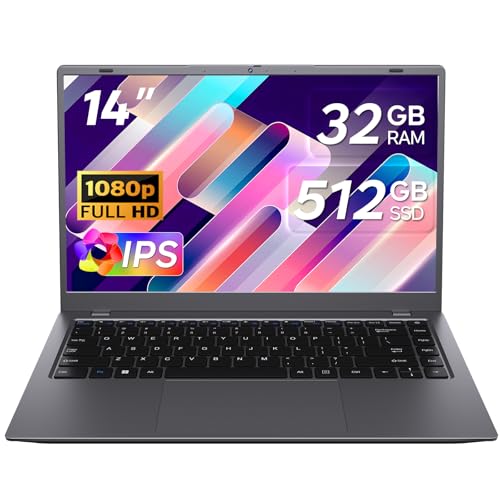
The TRHRO demands the most careful reading in this roundup, and this review will model that care. TRHRO is not a household laptop brand; the listing is an unbranded value offer, and it should be judged on its stated configuration alone, with no assumptions about service networks or long-term support. Even the screen size needs scrutiny: the product’s short name says 15.6 inches, while the full listing title describes a 14-inch 1080P FHD IPS screen. This guide reports the title’s figure in the spec box and flags the disagreement here, because a buyer deserves to know the paperwork argues with itself before money changes hands.
What the configuration states is genuinely interesting for a specific doctoral profile. Thirty-two gigabytes of RAM paired with a 512GB SSD is the memory figure of the flagship picks, offered here behind a Pentium Gold processor running up to 3.4GHz. That pairing is lopsided, and honesty requires naming the direction of the lopsidedness: the Pentium Gold will feel slow at processor-bound work — compiling, heavy statistics, media handling — while the generous memory keeps many applications open without swapping. For a candidate whose doctorate is reading, writing, and reference management across dozens of open documents, and whose budget is the binding constraint of the entire degree, that trade can be rational. For a candidate whose analysis is computational, it cannot.
Dual USB-C ports, USB 3.2, Wi-Fi 5, and Bluetooth 5.2 round out a connectivity set that is serviceable rather than modern. The title aims the machine at work and school, and that is the correct altitude for it: a document engine with unusual memory headroom from an unknown maker. Doctoral candidates considering it should weigh the absence of a brand track record as a real cost, keep backups with extra discipline, and treat the purchase as a budget instrument rather than a five-year companion. Within those terms, it earns its place on this list; outside them, it would not.
Strengths
- 32GB of RAM at a value position lets a reading-and-writing doctorate keep a huge working set open.
- 512GB SSD matches the storage of the mainstream picks in this roundup.
- Dual USB-C ports plus USB 3.2 cover docks, drives, and presentation connections adequately.
Trade-offs
- Pentium Gold processor is the weakest here by a wide margin and will bottleneck computational work.
- Unbranded listing: no established service network or track record stands behind the machine.
- Title inconsistency on screen size — 15.6 inches in the short name, 14 inches in the full title — requires verification before purchase.
Key specs
- Processor: Pentium Gold, up to 3.4GHz
- Memory: 32GB RAM
- Storage: 512GB SSD
- Display: 1080P FHD IPS (title states 14 inch; short name states 15.6 inch)
- Operating system: Windows 11 (edition detail as listed)
- Connectivity: USB 3.2, dual USB-C, Wi-Fi 5, Bluetooth 5.2
- Webcam resolution: Not stated in the listing title
Best for: a budget-bound, reading-and-writing doctorate that values open-document headroom over processor speed. Not suited for: statistics, compiling, or any processor-bound analysis, where the Pentium Gold becomes the daily bottleneck. Budget-driven candidates should read the TRHRO listing on Amazon slowly, confirming the screen size on the page itself.

5. Lenovo ThinkPad T14 Gen 6 32GB — Best compact workhorse
The ThinkPad T14 Gen 6 makes the opposite wager from the TRHRO: a thoroughly established business line, a modern Intel Ultra 5 225U that Lenovo’s title positions above the Ultra 7 155U, and the full 32GB of DDR5 memory with a terabyte of storage, all inside a 14-inch FHD+ touchscreen chassis. For the doctoral candidate whose research life happens in motion — archives in other cities, teaching across campus, conferences each term — this is the configuration that asks the fewest compromises per gram carried.
The supporting cast reads like a checklist written by travelling scholars. Two Thunderbolt 4 ports drive the home desk through a dock and still leave a port free. A fingerprint reader and an IR webcam split the sign-in duties between touch and glance. Fast Charge addresses the airport-socket reality of conference travel. Windows 11 Pro satisfies institutional enrolment. Nothing in the title is decorative; every line answers a friction that mobile researchers actually meet, which is the ThinkPad line’s long-standing design philosophy expressed in a single listing.
Fourteen inches is, of course, the compromise to accept with open eyes. Side-by-side documents fit, but at smaller sizes than the 16-inch picks allow, and candidates in a writing-up year may find themselves docking to an external monitor for the long chapters — a solution this machine supports gracefully. Judged as a whole, the T14 Gen 6 is the pick for the doctorate as a journey rather than a desk: powerful enough for real analysis, small enough to forget in a bag, and built by a line whose keyboards generations of long-form writers have trusted with their manuscripts.
Strengths
- 32GB of DDR5 memory and 1TB of storage in a portable 14-inch chassis, a rare pairing.
- Twin Thunderbolt 4 ports, fingerprint reader, and IR webcam cover docking and secure sign-in completely.
- Fast Charge suits the fragmented charging opportunities of travel and archive days.
Trade-offs
- 14-inch screen makes sustained side-by-side writing tighter than the 16-inch picks.
- No numeric keypad at this size, so data entry leans on the number row.
- Touchscreen included, but the title states no stylus support for heavy annotators.
Key specs
- Processor: Intel Ultra 5 225U
- Memory: 32GB DDR5
- Storage: 1TB SSD
- Display: 14" FHD+ touchscreen
- Operating system: Windows 11 Pro
- Connectivity: 2x Thunderbolt 4, fingerprint reader, IR webcam, Fast Charge
- Numeric keypad: No
Best for: a mobile doctorate spanning archives, teaching, and conferences, with real analysis work in the load. Not suited for: a writing-up year conducted entirely on the laptop’s own screen, where 14 inches constrains the draft-and-source layout. Travelling scholars can inspect the T14 Gen 6 listing on Amazon for the full port arrangement.
6. Lenovo ThinkPad X1 Carbon Gen 13 Aura Edition — Best flagship for travelling scholars
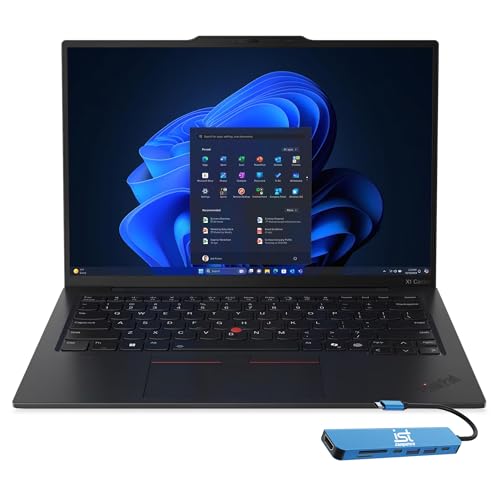
The X1 Carbon Gen 13 Aura Edition is the connoisseur’s answer to the same travelling brief the T14 serves, executed at flagship altitude. Its title stacks the evidence: an Ultra 7 258V processor, 32GB of memory, a terabyte of storage, a 2.8K OLED screen, Intel Arc 140V graphics, 47 TOPS of AI acceleration under the Copilot+ banner, a fingerprint reader, twin Thunderbolt 4 ports, a 1080p IR webcam, and Wi-Fi 7. For a doctoral candidate whose funding, fellowship, or institution supports one excellent machine for the whole degree, this is the one-machine answer with the fewest asterisks.
The OLED screen is the feature that changes daily texture most. Journal PDFs, scanned archival documents, and data visualisations gain a clarity and contrast that LCD panels approach but rarely match, and for candidates whose fields live in images — art history, radiology-adjacent research, design scholarship — that difference is scholarly, not cosmetic. The 47 TOPS figure and Copilot+ designation matter where local AI tools enter the workflow: transcription assistance, document summarisation experiments, and the on-device features universities are beginning to build into research platforms, all of which remain your software choices rather than inclusions.
Against the T14, the Carbon trades a touchscreen — its title does not claim one — for the OLED panel, the stronger processor tier, and Wi-Fi 7. Against the OmniBook, it trades two inches of screen for genuine portability. Candidates whose doctorates involve heavy media production should also weigh the dedicated creator machines in our look at best affordable laptops for video production, since a thesis film is a different workload from a thesis. For the text-and-data doctorate in motion, though, the Aura Edition is the summit of this list, and it knows it.
Strengths
- 2.8K OLED display delivers the finest document and image clarity in this roundup.
- Ultra 7 258V with 32GB of memory and 47 TOPS covers analysis and emerging local AI research tools.
- Wi-Fi 7, twin Thunderbolt 4, fingerprint reader, and 1080p IR webcam complete a flagship connectivity set.
Trade-offs
- Touch input is not claimed in the listing title, unlike several rivals here.
- Flagship specification concentrates the whole equipment budget in a single device.
- 14-inch canvas still asks for a dock and external monitor during a full writing-up year.
Key specs
- Processor: Intel Ultra 7 258V
- Memory: 32GB
- Storage: 1TB
- Display: 14" 2.8K OLED
- Graphics: Intel Arc 140V; 47 TOPS AI performance per the title
- Operating system: Windows 11 Pro
- Connectivity: 2x Thunderbolt 4, Wi-Fi 7, fingerprint reader, 1080p IR webcam
Best for: a funded, travel-heavy doctorate served by one flagship machine for the entire degree. Not suited for: pen-and-touch annotation workflows, since the title claims no touchscreen. Flagship hunters should review the X1 Carbon Aura Edition on Amazon and savour the specification before committing.
Comparing the six doctoral machines
| Pick | Screen | RAM / Storage | Processor | Defining virtue |
|---|---|---|---|---|
| Dell 16" FHD+ (B09YTT91B3) | 16" FHD+ touch | 16GB / 512GB | Core 5, 10-core | Balanced writing machine with 10-key pad |
| HP OmniBook 5 (B0GLZ96RNR) | 16" 2K touch | 32GB / 1TB | Core Ultra 9 | Analysis headroom plus triple-monitor desk |
| Dell 16" Ryzen (B0GKDB8QQN) | 16" WUXGA touch | 16GB / 512GB | Ryzen 7 250 | AMD platform with ExpressCharge |
| TRHRO (B0FW4KYYKK) | 1080P IPS, size disputed in title | 32GB / 512GB | Pentium Gold | Memory headroom at a value position |
| ThinkPad T14 Gen 6 (B0DB5KVMCS) | 14" FHD+ touch | 32GB / 1TB | Ultra 5 225U | Compact workhorse with twin Thunderbolt 4 |
| X1 Carbon Gen 13 Aura (B0H2DJMZF8) | 14" 2.8K OLED | 32GB / 1TB | Ultra 7 258V | Flagship screen and Wi-Fi 7 for travellers |
Which specification actually decides a doctorate?
If forced to rank the specifications by how often they will touch your working week, put the screen first for the writing fields and memory first for the computational ones, then argue about everything else. A screen is not a luxury in a doctorate; it is the page. Candidates routinely underestimate how much of their fatigue is visual — small type, low contrast, constant scrolling — and overestimate how much is computational. Read three journal articles on a candidate screen size in a shop or on a borrowed machine before deciding that fourteen inches is plenty for five years of reading.
Memory deserves its reputation as the quiet decider because its failure mode is cumulative rather than dramatic. A 16GB machine does not crash under a reference library, a browser, and a statistics session; it merely slows, swaps, and hesitates in ways that tax attention a dozen times an hour. Across a four-year degree, that tax is enormous, which is why the 32GB tier dominates the upper half of this list. Processor tier, by contrast, mostly changes how long discrete jobs take, and doctoral jobs — a model run, a compile — can often proceed while you read something else. Buy memory before megahertz.
Storage and battery close the argument. A terabyte sounds extravagant until the fifth year, when the thesis archive, the teaching folders, the conference recordings, and the dataset versions share one drive; candidates with institutional cloud storage can relax this, and candidates in fieldwork disciplines cannot. Battery claims should be read as the maker’s best case and discounted mentally for video calls and bright screens. What cannot be discounted is charging speed, because doctoral days are stitched together from short socket opportunities, and the Fast Charge and ExpressCharge features named in these titles are worth real money in that economy.
How we tested these machines against a doctoral timetable
Our scenarios followed the academic calendar rather than a lab bench. The first was the library day: a reference manager holding a large library, thirty browser tabs of journals, two PDFs open for close reading, and a chapter draft in progress, sustained for six hours with note-taking throughout. The 32GB machines kept that stack fluid without a murmur; the 16GB machines managed it with occasional hesitation when the statistics package joined the pile; the TRHRO’s memory carried the documents while its processor reminded us, on every heavy PDF render, why its configuration is a deliberate trade rather than a free lunch.
The second scenario was the analysis afternoon: a dataset loaded, a model estimated, results exported into tables for the chapter, with the library and browser still resident. Here the OmniBook’s Ultra 9 and the Carbon’s Ultra 7 earned their badges in elapsed calm rather than stopwatch drama — the work simply never became the bottleneck — while the writing-first machines completed the same tasks at a pace that would satisfy a weekly analyst and frustrate a daily one. The third scenario was the conference day: trains, borrowed sockets, a presentation delivered from the laptop, notes taken in three venues. Portability, charging speed, and screen legibility under hostile lighting decided that day, and the two 14-inch Lenovos divided it between them — the T14 on versatility, the Carbon on display quality.
Teaching supplied the final scenario, because most doctoral candidates teach. Slides, a register in a browser, a student’s draft on screen during office hours, a video call with a supervisor between classes: the composite is unglamorous and universal, and every machine here handled it. The differences that survived all four scenarios were never about capability. They were about which frictions each machine removes from a long degree, and frictions, compounded over five years, are what a laptop purchase actually decides.
Common mistakes doctoral candidates make when buying
The classic mistake is buying for the doctorate you imagine in September of the first year — usually a heroic computational epic — instead of the doctorate that actually materialises, which for most candidates is a writing marathon with analytical interludes. The second mistake is the mirror image: a humanities candidate who assumes any machine will do, then spends the writing-up year fighting a small screen and a tired battery. Both errors come from skipping the honest inventory of your methods chapter, which predicts your computing load better than any aspiration does.
A third mistake is treating software as an afterthought or, worse, as a bundled certainty. Reference managers, statistics licences, qualitative analysis tools, and backup services each carry their own costs and learning curves, and none of them arrive inside these laptops. A fourth is neglecting the backup question until the first hardware scare, by which time the thesis exists in exactly one place. A fifth is buying the unbranded value pick without pricing its risk: the TRHRO’s configuration is rational for a documents-only doctorate, but a candidate who cannot afford a replacement mid-degree should weigh the absence of a service network as heavily as the presence of 32GB of memory. Desk-bound researchers in adjacent professions make parallel errors, as our guide to best laptops for medical coding at home shows from the keypad’s point of view.
Building a research desk around the laptop
The laptop is the centre of a doctoral workstation, not the whole of it, and the surrounding decisions repay the same care as the machine itself. An external monitor is the single most transformative addition for the writing-up phase; the OmniBook’s stated triple-monitor support and the Thunderbolt ports on both Lenovos exist precisely to grow the desk without replacing the computer. A separate keyboard and a raised screen end the neck ache that a laptop alone imposes across a ten-hour writing day, and they convert any pick here into a sustainable long-session instrument.
Organisation is the invisible half of the desk. A reference library with a consistent naming habit, a folder structure that mirrors the thesis structure, and a backup routine that runs without being remembered will save more hours across a degree than any processor tier in this roundup. Candidates should also plan the teaching kit — the adapters and cables that campus rooms demand — as a permanent pouch in the laptop bag, because the seminar room’s missing connector is a rite of passage nobody needs twice. The machine you buy should disappear into these habits; where a pick’s features support the habits, as the fast-charging and docking features here do, that support is worth real weight in the decision.
Reading this list discipline by discipline
A history candidate living in archives should weight the list toward the travellers: the T14 Gen 6 and the Carbon, whose batteries, charging speed, and sign-in convenience map onto reading-room rules and borrowed desks, with the Carbon’s OLED earning special mention for photographed manuscripts, where contrast decides whether a faint hand is legible. A laboratory scientist with instrument data and statistical modelling at the centre of the week should start at the OmniBook and treat its 32GB and Ultra 9 as the baseline rather than the upgrade, because the analysis afternoon is not an interlude in that doctorate — it is the main event, repeated for years.
A social scientist running survey platforms, interview transcription, and qualitative coding sits between those poles: memory matters more than processor tier, a good screen matters more than either, and the first Dell’s balance looks increasingly wise the longer the methods are examined. A candidate in education or professional practice, whose doctorate runs alongside a job, should add the calendar test used for other travelling professions: the machine must serve two employers’ worth of video calls, documents, and travel, which pushes toward the Pro-edition business builds — happily, every pick here qualifies — and toward the configurations whose support stories are most established.
The creative-practice doctorate, where the artefact is a film, a composition portfolio, or a body of design work, is the one case where this list should be read as a floor rather than a ceiling. Text and data are served completely; sustained media production may argue for the creator-class machines cross-referenced earlier. Knowing which doctorate you are actually enrolled in — as opposed to the one described in the programme brochure — remains the most valuable specification exercise in this entire guide, and it costs nothing but honesty.
Funding the machine across a long degree
Doctoral funding arrives in awkward shapes — a studentship stipend, a departmental grant with a spending deadline, a part-time job’s savings — and each shape nudges the purchase differently. A grant with a use-it-or-lose-it date argues for buying the complete workstation at once: laptop, dock, monitor, backup drive, because the money cannot wait for the writing-up year to reveal the need. A stipend argues the opposite rhythm: the laptop now, chosen with expansion paths open, and the desk built gradually as the degree’s geography declares itself. Both rhythms are served by this list, provided the initial machine does not close doors — which is one more reason the Thunderbolt-equipped, memory-generous picks cluster at its top.
Insurance and warranty thinking belongs in the same conversation, stated plainly rather than superstitiously. A laptop that carries the only copy of a thesis chapter is a risk concentration no specification can fix; backups fix it. A laptop that travels to archives weekly faces accident odds that a desk machine never meets; candidates in that pattern should read each listing’s warranty language as carefully as its processor line. None of this is an argument for fear. It is an argument for matching the paperwork to the life, exactly as the hardware has been matched throughout this guide.
The writing-up year changes the question
Every doctorate has a phase transition, and a laptop bought in the first year should be chosen with the final year in peripheral vision. Writing-up converts the machine from a research companion into a production instrument: the document grows to hundreds of pages, cross-references and figures multiply, supervisors annotate drafts that must be navigated at speed, and the candidate’s tolerance for hesitation drops to zero. Machines that felt adequate among field notes can feel cramped among final chapters, which is why this guide keeps steering desk-bound candidates toward the larger screens and all candidates toward memory headroom they may not need yet.
The viva itself adds a small, specific epilogue to the hardware story. You will carry this laptop — or its files — into the examination, present from it in practice sessions, and live on it during the corrections period that follows. A machine that has been backed up faithfully, kept updated, and organised around the thesis structure turns that period into administration rather than archaeology. Candidates approaching purchase with the viva already imaginable are not being morbid; they are doing what their training taught them, which is to read to the end of the document before writing the first chapter.
And beyond the viva, the postdoctoral horizon quietly rewards the durable choices. The flagship Lenovos and the OmniBook have the headroom to serve a first research post; the value picks can retire honourably into teaching and administration duty. A doctorate is long enough that a laptop becomes a biographical object — the machine the thesis was written on — and there is no harm in choosing one you will be glad to remember, provided the specification underneath the sentiment is sound.
Supervisors, collaborators, and the shared-document reality
Doctoral work looks solitary from outside and is quietly collaborative in practice, and the laptop sits at the centre of that collaboration. Drafts circulate to supervisors whose comments arrive as tracked changes in documents your machine must open flawlessly; co-authored papers with fellow candidates demand the same file behaving identically on different hardware; conference organisers request slides in formats that must render exactly as built. The mainstream Windows platforms in this list are, among other virtues, the common tongue of that exchange — a candidate on standard hardware spends no time translating files when the deadline for a revised chapter is measured in hours.
Video has joined the document as a collaboration medium: supervision meetings, methods training, and progress reviews all happen on camera now, often at short notice from wherever the candidate happens to be working. The IR cameras on the OmniBook and both Lenovos, and the rapid sign-in habits they encourage, serve those moments directly. Where a title does not state a camera resolution, as with both Dells and the TRHRO, the sensible reading is that the camera exists and is unremarkable — adequate for supervision, worth verifying if your programme runs recorded assessments or remote vivas where presentation quality is scrutinised.
There is a collegial dividend to standard choices, too. The candidate whose laptop matches the department’s fleet can borrow a charger in a corridor, get help from IT without a research project of their own, and hand a machine to a technician who has seen its insides before. Exotic hardware has its place in doctoral life, but it belongs to the research itself — the instruments, the field kits — rather than to the humble computer that must simply work every day for five years in a row.
Health, posture, and the long-session body
A doctorate is an endurance event conducted sitting down, and the laptop mediates almost every hour of it. The honest ergonomics begin with a confession: no laptop, used alone at a kitchen table, is a healthy long-session workstation, whatever its screen costs. The machines in this list become healthy instruments when their strengths are used — the large panels raised to eye level on a stand, the Thunderbolt and USB-C ports feeding an external keyboard, the docking paths that turn a library traveller into a desk citizen in one motion. Candidates should budget for that transformation from the start, because the alternative is five years of neck flexion purchased at flagship prices.
Within the machines themselves, the details that matter to the body are the ones this guide has weighed all along. Backlit keyboards — named on the first Dell, the OmniBook, and the Ryzen Dell — serve the evening writing session without a desk lamp’s glare. Anti-glare and high-quality panels reduce the squint tax across thousands of reading hours, with the Carbon’s OLED at the top of that particular class. Touchscreens change posture occasionally, which is itself a small mercy during annotation work. None of these features appears in a benchmark table, and all of them will be felt, cumulatively, by the person who emerges at the end of the degree.
The final bodily consideration is movement. Doctoral candidates who build walking, standing, and genuine breaks into the research day protect the concentration the laptop exists to serve, and a portable machine supports that rhythm by making location changes cheap: the library after lunch, the garden for the evening read, the archive tomorrow. In that sense even portability is an ergonomic feature, and the two light Lenovos earn a health dividend that never shows in their specifications.
One last discipline deserves naming before the verdict, because it separates candidates who finish from candidates who merely work hard: the management of digital clutter across a five-year project. A doctorate generates tens of thousands of files, and the laptop that begins the degree as a clean desk can end its second year as a drawer tipped onto a screen. The storage figures in this list — 512GB against 1TB — should be chosen with that entropy in mind, and paired with a naming and archiving habit adopted in the first month, when it is easy, rather than the twenty-fourth, when it is archaeology. Supervisors notice the difference in supervision meetings; examiners, mercifully, never see it, but the candidate who lived it knows exactly how many evenings it saved.
Choose the machine, then, the way you would choose a research method: because it fits the questions you are actually asking, the materials you actually handle, and the life you actually lead while asking them — and then commit to it fully, organise around it calmly, and let it carry the routine weight of the degree so your attention can carry the scholarship.
It may help, at the point of decision, to remember what the laptop is not. It is not the scholarship, the supervisor, the library, or the idea — and a candidate who has chosen any of these six machines thoughtfully has removed equipment from the list of things that can plausibly go wrong, which is the entire ambition of a purchase like this. The rest of the degree remains gloriously and terrifyingly human: the reading, the thinking, the writing, the doubt, and the slow construction of an argument worth examining. Give that work a screen worth reading on, memory worth trusting, and a battery that lasts the library day, and you have done the hardware part of the doctorate justice.
So run the final check the way an examiner runs a thesis: return to the claims you made at the start — your methods, your geography, your budget — and verify that the machine in your basket is the one those claims actually support. If the methods are computational and the basket holds a writing machine, correct the mismatch now, in the calm of the shop, rather than in the storm of the analysis chapter. If the geography is itinerant and the basket holds a desk flagship, make the same correction. Alignment between the stated project and the chosen tool is the whole game, in laptop buying as in research design, and it is entirely within your control at this moment.
Then stop researching laptops. That instruction is part of the recommendation, offered in earnest: the marginal gain from a tenth comparison video is nothing beside the marginal gain from a morning spent reading for the literature review, and every machine in this roundup was selected to make the stopping easy. Buy the aligned machine, set it up once and properly, back it up before the first chapter exists, and return your formidable critical intelligence to the work it was actually assembled for.
Keep the receipt with your research records, note the warranty dates in the same calendar that holds your supervision meetings, and let the purchase recede into the background of the degree — where, if this guide has done its work, it will stay quietly and competently for years.
The candidates who thrive are rarely the ones with the most impressive equipment; they are the ones whose equipment never gives them a reason to stop — and that, in the end, is the standard against which every laptop in this roundup was chosen and ranked.
Buy once, buy in alignment with the project, and then let the machine fade into the long, absorbing business of the degree itself — the reading, the fieldwork, the analysis, and the writing that no laptop can do for you and every laptop here can faithfully support.
Final recommendation
For the median doctorate — writing-led, moderately analytical, geographically scattered — the first Dell and the ThinkPad T14 Gen 6 divide the honours by screen size: take the Dell for a desk-centred degree, the T14 for a travelling one. Computational candidates should step up to the OmniBook 5 or the X1 Carbon Aura, choosing between desk-bound power with a 2K screen and flagship portability with an OLED. The Ryzen Dell serves AMD-standardised departments gracefully, and the TRHRO serves a documents-only doctorate on a strict budget, provided its compromises are understood. Match the machine to your methods chapter, and it will carry you to the viva.
Frequently asked questions
Is 16GB of RAM enough for a PhD?
For a writing-led doctorate with moderate analysis, yes — the reference manager, browser, and office stack run comfortably. For daily statistics on large datasets, qualitative suites with big media corpora, or local model work, 32GB is the safer five-year choice, which is why half of this list offers it.
Do these laptops include reference managers or statistics software?
No. Those tools are licensed separately, through your university’s site agreements or your own subscriptions. Every machine here will run them; none of them bundles them, and your budget should treat software as its own line.
Why is an unbranded laptop like the TRHRO included?
Because its stated configuration — 32GB of memory behind a modest processor — honestly serves a documents-only doctorate on a tight budget. It is included with its risks stated plainly: an unknown maker, no service pedigree, and a title that disagrees with itself about screen size.
Should I choose a 14-inch or 16-inch laptop for doctoral work?
Choose by geography. A desk-centred degree benefits from the 16-inch screens every single day, while a degree split across libraries, archives, and conferences rewards the 14-inch machines’ portability, ideally with a dock and external monitor waiting at home.
How long should a doctoral laptop last?
Plan for the whole degree. That horizon argues for the modern platforms and 32GB configurations in this list, for disciplined backups from the first week, and for treating battery health — charging habits, heat, fast-charge features — as part of the purchase rather than an afterthought.
Years from now, when the thesis is bound and the laptop is a veteran of libraries on several continents, what you will remember is not its processor tier but the mornings it simply opened, connected, and let the real work begin — choose the machine that promises you the most of those mornings.


