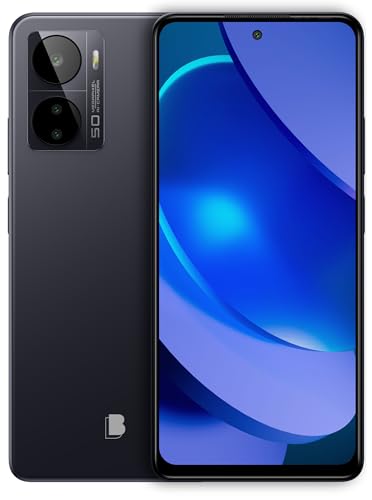
Our Top Picks
 Rogue R67S Unlocked 4G LTE Smartphone for T-Mobile6.78 x 3.13 x 0.39 inches0.5 poundsCheck on Amazon


What's inside
- How we judged seven-year-old phones without romanticising them
- The security question nobody wants to hear about a beloved phone
- Battery ageing: the slow fade that decides everything else
- Samsung Galaxy S10, S10 Plus and S10e: the trio that aged most gracefully
- Google Pixel 3a and Pixel 3a XL: the mid-range heroes nobody predicted
- OnePlus 7 Pro and OnePlus 7T: speed merchants with a pop-up surprise
- Samsung Galaxy Note 10 and Note 10 Plus: the stylus flagships at a crossroads
- Huawei P30 Pro: brilliant cameras, complicated afterlife
- LG G8 ThinQ and the nearly-forgotten experiments
- What these phones still do well on an ordinary Tuesday
- Where the years bite hardest: apps, networks and accessories
- Buying one today: the inspection routine that separates bargains from regrets
- Keeping one running safely for another year
- The upgrade moment: clear signs the story has ended
- Google Pixel 4 and Pixel 4 XL: face unlock pioneers with a battery asterisk
- How everyday performance actually feels after seven years of app growth
- The camera archive test: revisiting old photos with modern eyes
- An honest ranking for keepers, from most to least sensible
- The environmental case for squeezing out one more careful year
- Three owners, three different answers
- Check prices on Amazon
- Verdict: respect the classics, trust them selectively
As an Amazon Associate I earn from qualifying purchases. This post may contain affiliate links at no extra cost to you.
Reader note before you dig out that old handset: some links in this retrospective may earn us a commission if you eventually buy a replacement, at no added cost to you. That support keeps our archive guides free to read, and it never buys a favourable mention for any ageing phone discussed below.
There is a particular feeling that comes from powering on a phone from 2019 after years in a drawer. The boot logo feels familiar, the home screen still holds its old grid, and for the first ten minutes everything seems surprisingly normal. Messages load, photos appear, the camera opens without complaint. Then reality arrives in small instalments: an app refuses to install, a banking login demands a newer system, the battery percentage slides faster than memory suggested. This guide lives in that gap between fond first impressions and honest daily usability.
We are not pretending these devices are new, and we are not ranking them as if a shopper in the present day should choose one over a current handset without serious caveats. The question here is narrower and, for many households, more useful. If you already own a leading Android phone from that year, inherited one from a relative, or spotted one offered second-hand by a neighbour, what can it still do well, where does it quietly become unsafe or frustrating, and at what point does keeping it stop being thrifty and start being a liability?
The year itself deserves a moment of context, because 2019 sat at a genuine turning point for Android hardware. Punch-hole cameras replaced notches on several flagships, in-display fingerprint readers moved from novelty toward normal, and ultra-wide lenses stopped being a party trick. At the same time, almost everything on sale still relied on 4G alone, headphone jacks were disappearing model by model, and software support promises were far shorter than buyers expect today. Judging those phones fairly means remembering what they were built for, then testing that design against a world that has moved on.
Our verdicts below draw on the support timelines manufacturers actually delivered, the Android versions each family ultimately reached, and the practical behaviour of ageing lithium cells after many hundreds of charge cycles. Where a model earned a longer life through unusually good update delivery or replaceable parts availability, we say so. Where a once-celebrated feature has become irrelevant or even a drawback, we say that too. Nostalgia earns a phone a hearing in this article, never a free pass.
How we judged seven-year-old phones without romanticising them
The first test was brutally simple: can the phone still receive security corrections, either from its maker or through a currently maintained system image that ordinary owners can realistically install? A handset frozen on patches from several years ago may still place calls perfectly, yet every month widens the distance between its defences and the threats circulating now. We treated an abandoned update channel as a serious mark against daily use involving email, payments or work accounts, regardless of how smooth the interface still felt.
Battery health formed the second pillar, because it decides whether an old phone is a dependable companion or a device that must live beside a socket. Capacity fades with cycles and calendar age together, so even a carefully stored unit from that era has lost something before its next owner charges it. We looked at whether fresh cells remain obtainable through reputable repair channels, whether the sealed construction makes replacement a bench job rather than a kitchen-table task, and how the original capacity copes with modern apps that sip power less politely than their predecessors did.
Third came network and app reality. The large carriers in the United States retired their 3G layers in 2022, which pushed voice traffic entirely onto 4G calling, and a 2019 handset sold for the American market generally handles that transition while certain imported variants do not. Meanwhile the app ecosystem keeps raising its minimum system requirements in slow steps. Streaming clients, transit tools and identity verification software tend to abandon old Android releases earlier than simple utilities do, so a phone can feel fine for podcasts yet fail precisely when a traveller needs a boarding pass wallet or a bank confirmation.
Finally we weighed the human factors that spec sheets never captured well: screen legibility outdoors after years of micro-scratches, haptics that still feel precise, speakers that have not gone raspy, and charging ports worn by thousands of insertions. A phone that passes every software test can still annoy its owner daily through a loose connector or a mushy power key. Readers weighing a hand-me-down against a newer budget purchase may also find our round-up of current value handsets useful context: best affordable android phones.
The security question nobody wants to hear about a beloved phone
Let us address the uncomfortable part early, because it shapes every recommendation that follows. By the middle of this decade, essentially the entire 2019 flagship class had exited official support. Samsung closed the book on its spring flagships from that year after delivering patches into 2023, Google ended updates for its autumn 2018 and 2019 lines on schedules announced well in advance, and smaller brands often stopped sooner. An owner checking the patch level in settings today will typically find a date that belongs to another era of their own life.
What does an old patch level actually expose? The honest answer is layered rather than dramatic. A cautious user who installs only well-known apps, avoids sideloading, keeps the browser current where possible and never touches public file-sharing prompts faces a smaller risk than headlines imply. Yet the browser itself eventually stops updating on very old systems, WebView components age alongside it, and a single malicious advertisement or crafted message attachment has more unpatched surface to work with than it would on a maintained device. Risk accumulates silently; nothing needs to look broken for exposure to grow.
Certain activities should move off an unsupported phone first, long before the handset is retired entirely. Mobile banking, investment accounts, password manager vaults holding financial logins, primary email used for account recovery, and workplace messaging under an employer policy all belong on hardware that still receives fixes. An old flagship can remain a perfectly sensible music player, e-book companion, smart-home remote or backup navigation unit while those sensitive roles migrate elsewhere. Splitting duties this way extends useful life without pretending the risk away.
There is also a family dimension that parents and grandparents feel most sharply. A handset passed to a child for games and supervised video is one thing; the same handset carrying a teenager’s main social accounts, school login and location sharing is quite another. Likewise, an elderly relative who relies on a phone for medical reminders and emergency contact deserves hardware whose calling and messaging cannot be undermined by neglected software. Sentiment should never outrank the safety of the person holding the device.
Custom software: a lifeline for enthusiasts, not a cure for everyone
Technically confident owners sometimes ask whether community-maintained system builds rescue these models, and for a handful of popular devices the answer is a qualified yes. The best-supported families from that year, particularly Google and OnePlus hardware with unlockable bootloaders, attracted developers who kept delivering newer Android builds long after official channels closed. A well-maintained community release can restore a recent patch level and breathe startling freshness into old silicon.
The qualifications matter as much as the promise, though. Installing such software demands backups, patience and comfort with recovery tools when an update misbehaves. Some banking and payment services refuse to run on modified systems, digital rights components for high-resolution streaming may fall back to lower quality, and camera processing tuned by the original maker rarely survives the transition intact. For a hobbyist’s second phone this trade can be delightful. For the only phone a busy parent owns, it is usually the wrong kind of adventure.
Battery ageing: the slow fade that decides everything else
Ask owners why they finally replaced a phone from this period and battery life beats every other answer by a wide margin. The chemistry inside these handsets was rated for a few hundred full cycles before noticeable decline, and a device used daily since its launch year has long passed that horizon. Symptoms arrive gradually: a morning charge that once lasted until bedtime now wilts by late afternoon, percentages drop in sudden steps outdoors in winter, and the final fifth of the gauge drains during a single video call.
Heat history explains why two examples of the identical model can age so differently. A phone that spent summers on a car dashboard, fast-charged overnight for years and gamed while plugged in will usually show far worse health than a lightly used spare kept in a cool drawer. Wireless charging, beloved on the premium models of the era, adds gentle warmth across thousands of hours. None of this reflects carelessness; it is simply physics collecting its debt from a sealed consumable component.
Replacement remains possible for the best-known models, and this is where the popular flagships reward their original scale. Independent repair shops can still source cells for the big Samsung and Google families, and a competent battery swap often restores an old handset to genuinely all-day light use for messaging, reading and photography. The economics collapse for obscure models whose parts vanished from distribution, or where the screen must be risked during opening and its replacement cost dwarfs the phone’s remaining worth. Get a firm quote covering parts and labour before assuming a revival is cheap.
Until a replacement happens, a few habits soften the decline without much sacrifice. Dropping the display to its native balanced refresh behaviour where a high-refresh mode exists, trimming background refresh for rarely opened apps, and carrying a small power bank on travel days all help. What does not help is the folklore of draining a modern lithium cell to zero for calibration on a weekly basis; deep discharges add wear, and the occasional full cycle for gauge accuracy is quite enough. Treat the battery as a wearing part, like tyres on a car, and its behaviour stops feeling like betrayal.
Samsung Galaxy S10, S10 Plus and S10e: the trio that aged most gracefully
If one family from that spring deserves the title of best survivor, it is Samsung’s three-pronged flagship line. The larger pair combined bright AMOLED panels that still look handsome today, flexible camera systems with a genuinely useful ultra-wide, and storage expansion at a moment when rivals were deleting the slot. The compact sibling kept nearly all of that character in a smaller body with a flat screen and a side-mounted fingerprint reader that many owners still praise for speed and honesty.
Software carried these phones further than most contemporaries travelled. Samsung delivered several major Android upgrades and continued security releases into 2023, a commitment that looked generous at launch and looks even better in hindsight. Owners stepping back to one now will find an interface that predates current One UI refinements yet remains coherent, with Samsung’s core apps still opening current file formats and the gallery handling large libraries without drama. The experience feels dated in polish rather than broken in function, a distinction that matters for a backup or light-duty handset.
Daylight photography remains the trio’s party piece. The main cameras produce colours that lean vivid but stay likeable, and the ultra-wide still rescues cramped interiors and group shots at gatherings. Night performance is where the years show most clearly, because computational processing has leapt ahead since; expect grainier shadows and slower captures after dark compared with any recent mid-range rival. Video stabilisation at standard resolution holds up respectably for family clips, school performances and holiday wandering.
Weak points deserve equal airtime. The curved screens on the larger models pick up accidental touches and cost more to replace if cracked, while the ultrasonic fingerprint reader can sulk behind thick screen protectors. The headphone jack, present across the family and mourned ever since, ironically makes these phones attractive as dedicated music devices with wired earphones and a memory card full of downloads. For readers curious how such veterans compare with deliberately older purchases, our look at slightly less ancient second-hand options may help: best 2 year old android phones.
Our practical verdict is conditional approval. A Galaxy S10 variant with a healthy or freshly replaced battery, a screen free of burn-in and a patch level understood for what it is can serve as a spare phone, a child’s supervised first device, a travel camera for low-risk trips or a household media handset. It should not carry anyone’s primary banking life in the present day, and nobody should pay premium second-hand money for the badge. At the right condition and the right expectation, though, this family explains why so many owners remember it warmly.
Google Pixel 3a and Pixel 3a XL: the mid-range heroes nobody predicted
Spring of that year also produced the phone that quietly rewrote value expectations across the industry. Google took the camera experience that had made its expensive flagships famous, placed it inside a plastic body with a mid-tier processor, and sold the result at a segment price that embarrassed devices costing far more. The larger sibling repeated the formula for people who wanted a bigger canvas. Reviewers praised them at launch; time has been kinder still, because their strengths were photographic and photographic strengths age slowly.
Single-lens computational photography remains startlingly capable in good light. Portraits keep pleasing edge behaviour for casual subjects, the celebrated night mode still rescues dim restaurants better than many later budget phones, and colours stay natural where rivals push saturation. The trade-offs live elsewhere: the modest chipset now hesitates under heavy multitasking, storage on the sole configuration fills quickly with modern app sizes, and there was never a memory card slot to relieve the pressure. Owners learn to offload photos regularly or live with a permanently nearly-full device.
Google’s own update delivery carried this pair to a newer Android release than most price rivals ever saw, with patches concluding in 2022. That timeline means the security conversation from earlier applies in full today, yet the software experience itself remains clean and intelligible, free of the duplicate apps and promotional clutter that weighed down some contemporaries. The squeeze gesture and call screening features that once headlined presentations now feel like period details, charming reminders of an era when assistants were the industry’s favourite promise.
Physically, the plastic construction turned out to be a longevity asset. These handsets shrug off knocks that would have shattered glass-backed flagships, and their lighter weight suits younger users and anyone who finds modern phones fatiguing to hold. The screens were never the brightest, so outdoor maps on a summer hike can look washed out, and the single bottom speaker is easy to cover with a palm during video. As a camera-forward hand-me-down for daylight life, few phones from the period make a stronger case.
OnePlus 7 Pro and OnePlus 7T: speed merchants with a pop-up surprise
No phone from that year announced itself quite like the larger OnePlus flagship, whose motorised selfie camera rose from the top edge so the display could stretch unbroken from corner to corner. Watching that mechanism glide up today still raises a smile, and the screen beneath it, a fluid high-refresh AMOLED panel, was arguably ahead of its moment. The later T model traded the moving camera for a teardrop notch and a flatter profile while keeping the family’s emphasis on sheer responsiveness.
Performance is the reason these devices remain oddly satisfying to handle. Their chipsets sat at the top of the year’s silicon ladder, storage used fast standards that many rivals reserved for pricier tiers, and the maker’s light software touch avoided bogging the hardware down. Scrolling through long documents, hopping between a browser and a notes app, or revisiting the big racing and shooter titles of the period still feels brisk in a way that surprises people who equate age with sluggishness automatically.
The compromises were visible even at launch and have sharpened since. Neither model offered wireless charging or a formal water resistance rating, the Pro’s curved glass and mechanical camera add failure points that a seven-year-old example may already be nursing, and camera output trailed the best rivals in colour consistency despite capable hardware. OnePlus also closed official support earlier than Samsung managed for its flagships, so the patch discussion applies with extra force here. Enthusiast community builds, however, embraced these phones warmly, which keeps the hobbyist route unusually viable for confident owners.
Who should keep one now? A gamer on a strict budget who plays older titles, a tinkerer who enjoys maintaining their own software, or anyone needing a fast Wi-Fi handset for streaming and social apps around the house will find real value. A field worker who depends on all-weather sealing and guaranteed banking access should look elsewhere. The pop-up camera alone should be tested repeatedly before buying second-hand, because a mechanism that hesitates or grinds is warning you about its remaining life.
Samsung Galaxy Note 10 and Note 10 Plus: the stylus flagships at a crossroads
Autumn brought Samsung’s pen-equipped flagships in two sizes for the first time, splitting the line between a compact model that trimmed some features and a Plus variant that kept everything including expandable storage and a larger, sharper display. The S Pen remained the line’s soul, gaining air gestures that felt theatrical in demonstrations and proved mostly forgettable in daily life, while the core acts of handwriting, annotating documents and precise photo editing stayed genuinely useful.
That stylus is precisely why these phones retain a niche today that slab rivals cannot fill. Sketchers who filled notebooks on them, professionals who signed and marked up documents on trains, and students who highlighted readings all built habits around the pen. Modern stylus phones exist, but they sit in the premium segment, so a healthy Note from this generation can still serve a note-taker whose needs are modest and whose budget is firm. The palm rejection and pressure response have aged far better than the software support around them.
Everyday hardware tells a familiar story of strengths and erosion. The Plus model’s display remains gorgeous for reading and film, its camera trio handles travel scenes capably in daylight, and its larger battery gives it a head start that smaller siblings lack, though age has taxed all of them. The removal of the headphone jack on this line, a first for Samsung flagships, annoyed loyalists then and complicates the media-handset second career now. Charging speeds that once impressed also look ordinary beside current standards.
One caution belongs specifically to the smaller model: it omitted the memory card slot its bigger sibling kept, and its battery was the least generous of the family, so a worn example today can feel squeezed on two fronts at once. Inspect any prospective purchase for S Pen responsiveness across the whole screen, check that the pen’s Bluetooth features still pair, and budget mentally for a battery service. Treated as a specialist writing tool rather than a general flagship revival, the Note line still earns its place in this retrospective.
Huawei P30 Pro: brilliant cameras, complicated afterlife
Any honest account of that year’s Android peak must include the flagship that many photographers considered the camera to beat. Its periscope zoom reached subjects no rival could frame cleanly, its low-light work bordered on uncanny for the period, and its distinctive finishes made it instantly recognisable across a café. It was also among the last devices from its maker to launch with full access to Google’s services before trade restrictions reshaped the company’s global phone business, which gives surviving units a peculiar historical status.
That status cuts both ways for a present-day owner. Because this model kept the Google apps and store access it shipped with, it avoids the workarounds that define later devices from the brand, and its core experience remains intact for communication and photography. Yet its software journey stalled around an older Android base dressed in the maker’s interface, official patching ended, and questions about long-term parts and service availability vary sharply by country. In markets where the brand’s support network thinned, a cracked screen can end the story regardless of the camera’s brilliance.
As a photographic instrument kept mostly for its lenses, the phone still delights. Landscape shooters love the zoom reach on trips, parents rediscover how well it handled school concerts from the back row, and the main sensor’s night output remains punchy. Battery capacity was generous when new, so even a diminished cell can outlast smaller rivals from the same season. The sensible pattern is to enjoy it as a camera with phone features attached, keep sensitive accounts on newer hardware, and avoid paying collector money for a device whose service future is uncertain.
LG G8 ThinQ and the nearly-forgotten experiments
Every era leaves behind a phone that tried harder than the market rewarded, and LG’s spring flagship fits that role here. It offered a beautiful OLED screen, excellent wired audio through a dedicated converter that audiophiles cherished, and a vein-scanning unlock gimmick that few owners used twice. Beneath the novelty sat a competent flagship with strong video recording and manual controls that content creators appreciated more than casual buyers ever noticed.
Time has not been gentle to its practical case. LG exited the phone business entirely a couple of years later, closing the door on any revival of support, and the second-hand market for its devices is thin enough that screens, boards and batteries can be awkward to source. The audio quality remains a genuine reason for music lovers to keep an existing unit as a dedicated player loaded with downloads, especially paired with demanding wired headphones that modern phones drive poorly without adapters. Beyond that niche, the G8 illustrates why brand longevity belongs in any long-term buying decision.
It was not alone in its experimentation. That year also gave buyers gaming phones with shoulder triggers, folding experiments in their fragile first generation, and mid-range models testing motorised cameras at lower prices. Most of those adventures make poor daily drivers now because their unusual parts are irreplaceable and their software was abandoned fastest. Remembering them fondly costs nothing; depending on them daily is a different proposition, and this guide’s affection stops firmly at that line.
What these phones still do well on an ordinary Tuesday
Strip away the warnings for a moment and acknowledge the competence that remains. Phone calls over 4G sound clear, text messaging is effortless, and email triage, calendar checks and note-taking run exactly as their owners remember. Podcast and music apps, especially those holding downloaded episodes, place almost no strain on ageing hardware. E-book reading suits the high-quality displays of the period beautifully, and a flagship screen from that year still outclasses the panels fitted to many current entry-level devices.
Photography in generous light is the other enduring strength. Family gatherings, garden progress pictures, marketplace listings and travel snaps all fall within the comfort zone of these cameras, and the files they produce print perfectly well at modest sizes. Video calls with relatives look acceptable when the front camera gets decent light, and the microphones in premium models of the era were tuned carefully enough that voices carry warmly. For a grandparent whose routine is calls, photos and messages, a well-kept example can still feel like home.
Household second jobs suit this hardware even better. A retired flagship makes a superb dedicated controller for lights, thermostats and speakers, a kitchen unit for recipes and timers, a bedside clock with a large gentle display, or a child’s supervised media player loaded with approved downloads. In those roles the missing patches matter far less, the battery can live mostly on a charger without consequence, and the still-premium screen and speakers get appreciated daily. Readers planning a genuinely new purchase instead can compare today’s connected options here: best 5g android phones.
Where the years bite hardest: apps, networks and accessories
The friction points share a pattern: each one appears at the exact moment you need the phone most. A rideshare app updates itself into incompatibility before a trip, a two-factor prompt demands a newer system during a sign-in emergency, or a airline wallet pass refuses to render at the gate. None of these failures announce themselves during calm weeks at home. Planning around them means migrating mission-critical apps to supported hardware before travel, renewals or deadlines force the issue under pressure.
Network evolution adds a quieter squeeze. These phones are 4G devices in a market where carriers increasingly build capacity around 5G, and while 4G service is not vanishing imminently, congestion relief and new coverage layers favour newer radios. Rural travellers may notice spots where a companion’s recent handset holds a usable data session while the veteran falls back to struggling speeds. Wi-Fi standards tell a similar story, since the Wi-Fi generation in these models predates the efficiency gains of newer home routers, though for most households the difference stays academic.
Accessories and repairs complete the picture. Cases and screen protectors for once-ubiquitous models remain findable, but choice shrinks yearly and some listings quietly ship ill-fitting stock for similar names. Original chargers and cables have often frayed or vanished, and replacements should come from reputable makers because ageing batteries deserve conservative charging hardware. Port wear deserves a physical test: a cable that disconnects when the phone is nudged will only worsen, and wireless charging models at least offer a graceful workaround at home.
Buying one today: the inspection routine that separates bargains from regrets
Second-hand examples of this generation change hands constantly, and the difference between a satisfying purchase and an expensive lesson is a fifteen-minute inspection. Start with the screen in a dark room and a bright one, looking for the ghost images of keyboards and status bars burned into OLED panels that spent years at high brightness. Move to the battery settings and usage history where available, then run the phone unplugged through a video, a game demo and a burst of photos while watching how honestly the percentage falls.
Continue with the unglamorous checks sellers hope you skip. Place a test call and confirm both earpiece and speakerphone clarity, record a short video and play it back for microphone health, and try every physical button plus the fingerprint reader with your own fingers enrolled. Insert your own SIM where possible to confirm the device is unlocked, reads the network cleanly and is not activation-locked to a stranger’s account. A phone still tied to a previous owner’s account is not a bargain at any figure; walk away without negotiating against yourself.
Questions about history reveal as much as hardware tests. Ask why the phone is being sold, whether the battery or screen has ever been replaced and by whom, and whether the original box or proof of purchase survives. Water indicators, mismatched screws and third-party screens of poor colour all lower what a sensible buyer should offer. Prefer meeting through marketplaces with buyer protection or local sales where inspection happens in person, and remember that a slightly worn example of a well-supported model usually outlasts a pristine example of an orphaned one.
Keeping one running safely for another year
If you decide to keep a 2019 handset in service, a small maintenance ritual repays the effort. Remove apps you no longer open, since every installed package is both clutter and potential exposure, and review the permissions granted to those that remain, especially location and microphone access handed out casually years ago. Keep the browser and any still-supported apps updated through the store, and turn on automatic updates for whatever the system still offers rather than postponing them indefinitely.
Restructure the phone’s responsibilities around its limits. Move banking, primary email recovery and authenticator duties to supported hardware, then let the veteran handle media, reading, navigation with downloaded maps and household control. Use a reputable password manager on your main device rather than storing fresh credentials on the old one, and avoid joining unknown public Wi-Fi networks for anything beyond casual browsing. A factory reset before repurposing a hand-me-down also matters, clearing the previous owner’s accounts, tokens and forgotten downloads in one decisive step.
Physical care buys time as well. A fresh case and screen protector cost little and protect panels that are increasingly hard to replace, while a professional battery service, where the model supports economical repair, resets the single biggest daily frustration. Keep the charging port clean with careful, non-metallic tools, and retire swollen batteries immediately and responsibly if the back panel begins to lift or the phone rocks on a flat table. A bulging cell is not a quirk to monitor; it is a disposal errand to run this week.
The upgrade moment: clear signs the story has ended
Sentiment aside, certain signals mean replacement has stopped being optional. When a required app for work, school, banking or healthcare drops support and no web alternative covers the need, the phone has failed its job regardless of its other virtues. When security patches are years behind and the device remains your primary holder of email and payment identity, the exposure argument settles itself. And when battery service plus a cracked screen together approach the cost of a decent modern budget handset, arithmetic overrules affection.
The good news is how far the modern entry and middle segments have travelled since these flagships launched. Buyers stepping up now gain years of guaranteed patches, 5G radios, brighter and faster screens, and cameras whose night modes make the old heroes look their age, often in devices that cost a fraction of what the veterans commanded at release. Our current unlocked value round-up shows how generous that segment has become: best affordable android phones unlocked. The upgrade does not need to be a flagship to feel transformative after seven years.
When the new phone arrives, give the old one an honourable discharge rather than a drawer sentence. Back up photos and messages, sign out of accounts, remove the SIM and memory card, then factory reset before recycling, donating or converting it into a household media device. Retailer and manufacturer trade-in schemes sometimes still assign modest value to these models, and community repair cafés welcome them as parts donors. A phone that served faithfully since another decade deserves a deliberate ending, and its materials deserve better than landfill.
Google Pixel 4 and Pixel 4 XL: face unlock pioneers with a battery asterisk
Google’s own flagships from that autumn took a different gamble from the 3a pair, betting on radar-assisted face recognition, a telephoto second camera instead of the ultra-wide buyers expected, and a high-refresh display on both sizes. The face unlock remains startlingly quick even now, unlocking before a thumb could find a sensor, and the astrophotography mode that arrived with this generation still produces night-sky images that draw a crowd when shown at a campsite. As a statement of computational ambition, this pair has few equals from the period.
The asterisk arrived on day one and never left: battery capacity, particularly on the smaller model, was tight for the hardware it powered. Owners learned to manage refresh behaviour and location settings with a discipline other flagship buyers never needed, and seven years of cell wear have turned that tightness into the defining ownership issue. The larger XL fares noticeably better in a day of maps and messages, yet neither should be bought second-hand without assuming a battery service is part of the true cost of admission.
Support from Google ran to a defined schedule that ended several years ago, and the phones settled on an Android version that still runs mainstream apps but sits firmly in the legacy category for security purposes. Their cameras keep them interesting as dedicated photography tools for daylight and deliberate night work, while their radios, calling and messaging behave entirely normally. Treat the pair as enthusiast artefacts with one brilliant party trick, not as invisible everyday appliances, and expectations align with reality.
How everyday performance actually feels after seven years of app growth
Numbers from launch-era benchmarks tell a misleading story, because the apps these phones run today are heavier than the versions reviewers tested. Social feeds now preload video aggressively, shopping apps carry layers of tracking and recommendation machinery, and even weather tools arrive wrapped in far more code than their predecessors. On the flagship chipsets of the year, that growth shows up as a pause before a heavy app opens, a stutter when a feed loads new media, or a keyboard that arrives a beat late inside a bloated messaging client.
Storage speed quietly separates the survivors from the strugglers here. Models built with faster storage standards still swap between a browser, a document and a camera roll with reasonable grace, while lesser-equipped contemporaries bog down once their nearly full drives force constant housekeeping. Owners can reclaim surprising smoothness by clearing forgotten downloads, moving photo archives to a computer or cloud library, and uninstalling the accumulated experiments of years. A device that feels exhausted is sometimes simply a device that is full.
Gaming draws the line most visibly. The big titles of the period itself, and lighter modern games built for broad compatibility, still run enjoyably on the stronger hardware, often at settings that embarrass current ultra-budget phones. Demanding recent releases are another matter, with some refusing installation outright and others reducing effects until the spectacle that justified their download is gone. A household hand-me-down aimed at a young player should be loaded and tested with the specific games they care about before promises are made.
Thermals complete the performance picture. Ageing batteries and dried thermal interfaces mean sustained loads warm these handsets faster than they once did, and a phone that grows hot during navigation on a sunny dashboard will throttle its brightness and speed exactly when the driver needs clarity. Vent-mounted holders, removing a thick case on long drives and downloading maps in advance all reduce that strain. None of these tricks restores youth, but together they convert an unreliable tool into a predictable one.
The camera archive test: revisiting old photos with modern eyes
One revealing exercise for any owner is to open the photo library from the year of purchase and scroll slowly. The flagship cameras of that season captured birthdays, holidays and ordinary breakfasts with a confidence that still reads well on a television screen today, and their colour science, each brand’s signature interpretation of a scene, triggers memory as strongly as the subjects do. Zoom into edges and the limits appear: fine foliage turns painterly, faces in mixed light soften, and highlights in contrast-heavy scenes clip where a modern sensor would hold detail.
What has changed most is not the glass but the patience of the software. Current phones stack exposures, segment subjects and rebuild night scenes with processing budgets these veterans never had, so a side-by-side evening shot can look like a generational leap even when the older file seemed miraculous at capture. Video tells a kinder story, because stabilised daylight footage from the better models remains smooth and pleasing, with only low-light grain and slower autofocus hunting betraying the calendar.
For families digitising memories, the practical lesson is to export and back up those libraries now while cables, ports and accounts cooperate easily. Cloud libraries tied to old sign-ins, memory cards in phones with failing batteries and galleries never copied anywhere else are all fragile archives. An afternoon spent consolidating them onto current storage protects the irreplaceable part of these phones, their record of your life, long after the hardware itself retires.
An honest ranking for keepers, from most to least sensible
Pressed to order the survivors for a reader deciding which family hand-me-down deserves the good charger, we would place the Samsung S10 line first for its balance of support history, parts availability, expandable storage and still-lovely screens. The Pixel 3a pair follows on photographic merit and featherweight handling, accepting slower pace and fixed storage as the toll. The Note 10 Plus sits third overall but first for anyone whose habits genuinely revolve around a stylus, because no rival in this article can imitate that tool.
The OnePlus pair comes next, elevated by speed and enthusiast software options, restrained by earlier official abandonment and the Pro model’s mechanical question mark. The P30 Pro occupies a special position rather than a simple rank: as a camera it might top the entire list, while as a general phone its service uncertainty pushes it down. The Pixel 4 XL, the smaller Pixel 4 and the LG flagship trail the field for daily revival purposes, each carrying one flaw, battery or support or parts scarcity, that a buyer must actively choose to forgive.
Rankings like this are guides for triage, not commandments. A free phone in hand, in known condition from a trusted relative, beats a theoretically superior model bought blind from a distant listing every time. Provenance is a feature. The history you know, the battery habits you witnessed and the absence of hidden account locks are worth more than any reviewer’s ordering, including ours.
The environmental case for squeezing out one more careful year
Keeping a working phone in light service longer is not merely a budgeting decision. Manufacturing a replacement concentrates most of its lifetime environmental cost before it is ever switched on, in mining, component fabrication and global shipping, so extending the useful span of existing hardware spreads that sunk cost thinner. A veteran demoted to music, reading and home control duties displaces no new purchase at all for those jobs, and delays the day its materials enter the waste stream.
The argument has limits that honesty requires. A phone kept alive through repeated inefficient repairs, or one whose failing battery demands constant charging and a string of replacement accessories, erodes its own case. Security also belongs in the environmental ledger indirectly, because a compromised device can cost its owner far more than a responsible upgrade would. The sweet spot is the pattern this guide keeps returning to: one thoughtful battery service where worthwhile, a clear demotion to low-risk duties, and a planned retirement rather than a crisis replacement.
When retirement finally comes, the greenest route is the one that keeps materials circulating. Manufacturer refurbishment channels, reputable recyclers that recover board metals, and donation programmes that place working handsets with charities all beat the kitchen drawer, which merely postpones disposal while the battery slowly degrades toward a hazard. Wipe the device properly, include its charger if a charity can use it, and let a phone that documented years of family life finish its story usefully.
Three owners, three different answers
Consider Marta, who inherited her brother’s compact Samsung flagship when he upgraded and uses it for choir rehearsal recordings, messaging her walking group and photographing her allotment through the seasons. The phone lives in a sturdy case, charges overnight on a slow adapter and never touches a banking app, because her accounts sit on a newer tablet at home. For her pattern of life the handset is not a compromise at all; it is a familiar tool whose camera she already understands, and replacing it would add learning curve without adding joy.
Contrast Daniel, a delivery driver who kept his large OnePlus model as his sole device for navigation, dispatch software and mobile payments at the kerb. His breaking point arrived through accumulation rather than catastrophe: the dispatch platform announced a minimum system requirement his phone could not meet, the battery needed a midday top-up in winter, and a cracked charging port made that top-up unreliable. Any single issue might have been managed. Together they threatened his income, and his upgrade was not indulgence but occupational necessity bought a season later than it should have been.
Then there is the household tablet-drawer scenario playing out in countless homes, where a retired Pixel serves children on long drives with downloaded films and a curated shelf of games. The device stays in aeroplane mode most of its life, its accounts belong to a parent, and its battery wear hardly matters because journeys include a car charger by default. This may be the most successful second career of all, precisely because the expectations were renegotiated completely instead of pretending the phone could still be everything it once was.
These three stories share the real lesson of this entire retrospective. Age alone did not decide any of their outcomes; the match between a specific phone’s remaining strengths and a specific person’s actual demands did. Before replacing or reviving any handset from this generation, write down the five tasks it must perform reliably, test each one deliberately, and let that short list, not sentiment and not fear, deliver the verdict.
One last practical habit ties all of these cases together, and it costs nothing beyond attention. Keep a written note, somewhere away from the phone itself, of the accounts, subscriptions and two-step methods that still touch the old device, because memories of digital housekeeping fade faster than hardware does. When a service sends a notice about ending support for older systems, that note turns a vague worry into a ten-minute checklist, and when the phone finally retires, the same list guarantees nothing important is stranded on hardware headed for recycling.
It also helps to photograph the phone’s settings screens for network, accounts and accessibility before any reset or repair visit, because restoring small personal adjustments from memory is needlessly tedious. Font sizes, hearing aids pairing, keyboard dictionaries built over years and home screen arrangements all carry quiet personal value, and preserving them turns a disruptive service appointment into a same-evening return to normal life.
Check prices on Amazon
Live listings for the shortlist in this guide are pulled from Amazon below, so prices and availability are always current at the moment you look.


Verdict: respect the classics, trust them selectively
Looking back across the class as a whole, the pattern is consistent enough to summarise honestly. The hardware ambitions of that year, the screens, cameras and build quality especially, have aged with real dignity, and the best families still perform light duties with charm. The software foundations beneath them have not aged at all; they have simply stopped, and that stillness defines what these phones may safely be asked to do now. Confusing those two truths is where owners get into trouble.
So keep the Galaxy that still photographs your grandchildren beautifully, keep the Pixel that serves as the house camera and podcast machine, keep the OnePlus that a teenager in the family wants to tinker with on weekends. Just promote a supported device into the roles that guard your money, your identity and your work, and let the veterans enjoy a semi-retirement matched to their remaining strengths. Used that way, the finest Android phones of their year are not embarrassments or e-waste at all, but reminders of how good the craft had already become before the decade turned.
Seven summers after its launch party, my own favourite from that season still wakes each morning as a kitchen radio, its scratched frame holding a thousand recipe stains and its speaker filling the room while coffee brews, and I would not trade that small daily ritual for anything shinier.